Customer Ratings & Reviews
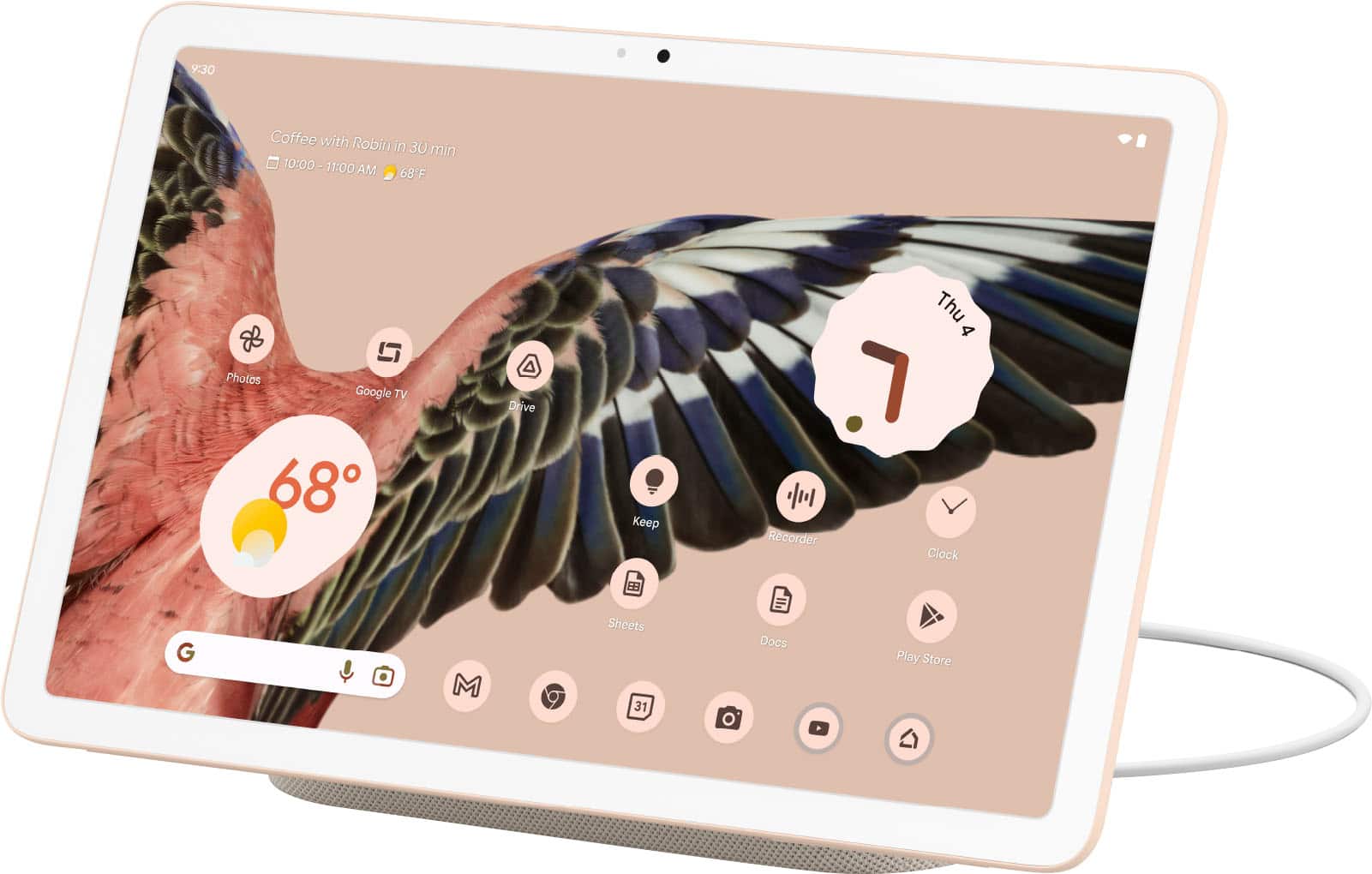

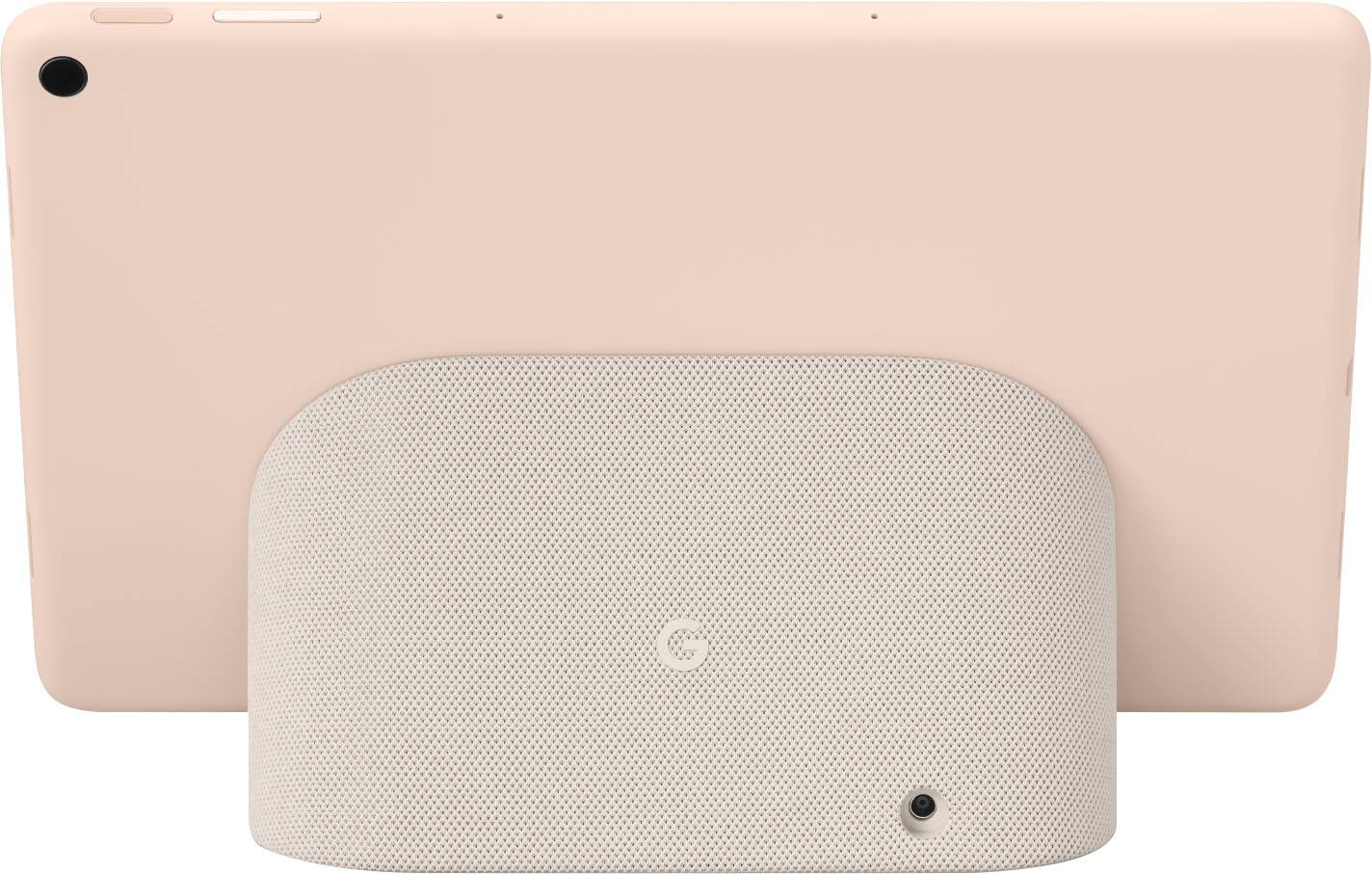
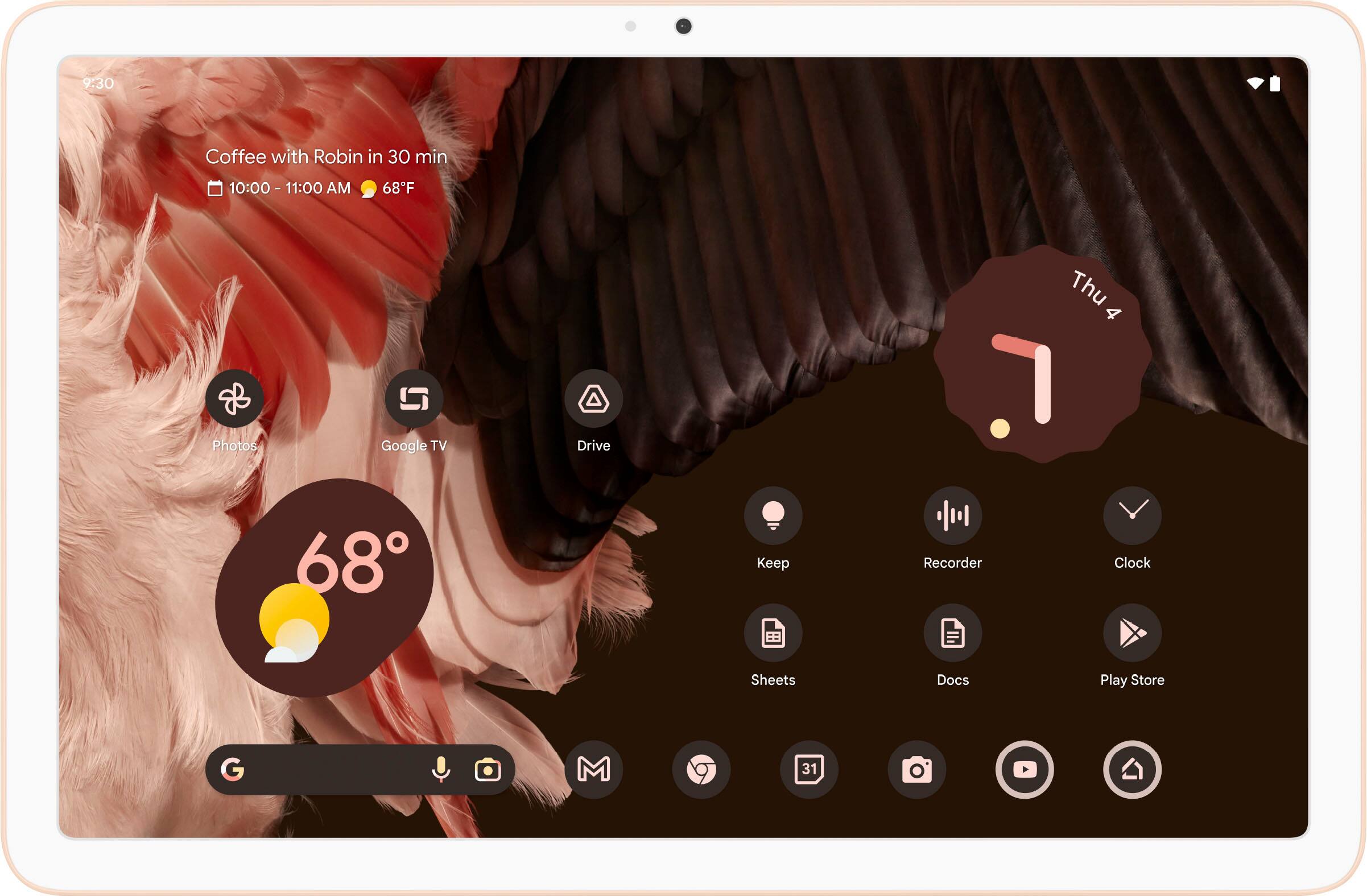
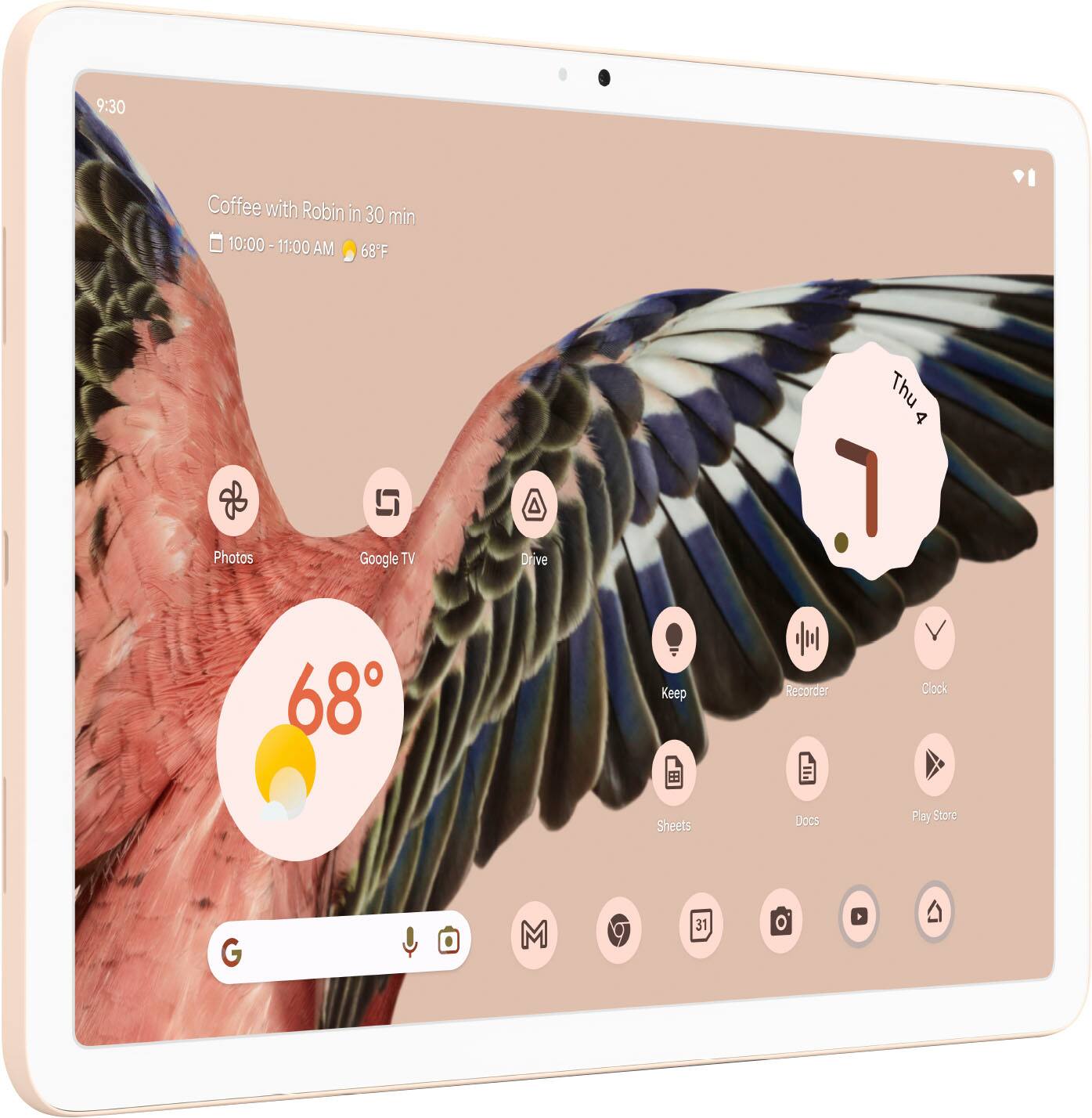


- Model:
- GA04752-US
- SKU:
- 6543737
Rating by feature
- Battery Life
Rating 4.7 out of 5 stars
- Durability
Rating 4.6 out of 5 stars
- Display
Rating 4.7 out of 5 stars
Customers are saying
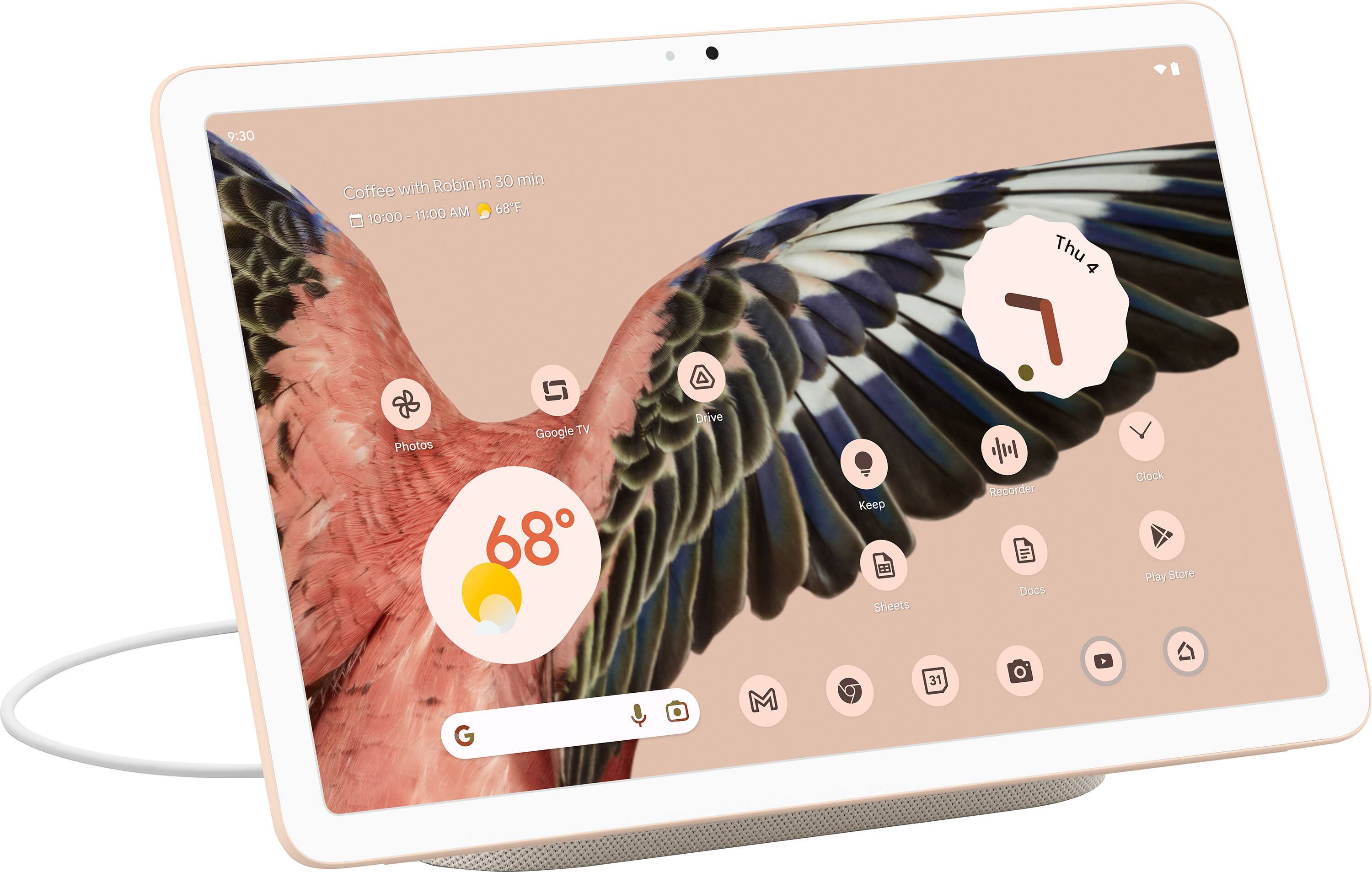
Customers are positive about the Pixel Tablet's sound quality, battery life, ease of use, and the convenient charging dock. Many appreciate the tablet's screen size and design, although some find the price point high for the features offered. A common criticism centers around the 60Hz refresh rate, and some users express concerns about storage limitations and the responsiveness of the Google Assistant. Overall, the positive feedback on key features like audio and battery life outweighs the negative comments regarding price and refresh rate.
This summary was generated by AI based on customer reviews.
- Pros mentioned:Processor speed, Sound qualityCons mentioned:Price
Smooth Performance: Is the Price worth it?
Posted .This reviewer received promo considerations or sweepstakes entry for writing a review.The display of this product is exceptionally crisp and vibrant, making browsing a delightful experience. Once detached from the charging speaker, it becomes convenient for browsing purposes. The tablet performs admirably, allowing me to multitask smoothly without any noticeable lag. With its decent 128GB storage capacity, I have ample space for my apps and files. However, it's worth noting that the price of this product is on the higher side compared to other Android tablets available in the market. The inclusion of the charging speaker/dock contributes to the increased cost. If the primary function of the dock is not a priority for you, it might be more cost-effective to purchase a separate speaker and tablet. Nevertheless, it is still a nice product overall. Considering these factors, I am contemplating returning it, but I recognize its value and appreciate its quality.
No, I would not recommend this to a friendBrand response from Google Team
Posted .Hi there, dmawright. We appreciate you for sharing your review on your Google Pixel Tablet. We're glad to hear that you're having a great time with your device. We're here to help with any concerns you may have and help you explore what else the Google Pixel Tablet can do to improve your overall experience. Please reach out to our dedicated team of specialists on our Google Help page here: https://support.google.com/googlepixeltablet/?hl=en#topic=13075701

Axxholw Manager
||Posted . Owned for 3 weeks when reviewed.This reviewer received promo considerations or sweepstakes entry for writing a review.The Manager at Best Buy in Skokie, IL called me scammer when I tried to return this tablet and refused to accept my return. He said the sku of the tablet doesn't match what's on the box! After a lot shaming i get in front of the customers...he accepts the return and refund me! Damage was done and they nothing did to that manager!
No, I would not recommend this to a friendBrand response from Google Team
Posted .Hi there, Skinie. Thank you for sharing your experience with getting and returning your Google Pixel Tablet. We're sorry to learn that you had a terrible time getting your refund. If you’re ever considering Google products in the future and need any technical assistance, please don't hesitate to reach us on our Google help page for support: https://support.google.com/googlepixeltablet/gethelp
Don’t buy used!!
||Posted . Owned for 3 weeks when reviewed.This reviewer received promo considerations or sweepstakes entry for writing a review.Bought an open box pixel tablet. Had ghost touch issues from the very beginning. Got a hold of google to see if there was a way to fix it. The warranty was expired on it by a few days and the said they go ahead an replace it.
No, I would not recommend this to a friend- Pros mentioned:Battery life, Processor speed, Sound quality

A Very Good Android Tablet
|Posted .This reviewer received promo considerations or sweepstakes entry for writing a review.The Tensor2 processor coupled with the 8gb of RAM (and a really nice display screen) easily makes this the fastest and most capable Android tablet I have ever owned or used. The OS experience is enhanced by some tablet specialized customizations which causes the arrangement of items on the screen to appear a bit differently than that to which I am accustomed even though it is still Android 13. When attached to the docking station hub, it further morphs into a kind of 'Google Nest' type of look and behaviour. The included documents say it could easily serve as a Google home automation hub but I did not utilize that feature. Undocked, the audio is adequate from this tablet but when docked, the builtin speakers greatly improved the sound to near HiFi levels while being capable of filling a large room with that sound. Sadly, the docking station speakers are only available when the tablet is docked. Although I'm not much of a game player, the games that I did play performed quite well and the battery lasted longer than I thought possible. If it had a keyboard and mouse, I think it would work really well as a workstation but none such were included. Although a bit different from other Android tablets, I find it to be a refreshing change. I think you will too.
I would recommend this to a friend - Cons mentioned:Refresh rate
Google Tablet Experience: Part ???
|Posted .This reviewer received promo considerations or sweepstakes entry for writing a review.Google has an odd history with tablets. When the Nexus 7 tablet came out, it was a smash hit for its affordability and its perfect size. However, even though they set the bar for what a tablet can be, it never became what a tablet should be as envisioned by Google. The previous Pixel line of tablets never took off, due to its high price and questionable design choice. And because of so many failed attempts at defining what a tablet should be, Google just gave up, leaving only one major company to design and define the Android tablet. I was personally relieved that Google is returning to the tablet space under the Pixel series. I have some concerns about the tablet itself but I reserve that until I actually use it myself. Setting up the tablet (which is the first step) was straightforward. Connect to the Google account, set up the device as new or copy data from another, and so forth. Connecting to WiFi was surprisingly different, as it allowed me to scan a QR code. So I open up my Pixel 7 Pro phone, share the WiFi via QR code, and the tablet connects right away. Once the tablet side is done, it’s placing the tablet onto the dock and setting that part up. The whole process was straightforward and I never had any problem getting it up and running. The stock Android experience is one that I always prefer over anything else. And being able to finally run a tablet with that is a breath of fresh air. Users of Android phones or Pixel phones will find the experience to be very similar, just on a bigger screen. That bigger screen also comes with the ability to run two apps via split screen. This is quite useful when you need to have two apps open for various tasks. The only bad part is that not a lot of apps are optimized for tablets in landscape orientation. This isn’t the fault of Google but rather the laziness of many developers not bothering with tuning and optimizing the apps for use in large screens and landscape format. Using the tablet docked in hub mode is a bit of a mixed bag. Having a larger screen makes it easier to see at a distance while also providing a bigger touch target when interacting with it. At the same time, it’s a bit jarring not having the usual hub interface seen in other smart displays. And whether or not it’s due to the dual purpose of the tablet, I have difficulties in running a routine I had set up previously. I had to tweak the routine to make it mostly work. Still, it wasn’t fully set up the way I wanted it to. But for now, I’ll have to deal with that small quirk. The hardware featured in the tablet is what I have come to expect from Google nowadays. There’s no headphone jack for the tablet. Audio output will be done via internal speakers or from the charging dock (if docked). There’s Bluetooth available so one could pair your own headphone/earbuds to it for a better listening experience. The power button doubles as a fingerprint reader and has not given me any problem so far. The display is high density at 2560x1600 but sadly it’s not OLED and is stuck at 60Hz refresh rate. While 60Hz is something I can tolerate to keep costs down, not having an OLED for display is a missed opportunity. One can easily extend the battery life without having to dock it by using OLED to drive only the pixels it needs to light up. Would that make the tablet unbearably more expensive? Honestly, I don’t know for sure. Powering the tablet is Google’s Tensor G2 processor, which is the same chip found in the Pixel 7 [Pro] phones. With that you get all the bells and whistles that come with utilizing the G2 chip to its fullest. However, the only part that will not get much love is the image processing, as the two cameras on the front and back are 8 megapixels with f/2.0 aperture. You won’t get a lot of details and good image quality out of the cameras but it is sufficient enough for video calls. In the end, I’m glad Google has returned to the tablet market with the Pixel Tablet. The Android tablet market is so boring and uninteresting due to a certain South Korean company having total control over it. And because tablets in general are such a niche market, it’s hard for any other company to step up and make a good tablet that can actually challenge it. I’ve been waiting for so long for a tablet that is as Google envisioned or designed. And I was on the fence on whether to buy a certain fruity competitor’s high end tablet. Thankfully and finally, I don’t have to look into it. Is it a recommended product? There’s a big IF for that. If you have several products that integrate nicely into Google’s Home ecosystem, then getting the tablet is highly recommended. The dual function of a tablet and a smart display makes it almost indispensable for a smart home. However, what about those who do not have any of that? I lean more on recommending it despite the high cost. Aside from the obvious smart display function, you can also look at it as a photo frame to display your preferred photos while docked. The Good: a Google tablet finally, big screen, comes with charger, pure stock Android experience The Bad: both camera hardware are low-spec, Google Home routines need improvement, not OLED display The Ugly: the possible/future designs of tablet cases that also supports docking Verdict: recommended buy
I would recommend this to a friendBrand response from Google Team
Posted .Hi there, Sixshot. We appreciate you for taking the time to share your review on the Google Pixel Tablet. We're glad to hear that you're enjoying your overall experience with the device and thank you for your recommendation. Your feedback on the camera is appreciated. We want to know more about the difficulties you had with your routines when in hub mode. It's important to us that we provide you with the best help possible and improve your overall experience with your device. Please reach out to our dedicated team of specialists on our Google Help page for immediate support here: https://support.google.com/googlepixeltablet/?hl=en#topic=13075701
It doesn't do tablet or hub great.
||Posted . Owned for 1 month when reviewed.This reviewer received promo considerations or sweepstakes entry for writing a review.My unit started to have a problem about 4-5 days prior to my return period. Ended up returning it for a refund. Overall, I felt like it wasn't a great tablet and it wasn't great at doing what a Nest Hub Max does either. Another word it doesn't do either one well but mediocre. I ended up plugging our Hub Max.
No, I would not recommend this to a friendBrand response from Google Team
Posted .Hey there, Johnny. We're sorry to hear that your experience with the Google Pixel Tablet was less than ideal and that you had to return it. This is not the initial impression we want you to have with the device. Your feedback on the performance of the device is appreciated and we've taken note of it. If you’re ever considering Google products in the future and have any inquiries, please don't hesitate to contact us on our Google Help page here: https://support.google.com/googlenest/gethelp
Huge disappointment
||Posted . Owned for 3 weeks when reviewed.This reviewer received promo considerations or sweepstakes entry for writing a review.We ended up returning this. We had the nest hub max before, which had its issues but was overall ok. We thought this would be an upgrade but it was really bad. The tablet itself might be sleek, but the speech recognition is disastrous. The sound of the base is also terrible.
No, I would not recommend this to a friendBrand response from Google Team
Posted .Hello there, Romain. Thanks for sharing your concern with your Google Pixel Tablet. We're sorry to hear that your experience with the device when docked has been less than ideal. We appreciate your feedback with voice control using Google Assistant and have taken note of it. If you’re ever considering Google products in the future, please feel free to reach out to our dedicated team of specialists on our Google Help page here: https://support.google.com/googlepixeltablet
- Pros mentioned:Battery life, Sound quality
positively changed how i view and use tablets
Posted .This reviewer received promo considerations or sweepstakes entry for writing a review.absolutely incredible. the screen is great and the tablet's speakers are great as well, with the dock speakers being even better. the performance is fantastic, with it handling all of the gaming tasks I throw at it, as well as being super snappy and responsive when being used as a media device. I have had it for like 2 months at least and i've never looked at the battery percentage once, even when gaming on it at full brightness. the best part though, is that it's still useful when i'm done needing a tablet. I used to use a google nest hub mini as a clock and also for some quick smart assistant tasks (currency conversion, asking random questions, checking the weather,etc) and the pixel tablet handles all of those functions with ease as well. i have never been the biggest fan of tablets since they just becoime useless slabs lying around when not needed for a few specific tasks, but i can genuinely say since this one is still useful even when i'm not directly using it, that I've used it every single day since i bought it and 100% recommend it to anyone looking for a tablet and/or smart home hub.
I would recommend this to a friend Paper weight
||Posted . Owned for less than 1 week when reviewed.This reviewer received promo considerations or sweepstakes entry for writing a review.Bought open box and the tablet was locked to the previous owner. Best Buy tech support and customer support had no clue to figure things out. Google support had no solution either. Just have to go through a replacement scenario.
No, I would not recommend this to a friendBrand response from Google Team
Posted .Hello there, Rich. It’s unfortunate to hear you ran into these issues with your order of Pixel Tablet, and we regret the inconvenience these have caused you. We’ll use your feedback to work on improving our products and services, including how we handle customer concerns with efficiency. Meanwhile, you can perform a factory reset to restore the tablet or dock to its original settings. Before you perform a factory reset, you can reset your network or app settings to their original state. Check this link for more details: https://support.google.com/googlepixeltablet/answer/13554751
If you still need help with the replacement options, please contact your retailer again. And for questions about the performance or features of the Pixel Tablet, you’re more than welcome to visit us anytime here: https://support.google.com/googlepixeltablet
Not ready for prime time
||Posted . Owned for 1 week when reviewed.This reviewer received promo considerations or sweepstakes entry for writing a review.Good start, but too many features are missing. Not ready for prime time. As with most of Google's hardware, the users are really beta testers. Promises of future enhancements that never come are too many too often.
No, I would not recommend this to a friendBrand response from Google Team
Posted .Hello there, sbdr. Thank you for sharing your concern with your Google Pixel Tablet. We're sorry to hear that your experience with the device was less than ideal. Your feedback is appreciated and we've taken note of it. If you need any help in the future, please don't hesitate to contact our dedicated team of specialists on our Google Help page here: https://support.google.com/googlepixeltablet#topic=13075701
Not a good replacement for Nest Hub Max
||Posted . Owned for less than 1 week when reviewed.This reviewer received promo considerations or sweepstakes entry for writing a review.Bought this fo replace the nest hub max. Does not function the same. Does not work as additional nest camera as it should. Disappointed. Screen also needs passcode to unlock everytime.
No, I would not recommend this to a friendBrand response from Google Team
Posted .Hi there, HockeyRob2. We're sorry to hear that your experience with the Google Pixel Tablet didn't meet your expectations. The device's camera doesn’t work like a Nest camera when docked. The front camera has a narrower angle than users would expect from a security camera. We also thought it might be confusing if the tablet wasn’t docked. That said, we’re always listening to customer feedback and will take it into account.
You can choose to change how to unlock the screen by going to 'Settings', then scroll down and tap on 'Security & privacy', then choose 'Device lock'. This will give you the option to change or disable the screen lock. If you are in need of any assistance, please don't hesitate to contact us on our Google Help page here: https://support.google.com/googlenest/gethelp
Don't buy from best buy
||Posted . Owned for less than 1 week when reviewed.This reviewer received promo considerations or sweepstakes entry for writing a review.Tablets fine but best buy sucks never purchasing anything from them again. I would just buy this direct from Google if I could do it over again.
No, I would not recommend this to a friendBrand response from Google Team
Posted .Hello there, Drungler. Thank you for sharing your experience with the Google Pixel Tablet. We're glad to hear that you're satisfied with the tablet itself. If you want to know more about the Google Pixel Tablet and explore the tablet's features and functionality, here's a helpful article for you: https://support.google.com/googlepixeltablet/answer/13555435
If you have questions and concerns please reach out to our dedicated team of specialists on the Google Help Center: https://support.google.com/googlepixeltablet/gethelp
- Pros mentioned:Battery life, Sound quality
Clever addition to the Pixel family.
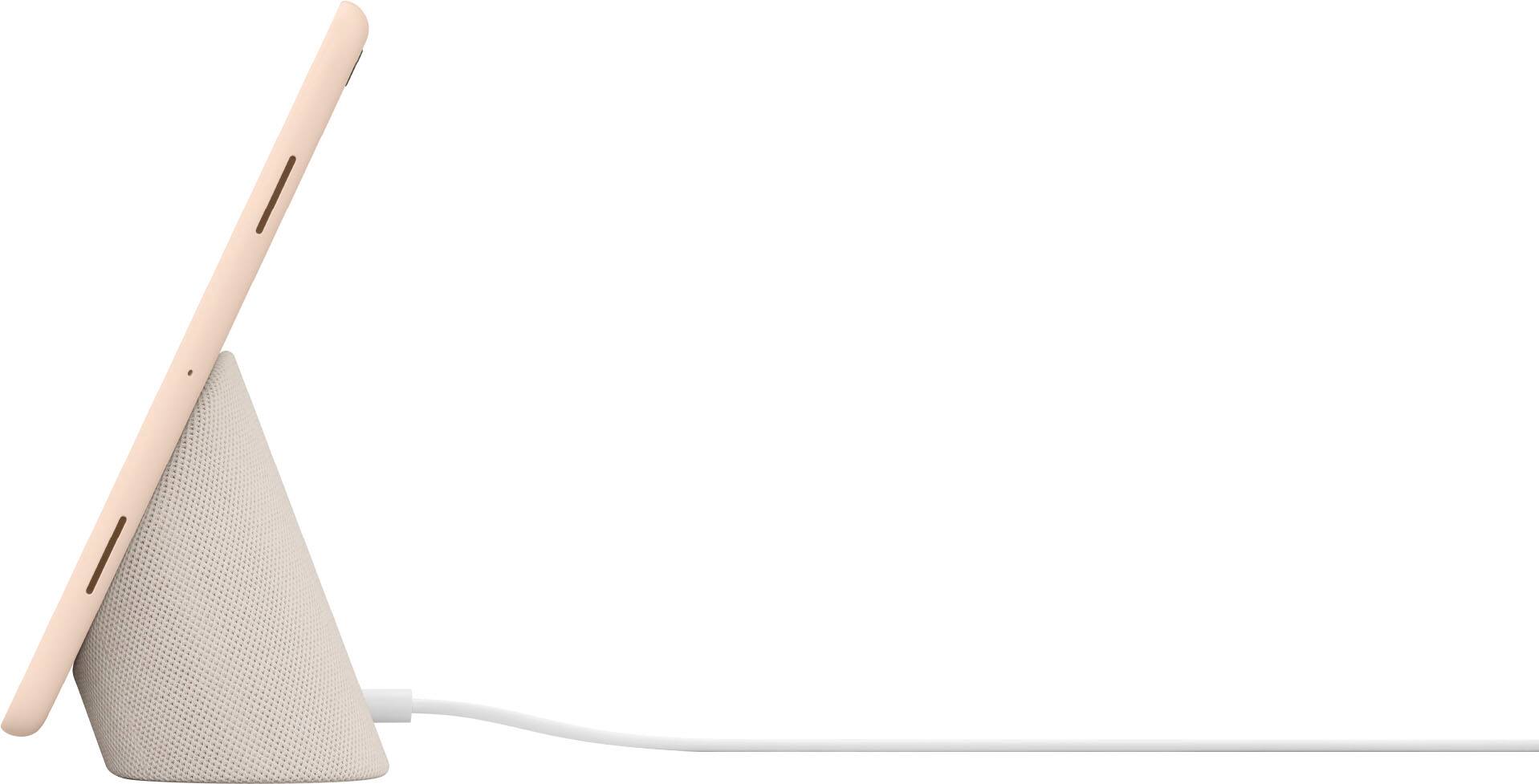
|Posted .This reviewer received promo considerations or sweepstakes entry for writing a review.I've been a fan of the Pixel phones since V1 and was looking forward to experiencing that same quality on a larger display and with better sound. I feel that the new Pixel Tablet and its charging dock/speaker combo address this nicely. Up until this combo appeared I have been using smart speakers from other manufacturers as both my general "Hey Google" assistant and Home Hub controller. I also have a number of Android tablets from other vendors and run a smart display with a separate Google TV media player. I was getting desperate to find a consolidated solution and believe that this tablet is a giant step in the right direction. The positive vibes started with the packaging which provided not only protection for the contents but also was arranged in a logical manner which made initial setup a breeze. The setup instructions were clear and concise (maybe even terse!) but allowed me to get the tablet functioning and synced without any issues. You need to exercise some patience as the numerous firmware and application updates require some time to complete. Your patience is rewarded by a solid product with decent performance and more than a few tricks up its sleeves. I have encountered no glitchy behavior and the stand solidly supports the tablet (horizontal orientation only) while charging and/or viewing contents. The stand requires connection to AC power but the tablet is, of course, battery operated. Battery life and charging speed are both very good. One observation on the dock - the connection is magnetic and while it is certainly sufficient to hold the tablet with no danger of accidentally being dislodged, I did manage to inadvertently knock it lose trying to adjust the volume button! Also, while the dock's speaker volume is decent I would have enjoyed a bit more bass. The tablet itself is a mid-range performer. The screen gets plenty bright but could stand a bit more dynamic contrast and its off-axis viewing is not great. The controls are flush mounted and require a bit of fiddling to get used to. The unit is lightweight without feeling cheap, has adequate RAM and storage, and is fairly responsive. Google got ahead of the curve and optimized a number of Play Store apps to take advantage of the platform and they continue to innovate and push updates regularly - a hallmark of the Pixel line. In conclusion - this product fully met my expectations and I recommend that anyone interested in the Android ecosystem take a serious look at Google's latest offering.
I would recommend this to a friend Horrible
||Posted . Owned for 3 months when reviewed.This reviewer received promo considerations or sweepstakes entry for writing a review.Did not work well as a hub. Alot of the features that a smart hub should have it did not
No, I would not recommend this to a friend- Pros mentioned:Sound quality
Like a hub, but not
|Posted .This reviewer received promo considerations or sweepstakes entry for writing a review.I always thought the Nest Hub should have been more like a tablet, but this tablet should be a bit more like a Hub. In many ways, it's better than a hub. You can undock it, and it has the full functionality of an Android tablet. It is much more customizable. It's bigger. Yet it retains some of the cool features of the hub when it's docked. It gives you access to all of your smart home features. You can play music and tv shows and even movies on command. The speaker is good enough to be your music streaming device, and you can even broadcast to other connected speakers around the house. You can cast from the tablet to another Chromecast enabled TV or device. Or you can cast from your phone to the tablet. It seamlessly interconnects with your other Google devices and your Google account. I even transferred a lot of information from my iPhone during setup. One surprising, but very nice feature, is that it will let you use Apple Music as one of your streaming accounts. Nice as it is, though, some of the features are not fully baked yet. Voice commands were very spotty about interpreting what I actually wanted it to play, and there's no easy way to just select what you want to play manually. When selecting a show to stream, it could not recognize that I get my Showtime content through Paramount+, and there was no way that I could find to direct it to access that content through the proper subscription service. It also was unable to log into my Starz account during setup, and I could not find a way to log in outside of the setup process. However, for the services it was able to add during setup, it does a nice job of integrating that content and making it accessible through the desktop interface. The main screen is customizable with widgets, but the selection of widgets is still limited. The screensaver is nice for displaying information in the background when you're not actively using the docked tablet, but it will time out and turn off. It should be always on like the hub, or even better, recognize when you turn your attention to it, and present relevant information or options. I can't decide whether this is more like a more powerful hub, or just a feature-added dock for an Android tablet, but it mostly works as either.
I would recommend this to a friendBrand response from Google Team
Posted .Hey there, bradcon. Thanks for sharing your feedback on the Pixel Tablet. We’re glad that you like certain functionalities, but we’re sorry to hear of your issues with its performance along with some of its features. We’d like to learn more about your concerns so we can help improve your experience. Please contact us anytime at the following link for assistance: https://support.google.com/googlepixeltablet
- Pros mentioned:Battery life, Dock
Great Device that is underrated
Posted .This reviewer received promo considerations or sweepstakes entry for writing a review.I will say that the Pixel Tablet is not the fastest. The Pixel tablet is not even the best tablet. However, the Pixel Tablet is, is consistently reliable. Previous Android tablets have never lived up to the hype for me. My last Android Tablet was the Samsung S8. I had initially bought the S8 as a travel laptop replacement. At the time, the S8 tablet had better sales than its competitor. I liked its bells and whistles, the ability to customize app icons and extended memory. What I did not like was the inconsistency. The S8 Tablet was a device that would perform well in the morning but by the time I would complete my work session, it felt like the S8 was ready to call it a day before I was ready. Apps would stop working, and when the app switched the tablet would restart or freeze or the app would just not work altogether unless I restarted the tablet myself. It could have just been my unit but I will say I have not experienced any of that on the Pixel Tablet. The Pixel Tablet has been an extension of my laptop. I use the Pixel tablet as my Google Chat/Teams, email, web browsing, and media consumption device. Like any tablet the Pixel Tablet does not differentiate itself by normal means, it would be through the included dock. Yes, the Pixel Tablet comes with a dock. The dock both charges and is an external speaker for the Pixel Tablet only. The Pixel Tablet connects magnetically to the dock through 4 pins on the back. When attached the Tablet is very secure to the dock. I will say that the speaker does not produce enough sound to start a party but is plenty loud enough to watch youtube/movies/teams calls. I have connected both my MX Mouse and Keyboard to the tablet and both work great with the Pixel Tablet. I do wish sometimes that a Keyboard case existed for the Pixel Tablet but hopefully in its next iteration. I feel that the Pixel Tablet is a great start but with opportunity for improvement.
I would recommend this to a friend - Pros mentioned:Processor speed, Sound quality
A new all-in-one home device
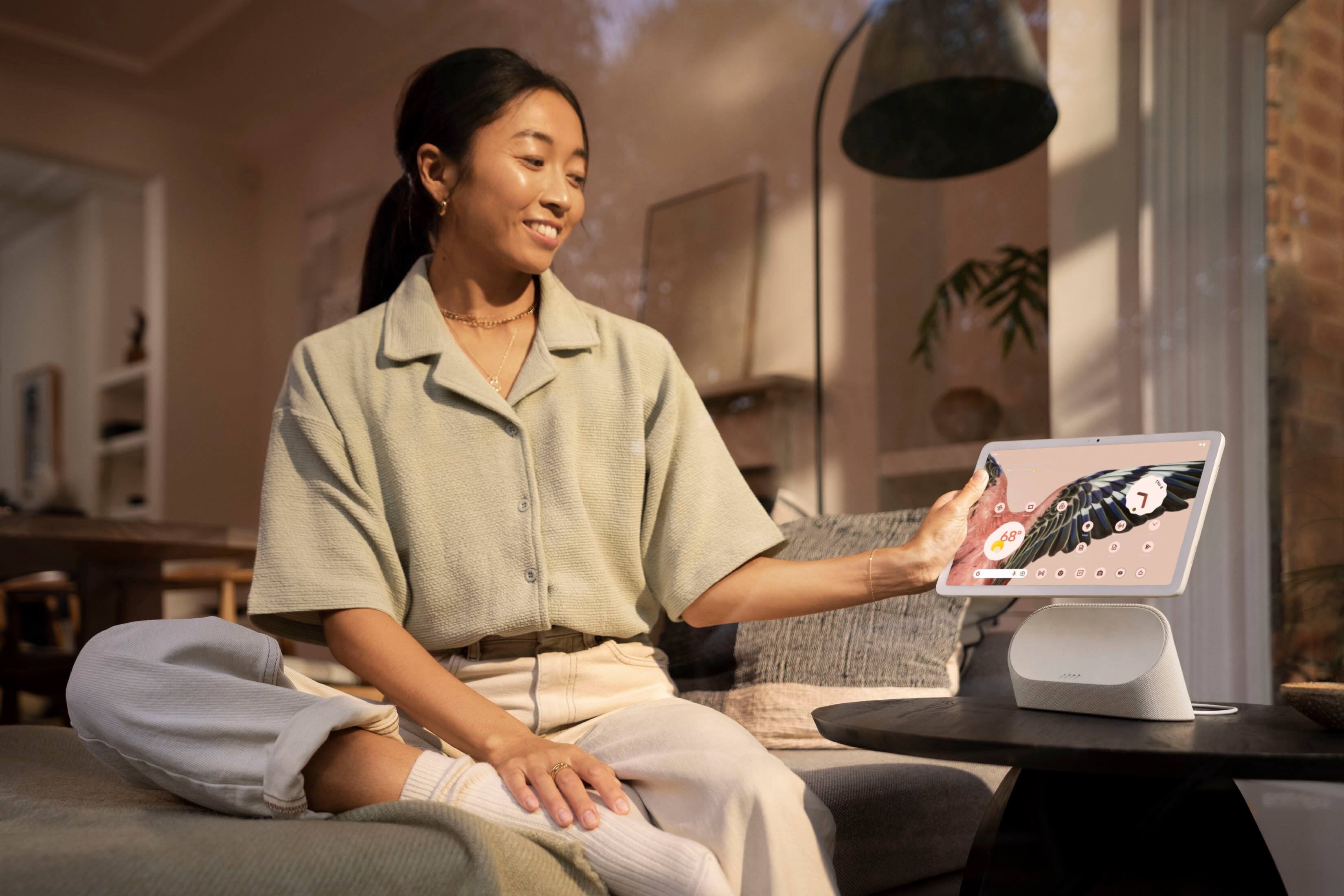
|Posted .This reviewer received promo considerations or sweepstakes entry for writing a review.The new Pixel Tablet is a nice replacement for the current models in house, this will be replacing our Google Home with Google Assistant and an older gen apple device as this is an all—in—one replacement. Setup takes about 10 mins from a quick pull of your current Google connected devices. This does not include any apps you may want to have installed. NOTE; there will be an immediate system update that should be applied to complete setup. The user interface is very familiar to other Pixel devices, making it easy to jump between mobile and tablet. Overall use, snappy and quick to respond to all gestures and opening apps. While the sound on the tablet is descent, it improves immensely on the sound dock. Charging is quicker via a. direct USB-C connection to the tablet and slower via the dock. The new tablet design and size is comfortable for in-hand use, while easily approachable and used when docked. The dock itself is power by the main power block included in the box. Alone, the dock doesn’t serve any other purpose. It works only with the tablet attached for charging and to amplify the tablet through nice sound. Keeping in mind, the main design is for use around the home or office. We have continually used similar devices in this manner as separate units, this is all together. The dock and tablet sit nicely on our kitchen counter, complementing the already nice look to the kitchen and fits in really well. Google Voice is great in listening and responding to all of the given commands from pulling up various recipes, conversion of recipes ingredients, playing music via our common media app our family uses. While we primarily use this in our kitchen, it has found its way into our study, common living, and other areas of the home for use to pull up shows and movies on the TVs, read stories to our children, and even music in various areas of our smart home as we generally do not carry our mobile devices when home. As a fan of Smart Home and Devs, highly recommend this for any home.
I would recommend this to a friendBrand response from Google Team
Posted .Hi there, 82jax! Thank you for making Google Pixel Tablet a part of your home. We're glad to hear that you're having a great time with the device. If you have any questions or have additional inquiries about the device, please don't hesitate to contact us on our Google Help page here: https://support.google.com/googlepixeltablet/?hl=en#topic=13075701
- Pros mentioned:Battery life, Sound quality
so far so good
|Posted .This reviewer received promo considerations or sweepstakes entry for writing a review.I have not owned an android tablet like this in quite some time, and I'm very impressed so far. There are pros and cons to everything, but sometimes the pros are so good you don't even notice the things that are a little off. Pros: The screen is very good, and has great viewing angles. The battery life lasts me about two days, and I'm getting lots of use from the tablet daily. The hardware is very solid, and looks amazing. It feels really good in the hand, and just might be one the best in hand feels I've had in a long time. The speakers are very loud, but when you dock this thing they turn into amazing sound quality. The cameras surprised me, as they are bot really good. The front cameras are going to please people, as I think they are a little better than the rear. This tablet has several microphones, so it will hear you even if you are far away with commands. The list for pros can go on and on, but I'll have to cut it short. Cons: The tablet stops charging at 90% when docked, and even if you turn the feature off it turns back on once you dock it again. The tablet comes with a speaker dock, and has multiple functions. If you have cameras, home security, speakers, TVs, etc...you can control them all from this tablet. The price is fair I think, because this comes with the dock. Overall, this is a solid tablet, and feel you will appreciate it once you buy it.
I would recommend this to a friendBrand response from Google Team
Posted .Hey there, mrjlwilliams. Thank you for choosing Google Pixel Tablet. We're glad to hear that the Google Pixel Tablet has made a great addition to your home. The device has a Battery protection feature when docked. This feature is turned on by default when your tablet is docked, and can affect how your tablet's battery charges. If you want to charge your tablet to 100% when it's docked, you can temporarily override this protection in your device's Settings app or charge the tablet with a USB-C cable. If you need further assistance or have additional questions please feel free to reach out to our dedicated team of specialists on our Google Help page here: https://support.google.com/googlepixeltablet/?hl=en#topic=13075701
- Pros mentioned:Sound qualityCons mentioned:Storage
A great all in one
|Posted .This reviewer received promo considerations or sweepstakes entry for writing a review.Google recently announced they were canceling support on all third party Home displays. Unfortunately, I have two in my home in optimal places. This was unfortunate, but typical. Luckily, this combo fits the bill for a more than adequate replacement with a formidable excellent tablet packaged in. Stand-alone tablet performance is top notch. Smooth performance, great touch sensitivity, and after all was updated, no slowdown with useful boost modes on specified apps. Yes, I still would like the option of expandable storage, but for the purpose of this unit, it's not a huge letdown. I appreciate the effort Google put in to basically guide you through optimal apps/usage/set-up. I use Google Meet fairly often, and it goes without saying, this is a top level experience in voice calling on any app. It serves as a great demo of what this is capable of, and all in all, it's very impressive. Now, for my main purpose, a Home Display replacement. Combined with the dock, this is where I find the devices shine. In addition to all of the features I once had, I have even deeper control of my Home devices. It fit right into the ecosystem and after a few efforts to get the device names together, it's good to go. The sound is better than my last unit, and the connection between the tablet and the dock is surprisingly sturdy and easy to maneuver should I need to use the tablet alone. If you are looking for a great tablet with integration in all Google and Microsoft has to offer, this is it. If you're looking to add another lead device into your Google Home ecosystem, this is it. Combining the two is definitely a gem.
I would recommend this to a friend Poor
||Posted . Owned for 3 weeks when reviewed.This reviewer received promo considerations or sweepstakes entry for writing a review.Poor I suppose, nothing much to add just not too happy
No, I would not recommend this to a friendBrand response from Google Team
Posted .Hello there, SimonJ. Thanks for sharing your feedback, and we’re sorry to hear that your experience with the Pixel Tablet didn’t meet your expectations. We’d like to learn more about your challenges with using the Pixel Tablet so we can help. You’re always welcome to visit us here: https://support.google.com/googlepixeltablet