Customer Ratings & Reviews
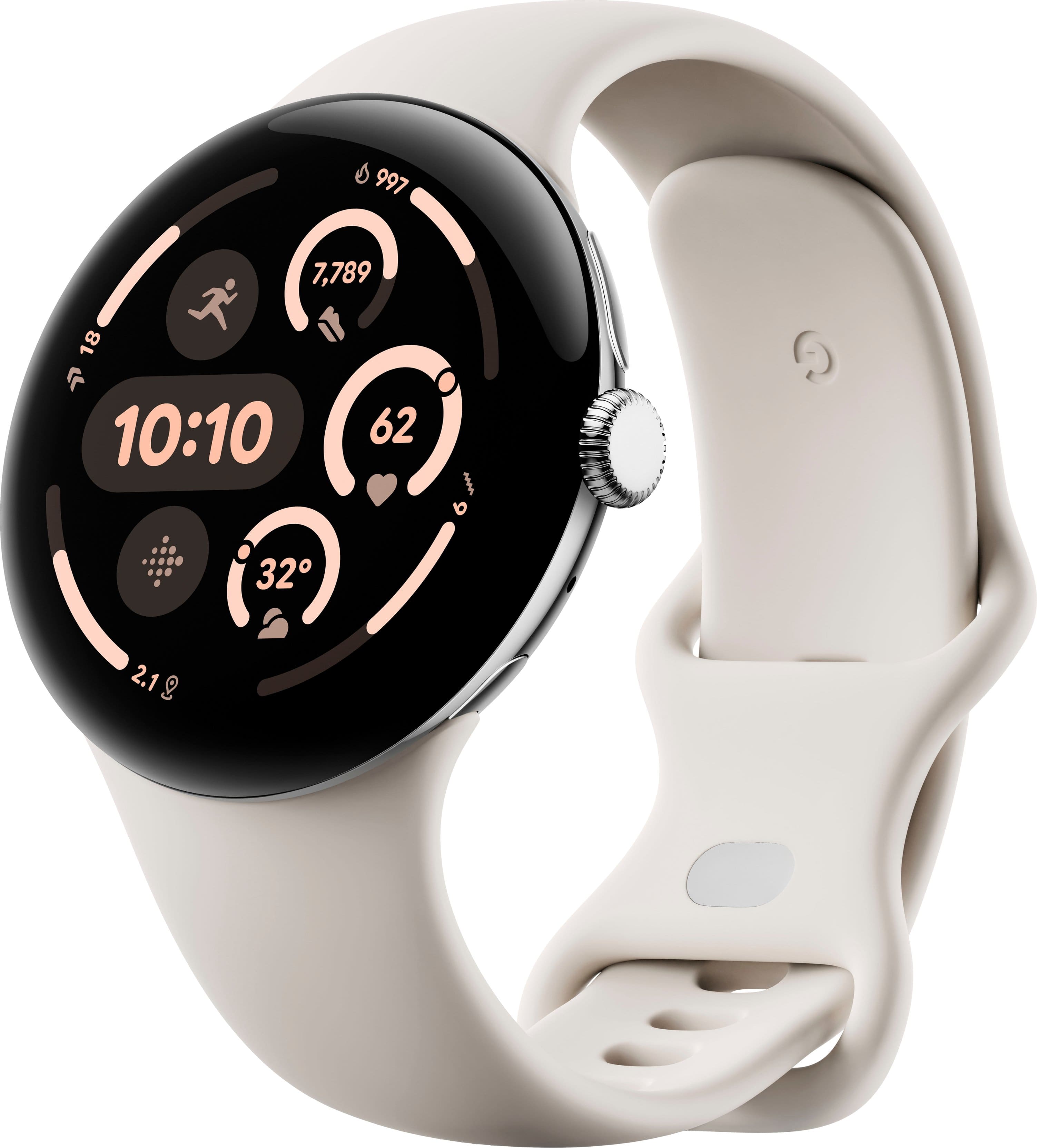
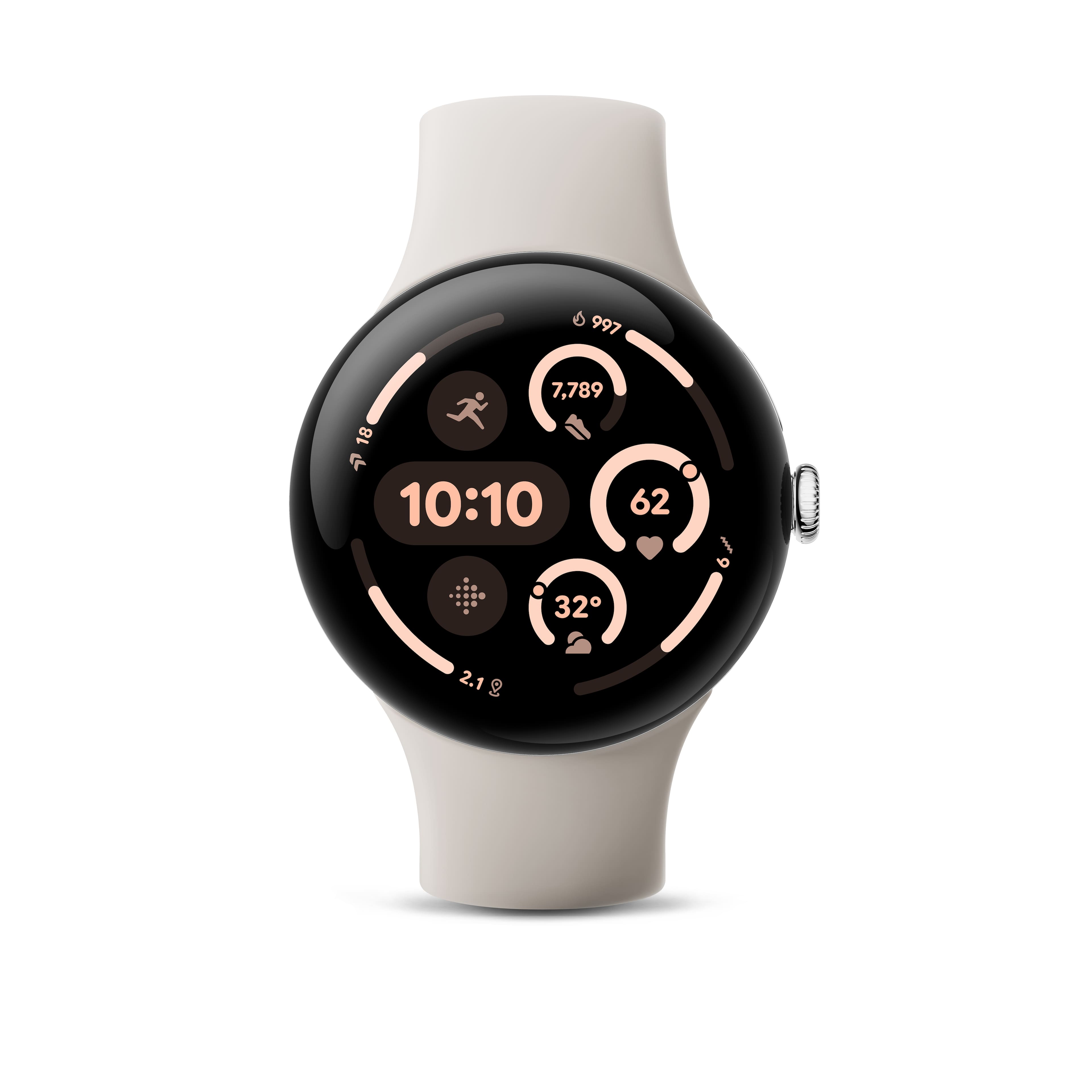
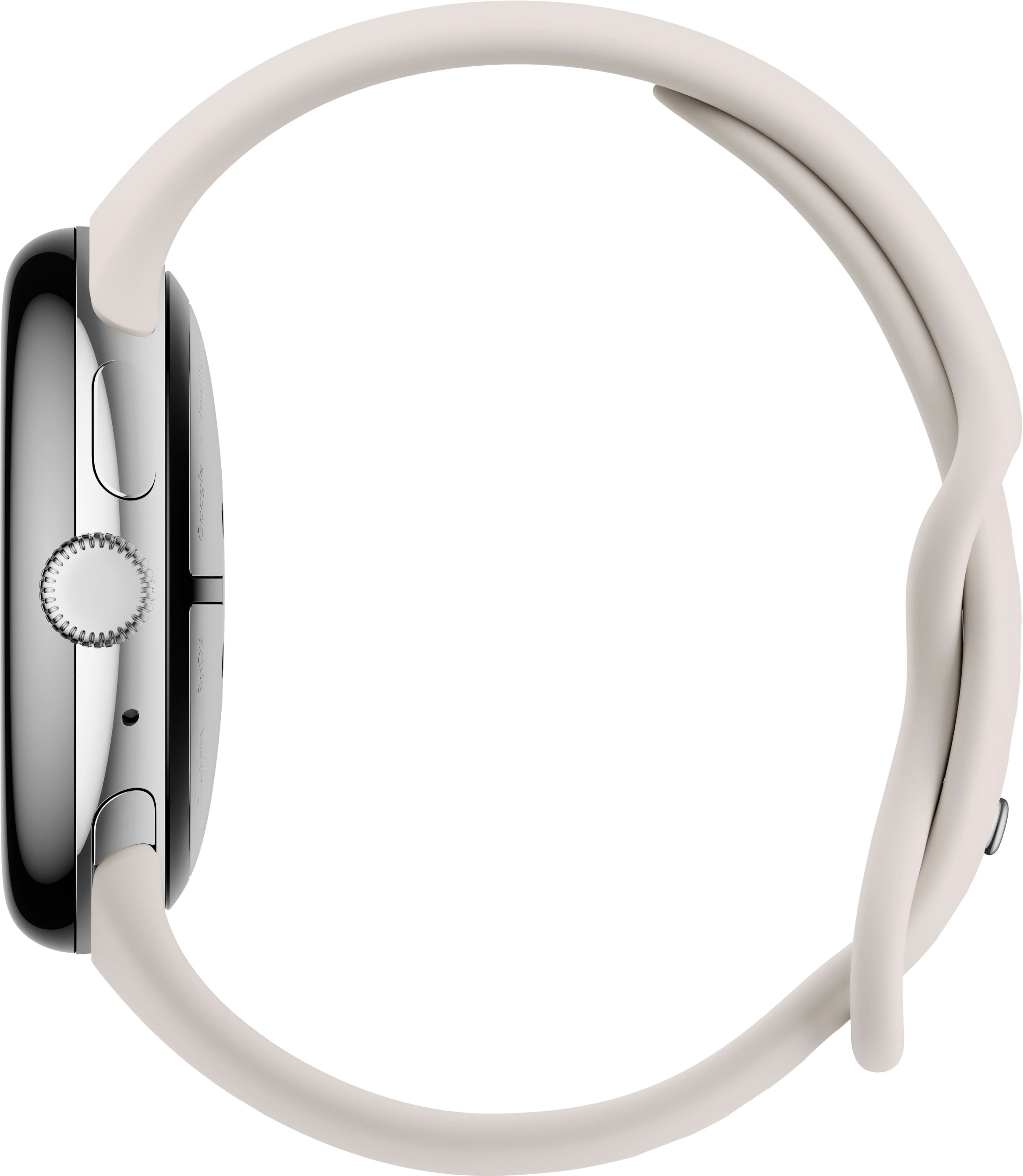
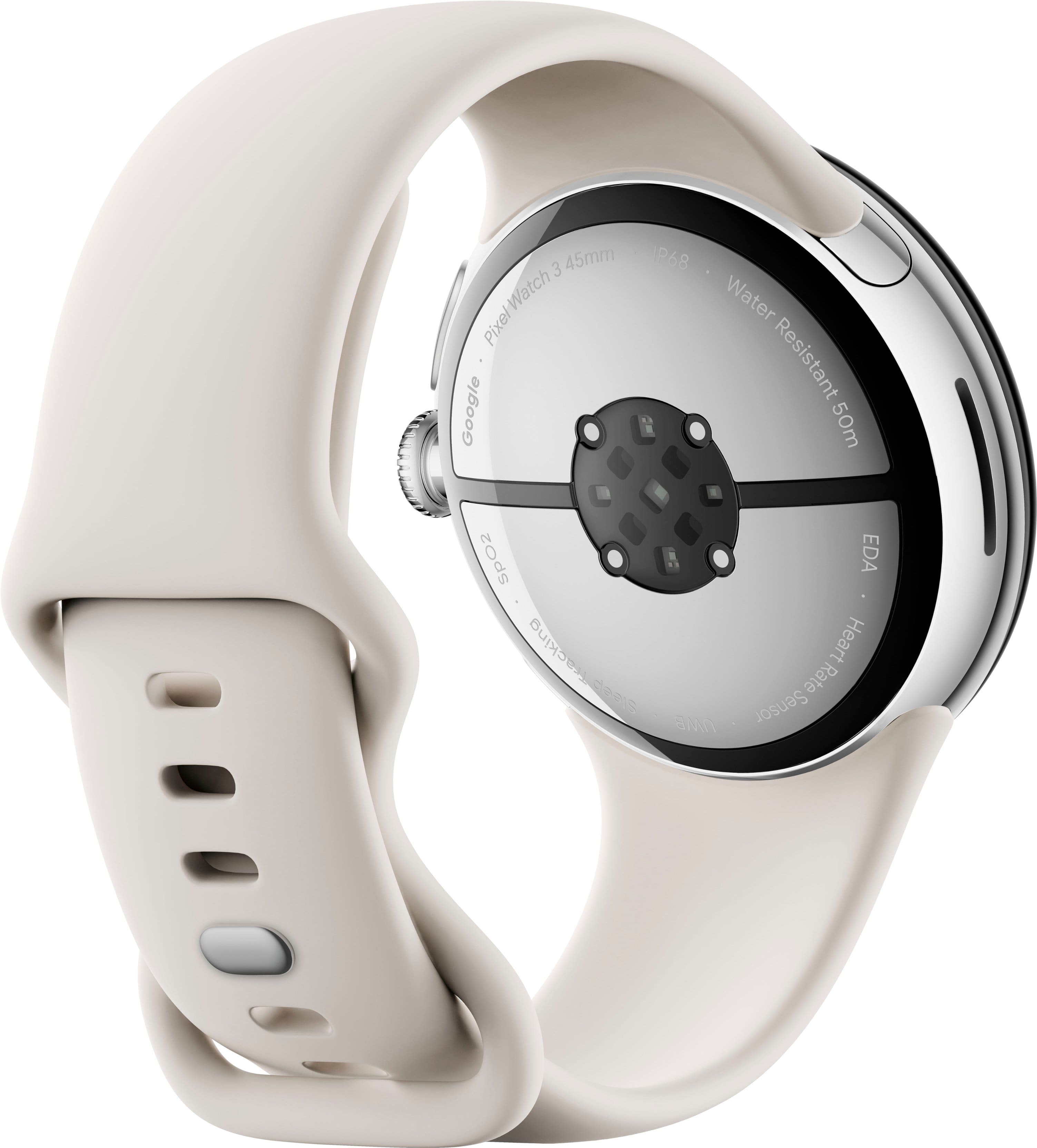

- Model:
- GA05736-US
- SKU:
- 10731891
Rating by feature
- Battery Life
Rating 4.5 out of 5 stars
- Durability
Rating 4.6 out of 5 stars
- Comfort
Rating 4.7 out of 5 stars
to a friend
Weak battery
||Posted . Owned for 1 month when reviewed.This reviewer received promo considerations or sweepstakes entry for writing a review.I don't know where all these people are saying the battery is good?? My watch was draining itself and I pretty much deactivated all apps. I only used it to text, nothing else. Returned it immediately..
No, I would not recommend this to a friendBrand response from Google Team
Posted .Thanks so much for sharing your experience with us, Eddie323.
We know you had to return your watch due to its battery issues despite taking steps to minimize usage. However, our goal is to always improve the user's experience so, should you ever get a Pixel Watch again, we want to make sure we do everything to resolve this inconvenience.
Should you need to troubleshoot battery issues, check this link. It's got a few things that might help extend battery life: https://support.google.com/googlepixelwatch/answer/12742648?hl=en-GB&sjid=14313808477463135501-NA
If those tips don't address the issue, you can always reach us out for further assistance here: https://support.google.com/googlepixelwatch/gethelp?sjid=14313808477463135501-NA

Best Android Smartwatch Yet
|Posted .This reviewer received promo considerations or sweepstakes entry for writing a review.I am a longtime Fitbit user, so I was quite pleasantly surprised when my new Google Pixel 3 45 mm smartwatch integrated smoothly and perfectly into the Fitbit app. It also integrates beautifully with my Pixel phone but should work very well with any Android phone. The Pixel 3 has an attractive circular watch face and has a very comfortable band which is rather challenging to attach to the watch but is very secure once attached. On my arm, the watch feels heavy but but not intolerably so. The display is both pretty and easy to read with very good resolution. The Pixel 3 does all the things that you would expect from a good Fitbit or any other smartwatch, but it seems to do them perhaps a bit better. For example, I noticed while wearing my Fitbit and Pixel (on separate arms - BTW you cannot have both connected to the Fitbit app at the same time.) that the Pixel counted my steps lower than the Fitbit. Later, I conducted a step count test on the Pixel wherein I would count off 100 steps and check the Pixel count. I did that a couple of times for both automatic stride length and the measured stride length. In each test, the Pixel count was within 7 steps over (usually more like 4) the actual count - quite a bit more accurate than any Fitbit that I have owned but very similar to another smartwatch that I once owned. It automatically detects the start of a sleep cycle as well as the start of many athletic activities (afraid I did not try more than two but it worked well for both). I tried to use as many of the tiles and apps that are made so easily available by Google but I guess I am set enough in my ways that I only actively use a few of them. Apps are presented upon a screen accessed by a press of the watch stem when the selected face is displayed and you select from among them by scrolling up or down. Tiles are accessed by scrolling from the right. The battery life at about 2.5 days without GPS enabled on this 45 mm Pixel watch 3 is quite improved over earlier android watches but not yet quite close enough to the Fitbit standard 7 days - a little more room for improvement. However, this Pixel 3 watch charges much faster than any other watch that I have owned. Overall, I highly recommend this Pixel 3 45 mm.
I would recommend this to a friendhigh cost. Faced with its performance
||Posted . Owned for 1 month when reviewed.This reviewer received promo considerations or sweepstakes entry for writing a review.The battery does not last at all and is very limited because you cannot watch videos
No, I would not recommend this to a friendBrand response from Google Team
Posted .Hi there, Greg. We hear your concerns regarding battery life on the Pixel Watch 3. Here’s some tips to get more usage from your watch:
1. Shorten the screen timeout: Swipe down > tap Settings > Display > Screen timeout, and choose a shorter time, like 15 seconds. This means your watch goes to sleep more frequently when you're not using it.
2. Turn off Tilt-to-wake feature: Swipe down > tap Settings > Gestures > turn off "Tilt-to-wake".
3. Reduce the screen timeout period: Swipe down > tap Settings > Tap Display > turn off "Always-on Display".
We’re here anytime you need us: https://support.google.com/googlepixelwatch/gethelp?sjid=1168929876280557452-NC
Careful if is an open box
||Posted .This reviewer received promo considerations or sweepstakes entry for writing a review.Open box. Was locked with previous owners pin. Impossible to reset
No, I would not recommend this to a friendBrand response from Google Team
Posted .Hey there, TonyT. Sorry to see there’s been an issue accessing your Pixel Watch 3. We’d be happy to look into your concerns and get a resolution for you. When you get a second, talk to us here: https://support.google.com/googlepixelwatch/gethelp
Missing watch from the box
||Posted . Owned for 1 week when reviewed.This reviewer received promo considerations or sweepstakes entry for writing a review.The watch was not in the box only the belt was in the box. I picked up an open box item. The way it was packed it was easy for anyone to open the tape get the watch out and stick the tape back without anyone noticing. This was supposed to be a Christmas gift and I lost the chance to gift my brother who really needed a smart watch in his weight loss journey.
I would recommend this to a friendTrash
||Posted .This reviewer received promo considerations or sweepstakes entry for writing a review.Pick up on disconnecting. Not worth the money and there's a new one that came out
No, I would not recommend this to a friendBrand response from Google Team
Posted .Hey there. Sorry the Pixel Watch 3 wasn’t quite what you were looking for. We’d be happy to look into any concerns you may have and make sure everything is running smoothly — when you need us, reach out here: https://support.google.com/googlepixelwatch/gethelp?sjid=1168929876280557452-NC
Dick Tracy Didn't Know What He Was Missing
|Posted .This reviewer received promo considerations or sweepstakes entry for writing a review.Keen to compete in the flagship, premium smartphone space, Google’s Pixel Watch line of devices have been a common sight among tech enthusiasts who are ingrained in the Android ecosystem. The Pixel Watch 3 is the latest evolution of the device line, packing better specs each year, but as a first-time user, can it convert this smartwatch skeptic? Yes, yes it can. - Unboxing and Setup Opening the Pixel Watch 3 isn’t quite as elegant an affair as some other Pixel devices, but with the smartwatch itself and choice of two sets of bands depending on your wrist circumference, you have just about everything you need to get started. As you might expect, there’s little in the way of documentation in the package and most setup occurs on the device’s screen and on your compatible Android device. Snapping the bands into the Pixel Watch is straightforward, using two spring-loaded clips to hold the bands securely in place. They gave some strong resistance at first but once you get the positioning right the bands snap-in with ease. The crown can be oriented in either direction, for use on either hand with your preferred position. Once powered on, the Pixel Watch pairs to your Android phone and setup completes on your smartphone. - Features and Apps The Pixel Watch 3 has its own OS specific to the smartwatch, so that it can function in a limited capacity even when your smartphone is out of range. This round-screen-optimized, lightweight OS is plenty speedy (once the watch boots up) and relatively easy to navigate. There’s a bit of a learning curve to operating the touch-driven display with the crown dial and button alongside, but after a day acclimating it was easy and natural to scroll, select, and swipe along. What the Pixel Watch offers is effectively an enhanced notification center and an external screen for compatible apps. The watch can be set to vibrate or make a sound with each phone notification, and notification data (such as message content, email bodies, and reminders) comes through with a surprising amount of readability and detail. Responding to these can be done via speech-to-text right on the watch, or a small but decently useable on-screen keyboard or numpad can enter short messages. One of the handiest features from the default apps was integration with Google Maps for navigating the center of a city without the need to pull my phone out. Instructions were relayed onto the watch face with vibrations for each turn or next direction, and a copy of the map can be displayed on the watch in realtime to show the route. Very neat! There are more apps available from the Google Play store to enhance functionality of the Pixel Watch 3. Quite a few of the apps I use have Watch OS equivalents, which was useful for remotely controlling Spotify and similar streaming apps. Not all will make the most sense or be particularly useful if the app developer hasn’t taken integration into its fullest account; for example, my banking app simply displayed account balances on the watch instead of allowing tap-to-pay through the NFC-enabled watch - Google Wallet is compatible, but none of my cards were eligible to enroll in tap-to-pay at the time of this review. - Fitbit Google’s ownership of Fitbit means health and wellness features come to the forefront. I would argue it’s one of the best integrations I’ve seen; even with just basic heart rate tracking on the watch, combined data from the phone and watch provide just as much activity tracking information as a dedicated Fitbit wristband would. I hadn’t used a personal fitness device before so this was a new experience for me. The Pixel Watch 3 tracks your activity through the day and can remind you to get up and move every hour. It can track estimated total steps, distance walked/ran/biked, and flights of stairs ascended, all calculating how many calories were burned and providing recommendations for healthier living. These can all be tracked and displayed on the watch without integrating into the Fitbit app from the Google Play store if you prefer - though you will not have daily logging to compare against. I found the Fitbit features worked well and revealed just how few steps I get in a day working from an office…oops! The tracking information can be hidden by changing the watch face (of which about a dozen types are included, more can be added from the Play Store) that doesn’t have the info displayed. - Comfort and Battery With the two pairs of silicone wristbands included, the Pixel Watch 3 should fit the majority of buyers. These silicone bands are decently comfortable on the wrist, perhaps tugging slightly in a way that could bother some, but being able to use a looser fit made me less cognizant that there was something on my wrist than other watches might. Certainly the weight of the watch is noticeable more than some others - if you prefer a lighter watch you may want to consider the 41mm size model of the Pixel Watch 3 over the 45mm. Battery life on the smartwatch is quite good, at minimum matching and at times besting the nearly two-day charge I get out of my Pixel 9 Pro. Charging is extremely rapid - not even 20 minutes on the included charger and I went from a dead watch to just about full on a basic USB-C charger using the included magnetic charging cable. Unfortunately the Pixel Watch 3 does not support wireless charging, and the cable is specific to the Pixel Watch line; this is perhaps my only major criticism of the device and certainly not one worth knocking points off for, given how tightly and smartly packaged this smartwatch is otherwise. - Bottom Line Smartwatches aren’t for everybody, but the Pixel Watch 3 does an excellent job being an all-in-one device that can reduce your phone-checking habits. I’m not usually one to wear anything on my wrists, but the Pixel Watch 3 has proven itself a very handy accessory alongside a flagship Android phone. The convenience of having notifications and actionable items sent to my wrist helped keep my focus up at work where I would normally pull out my phone and get distracted, and I can already see that the fitness tracking will help get me in gear to live a bit healthier overall with the reminders and goals it sets. Recommended!
I would recommend this to a friendGood Improvement!
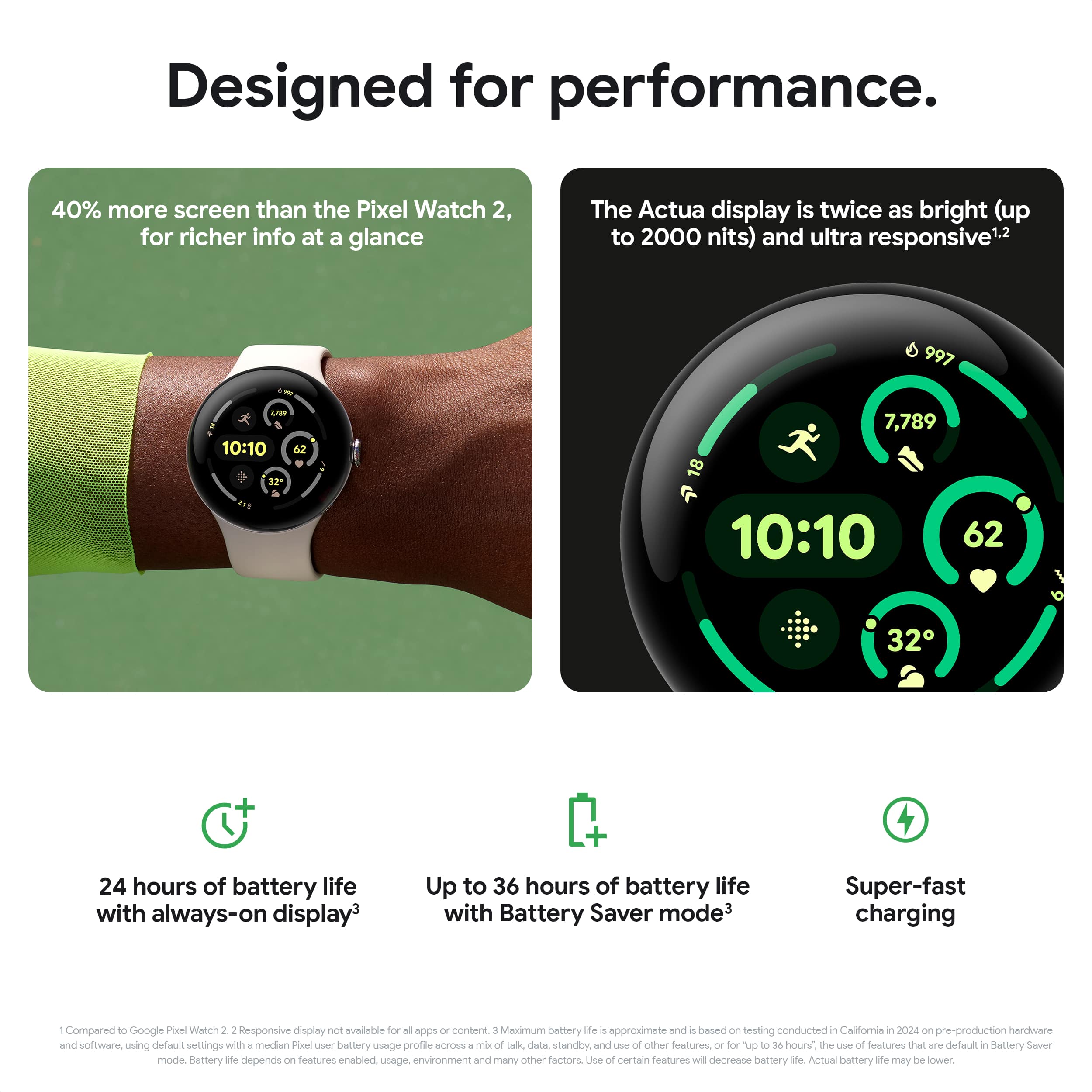
|Posted .This reviewer received promo considerations or sweepstakes entry for writing a review.This year's rendition of the Pixel Watch is a nice upgrade! Considering my large wrist and 6'1 build, the bigger 45mm size is very welcome. The watch doesn't look out of place on my wrist. I also went with the matte black option and it is top tier. I always go with matte over shiny or chrome and this one matches its mobile counterpart perfectly. As for daily use, it is noticeably convenient. The screen is brighter so it's easier to use in direct sunlight. The new OS is snappy and easy to navigate. The battery life lasts all day and even longer in battery saver mode. It also charges faster which is a nice plus if you forget to charge up the night before. Additionally, I really appreciate the ability to control my Google TV with the Pixel Watch. Having it be able to seamlessly connect to my Google Home-enabled devices is a luxury I will never not be delighted by. I thought the offline map capability was a cool feature. Being able to record a voice note on it was rad as well. You're also able to connect a FitBit account to it which is great for keeping your fitness goals on track. I also really enjoy the many watch faces we can choose from! Overall, the Pixel Watch 3 is a great product! I definitely recommend it.
I would recommend this to a friend
please remove activation lock next time
|Posted . Owned for 1 week when reviewed.This reviewer received promo considerations or sweepstakes entry for writing a review.The device was delivered to me with an activation lock still present on the device. I paid 300 dollars for a paperweight
No, I would not recommend this to a friendBrand response from Google Team
Posted .Thanks for bringing that to our attention, Gabe. We recommend reaching out to the retailer for help resolving the issue and getting the device up and running.
Super smart watch
|Posted .This reviewer received promo considerations or sweepstakes entry for writing a review.I had the opportunity to get this early to try out. I have had basic fitbit watches in the past, which this uses their software for fitness tracking and is part of the Google brands. This is my first really truly “smart watch”. I have had friends and seen their products from 2 other major phone/watch companies, and each seem fine, but I never felt I would get a lot of gained utility from one. With this item, I wanted to give it a try since I have the phone system that will work seamlessly with it. Starting with the build. Right out of the box the watch unit is slim, solidly built metal, slick touch, good feel and weight. Nice large face, buttons have good feel. The finish is smokey black and nice looking. The band took me a second to figure out. I found in the manual the page talking about how to put it on, but I had to look at a video to visually see what they were describing. It slides on and has a small button to push to release. I guess the pins of all my other watches for nearly 45 years are not good enough anymore. It's a solid connection this style, and I guess saves time, but I habe others with the newer pins that have a lever to release, they work well, but this does keep the smooth lines a bit better. The band they include is a soft, satin like finish plastic that I really don't like the feel, and the latch on it is adequate, but again, diverges from old type that worked fine. I'm getting a metal one to replace it soon. Battery live looks good, it looks like at my usage, maybe every 4 to 5 days, maybe more I will need to charge it. Now setup: I already had the Google account and you can not set up a fitbit account by itself anymore, so I had to kick off my old fitbit I had paired to it to put this on. Other smartwatch programs do the same thing, but it's a bit annoying because the other watch is being used by my son who does not have his own Google account or smartphone yet, and I wanted to keep track of stuff for him. I ended up making his own Google account for him on an old device of mine he can pair with. This device connected right away automatically and let me replace it the old fitbit easily enough, but it took me a minute to find how to add back an old device, all videos online are old software or the instructions are not clear. It walked me through easily enough, let me pick what apps I wanted, did firmware update check, and had tutorials. Overall no issues or deductions in this realm. Function: This is a truly good watch for capabilities if you need it. You can use it as a mic to record, or as a speaker phone, it has a small speaker, but that speaker is not able to play music from it, at least what I can see in apps. It always wants be to use ear buds or something else. I wish it would, because I don't like to wear headphones or buds whole active, but generally I always have a watch. The display is very good contrast, fairly bright in well lighted areas, and the flashlight function is helpful. I am not a huge fan of many of the clock faces they offer, I'm past all digital readout and prefer the analog look, and much of the colors and fonts just don't catch my fancy. Round hands and time marks most are, I found the one with the most like a regular analog watch with day date. To continue with the apps, there are a ton of fitness/tracking apps, and this functions with you phone as a remote for many functions such as camera and you can reply to texts and such, which works, but I'm at an age the print is straining my eyes, I don't see myself doing anything different with replies, just use the phone. It still is nice to see briefly to know if I need to reply (use it for screening). My old smartwatches don't text back, and I don't see myself needing this. It integrates with Google smart assistant. I still don't use smart assistants much, bit this integrates well if I did. For music, this works with many of the streaming services and if you have your phone paired you can use this as a remote to switch things, or if you have this on you can blutooth to a speaker or system and control it. Imyou can also go offline and have music stashed on it. Fairly neat if you are going into backwoods. Map function: this works with Google maps, and you can store routs and such on it if needed. That can be handy if you do go into forests and stuff, this may outlast a phone and may help you get out. For me, I'm not that active so to speak, so I don't see me using this over the phone's larger screen. If I was a runner, I just use my eyes, and a map in my brain to keep me on track if I didn't have my phone. Some thou may use it more, and it works well. I like the calender feature, it's good to have that on a quick glance. Fitness tracking: the fitbit software is solid and fairly clear to see states no better or worse than other's I've used. The ekg/ecg function is very cool. I have experience with another brand with this function, and this is just as good. Other features that could be neat that I don't have is Google nest camera's and thermostats ect… I also don't habe any smart speakers connected that use Google home. My main front room tv is android based, and this connects well with it. A bit suggested to respond with the volume control, but it worked when I tested it, bur really, I won't use it much. With nest cameras that could be cool to see what is going on with you watch without using your phone. Also tap to pay, if you are into electronic tap payment, cool to have right on your wrist. I wish they could get some ticket services to work with this, most concerts scan barcodes, having it on your wrist would be cool. Overall, this does what it says. I would almost deduct a ½ star because of the band included with it is not good, and no brick for the proprietary charge cable,and I wish there were more classic watch faces, but then again, I'm old and probably am out of target demographic. I will habe to give this 5 stars then. Really all things are good. Do what they say, and does way more functions that what I'll ever explore or need. This is not going to replace my other smartwatch. I have had ample experience with an upscale fitness/ekg watch/health company's products for the last 3 years (almost 4), and that watch is going to stay my daily wearing watch. The other does not have apps, so pseudo smart. It has all the finess features and ekg/ecg technology, but is actually a real analog face. It just looks better to me, and more formal than the Google watch. The price point on this is compettative with other companies that can match this level of features. If you already habe android on you phone, and want a top tier smart watch, this would be a strong consideration.
I would recommend this to a friendTop notch fitness smart watch
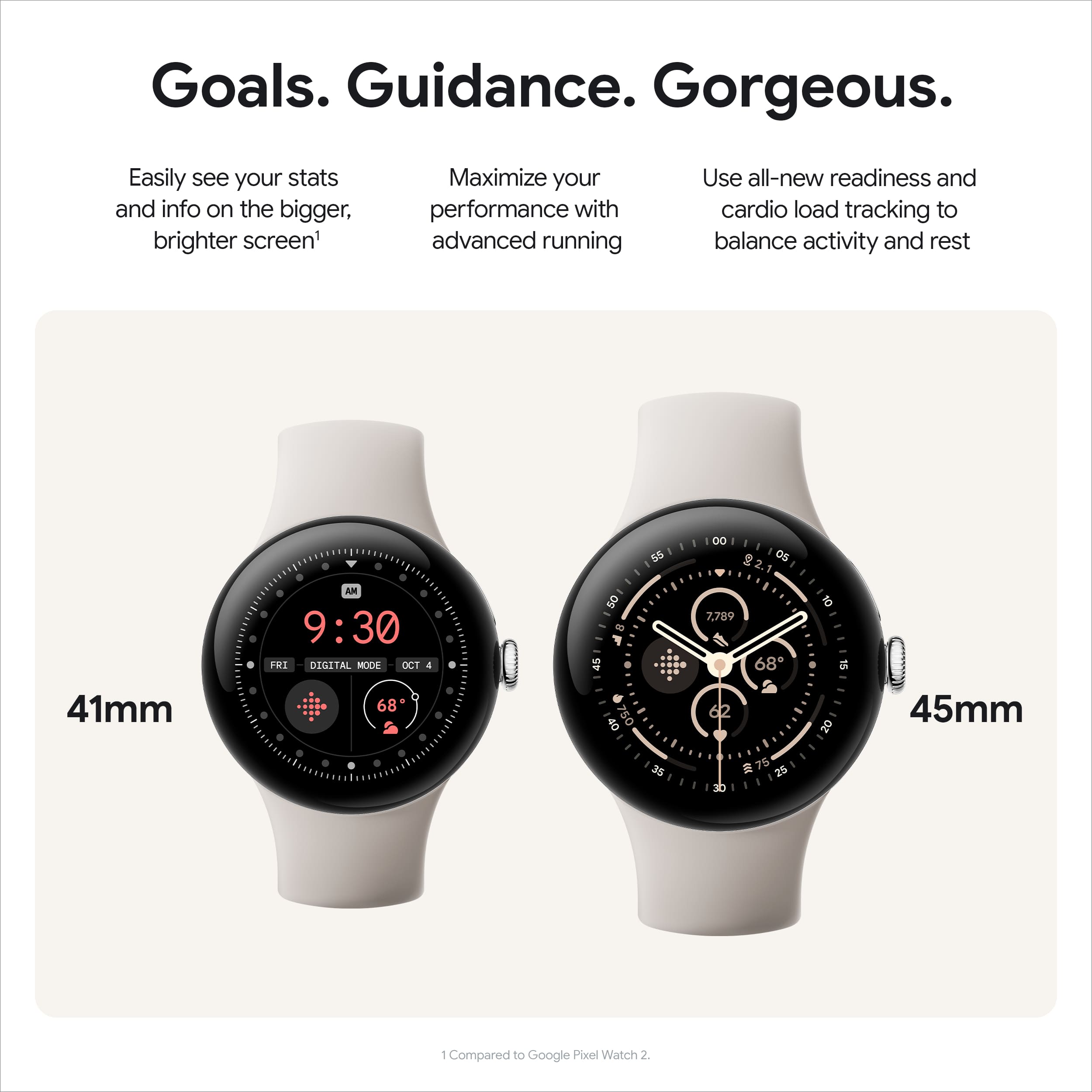
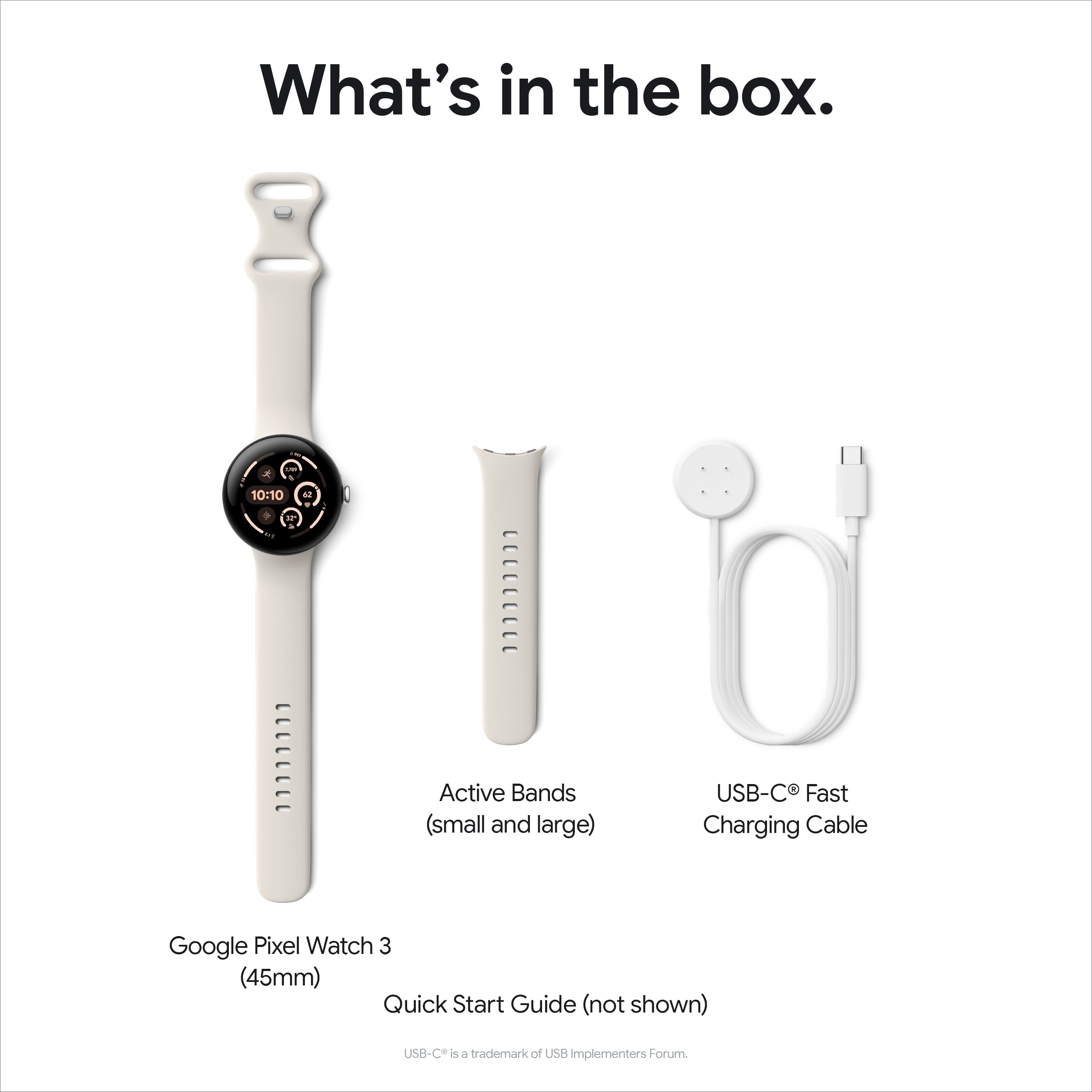
|Posted .This reviewer received promo considerations or sweepstakes entry for writing a review.My Smart Watch demands are simple. Keep good time, read email and texts, get step counts and have a decent battery life. My first pedometer watch was a Garmin Vivofit 2 which spoiled me because it had a 1 year battery life and the battery was user replaceable. I finally jumped into a Smart Watch with the Samsung Galaxy 6 Classic and I've enjoyed it. I got the Pixel Watch 3 so that I could give my wife the Galaxy 6 Classic watch. I opted for the 45 mm version of the Pixel Watch 3. From the specifications, the 41mm version has enough battery for one day, but the 45mm version has better battery life and under the right conditions gives up to two days of battery life. The box is pretty simple. No plastics in the packaging. It comes with the watch itself, a clasp section of the band and two sizes of straps that have the adjustment holes and a magnetic charger that plugs into USB-C (wall adapter sold separately). The case of the watch is quite beautifully crafted. It has rounded edges. I really like playing with the crown. The crown is a button and scroll wheel. There is also another button that sits above the crown that can be set to different actions. When I purchase mobile electronics, I immediately purchase a case and tempered glass screen protector. So far, I haven't seen any tempered glass screen protector for this Pixel Watch 3. I've only encountered film based screen protectors or cases with a polycarbonate cover. I believe this is because the edges of this watch are rounded. Assembly took me a moment to figure out. The watch band is not held by pins as most simple watches are. Instead there is a spring loaded lock that you align the watch band over, push the watch band in and slide over until the lock pops back up. Of course I made the wrong initial choice and I started with the smaller watch band and then switched to the larger watch band immediately. Setup was pretty easy. I have a Pixel phone, so I didn't have to download any applications to setup the Pixel Watch 3. The screen is nice and bright. It is rated at 2000 nits for easy reading in sunlight. The large size of the screen gives you more visibility to read your texts and emails and other notifications. Coming from a Galaxy Watch 6 Classic, the watch was pretty intuitive to navigate. While setting up, I decided to plug the watch in to charge up to 100%. I was surprised that the charger is not entirely magnetic. While it does have a magnetic component, there are 4 pins that contact the watch and therefore must be aligned in order to charge the watch. This is rather disappointing because the watch cannot charge on any generic watch charger. One of the big draws for this Pixel Watch 3 is its integration with Fitbit. This is great when you want to make fitness activities more social. I know my company division sponsored a step challenge and there were some minor challenges connecting my Samsung Galaxy 6 Classic into the step challenge website, but having this Pixel Watch 3 already tuned into Fitbit would have skipped the extra steps to connect to the challenge website. I was able to get through the initial setup of the watch without getting into the Fitbit settings, but after the watch was setup, I did download, install and set up the Fitbit app on my phone and register for a new Fitbit ID. Out of curiosity, I did go through all the settings to see if I could just disable all the fitness related tracking and only enable the pedometer and it seems to allow me to do that. However, I was really looking for a way to disable the green strobing sensor to see if I could squeeze more battery life from the watch. Unfortunately, I couldn’t find a way to do that. I was really impressed with the amount of physical data is being tracked for fitness tracking. The Fitbit app is quite optimized to help you plan, execute, and analyze your fitness more so than what I was offered in Samsung Health. If you're looking for a watch that will help you with your fitness goals, this is the watch for you. The integration into Fitbit will definitely help you on your fitness path. This Pixel Watch 3 also boasts a very bright screen, long battery life (on the 45mm model) and several built in apps that provide quality of life improvements that will continue to expand.
I would recommend this to a friendVery Smart Watch
|Posted .This reviewer received promo considerations or sweepstakes entry for writing a review.The Google Pixel Watch 3 will work with any Android phone. It is a great upgrade from my Google Pixel Watch 2. You need to download the Google Watch app and have a Google account and will be able to set up in no time. I just open the Google Watch app, turned on the watch, chose my language and followed the instructions on my phone. Because I was set up with FitBit on my other Google watch, it took me about 10 minutes for set up, and a little longer to get apps I wanted. There is quite a variety of apps you can add to your watch. There are a number of different watch faces to choose from, so that you can get that right balance of showing what you really need to view easily such as time, date, steps, heart rate, calories burned, outdoor temperature, etc. When comparing to older versions of this watch, I really like that they upgraded the size of the battery. I was lucky if I could get through 24 hours without having to charge it, granted I did have the brightness high and used it a lot. With this battery, I can easily get 24 hours without having to charge it and use it the same as my previous watch. When charging though I did need to buy a USB-C wall adapter to charge this. Since I only have USB-A wall adapters, I found this a bit of a downfall. To fully charge this watch when the battery is really low takes a little over an hour. If you are using this watch as more of a fitness tracker, I found it is great. It can track your steps, sleep, pulse and do so much more. This is a 45mm sized watch face and is a little bigger than the 41mm. I like that this is easier to read the watch face and you can dim it or turn it up for better viewing. Since the bezel is thinner, you get a lot more screen compared to its smaller and older version. I love that you can use it as a Google device and turn your lights on and off with just a push of the button. You can ask it anything you would ask any Google device to do. This watch has a very comfortable silicone watchband and you hardly know it is there, unlike other bands I have had in the past. Since I have a bigger wrist, I needed to switch out the smaller band for the larger one. Both size wristbands come with it. Switching bands was very easy and took no time at all. Other watches I have owned are a bit of a pain or very hard to switch around. I love that I can easily view emails, make calls, answer calls, track my sleep, detect falls, track via GPS my walking routine, listen to music, look at my heart rate and even take an ECG reading for my heart. There is so much more that this smart watch can do! I can even pay with my watch using Google Wallet (at stores that participate). Google Pixel Watch 3 is worth every penny and I very highly recommend this smart watch and the price is great with all that this can do for you.
I would recommend this to a friendGoogle gets it RIGHT!
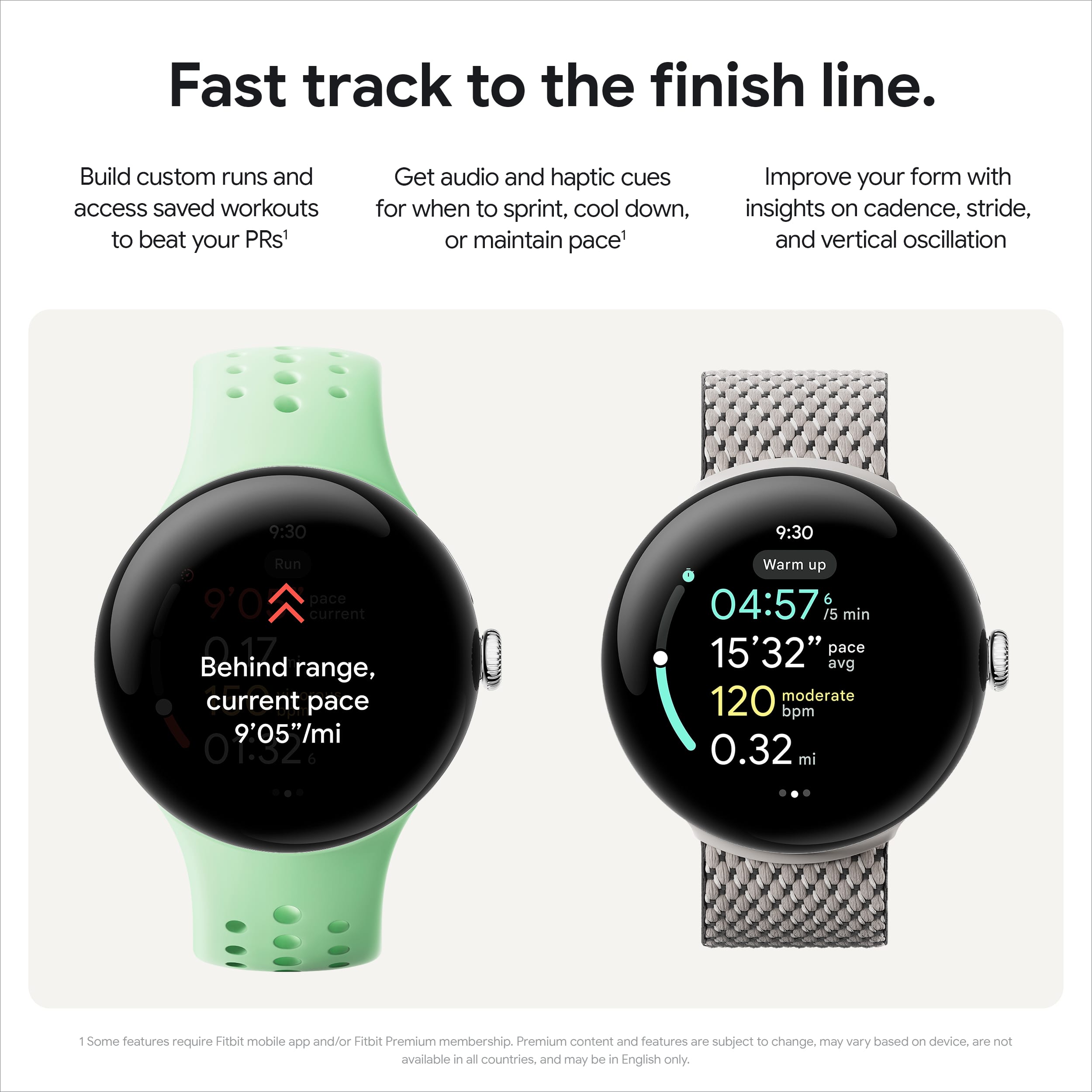
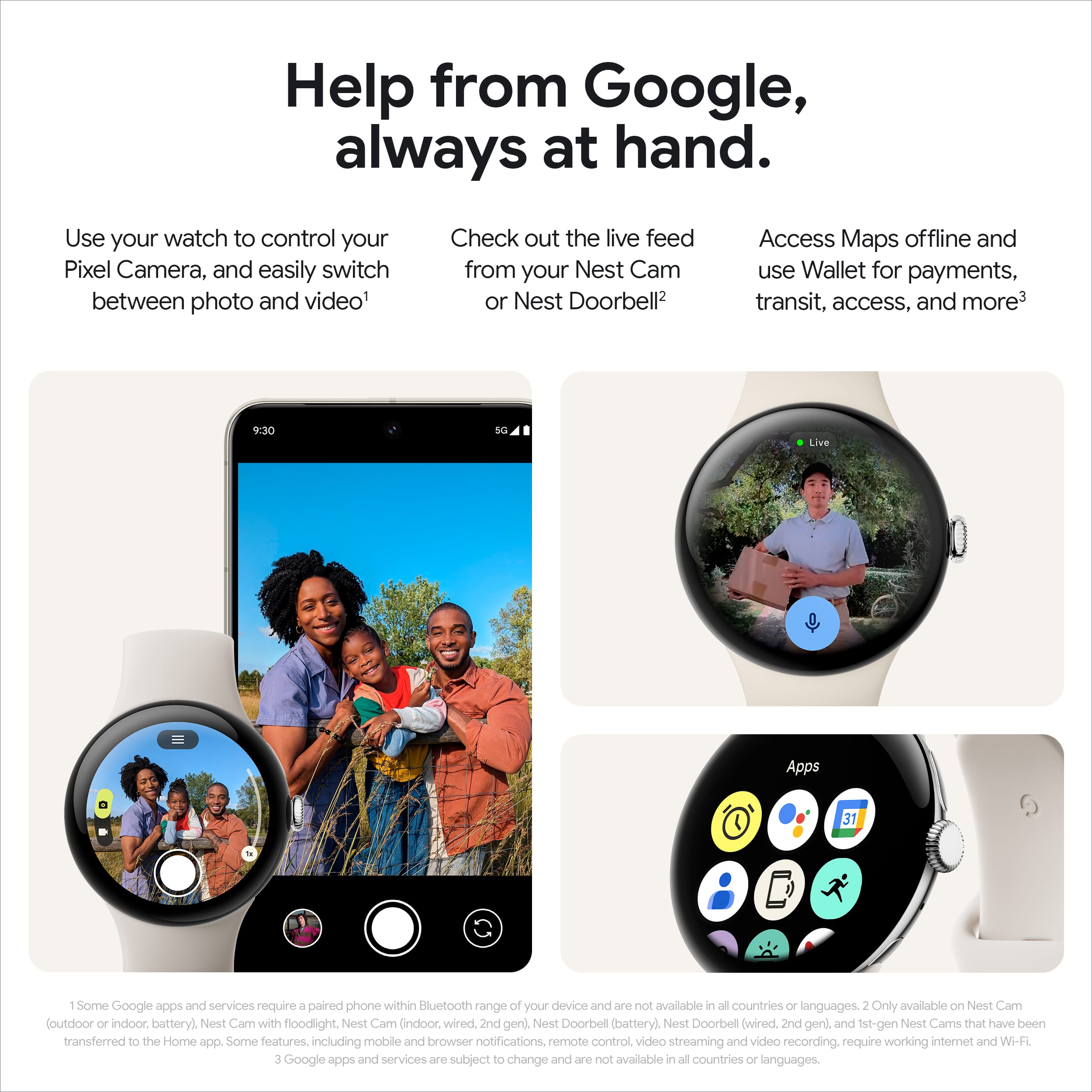
|Posted .This reviewer received promo considerations or sweepstakes entry for writing a review.A few years ago, I owned the original Pixel watch and was disappointed due to three main problems, ALL of which have been corrected with thid Pixel Watch 3 (45mm!) First my main problem with the original watch was the horrible battery life. You were lucky if you got through much more than twelve hours without needing a charge. This model with a bigger battery, and more efficient Wear OS 5, even with setting the display “always on,” after 24 hours I still had a little over 50% battery which means I could miss a day and still be OK! Second, the old display wasn’t bright enough. If you were outside in bright sun, you could forget about using your watch. This new Pixel has a much brighter display, readable in total sunlight. Also, the watch’s smart ambient display when turned on gives you only the amount of light you need depending upon the conditions, so in the dark at bedtime, it’s just bright enough to read it and never blinds you. This also helps to save the battery. Third, the size of the new model. The old one was just too small for me, this one is just right, and the watch bezel is smaller than ever before, with much more real estate to show more of your text messages, etc. The Pixel watch 3 will also control your camera on a Pixel phone. Open the camera app on the watch and you can see your phone’s camera, zoom in and out, click the shutter button, and choose photo or video mode or set a timer for the camera. It worked great. I was a little disappointed though when I tried to use the watch to let me see the output of my Nest doorbell camera. Apparently, the older model Nest video doorbell I have is not compatible with the watch, nor is an older Nest camera I’m using. A newer model outdoor Nest camera I have DOES work fine with the watch. The watch comes complete with all the Fitbit features. If you’re a runner, this watch will give you every conceivable statistic on your workout and a few you’d never think of. The watch also has a Fitbit ECG feature, so you can check your cardio health whenever you like. It has a few safety features. If you set it up, it will do a safety check on you if it detects a car crash, or even a simple fall. If the watch notices that you don’t get up. It’ll try to get a response from you, and after a few tries if it doesn’t, it will call emergency services, giving your exact location. This feature can be turned on and off in your watch. Overall, I’m delighted with the new Pixel watch 3 (45mm.) It has every feature I can think of in a modern smartwatch, feels very light and comfortable on my wrist, and finally an excellent battery life. I’d say on the third try, Google has hit it out of the park with this watch.
I would recommend this to a friendThe Pixel Watch 3 (45mm) is a significant upgrade!
|Posted .This reviewer received promo considerations or sweepstakes entry for writing a review.The Pixel Watch 3 (45mm) is a significant upgrade over its predecessor, and it delivers on all fronts. The larger 45mm display is a standout feature, offering 40% more screen real estate. This makes it easier to view information at a glance, whether you're tracking your workout, navigating with Maps, or simply checking the time. One of the most notable improvements of the Pixel Watch 3 is its battery life. With an always-on display, you can keep your screen on all day without worrying about running out of power. And with up to 36 hours of battery life in Battery Saver mode, you can extend your usage even further without compromising essential health, fitness, and safety features. Another exciting feature of the Pixel Watch 3 is its ability to control your Pixel Camera remotely. You can set up your shot, access different camera modes, and snap photos right from your watch. This is perfect for group photos or taking astrophotography shots of the night sky. The Pixel Watch 3 also boasts an enhanced Recorder app, which allows you to record music, thoughts, and more. Google AI then transcribes the audio to text, making it easy to search, edit, and share your recordings. Overall, the Pixel Watch 3 (45mm) is a feature-packed smartwatch that offers a premium experience. With its larger display, improved battery life, remote camera control, and enhanced Recorder app, it's an excellent choice for anyone looking for a top-of-the-line wearable.
I would recommend this to a friendNot for you
||Posted . Owned for 1 month when reviewed.This reviewer received promo considerations or sweepstakes entry for writing a review.Not really not interested I took it back they can do better
No, I would not recommend this to a friendBrand response from Google Team
Posted .Hi Joshua,
We're sorry to hear that the Pixel Watch 3 didn’t meet your expectations. Your feedback means a lot to us as we strive to make our products better. If you have any questions or need assistance, please feel free to reach out by filling out this form: https://support.google.com/googlenest/gethelp.
An attractive and highly functional smartwatch
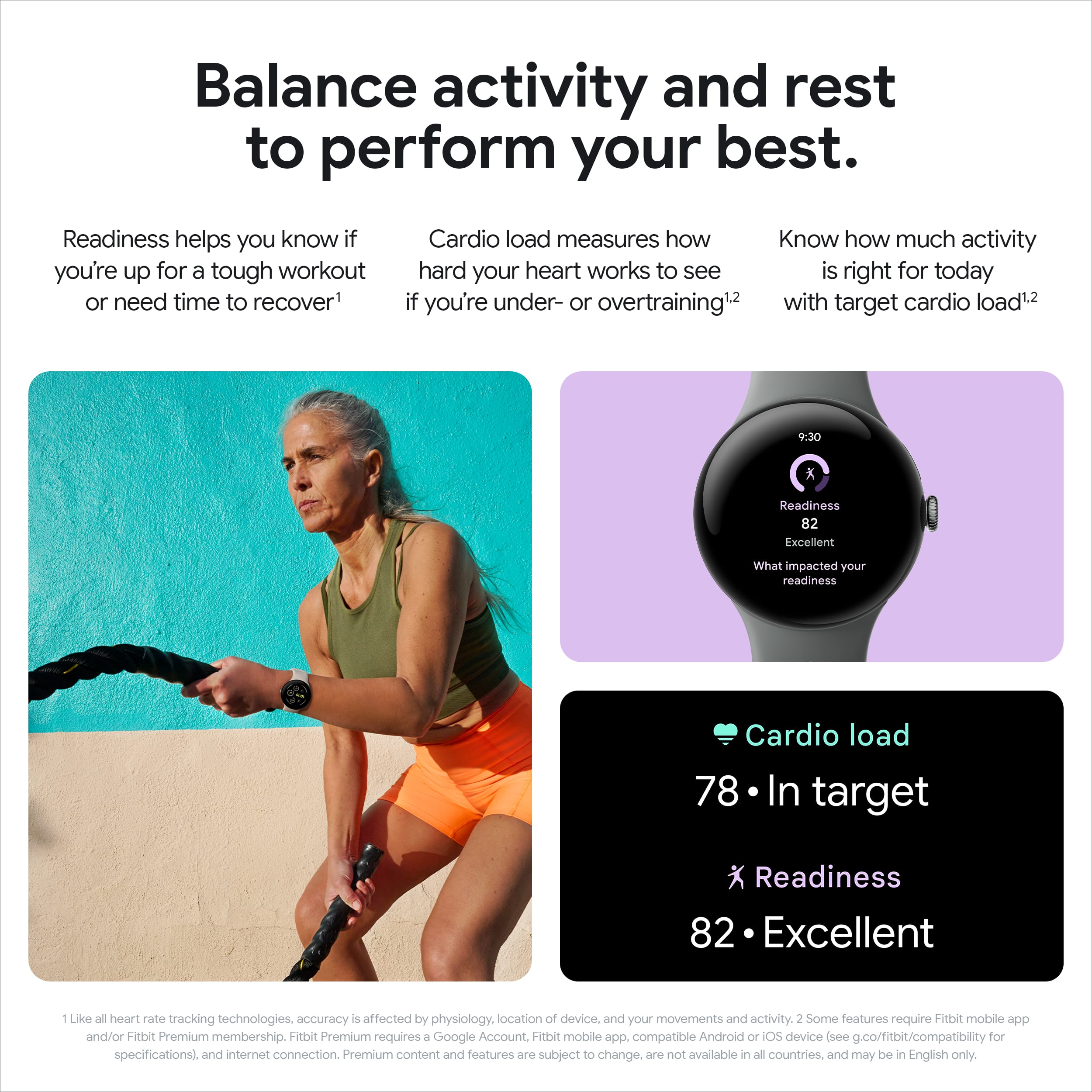
|Posted .This reviewer received promo considerations or sweepstakes entry for writing a review.I’ve been wearing smartwatches since they came out years ago. I’ve worn products from Samsung, Fossil, Apple, and others. This, however, is my first Pixel. I’ve had watches with only BT/Wi-Fi and those with LTE. First, this is a nice-looking watch. So much so, I’ve had a number of people gush over it’s good looks and talk appraisingly about its style and clarity. My model is the Pixel Watch 3 (PW3), Matte Black, (45mm) Smartwatch with Obsidian Band - Wi-Fi. My smartphone is a Samsung S24U. I’ve been pleasantly surprised about how well the PW3 works on the S24U. Certain features, however, like Do Not Disturb are not integrated. Thus, turning Do Not Disturb on using the smartphone does not turn it on your watch or vice-versa. Upon receiving this watch, I gave it a good charge to ensure that it would have sufficient battery for the setup process and what I anticipated to be hours of playing afterwards. Before the charging process was completed, I installed the Pixel Watch App from the Play Store on my phone. The setup process requires both phone and watch, and it completed without any issues. I was curious about the battery on this watch. I decided to compare it against another manufacturers Android smartwatches. From a battery perspective, the older smartwatch will retain a full 100% charge after turning it off (after a full charge) when I go to bed, and then turning it on again the next morning. The PW3 was a bit different, retaining 97% charge between 10:30 at night and 6 in the morning. I’m not leaving my watch or phone plugged in all night, instead preferring to turn my devices off at night, or to simply remove them from their chargers as a long-term battery saving approach. Anyways, a 3% drop in battery is mostly insignificant from my perspective. I awoke at 6am this morning with the PW3 at 97% battery remaining. I ate breakfast, then headed over to the gym to use the treadmill. I had also installed the Fitbit app on my phone and watch, so I now use that to monitor my exercise goals. After completing my workout (which does not use GPS because, again, I'm using the treadmill) and doing some work around the house, the PW3 battery now sits at 91% at 10:30am. I love the watch face complications. While complications aren’t a new feature to smartwatches, the Pixel Developers team seemed to go to great lengths to make it as easy as possible. I’ve used complications on other manufacturers’ smartwatches and have often felt like they should change the term from “Complications” to “Just Shoot Me”. Not so with the PW3. I did take one phone call using the watch, and not once did I have any issue understanding the caller, nor the caller understanding me. Very nice! The PW3 has been very responsive. And lo and behold, it also supports Google Home and Assistant. I am a huge fan of Google Home and Assistant, so I couldn’t be happier. I can now use my PW3 to open and close my garage doors, unlock the front door’s smart lock, and everything from turning on/off lights, changing the temperature in my home, arming my security system, and more. So very sweet. Thus far, the Pixel Watch 3 has been extraordinarily competent in everything I’ve used it for. As such, I am giving it 5 stars.
I would recommend this to a friendLove this watch
Posted .This reviewer received promo considerations or sweepstakes entry for writing a review.Amazing watch. Honestly the best looking smart watch I've owned. I've used Samsung, Apple ultra, and this feels like an actual watch. With the newest update it was an easy choice to buy the 3 over the 4.
I would recommend this to a friendI LOVE this watch!
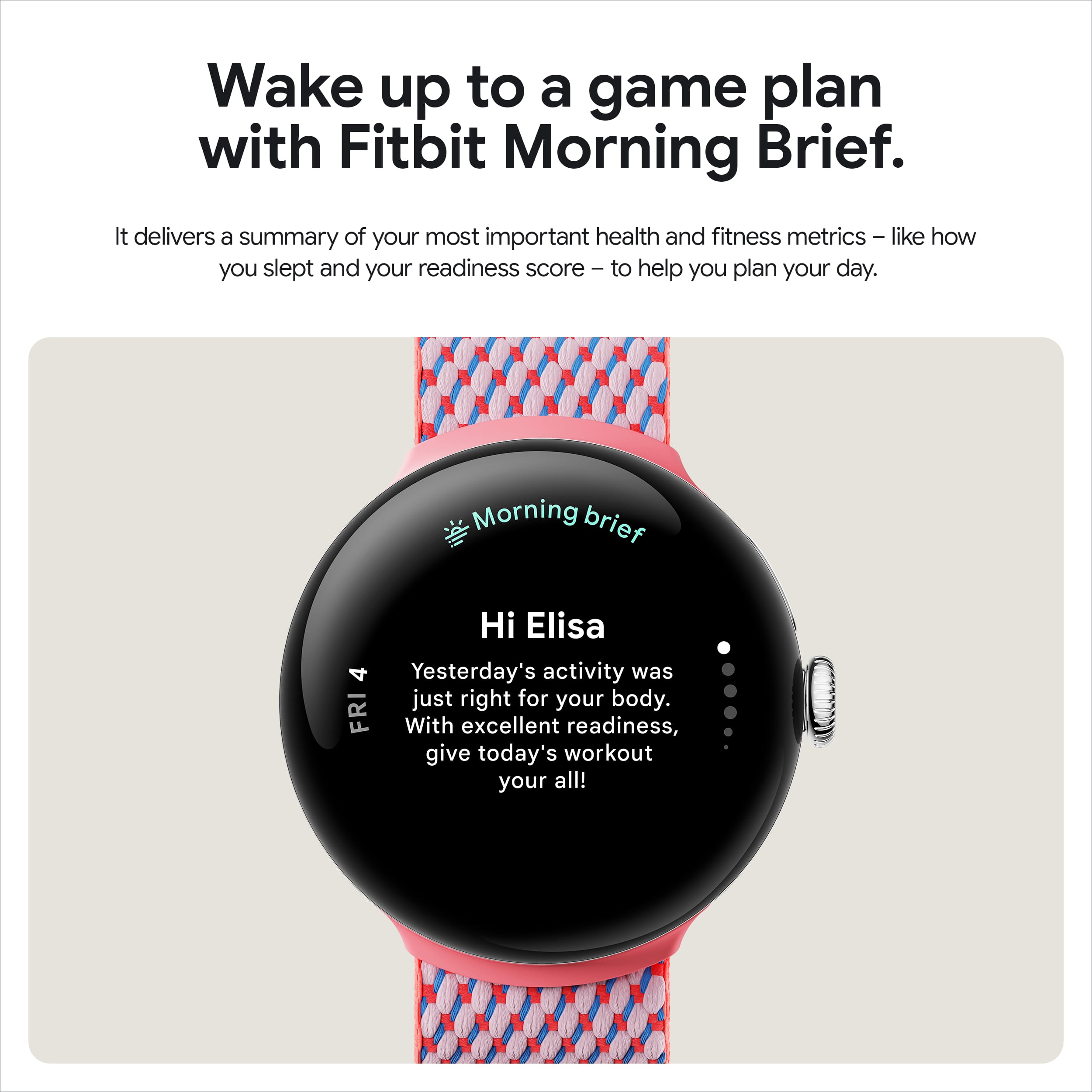
|Posted .This reviewer received promo considerations or sweepstakes entry for writing a review.As an avid Android fan I was always a little envious of the cohesive ecosystem that my Apple friends enjoyed. However - now with this latest refresh to the Pixel family I feel that we may have edged ahead in the race! The new Google Pixel Watch 3 is a fabulous companion and is jam packed with the latest tech. The build quality is excellent. It feels good on my wrist and is very attractive. Google paid attention to their user's feedback and nailed the details. The positive impression started with the unboxing. Google included two strap options to accommodate different sized wrists. I was apprehensive at first about the vinyl material as I have had other products that irritated my skin but so far the fastening mechanism and the smooth finish are proving to be very comfortable! The synchronization between the app and the watch has been rock solid. The number of options offered to customize your watch is amazing! Coordination between Google apps running on the phone and the watch is flawless. And the size and brightness of the display make reading and using the apps very easy regardless of lighting conditions. I assumed that the bright display and all of the running applications meant that battery life was going to be a problem but so far I'm experiencing impressive results! I simply engaged battery saving mode and turned off the "always on" mode for the watch face. It's not a problem since the simple act of turning my wrist turns the display back on again instantly. I have the haptic notifications turned on for a number of features and that doesn't seem to reduce battery life either. Integration with Fitbit makes this a rock-star sports and fitness tool. I have only scratched the surface of what this thing can do. However - one feature really caught my eye. I am an AI skeptic but the addition of AI to act as a workout coach looks VERY promising! It not only observes your physical behavior to help suggest workout parameters, it even extends that knowledge to help you formulate sufficient recovery time between workouts! There is so much more that this thing can do that I will be continuing to uncover features for some time. You owe it to yourself to give the Pixel Watch 3 a serious look!
I would recommend this to a friendViable option from Google
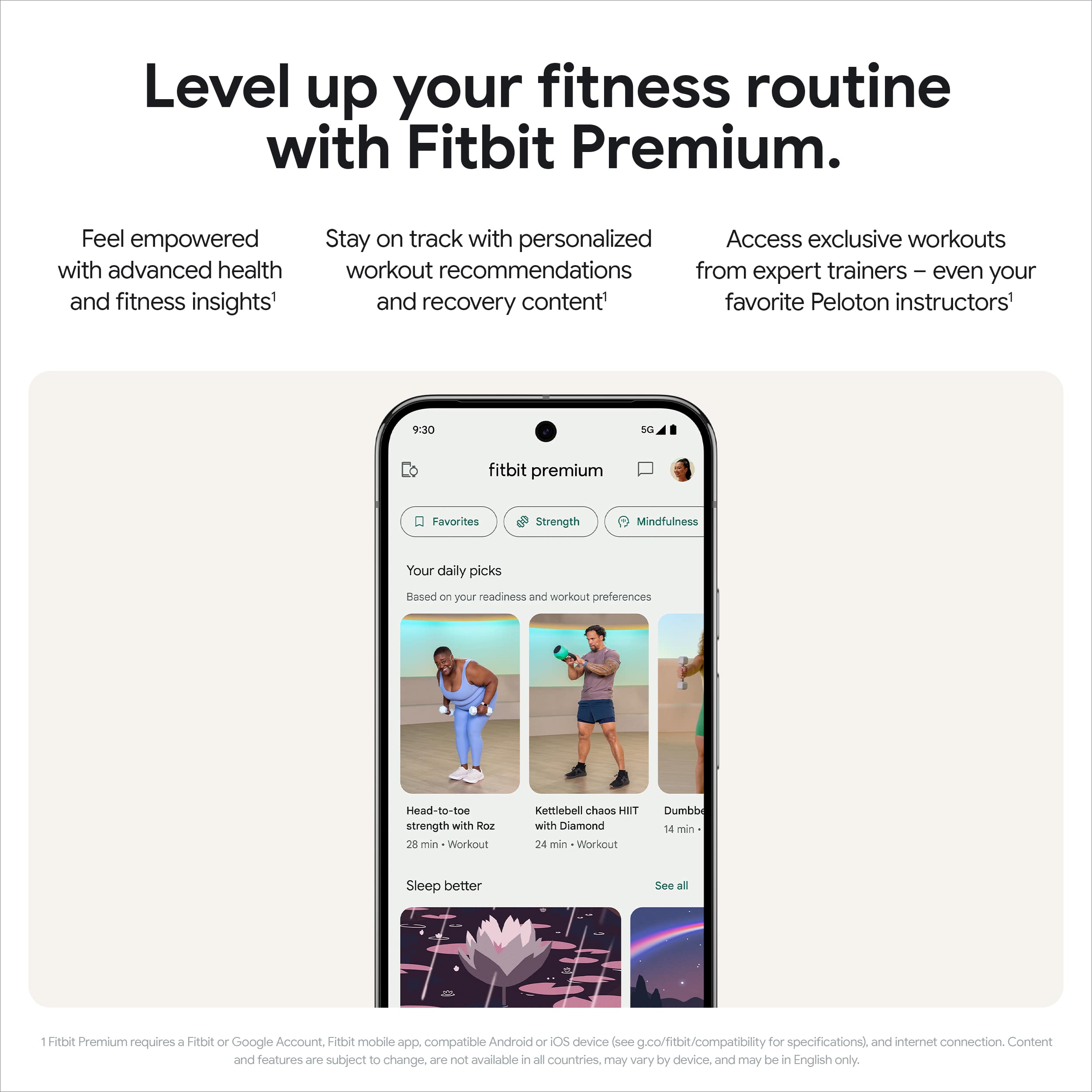
|Posted .This reviewer received promo considerations or sweepstakes entry for writing a review.After several false starts with smart watches, I begin using an Apple Watch two or three years ago, mostly for its fitness features. I found the notification features useful but many of the more advanced features somewhat impractical. Years ago I had bought and returned or gave away where or Samsung watches as well as Fitbits. I typically have an android phone as my secondary phone and recently have secured the excellent Google pixel nine pro. This new smart watch is an excellent match and has several features that are similar or significantly better than the Apple Watch Ultra which it is replacing. The size display and Weight are excellent. The Band is excellent. The interaction with the phone and watch apps is fairly intuitive, especially when compared to the alternative. The battery life is good and the charger is superior with some prongs in addition to the magnet holding it in place. My Apple Watch sometimes disconnect from the charger with minimal motion. They fit advanced features are included with a limited subscription and have several advanced features for runners as well as intuitive and well displayed cardio load, readiness and target information. Other features which support the google ecosystem, including nest, cam controls, improved home control ultra wide man unlocked and a very nice camera app are available. The integration with Spotify and major email apps is also excellent. Navigation including offline Google maps is excellent. Safety and medical features are also in seem to work well. I have paid for an LTE version for the last couple of years and have not found it very useful other than an occasional phone call when my phone was away even with good Bluetooth or LTE using the internal speaker on a smart watch much to be desired. Overall, I am glad that Google has finally produced a, attractive and useful smart watch.
I would recommend this to a friendOverall a great smartwatch.
|Posted .This reviewer received promo considerations or sweepstakes entry for writing a review.Overall, it's a pretty good watch. In my experience, great quality. The design is fairly sleek, although perhaps a bit large. My wrists aren't particularly large, it's comfortable enough but looks a little large sometimes. The battery life is great, it'll last me two full days of usage before I need to charge it at all. I'm not a particularly heavy user and I don't have the always on display turned on, so ymmv. Phone call quality on the watch is just fine, nothing special but it's perfectly understandable and in my opinion not any worse than speakerphone. Unfortunately it's somewhat easy to scratch the face even if you're being relatively careful, I suppose it's somewhat unavoidable. The curved face does make it difficult if not impossible to protect the entirety of the face with a screen protector, unfortunately. The crown has a very nice feel to it, but if you're going to use it underwater be very careful about it - I took the watch in some water that wasn't particularly clean, some particles got between the crown and the case and now it doesn't rotate quite as freely - it got some scratches and now has a spot where it catches. Minor annoyance, but it reminds me every time I use the crown. Software-wise it's been great. Notifications pop up sometimes before my phone I swear. Oddly enough they'll sometimes stay there even though I've cleared them on my phone, so sometimes I'll need to go clear a notification I've already dealt with on my phone. Heart rate monitor is great, very effective and precise. Sleep monitoring and blood oxygen both work great. Stress management isn't quite what I would have liked, it just tells you when you've had a "response" about ten minutes after, and you have the option to record your mood. If you go into the fitbit app there's some more information there, but it's not quite as informative as I'd like.
I would recommend this to a friendBrand response from Google Team
Posted .Hello Nathan, thank you for sharing your detailed feedback. We're glad to hear about you like the quality of the Pixel Watch 3. Here's a link with information that could help you regarding the curved design and size: https://support.google.com/googlepixelwatch/answer/15330690
For tips on keeping your watch clean, you can visit the following link by clicking here: https://support.google.com/googlepixelwatch/answer/12652074?hl=en#zippy=%2Cclean-your-watch
For Stress Management feature, this isn't currently available for this specific model but if you need to troubleshoot other aspects of your Pixel Watch 3, you can contact us here and we'd love supporting you: https://support.google.com/googlepixelbuds/gethelp