Customer Ratings & Reviews


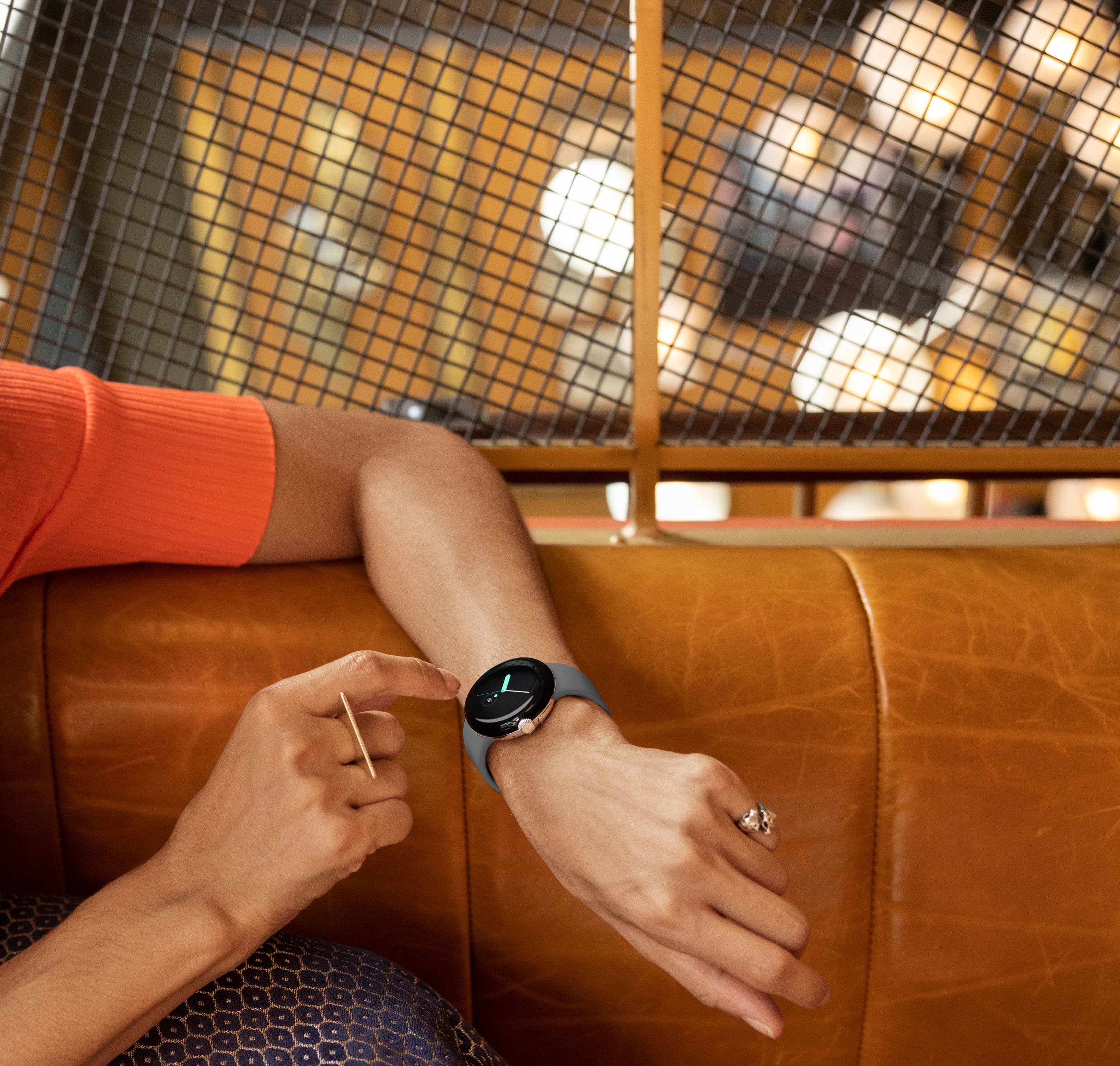


- Model:
- GA03304-US
- SKU:
- 6521695
Rating by feature
- Battery Life
Rating 3.5 out of 5 stars
- Durability
Rating 4.3 out of 5 stars
- Comfort
Rating 4.6 out of 5 stars
Customers are saying
Customers admire the Pixel Watch's sleek design, LTE connectivity, and accurate fitness tracking capabilities, including heart rate and sleep monitoring. However, many users express concerns regarding the watch's battery life and smaller screen size. Some also reported difficulties with Google Pay functionality.
This summary was generated by AI based on customer reviews.
Best Smart Watch Ever
||Posted . Owned for less than 1 week when reviewed.This reviewer received promo considerations or sweepstakes entry for writing a review.This watch is amazing, people complain about the size and stuff being cut off but I think it's fine people just need something to complain about. People also complain about the battery life but if you have the watch set up properly the battery lasts all day. I have zero issues with battery life, reading emails and text messages on this watch
I would recommend this to a friendGreat purchase
||Posted . Owned for 1 month when reviewed.This reviewer received promo considerations or sweepstakes entry for writing a review.Did not let me down. Comfortable. Convenient to use Fitbit through. The overall delayed response at times from saying 'hey Google' can be frustrating. Overall great watch.
I would recommend this to a friendBrand response from Google Team
Posted .Hello SophT, thank you for posting your review. We're sorry to learn that your experience with your Pixel Watch was less than ideal when it comes to the voice command. Please know that your feedback here will be relayed to the right team for future improvements that we may provide in the future. Please reach out to our support specialists and let us help with finding a better resolution for you. You can contact us on our Google Help page here: https://support.google.com/googlepixelwatch/gethelp

Keeps me from checking my phone
||Posted . Owned for 2 weeks when reviewed.This reviewer received promo considerations or sweepstakes entry for writing a review.Sleek and does exactly what I want it to do. Took a star away because half of the health stats are behind a paywall. I've just disabled and hidden all FitBit apps
I would recommend this to a friendBrand response from Google Team
Posted .Hi there AM01, we appreciate your feedback. We're happy to hear that the new Google Pixel Watch met your expectations, with the sleek design and features. We do apologize if the FitBit app subscription seems unfavorable to you.
Fitbit Premium offers you tons of benefits that aren’t available in the standard Fitbit app. These include guided programs, workout videos, personalized insights based on your health and fitness level, and an exclusive Health Metrics dashboard. You will see more of these insights show up, and they’ll be more personalized based on your health and fitness data. We recommend taking advantage of the free six months of Fitbit Premium membership included with your Google Pixel Watch purchase.
We also recommend checking out our Fitbit support page for access to our help page and community pages: https://myhelp.fitbit.com
You may also reach out to our Google Pixel support team for any help needed with the hardware features of your Google Pixel Watch here: https://support.google.com/googlepixelwatch/gethelp
- Cons mentioned:Battery life
Band good for child.
||Posted . Owned for less than 1 week when reviewed.This reviewer received promo considerations or sweepstakes entry for writing a review.Watch is great. Battery life on LTE is not very good at all. I have charger mine twice a day. Biggest issue is the bands are small. The large band is significantly smaller than the large on Fitbit. I am on the last batch and have to really pull it to get it to latch. Hopefully they will put out an adult size band soon.
No, I would not recommend this to a friendBrand response from Google Team
Posted .Hi there GasperP, we appreciate that you find the new Google Pixel Watch great. We do apologize for any disappointment you may be having with the battery life for the LTE model, and the smaller bands. If you haven't tried yet, you may have the option to check with Best Buy or any of our 3rd party retailers for available bands and accessories for your Pixel Watch. For any other support needs you may have with Pixel Watch, please feel free to reach out to us using this link: https://support.google.com/googlepixelwatch/gethelp
- Cons mentioned:Screen size
An "Okay" smart watch but hardly worth the price.
||Posted . Owned for less than 1 week when reviewed.This reviewer received promo considerations or sweepstakes entry for writing a review.Screen is too small for precise touch (like when typing or choosing an on screen option) takes several tries before you can get it right. And for the price the watch should be able to use the oxygen sensor (it's disabled for some reason) Very slow when downloading or updating apps/software. Just an expensive Fitbit.
No, I would not recommend this to a friendBrand response from Google Team
Posted .Hi SQUIRL, thanks for your feedback. We're sorry to hear you're having trouble typing or choosing options on your Google Pixel Watch screen. We'll make sure to pass along your feedback on the Pixel Watch's small screen size to our product team since we're always finding ways to improve our products.
As for the Blood Oxygen Sensor, it should be activated in the future. We cannot provide a specific timeframe as of this moment but rest assured that our team is working on it. Stay tuned for more information once available. You can check this link for current news, updates, and announcements: blog.google/products/google-nest
For any other support needs, we'd be happy to help you here: https://support.google.com/googlepixelwatch/gethelp
- Pros mentioned:Sleep trackingCons mentioned:Battery life, Google pay

A smart watch with Google's attention to detail
|Posted .This reviewer received promo considerations or sweepstakes entry for writing a review.The Google Pixel watch is an exciting new addition to the world of smart watches. Our household has had the Apple Watch as well as several Garmin “semi-smart” watches for Android, but the Pixel Watch is our first full smart watch for Android. Our hope was that it would provide seamless integration with the Pixel phone, so read on to find out how that went. In the box, we found the watch, a disc-shaped charger, and an extra half of the band. This is actually a very thoughtful inclusion, as it allows you to move to a smaller diameter band without having to buy something immediately. This also prevents those with smaller wrists from having to have a bunch of the band sticking out and interfering with a good fit. Swapping out the band was easy and provided a satisfying click to indicate that you’ve gotten it seated correctly. The band is smooth silicone rubber, and pairs nicely with the black circular face of the watch. This creates a very polished look on the wrist. Setup was quite easy. Pairing with the Pixel phone worked immediately, and required the installation of 3 apps on the phone to get full functionality: Google watch app, the Fitbit app, and the Find My Device app. As usual, this is just a quick trip to the Google Play store. Signing in with our Google account got things started and allowed us to choose the apps we wanted to have on the watch. To use the Fitbit features, we had to create a Fitbit account and connect it to the watch. This was simple, and involved answering some questions to allow the watch to know our fitness goals. Google has created a feature that I think is pretty handy: tiles. This allows you to have up to 15 pre-set apps that are always available just by swiping to the left or right. This is nice, because you can put your most-used apps in the tiles and avoid having to scroll through the full apps list to get to those apps. It’s interesting that not all apps can be placed into tiles. Google says that new tiles for installed apps are available in the tiles editor on the watch, but not all installed apps have corresponding tiles. Hopefully, tile access will increase for available apps. It’s also easy to access settings and tools by swiping down, and this provides easy access to things like flashlight, wallet, and a host of other settings. Google is emphasizing Fitbit integration, and this is clear. Coming from using a Garmin fitness watch, it takes a bit of getting used to, and doesn’t seem to offer as much without paying for a premium membership. The Fitbit app does offer a lot of information, with everything from step count, to heartrate tracking, to sleep tracking. All of it seems to work well, but there is sometimes a delay in how fast information is synched from the watch to the phone. From what I understand, this is something that has characterized Fitbit for some time, even before Google bought them. While I don’t typically get into detailed fitness tracking, the Pixel watch’s fitness integration seems to work well, and compares favorably to what I had with my Garmin. One nice thing is ability to configure heart-rate zones and goals, such as step-count goals. Fitbit divided my goal into steps per hour and then gave notifications to keep me on track. That is a very nice feature that makes you wonder why every other manufacturer hasn’t done that! I’m still getting used to the sleep tracking features, but so far it doesn’t seem to be as smooth as the Garmin. For example, getting up in the middle of the night to use the bathroom was counted as the end of my sleep, which is not what happened. Hopefully, I’ll be able to fine-tune this and get it dialed in. The Pixel watch excels at useful phone integrations that just make life easier. For example, it’s super easy to use Google Assistant right from the watch. While walking around in Washington, DC, it was easy to get walking directions right on the watch. I was even able to take phone calls right on the watch! This may seem a bit silly, but it can be the difference between missing an important phone call because you went upstairs and left your phone downstairs and taking the call you’ve been waiting for all day. For those over a certain age, this will remind you of the Dick Tracy watch that so many kids dreamed of having one day. That day is here! Google promises 24 hours of battery life and has recently clarified exactly how to get that out of the Pixel watch. In my real-world experience, that seems pretty accurate, but that’s without the always-on display. I’ve been trying to setup Google pay on the watch but haven’t succeeded yet. I keep getting “something went wrong”, and a message that my bank needs to verify my identity. Hopefully we’ll be able to get this sorted out, because I’d like to use this feature. Setting it up on my Pixel phone was easy and works well, so it doesn’t make sense that it would be this difficult on the watch. Google seems to be treating the wallet on my phone and the wallet on my watch as two separate items—why? I love that I can dial 911 by pressing the crown 5 times. This is something that provides additional peace of mind, knowing that I have an option even if I’ve left my phone in the other room. Fall detection is supposed to be coming, so that’ll add even more value. I can even control my home’s devices that are connected to Google Home, as well as using the watch as a remote for taking pictures with my Pixel phone. You can also download music directly onto the watch and listen via paired earbuds even without the phone nearby. Those are the kinds of things that you never thought you needed until you find out that you have them. Is this the watch to take on Apple? I haven’t used a Samsung Gear watch, so maybe that one is already a strong competitor. The Google Pixel watch is attractive, integrates well with Android phones, has all the thoughtful touches that a smart watch should have, and provides the functionality to make your days easier. Google has set the price for the wifi version at $349, which is a bit high compared to some other options available, but not terribly so. An LTE version is also available. The things that I’ve seen most complained about are the size of the watch and the battery life. The size works for me, since the size of the Pixel watch is just what I wanted. As for battery life, that will depend on how you use it. For a watch that promises to track everything day or night, figuring out when you can charge it can be a bit of a challenge. I really like this watch and am thrilled to have it. Like any tech these days, it’s not perfect, but Google has delivered a fantastic package with Fitbit integration, Google Assistant integration, and lots of helpful functionality in a minimalist package that is stylishly elegant. If you’re in the market for an Android watch, do yourself a favor and check out the Google Pixel Watch.
I would recommend this to a friendBrand response from Google Team
Posted .Hi BobinVA, thanks for sharing the details of your feedback on Pixel Watch and we’re glad that you really like it and thrilled to have it. We hear your concerns about the battery life, sleep tracking, and with the setup of your Google Pay.
The new Google Pixel Watch is a fully featured smartwatch with LTE capabilities, a bright display and robust haptics. It's also equipped with settings to care for and help extend battery life. You can turn on Battery Saver when your Google Pixel Watch battery gets low. Please note while Battery Saver is on, the """"Always-on screen"""" and """"Tilt-to-wake"""" feature will be set to Off. Learn some tips to help your Google Pixel Watch battery last longer here: https://support.google.com/googlepixelwatch/answer/12742648
Also, when your body is completely at rest and you haven’t moved for about an hour, your device records that you’re asleep. Your time asleep is calculated by subtracting your time spent awake and restless from your overall tracked sleep time. For example, if you slept 8 hours but woke up 2 times for 15 minutes each, your time asleep would be 7 hr 30 min.
Lastly, you can store your credit and debit cards for contactless payments.
- Add a card to your Google Wallet
- Add a credit or debit card
- On Google Pixel Watch, double-press the crown.
- After the tutorial, tap Add card .
- Follow the instructions on your phone to add a credit or debit card.
For any concerns, please visit us whenever you have time for assistance and guidance here: https://support.google.com/googlepixelwatch/gethelp
- Pros mentioned:Sleep trackingCons mentioned:Battery life
Better than expected, battery needs optimize time
|Posted .This reviewer received promo considerations or sweepstakes entry for writing a review.I'm going to begin by saying that generally I'm not a watch fan and smart watches previously seemed pointless to me. However the pixel watch has changed my opinion much for the better. The actual experience so far has been great so far. The band is nice and comfortable, the watch face and associated phone app is easy to navigate and customize. Ironically the best use of the watch so far has been actually using it as a watch, crazy stuff I know. But I've heavily overlooked how nice it is to just flip my wrist and instantly see the time or the weather before I leave for working in the morning or whatever. Also nice is being able to quickly access media controls for videos or songs playing on my phone without needing to take my phone out of my pocket. The best usage is probably just the passive fitness tracking. It's really quite comprehensive, surprisingly even getting the sleep data pretty accurate. Getting to the elephant in the room that people were wondering about, I don't necessarily see an issue with the bezel. While I think the watch face is not necessarily big enough for looking at messages or long notifications, it's great for it's general intended purchases. Lastly let's talk about the battery. Aft first I was heavily disappointed. The first day I lost about 20% battery in 2 hours just sitting in bed and 15% on the train going to work. However as the days have gone, the battery has massively improved and I can easily get through a day on a single charge now so it does seem like the watch does do some optimization work as you use it for a couple of days. Overall, actually very happy for this first attempt from Google and optimistic about their future endeavors.
I would recommend this to a friend Bad product
||Posted . Owned for 7 months when reviewed.This reviewer received promo considerations or sweepstakes entry for writing a review.The watch is a wanna be galaxy that doesnt receive text and calls like at all.
I would recommend this to a friendBrand response from Google Team
Posted .Hi there, ChristopherB. We appreciate your insights on the new Pixel Watch. You can actually receive text messages and calls with the Pixel Watch 4G LTE + Bluetooth/Wi-Fi variant. You'll need to own an Android phone that runs 8.0+ to pair your Google Pixel Watch. Once you have paired your phone and activated the 4G LTE option with a compatible carrier, you can receive texts and calls, play music, and use Google Pay, Google Assistant, and more without your phone. You can read more about it here on this help page: https://support.google.com/googlepixelwatch/answer/12674814
We'd be happy to entertain your questions on the new Pixel Watch. You may get a hold of any our specialists by visiting this link: https://support.google.com/googlepixelwatch/gethelp
- Cons mentioned:Battery life
Wait for gen 2 or 3
||Posted . Owned for less than 1 week when reviewed.This reviewer received promo considerations or sweepstakes entry for writing a review.Really Google? I was excited and all giddy when I got it, but battery is horrendous. Google suggested I turn off the LTE feature of the watch. I returned it after that.
No, I would not recommend this to a friendBrand response from Google Team
Posted .Hi ATXDude, thank you for sending your feedback on Pixel Watch and we're sorry to learn that it didn't meet your expectations and that you had to return it. If you're willing, we'd like to know more about your experience with the battery life so we can relay this to the right team for future improvements. Please contact us on our Google Help page here: https://support.google.com/googlepixelwatch/gethelp
Nice gift
||Posted . Owned for 2 weeks when reviewed.This reviewer received promo considerations or sweepstakes entry for writing a review.Gift for my wife. She loves it. Phone calls made over the watch had excellent sound. Does not work with the prepaid phone plan we had before, so we had to update to a better plan.
I would recommend this to a friendGoogle Pixel watch
||Posted . Owned for 1 week when reviewed.This reviewer received promo considerations or sweepstakes entry for writing a review.Watch isn't here yet was supposed to be here almost 2 weeks ago. Was just getting a replacement from my warranty. They've always been fast before. I kinda want my money back
I would recommend this to a friendBrand response from Google Team
Posted .Hey there, BrandonS. We're sorry to hear that you're experiencing some challenges with the shipping of the Google Pixel Watch. We suggest reaching out to BestBuy so they can coordinate with the courier they used to ship the device to you. If you are in need of any technical assistance or have additional concerns about the device, please don't hesitate to contact us on our Google Help page here for immediate support: https://support.google.com/googlepixelwatch/gethelp
Pixel Watch can complete with Junior Engineers
||Posted .This reviewer received promo considerations or sweepstakes entry for writing a review.Thank God! This Pixel watch can compete with other competitors and you take pride in wearing it because. I safety and security devices that once need to have once there are ready.
I would recommend this to a friendThe best smart watch
||Posted . Owned for 1 week when reviewed.This reviewer received promo considerations or sweepstakes entry for writing a review.I've been waiting a long time for this watch & finally it is here & does not disappoint! Seemless integration with Pixel 7 phone & Pixek Ear buds!
I would recommend this to a friend- Cons mentioned:Battery life
Will await for next generation with better battery
||Posted .This reviewer received promo considerations or sweepstakes entry for writing a review.Returning this product based on battery and device features It's confusing whether Google is selling it as pixel or Fitbit watch
No, I would not recommend this to a friendBrand response from Google Team
Posted .Hi jay778, thanks for bringing this issue to our attention. We're sorry to hear about the confusion you're having with the Pixel Watch. Pixel Watch is the first smartwatch to deliver the best of Google and Fitbit. It offers both the new experience of Wear OS by Google and Fitbit's dependable fitness app features. If you need further clarification or would like us to answer any questions you may have in mind, feel free to reach out to any of our support specialists here: https://support.google.com/googlenest/gethelp
worth getting
||Posted . Owned for 3 weeks when reviewed.This reviewer received promo considerations or sweepstakes entry for writing a review.Love the watch. Size is fine. Battery lasts about 24 hours. Cell microphone and speaker work fine contrary to some reports.
I would recommend this to a friendMust have...
||Posted . Owned for 1 month when reviewed.This reviewer received promo considerations or sweepstakes entry for writing a review.Absolutely love love this watch. I have the pixel phone and ear buds and it just completes it. Super clear when on the phone.
I would recommend this to a friendMasterCraft of science
||Posted . Owned for less than 1 week when reviewed.This reviewer received promo considerations or sweepstakes entry for writing a review.Easy to connect, long battery life, sleek look, great features. I may never carry my phone again! Great job Google as always!
I would recommend this to a friendMissed it by that much!
||Posted . Owned for 1 month when reviewed.This reviewer received promo considerations or sweepstakes entry for writing a review.This thing is niiiiice!!!! You got to have it it makes life easier having a get smart special on your wrist!
I would recommend this to a friend- Cons mentioned:Battery life, Screen size
Almost Perfect
|Posted .This reviewer received promo considerations or sweepstakes entry for writing a review.Many things I like, just a few things I dislike... Let's start with the good. I actually like the band. The clasp is very easy to use, stays latched, and is easier to take off than the tried and true traditional watch band design of "normal watches." But you don't buy a Pixel Watch because of the band, so let's move on. BATTERY LIFE This is my 3rd smart watch. My first would not stay charged for a full day with the features I wanted turned ON. I could get about 13 hours with that watch (circa 2019). My second smart watch was actually more attractive than the Pixel Watch but it was inconsistent with its battery life--also only making it about 15 hours with the features and alerts I wanted (circa 2021). The Google Pixel Watch, in my first week of use, is getting a full day from 7a-bedtime (i.e. 11p) and often has about 30-40% to spare which is good because if you want it to monitor your sleep, Google suggests that you have 30% left on the watch when you turn the lights off. [BTW, activate "sleeping mode" from the settings before you have it monitor your sleep.] Unfortunately, if you wear it overnight you are going to need to find about an hour to get it fully charged before you wear it all day again. Per Google, charging takes about 30 minutes to 50%, about 55 minutes to 80%, and about 80 minutes to 100%. BTW, the charger requires a USB-C input on your wall charger. A wall charger does not come with the watch. The charger "cradle" for the watch is magnetic and snaps to the watch well. STYLE As mentioned, I like the band. It is comfortable and easy to put on and take off. I am lukewarm on the watch face. The bezel is curved and blah. The single button ("crown") is simple and easy to manipulate. I kind of wish the watch had multiple "crowns" (?) that controlled different subsets of data. For example, one dedicated to messaging, another to settings, etc. Nonetheless, navigation is still fairly easy once you remember where everything is as you scroll up and down through menus. The face is, in my opinion, a bit small for the average male wrist, but probably a bit big for a female so I suppose it is just right for unisex. Illumination seems perfect out of the box. I have my watch set to only show the face when I prompt (wrist shake, touch, or push of crown) rather than always on. This is key to getting good battery life. Not sure if I will ever change the band on this watch but if I do, I probably won't remember how. Fortunately, the instruction book shows you and it isn't as difficult as it first seems. It is just different. SCREEN SIZE The screen size is tough to manage when it comes to entering the "unlock" code or typing a message. My "zig zag" unlock pattern often fails on first try. Texting with the on-watch keyboard is nearly impossible with my 50yr old hands and callused fingertips. Fortunately, you can pick auto responses or dictate your response to the watch as you would to a phone. Unlike a phone, you cannot pinch the screen to enlarge or reduce but fortunately the default font size, contrast and brightness is, at least for me, easily readable. APPS I prefer Google Fit over Fitbit and I am not sure how/if the two products are somehow becoming one, but Google wants you to use Fitbit on this watch, for sure. Tracking my heartrate, sleep, steps, activities, goals, etc. are all very nice but I am using this watch for more "professional" purposes: Messaging, Email, Reminders, Calendars, Calls...well, not so much for calls as will be explained shortly. There are a seemingly infinite number of app options. To discuss any of them in great detail is ridiculous. Let's just say the apps are equally as good on the watch as they would be on the phone--just much smaller in appearance. Google Assistant works well and vibrations to the watch for alerts (texts, calls, updates, etc.) are strong. Paying from your watch with Google Pay is nice as well. SETUP To set up the watch you need to pair it with your phone and download the "Watch" app which is apparently different than the "Wear OS" app used for my other smart Android watches. I am not sure why this is? Regardless, no issues with setup other than it takes a few minutes and there are some mandatory system and app updates which shouldn't catch you off guard in this day and age. Now the "not so good..." As mentioned, I am not currently using this watch for calls. When I initially paired the watch with my phone for setup, the phone was already paired with my earbuds...which I rely on for phone calls all day. Somehow that seems to have confused my devices for phone calls. While the watch was paired, the phone would ring but my earbuds would not pick up the audio or voice. My watch showed the phone call was active, but the phone was handling the communications. For the life of me, I could not force my earbuds to take priority on calls. The first day I was constantly apologizing to people who either could not hear me or who I would accidentally hang up on while trying to switch from phone to bluetooth earbuds. I am probably just doing something "wrong," but I am very tech savvy and this problem never occurred until after I started wearing the watch. I can't afford to have tech challenges answering phone calls. The other not so good is really just a tech limitation. I want a watch that will last at least 48hrs with messaging features and a "dimmed watch face" always on. That kind of battery tech for a smartwatch just does not exist. Nonetheless, this watch gets better life than my other two. In the end, this is a good smart watch, easy to set up, and has decent battery life assuming you keep things fairly simple.
I would recommend this to a friendBrand response from Google Team
Posted .Hi BenisJ, thanks for taking the time to share your feedback on Pixel Watch. We appreciate you for highlighting its features, and we’re sorry to hear that using it for calls was a difficult experience for you.
For phone calls, here are some steps that might be helpful:
- Google Pixel Watch LTE: Verify that you have a cellular watch
- On Google Pixel Watch, swipe down and then tap Settings .
- Tap Connectivity and then Mobile.
If you don't see a Mobile setting, your watch does not support cellular service. You must have Google Pixel Watch LTE to get cellular service on your watch. You must use the same carrier for watch and phone service. Visit this link to learn more about phone calls on Pixel Watch: https://support.google.com/googlepixelwatch/answer/12674814
We’re always looking for ways to improve our products and services, and your feedback counts. If there’s anything you’d like to share, or if assistance is needed, please reach out to us anytime here: https://support.google.com/googlepixelwatch/gethelp
Nah
||Posted . Owned for less than 1 week when reviewed.This reviewer received promo considerations or sweepstakes entry for writing a review.Would connect to my brand new pixel 7 pro nor would it sync to the Fitbit app. Feels like a plastic child’s toy on your wrist and is fairly uncomfortable.
No, I would not recommend this to a friendBrand response from Google Team
Posted .Hello there, MichaelA. We appreciate your feedback on the Pixel Watch. We’re sorry to hear your experience didn’t meet your expectations. We’ll share your feedback, about comfort and fit, with the right team for future improvements. Meanwhile, we’d like to know more about your other concerns whether these are caused by the hardware, connectivity, or other environmental factors. Please contact us anytime for troubleshooting guidance and assistance: https://support.google.com/googlepixelwatch/gethelp