Customer Ratings & Reviews

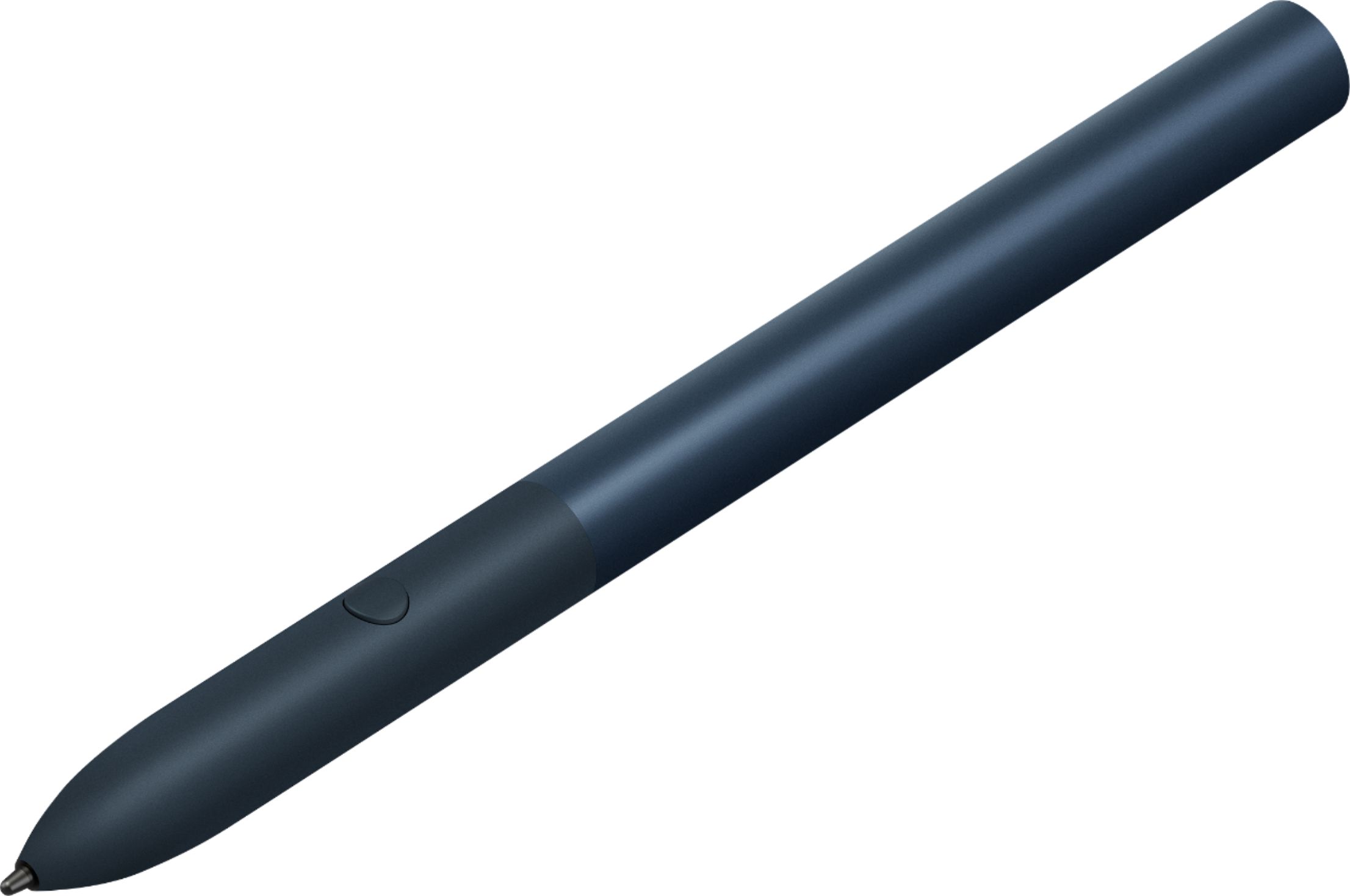

- Model:
- GA00561
- SKU:
- 6306364
Rating by feature
- Value
Rating 3.9 out of 5 stars
- Quality
Rating 4.6 out of 5 stars
- Ease of Use
Rating 4.5 out of 5 stars
Customers are saying
Customers praise the Pixelbook Pen's ease of use, responsiveness, and compatibility with various devices. Many appreciate its comfortable feel and accurate stylus functionality, while some find the battery life and lack of a storage mechanism to be drawbacks. The price point also received mixed feedback.
This summary was generated by AI based on customer reviews.
- Cons mentioned:Battery life

Great Device, only missing 1 thing!
|Posted .This reviewer received promo considerations or sweepstakes entry for writing a review.When paired with the Pixel Slate this pen is simply amazing. The features like magnification work with zero lag every time. If you are creative there are tons of apps for drawing as well, and this pen will not disappoint. My only con to this is the lack of a rechargeable battery, which would put this over the top.
I would recommend this to a friend A must-have for stylus lovers
|Posted .This reviewer received promo considerations or sweepstakes entry for writing a review.While the Slate Tablet is sold without a keyboard or stylus/pen included, I have both stylus and keyboard at home. The stylus has always been an enigma to me. I like using it when I’m using it, but typically prefer a keyboard and mouse. I don’t regularly do drafting, drawing, or doodling, tasks that a stylus should exceed at. Physically, the Pixel stylus is larger than others I’ve used in the past – by quite a bit. While holding onto it isn’t a problem, I haven’t found any way of attaching it to the tablet or keyboard for storage. It’s not uncommon for me to set a stylus down as I’m typing a memo, only to realize that I’m not sure where it has rolled off to. I’ve lost way too many in this manner. The stylus does feel comfortable in my hand, and I can draw and write naturally with it as if I were using an actual pen. Yet, I didn’t like the button at the stylus tip. It feels small. Plus, I find it hard to locate by touch alone. In fact, the button is about a ¼ the size of one on a stylus I have from a different manufacturer, and I don’t have any problem locating that stylus’ button by touch alone. Touching the display with the stylus is instantaneous and accurate. There’s no delay between touching the display and the display reacting accordingly. I found that the stylus was absent any extra nibs for the tip of the stylus. And unless I missed something, there doesn’t appear to be any battery indicator showing when you’ve nearly depleted the one AAA battery you installed in the stylus. I suspect you’ll know that it needs a new battery when it stops working. I didn’t find anything to suggest this, but it’s possible that the Slate Tablet might have a feature to give you a low-battery alert prior to the battery going dead. Just because I’m not a big fan of using a stylus doesn’t mean I’m not a fan of the Pixel Stylus. I am, for sure. I like how they’ve integrated it with Google Notes, and I like how well it performs in general. So, if you like using a stylus and want to invest in a Pixel Slate Tablet, go for the Stylus/pen, too. It’s a good investment.
I would recommend this to a friendNeato, but not need-o
|Posted .This reviewer received promo considerations or sweepstakes entry for writing a review.Growing up with devices prior to styli, I was more than happy to take notes the old fashioned, non digital way. I've used other devices, but it just didn't feel natural. However, with the Pixel Pen and the Pixel Slate, this is a game changer. Using one-note I am now able to take legible - lag free notes direct to my device. It somehow makes my writing more legible (seriously!) The Stylus is a tad bit thinner than a "Sharpie" pen. Though, for my larger hands, it feels rather natural to me. The addition of the google assistant button on the side is pretty neat as well. I docked a star for two reasons, which some may consider nit-picky. 1.) This uses AAAA batteries (yes, quadruple A). 2.) There is no-where to store it with the device. However, if you have the optional slate keyboard - it utilizes a magnet which if you place the pen on top - it at least keeps it from rolling away. When you aren't using the tablet..... Is this super cool and neat? Yes. Is it absolutely crucial to have, to get the full use out of your device? No.
I would recommend this to a friend- Pros mentioned:Stylus
Excellent pen for the Pixel Slate!
|Posted .This reviewer received promo considerations or sweepstakes entry for writing a review.This is probably one of the most complete stylus I have ever used for a tablet/computer... I have used an Apple Pen Gen 2, Yoga stylus and an Surface pen, but I will say this one is silky smooth when writing on the Slate. Excellent response and battery life like all comparable others. Priced is about right versus the competition's stylus pen. It's not a definite need, but it's very nice to have while using it as a tablet. There really isn't any other choice but this first party pen.
I would recommend this to a friend OK for using with Chrome, but not Android
|Posted .This reviewer received promo considerations or sweepstakes entry for writing a review.If you're a frequent user of Chrome browser and Google services like Gmail, Drive, Docs, Sheets, Duo, etc... then the Pixel Slate could be an alternative to a full fledged computer or hefty Chromebook, especially with the recent drop in price. If you do a lot of inputting, though, then best to get the optional keyboard, in which case the Pixel Slate with keyboard lands in the same price range as higher end Chromebooks like the Google Pixelbook. PROs • Excellent screen resolution, though less saturated color than other tablets • Great sound from the small speakers • Battery lasts a full working day • You won’t miss a computer when working in Chrome browser, especially with Google services like Gmail, Photos, etc... • Has two USB-C ports so you can use external storage CONs • Heavier than I expected for a tablet. Would get tiring if you had to hold it a long time. Plus it runs warm when watching videos. • Sections of the screen flicker at times. I noticed this especially on infinite scroll pages like Quora and when watching live TV stream from my cable company. On YouTube and Netflix there was no flickering. • Touch input did not work on every web site. When I was in iCloud.com using the Notes app, only the touchpad on the optional keyboard was recognized, but I could not get the tablet to recognize touch. I don't know if there are other websites that would have the same issue, though all of the Google services worked fine. • The biggest con is when using Android apps. Maybe it depends on the developer, but Android apps don’t seem to take advantage of the larger screen. And in the case of my password manager, 1Password, it didn’t recognize the fingerprint sensor on the Slate and asked me to enter my password to open it. Nor did it autofill my passwords when using Chrome. With the reduced price of the Pixel Slate, I would recommend it if you work primarily in Chrome and especially in Google services, and if you get the optional keyboard. If you do, you will love the experience.
I would recommend this to a friendPen works well, don't use much
|Posted .This reviewer received promo considerations or sweepstakes entry for writing a review.Copied from my slate review I like this tablet, keyboard case, and the pen/stylus is ok. They were all easy to setup, however the tablet(slate) arrived with a dead battery, so when I initially tried to start it up/plug it in and it did not work I thought I had a dud. It started up after about 5-15 minutes plugged in. They are plug and play out of the box, slate, keyboard case, only the pen you have to unscrew and install the provided AAAA battery (yes that's 4A to fit in the pen, although it's not that slim and will make replacing it more difficult than a 3A (but I am guessing it will last a very long time) The Slate is setup with a mix between a PC style desktop (when attached to keyboard) and a tablet style OS when not, or if you flip the case back to back w/ keyboard down. It's smart enough to turn off the keyboard in this position so the keys won't accidentally press on you lap or anything. I am not a big fan of this OS setup, I prefer either the IOS or WIndows 10. Some functions like closing apps and toggling are difficult and the operation varied if the slate is open laptop style or flipped tablet style. The slate is easy enough to disconnect from the keyboard case, just pull apart the heavy duty magnetic connection. The case top is magnetic also to stay snug to the slate back flat or flip to a triangle shape stand to hold it up like a laptop. It also will hold the pen stylus to the back magnetic side This laptop style is fine if you are working on a table or desk, but a little flimsy on your lap or anywhere else and may tip over. The battery life is pretty good once I gave it a full charge. I have run it about 3-4+ hrs a day on and off/start & stop and I still have 19% left or 2 HR by their calc. It's a blend between web based and app based apps. Some just open a Google Chrome (standard browser) window and some run their own app. The pen is a nice addition but may not be worth the extra money. It works well but not sure how useful it will be. I used it for a couple drawing games and for notes, and I think I would rather type. (if I did not have the keyboard case, the pen would be more useful for notes, etc) Most of the apps are standard Google, sheets, docs, all running through google drive. I streamed a couple movies and the play is very good, no loading issues, vudo is standard, but others are easy to add. You may need to play with the screen settings if video is what you want, the glossy screen makes the picture seem dark. All in all I like this device. It seems and looks really cool. The main thing is the back and forth on the tablet/laptop mode and how to control/close/toggle apps, and the flimsy feel of the case if not on a table. When closed however the case covers/protects the Slate well. & the pen is just ok but would be very useful if you use it in tablet only w/o the keyboard.
No, I would not recommend this to a friend- Pros mentioned:Compatibility
Works like a Champ
|Posted .This reviewer received promo considerations or sweepstakes entry for writing a review.I have the Pixelbook pen along with the keyboard and this is a great addition. It paired immediately and works each time I open the tablet. There are a few apps built specifically for it which is good. I am not an artist but this is fun to play with as if I was... Highly recommend this along with the keyboard to bring it all together.
I would recommend this to a friend Cool extra but not needed to enjoy the pixel slate
|Posted .This reviewer received promo considerations or sweepstakes entry for writing a review.I wish I could say that this is the most amazing accessory ever. But I have to say that while this google pixel pen is very cool and I did like it, it isn’t important for your pixel book or slate. With that said I will say that it’s great if you are an artist or you will use it heavily for work/business. It pairs easily with my slate and the Input seems almost perfect. You can highlight or circle something in the screen and the google Assistant will help you find it or take note from what testing I was able to do. I myself will probably use it to draw or color with my 6 yr old. And use it as a stylus like in the old days. Lol. Design is great and I doubt u will break this easily. But that’s to be expected. The color is nice, tho I wish they offered a red color. But maybe next time. Only real complaint (kinda) is this pen doesn’t have a built in battery. But I’m sure the included aaaa battery will last plenty. Also these digital pens are small and might get misplaced.So Remember where you put it. All in all I would recommend this. Especially if you are like me and like all the cool extra gadgets as I am a big techy.
I would recommend this to a friendsmooth, quick input
|Posted .This reviewer received promo considerations or sweepstakes entry for writing a review.I don't know that you *have* to have this to get full functionality from the Slate, but it sure is better than using your finger to draw. Pairing was instantaneous and easy. Just push the button and start writing. There is some added functionality like selecting areas of the screen, but those extra features are app-dependent. I can say that there is hardly any lag in the input, and the "feel" of the pen on the screen is pretty natural. I think the only drawback is that there's no place to attach the pen to either the Slate or the Keyboard. You're going to have to carry it separately.
I would recommend this to a friendStylus for Pixel
|Posted .This reviewer received promo considerations or sweepstakes entry for writing a review.Seems like a pretty neat stylus. I like that the stylus icon at the bottom of the screen lets you easily switch to different modes. Sadly there is no place to store or attach the stylus on the Google Keyboard Case. So, it won’t be making too many trips.I could not get the note taking feature to work-- just got the spinning wheel. Found a web chat for help and it was not much help. Fortunately, Google lets you ask other slate owners for help, so I will go that route. I probably won't use it away from the house until I find a way to secure it to
I would recommend this to a friend- Pros mentioned:Responsiveness
Great Accessory for my Pixel Slate!
|Posted .This reviewer received promo considerations or sweepstakes entry for writing a review.Great basic pen for the Pixel Slate. Pressure sensitivity very good. A must-have for the Pixel tablet.
I would recommend this to a friend Pixel Pen
|Posted .This reviewer received promo considerations or sweepstakes entry for writing a review.The pen is a very nice feature with the PIXEL Slate, I just wish it would be able to be attached to the Pixel slate itself.The preciseness of the pencil is pretty amazing to say the least
I would recommend this to a friendReplaces the mouse
|Posted .This reviewer received promo considerations or sweepstakes entry for writing a review.Right out of the box, the pen is paired with the Slate. The pen is comfortable to hold and replaces most of the mouse clicks, which is nice.
I would recommend this to a friendNot worth the price
Posted .This reviewer received promo considerations or sweepstakes entry for writing a review.I was pretty disappointed in this. It's large, almost the size of a dry erase marker, has no where to be stored on the tablet, has terrible palm rejection, and just wasn't as accurate as the ones available with Samsung devices. Good build quality, though.
No, I would not recommend this to a friend