Customer Ratings & Reviews
- Model:
- AGMSS-011
- |
- SKU:
- 6642406
Customer reviews
Rating 4.6 out of 5 stars with 36 reviews
(36 customer reviews)to a friend
Rated 5 out of 5 stars
Great Gimbal with Great Pro Features
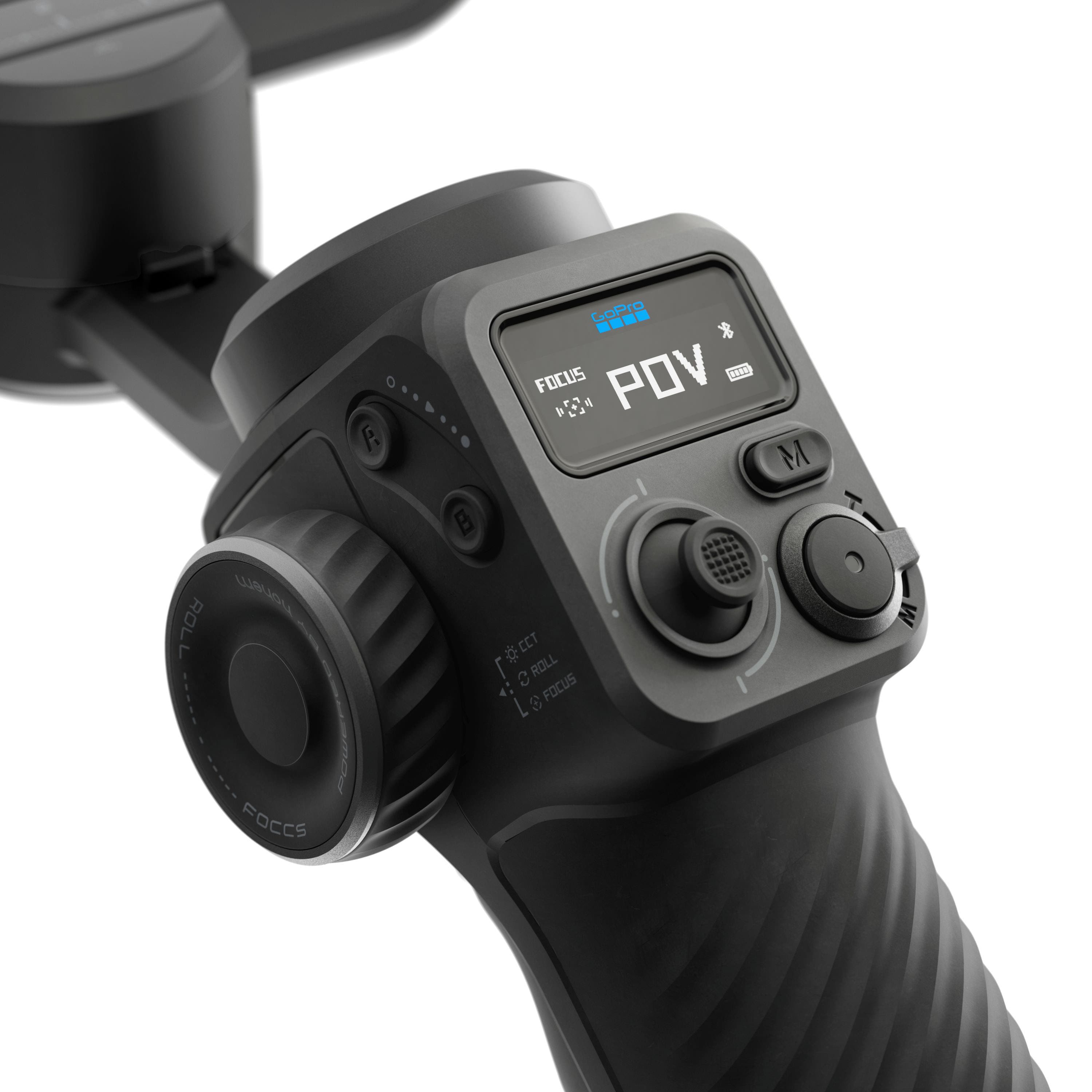
|Posted .This reviewer received promo considerations or sweepstakes entry for writing a review.The design and build quality of this gimbal is great. It feels to be made of a strong plastic. The gimbal grip is comfortable to hold and helps provide relief of holding the weight of the gimbal. The grip has a texture to it which would aid in maintaining grip if my hand got sweaty. There are a lot of physical controls included in this device which is great if I wanted to shoot with gloves on, like during a cold weather shoot. There are a number of threaded mounts on the gimbal to mount whatever you may need—whether that be an additional light (there is a built in fill light), an external microphone, or a tripod (a desktop size tripod is included with the kit). One thing I didn’t love about this gimbal is how much space it takes up even when it’s folded. It folds flat (and includes a number of locking mechanisms to make sure it doesn’t come undone) but it doesn’t fold in half so even at it’s smallest it’s still roughly the length of a Nintendo Switch or Steam Deck. On the plus side, it comes with a really nice travel case so I have no reservations around throwing it in my backpack. It also comes with mounting clamp for a phone as well as mounting hardware for a GoPro (or small point and shoot). The motors controlling the gimbal are sturdy, smooth, and silent, which are probably the most important factors to me in a gimbal. The motors were also responsive and quick, which I think is great for using them to pan. I think one of the things that intrigued me the most about this gimbal was its AI tracking, and it did not disappoint. There is a small module that connects to the top of the gimbal via USB-C, and it is bidirectional so I can flip it depending on if I’m trying to track myself in selfie mode or a subject in front of me. The tracking works really well. After a quick swipe to target my face on my phone, it worked flawlessly and was able to track me easily while I was moving around. The included GoPro Fluid app (tested on iOS) works great. It’s easy to use. It allows for a lot of customization of camera settings, like ISO, shutter, and EV. You can also customize the gimbal’s settings like motor speeds, joystick speeds, etc. Overall, I thought this was a great gimbal with great pro features like AI subject tracking.
I would recommend this to a friendRated 5 out of 5 stars
Premium multi-device gimbal with advanced AI
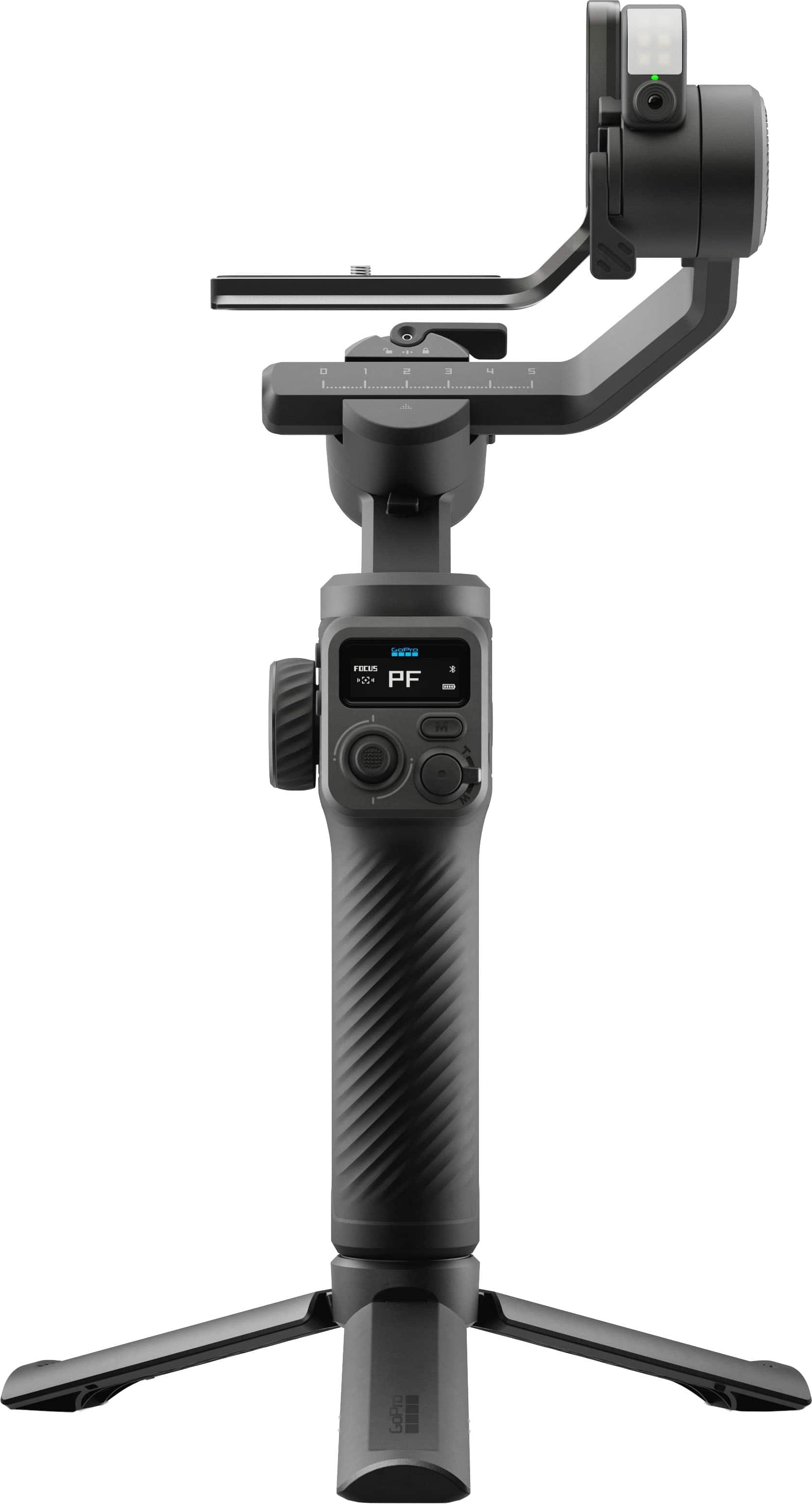
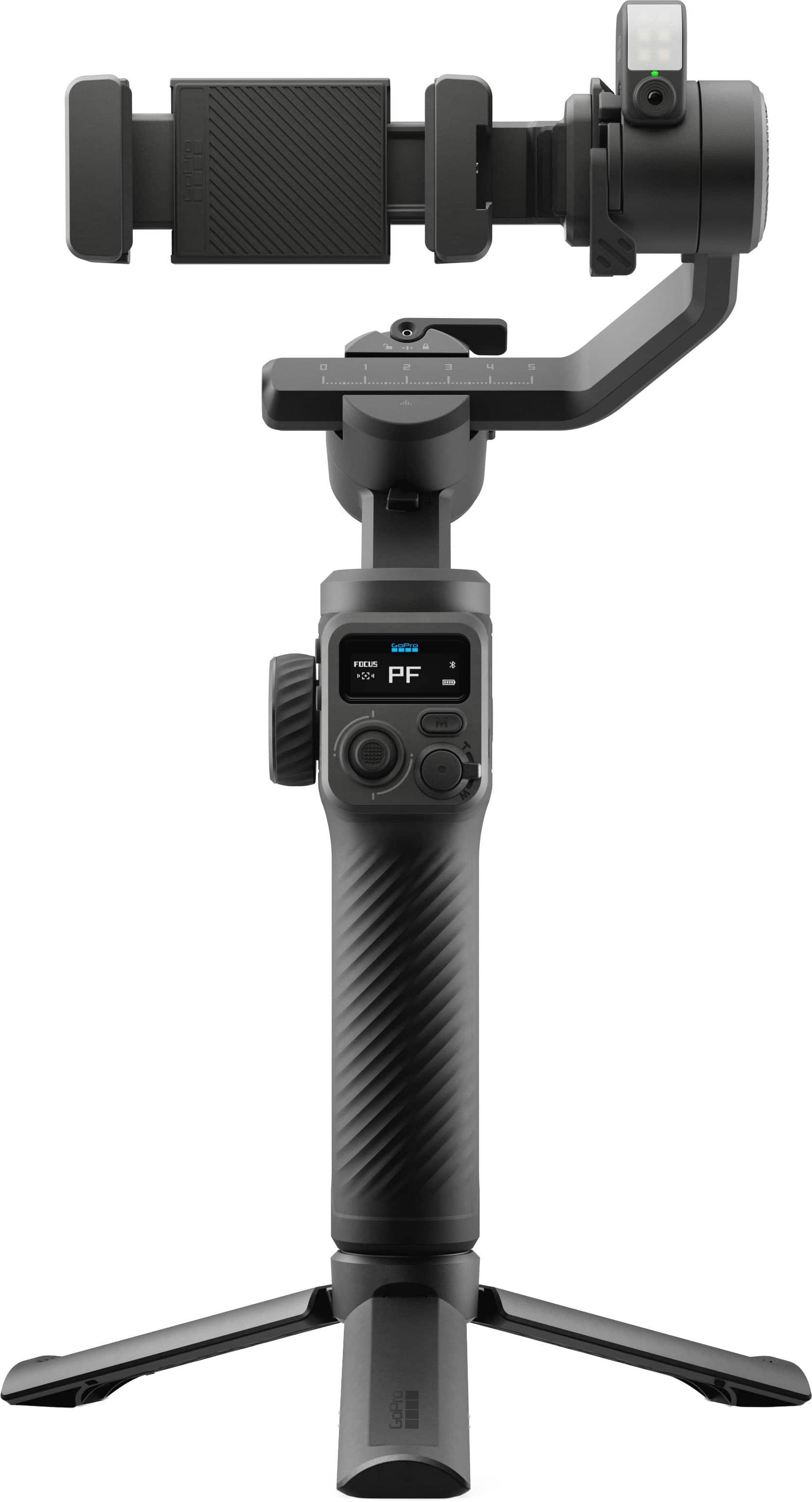
|Posted .This reviewer received promo considerations or sweepstakes entry for writing a review.GoPro cameras are well known for their smooth image stabilization as they are built for action in motion. This feature-packed GoPro Fluid Pro AI Gimbal Stabilizer cranks it up a few notches and works with both GoPro cameras and large Smartphones that attach to the built-in holder with tripod, AI sensor and fill light. It can support a total weight of 400g combined payload of your camera and accessories. It is fairly compact and comes with a carrying case for the device attachments which makes it weigh a bit, close to two pounds as a complete package. That added weight is also due to its large built-in lithium battery that can last up to 18 hours of use. The battery can also be used as reserve power for your GoPro camera or phone while mounted on the gimbal 3-axis stabilization motor that’s the heart and soul of this intelligent selfie stick/tripod. The AI powered brain can track people's faces, pets and reasonably sized objects with 360 degrees of panning, 320 degrees of tilting and rolling. The GoPro FLUID App pairs with the gimbal via bluetooth and allows you to view and control your settings from up to 32 ft away. The selfie-stick has an optional tripod that can be attached to the bottom to help with hands-free operations, but it also has a screw-hole on the bottom if you need to attach it to a full height tripod - a very useful feature. I used it hands-free with both my older GoPro 7 HERO and Galaxy S25 Ultra to record a few attempts at teaching my nephew a few soccer moves. The AI tracking worked very well especially on the horizontal plane, from side to side, not as much on the vertical axis. I also noticed that if you’re too far from the tripod tracking sensor, it will eventually stop tracking, at about 12 feet distance. The tracking ability may also be affected by sunlight glare or other bright lights. The multimodal AI camera sensor can also be activated by hand gesture commands so you can start/stop videos or the AI tracking, with simple gestures like the “OK” sign to start and the “Palm” sign to stop. The GoPro Fluid App has additional advanced operations that you could spend hours playing around with all the available settings, but if you’re a beginner it could be a little overwhelming. Overall, this GoPro Fluid Pro AI Gimbal Stabilizer differentiates itself from the competition with its interchangeable mounts for different devices and is a great addition for any video/content creation and I can’t wait to bring it with me on my next adventure.
I would recommend this to a friendRated 4 out of 5 stars
Super fun once you figure it out
|Posted .This reviewer received promo considerations or sweepstakes entry for writing a review.The GroPro Fuild Pro AI gimble is pretty sweet once you figure it out. I had a pretty steep learning curve, and the instructions that come with it weren’t great. I found that watching tutorial and review videos online helped more than the manual. It comes in a nice soft shell molded case. It will protect the unit well and it’s still small enough and flexible enough to shove in a backpack with some give. Getting my GoPro set up on the gimbal for the first time was frustrating. I had a hard time understanding how everything should be oriented and balanced. This is a critical step. Use the tripod, set it on a stable surface, and take the time to get your device balanced BEFORE you turn on the gimbal. There seems to be an issue with the motors overheating. While this product needs to improve the cooling design, it definitely helps if you get it balanced correctly so that the motors don’t have to work as hard. This gimbal is feature rich. It has a built in fill light that allows you to adjust both brightness and tone. It really helps with the vibe you are trying to capture. It also has a trigger that is programmed with preset functions based on how many times you pull it. For example, if you pull it three times, the gimbal will flip around 180 degrees to focus on your face rather than forward. Click it three more times and it flips back. Click it twice and it recenters the gimbal. Handy if you get it out of whack. 4 times and it changes its orientation so you can use wide angle lenses without having to worry about catching part of the arm in the frame. It’s very cool. It also has a little joystick that allows you to pan and tilt. It makes for some great creative cinematic effects. You can move the camera in a different direction than you are physically moving. It’s fun. Let’s see…what else… It also has different modes such as lock, pan tilt, and pan tilt follow. Each gives you a different vide. Perhaps one of the coolest things is the AI follow. It has a little camera under the light. You can use hand gestures to have the AI lock on you, unlock, and position yourself in the frame. It does a really nice job of following you as long as you stay within 10 feet of the gimbal. If you get further away, it can lose you, especially if the lighting isn’t ideal. It’s fun for things like landing fish since it will follow you around the boat throughout the fight. It also has full 360 rotation capabilities, so once you have the AI locked on you, you can walk a full circle around the camera and it follows. You can connect your camera to the gimbal with a small USB cable that come with the unit. It works with Go Pro Cameras, smart phones, and small point and shoot cameras. It has a pretty decent app to go with your phone that allows you to control gimbal function on your phone. It lets you do things like simply dragging a box around the person or thing that you want the gimbal to follow in frame. You can set it so that the gimbal reacts to the gyroscope in your phone and effectively turn your phone into a remote joystick to control the gimbal. Not sure when I’d use it, but it’s a fun feature. You need to know about the weight limit. I think it’s 400g. That’s plenty for a GoPro camera with a lens, mic, light and windscreen, but you’re not going to be putting a large camera on this gimbal. Also, it’s worth noting that if you put a smart phone on it in the orientation it says, you won’t be able to connect to the unit via USB. You can flip the phone to the opposite orientation and make it work. It does overheat from time to time and just shuts off and flops down. That needs fixed. I found it initially very frustrating to figure out, but once I got the hang of it, I found it fun and very versatile considering I can use it with my GoPro OR my smartphone. I’m still learning, and I suspect I will be for quite some time, but overall, it’s very cool, and very fun IF you can survive the learning curve. 4 stars for complex learning curve and subpar instructions as well as the overheating issue and low weight limit.
I would recommend this to a friendRated 4 out of 5 stars
Great gimbal and versatile
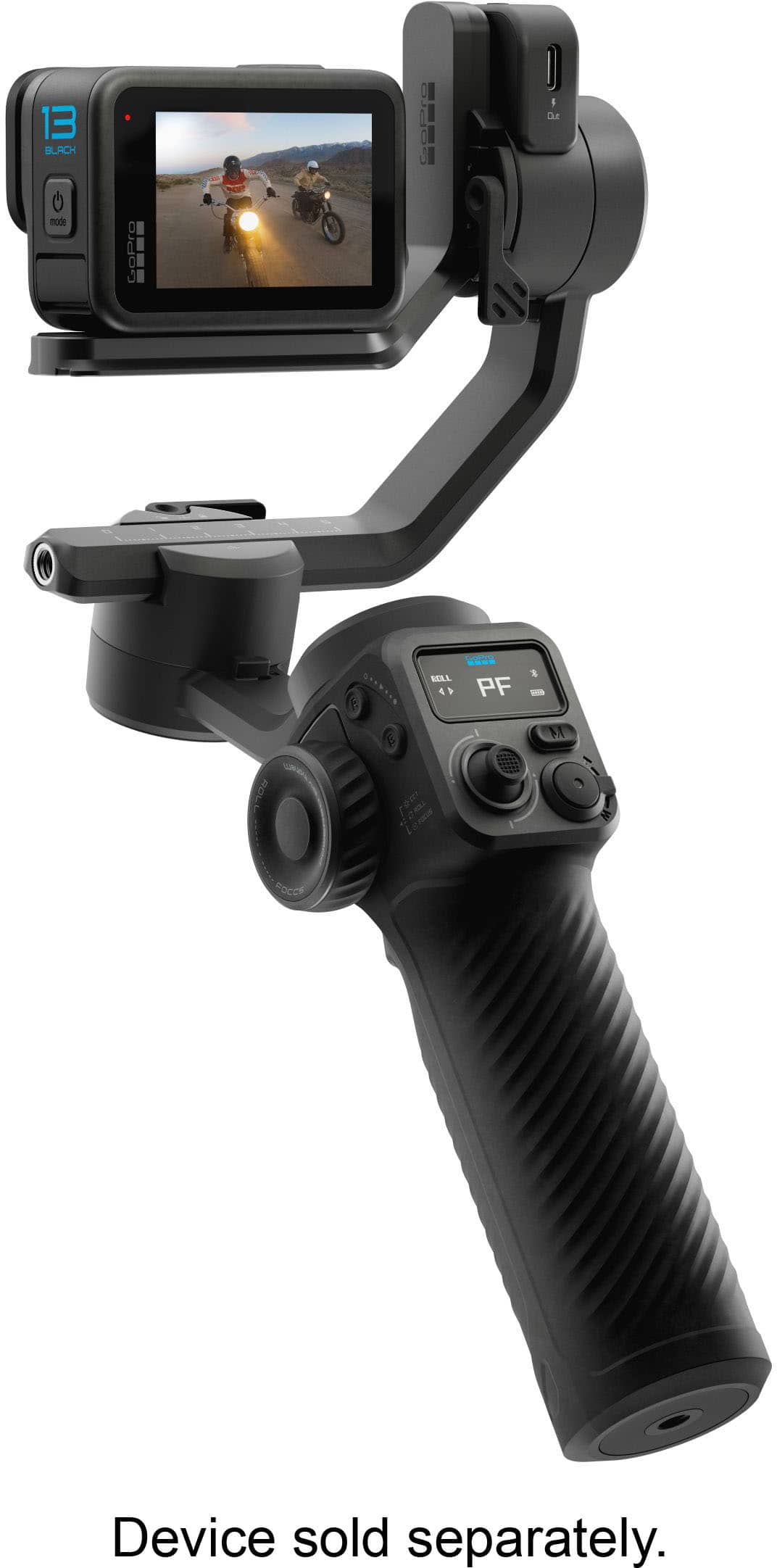
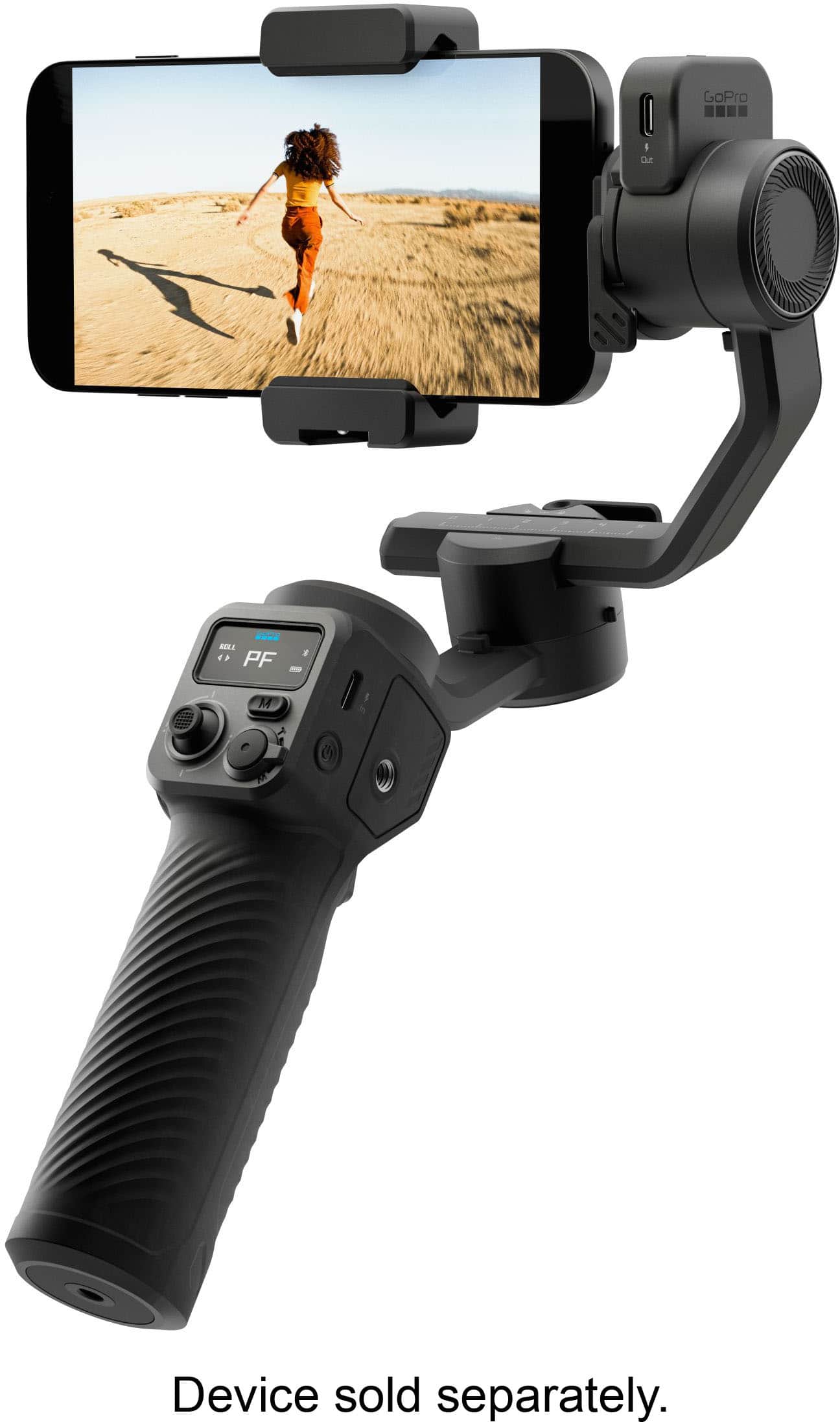
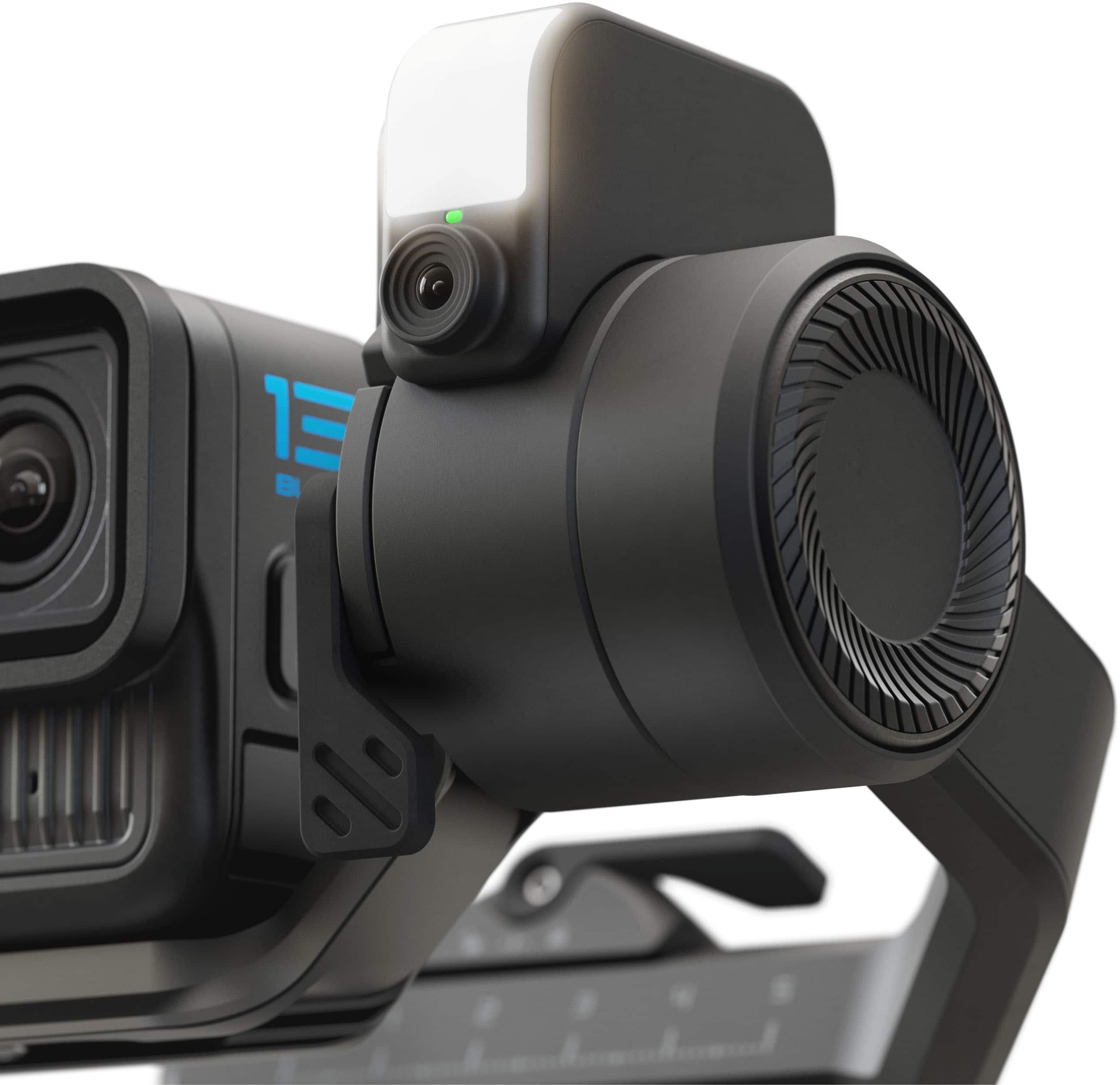
|Posted .This reviewer received promo considerations or sweepstakes entry for writing a review.The GoPro Fluid Pro AI Gimbal is a 3-Axis Gimbal Stabilizer for GoPro cameras, smartphones and perhaps a small point and shoot camera. I wouldn’t exactly call it compact, but if you are looking for a gimbal with robust motors, this gimbal can handle devices weighing up to 400 grams. My iPhone 15 ProMax with a case worked well on this gimbal, I also used my GoPro 13 action camera as this gimbal is made to integrate with GoPro’s cameras, utilizing some of the buttons and controls to operate functions such as zoom and focus on your GoPro. The gimbal solution comes with an AI tracking module, which is a mini camera just for tracking and also includes a fill light/flash to illuminate your subject, I found the mounting on the unit much better than the other gimbal I have from Hohem. The AI track on the Fluid Pro seems better integrated onto the device and doesn’t just appear to be an afterthought. AI tracking is something somewhat new to gimbals and is very useful as it does not rely on a particular app or device to use. The AI tracking can be controlled with simple visible gestures; this makes it especially useful for vlogging or doing a standup talk as the gimbal can act like an automated cameraman. The AI module also comes with a fill light, which can be controlled in intensity and color temperature via the control wheel on the left side of the gimbal. The small display on the gimbal can be used to determine status and mode of the various functions of the gimbal. Unfortunately, it cannot display what the AI tracker camera can see, unlike some other gimbals that have this feature (and where you can more easily lock onto a subject or object to track). This gimbal has numerous physical controls on gimbal handle, including a joystick (for up/down, left/right control, control wheel (for light control, focus), A/B button, mode button, zoom lever (built into the shutter button). All these physical controls work with the GoPro Fluid app which looks remarkably like the Hohen gimbal app (which makes sense given that the app developer is Hohem and is curious since the gimbal itself seems like a GoPro branded Hohen product). The gimbal also comes with a stand which screws into the standard ¼ -20 mounting threads at the bottom of the gimbal (it also has a ¼ -20 thread on the side of the handle for mounting other accessories such as a microphone or light). A substantial battery within the handle charges via the USB-C port, you can also charge/power other devices via the USB-C out port on the AI module (which in itself plugs into a USB-C port). The package also includes a small, coiled USB cable for powering/charging other devices. Also includes two mounting brackets (a clamp for a smartphone and an L shaped clamp for mounting a GoPro, Action Cam or small form factor camera). Having a gimbal provides you with a way to create professional looking content with a smartphone or other camera. Smooth motion and horizon leveling is just superior to the stabilization that is found on smartphones, action cameras or even software stabilization in video editing programs. Overall, the GoPro Fluid Pro AI Gimbal is a decent piece of hardware that is good to have in your content creation toolbox and integrates well with other GoPro devices and accessories. >>> Pros >> different mounting options for smartphones and small cameras up to 400 grams >> battery life >> well integrated AI tracking module >> stand <<< Cons << LED status light for AI module is difficult to see with fill light on << other brands have a more sophisticated control display
I would recommend this to a friendRated 5 out of 5 stars
Delivers a lot for people willing to work
|Posted .This reviewer received promo considerations or sweepstakes entry for writing a review.SUMMARY: AI is not just a buzz word here; the subject tracking actually works which is great news for the hobbyist or solo creator. But to get all that power means having to do some learning, maybe more than the average person just wanting to stabilize the shoot. Sturdy build, premium fell, reasonable price for what you get. Make sure you want all it gives. PROs: - AI subject tracking (put the gimbal down and forget it) - Great panning range. - Decent battery life for long shoots or charge your camera! - Built in fill light - Works with a variety of devices as long as they are < 400 g. - Sturdy build, smooth and stable. - Detachable tripod CONs: - Set up the first time takes time and patience. A MATTER OF TASTE: - Battery life is in base mode only, turn on LED and tracking and it goes twice as fast. - It’s not as light as devices meant just for phones, but not as heavy as devices meant for mirrorless cameras. - Feature laden means more to learn. MORE WORDS. Don’t think you can use your mirrorless camera with it, weights too much. And while the built in LED is good in a pinch, you will still want external lighting for the professional look. And the AI tracking is good but can fail in low light or confusing scenes. Sometimes you will have to resort to manual. WHO IS THIS FOR? It has so many features’ people will forget it’s for you. The solo shooter working fast and easy working with modest gear (lightweight). The hobbyist or the beginning solo creator. You also need to be willing to learn the system, it’s not the easiest because it is feature laden. It’s not a replacement for a professional system for heavier cameras, but nor is it priced as such. It’s easy to pack up and set up once you got the balancing thing down. Comes with a nice case. I’ve used more expensive systems that didn’t have all the feature but were easier. Make sure you want AI tracking, but if you do, this deserves your attention.
I would recommend this to a friendRated 4 out of 5 stars
Good, but wish it worked with more cameras
|Posted .This reviewer received promo considerations or sweepstakes entry for writing a review.As a video content creator, I've been slowly amassing camera gear whenever I can afford it. In order to capture more complex camera movements, what I really needed was a gimbal. There's only so much that the automatic image stabilization can do for a shaky video, with some solutions cropping out much of the frame in order to correct the jitter. I was originally super excited because not only could I use my GoPro cameras with this gimbal, but also my smartphone, as well as any other point and shoot camera under 400g. I really should have weighed my cameras, because although the listed weight was under, it was for the camera body only and didn't include the lens that took me over the weight limit. Since I couldn't use my nice mirrorless cameras, I went ahead and tried to fit my smartphone in the mount. The instructions were sort of confusing, because I couldn't figure out which way I should be having the phone facing. If I had the better back camera facing the same way as the AI camera, then the mount would cover the screen. If I wanted to see the screen, for example in order to actually use the GoPro phone app, then I would be forced to use the lesser quality front facing camera. Also, the mount grips along the side of the phone, which is where the power and volume buttons are, so the phone needs to be on before you attempt to attach the mount. Not only that, but the instructions say that the whole mount has to be balanced prior to turning on the power to the gimbal, and the weight distribution of my phone is such that it's only in balance bare millimeters from the end stop of the sliding bar on the adjustable mount. My tiny GoPro Hero 5 Session was much, much easier to attach to the GoPro specific mount. Setup issues aside, once I had everything in balance and turned on, using the Fluid Pro AI gimbal was a dream. While testing out the stability, I ran all around my house, turning this way and that, and the resulting footage looked like it was done on rails. The handle fit nicely in my hand, and the buttons to control the zoom and record functions of the app worked with barely any perceptible lag. The handle handily folds out into a tripod, and after setting the rig on my table, I tried out the AI focus mode. This mode lets the camera automatically swivel around after acquiring a target, and will have the camera constantly keep the subject in the frame. There is a setting to deprioritize faces, so that if you are demoing a product you can have the AI lock on to that instead, which is great for the shy product reviewers that don't want to show their face on camera. All in all, this product is a great little device for vloggers and other video content producers, especially those with much smaller crews or doing their own filming. I wish that it could hold more weight so that I could stick my APS-C mirrorless camera on it, as even an increase of 100 grams would allow so many more cameras to be used with it. The convenient case to store everything is my favorite part of the whole package.
No, I would not recommend this to a friendRated 4 out of 5 stars
Good gimbal for GoPro users
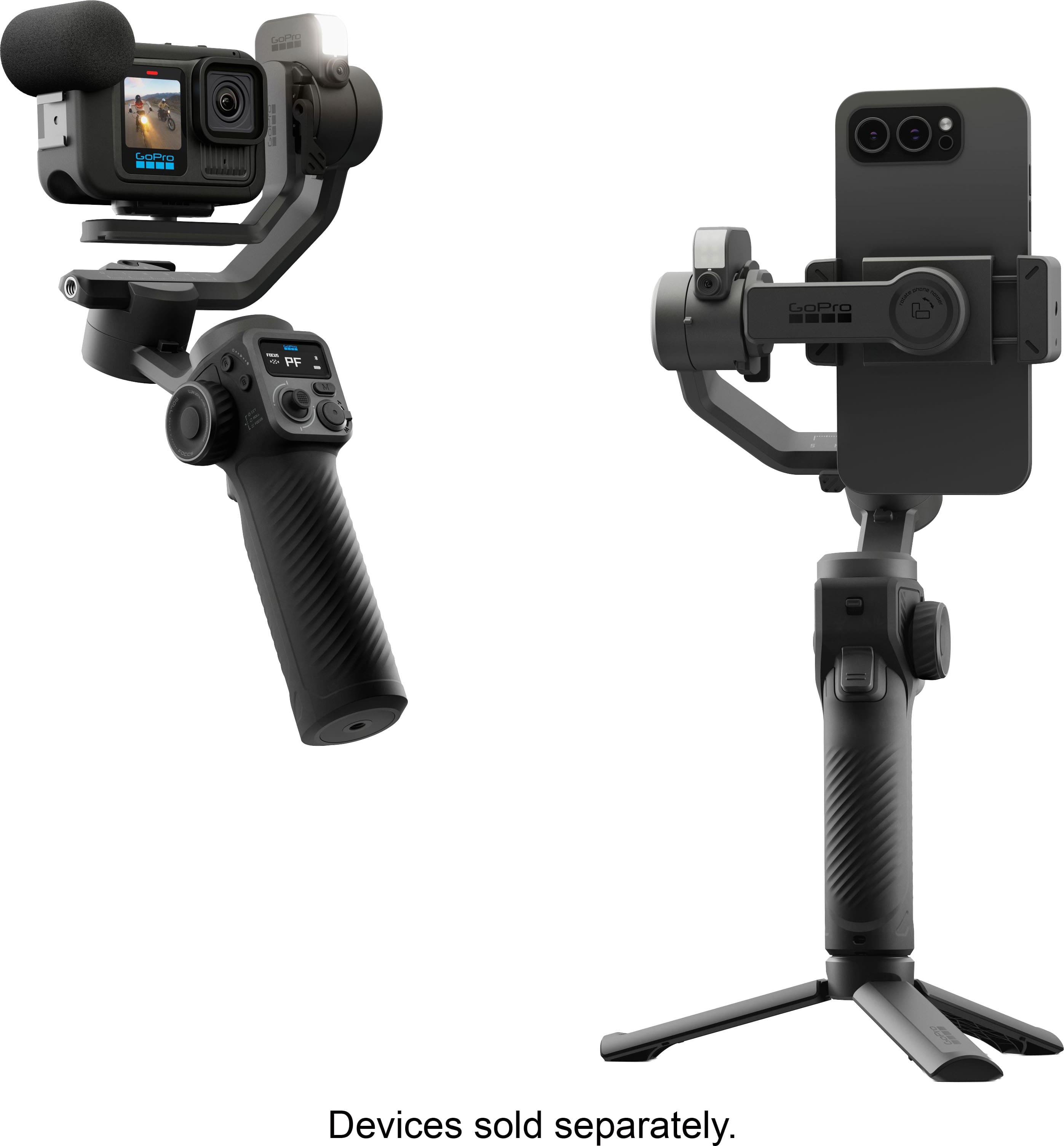
|Posted .This reviewer received promo considerations or sweepstakes entry for writing a review.In the box: • 3-axis motorized gimbal • AI Tracking unit (with integrated light) • Tripod • Phone Clamp • GoPro Camera Bracket • Finger Adapter • Thumb Screw • USB-C gimbal charging cable • USB-C device charging cable • Carrying case • User Guide • Product Safety Information Setup: Mounting and balancing of smart phone was easy. This is best done with the phone out of any protective case. Pairing with smart phone was relatively easy considering that, if you are using the phone mount, it must be done with the phone balanced in the gimbal with the gimbal powered on. Pairing with a GoPro camera (13 Black with Media mod in my case) was easy once I figured out how to put the gimbal in pairing mode again. This does not require that the gimbal be unpaired from the phone (my original mistake). The gimbal can be paired with both at the same time. This allows the phone to serve as a remote control for the GoPro camera using the GoPro Fluid app. Design: GoPro camera and phone brackets can both be mounted in landscape or portrait orientation. The tripod can be collapsed for two-handed operation. A USB-C reverse charging port on the AI Tracking unit can be used to charge a smart phone or GoPro camera. A short, coiled cable is included and, after rebalancing, can be used during operation. AI Tracking unit connects to the tilt motor using a USB-C connector and alignment pins and can be easily removed and mounted in either direction. With a GoPro camera mounted in the gimbal, the GoPro Fluid app on a smart phone can be used as a remote control. However, there is no image displayed in the app and one of the GoPro camera displays must be enabled or the GoPro Quik app must be used to preview the frame. Operation: The gimbal functioned smoothly in all four modes. AI tracking and hand gestures work well. I could find no User Guide for the GoPro Fluid app. It appears to have quite a few features for controlling settings and function of a gimbal-mounted GoPro camera but there is no documentation to tell you how to use them or whether a particular operation was possible. For example, I could find no way to select an object for tracking apart from in-frame hand gestures for tracking a single person. With a GoPro camera mounted on the gimbal, the Quik and Fluid apps can be used simultaneously to control the camera. This allows a preview (in Quik) without the need to enable the front or rear display on the camera. However, starting a recording using the Fluid app interrupts the preview in Quik. Starting the recording in Quik, the preview on the phone remains active during recording. Either app may be used to end the recording. Using the Fluid app, zooming with an iPhone 15 Pro Max stuttered as the phone switched between lenses. Overall: This is a good gimbal for GoPro camera users. AI tracking works well for people when hand gestures are used but I found no way to track other moving objects. The Fluid app could be improved to smooth zoom transitions when using a smart phone and to include the functionality of the Quik app when using a GoPro camera.
I would recommend this to a friendRated 4 out of 5 stars
Fluid shots for your GoPro and Phone
|Posted .This reviewer received promo considerations or sweepstakes entry for writing a review.GoPro is getting back into the gimbal space but it seems like it needs to hold hands with another company to do so. What I found works well: * AI Tracking is Smart. The main selling point is the subject tracking. It has a built-in camera/sensor (so it can follow faces independently of your GoPro or phone) and from what I have seen so far it is fairly accurate at locking onto a face or bodies keeping them centered, even with a lot of movement. Great if your filming on your own. The AI tracking module also has a LED fill light which helps in lower light situations but it's not suited for subjects further away. * Interchangeable mounts means The Fluid Pro AI is not just for GoPros. You can attach a phone(clamp included), smaller point-and-shoots, or other small action cams, weighting under 400 grams. * The battery life is about 18 hours in Passive mode. Although it will more than half if using the AI tracking/light, BUT will still outlast the battery on your camera even with those features active. I also like that you can use the gimbal battery as a power bank to charge your phone or camera while you shoot. * Full 360deg pan movement lets you get some cool cinematic shots you couldn't do with gimbals that have mechanical stop. On the flipside(Cons): * Not the most affordable option in a crowded space. Hopefully you're paying a premium for the multi-device support, the AI tracking, and the battery life-Not just the name that attached to it. * Kind of on the large size. While not the biggest gimbal, GoPros are very small and comparatively the Fluid Pro AI isn't the smallest option out there. * Setup took me a bit of time to figure out. Initial setup and the instructions were a bit confusing. It was a while before I got everything setup and shooting. Was definitely not a whip it out of the box and be up and running on the fly. * AI Tracking might not be perfect. Certain scenarios I noticed AI tracking lost me. Usually when there were more people around and especially in lower light situations. The gimbal also seemed to get a bit warm while using the AI tracking feature continuously for an extended period of long time. Hopefully this doesn't lead to overheating. Thought I have not experienced that as of yet. * Not weatherproof. This gimbal is a GoPro which is known for weatherproof action cams. It's disappointing to see that the Fluid Pro AI isn't rated for rain or dust. * Had to hold hands with Hohem. Not necessarily bad thing since Hohem is a known brand in the gimbal game. But it does mean GoPro didn't design the Fluid Pro AI from the ground up. In summary I found the Fluid Pro AI works well for your GoPro and your smartphone with excellent battery life and genuinely decent hands-free AI tracking, this is definitely a viable option with a well known name albeit in a crowded space. If you only ever shoot on your phone, there are cheaper and smaller/lighter, more focused options available.
I would recommend this to a friendRated 4 out of 5 stars
Great for action camera and phone use!
|Posted .This reviewer received promo considerations or sweepstakes entry for writing a review.I do a lot of filming with my action cameras, as well as with my cell phone. I was looking for a gimbal that would easily be able to handle both. When I saw this one, it seemed like it would fit the bill perfectly! Out of the box this feels like a very solid and well-built gimbal. If you have ever used a gimbal before, I think you will find the controls pretty easy to work with. This is designed mainly to use with GoPro cameras, but it also has an adapter for cell phones as well. I was also able to use it with some other non-DJI action cameras as well with a little creative adapter use. So, this will work with something like a Osmo action camera (or others) if you get a little creative with the mounts. Getting it set up was very easy. It all comes in a case, not quite a hardshell plastic case, but one with a firm outside that should protect the gimbal very well. After you take it out, you will need to unlock the gimbal by using the small switches on it. You can use this with the Fluid Pro AI app which will help control the functions of the camera. You can use it kind of like a remote control to operate the camera if you aren’t holding it, which works great for solo users. Once you get it all set up you just have to balance whatever device you are using, which is as easy as sliding it back and forth till you get the right balance point and then you can lock it into place. This works just the same as most gimbals. You can lock out certain axis to help control your camera. There are also all the zoom and pan and tilt joysticks as well so you can control the tilt of the camera while its on the gimbal. I found that it worked very well with my DJI and non DJI cameras, as well as my Galaxy S24 Ultra phone. The movement was very fluid and I found it very easy to control my camera and get just the shot I wanted. This gimbal also has another trick up its sleeve. On the Gimbal there is a little box that has a built-in light, and there is also a built in AI tracker. This is very useful if you are shotting by yourself and you want the camera to follow you while you are walking or moving. You can simply select what you want to follow, hit record, and the gimbal will automatically follow your movement. I tried this out literally running back and forth in front of the camera, and it tracked me perfectly with nice smooth movement. This is a game changer for solo vloggers! I found the light to not be all that useful unless you are in a very dark place. You don’t get a ton of light off it, but if its pitch black, you can light up a subject enough to get a clear shot. Overall, this is a great gimbal. If you shoot with both cell phones and action cameras, you’ll be hard pressed to find a better. If you only shoot with a cell phone, there is definitely 1 better option out there, so do your research. But, if you shoot on various formats, this is the one to get!
I would recommend this to a friendRated 5 out of 5 stars
Easy to use with good smooth, quiet tracking
|Posted .This reviewer received promo considerations or sweepstakes entry for writing a review.As the user of a somewhat older gimbal from a few years back, this GoPro Fluid Pro AI is a big step up for me. Surprisingly, it's not the most expensive thing out there, so that's definitely a plus; but what you get for that $$$ is solid performance when paired with your phone or an actual GoPro. Build: The overall build of the device is sturdy and doesn't have that light, plasticky feel. It indeed has some weight to it, but nothing that makes it uncomfortable to use. The gimbal feels substantial in my hands. Controls: Speaking of hands, I would say it's most effective with right-handed operation - just because the buttons, dials, etc. are better placed for thumb action that way...although there are some buttons that required your other hand if you're hold it. The "AI" hand controls are my favorite part of this device. When you install the light/tracker attachment, you can use hand controls to turn the automatic tracking on and off and even control recording. And fortunately, there aren't a ton of gestures to remember - just a few and they worked really well. Tracking on the gimbal is smooth and quiet. Setting it up with the included tripod, the gimbal followed me around a room and the quality of the motion was excellent. Other Stuff: The only real "challenge" with me using the gimbal was the initial calibration and balancing. Everything is adjustable, but it took a few tries to get it just right. The gimbal also includes a nice hardshell case. Everything fits in it - including a GoPro. I just wish it had a special compartment to put the camera so that it wouldn't bang against everything else.
I would recommend this to a friendRated 5 out of 5 stars
Outstanding Handheld Gimbal!
|Posted .This reviewer received promo considerations or sweepstakes entry for writing a review.If you've never had a gimbal, this is a game changer for filming, either with a GoPro camera or your smartphone. It includes mounts for both in the box. Set-up out of the box was a bit confusing as the instructions aren't great, so I recommend watching some YouTube videos of the set-up process if you get stuck. That's also a helpful tip if you're new to using a gimbal, as this product features more complexity and features than more basic gimbals on the market. There is a learning curve here, even if you have experience, but the more you use it, the more intuitive it becomes. I've been using it with my GoPro camera, and the results are amazing. Filming waterskiing from the boat is now stable and videos of my dog on hikes are perfectly smooth. The pan and 360 features allow for some really cool shots and content. I haven't had to use the front mounted light yet, but it's good to have it for low light situations. The star of the show is the camera on the front of the gimbal that lets you lock on an track whatever you're filming. That means you don't have to be staring at the screen the whole time to stay locked on to your target. You can also set this on a table using the included stand and it will follow you if you're filming content. Overall, this is a really fun gimbal to use and I love how much it's improved the quality of videos. I would absolutely recommend this to anyone!
I would recommend this to a friendRated 5 out of 5 stars
Great Stabilizer
|Posted .This reviewer received promo considerations or sweepstakes entry for writing a review.The Gopro Fluid Pro stabilizer is a really nice stabilizer, that is very versatile. It can be used on with a variety of camera types from GoPros to Smart Phones to lighter point and shoot or DSLRs. The device feels very nice and well built from the moment you pick it up. It can be a bit intimidating at first. But once you read the instructions and watch the setup videos, it's not so bad. Once I really started playing around with it, I really saw how full featured this gimbal really is. It probably has way more features than I will ever really use. When they say Pro, they really mean it. I think this is targeted to actual professionals who are making videos for a living. I am mostly using it for personal use with home movies and videos of family vacation and things like that. It still works really well for those applications. The resulting videos are very smooth and clean looking. Using a stabilizer like this really adds a layer of polish that you don't realize is missing until you see it in action. Overall I am very happy with this stabilizer. It was a bit overwhelming at first with all the features, but once you really start using it, it's not bad at all. And the resulting videos look amazing. I would definitely recommend for anyone wanting to take their videos up a notch.
I would recommend this to a friendRated 5 out of 5 stars
Perfect companion for your GoPro or smartphone!
|Posted .This reviewer received promo considerations or sweepstakes entry for writing a review.I’ve been carrying a GoPro with me to document my outdoor adventures for over 10 years and have only ever carried the standard GoPro handle/stick style grip. I thought it did well enough, and since I was just creating these videos to document my travel and adventures for my friends and family it was fine. I’ve seen other gimbals while shopping and it crossed my mind a few times to get one after seeing how much better the footage turned out, but I couldn’t find one that checked every box and didn’t cost me an arm and a leg. When I saw this being released and had a chance to read up on it, I decided it was time to pull the trigger and finally get one! I’m so glad I did! This has changed the game for me and now no one gets motion sick while watching my videos! I thought there would be more of a learning curve to operate, but honestly it was very intuitive to use and this has been my “go to” every time I teach for my GoPro. I actually haven’t used anything else since I’ve got this. It’s been hunting, fishing, on a river float tour, to a national park, on a few bike rides, and on an over-landing trip! It’s an easy recommendation to buy this asap, you won’t regret it.
I would recommend this to a friendRated 5 out of 5 stars
Solid and beyond useful
|Posted .This reviewer received promo considerations or sweepstakes entry for writing a review.This was a game changer for using the gopro or a phone for capturing video. We've used a few different gopros over the years and have tried out a few different packs of accessories to go with it. Nothing in any of the various price accessory packs comes close to this. It comes in a nice little secure package that holds everything securely and can easily be put into a carrying bag or backpack for transport. The case is nice quality and feels protective. Much like the gopro itself, this has a nice solid build. It's got a good weight to it and my phone attached securely as well. I will warn you, if you have a larger iphone or android then you may have to remove your case from your phone for it to fit properly in the attachment but it does hold securely so I wasn't worried about my phone slipping at all. Setup did take a little bit as you have to read through the instructions a bit and figure out how to calibrate it initially but it's been go to go since then. I'm still working through all the various options and controls but fall more in love with this every time I use it. Can't recommend this enough especially if you are using for content creation.
I would recommend this to a friendRated 3 out of 5 stars
A gimbal that doesn't know what it wants to be
|Posted .This reviewer received promo considerations or sweepstakes entry for writing a review.GOOD - Can mount both phones and small cameras - Relatively good subject tracking and stabilization - Lots of camera controls directly on the grip - Many 1/4 threaded mount points for lights, mics, and accessories - Comes with nice carrying case - Has USB port to power camera or external lights BAD - Phone mount is fiddly and not very strong - Switching phone between portrait and landscape orientation requires complete remounting - Mounting phone in portrait mode drastically limits tilt range ( phone hits bottom of the gimbal frame ) - Focus controls on grip override zoom controls - Front facing camera limited to 1080p30 when using the app TLDR The GoPro Fluid AI does a good job at tracking subjects and smoothing out camera wobble while in motion. However it's in a weird no-man's-land in terms of price and practical application. It handles small cameras like GoPros and compact mega-zooms pretty well, and also phones in landscape. But it has issues with phones in portrait orientation and the gimbal isn't strong enough to mount even small mirrorless cameras or fully rigging up a GoPro with lights and mics. If you only need to use a phone for a camera, you can get a sufficient gimbal for less. If you want to use anything more than a point-and-shoot camera, you'll need to step up to a stronger, larger gimbal. DETAILS GoPro's Fluid AI gimbal is basically a relabeled Hohem M6 with a swappable arm mount. It even says "powered by Hohem" on the gimbal itself and the companion application is also made by Hohem. At first glance this seems like quite a versatile gimbal. It includes both a clamp mount and 1/4" threaded arm, allowing it to mount phones and cameras. The AI subject tracking module is detachable and reversible, and it has a USB port that can charge your phone, camera, or light while in use. But on closer look you see a lot of limitations. To start, the 400g weight limit of the gimbal drastically restricts what you can mount. While it can easily handle a phone or small action camera on its own, perhaps even a compact mega-zoom camera, adding an external light or microphone can quickly take it over the limit. My Pixel 8 with slim case on its own is 280g. While the frame is just big enough to mount a small mirrorless camera, the gimbal will throw errors that it's being overloaded, even if you're only 30g over the limit. Second, the gimbal isn't the most user-friendly with phones, particularly when mounted in a portrait orientation. The center of the tilt motor is a little over 2.5" above the bottom arm of the frame. So if your phone is over 5" tall ( as most are these days ), it will hit the bottom arm unless you mount the phone off center in the clamp. Of course, doing so is against the manual since it explicitly says you're supposed to center the weight in the gimbal axes whenever you mount something. I never had trouble with my 6" Pixel 8, but I can imagine using a larger, heavier phone, the gimbal might throw some warnings at you that the tilt motor is being overloaded. Next up, the phone mount itself is passable at best. It uses spring-loaded plastic jaws to hold your phone. The jaws are just deep enough to hold a phone in a slim case, but for a better grip, not using a phone case is preferred. Of course, that leaves the phone unprotected while on the gimbal, so pick your poison. And switching the phone between landscape and portrait orientation is a pain because you have to remove the phone from the jaws, rotate the clamp, remount the phone, and then rebalance it. In actual use, again, going off looks can be misleading. The gimbal grip has lots of controls on it that certainly come in use. The central joystick controls the gimbal while shutter and zoom control are next to it. The knob on the side can control the light on the tracking module, camera focus distance, and the gimbal's roll axis. However, all these controls only work when paired with a phone and the phone is using the GoPro/Hohem companion camera app. And here I noticed two issues. First, when using the phone's front camera, video is limited to 1080p30 only, regardless if you phone's front camera can record at higher resolutions and framerates. This is a problem with Hohem's software because the same thing happens on other Hohem gimbal apps. Second, if you use the gimbal wheel to change focus, the zoom control toggle will also switch to control focus instead of zoom. In order to get it back, you have to tap on the phone touchscreen to switch it back to zoom priority ( shown by a capital Z or F in the top left corner ). Other than that, it works well. Though the gimbal can pair over Bluetooth with a GoPro camera itself, only the shutter control works ( at least with the Hero 11 I tried ). You can't use the zoom control to change camera viewing angle, shooting mode, or anything like that. And a GoPro can't be paired simultaneously with the gimbal and your phone/tablet at the same time to get live feed and remote camera control ( again, at least the Hero 11 can't ). As for the AI subject tracking, that feature works well and if you've used another Hohem system, you'll be familiar with the features and gesture controls. The Hohem phone camera app itself also has some rudimentary tracking features even when you don't have the separate camera tracking unit plugged in, but they're not as smooth ( especially when using the front camera on close face tracking shots ). If you want a gimbal specifically for action cameras like a GoPro, or for small mega-zoom point-and-shoot cameras, then the Fluid gimbal is not a bad choice. For that use I'd give it 4/5 stars. It doesn't link directly to the camera enough to give you full control, but it's a good gimbal with much wider motion range than cheaper models. If you're only going to use phones in landscape mode, the Fluid isn't bad either. In this way, it does have some extra mounting points where you could perhaps fit a mic or SSD without going over the gimbal's weight limit. And again, the wider motion range than what you'd find on the Hohem V3 is very helpful if you want to shoot something more cinematic than just a face-to-camera vlog. Just understand some aspects might be more fiddly than you'd want. But as a general gimbal recommendation I can't give this more than 3/5 stars. If you're someone who wants a single gimbal to be used for facetime vlogging, and also some action and cinematic shots, I don't think this is the gimbal for you. It seems like it's trying to do too many things and ends up being only mediocre in most of them. You can spend less to get a very good dedicated phone gimbal. Hohem makes multiple models that also have detachable wireless remotes, which lets the gimbal double as an excellent active tripod. Yes, the Fluid's mobile act can also function as a remote control, but then you need to have another device to act as the camera. Similarly, paying a little more than the Fluid can also get you a larger and stronger prosumer gimbal that you can use with larger and heavier camera gear.
No, I would not recommend this to a friendRated 3 out of 5 stars
Steep Learning Curve High Tech Gimbal
|Posted .This reviewer received promo considerations or sweepstakes entry for writing a review.The Fluid Pro AI gimbal comes in a sturdy zippered storage case that allows you to quickly disassemble the gimbal for storage or transport. The gimbal itself is quite heavy, and has internal batteries to power the motors that maintain the position of the phone or camera being used. Maybe it's just me, but this device seems to share an issue with GoPro cameras themselves--the tiny little control and power buttons are very easy to accidentally press. There is an included manual with a detailed diagram of the controls and adjustments, but you need a magnifying glass to read it. And you need to learn where *not* to touch the gimbal when you are attaching the phone (or camera) and getting it ready to use. The phone needs to be balanced in it’s mount every time you use the gimbal. There are two USB-C ports, one is used for charging the gimbal and one can be used to power other devices or charge up a phone. The gimbal has a standard threaded mount at the base that you attach and use as a handle extension, or expand the three “legs” to use as a table top tripod of sorts. The standard thread permits you to be able to use the gimbal on a standard tripod or other camera mount. Included are an adjustable mount for cell phones that can be positioned in landscape or portrait mode, and a cradle for suitable GoPro cameras. Like anything else electronic that still needs a human to produce the results, your videos quality depends on your own patience and your own movements. So far my results have not been great, I would be embarrassed to upload any of them. I have not been able to master the AI functions, it will take some more trial and error. This device requires you have a technical kind of mind.