Skip to contentGo to Product Search
Main Content

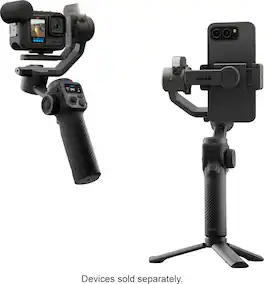
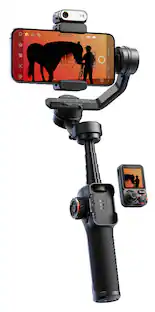
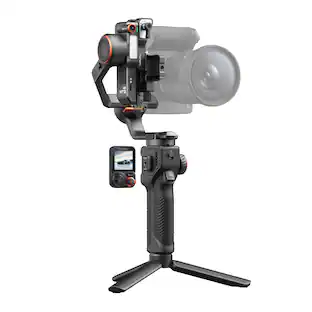
GoPro - Fluid Pro AI - Multi-Device Gimbal Stabilizer with AI Tracking

Model: AGMSS-011
SKU: 6642406
Sold byBest Buy

Customers are saying

Customers consistently note that the product delivers exceptional overall performance and is remarkably easy to use. Users frequently praise the seamless AI tracking and the buttery smooth 3-axis stabilization, which significantly enhance the quality of their footage. While the device offers impressive battery life and versatile mounting options, some users have reported concerns regarding the motors overheating during operation.

Generated by AI based on customer reviews.

Features

  • Versatile 3-Axis Gimbal

    Interchangeable mounts support smartphones, GoPro cameras, and compact point-and-shoots.

  • Smart AI Subject Tracking

    Forward- or rear-facing module locks onto faces or bodies for precise automatic framing.

  • Built-In Fill Light

    Balances lighting for more professional, well-lit shots.

  • Strong, Durable Build

    Supports cameras and accessories weighing up to 400 g.

  • Ultra-Stable Motor Design

    Provides 320° tilt and unlimited 360° pan for fluid movement.

  • Wireless Camera Control

    Operates phone shutter, zoom, focus, and compatible GoPro shutter/mode settings.

  • Extended Battery & Power Bank

    Long-lasting battery with USB output to charge your phone or GoPro while shooting.

  • GoPro Fluid App Integration

    Wireless connection unlocks creative video and photo capture tools.

  • Limited Lifetime Warranty

    Backed by GoPro’s trusted coverage for long-term reliability.

Specifications

  • Brand
    GoPro
    Model Number
    AGMSS-011
    Product Name
    Fluid Pro AI - Multi-Device Gimbal Stabilizer with AI Tracking
    Color
    Black
    Product Height
    10.24 inches
    Product Width
    3.94 inches
Sponsored

Reviews

Customers are sayingCustomers consistently note that the product delivers exceptional overall performance and is remarkably easy to use. Users frequently praise the seamless AI tracking and the buttery smooth 3-axis stabilization, which significantly enhance the quality of their footage. While the device offers impressive battery life and versatile mounting options, some users have reported concerns regarding the motors overheating during operation.
This summary was generated by AI based on customer reviews.
  • Overall Performance (38)
  • Ease of Use (20)
  • AI Tracking (19)
  • Stabilization (11)
  • Battery Life (10)
  • Overheating (4)

Customer Images

The vast majority of our reviews come from verified purchases. Reviews from customers may include My Best Buy members, employees, and Tech Insider Network members (as tagged). Select reviewers may receive discounted products, promotional considerations or entries into drawings for honest, helpful reviews.

  • Rated 5 out of 5 stars

    Fluid Ai

    Awesome addition to the hero black 13 muat have . Love it !

    Posted by CharlesF

  • Rated 5 out of 5 stars

    Best accessory for the GoPro and cellphone.

    Nice equipment for the Go Pro and the cellphone!! Love how the GoPro can have a gimbal to make other types of movement.

    Posted by LuisA

  • Rated 5 out of 5 stars

    GoPro Fluid Pro AI

    I was drinking my morning coffee, going through emails when I saw the message from GoPro announcing the upcoming release of the Fluid Pro AI. I was immediately drawn to it mainly due to the built in camera that allows for tracking movement. I’m slowly building up my little home studio and I thought this gimbal might fit the bill as an AI powered cameraman. I’m happy to report that it does! I already have a GoPro Hero 13 so I mounted that to the included bracket and spent a few minutes balancing the camera per the included directions. Not too difficult but important to reduce strain on the gimbal’s motors. Using a few simple hand gestures I’m able to have it track my movements around the shop or hold in position, start and stop video recording or take a photo depending on what mode the camera is in, or a really handy feature is that you can reframe a shot all with gestures. It’s pretty cool! I don’t do much in the way of vlogging but there are features that might make this a “must have” if you do. Tapping the trigger twice will recenter the gimbal but tapping it three times will flip the camera 180 so it’s facing you so it switches easily from selfie mode to show your POV. Tapping four times will move the roll motor and arm back behind the camera if you are making a wide angle shot so it doesn’t show in frame. Pressing and holding the trigger will put the Fluid in Sport Mode which increases the speed of the gimbal on all axis to track faster moving people. I did try to track objects or pets with the GoPro camera mounted and was unsuccessful, but if you use the Fluid app and mount your phone in the provided phone adapter you can draw a box around an object and it will track that. So it appears that without the Fluid app the gimbal only tracks people. We were able to fool it by showing it a picture of a person on a phone and it tracked the picture so I assume it’s looking for either a human or a human shaped object at least unless you’re using the Fluid app on a mobile device. Tracking worked well for me in standard mode as long as the person wasn’t moving too quickly, Sport mode worked on faster moving people but since you need to hold the trigger down to stay in Sport mode it’s not something can use with it hands free on the included tripod. There are several modes to pick from which changes how each axis responds to the Fluid Pro’s handle movement. In Lock mode for instance, the Fluid Pro will keep the camera pointing at the same target as you move about. Other modes allow for panning only, or allow you to control pan and tilt only while it powers the roll axis to keep the camera level. It does have a small built in fill light and a scroll wheel to vary the brightness and you can adjust the color temperature from 2700K to 6500K to suit your subject’s skin tone or help compose your shot. The light and AI camera assembly is reversible, if you have the AI camera reversed it disables POV mode as an option I noticed. I couldn’t think of a reason why I would want the AI camera facing me and the film camera facing away though? The base of the device has a 1/4-20 threaded mounting hole for the included tripod or it will fit on a standard camera tripod. You could attach a 1/4-20 threaded lanyard there also (not included with the device). There’s a second 1/4-20 hole on the right side of the Fluid for accessory mounting. The grip on the Fluid is textured and slightly grippy but not squishy. Feels good in the hand. Also note that if you are left handed, the large scroll wheel might be pressing on your index finger and affect how well you can reach the trigger. Not as comfortable when I’m using it with my left hand. Probably should try it in the store and see how it is for you if you’re a lefty. I use my right hand so I have no complaint with it. The controls are easy to reach and really everything can be operated with just my thumb and index finger except for the button on the scroll wheel. It comes with a small coiled usb-c cable to power the camera and extend its run time. The included phone adapter can be used in portrait or landscape mode, if your phone/case combo is over about 3 1/2” wide it might need the case removed to make it fit. It’s tight on my iPhone 11 in a Defender case. There’s a cold shoe on the phone adapter if you need to clip on something like a RX for your wireless microphone. With a maximum capacity of 400 grams the Fluid could possibly handle a small point and shoot camera if it’s physically small and light enough but it does work wonderfully with my Hero 13 so I can recommend that. The Fluid Pro AI can also connect to your GoPro camera and your mobile device via the Fluid app at the same time! This allows you to use your mobile device as a remote control for the gimbal, adjust settings, set up motion time lapse shots up to three hours long, control the camera and you can even control the Fluid’s motion using the accelerometers in your phone. It’s a neat device and I’m looking forward to putting it to work in the shop!

    Posted by Stephen H

  • Rated 5 out of 5 stars

    Outstanding Performance&Quality

    If you are just getting into videography, content creation or just want that premium look of your memories now it's the best time to be on the market for such thing cause the Go Pro / Fluid Ai Multi device Gimbal stabilizer checks all the boxes that will get you to that Great Video Result. It is packed with great features and a great software that makes it really easy to create! 🔧 Build Quality & Compatibility: It's built to support multiple device types - GoPro cameras, smartphones and compact point-and-shoot cameras -- thanks to interchangeable mounts. The payload capacity of up to 400g means it can handle setups with filters, lenses, and accessories without compromising stability. 🤳AI-Powered Stabilization & Tracking: The Fluid Pro AI features 3-axis motorized stabilization combined with AI subject tracking, which inteligently follows faces or boddies in motion (for up to 12ft in good lighting conditions after my testing). Wheather you're filming fast-paced sports, walking through crowded streets or vlogging on the go, the gimbal keeps your subject centered and your footage smooth without cropping or softening the image like digital stabilization does. 🔋Battery life: One of its standout features is the 18-hour battery life, which is significantly longer than its competitors. Even better, it can double as a power bank, letting you charge your camera or phone while shooting. 💡Built-In Fill Light & Gesture Control The Gimbal includes a built-in LED fill light, which helps illuminate subjects in low-light or mixed lighting conditions. Combined with gesture control and an intuitive interface, it's super easy to operate even when you are solo shooting. 📲App intergrtion & Smart features: The GoPro Fluid app unlocks advanced features like motion presets (Inception and Smart motion timelapse being my favorite). Also it transforms my phone camera and a much more capable device thru software. 🎬My Conclusions: The GoPro Fluid Pro AI Gimbal is a Top-Tier stabilizer for creators who demand precision, flexibility and long-lasting performance. If you are willing to invest in quality, this Gimbal won't disappoint and will allow you to easily create that Professional Footage that we all aspire to obtain!

    Posted by Denisik91

  • Rated 5 out of 5 stars

    The Gimbal to use from GoPro

    The latest Gimbal from GoPro, Fluid Pro AI, is quite alike a robotic arm that complement the GoPro Camera or a mobile phone. It provides a powerful sensors that can adapt dynamically to the movement and action. The package includes: 1. Gimbal, 2. AI Tracker, 3. Tripod 4. Camera Bracket 5. Phone Clamp, 6. Finger Adapter, 7. Thumb Screw 8. USB-C Gimbal Charging Cable 9. USB-C Device Charging Cable 10. Carrying Case The gimbal once assembled, in total provides 29 functionalities, from which includes 3 motors (Tilt Motor, Pan Motor, Roll Motor). It also includes a Fill Light which can be controlled with Control Wheel for the grade of brightness. It also includes a tinny screen for indicator of Mode based selection made with the dedicated button. Now, the actual physical actionable buttons are: 1. Mode Button (M) 2. Joystick 3. Trigger Button 4. Zoom Lever / Shutter Button 5. Control Wheel 5.1. For Focus Control+ Roll Rotation 5.2 Fill Light Control mentioned above. 6. A-B Botton, has effect on how Joystick behaves for Start and Position of the camera. On AI tracking, this is fascinating on how it works. By default it recognizes 4 hand signs for: 1. Start AI Tracking 2. Stop AI Tracking 3. Start/stop Recording, Take Photo, 4. Customized Composition. These works nicely as long as it is within the specified distance, which is 0.5m to 5m (1.64ft to 16.40 ft) away. For the case of waling around with the auto mode, as walk the gimbal adjust automatically as the angle is low or high. The adjustment ion the position allows s the camera focus still on the object. The gimbal has full of features to explore but above is mostly the most that comes to impress after first usage. On the other hand, understanding it how to use at first is not counterintuitive, I had to tryout multiple times until understood the functionality. One of issue I had was placing the camera or the phone in bracket and positioning aligned with the Fill Light as it move around and desert have fixed position. Other issues I had was randomly appearing error message and overheat messages and not being able to solve perse as when it is restarted it is not longer showing. What I wish it worked better: 1. To place the GoPro Camera, in my usage Hero 13, it need to use Finger Adapter and Thumb Screw. It is not just click and use. Although it could have used with Phone Clamp, and the puporse of using Finger Adapter is more secure, still it is multiple steps. 2. Less buttons. It has 7 buttons including the joystick. The buttons on the side are a bit odd to use unless get used to after a while. 3. The app Fluid doesn’t have option to switch to Front Camera without changing the direction of the arm of the gimbals. I am guessing it doesn’t as the AI sensor is pointing only one direction hence it limit the AI functionality. But while being the middle of recording can’t switch to front camera then back to the rear camera. As for ending the review, the Gimbal is an excitement to use, it is flexible and dynamic and works as intended. There are little details to tune still for better user experience and some training in advance, but as Hardware and it Application in overall deliver a nicely made one.

    Posted by MigDigital

Compare similar products

GoPro - Fluid Pro AI - Multi-Device Gimbal Stabilizer with AI Tracking

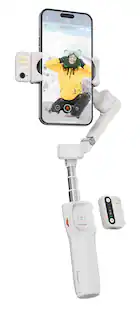
Get incredible video stabilization plus the power of AI subject tracking with this premium gimbal that works with mobile phones, GoPro cameras and some compact point-and-shoot cameras. Made for videographers, vloggers and content creators, the gimbal automatically tracks your subject throughout your shot using an attached sensor with a built-in fill light. Built strong, it can support the heavier weight of setups with lenses, filters and camera accessories while smoothly tilting, rolling and panning with an amazing range of motion. The intuitive control interface and support for hand gesture operation make it simple to use. A long battery life allows the gimbal to also serve as reserve power for your phone or camera.

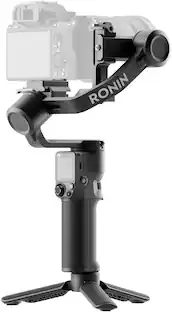
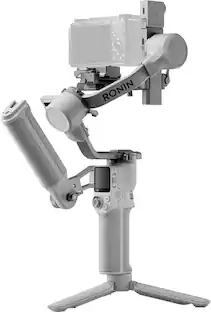
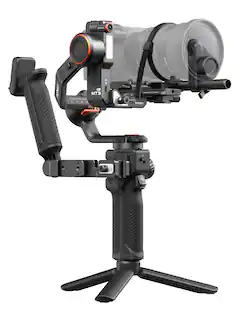
DJI - RS 3 Mini 3-Axis Gimbal Stabilizer - Black

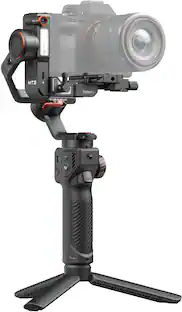
The first-ever Mini version in the RS series, the DJI RS 3 Mini is a small, lightweight handheld stabilizer with a powerful payload capacity. It supports mainstream mirrorless camera and lens combinations and inherits the excellent stabilization performance of the RS 3 series. With DJI RS 3 Mini, unleash your shooting potential and achieve effortless professional creation.
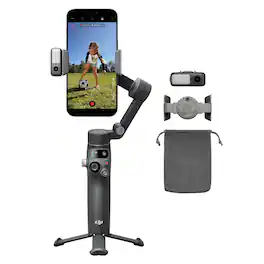
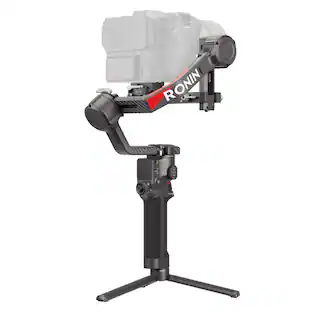
DJI - Osmo Mobile 8 Phone Gimbal Stabilizer - Black
4.6(60)

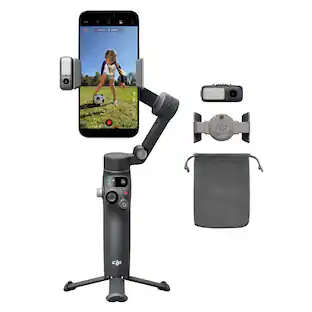
Unfold your creativity. Osmo Mobile 8 unlocks smooth 360° horizontal spin and effortless low-angle shots. With direct phone connection, enjoy native tracking that always keeps your loved ones in frame. The Multifunctional Module combines human and pet tracking, lighting, and audio capture, ensuring your subject stays in focus—whether you're creating content, recording daily life, or joining a video call. Never miss a moment!

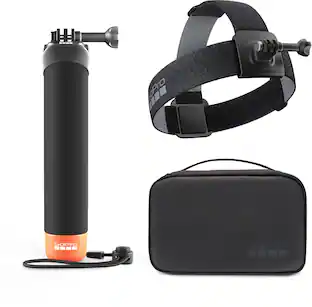
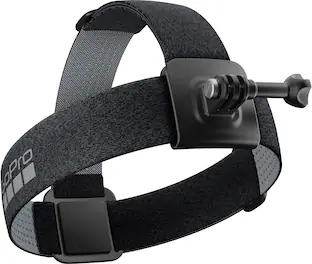
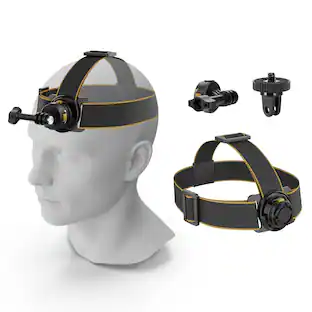
Head Strap 2.0 Compatible for All GoPro Cameras

Head Strap 2.0 lets you capture immersive, hands-free footage from your point of view. Use the headband with the top strap for more support and stability during intense activities, or the headband on its own for a low-profile setup during lower-intensity.

Pros for GoPro - Fluid Pro AI - Multi-Device Gimbal Stabilizer with AI Tracking
Overall Performance, Ease of Use, Stabilization, Battery Life, AI TrackingOverall Performance, Stabilization, Weight, Battery Life, Ease of useOverall Performance, Ease of Use, Battery Life, Compatibility, StabilizationOverall Performance, Compatibility, Weight, Comfort, Fit
Cons for GoPro - Fluid Pro AI - Multi-Device Gimbal Stabilizer with AI Tracking
OverheatingThere were no cons for this product—There were no cons for this product—There were no cons for this product—

Specs

Questions & Answers

  • is this gimbal compatible with the new GoPro Mission 1 Pro?

    Yes, the Fluid Pro AI can be used with the MISSION 1 Pro.

    Answered by GoPro Support
    GoPro Support response
  • Does this gimbal have subject tracking?

    Yes, this gimbal has smart AI subject tracking.

    This question and answer was generated by AI based on customer and product data.
  • Is there a warranty for this GoPro stabilizer?

    Yes, this stabilizer is backed by a limited lifetime warranty.

    This question and answer was generated by AI based on customer and product data.
  • Does this gimbal have wireless camera control?

    Yes, this gimbal has wireless camera control that operates phone shutter, zoom, focus, and compatible GoPro shutter/mode settings.

    This question and answer was generated by AI based on customer and product data.
  • What kind of devices are compatible with this gimbal?

    Smartphones, GoPro cameras, and compact point-and-shoots are compatible with this gimbal.

    This question and answer was generated by AI based on customer and product data.

Ask a question
No content
Sponsored