Last Chance 48-Hour Flash SaleEnds Dec. 24. Limited quantities.Shop now

Skip to content
Gift Ideas
Main Content

Customer Ratings & Reviews
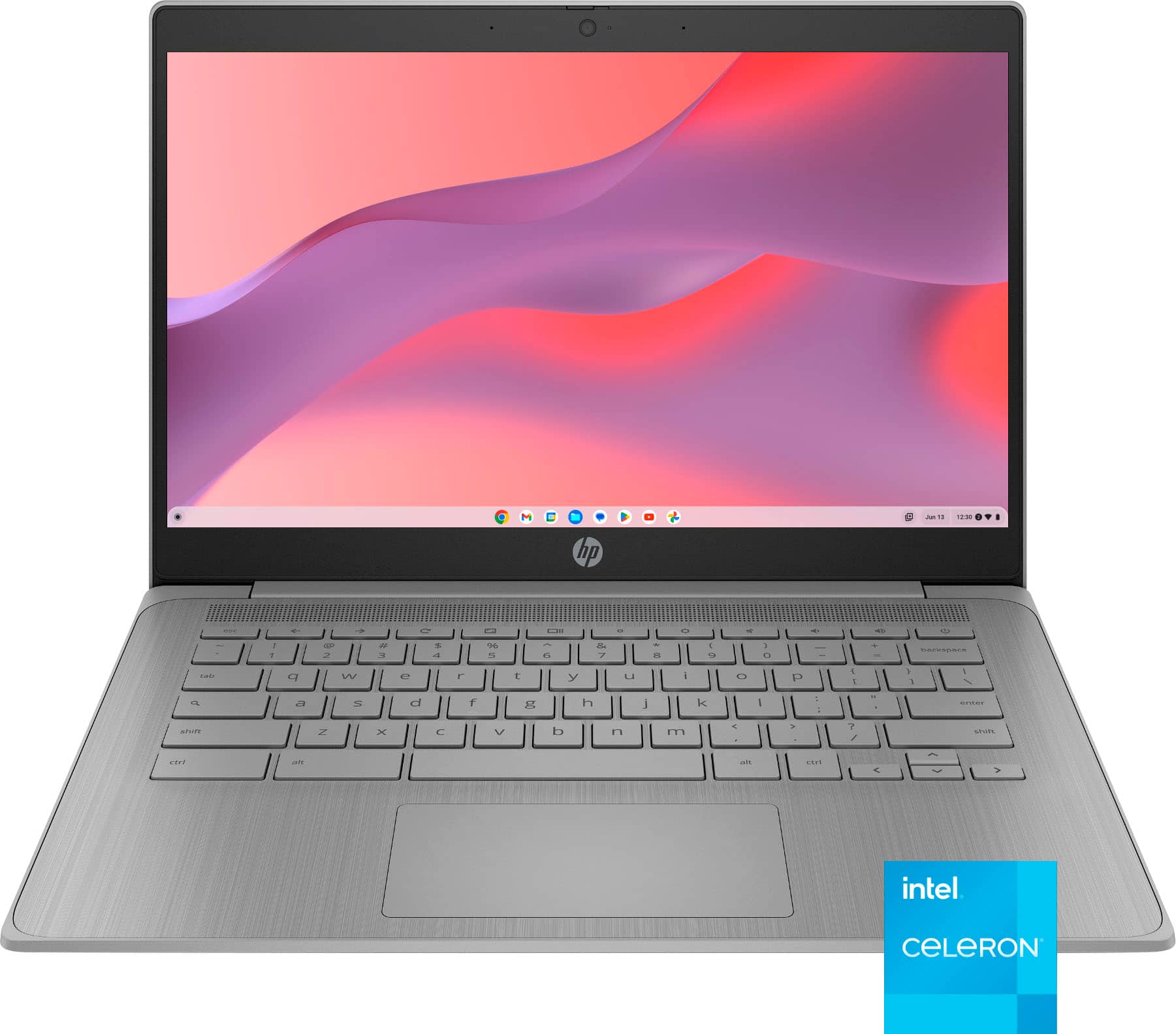
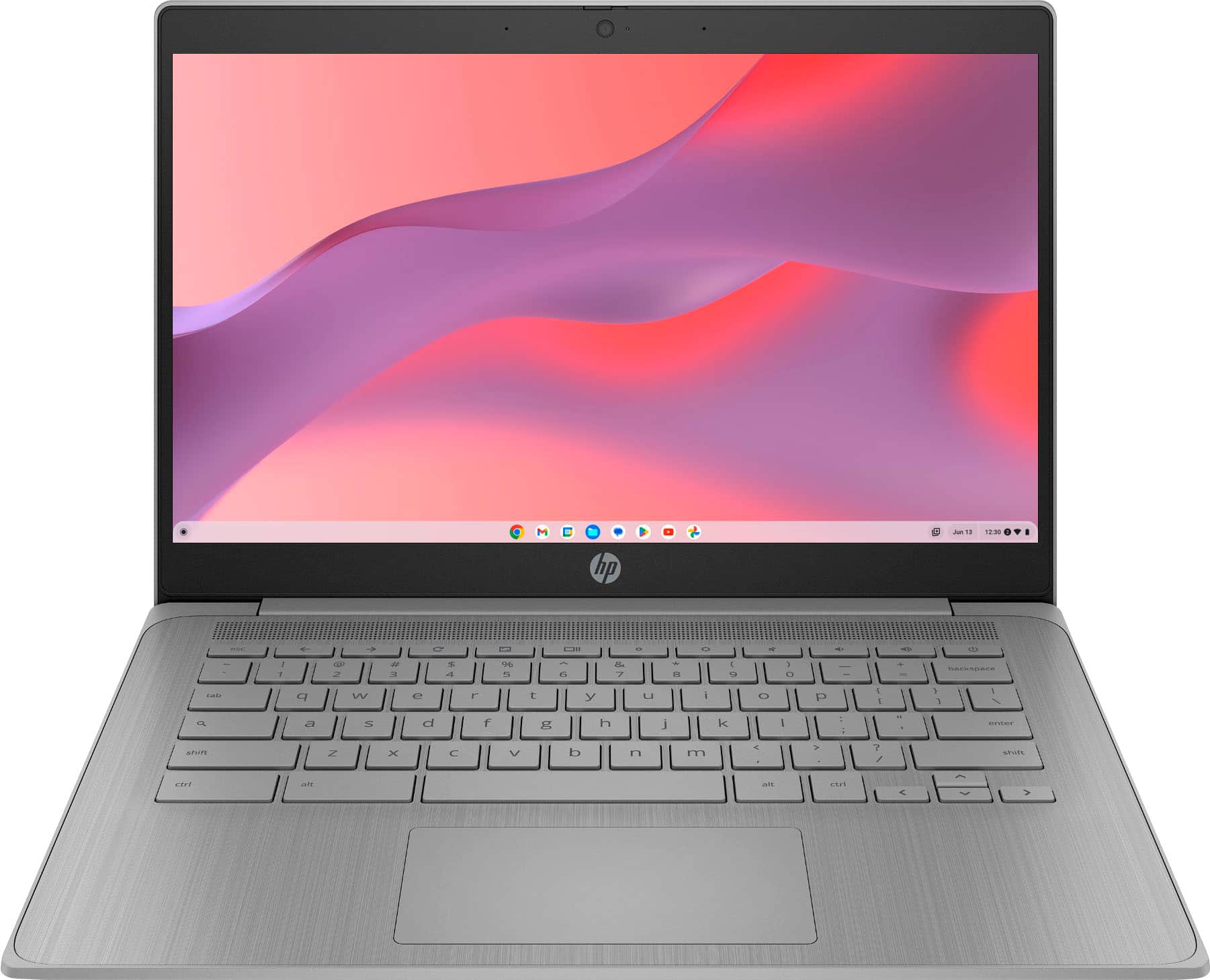
Your price for this item is $189.00
The comparable value price is $329.00

Customer reviews

Rating 4.6 out of 5 stars with 1095 reviews

Rating Filter

Rating by feature

  • Battery Life

    Rating 4.7 out of 5 stars

  • Speed

    Rating 4.6 out of 5 stars

  • Display

    Rating 4.6 out of 5 stars

92%
would recommend
to a friend
The vast majority of our reviews come from verified purchases. Reviews from customers may include My Best Buy members, employees, and Tech Insider Network members (as tagged). Select reviewers may receive discounted products, promotional considerations or entries into drawings for honest, helpful reviews.
Page 54 Showing 1,061-1,080 of 1,095 reviews
  • Rated 2 out of 5 stars

    Have to switch over

    |
    |
    Posted .
    This reviewer received promo considerations or sweepstakes entry for writing a review.

    It doesn’t not function well with the music production applications I use because of chrome.

    No, I would not recommend this to a friend
  • Tech Insider Network Member

    Rated 5 out of 5 stars

    Perfect for Travel

    |
    Tech Insider Network Member
    Posted .
    This reviewer received promo considerations or sweepstakes entry for writing a review.

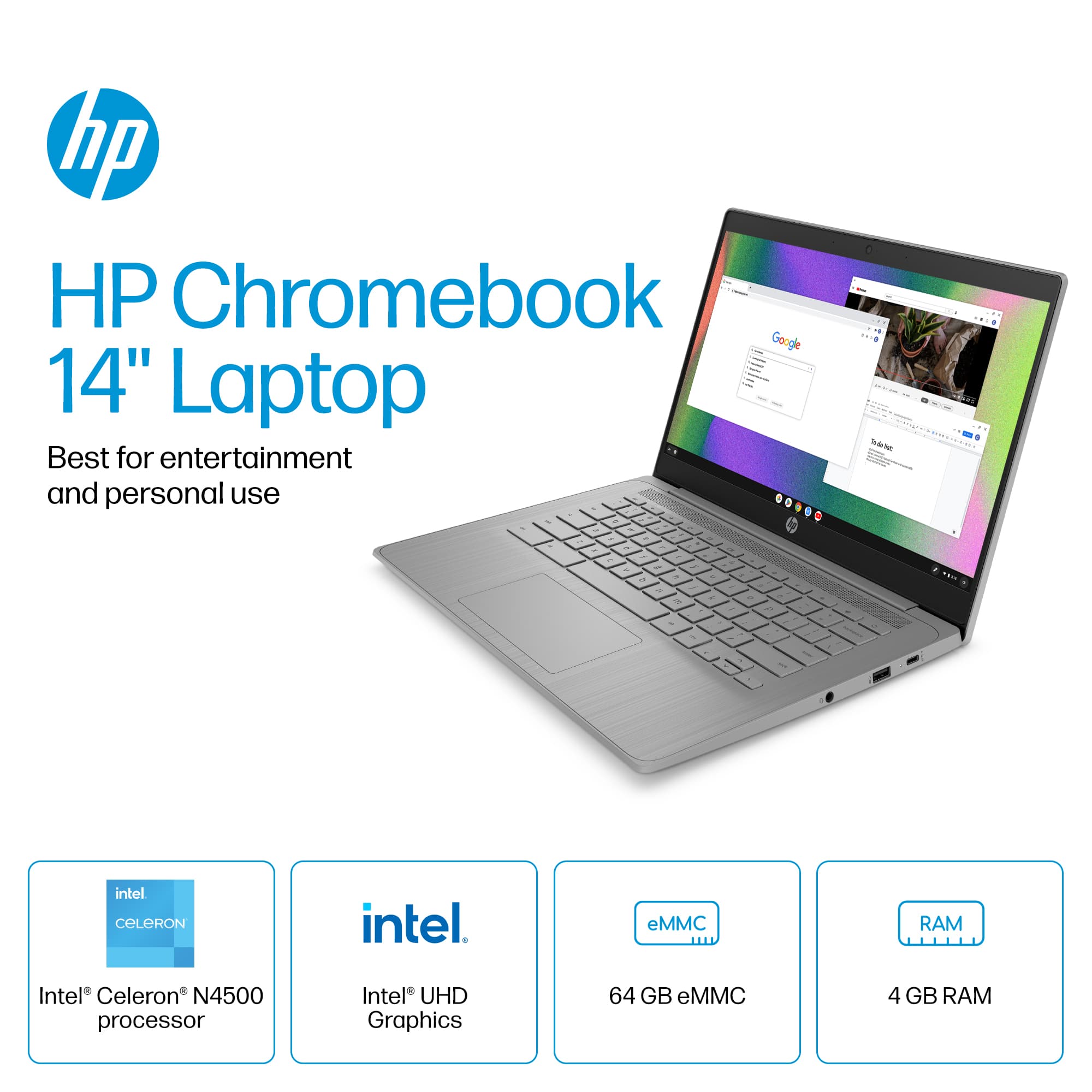
    The HP Chromebook 14” is perfect for a train ride or car ride especially if you have kids and want them to watch a movie or play some games. Storage is plenty especially for the Chromebook that In my opinion is very resilient against viruses. It’s great for basic tasks like browsing, streaming, and office work, and this new chip actually does well with some gaming as well. The N4500 chip is a processor for the HP Chromebook 14a. It offers improved performance compared to the Celeron processors, with dual-core architecture and Intel UHD Graphics. N4500 chip provides a decent boost in performance compared to the Celeron processors, making it suitable for multitasking and running multiple apps simultaneously. Its integrated Intel UHD Graphics also handle casual gaming and graphics-intensive tasks fairly well. Not sure about battery life on these as I usually run mine plugged in. The 14” screen is nice and sharp and the Chromebook feels lightweight compared to other computers. This is a much better version that works very well and HP is a reputable name.

    I would recommend this to a friend
  • Rated 1 out of 5 stars

    Wrong purchase

    |
    |
    Posted .
    This reviewer received promo considerations or sweepstakes entry for writing a review.

    I don’t like it at all Want to return it Can not put windows on it

    No, I would not recommend this to a friend
  • Rated 1 out of 5 stars

    Webcams worked for a 2 weeks

    |
    |
    Posted .
    This reviewer received promo considerations or sweepstakes entry for writing a review.

    I bought this laptop because I needed it for zoom and turns out that the WebCam does not work and I will be taking it back

    No, I would not recommend this to a friend
  • Rated 1 out of 5 stars

    Not for me

    |
    |
    Posted .
    This reviewer received promo considerations or sweepstakes entry for writing a review.

    Don’t buy this if you’re looking for a computer that where you can use a crypto wallet. Treasure and ledger software cannot be installed on this device.

    No, I would not recommend this to a friend
  • Tech Insider Network Member

    Rated 3 out of 5 stars

    Practical Laptop for a Starter Kit

    |
    Tech Insider Network Member
    Posted .
    This reviewer received promo considerations or sweepstakes entry for writing a review.

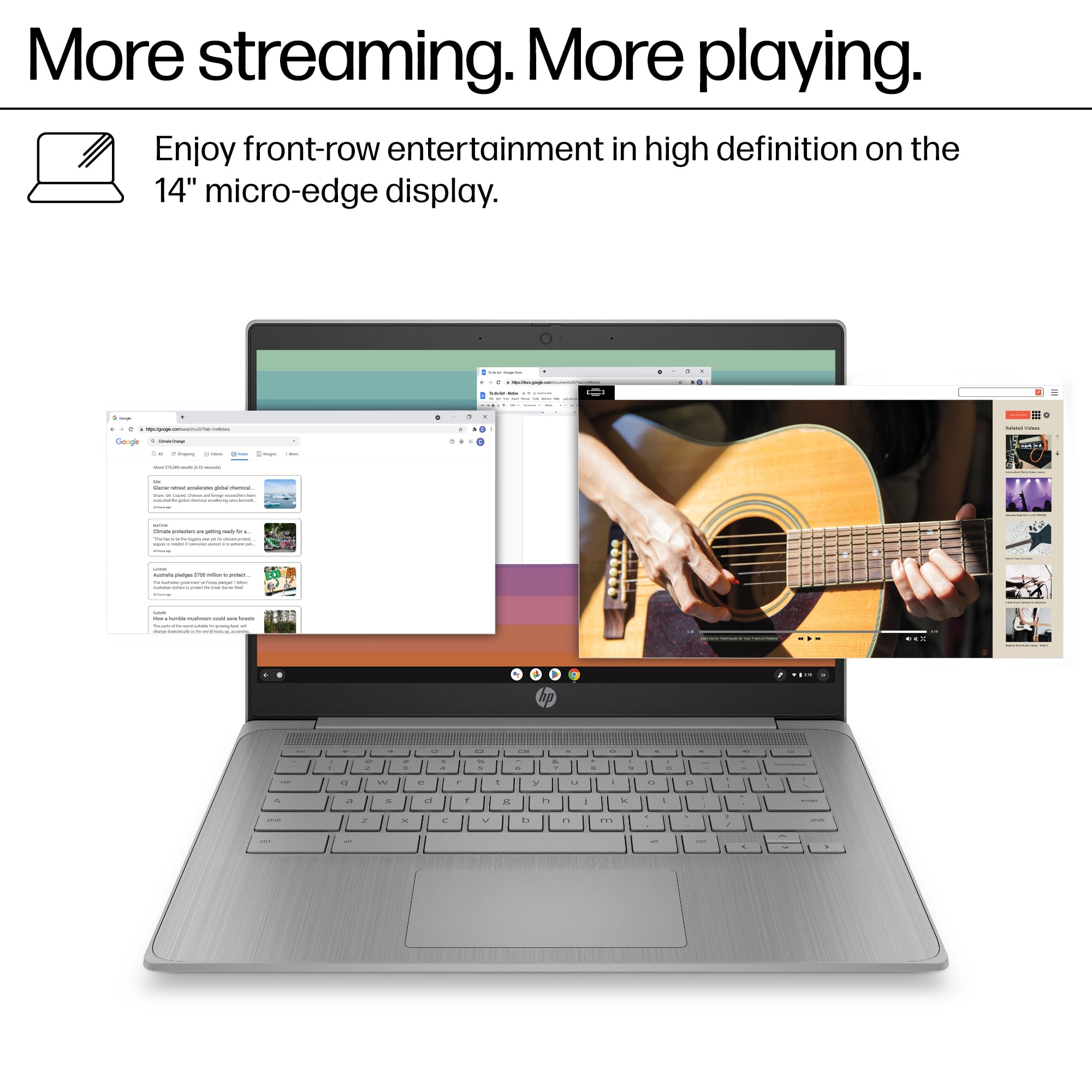
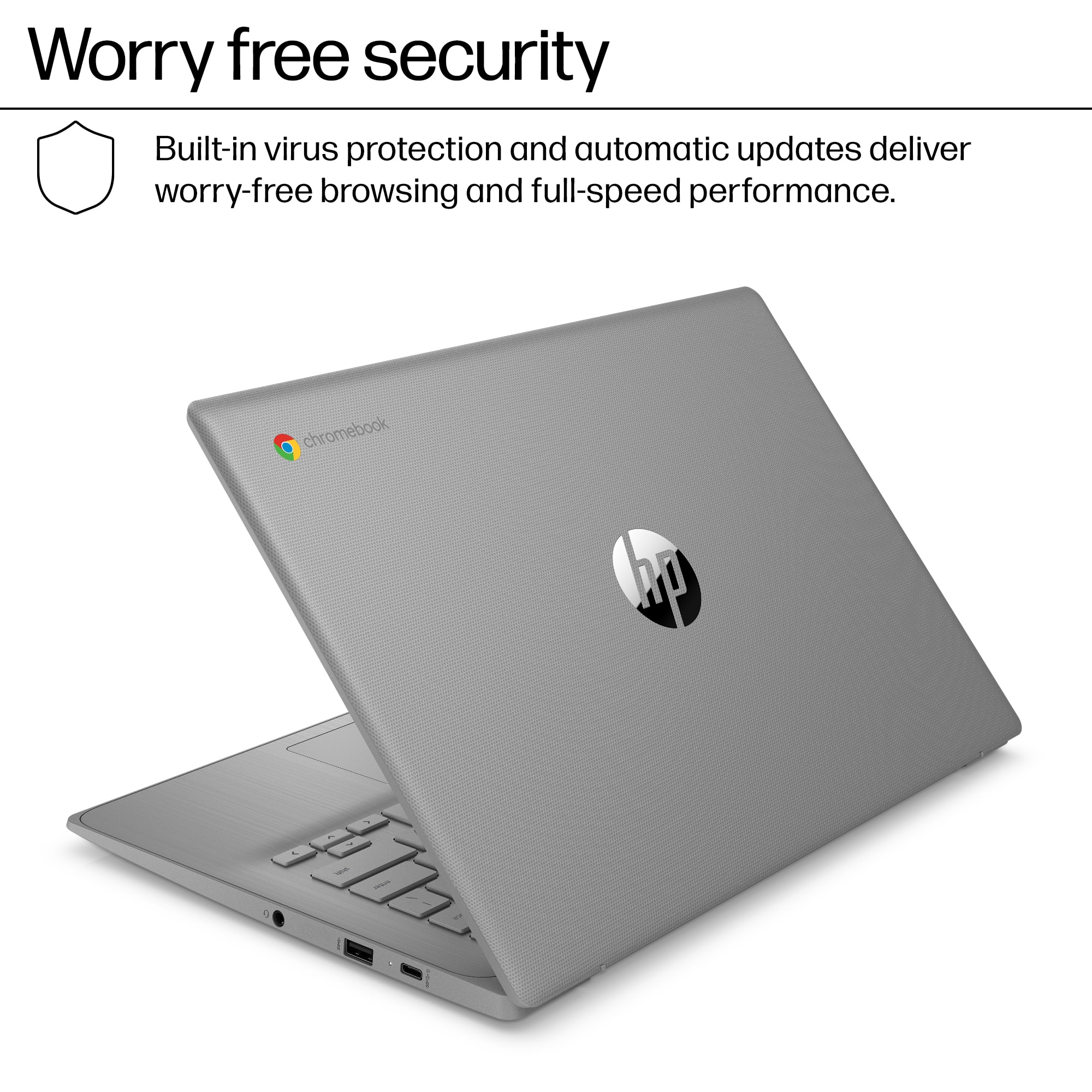
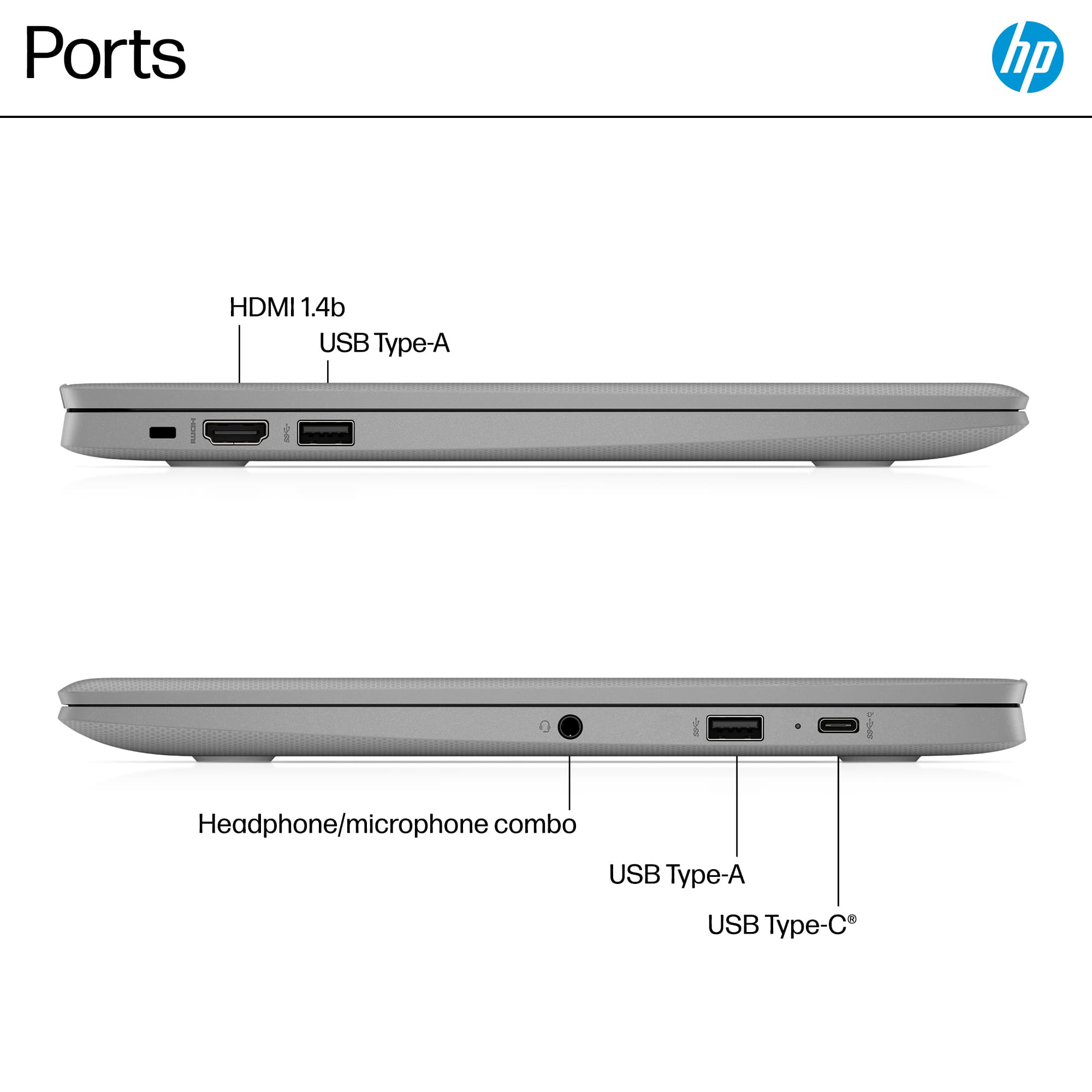
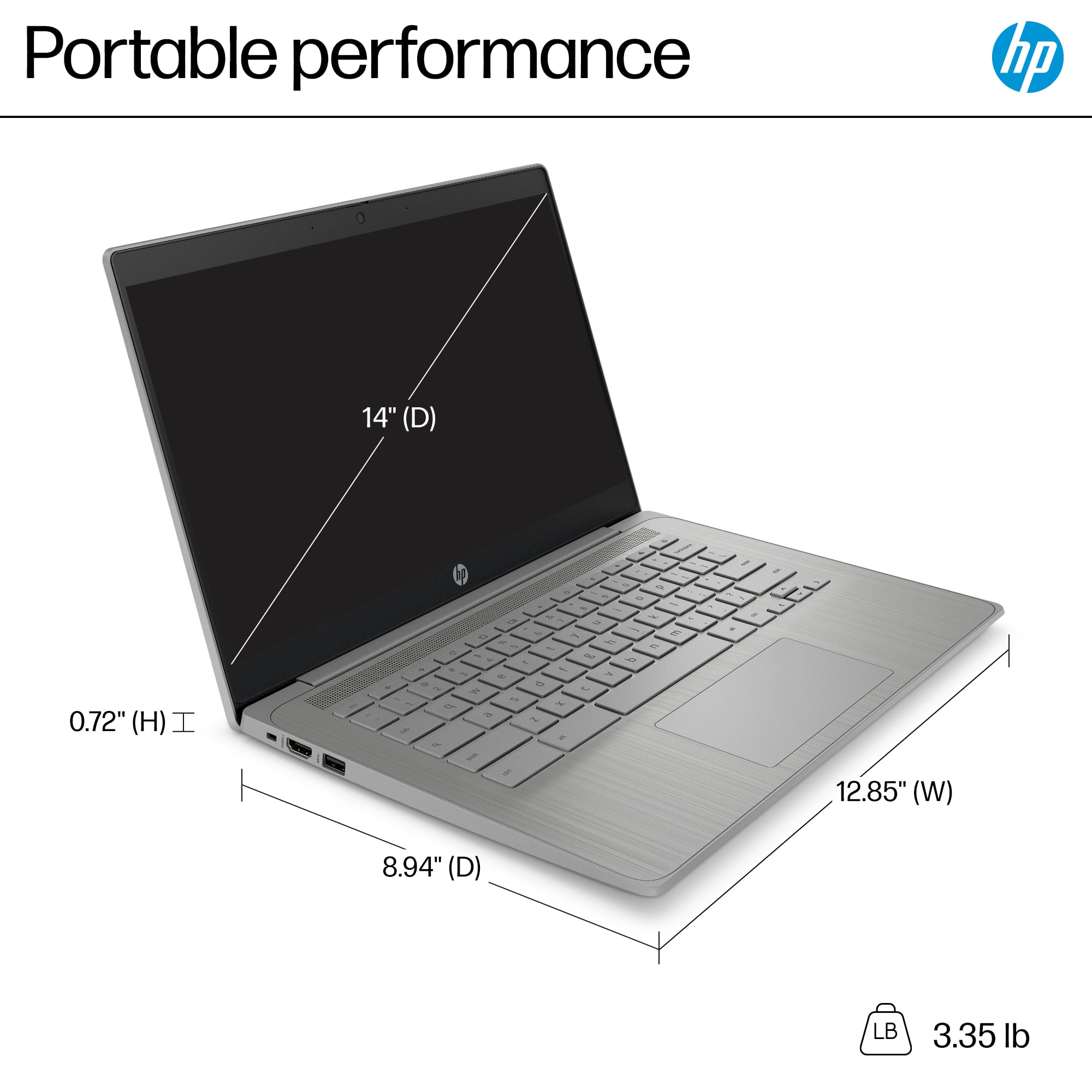
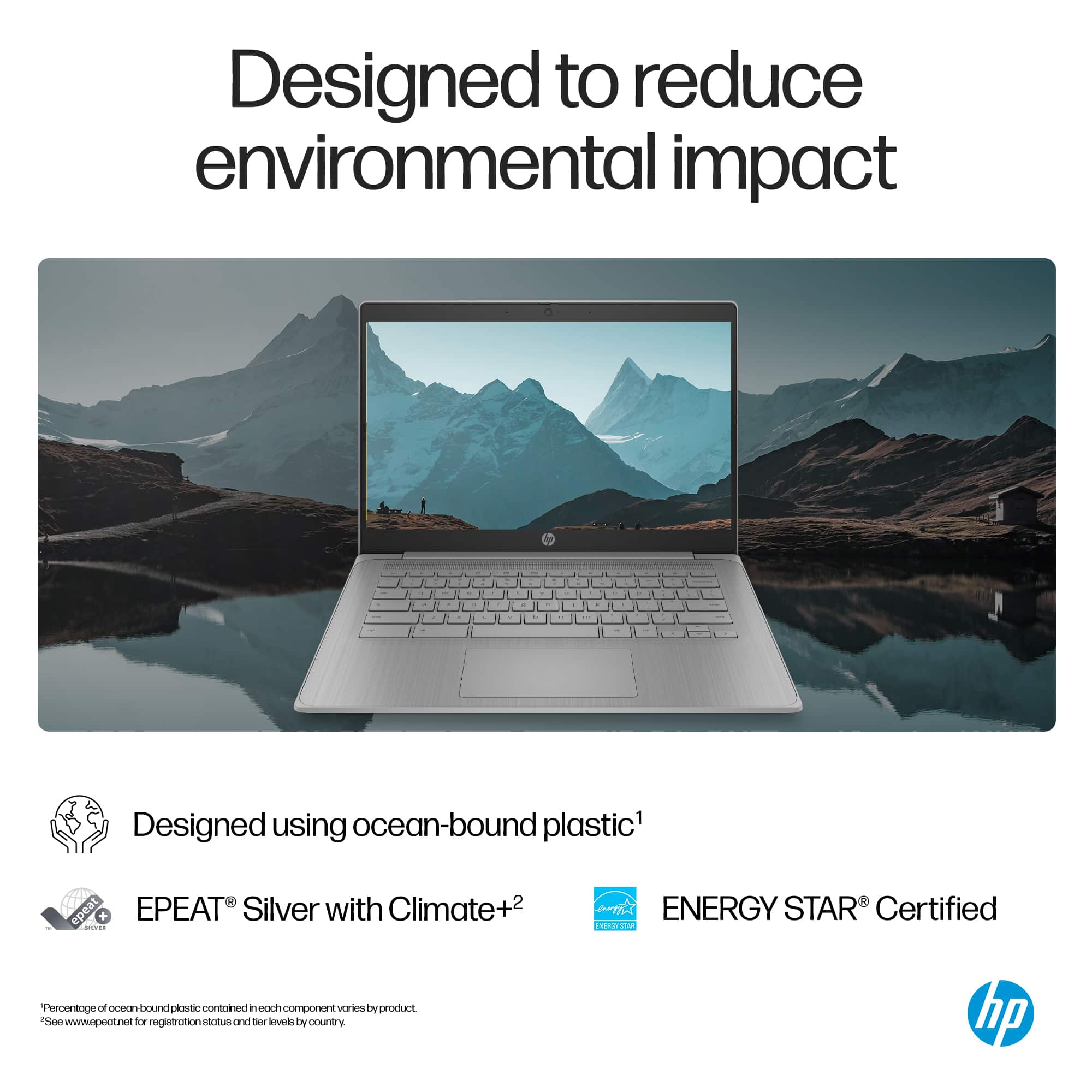
    The HP Chromebook is an excellent choice for beginner users, whether children, older students, or even entry-level coders. Everything comes securely packaged in minimal, recyclable cardboard, and the bezel is advertised as made from reclaimed ocean-bound plastics. The laptop package arrives in a compact fingerprint resistant chassis, weighing just under 3.5 pounds. It’s small enough to fit in a bag yet light enough to carry around. Design and Build ** 2/5 This laptop features a standard clamshell design with a grippy, plastic gray finish. Weighing in at just under 3.5 lbs, the lightweight design and choice of materials result in a flexible and not-so-rigid laptop. Around the outside, you have I/O ports, and the front edge could benefit from an indentation to make opening more effortless. The top lid is very light, requiring two hands to open it. It features an energy-efficient Intel Celeron N4500 Dual-Core processor, clocked at 1.1GHz, with a turbo boost of up to 2.8GHz, paired with 4GB DDR4 RAM and 64GB of eMMC storage for lightning-fast performance. For most, these specs may seem minimal but everything seems tuned just right. If you are on ChromeOS, you are most likely in the cloud, so this shouldn't deter you. Running on the ChromeOS and Google ecosystem means you can access the Android apps you know and love in a secure, flexible, and reliable Google/Android ecosystem. Above the screen, you'll find your mics and an integrated webcam privacy shutter that you can slide to block it. Below the screen, just below the hinge, you will find your top-firing speakers, which are plenty for videos but will not win sound quality awards. The laptop flexes a lot with any pressure. The screen wobbles and flexes when opening, so keep it centered at the top to avoid unnecessary wear and tear. I/O features two full-size USB-A ports, a 45W PD USB-C port (with DisplayPort 1.4 support), and one full-size HDMI 1.4b port next to a Kensington lock. Setup and Ease of Use ***** 5/5 Setting up the HP Chromebook is a breeze. Simply plug it in, sign in with your Google account, and you're good to go! The Chrome OS offers one of the most straightforward setup processes, especially if you're already part of the Google ecosystem. If your phone is nearby, it will even sign you into your account for a quick setup. I was up and running on the laptop in less than 5 minutes out of the box. After logging in, head to the Play Store and start loading your compatible apps from your library. It's that simple! Screen and Sounds *** 3/5 The 14-inch matte anti-glare LCD screen features a resolution of 1366x768, which barely qualifies as HD, with a resolution of 720p. This also matches the webcam recording quality at 720p with a sliding privacy shutter for added peace of mind. The picture lacks brightness, with a maximum of 250 nits, making it difficult to see outside. Colors are washed out, lack contrast and saturation, and the text isn't sharp. Viewing angles are horrendous, with no absolute blacks, as everything is dull, fading into gray shades. However, this is more than serviceable and perfect for entry-level users who do not need color-accurate panels or powerful GPUs. This is beneficial for a school that needs to purchase a large number, as they are web-based and app-driven in most cases. Above the screen, you can find mics and an integrated webcam privacy shutter that you can slide to block it. Below the screen, just below the hinge, you will find your top-firing speakers, which are plenty for videos but will not win sound quality awards. The laptop flexes a lot with any pressure. The screen wobbles and flexes when opening, so be careful to stay in the top center to avoid unnecessary wear and tear on this. I/O features two full-size USB-A ports, a 45W PD USB-C port (with DisplayPort 1.4), and one full-size HDMI 1.4b port, all located next to a Kensington lock. User Experience and Battery Life *** 3/5 The user experience is what you would expect from an entry-level Chromebook. There is an intuitive and simplistic approach to using ChromeOS that can be either enhanced or hindered by hardware. This setup is fundamental but not the most optimal in terms of performance. The Wi-Fi connection was spotty, with disconnections that required me to wait for a page to reload. It's quite an annoyance, and hopefully, it can be fixed with driver updates. My other Windows laptops and old Pixelbook work seamlessly, and the issue is isolated to this HP Chromebook. The keyboard feels like scissor keys with a membrane underneath, and overall, it left me pleased. However, the color choice for letters on keycaps could be improved by adding a darker color to the caps. I prefer a backlit keyboard, but that isn't an option, and maybe I'm spoiled. The keys have a matte and grippy finish, allowing for fast typing and precision. They are wide and easy to type on, with nice spacing. The touchpad supports multi-touch gestures, but overall, it isn't great, but it is on par with cheaper laptops. Around the edges, it is mostly not responsive with lighter pressures; until you press down harder, it will not register a touch. It seems more sensitive towards the middle, almost like a "dead zone" of 4-5mm. The chassis is made of plastic and flexes significantly with mouse clicks. The mouse pad is my least favorite hardware feature, and I hope HP can consider an alternative option in future releases. The HP Chromebook boasts an impressive battery life, easily lasting over 2 days with heavy use like web browsing, school work, and video streaming of around 8 hours over two days. Intel Celeron chips are known for their efficiency, and the N4500 is no exception when paired with ChromeOS, this device is a power-efficient machine, perfect for those who are always on the go. With 45W charging, you can go from 1% to 52% in about 45 minutes for rapid charging. The battery is rated for 47Wh, and you can continually adjust your remaining time based on your usage. It's a reliable companion for long days of work or study. Verdict ***3/5 With Chrome OS, an intuitive interface meets the Google ecosystem with Android apps you know and love in a secure, flexible, and reliable environment. Overall, this laptop is a pleasure to use, but honestly, there is a Windows laptop in this same price range with more powerful hardware and capabilities. This is a perfect laptop for the majority of users, but the OS can also limit. If you are in the market for a computer but don't need Windows for software and can use web-based or app-based in workflow or use, this is a great fit.

    No, I would not recommend this to a friend
  • Rated 1 out of 5 stars

    Disappointed.

    |
    |
    Posted .
    This reviewer received promo considerations or sweepstakes entry for writing a review.

    I bought this for my daughter for Summer School. Didn’t even last a week before it just stopped charging. Very disappointed as it would have been perfect for her.

    No, I would not recommend this to a friend
  • Rated 1 out of 5 stars

    Not informed

    |
    |
    Posted .
    This reviewer received promo considerations or sweepstakes entry for writing a review.

    Bought on line. Wasn't told that it was not like a normal laptop so files could not be downloaded. Ended up purchasing another computer and had to return to the store three times.

    No, I would not recommend this to a friend
  • Rated 1 out of 5 stars

    Never again

    |
    |
    Posted .
    This reviewer received promo considerations or sweepstakes entry for writing a review.

    Do not buy this laptop, lacks horribly. You cannot use more than one app at the same time because then it freezes and you have a hard time turning it off or on.

    No, I would not recommend this to a friend
  • Rated 1 out of 5 stars

    Chromebook HP

    |
    |
    Posted . Owned for 2 weeks when reviewed.
    This reviewer received promo considerations or sweepstakes entry for writing a review.

    Not sure how to use the mousepad. It’s a nice Chromebook although.

    I would recommend this to a friend
  • Rated 2 out of 5 stars

    It’s ok

    |
    |
    Posted . Owned for 1 week when reviewed.
    This reviewer received promo considerations or sweepstakes entry for writing a review.

    It’s average at best. Great for young kid for their school work. But, you get what you pay for.

    No, I would not recommend this to a friend
  • Rated 5 out of 5 stars

    Slim ChromeBook

    Posted .
    This reviewer received promo considerations or sweepstakes entry for writing a review.

    Purchased for my husband so it only has his medical records and anything that pertains to him. The battery last many days. He likes that it is a compact size and convenient. Just opens and starts to work or continue where he left off.

    I would recommend this to a friend
  • Rated 1 out of 5 stars

    Not good for someone who wants specific programs

    |
    |
    Posted .
    This reviewer received promo considerations or sweepstakes entry for writing a review.

    It did not do what I wanted, and took over 10 days to be delivered to me.

    No, I would not recommend this to a friend
  • Rated 1 out of 5 stars

    Terrible

    |
    |
    Posted . Owned for 2 months when reviewed.
    This reviewer received promo considerations or sweepstakes entry for writing a review.

    Barely works, not worth the cheaper price. Wait and save

    No, I would not recommend this to a friend
  • Tech Insider Network Member

    Rated 4 out of 5 stars

    Highly Functional; Display & Audio Are Mediocre

    |
    Tech Insider Network Member
    Posted .
    This reviewer received promo considerations or sweepstakes entry for writing a review.

    This is the first time I've used a Chromebook, and I'm impressed. It does just about everything that I normally do on a much higher powered and much more expensive Windows laptop. If you're a user of social apps, video watching, movie streaming, writing content, light photo editing, maybe some simple games then this Chromebook would work for you. But it's not for programs or games that require computing power or greater on-board memory or storage as this Chromebook has only 4GB memory and 64GB storage. The main PROs of this Chromebook are of course price, and the wide range of apps that can be downloaded. Social apps like X, TikTok, and Instagram; and streaming apps like Prime Video, Netflix, Max, Spotify, and Hulu; and work apps like Zoom, LinkedIn, and Microsoft 365. Other PROs include - ability to sync with an Android phone; ability to CAST to your TV; access to Google Cloud stored photos; ample number of ports including 1 HDMI, 1 USB C, 2 USB A and 1 headphone jack; and on a home network the ability to access other files and storage. With the SMB File Share feature I was able to access my NAS (network attached storage) which means I have access to all my other files and photos saved on my NAS and can save files from the Chromebook to my NAS. So, the 64GB storage capacity on the Chromebook is no problem (unless you need more on board storage for large programs). Also, if you don't have an NAS, you can always use a USB memory stick for extra storage. There are a few CONs on this particular Chromebook - The display, although it's HD 1366x768 resolution, it's a grainy matte panel that has to be viewed at the correct vertical angle, so the colors don't fade or darken; side viewing angles are okay. The audio is not the greatest, although it's stereo, the speakers are Meh. Also, there's no backlighting on the keyboard. Bottom line - This Chromebook seems a bit pricey for how it's equipped, there may be better deals out there. But I would actually spend a little more and move up in class and to get one with 8GB memory, 128 GB storage and a FHD 1920x180 touchscreen. But that's based on my needs and wants. If you don't need the upgrades, this one works just fine, and you'll save a ton of money compared to buying a regular laptop computer.

    I would recommend this to a friend
  • Rated 1 out of 5 stars

    Ehhh

    |
    |
    Posted . Owned for 3 weeks when reviewed.
    This reviewer received promo considerations or sweepstakes entry for writing a review.

    the quality is not good. Right off the bat this computer was very slow.

    No, I would not recommend this to a friend
  • Rated 1 out of 5 stars

    no help at all

    |
    |
    Posted .
    This reviewer received promo considerations or sweepstakes entry for writing a review.

    Tried to set up and it would not allow me to without an account which I do not have.

    No, I would not recommend this to a friend
  • Rated 1 out of 5 stars

    Not great

    |
    |
    Posted .
    This reviewer received promo considerations or sweepstakes entry for writing a review.

    Wanted it for basic use and was just to slow for even that.

    No, I would not recommend this to a friend
  • Rated 1 out of 5 stars

    buy something else

    |
    |
    Posted .
    This reviewer received promo considerations or sweepstakes entry for writing a review.

    its slow, mouse pad terrible, run for your money..

    No, I would not recommend this to a friend
  • Tech Insider Network Member

    Rated 4 out of 5 stars

    Great entry level computer for your kids

    |
    Tech Insider Network Member
    Posted .
    This reviewer received promo considerations or sweepstakes entry for writing a review.

    The HP 14a-ne1013dx is a 14 inch Chromebook which features an Intel Celeron N4500 processor, 4gb of LPDDR4X SDRAM and 64 gb eMMC storage. This specs are well suited for a laptop operating Chrome OS as it is mainly a cloud bases system that is not to processor intensive. The Chromebook has a USB A and C port as well as an HDMI port and headphone jack. Build quality is very nice as the Chromebook feels solidly built for the price point. The Chromebook can be charged with the included 45 watt usb C block or with any appropriately powered USB c charger. Keeping in mind that this an entry level computer price at around $300. I feel HP could have done slightly better with the screen. The HD LED display features 250 nits of brightness with pretty limited viewing angles. It's suitable for simple web browsing and YouTube videos but it lacks sharpness for my everyday use. I have set this Chromebook up for my son so that he can use it at home when he does not have his school device. He loves using it and it able to practice his typing on an actual keyboard rather than an onscreen password. Initial set up was great and simple. I was able to choose setting it up for my child with the proper controls. Overall I would say that HP did a great job delivering a 14 inch entry level Chromebook that is great for everyday home use for basic everyday tasks.

    I would recommend this to a friend