Customer Ratings & Reviews






- Model:
- X2 12-F014DX
- SKU:
- 6240850
Rating by feature
- Value
Rating 4.2 out of 5 stars
- Quality
Rating 4.3 out of 5 stars
- Ease of Use
Rating 4.5 out of 5 stars
Customers are saying
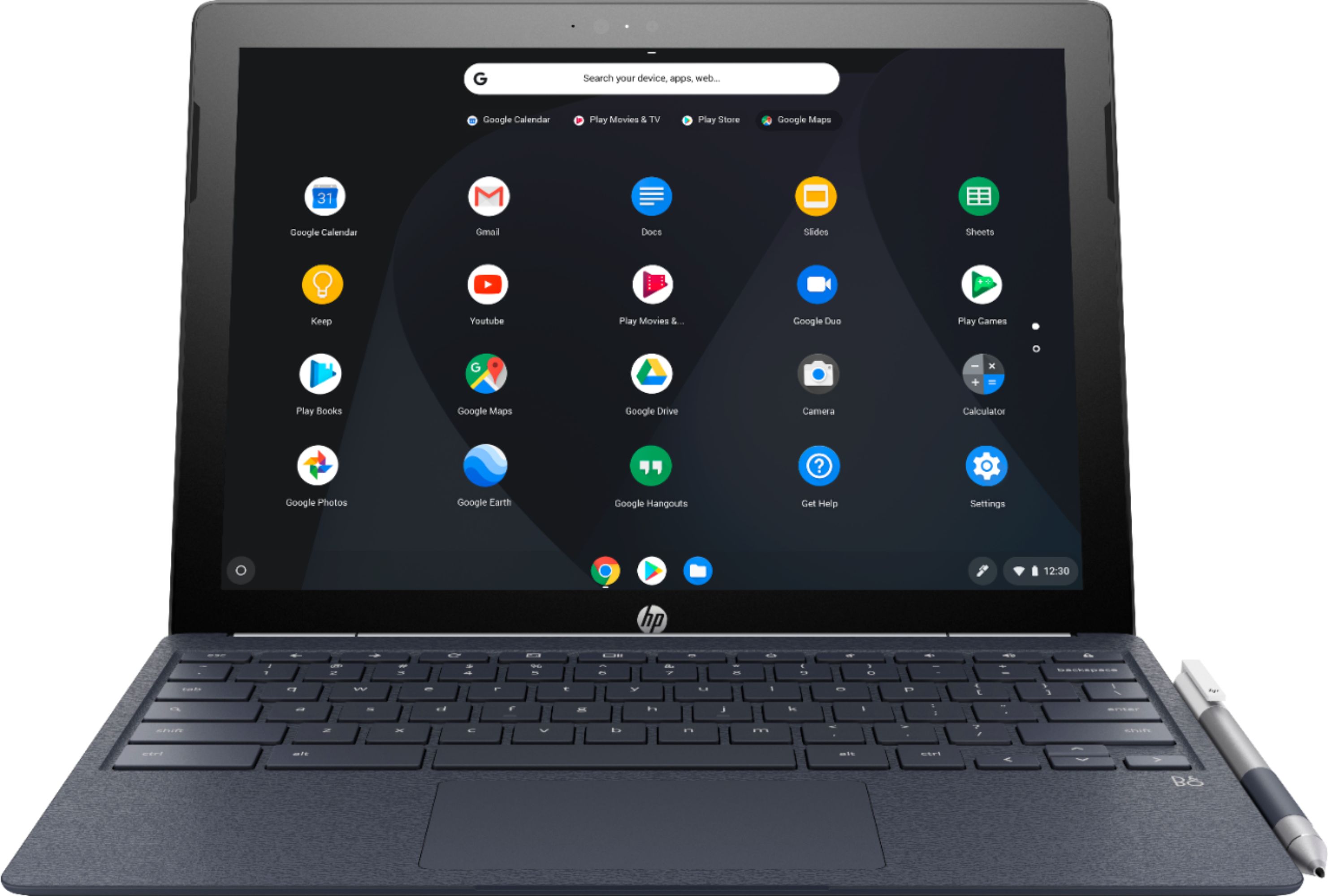
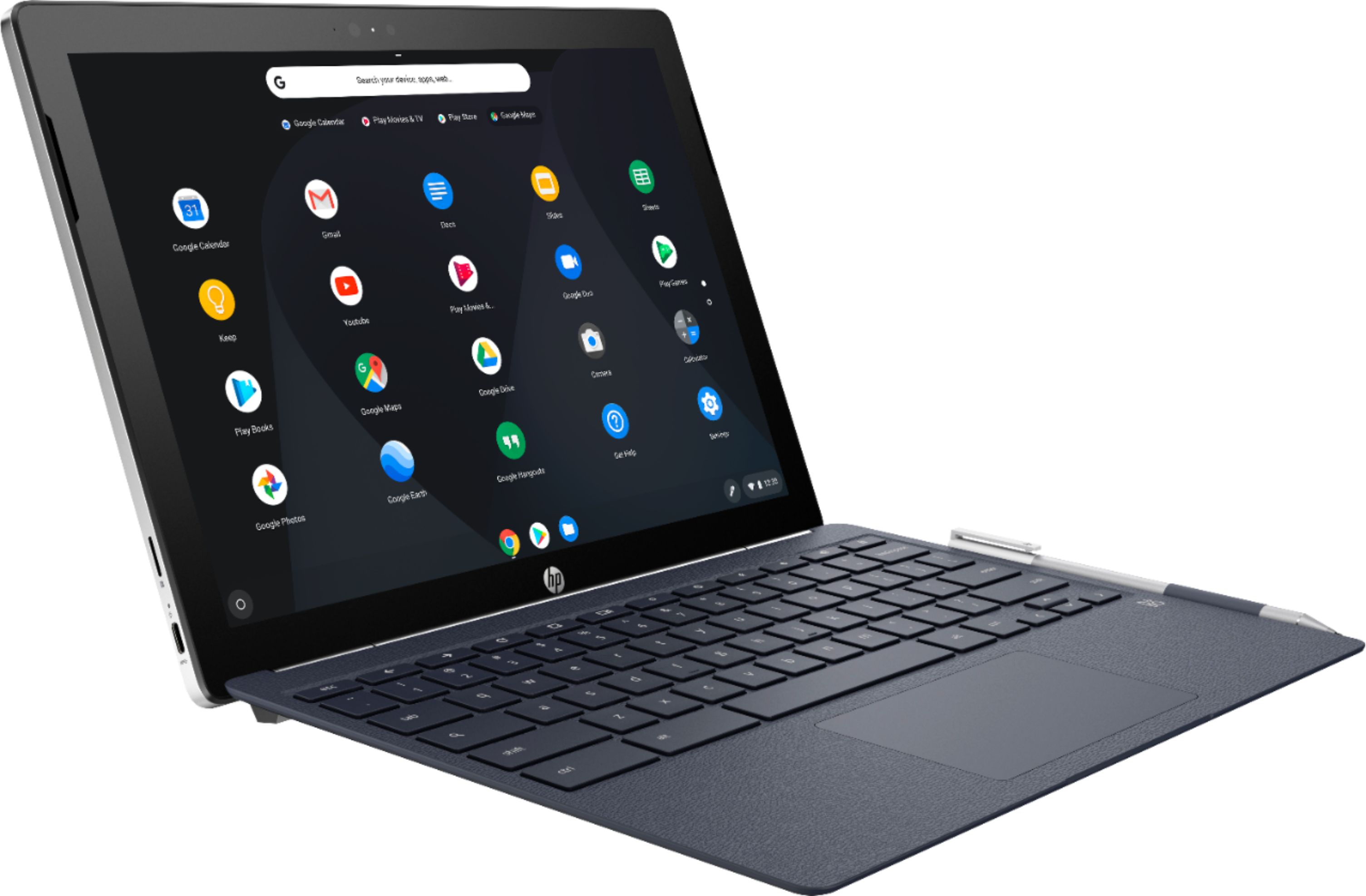
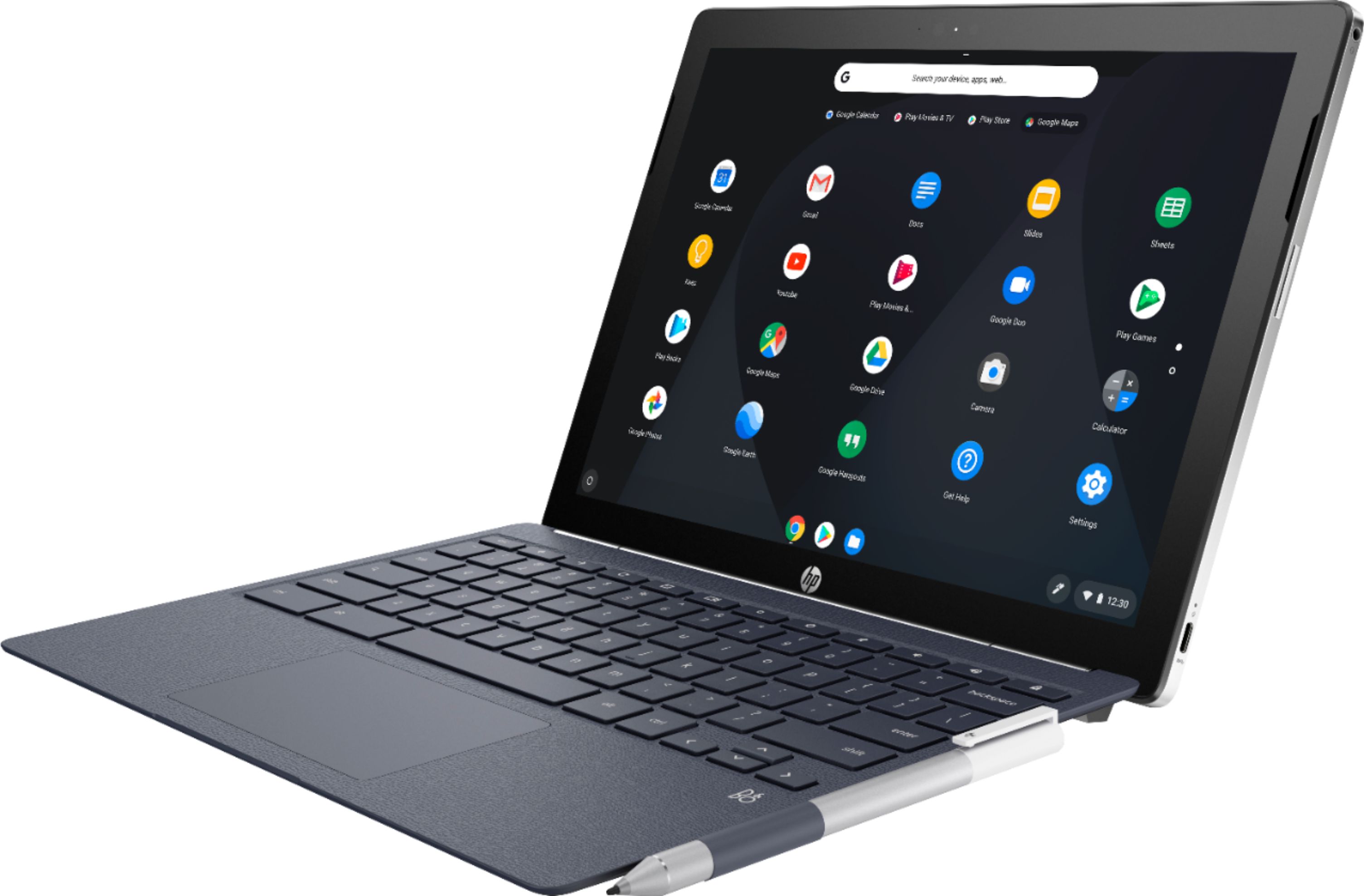
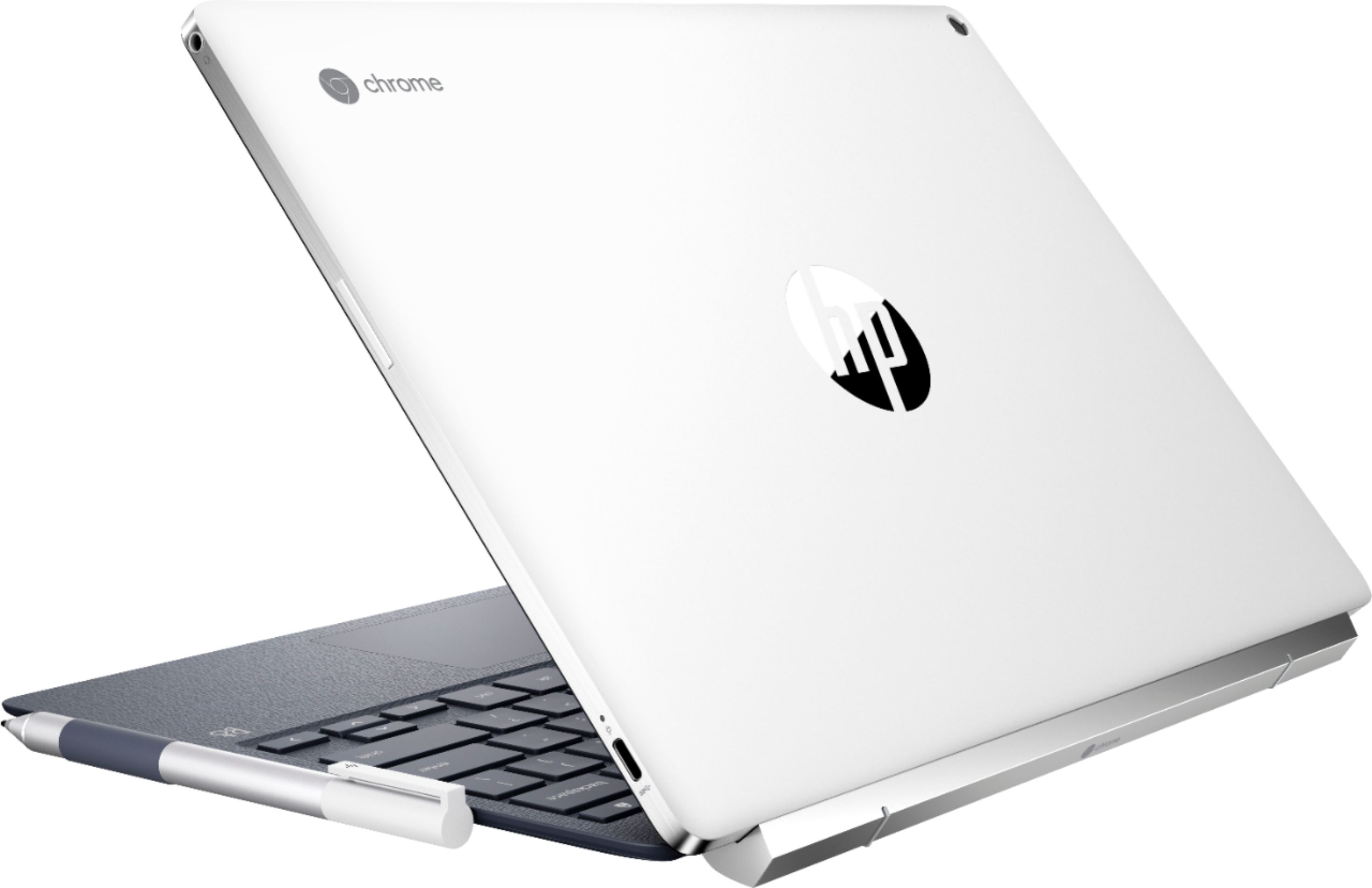
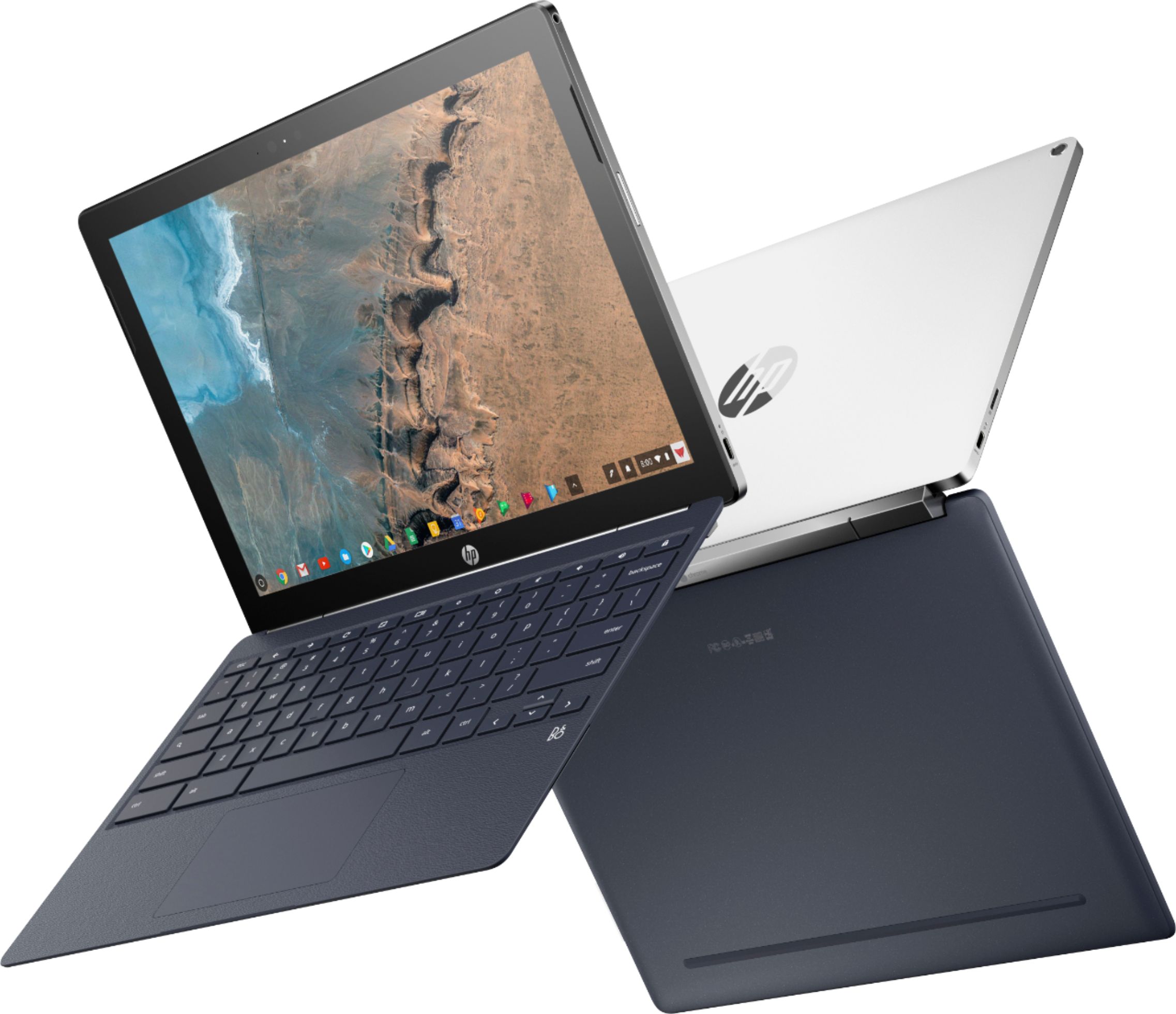
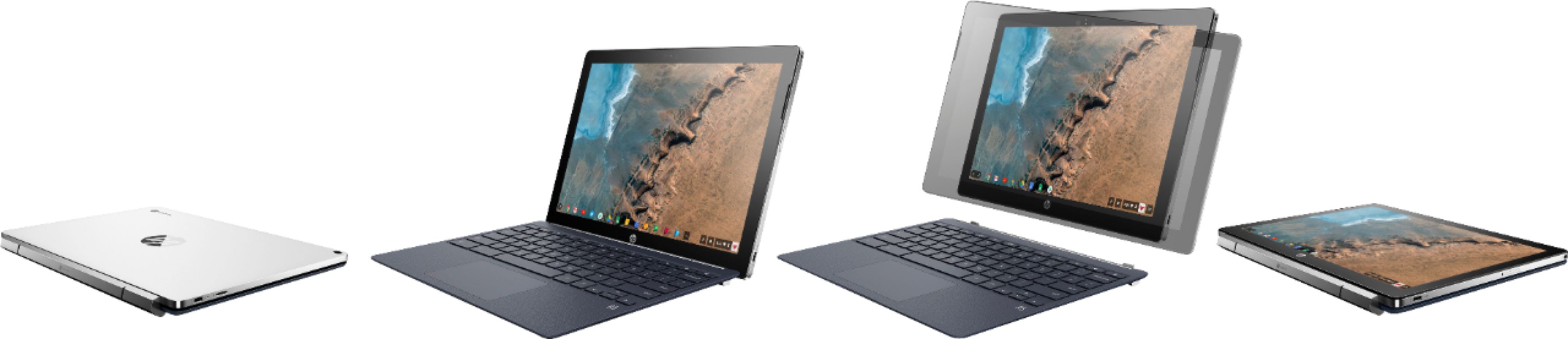
Customers commend the keyboard quality, battery life, and ease of use of the 2-in-1 12.3" Touch-Screen Chromebook. The tablet mode and included pen also receive positive feedback. However, some customers express concerns about the device's weight and limited storage capacity. A few also mention that the RAM and price could be improved.
This summary was generated by AI based on customer reviews.
One star is too good of a rating
||Posted .This reviewer received promo considerations or sweepstakes entry for writing a review.Online purchase of an open box Item that was shipped to me from bestbuy was completely NOT AS DESCRIBED. Box was marked $70 less than what they charged me. HP Chrombook was filthy and nonfunctional. Pushy return dept at the store kept trying to up sell me more junk rather than refund my cash........Terrible experience
No, I would not recommend this to a friendOkay laptop I guess.
||Posted .This reviewer received promo considerations or sweepstakes entry for writing a review.I could not get this chromebook to connect to the internet. No longer have.
No, I would not recommend this to a friendTouchscreen doesn't respond
||Posted . Owned for 1.5 years when reviewed.This reviewer received promo considerations or sweepstakes entry for writing a review.Started of loving this Chromebook. But the touchscreen had repeatedly stopped responding. The first time a full powerwash restored the screen. But it's happened again. What's up HP?
No, I would not recommend this to a friend- Pros mentioned:Ease of use, Tablet mode

Compact and convenient
|Posted .This reviewer received promo considerations or sweepstakes entry for writing a review.I was skeptical about this laptop because it is HP. But after using this for a couple weeks now I’m a huge fan. Super easy to start up out of the box. Sound quality is ok considering what they had to work with. Very easy to remove from the keyboard and use at a tablet. Pen is very accurate. I’m an Apple user but I’m sold on this product
I would recommend this to a friend - Pros mentioned:Keyboard qualityCons mentioned:Ram, Storage
Gets the job done
Posted .This reviewer received promo considerations or sweepstakes entry for writing a review.At $599 it would not be worth it, but I got it for $499. I would like a bit more storage and more RAM, but for everything I use it for, it gets the job done well. I like that the pen and keyboard are included, unlike the Pixel Slate. My favorite part about this Chromebook is the beautiful screen. I have tried other Chromebooks with just a 1080 screen resolution, and they look so dull compared to this one. I am quite happy with this purchase.
I would recommend this to a friend Love it!!
|Posted .This reviewer received promo considerations or sweepstakes entry for writing a review.I absolutely love this little machine. It was so easy to set up!! It is the perfect size. I was surprised at the weight, its not heavy, but it just has the feel of a quality device, if that makes sense. The pen is really easy to use, although it feels like it will break easily. It is very light weight. The little slip holder for it is a nice touch. I just hope it doesn't fall out. So far, no problem. Browsing the web is easy. I have not had any problems getting an internet connection. Using the pen to take notes works very well. Writing on the screen works well, no lags or bad connections. I think this feature will come in handy. Touch screen is very responsive. I think this is a very nice, versatile laptop. I am enjoying it so far. Very impressed with the quality. More than I expected.
I would recommend this to a friendLaptop mode broke within 9 months
||Posted .This reviewer received promo considerations or sweepstakes entry for writing a review.The keyboard and mouse function stopped working within 9 months of purchase.
No, I would not recommend this to a friend- Pros mentioned:Keyboard quality, Processor speedCons mentioned:Weight
All the Right Moves
Posted .This reviewer received promo considerations or sweepstakes entry for writing a review.Got this guy after narrowing the down the choices of Asus and Samsung Chromebooks. The HP, however, had the strengths of both makers above and still at a killer price (got it for $400 on Presidents Day). The only slight negative about this laptop is that it is not the lightest, some can argue it as "sturdy". Anyways, this laptop hits every check mark: price, features, build quality, speed. Get it on sale, it's a no brainer.
I would recommend this to a friend - Pros mentioned:Battery life, Keyboard quality
Love this 2-in-1 form factor for a Chromebook!
Posted .This reviewer received promo considerations or sweepstakes entry for writing a review.We got Chromebooks for our kids last year, and they have been perfect for their school work. We got a 14" HP Chromebook for the missus (who teaches school). Her school has Google accounts for students and staff. And it's been wonderful. Now, it's my turn for a Chromebook. I wanted a computer that I could use for my personal web browsing and document creation (I don't want to use my work computer for non-work activity). I hesitated between a tablet and the HP Chromebook X2. I decided on the latter because: (1) I really enjoy the Chromebook experience--the instant-on is fantastic--and I like to be able to use a real keyboard, and (2) this thing detaches into a tablet (with access to Android Appstore apps). I was worried about what the tablet experience would be like, but it's great. The on-screen keyboard appears to be the Android keyboard. So, there are no issues there. The screen is big, detailed, and bright. The stylus isn't too useful, at this point, but it's there. There is a bit of lag (it's not as responsive as my old Surface Pro). I have absolutely no regrets! I love this form factor!!
I would recommend this to a friend A solid machine that still won't replace a laptop
|Posted .This reviewer received promo considerations or sweepstakes entry for writing a review.I was given a unit in exchange for an unbiased review. Admittedly, I was really excited to get the HP 2-in-1 12.3" touch-screen Chromebook in to try. My expectations were that this could be essentially a laptop replacement, at least in the sense that it should easily get non-CPU-intensive work done. And while overall it does, there are a few limitations to keep in mind. From the hardware front, HP has done a good job of creating a solid, physically capable Chromebook -- there is nothing cheap going on here. While the keyboard does detach, there are guards that help guide re-attachment. With the bulk of the hardware in the screen portion, it is a clear, crisp display that even makes the cursor disappear if you touch the screen with either your finger or the included pen. What were some of the negative aspects to it? The biggest for me was the fact that (as just mentioned) the bulk of the hardware is housed in the screen portion of the device. This makes having the whole rig sitting on your lap (or being mobile) a tad more of a balancing act, since most laptops house hardware under the keyboard, not the screen. The fact that I had to consciously be thinking about this balancing act was a bit of a turn-off and impediment to getting things down. The keyboard was definitely usable, but the key presses felt more like having to press through rubber (if that makes any sense); these weren't "chicklet" keys or the type of feel you'd get from a MacBook or other similar laptop. Not a deal-breaker, just a different feeling. The included pen was a good touch; it includes three different "ball-points" for feeling textures. It does require an included AAA battery to power. The Chrome OS isn't bad, but felt to me more like an oversized Android device (disclosure: I'm an iOS fan), so perhaps you'll need to discount that in this review. Overall, if you have no issues working with Android as well as Google-based services (there's only 32 GB flash memory included, so it's really only for web-based activities), HP has made an excellent piece of hardware in this Chromebook.
I would recommend this to a friend- Pros mentioned:Keyboard quality, Tablet mode
A Great Machine Worth the Money
Posted .This reviewer received promo considerations or sweepstakes entry for writing a review.I've had this Chromebook a little over a week now and it continues to impress me with how solid a machine it is. While this is not a cheap Chromebook by any means, it is still a great value. The build quality is solid, the keyboard feels great, and the ability to use Android apps on the detectable tablet makes this a great machine for many different use cases. My only advice for those looking to pick this up is if you plan on using an existing charger with the X2 make sure that it supports USB C Power Delivery otherwise the X2 will not charge quickly or not at all while being used. After upgrading my 5 port portable desktop charger and my portable battery I am now good to go for many hours with this device while traveling.
I would recommend this to a friend - Cons mentioned:Weight
Heavy Tablet
|Posted .This reviewer received promo considerations or sweepstakes entry for writing a review.First impression out of the box it was heavy for the size. This is supposed to be a 2-in-1 device and very portable, but I have a laptop that is much lighter. The keyboard is a little too compact, but overall I had to get used to the chrome operating system, but it was very easy to use, and intuitive. I gave this 4 stars because it's nicely made, did not how heavy it was.
No, I would not recommend this to a friend - Pros mentioned:Keyboard quality
Good tablet, but weird issues
Posted .This reviewer received promo considerations or sweepstakes entry for writing a review.I got this tablet primarily for editing. I'm a writer by trade and while I occasionally type up drafts using the keyboard if I'm away from my home station, my main use for this was the pen and being able to write on PDFs instead of printing out sheet after sheet of drafts. I previously used a Samsung Galaxy Note 10.1 for this purpose and it worked like a dream until it started slowing down several years later. I was due for an upgrade so I gave this a try. My feelings are mixed. This tablet is new, updated with the latest OS but I've had many strange issues with it. Occasionally my screen with blink, with black bars running through it. Only for a second, but it happens pretty frequently. Palm rejection is pretty much nonexistent. Whenever I've been writing for longer than 5 minutes, and that's not even with continuous pressure, it will sometimes stop showing what I've written until I lift my hand off the tablet's surface. And not using excessive pressure, just resting my hand on it. I'm going to pick up a drawing glove sometime in the near future and see if that helps that issue, though I feel I shouldn't be having it in the first place. Another issue I have is with the pen. It takes one AAAA battery, and with my level of use, in the two months that I've had it, I've gone through 3. I would prefer to have a pen I can recharge and I'm looking into this as well. The reason I chose this tablet over others is for the function that lets you separate the tablet from the keyboard. That was the most attractive feature and it works pretty smoothly. Click one and click off, though it can take a second to line up the slots. Overall, this tablet fell short of my expectations and for that price, that's super disappointing, however if you have more basic, less "intensive" needs than I do, then maybe it'll work better for you.
I would recommend this to a friend - Pros mentioned:Keyboard quality
Almost a perfect 2 in 1
Posted .This reviewer received promo considerations or sweepstakes entry for writing a review.This is my first entry into ChromeOS and Chromebooks in general. The detachable keyboard is what sold me on this device. I want a tablet for media consumption but a laptop for productivity. Until I got this device I just had a tablet which made getting things done kind of tough. The keyboard and trackpad are really good. I don't have much to compare them too though. The keyboard is spaced nicely and the keys have nice travel and don't feel mushy. It would be nice if the keys were backlit though. Compared to the last Laptop I had the trackpad is the Ferrari of trackpads. Although I know that's not the case if I tried a high-end laptop. The screen might be the best part of the hardware. It's sharp, crisp and detailed. You can't see any pixels even if you put the screen right up to your face. But I guess that's expected with a 2k screen. You also get the Google Play Store for Android apps which is great. If you don't like the website you can use their app instead. I currently use the Netflix app so I can download stuff for offline viewing and the Spotify app for the same reason. The speakers on this device are really good. I can't hear any distortion at any volume. The music is clear and it doesn't sound flat at all. The performance has been good for the most part. This is where the device lost one star in my review. When listening to Spotify through the app and doing other tasks like browsing Chrome or my Reddit app of choice (I'm not a fan of the browser version) the performance takes a slight hit. The music can start skipping and Chrome slows down a little. I don't keep many tabs open but it's possible the sites I have been using took a lot of resources to render. The device also gets pretty warm to the touch too. Listening to Spotify and doing something else like light browsing in Chrome or listening to Spotify and writing this review the device gets uncomfortably warm. If you're using it as a laptop it's not an issue since the keyboard doesn't get warm since all of the internals are in the screen part. But if you're using it as a tablet and holding it on both sides then yeah it can get uncomfortably warm. Overall this is a great device and I can't put it down. I would recommend this to anyone who's in the market for a Chromebook but also a tablet.
I would recommend this to a friend Awesome but late arriving
Posted .This reviewer received promo considerations or sweepstakes entry for writing a review.I was in the market for a tablet about two years ago and I had never owned an Apple product so I was thinking an android tablet. I was thinking either a Samsung Tab or Asus 3s10 as I needed the tablet to be 3:2 not 16:9 but after reading reviews they both had major problems (mostly not getting updates and/or quality control) that really hurt their value proposition against the iPad. I wouldn't buy a pure android tablet because OEMs (samsung, asus, etc) supply updates, like on phones, to the android software- most companies abandoning the devices after 1-2 years at most. On the X2 (and all chromeOS devices) you get updates directly from google so you have a much better chance of getting updates on this VS a pure android tablet. Anyway, I got a 10.5" 256GB ipad pro open box and on sale for $600; eventually picked up a BT keyboard and pencil for about $100 (used pencil). The x2 wasn't out yet but even at it's $530-600 release price it was not a great deal vs the ipad. Flash forward a little bit and my GF wanted a macbook air replacement so I got her a samsung chromebook pro (Same display as this and Pixelbook) and noticed how awesome that device is- while a little sluggish compared to an iPad (or even the X2) the ability to run full desktop chrome and lack most of the little annoyances of iOS coming from a lifetime of windows and android was intriguing. While the iPad pro is an amazing piece of hardware, iOS is garbage even compared to ChromeOS. My iPad developed a white spot on the screen after a year so I sold it for exactly what I paid for it (Apple products do resell well if you get the timing right) and went in to Bestbuy looking to pick up another ipad on sale when I saw the X2 on sale for $400. At $400 the X2 would have been a no brainer vs the iPad if it had launched at that price with android apps. Any more than that and you have to start asking yourself if you want a device that's slower than most iPads (7th gen core m3 is fast enough, about the same as the A10 in the $250-$330 2018 ipad) with probably more bugs possibly shorter software update lifespan. Chrome: Chrome is pretty awesome and has made some leaps with 72, so much better than iOS; real multitasking instead of pausing programs/tabs when they are not in the foreground like on ipad. This and the pixel slate are the only non-MS tablets that offer a proper desktop environment. I didn't realize how much I missed this until I got the X2. In tablet mode this thing is way better than a MS Surface- you don't go running for the trackpad/keyboard every 30 seconds when you have it in tablet mode, the UI is nice and iPad like. It's very clever how it does "desktop mode" better than an iPad and does "tablet mode" better than a MS Surface- exactly what I wanted really as I don't need this to be a full windows computer but I prefer not to make so many iOS sacrifices. Linux apps can but installed on this device although I have not done so. I paired my phone with Chrome so I get my SMS and instant internet connection on the X2 from my phone when not on wifi, seamless as the apple environment. Android: Running android apps feels like you're in beta program half the time. After recently getting chromeOS 72 some apps can use the SD card; Netflix can, spotify cannot (at least for me- some people say it does, Idk?) My pdf reader works to save/read from SD card. Prime Video app doesn't install on this device at all as of now. On the one hand you can download or stream through the full desktop version of any website in chrome but offline downloads work better in the apps. I expect this to get sorted out but with only 32GB built in this functionality should have been day one or the X2 should have come with 64GB. Build quality: While everything about this device is slightly outdated, it was all premium when it was new and has for the most part held up. If the bezels were a little smaller this thing would look like a 2019 device but it compares more to the years old MS Surface design, the tablet and keyboard feel very similar to the MS Surface minus backlit keys and kickstand. While the tablet does wobble a bit if you poke at it or write on it in laptop mode, it otherwise doesn't feel like a detachable when it's set up like a laptop- which is awesome. the Surface feels weird with the kickstand and same goes for the ipad with keyboard. Even though the keyboard is heavy this is a worthy trade off in my book as it feels right in both tablet and laptop modes. The screen is very sharp and bright. The pen had some lag out of the box but seems to be better- depends on the app. It's not ipad pencil level of accurate but it's more than good enough for writing in my music scores and taking notes if I need to. I barely used the apple pencil when I had it so this wasn't a priority for me. The pen does attach magnetically to the area where the keyboard attaches when you have the tablet separate- some people have complained you can't do this. Placement of buttons a little weird coming from iPad but everything is well thought out and makes sense. Overall an extremely well designed device from a hardware perspective, if not a year or two behind MS and Apple in its release. Performance: Honestly I'm surprised how fast this thing is, doesn't make me miss my iPad at all. It is clearly faster than the Samsung Chromebook pro with the same m3 from the 6th generation (x2 is 7th gen m3) and almost as fast in the chrome browser as my i7-7500u asus laptop although it's definitely choppier than my 10.5" iPad pro was when running other apps or scrolling webpages (mb because 120hz screen on ipad) but usually not worse than the 2018 cheap iPad when comparing the same iOS app vs Android App. Now the X2 is at a big disadvantage as its emulating Android and those apps are optimized for ARM, not the x86 intel m3, so comparable performance to the 2018 cheap ipad is good all things considered. If you have to do all your work in chrome and/or really want to have something other than an iPad this might be it for you. 4GB of ram has been fine in practice even with lots of stuff open. 32GB of internal storage means 17GB free, 64GB should be the min here even on a chromebook as SD hard support is still slow with some apps not to mention add $20 to the cost of the device for an SD card. Google does throw in 100GB cloud storage for 1-2 years depending on the deal running when you get the X2. Battery life is 7-11 hours, great. Overall: Can't go wrong with this is you mainly want a tablet, for a performance chromebook maybe look elsewhere. I do love this thing despite all the little hiccups, it just feels so much less limiting that the iPad and not much slower. I guess the Pixel slate 8th Gen m3 with 8GB ram and more storage would be the sweet spot of performance but you lose the SD card slot and headphone jack and double the price so it makes less sense. Until that one costs around $400-500 I'll stick with the x2 as it's a pleasure to use but there's always those pesky iPads surprisingly offering a good value proposition, who knew apple could do that?
I would recommend this to a friend- Pros mentioned:Keyboard qualityCons mentioned:Storage
Just what I needed.
Posted .This reviewer received promo considerations or sweepstakes entry for writing a review.This is a perfect replacement for my previous laptop, a Lenovo flex 3, I'm by no means a "power user" but do go in for productivity, media streaming, web browsing, and reading E-books. So far I have no complaints, the screen is fantastic and to me the keyboard is perfect. I often see people complaining about the lack of on-board storage with these devices but with SD card expansion i don't see what the fuss is about. This is my first Chromebook and i am thoroughly impressed.
I would recommend this to a friend - Pros mentioned:Ease of use
Amazing device
Posted .This reviewer received promo considerations or sweepstakes entry for writing a review.The HP Chromebook X2 is a great device. Got it for my dad so he could do more easily do his cloud based medical EMR work as a doctor. The iPad Pro we got first did not have native handwriting to text and and other simple tablet functionality that you would expect. This has provided a much better overall solution. The handwriting to text is done very well. The device is light, easy to use and overall been a pleasure to use. I would definitely recommend it as a low spec high performance Chromebook. The Chromebook OS can be a bit jarring for the new. My father, an avid windows/iOS user took a few days to get acclimated, but once he got a hang of it he really enjoys it now. The only downside was when changing the tip, our pen got messed up. Called HP for support and they sent us a new one with 2day shipping, genuinely appreciate that but wish the pen didn't break from a simple tip swap. There also aren't any explicit instructions regarding pen care.
I would recommend this to a friend - Pros mentioned:Keyboard quality
Excellent tablet and good laptop
Posted .This reviewer received promo considerations or sweepstakes entry for writing a review.Tablets are fun when they're good, which kind of leaves Windows out of the picture for me. I chose this over an iPad because there's no way you're using a keyboard and mouse with an iPad unless you jailbreak it. With this machine, you have the keyboard base and your choice of 3rd party add ons. I'm using a Thinkpad UltraNav keyboard with trackpad, via usb + usb c adapter. So, I'm liking my setup, feels almost like a desktop. I'm not sure I'll get the dang thing to read a microsd card again though, it only worked a few minutes. Overall though, great tablet, good computer.
I would recommend this to a friend Chromebook review
Posted .This reviewer received promo considerations or sweepstakes entry for writing a review.Great use for small tasks and multitasking between apps many great features to utilize making it a very effective 2 in 1 laptop tablet Chromebook
I would recommend this to a friendInnovative, zippy, and plenty for average consumer
Posted .This reviewer received promo considerations or sweepstakes entry for writing a review.I'm new to the Chromebook market, and this device has simply been a blast to use. Not a power user. Was mainly looking for supplement to MBP 2013 w/Retina for portability and basic productivity. This may just be my daily driver outside of my HP workstation. Was originally drawn to Pixelebook, but couldn't justify price given my use case for basic media consumption and productivity (3-4 browsers, youtube, chrome, netflix, amazon, google drive, ms office, pdf annotation). This HP X2 can do all of that pretty effortlessly as a laptop and tablet. Was drawn to its overall package of being a detachable tablet, stable laptop, and including a pen. Weight is noticeable, but not offensive. Wobble is present in lap and table use, but not so much that its distracting. Battery life is great so far and survives a day of intermittent use. Some considerations: 4gb ram wasn't a deterrent for me, but the 32gb storage limitation was an initial bummer knowing that Chrome OS hasn't fully worked out the ability to save android apps to memory card, but realistically I'm not downloading too many apps. Recently updated to Chrome OS 72, but others have noted that it took awhile for the HP X2 to get stable release. There's also not much in terms of accessories for HP X2 other than 2 cases I saw listed on amazon. I can overlook these cons given the overall value of this device. I love being able to use it as a laptop, then detach or flip it with screen flipped around to use as stand for drawing/notes/netflix. Highly recommend if you want an innovative Chromebook in the mid-range price (often on sale or can be bought open-box at best buy) that gives you the stability of a laptop and flexibility of tablet. Chrome OS in tablet form still has a lot of improving to do, but more than enough for an average consumer.
I would recommend this to a friend