Customer Ratings & Reviews


- Model:
- 14b-cd0013dx/A28Q7UA#ABA
- SKU:
- 6579293
Rating by feature
- Battery Life
Rating 4.7 out of 5 stars
- Speed
Rating 4.5 out of 5 stars
- Display
Rating 4.6 out of 5 stars
Customers are saying
Customers commend the product for its exceptional overall performance, lightweight portability, and impressive battery life. While users appreciate the appealing design and screen size, some have expressed concerns regarding the screen quality and the device's tendency to heat up during use. Overall, the feedback highlights a strong satisfaction with the device's speed and physical build.
This summary was generated by AI based on customer reviews.
- Cons mentioned:Screen quality, Storage capacity

Decent Chromebook limited by low specs
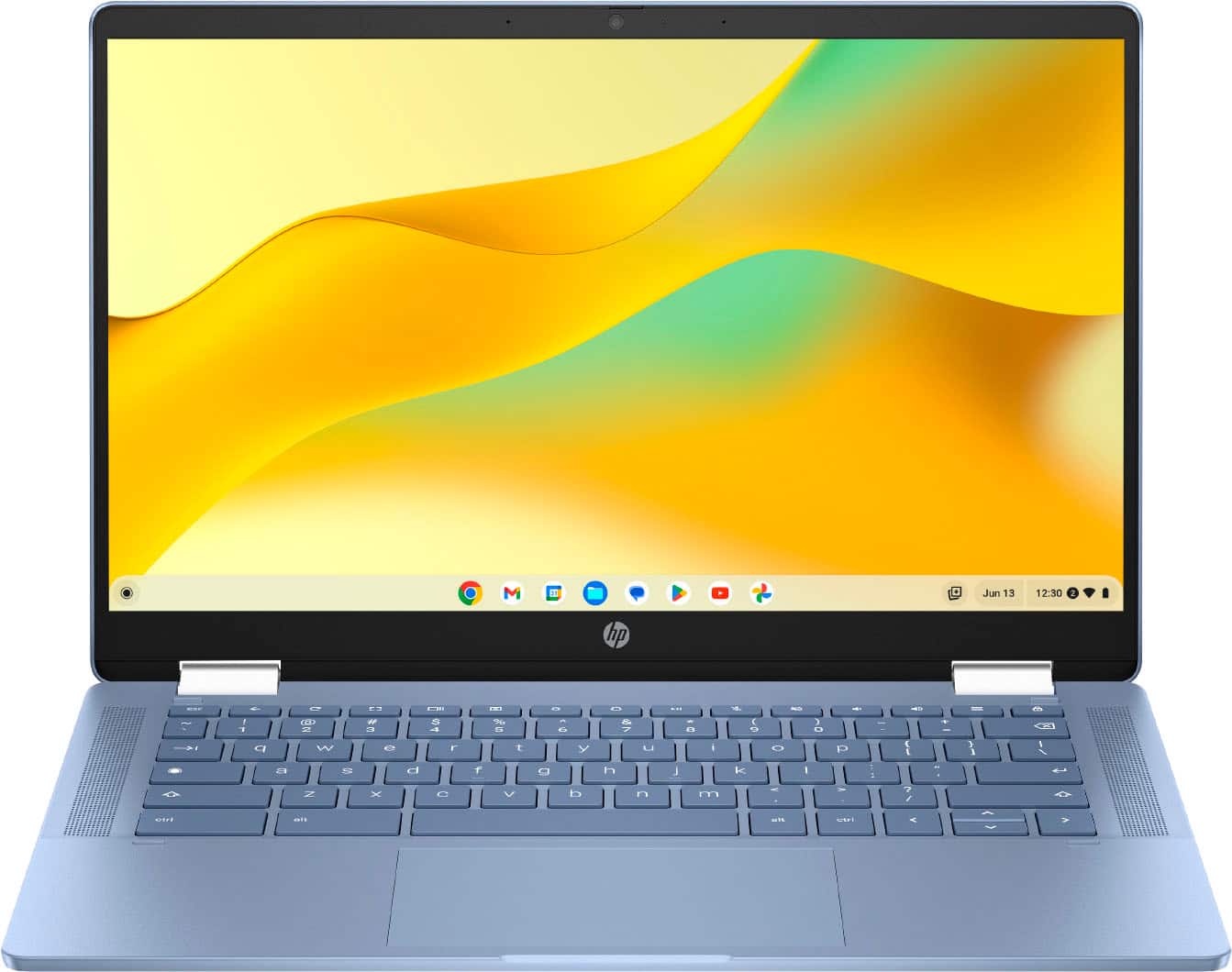
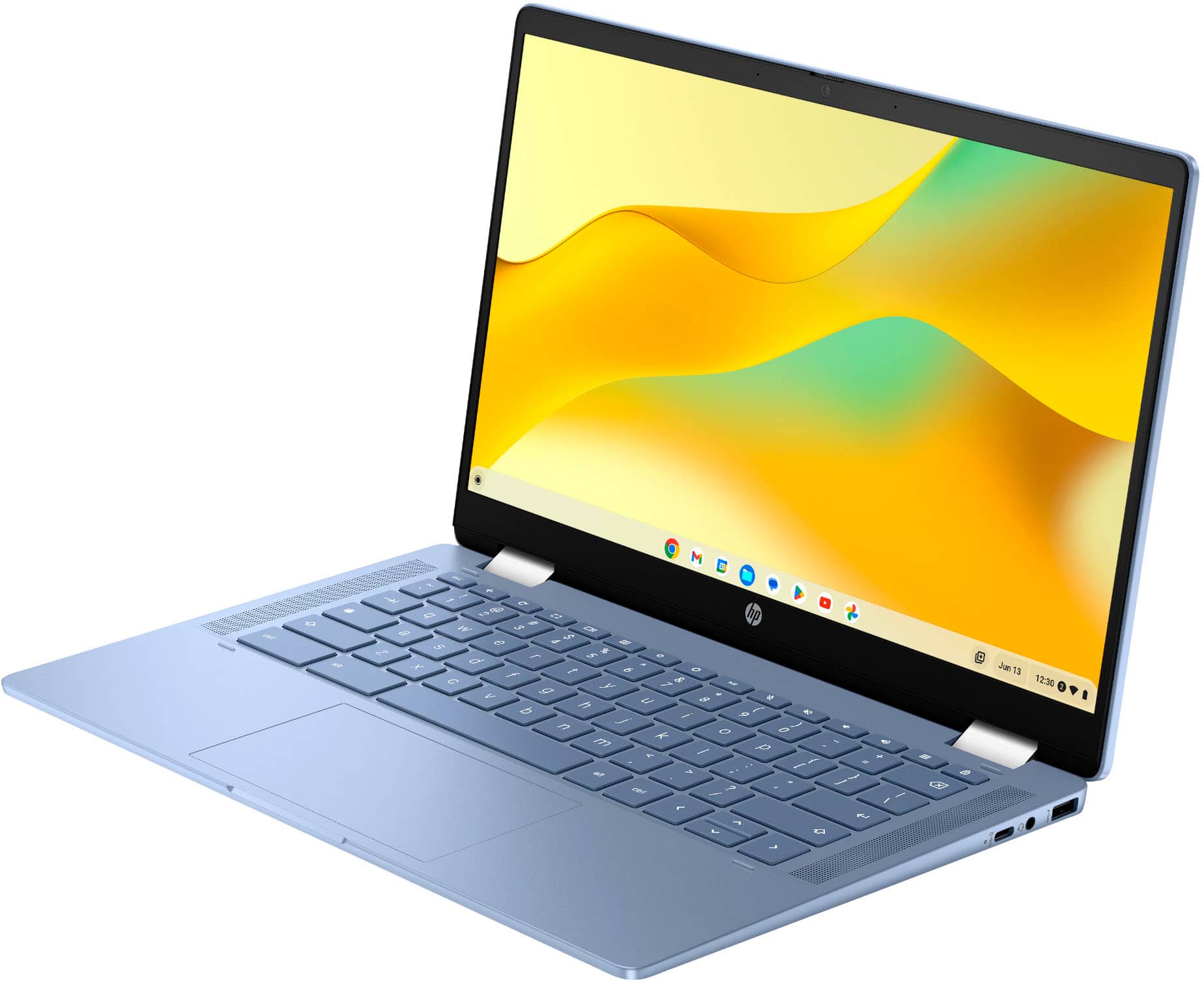
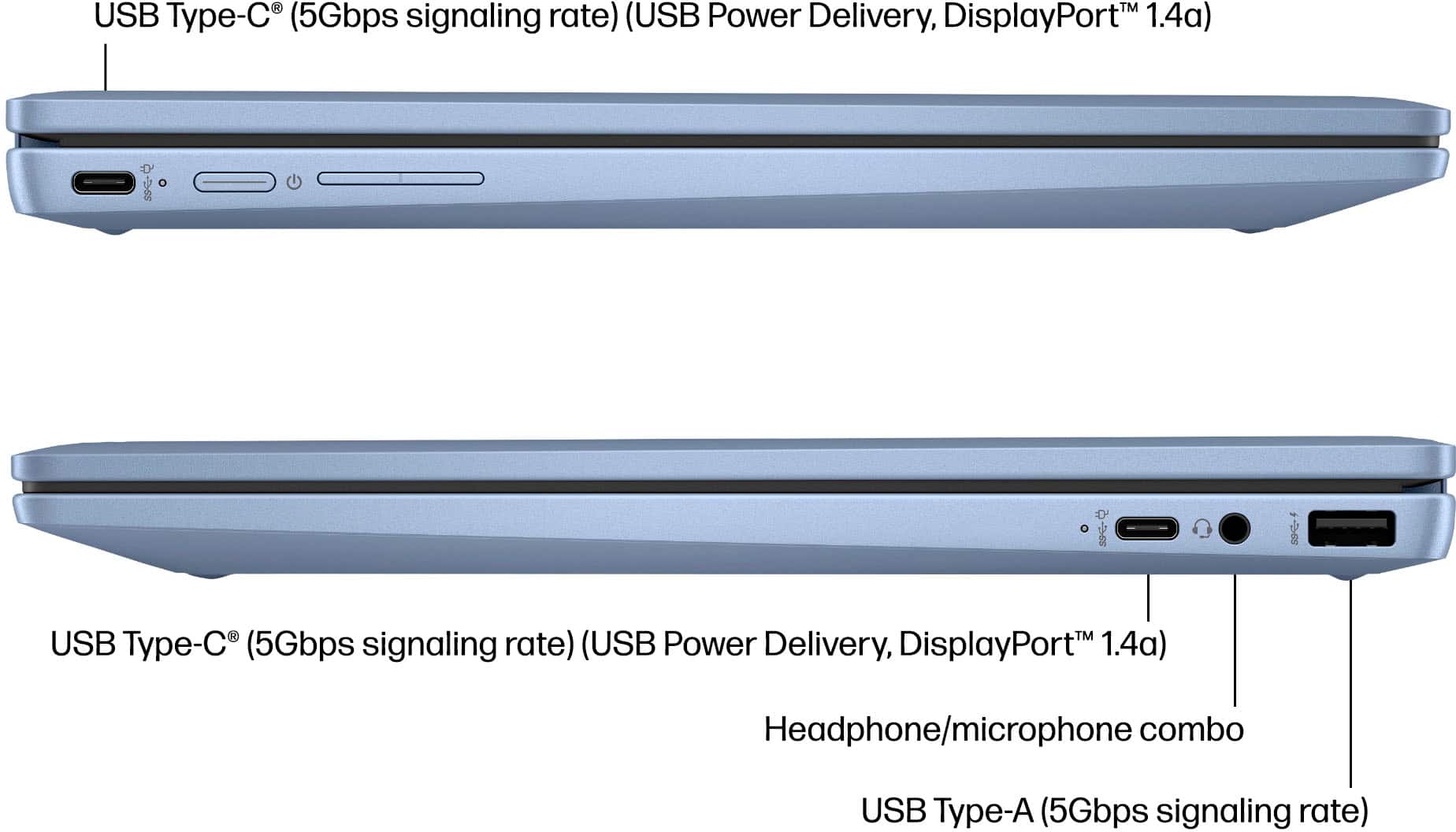
|Posted .This reviewer received promo considerations or sweepstakes entry for writing a review.Having teenagers that require Chromebooks for school, I thought that the HP 14" Chromebook would be adequate for their basic school needs. I was not looking for the top of the line models that use Chromebook Plus, just a basic Chromebook. Well, this is exactly what I wanted and not in a good way. This HP 14" Chromebook meets all of your basic needs. From the design to the operations, don't expect this to wow you or expect this to handle multi-tasking skills well. Yet at the same time, knowing that my needs were what they were, this was a great choice for what I needed it to do: basic school work for the kids, using Google suite, and having a portable device with a keyboard attached without the worry of this getting damaged. The design is your average clamshell look. With the overall gray colors and this nice brushed finish around the keyboard, it looks really good. Having legacy USB-A ports along with 1 USB-C port was good, although it would have been nice having 2 USB-C and 1 USB-A. It also has an HDMI port so you can attach this to any external monitor. The bezels around the screen are not too wide where it looks dated. I was amazed at the screen quality of this device. Images and texts were very crisp and clear, vibrant colors. Yes, it is not OLED but we are able to read our texts easily and without any eyes strain due to low quality even though it is 1366x768 HD. I would have liked for this to have been touchscreen. Operations side, this does what we need it for. We have full utilization of the Google suite so using Docs, Slides, gmail, Google Drive, etc are all easily available. And having the Google Play Store provides us with all Android apps, but you are limited to just 64gbs of internal storage. As all Chromebooks, they expect you to save everything on the cloud but 64gbs in 2025 is just ridiculous, the standard should have been twice that at 128gbs. Despite that, I did not notice any lagging even with a dozen tabs opened. Only when I had the YouTube app running did I notice some hiccups. That's when you start to see this struggling due to the 4Gb of RAM and the Celeron processor at work. Despite these short comings, we have been impressed with how this has been for us for both work and School. The kids are able to get their projects on this, and I can utilize the apps from the Google Play Store. I would have liked for this to have double the storage or at least a microSD card. Just be aware of your needs and expectations.
I would recommend this to a friend - Pros mentioned:Battery life, Overall performance, Portability
Perfect for Everyday Tasks and Browsing
||Posted . Owned for 1 year when reviewed.This reviewer received promo considerations or sweepstakes entry for writing a review.This HP 14" Chromebook is exactly what I needed for basic, everyday use. The screen size is great for watching videos, browsing the web, and getting work done, while still being lightweight enough to carry around easily. The Intel Celeron processor and 4GB of RAM handle Chrome OS smoothly as long as you don't overload it with too many heavy tabs at once. I also really appreciate the battery life, which easily gets me through the day. The 64GB of storage is plenty for a Chromebook since most files live in the cloud anyway. It is an excellent value for the price and highly recommended for students or anyone needing a simple, reliable laptop!
I would recommend this to a friend - Pros mentioned:Overall performanceCons mentioned:Storage capacity
Simple Chromebook for in the go work!
|Posted .This reviewer received promo considerations or sweepstakes entry for writing a review.No matter what, when you open a laptop or Chromebook for the first time, you instinctively look at how to turn it on—and better yet, charge it. Now, Chromebooks aren’t meant to be the be-all and end-all media center or high end PC replacement, but they’re made to be practical and minimalistic and offer a small window of ability to do work on the go, and that’s what I’ll be basing my review on: simplicity, convenience, and practicality. Super simple—it comes with a 45-watt USB-C charger. It has only one USB-C port, so if you’re looking to transfer files fast, this is not your go-to. But who uses Chromebooks for data transfer unless it’s something small like a home video? This unit only has 64 GB of eMMC storage, so storage and transfer use are out of the question unless it’s documents that require a lesser amount of storage. There are also two USB ports, one on each side, so that’s wonderful. I’m just used to computers having more than one Type-C port. For everyday use, it’s fast—whether you’re browsing the internet or just doing some quick research. This is especially good if you’re already integrated with Google’s slew of apps and services. This is your all-in-one Google-centered hub. The texture of the ridges and plastic feels nice in your hand; it gives it a good grip as well. I think it provides a comfortable hold. It’s relatively light, and the keyboard is very simple, but I must say the feel is nothing like the outside of the Chromebook. The keyboard feels like a regular run-of-the-mill plastic keyboard. I mean, it’s not the most expensive-feeling one, but it gets the job done. Overall, I use it for on-the-go Word and Excel, as well as some online research. It’s a great Chromebook with a bright screen. The only downside is that I have a hard time typing with my big sausage fingers at night. It may be an issue with my own hands, but it would be nice to have some sort of backlit keyboard. But I digress—I may be asking for too much out of a Chromebook, but I’m just thinking about the extra help for people like me, and it would be great to have. I’d recommend this. It’s fast, and there are so many uses for it.
I would recommend this to a friend - Pros mentioned:PortabilityCons mentioned:Storage capacity
Budget Doesn't Have to Mean Junk!
|Posted .This reviewer received promo considerations or sweepstakes entry for writing a review.It’s nice to see a full sized, well built, Chromebook on the market for such a reasonable price. I've been using it for a few days now and haven’t been disappointed. In its class, it has a nice overall build, with decent IO, and a bright screen. First off, this Chromebook has a modern look and seems sturdy for its price range. The build quality is surprisingly good. It’s plastic, make no mistake, with some lid and keyboard flex. For a low cost Chromebook, it manages to feel lightweight but solid. The design feels contemporary, and it would be perfect for tossing in a backpack without worrying too much about dings and dents. Performance wise, the Intel Celeron processor paired with 4GB of memory and 64GB of eMMC storage gets the job done for everyday tasks, but it does have moments of sluggishness. Especially when installing apps, running updates, and working with high Chrome tab counts. Web browsing, streaming videos, and working on documents are decent experiences. If you're a student or someone who needs a reliable machine for basic tasks, this Chromebook excels. The battery life is the star here. I can go through almost a whole day of casual use before needing to charge. There are a few caveats. 4GB of memory can be limiting if you try to run multiple heavy apps/tab numbers at once. Don’t expect to do any serious multitasking or gaming on this machine. Also, 64GB of eMMC storage fills up quick and handles write tasks slower than you’d expect. Compared to other Chromebooks in this class, the HP 14a-ne1013dx holds its own pretty well. It’s cheaper than some other options and if you can catch it on sale, it’s a great deal. The keyboard is comfy to type on and the screen, while not the highest resolution, is clear and bright enough for everyday use. If you need an affordable, reliable Chromebook for basic tasks, the HP 14a-ne1013dx is a solid choice. It won't replace a high end laptop, but for the price, it offers good value and dependable performance.
I would recommend this to a friend - Pros mentioned:Overall performance, PortabilityCons mentioned:Screen quality
need some improvement HP
|Posted .This reviewer received promo considerations or sweepstakes entry for writing a review.new year and new sets of google chrome laptop here’s to another 14” HP google chrome laptop the price is $319 so it is worth it? let’s find out DEVICE this HP laptop equip with 4GB of memory with space for 64GB of eMMC storage. you get total of 3 USB and one HDMI out of you would like to plug it on bigger screen. the camera is also equipped with 720p HD. and running on Intel processors. first impressions the body is governed with plastic type of material the best way for me to explain what it feels, it reminds me of a gaming controller plastic quality feel to it. the colorr grey reminds me of the PlayStation 1 color, keyboard is nicely spaced but they are not back light, this chrome book is also equipped with stereo speakers. for 14” this laptop is not heavy. EXPERIENCE initially setup is fairly simple since it’s google, you will need a google account to use this laptop since it does not run on windows. setup is a breeze from connecting to wifi and confirming few pages. then you’ll be taken to the main menu which is equip with everything google including google app store. first impressions the brightness and color quality was not something to be impressed about, it looks like it’s using a TN panel due to horrible picture quality on angles. it was hard to find the perfect angle for me even when using to watch anime on this laptop. the speaker sounds alright and it would have been better. I bit muffled and need to raise up the volume quite bit. back to the color. I didn’t have to almost use the max brightness due to the laptop being dim a bit for my liking. using the keyboard was no issue, it was spaced fine but from what it was mentioned no lights on this keyboard. no issue with the trackpad I found it responsive to all actions i’ve tested. CONCLUSION Overall performance of this chromebook was snappy and responsive I didn’t experience any major slow down. having google account it pick up right back to all my google chrome profiles which was easy to use. I do recommend this laptop to younger kids since now even they have to use laptop in school. also this laptop is perfect for elder people who just wanted to browse the web without worrying about other unnecessary settings, and I believe this is why they keep making google chrome books. it’s a hassle free laptop that takes you and do what matters most. the screen panel need some improvement and the audio quality needs an upgrade in the future but overall would have been a perfect deal for $300 laptop.
No, I would not recommend this to a friend - Pros mentioned:Battery life, Overall performance, Portability
Good Chromecast!
||Posted . Owned for 1 month when reviewed.This reviewer received promo considerations or sweepstakes entry for writing a review.I bought this to travel with it. Over all it's worth what you pay. Functional, very light, battery life is pretty good. Speed is ok. I would get this only if tou need really basic things: gmail, call, docs, etc.
I would recommend this to a friend - Pros mentioned:PortabilityCons mentioned:Screen quality
Excellent Budget Chromebook
|Posted .This reviewer received promo considerations or sweepstakes entry for writing a review.If you are looking for an inexpensive laptop to handle all of the basics (email, word processing, school work, web surfing, etc), this Chromebook is a terrific option. Pros: - The texture of the chassis is one of my favorite features. It makes this Chromebook easy to hold on to, where others can be slick. The texture also helps make it more resistant to finger grease/stains that many laptops have problems with. - The size and weight of this device make it extremely portable. It can fit in any backpack or tote bag with ease and you might not even notice it's in there. - The 4 GB of RAM is more than enough to keep you multitasking without issue. - The affordability of this Chromebook might be its best feature. It is priced for Cons: - The screen resolution is decent, but not great. You would have to go with more expensive models if that is important to you. - The CPU is for budget models, so don't expect everything to run as fast as it would on pricier machines. - Like with most every Chromebook, storage space is limited (64GB) so always be prepared to use external or cloud storage. While it doesn't have the highest specs, if you don't need a system for gaming or watching content in the best resolution, I found this to be an excellent alternative to more expensive machines.
I would recommend this to a friend - Pros mentioned:Overall performance, Portability
Intuitive and easy to use
|Posted .This reviewer received promo considerations or sweepstakes entry for writing a review.This is my first experience with a Chromebook, and I’ve really enjoyed learning how it works. My son uses a Chromebook for school (4th grade), and I can easily see why schools choose these devices because of intuitive and easy to use they are. Setting it up was a breeze. During the initial setup, I was prompted to indicate whether this Chromebook was for a child. Later, I was given an option to sign in with his school account, and within minutes, he had full access to all his school information. This computer is designed primarily for web use ans Google-based applications. All the programs in the Google suite operates effortlessly, with pretty much no lag at all. One thing that surprised me was the large size of the charging brick. I expected something much smaller, especially considering this uses a USB-C charging port. However, I was able to use a high-watt wall charger, and it worked just as well. Overall, getting to know this Chromebook has been a great experience. It’s perfect for anyone looking for a simple, long-lasting device primarily for internet browsing. It’s especially ideal for kids, and my son has pretty much stolen this device from me! He absolutely loves it, and the fact that he can use it independently, and even teach me a few things, speaks volumes about how user-friendly and well-designed it is.
I would recommend this to a friend - Pros mentioned:Portability
Go in with low expectations
|Posted .This reviewer received promo considerations or sweepstakes entry for writing a review.Chromebooks are very budget-friendly machines meant to be bare minimum devices that help you complete the basics. There's not much that separates one from another. Sure, there are "premium" Chromebooks, which have better displays and more powerful processors but lack disc drives, graphics cards, or other features that would have it compete with an all-out laptop. This 14" HP Chromebook (model 14a-ne1013dx) is the newest "budget-friendly" Chromebook from HP. Costing $319, it's not expensive, but not as cheap as other basic Chromebooks on the market. And that is where I have issues with it. There are other HP Chromebooks that you can buy for less than $200. Those offer the same features as this one. HP lists this one as featuring "budget" everything: processor, graphics, and system memory. The screen is LCD and sports a 1366 x 768 resolution. These are all very bottom-of-the-barrel specs. This forces me to recommend not going with this model but a cheaper one if you are going for a basic Chromebook. The differences are not worth an additional hundred. I may be spoiled by having a Pixelbook, which was released in 2017 and still holds up in 2025. That model can be considered a "premium" Chromebook, with a higher MSRP ($550) when released, but the differences are night and day from this HP Chromebook released in 2025. The first thing I noticed was the lack of a screen. Whether it's the LCD or the resolution, the screen lacks punch, and the text isn't sharp. Using the device feels like you've taken a time machine back to 2016. However, the more I thought about it, the more I understood that this device wasn't made for someone like me. Sure, I love to write, and this is perfect to throw in a bag and travel with when all I want to do is write. But I have a lovely laptop, which can also do other things. No, this Chromebook is for a student. And it costs in tune with what a school could purchase at wholesale for an entire class. Or parents buying their child's very first "laptop." Something that will do the basics - type, photoshop, slideshows, YouTube, Netflix, etc. It's fast enough not to be challenging to work with, so it's very easy to use. That's precisely what I'm doing with it. My kid is stoked that he doesn't need me to set up my laptop or desktop so he can play Scratch or Prodigy. He's happy, and I'm so glad. In the end, that's all that matters. That's worth $319.
No, I would not recommend this to a friend - Pros mentioned:Battery life, Overall performance, Portability
Good deal
||Posted . Owned for 3 weeks when reviewed.This reviewer received promo considerations or sweepstakes entry for writing a review.For the price, does everything you need for basic work tasks. The battery life has been long and it is easy to carry to work every day. I switched from a Mac, definitely prefer my old Mac to this laptop but overall can’t complain for the price point.
I would recommend this to a friend - Pros mentioned:Speed
Snappy and easy to use!
|Posted .This reviewer received promo considerations or sweepstakes entry for writing a review.Very nice Chromebook. It comes well packaged and they include a power brick, a type C USB charging cable and a quick instructions leaflet. It charges via the type C USB port and it has a status LED next to it. Setting it up was easy. Being a Google ecosystem, you need google account, but its way easier to setup if you also have an Android based phone, if you do, it gives you the option to set up the Chromebook using your phone. They pair via Bluetooth and your Google account info is transferred and setup on the laptop. Very easy. Hardware wise, its made of a nice textured plastic. The screen is bright, although has some narrow viewing angles, so you have to be looking at the screen straight up for better clarity. They keyboard is very responsive and its your classic chiclet type keycaps, a little con is that they are not backlit (not even one single color), so it may be hard to see if you are trying to type on low light or in a dark room. The touchpad is very responsive and it has regular USB ports, so I also plugged a generic USB mouse and it worked just fine. The speakers are good enough for this type of laptop. The Celeron CPU and the generous 4 GB RAM (plenty enough for a OS like ChromeOS that is super light and not bloated like other OSes) makes it snappy opening and closing apps. I only noticed a little bit of slow down when I had a large amount of tabs opened on Chrome, but that is it. It also has a front web cam and a privacy shutter that slides over it should you chose to. Its a very useful Chromebook for home use or a student, it wont break the bank and its plenty enough for daily use for me. Battery life has been good, but I charge it every night when going to bed. If you need a laptop for school or just for light home use, It will work great!
I would recommend this to a friend - Pros mentioned:Battery life, Overall performance, Portability
Chrome Book Purchase
||Posted .This reviewer received promo considerations or sweepstakes entry for writing a review.I purchased this Chromebook for my son as a Christmas gift. It’s lightweight, easy to use, and perfect for schoolwork, browsing, and streaming. The setup was quick, and the interface is very kid-friendly, which made it easy for him to start using it right away without frustration. The battery life lasts through homework time and more, and the performance is smooth for everyday tasks. As a parent, I really appreciate the built-in security features and how simple it is to manage and update. It feels like a reliable device that will grow with him academically. Overall, this Chromebook offers excellent value for the price and is a solid option for students. We’re very happy with the purchase and would definitely recommend it to other parents looking for an affordable, dependable laptop for their kids.
I would recommend this to a friend - Pros mentioned:Battery life, Overall performance, Size
A sturdy & solid computer from HP.
||Posted . Owned for 1 month when reviewed.This reviewer received promo considerations or sweepstakes entry for writing a review.Great battery life, excellent display, very fast! The size is perfect for home and office use. Only has one charging port (my old Cromebook had two). I would purchase another HP product without reservations.
I would recommend this to a friend - Pros mentioned:Battery life, Portability
Great Budget Chromebook for Everyday Tasks
||Posted . Owned for 7 months when reviewed.This reviewer received promo considerations or sweepstakes entry for writing a review.This HP Chromebook is a great choice if you need an affordable laptop for everyday use. It's lightweight, starts up quickly, and the battery lasts long enough to get through a full day of browsing, streaming, email, and schoolwork. ChromeOS is simple to use, and everything runs smoothly for basic tasks. While it's not designed for heavy gaming or demanding programs, it performs exactly as expected for web browsing, Google Docs, and video calls. Overall, it's an excellent value for anyone looking for a dependable, budget-friendly laptop.
I would recommend this to a friend - Pros mentioned:Overall performance, Portability
Excellent quality Chromebook
||Posted . Owned for 2 weeks when reviewed.This reviewer received promo considerations or sweepstakes entry for writing a review.I really really enjoy my Chromebook! It's so handy! You can take it with you to get on anytime. Lightweight. Display is brilliant. Love that you can connect all of your devices. I can connect to my phone! I connect to my desktop computer, and can do tasks from anywhere in my home on my Chromebook when not wanting to sit down at the desk. Alot of enjoyment with my Chromebook
I would recommend this to a friend - Pros mentioned:Overall performance, Portability
Best I ever had!!
||Posted .This reviewer received promo considerations or sweepstakes entry for writing a review.The HP 14" Chromebook isn’t just a laptop — it’s a lifestyle upgrade. It’s fast, secure, and beautifully designed. It’s ideal for students, remote workers, casual users, and anyone who values performance and portability without the premium price tag. Once you use it, you’ll wonder how you ever lived without it. It’s elegant, efficient, and reliable — the kind of device that makes everyday computing feel like an experience, not a chore. If you’re looking for something sleek, smart, and absolutely dependable, the HP 14"
I would recommend this to a friend - Pros mentioned:Overall performance, Portability
Gift for son
||Posted . Owned for 7 months when reviewed.This reviewer received promo considerations or sweepstakes entry for writing a review.We bought this laptop as a Xmas gift for our 9 yr old & his first laptop. It’s signed in his school account with restrictions. It’s been almost 7 months of use now & so far so good. Not technical issues and my son can easily navigate it. Setup was very easy and quick. He uses it for more education purposes such as apps that stimulate the mind rather than staring at youtube. He is able to play Minecraft and use Minecraft education. This was the best decision of making a first time laptop for a tween age kid. Looking into now getting his brother one as well.
I would recommend this to a friend - Pros mentioned:Battery life, Overall performance, Portability
HP - 14" Chromebook - Intel Celeron N4500 (2021):
||Posted . Owned for 3 weeks when reviewed.This reviewer received promo considerations or sweepstakes entry for writing a review.HP 14 Chromebook N4500 is a lightweight and affordable laptop that’s great for everyday tasks like browsing, streaming, and schoolwork, offering simple performance with long battery life and easy-to-use ChromeOS; it’s a solid choice for students or anyone needing a reliable budget device.
I would recommend this to a friend - Pros mentioned:Battery life, Overall performanceCons mentioned:Heat dissipation
Laptop
||Posted . Owned for 2 months when reviewed.This reviewer received promo considerations or sweepstakes entry for writing a review.Battery life is okay, performance is smooth. I would recommend this product even tho sometimes it does get a lil warm
I would recommend this to a friend - Pros mentioned:Overall performanceCons mentioned:Heat dissipation
Absolute Steal
||Posted . Owned for 3 weeks when reviewed.This reviewer received promo considerations or sweepstakes entry for writing a review.It's perfect. It syncs seamlessly with your android and google One. Perfect for balancing budgets, discord, or simply watching YouTube. Recharges from almost dead in under an hour and half then lasts for a day as you use it. Thin sleek and fast. Got mine for the sale of $129 plus tax. It's better than my $300 touchscreen laptop. Everything is digital nowadays so I'm not worried about a disk drive. Be sure to let it vent properly. So no setting it on a bed as the bottom will get hot but that's a rule for all laptops.
I would recommend this to a friend