Customer Ratings & Reviews


- Model:
- M27h
- SKU:
- 6532232
Rating by feature
- Display Quality
Rating 4.8 out of 5 stars
- Ease of Use
Rating 4.8 out of 5 stars
- Features
Rating 4.7 out of 5 stars
Customers are saying
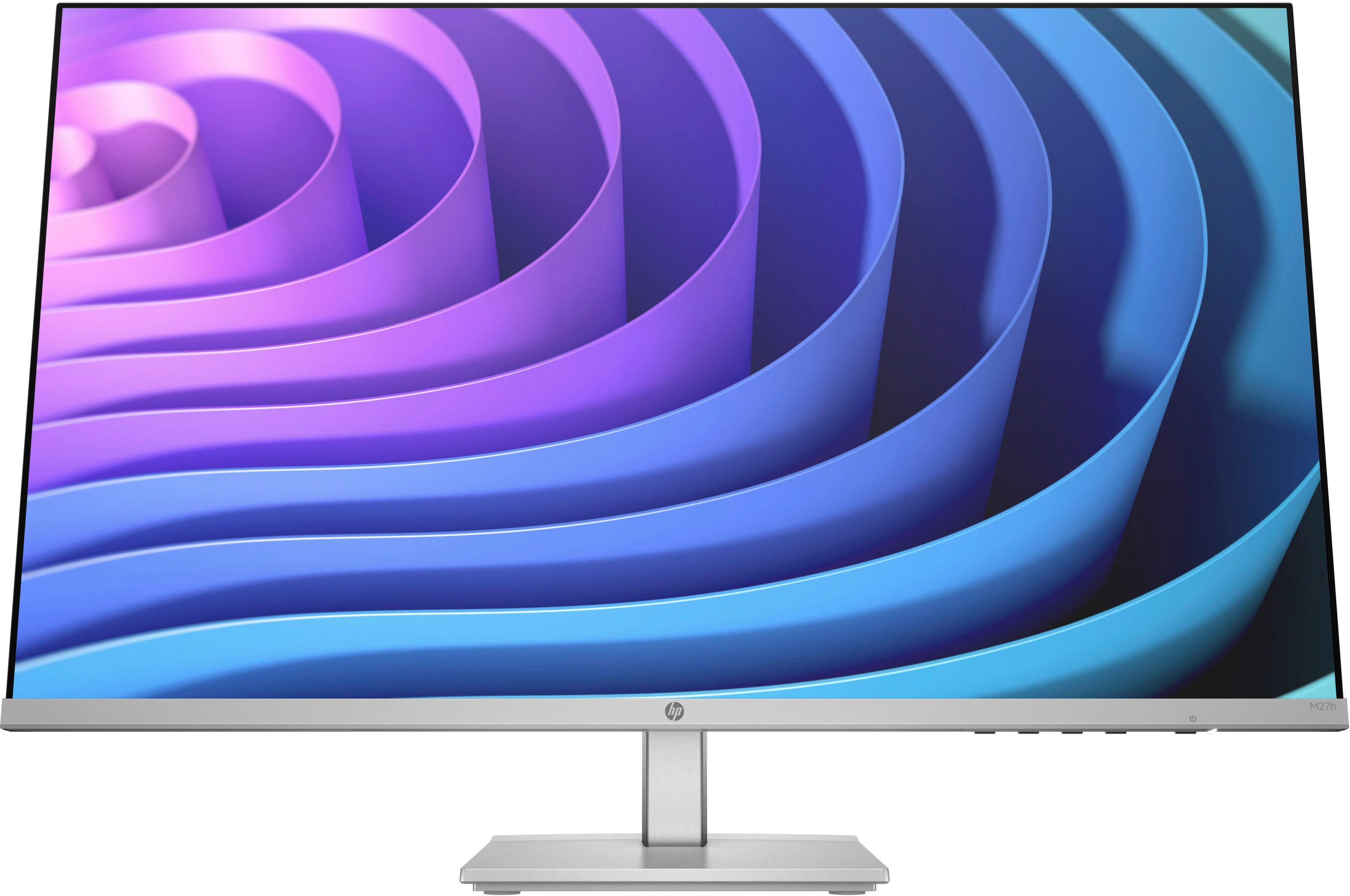
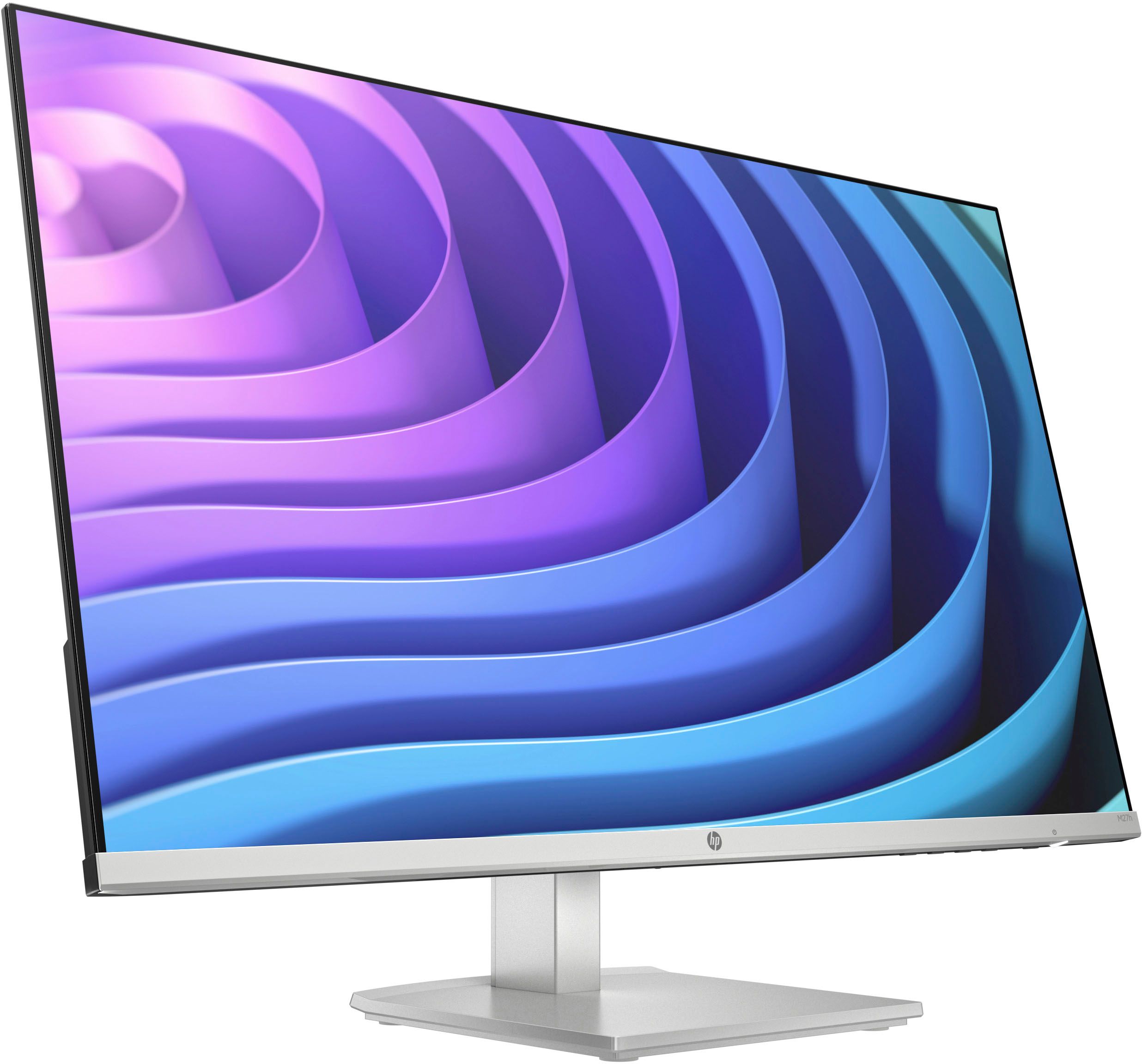
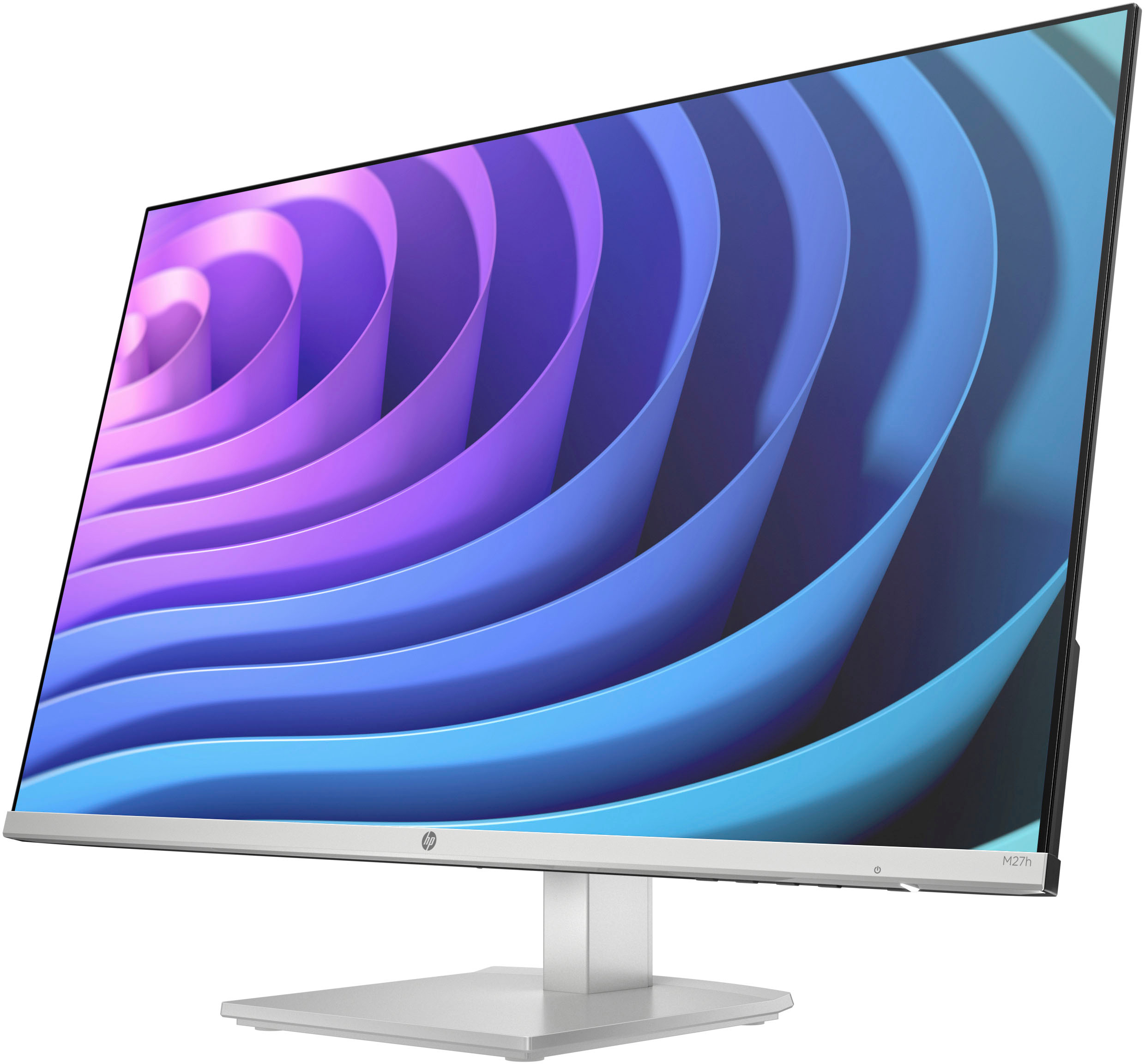
Customers regard the 27" IPS LED FHD FreeSync Monitor with Adjustable Height as having a great screen size and ease of use, with many also praising its price and resolution. Positive comments also highlight the monitor's design and clarity. While some users noted the lack of built-in speakers, most experiences were positive.
This summary was generated by AI based on customer reviews.
10/10 recommend
||Posted . Owned for 2 months when reviewed.This reviewer received promo considerations or sweepstakes entry for writing a review.These are great for my dual monitor setup for FFH!
I would recommend this to a friendPretty Average
||Posted . Owned for 1 month when reviewed.This reviewer received promo considerations or sweepstakes entry for writing a review.Great monitor! No issue so far! Wish picture quaility on YouTube videos was better though.
I would recommend this to a friendW/in 2mos monitor scrambled & HP service horrible
||Posted . Owned for 4 months when reviewed.This reviewer received promo considerations or sweepstakes entry for writing a review.Within 2months and used maybe 6-8 times, the monitor screen scrambled on me and would NOT go back to normal. I tried everything and the screen stayed like a kaleidoscope. I chatted with HP online and immediately I was told that I either dropped or damaged it somehow. I explained numerous times that I did neither, & that it has never been moved from my desk. The HP rep would not consider any other option and told me if I wanted it repaired it would be $225.00 - which is more than what I paid!! Obviously the HP rep was just being a jerk. He would NOT consider anything else and was happy to help me set up a repair for that extreme amount. Later a Geek Squad guy looked at it and stated the HDMI port was bad. It was nothing that I did. There are 2 ports and the 2nd port works! If the damage was something I did, then both ports would been out. So wrong of HP. Although I can still use the monitor bc 1 port is good, I just have to hope it doesn't go out as well. Overall the monitor is junk bc it shouldn't have went out so soon and my HP customer service was horrible.
No, I would not recommend this to a friendBroke after a few mos
||Posted . Owned for 4 months when reviewed.This reviewer received promo considerations or sweepstakes entry for writing a review.Don't try and move it. It works fine if left in one place. I placed it on a padded surface on its side then put it back into place and the screen was cracked and no longer worked. Folks, I barely touched it. HP customer service quoted me $185 to fix it, but since I barely spent $200 on it I might as well just get another monitor. Won't be HP this time.
No, I would not recommend this to a friend- Pros mentioned:ResolutionCons mentioned:Refresh rate

Looks Nice, Good Stand, Grainy Picture Sometimes
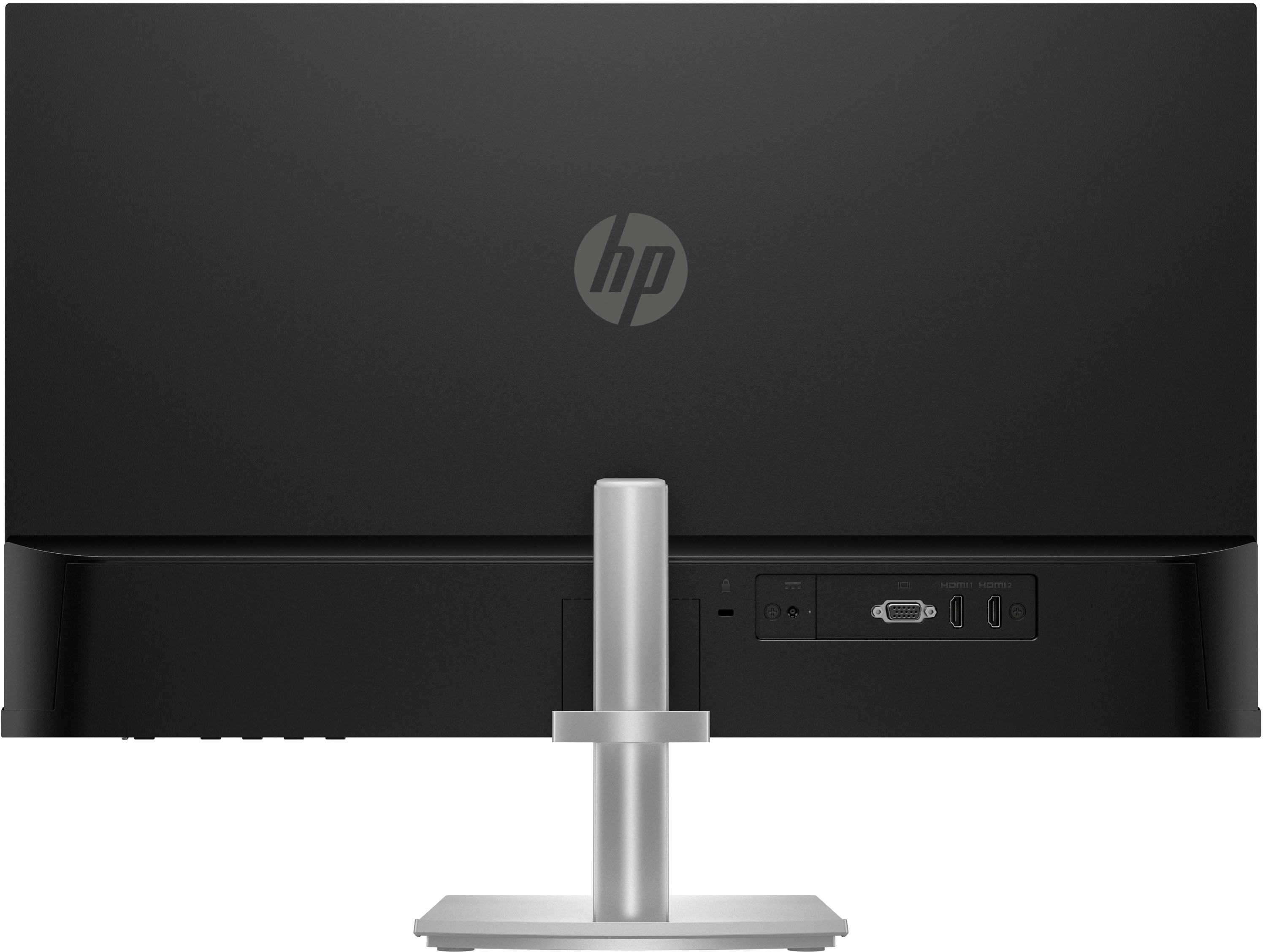
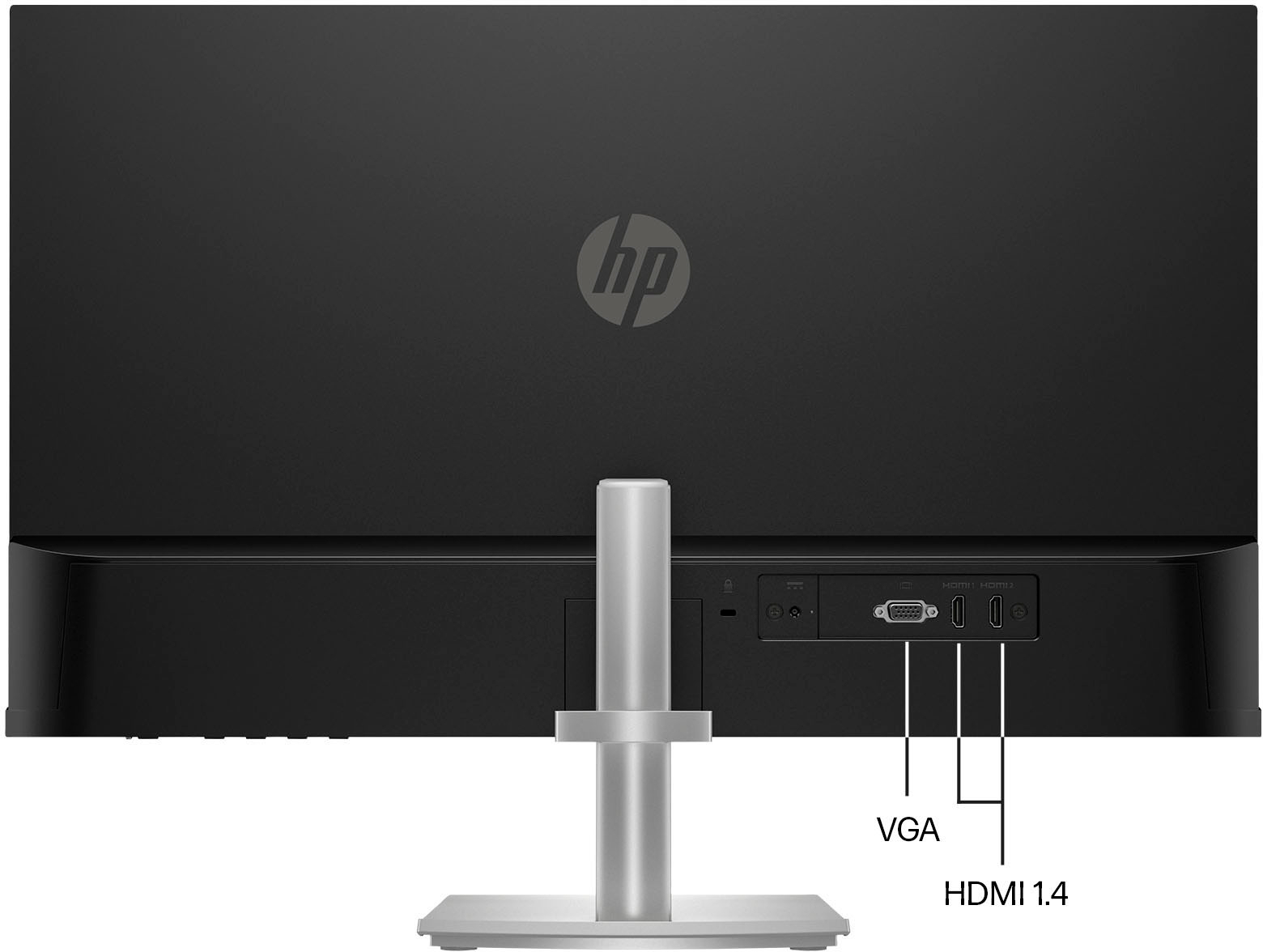
|Posted .This reviewer received promo considerations or sweepstakes entry for writing a review.This is a very well built, fairly simple monitor that doesn't have a lot of features. It is packaged well and survived shipping without any issues. There is just a quick setup guide included in the box. No real instructions. Not even a link to better instructions. Assembly was simple enough. The stand base has captive screws with folding tabs on them allowing toolless assembly. The screw that fastens the stand stem to the monitor has a flat tab that is more difficult to use but still works. The stand is quite sturdy and has a very good height and tilt adjustment. However, there is no way to rotate the monitor to a portrait position. It is landscape only. There are no VISA mounting holes on the back so you cannot use an aftermarket stand with this monitor. The stand does have a loop on the back for wire management. The monitor has 3 inputs. Two (2) are HDMI and one (1) is VGA for older computer's. Other than that the only other jack on the back of the monitor is for the simple power connector. There are no speakers. There is no USB hub. This is just a monitor. The box says it is an IPS (In-Plane Switching) panel. Resolution is 1920 x 1080. The refresh rate out of the box is 60 Hz. The fastest is 75 (actually 74.97). The box says it is FreeSync Compatible. That is great if you have an AMD video card. I have this connected to an Nvidia 3050 and cannot find a way to enable FreeSync even though I've read I can. I might need some new drivers to get this to work. The colors are very good. So is the brightness. Color adjustment is pretty standard. It comes with some presets and an RGB adjustment menu. Speaking of the menu, it is very easy to use. The buttons are on the bottom of the monitor shifted towards the right side. The power button and power LED are just to the right of the menu buttons. If you press any of the menu buttons, a small menu pops up giving you quick access to the main menu, brightness adjustment, color adjustment or moving to the next input. The menu and the selection options are very clear. The options align perfectly with the menu buttons making selection very easy. As for actually using the monitor. It is OK. I didn't find anything special about it. When the monitor is set at 75 Hz, there can be a graininess to the picture. It's like the individual pixels stand out much more. It's quite odd. This grain is also visible at lower refresh rates but it seems much less noticeable. Using the Nvidia Control Panel and setting it to "Use the Nvidia Settings" under "Adjust video image settings", I was able to reduce this effect. Conclusion - It is a perfectly fine monitor. It is built well and I like the stand adjustments. It has a good picture with some adjustment. It's got a higher refresh rate for gaming. Other than Solitaire, I'm not much of a gamer so this doesn't really apply to me. It is certainly better than some cheap monitors I've purchased in the past but it's not as good as some more expensive monitors I've had. I'm not a huge fan of 1080p resolution. Especially on larger monitors. I like higher resolutions. It this was a 1440p monitor, with a USB hub, it would be just about perfect for me. I do think it is a very good monitor for someone that prefers larger text and icons on the screen and I might recommend it to some people. Just not everyone...
I would recommend this to a friend Poor customer service
||Posted . Owned for 1 month when reviewed.This reviewer received promo considerations or sweepstakes entry for writing a review.Seems like it would be a decent monitor but it came broken upon delivery and Best Buy would not take it back.
No, I would not recommend this to a friend- Pros mentioned:Screen sizeCons mentioned:Speakers
Good Basic Monitor - No Speakers
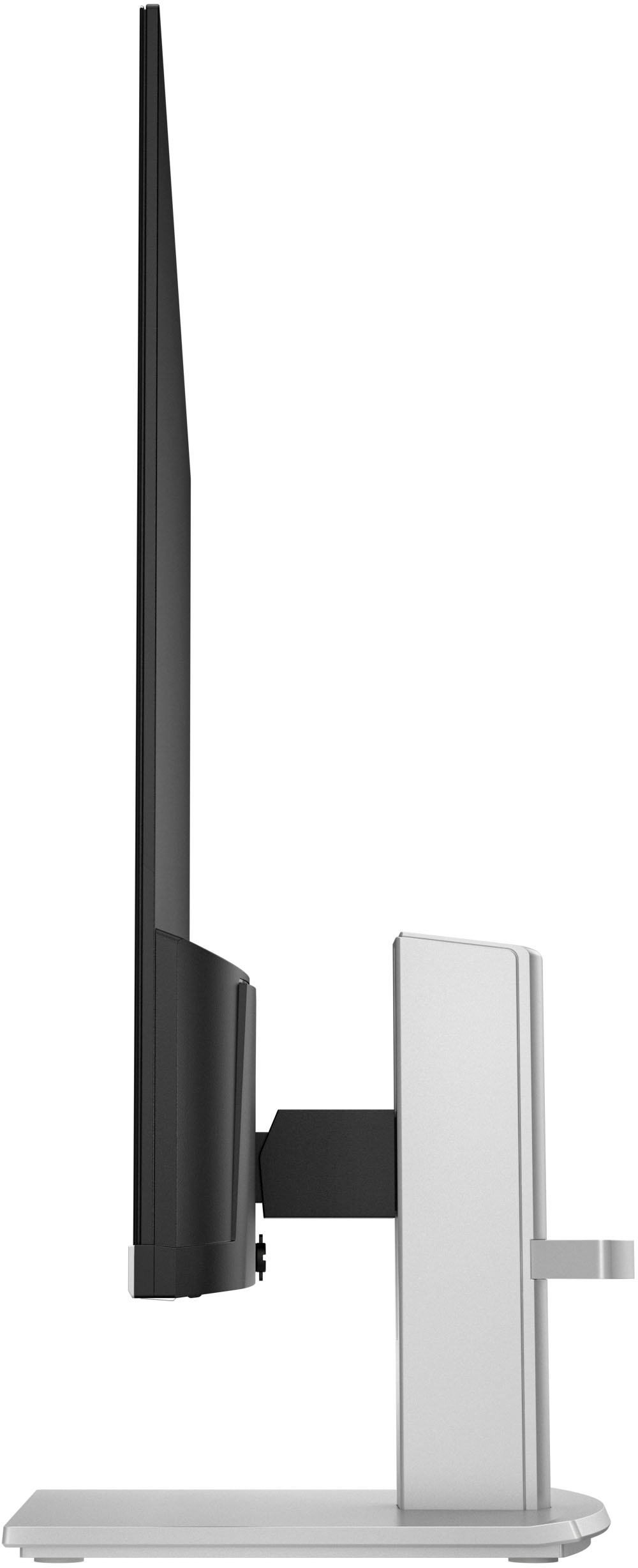
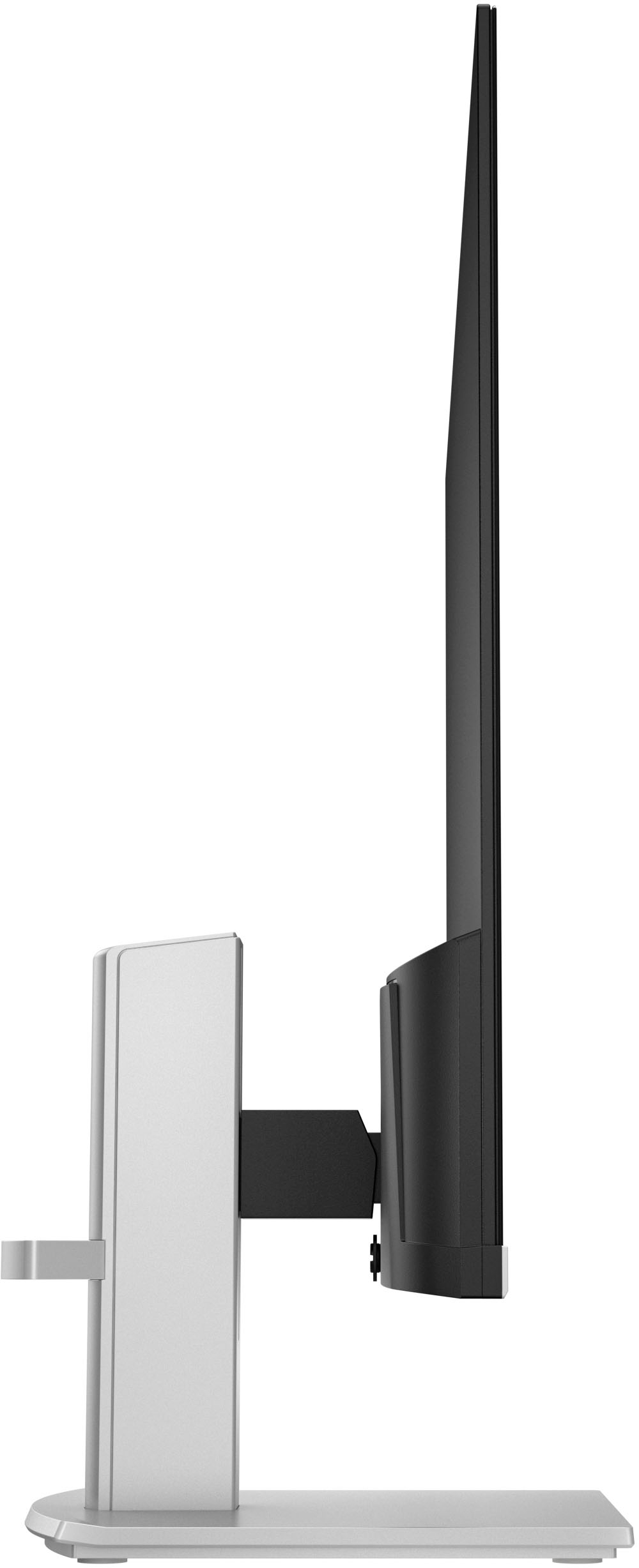
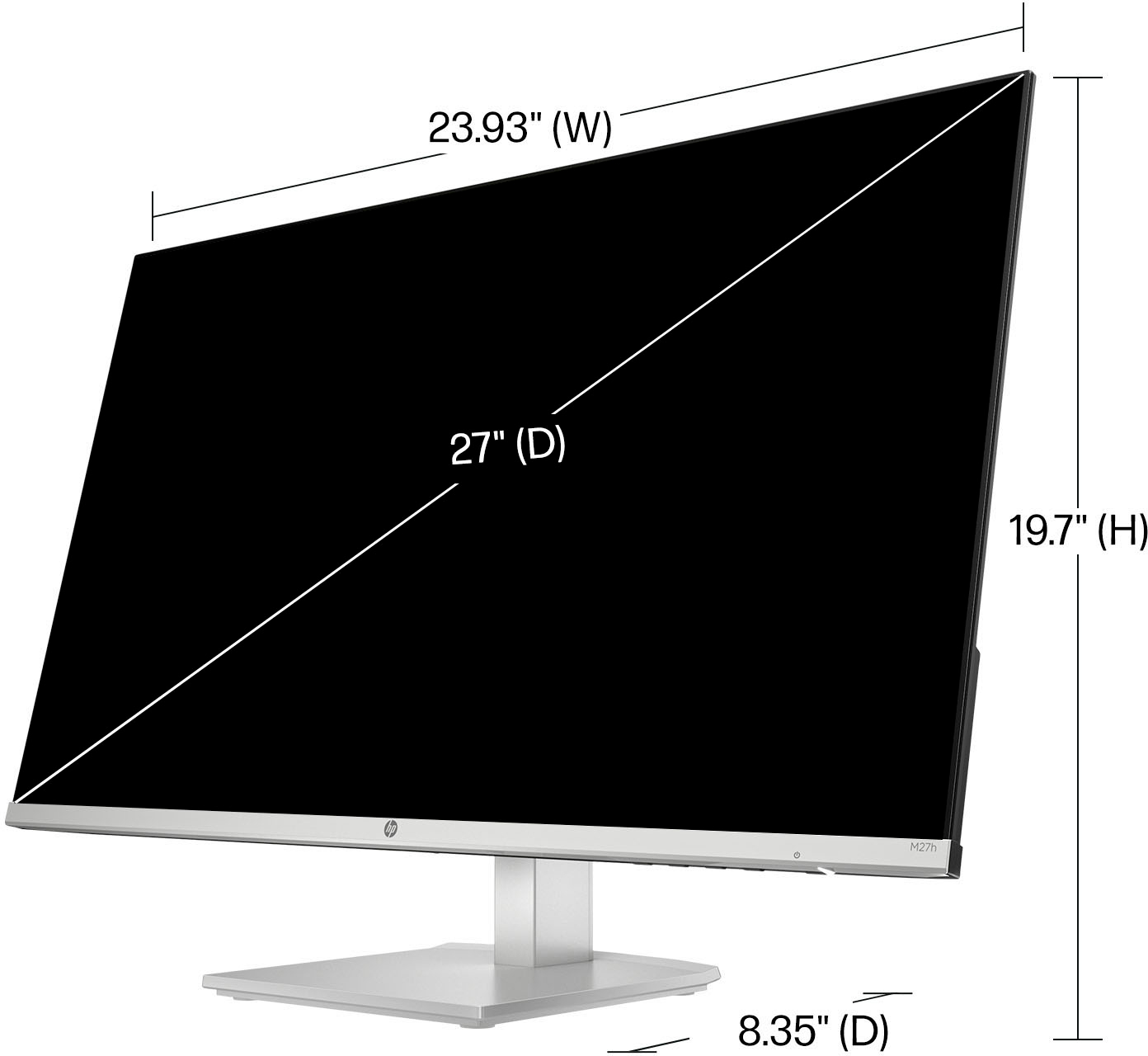
|Posted .This reviewer received promo considerations or sweepstakes entry for writing a review.The HP M27h monitor is a nice looking monitor with a thin screen that makes it lightweight. It has a substantial stand that coordinates well with the bottom trim on the monitor. It comes with a quick setup guide that consists of a few drawn pictures. I prefer written instructions (or at least photos), but in this case it didn’t matter because it was easy to visualize how the pieces went together. The screws on the base come with an attached turning wing so that no tools are needed. The design is such that it is unlikely that the screws will strip out if the stand is unassembled and reassembled. The stand includes a cable guide to keep the cords in place. There is a VGA port and 2 HDMI inputs. Putting it together, installing it and having it ready to use took less than 15 minutes. I assumed the monitor had internal speakers and was surprised to see the red “x” over the sound icon in the system tray when I turned it on. I did some troubleshooting, but the audio devices setting still showed “no output devices found”. I couldn’t find any speaker information for this model on the HP website, but the Best Buy specifications confirmed that there are no internal speakers. This monitor has a matt, anti-glare, “Eye Ease” screen with eye-safe technology - a low blue light filter that is always on. The monitor is made with 85% recycled materials. It is Energy Star certified and compatible with Windows, Chrome and Mac. The measurements are 24 x 14 inches and 27 inches diagonally, which is a good size for multitasking. The horizontal and vertical viewing angles are a wide 178 degrees so there is no distortion when looking at the monitor from any direction. The height and the tilt are adjustable and there is no slippage. The screen stays firmly in the set position. The size of printed words in documents and email was larger and fuzzier than on the HP 4K monitor that I usually use. I tried to make the text size smaller, but the only options were larger. The onscreen menu controls are basic and limited to color, contrast and brightness. I increased the brightness from the default and changed the color setting to HP Enhance + which helped the sharpness a little bit, but the quality doesn’t come close to HP 4K. The fact that there are no speakers was disappointing as well as the fact that printed words aren’t crisp and clear. It should work fine for applications that don’t require a lot of reading - or for users who aren't spoiled by 4K. Movie and video quality is very good with exceptional color, but would require external speakers. This is a good basic monitor, but not the best one that HP makes.
I would recommend this to a friend - Pros mentioned:Resolution, Screen size
Very nice monitor
|Posted .This reviewer received promo considerations or sweepstakes entry for writing a review.This HP monitor is 27” and will support resolution up to 1920x1080. It has a total of three connections: two HDMI and one VGA. The monitor is very light in weight and very thin. The bottom is thick though but it does not affect its great aesthetic. I am using an EVGA GeForce RTX 2070 Super video card and Windows 11. I am running GeForce Game Ready Driver version 531.41. You can run up to 60 frames per second. Playing Diablo 3, I was able to get around 130 frames per second. My settings are set between medium to high. I don’t play much of the newer titles. The viewing angle is great as well. Looking from the side, not much glare. According to the documents, this has 170 degrees of viewing angle from all angles. It can tilt and the stand’s height is adjustable. Here are some things that I felt are missing. It would be nice to have a display port. VGA is nice to have but I’m not sure many people are using this anymore. I tend to use VGA for my homelab servers, not desktops and even workstations. VESA mount compatibility would be an awesome addition as well. The power adapter is a barrel type and is not the common power adapter usually found with monitors. I like to have common cables just in case I misplace or break the existing one, I can easily replace it. Overall, this is a nice monitor. The viewing angles are great being it is an IPS panel. The response time is at 5ms but it didn’t affect any of the games I play. This may not be good for first person shooter games but for everything else, this is a good choice. I would’ve given it 5 stars but took one off for the three missing features I’d like to see in future models.
I would recommend this to a friend - Pros mentioned:Screen size
Video/Photo Editing, Gaming, Streaming at its Best
|Posted .This reviewer received promo considerations or sweepstakes entry for writing a review.I edit photos, videos and like to watch videos by streaming as well as gaming and the monitor does excellent in all areas. I am adding this 27 inch to my 24 inch HP Monitor so I have two of different sizes for now but they work well because they both have a very slim edge. On the 24 inch I do some work while on the 27 inch I enjoy most of the other things as watching my favorite shows or work on my editing while seeing great colors. First it arrives well packaged and right out of the box it comes with an HDMI cable, power cord, warranty card, instructions and the monitor with the stand. To put together there is no need of tools, two pieces to put together and it is done. I used the HDMI cable that is included to connect it to my computer and I do like that the monitor has two HDMI inputs so I can also connect my console to it. Finally it also has the VGA connection in case I did not have an HDMI output on my devices. The monitor does not have speakers or audio outputs and that is ok with me because for a long I have either used the surround sound speakers on my computer or Bluetooth headphones. It is useful to have the Kensington lock or security lock on the back of the monitor in case it is used by others and you want to keep it secured. The stand is awesome; I can raise the monitor and tilt it back or forward. The M27h can be customized to how bright or dim I want it, also if I want the whites to look warm or cool so it is very useful and very easy to adjust with the buttons on the right bottom of the monitor. The M27H is enjoyable, when it’s off it has a nice matte finish and I really like it because it is antiglare. It does not take much space, it is very thin on top and on the bottom it has the weight to better balance it when raising or lowering it. Overall it is a great choice of monitor to have, it is bright, and the colors come out much better than I imagined, I am enjoying it.
I would recommend this to a friend - Pros mentioned:Design, Resolution, Screen size
Review
||Posted . Owned for 6 months when reviewed.This reviewer received promo considerations or sweepstakes entry for writing a review.The HP 27 Monitor offers a compelling visual experience, combining a spacious 27-inch display with crisp resolution and vibrant colors. The edge-to-edge design creates an immersive viewing environment, making it ideal for work or entertainment. The monitor's thin profile adds a touch of modern elegance to any desktop setup. With Full HD resolution, the display delivers sharp images and clear details, ensuring a pleasurable viewing experience for productivity tasks, multimedia, or casual gaming. Additionally, the HP 27 Monitor's wide viewing angles contribute to its versatility, allowing for comfortable viewing from various positions. Overall, it's a reliable and aesthetically pleasing choice for users seeking a well-balanced monitor for everyday use.
I would recommend this to a friend - Pros mentioned:Screen size
Great for office purposes!
|Posted .This reviewer received promo considerations or sweepstakes entry for writing a review.Being into IT, I am always short on screens while multitasking during the day. Although I have one monitor already attached to my work laptop but was on the lookout for another one. This HP - 27" IPS LED FHD monitor meets all my requirements. The screen is wide enough to provide a panoramic view to either have multiple browsers or applications open to working simultaneously or open Excel for an ultra-wide view without the need of scrolling to the right or bottom. The image and color are consistent throughout the screen achieved due to IPS technology. The monitor is Full HD, and its eye-ease technology keeps the eyes relaxed and is anti-glare. The color reproduction is ideal for photos and videos, I didn’t notice any lag or delay while playing a game or watching a movie. The setup is quick and easy, I was able to do it in minutes. This has two HDMI and one VGA port, although VGA is not much used these days. The wires go through the locator on the stand to get rid of clutter and keep my desk neat and organized. The screen can be rotated almost in all directions to ensure it sits in the best position to be an enabler while working and I do not have to move my head too much. This perfectly meets my requirements and has all the features that a mid-size monitor that should interest potential buyers.
I would recommend this to a friend A stylish, adjustable 27" FHD monitor w/ eye care
|Posted .This reviewer received promo considerations or sweepstakes entry for writing a review.HP M27h FHD 27" monitor with AMD Freesync If you're in the market for a thin, adjustable monitor with some eye care features, take a look at this HP M27h. Setup ============= Unboxing and setup is easy. The box is well protected on all sides, so the monitor was perfect when it arrived. If you're like me, sometimes you toss the Quick Start/Instructions aside so you can just get to it. Well, that still works for this, but the setup is a bit different than other VESA mount monitors (so if you need a VESA-mount compatible monitor, this isn't it!), so it might be worth checking out the 2-3 steps in the Quick Start. First, you'll want to find the short adjustable arm and slide that into the groove into the back of the monitor. Tighten the thumbscrew, then attach the base to the arm and tighten two more thumbscrews. Once that's done, stand up the monitor! The monitor is impressively thin and light and will be easy to move around if you need to. Checking out the back panel, you can see there are two HDMI inputs, a VGA (REALLY!) input, and power. The power button and other adjustment buttons are under the bottom right edge if you're facing the monitor. Plug in the tiny (25w) power supply and an included HDMI cable, and you're all set! Usage ================== I tested this on a PC and Chromebox and both were as plug and play as you'd expect. Adjusting the height and angle are easy. I just carefully use a hand at the top and bottom edge to adjust the angle, and height is fairly easy to do one-handed if you go around the side and push/pull the support arm. The nearly edgeless display really looks good on a desk. Pushing the buttons under the front edge will bring up an On-Screen Display (OSD) where you can configure various things like brightness and color adjustments. They claim this monitor is 99% sRGB which is great for most people, though professionals may need a strong Adobe RGB rating. I compared this to my Wacom 16 Pro display/tablet and colors were very close but a bit more washed out on the HP M27h. I think that's perfectly acceptable at this price point. I think the monitor at 300 nits was bright enough in a sunlit room (not even at max) and the anti-glare screen definitely helped with overhead lights and the sun coming from a window behind me. Yes, it's a full HD monitor (1920x1080 @ 60-75Hz) in an age of 4k and 5k monitors, but sometimes that's all you need. For example, if you're duplicating your laptop display and it's FHD, then you'll get a pixel-perfect match. Also, some just like the size of text and other elements on a large, 1080p screen. I included a picture of the visible pixels on an Amazon page so you can judge. Personally, I think the 1080p resolution is a bit low for a 27" screen, but that's me. I prefer at least QHD (2650x1440) at this size and even used a 4k 27" for awhile at work. Unfortunately, I did not have an AMD Freesync compatible GPU to test this, so I can't vouch for that feature. There are built-in eye care features like low blue light that should be good for working longer without eye fatigue. I can't tell you if this made a specific difference while I was testing it, but it didn't cause me any eye strain or fatigue either. There are no speakers, so factor that into your purchasing decision. Personally, I don't want to ever rely on built-in monitor speakers, but having them is a "nice to have" if you have nothing else. Overall ================= I think this is a great, slim/sleek-looking monitor for those that like 1080p resolution in a 27" size. The color reproduction is good and I love the adjustability. It's nice-looking enough to sit in an office that might be in the middle of the house. There is a LOT of competition in the 27" monitor space, but this is a great choice if the specs meet your needs!
I would recommend this to a friendExcellent PQ/1080p gaming performance on a budget!
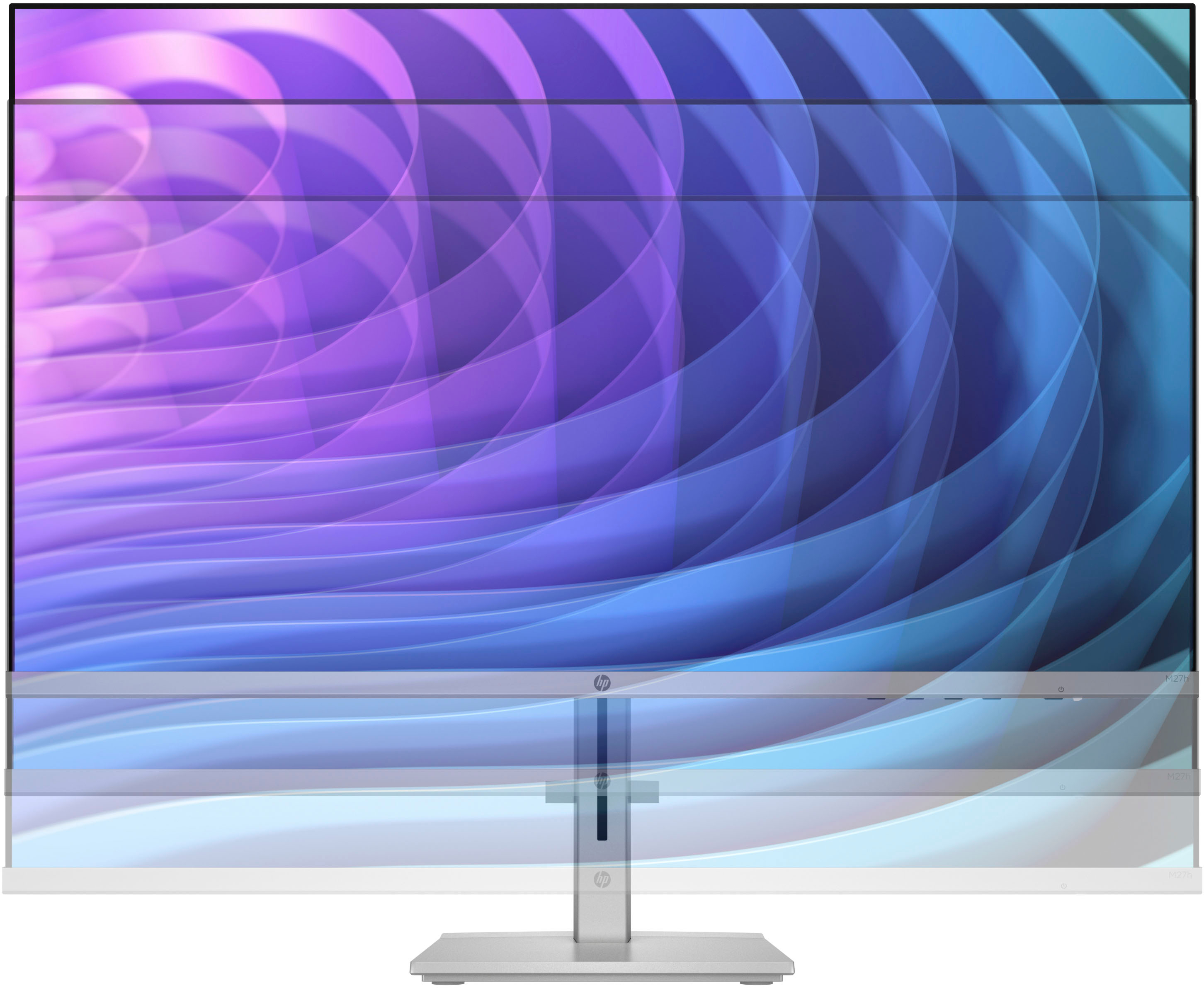
|Posted .This reviewer received promo considerations or sweepstakes entry for writing a review.PROs: - Toolless design made for fast/simple assembly; the vertical support arm securely fastened to the base with two thumbscrews; an additional thumbscrew secured the back of the vertical mounting plate to the rear of the monitor. HP even throws an HDMI cable into the box so I was hooked up and ready to go within a few minutes - The support base features some nice anti-skid rubber feet to keep the monitor from sliding around while not taking up too much desk real estate beneath the panel - The monitor stand offers an integrated cable routing clip and 4" of vertical height adjustment with 5 or so degrees of forward tilt and a good 15 degrees of rearward tilt - Great QC on the panel itself--I found no dead pixels whatsoever and uniformity was very smooth with no obvious hot spots or dim zones on full-screen colors - Windows 11 immediately recognized the monitor and reported available refresh rates of 50Hz, 60Hz, and 75Hz - Virtually bezel-free design makes for a handsome and svelte presentation on your desktop; all menu and adjustment buttons are tucked away on the bottom of the panel's enclosure with only a single non-intrusive (and defeatable) LED in the lower-right corner making for a totally streamlined and uncluttered look - Typical of IPS displays, off-axis viewing angle is substantial with only minor loss in brightness and color quality at the extremes; you can easily sit two-abreast for productivity work or 2-player gaming - 3 inputs (2 HDMI and 1 VGA) allow the monitor to pair with legacy hardware or act as an additional digital display for a media player/streamer or game console in addition to PC; there is even a limited video range option in the Brightness+ submenu to accommodate RGB signals from older video devices that cannot use the full range (0-255) of RGB values - Many picture quality and gaming-oriented customization options offer adjustments for various brightness and contrast settings; color settings and color profile selection; image adjustments including FreeSync, response time, sharpness, and image scaling; auto-sleep power settings; input selection; and various menu customization options including the ability to re-assign three of the menu buttons to different functions/shortcuts - Gamers especially will appreciate response times as fast as 5ms GtG (with overdrive set in the "Response Time" submenu to Level 5 - Fastest) as well as "Black Stretch" which progressively increases the visibility of details hidden in particularly dark areas of the screen--great for seeing hidden baddies, secret entrances, or additional treasures hiding in dark corners - The HP M27h's inclusion of FreeSync 2 is a game-changer for anyone who has used only fixed-refresh monitors for PC gaming--my NVIDIA card immediately recognized the panel as G-Sync capable thanks to FreeSync's open-source VRR implementation and NVIDIA's move a few years back to support it. Gameplay was beautiful and buttery smooth and those of you with lower-end cards will undoubtedly appreciate how the variable refresh rate display helps eliminate stutters and tearing at lower FPS - The matte screen is simply outstanding for reducing glare without looking hazy or cheap - I've never had much use for many manufacturers' gimmicky color profiles--I prefer a beautiful, vibrant, accurate picture to something that features a deep cast of blue (cool) or orange (warm, night, etc.). In particular, I was thoroughly turned off by HP's earlier implementations of its HP Enhance+ picture mode--it featured totally blown-out detail/edge enhancement and sharpness settings that rendered images to look like they were repainted with comic book-style cell-shaded textures. However, this latest iteration of HP Enhance+ in the M27h isn't all that bad. Yes, contrast, sharpness, and edge enhancement are all still through the roof, but I know some people really go for the added "pop" and easy-to-see details in certain types of games and it's nice that HP gives you a picture option to accommodate those tastes that doesn't *completely* butcher the original image - Personally, I have found that most HP monitors slightly accentuate greens out of the box. But with just minor RGB slider adjustments in the color menu (R: 255,G: 237,B: 252), I was able to dial in color accuracy to within a few degrees of 6500K at about 204 nits brightness. This is more than respectable color accuracy performance, especially for a budget monitor, and the resultant picture quality was just outstanding. Those of you without a colorimeter but are still after a fairly accurate picture would be well served picking the "Native" color profile which came in just a tad above neutral but offered an even brighter, more vibrant picture at almost 234 nits CONs: - There is typical IPS glow in the corners of the display, and while you probably won't notice it much in actual use for productivity tasks, gaming, or widescreen media, it was readily apparent in a darkened room especially around pillarboxed 4:3 content - The sleek visual design sometimes made menu actuation and navigation a little more difficult than it needed to be. The power button is actually to the left of the power LED; it is marked by a VERY faint power icon printed on the silver bezel, but it's virtually impossible to see so it's hard to tell where exactly to place your finger (and how far back) to activate the control. There are no other dimly printed icons for the other menu buttons on the bezel so you have to blindly slide your fingers around even further to the left of where the power switch is likely to be until you feel one of the other menu buttons. Fortunately, HP does leave persistent OSD icons on the screen *exactly* above the locations of the menu buttons once the menus are actually visible on the screen--this does help considerably once you start navigating the menus and making adjustments - There is no VESA mounting point on the back of this monitor so you are forced to use the included stand--this is a real shame because the picture quality was nice enough that it would make for a killer budget multi-monitor setup on an adjustable or stackable swingarm - The included stand offers NO rotation whatsoever so you cannot use this monitor in portrait orientation--this was a crushing disappointment as the budget pricing would also make the M27h a very attractive auxiliary monitor during gaming, streaming, content creation, or productivity/document editing while flanking a larger widescreen or ultrawide monitor - The design cues of the display offer a bit of modern flair with a thicker base near the bottom of an otherwise paper-thin panel. Yet despite the lower center of gravity of the panel itself, and the really low mounting point of the panel to the stand, the monitor does not feel very solid on the desktop. Though you're not going to easily knock it over, even lightly pressing any of the menu buttons results in a great deal of shaking, flex, and wobble of the entire monitor/stand assembly - You already know going in that this monitor doesn't have any onboard speakers, but despite having 2 HDMI inputs, there is no 3.5mm audio jack for basic headphone output. This may reduce the value proposition of the M27h a multi-source media switcher/display for HDMI digital components--if audio is involved--because you have to route both audio signals separately (speakers, headphones, etc.) from both cables used for the monitor inputs In the end, this is really a strong-performing monitor for the dollar. Despite being very simple to use, it offers some deeper video/image customization options that will appeal to budget-conscious gamers, content creators, and productivity application users alike. The 27" screen offers a lot of visual real estate and a very pleasing 1080p picture while the higher refresh rates and FreeSync 2 capabilities make it a great choice for light to moderate gaming where 100+ fps is not needed. Although the panel is captive to the included stand, and you are relegated to using it in landscape mode only, it would still make a great primary display or even part of a larger but reasonably priced multi-monitor setup so long as you have enough desk space to accommodate both monitor bases. For those of you who might be interested, here is a quick rundown of the temperature and output readings I obtained for the M27h's other non-adjustable color profiles; in a refreshing change from one of the earlier HP monitors I used, you can still adjust settings like FreeSync, Black Stretch, Sharpness, and Response Time in the other color modes: - Warm: slightly over-saturated red w/little larger bump in green, under-saturated blue (5310K, 81 nits) - Neutral: very over-saturated green, under-saturated red (6832K, 179 nits) - Cool: under-saturated red, over-saturated greens, very over-saturated blue (9387K, 133 nits) - Native: slight cut in red, slight bump in green (6734K, 234 nits) - Night: completely blown out reds with deep cut in blue (3006K, 92 nits) - HP Enhance+: slight dip in red and slight bump in green (6836K, 179nits)
I would recommend this to a friend- Pros mentioned:Price, Resolution, Screen size
High Quality Monitor
||Posted . Owned for 1 month when reviewed.This reviewer received promo considerations or sweepstakes entry for writing a review.Clean and crisp image. Using it for gaming consoles only. XBSX and PS5 look stunning even though it’s only 1080p 60fps, both systems upscale and supersample perfectly. Got it on sale @ $129, what a steal. Would’ve paid full price for this High Quality Monitor…
I would recommend this to a friend Fantastic Monitor
|Posted .This reviewer received promo considerations or sweepstakes entry for writing a review.Happy to write a review on this HP M27h monitor. From the unpacking to the viewing, this is top notch. First, the unpacking and set up was a true breeze. No tools needed at all. You simply have two a couple of screws with wing flaps to turn by hand. Brilliant job HP. The look is so slick and clean. I love the ease of sliding it up and down for Hight adjustment, You have about a 4 inch travel, so it should fit most people’s needs. The back of the stand has a nice cable guide in the middle, and the base is a nice flat surface. The monitor has two HDMI and one VGA connection on the back. It was simple plug n play for me. No set up and no adjustments. Looks perfect straight out of the box. Nice slick thin bevels, so your image comes right out to the ends of the screen. The screen has the nice matte finish to stop the reflection of light and the color is fantastic. Screen refresh is fast as well. Plenty of adjustments that are easily navigated when needed. AMD FreeSync for the gamers as well. This avoids tearing and reduces stuttering caused by misalignment between the screen's refresh rate and the content's frame rate. I have no critiques of this monitor at all. Very well done HP! Highly recommend
I would recommend this to a friend- Pros mentioned:Screen sizeCons mentioned:Eye strain
Liking it a lot!
||Posted . Owned for 3 weeks when reviewed.This reviewer received promo considerations or sweepstakes entry for writing a review.This is my first time buying a monitor, absolutely my experience with this monitor was astounding to say the least. Compared to my old Dell where my eyes are straining every time I used them, this one was a relief. Very soft for my viewing and the it was the right size for my setup. My other monitor was a 24" HP. This is my primary on a 2 monitor setup and loving the experience so far.
I would recommend this to a friend - Pros mentioned:Design
Great Looking, Just More To Be Desired
|Posted .This reviewer received promo considerations or sweepstakes entry for writing a review.TL;DR Pros -Very slim design -IPS panel -5ms Response time -AMD Freesync Cons -Reasonable Panel Brightness -No VESA mount unless bought separately -Plastic shell -Bulky Stand with limited range of motion -Unattractive feature to price ration Before I start my review, let me state the main use of this monitor. I have a 3 monitor setup with a mix of curved and straight designs, they also have a mix of both IPS and TN panels, and 2k and 1080p resolutions. What I wanted to use this monitor for is to replace my 3rd monitor, which I use to watch content or just have background applications running suck as slack, outlook, spotify etc… Now for my review let me start with the box. Inside the box is a simple layout of what you get. Inside you will find your Power Supply Unit, an HDMI cable, the quick setup pamphlet, the 2 pieces that make up the stand, and under all of that the monitor. It’s a nice basic and simple layout that makes it easy to get the monitor up and running. Once I got everything out of the box, my first nitpick was the power supply. While it is not bulky it is still an annoyance to find a place to hold the brick unlike other monitors where you just run one cable. My second nitpick was the build of the stand and shell. While it is not implied to be built out of a premium finish, the material does feel somewhat of a scratch magnet. They do add metal to the inside to make it sturdier but once you hold it, it feels off. Also, it was at the time I realized the monitor does not have VESA mounting holes, which was my mistake for assuming it did. I will give HP props for making the monitor very slim (about 6 mm) with a nice look to it. Once I turned the monitor on, I calibrated it to my liking but noticed the brightness was at its highest (300 nits) which is about the same as my TN panel. I will say its saving grace is the slightly richer colors compared to my TN panel, but was not enough to convince me it was a good decision to replace that monitor. Overall I will say if you are planning to use this monitor for your office, and or study room it is ok. But if you end up having a more complex set up or you want to use it for your media I will say you will find 2K IPS monitors for about the same price. I have nothing against HP or the monitor but after considering the downsides of this monitor, I would recommend going for a better option.
No, I would not recommend this to a friend - Pros mentioned:Design, Resolution, Screen size
Best Scree
||Posted . Owned for 2 weeks when reviewed.This reviewer received promo considerations or sweepstakes entry for writing a review.Compared many models this is HP is by far the best for long hours on front of the screen. Great resolution. Soft antiglare on eyes. Lat but not least, beautiful design.
I would recommend this to a friend - Pros mentioned:Ease of use, Screen size
Perfect buy.
||Posted . Owned for 1 month when reviewed.This reviewer received promo considerations or sweepstakes entry for writing a review.Great price and clarity. Love the size easy to install / setup right out of box and adjusting the screen height and angle is smooth and easy.
I would recommend this to a friend - Pros mentioned:Resolution, Screen size
A Fantastic Monitor for All Your Needs!
||Posted . Owned for 1 month when reviewed.This reviewer received promo considerations or sweepstakes entry for writing a review.I recently purchased the HP 27" IPS LED FHD FreeSync Monitor with Adjustable Height in Silver & Black, and I must say that it has exceeded all my expectations. This monitor is an absolute game-changer, and I couldn't be happier with my purchase. First and foremost, the visual quality is stunning. The 27-inch IPS LED display offers crisp and vibrant colors, with a Full HD resolution that ensures sharp and clear images. Whether I'm working on spreadsheets, watching movies, or playing games, the picture quality is top-notch, and I appreciate the wide viewing angles that the IPS panel provides.
I would recommend this to a friend