Customer Ratings & Reviews



- Model:
- N9J90AN#140
- SKU:
- 5976500
Rating by feature
- Value
Rating 4.3 out of 5 stars
- Quality
Rating 4.6 out of 5 stars
- Ease of Use
Rating 4.7 out of 5 stars
to a friend
Customers are saying
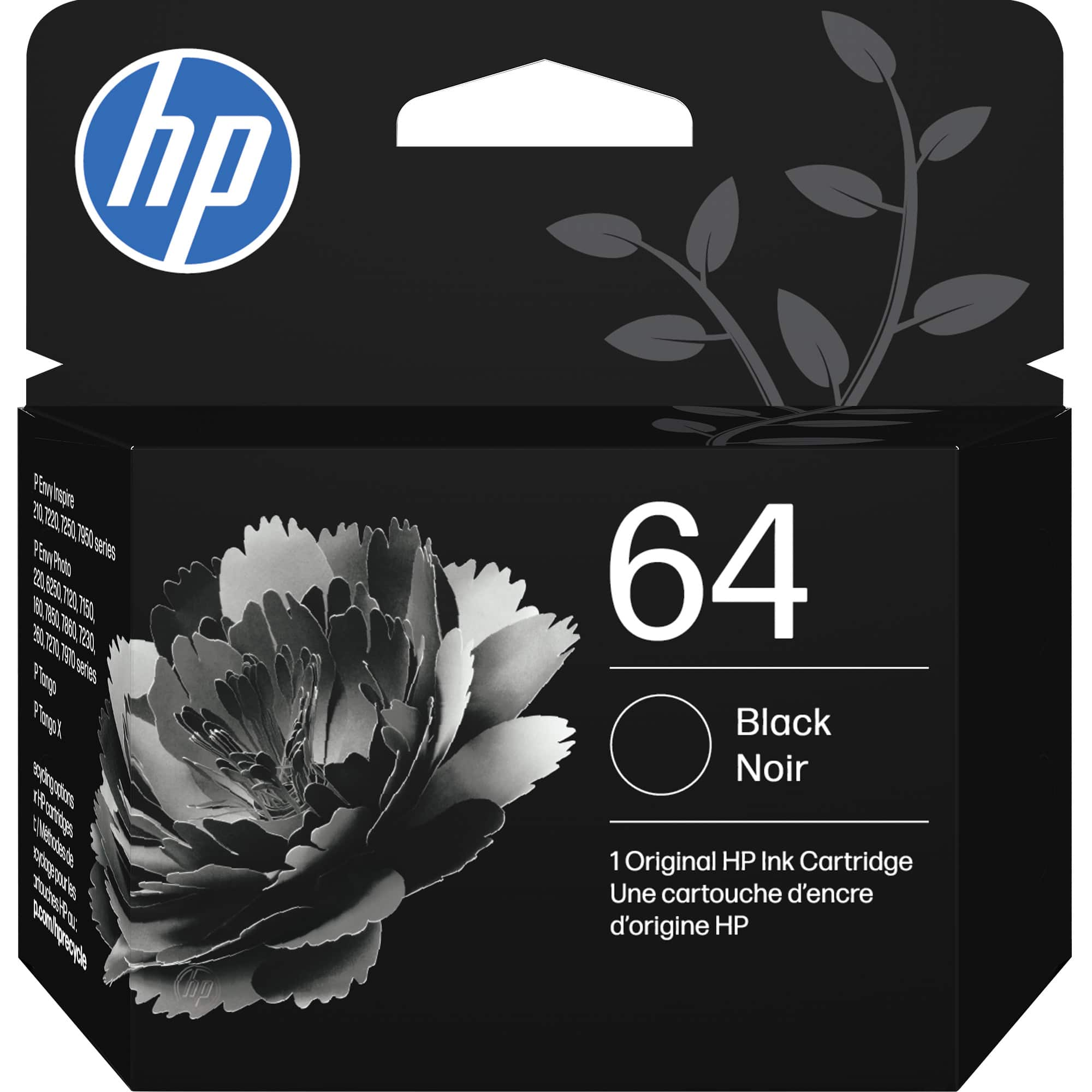
Customers have good things to say about the 64 Standard Capacity Ink Cartridge, especially regarding its excellent ink quality and ease of installation. Many appreciate the product's affordable price point and seamless compatibility with their printers. Overall, customers seem happy with the cartridge's performance and availability.
This summary was generated by AI based on customer reviews.
It's ink
||Posted . Owned for 1.5 years when reviewed.This reviewer received promo considerations or sweepstakes entry for writing a review.It's ink. Wish it lasted longer for my printer but okay value.
I would recommend this to a friendInk
||Posted .This reviewer received promo considerations or sweepstakes entry for writing a review.Not happy prints very light this is the ink recommended by printer
No, I would not recommend this to a friendBrand response from HP Team
Posted .Hi Yvette,
I am sorry that your cartridge was not printing dark enough. I can understand if you are irritated by that fact.
Information about returning it to the store or by mail can be found at:
https://www.bestbuy.com/site/help-topics/return-exchange-policy/pcmcat260800050014.c
Mary Chris
HP Care
hp.com/support
Ink fades so quick
||Posted . Owned for 1 month when reviewed.This reviewer received promo considerations or sweepstakes entry for writing a review.This is my second ink since I got the printer and I am very disappointed when I see that my printing of only 9pages and it's started showing faded print out. It looks that the ink is not of good quality, will not last long such that the machine will go automatic order. It sucks!
No, I would not recommend this to a friendBrand response from HP Team
Posted .Hi Tom,
I am sorry that the cartridge isn't printing well now. It sounds like it is running out of ink too early.
If you haven't had the cartridge very long and it is running low, you can try contacting Best Buy about a return.
According to the Best Buy website: "If you receive a product that is damaged in shipping, defective or that is not the product you ordered, please return it during your return and exchange time period to Best Buy and we'll arrange for a replacement. If you would rather return the item by mail during your return and exchange time period, please call us for special instructions at 1-888-BEST BUY (1-888-237-8289)."
Mary
HP Care
hp.com/support
Does the job, but not for long.
||Posted . Owned for 2 months when reviewed.This reviewer received promo considerations or sweepstakes entry for writing a review.These ink cartridges provide ink, but dry up too quickly. I’ve never gotten my money’s worth out of them.
No, I would not recommend this to a friendBrand response from HP Team
Posted .Hi,
I am sorry that the cartridges you got performed so poorly. I can understand why you are disappointed with them.
Here are a few facts about ink usage that might help you get more printouts next time without too much extra effort:
- A high-density print (like an image or graph) will use the ink more quickly than a text-only document, particularly if the paper is highly absorbent and the environment is dry. If you print a lot of photos and such, it is likely that Instant Ink will be a good option for you, since you pay by the page, not for cartridges. Details at: instantink.com
- A lot of black is used in most printouts, so it usually runs out faster. However, using the draft and black only settings on your printer can help save on ink, particularly the colors.
- Shutting the printer down between uses can result in some savings. However, always use the power button on the printer itself to turn it off. That will let the printer to 'park' so that the nozzles that spray the ink onto the paper are protected from excess drying.
When it appears that the low page yield was caused by a defective cartridge, you can always contact the seller about it.
Mary
HP Care
hp.com/support
Goes dry before printing the max pages
||Posted . Owned for 1 month when reviewed.This reviewer received promo considerations or sweepstakes entry for writing a review.Goes dry before printing the advertised number of pages, so it keeps you buying a new one to print a couple of pages
No, I would not recommend this to a friendDried out and not useable
||Posted . Owned for 1 month when reviewed.This reviewer received promo considerations or sweepstakes entry for writing a review.I replaced my cartridge with this new one. Not able to print. The cartridge was completely dried out. This is not the first time that genuine HP ink has done this to me.
No, I would not recommend this to a friendBrand response from HP Team
Posted .Hello,
Oh no! Opening up dry cartridges is not fun. It is a possibility that the cartridge dried in the packaging. That is not the outcome we hope for our customers. We take precautions to wrap each cartridge and protect the printhead carefully.
I am saddened to hear this case has happened to you multiple times. If you would like to speak to our staff further, go to www.support.hp.com/us-en/contact-hp/.
Amanda
HP Care
www.hp.com/support/
Waste of money
||Posted . Owned for 1 year when reviewed.This reviewer received promo considerations or sweepstakes entry for writing a review.This is the second consecutive black ink cartridge I've purchased that stopped working. I don't print very often, and the color has always worked, but the black ink stops working. I really, really regret buying HP.
No, I would not recommend this to a friendBrand response from HP Team
Posted .Hi there James,
I apologize. This is the second time you have had trouble with the cartridges. Have you tried realigning the printer? If this happens with multiple cartridges, reading black cartridges could be an issue. I'm so sorry you had this experience. Please reach out to support.
Amanda
HP Care
www.hp.com/support/
Does not last
||Posted .This reviewer received promo considerations or sweepstakes entry for writing a review.Lasted only 50-60 pages for small black and white printing.
No, I would not recommend this to a friendBrand response from HP Team
Posted .Hello,
I’m really sorry to know that your cartridge’s yield was not as much as you had expected. Please, let me help you to improve your experience.
Please, considers these tips to improve the yield of your cartridge:
- High density prints (such as photos, for example) usually use more ink than low-density prints (such as text, for example), especially if the type of paper absorbs more or if the environment is particularly dry.
- Using the “draft mode” option when printing can help save ink.
- Turn off the printer at intervals when it is not being used, it helps prevent the cartridges from drying out.
-You could consider accessing the Instant Ink service, which sends you new cartridges when you need them, with flexible monthly plans for your needs. You can find our official Instant Ink site by searching the web using the keywords “HP Instant Ink.”
If you have any other issues or problems don’t hesitate to contact us about them. We would love to solve this problem with you. You can reach us here: hp.com/contactHP
Agata
HP Care
hp.com/support
Great printer
||Posted .This reviewer received promo considerations or sweepstakes entry for writing a review.I like that the shipping is fast, arrived just when I need it.
I would recommend this to a friendVery disappointed
||Posted . Owned for 1 month when reviewed.This reviewer received promo considerations or sweepstakes entry for writing a review.The ink I have is what I couldn't return when I returned the printer that did not have the correct or any discription of how many pages you you could scan at a time. No feeder for more then one page at a time. And to get a hold of anyone in the store. Impossible. I will never recommend ordering on line at all.
No, I would not recommend this to a frienddont buy a hp printer and ink
||Posted . Owned for 1 month when reviewed.This reviewer received promo considerations or sweepstakes entry for writing a review.HP printer and the ink is not worth buying. Unfortunately my Canon died after 5 years of heavy use. This one runs through ink like water. I don't think I even hit 100 pages of light amount of printing before i ran out using the starter and 2 of these 'big' packs. So disappointed
No, I would not recommend this to a friendBrand response from HP Team
Posted .Hi Patti,
I regret that you have had this experience. Ink usage usually determines how long each individual cartridge lasts. High-density prints (like images and graphs) will use more ink, especially if the paper is highly absorbent and the surrounding air is dry.
Here are some things that might help lower your ink usage:
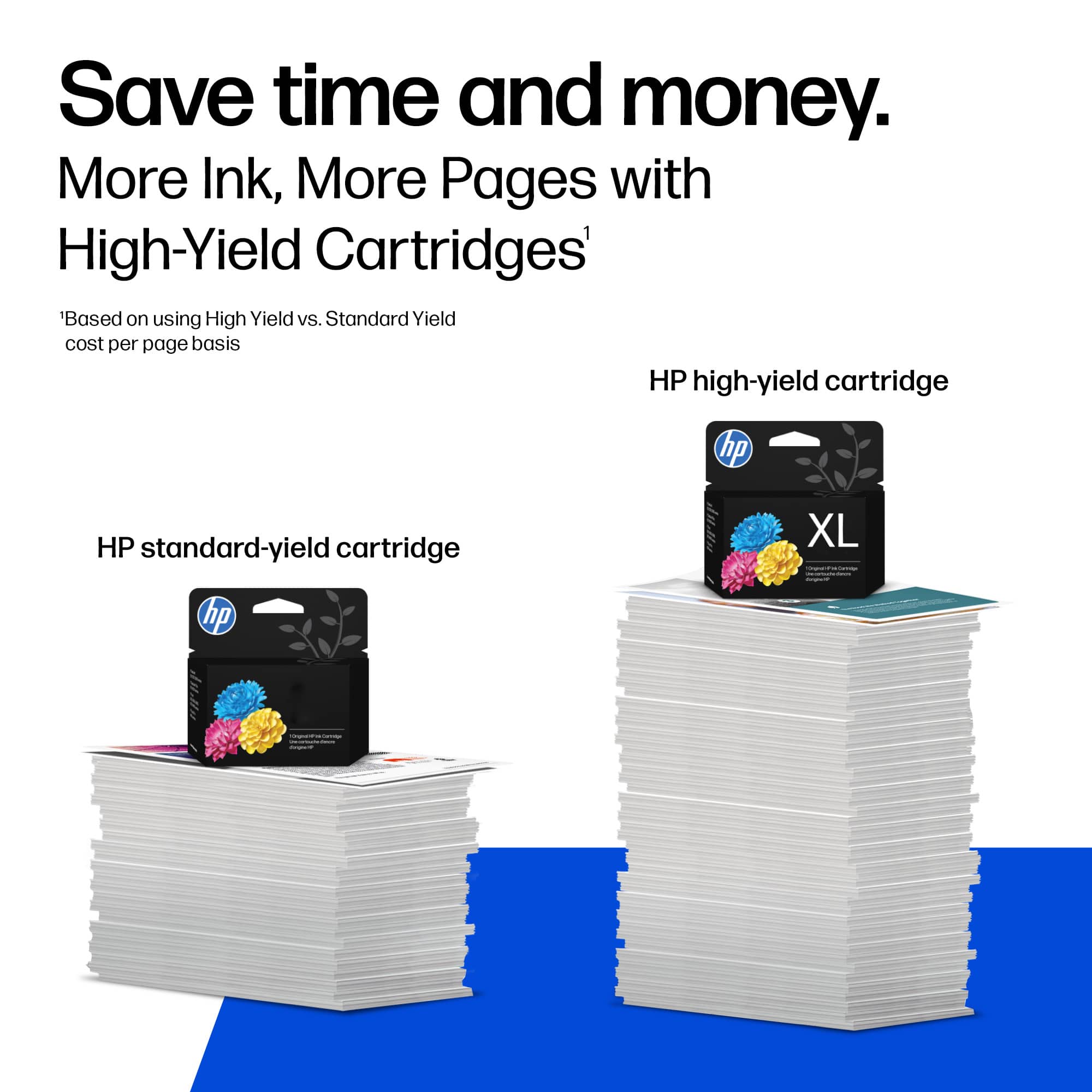
- Consider using XL cartridges. Most say they are a better value
- Set the printer to draft mode whenever possible
- Shut the printer down between uses
- Always use the power button on the printer itself to turn it off. That gives it time to ‘park’ so that the cartridges are protected from excessive drying
- Subscribe to Instant Ink, then you only pay by the page and not for the cartridges themselves
The seller is responsible for the product you bought from them. If the poor performance appears to be due to the individual cartridge itself, consider contacting the seller.
Mary
HP Care
hp.com/support
Low on Ink after a few pages
||Posted .This reviewer received promo considerations or sweepstakes entry for writing a review.The ink performs well in my printer. However, the ink runs out really fast after about 25 pages.
No, I would not recommend this to a friendBrand response from HP Team
Posted .Hi Mimi,
I'm sorry that your ink seems to have been used up too quickly. I can understand how frustrating that can be! You might try the XL version to see if that helps.
Here are a few facts that might help:
- A high-density print (like a photo) will use the ink more quickly than a low-density print (a text-only document), especially if the paper is highly absorbent and the environment is dry.
- Using the draft and black only settings on your printer can help save ink. Please note though that black ink is used a lot in almost every single print job.
- Shutting the printer down between uses can help. However, always use the power button on the printer itself to turn it off. That will let the printer 'park' itself so that the cartridges are protected from excess drying.
- If you suspect there was something wrong with the cartridge, you are always free to contact the seller.
If none of those tips work, and if a defective genuine HP cartridge is not replaced by the seller and is still within the warranty end dates on the cartridge, you can reach out to us for support: hp.com/contactHP
Mary
HP Care
hp.com/support
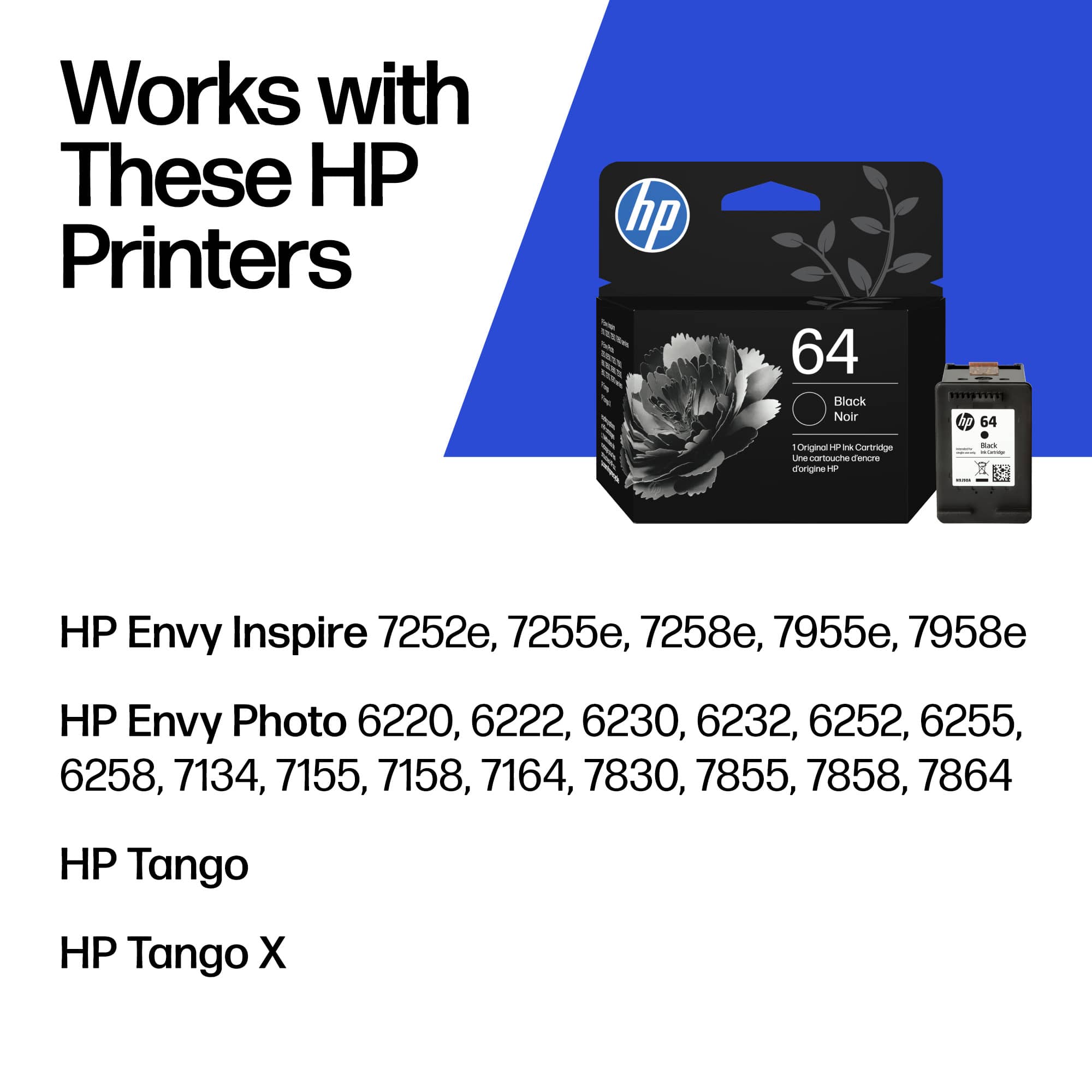
I was told to order #64 ink instead of #67
||Posted . Owned for 3 weeks when reviewed.This reviewer received promo considerations or sweepstakes entry for writing a review.When I ordered my HP ENVY Pro 6455, the site recommended this #64 cartridge. I purchased and opened the package to install in new printer only to discover I actually needed #67!!! Because package had been opened Employee would not let me return the unused item. Company sold me incorrect item!
No, I would not recommend this to a friendpoor capacity
||Posted .This reviewer received promo considerations or sweepstakes entry for writing a review.The ink cartridge does not last as long on the envy 7855 as our older printer.
I would recommend this to a friendBrand response from HP Team
Posted .Hi,
I'm sorry that the cartridges don't seem to last as long. Perhaps I can give you some tips to save on ink and that will help.
Here are a few facts:
- A high-density print (like a photo) will use the ink more quickly than a low-density print (a text-only document), especially if the paper is highly absorbent and the environment is dry
- Using the draft and black only settings on your printer can help save ink (particularly colored ink).
- Shutting the printer down between uses can help. However, always use the power button on the printer itself to turn it off. That will let the printer 'park' itself so that the cartridges are protected from excess drying.
- If you suspect there was something wrong with the cartridge, you are always free to contact the seller.
If a problem seems to be a genuine HP cartridge that is defective, that it is not replaced by the seller (and is still within the warranty end dates on the cartridge) you can reach out to us for support: hp.com/contactHP
Mary
HP Care
hp.com/support
bad purchase
||Posted . Owned for 5 months when reviewed.This reviewer received promo considerations or sweepstakes entry for writing a review.Even though website says 200 pages, mine got finished in just 20 pages, even though i using HP standard match printer and only printed BW docs. not recommending this product
No, I would not recommend this to a friendBrand response from HP Team
Posted .Hi,
I am sorry that you had this problem. The advertised estimates of pages are based on a standard set of prints used by the industry.
Normally, ink usage determines how long a cartridge lasts. High-density prints (such as images and graphs) will use more ink, especially if the paper is very absorbent and the air is warm and dry.
Here are some things that might help lower your ink usage:
- Black is used a lot in almost every printout. Use the printer's draft mode whenever possible, to help stretch out black and colored ink
- Always use the power button on the printer itself to turn it off. That gives it time to ‘park’ so that the cartridges are protected from excessive drying.
- Shutting the printer down between uses will save electricity and a few drops of ink here and there that are used to keep the inkjets cleared and ready for your next print job.
- Instant Ink lets you pay by the page. Check out the details at: instantink.com
Mary
HP Care
hp.com/support
Review HP64
||Posted . Owned for 3 weeks when reviewed.This reviewer received promo considerations or sweepstakes entry for writing a review.Insufficient amount of ink, not satisfied with product
No, I would not recommend this to a friendwrong one for the 7355
||Posted . Owned for 2 weeks when reviewed.This reviewer received promo considerations or sweepstakes entry for writing a review.bought this when i bought the printer and was the wrong one... needed the 65. needless to say it set error codes upon installation. tried to return it... but best wouldnt take it back. bought the 65 while i was there anyway.
No, I would not recommend this to a friendBad ink
||Posted . Owned for 1 week when reviewed.This reviewer received promo considerations or sweepstakes entry for writing a review.Hope this product is not old snd dried up the lAdt one o bought from you .. I understand you have no inventory but to have is pay for ink that is dry… therefore o ink?! And not take it back k?
No, I would not recommend this to a friendBrand response from HP Team
Posted .Hi,
I am sorry that you had this problem. The seller is responsible for the product they sold you. If poor performance appears to be due you getting a partially filled or defective cartridge, consider contacting the seller about that.
Information about returning it to the store or by mail can be found at: bestbuy.com/site/help-topics/return-exchange-policy/pcmcat260800050014.c
You can contact Customer Care at 1-888-BEST-BUY (1-888-237-8289).
Mary
HP Care
hp.com/support
BOO & HISS
||Posted . Owned for 3 weeks when reviewed.This reviewer received promo considerations or sweepstakes entry for writing a review.It is ink. Stop sending me review requests for ink. They keep sending until I fill this out. BOO & HISS
I would recommend this to a friendINK SHORTAGE
||Posted .This reviewer received promo considerations or sweepstakes entry for writing a review.I just purchased this ink on June 4, then had to purchase and replace the ink by June 24. I can’t believe the ink only last a few weeks. I’m not impressed; and should not be replacing ink cartridges so soon.
No, I would not recommend this to a friendBrand response from HP Team
Posted .Hi Reese,
I am sorry that you did not get a long-lasting cartridge. Ink usage of the cartridge will determine how long it lasts in your printer (unless it was damaged or defective). High-density prints (such as images and graphs) will use more ink, especially if the paper is highly absorbent and the air is dry.
Here are some things that might help lower your ink usage:
- Most people have found that the XL version of the cartridges are a much better value.
- Make use of the printer's draft mode whenever possible, to help stretch out your ink
- Shut the printer down between uses; however, always use the power button on the printer itself to turn it off. That gives it time to ‘park’ so that the cartridges are protected from excessive drying.
- Consider getting Instant Ink. The subscription plans let you pay by the page. Check out the details at: instantink.com
When a cartridge is low on ink to begin with, or it appears that poor page yield was due to a defect, please return it to the seller.
Mary
HP Care
hp.com/support