Customer Ratings & Reviews
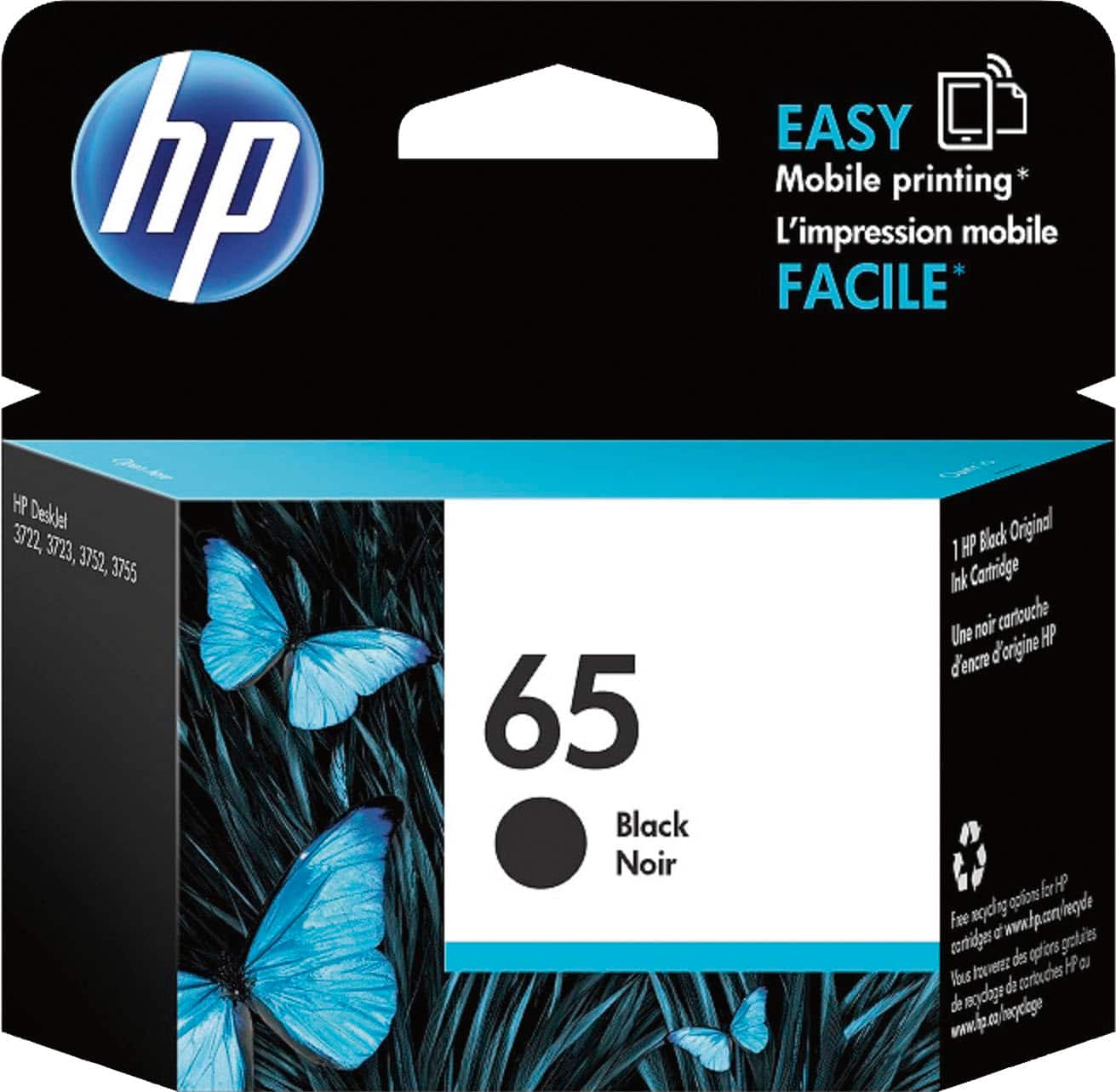
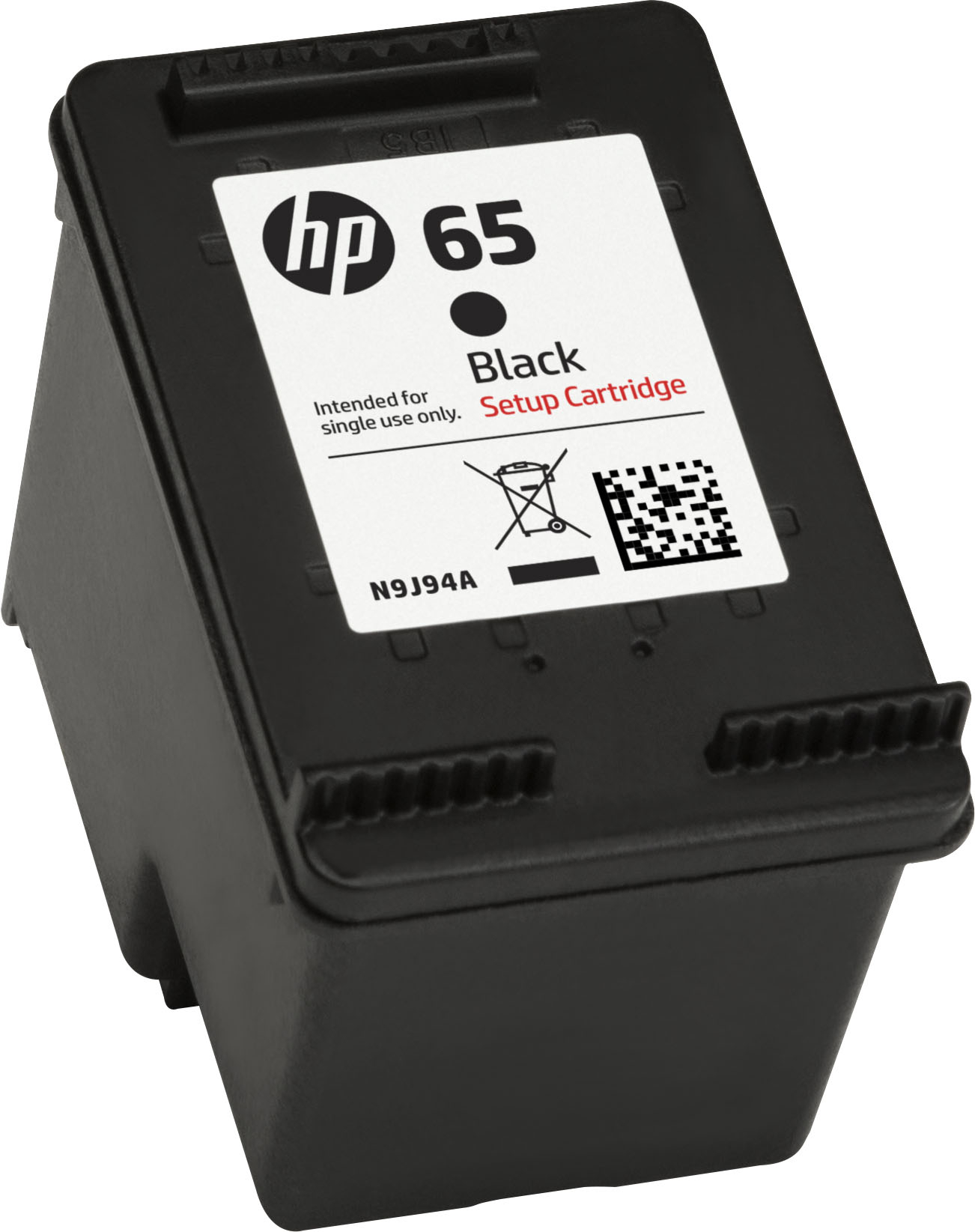





- Model:
- N9K02AN#140
- SKU:
- 11791346
Rating by feature
- Value
Rating 4.4 out of 5 stars
- Quality
Rating 4.7 out of 5 stars
- Ease of Use
Rating 4.8 out of 5 stars
to a friend
Good
||Posted .This reviewer received promo considerations or sweepstakes entry for writing a review.Just what I wanted to be able to print. Easy to install in the HP printer.
I would recommend this to a friendno op new machine
||Posted . Owned for 9 months when reviewed.This reviewer received promo considerations or sweepstakes entry for writing a review.helo the machine will not operate need help will not start need help
I would recommend this to a friendInk cartridge for printer
||Posted .This reviewer received promo considerations or sweepstakes entry for writing a review.The ink cartridge for the printer meets prefomance expectations.
I would recommend this to a friendInk
||Posted . Owned for 1 month when reviewed.This reviewer received promo considerations or sweepstakes entry for writing a review.I asked the sales agent several times and I still got the wrong ink
No, I would not recommend this to a friendBrand response from HP Team
Posted .Hi,
It sounds like you were confused about what ink to buy, and the salesperson directed you to an incompatible cartridge. It can happen for several reasons, but I imagine this caused a delay in printing. If you navigate to the HP website, search for your printer model. The webpage should contain a list of compatible cartridges. If you have any questions, check out www.hp.com/support/. Our support team will help you find the correct cartridge.
Amanda
HP Care
www.hp.com/support/
Perfect
||Posted .This reviewer received promo considerations or sweepstakes entry for writing a review.Great product. Perfect fit for the printer. Would buy again
I would recommend this to a friendPrinter ink (65) Black
||Posted . Owned for 5 months when reviewed.This reviewer received promo considerations or sweepstakes entry for writing a review.I cant believe that I bought this cartdrige in May and its out!! I have barely printed anything! Next time, I'll keep a close account of how many pages I print. I swear I have not used it on more than 25 pages!
No, I would not recommend this to a friendBrand response from HP Team
Posted .Hello,
I am sorry that you encountered this problem with the cartridge. I am very sorry to hear about this.
Normally, ink usage determines how long a cartridge lasts. High-density prints (such as images and graphs) will use more ink, especially if the paper is very absorbent and the air is dry.
Here are some things that might help lower your ink costs:
- Black is used a lot in almost every printout. Make use of the printer's draft mode whenever possible, to help stretch out black and colored ink
- Always use the power button on the printer itself to turn it off. That gives it time to ‘park’ so that the cartridges are protected from excessive drying.
- Shutting the printer down between uses will save electricity and a few drops of ink here and there that are used to keep the inkjets cleared and ready for your next print job.
- Instant Ink lets you pay by the page. Check out the details at: instantink.com
If it appears that poor performance is due to a defect or you were sent a cartridge already low on ink, please contact the seller.
According to the Best Buy website: "If you receive a product that is damaged in shipping, defective or that is not the product you ordered, please return it during your return and exchange time period to Best Buy and we'll arrange for a replacement. If you would rather return the item by mail during your return and exchange time period, please call us for special instructions at 1-888-BEST BUY (1-888-237-8289)."
Mary
HP Care
hp.com/support
Can’t get enough prints. Way less ink.
||Posted . Owned for 1 year when reviewed.This reviewer received promo considerations or sweepstakes entry for writing a review.Ink only sufficient for 70 pages. This product is a rip off that pries on consumers looking for a cheap printer but then charges enormous sums of money to maintain them.
No, I would not recommend this to a friendsmall amount
||Posted . Owned for 1 week when reviewed.This reviewer received promo considerations or sweepstakes entry for writing a review.I did not print many pages and the ink cartridge went away quickly. I printed maybe 30 pages.
I would recommend this to a friendGood for the first time using printer
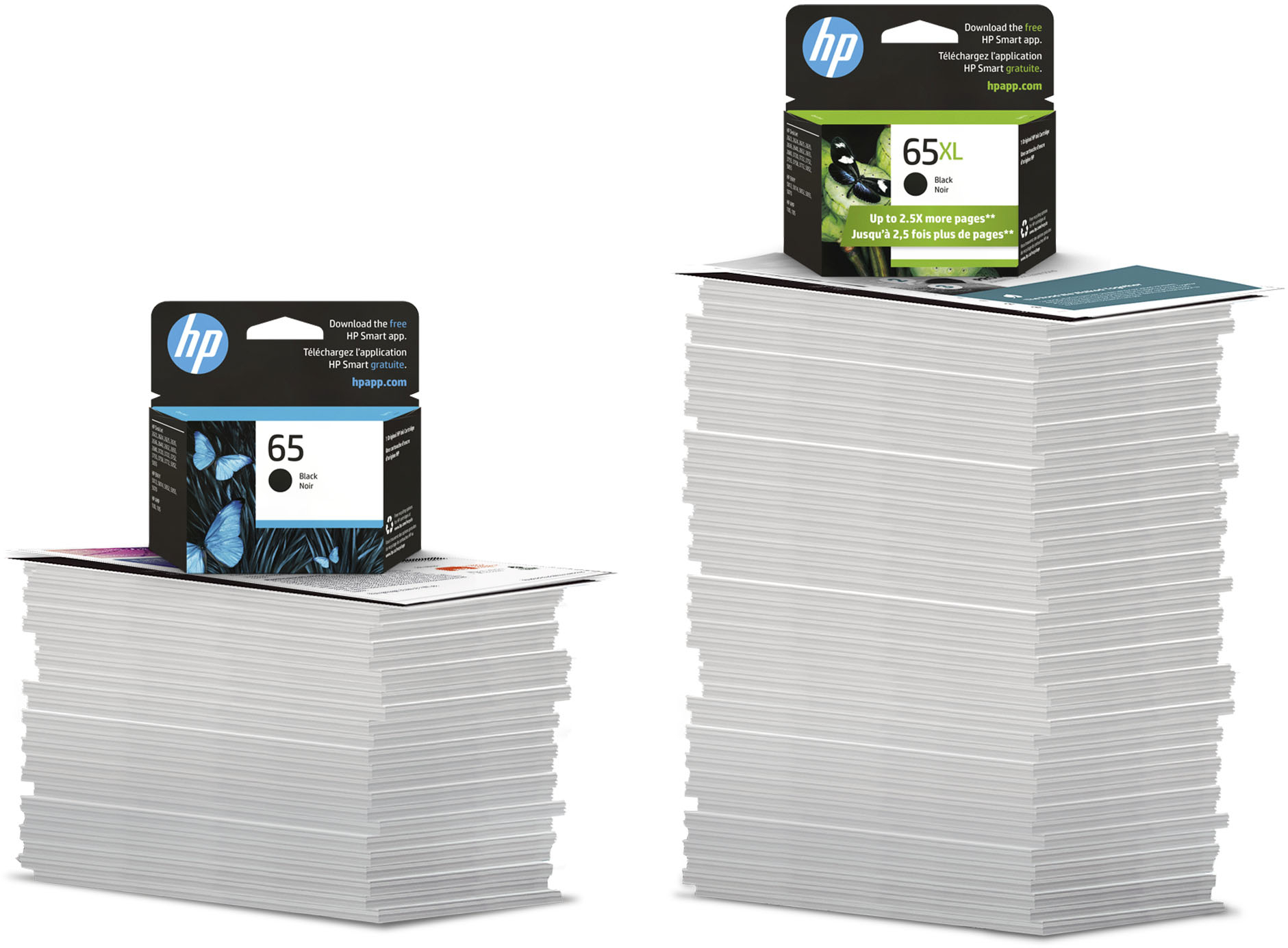
||Posted .This reviewer received promo considerations or sweepstakes entry for writing a review.Didn’t know that if you did not buy the 65XL,you cannot print over 8 pages. Bought two before I realize I needed the XL
No, I would not recommend this to a friendBrand response from HP Team
Posted .Hi Tigerhood, thank you for letting us know about your recent experience with HP 65 Black Ink Cartridge. I apologize if our service did not meet your expectations, and appreciate you taking time to share your concerns. I understand that you are unhappy with the number of page yield by the ink cartridge. The ink is used in several ways throughout the inkjet printing process. In general, ink in an ink cartridge is used for printing documents, photographs, and other such materials. Some ink, however, must be used to maintain the health of the print head; some ink is residual, and some ink evaporates. These uses of ink are common, in varying degrees, to printers from all inkjet printer manufacturers. To know more about the ink usage and the page yield click on this link: http://hp.care/2pjTyWZ and I would suggest you do not turn off the printer frequently because every time you power cycle the printer it uses ink for initialization. If you need any further assistance with the ink cartridge you can contact the HP phone support: http://hp.care/2oEj8Fb
Ataullah.
HP Support.
Nice
||Posted .This reviewer received promo considerations or sweepstakes entry for writing a review.Is a really cool article and it awesome printing out
I would recommend this to a friendLack of printable pages
||Posted .This reviewer received promo considerations or sweepstakes entry for writing a review.I purchased this cartridge in order to complete a printing project, and when I installed it in my printer I was only able to print 36 pages before this new cartridge ran out of ink. This cartridge is suppose to print 100 pages, and I was only able to print 36!!!
No, I would not recommend this to a friendBrand response from HP Team
Posted .Hi,
I am sorry that the cartridge didn't last as long as you thought it should. The estimates of pages printed are based on standards set for the industry. How a cartridge will perform in your own printer will vary according to usage and environmental factors.
Ink usage determines how long a cartridge lasts. High-density prints (such as images and graphs) will use more ink, especially if the paper is highly absorbent and the air is dry.
Here are some things that might help lower your ink usage:
- Black is used a lot in almost every printout. Make use of the printer's draft mode whenever possible, to help stretch out black and colored ink
- Shut the printer down between uses; however, always use the power button on the printer itself to turn it off. That gives it time to ‘park’ so that the cartridges are protected from excessive drying.
- Consider getting Instant Ink. The subscription plans let you pay by the page. Check out the details at: instantink.com
The seller is responsible for the product they sent to you. If it was low on ink when it arrived, or if a defect is stopping it from printing, contact the seller about that.
According to the Best Buy website: "If you receive a product that is damaged in shipping, defective or that is not the product you ordered, please return it during your return and exchange time period to Best Buy and we'll arrange for a replacement. If you would rather return the item by mail during your return and exchange time period, please call us for special instructions at 1-888-BEST BUY (1-888-237-8289)."
Mary
HP Care
hp.com/support
Ink
||Posted .This reviewer received promo considerations or sweepstakes entry for writing a review.Great coverage will continue to order from best buy
I would recommend this to a friendExcellent
||Posted .This reviewer received promo considerations or sweepstakes entry for writing a review.We've always used this product, always dependable.
I would recommend this to a friendA long term expense.
||Posted . Owned for 6 months when reviewed.This reviewer received promo considerations or sweepstakes entry for writing a review.It’s a shame the ink cartridge is half the price of the printer.
No, I would not recommend this to a friendCartridges
||Posted . Owned for 4 months when reviewed.This reviewer received promo considerations or sweepstakes entry for writing a review.These cartridges only last for 1 month and less than 25 pages of print.
No, I would not recommend this to a friendBrand response from HP Team
Posted .Hi,
I am sorry that the cartridge didn’t last long for you. I can understand if you are not happy, but rest assured that we take your feedback very seriously.
Perhaps you were printing denser printouts with this cartridge. Ink usage determines how long it lasts. High-density prints (such as images and graphs) will use more ink, especially if the paper is highly absorbent and the surrounding air is dry.
If the poor performance you experienced appears to be due to a defective cartridge, consider contacting the seller about that.
Mary
HP Care
hp.com/support
Wrongcartridge
||Posted . Owned for 9 months when reviewed.This reviewer received promo considerations or sweepstakes entry for writing a review.On February 22, 2021 I bought the HPENVY Pro 6455 all in one printer. You sent me cartridges to replace the black and color. You sent 65 instead of 67 which I needed. So when I install them an error message came up. I took the printer to Best Buy and they told me
No, I would not recommend this to a friendJust No
||Posted . Owned for more than 2 years when reviewed.This reviewer received promo considerations or sweepstakes entry for writing a review.HP and their ink subscription program are terrible. For my needs, it is cheaper and less cumbersome to print documents at UPS and similar services.
No, I would not recommend this to a friendBlah
||Posted . Owned for 1 year when reviewed.This reviewer received promo considerations or sweepstakes entry for writing a review.For some reason these do not last long at all. I do t buy them unless I have to.
No, I would not recommend this to a friendBrand response from HP Team
Posted .Hi,
I am sorry that your cartridge didn't last too long. I hope that I can help this situation.
There is a possibility that the cartridge just needs cleaning. Your printer should have an automatic routine to do that. Check the user guide, if you don't know how to start the cleaning process.
If that helps, the printer might have been turned off using a power strip or switch. While you can save ink by shutting the printer off between uses, the printer should always be turned off using the power button on the printer itself. That will let it 'park' so that the cartridges are protected from excess drying. The drying can cause clogs in the tiny nozzles that spray the ink onto the paper.
When it seems that the low page yield was caused by a defective cartridge, it is always an option to contact the seller about it.
Mary
HP Care
hp.com/support
ink
||Posted .This reviewer received promo considerations or sweepstakes entry for writing a review.ink did last very long, poor quality....................................................
No, I would not recommend this to a friendBrand response from HP Team
Posted .Hi Kathleen,
I'm sorry that your ink seems to have been used up too quickly. I can understand how frustrating that can be!
Here are a few facts about ink usage that might help:
- A high-density print (like a photo) will use the ink more quickly than a low-density print (a text-only document), especially if the paper is highly absorbent and the environment is dry.
- Using the draft and black only settings on your printer can help save ink.
- Shutting the printer down between uses can help. However, always use the power button on the printer itself to turn it off. That will let the printer 'park' itself so that the cartridges are protected from excess drying.
- If you suspect that the low page yield was caused by a defective cartridge, you are always free to contact the seller.
If none of those tips work, and if the defective genuine HP cartridge is not replaced by the seller (and is still within the warranty end dates on the cartridge) you can reach out to us for support: hp.com/contactHP
Mary
HP Care
hp.com/support
Never again will I purchase
||Posted . Owned for 1 month when reviewed.This reviewer received promo considerations or sweepstakes entry for writing a review.I swear, I only got approx 20 to 30 black copies out of this HP 65. I'm done with HP. Use to be on the mail order via Envy replacement until they screwed me over. Going to generic brand of sorts.
No, I would not recommend this to a friendBrand response from HP Team
Posted .Hi Ronald,
I understand your feelings. You have had several instances where you were disappointed. At HP, we care about your experience. I am happy to help. There are a lot of ways to get more pages. Using thinner paper helps, as does printing in print preview. If you would like to talk to support or make a return, that is another option. With some assistance, you can get better results.
Amanda
HP Care
www.hp.com/support/