Customer Ratings & Reviews




- Model:
- DeskJet 4355/AJ4Y0A#B1H
- SKU:
- 6673262
to a friend
Customers are saying
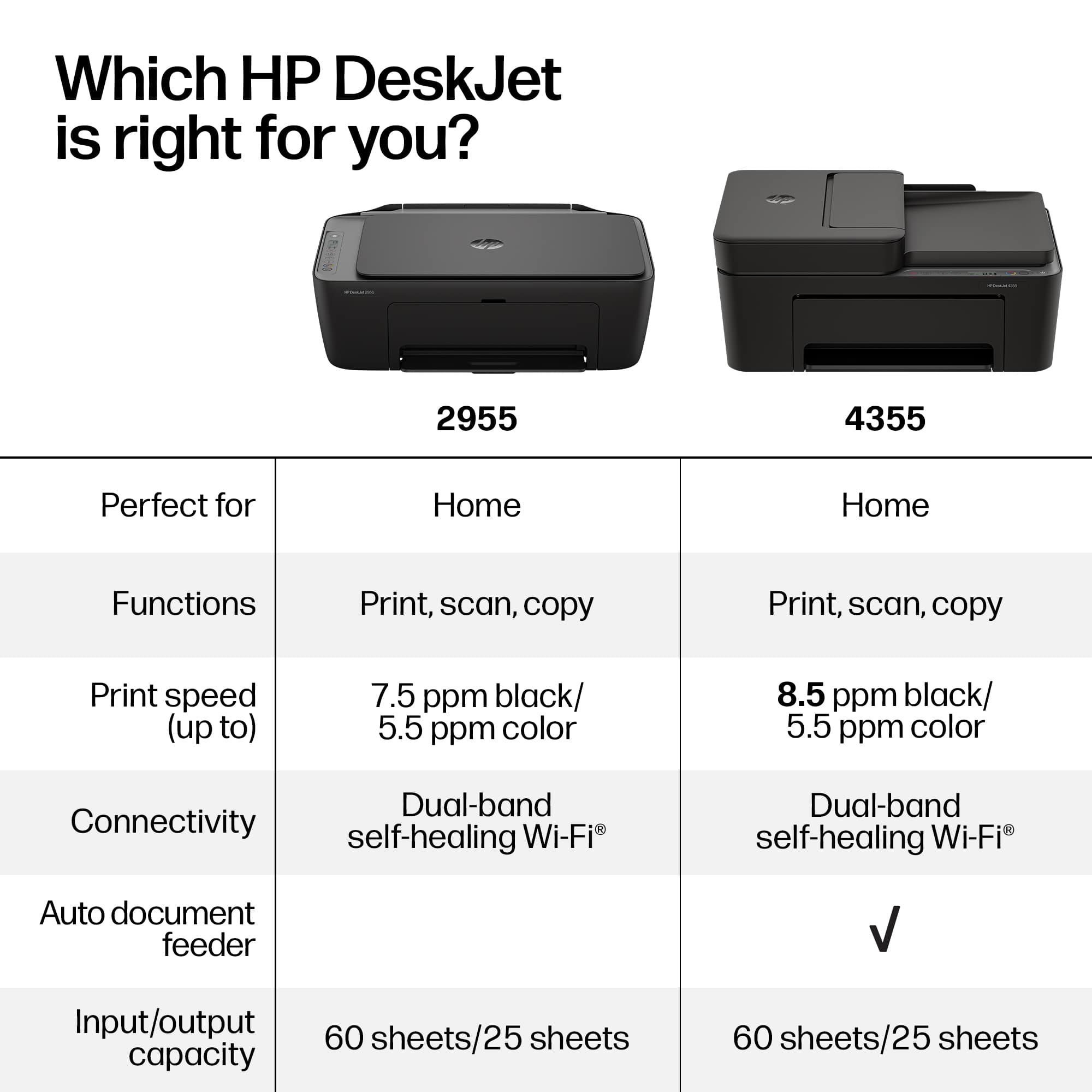
Customers regard this printer as an exceptionally user-friendly device, with many highlighting how simple the initial setup process is. Users are also highly satisfied with the impressive print quality and the reliable wireless connectivity. Additionally, the printer is frequently praised for its quiet operation and compact design, making it a convenient choice for those with limited space.
This summary was generated by AI based on customer reviews.
Poor instructions
||Posted . Owned for 1 week when reviewed.This reviewer received promo considerations or sweepstakes entry for writing a review.Don’t buy this printer if you’re not incredibly tech savvy. They give you no help on setting it up.
No, I would not recommend this to a friendBrand response from HP Team
Posted .We're sorry to hear about your setup experience. We understand how frustrating that can be. The HP Smart app provides guided setup instructions, and HP Support is available to help with installation and connectivity issues if needed.

HP Printer
||Posted . Owned for 1 week when reviewed.This reviewer received promo considerations or sweepstakes entry for writing a review.Didn’t work, returned it to store… the clerk was very nice and courteous
No, I would not recommend this to a friendBrand response from HP Team
Posted .We're sorry to hear the printer did not work as expected. We appreciate your feedback and are glad the return process went smoothly for you.
Deskjet 4300
||Posted . Owned for 3 weeks when reviewed.This reviewer received promo considerations or sweepstakes entry for writing a review.It won't connect to WiFi and HP support is TERRIBLE
No, I would not recommend this to a friend
Good Basic Printer with Plenty of Features
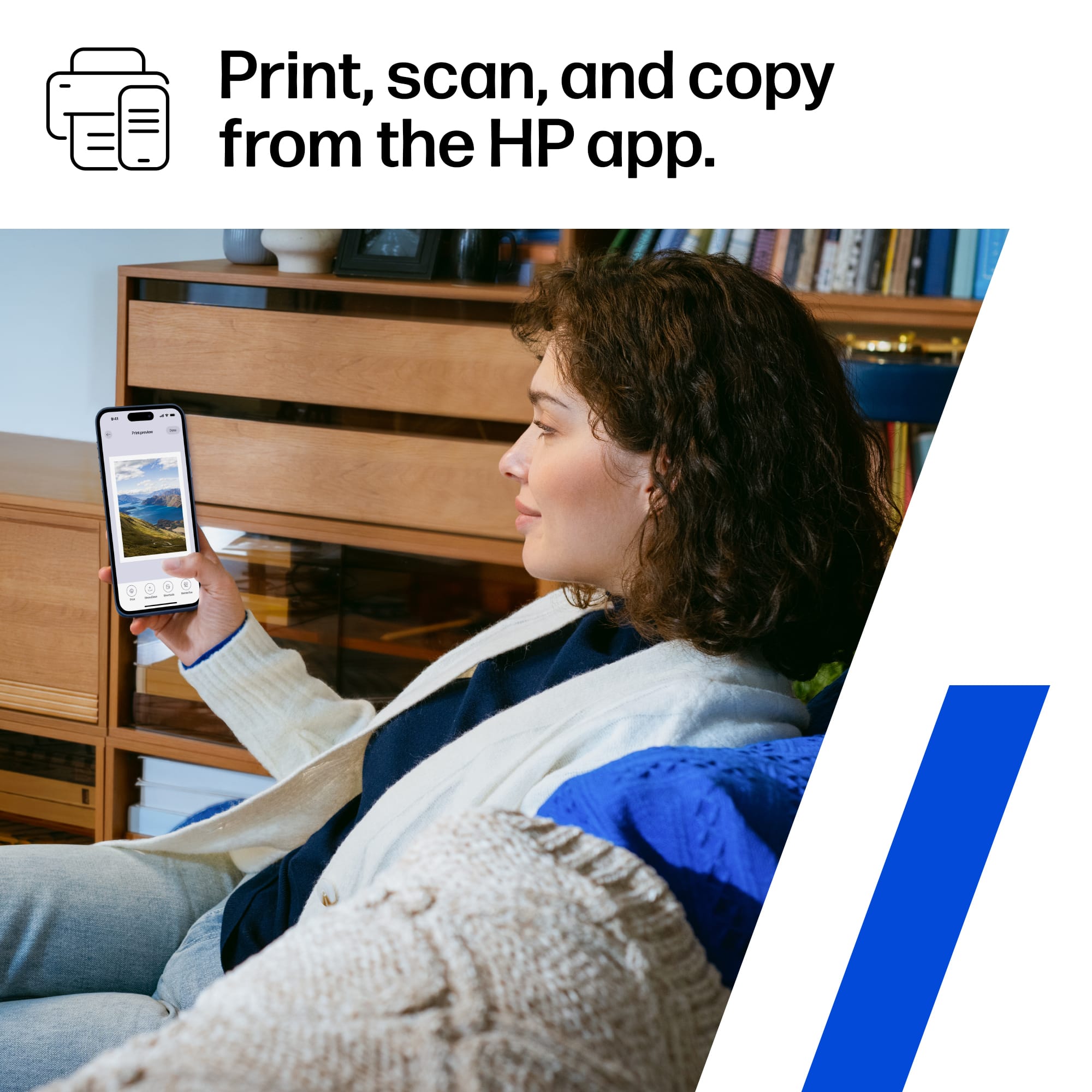
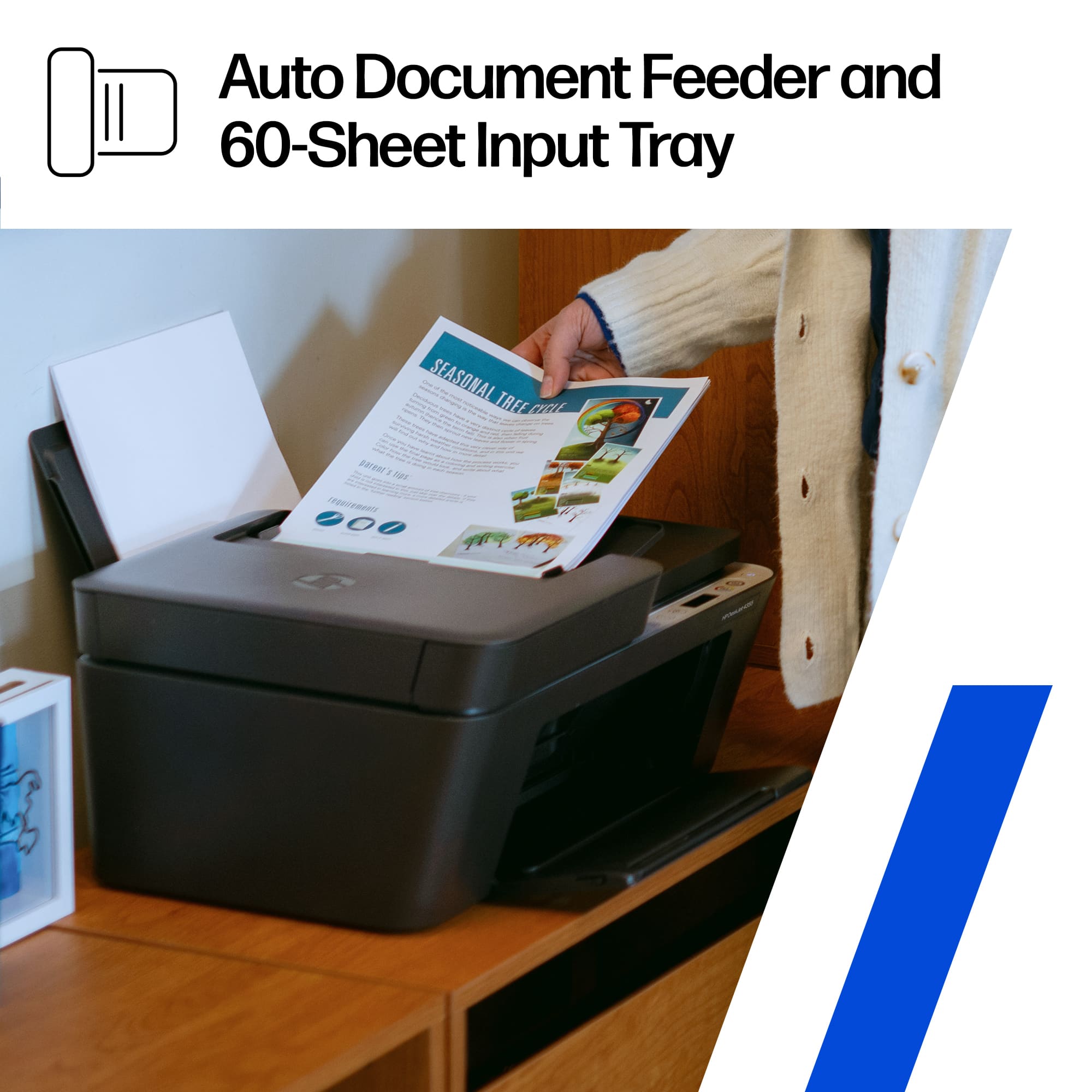
|Posted .This reviewer received promo considerations or sweepstakes entry for writing a review.SUMMARY The HP 4355 All-in-One is a good printer for the price and has all of the features that it really needs to serve as a home printer, in a dorm room, etc. It is easy to set up and operate fully wirelessly. That said, some people might miss the ability to do automatic two-sided printing and the use of three-color cartridges may not be cost-effective. INSTALLATION Installing wireless printers is a lot easier than it used to be and this one is no exception. There is a bit of preliminary work to make sure that you remove various pieces of packing tape and inserts before plugging it in and powering it up. As is the norm, an app has to be installed on your phone and it then leads you through the entire procedure including graphic instructions on inserting the “starter” ink cartridges. I found this step to be more difficult than expected since the cartridge orientation was not entirely obvious and the carrier for the cartridges seems a bit lightly built and flexy. Each time the cartridges are replaced, the printer automatically prints out a special “alignment sheet” that you put on the scanner glass so it can be read back in to make adjustments. The important part of the installation is of course to connect the printer to your wifi network so that other devices can find it. To use the printer from, for example, a Windows PC, it is necessary to install the HP app from the Microsoft Store and use it to locate the printer on the network and install the necessary Windows drivers and print software. PERFORMANCE The printer performs well, is plenty fast enough for home printing, and the quality of the printouts is very good. Scanning is also quick and easy and the document feeder is a real bonus on a printer of this class. On mobile devices, the same HP app that was used for the setup can be used to scan and print documents. On a PC you can print directly from any Windows app as usual and the HP app is used mainly for scanning. It does not appear to come with a TWAIN driver that would let the scanner be directly accessed from apps such as Adobe Acrobat. CONS Not having automatic two-sided printing is the biggest drawback for me. It does support selecting two-sided printing as an option and then the driver takes you through the procedure. It prints one side of as many pages as are required, then instructs you on how take out the printed pages and orient them the correct way to insert them back into the paper tray so that the second sides can be printed in the correct sequence. Another drawback in my opinion is having one 3-color cartridge instead of cartridges for each color. This means that running out of any one color means that the entire cartridge must be replaced. On the other hand, the colors tend to be used at about the same rate and having to deal with keeping just one type of replacement instead of three is at least convenient. Of course, the black ink is in its own cartridge. A minor con is that the paper tray is short on capacity, but for most users this is probably not an issue.
No, I would not recommend this to a friendGood printer that is App & Instant Ink focused
|Posted .This reviewer received promo considerations or sweepstakes entry for writing a review.TL;DR: SETUP: Setup is quick and easy. The HP Smart app walks you through Wi‑Fi pairing, registration, and the 3‑month Instant Ink activation. The printer is relatively small in size, which makes it easier to place anywhere. The automatic document feeder is a nice feature. With that said, I wish setup wasn’t so app‑focused, as you are pretty much required to use the HP Smart app for everything, which feels unnecessary for a basic home printer, especially when AirPrint could be utilized instead. USE: Print quality is solid for everyday tasks. Text is crisp, color documents look good, and scanning through the app works well. The AI‑enabled cleanup features help clean up scanned pages automatically. Instant Ink is convenient, but it can feel a bit invasive, with frequent reminders and prompts that make the service feel more present than it needs to be. USABILITY: Wireless printing is reliable, and the HP Smart app is easy to navigate once you’re used to it. The automatic document feeder helps make scanning multi‑page documents simple. The printer responds quickly and stays stable on Wi‑Fi. Still, the reliance on the app for nearly every function can feel limiting, especially if you prefer more traditional, standalone printer controls. OVERALL: A dependable, compact all‑in‑one printer that’s great for everyday home use. It prints well, scans cleanly, and fits easily into a small workspace. Instant Ink is helpful but a bit pushy, and the app‑centric design won’t be everyone’s favorite. If you want a simple home printer that “just works,” the DeskJet 4355 delivers simple home printing, scanning, and copying, as long as you don’t mind the app dependency. REVIEW: The HP DeskJet 4355 is a solid home printer that handles everyday tasks well. Setup was quick, and the overall compact size makes it easy to place anywhere. The automatic document feeder is a welcome feature for scanning multiple pages, and the AI‑enhanced cleanup helps improve clarity without manual editing. Print quality is good for a printer in its range. Text is sharp and color documents look clean enough for home or school use. Wireless printing works reliably, and the HP Smart app makes it easy to print from a phone or laptop. The printer is extremely app‑focused, and because of that, it loses a bit of charm. You’re required to use the HP Smart app for setup, management, scanning, and even basic functions. It works well, but it feels like the printer depends on the app more than it should. With my ISP and security controls, I have to rely on the app, as it’s been inconsistent with printing directly from my Apple device (iPhone, iPad, or MacBook Pro)…but works totally fine via the app. Instant Ink is another mixed bag. I think the idea is great…never run out of ink, but but the service can feel a little too present, with reminders and prompts that make it feel more like a subscription you’re constantly aware of rather than a background convenience. Overall, the HP DeskJet 4355 is a reliable, compact all‑in‑one that’s perfect for home printing or occasional work printing. It’s easy to use, prints well, and offers good value. Just be ready for a very app‑centric experience and a subscription service that likes to make itself known…which is very common on HP printers these days.
I would recommend this to a friendMake a small space for a big solution
|Posted .This reviewer received promo considerations or sweepstakes entry for writing a review.Printers aren’t commonplace any longer, but if you need one, use one, it definitely needs to be reliable at best. This HP Deskjet 4355 proved to be a viable option. This printer comes well protected in its box – no worries during transportation. My first thought out of the box was, “Man, it’s pretty small!”. It is just that, small, and lightweight. This printer has a very small footprint, and considering the functionality it offers, that’s big plus. You get printer, copier, scanner in a device that can sit comfortably on any bookshelf. It’s easy to get started. Just plug it up and follow the quick start guide. The setup was straightforward and easy to follow. If connecting to your wireless network, I recommend having a decent signal. I had a little trouble connecting on the edge of my network’s wireless range. Once connected, everything worked flawlessly. Printing speed was more than acceptable and the clarity was exceptional, especially in color. The paper tray is kind of small – only holds about 60 sheets or so. Of course, HP app integration is there, and it works very well. Overall, I like the HP Deskjet 4355. I think it is a nice printer for those looking for a do-it-all solution in a compact design. It can handle day-to-day printing, scanning, and copying for most individual workloads, and definitely doesn’t break the bank in doing so. It could have a bigger paper tray. It also could print duplex documents automatically. Even without these features, it is a device worth considering.
I would recommend this to a friendIt's an incfemental upgrade but still good
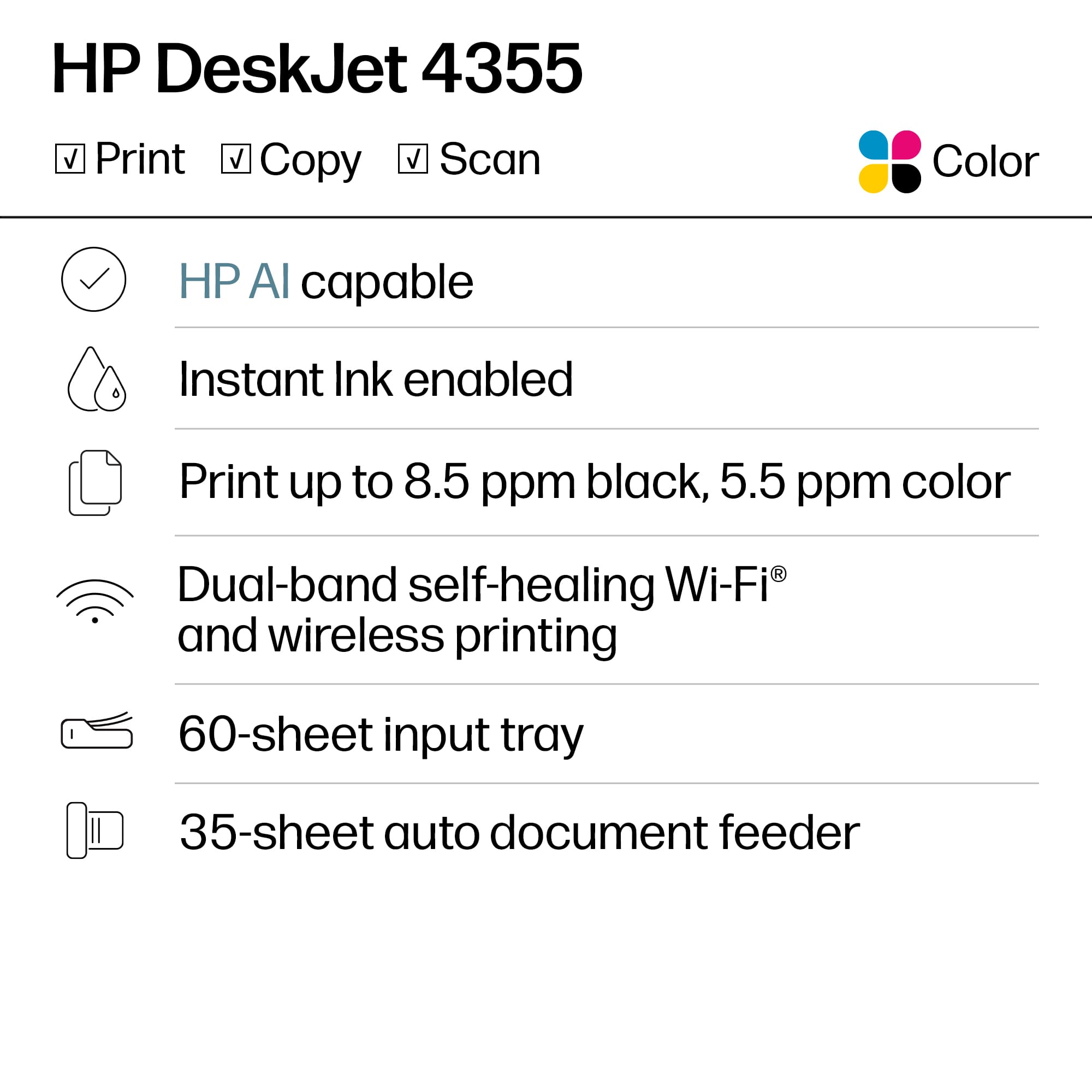
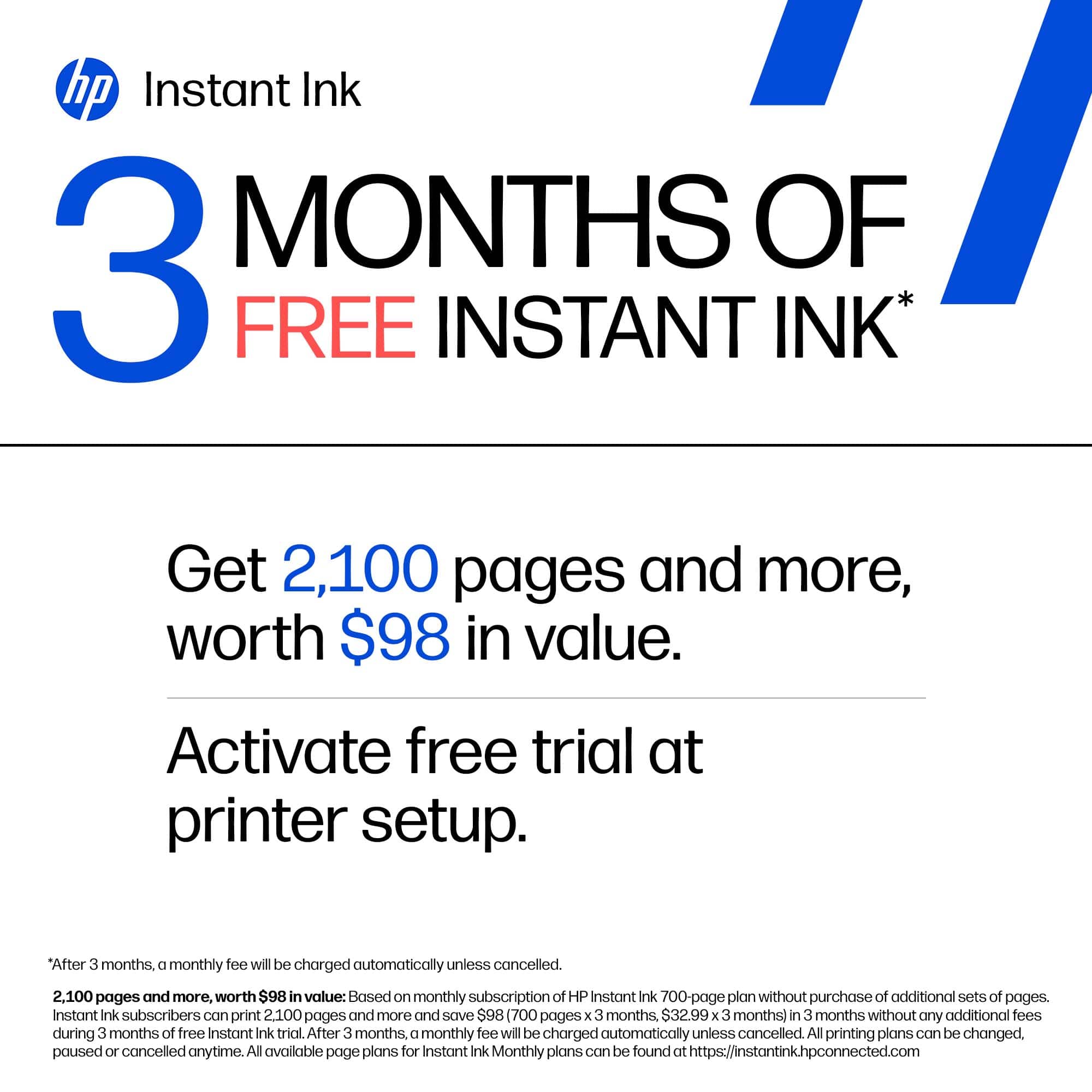
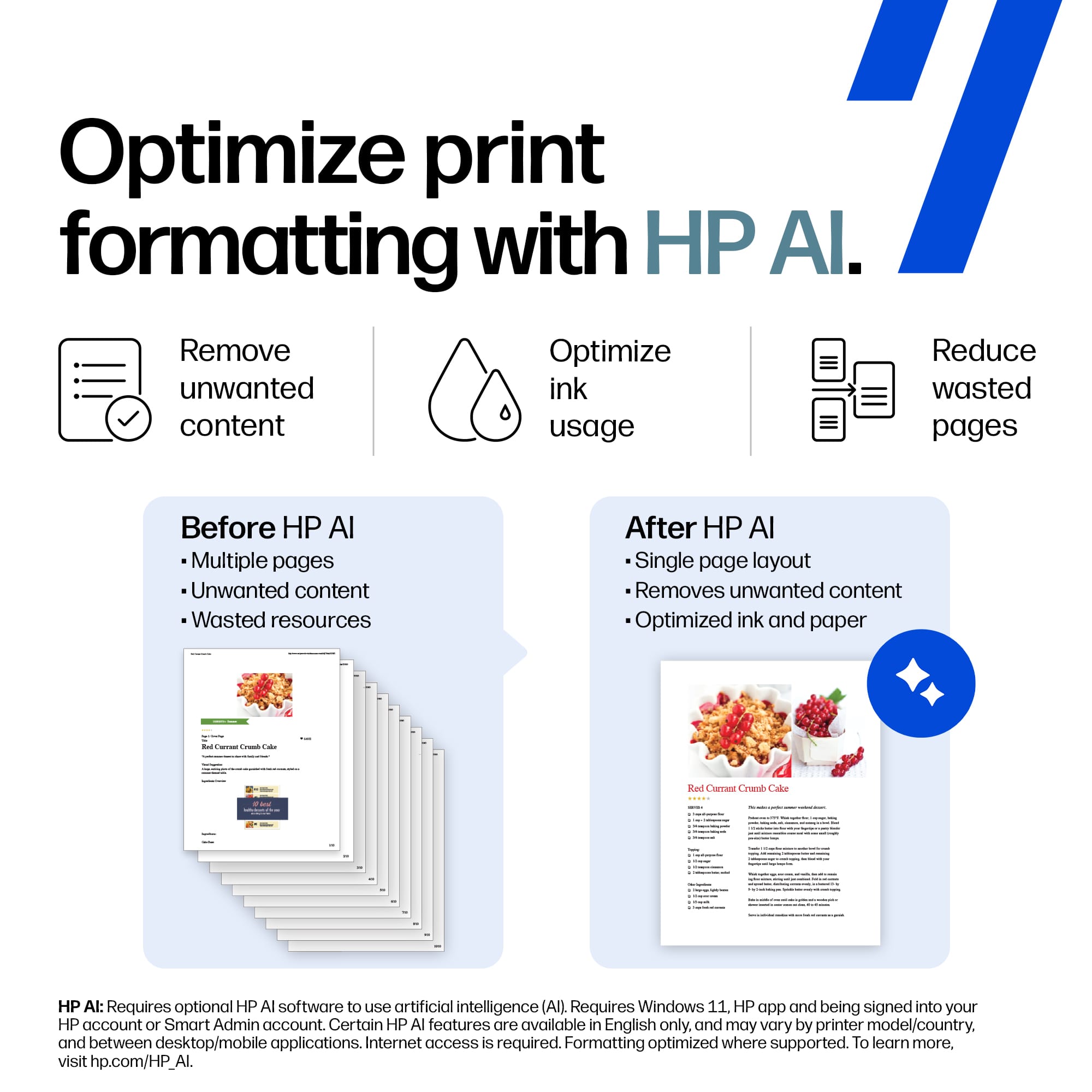
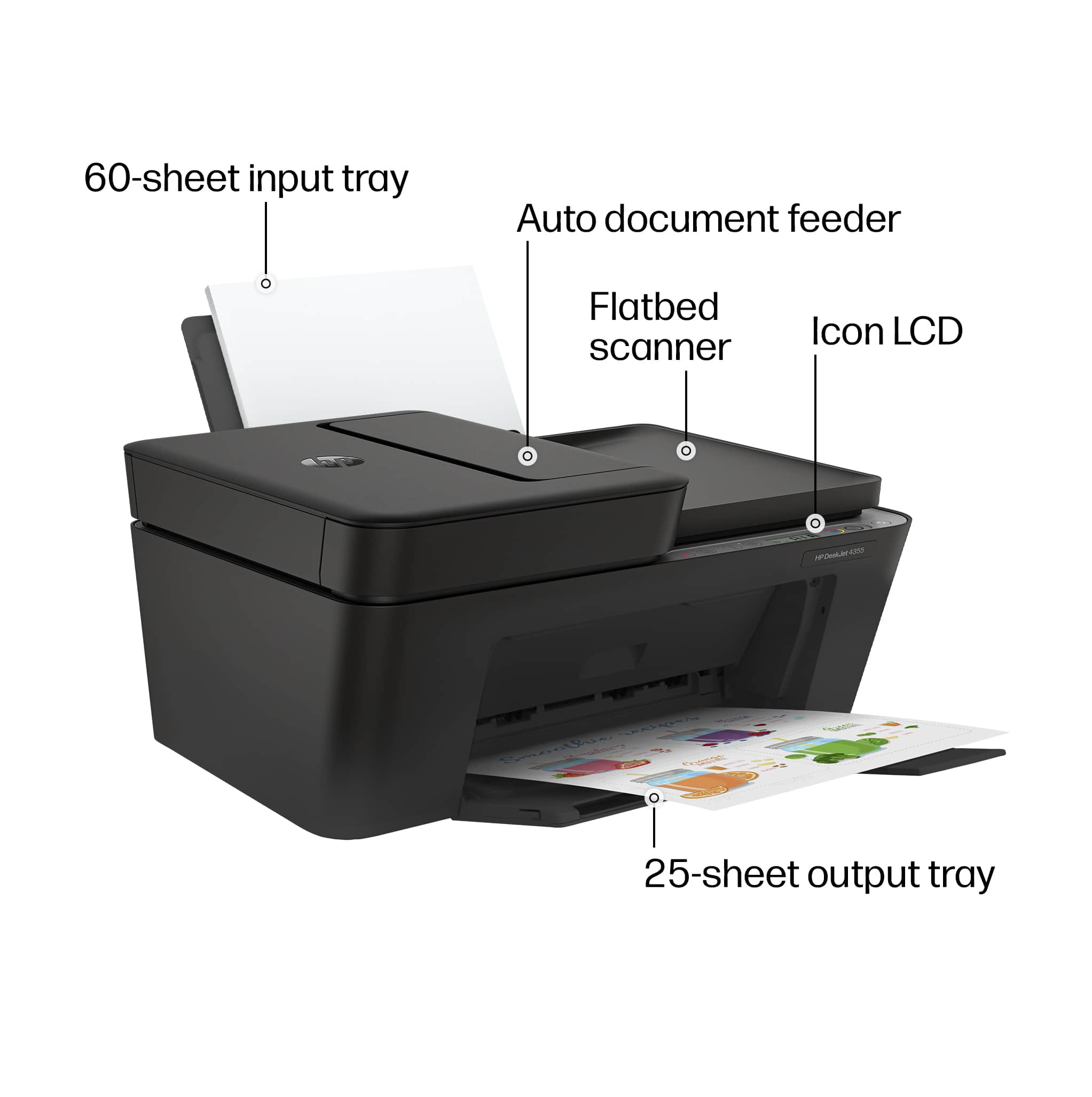
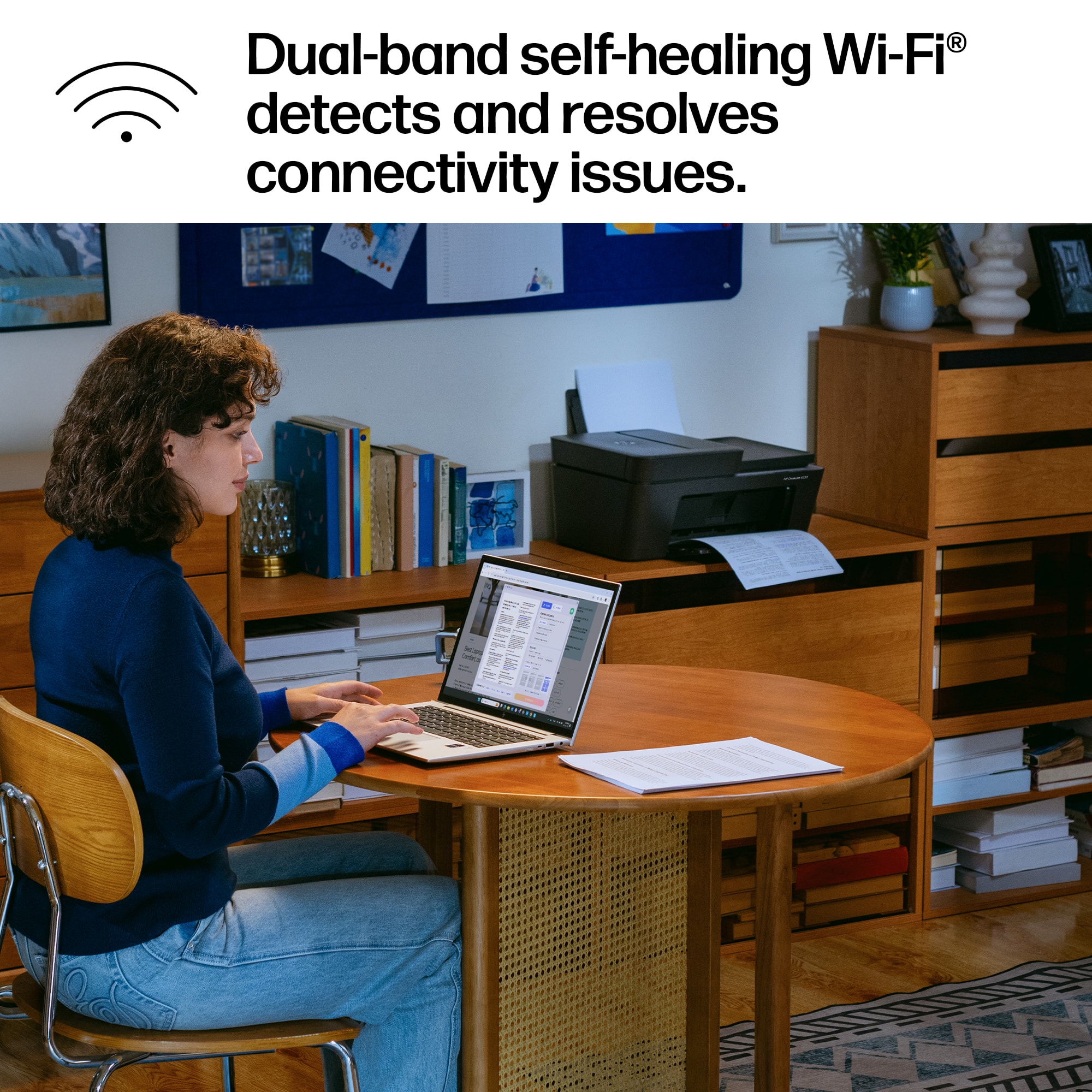
|Posted .This reviewer received promo considerations or sweepstakes entry for writing a review.HP has long been known to release very similar printers that basically all new printers only have an incremental upgrade. That isn’t really a bad thing but it has come to a point that one chooses a printer based on the current ones available. I am saying this as I am currently using an HP Deskjet 4255e and there will be references to this model when I am doing this review for the HP DeskJet 4355. The HP DeskJet 4355 is HP’s latest mid-range printer at the time of this writing. As such is has all the basic features of an AIO printer. As I have mentioned earlier, HP releases similar models with incremental upgrades. That said, the HP 4355 is the same as the HP4200 which I also have. Most notable difference though is that the former is black. Function wise they are similar. The HP 4355 has a back sheet feeder that can hold 60 pages and a paper tray output of 25 pages. The printer has a dual mode scanner wherein one is a flatbed scanner and a sheet fed scanner. I prefer this as I have better options in real life. For numerous documents, having a sheet feeder makes life easier. But then again one would have the need to scan photos or a book page and a flatbed scanner would be perfect. Printers nowadays are colored by default and this is a two-cartridge printer using HP 67 cartridges. HP is now focused on the subscription model for its wi-fi enabled printers. As an intro to subscription, this model offers a free three-month trial period. Now for some, subscription is a turn off as they don’t want to pay monthly for this service. But I have been a subscriber for years and honestly it comes out cheaper than buying ink. HP has various plans for different types of users. As for the actual performance itself, the 4355 prints at 8.5ppm in black and white and 5.5ppm if colored. Compared to higher tiered models this is slower. But I used to have an 8030 until it broke down and for home use, the difference is not noticeable. So far both the 4355 and 4200 are the same save for the color. So what are the other differences? Well, the 4355 has dual-band wi-fi making connectivity easier. As far as my personal experience is concerned, I’d prefer a 2.4Ghz connection. First this has a longer range compared to 5Ghz. Also, there is a tendency for devices to hunt for the stronger signal causing dropouts. I have had this printer for two weeks and the printer is situated near my router which is wi-fi 7 enabled but so far connectivity is good and barely different in real life use compared to my 4200. Lastly, this printer has AI capabilities that it can filter unwanted content. Right now I really couldn’t comment on this as I am using a Mac. The Safari browser isn’t spectacular when printing. I have used Chrome based browsers and filtering right now is so so. I‘ll leave it at that. But right now, this is a solid entry to mid-range model. And if you are in the market for one, this can do the job.
I would recommend this to a friendEconomical Home Office Printer
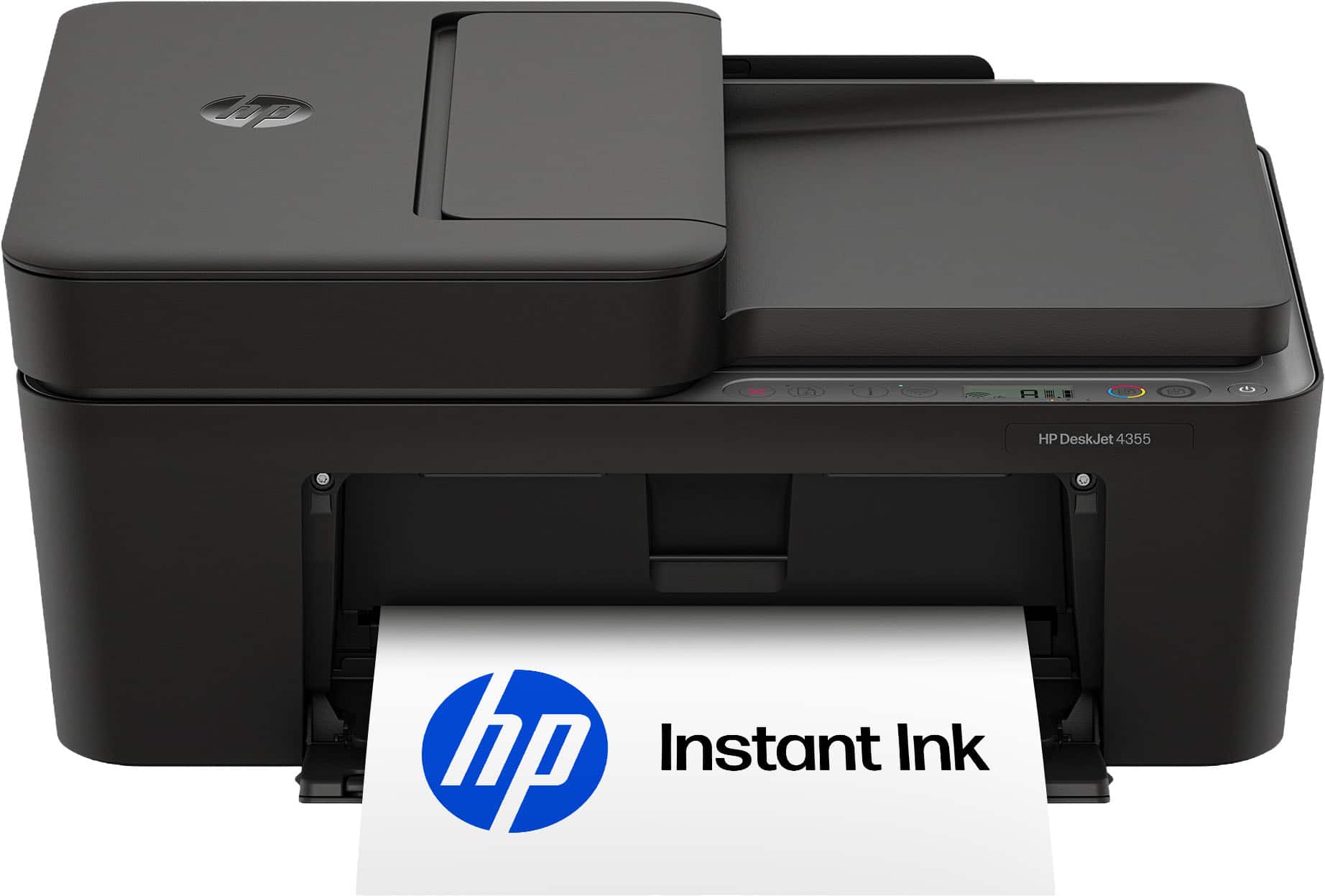
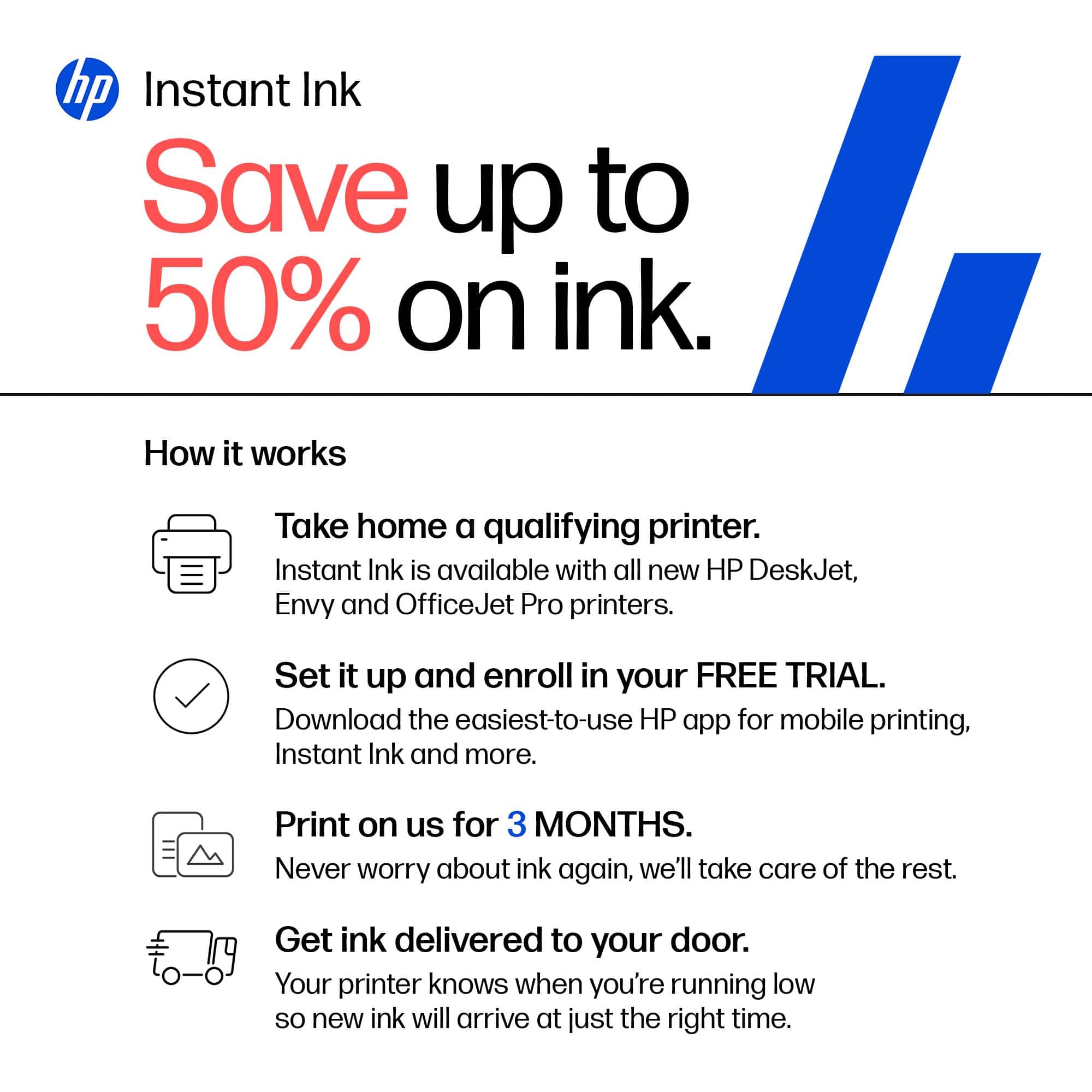
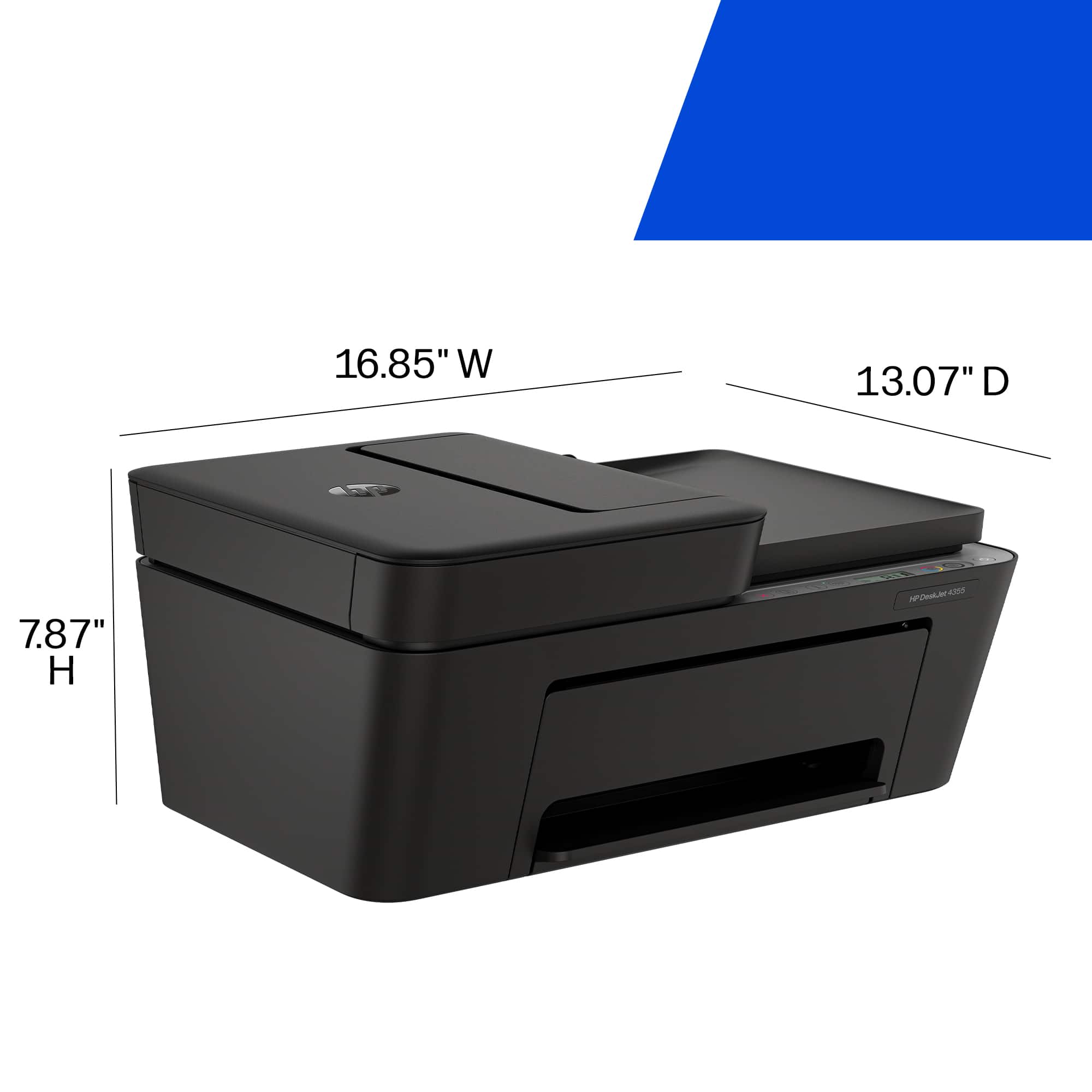
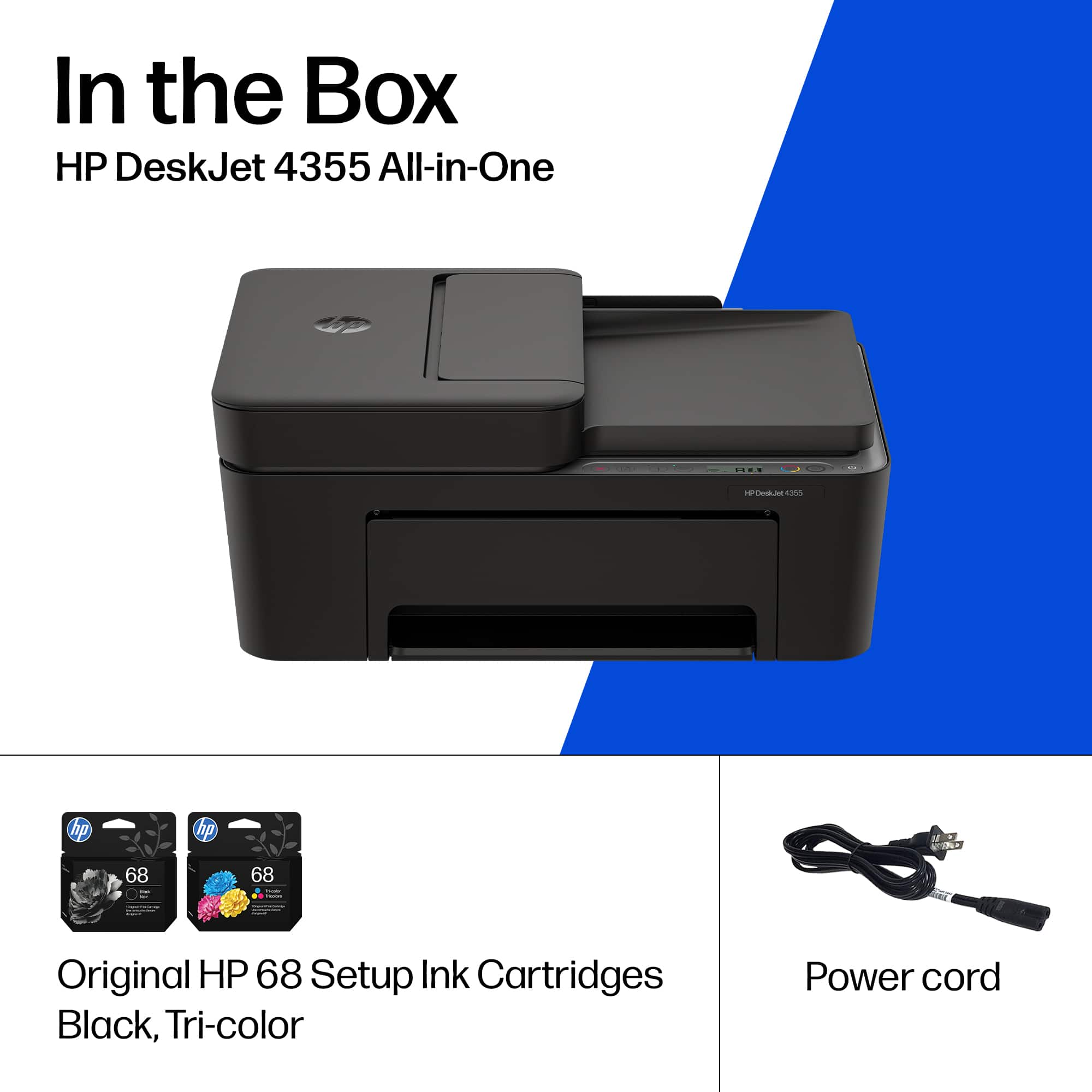
|Posted .This reviewer received promo considerations or sweepstakes entry for writing a review.HP, one of the global market leaders in the graphic communications industry, released a new economical home office printer. The DeskJet 4355 is an all-in-one inkjet printer, copier, and scanner. This is one of the easiest printers to set up. It connected effortlessly to my home Wi-Fi on my Mac & on my PC. The built-in Wi-Fi is 802.11a/b/g/n, 2.4Ghz and 5Ghz dual band. A USB cable is not included, since the Wi-Fi connection is so solid on this printer, most will prefer it. The traditional USB connection is available if you purchase or have a USB cable. DeskJet 4355 requires a minimum of office space; it measures 16.85"W x 13.07" D x 7.87" H and weighs only 10.6 lb. With the output extension to catch paper fully out, it measures 16.85" W x 22.8" D x 10.3" H. This printer uses 2 cartridges: HP68 black with approximately 160 pages yield, and HP 68 Tri-Color, with about 120 pages yield. Three months of ink are provided with DeskJet 4355 when you register it during initial setup. You can get HP "Instant Ink" ink cartridges shipped automatically to you, or you can purchase these cartridges locally or online. Print speed is 8.5 black / 5.5 color pages per minute. CONCLUSION: HP 4355 is an economical printer that produces excellent print quality. While it does not have the fastest print speed, it meets the requirements of many home offices. DeskJet 4355 earns my recommendation as a reliable printer for basic home office needs.
I would recommend this to a friendA great standard printer for the family
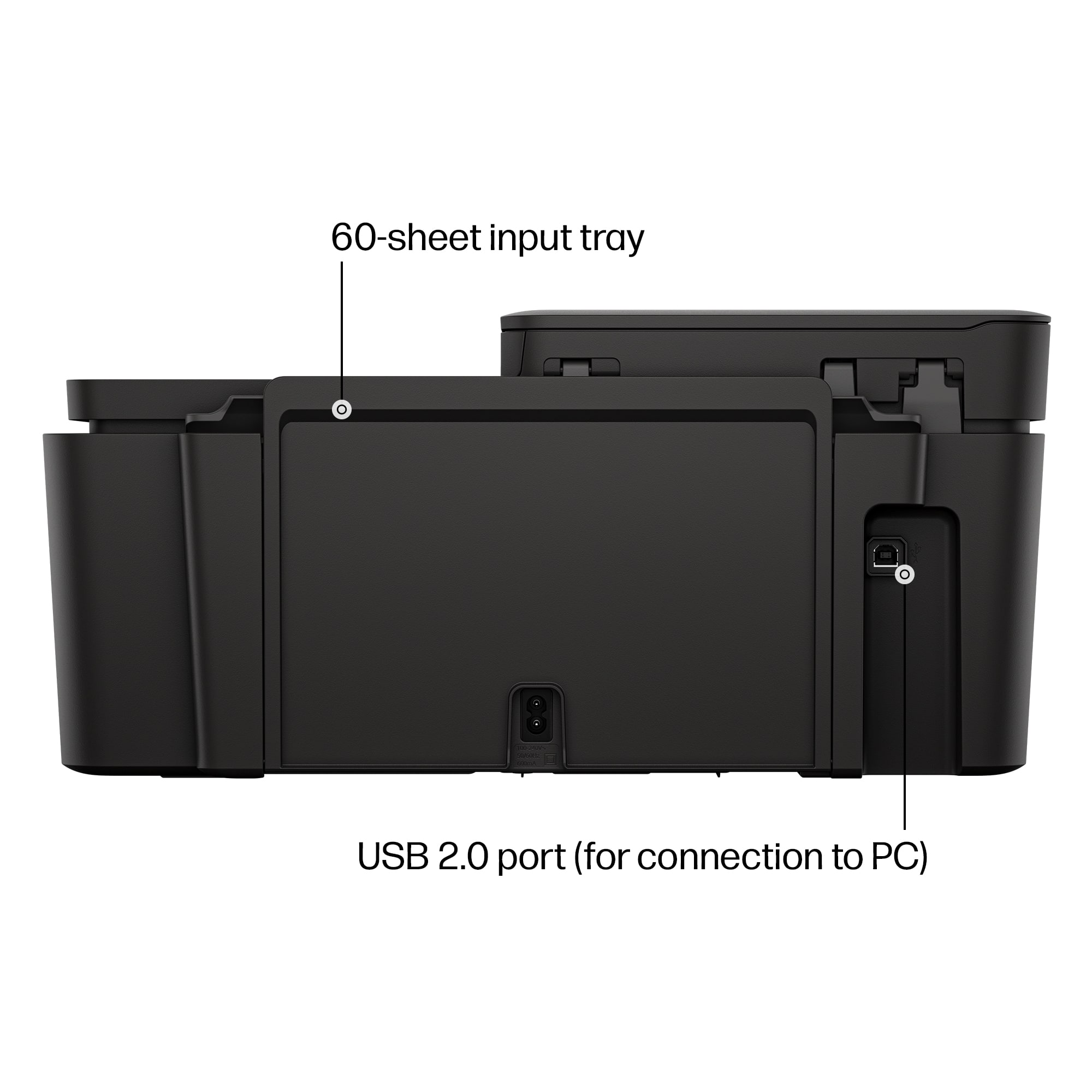
|Posted .This reviewer received promo considerations or sweepstakes entry for writing a review.This DeskJet 4355 Wireless Inkjet printer is a great all in one option for your standard printing/scanning/ and copying needs. Out of the box, there is quite a a bit of shipping tape to peel off in order for the printer to work. Included is some standard warranty and setup guides. The printer power plug is a decent length and the back of the printer does allow for a USB 2.0 Port for a wired connection to your PC, but the cable is not included. It sets up with a Wifi connection through the HP printer app. The screen on the printer is a very small strip on the bottom corner of the scanner bed. Most printer functions are meant to be done through the app. Being a cartridge printer, you will need to install the new cartridges as well which is fairly simple. If using pc, install the drivers and programs through the website. Overall, printing is what you would expect from a cartridge printer. It holds up to 60 pages in the back feeder. It prints at a pretty quick speed overall. The colors and sharpness are spot on with the prints and photos print great! This does include a flatbed scanner and a auto feeder copier. The scanner is pretty much like every other scanner, and does a really good job with its scan quality. The prints are hard to tell that it was scanned in. The copier is really neat for a printer like this. It is more compact and does a really good job running documents through and printing the copies. I am really impressed. Overall again this is a great standard family printer. It does use cartridges but it prints very well. Everything functions great on this printer and the HP app/software integrates AI suggestions into your documents. With its price point, this is a very purchase option and would recommend to others
I would recommend this to a friendExcellent output, a little slow
|Posted .This reviewer received promo considerations or sweepstakes entry for writing a review.TLDR: Excellent output, slightly slow Opening the box, setting up the printer, is pretty straight forward and much like modern printers; opening things up, remove all tapes/cardboards, download the app, follow the instructions on the app. The app interface is nice, easy to follow and understand, there are animated diagrams that is very helpful Once connected to the wifi, double check to update firmware if needed. The interface on the printer itself is on the lower end, with just a few analog displays, but it's fine it gets the job done. The output is where this product shines. The edges on text, the graphic/photo output is crisp and vibrant, even on normal plain paper. I did not time it , but it is easily noticeable the time to communicate, to download/load the print, is longer than some of other printers on the market. I'm not sure if it's from the app or from the printer itself, but as I own several HP printers, it feels like it's the printer downloading the data itself. Otherwise overal, the small footprint, the excellent output, the ease of setting it up, I highly recommend the printer.. Just a side note the app will not say DeskJet 4355, it will say HP 4300 Series when it connects. This is normal, just connect to it, it will still set it up.
Good at home but pretty basic overall
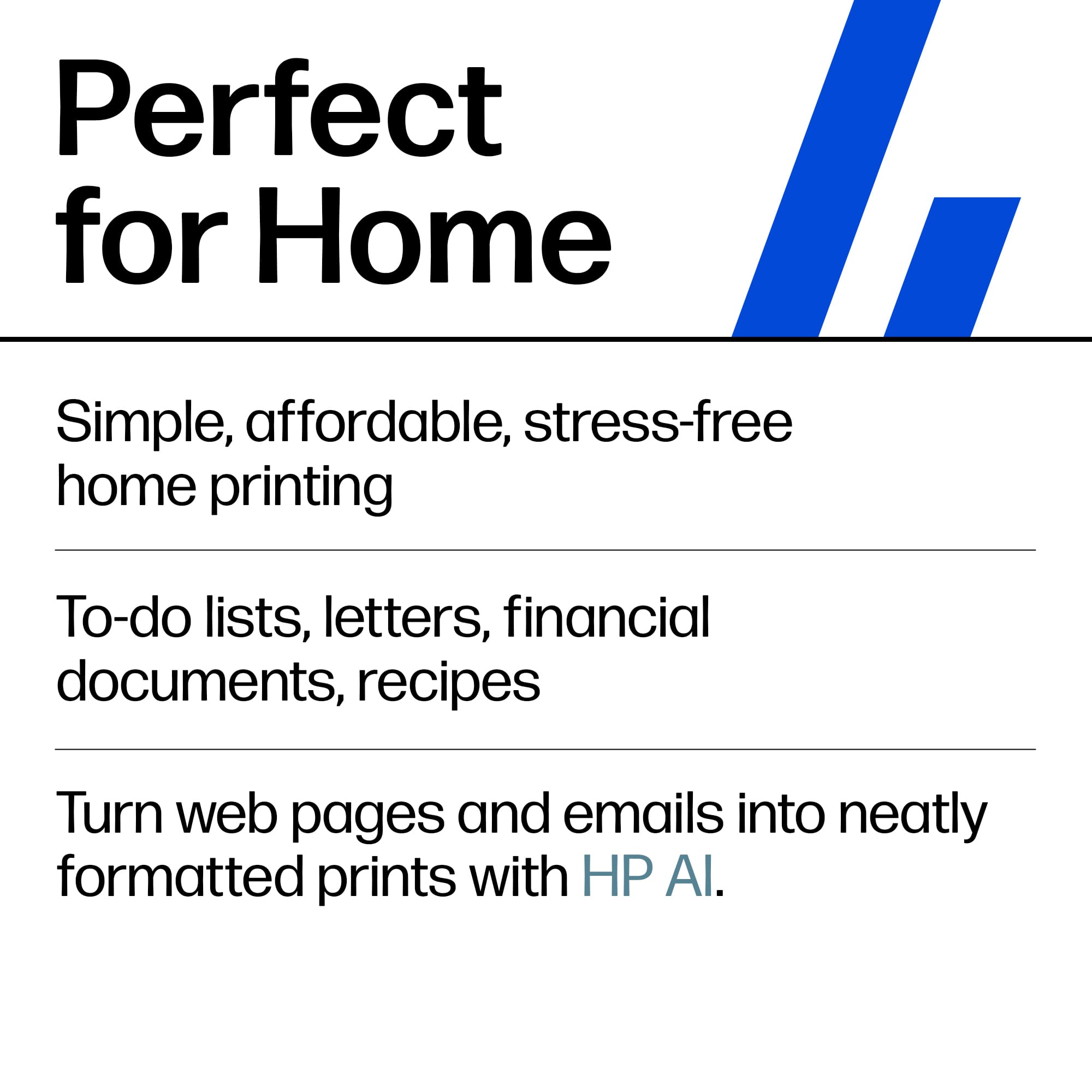
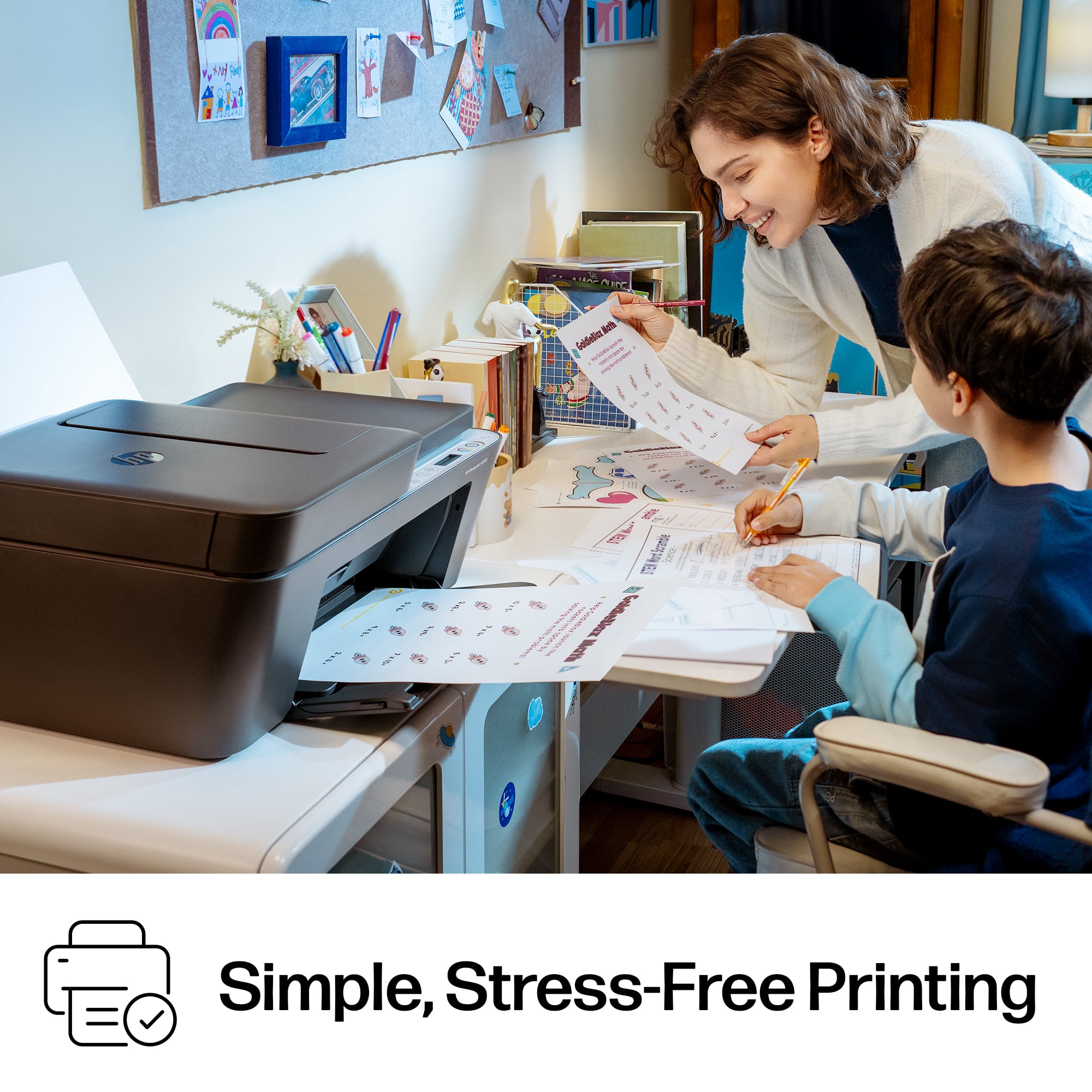
|Posted .This reviewer received promo considerations or sweepstakes entry for writing a review.This HP 4355 is a solid, budget-friendly all-in-one printer that we decided to use at home. The setup was fairly simple, and it as most other printers are moving to it seems this one has the three and one thing going with printing scanning and copying all in one. Id say the print quality is surprisingly good for an entry-level printer, with clear documents and attractive colors. For me, the wireless printing from my phone or computer is a super useful feature. Of course as always, there are pros and cons so I would just list the ones I came across: Pros: The all-in-one design Easy setup Good color quality for the price Wireless printing from phones and comps (my fav) Cons: Spotty wifi connectivity Kinda slow printing speeds the replacement ink can get expensive Overall, the DeskJet 4355 made the most sense as an inexpensive printer for light home use. I think if you just go into it knowing that it’s just your “home around the house, random little documents” type printer, then you’re good!
I would recommend this to a friendHP DeskJet 4355 AIO Printer (For home/college)
|Posted .This reviewer received promo considerations or sweepstakes entry for writing a review.So I received my new HP DeskJet 4355 printer a few days ago and have been testing it out in my home office. I have installed and used a number of HP printers (as well as other brands) both at home and work over the years and HP is brand that just seems to keep getting better and better and simpler to use. Unboxing: * HP DeskJet 4355 Printer * Ink Cartridges (Magenta, Cyan, Yellow, & Black) * Power Cord * User Documentation So setup is very easy. Follow along with the HP app and you should be able to get this printer up and going in no time. 15 minutes tops and done. First thing I usually do is check for firmware updates when installing and setting up new printers or any electronics for that matter. Once you’ve gone through the setup process, you’re ready to print. Now remember this is a DeskJet printer. Anything that has jet in it is usually of lower quality but still very, very good nonetheless. The print quality is what you would expect for a printer of this caliber. Pages are printed rather quickly and there was no bleeding/smearing of ink that I have seen in other printers. One of my favorite features is the use of AirPrint via the HP App and Apple. It is so easy to use once you have connected the printer to Bluetooth and WiFi. That makes printing even easier and quicker when printing your iOS device like your iPhone or an iPad. There is also a similar version for those on Android, just download the HP app from the Google Play Store. Also this printer is amazing at scanning and copying as well. Colors come out nice and sharp, and the text is legible. As stated earlier this is a great printer for home usage; technically it can work in an office environment but depending on the volume of printing your office produces, you will likely be replacing ink more often. However, HP has you covered in that area with 3 free months of Instant Ink. Otherwise, I’d keep this as strictly a home office printer or a printer for someone starting off college. Overall, a great printer I love the AirPrint feature the most and recommend it to anyone looking for a good printer who doesn’t print that often.
I would recommend this to a friendPerfect for students and low output families
|Posted .This reviewer received promo considerations or sweepstakes entry for writing a review.HP continues to be the leader in printers in my opinion. My office has HP everywhere and I use them at home for personal as well as business uses. This model is more of an entry level All-In-One (AIO) and is probably best for college students or for those who don’t need a daily workhorse. This printer does everything most people would need. It prints in both color and black and white, and scans in color. I also appreciate that it works with HP’s Instant Ink program. I have multiple subscriptions for my printers and it’s a great investment for my house. I have two high schoolers, my wife has her own business, and I work from home sometimes, so the ink runs out quickly. Generally, when I really need to print something which is the absolute wrong time to go out and buy ink. The Instant Ink program monitors your print levels and automatically sends you replacement ink cartridges, and the cost is much less than buying in a brick-and-mortar store. There are different options depending on how much you print, but that information is on HP’s website. This printer will be used primarily by my high schoolers since it’s simple to use and once it’s connected to your home network, you can print from anywhere in the house. The HP Print Anywhere app will allow you to print from anywhere as long as your printer is online. The input tray holds 60 sheets, which is pretty good. The other thing I appreciate is that it can connect to both 2.4ghz and 5ghz networks. I’m starting to see that option available on more printers and I hope that continues. The footprint isn’t large and it weighs only about 10lbs. Overall, I really like the printer and think it works perfectly for us. It will most likely head off to college with my oldest son soon, so we are all going to break it in for him.
I would recommend this to a friendGood for the price.
|Posted .This reviewer received promo considerations or sweepstakes entry for writing a review.The HP DeskJet 4300 all in one printer delivers a surprisingly smooth setup experience and solid everyday performance for a compact home printer. Getting it online was straightforward, and the HP Smart app on my phone walked me through each step with clear, easy to follow instructions. I did run into one minor issue during installation that required removing and reseating the ink cartridges, but once reset, the printer completed setup without further problems. Print quality is perfectly suitable for day to day use. Text comes out crisp, and color prints look clean enough for documents, schoolwork, and casual graphics. One of the biggest positives for me is the mobile integration that makes it able to print directly from my phone, including emails, without needing to sit at my computer. Remote printing while I’m away from home is a convenience I didn’t expect to appreciate as much as I do. Where the DeskJet 4300 shows its limitations is in the physical design and desktop software. The rear feed paper tray keeps the printer’s footprint small, but it only holds about 50 sheets. That means more frequent refills than I’d prefer. The HP Smart app on Windows also feels clunky compared to the mobile version; it works, but it’s not something I enjoy using. I’ll likely stick to the built in Windows print functions for most tasks. Overall, the HP DeskJet 4300 is a compact, easy to set up printer with good print quality and excellent mobile convenience. It’s not perfect, but for light home use, it performs reliably and fits well into smaller spaces.
I would recommend this to a friendSturdy and reliable all-in-one
|Posted .This reviewer received promo considerations or sweepstakes entry for writing a review.Another well made all-in-ones by HP that provides good quality prints at a reasonable speed; all in a device with a relatively small footprint. I've been using HP printers for some time now and this one adds onto the already reliable reputation that HP printers have. This Deskjet 4355 offers what you need out of an all-in-one printer without diving too much into the pocket book to do so. Provides your standard capabilites such as copy, scanning and printing. It has a pretty reasonable PPM at around 8.5PPM. Just the right speed for anyones printing needs. Quality of prints isn't sacrificed with this one as images come out quite nice and clear. Upping the DPI on print can get you a little nicer image quality if that's what you need. As for an all-in-one though, I think it's a great combo of speed and print quality. Size wise, I think it's nicer too in that it won't take up a whole lot of room in your office/table. The paper tray is an OK size. I personally prefer 100ct tray loaders but that's a personal preference. All in all, if you're in the market for a reliable all-in-one printer that's relatively cheap to operate and provides quality prints, here's a nice one for you
I would recommend this to a friendAwesome printer great price
|Posted .This reviewer received promo considerations or sweepstakes entry for writing a review.HP - DeskJet 4355 Wireless AI-Enabled All-in-One Inkjet Printer with 3 Months of Instant Ink - Black. I found I really like HP Printers the print quality is always great, quick and easy set up, I already have the HP downloaded so I just had to add my new printer to the app. Wireless & Bluetooth connection is easy. From the app. You are able to view ink levels, set up, and different print options from color to plan black and white. I highly recommend subscribing to instant ink it has been a life saver, no running around trying to find a store that has the ink you need in stock as long as your printer is connected to your internet & turned on it will monitor your ink levels and automatically mail them out before you run out of ink, I also have printer paper included with my subscription and there are different options depending on your printing needs from high volume monthly printing to printing less the an 50 sheets a month. Print quality is sharp and clear, prints fast. The paper tray holds up to 60 sheets & the document feeder holds up to 25 sheets. Double sided printing is my go to for the type of most project printing I do which also prints fast. You can print,fax,copy & scan wirelessly from your phone. It is also AI compatible which I honestly have not tried yet I really don’t have a need to at this time. I would recommend for small businesses and home printing.
I would recommend this to a friendQuality on a budget
|Posted .This reviewer received promo considerations or sweepstakes entry for writing a review.I have used a large number of printers at both work and home and I have to say the HP Deskjet 4355 truly made the top of the list of the easiest printer I have ever setup. Although you do have to download the app to do the setup, this was shockingly painless. First off, this printer has a small footprint so it could fit almost anywhere. It is packaged well so be sure to remove all the tape holding the various doors/trays in place. Probably the most difficult part was putting the two, yes two, ink cartridges in. My hands are large but I was able to get them in there. As for the ink, one cartridge is black and the other holds the other colors. Kind of ingenious. Once everything was unpack and ready to go I used the HP app for the rest of the setup. So many times you are directed to the app for setup and it doesn't go as planned. This did! Once I opened the app after setting up an account, it immediately said it found the printer and asked if I wanted to proceed with the install. It connected to Wi-Fi without an issue and the total install/setup took less that a couple minutes. When I say this was the easiest setup I've ever done that is not an exaggeration. Print quality was very good especially for a printer of this size. Scanning was quick and clean. Even printing from my phone worked without any issues. This is a quality that should easily take care of those occasional home print jobs with ease.
I would recommend this to a friendFast and Innovative
|Posted .This reviewer received promo considerations or sweepstakes entry for writing a review.The HP Deskjet 4355 is a a printer by HP that builds upon the previous version with some AI incorporated into it. To review this product i used it it in my normal workflow as the AI enabled aspect has a workflow to help with printing tasks. I hooked it up and took me about 10 minutes as it recognized everything and then asked me to sign into my HPP ink account basically its their subscription service. It does come with 3 months free ink. The printer printed out word documents quickly and clearly. I tested it on mailing labels and they were clean and clear, then i tested it making stickers and foil stickers and they turned out perfect no smudging and quick dried. One feature I did enjoy was the ability to print from my phones while I was away from the house and connected through the app. I was able to send the document and have it printed out and available for the person at the office. This was a breeze and just allowed me to ensure what page I wanted printed while not having to expose the rest of the document. Overall if you are looking for a printer that does everything you need from a small home office printer scanning, printing that's clear and produces high quality this is great./ i will say i still am not a fan of a subscription based ink system.
I would recommend this to a friendHP Deskjet 4355 Wireless inkjet printer
|Posted .This reviewer received promo considerations or sweepstakes entry for writing a review.The HP Deskjet 4355 has a paper capacity if 60 sheets in the input tray, 35 sheets in the automatic document feeder and 25 sheets in the output tray. This printer is designed for light home/home office use. You can expect to reach print speeds of 8 pages per minute black and 5 pages per minute in color. You can expect to get about 200 to 300 pages per cartridge with the standard HP 68 cartridge and up to 600 pages with the 68XL cartridge. The Deskjet 4355 does not do automatic duplexing. The HP Deskjet 4355 is a multifunctional printer. It can print, scan and copy. There is digital faxing feature available through the HP app. The printer is controlled through an ICON liquid crystal display. While the printer does have a USB-B connector, it was designed for a wireless setup and should be easy to set up. If you decide to try the wired route you must also purchase a USB-B printer cable. This cable looks like a capital D. This printer is also quieter than most large printers and will fit into your home/office quite well. As with all HP DeskJet printers, there is also a subscription service for instant ink. It comes with a 3 month trial included.
I would recommend this to a friendOK Printer, But With Defined Limitation
|Posted .This reviewer received promo considerations or sweepstakes entry for writing a review.As a printer? It's fine. As a scanner? It's fine. I've set up countless Hewlet Packer printers, and this is just as most of the rest were. My three biggest complaints with HP printers, (and this fallls in line with the rest), is: 1) The drivers can be flaky. Shortly after setup, I set this printer as one of four household network printers. The first couple print-jobs from my wifes laptop were no problem. All good. Later the same day, she tried a third time, and it looked from her end like it should have printed, but it didn't. Having had this problem earlier this year with another HP printer, I knew to remove the old driver from her PC, and load a fresh one. No biggie if you're a tech-savvy person, but I can imagine the never-eding frustration from a grandma and grandpa who just want to to print a simple recipe. Just word to the wise. 2) HP ink is generally on the more expensive side. This is by design. The HP business model, (to create higher margins), is to prvide relatively small yield cartridges, and make the bulk of profit, not from the printer themselves, but from the captured audience. I'm in the medical field, and this is more expensive than human blood. 3) Most HP printers require HP cartridges, and may not work with less expensive non-HP cartridges. See number two above. In all, is it a decent printer? Sure. But beware above.