Customer Ratings & Reviews
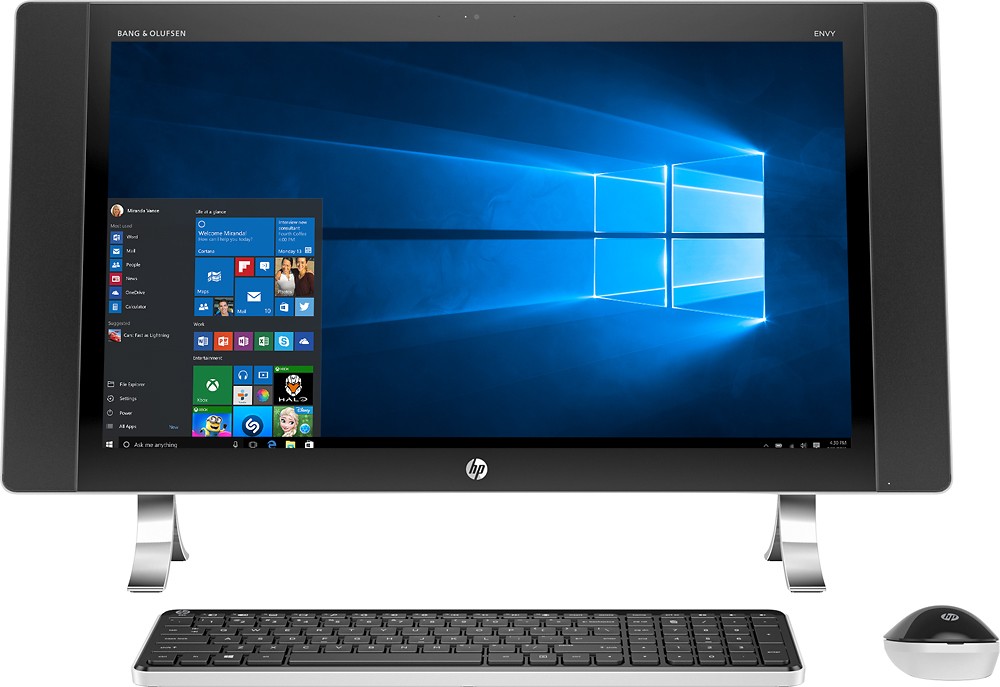
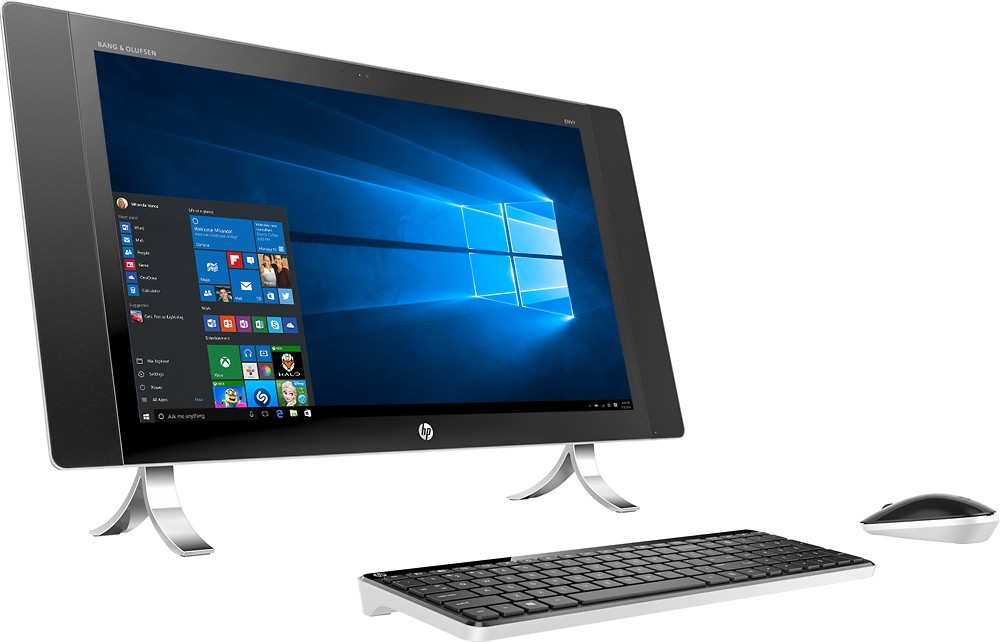
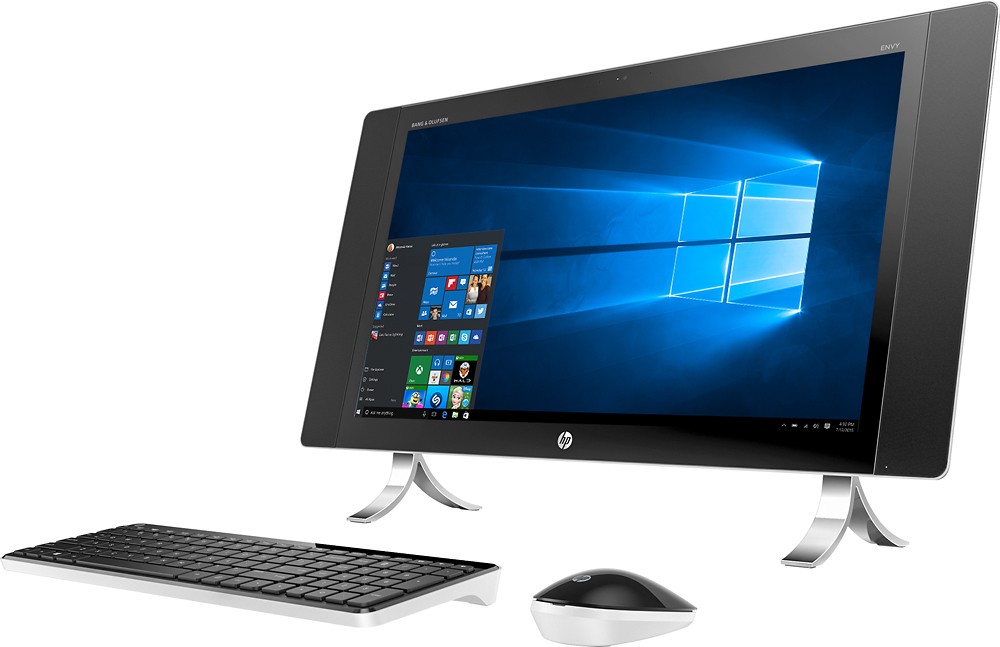
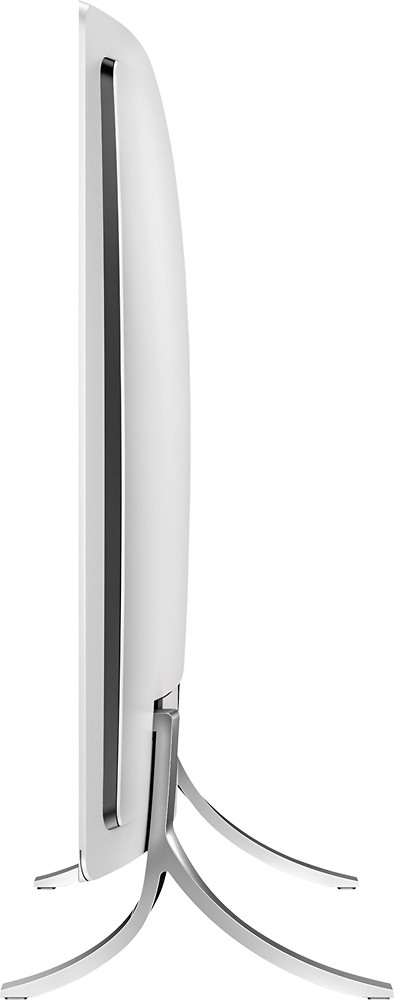
- Model:
- 27-p014
- |
- SKU:
- 4464501
Customer reviews
Rating 4.3 out of 5 stars with 426 reviews
(426 customer reviews)to a friend
Customers are saying
Customers regard the ENVY 27" Touch-Screen All-in-One's large screen size and ease of use as significant advantages, with many praising its user-friendly interface and excellent sound quality. The sleek design also receives positive feedback, although some users note the absence of a DVD drive as a drawback. A few customers mention concerns about the graphics card's capabilities. Overall, the positive comments about the screen, ease of use, and sound outweigh the negative feedback.
This summary was generated by AI based on customer reviews.
Rated 1 out of 5 stars
Defective Touch Screen
||Posted .This reviewer received promo considerations or sweepstakes entry for writing a review.Purchased 1.5 years ago and loved it until last week when the touch screen quit working. Advanced Tech HP Support determined the touch screen was "depressed" in upper left corner causing the cursor to return to that position and essentially become unusable. Even though defective, would not warranty the screen. Forced me to disable the touch screen completely or return for a $502 repair (and a reformatted hard drive which is a royal pain). Would not recommend without an extended warranty and might even suggest another brand although the HP tech support was great to work with.
No, I would not recommend this to a friendRated 2 out of 5 stars
Defective display
||Posted .This reviewer received promo considerations or sweepstakes entry for writing a review.Literally as soon as the warranty expired, the touch screen started ghost touching, so I disabled but it turns itself back on and now I can't even login.
No, I would not recommend this to a friendRated 1 out of 5 stars
Horrible wireless keyboard signal
||Posted .This reviewer received promo considerations or sweepstakes entry for writing a review.I bought two of these computers in separate weeks, and both computers had something horribly in common....the wireless keyboard and mouse signal was very weak for the most part. Making a long story short, contacting HP they knew the problem was an internal component that required to be shifted around in order to magnify it's signal strength...at that point I took both computers and returned back.
No, I would not recommend this to a friendRated 2 out of 5 stars
Got Returned with in a Week
||Posted .This reviewer received promo considerations or sweepstakes entry for writing a review.We had connection issues with both the keyboard and the wifi signal would go in and out. While it looks great having issues out of the box don't make it worth it.
I would recommend this to a friendRated 2 out of 5 stars
Misssing Parts
||Posted .This reviewer received promo considerations or sweepstakes entry for writing a review.Missing parts in the box. Went to exchange for another computer and had the same issue. Then purchased a Lenovo PC instead and could not be happier......
No, I would not recommend this to a friendRated 4 out of 5 stars
Good computer with some limitations
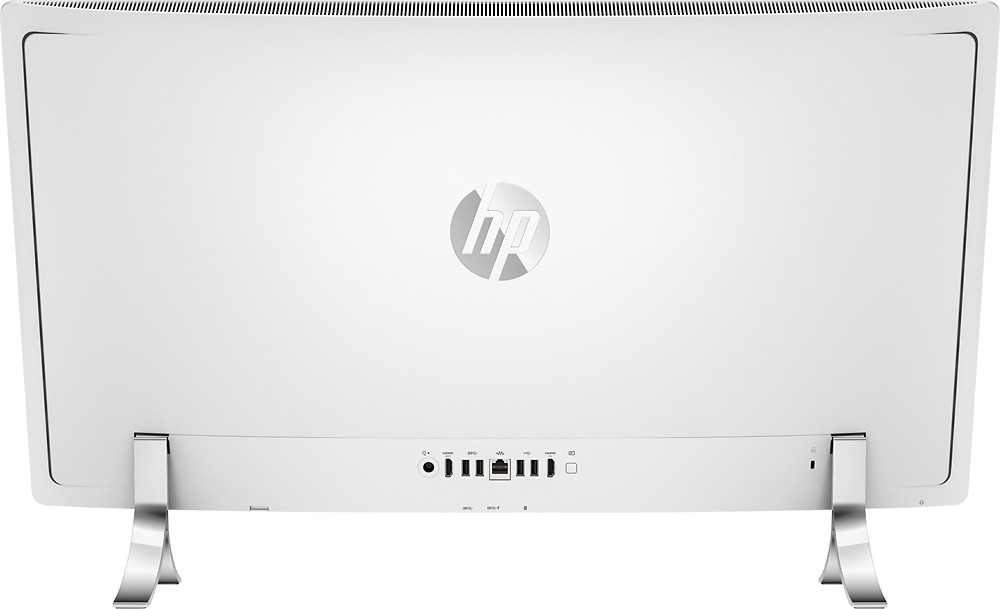
Posted .This reviewer received promo considerations or sweepstakes entry for writing a review.Previously had a top of the line Dell with a 24 inch monitor. Since most of the current monitors seem to be 23 inches, I decided to go with the 27 inch touch screen as I didn't want to move down in size. Moving from Windows 7 to 10 has been relatively easy. Not much of a learning curve as it is set up to go to a more familiar desktop mode right from the box. Downsides: Screen is clear and sharp, although it is subject to some background glare (ie. you have lights on behind you in a darkened room). Speed with which apps and browsers load is only average. Expected more from a new computer. The keyboard and mouse which come with it are annoying at best. If the keyboard and/or mouse is not directly in front of the screen, the keyboard misses strokes or doesn't respond at all. Mouse freezes, or moves erratically at times. Have to turn it mouse off and back on (switch on the bottom) to get it working correctly again. Since the receiver(s) is/are not a usb plugin, but built into the computer itself, you can't take it/them out and try a different port. Ended up buying a new mouse and keyboard as a solution. Various ports are only accessible on the back or on the bottom of the computer. Since the distance between the bottom of the computer and the table/desk it sits on is only about 2 3/4 inches, the USB ports on the bottom are pretty much useless. You can't see them when you try to plug something in, so it becomes a guessing game of where the ports are and what way you insert a UBS cable. The weight of the unit makes it awkward to lift it up at an angle to get a better view. Why they didn't put the ports on one of the sides, I have no idea. Solved the problem by purchasing a USB hub which plugs into one USB port underneath, but expands to 4 ports which sits right on the desk under the space at the bottom of the computer. The upsides: it's great having the larger screen especially if you have multiple windows open (although windows 10 gives you some nice ways to make your open windows quickly accessible). It looks great sitting on the desk. Much improved over the old towers with the separate monitor with wires and cables going everywhere. Touch screen works fine and you can easily go back and forth between mouse and touch (which I did frequently due to the quirky mouse). Setup was quick and easy. Overall, a nice computer if you are looking to replace an older desktop, but with some limitations.
I would recommend this to a friend- Pros mentioned:Screen size, Sound qualityCons mentioned:Dvd drive
Rated 5 out of 5 stars
Joy Raising
Posted .This reviewer received promo considerations or sweepstakes entry for writing a review.I am overjoyed with this product. BB/GS really hooked me up. They took my old AIO (Lenovo-yuck that gave me problems from day 1) and moved everything for me within 5-days. I purchased an open box and can't tell the difference except for the better pricing (thank goodness), and I also got a price match when it went down again. The picture and the sound quality are both extremely good. It is hooked to my HP speakers/subwoofer and it sounds excellent when using my ROCCAT Juke Jack, as the computer jack now is a combo of headphones/mic. I use the mic for Cortana and video chats. I am an HP person and have been for over 30 years. These are the kind of products I love. A nice feature that this computer has is 2-3.0 usb ports and micro card slot placed right under where the HP logo is. Even some of the sales folks at BB didn't know that. LOL. I thought I really wanted the 34 curved HP Envy. But unless you have a really large desk/space for it, it is too much computer - this 27in. is just right. DOWNSIDE: HP really needs to do a better job with the keyboard and mouse combo. The battery door clips to the keyboard immediately broken when I told it off. So I have to get a replacement. It would be nice since there is no built in DVD/CD+ drive, that it came with a matching one for the PC. I understand you can purchase it separate, but I like to have things that are actually made for each other. I purchase the LG 8X drive - and it is fine for the price. RECOMMEND: YOU BET I DO
I would recommend this to a friend Rated 4 out of 5 stars
Stable, sleek, responsive
Posted .This reviewer received promo considerations or sweepstakes entry for writing a review.No complaints on my machine which I've had for two weeks, at least now that it's working. A few notes - there are 2 USB3.0 ports despite the HP provided documented specs to the contrary. Also, the USB dongle for the wireless mouse/keyboard is mounted internally inside the casing. Both of those facts are important to know if you need to call HP tech support - their technicians had no clue, which led dealing with them a nightmare. My video card must have unplugged during shipping, so I contacted them when I got a blank screen after turning it on for the first time. That 4 hour series of calls was very frustrating. At first they insisted the USB mouse dongle should have shipped with the PC to be plugged in externally, and they needed to send me one. After I opened up the casing I found it was mounted internally. They had me reseat the memory SIMS a few times, then asked I return the PC after that didn't work. As was when putting it back together afterwards that I noticed the video card was unplugged. Plugged it back in and it's been fine since. I give my machine a 4 star rating, but I might be inclined to go higher were it not for my awful experience with HP support.
I would recommend this to a friend- Pros mentioned:Ease of use
Rated 5 out of 5 stars
Loving it!
Posted .This reviewer received promo considerations or sweepstakes entry for writing a review.I'm so happy with my purchase. I'm coming from a Mac Desktop and the transition was easy and Widows 10 is easy to use. You get so much more for your money going with this computer vs a Mac. Like everyone said, ditch the mouse and keyboard. I am keeping the keyboard for now I noticed if you keep it closer to the monitor it does a better job. The mouse I recommend to get rid of ASAP! You would not be disappointed with this purchase. I'm so excited to be using it for work it makes it a pleasure. Don't think twice and get it!
I would recommend this to a friend Rated 1 out of 5 stars
piece of junk
||Posted .This reviewer received promo considerations or sweepstakes entry for writing a review.slow, sluggish, wish I hadn't bought it for my mom
No, I would not recommend this to a friendRated 1 out of 5 stars
Perfect HDMI for my TV
||Posted .This reviewer received promo considerations or sweepstakes entry for writing a review.Good service and helpful. I got the correct device for my TV.
I would recommend this to a friend- Pros mentioned:Screen sizeCons mentioned:Dvd drive
Rated 4 out of 5 stars
Work Horse of a Computer
Posted .This reviewer received promo considerations or sweepstakes entry for writing a review.I wore out my last HP all-in-one and needed another that could handle the workload. I run a small business and teach. Everything I do is on the computer. From grading, using a learning management system, to spreadsheets and photo editing. The large screen allows me to see more data all at once and to see and adjust details in my photographs with ease. The graphics for photography are incredible. I multi-task with many open windows and this computer handles it with no problems. Having an all in one means more space on my desk and fewer cables, too! The only downside is no CD-drive and no earphone jack. I can live with that. I love this computer.
I would recommend this to a friend Rated 3 out of 5 stars
Lags, worst keyboard ever
Posted .This reviewer received promo considerations or sweepstakes entry for writing a review.For a new computer with very little new software installed by me, the lag time of this computer is surprising. The real travesty here is the wireless keyboard included with it. Alternates with being non-responsive (requiring repeatedly hitting the same key over and over in order to get the character to appear on the screen once) with repeating the same character multiple times when a key is hit once. Then every once in a while it works smoothly. Honestly, this review should have taken less than 3 minutes but thanks to the wonky keyboard, it took considerably longer. Thank heavens for the touch keyboard otherwise this review would go unwritten. Deducted a star for the lag time and because I despise the wireless keyboard so much, another star was lost. I would still recommend this computer but get a different keyboard.
I would recommend this to a friendRated 4 out of 5 stars
Good so far
Posted .This reviewer received promo considerations or sweepstakes entry for writing a review.We purchased this computer last night and so far so good!!!! We went back and forth for a few weeks on mac or pc, and I think this was the better decisions and much more economical. ...I think the downfall would have to be the keyboard it's just really not comfortable or ergonomically correct what so ever. ....however, I plan to purchae one this weekend a wireless ergonomic one and I think that will make all the better.... I highly recommend
I would recommend this to a friendRated 3 out of 5 stars
Good after tweaking/HP support ...not so much
Posted .This reviewer received promo considerations or sweepstakes entry for writing a review.Bought two of these on the same day. Both experienced keyboard/mouse issues right out of the box. Contacted HP support. They instructed me to remove the back of the computers and re-seat the dongle, as they are pre-installed. Put the back on again, restart computer, issues still there, remove back, remove dongle, replace back, and place dongle in one of the exterior ports. Keyboard and mouse now function perfectly. During this process a screw was broken. HP agrees to send me screw. I explained exactly what screw I needed including color (black). They FedEx screw. It is roughly a 1/4 of the size needed and SILVER! Third chat: I explained that they had sent the wrong screw and again explained exactly which screw was needed. Two days later screw arrives and it is the exact same WRONG screw again! Fourth chat: Basically came down to "I know this screw is for your wireless card, but it's the only one we can send you"!!! Seriously? I was told that my only option would be to send the unit off for repair. FOR A SCREW..... I, as politely as I could muster at this time, declined and said that I would be ordering a screw assortment from Amazon in the hopes that it included the correct size. In summation: computer works great since moving the dongle. Love that there is only one cord. And it just looks good... Super frustrated with support though...
No, I would not recommend this to a friend- Pros mentioned:Processor speed, Screen size
Rated 5 out of 5 stars
Great computer
Posted .This reviewer received promo considerations or sweepstakes entry for writing a review.I was looking for a decent all in one computer that didn't hurt the bank I saw the smaller less powerful verison of this comuter and thought it wasn't bad but was wanting a little larger screen. I saw the next gen of this computer that was much more expensive with the processor being the only difference I liked it but not the price. Found the box for this one looked it up saw it was an I5 instead of an I7 like the new and thought Ill give it a try for the discounted price. Haven't skipped a beat yet loving it so far I use this more than my macbook.
I would recommend this to a friend Rated 3 out of 5 stars
Nice All in One but the Keyboard and Mouse are bad
Posted .This reviewer received promo considerations or sweepstakes entry for writing a review.I love the look of this All-in-One computer. I have gotten rid of a lot of cords! It works very well and has great graphics. The only thing that does work is the keyboard and mouse. The lags are maddening! Sometimes it works great the next time I have to move it right next to the screen. I finally had to connect my old Microsoft keyboard. Is it because it doesn't have a dongle and so it is a weak connection? HP should replace these keyboards (SK-2063) with ones that work along with the mouse!
I would recommend this to a friend- Pros mentioned:Screen sizeCons mentioned:Graphics card
Rated 1 out of 5 stars
Will Never buy HP again
Posted .This reviewer received promo considerations or sweepstakes entry for writing a review.I bought an Envy 27 at HP Store. Similar to this one, but with a 4k monitor, an I7 and 16GB of memory. Also bought some additional software (Cyberlink Power Director 14 and Photo Director 7) since they were much cheaper than buying them directly from Cyberlink. Summary: Graphics card is showing errors, the screen almost turns off itself and then it suddenly comes back. Internet connection is completely slow. I have a MAC and it goes much faster, so it's not the rooter but the HP computer. And when I say slow, it's so slow. The software I bought came with a wrong key, so was not able to activate it. I spent two hours talking to customer service (sales, support, etc). They basically blamed each other and finally told me a Manager will call me to solve the issue. They of course never did. The computer looks nice, the screen (when it works) is really beautiful, but save your money and use it in something better.....And HP, please know that customer service is extremely bad.
No, I would not recommend this to a friend - Cons mentioned:Dvd drive
Rated 3 out of 5 stars
Good Computer...Just needs a few fixes...
Posted .This reviewer received promo considerations or sweepstakes entry for writing a review.I bought this computer cause everything I went in the store I just loved it! Anyways, I finally was able to get it. I brought it home and my husband set it up. Looked great! So far the looks of it is awesome. So, now that's in my home here is the reality of it.... 1. The screen can be a strain on your eyes looking at something that big that close. I tried to adjust the brightness and it only gives you 25% 50% 75% and 100%..Not a sliding bar like most computers. 2. There is no CD/DVD drive. For this size of a computer and it being an "all in one", I would expect that. 3. The keyboard and mouse are terrible, but if that was the only issue I would not have taken it back. So, make sure you get a keyboard and mouse that you like. 4. Somethings that I tried to download seemed very very slow. This was not all the time, but a lot. My IPad was able to download stuff faster than this computer. But, like I said it wasn't all the time it did it. I just wouldn't not have thought it would do that with the processor speed as well as the RAM that it has. 5. The ports are in odd spots. Like the SD slot is on the bottom of the screen as well as some of the ports. To me trying to get an SD card in would to trickier than just sliding it in from the side. And why put the ports on the bottom? You have to look under the screen to get to them. 6. How the screen is sort of setup like a TV with the feet separated on one end and the other on the other end, made it hard for me to adjust the screen where I wanted it. Example: I wanted to turn the computer so my daughter could watch Netflix as she went to bed. But, the feet where they are made it impossible to turn it; especially cause of the size of the screen. Where most screens and even tvs have one stand right in the middle making turning and adjusting the view easier. So, when you go look at it in the store make sure you try turning it if you are thinking about corning it at anytime or just adjusting the view. Okay, I know I put a lot of small cons, but this computer has potential and could have more as long as HP reads the reviews and fixes the things customers have complained about. Now honestly, I probably would've kept it if it had a CD/DVD drive and there was a middle stand so I could turn it. All the other stuff is minor and more fixable. Like just buying a new keyboard and mouse. Which was what I was going to do if I had kept it. And the SD slot and ports I could've gotten used to. The screen size, we'll they really need to put the slide bar for adjusting the brightness of the screen. Anyways, before you get it just keep in mind the screen size, where you're thinking about putting it cause you can't turn it. Unless you have a huge desk. And if you really have a need for a CD/DVD drive built in instead of purchasing one separate. Which I truly don't think you should have to do since it is an "all in one". So, I hope this review helps someone out there. :-)
No, I would not recommend this to a friend Rated 4 out of 5 stars
Apple vs PC?
Posted .This reviewer received promo considerations or sweepstakes entry for writing a review.I was debating purchasing this vs an imac 27 in 5k. I had one of the employees help me with the decision and I am not disappointed. Great computer for a student at a bargain of a price compared to a 2000 imac. The only thing I would change is the keyboard and mouse. There not as great as what apple makes but they do the job. Would defiantly upgrade later to a better keyboard and mouse.
I would recommend this to a friend