Customer Ratings & Reviews




- Model:
- ENVY 6455E/223R1A#B1H
- SKU:
- 6454287
Rating by feature
- Value
Rating 4.2 out of 5 stars
- Quality
Rating 4.2 out of 5 stars
- Ease of Use
Rating 4.0 out of 5 stars
Customers are saying
Customers love the ENVY 6455e's ease of use, print quality, and compact size. Many appreciate its affordability and quick setup, while also noting the quiet operation and good performance. However, some users experienced issues with connectivity and the lack of a display screen, and occasional paper jams were also reported.
This summary was generated by AI based on customer reviews.
Poor Quality
||Posted . Owned for 5 months when reviewed.This reviewer received promo considerations or sweepstakes entry for writing a review.1 of the worst printers I've ever dealt with. It's supposed to be brand new, but does not function well. At least once a week it seems to freeze. It won't turn off or print; the only resolution is to unplug it. I just about it 12/2021 & this problem started about 3 mos. later. HP used to be a very good brand, but this is 1 of 2 HP's we have that don't work well. Not Good.
No, I would not recommend this to a friendWorst setup of a printer don’t bother
||Posted . Owned for 1 month when reviewed.This reviewer received promo considerations or sweepstakes entry for writing a review.We’ve had this thing two months and have used it three times. The setup is god awful, the first one we received came to us with a hard drive error and had to return it. My husband has spent hours trying to get the printer and his laptop to match up. You shouldn’t have to be a programmer to get this to work. Don’t waste your time or money. We’re out of the return window or id take it back. Now I’m half tempted to chuck the thing out the window.
No, I would not recommend this to a friend- Cons mentioned:Connectivity
Not impressed
||Posted .This reviewer received promo considerations or sweepstakes entry for writing a review.Not impressed. Loses connection to wifi printing easily. Wont power off so we have to unplug. Ink is stupid expensive. Not BB fault.
No, I would not recommend this to a friendBrand response from HP Team
Posted .Hi there.
I’m sorry to hear that your printer has failed to maintain a reliable wireless connection. I can certainly understand why needing to unplug and reset the printer so frequently would be a frustrating start to owning a new device. I would love to help you resolve this issue, so I’ll point out some resources aimed at getting you to that end.
First, I recommend you visit a page on our support site that has diagnostic tools for various issues, including wireless connectivity difficulties. Visit that page here:
- support.hp.com/us-en/topic/diagnostics
If you need further assistance – and for advice on how to use less ink and save money – I suggest that you contact us directly at +1 800-474-6836 so we can help you assess the situation and find a solution. (Please note that because of restrictions on personal movement and workplace attendance associated with the COVID-19 pandemic, wait times for agents are longer than normal. Thanks in advance for your understanding.) To expedite the process, I recommend gathering the following information before the call:
- Model number
- Serial number
- Your location
- Case number (from any previous contact with HP support)
Keith
HP Care
hp.com/support
Poor Printer
||Posted . Owned for 4 months when reviewed.This reviewer received promo considerations or sweepstakes entry for writing a review.This printer is horrible. Very cheaply made and uses large amounts of ink. We have had this printer since early October and are on our 4th of blank ink cartridges. When the first cartridge dried up we thought maybe it was a smaller cartridge that came with the printer but we have bought the XL blank ink cartridges and have now gone through 2 more of them and have just loaded another. We are averaging less than 40 black/white printed pages per cartridge.
No, I would not recommend this to a friend- Pros mentioned:Print quality

Quality Printing At A Good Price
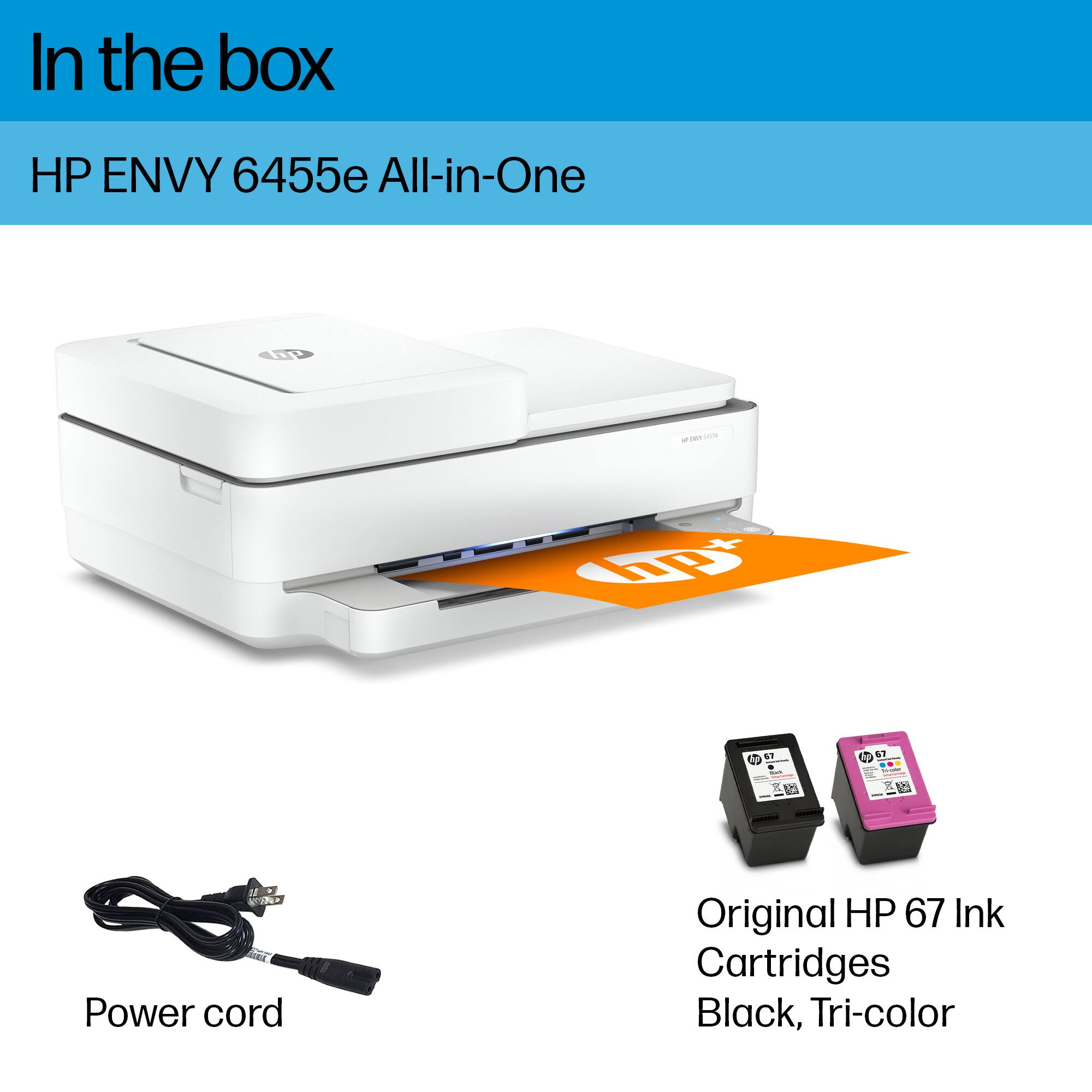
|Posted .This reviewer received promo considerations or sweepstakes entry for writing a review.The HP ENVY Pro 6455 comes with two ink cartridges. The refill cartridges are priced very reasonably. Set up is pretty simple. Just be sure to remove all the blue shipping tape in all places from the printer before doing the setup. You will need to download the HP Smart app to a cell phone or PC before you can set up the printer. Because of COVID-19 , I have been working from home and this printer does just about everything my office printer does. The printer feeds paper from the top paper feeder, making copying a breeze. The printer does do double sided printing. When copying or scanning, you will have to manually flip the paper over. Printing speed is pretty good. The quality of print is very good, in my opinion. A big bonus to saving on paper is the two-sided printing. I am deducting one star because I don’t like the fact that there is no control panel and you MUST download an app to work with this printer. I also don’t like the fact that there is no SD slot or USB so that you could print directly from those media sources.
I would recommend this to a friend Bad printer. Nobody has the ink
||Posted . Owned for 3 months when reviewed.This reviewer received promo considerations or sweepstakes entry for writing a review.Hp has a hard time keeping ink in stock for his thing. Stay away if you want to spend hundreds of dollars on ink as this thing drinks it up fast and for very few prints
No, I would not recommend this to a friendBrand response from HP Team
Posted .Hi there.
I’m sorry to hear that your printer has used ink more rapidly than you’d anticipated and that you’ve had difficulty finding replacement cartridges. I can wholly understand why that would be an exasperating combination, so I’ll offer some resources and information I hope will help.
First, regarding replacement cartridges, for reasons related to the COVID-19 pandemic, we are seeing an effect on some product availability. We are actively working with our supply chain team to minimize these delays. Please check back soon.
Regarding the printer’s ink consumption, here are some things you can consider:
- If it appears that a cartridge was low on ink to begin with, or that the poor page yield was caused by a defective cartridge, you can always contact the seller who sent you the cartridge about that.
- Contact us if the supplies are defective genuine cartridges that are not replaced by the vendor (and they are still within the “warranty ends” date on the cartridges). Reach out to us via this link: support.hp.com/us-en/contact-hp
Here are some facts on ink use that might help you get more prints without too much extra effort:
- A high-density print (such as an image or graph) uses ink more quickly than a text-only document, particularly if the paper is highly absorbent and the environment is dry.
- Using the draft and black only settings on your printer can help save on ink, particularly the colors.
- Shutting the printer down between uses can result in some savings. However, always use the power button on the printer itself to turn it off. That will let the printer to 'park' so that the nozzles that spray the ink onto the paper are protected from excess drying.
If the problem persists, I recommend that you reach out to us so we can help you assess the situation and work through any necessary troubleshooting with you. Get in touch via your preferred method at this link: hp.com/contactHP
Keith
HP Care
hp.com/support
This printer is not for me
||Posted . Owned for 3 weeks when reviewed.This reviewer received promo considerations or sweepstakes entry for writing a review.I returned this printer the next day, because it was not for me. My biggest objection is, there is no control panel, no on/off button. Everything has to be done in your iPad/iPhone in my case. As far as I am concerned, the printer is dead without the iPhone. I did not manage to connect with my HP laptop. I purchased another HP printer Office Jet Pro 9010 which has on/off button, control window, set-up instructions.
No, I would not recommend this to a friendNO HP account active NO print
||Posted . Owned for 1 year when reviewed.This reviewer received promo considerations or sweepstakes entry for writing a review.I did not know i wouldnt be able to use this printer or ink if i dont have a active account with HP. This printer wasted so much ink. I barely ised it anyways the quality was horrible! I needed important documents printed and i couldnt even use my own printer. It was always saying busy and it was just complicated. I would like my money back or exchanged.
No, I would not recommend this to a friendBrand response from HP Team
Posted .Hi there.
I’m sorry to hear that you’ve had such a dreadful experience with your printer. I can’t tell from your review quite what happened, or even whether you were able to complete setup and installation, but I’ll nonetheless provide a resource that I hope will help you resolve the situation and get the device working to your satisfaction.
I recommend that you contact us directly so we can help you assess the situation and find the proper course of action. HP+ printers such as yours come with exclusive concierge support. To call and reach live HP+ experts, visit the following URL and enter your HP+ serial number:
- hp.com/plus-help
Keith
HP Care
hp.com/support
Don't do it!
||Posted . Owned for 3 weeks when reviewed.This reviewer received promo considerations or sweepstakes entry for writing a review.The directions stink. Download the instructions before setup So many lights without common sense of how to work the device. Had to had hard reset to get it working.
No, I would not recommend this to a friendBrand response from HP Team
Posted .Hi there.
I’m sorry to hear that you encountered such difficulty setting up your printer. I can understand why the lack of instructional materials and confusing displays on the device would be a frustrating combination, so I’ll offer some resources and information I hope will help.
First, to learn more about your printer and all its features, you can access a setup tutorial (if you still need it) as well as user manuals, troubleshooting guides, how-to documents and software updates for your printer on our support site. Do that by following this link:
- support.hp.com/us-en/product/hp-envy-pro-6400-all-in-one-printer-series/29256678/model/29256679
You can also visit a page on our support site that has diagnostic tools for various tasks and issues, including setup and connectivity. There you’ll also find a general-purpose tool called the HP Print and Scan Doctor. If you use Windows, the tool will help identify and guide you through solutions to a wide range of common printing and scanning difficulties. You can find the page here:
- support.hp.com/us-en/topic/diagnostics
If you need further assistance, I suggest that you contact us directly at +1 800-474-6836 so we can help you assess the situation and find a solution. (Please note that because of restrictions on personal movement and workplace attendance associated with the COVID-19 pandemic, wait times for agents are longer than normal. Thanks in advance for your understanding.) To expedite the process, I recommend gathering the following information before the call:
- Model number
- Serial number
- Your location
- Case number (from any previous contact with HP support)
Keith
HP Care
hp.com/support
- Cons mentioned:Connectivity
Cant keep internet connection
||Posted . Owned for 3 weeks when reviewed.This reviewer received promo considerations or sweepstakes entry for writing a review.Haven't been able to keep it connected to wireless internet. Been in touch with support so many times I quit! It's a real P,O.S.
No, I would not recommend this to a friend - Cons mentioned:Connectivity
Sucks
||Posted . Owned for 7 months when reviewed.This reviewer received promo considerations or sweepstakes entry for writing a review.Worst printer I've ever owned every time you unplug it or power goes out you can't get it to reconnect to their app.
No, I would not recommend this to a friendBrand response from HP Team
Posted .Hi there.
I’m sorry to hear that your printer has performed so unreliably. It’s no surprise that you’re frustrated after the frequent need to troubleshoot and reconnect the printer every time you unplug it or the power temporarily goes out. I’d love to help you get the device working better, so I’ll suggest some resources aimed at achieving that.
First, I recommend you visit a page on our support site that has diagnostic tools for various issues, including wireless connectivity and printer-offline issues. Visit that page here:
- support.hp.com/us-en/topic/diagnostics
If you need further assistance, I recommend that you contact us directly at +1 800-474-6836 so we can help you assess what’s happening and find a solution. (Please note that because of restrictions on personal movement and workplace attendance associated with the COVID-19 pandemic, wait times for agents are longer than normal. Thanks in advance for your understanding.) To expedite the process, I recommend gathering the following information before the call:
- Model number
- Serial number
- Your location
- Case number (from any previous contact with HP support)
Keith
HP Care
hp.com/support
- Pros mentioned:Ease of use, Print quality
Great print quality, but the extras disappoint
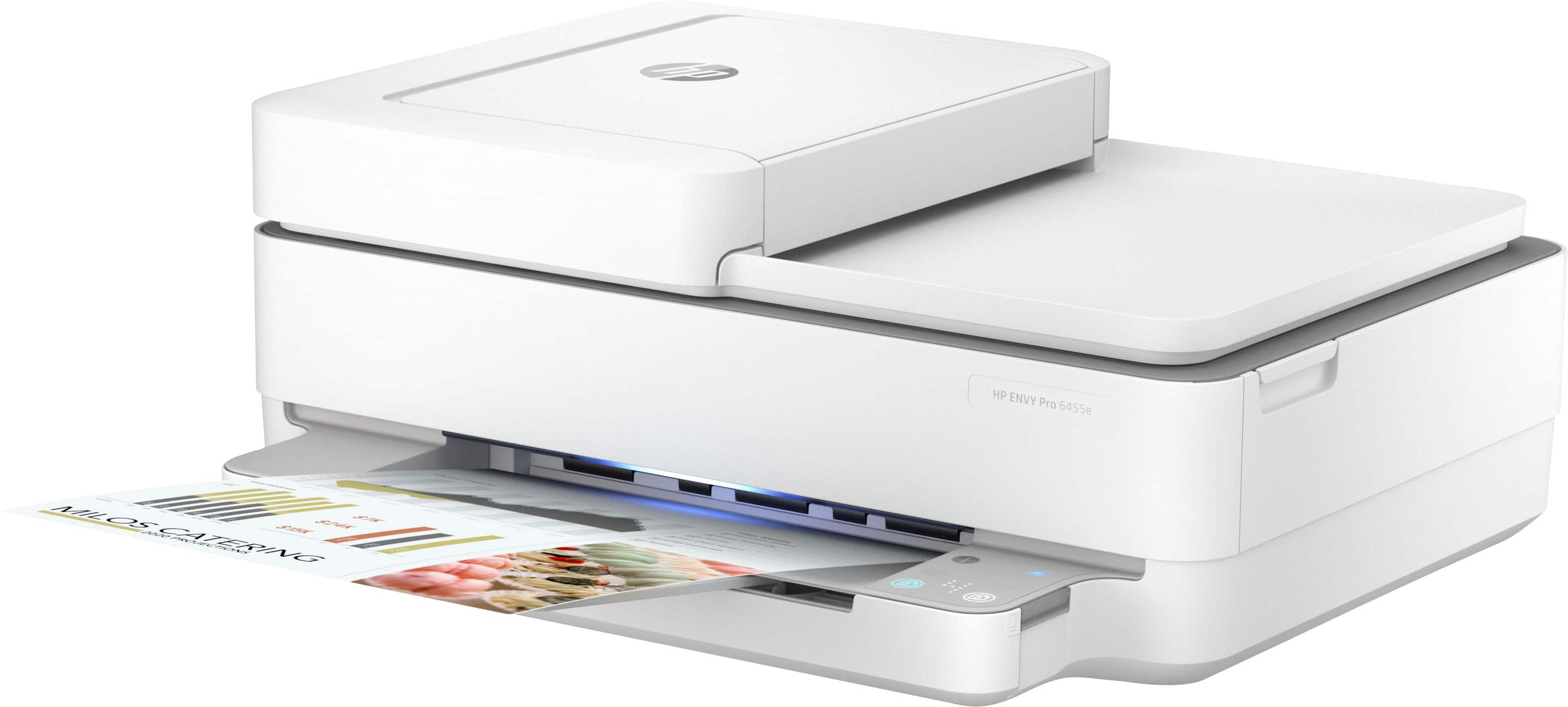
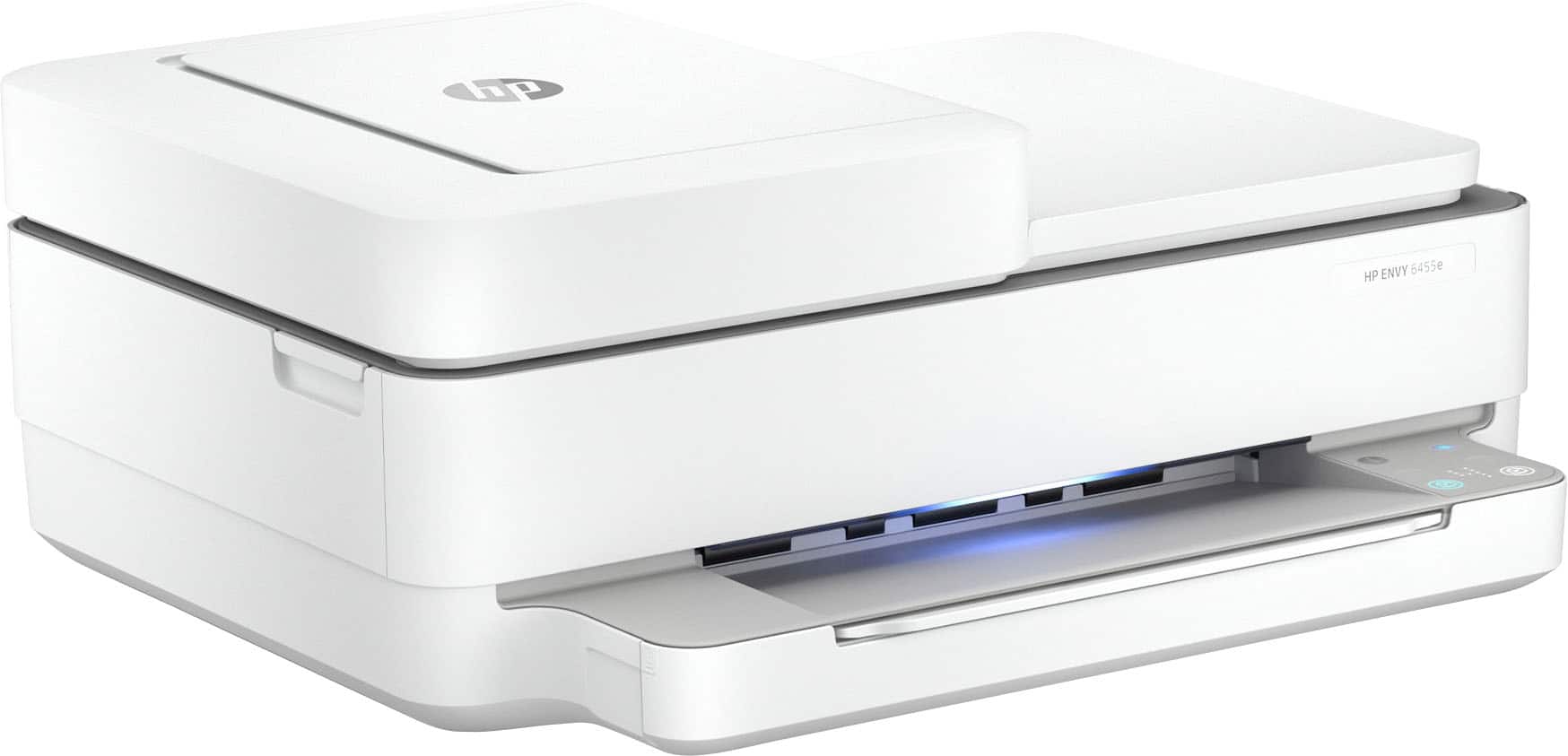
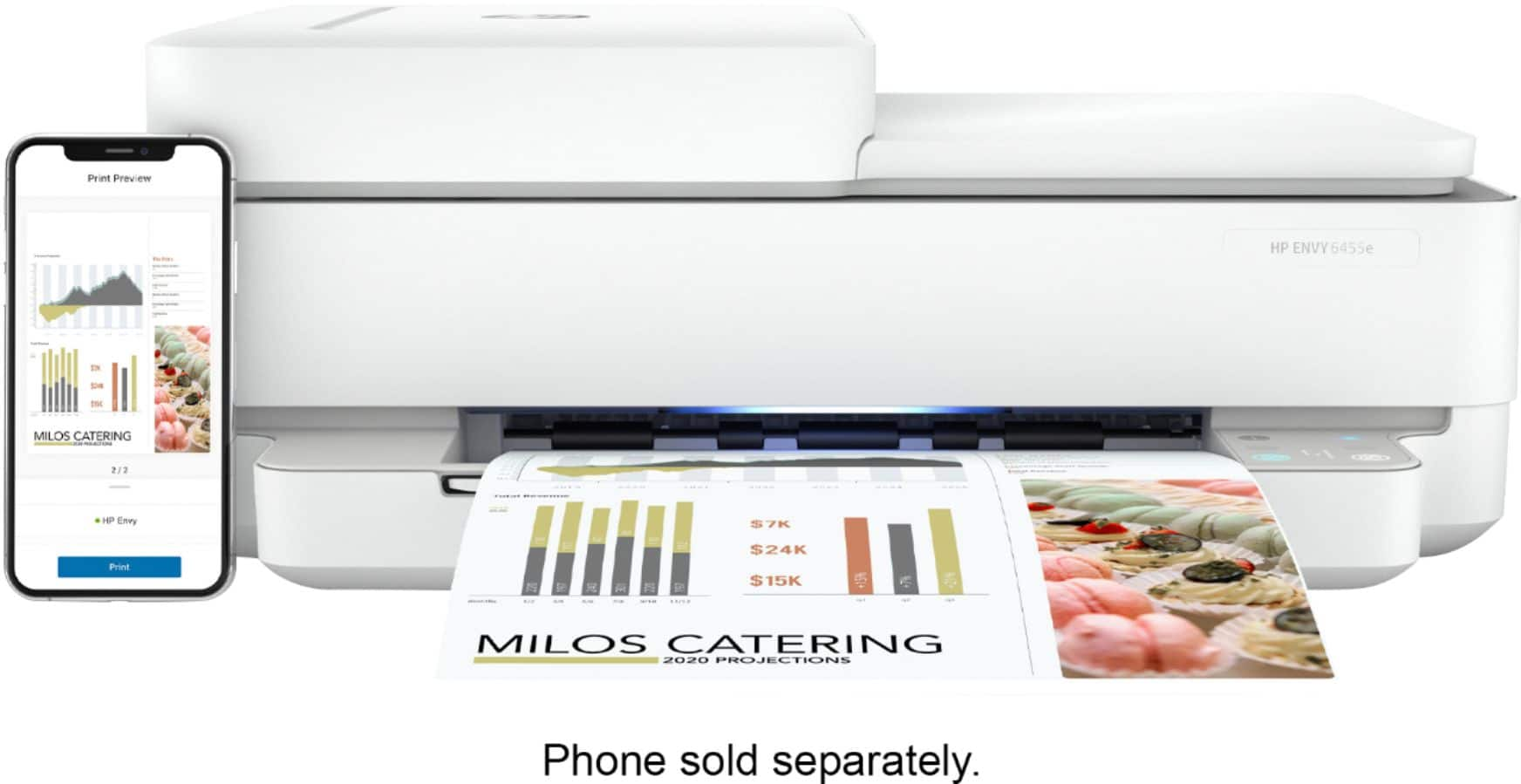
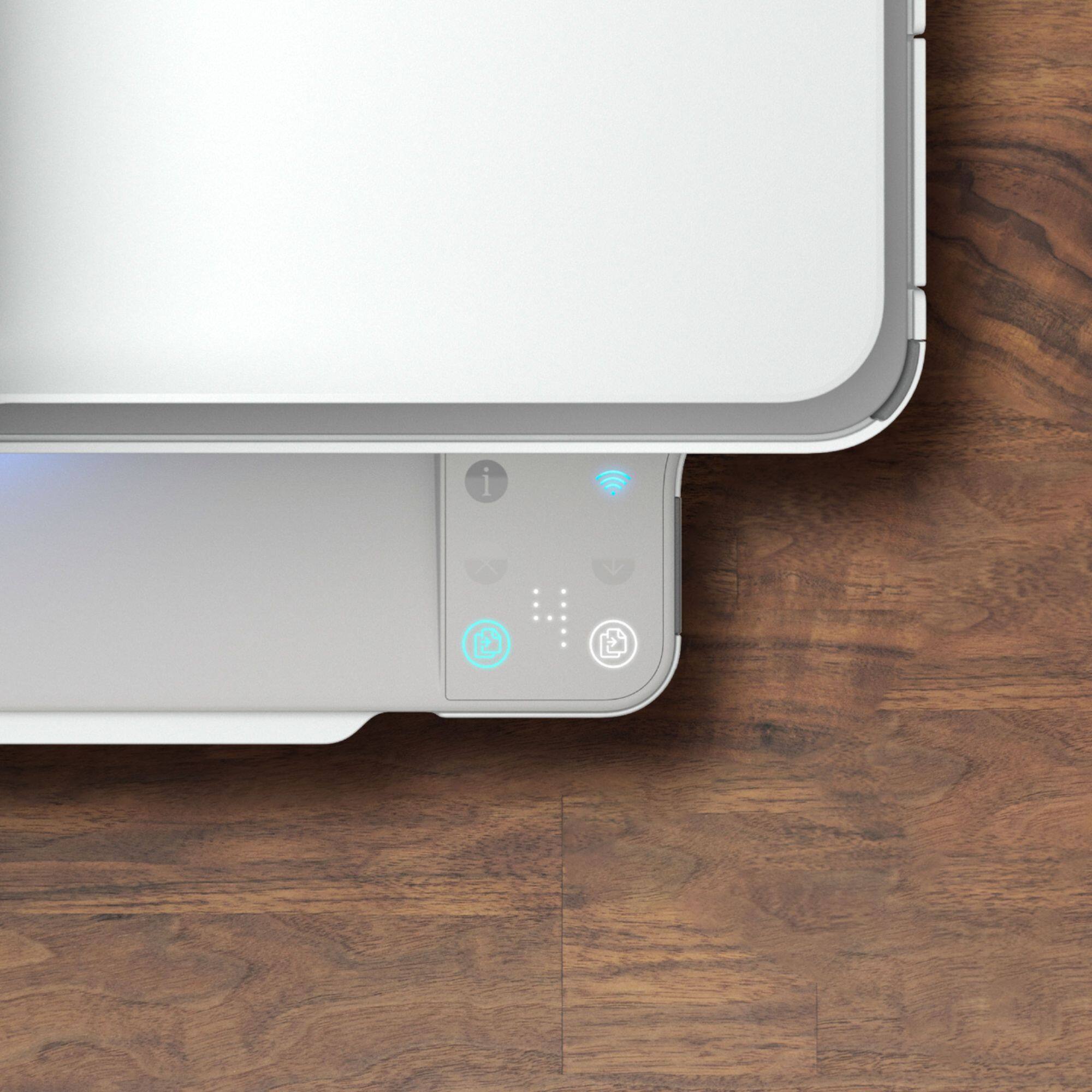
|Posted .This reviewer received promo considerations or sweepstakes entry for writing a review.The HP ENVY Pro 6455 printer is a small, feature filled Inkjet printer that tries to take the basic function of printing and wrap it in a blanket of the features we all expect from our technology today - easy to use and available from anywhere, as well as offering subscriptions / OpEx vs hefty outlays for consumables. As printers go, it's your rank and file inkjet printer. Print quality is excellent - which is table stakes for printers these days. Printing out anything from emails to pictures shows no discernible pixels on standard printer paper. Text is sharp and pictures are vibrant. As for setup, the experience is actually pretty good, and reminiscent of a lot of technologies today. You download the HP Smart App on your mobile device, scan the QR code on the printer, join the printer's Wi-Fi network, and the app and the printer work it out to get your home Wi-Fi settings transferred to the printer and get the printer registered and online. The app setup process also steers you into the ink subscription with a special offer as well. I was able to immediately find the printer on my local network by opening the "Add Printer" dialog on my Mac and was printing within minutes. Printing also worked well from my phone while at home. One interesting feature that HP has introduced as of late is the subscription model for ink. Instead of paying large chunks of cash when your print cartridge empties, as long as your printer is connected to the Internet, it can phone home and tell HP how much you've printed and where the ink levels are. For prices starting as low as $2.99/month for 50 pages (at the time of this writing) you can basically set and forget about ink. New ink will be shipped to you as needed. Unused pages will rollover as well, which is nice - considering printing has become an infrequent thing in our household, but still a necessity. Another thing I like is that this printing system has the printhead integrated into the cartridge. If the printer isn't used for a while and the ink dries in the cartridge (which has been endemic to Inkjet printers since they have came out), replacing the cartridge also replaces the print head - so you should be back in business just like new - without having to diagnose / clean / buy a new print head which sometimes is either not available or costs almost as much as a new printer. Unfortunately, there's some things that didn't go so well for me with this printer. I will caveat this with the fact that we have an enterprise class network at home, and the printer may be looking to do some UPnP things that a home router may support that our firewall does not. We are an entirely Mac based household, with an iMac, an MBA, and an MBP. They all found the printer just fine, but none of the devices are able to scan - either using the built in Mac scanning app or the HP EasyScan app from the App Store on any of my Macs at home. Every time it generates a failure to connect, which is disappointing. I was also not able to print remotely with this printer either - using the HP Smart App on my phone to try and print to the printer while I was out and about simply hung on "Trying to get status from remote printer" or a message to that effect. Did not matter whether I was on LTE or on a remote Wi-Fi network - however this isn't a huge show stopper as I don't typically have the need to print remotely. Another interesting quirk of this printer is the user interface - there's no words, and no tactile buttons - only small buttons that light up when a function is available and everything is done via symbol, so it takes a moment to figure out that the button with two pieces of paper and an arrow is the copy button, and the similar button with rotating color light behind it is the color copy button. The printer has these edge lights that light up when something in that general area needs attention (I.e. a light near the paper drawer lights up this blueish-green-white color when paper is needed.) I suspect after a while if I were regularly interfacing with the printer, this will become something you just know, but for the most part, I was consulting the app to get printer status to figure some of this out the first time it happened. Overall, if you need a printer that has great print quality and some rich features, it's a good buy. Unfortunately, some of the rich features that require the Internet (remote printing) did not work out for me - but may be due to our complex network setup at home. However, Scanning to a local device did not work either, and this was frustrating - but you may have better luck on a Windows machine vs the Mac. With all that being said, as printers goes these days it has all the features that anyone could possibly want in an inkjet printer - plus a few more.
I would recommend this to a friend This printer sucks
||Posted . Owned for 8 months when reviewed.This reviewer received promo considerations or sweepstakes entry for writing a review.This printer is the most unreliable one yet i have purchased from Best Buy. The printer stopped printing black six months in. Bought new cartridges and that didnt fix it. Geek squad replacement is a waste too apparently since they want to spend 60 minutes connected to your computer to diagnose the problem. Whatever happened to bringing it to the store to get looked at?
No, I would not recommend this to a friendBrand response from HP Team
Posted .Hi, Taimoor.
I’m sorry that your printer has stopped printing black ink. I can certainly understand your frustration, having purchased a new ink cartridge and sought the help of the seller’s tech service without any change in performance. I want to help you remedy this problem, so I’ll provide some resources I hope will reach that end.
First, I recommend following the steps listed in a guide on our support site to improving print quality, including when black or color ink does not print properly – or at all. Find that guide here:
- support.hp.com/us-en/document/ish_6184938-6184919-16
If the problem persists, I recommend that you contact us directly so we can help you assess what’s happening and find the proper course of action. HP+ printers such as yours come with exclusive concierge support. To call and reach live HP+ experts, visit the following URL and enter your HP+ serial number:
- hp.com/plus-help
Keith
HP Care
hp.com/support
- Pros mentioned:Print quality
Solid and Economical Home Printer
|Posted .This reviewer received promo considerations or sweepstakes entry for writing a review.This is a very capable all-in-one printer. HP has the lead in proper packaging. Getting the printer ready to install is very intuitive. Those engineers on the packaging and physical design teams are top notch. This printer does not have an LCD touch screen but does have a simple and effective button interface to control the printer functions. The install is easier than any printers I have ever used, again HP shows leadership in this ‘getting started’ arena. You can use your cell phone or a computer. I chose the computer this time and followed the HP Smart Software to do the install without a hitch. I pinned the software to my taskbar to easily open any of my HP printers and add or delete printers – very well done by HP - tip of my cap. HP came up with a concept for this printer that they call the ‘smart control panel’ such that buttons appear only when needed – wonderful, clean look and intuitive. I was amazed that I never had to enter my WiFi password but I could see the proper security was in place during the installation so no concerns here. Actually this is the first printer I have seen with the 5.0 ghz WiFi choice, another area HP is a leader. You do need to create an HP account in order for all functions to work. This is not difficult and is also necessary to join the low priced auto-ink ordering. I am finding that HP’s innovation here while at first disconcerting is actually very fair and economical i.e. the best way to manage your ink supply. This relatively economically priced printer is excellent for all functions. I find HP’s web site has all kinds of reference material and some of it is linked in your HP Smart software displays – it is easy to find and very well written. HP runs the whole gamut from solid/great printers, excellent support and the newest technology. I should say I priced out ink costs and this unit uses just two cartridges a black and a multicolor and is a little more economical than printers with 4 cartridges for example. The ink pricing is lower than comparable printers in terms of quality of print outs. In fairness the colors are not as bright as printers that cost 2 or 3 times as much, but for home use this is a great choice and I do recommend it.
I would recommend this to a friend 2 lemons
||Posted . Owned for 2 months when reviewed.This reviewer received promo considerations or sweepstakes entry for writing a review.Purchased this in june2020 had only 1 week and paper kept jamming. Returned to bestbuy wanted same one because I really liked The design and functions. Was given second one and after 4 weeks developed hardware issue Spoke to hp and bestbuy both, could not resolve so I returned the second and moved up To another model hp. Ver sastified with it. Something about this model glitchy
No, I would not recommend this to a friendNever again
||Posted . Owned for less than 1 week when reviewed.This reviewer received promo considerations or sweepstakes entry for writing a review.Had an HP printer before this one, it broke. I bought this one and it didnt work out of the box. Called HP tech support, they had me sign up for their instant ink subscription program before I had even got the thing working. Made me install their bloatware program to even get the thing functioning. Not what I need. Returned and got Canon for 60% of the cost. Worked beautifully with 2 seconds of setup. Will never buy HP again.
No, I would not recommend this to a friendGoes offline too often, Smart app does not respond
||Posted . Owned for 3 weeks when reviewed.This reviewer received promo considerations or sweepstakes entry for writing a review.Overall way below my needs. Not what I need. Not easy to use and of lesser quality than i expected.
No, I would not recommend this to a friendBrand response from HP Team
Posted .Hi, Bobby.
I’m sorry to hear that your printer has failed to maintain a wireless connection, and that the HP Smart app does not respond. It’s easy to understand why that would quickly become frustrating, so I’ll offer some information and resources I hope will help.
First, I recommend you visit a page on our support site that has diagnostic tools for various problems, including printer-offline and connectivity issues. Visit that page here:
- support.hp.com/us-en/topic/diagnostics
If any problem persists, I suggest that you contact us directly at +1 800-474-6836 so we can help you assess the situation and guide you through any applicable troubleshooting. (Please note that because of restrictions on personal movement and workplace attendance associated with the COVID-19 pandemic, wait times for agents are longer than normal. Thanks in advance for your understanding.) To expedite the process, I recommend gathering the following information before the call:
- Model number
- Serial number
- Your location
- Case number (from any previous contact with HP support)
Keith
HP Care
hp.com/support
- Pros mentioned:Print quality, Setup, Size
HP Envy 6455e
Posted .This reviewer received promo considerations or sweepstakes entry for writing a review.Good printing, easy to set up, compact, annoying blue light always on.
I would recommend this to a friend Difficult
||Posted . Owned for 3 weeks when reviewed.This reviewer received promo considerations or sweepstakes entry for writing a review.Never used it can't get past the setup, you need to do it via internet. I used my hotspot but you can't because then you have to use your wifi. I got a cord to connect the laptop to the printer, but until you get through the setup you can't use it. So far collecting dust and a waste of money. Envy, those who purchased a better printer.
No, I would not recommend this to a friendBrand response from HP Team
Posted .Hi, Ruby.
I'm sorry to hear that your printer has not set up and connected like it should. I can readily understand why the failed setup process you describe would be a tremendous disappointment. With that in mind, I’ll offer a resource that I hope will help.
I don't quite have enough information to diagnose your issue, nor do I know what’s possible in terms of setup from a Wi-Fi hotspot, so I recommend that you contact us directly at +1 800-474-6836 so we can help you assess the situation and guide you through any applicable troubleshooting. (Please note that because of restrictions on personal movement and workplace attendance associated with the COVID-19 pandemic, wait times for agents are longer than normal. Thanks in advance for your understanding.) To expedite the process, I recommend gathering the following information before the call:
- Model number
- Serial number
- Your location
- Case number (from any previous contact with HP support)
Keith
HP Care
hp.com/support
Wish I never made this purchase
||Posted .This reviewer received promo considerations or sweepstakes entry for writing a review.The envy is not user friendly, I have to constantly figure out why things won't print, it blocks printing, when things don't print it doesn't tell you why it didn't print. I tried to print my driver's license it took up the entire page when printing which isn't what I wanted and wasted ink instead of printing it in normal size
No, I would not recommend this to a friendBrand response from HP Team
Posted .Hi, Denise.
I’m sorry to hear that your printer has been difficult to use and provided some counterintuitive results. It’s easy to understand why the unreliability as well as episodes like the one you describe when printing your driver license would quickly become exasperating. With that in mind, I’ll suggest some things I hope will help.
I can’t tell from your review what’s causing the problems you describe, so I recommend that you contact us directly at +1 800-474-6836 so we can help you assess the situation and guide you through any applicable troubleshooting. (Please note that because of restrictions on personal movement and workplace attendance associated with the COVID-19 pandemic, wait times for agents are longer than normal. Thanks in advance for your understanding.) To expedite the process, I recommend gathering the following information before the call:
- Model number
- Serial number
- Your location
- Case number (from any previous contact with HP support)
I'll also mention that HP printers have a one-year warranty from their purchase date that covers hardware as well as ink supplies, so if it comes to that, you might consider making use of it. You can verify the warranty using the following link: support.hp.com/us-en/checkwarranty
Keith
HP Care
hp.com/support