Customer Ratings & Reviews
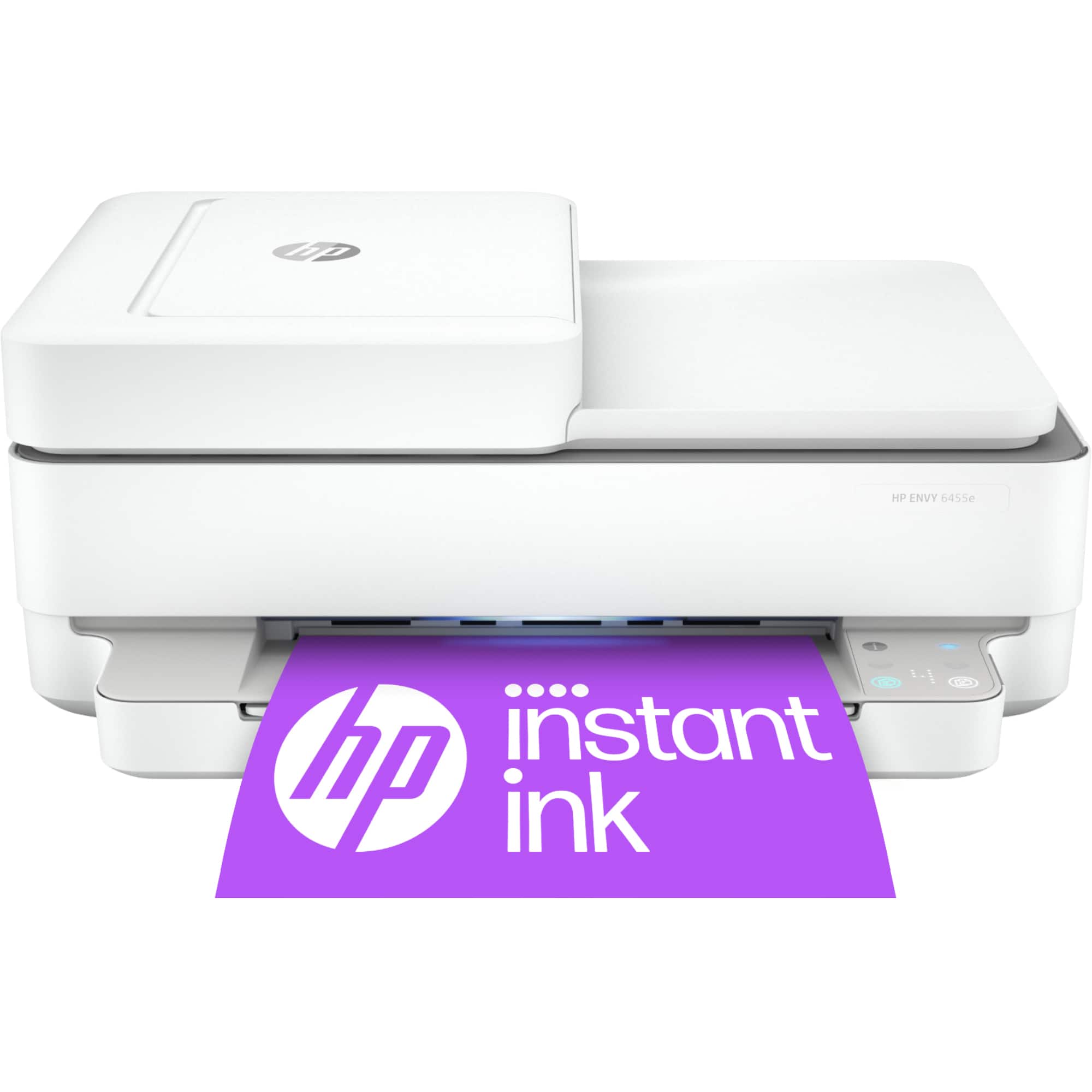
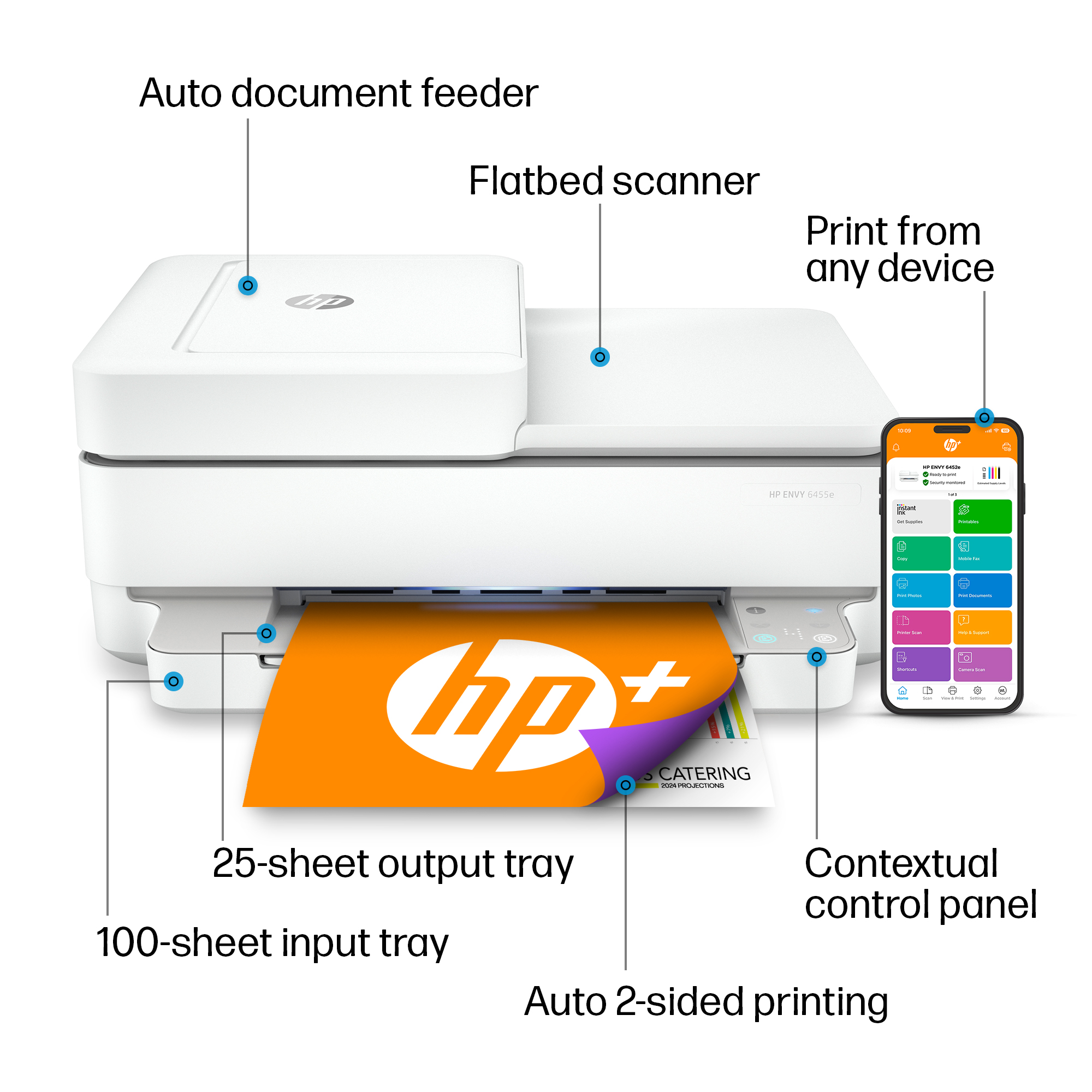
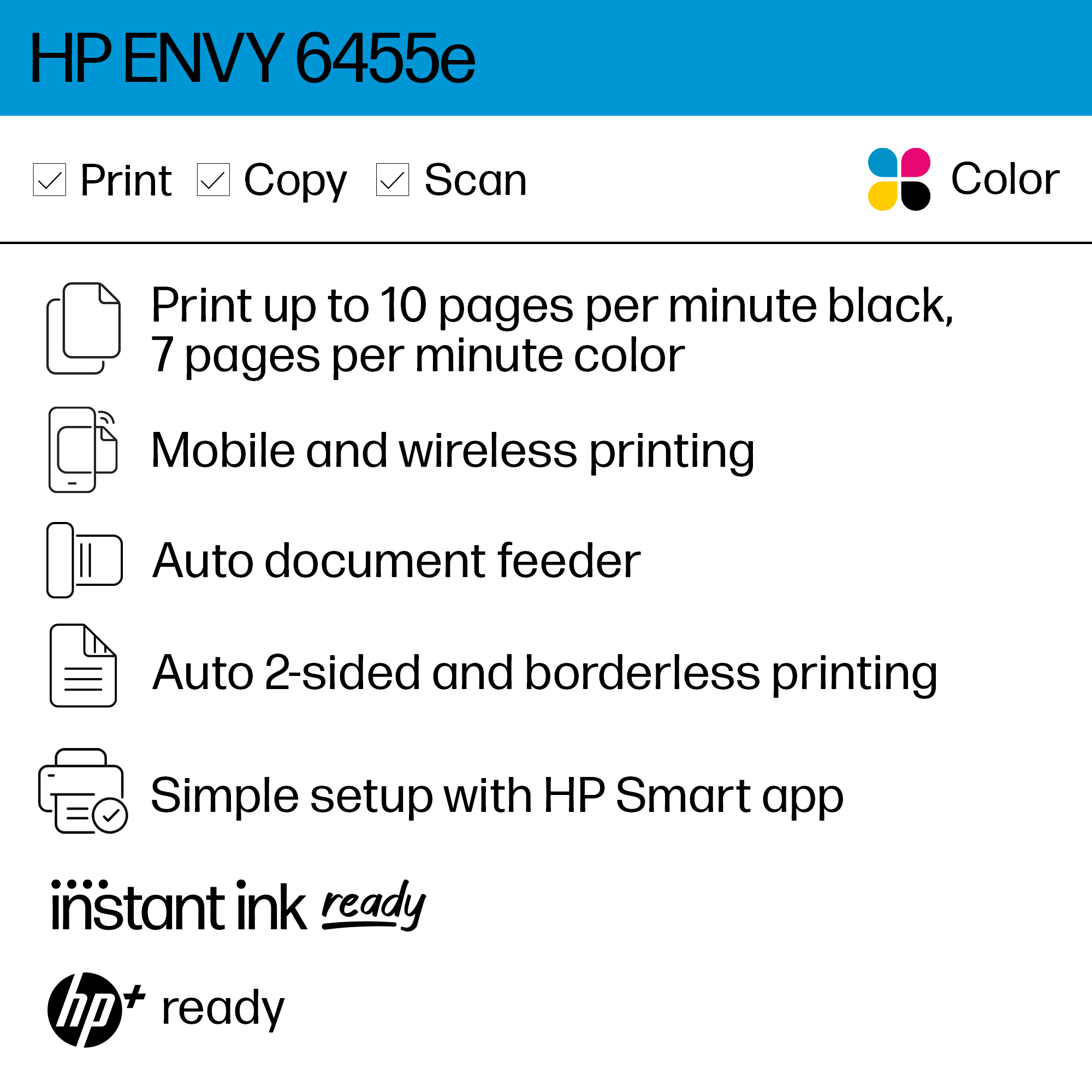
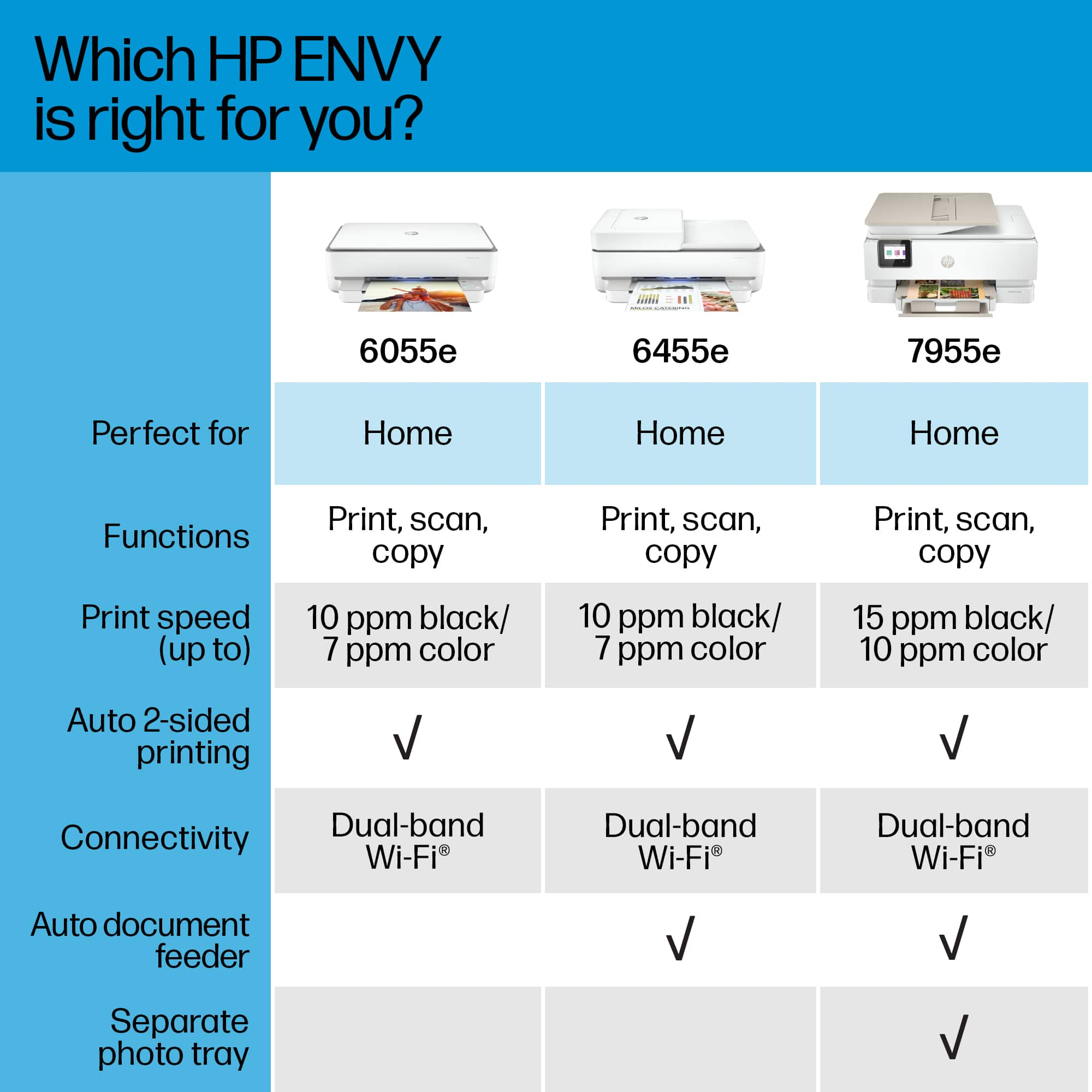




- Model:
- ENVY 6455E/223R1A#B1H
- SKU:
- 6454287
Rating by feature
- Value
Rating 4.2 out of 5 stars
- Quality
Rating 4.2 out of 5 stars
- Ease of Use
Rating 4.0 out of 5 stars
Customers are saying
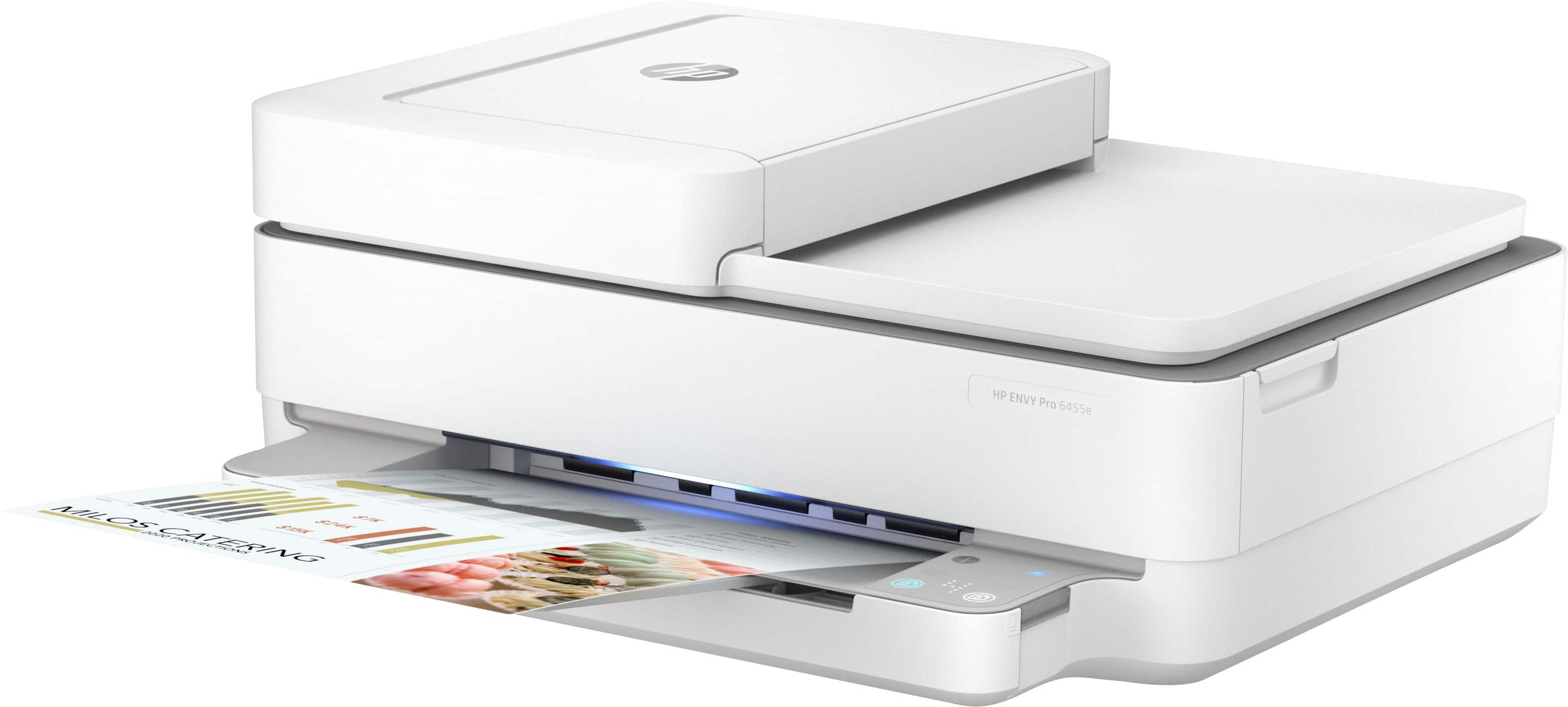
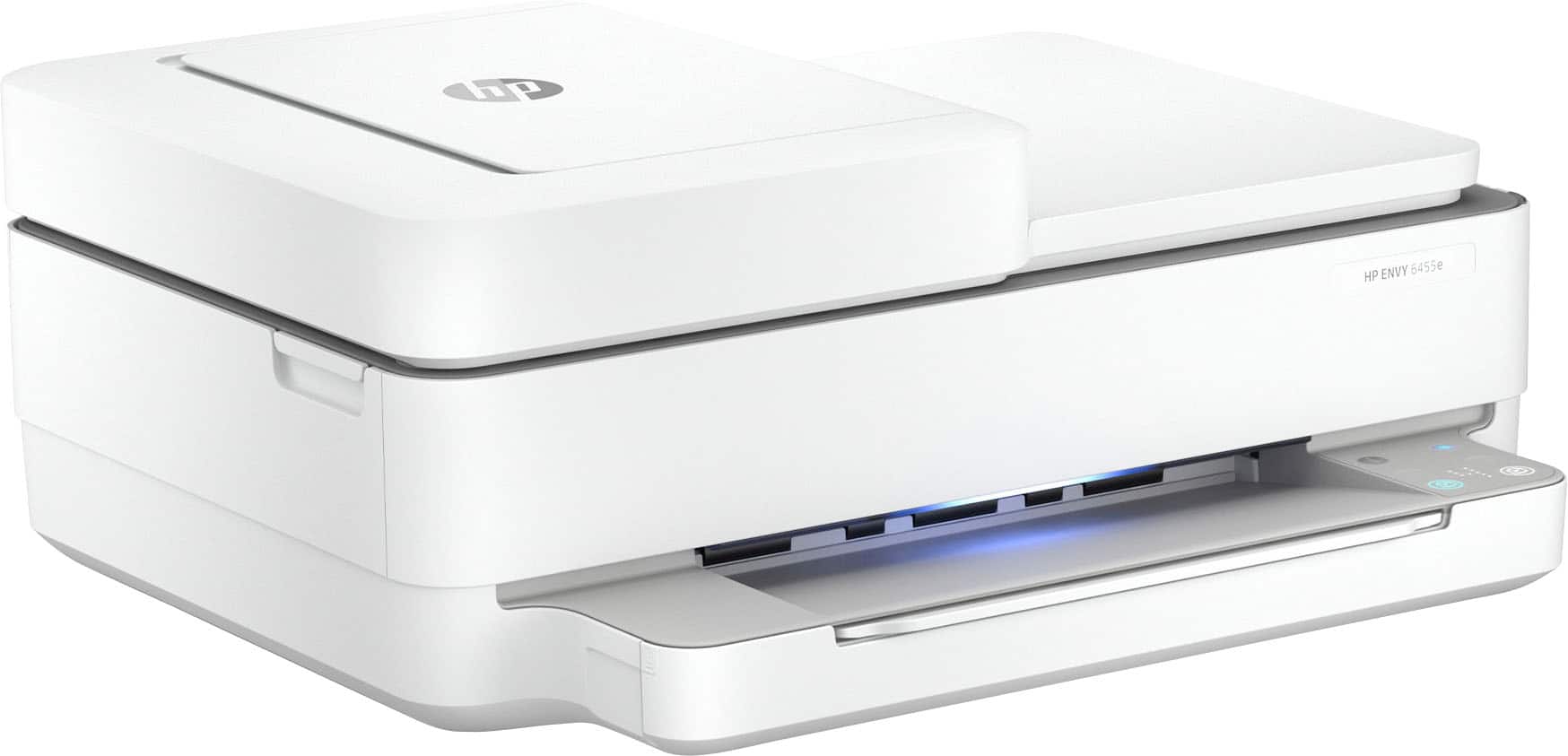
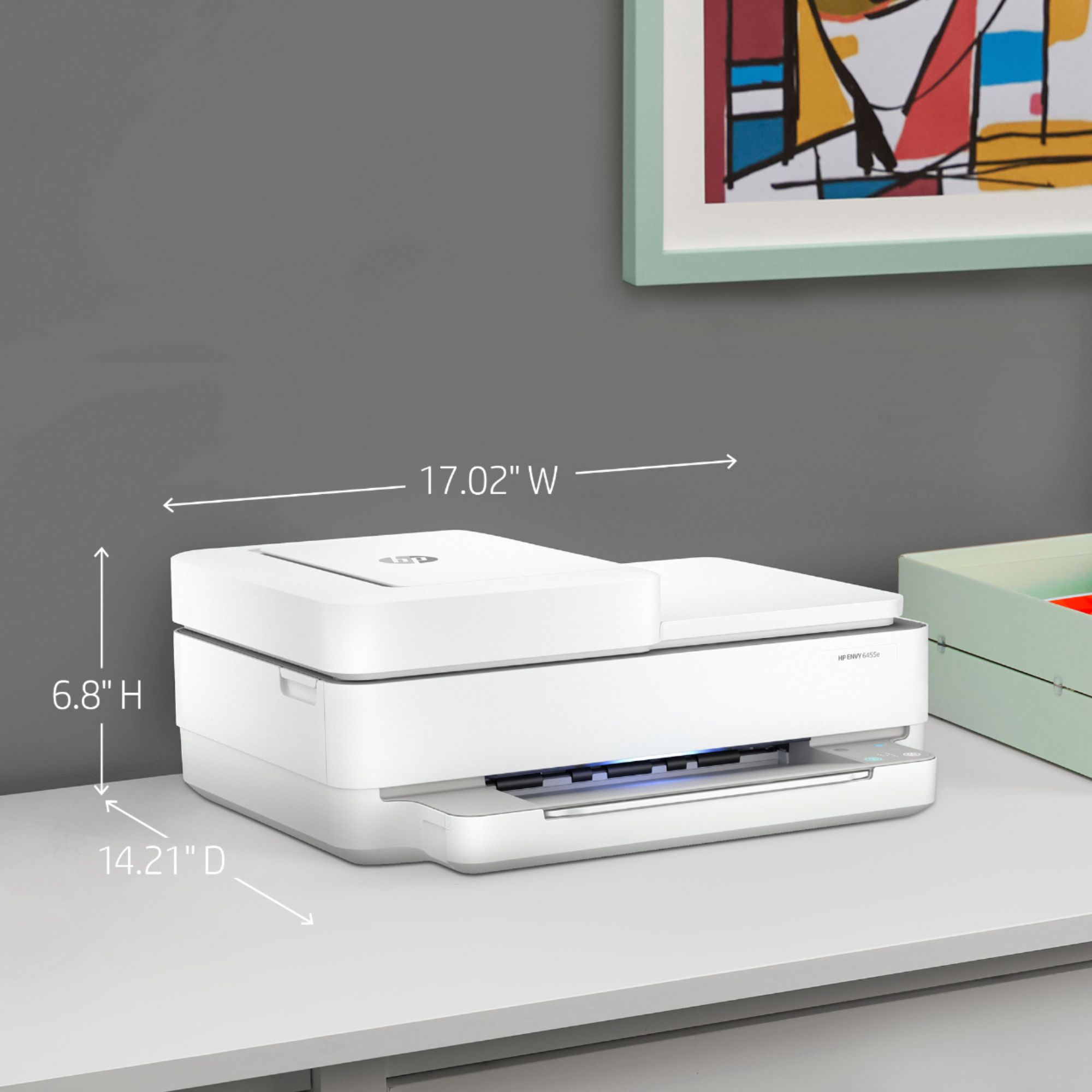
Customers love the ENVY 6455e's ease of use, print quality, and compact size. Many appreciate its affordability and quick setup, while also noting the quiet operation and good performance. However, some users experienced issues with connectivity and the lack of a display screen, and occasional paper jams were also reported.
This summary was generated by AI based on customer reviews.
Worst buy not best buy
||Posted .This reviewer received promo considerations or sweepstakes entry for writing a review.It arrived broken and they refused to take it back.
No, I would not recommend this to a friendIts already broken. Messed up all ready in 3 month
||Posted . Owned for 2 months when reviewed.This reviewer received promo considerations or sweepstakes entry for writing a review.Very fragile product! I had this printer not that long and its already broken! Idk who to call.
No, I would not recommend this to a friendBrand response from HP Team
Posted .Hello there,
I'm very sorry to learn about this difficult situation. That is definitely far from the reliable experience we are aiming to provide with our products. With that said I would like to clarify the situation and help you to get all the queries about the printer answered.
Please don't hesitate to contact us for support. We'd be more than happy to help, so you can reach us via preferred method here: support.hp.com/us-en/contact-hp
Kacper
HP Care
hp.com/support
Not up to HP quality
||Posted . Owned for 4 months when reviewed.This reviewer received promo considerations or sweepstakes entry for writing a review.Doesn't auto scan. Ink Cartridges don't always come out of their hidey hole w/o reboot.
No, I would not recommend this to a friendBrand response from HP Team
Posted .Hi there.
I’m sorry to hear that your printer has been so difficult to use. Your review is brief, but your disappointment is clear – and totally understandable – so I’ll provide some resources that I hope will help you resolve the issue with the print carriage and get your printer working to your satisfaction.
First, I recommend that you visit a page on our support site that has diagnostic tools for various issues, including connectivity, which might be contributing to the carriage issue you describe. There you’ll also find a general-purpose tool called the HP Print and Scan Doctor. If you use Windows, the tool will help identify and guide you through solutions to a wide range of common printing and scanning difficulties. Visit that page here:
- support.hp.com/us-en/topic/diagnostics
If you need further assistance, I recommend that you contact us directly at +1 800-474-6836 so we can help you assess the situation and find a solution. (Please note that because of restrictions on personal movement and workplace attendance associated with the COVID-19 pandemic, wait times for agents are longer than normal. Thanks in advance for your understanding.) To expedite the process, I recommend gathering the following information before the call:
- Model number
- Serial number
- Your location
- Case number (from any previous contact with HP support)
Keith
HP Care
hp.com/support
printer
||Posted . Owned for 8 months when reviewed.This reviewer received promo considerations or sweepstakes entry for writing a review.this printer have never worked correctly it will not print all the information
No, I would not recommend this to a friendBrand response from HP Team
Posted .Hi, Nancy.
I’m sorry that your printer has not worked properly. I can’t tell from your review what specific difficulties you’ve encountered, but I’ll nonetheless direct you to some resources that I hope will help you remedy whatever you face and get the printer working to your satisfaction.
First, for help solving problems, you can visit a page on our support site that has diagnostic tools for various tasks and issues, including setup, cartridge installation, print quality and connectivity. There you’ll also find a general-purpose tool called the HP Print and Scan Doctor. If you use Windows, the tool will help identify and guide you through solutions to a wide range of common printing and scanning issues. Visit that page here:
- support.hp.com/us-en/topic/diagnostics
For more help with difficulties, or to learn more about your printer and all its features, you can access troubleshooting guides, how-to documents, user manuals and software updates here:
- support.hp.com/us-en/product/model/29256679
If you need further assistance, I suggest that you contact us directly at +1 800-474-6836 so we can help you assess the situation and determine the best course of action. (Please note that because of restrictions on personal movement and workplace attendance associated with the COVID-19 pandemic, wait times for agents are longer than normal. Thanks in advance for your understanding.) To expedite the process, I recommend gathering the following information before the call:
- Model number
- Serial number
- Your location
- Case number (from any previous contact with HP support)
Keith
HP Care
hp.com/support
DO NOT BUY
||Posted .This reviewer received promo considerations or sweepstakes entry for writing a review.HP PRODUCTS IS HORABLE. DO NOT BUY. PRINTER STOPS WORKING AND THEN NO WAY TO FIX
No, I would not recommend this to a friendHp printer
||Posted .This reviewer received promo considerations or sweepstakes entry for writing a review.Had to return. Printer would not maintain WiFi. Wanted a new model but not available
No, I would not recommend this to a friend- Pros mentioned:Print quality

HP Envy Pro 6455
|Posted .This reviewer received promo considerations or sweepstakes entry for writing a review.This printer is very simple to set up and start printing with. Instant Ink is an option that is very beneficial if you're going to be printing a lot. Weigh the options carefully before making the decision on that. You don't have to use Instant Ink to use the printer, though. That flexibility makes this printer a very economical option. The prints look good, and so does the scanner. It has a quiet mode that prints much more slowly, but you can barely hear it, which is nice.
I would recommend this to a friend Problems
||Posted . Owned for less than 1 week when reviewed.This reviewer received promo considerations or sweepstakes entry for writing a review.From day one it had paper jams every other print. I would hope it was a fluke.
No, I would not recommend this to a friendBrand response from HP Team
Posted .Hi there.
I’m sorry to hear that your printer has experienced frequent paper jams. I can certainly see why that would be a dubious start to owning a new printer, so I’ll try to offer some helpful suggestions.
First, I recommend going through the steps to clearing and avoiding paper jams that you’ll find in this troubleshooting guide on our support site:
- support.hp.com/us-en/document/c06575809
If the problem persists, I suggest that you contact us directly at +1 800-474-6836 so we can help you assess the situation and guide you through any applicable troubleshooting. (Please note that because of restrictions on personal movement and workplace attendance associated with the COVID-19 pandemic, wait times for agents are longer than normal. Thanks in advance for your understanding.) To expedite the process, I recommend gathering the following information before the call:
- Model number
- Serial number
- Your location
- Case number (from any previous contact with HP support)
I'll also mention that HP printers have a one-year warranty from their purchase date that covers hardware as well as ink supplies, so if it comes to that, you might consider making use of it. You can verify the warranty using the following link: support.hp.com/us-en/checkwarranty
Keith
HP Care
hp.com/support
Stuck
||Posted . Owned for 3 weeks when reviewed.This reviewer received promo considerations or sweepstakes entry for writing a review.It has recently stopped printing. The paper just feeds without printing.
No, I would not recommend this to a friendBrand response from HP Team
Posted .Hi there.
I'm sorry to hear that your printer is no longer putting ink on the pages it processes. I can certainly understand why that would be quite an unnerving surprise, so I’ll point you toward some resources I hope will help you resolve the issue.
First, I recommend following the steps listed in this guide to improving print quality, including when color or black ink – or both – do not print properly or at all:
- support.hp.com/us-en/document/c06543527
If the problem persists, I recommend that you contact us directly at +1 800-474-6836 so we can help you assess the situation and find a solution. (Please note that because of restrictions on personal movement and workplace attendance associated with the COVID-19 pandemic, wait times for agents are longer than normal. Thanks in advance for your understanding.) To expedite the process, I recommend gathering the following information before the call:
- Model number
- Serial number
- Your location
- Case number (from any previous contact with HP support)
I'll also mention that HP printers have a one-year warranty from their purchase date that covers hardware as well as ink supplies, so if it comes to that, you might consider making use of it. You can verify the warranty using the following link: support.hp.com/us-en/checkwarranty
Keith
HP Care
hp.com/support
- Pros mentioned:Print quality
Good but not Great
|Posted .This reviewer received promo considerations or sweepstakes entry for writing a review.This a very straight forward middle of the road printer. Easy to set up and app enabled for easy WiFi/Bluetooth printing. Prints about 10 sheets a min black/white and about 8 sheets a min color. Scanning is fairly quick as well Print quality is spot in for B/W but color starts to fade and run after about 6 pages in a row. As a nice bonus this printer comes with what they say is two months of ink guaranteed. Does this one work, yep! Are there better out there, yes!
I would recommend this to a friend Hp Envy Pro 6455
||Posted . Owned for 10 months when reviewed.This reviewer received promo considerations or sweepstakes entry for writing a review.This product is no good, had it less than a year..
No, I would not recommend this to a friendButtons were inoperative
||Posted .This reviewer received promo considerations or sweepstakes entry for writing a review.It was probably just a lemon but not able to configure non operating bitton
No, I would not recommend this to a friendRisky
||Posted . Owned for 1 month when reviewed.This reviewer received promo considerations or sweepstakes entry for writing a review.Terrible ,was missing alot of components, looks like was repackaged
No, I would not recommend this to a friendBrand response from HP Team
Posted .Hi there.
I’m so sorry to hear that your printer arrived without some of the components needed to set it up. It’s easy to understand why this would be quite an unnerving surprise. I would love to help you resolve the situation, so I’ll suggest some resources that I hope will help.
First, I can’t say for sure what happened in your situation, but what you describe can occur when a printer is sold, returned to the seller, then sold again to a different buyer without being adequately inspected before shipment.
Because you expected to receive a printer with all the necessary components, I recommend you contact the seller to address this promptly. You can find the seller by scrolling to the bottom of the Best Buy website and clicking Orders & Returns.
I will also mention that HP printers have a one-year warranty from their purchase date, so you might make use of it if you need to. To verify the warranty, you can use the following link: support.hp.com/us-en/checkwarranty
Remember you can always contact us for support whenever you need as well. We're always here and more than happy to help you. You can reach us via your preferred method at this link: hp.com/contactHP
Keith
HP Care
hp.com/support
Waste200
||Posted .This reviewer received promo considerations or sweepstakes entry for writing a review.Horrible! Waste of money! Haven't been able to print from it once.
No, I would not recommend this to a friendBrand response from HP Team
Posted .Hi there.
I’m sorry to hear that your printer has not worked since you got it. Your review is brief, but your frustration is clear – and totally understandable – so I’ll suggest a resource and some information I hope will help you get your printer working like it should.
I can’t tell from your review what issue your printer faces or why it hasn’t worked, so I recommend that you contact us directly at +1 800-474-6836 so we can help you assess the situation and find a solution. (Please note that because of restrictions on personal movement and workplace attendance associated with the COVID-19 pandemic, wait times for agents are longer than normal. Thanks in advance for your understanding.) To expedite the process, I recommend gathering the following information before the call:
- Model number
- Serial number
- Your location
- Case number (from any previous contact with HP support)
I'll also mention that HP printers have a one-year warranty from their purchase date that covers hardware as well as ink supplies, so if it comes to that, you might consider making use of it. You can verify the warranty using the following link: support.hp.com/us-en/checkwarranty
Keith
HP Care
hp.com/support
- Pros mentioned:Ease of use, Print quality, Size
A Dream of a Printer
Posted .This reviewer received promo considerations or sweepstakes entry for writing a review.Easy to use, compact size and great copy production. Great value!
I would recommend this to a friend This Printer Isn’t For Me, But Don’t Overlook It
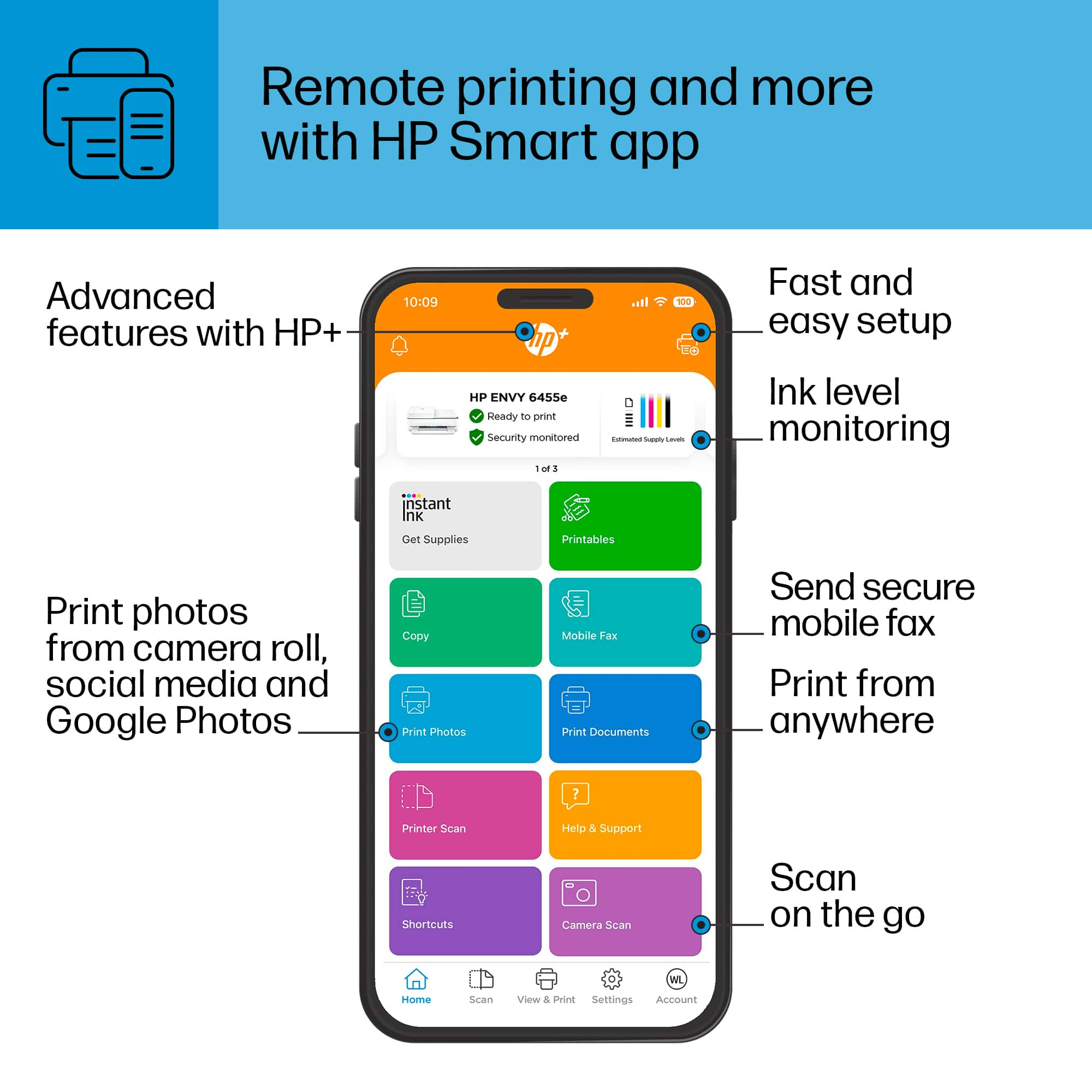
|Posted .This reviewer received promo considerations or sweepstakes entry for writing a review.Pros: Simple setup. Integrated apps for Android, iPhone and Windows. Duplex Printing. Instant Ink Program. Quiet. Fast printing. “Anywhere” printing. Cons: No display on machine. Only one paper tray. No full-duplex scanning (manual only). Issues with Firewall (explained later). So as I said, this printer isn’t for me, but I caution others not to overlook it. Setup was rather easy. I had to create my HP Account for the first time. I caution anyone that has auto-fill on when registering. My phone switched to another saved email address when I submitted the form and I didn’t realize it. Now I’m stuck with that as my “Login ID” even though I was able to change my email address in my profile. My mistake, but it would be nice to be able to change your Login ID. Other than that, setup on my Android and my PC was simple. I did however run into an issue with my firewall the first time I printed. I have my firewall set up to ask me for authorization when a new program attempts to access the LAN. That notification pops up in the exact same spot that the HP Smart program puts its notifications. So unfortunately, the rule wasn’t set in time and blocked the program. It was a little bit of a headache to get around that. The printer has the ability to print from your smartphone with the HP Smart app. That also gives it the ability to print off site which is nice especially since Google got rid of their Google Print feature. Being able to scan directly to email and a cloud eliminates multiple steps of scanning and then transferring. Being a multi-function printer, it does most of what you would expect. I do miss the ability of a full duplex scanner in the ADF and would definitely pay a little more to have it. Only having one tray is something that is a turn off for me too. In previous printers, I would load photo paper in one tray and plain paper in the other. Again, maybe not a dealbreaker for everyone. I also need a display which it doesn’t have. HP may have oversimplified this printer. However, I know I listed a lot of negatives, but I’m being picky. The quality and speed of photo and text printing were both exceptional. And again, I can’t reemphasize the potential of the Instant Ink Program. The price point for membership is spot on and maybe even a little cheaper than I expected. Well worth it for most users. A neat little note in the fine print of the deal. If you don’t use all of your pages in a month, they transfer to the next month and you can have up to 3x the amount of your subscription (ie. 100 pages/month can float up to 300 pages/month.) Overall, this printer is for someone that is going to use this for a non-professional, everyday purpose. If you’re not a techy person, the simplicity of the setup and the printer itself would probably benefit you. The price point for this printer seems about accurate. I would cautiously recommend this product to friends and family.
I would recommend this to a friendSuck!!
||Posted . Owned for 4 months when reviewed.This reviewer received promo considerations or sweepstakes entry for writing a review.DO NOT BUY...KEEPS CONNECTING AND DISCONNECTING FROM WIFI
No, I would not recommend this to a friendCopier
||Posted .This reviewer received promo considerations or sweepstakes entry for writing a review.It is very slow and does not print straight. Not easy to set up.
No, I would not recommend this to a friendBrand response from HP Team
Posted .Hi there.
I’m sorry to hear that your printer has not printed straight and has rendered prints so slowly. I can readily understand why that would be quite a frustrating combination, so I’ll offer some resources that I hope will help.
I reached out to a person who oversees this product line, and he recommends that you watch a video tutorial on our support site on best practices for avoiding skewed copies and scans using HP multifunction printers. Find this video by following this link:
- www.youtube.com/watch?v=xO9w9bYCbnE
I also suggest that you follow a guide on our support site that covers improving print speed; choose whichever of the following two links matches your operating system:
- Windows: support.hp.com/us-en/document/bud03409
- Mac OS: support.hp.com/us-en/document/c01928898
If you need further assistance, I hope you’ll contact us directly at +1 800-474-6836 so we can help you assess the situation and guide you through any applicable troubleshooting. (Please note that because of restrictions on personal movement and workplace attendance associated with the COVID-19 pandemic, wait times for agents are longer than normal. Thanks in advance for your understanding.) To expedite the process, I recommend gathering the following information before the call:
- Model number
- Serial number
- Your location
- Case number (from any previous contact with HP support)
Keith
HP Care
hp.com/support
Misleading!!!
||Posted . Owned for 3 months when reviewed.This reviewer received promo considerations or sweepstakes entry for writing a review.TERRIBLE...cannot scan, copy..anything!!! Don’t purchase this
No, I would not recommend this to a friendBrand response from HP Team
Posted .Hi, Jackie.
I’m sorry to hear that your printer has not worked like it should Your review is brief, but your frustration is clear – and totally understandable – so I’ll offer some resources and information I hope will help.
From your review, I can’t tell what issued your printer faces or why it has not worked, so I recommend that you contact us directly at +1 800-474-6836 so we can help you assess the situation and guide you through any applicable troubleshooting. (Please note that because of restrictions on personal movement and workplace attendance associated with the COVID-19 pandemic, wait times for agents are longer than normal. Thanks in advance for your understanding.) To expedite the process, I recommend gathering the following information before the call:
- Model number
- Serial number
- Your location
- Case number (from any previous contact with HP support)
I'll also mention that HP printers have a one-year warranty from their purchase date that covers hardware as well as ink supplies, so if it comes to that, you might consider making use of it. You can verify the warranty using the following link: support.hp.com/us-en/checkwarranty
Keith
HP Care
hp.com/support
Works when it wants to
||Posted . Owned for 3 weeks when reviewed.This reviewer received promo considerations or sweepstakes entry for writing a review.Problems from day one. We are returning unit soon as possible..
No, I would not recommend this to a friend