Customer Ratings & Reviews
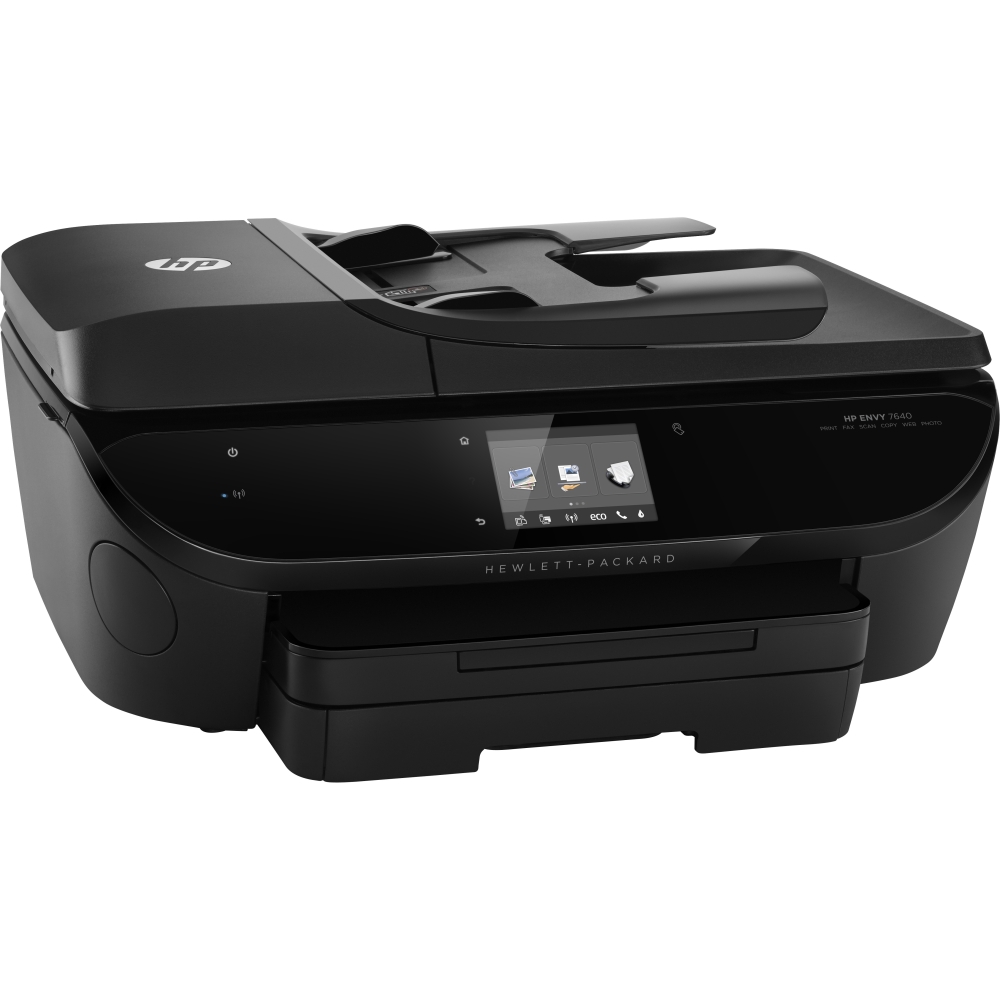
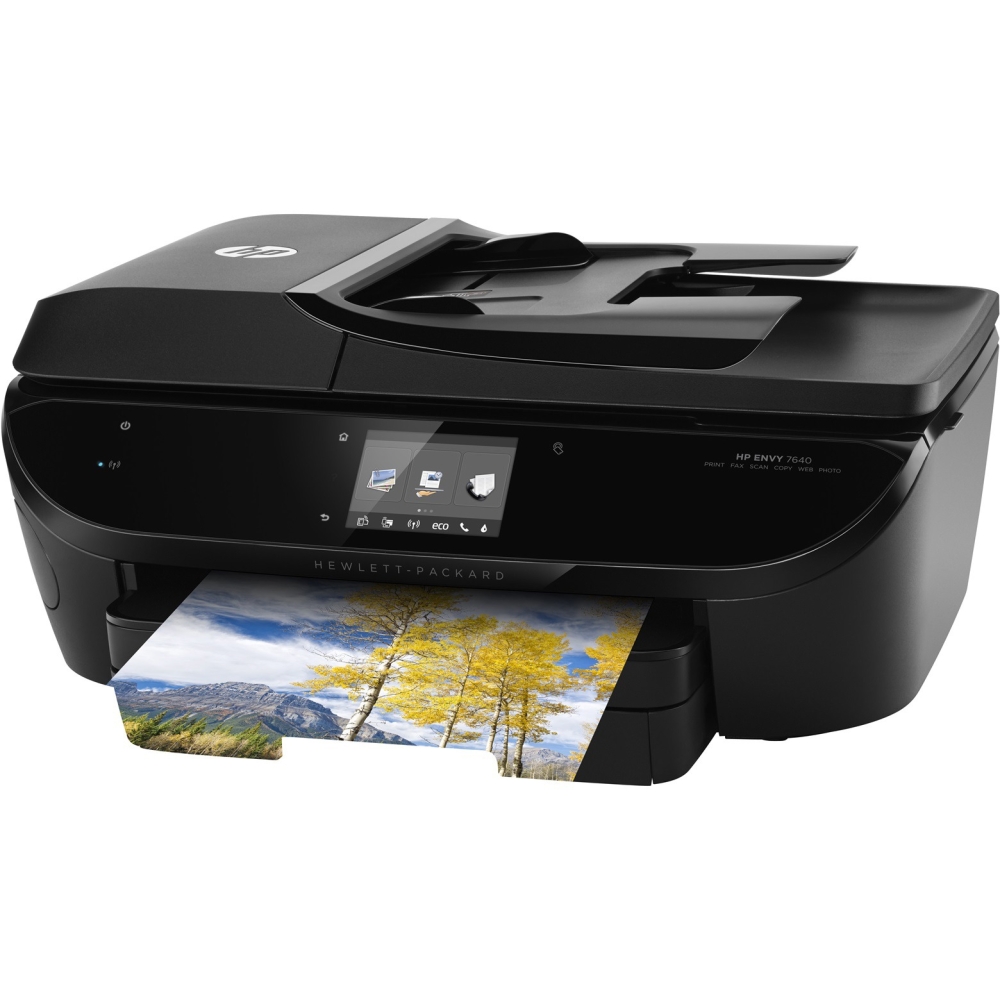
- Model:
- E4W43A#B1H
- |
- SKU:
- 8110006
Customer reviews
Rating 4.5 out of 5 stars with 7255 reviews
(7,255 customer reviews)Rating by feature
- Value4.2
Rating 4.2 out of 5 stars
- Quality4.2
Rating 4.2 out of 5 stars
- Ease of Use4.4
Rating 4.4 out of 5 stars
Customers are saying
Customers are positive about the ENVY 7640's print quality, ease of use, and wireless functionality, with many praising its compact size and quiet operation. The printer's fax capabilities and ease of setup also receive favorable feedback. However, some customers express concerns about the paper tray's design and sturdiness. More time is needed to assess the printer's long-term reliability.
This summary was generated by AI based on customer reviews.
- Pros mentioned:Print quality, Wireless
Rated 4 out of 5 stars
FABULOUS!
||Posted .This reviewer received promo considerations or sweepstakes entry for writing a review.Do not listen to the bad reviews. I love my new HP - ENVY 7640 Wireless e-All-in-One Printer. I researched other printer brands such as Canon and Epson, but I decided to go with the HP. I specifically wanted a printer with a micro card slot for my digital camera photos, so I was excited to learn that it was one of the features. Actually, this printer had all of the features I was looking for: 4-in-1 (prints, copies, scans, faxes), wireless, photos, HP Instant Ink program, etc. I highly recommend that you seriously consider buying this printer. I'm one happy customer...so far.
I would recommend this to a friend - Pros mentioned:Ease of use, Print qualityCons mentioned:Paper tray
Rated 4 out of 5 stars
Faster than old HP Photosmart
||Posted .This reviewer received promo considerations or sweepstakes entry for writing a review.It's smaller and faster than the HP Photosmart 309a that I replaced. It has basically the same features. It was very simple to install and configure on my Win 7 64 bit laptop. Scanning is a breeze. I have it installed as a usb and wireless and it hasn't frozen up to where I have to shut it down or unplug it like the 309a did. The old 309a did not like being installed as both usb and wireless. I do wish the paper tray would pull out just a bit further for adding paper. I remove the tray extender so I have a bit more room to add paper. I have not printed any photos yet so I can't say it does as good as the 309a. At this point, I am very happy with it!
I would recommend this to a friend - Pros mentioned:Print quality, Wireless
Rated 5 out of 5 stars
Great printer for the money!
||Posted .This reviewer received promo considerations or sweepstakes entry for writing a review.Great "little" printer for the money. Very easy set up; it all went together as it was supposed to, printed first time wirelessly, etc. Setup was easy and fairly quick, say 30 minutes from opening the box for the first laptop, another 10 for the second. We have two PC laptops hooked to it wirelessly and they both print perfectly and you can also scan and send it to eiither of them. Have not used the fax feature and probably will necver need it. Would be my first choice to buy another if we needed another.
I would recommend this to a friend - Pros mentioned:Ease of use, Print qualityCons mentioned:Paper tray
Rated 4 out of 5 stars
Excellent Printer for the price
||Posted .This reviewer received promo considerations or sweepstakes entry for writing a review.I purchased this printer after my last printer decided to explode ink inside. The ease of setting up this printer is awesome, and the ability to wirelessly print off any device in my house is sweet. The only issues I've run into so far are: when it goes into sleep-mode, it emits a very faint but very high pitched sound. This is solved by holding the power button and shutting the device down immediately. Second, the post-print paper tray extends automatically, but it does not retract automatically, and I fear pushing it back in every single time may result in an issue later on down the road.
I would recommend this to a friend - Pros mentioned:Ease of use, Print quality, Size
Rated 5 out of 5 stars
Works great!
||Posted .This reviewer received promo considerations or sweepstakes entry for writing a review.I love the compact size. It makes beautiful copies. I haven’t used it yet for photos. If faxes and prints flawlessly. Easy to use.
I would recommend this to a friend - Pros mentioned:Price
Rated 5 out of 5 stars
HP Envy 7640
||Posted .This reviewer received promo considerations or sweepstakes entry for writing a review.I had an HP 7510 series that was acting up and I kept trying to fix it. I'd get it to work for a bit, then nothing again. I had already replaced a printhead, and because it was over 5 years old, decided to get a new printer rather than mess around with it any more. I went to Best Buy thinking I wasn't going to get another HP, but looked at this one and a couple of others. This one was more quiet, and I liked the pop out paper holder when printing and that you could close it yet would pop out when you wanted to print and didn't have to be there with the paper falling on the floor. I have scanned and it works great. Quietly and efficiently. I also have printed numerous pictures and love the quality of the pictures. Price was right! Easy set up with Windows 10. I am so happy I purchased this printer and glad I did not go with the cheaper Epson. I also am pleased that the ink is much cheaper than I was paying before. An added benefit was that the printer has it's own email. I had my daughter print to the email address from another state and it worked perfectly. Easy set up for you phone as well. It's very much worth it and would recommend to anyone looking for a printer.
I would recommend this to a friend - Pros mentioned:Print quality
Rated 3 out of 5 stars
Not for photographers - or people who value time.
||Posted .This reviewer received promo considerations or sweepstakes entry for writing a review.Let me first say that I read reviews on this printer and user reviews overall were pretty good. I went into the store looking more seriously at both the HP OfficeJet 8610 or 8620 which were both on sale. I also traded an old Epson Artisan 810 printer in during a special promotion that was giving 15% off of any new HP inkjet printer. The other promotion was for $50 off some of the higher model numbers of the Epson Workforce machines, but I didn't really want those. They and the HP OfficeJet machines were huge for what I wanted. I asked two employees who were working the printer/computer area what they would recommend. I let them know which printer I came in looking for and what functions I wanted. The employee that seemed to know more about the printers steered me away from the OfficeJet 8610 and 8620 saying that they will not print photos well on glossy photo paper. He recommended this printer and said it was what he had at home and loved it. They price matched Bestbuy.com's sale price of $119.99 instead of charging me the full $199.99 that it was in the store, and then also gave me the extra 15% off for my trade in dropping the price to about $100. I used gift cards from unopened ink boxes that I also returned making my overall out of pocket expense only $46. That is how I ended up taking this machine home two nights ago, only to return it tonight. Here is my reason for rating it with 3 stars. The printer itself looks amazing and is not too terribly big. It has a pretty short profile, but takes up kind of a big footprint on a desk. The front of the machine is very sleek, with the entire front panel being a capacitive touch screen, including the power button. It has almost all of the latest features you could want in an all-in-one, including NFC touch to scan functionality. I loved the look, design and operation of the machine itself. It is in the details where this printer began to lack. Setup of the HP software and drivers was pretty quick, I didn't have to spend much time on that - maybe around 20-30 minutes total including registrations for things, including the email to printer function. Fax was set up very quickly. The software, while not the most robust, works well and is easy to use. This machine is one of the slowest I have EVER worked with. I didn't time it, but scanning, copying and printing functionality all took much more time than I was used to with my Epson. The HP LaserJet in my work office is several years old and is light years ahead of this printer in regards to speed. The regular paper tray and the photo paper tray are built well and are completely separate, which was different and much better than the Artisan I traded in. Once a document starts to print, the paper catcher automatically extends but you have to manually push it back in once you are done printing. The printer has Wi-Fi and AirPrint functionality which also worked flawlessly on my network. I use an ASUS RT-AC87R Dual Band 4x4 Wireless-AC 2400 Gigabit Router. After I was all set up, I printed out a couple of photos on the included sample glossy photo paper and was stunned to see that there was no real depth or definition in the photos that were taken with a DSLR camera. There seemed to be a haze on the photo as if some sort of light filter had been used to take the photo. My wife suggested that maybe it was the quality of the paper, so I tried out Epson Premium Photo Paper Glossy and the photo was a little better but still seemed very flat. I believe this has something to do with the color ink cartridge being a tri-color cartridge. The black is also used for both text and photos. I was disappointed and trying to talk myself into just dealing with it and ordering prints from somewhere like Walgreens. A regular black and white text document looked very nice, but again the print speed left more to be desired. The duplex scanning that it was supposed to have actually required me to remove the stack of documents after only one side of each page had been scanned and insert it back into the auto document feeder so the other side could be scanned and then interfiled by the software to create one PDF. Again, not what I was looking for to maximize my time. The scanning took at least twice as long as my old Epson. The printer has a USB port and an SD card slot hidden behind a small round door on the front left of the machine. Yesterday I decided that I was going to go and buy an Epson Expression Premium XP-830 printer that I had also been researching. This was the closest design to my old Artisan 810 and I trusted Epson photo quality. I brought it home and plugged it in(although the software took a while to install), and once ready printed the same photos. The results were like night and day - there was no real comparison in the quality. The other functions of the Epson were also faster than this printer, only lacking the NFC touch functionality which I can do without. In summary, I think that the HP Envy 7640 would be a good printer for the casual user who isn't concerned about photo quality or doesn't intend to print photos very often. Black and white documents look excellent, but you probably wouldn't want it in a real office setting because it lacks production speed. I would imagine that color documents on regular paper probably also look great. (I didn't test this.) The wireless functions worked well for me. The machine seems to be of quality build and a lot of thought seems to have gone into the design. The paper trays are nice also. The capacitive touch screen is in line with today's latest technologies. Having an automatic document feeder to put a stack of documents in and scan while you do something else is nice. However, duplex functionality did not work as I though, photo quality was lacking and production speed (which is important to me) was severely lacking. It would be good for a college student printing reports, which is what the salesperson told me that his printer was used for a lot. I think this machine may be a miss by HP based on production speeds, but a hit in overall quality and build. There are several pros to this machine but I think there are too many cons that matter in the end. I would probably really rate it about 2 and a half stars. Pros - Excellent looking black and white documents, auto duplex printing, lots of modern day functions including Wi-Fi and AirPlay, USB and SD card slots, sleek design with a high quality build, somewhat average cartridge cost that seems slightly cheaper because there are only two to buy, low printer cost if you can find it on sale. Cons - Print speed, Scan speed, Photo printing quality, One tri-color cartridge instead of separate ink colors, and no dedicated black ink for photos.
No, I would not recommend this to a friend - Pros mentioned:Print quality, Size, Wireless
Rated 5 out of 5 stars
Great printer, easy set up
||Posted .This reviewer received promo considerations or sweepstakes entry for writing a review.Printer was pretty easy to set up. It is a bit smaller than the last one I had, so I'm happy to have more space & have a good printer. Very nice being able to send print jobs to it wireless & I like that it makes a little sound when it's done. Print quality seems good & is pretty fast. Still have much more to try out with it, but it's GREAT so far!! Oh, and great sale price!!!
I would recommend this to a friend - Pros mentioned:Print quality, Wireless
Rated 5 out of 5 stars
Easy setup, great print quality
||Posted .This reviewer received promo considerations or sweepstakes entry for writing a review.This is a great wireless printer. The setup is easy, what I love about this printer you can download the hp printer app and print from your phone. The app worked perfectly with this printer no issues. Print quality is very good for a ink jet. I still need to setup the fax but the instructions look straight forward to accomplish the setup. Overall a great device for a fair price.
I would recommend this to a friend - Pros mentioned:Ease of use, Print quality, Wireless
Rated 5 out of 5 stars
A Good Printer For Us
||Posted .This reviewer received promo considerations or sweepstakes entry for writing a review.I was really going a little nuts sifting through all the info in an effort to buy a new printer. I wanted a reliable, reasonably priced, wireless, all-in-one type that was easy to set up. I found a lot of candidates. A very knowledgeable salesperson helped me to choose the HP 7640 and I couldn't be more pleased. This printer was a snap to set up. Absolutely no glitches. The added bonus was HP's "Instant Ink" program. A great choice for us.
I would recommend this to a friend - Pros mentioned:Ease of use, Print quality, Wireless
Rated 4 out of 5 stars
A pretty good printer. Reasonable photo printing.
||Posted .This reviewer received promo considerations or sweepstakes entry for writing a review.I was giving up on HP printers because they seem to use a lot of ink even if I was not printing. I learned about the instant ink program that seems to care for the issue by providing ink cartridges based on pages printed, not time the cartridges sat in the printer. This printer seems fine. I don't print a lot, but what I have printed is good. It did a reasonable job on some photos I printed. It was easy to set up and the wireless feature works very well.
I would recommend this to a friend - Pros mentioned:Print quality, Wireless
Rated 5 out of 5 stars
Love the wireless printing option
||Posted .This reviewer received promo considerations or sweepstakes entry for writing a review.Set up was quick and easy. Love being able to have this printer set anywhere and not have to be right next to my computer. LInks to my desktop, laptops, tablets and all my smartphones through our wireless network. It is quick and easy to do. No longer have to get up to print something from my laptop. Why did I wait so long to purchase a new printer. Love the ability to scan/fax/print (bw & color) all in one. HP never lets me down.
I would recommend this to a friend - Pros mentioned:Print quality, Wireless
Rated 5 out of 5 stars
Just What I Wanted
||Posted .This reviewer received promo considerations or sweepstakes entry for writing a review.Recently I purchased another printer, that when I got it home, wasn't what I thought I was buying. After returning it I was more determined to find exactly what I wanted: Prints fast in black or color, automatic photo tray, all-in-one with fax and it had to be wireless. I am so pleased that I made this purchase, I would recommend it to anyone looking for a quality wireless printer/scanner/fax that prints great pictures.
I would recommend this to a friend - Pros mentioned:Ease of use, Print quality, Wireless
Rated 5 out of 5 stars
Easy to set up and operate
||Posted .This reviewer received promo considerations or sweepstakes entry for writing a review.Needed an all in one printer that was wireless and not an ink guzzler. I have been blown away with the quality of this printer. It was easy to set up and easy to operate. I bought into the ink program ( 50 pages for 2.99 a month ) and have been printing quality pics and papers and am not worrying about going through ink. I have not used scanning and fax features yet but will update when I use them.
I would recommend this to a friend - Pros mentioned:Ease of use, Wireless
Rated 5 out of 5 stars
Great printer
||Posted .This reviewer received promo considerations or sweepstakes entry for writing a review.I found this printer to be very easy to set up..Took it out of the box and within 15 minutes had all 3 devices wirelessly connected (IPhone, iPad, and MacBook). I am not tech savvy but didn't even need the directions to do it.. Have used it many times from all over the house... Very quiet unit compared to my last HP printer.. Not sure why some previous reviewers had problems.
I would recommend this to a friend - Pros mentioned:Ease of use, Print quality, Wireless
Rated 4 out of 5 stars
Very easy to use and great quality printing
||Posted .This reviewer received promo considerations or sweepstakes entry for writing a review.Very easy to use and great quality printing. Loved that it walked me through all the setting up with videos included to demonstrate how to access certain areas. Extremely convenient being able to wirelessly print. My only issue this far has come up with scanning large amounts of information at one time (very slow and it cut me off in the middle and didn't save any of it).
I would recommend this to a friend - Pros mentioned:Ease of use, Print quality, Wireless
Rated 5 out of 5 stars
great HP printer
||Posted .This reviewer received promo considerations or sweepstakes entry for writing a review.This printer was super easy to set up and had all the features I was looking for and then some: duplex printing, fast, auto feeder, scanning, fax, paper tray, high quality color and bw. Works wirelessly with our home network.
I would recommend this to a friend - Pros mentioned:Ease of use, Print quality, Wireless
Rated 5 out of 5 stars
Great printer for the money
||Posted .This reviewer received promo considerations or sweepstakes entry for writing a review.I purchased this on the recommendation of the sales associate. I had always purchased Cannon printers in the past. But took his advice on this one. We have been thrilled with the quality of the printer. Always available for printing wireless. Easy to set up and join your wireless network.
I would recommend this to a friend - Pros mentioned:Print quality, Wireless
Rated 5 out of 5 stars
Good printer, easy set to up
||Posted .This reviewer received promo considerations or sweepstakes entry for writing a review.My old printer printed on one side only, I wanted a wireless printer and to print both sides. This printer does both and the setup was easy and it can be located anywhere - if you have a laptop, this is a plus. It was easy to setup and is way faster than my old printer. Good printer
I would recommend this to a friend - Pros mentioned:Ease of use, Print quality, Wireless
Rated 5 out of 5 stars
Great little printer
||Posted .This reviewer received promo considerations or sweepstakes entry for writing a review.I have so many printers in my home and I wanted to replace them all with just one. This wireless printer was the perfect solution. I can print from anywhere in the house (3 level home) and the quality is good. It's perfect for light printing - homework, recipes, etc. Have had no issues. Reasonably priced and works great!
I would recommend this to a friend