Customer Ratings & Reviews


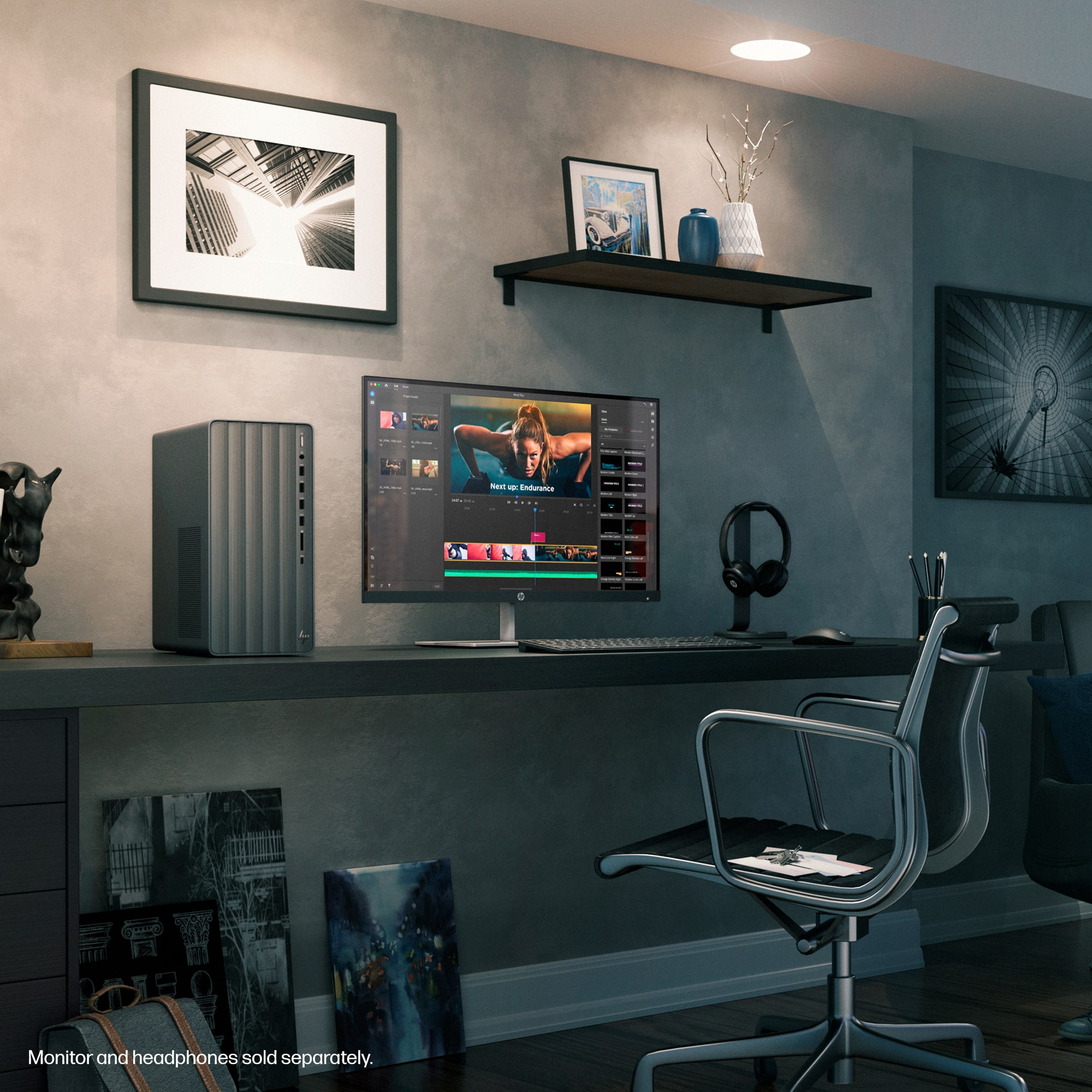


- Model:
- TE01-5354
- |
- SKU:
- 6573475
Customer reviews
Rating 4.6 out of 5 stars with 517 reviews
(517 customer reviews)Rating by feature
- Value4.6
Rating 4.6 out of 5 stars
- Quality4.6
Rating 4.6 out of 5 stars
- Ease of Use4.7
Rating 4.7 out of 5 stars
Customers are saying
Customers recognize the Envy Desktop's speed and ease of setup as significant advantages, frequently praising its performance and user-friendliness. The affordable price point is also a major selling point, although some users wish for additional HDMI ports and a more accessible power button. Many appreciate the ample storage and memory, while others suggest potential improvements to the graphics capabilities.
This summary was generated by AI based on customer reviews.
- Pros mentioned:PriceCons mentioned:Graphics card
Rated 4 out of 5 stars
Good Value, Very Fast
||Posted . Owned for 1 month when reviewed.This reviewer received promo considerations or sweepstakes entry for writing a review.For the price, this is a pretty solid machine. Very good processor; wish it came with a better graphics card, but overall it is a good computer and I'm happy with it.
I would recommend this to a friend Rated 4 out of 5 stars
HP Envy I core 7 16gb desktop
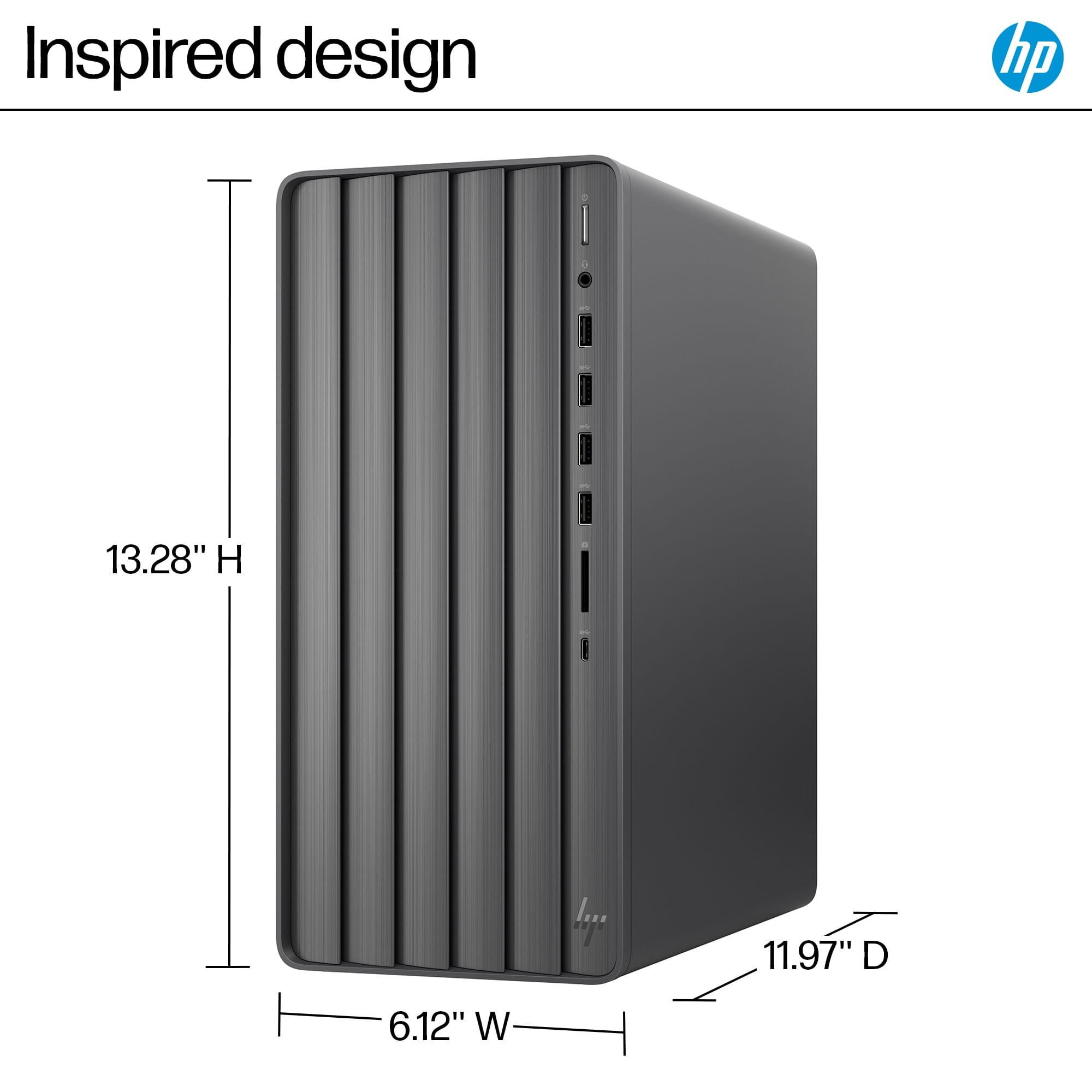
||Posted . Owned for 3 weeks when reviewed.This reviewer received promo considerations or sweepstakes entry for writing a review.I love the HP tower it has style and its low profile. The abitlity to upgrade internal components is very important so I worry not about the Graphics aspect of the machine. I bought it at 999.00 plus tax and then it went on sale and best buy credit me the difference on my CC in two days. I was very happy with the 250.00 credit that I bought a new monitor.
I would recommend this to a friend- Pros mentioned:Speed
Rated 4 out of 5 stars
Great for Personal use
||Posted . Owned for 2 months when reviewed.This reviewer received promo considerations or sweepstakes entry for writing a review.This is a decently fast computer that will be able to do all basic tasks. It is no gaming computer, but if you need a family computer it's perfect.
I would recommend this to a friend - Pros mentioned:Performance
Rated 4 out of 5 stars
Easy replacement
||Posted . Owned for 3 weeks when reviewed.This reviewer received promo considerations or sweepstakes entry for writing a review.Needed to quicky replace a PC that died. This fits the bill and my budget Geek Squad handled the data transfer. So far, so good. Easy-peasy.
I would recommend this to a friend Rated 4 out of 5 stars
Powerful and Quiet Desktop for Work and Design
||Posted .This reviewer received promo considerations or sweepstakes entry for writing a review.This HP Envy desktop works very well for multitasking, graphic design, and business management.
I would recommend this to a friend- Pros mentioned:Performance, Speed
Rated 4 out of 5 stars
"A Powerhouse Desktop That Exceeds Expectations: H
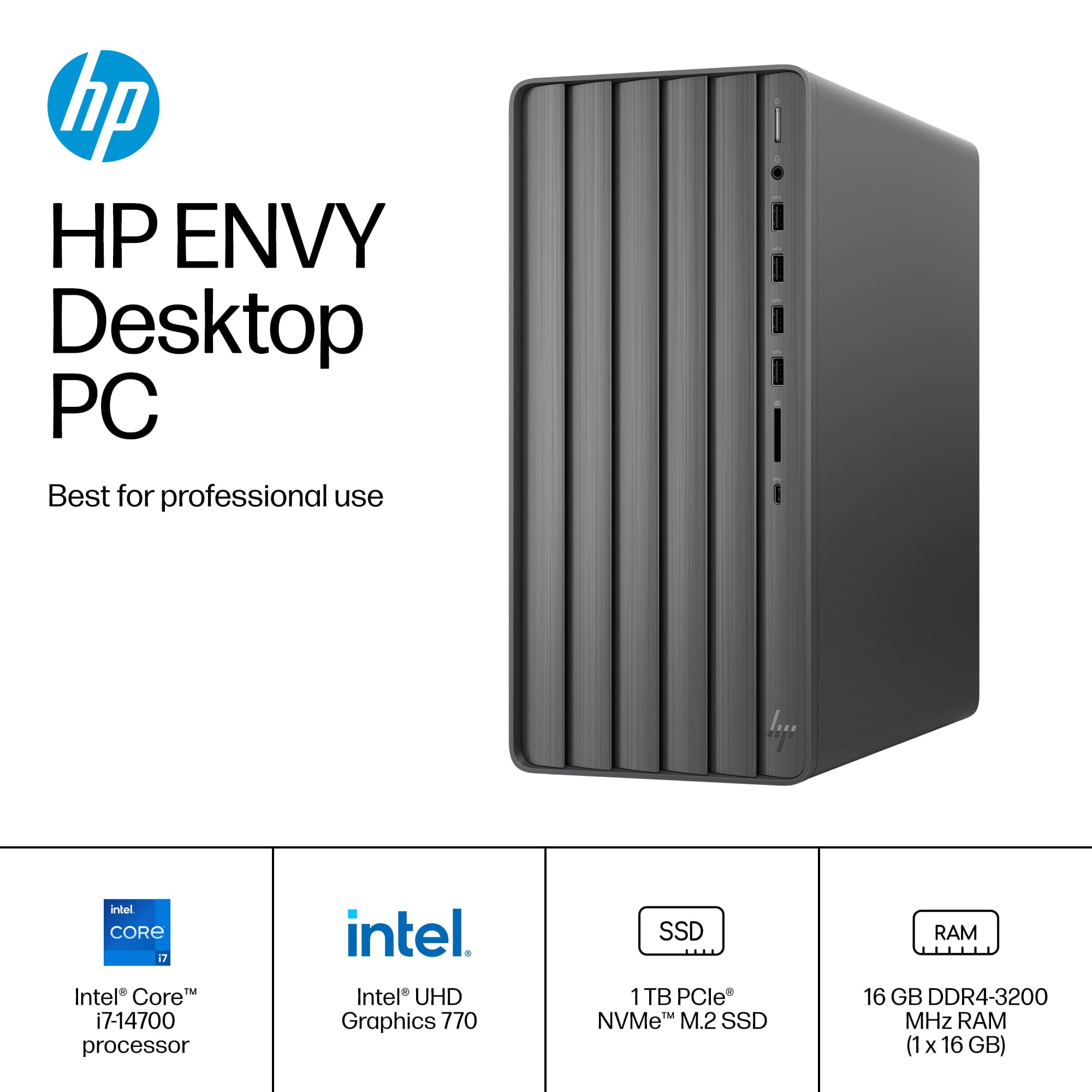
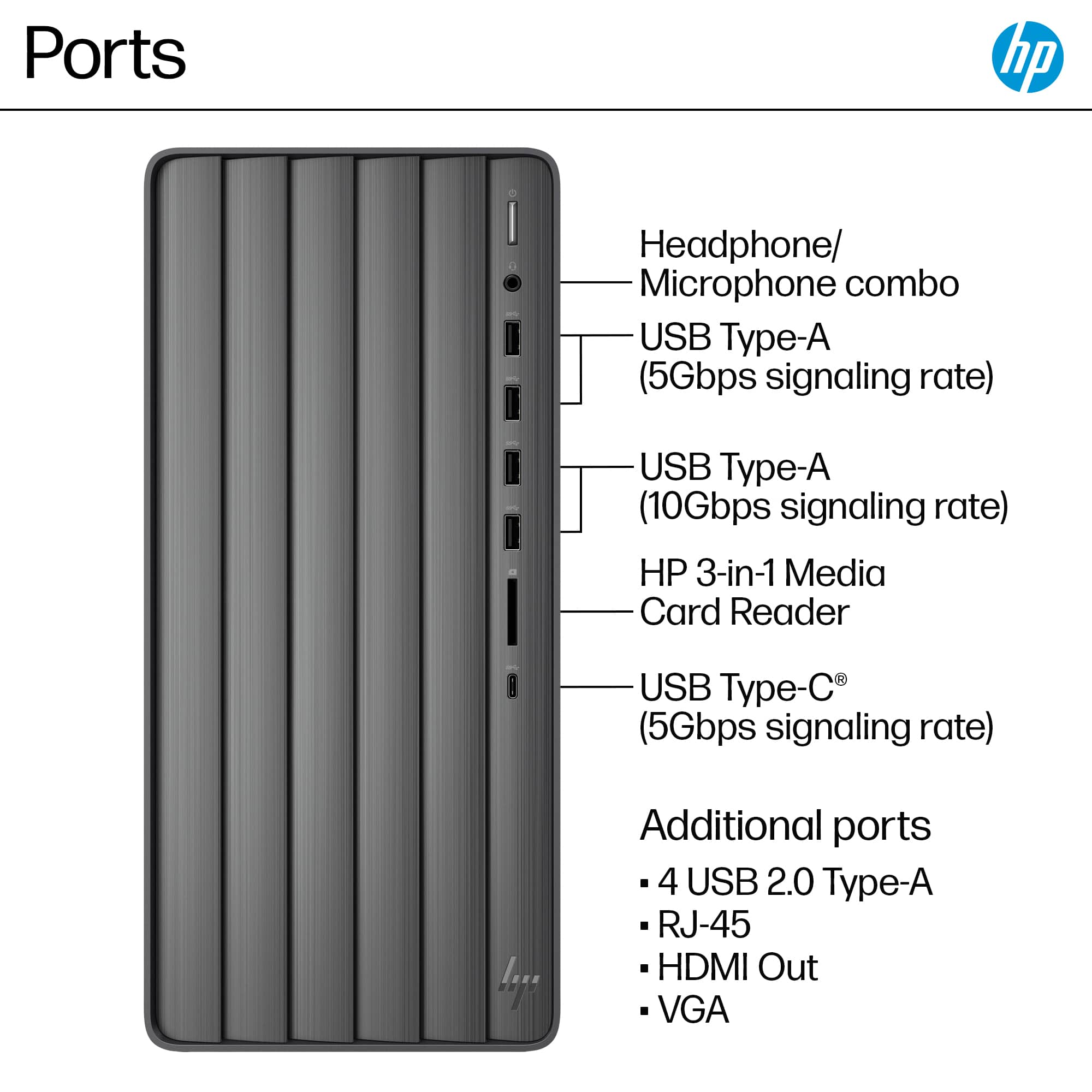
||Posted .This reviewer received promo considerations or sweepstakes entry for writing a review.I recently purchased the HP Envy Desktop (Intel Core i7, 16GB Memory, 1TB SSD, Black, TE01-5354) from Best Buy, and I can confidently say it’s one of the best tech investments I’ve made! This desktop is an absolute game-changer, blending sleek design, lightning-fast performance, and incredible value into one stylish package. From the moment I unboxed it, I was impressed by its modern, low-profile design that fits seamlessly into my workspace. The setup was a breeze—within minutes, I was up and running, thanks to the intuitive process and minimal bloatware, which is a huge plus compared to other prebuilt systems. The 1TB SSD is a dream, offering ample storage for all my files, applications, and media, with lightning-fast load times that make multitasking a joy. Whether I’m editing videos, managing large spreadsheets, or streaming content, this machine handles everything with ease. The Intel Core i7 processor paired with 16GB of RAM delivers exceptional performance. I’ve been blown away by how responsive and smooth it is, even when running multiple resource-heavy programs simultaneously. The quiet operation is another standout feature—barely a whisper, even during intensive tasks, which keeps my workspace calm and distraction-free. The ability to support dual monitors via HDMI and VGA ports is a fantastic bonus, making it perfect for both work and entertainment setups. What really seals the deal is the value. For the price, this desktop offers top-tier specs that rival more expensive systems. I also appreciated Best Buy’s Price Match Guarantee and stellar customer service, which made the purchase process smooth and stress-free. While some might wish for a dedicated graphics card, the integrated graphics are more than sufficient for my needs, and the option to upgrade components down the line adds future-proof flexibility. In short, the HP Envy Desktop TE01-5354 is a phenomenal choice for anyone seeking a reliable, powerful, and stylish desktop for personal or business use. It’s fast, quiet, and packed with features that make it a standout in its class. I wholeheartedly recommend this machine to anyone looking to elevate their computing experience—HP and Best Buy have hit a home run with this one
I would recommend this to a friend - Pros mentioned:Ease of use, Performance, RamCons mentioned:Power button
Rated 4 out of 5 stars
Great system minus a few needed tweaks
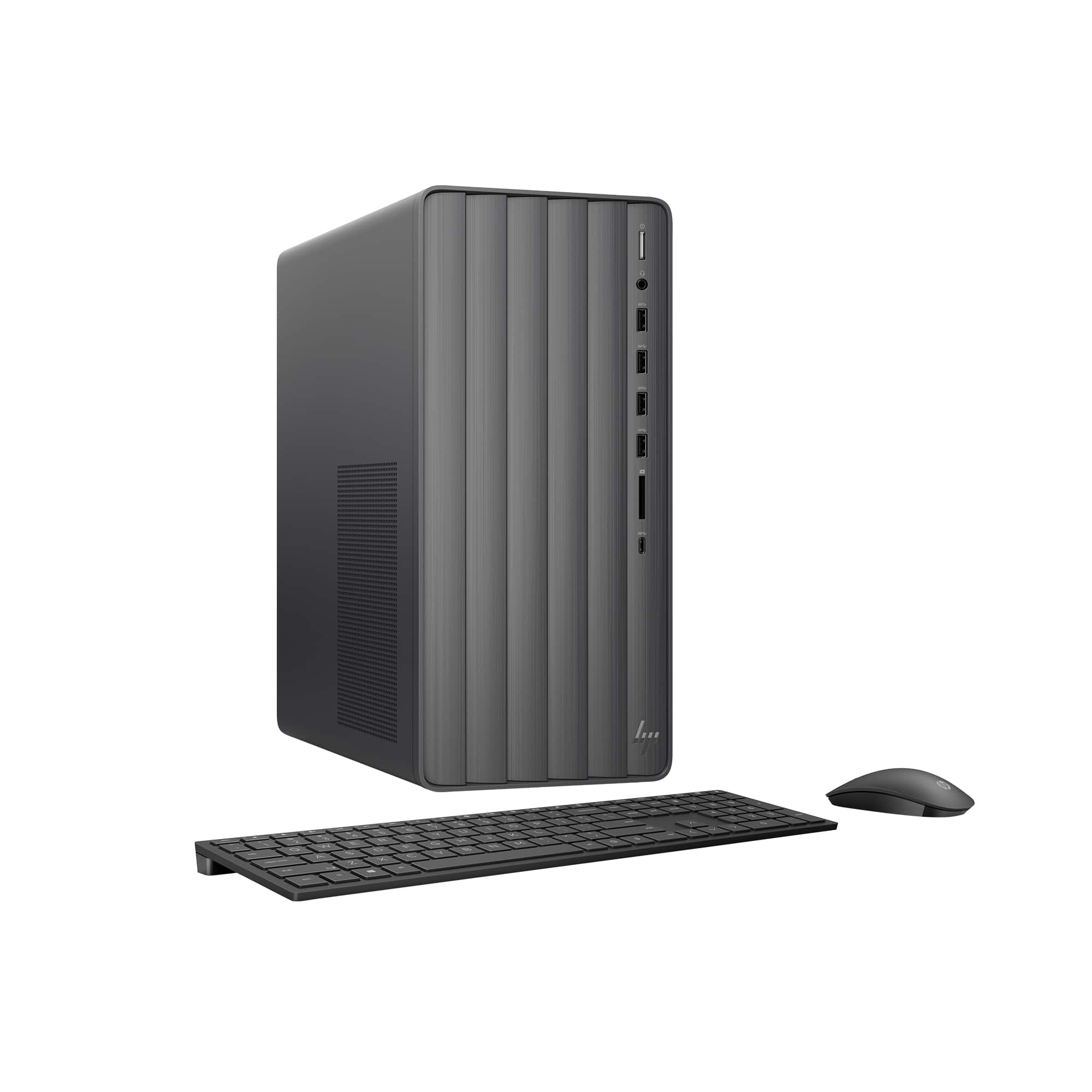
||Posted . Owned for 1 month when reviewed.This reviewer received promo considerations or sweepstakes entry for writing a review.Overall a good desktop that performs very well for everyday tasks. Easy to access and modify with RAM, card and drive upgrades. The interior space is limited but smaller expansion cards work fine. The system fan is a little loud, as in you can notice it turning easily if you have this sitting on your desktop. No jet engine noise, but louder than I would expect. Not sure whether it's the design of the fan or I just got a noisy one, but certainly not worth returning it. The only real complaint about this desktop is that you need to make sure you don't cut your fingernails too short or else you'll have a hard time with the power button. It's a very narrow slot with the button within. Why design a power button like a reset button? Nobody knows.
I would recommend this to a friend - Pros mentioned:Ram, Speed
Rated 4 out of 5 stars
Very good PC...the supplied keyboard is too small.
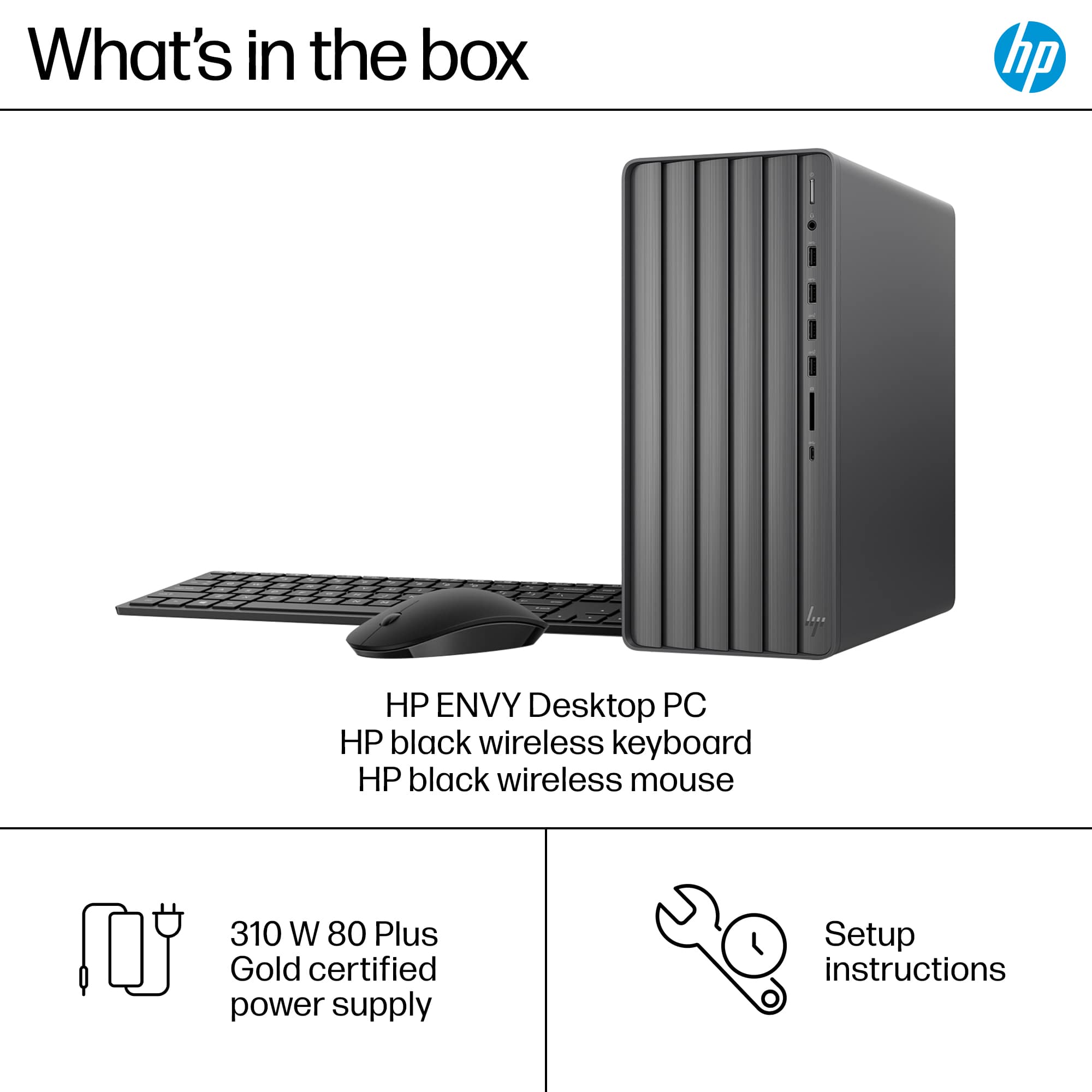
||Posted . Owned for 2 weeks when reviewed.This reviewer received promo considerations or sweepstakes entry for writing a review.I got this at the end of December 2024. I bought a 4TB HDD also at Best Buy and had the Geek squad install it, as well as transfer over the files from the 2 disks from my old computer-which was done in around 3 days. Overall I really like the computer...it is much, MUCH faster (and lighter) than my 8+ year old HP tower, even though I had 24GB of RAM in the old PC, vs. 16 GB that came installed with this new PC. I had fully planned to upgrade the RAM to the maximum 32GB. Opening the case is as simple as removing a single screw, and no additional hardware needs to be removed to add the additional RAM. Just running the Win11 OS and a few background programs seems to gobble up almost 8GB. I also plan on adding a GPU card, although this is probably surplus to my requirements. This requires however that I replace the existing power supply (which is 'only 310W) with a 550W one. The inability of the current power supply to handle a high-spec GPU may be a deal breaker for those who do require a power-hungry GPU. My only real complaint about this machine is the supplied keyboard and mouse....the keyboard is very compact and around the size of of what you would expect on a laptop. For someone used to using a full size keyboard, this really slowed me down as my fingers very often hit the wrong keys. The mouse also felt cheap and lightweight, although it worked find. I replaced the keyboard/mouse with a wireless set from Logitech for under $50. This I think was the only 'must-do' upgrade for the machine, as the extra RAM and GPU card-to-be will barely make any perceived difference in how I use the PC. And this is why I am docking a single star from this review....the too-small keyboard.
I would recommend this to a friend - Pros mentioned:Speed
Rated 4 out of 5 stars
Not sure if problems stem from HP or Microsoft.
||Posted . Owned for 3 weeks when reviewed.This reviewer received promo considerations or sweepstakes entry for writing a review.This is my 10th desktop PC, but my first HP, and the first PC I've had problems with from the start. The problems, though, might be Microsoft Windows 11 problems, not HP. Upon starting up for the first time, Windows Update installed version 24H2. Then it asked if I wanted to copy my settings from another PC, so I said yes. When the setup completed, the Start menu crashed every time I clicked on it, even after multiple restarts. Maybe it was because my other PC was still on 23H2, but I ended up having to create another administrator account with a working Start menu, delete my main account, then recreate my main account. No problem with Start after that. Next, I have the PC set to turn off the monitor after 10 minutes of inactivity. On the second day, the PC refused to turn the monitor back on after shaking the mouse or hitting a key. Win-Ctrl-Shift-B was required to reset the display. This happened several more times. I was able to reach an HP Tech Support agent by phone. He tweaked a few settings, but the trouble returned the next day. I decided to set it to NEVER turn off the monitor, and wait for an Intel display driver update, which was made available in HP Support Assist two weeks later. After installing the update, I put settings back to 10 minutes, and the monitor came back on without issue every time for the rest of the day. Get this - later on, Windows Update automatically reinstalled the older driver! I reinstalled the new one, and have Windows Update on pause for one week. Finally, my HP dashboard incorrectly shows a purchase date in September, 2024 (I bought it from Best Buy in November), and a warranty expiration of 09/30/2025, when I should be November 2025. The Tech Support agent said September was when it was shipped to Best Buy. I emailed a copy of my receipt, and he replied with confirmation the warranty has been changed to November, but online, HP still shows the September dates. At least I have the email if I should need it. Other than that, the PC is fast, I like the wireless keyboard and mouse, but the sound quality is fair. Unfortunately, the HP audio enhancements cause compression, or the volume leveling that I absolutely can't stand. I bought this PC because it still has the Stereo Mix circuitry, and it doesn't need an adapter to connect an older VGA monitor.
I would recommend this to a friend - Pros mentioned:Ram, Speed
Rated 4 out of 5 stars
Decent PC with good specs
||Posted . Owned for 1 week when reviewed.This reviewer received promo considerations or sweepstakes entry for writing a review.I like it. I am moving on from my previous desktop that is more than a decade old and cannot run the new-age applications that require more and more processing and memory resources. I was torn between this and a gaming PC. However, since I do not game, it is perfectly fine for my everyday use cases. This does not have the GPU, but is half the price of that gaming PC. I got this on for sale at 699, so felt like a great deal. One thing I would add at least is another 16gb ram, to make a total of 32gm memory power, since google chrome alone sucks up a lot of memory. All in all, it's a good pc, and seems to be future proof for next 4-5 years.
I would recommend this to a friend - Pros mentioned:PerformanceCons mentioned:Hdmi port
Rated 4 out of 5 stars
Great Desktop
||Posted . Owned for 3 weeks when reviewed.This reviewer received promo considerations or sweepstakes entry for writing a review.Very sleek and clean looking, runs great. It only has one HDMI port, and that was the only thing I overlooked when purchasing.
I would recommend this to a friend - Pros mentioned:Performance, Price
Rated 4 out of 5 stars
Good Product at a Great Price
||Posted . Owned for 3 weeks when reviewed.This reviewer received promo considerations or sweepstakes entry for writing a review.Very nice computer and you can't beat the price. I got mine for $699 ($300 off). I have been using HP's for years and they have never disappointed. The on/off button is a little flimsy and harder to locate than the previous model with the button on top of the unit, but overall I am completely satisfied with this computer.
I would recommend this to a friend - Pros mentioned:Ease of use, Speed
Rated 4 out of 5 stars
Updated Technology is great
||Posted . Owned for 3 weeks when reviewed.This reviewer received promo considerations or sweepstakes entry for writing a review.The desktop computer and accessories were a good buy. This replaces a desktop that was over 10 years old and is much faster and was easy to setup and begin using. There were few instructions in the box, but it was for the most part easy to do. The unit included a wireless keyboard and wireless mouse.
I would recommend this to a friend - Pros mentioned:Speed
Rated 4 out of 5 stars
In box keyboard is junk. PC works well
||Posted . Owned for less than 1 week when reviewed.This reviewer received promo considerations or sweepstakes entry for writing a review.I would give a 5 rating but I had to return on the first day as the keyboard that come with this tower would not fully work with the system. You could change volume, but it did not allow you to type. Geek squad looked at it, ran a few BIOS and other programs with the same result. Had to order me a new tower which came the same day. Had to then go through the entire process of setting up this new one only to now how the in box keyboard connect to the computer and it did now allow you to type everything except for the letter P! Unreal! Back to geek squad who had the same result. Best Buy gave me one of their essentials keyboards and it connected fine. This computer is fast and is loaded with pretty much everything I needed and so far I am happy with it
I would recommend this to a friend - Pros mentioned:Performance, Speed
Rated 4 out of 5 stars
Envy Tower
||Posted .This reviewer received promo considerations or sweepstakes entry for writing a review.THe tower, so far (after one month of use) works as advertised. I do not use it for gaming so cannot attest to processing power adequacy in that regard. However, it loads quickly, wifi works very well, handles youtube type graphics well and generally is a solid machine for typical dsaily purposes
I would recommend this to a friend - Pros mentioned:SpeedCons mentioned:Hdmi port
Rated 4 out of 5 stars
Adequate computer. Disappointing software.
||Posted . Owned for 1 week when reviewed.This reviewer received promo considerations or sweepstakes entry for writing a review.Very good. Fast, but could be a little faster. I need more than 8 USB ports. I needed to add a DVD drive. Not crazy about Microsoft 365.; can no longer use my email carrier with the new Outlook in 365.
I would recommend this to a friend - Cons mentioned:Power button
Rated 4 out of 5 stars
So far I'm loving it
||Posted . Owned for 1 month when reviewed.This reviewer received promo considerations or sweepstakes entry for writing a review.i had to upgrade my old desktop computer and I ended up choosing this one. I've been a loyal HP customer for a while and I hope this desktop computer holds up as well as the last HP i purchased. I had to get used to the Windows 11 software since I was using an older version and so far the computer has been working great. I do miss having a CD-rom drive but I think so many things are digital so that's why it's no longer included. I do wish the main power source button was a little more sturdy. The computer is fast and has lots of storage space. I'm very happy it has multiple USB outlets.
I would recommend this to a friend - Pros mentioned:Performance
Rated 4 out of 5 stars
personal use only
||Posted . Owned for 1 month when reviewed.This reviewer received promo considerations or sweepstakes entry for writing a review.Overall very good, I've had other HP's before and satisfied with their performance. One time shortly after I bought this computer, while in sleep mode after not using the computer for more than 24 hours, I couldn't get the screen to come up easily. Clicking the keyboard or mouse didn't matter, I had to turn off the computer completely and turn on again. Maybe just a one off of a learning curve of mine but hasn't happened again so hopefully won't.
I would recommend this to a friend - Pros mentioned:Speed
Rated 4 out of 5 stars
Great find
||Posted . Owned for 3 weeks when reviewed.This reviewer received promo considerations or sweepstakes entry for writing a review.I love how compact and light this unit is. It don't take up much space. I also like the speed and storage space on the drive. Great find!
I would recommend this to a friend Rated 4 out of 5 stars
Good Overall Value
||Posted . Owned for 3 weeks when reviewed.This reviewer received promo considerations or sweepstakes entry for writing a review.In general, I am very happy with the computer. I bought this to replace a laptop. I wanted more desk space, two larger monitors and a larger keyboard and this set up works well. There is no lag in the Bluetooth keyboard and mouse but I opted for a larger/better mouse as the one that came with the computer is rinky dink. This computer does have a larger SSD but I find it performs about as well as the laptop. Occasionally, the mouse gets a little jerky and some programs load slowly. I know this is not a high performance machine but I was surprised that it's not noticeably faster than the laptop. I also have issues with the monitors. There is only one HDMI input. The second monitor goes through a HDMI to USB adapter. The second monitor often does not "wake up" after the screens or computer has gone to sleep. I also have a lot of issues with virtual meetings, especially when sharing screens. It happens in Zoom, Google and MS Teams. The monitors will freeze up, go black and then turn back on. Sometimes it only happens once and sometimes it happens every few minutes. This also happens randomly when not in a virtual meeting so I suspect it has something to do with the monitors, HDMI cables or the adapter. I'll trouble shoot some different combinations when I get time but it is a minor inconvenience. Otherwise, it's a good computer that works and I feel like I got a good value with the combination of the computer and peripherals.
I would recommend this to a friend