Customer Ratings & Reviews





- Model:
- 24-CS0074/8B911AA#ABA
- SKU:
- 6554766
Rating by feature
- Value
Rating 4.4 out of 5 stars
- Quality
Rating 4.5 out of 5 stars
- Ease of Use
Rating 4.4 out of 5 stars
Customers are saying
Customers are pleased with the Envy Move's portability, large screen size, and responsive touchscreen. Many appreciate the decent battery life, allowing for mobility and extended use away from a power source. However, some users find the limited RAM and USB ports to be restrictive. The stylish design and good sound quality are also frequently praised.
This summary was generated by AI based on customer reviews.
It's a headache
||Posted . Owned for 1 month when reviewed.This reviewer received promo considerations or sweepstakes entry for writing a review.Nothing about this computer is easy. Nothing transferred easily.
No, I would not recommend this to a friend- Pros mentioned:Battery life

Nicely fills a PC niche that I didn’t know existed
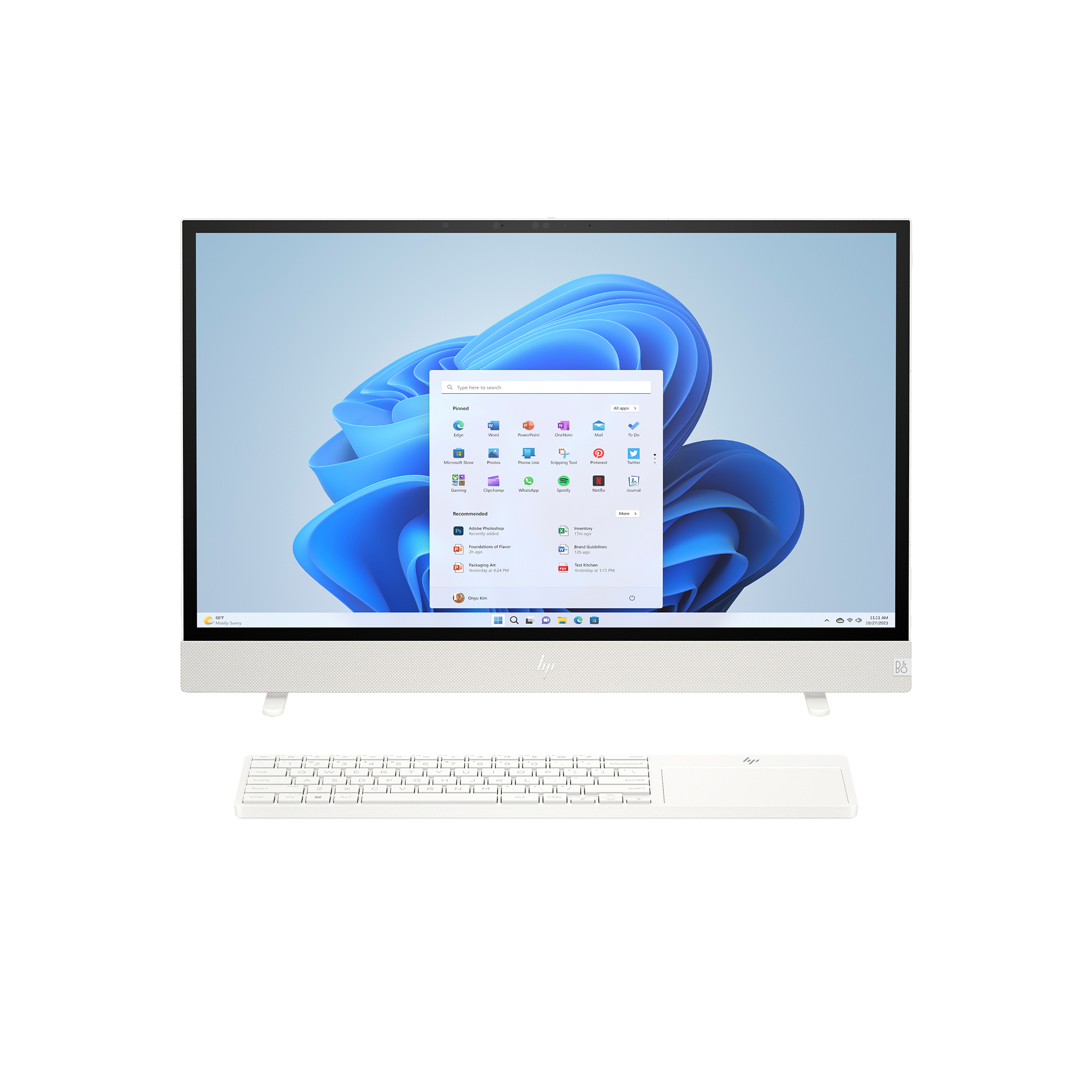
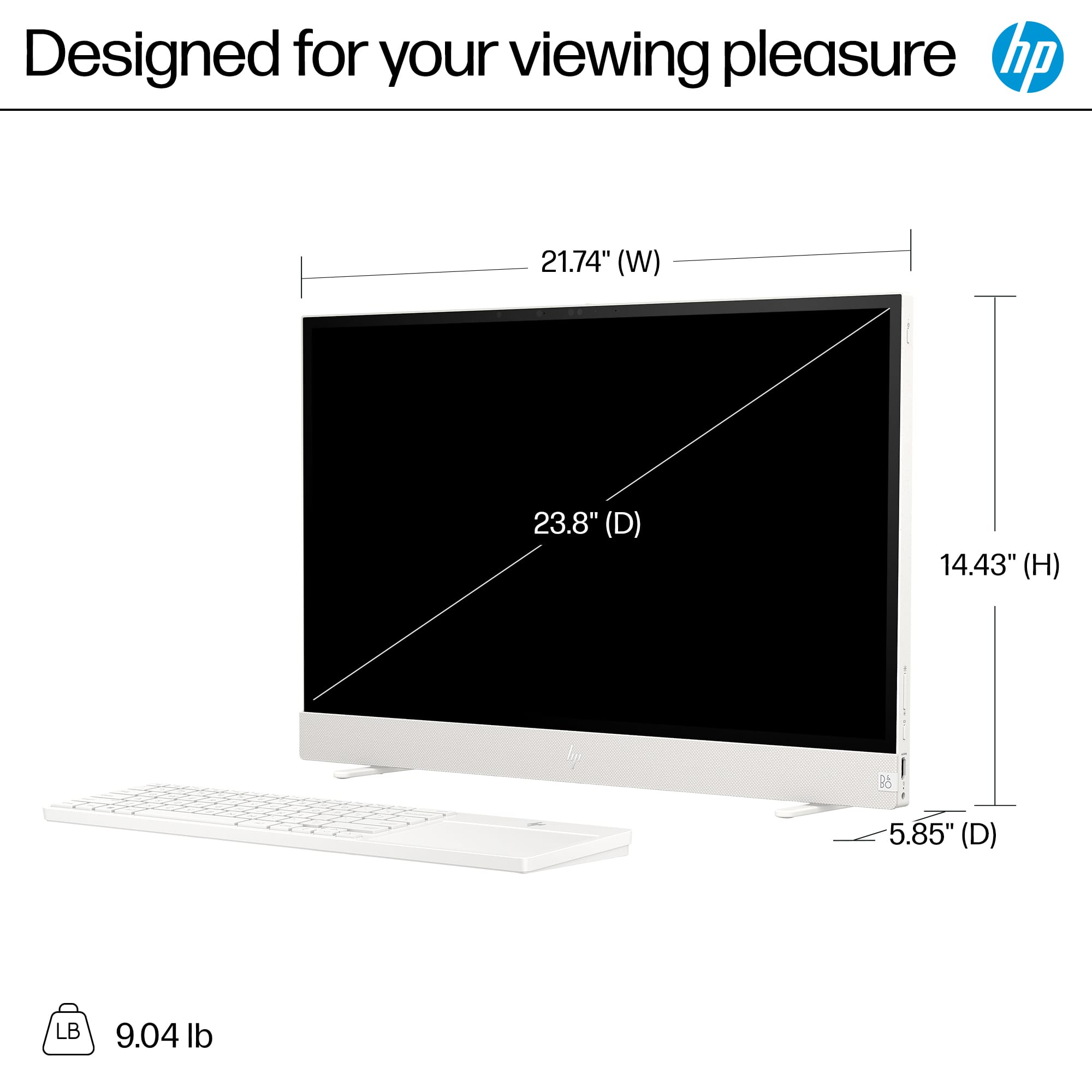
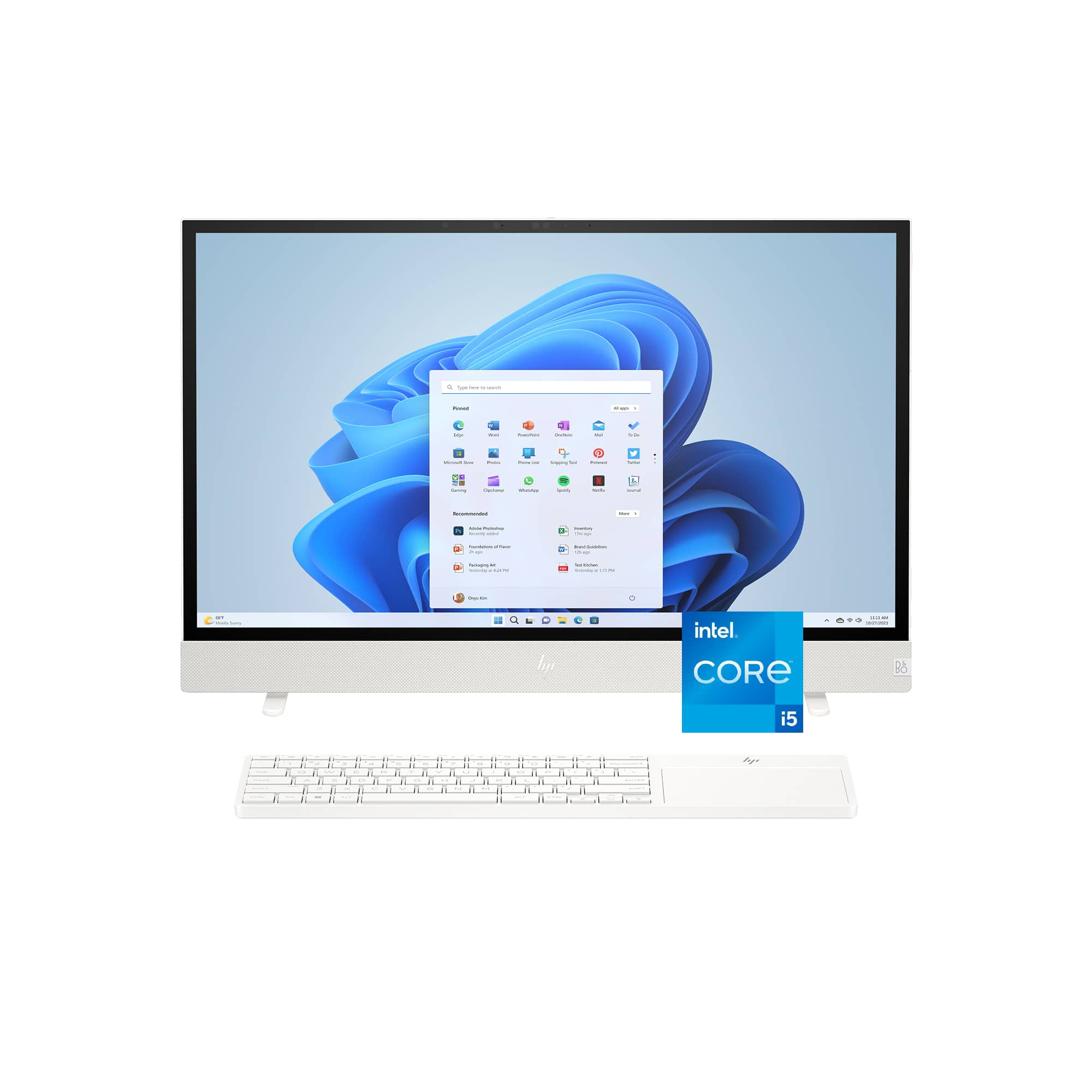
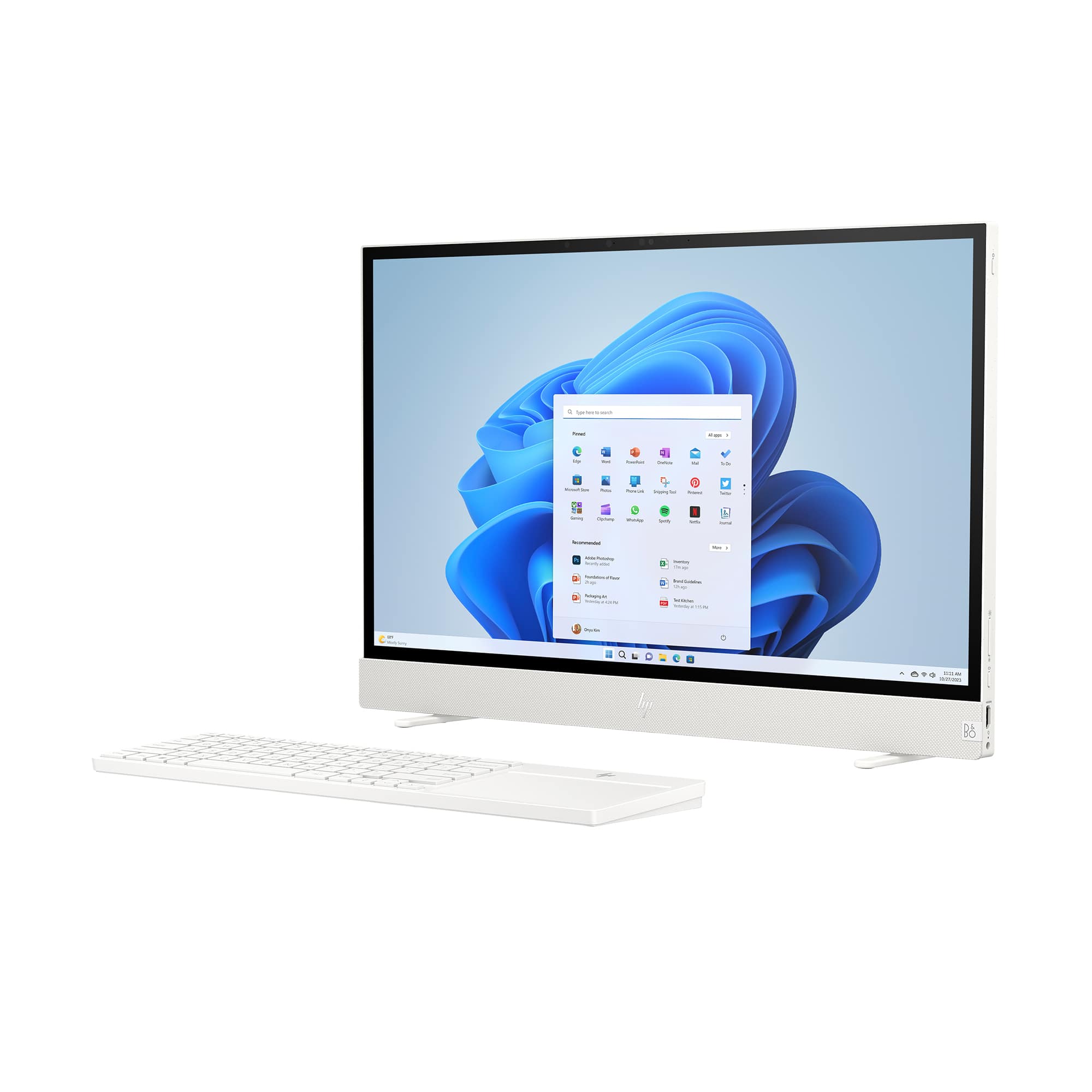
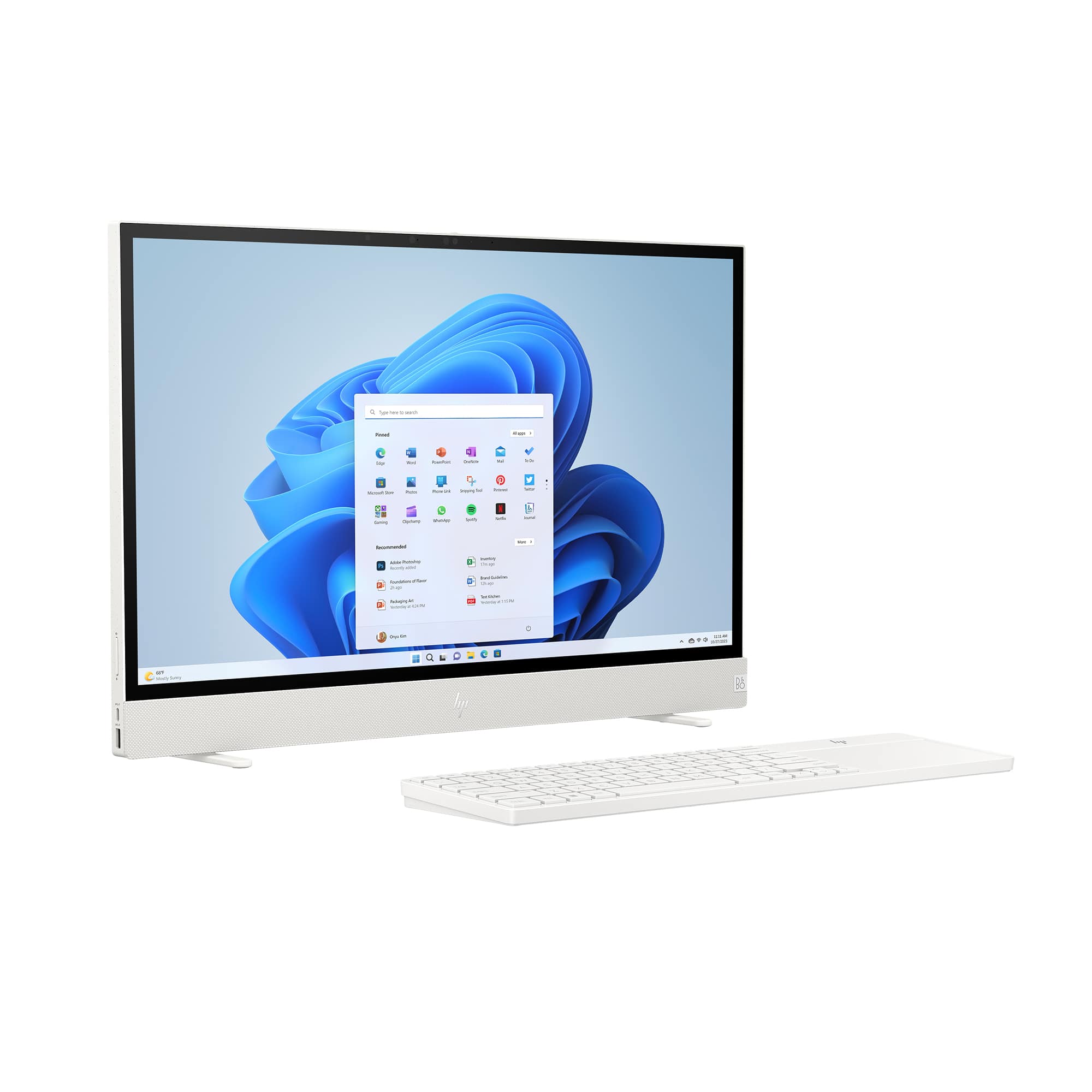
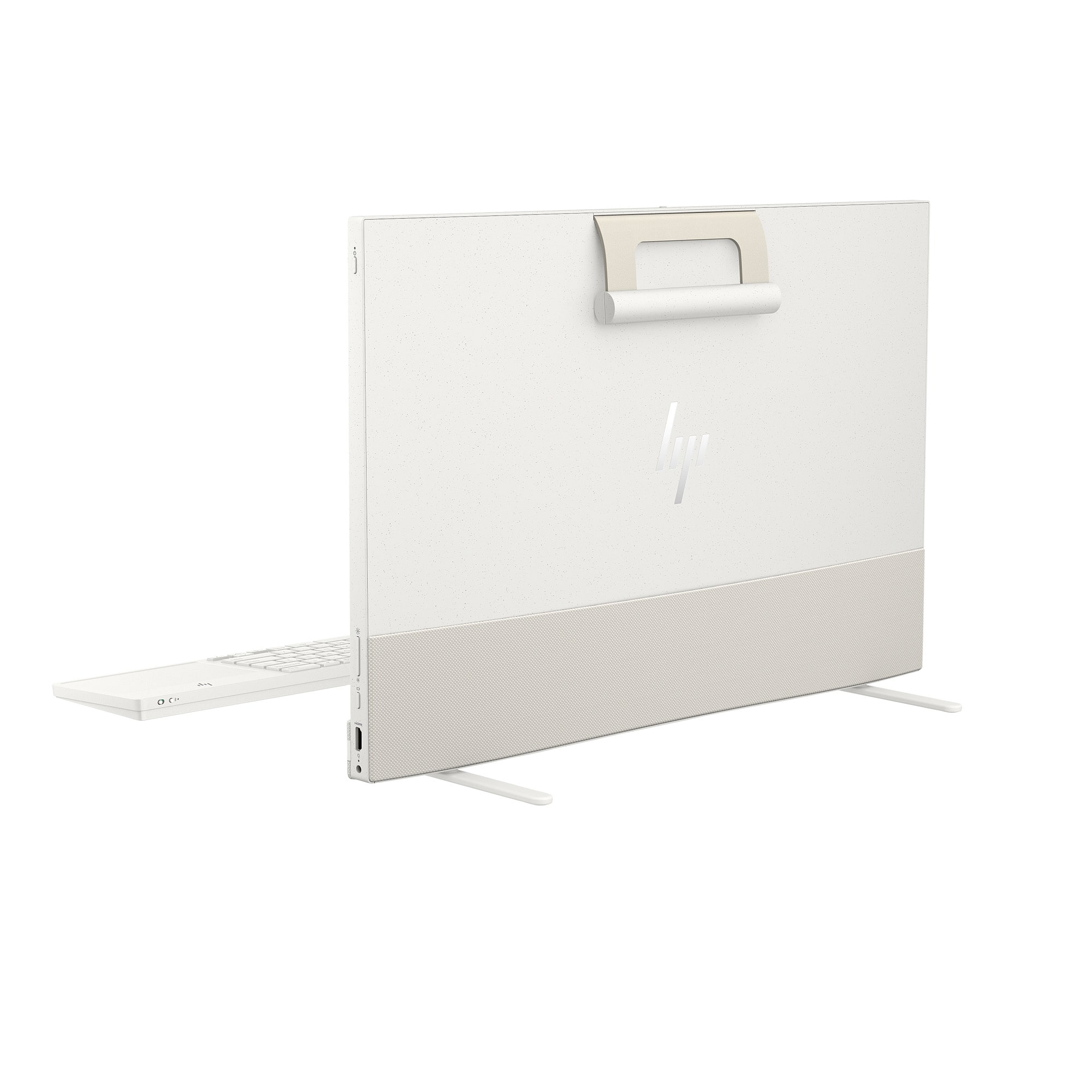
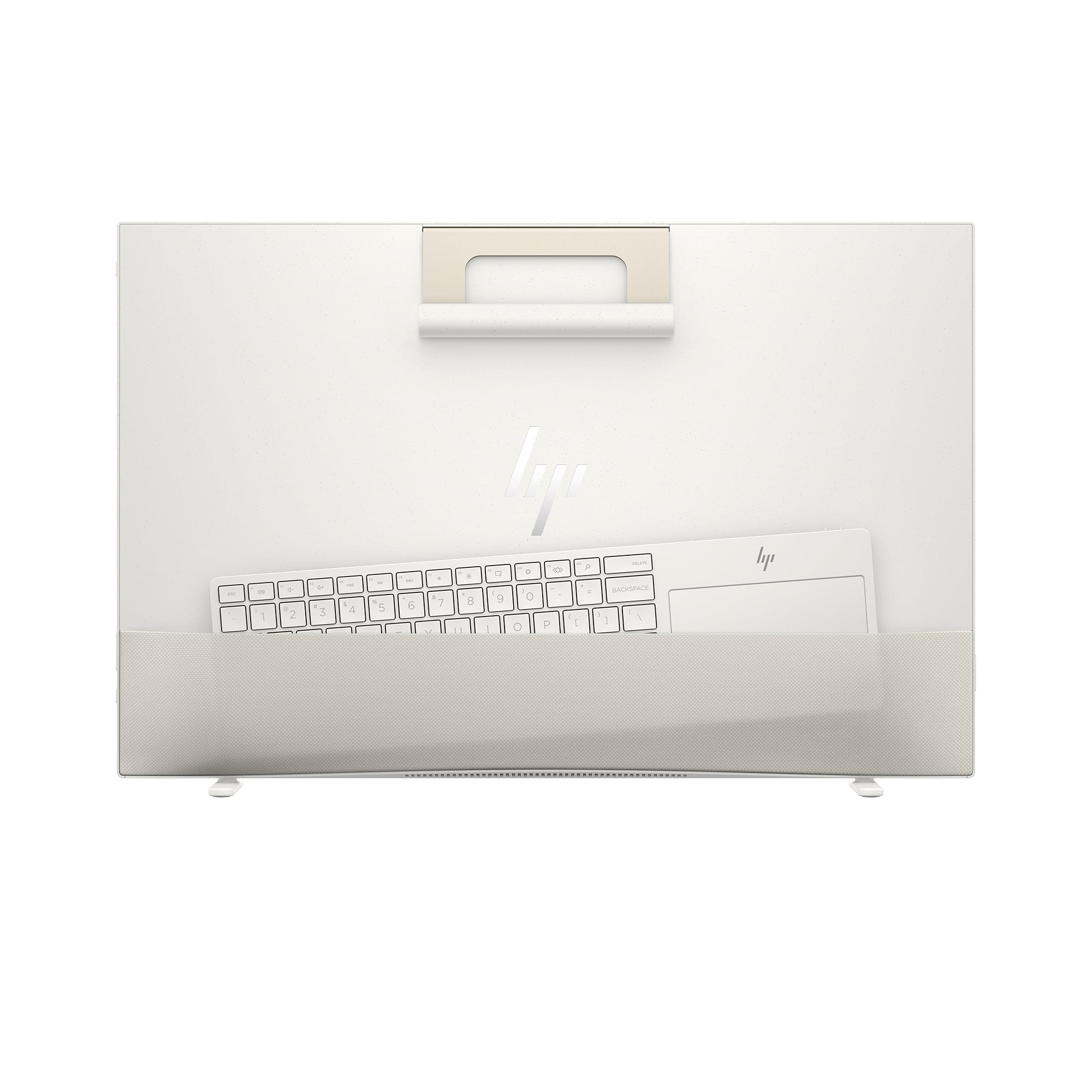
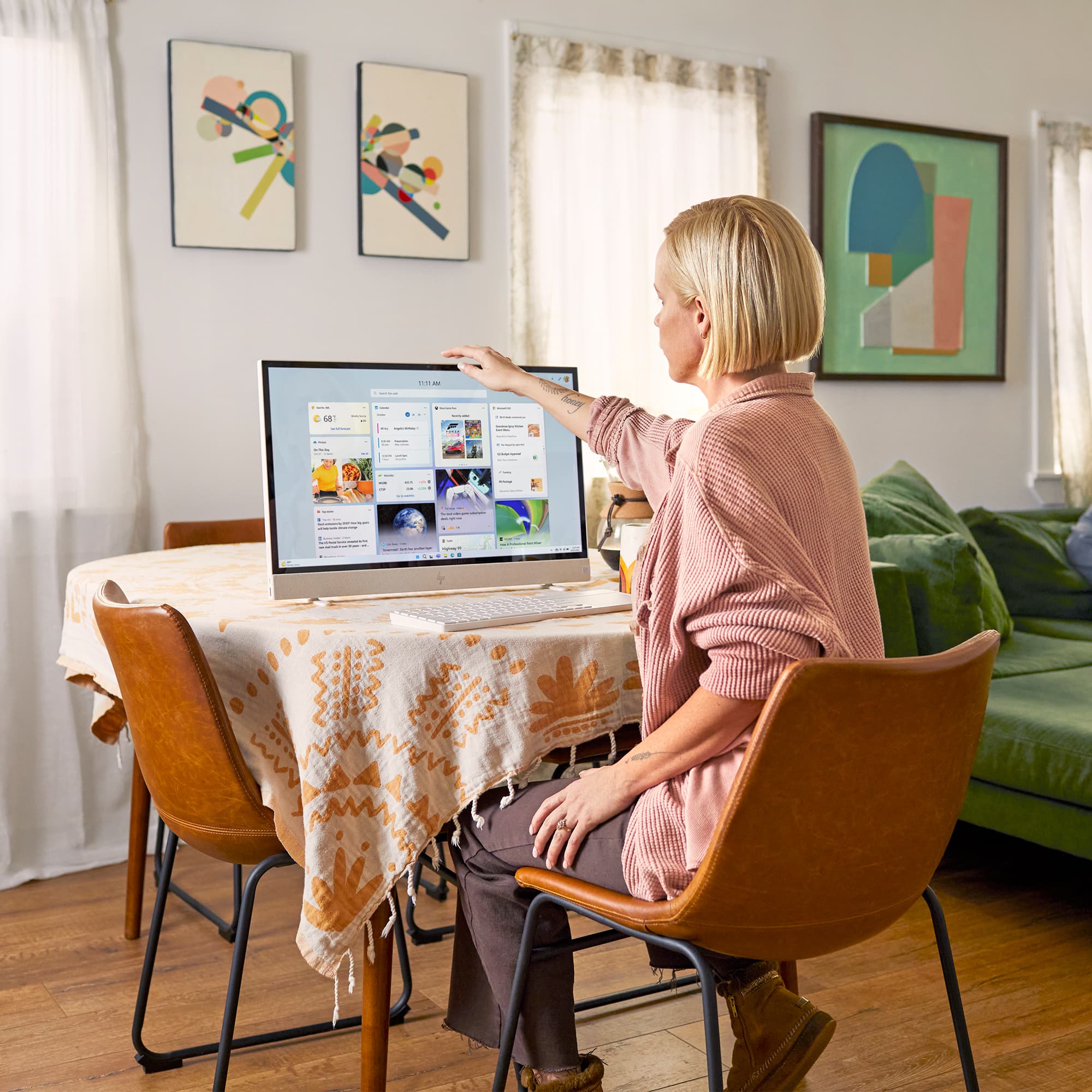
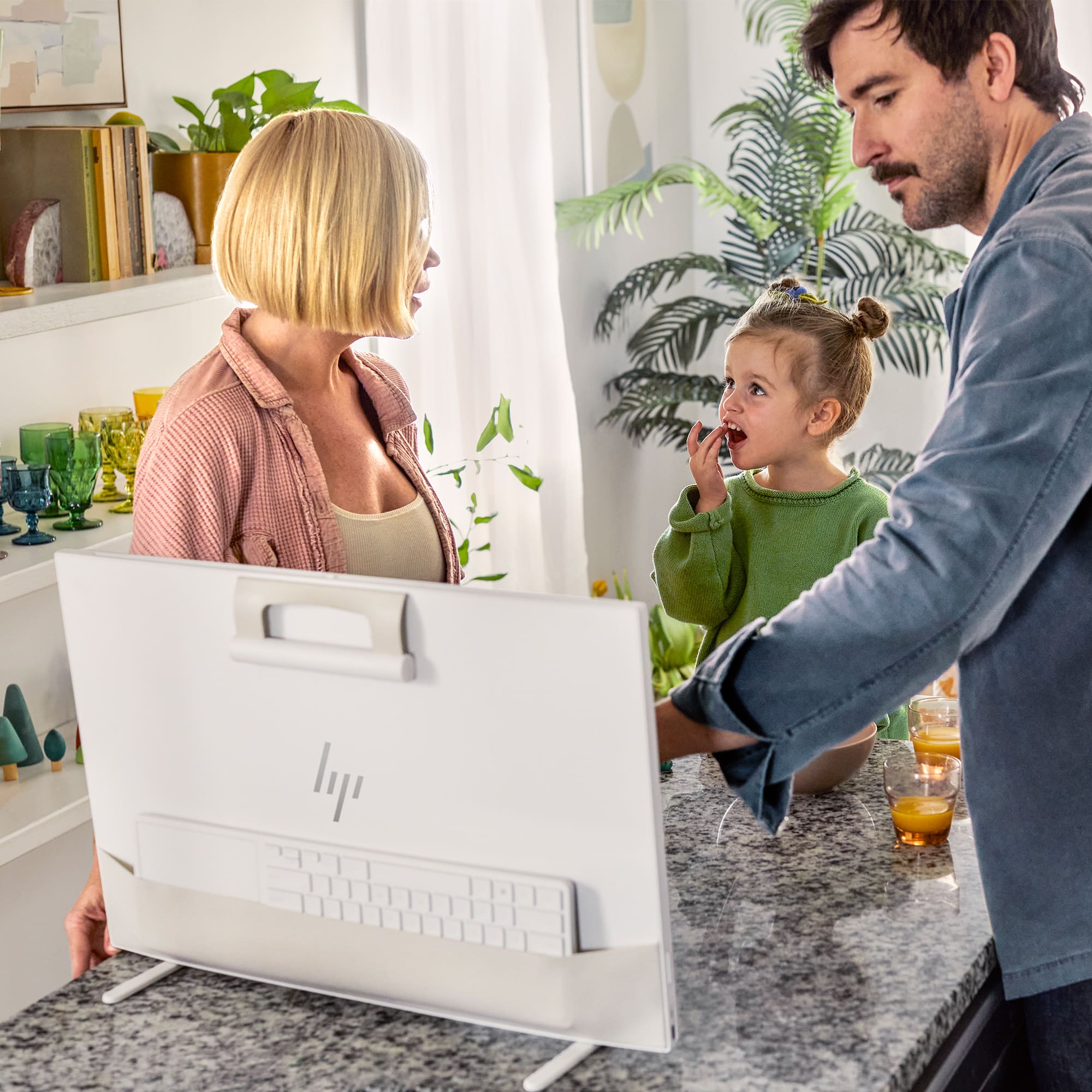
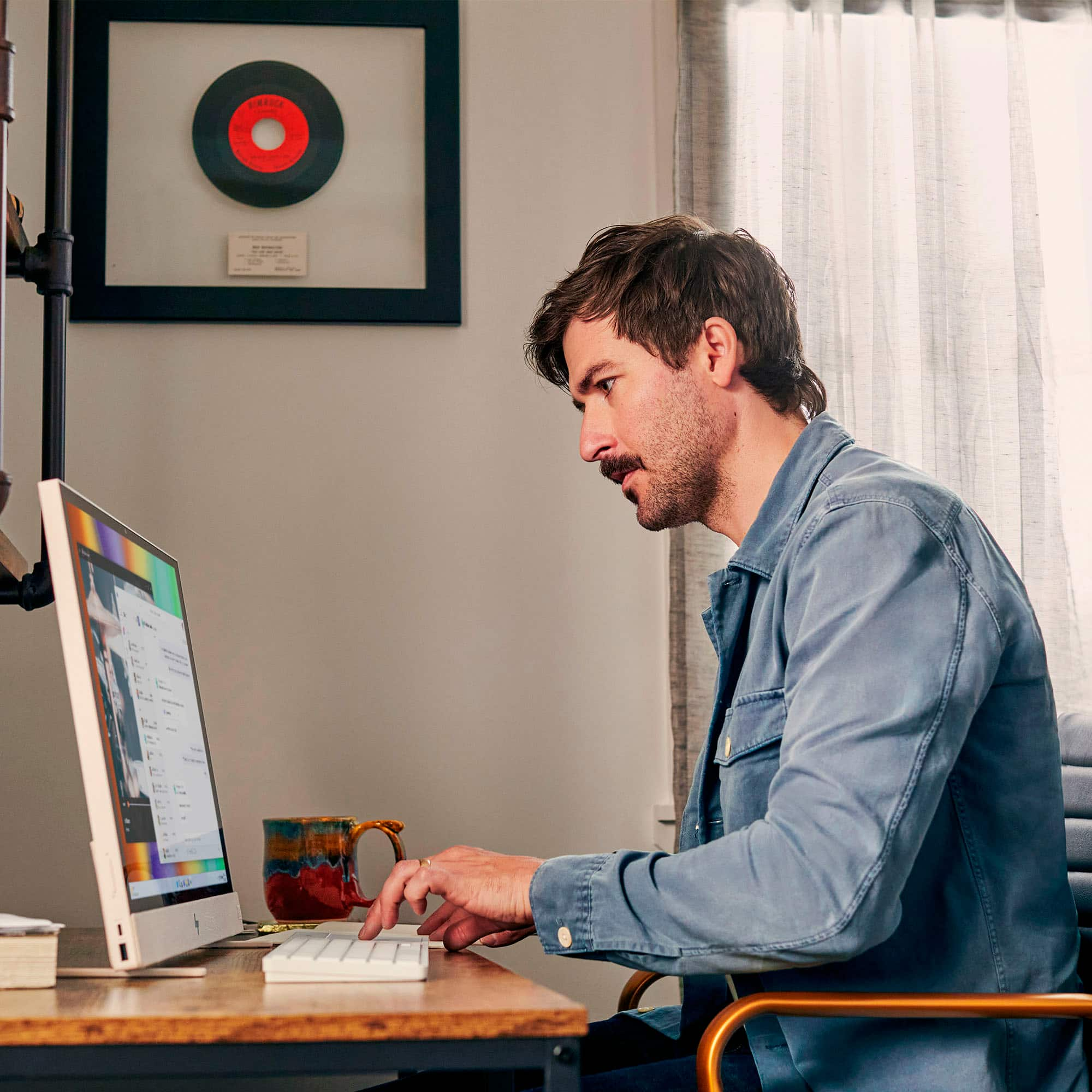
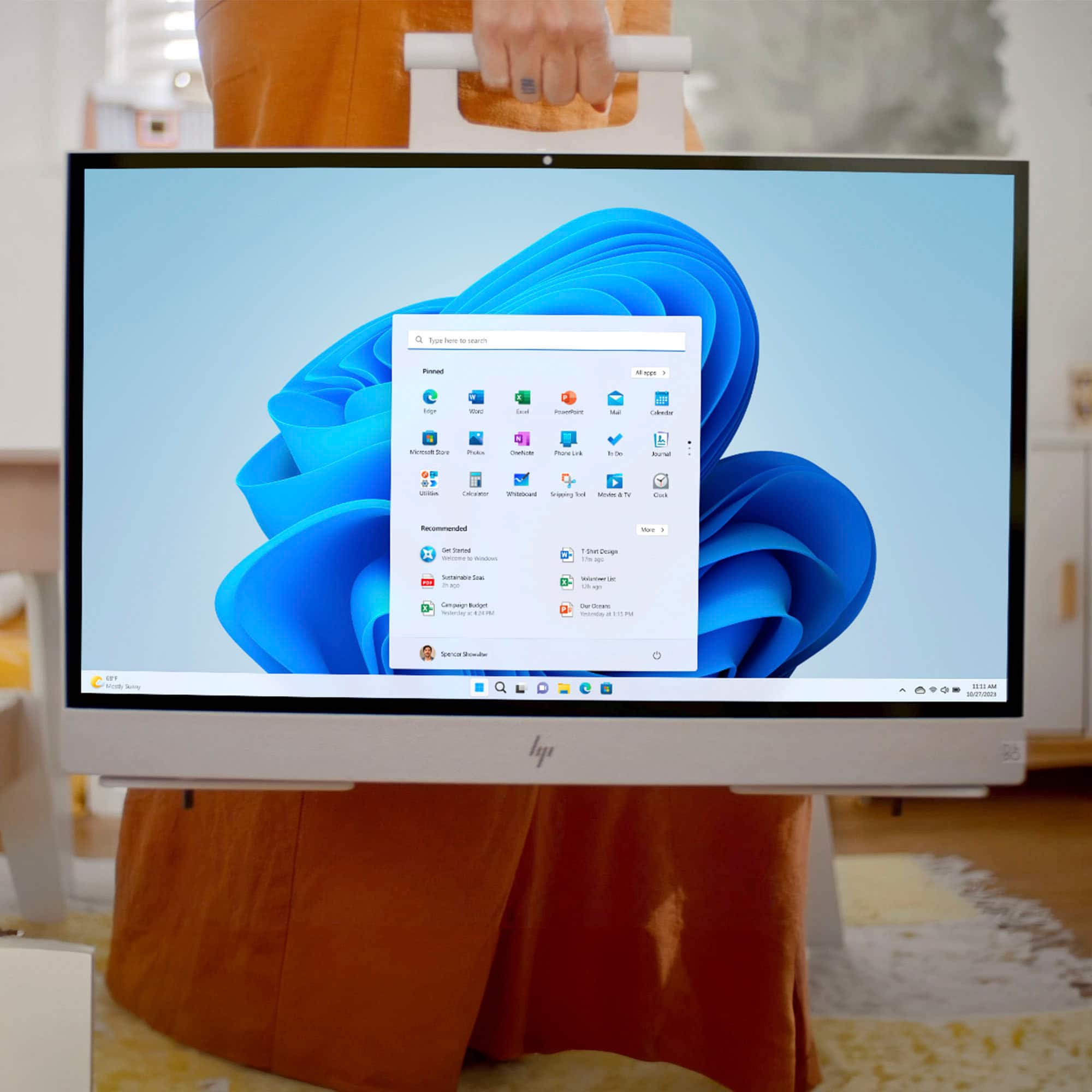
|Posted .This reviewer received promo considerations or sweepstakes entry for writing a review.What is it? The new HP ENVY Move 23.8” Portable All-In-One Computer amazes me on several levels. The first being, it fills a niche in the PC world that I didn’t even know existed. It’s called a Portable All-In-One Computer and it fits neatly somewhere between a laptop and a desktop. Basically, it is designed to be a very portable desktop PC. When HP designed it, I can only assume that portability was the #1 requirement for the designers and engineers. They knocked this one out of the park! It’s a beautiful looking computer in its design and its simplicity. It really is an exceptionally nice-looking computer! Oh, and it’s fast, very fast! First, the most obvious thing to talk about is the QHD display, which is phenomenal! So glassy looking with such brilliant colors. QHD stands for Quad High Definition and is also known as 2K resolution. QHD offers an excellent middle ground between full HD and Ultra-HD 4K resolutions. This display is stunning. The speakers sound really quite good. They deliver a nice full sound absent of any tinny tones so common in most computers’ built-in speakers. No, they’re not going to fill a room like a high-end sound system would, but they sound great when you’re sitting in front of the computer or even halfway across the room listening to music. After unboxing, the setup was flawless. The machine basically did all the setup for me. The only thing I had to do was type in our Wi-Fi password. It even found and offered our correct Wi-Fi name from within the sea of Wi-Fi names floating around in our digital neighborhood. The camera and face recognition software was easy to set up and has never failed to recognize me when I sit in front of the computer with or without eyeglasses and even in lowlight conditions. By the way, the camera has a privacy shutter. How to use it? Basically, you use it like a regular Windows 11 computer on a desk, table, floor, or any other stable, flat surface. Then when you’re done using it there, you simply pick it up and take it somewhere else, set it down on another flat surface, and begin using it over there. It’s that easy. Who would use it? Anyone who might appreciate having a portable Windows 11 computer with a 24” monitor that is much, much larger than a laptop, but without it being a flat-surface hog like a full-blown desktop system. Also, one of the downsides of a full desktop system is that because they’re rarely moved, they collect lint and dust in, on, and all around it. And because of all the cables, plugs, and accessories inherent to a desktop computer they almost never get disconnected, moved, and cleaned. It’s just too much trouble. This HP ENVY Move 23.8” Portable QHD Touchscreen All-In-One Computer can be easily picked up, moved, cleaned, and should therefore keep your desk and computer area much cleaner. At least that’s my theory. If you’re careful with it, you could treat this portable computer like a large laptop that you might take from home to the office and back, but unless you’re very careful it could be damaged in transport. For that purpose, I would expect to eventually see a slip-in protective case sold as an after-the-sale accessory. I think this portable computer would work best as a home’s second computer or even the home’s main computer that you can conveniently move to various locations in your home as your family’s needs change throughout the day or week. It could be on the kitchen counter for entertainment or recipes during family meal preparation, then later moved to a child’s desk for homework, or the dining room table or coffee table for video calls, and finally to a home office for some late-night work. My wife and I have never had a television in our bedroom and don’t particularly want one on a permanent basis. However, we are thinking about occasionally setting this portable computer on a dresser in our bedroom to stream a movie once in a while. Because of its extremely small footprint, this HP ENVY Move 23.8” Portable QHD Touchscreen All-In-One Computer would be the perfect computer for a tech savvy, elderly person in a retirement or nursing home. It takes up very little space, has a large 24-inch display, and a combined keyboard/touchpad. If I were to end up in a retirement or nursing home, I would want one of these. For those same reasons, this would be the perfect computer for a student away at college. No, a student would not carry it to class, that’s what laptops are for. But if I was a student in college today and had the means, I would want a laptop to take to class in my backpack, but I would want to come home to this HP portable computer in my apartment or dorm room. I don’t like using laptops enough to pound on them half the day, and then half the night too. How easy is it to move? Extremely easy because all you have to do is pick it up, carry it, set it down, and begin using it. To move it you would follow two or three of the following steps: 1. Unplug the AC adapter from the side of the computer. 2. Slip the combination keyboard/touchpad into the pouch on the back of the monitor. Or skip this step and just use the on-screen keyboard that pops up when you’re not using the external keyboard. 3. Finally, grab the handle at the top center of the monitor, pick it up, and go. You can even leave the AC adapter behind, and the portable computer will run on its internal battery for several hours before needing a recharge. Clever carry handle. When you set the computer down and let go of the handle on the top of the computer, the handle drops down and magnetically stores itself on the back of the computer. To move the portable computer again, you just reach down, grab the handle, and lift. Automatic kickstand feet. The nifty, clever, inventive, creative, imaginative (pick your own adjective because they all apply) kickstand feet on the bottom of the HP ENVY Move portable computer automatically close or open when the computer is raised from or lowered onto a flat surface. They are mechanical (no power needed) and are simply ingenious! I’ve not seen anything so helpful and extraordinarily simple in my entire life. Kudos to the HP engineers for coming up with those. Because these automatic kickstand feet are so unique and unusual, I found that during unpacking I had no idea what they were for or how they worked. At first, I thought they might be some kind of packing stabilizers that would then be removed and thrown away. But I couldn’t figure out how to remove them. Fortunately, it was at that point that I realized they might actually be the computer’s stand. Yes, I did feel like an idiot, but (listen up HP) it would have been more helpful during unpacking and set up if there were better instructions regarding how the kickstand feet work. Simplicity in instructions is great, but the overly-simple graphic printed on the portable computer’s packing sleeve fails to provide enough information for most of us simple-minded folk to figure out how those very interesting and unusual kickstand feet actually work. Just a suggestion. Combined keyboard and touchpad. I’m not particularly thrilled with the combined keyboard and touchpad. But that’s probably mostly me and the disability with my hands. I have almost no strength and very limited fine motor skill in both hands. Consequently, I found the HP keyboard keys to be a bit stiff to press. When compared, they are actually quite a bit harder to press than the dozen or so other keyboards I have in my home. So, I don’t think it’s just my fingers. After using the HP keyboard for about 10 minutes, I began to experience pain in my fingers. Please understand most other users would probably never notice the stiffer keypress. But I can only give you, my results. The touchpad is very large, has a good feel, and works well. I just wish it was on the left side of the keyboard instead of the right. I’m not naturally left-handed. I was right-hand dominant for my entire life until physical disability forced me to train my left hand to do everything that my right hand used to do. Neither hand is great, but my left hand can do more than my right. I wonder if HP will eventually come out with a left-handed version of this combined keyboard and touchpad? Maybe the genius HP engineer who came up with those great kickstand feet can redesign this keyboard so that the touchpad is versatile and could be installed on either side of the keyboard. All of the connections on this portable computer were easy to set up. I already mentioned the seamless connection to my Wi-Fi during set up. This portable computer was also easy to set up to print to and scan from my wireless HP color laser AIO. Setting it up was no problem at all. Battery charge. To perform a real-world field test of how long a full battery charge would last, I started streaming YouTube music over our Wi-Fi beginning with the battery at 100% charge. I shut off power to the computer and after 2 hours and 41 minutes of streaming music, the computer initiated a forced shutdown of itself with 5% battery charge still remaining and approximately 7 minutes of use left. I guess I had expected it to go to zero. Battery recharge. After the forced shutdown, I reapplied power back to the computer, turned it back on, and it took 2 hours and 16 minutes to reach 100% full battery charge again. I have been using personal computers since 1985 and I have no reservations in telling you that this is one of the better computers I’ve ever used. Like I said in the beginning, it fills a niche in the PC market that I never knew existed. With that in mind, this HP ENVY Move 23.8” Portable QHD Touchscreen All-In-One Computer will not be the solution for everyone looking for a new PC computer, but for those who envision a need for computer like this, I can highly recommend it and you will be getting your money's worth. I’m glad I got mine.
I would recommend this to a friend Convenient, powerful, and sustainable portable PC
|Posted .This reviewer received promo considerations or sweepstakes entry for writing a review.The HP Envy Move All-in-One is built to go with you anywhere in and around your home. It has everything you need for work and play, and while there are a few small tactile issues, the Envy Move is a great movable PC which showcases that HP has its eye set on both productivity and sustainability. Most obvious to catch your eye on this PC is its minimalist design. As a freestanding 23.8" QHD monitor, it almost feels like a thin suitcase. A flip-up carrying handle magnetizes to the back of the unit to remain out of sight when not in use, and while I worry over its longevity based on its material, it still feels sturdy enough for short periods of transport. When the unit is picked up, its kickstand automatically tucks away, and conversely as you place it down, a simple mechanism allows the legs to pop out. While not as sturdy as a weighted base or stand, the legs keep the screen propped up perfectly on a hard surface. Be sure not to place it down on the carpet or a bed, as the leg mechanics will not work properly on soft surfaces. The back of the monitor holds its wireless keyboard in a fabric pocket, which I can see loosening over time if the keyboard were left inside. It seems to do the job well for temporary tuck-aways, though. The keyboard itself has a built-in touchpad, though I found using my own wireless mouse plugged into the USB port to be more comfortable. The touchpad is fine enough for tracking the cursor and tapping or double-tapping for onscreen selection, but pressing down on it for simulating right and left clicks didn't feel as responsive. The buttons on the keyboard also feel a little underwhelming, as in several instances during fast typing, the keyboard missed the keystroke. I found myself to be constantly mindful while typing in web addresses or long sentences, otherwise I would need to backtrack for errors. Despite these keyboard issues, the all-in-one unit itself is the true star. The sound booms from the speakers, with adaptive audio that adjusts volume depending on your distance from it. A fully responsive, clear and bright touchscreen monitor is gorgeous anywhere you place it, and that portability is what makes this movable PC stand out. It looks great on a desk in your home office, and if you want to move it to a common area to continue working or to stream entertainment from your kitchen, you can do so easily. Transporting the Envy Move from one area to another becomes almost second nature, with Energy Star certification and a battery life off the power cord that rivals most mobile tablets. And not to be overlooked, the unit itself is built from recycled plastic, metal, and fabrics. For those that appreciate these qualities, this computer will represent them well. Despite some issues I had with the keyboard, the HP Envy Move has pros that far outweigh that con. As a well-designed, movable desktop, this device has a place in any home, and in any room for that matter. The Envy Move will help you be productive anywhere you see fit.
I would recommend this to a friendI bet you're as confused as I was
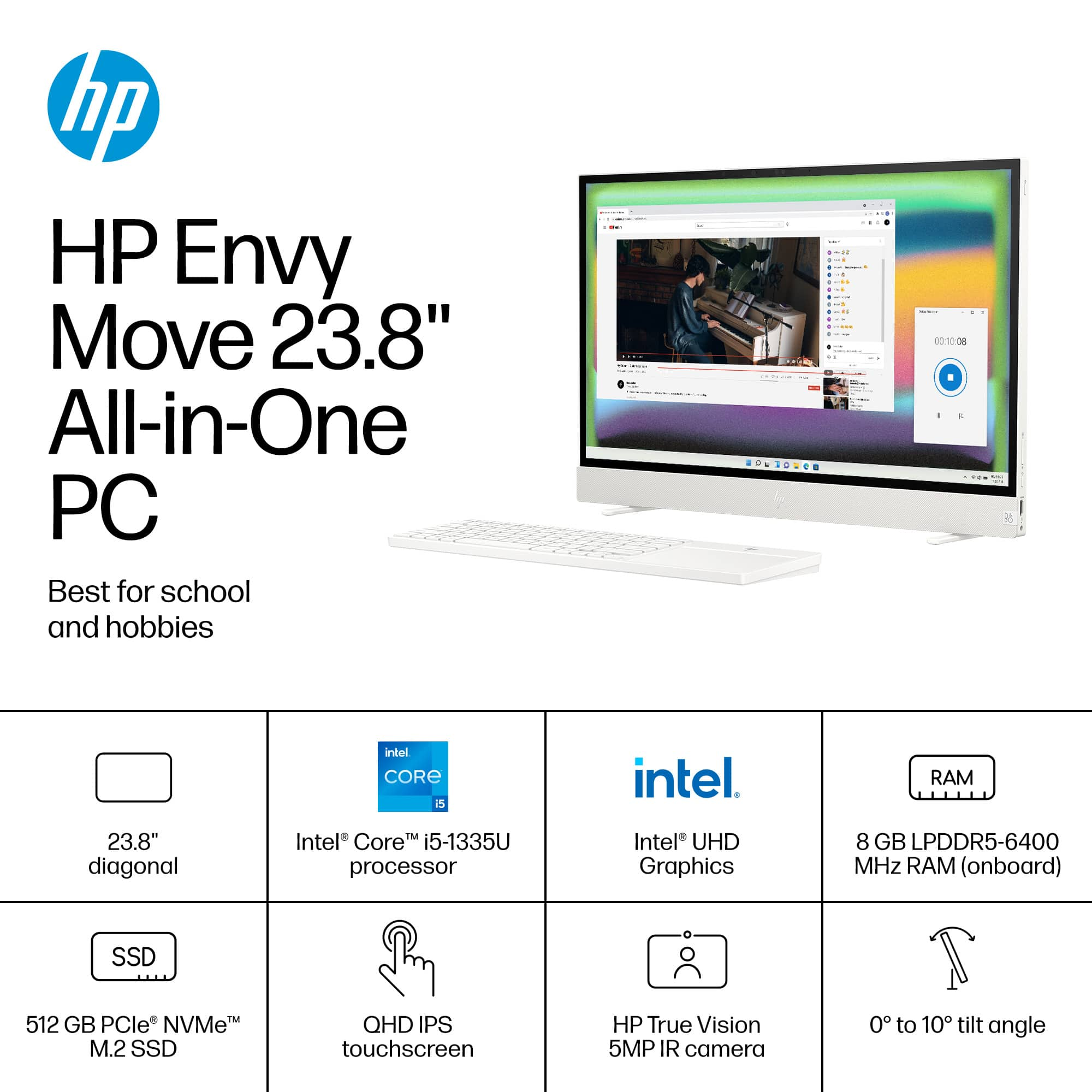
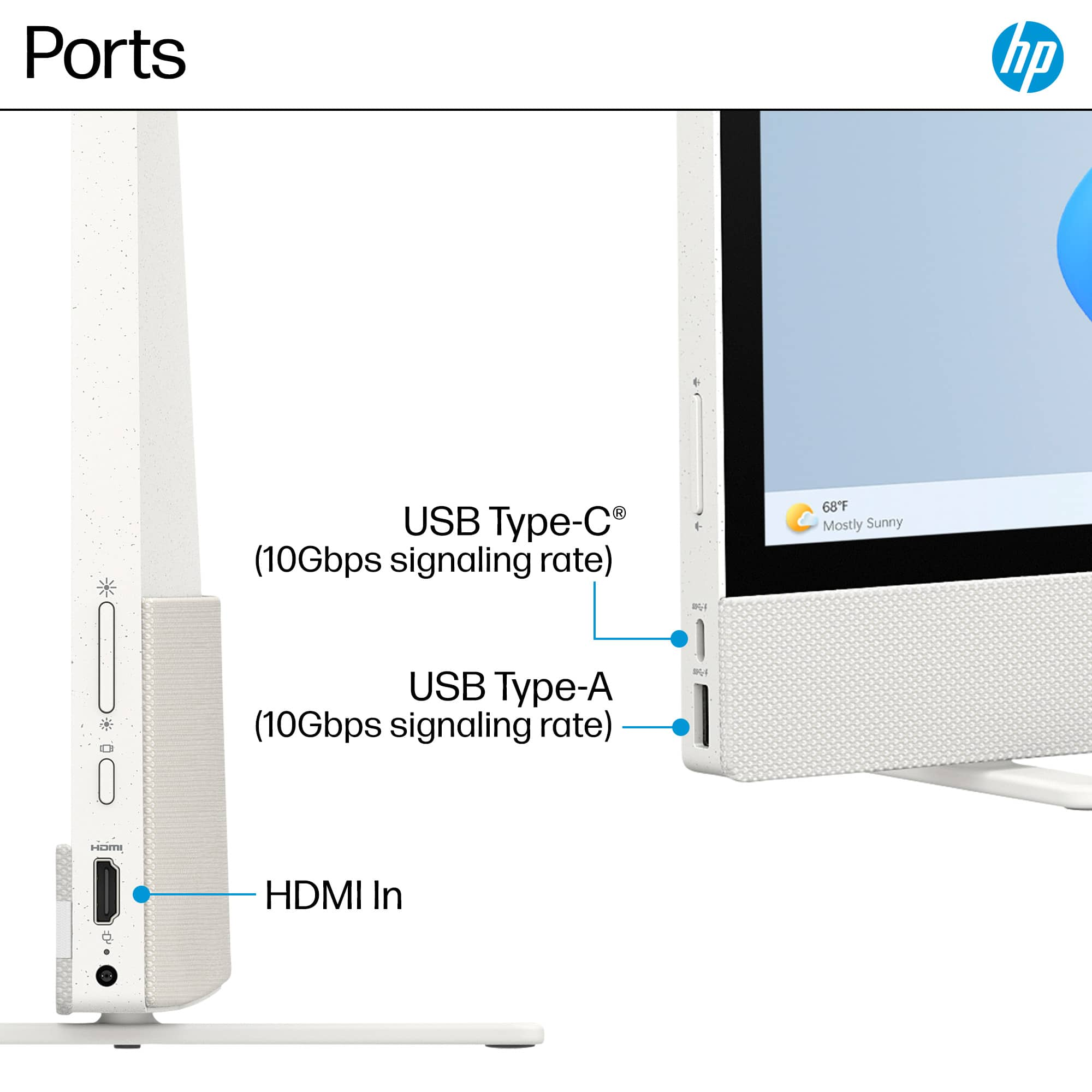
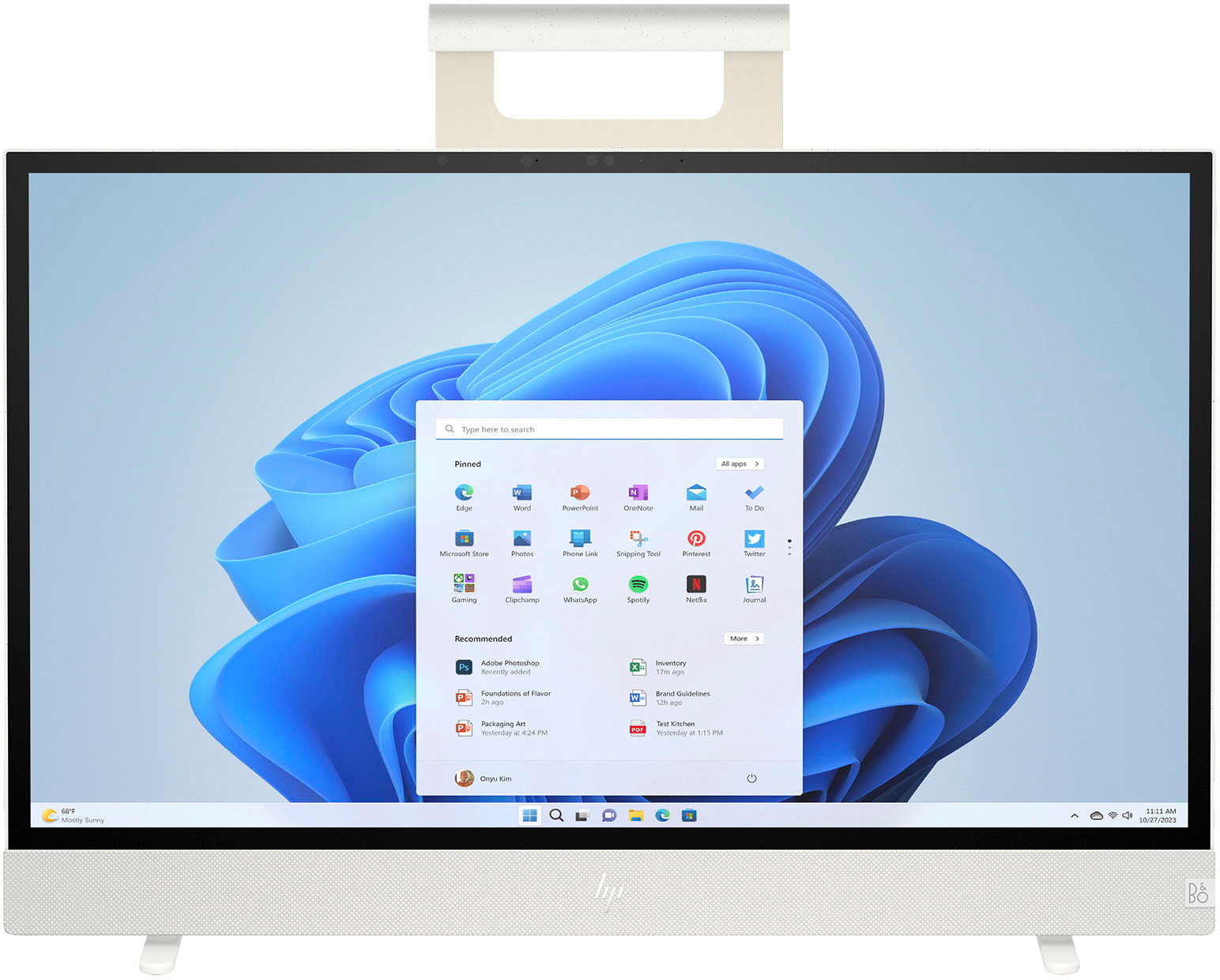
|Posted .This reviewer received promo considerations or sweepstakes entry for writing a review.I recognize that people still need, and purchase, desktop-style computers (i.e., computers that aren't laptops or tablets). But as the price for totally acceptable and reliable mobile computers drop every year, the case for traditional computers becomes more difficult to make. All-in-one computers are even more niche than desktop computers, because they have a very limited use case and target audience. Don't get me wrong--I love the idea of an all-in-one computer--but the execution often leaves something to be desired. So, an all-in-one computer, to be compelling, has to do something *different*. I'm not going to lie--I really hesitated on this one, because I couldn't really picture a good use case for it, despite the description. But I pulled the trigger anyway, and after a week of daily use, I REALLY like it. I think the experience using this machine is more compelling than virtually every other aspect of it--specs, design, features...which means those are areas where I could see some opportunity for improvement. But honestly, just the presentation of this machine is enough to make it exciting. The premise is simple: An all-in-one computer that moves with you throughout the house (you know, kind of like a laptop or a tablet can). It sounds ridiculous. And it kind of is--but it's also kind of awesome. The device and its accessories are thoughtful: a 23.8" QHD touch screen display, surprisingly good onboard speakers, and a wireless keyboard with built in touch pad that comes already paired with the computer. On the back of the computer is a handle, secured via a leather*ish* fabric strap and built in magnets in the top to keep it from flapping around when not in use. The onboard battery (of unspecified size--info wasn't available to me at the time of writing this) gave me about 4-5 hours of screen on time (outstanding for a battery powered all in one with a decently sized and very bright screen), enough time to watch at least one movie or several episodes of your favorite show. The right side of the display has a power button, brightness control, input button, power port and HDMI port. Yes, it has an HDMI port-- not an output, but an INPUT! This can also be used as a second (mobile) display, which is somewhat unusual functionality for a computer. The left side has a volume rocker, a USB-C port (which CAN be used as a monitor OUTPUT, and a USB-A port. An onboard webcam with physical shutter control sits atop the monitor, and a meshy-clothy pocket sits on the back for storage of the keyboard when not in use. And let's talk about the computer when it's not in use. You might ask yourself, what kind of stand does this computer sit on? The base of the unit has two feet that run parallel to the base and rotate 90 degrees when you set it down, thanks to a very clever pin system. The feet don't look like they will support a lot of stress, but they DO support some slight angle adjustment so you're not staring at a totally flat screen. When not in use, the feet fold away and you can stick the unit wherever you like--next to your couch, leaned against a wall, heck, if you have a large enough desk drawer, you could put it there. It's really quite something. The specs aren't anything to write home about: a 13th generation Intel i5 processor, 8GB of memory and 512GB of storage. But let's be honest... you're not using this for anything other than casual computing... want to watch a movie from your couch and set this on the coffee table? Go for it. Maybe get on a Zoom call with friends and family while sitting at your dinner table or on your porch? You can do that too. Maybe you need a big screen to show your favorite recipe while you're cooking in the kitchen. Or you want to watch a movie with your loved one in bed. Or take it to the laundry room while you fold your clothes. You could also just use it as a second display for your laptop if you have to give up your office for whatever reason and have been temporarily relocated to the living room. There are a LOT of possibilities. So, yes, I was reluctant to get this. But I really do like it. I don't think it's going to replace my laptop, but having a family machine that can move about the house is a lot more useful than you think it would be. It's a little bit bougie, sure. But it's only $1,000. And don't take that as "oh, this guy thinks $1,000 is cheap..." I don't. But at the price of an iPad Pro, something you buy specifically for mobility and a lot of people just use at home anyway... there's a compelling case to be made for this very unique all-in-one.
I would recommend this to a friendSomewhere in the middle of desk/lap top.
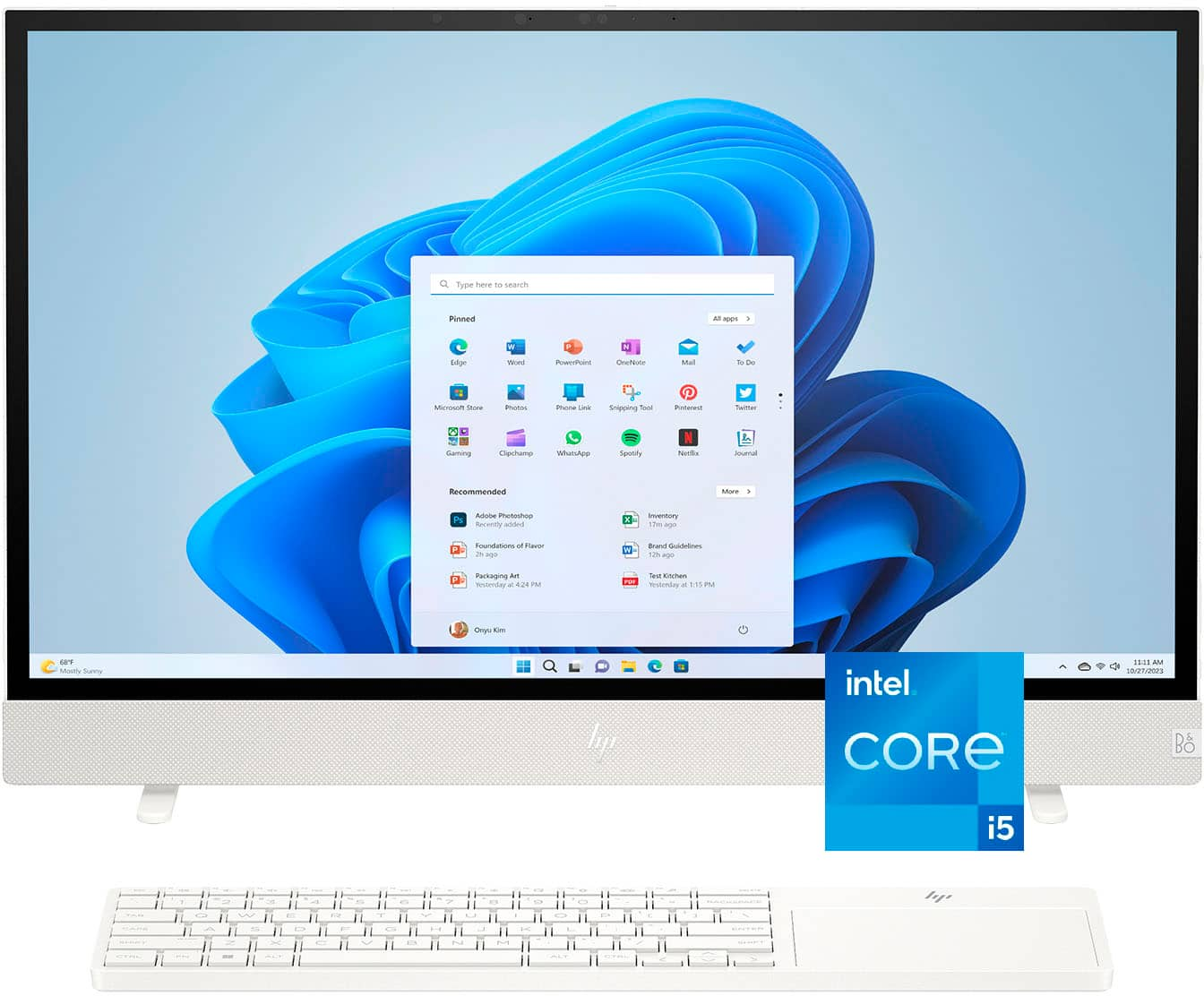
|Posted .This reviewer received promo considerations or sweepstakes entry for writing a review.The HP Envy Move portable all in one computer is a really cool crossover between a home desktop and a laptop. It's a large screen device with a 23.8" screen with everything built in to the screen. This device offers great functionality with an intel i5processer, 8gb of ram a touchscreen and a fresh windows 11 install. It also has a 512gb ssd a 5mp camera that looks amazing and some excellent Bang & Olufsen speakers built in. Packaging was right up there with a smaller sized TV, very well protected. Upon unboxing I noticed there wasn't much more in there but cardboard that provided protection for the device. I pulled out the Move, the keyboard and the charging cable. Bang! Ready to rock. Took about 25 minutes to run thru everything install related and then I was off to the races. All connections were pretty much automatically done like wifi and bluetooth. Super easy.. It has a carrying handle some really cool stands that swivel out automatically when you put it on a table and a nice keyboard that slides in a little pouch on the back. There are a few inputs, HDMI input, USB Type C, USB Type A and power. This could have used a few more type A inputs to be honest. Other than that I don't see anything at all wrong with this! The all in one worked well with streaming online, disney +, my kids roblox gaming and my wifes general usage. This is going to be my kids first time dipping his toes into the world of an actual computer vs using their tablets. There is an actual rechargeable battery on the Envy Move which enables it to really move around wherever you want. The batttery held up pretty well under mild usage of the kids. We got about 3 or 4 hours of gaming or streaming before we charged it up. This thing is really cool and will be used A LOT in our house. For the price I think it's worth it for what you get. We could literally pack it up and take it with us on vacation it's so compact. Highly recommend!
The perfect couch laptop-- review from a Mac user
|Posted .This reviewer received promo considerations or sweepstakes entry for writing a review.With only 8gb of RAM I was skeptical about this machine, but it has been perfect for simple web/Office tasks. I purchased one of those rolling monitor carts with the little laptop shelf (similar to what you see in medical offices) and the computer rests perfectly on the shelf while I use the keyboard with integrated trackpad. You'll need a surface clearance of 16" wide x 6" depth in order to activate the retractable feet. The monitor portion of the computer will stick out a couple inches on each side, but the feet hold it sturdy. It's really light and could probably just rest against a chair back too. The computer feet automatically retract when you pick it up by its stylish handle and there's a little pocket in the back to hold the keyboard if you're traveling with it. The speakers have plenty of bass and I LOVE that they don't sound like tin cans. A 24" touchscreen that can run on battery power at this price is astounding. You can use it as a monitor via the HDMI input too. There's a built-in privacy cover for the webcam. The QHD resolution is perfect and the display is slightly curved. Even the power brick isn't too unwieldy if you choose not to run it on battery. I can have 30 tabs open in multiple Edge Windows, file explorer, and Word or Excel open before it starts feeling sluggish. You can do some light coding/analysis without it feeling too sluggish too. --- The built-in computer is not a powerhouse machine-- just stick to light productivity and things feel snappy. You could connect it to a powerhouse machine and use as a monitor if you need something more capable. HP really put a lot of thought into crafting this all-in-one. The design/color look elegant, the materials feel premium. Quite honestly, I didn't expect to be as impressed as I am with this machine. If you're a road warrior or get sick of hunching over a little laptop screen -- this is a dream computer.
I would recommend this to a friendTerrific Portable All-In-One Desktop PC from HP
|Posted .This reviewer received promo considerations or sweepstakes entry for writing a review.One of my first concerns before I opened the box of this HP AIO Computer (The “ENVY Move”), was whether there was some privacy shutter on the camera, and I was thrilled there was. So, I immediately started with an overall positive impression of the HP Envy Move. When I opened the box, I was astonished at how easy the hardware setup was. There was no need to attach a stand, for example, because it had smart "feet" built into them, which when placed onto a surface, automatically will turn into position. This is also part of what makes the "Move" part of the name of this product work -- because when you lift the computer, the feet hide again. A lift handle and a pouch to insert the keyboard for travel are on the back of the AIO computer. You can say, "But a laptop is portable," but this has many advantages over a laptop, such as a 23.8" QHD touchscreen and super incredible sound (clear, stereo, great bass, loud if desired). If you need to not be so loud with the HP Envy Move, it supports Bluetooth, which I tested with Apple Air Pod Pros (worked great). Two major advantages over my old ("homemade" from parts) desktop are that there are no loud fan noises when it's on (though there is a softer fan audible), and I free up much desk space. This may be one of the thinnest All-In-One computers that I've tried. The only disadvantage compared to a traditional desktop PC is that it is difficult-to-impossible to upgrade things like storage, graphics, etc. With everything streaming from the cloud (including gaming, such as with Xbox Game Pass Ultimate), you need high-end performance upgrades less often, so this may be a perfect PC for most desktop needs. I’m glad to have this HP Envy Move, and I plan to take my old desktop out to the trash on the next e-waste recycling day– So, yes, I would recommend it.
I would recommend this to a friend- Pros mentioned:Portability
Happy Days!
Posted .This reviewer received promo considerations or sweepstakes entry for writing a review.This computer was a replacement for a computer we were very fond of. We were leary of a new machine. However, after using it a few days, we are very pleased. It is easy user friendly.
I would recommend this to a friend - Pros mentioned:Screen size
Move Over Laptop
Posted .This reviewer received promo considerations or sweepstakes entry for writing a review.Great screen size, visually beautiful. Takes up less space than laptop.
I would recommend this to a friend great system!
Posted .This reviewer received promo considerations or sweepstakes entry for writing a review.love it!!!! I had a small issue with the keyboard sticking. I talked to HP and they are sending a new keyboard. Bust buy could only replace the entire package and not just keyboard. I did not want to replace system so I called HP since it is under warranty.
I would recommend this to a friendTerrible.
Posted .This reviewer received promo considerations or sweepstakes entry for writing a review.A week after the warranty expired the sound card went out and I’m getting an overheating error code. Highly recommend you DONT purchase.
No, I would not recommend this to a friend