Customer Ratings & Reviews





- Model:
- 24-CS0074/8B911AA#ABA
- SKU:
- 6554766
Rating by feature
- Value
Rating 4.4 out of 5 stars
- Quality
Rating 4.5 out of 5 stars
- Ease of Use
Rating 4.4 out of 5 stars
Customers are saying
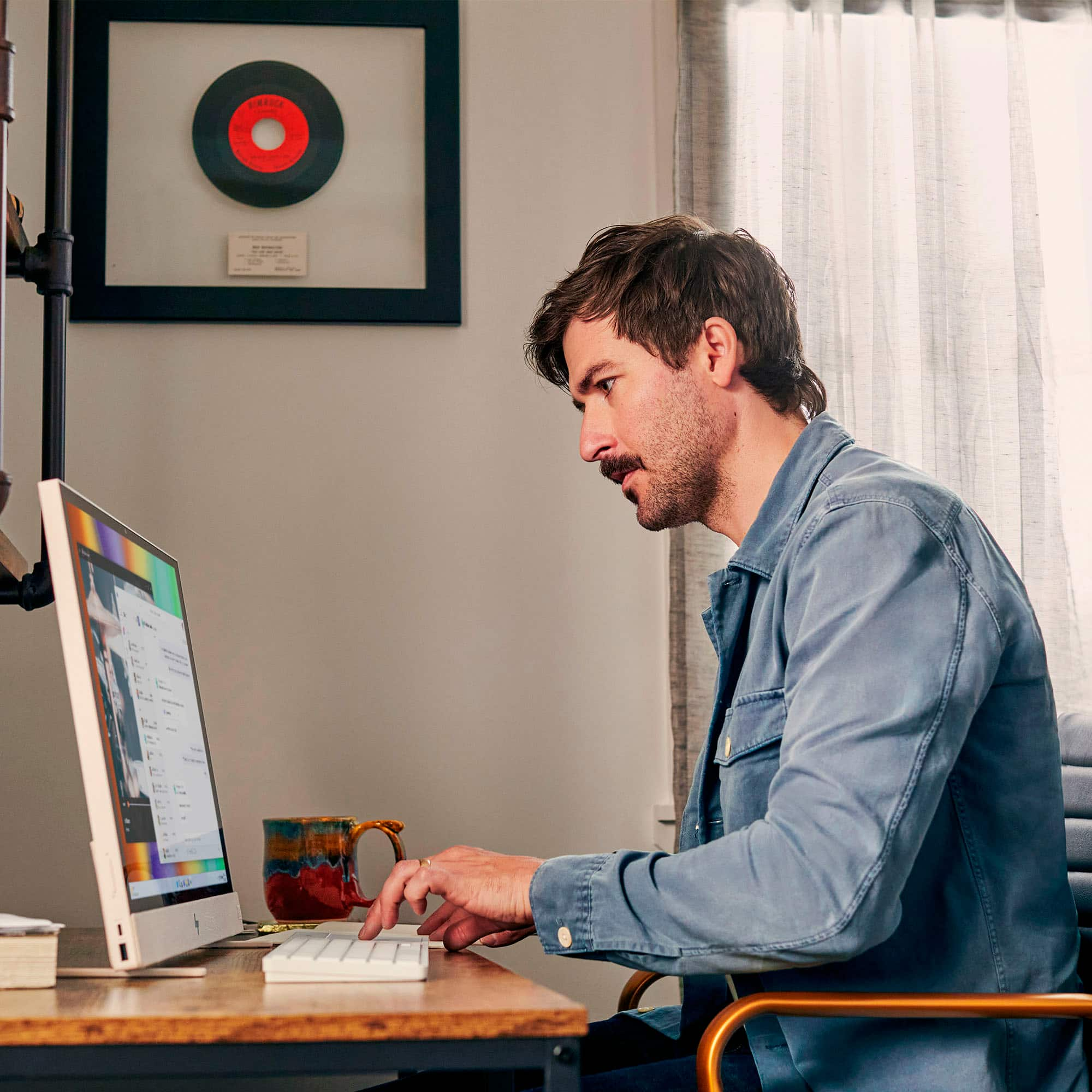
Customers are pleased with the Envy Move's portability, large screen size, and responsive touchscreen. Many appreciate the decent battery life, allowing for mobility and extended use away from a power source. However, some users find the limited RAM and USB ports to be restrictive. The stylish design and good sound quality are also frequently praised.
This summary was generated by AI based on customer reviews.
- Pros mentioned:Battery life, Portability, Screen size
Great computer!
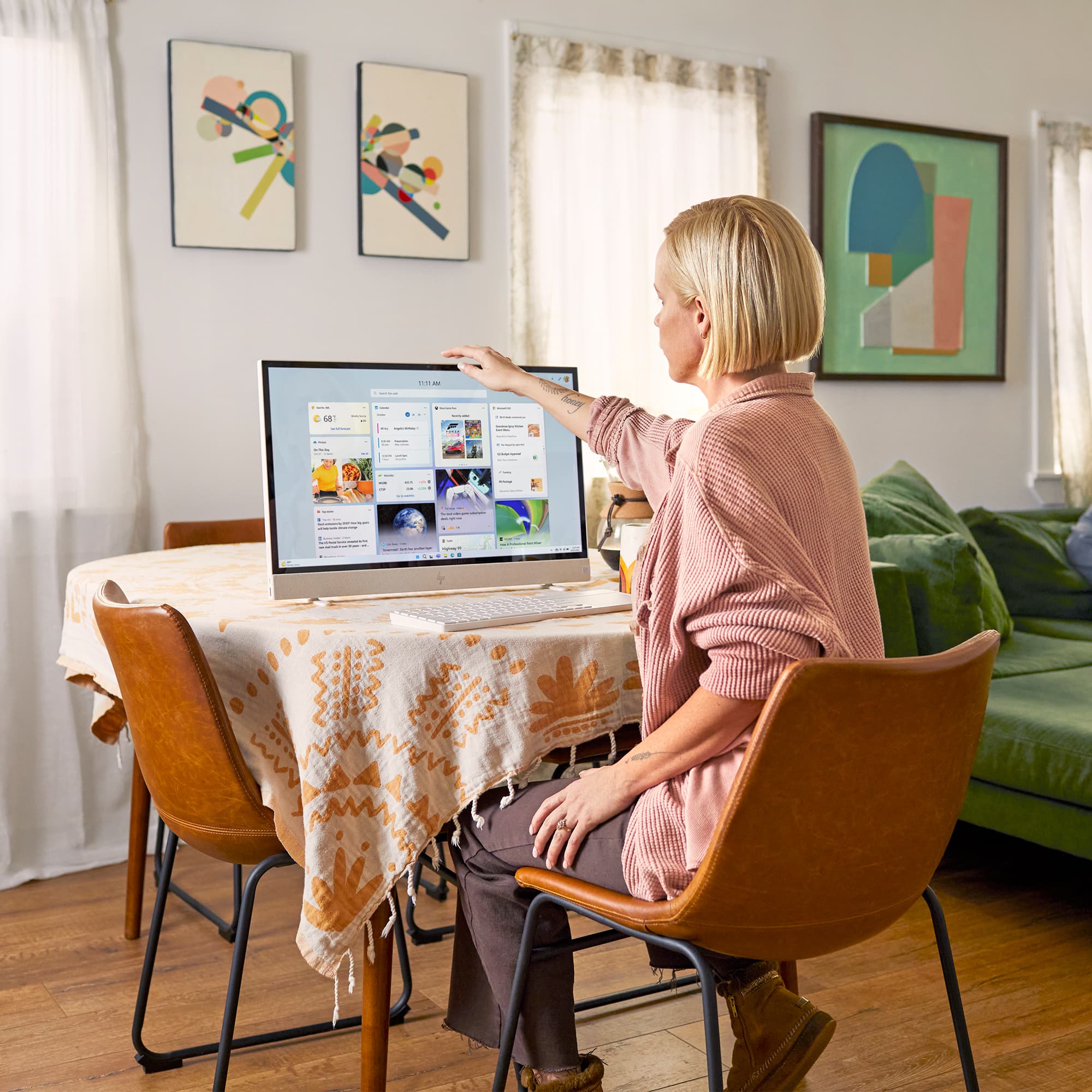
||Posted . Owned for 1 month when reviewed.This reviewer received promo considerations or sweepstakes entry for writing a review.This is an amazing computer! I needed something portable with a large screen. I didn't want a laptop so i tried this. The automatic retractable feet mean i can pick it up and set down on any flat surface at any time while I'm using it. I bought a case to carry it in, though it is larger than average. I accepted that at first because of my old eyes. I can unplug it and the battery lasted almost five hours. I use it to write with it as an author, and can take it to my trailer on the mountains. I have power, but i can this one outside to write. One drawback... it comes with a keyboard of course, but without a number pad. I needed one so i bought a separate Bluetooth keyboard and mouse to use, but take the other with me as well, as it has its own pouch in the back. It also is a touch screen!
I would recommend this to a friend - Pros mentioned:Portability, Screen size
Very portable for a desktop.
||Posted . Owned for 3 months when reviewed.This reviewer received promo considerations or sweepstakes entry for writing a review.This computer is very portable for a desktop. It's probability was very convenient for out family since we are having work done to the house. The touch screen feature, and the track pad on the keyboard makes human to computer interface so smooth for the kids and I. For this reason, my son loves to use it to do his homework. The software included and platform was easy to adapt to since we are accustomed to HP products. The retractable feet are an excellent addition as well, no need to worry about the computer tipping over once placed properly. This was a great buy.
I would recommend this to a friend - Pros mentioned:Battery life, Portability, Processor speed

Portable AIO that works.
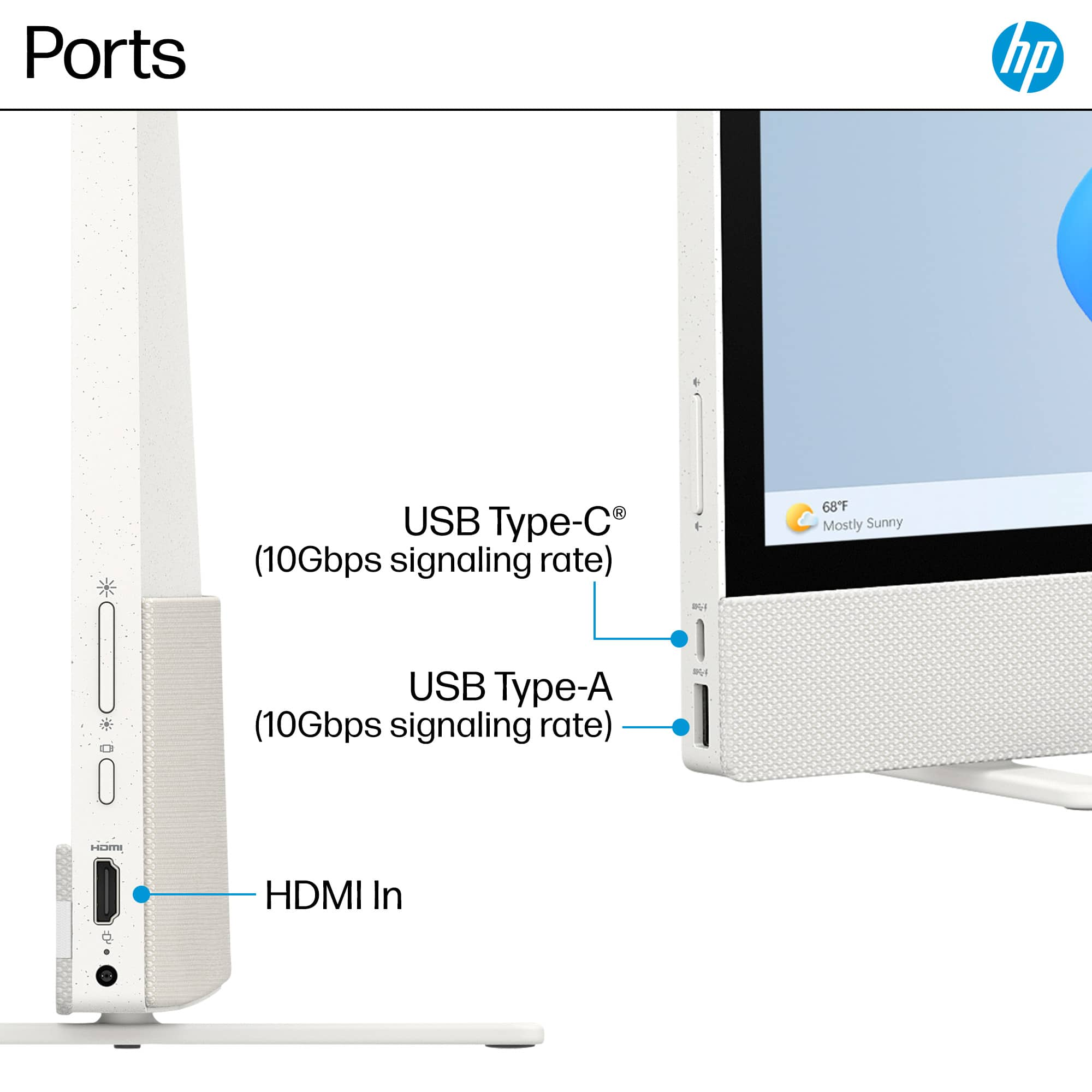
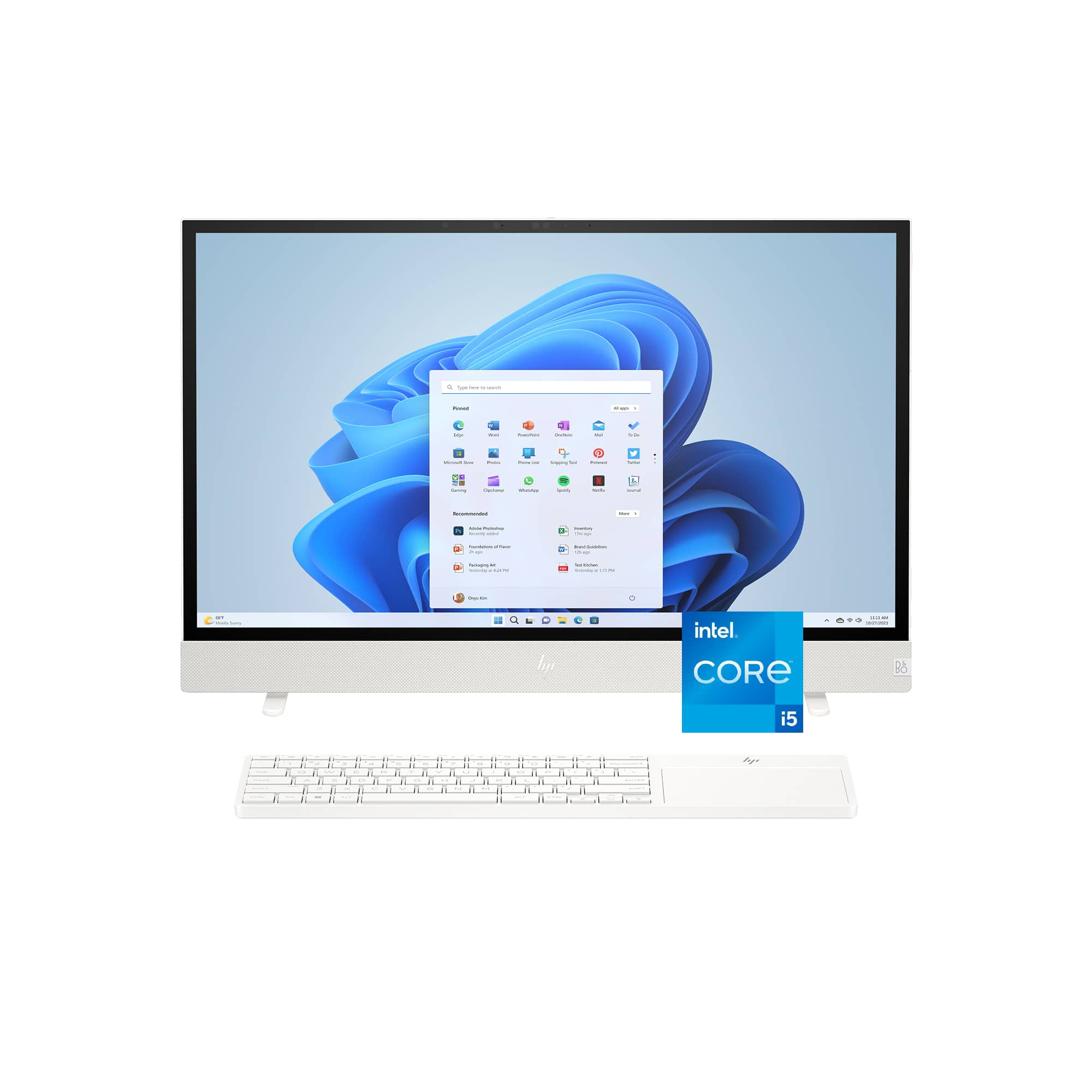
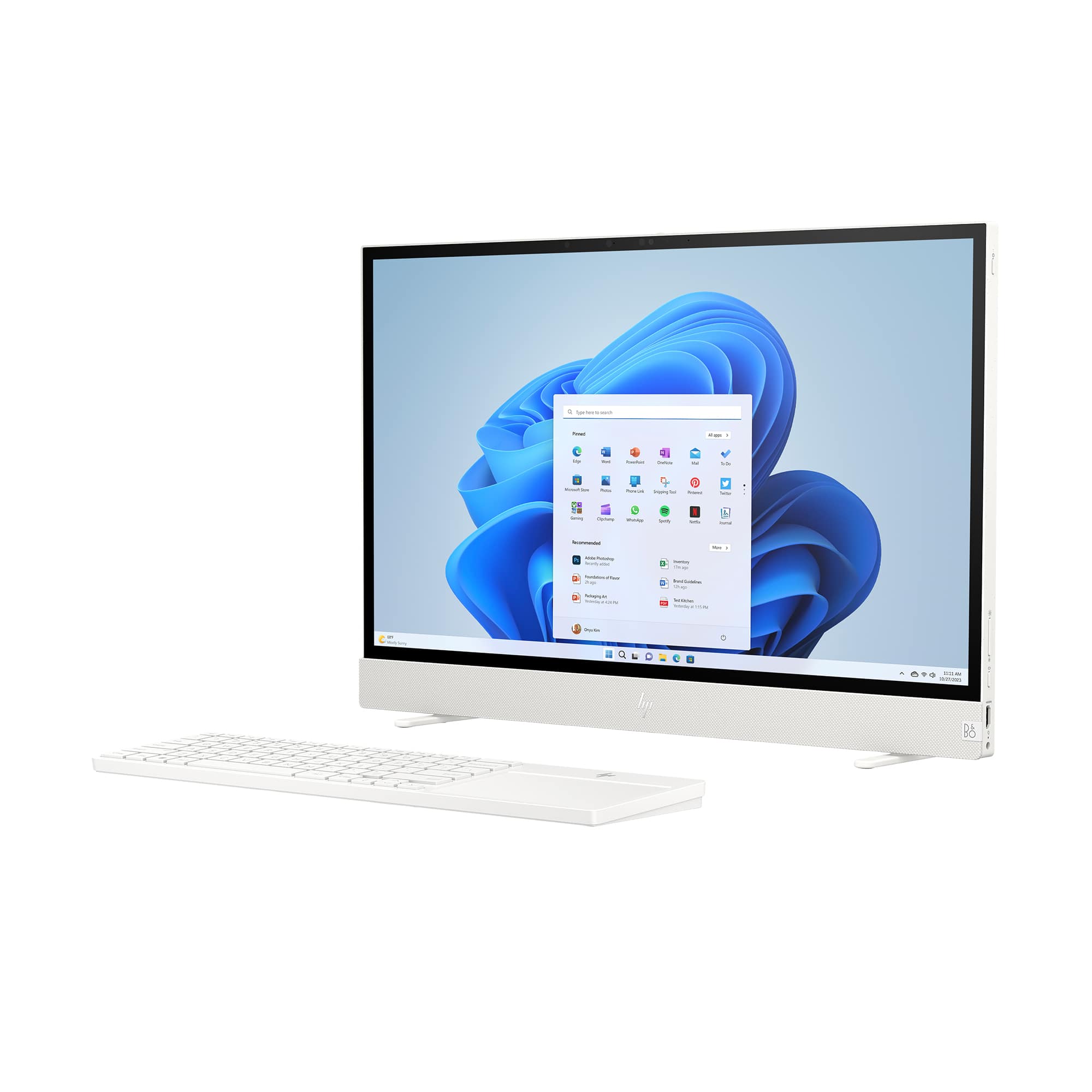
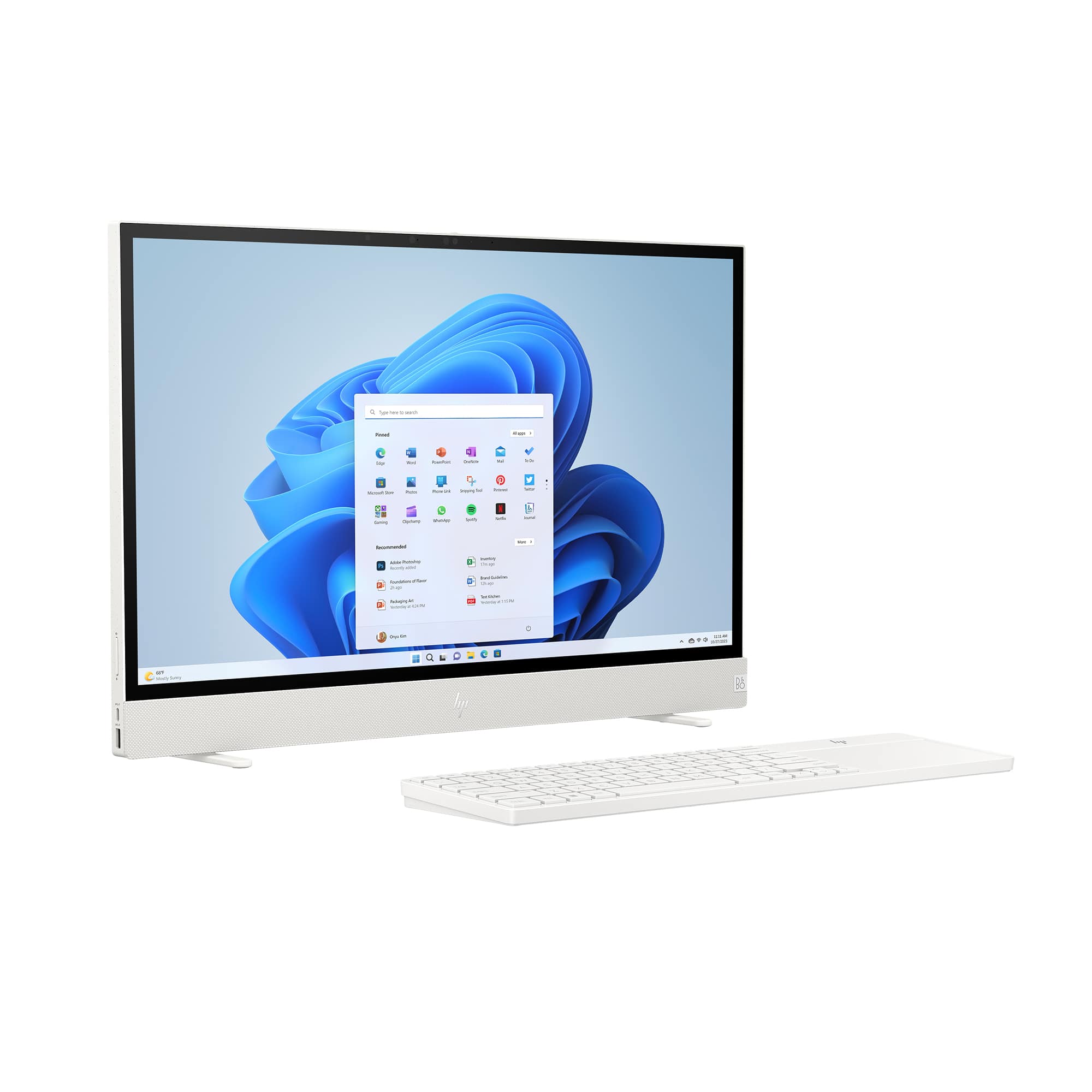
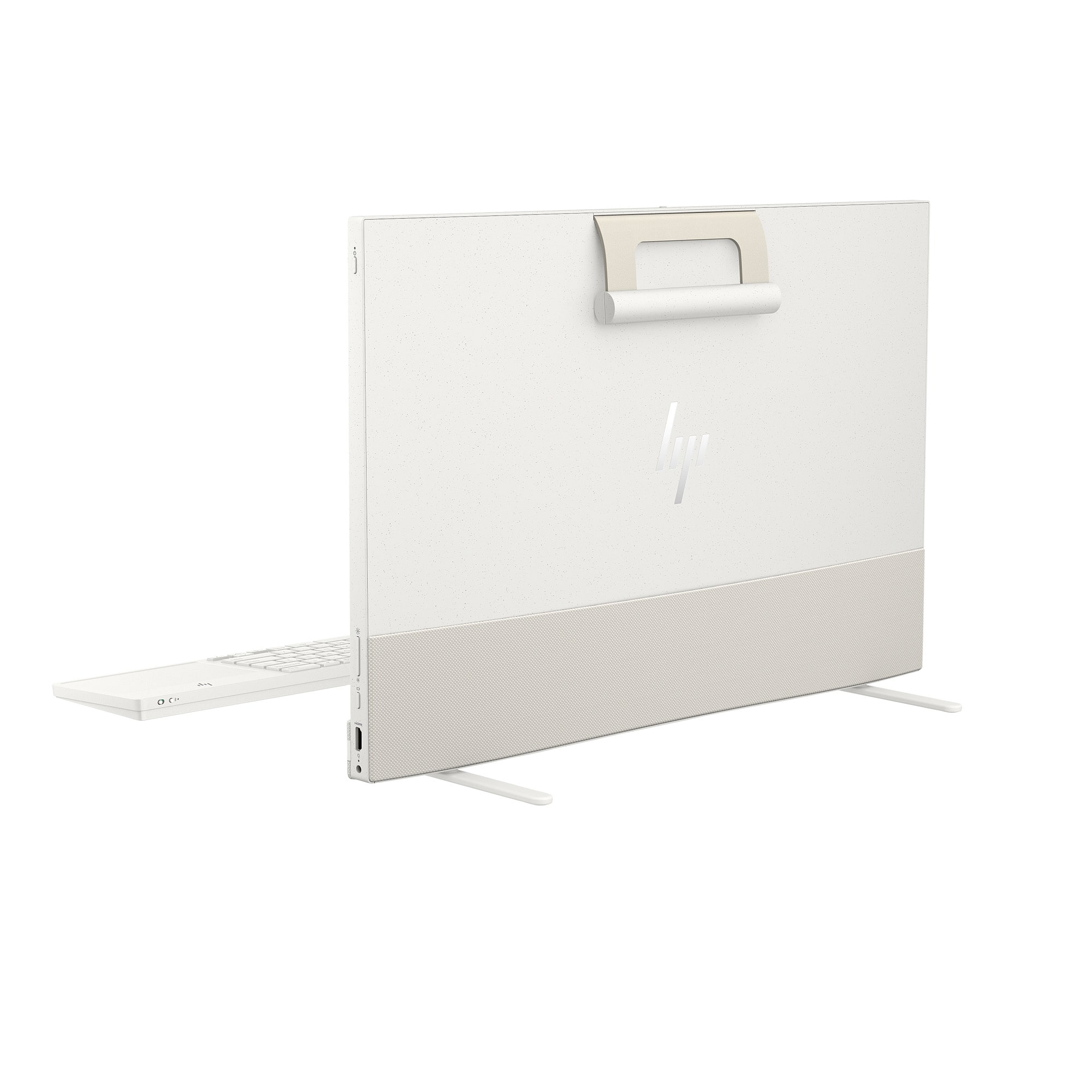
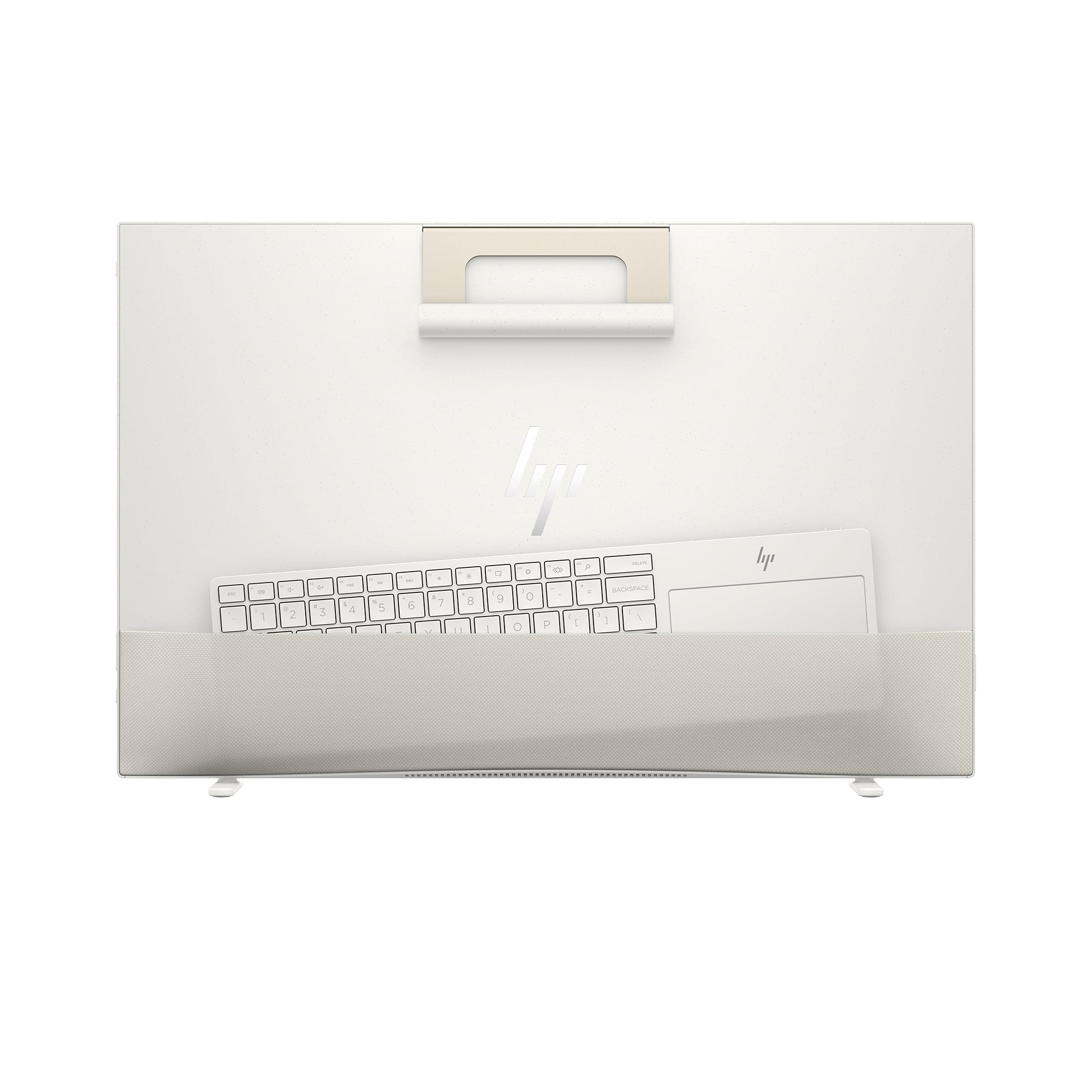
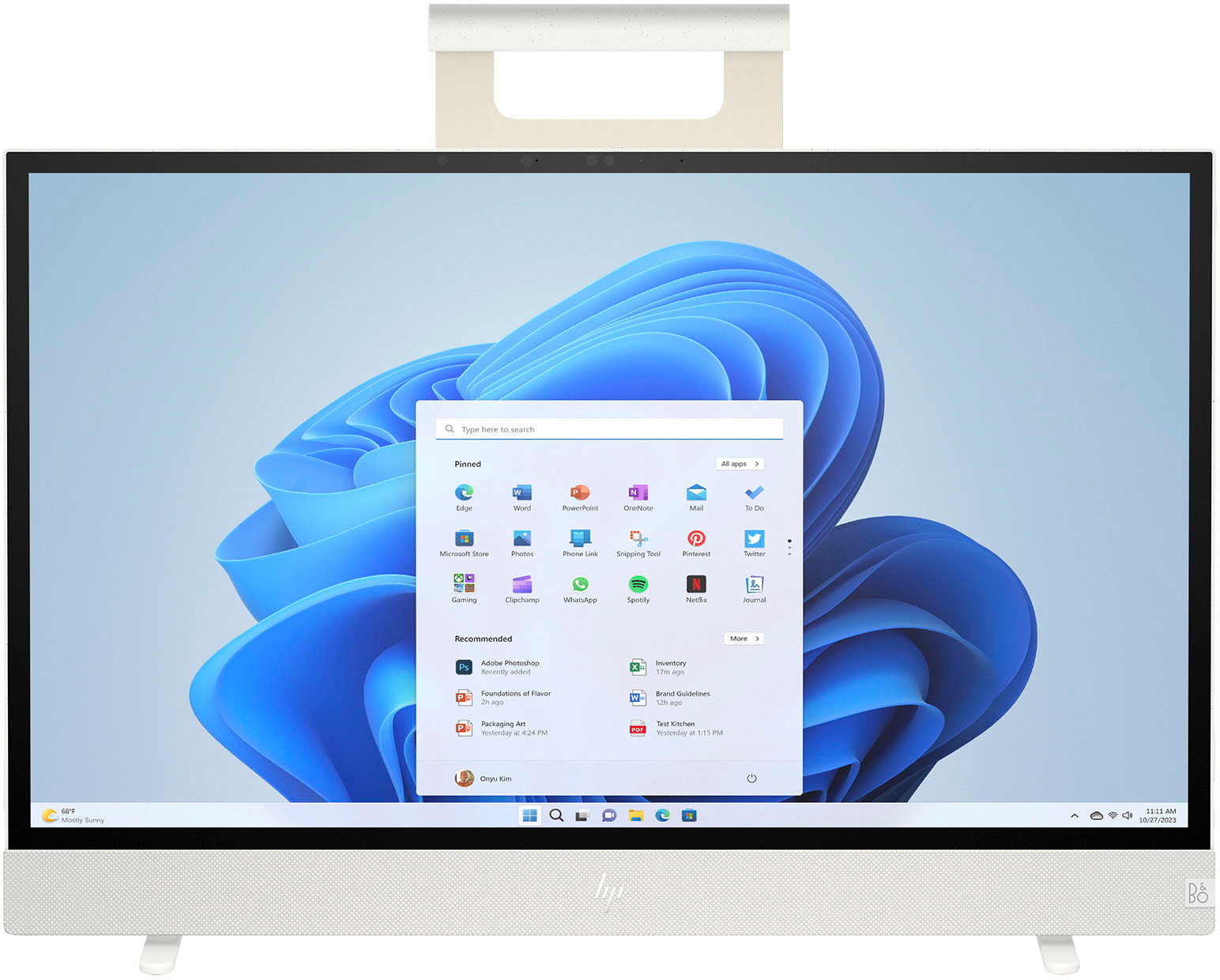
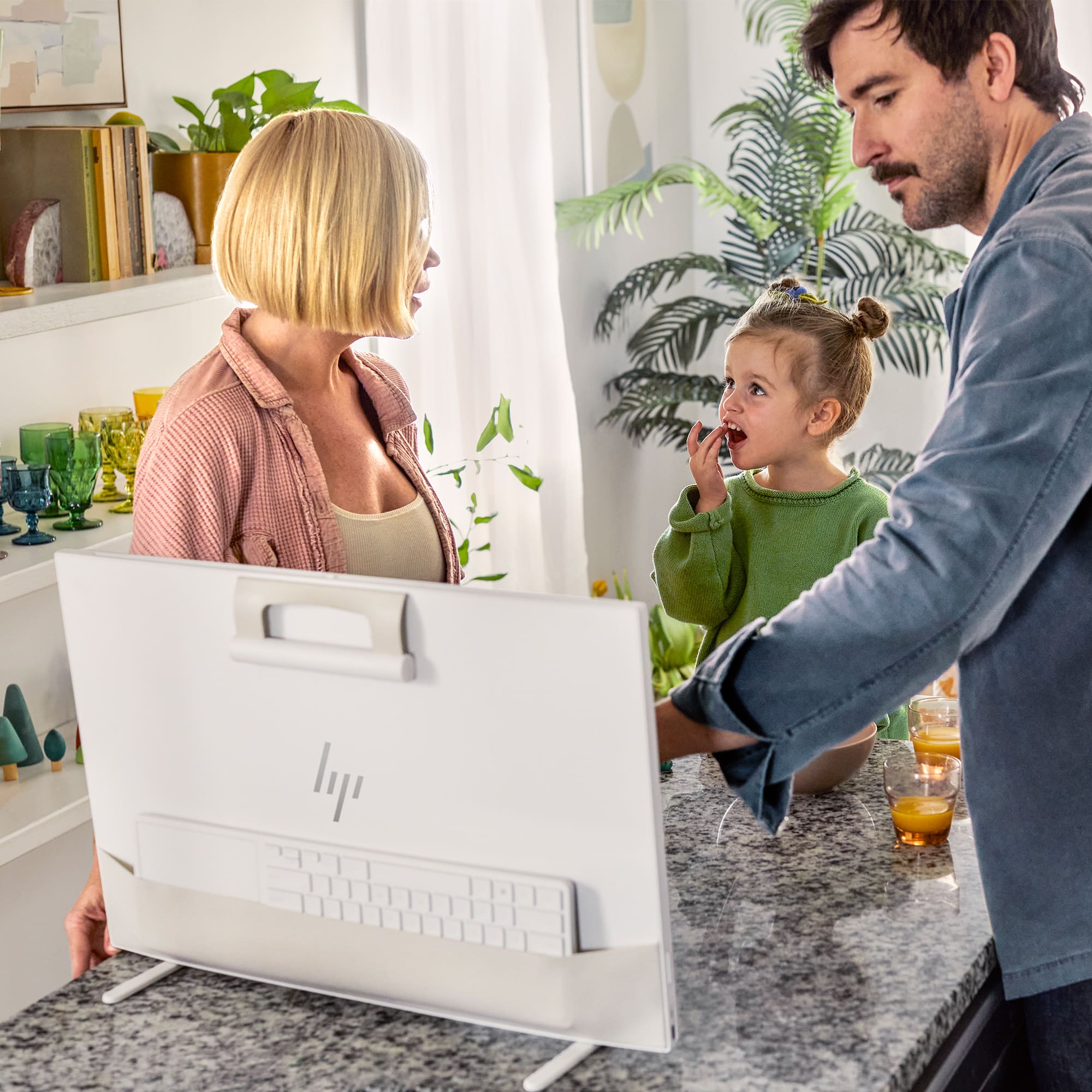
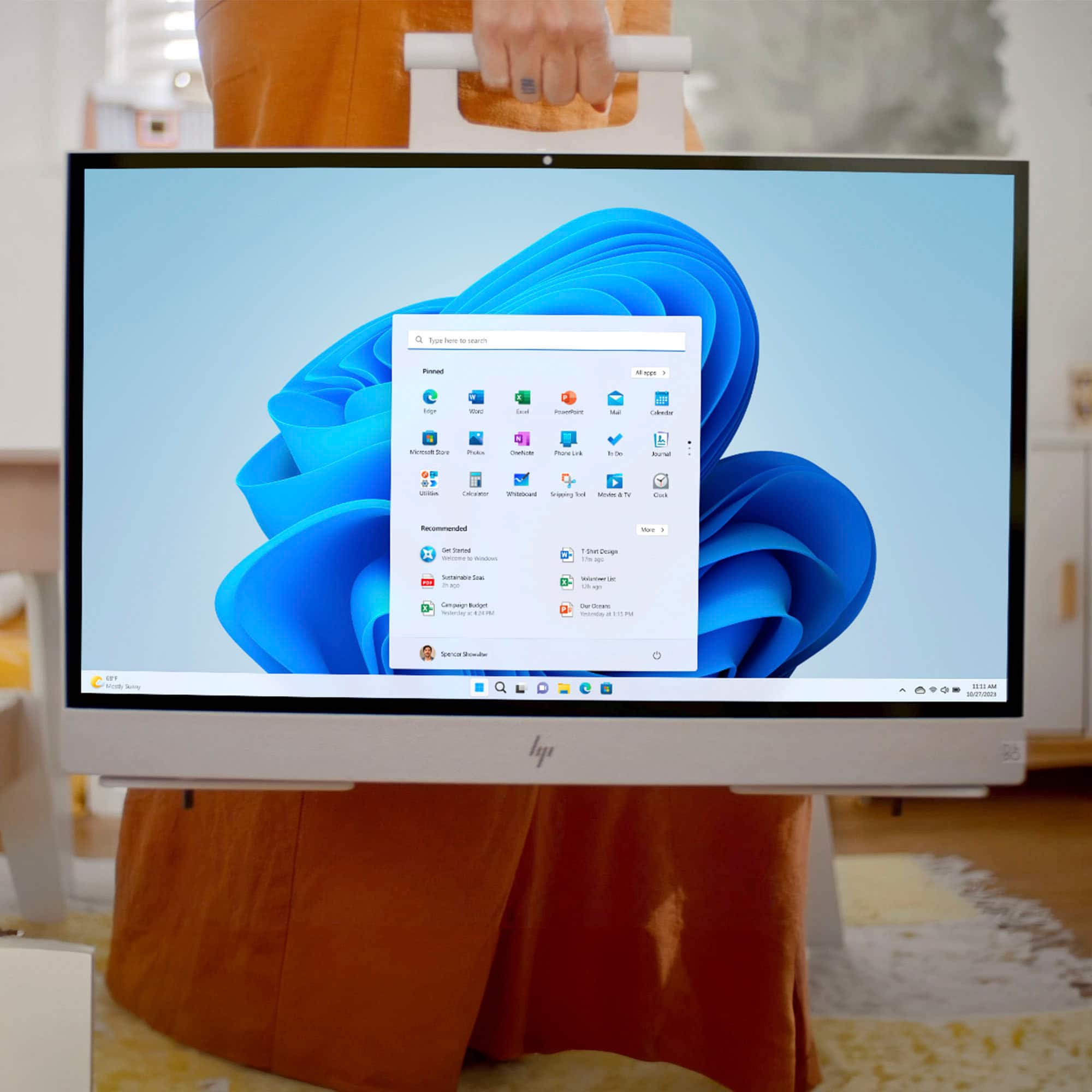
|Posted .This reviewer received promo considerations or sweepstakes entry for writing a review.Our current HP AIO is getting old and we decided to try out the new HP Envy Move AIO to see how it would be as a replacement. Unboxing and Setup The Move comes in a plain heavy cardboard box and is very well protected sitting inside a pressed paper frame. It’s also covered by a thick paper type cover helping protect it during shipping. Inside with it is the keyboard “with built in trackpad”, power adapter, power cord and some paperwork. At first glance I was wondering how the “attached legs” worked as I could not turn them and there were little black pegs sticking out the bottom of them. So after picking up the device with the heavy duty rubber handle/strap and starting to set on the table the legs automatically rotate forward, no need to touch them, “pretty cool”. If you pick the device up off the table, the legs automatically rotate in turning them out of the way for transportation. Now looking around the Move, on the right side, is the power button toward the top, a rocker switch for screen brightness, a button to pick screen inputs, a HDMI port and a power port. On the left side is another rocker button for volume, a USB C port and a full-sized USB A Port. There’s nothing on the back except for a cloth stretchy pocket you can put the keyboard in, and on top is a slider for webcam privacy and some vents for intake and exhaust. The front has a cloth strip covering the speakers and at top of the screen there’s the webcam and Windows Hello IR emitter. The included keyboard is a chicklet style keyboard and pretty easy to type on, and if you are used to the keys on a laptop, you won’t have any problem typing on it. There is a very large trackpad to the right where a keypad would normally be and is very sensitive to the touch, pressing down for a mouse click gives a very audible tactile click. The Move itself is very lightweight, and even though the screen size is the same as the HP AIO we already have it’s physically smaller, thinner and lighter. The color scheme is an off white with little black specs in it “almost like pepper” and looks pretty good, the finish is also matte and there’s no gloss to it at all. Setting up is pretty straightforward, just plug in and turn on following the onscreen instructions. The included keyboard does come with batteries you need to install but it would not work during initial setup and I had to use the on screen keyboard which was pretty easy. After going through all the Windows setup, the keyboard was finally recognized and worked fine afterwards. Using: The system has an I5 processor and 8gb of memory and I wasn’t expecting a speed demon, but for everyday tasks, “browsing the web, word processing, streaming media, ect.” It’s plenty fast. It also works great for basic gaming and any of the MS games like Candy Crush, Solitaire, Mahjong all work flawlessly and never stuttered. I wasn’t going to try any newer high end gaming titles but wondered if it would handle an older game so I installed Fallout 4. At native resolution and all graphics set to “low” I was only getting 29-46fps, but setting the graphics to 1280*720, “graphics still on low” it managed 58-72fps, and the game was actually playable and looked pretty good. Next I decided to try Witcher 3 “not expecting much” and with the graphics set to “low” at 1280*720 it managed 32-46fps. The image doesn’t look great but it’s playable. Now I didn’t use the trackpad for playing, I did end up using a Logi Bluetooth mouse to play those. I was impressed that the system never became hot or the fans got very loud, I never really could hear them while playing the games, and any heat comes out the right top vent, the left is the intake. I did some benchmarks with Geekbench 5 and the new i5 processor stood up pretty well. Now I’m comparing it to a newer Alienware m15 with a gen 13 i7 processor and dedicated GPU but against the Intel UHD 700 graphics it actually wins by a good bit “see the picture included in the review”, so there are no complaints there performance wise. The screen itself looks great, I we were both surprised just how well movies looked on it as the blacks are very black with no bleeding, and everything played smoothly, we both agreed it had as good of an image as our dedicated TLC 4k tv even though this is a 2k screen, and 4k wouldn’t really be needed on a 24” screen. Sound is very good coming from the Bang and Olufsen speakers and got plenty loud for our viewing. It would be easy to add a Bluetooth speaker or Bluetooth headphones for privacy or if you need more volume than what the built in provides. The built in webcam works good, it has a better image than our old AIO and it has the built in IR light for using the Windows “Hello” face login. This feature works really well and the system recognizes anyone that has an account set up and logs them into that account every time, we had no issues with that at all. This system also has a built-in battery so you can unplug and take it into another room to use very easily. I tried out the battery and easily got 3 hours of streaming off Netflix or Max. The cordless part is a neat feature I’ve never seen before in a AIO, It’s like having a 24” Windows tablet “tried that and it works”. And if you are streaming a movie it’s easy to take around the house plop down where you want it. As for upgradeability, you really shouldn’t try, but I did open up ours and found there’s only one SSD connector, and the memory is soldered to the mother board and no expansion slots available. The only other item you could change is the WiFi card, and that’s it. You could replace the SSD if needed or want a larger drive than the 512k that’s included but for most people that will be more than enough. Conclusion: This is really a different device, sort of a mix between a very large tablet and an AIO, it works and works very good in most cases. We did, and still do, have some issues with the keyboard stops working after waking up the system, “the trackpad still works though”, turning off/on the power resolves this and hopefully a driver fix will take care of this issue. The rotating legs work well and are made of metal, they aren’t flimsy and once in place the device does feel very sturdy, but they do not work well or at all on a softer surface “not that you should be setting on a bed anyway” but those pegs that turn the legs do need a firm surface to sit on for them to work correctly. I should also note that the legs do allow a little bit of tilt to them too, “which surprised us” and just enough if you happen to be sitting higher than the screen or want to tilt away some glare from the glossy screen. There are a lot of features with this system too, it will tell you if you are sitting too close to the screen and you can configure that as a popup or it can blur the screen till you move further away. The distance it gives the warning can be adjusted easily within the app or just turned off. There’s also a auto audio level that will increase the volume as you get further away so no need of going back to turn up the volume. There aren’t many ports, just two USB ports, a C and a full sided A, and I would have liked to see one USB on each side. The HDMI port on the right works as an input so you can hook up a DVD player and use the screen as a monitor. There’s also no SD card slot so you’ll have to use a reader if you want to transfer any files from say a camera or video device. You’ll also have to remember that this system really isn’t upgradeable, “SSD yes”, but getting it open is not exactly easy. So if you are looking for a web browsing, media consumption AIO and want to do some word processing and light office work, “can even throw in some light gaming” this new HP Envy Move is going to be a great AIO for you.
I would recommend this to a friend - Pros mentioned:Portability, Processor speed, Touchscreen
Perfect for Students and Home Offices
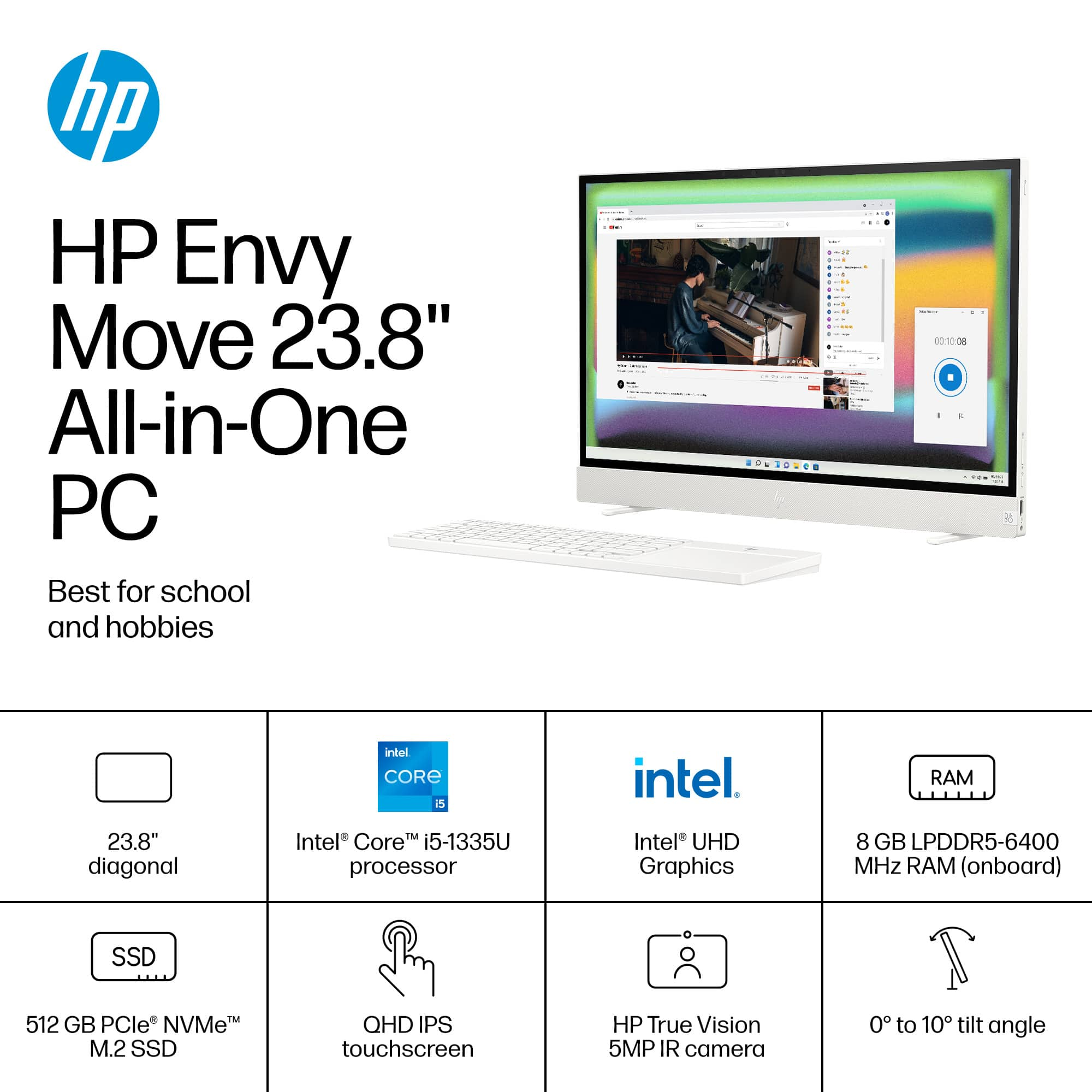
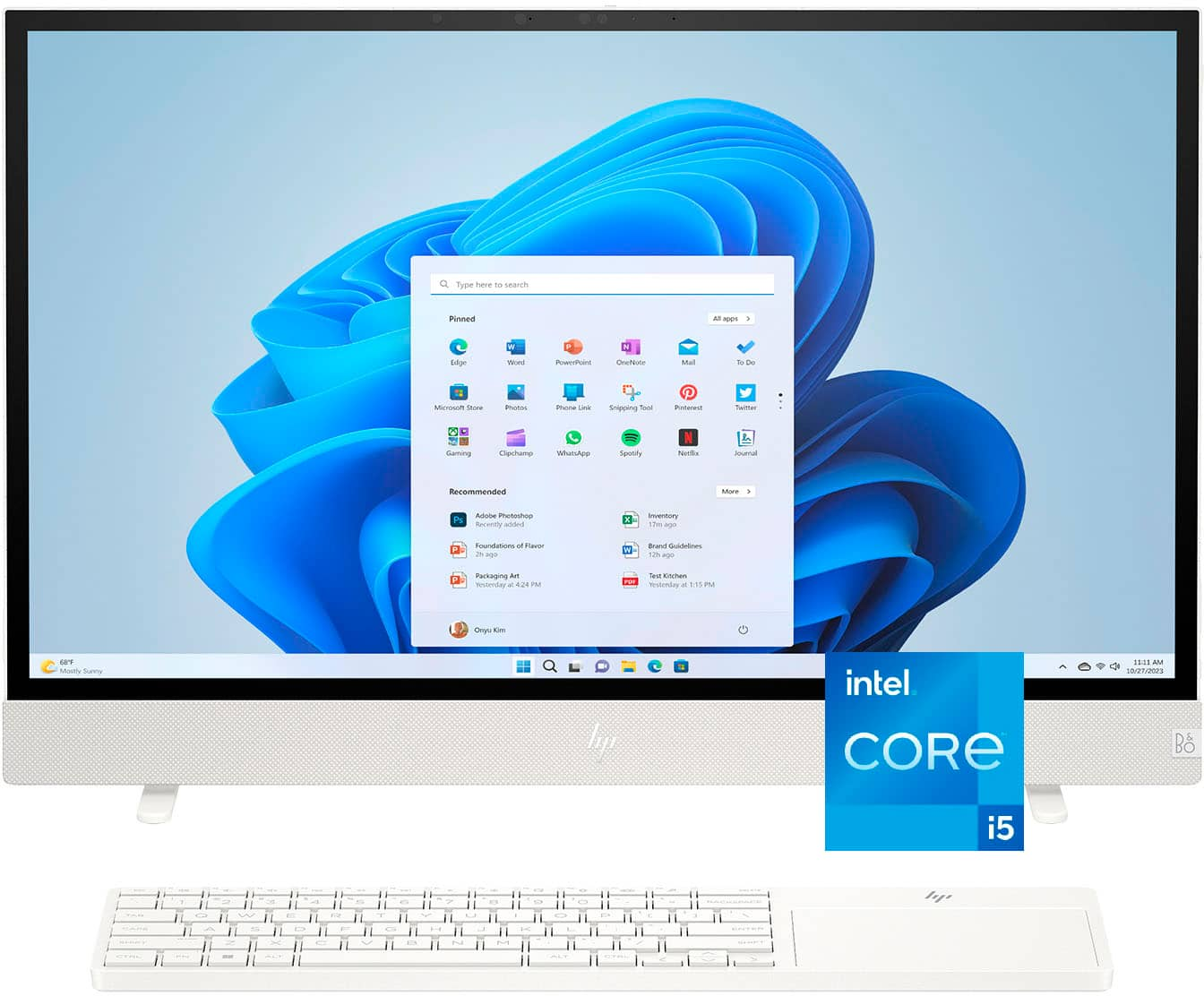
|Posted .This reviewer received promo considerations or sweepstakes entry for writing a review.Having recently acquired the HP ENVY Move 23.8" Portable QHD Touch-Screen All-In-One PC, I am happy to share the positive experience I have had so far. This machine is a perfect blend of design ingenuity and performance, catering well to children, students, and anyone with light to medium workload requirements. The first aspect that struck me was the aesthetic appeal, particularly the Shell White color with its speckled design, reminiscent of a bird's eggshell. It's not just about looks; the retractable feet are a marvel of engineering, disappearing when the PC is hoisted by the stylish leather handle, making it highly portable, and kids think it’s a magic trick, at least mine do. The ingenuity doesn't end there. The fabric pouch on the back of the PC is a clever addition, allowing for secure storage of the keyboard, and enhancing its portability further. It's details like these that set the HP ENVY Move apart from its competitors. I love the look and feel of the fabrics used on this computer. The Bang & Olufsen embedded speakers are another highlight, delivering an audio experience that surpasses expectations. Whether for educational videos, online classes, or leisurely music listening, the sound quality is rich and immersive. For those who prefer traditional peripherals, the lack of a mouse and side number pad might be a drawback. However, the generously sized trackpad on the keyboard is precise and responsive, mitigating this issue to some extent. Performance-wise, the specs speak for themselves. The Intel 13th Generation Core i5 processor, paired with 8GB of RAM and a 512GB SSD, ensures smooth operation for everyday tasks and educational software. The QHD touchscreen is bright and clear, providing an interactive experience that can enhance learning and productivity. Intel UHD Graphics are more than adequate for educational purposes and streaming media, although this isn't a machine built for heavy gaming. The 2560 x 1440 resolution ensures crisp visuals, and the IPS display offers wide viewing angles, perfect for group projects or family movie nights. Connectivity is streamlined, with USB-C and USB-A ports, 1 HDMI port, Bluetooth 5.3, and Wi-Fi 6 providing a stable and fast internet connection. It's also worth noting the environmentally friendly aspects, with ENERGY STAR certification and EPEAT Gold level, reflecting a commitment to sustainability. The front-facing camera and built-in microphone make this PC ready for video conferencing, a crucial feature for online classes and virtual family gatherings. In summary, the HP ENVY Move 23.8" All-In-One PC is an exceptional machine for students and home offices. Its thoughtful design, commendable performance, and portable nature make it an ideal choice for those with light to medium computing needs. While it may not cater to the gaming crowd, it excels in its role as a dependable and versatile machine for educational and everyday tasks.
I would recommend this to a friend - Pros mentioned:Battery life, Processor speed, Screen sizeCons mentioned:Ram
Nifty!
|Posted .This reviewer received promo considerations or sweepstakes entry for writing a review.What a novel idea for a portable computer. At first, I wasn’t sure how well it would work as a portable computer with such a large screen, but it’s grown on me and definitely has utility. It’s a cross between a laptop and a desktop that gives you the screen of a desktop and some of the portability of a laptop. I’ve found this especially useful at work. I can use this as my workstation, but if I need to go to another building, or location away from my desk, I can easily bring it with me and still have access to a large, easy to view screen. The legs move in and out of position as you set the computer down on a flat surface and they do a good job holding it upright, but time will tell how they hold up as they seem to be made of plastic and are not very large. The webcam has a sliding cover, and the carry handle is held to the back of the computer by a magnet. It even has a battery, which is a huge plus. You only get about 2 hours of battery life, but the option to move it around without taking the power cord is a huge plus. This is especially useful with the warehouse work I do in that I can have a computer with a full-size screen and quickly and easily move the computer to wherever I need it without dealing with a bunch of cords. I have several workstations setup around the warehouse, and I can quickly go to any of them without issue to conduct some work, mainly audits. The Bluetooth also comes in handy to pair a cordless Zebra 8178 scanner. The hardware is pretty much standard, 13th generation Intel i5, 8GB of RAM, HD screen, webcam, and Bluetooth keyboard/mouse combo. I don’t see any ability to easily increase the RAM, upgrade the hard drive, or replace the battery in the future so make sure it has all the options you need. It has 1 USB port, 1 USB-C port, 1 HDMI port, and there is no memory card slot. I’ve had no issues with Office, Teams, Zoom, OBS studio, DaVinci Resolve, or Adobe Acrobat Pro 2017. Programs open quickly and I can easily switch between multiple open programs. The integrated speakers are nice and give you a good sound and your music collection will sound nice on them, just don’t expect much bass output. Overall, this is a nifty setup. At first I wasn’t sure how I would use it, but the more I use it the more uses I find for it. It’s not as portable as a laptop, but having a large screen in such an easy to move bundle is really nice to have.
I would recommend this to a friend - Pros mentioned:Portability, Screen size, Touchscreen
Stunning design and features!
|Posted .This reviewer received promo considerations or sweepstakes entry for writing a review.Review for HP - ENVY Move 23.8" Portable QHD Touch-Screen All-In-One - Intel Core i5-1335U - 8GB Memory - 512GB SSD - White I was not prepared for how much I like the design of this wonderful PC. As much as a laptop is flexible in usage, I’ve always preferred using my desktop PC for any extended amount of time. I prefer a larger monitor, a full keyboard, and hate having cables that always end up hanging off a laptop for various peripherals. The HP ENVY Move ingeniously straddles the line between a laptop and a desktop in design. The touchscreen is just icing on the cake. But first, the unboxing! This was a real treat. All of the materials are recyclable cardboard and paper, yet carefully and skillfully packaged. A QR code greets you when you open the box to learn more about HP’s efforts in this regard. The PC itself is an all-in-one computer, with a desktop-worthy screen size and a solid, comfortable carrying handle that falls neatly out of the way behind the screen. Best of all, the legs for the monitor retract when you pick it up and extend when you put it back down. Aptly named, the HP ENVY Move is easy to carry from room to room - again, not intended to be as portable as a laptop, but so much easier to transport than a desktop. Two other features help in this regard: the Bluetooth keyboard is wireless and fits in a cozy pocket on the back of the screen, and the power cord is small and easy to remove from the lower right side of the monitor. Built-in batteries power the device if you want to use it outside or elsewhere. Other design features seem to have been added by ergonomics experts! The volume control is a simple up/down button on the left and mirrors the brightness control on the right. The power button is placed right where you would expect to find it - on the upper-right edge. The camera and microphones on the upper part of the screen are nearly invisible and the camera has a privacy switch on the top edge that covers the lens. All of the controls are small and add to the minimalist design, but all are easy to find and use - a tough usability challenge to get right, but I think HP nailed it. The audio quality and volume from the speakers in the lower edge of the monitor produce quality sound and excellent stereo. The display is sharp and clear and the minimal edge creates maximal screen real estate. Startup was quick and easy, setup for WiFi was seamless and getting moving with porting from my old PC went smoothly. Overall, the finest “new computer” experience I’ve ever had.
I would recommend this to a friend - Pros mentioned:Battery life, Screen size, Touchscreen
HP You Knocked It Out Of The Park And Perfectly!
|Posted .This reviewer received promo considerations or sweepstakes entry for writing a review.Was excited to try out this new HP All In One Portable Envy Move computer! It did not disappoint! Arrived packaged very securely in a heavyweight box with handle. It is only wireless as there isn't an ethernet port for direct connecting to your router. I have it in my kitchen and the router is only a few feet away so the wifi was discovered right away. No issues there. Even taking it on my patio however didn't hinder my wifi connection, which was a pleasant surprise. When you lift the computer for portability the feet automatically swing in, then when setting back down they spread out. No way will you forget to place the feet correctly on this one, especially if you move it from room to room or outside. A nice feature indeed! The handle is like a rubberized material and lies flat facing downwards on the back. Carries securely and easily as well. It has an excellent white keyboard ~ roomy and large ~ with a built in trackpad to the right. Responds flawlessly or you can use the touchscreen. It has a nice layout and the keys feel great when typing. You can also store it in the pocket on back of the computer when you are moving it from place to place. That feature is totally awesome. I really like the fact you don't need an external mouse if you don't wish to use the 23.8" QHD (2560x1440) touchscreen. The keyboard uses 4 AAA batteries which are included. It has a Bluetooth 5.3 wireless card and Wi-Fi 6 (2x2). Upon starting up and signing in with my Microsoft One account I had it import the data from my other Windows 11 computer. Worked perfectly! After that it went into the update mode which took about 20 minutes. You'll find across the bottom front and keyboard pocket on back a shell white color recycled woven polyester fabric. If you plan on moving this around a lot I suggest being extra careful so it doesn't get dirty, especially carrying outside. It looks very nice however and definitely adds character to the appearance. Guess you can call me fussy but it might be nice if HP offered a black design as well as the light one I received. Just a thought - certainly NOT a deal breaker. As far as the sound it's pretty decent. The speakers are Bang & Olufsen so certainly HP didn't cheap out on that feature. I watched Netflix films on it and they sounded really nice and full. It also has a 5 MP Wide Vision camera which you can shut off with a switch on top if you want it in privacy mode. Works very well too! Nice clear pictures and has dual array digital microphones. For inputs you'll find 1 USB Type-C, 1 USB Type-A and an HDMI in. There is also the power supply charger input as well. The screen does not tilt so where it lands once those legs are extended is where it remains. It does have a fixed slight backwards tilt however and I found the angle quite comfortable to look at. I don't think most people will have an issue at all with an adjustable tilt not being available. Since it's portable it will be running on a 6-cell, 83 Wh Li-on polymer battery when unplugged. There is a status icon in the taskbar at bottom which will tell you the remaining battery life in hours and minutes. I really liked this feature a lot! No more having to wonder if it's going to go dead on you while you're right in the middle of a project. When I unplugged it the charge was at 100%. That charge time was very close to what was noted on the status icon as it lasted for about 4 hours 20 minutes. I didn't let it get completely drained but at 10% plugged it back in again. This is such a superb idea to have a portable battery system on a desktop style AIO computer. It's genius in my opinion! My HP computer has worked incident free since setup. It's speedy and looks great. Stays connected to my wifi with no dropped signals. This has been my go to computer since I received it and I honestly must say it's awesome. The picture quality is wonderful, battery life exceptional for a computer this size and I highly recommend its purchase. I really love this computer and you will too!
I would recommend this to a friend - Pros mentioned:Processor speed, Screen size
This thing is cool!
|Posted .This reviewer received promo considerations or sweepstakes entry for writing a review.This thing is cool! Our house isn't the biggest, but we do move about the house pretty regularly in search of comfortable places to work. Both of our laptops are getting older and both were dropped once or twice knocking something loose in their keyboards. They work, but... meh. We were planning on getting new laptops soon when the HP Envy All-In-One was presented to us and we love it. I don't think that we'll ever go back to laptops again. The packaging was the first thing we loved. Recycled and recyclable. It totally made sense and didn't depend on plastics. It did have an odd QR code that I wish had some sort of text to indicate that the QRcode link linked to a description of the recycling properties of the packaging. I clicked on the QR code sort of reluctantly. It was fine and I appreciate HPs efforts to keep our world greener. The packaging was easily recycled. Setting the computer itself up was a dream come true! Pulling the monitor/computer out of the box was a 10 second activity. Placing it on a desk caused the feet/support to deploy and that was that! We installed the accompanying batteries into the wireless keyboard and we were ready to go. We aren't really high end gamers and don't play CPU intensive games. We do game a bit, though. And often use Discord, Zoom, and other video services alongside our games. The video is seamless, the camera and microphone workable, and the screen is both clear and a great size. For using basic word processing, email, websurfing or streaming movies, this computer is plenty great. And the space savings and location flexibility really can't be beat. If I have one issue it's with the keyboard. In fact, it isn't a single issue, but a few of them. The keyboard is wireless, which is great, but they put the touchpad off to one side and I am used to touchpads being in the center of everything. It messes me up a bit. Also, they took some liberties over key placement. As a touch typist, it is problematic. Not badly problematic, but until I get used to it, I have to slow down more than I like. Everything else is really good. Would I recommend it? You bet! I'll show it off to everyone who comes over. It is really cool.
I would recommend this to a friend - Pros mentioned:Battery life, Portability, Processor speed
Great All-in-One Computer
||Posted . Owned for 2 weeks when reviewed.This reviewer received promo considerations or sweepstakes entry for writing a review.The HP - Envy Move 23.8" QHD Touch-Screen Portable All-in-One - Intel Core i5 - 8GB Memory - 512GB SSD is a great all-in-one computer for office and home use. I find the processor to have more than adequate speed when browsing or bringing up documents, even with several tabs open. The picture/screen and sound qualities are excellent. I like the mobility of the computer and the battery life is sufficient for making presentations. Set up was extremely easy. At this point, I highly recommend this machine for office or personal use.
I would recommend this to a friend - Pros mentioned:Portability, Processor speed, Screen size
Hp home computer
||Posted . Owned for 1 month when reviewed.This reviewer received promo considerations or sweepstakes entry for writing a review.I purchase this HP for work at home use. It it very fast and efficient. Nice screen size, easy setup, love the touch screen.
I would recommend this to a friend - Pros mentioned:Portability, Processor speed, Screen size
GET IT!
||Posted . Owned for 3 weeks when reviewed.This reviewer received promo considerations or sweepstakes entry for writing a review.When I tell you this is the best PC around at this moment, it is. Runs smoothly. I own a small business and am a Graduate student so you could only imagine the amount of work I put in daily. Invoices, papers, ads, emails, teams meetings, presentations and the list goes on. The screen is touch screen which allows me to sign docs quickly. I took my HP-Envy Move to a few meetings and when I tell you people are super duper impressed. Best bang for my buck! Highly recommended and very affordable.
I would recommend this to a friend I really love, but will I use it?
|Posted .This reviewer received promo considerations or sweepstakes entry for writing a review.This device fascinates me. When I was given the opportunity to get it, I didn't want it at first, but, since I love new tech,I decided to give it a shot. I am really surprised by how much I like this new HP Envy Move, it's a really cool machine! When I unpacked it, I was impressed by how thin and sleek it is, as well as good looking. The cloth pouch in the back is a really clever way to store the keyboard. It comes with a combo keyboard/trackpad, and a power brick, which does not plug in via USB-C, which kind of got me bumbed. It has the perfect amount of ports for me; HDMI and display port in (!) via USB-C. I love that because not only can I use this on it's own, but I can also use it to extend the screen on my MacBook when I don't want to use Windows. It has toggles for brightness and volume as well, very handy. The keyboard/trackpad combo is really neat and a nice touch. It also connects via bluetooth so there's not an annoying dongle to plug in. I turned it on and let Windows do it's thing. I really love Windows 11, it let me copy over my settings and files from my Dell laptop and within minutes, I was up and running on a computer that had everything I needed, except Chrome, of course. I immediately put it to the test. Youtube TV, Disney+, SNY, etc, and it handled that all well. The speakers are AMAZING. Bang & Olafson has done it again; this the best sound I have ever heard on any computer. It's room filling sound in my living. Next, I put the Display Port to the test by plugging into my monitor via USB-C which is daisy chaining to a second monitor. I then played videos on all three screens and this bad boy crushed it. Now, the selling point of this device; it's portable! It's super light and it has a really cool magnetic handle in the back. It has a great battery that lasts for hours and the legs are awesome and they come out automatically when you place the device down on a surface, so cool! I'm a cord cutter so I stream everything; I took this out onto the patio to watch a Mets game, then used it as an extra screen in my living room while streaming the Sunday Ticket. I love it for this. But will I use it as a computer around my house? That's where I question the long term use of this device. Now, maybe in a house with kids it would be more useful, but, I'm not sure i'll ever use it for anything other than a portable TV. I have been blown away by this device and recommend it to anyone looking to stream from anywhere on a big screen. It will also be good for guests to use as a pc, as you can move it anywhere. Great job HP, this is a great high end toy.
I would recommend this to a friendVery portable and easy to use
|Posted .This reviewer received promo considerations or sweepstakes entry for writing a review.Be careful when unpacking as you will want to keep the sleeves for the computer and the keyboard in case you take them offsite. Setup takes about 30 minutes with the updates and is very easy. Sign in with your Microsoft login and it will bring across settings and apps from another computer. It can also connect with your phone to receive and reply to texts, access photos and make / receive phone calls. First, I love the way the feet pop out automatically. It is a great feature and very easy to carry the computer (9 lbs) with one hand and just set it down. Very portable around the house and would be great for guests to use as well. Taking it on a roadtrip would be great if you could find a travel case or sleeve for this. I couldn’t find one on HP’s website or online either. The only thing I could locate was a big suitcase type case that was very expensive. There should be a padded carry case with handles so you could tote this. The computer is fast with the i5-1335U processor and 8GB of RAM. It barely lost any speed no matter where I used it in our house on our mesh network. Graphics were good. I tried gaming with this unit and it worked well. One of my tests was somewhat unique. My special needs brother loves to use a computer. I tested with him and he loved the large display. Laptops can be too small for him to see properly. With this screen he can get close and it can be moved anywhere he wants to be at the moment. We are going to work more with adaptive software but I think this will be the computer he chooses to use most often. He can even carry it by himself. Audio quality was actually very good. Much more than I expect from a computer in today’s world. I didn’t even have to hook up my wireless speakers. Battery life in both the keyboard and computer is very good. I have used them on/off for a week now and still haven’t had to recharge. The camera and microphone work well for a computer. This would be great to connect with family members and share experiences of those who cannot attend an event. The keyboard takes a little getting used to as I like a full-size keyboard. The Touchpad is very responsive. Hp Envy comes with Windows 11 Home and a year of free Dropbox storage. I really was impressed with this unit. It even helped in the kitchen so I could display some online recipes while I cooked. Very easy to read. What really won me over was the portability, quick boot time and display.
I would recommend this to a friendBest HP Touchscreen All In One
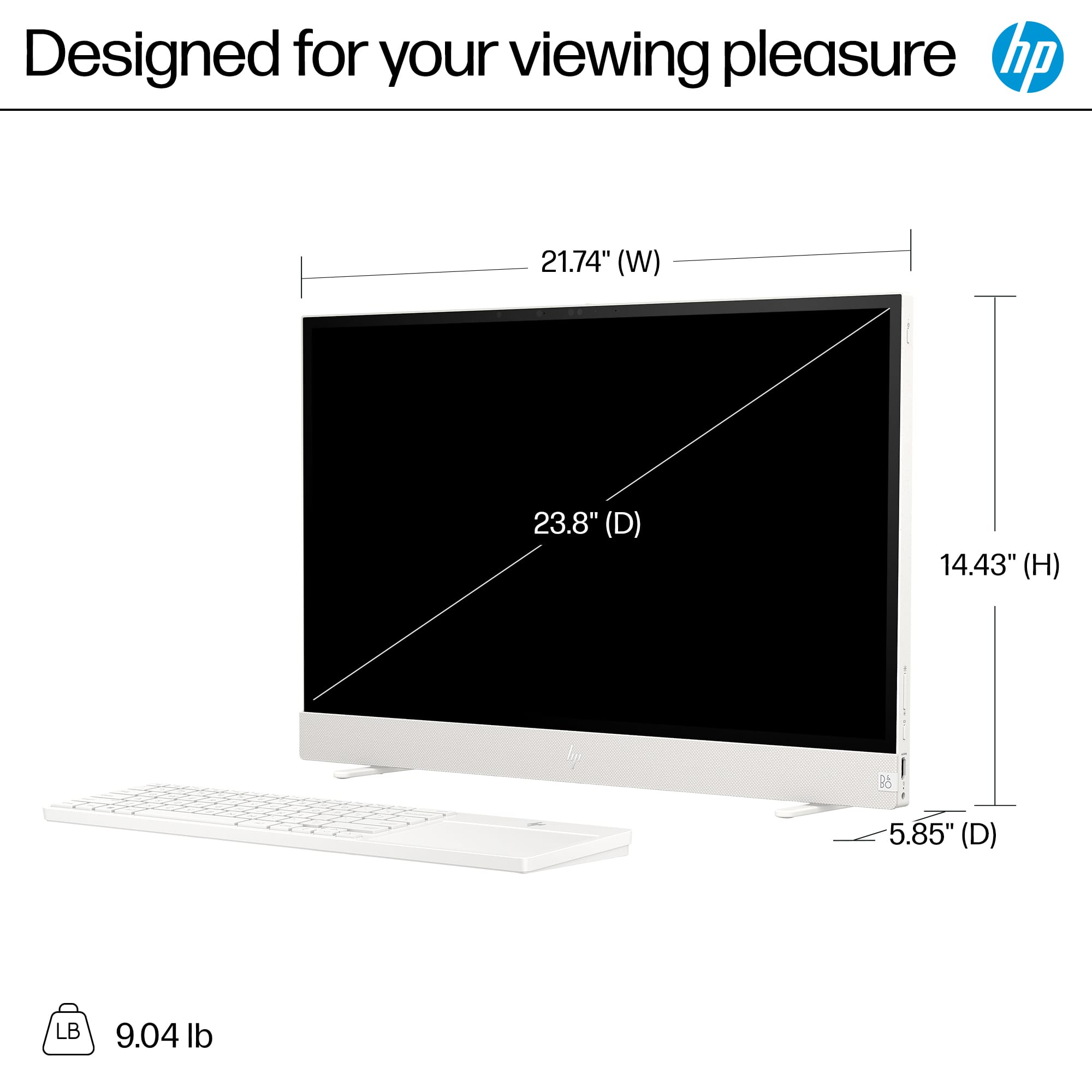
|Posted .This reviewer received promo considerations or sweepstakes entry for writing a review.I never thought I would love an All-In-One as much as this one - and all before turning it on. Note only is it INCREDIBLY thin, the keyboard has a large touchpad! I love touchpad! I cannot use a traditional mouse as it hurts my fingers, so I've only been using touchpad because it doesn't hurt to use them. Not only does the keyboard have a touchpad- but there is a pouch in the back of the computer for the keyboard storage! There is some weight to the keyboard, but it feels okay for long sessions - what doesn't feel okay though - the touchpad coating seems to be a little more resistant than my other ones. I can glide my finger over my other touchpad, but on this one, it doesn't smoothly move, it drags with normal pressure. In other words, you have to use a much much lighter touch to smoothly move around, something I am not used to, or never had to do. What a clever design! It has its own handle, and it's feet retract to stay slim. I did not understand the picture, it was trying to tell me that i just need to sit it on a table and the feet come out, but there i was, trying to figure out how to lock the feet in place for a few minutes, until I just put it down and voila! Monitor feet! It is so slim that it feels insane this has an entire computer system inside of it. Not only a full computer system, but also has a battery inside! You can really "move" it! I was originally worried about having a PC that I needed to place near my APC, but as I was using it, I noticed it had the full battery indicator on, and sure enough, plugging it kept the computer on. Pros: Windows 11 (home) - you shouldn't be on Windows 10 anyways! 24" inch sleek and touchscreen monitor Internal Battery! Wireless keyboard WITH large touchpad Storage space for the keyboad/touchpad! HDMI port for dual and input Built in Webcam w/privacy slider Handle on top to easily move it around Cons: i5 chipset (it's not terrible, it's fine) 8GB of RAM (If I were to use this for personal / gaming, that's too low) Limited ports (1 USB, and 1 USB-C) I'm having issues using the L, S, and Backspace - it's more noticeable if I have the keyboard right in front of the monitor, less so I'm further away. Slim design does not allow for any angling of the monitor. It'll always be at a 90 angle. Do I recommend this? Yes, this is not a power user's computer, but this is the perfect student/work(which is what I'm using it for) machine, or a machine where you do not have a lot of space. Best HP All-In-One I've had - and I've had quite a few since early 2000s!
I would recommend this to a friendA portable PC with a large and beautiful display
|Posted .This reviewer received promo considerations or sweepstakes entry for writing a review.Have you ever wished that your desktop PC could easily be moved around the house to work out of different rooms? If so, HP has your solution. The HP Envy Move combines the convenience of a laptop and the luxury of a large (23.8") QHD display. You can work out of your kitchen in the morning and then, with one hand, carry your work station to your home office for the afternoon. After using this for the past week, here are my thoughts. Pros: - The engineering/design is very impressive. From the carrying handle (see pictures) that conveniently magnetizes to the back of the screen, to the legs that automatically pivot out as you gently set the PC down at your desired location, you can tell that a lot of love and care went into this product. - The specs are nice for the price point of this system. Besides the beautiful QHD touch screen, you are getting 8 GB of RAM, a more than capable i5 processor, and a 512 GB solid state drive that provides you with incredibly fast boot up speed. - The rear pocket is a very cool design choice that allows you to slide in the included Bluetooth keyboard as you move from place to place. - The battery life has been good so far. I can easily go several hours without plugging in to power. The display is so big I frequently forget that it has a rechargeable battery and doesn't need to be plugged in! Cons: - While solid state drives have their benefits, the limited capacity will likely require you to use cloud storage or utilize an external drive at some point. 512 GB will fill up pretty quick these days, especially if you do any gaming or work with large video files. The included USB-C port will come in handy for speedy file transfers if you go with an external drive. - The portability of this PC is awesome, but the downside is that you are limited with your viewing angle. You cannot tilt this screen to give you the preferred viewing angle like you can with most monitors. You'll have to get creative with where you place it. Also keep in mind that this is not designed for travel. It's too big for that, but is easily moved from room to room in your home. Overall, this PC is a great buy. You get the best of both worlds when it comes to the portability of a laptop and the sense of having a nice large home work station. I absolutely love it.
I would recommend this to a friend- Pros mentioned:PortabilityCons mentioned:Ram
Great computer
||Posted . Owned for 1 month when reviewed.This reviewer received promo considerations or sweepstakes entry for writing a review.This is a great computer. I wish it had a better graphics card and more RAM, but for the price it isn’t bad. Also, being able to unplug it and move it around and use it wherever makes it even better. The track pad takes a little getting used to.
I would recommend this to a friend A Perfect Blend of Power and Portability
||Posted . Owned for 3 weeks when reviewed.This reviewer received promo considerations or sweepstakes entry for writing a review.HP Envy Move 23.8” QHD Touch-Screen Portable All-in-One – A Versatile Powerhouse for Work & Play The HP Envy Move redefines what a portable all-in-one can be, blending sleek design, impressive performance, and effortless mobility. After spending time with this device, I’m thoroughly impressed by how well it adapts to different environments—whether I’m working from my desk or moving it around the house. Design & Portability Right out of the box, the Shell White finish gives it a clean, modern aesthetic that fits seamlessly into any space. The built-in handle makes relocating it effortless, and the integrated battery ensures uninterrupted use without being tethered to a power outlet. Whether I need to transition from work mode to entertainment mode, the Envy Move is ready to go. Display & Touch Responsiveness The 23.8” QHD touchscreen is stunning, delivering crisp visuals with vibrant colors and deep contrasts. Whether I’m streaming movies, reviewing documents, or making quick edits, the display remains sharp and immersive. The touch interface is fluid and highly responsive, making navigation a breeze. Performance & Storage Equipped with an Intel Core i5 processor and 8GB of memory, the Envy Move delivers smooth performance for everyday tasks. It handles multitasking with ease, whether I’m browsing, working on projects, or switching between apps. The 512GB SSD ensures fast load times and ample storage for essential files and applications. Battery Life & Usability One of its standout features is built-in battery power, which allows me to move it freely without worrying about cords. The battery holds up well for casual use, letting me work or unwind without constantly searching for an outlet. Final Verdict The HP Envy Move is the perfect blend of style, functionality, and mobility. If you need a flexible, powerful all-in-one device that adapts to different spaces and usage scenarios, this is a fantastic option. Whether for work, entertainment, or casual browsing, it delivers a smooth and enjoyable experience. Highly recommended!
I would recommend this to a friend- Pros mentioned:Portability, Screen size
Excellent screen
||Posted . Owned for 1 week when reviewed.This reviewer received promo considerations or sweepstakes entry for writing a review.Feel like laptop but bigger screen. When you need to take zoom classes and have double screen this monitor is perfect. Is so big is like two laptops in one. Also is light you can move it your way.
I would recommend this to a friend - Pros mentioned:Portability, Screen size
Love this PC
||Posted . Owned for 3 weeks when reviewed.This reviewer received promo considerations or sweepstakes entry for writing a review.This PC is great. I always forget its touch screen. Easy to move easy to setup. I wouldn’t play sims on it unless your buy space but other then that’s it’s great
I would recommend this to a friend - Pros mentioned:Portability, Screen size
Love my HP Envy Move 23.8" Touch Screen Portable
||Posted . Owned for 1 week when reviewed.This reviewer received promo considerations or sweepstakes entry for writing a review.Great product. I love the convenience of being able to pick up my PC and move to where I want to work/play. Very portable and a good viewing size.
I would recommend this to a friend