Customer Ratings & Reviews
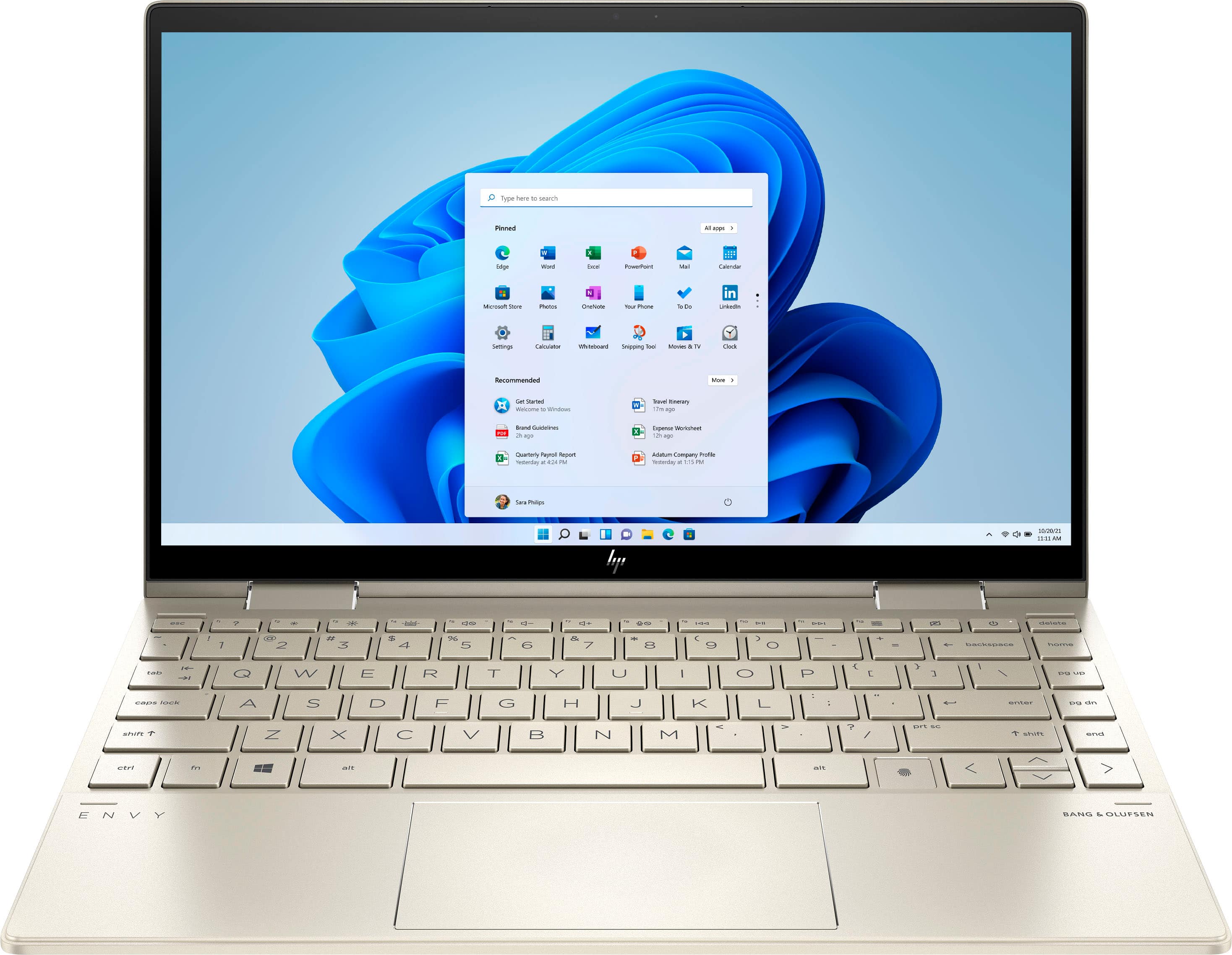
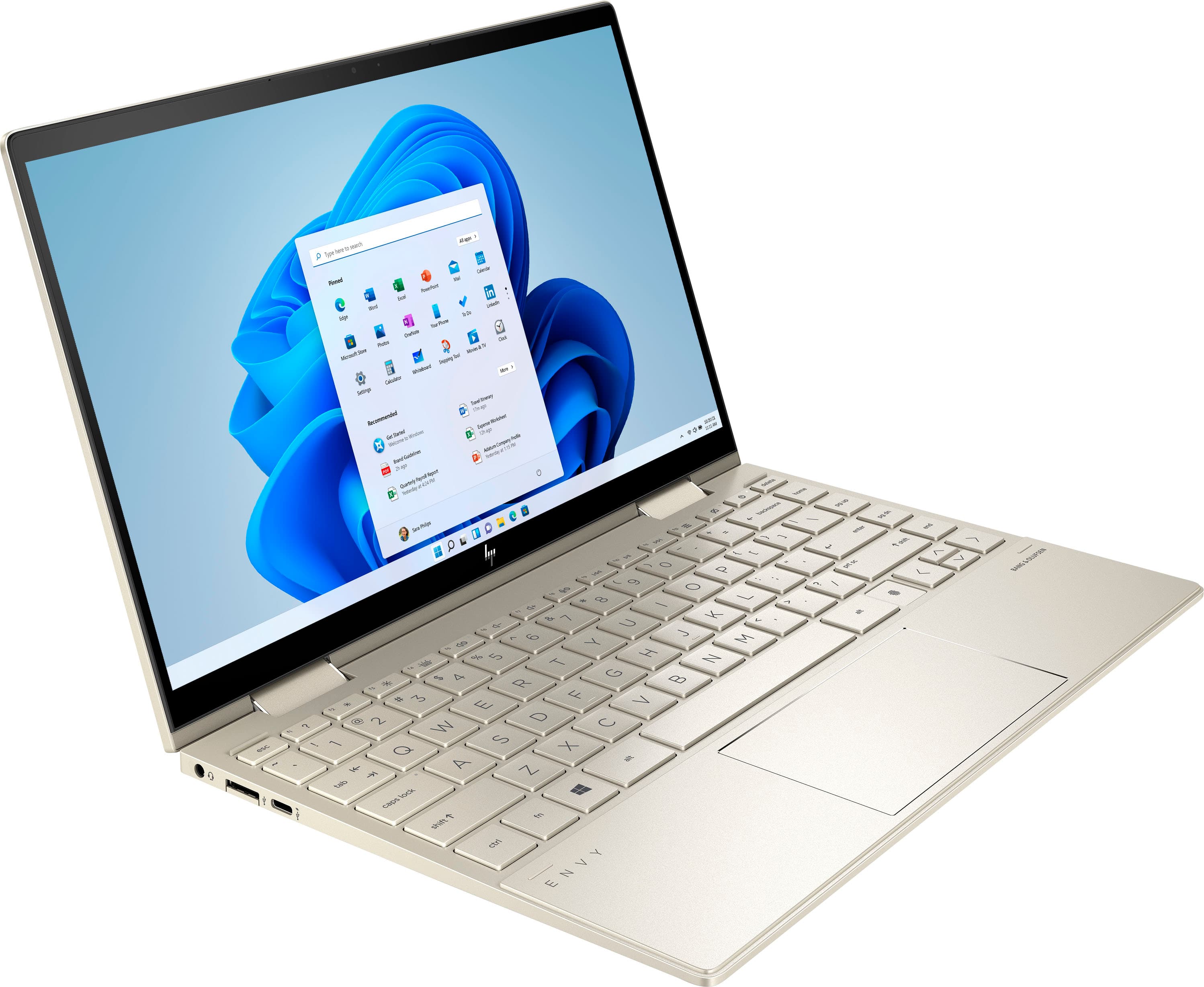
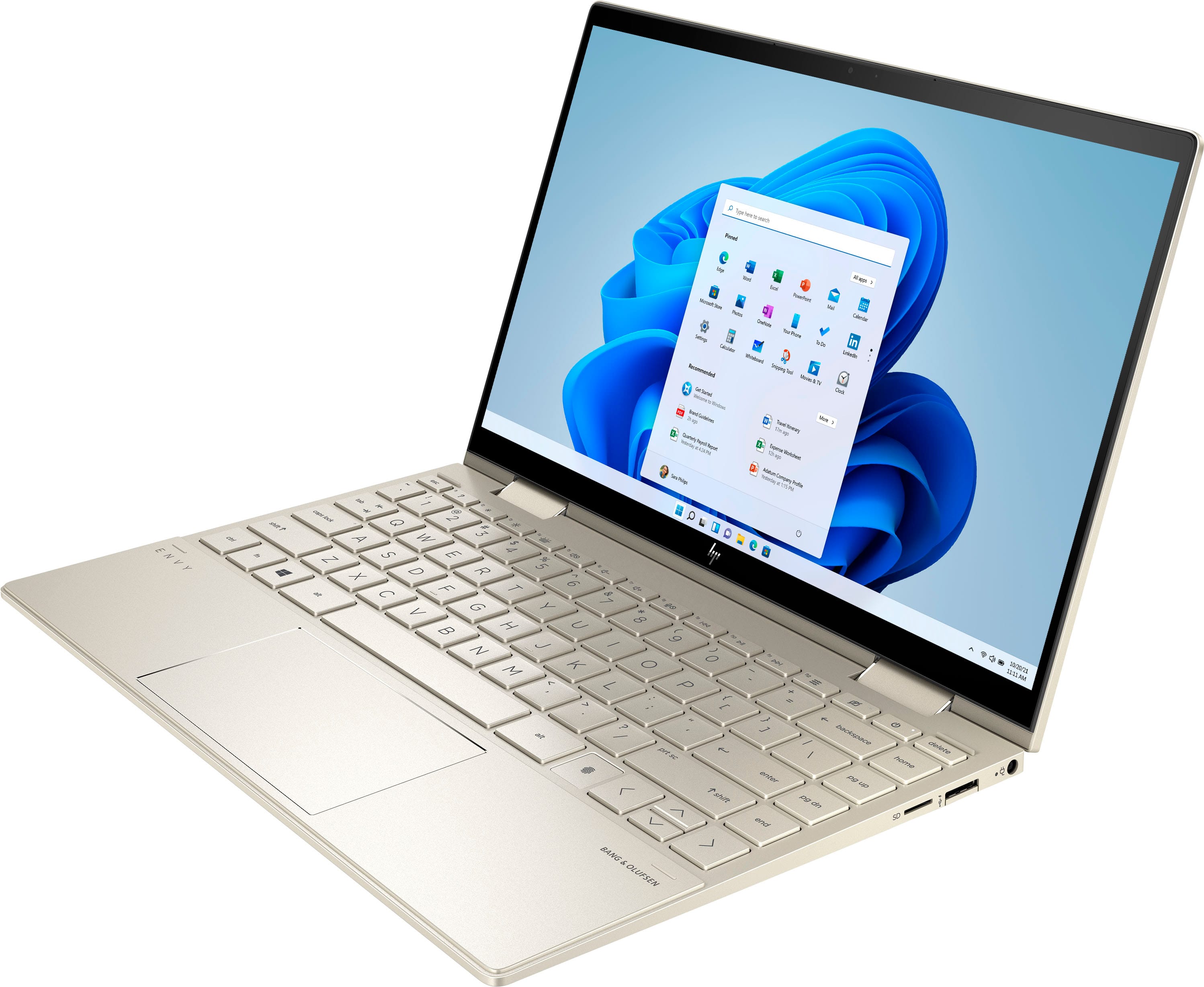
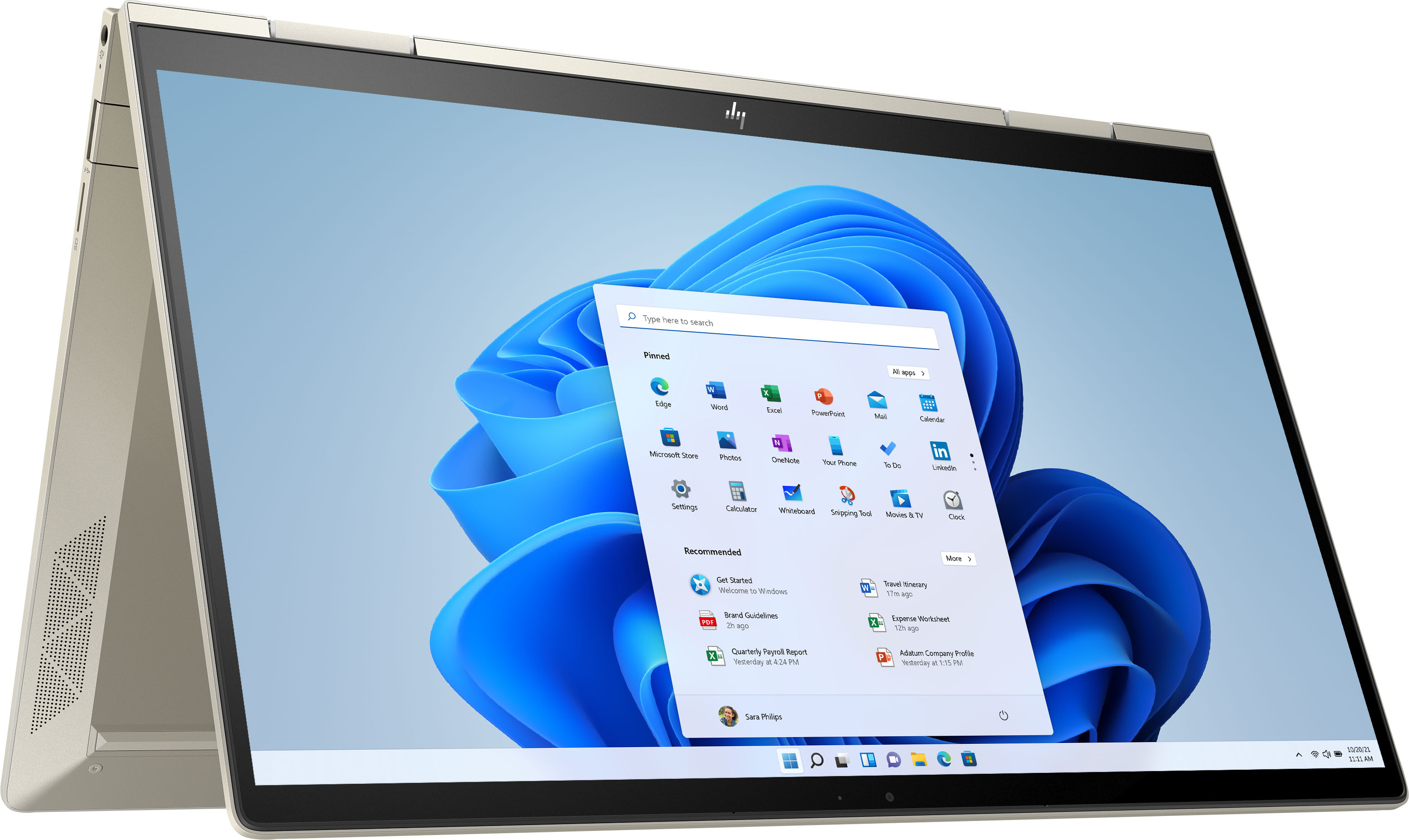






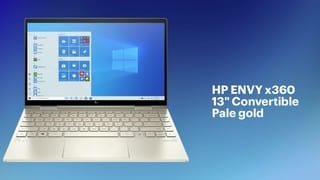
- Model:
- 13m-bd0023dx
- SKU:
- 6428876
Rating by feature
- Battery Life
Rating 4.3 out of 5 stars
- Speed
Rating 4.7 out of 5 stars
- Display
Rating 4.4 out of 5 stars
Customers are saying
Customers appreciate the ENVY x360 2-in-1 laptop for its lightweight design, fast performance, and touchscreen capabilities. They find it to be a great value for its price and are pleased with its overall performance for daily tasks. However, some customers have expressed concerns about the battery life, limited RAM, occasional defective models, fingerprint scanner sensitivity, and speaker placement.
This summary was generated by AI based on customer reviews.
- Cons mentioned:Defective
Defective HP unit
||Posted . Owned for 7 months when reviewed.This reviewer received promo considerations or sweepstakes entry for writing a review.I received the product and used it for only 2 weeks when the mousepad burnt my finger while I was using it. I was surprised to see that a portion of the mousepad was very hot, burning and melting. The product I got was defective! I brought it to a service center here in the Phils since it is still under warranty. Where do I get this official receipt???
No, I would not recommend this to a friend - Pros mentioned:Touchscreen

Solid Productivity Laptop In A Compact Form Factor
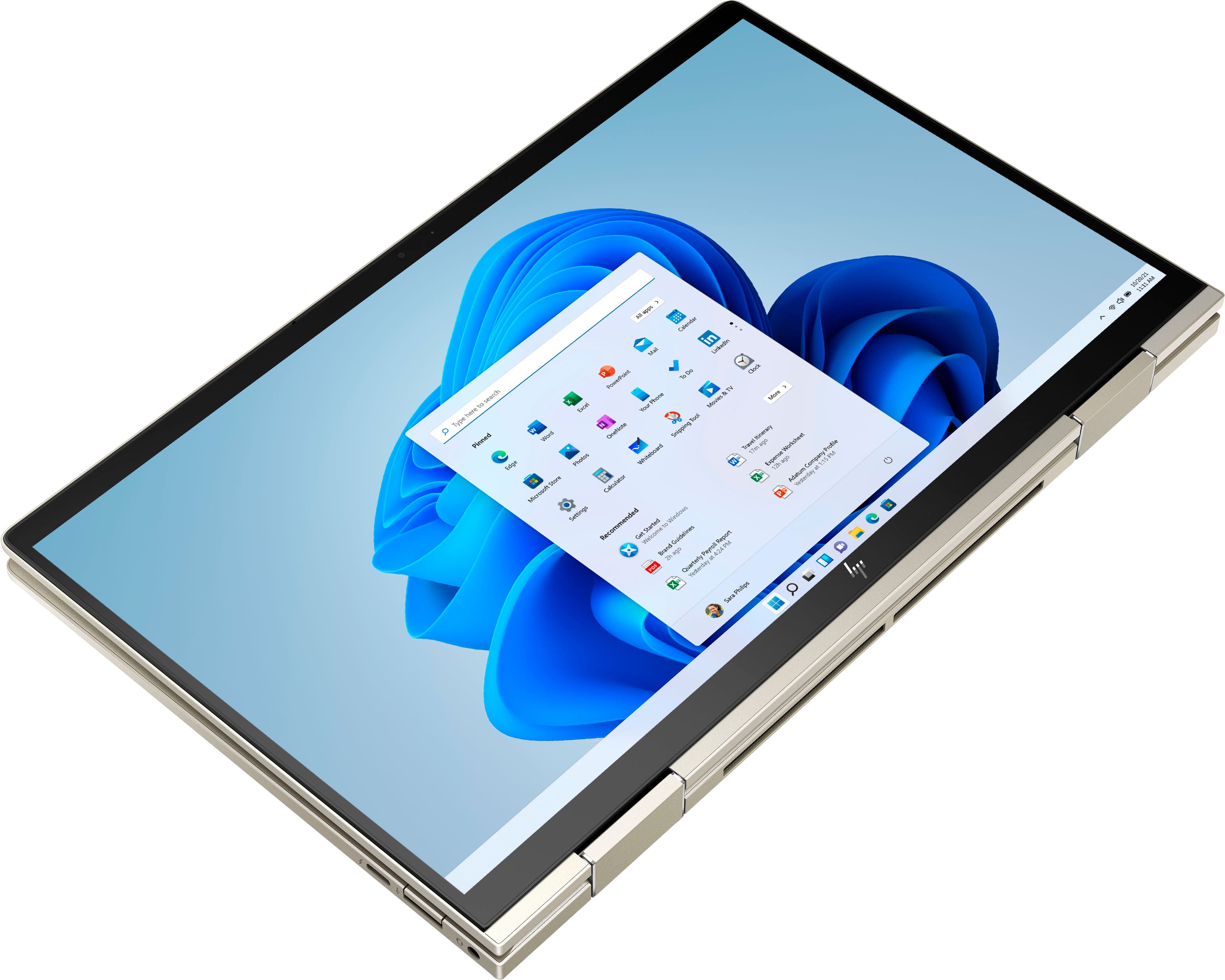
|Posted .This reviewer received promo considerations or sweepstakes entry for writing a review.I got the HP Envy x360 as a “backup” laptop since my wife’s meetings are all online and kids classes and groups are meeting online (thanks a lot COVID) so my main laptop is almost always being borrowed for something or another. I wasn’t looking for a fancy gaming laptop or something that would be able to handle 3D modeling, just something I could browse the internet with or do some work in spreadsheets or word processing. This computer ticks all those basic checkboxes. Right out of the box you get a tiny laptop, a power cord, and that’s all. When I say small I don’t mean a tablet size, but only barely! Its a 13 inch touchscreen and worked with my previous laptops pen/stylus, it comes with 8gigs of RAM, an 11th gen i7, and a 500 gig hard drive (476 available) wrapped in a silvery gold body that folds backwards on itself to go into tablet mode. The screen is very bright straight on by default, I turned mine down, but its also listed on the feature sticker as having built in privacy screen. To me I found it a little annoying as the screen was hard to see without bending the screen far back while typing at the table and I had to really get pretty straight on with it to avoid the weird kind of flickering half fade on the edge. The keyboard is backlit so you can see where to place your fingers in the dark, which is a great feature not available in enough laptops. Battery life seems to be at least 8hrs of off and on use but I didn’t work on it enough to kill the battery from a full overnight charge. Performance wise I tried to run Ghostbusters: The Game Remastered in an attempt to see how far I could push the laptop. While the game ran the sound was out of sync and the frame rate was choppy, still better than I expected though. More in the line of expectations was being able to video conference and the built in webcam is pretty basic running video at 720p 60Hz or taking pictures in 16:9 (1280x720). I was able to get it done but the lighting, which seemed normal to me, was not enough for the camera and there was noticeable grain. Still, as a backup meeting laptop this works well enough. I would recommend this as a light, portable, and sleek laptop to get your productivity tasks done but this will be more or less barebones for some people’s needs. Battery is really good though, which can’t be said about a lot of other laptops and the touchscreen convertible feature is going to be great for someone who likes to do digital drawing. If you travel and work on the road the privacy screen may be a selling feature to avoid plane seat neighbors reading out of the corner of their eye.
I would recommend this to a friend - Pros mentioned:Lightweight
Impressively Powerful and highly portable Laptop!
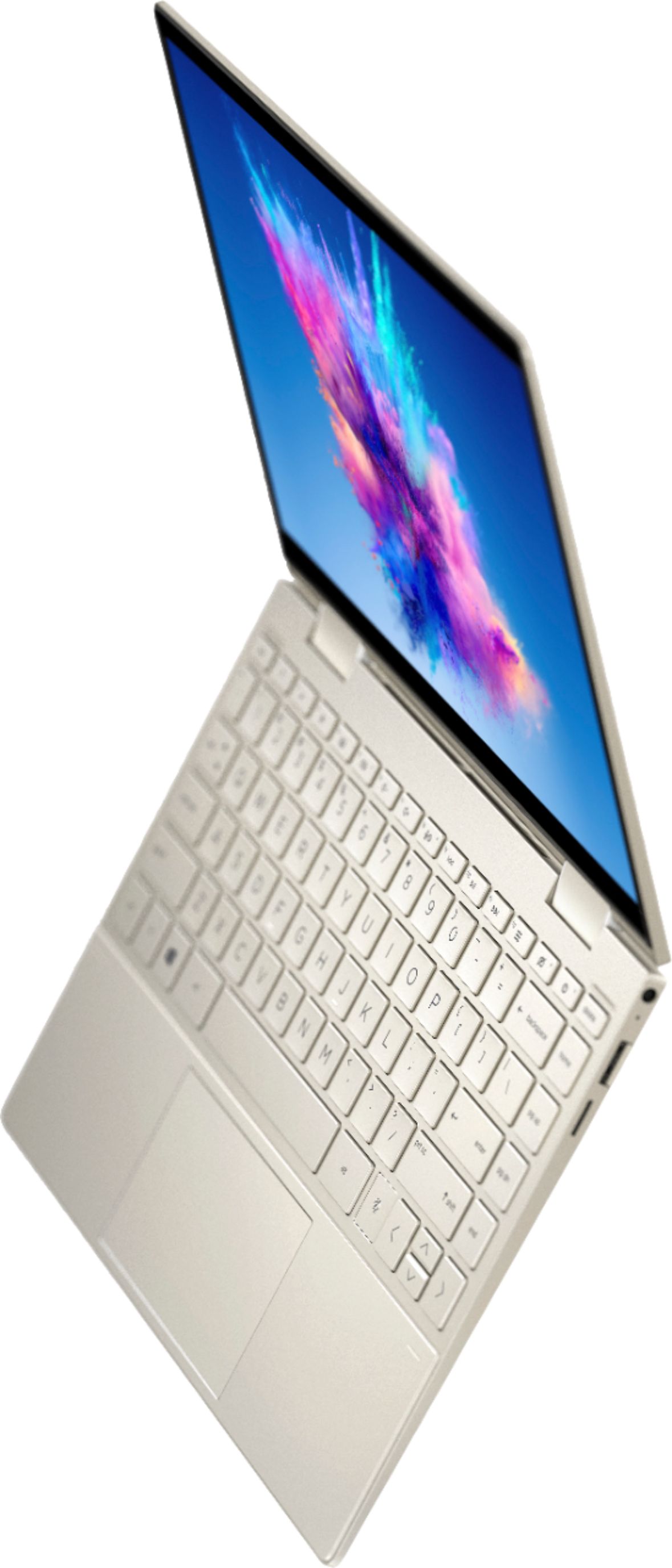
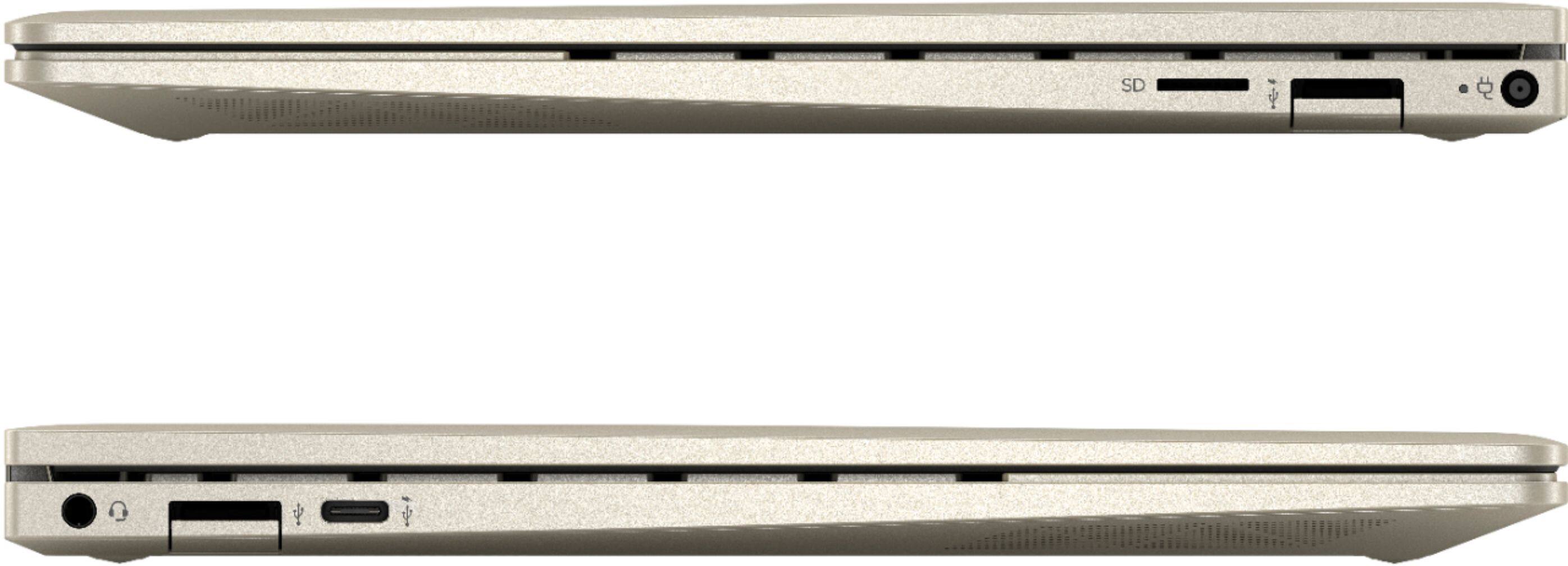
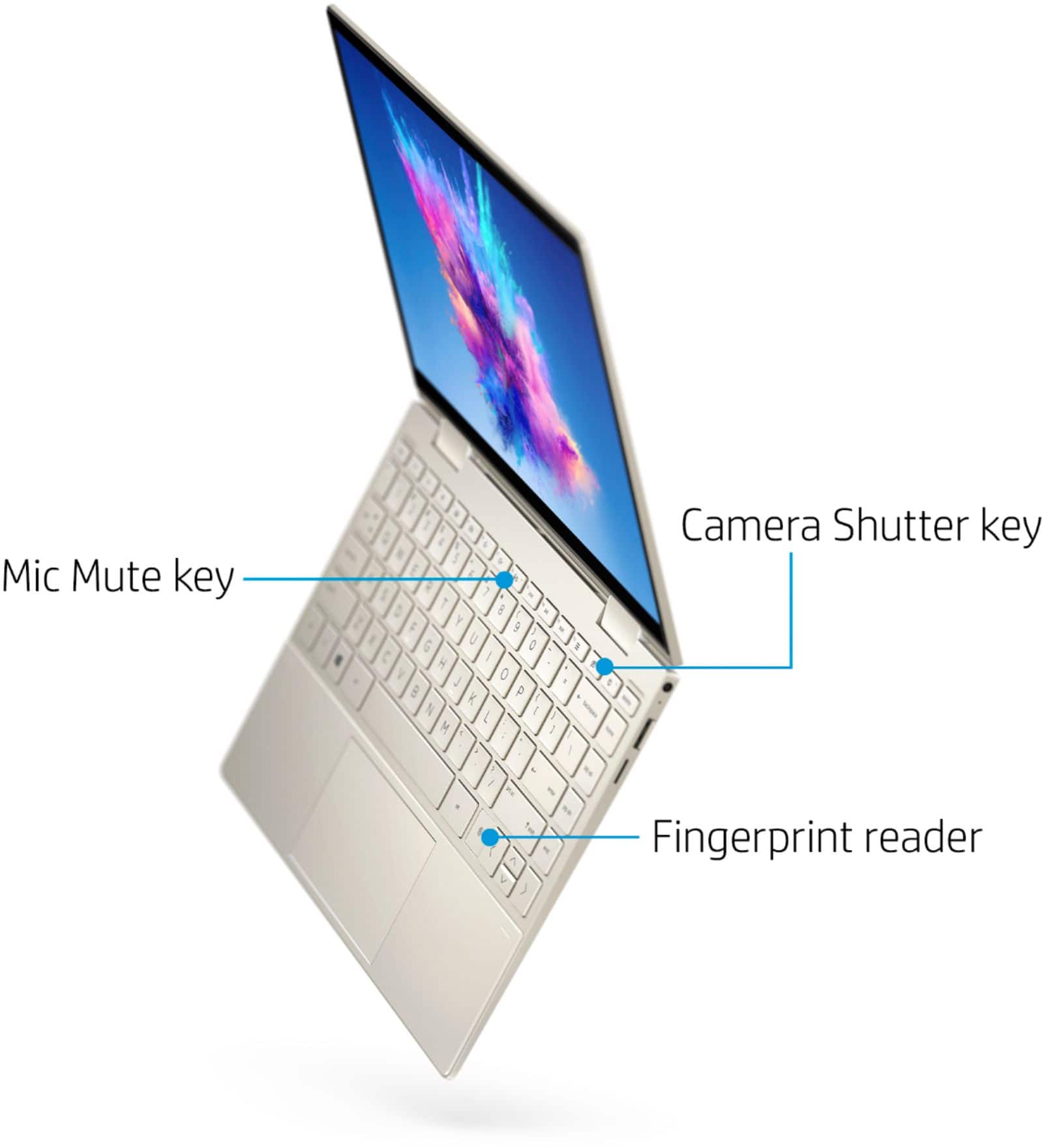
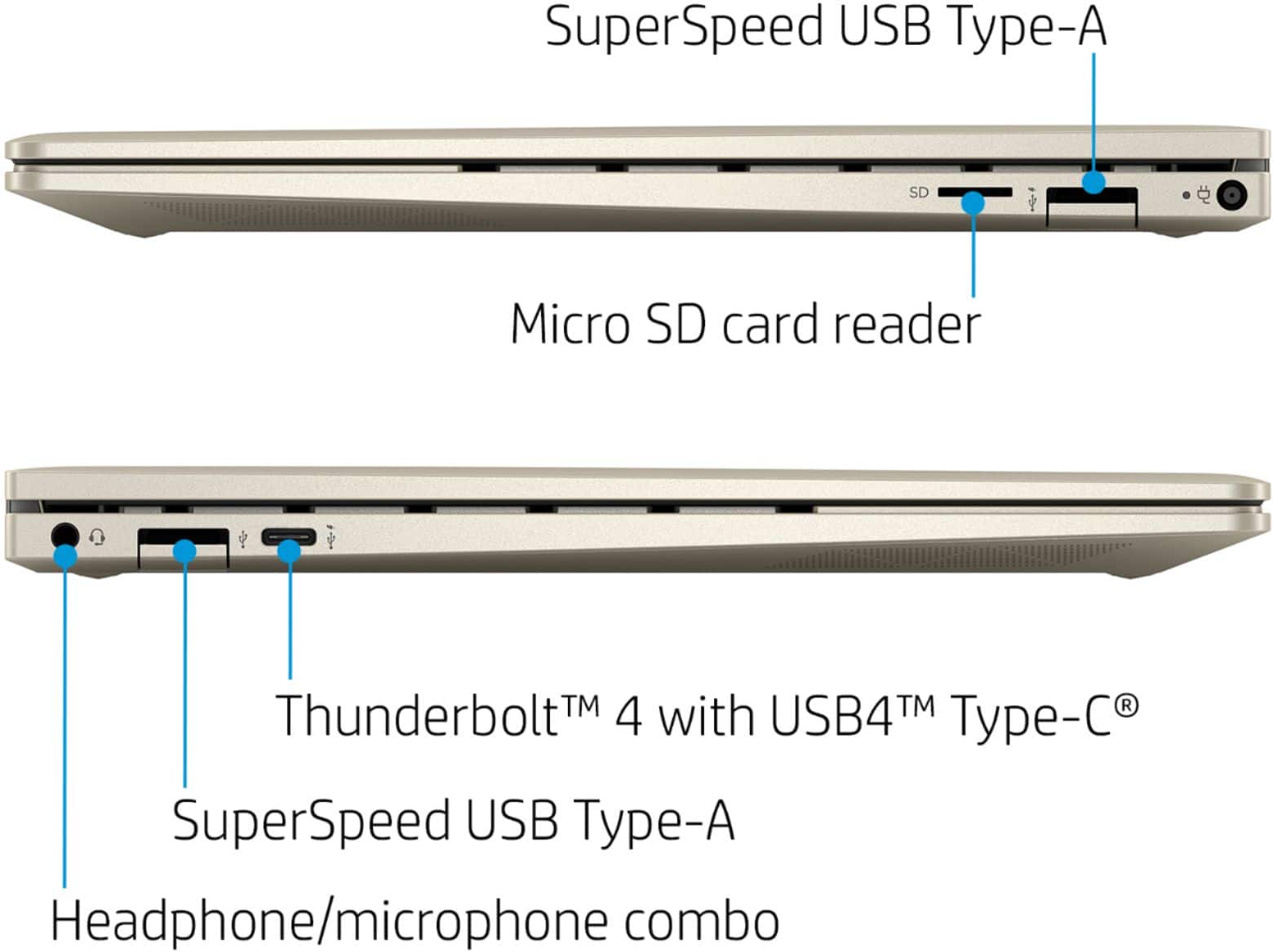
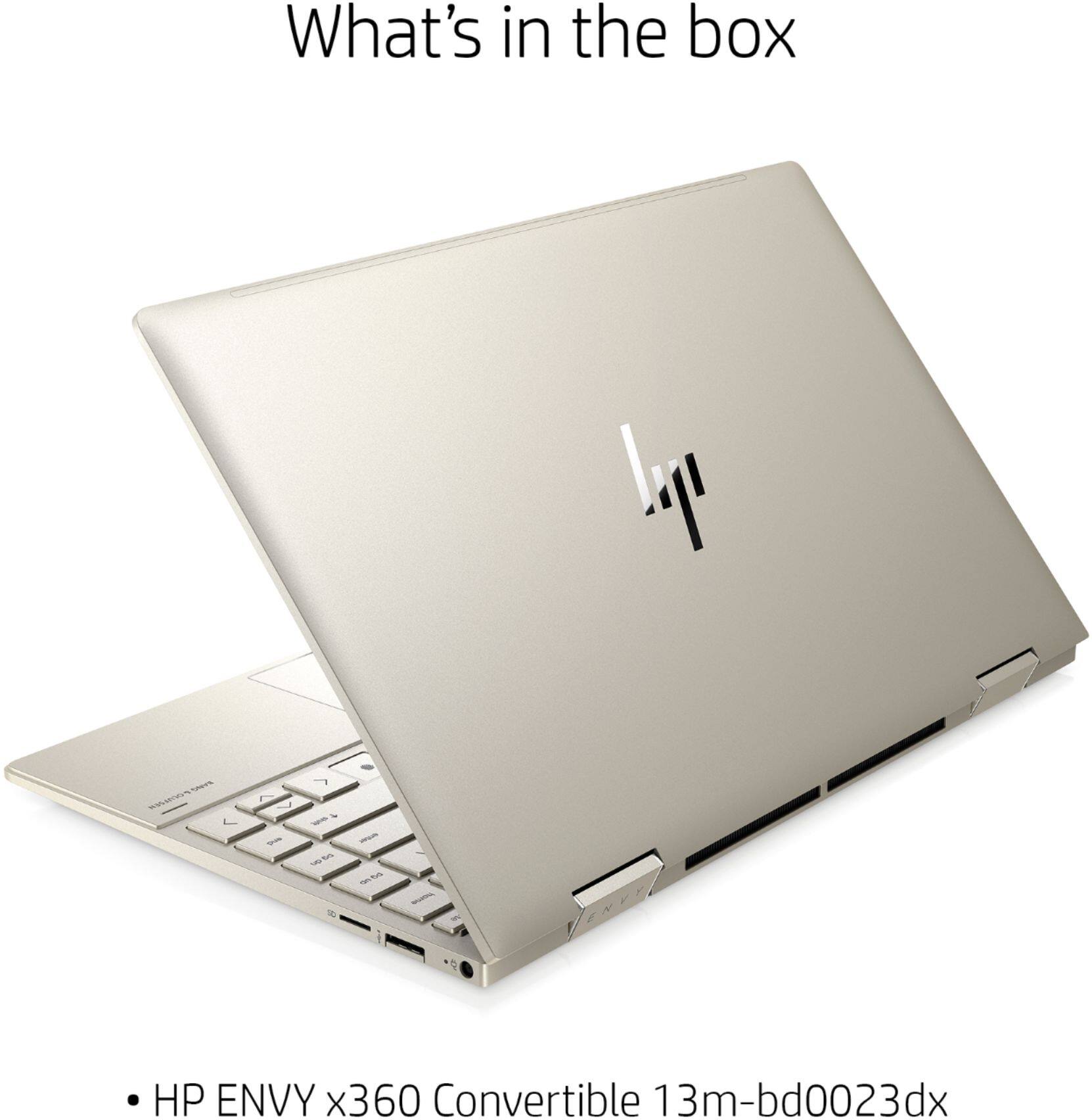
|Posted .This reviewer received promo considerations or sweepstakes entry for writing a review.The HP Envy X360 is an impressively powerful, and highly portable 2-in-1 laptop. This system can meet nearly anyone’s computing needs for office automation, gaming, to video editing. The review will be done in 3 parts – Features, usage impressions, and Pros/Cons. Features The features of this laptop are superb and include the following items – an 11th Generation Core i7-1165G7 Processor @ 2.8 GHz, 8 GB onboard DDR4 SDRAM, Integrated Iris XE Graphics, and a KIOXIA 512 GB NvMe SSD. The Screen has a recommended resolution of 1920x1080 and is a micro-edge touchscreen with multitouch enabled and is an IPS panel, rated at 1000 nits of brightness. The audio system is a Bang & Olufsen system that sounds incredible. The system also comes with a fingerprint reader for added security. The system includes a dual-band AX Wi-Fi system and Bluetooth technology. The system layout is straight forward with the left side having USB-C, USB, and headset jacks. The right side has microSD, USB, and power connector. The regular USB ports are “Drop Jaw” ports that open to full size when being used, helping the system be as thin as possible. The right-side port is also is marked as being as standby power and thus can be used for charging when the system is off. The fingerprint reader is on the lower right of the keyboard near the arrow keys. There are no ports on the rear since the system is a 2-in-1 and can covert to full tablet mode by folding over the screen. Additionally, it can support Tent and Display modes for different use cases. The USB-C port can transmit both audio and video giving one the option for an external monitor when working in an office. It also supports DisplayPort MST mode over the USB-C port and is able to not only display the main laptops screen but also my 3 24” ASUS 1920x1080 P monitors with an MST Adapter I own. The Function Keys on the keyboard have a dual purpose with Brightness, volume, Microphone, audio controls, and settings being able to be controlled from them. The keyboard also has a camera on-off button and the F1 key can enable a “privacy screen” mode on the laptop screen, to help limit shoulder surfers. Usage Impressions This laptop is an impressive system. It has a high-quality touchscreen and excellent battery life with the built-in 51 Wh battery. The nice touches of this laptop include the keyboard backlighting, with an on-off key, the camera and microphone buttons let you know if you are on air or not and the Camera off button allows you to be more secure when you are not video conferencing. The versatility of the USB-C connector is such that this system makes for an excellent travel system that can be used, with the right cables/adapters to use a hotel room TV as a second monitor. My wife has spent a bit of time with this device and she asked me to make sure that I noted her two favorite items. She states “… the battery life is AWESOME and it's a fast processor when working off the battery only! OMG, I don't even notice a difference in speed between on battery vs on electricity! OMG! SO FAST... and second is the screen. I mean it is so crisp and clear! It is better than my monitors! LOL! If you do graphics on your laptop this one is worth a look at! Graphics plus speed plus battery life! OMG! THANK YOU, HP! and it's affordable!!!!!!!! YES! I LOVE IT!” She has also traveled with the laptop and says “Battery life was perfect (though I did plug in at night) and it weighs maybe 3 pounds. So not clumsy to pull out of a backpack and not weighty either. AND ITS A TABLET TOO! This really is an exceptional product! I can see many happy people getting this for the upcoming holidays!!” The display is crisp, and the colors are bright. The screen is easy on the eyes, even after hours of working on it. While the additional keyboard keys do have a small learning curve one you have learned them, they are extremely useful – especially the security of knowing the mic and camera is on or not! The keyboard keys are comfortable and have just enough "give" to them so you know you are typing and yet they are so low that it does not take much finger strength or work to type. The weight and size are perfect. Pros: Performance, Battery life, Audio Quality, flexibility Cons: None observed.
I would recommend this to a friend update is a big problem.
||Posted . Owned for 2 months when reviewed.This reviewer received promo considerations or sweepstakes entry for writing a review.I bought this for a spare and I can bring it with me. . I have two heavier and old laptops. I have used it lightly. And it works. But lately with the updates, and I ran into to troubles and can not recovery. My other laptops just updates and done. I still not sure what to do and recovery it. I guess you need to know in and out for the software in order to use this. I am stuck.
No, I would not recommend this to a friendSound card problems
||Posted . Owned for 1 month when reviewed.This reviewer received promo considerations or sweepstakes entry for writing a review.Good but has some problems with the sound card. Suddenly out of no where stops working, the devices won’t even shows on device manager (already tried updating the drivers). Have to restart the laptop in order for the sound card be recognized by the system. Other than that everything else works and looks fine.
No, I would not recommend this to a friendBeautiful computer HP Envy x360
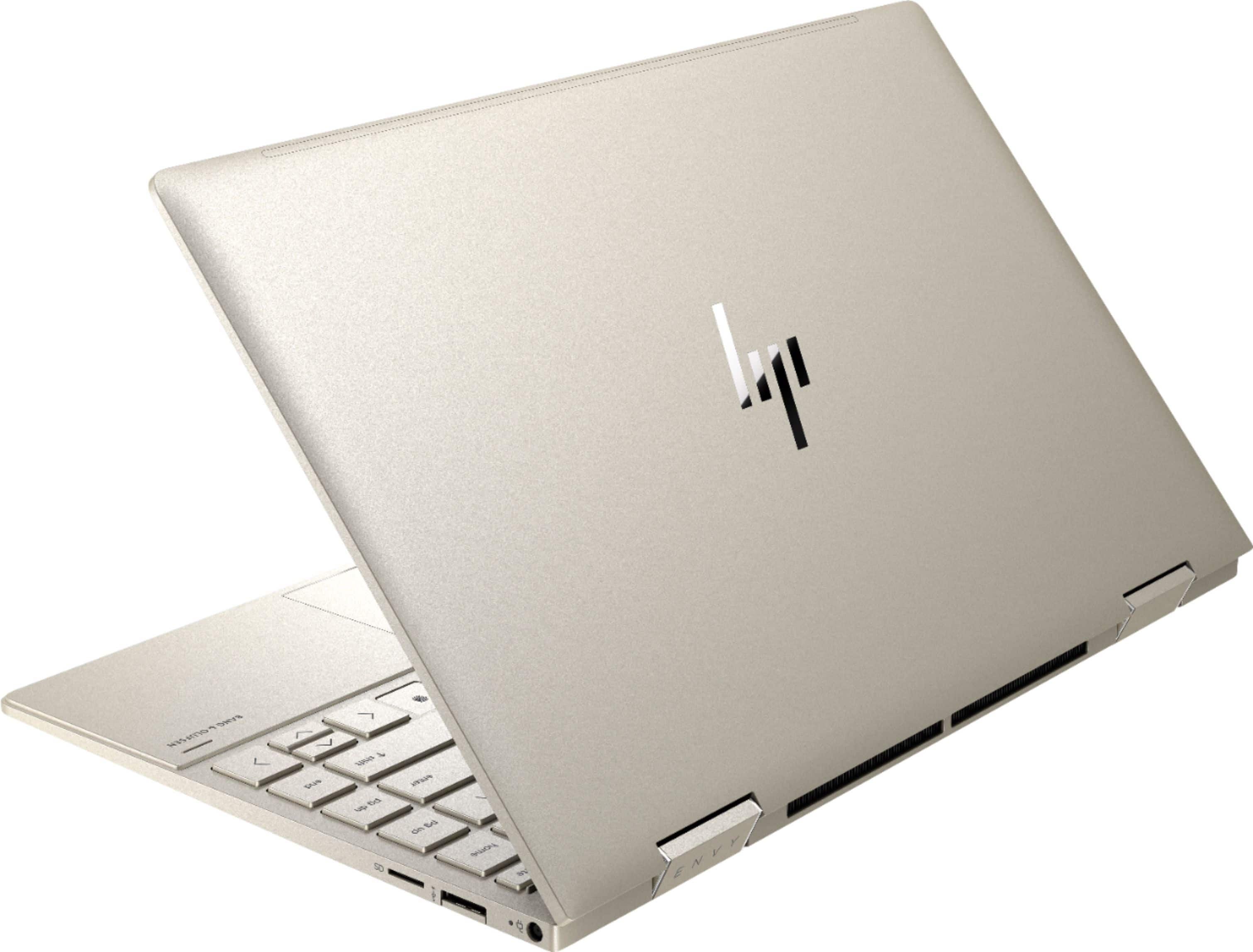
|Posted .This reviewer received promo considerations or sweepstakes entry for writing a review.I’ve had this computer for just this week, and already have had such a great experience with it. I come from mostly the Apple iOS world, but I use a Chromebook for general everyday use because it is inexpensive. So I’m not a Windows expert or tech guru. There is a ton of spec information already listed on the Best Buy page, I want to talk about the things that stand out to me as an average consumer. Right off the bat, this pale gold computer is so beautiful and modern. It looks fabulous with the optional backlit silver keyboard, which I do prefer as backlit, but it can easily be changed with a touch of the f4 button. Speaking of the keyboard, I love the many functions offered here. There are many well thought out features; a button to close the camera off, a button to turn off the microphone, and buttons on the right side of the keyboard to send you to home, page up, page down, and end. There is also a fingerprint reader so you can feel good about your computer security, as every time the screen sleeps, you use your fingerprint to get it working again. I also love the f1 privacy screen button, I can see using that when things get more normal and I get to fly again. That button is also good for making the screen darker in those instances like using the computer in a darkened room and don’t want the screen to be very bright. This is a touchscreen computer, but it doesn’t come with a stylus, which would be nice. I have been using a rubber ended pen, which is like an extended finger, but without the fingerprints. The screen itself is whoa, amazing. It is seamlessly beautiful, like looking at a tv. There aren’t any seemingly visible pixels, like on my Chromebook The colors displayed are so vibrant, it is easy to say that resolution is similar to a new tv set. The 360 degree hinge is what sets this computer apart from other regular computers, it can be used as a tablet when you need to, which is so versatile. When watching Netflix you can just prop it up like a little tv as the screen flips to be upright in any position. Pretty neat! I didn’t yet mention that the sound on this computer is also amazing, with dual Bang & Olufsen speakers built in. Using this computer is pretty easy. Out of the box, just charge it up and you’re all set. I like that there is an orange light to show the battery is charging, and a white light to show that it is fully charged. I was easily able to hook up my two printers, which is something that can be a huge stress factor in getting a new computer. But I was able to do it easily, and got my test print jobs without any issue, whew. All in all, a really nice computer in a beautiful package.
I would recommend this to a friend- Pros mentioned:Touchscreen
Elegant, thin, light and powerful
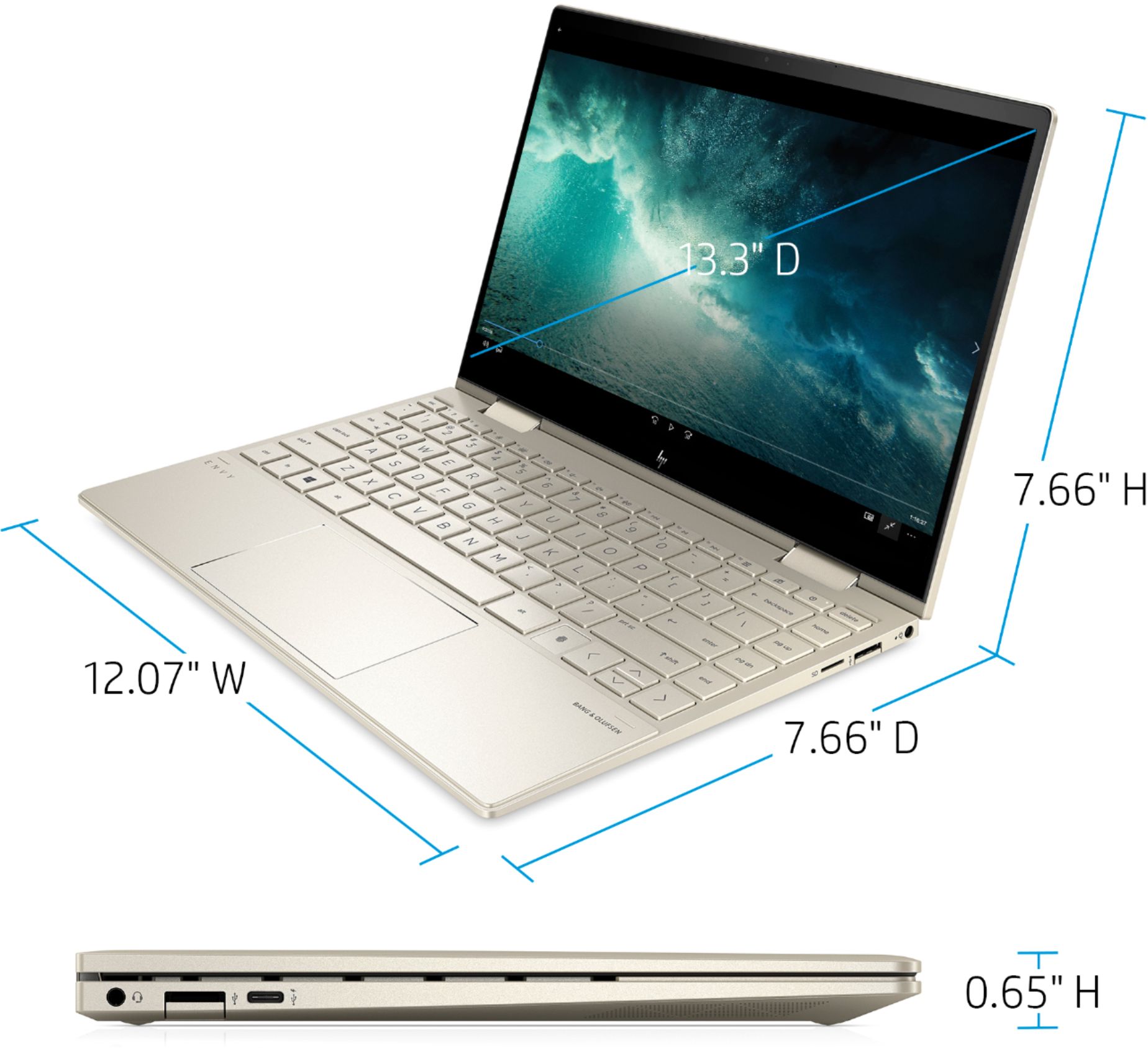
|Posted .This reviewer received promo considerations or sweepstakes entry for writing a review.I have been working at home during the pandemic using my own laptop, a wonderful HP Pavillion that is four years old. I had it hooked to two big monitors, external camera and mic and scanners! Occasionally, it would freeze up when I had too many hungry program open, so I started looking for a new laptop with a little more zing and a thunderbolt port to hook all my monitors and such to. This HP Envy x360 fit the bill with the i7 processor, 8 mb RAM and a truly elegant body. This has a 13" monitor which is great for taking it along with me to work or play. I have the 27" monitors at home so getting a wee bit smaller suits me. Did I mention this machine is THIN! It's about like a smart phone on thickiness. Having the SSD hard drive makes it snappy to start up and shut down, multi taks with browser, spreadsheets, video confernecing, music and a movie-- all at the same time! On part I really like on these HP machines are the hinges... they are super sturdy and fold all the way back (thus the 360). So, you can set up the machine in a standard laptop, as tent or as a tablet. With a great touch screen , responsive touch pad and fingerprint lock, you will enjoy actually using this laptop. The keys are nice island style, the Bang and Olufsen sound is crisp and has a good equalizer, and it's easy to use. The included camera is HD and presents a clear, vibrant picture over video conferencing. I asked co-workers and they all felt the camera gave a quality picture. Final note on the screen is that while it's only 12 inches wide (side to side), the screen goes within one-quarter inch of the edge! Check it out in the picture! The screen is less than one-quarter inch think, but sure has a deep picture. Did I mention the classy soft gold color? Yeah,, just a little touch of elegance and different-ness to make my heart happy.
I would recommend this to a friend Quality build, nice features
|Posted .This reviewer received promo considerations or sweepstakes entry for writing a review.HP - ENVY x360 2-in-1 13.3" Touchscreen Laptop This is a very nice looking and well made convertible Windows laptop. The box included the laptop and the power adapter. Physical setup was pretty easy. Cortana prompted me through it all. The volume was initially a bit loud. I had to turn it down. The touchpad is logically divided with the left side being a left-click and the right side being the right-click. I have a Microsoft account and use Office 365 so it was easy to connect to OneDrive and office apps. I was hoping to use Windows Face Hello, but it appears to not support that. I went in to Settings and it said the laptop didn’t have the right camera to support this, so I setup Windows Hello Fingerprint and PIN. I always register multiple fingers on both hands to allow for bandaids and other recognition issues Setup seemed to really want me to sign in to Dropbox. I have a Dropbox account, so I did that. The laptop comes with a 30 day trial for McAfee, but I use BitDefender, so I made that switch. After the initial setup, I installed a few apps that I use on my Windows PCs. One is the Axis Camera Companion V4. For some reason, I had a lot of trouble getting that app to work on this laptop. I tried to run the HP Support Assistant to make sure I had all of the latest drivers, but that also would not run. I followed the instructions to restart my PC and ultimately to in-install and re-install Support Assistant. That fixed the SA problem. After that I ran SA and found three drivers that required updates. I updated the WLAN driver, Intel HD Graphics Driver and Realtek CardReader Driver. I was eventually able to get the application running. I really like the buttons (function keys) for controlling the microphone and camera. Just like the speakers, I can turn them off with the touch of a button. The HD display is very crisp and clear. Audio has nice fidelity, but lacks bass, most likely due to limitations in the size of the laptop enclosure. However, I did find both audio and video provided for a very nice streaming experience for me. Video was very pleasant to watch and hear. Though I likely won’t use this as a tablet very often, the mechanics for converting to a tablet work very well and are very smooth. It is trivial to flip the display and start using it as a tablet. The display changes to “auto-rotate” automatically. The laptop doesn’t ship with a pen, so I don’t know how well that works. Overall, I’d say this is another quality laptop from HP and I would recommend it to others looking for a product like this. If I could withhold a half a star for shipping with some out of date software directly from China to me, I would do that, but for purposes of this review I’ll assume that is an early release issue and I’ll round up to 5 stars for a highly portable convertible laptop with nice features and attributes.
I would recommend this to a friendMy favorite laptop
|Posted .This reviewer received promo considerations or sweepstakes entry for writing a review.I do love this computer. You can read all the specs above and in the other reviews, so I will focus on the aspects of this machine that I feel are most important. First, it is a perfect size for me and weighs under 3 lbs. The 360-degree hinge on the touch screen allows me to take notes and draw in many different configurations. Build quality, fit and finish are top notch. It was a very pleasant surprise to discover that my Surface Pen not only works for inking, but also will pair by Bluetooth and retain all the programmable functions of the Pen’s buttons. This includes the eraser tip and the “click for a screen snip” feature. Marvelous! The Pen also will adhere magnetically to several different areas of the lid and body (see the picture). The keyboard and track pad are among the best I have ever encountered and using them is delightful. Palm rejection is not perfect, but I have always had trouble with this ever since my hands had to hover over a sensitive touch surface. The display does have a polarizer that is used for the security feature. Getting used to this feature is akin to the habituation needed for bifocal glasses; within a short time, I have learned to adjust my angle of view to be able to see the entire screen with even light distribution. Having done so, I am rewarded with a crisp, bright (1000 nits!) display that is simply gorgeous. Set-up and installation of all my applications took almost no time at all since this 11th-generation i7 really flies. Complex graphics functions in Photoshop are digested nearly instantaneously. During my normal work routine, the fans almost never turn on, and when they do, the sound is not distracting to me. What could HP do differently to create a better experience? Of course, they could include a stylus. You might not like the viewing angles with the polarizer, so there is another screen option that does not include this. Your needs might be better served with a 3:2 aspect ratio, and for that you could spend several hundred dollars more for the HP Spectre 14. Windows Hello with IR camera and face recognition would have been nice, but the fingerprint scanner is faster and more reliable. I can’t think of another 13” laptop I would rather have, at any price. I would recommend this very highly to anyone who is looking for a beautiful, well-built and blisteringly fast machine that is easy to carry about.
I would recommend this to a friendDont even look at it
||Posted . Owned for 4 months when reviewed.This reviewer received promo considerations or sweepstakes entry for writing a review.Horrible laptop. Only had it 4months and it melted charginging for only 4 hrs. Like melted and bent by it self.
No, I would not recommend this to a friend- Pros mentioned:Performance, PriceCons mentioned:Battery life
Solid 2-in-1 Laptop, Disappointing Battery Life
||Posted . Owned for 1 week when reviewed.This reviewer received promo considerations or sweepstakes entry for writing a review.I purchased it when it was on sale for $750. It is a solid computer for both work and personal use, great specs and benchmarks, compact and light-weight, and looks and feels premium. Unfortunately, the battery life was horrible. That could've been due to the very bright display, but honestly I don't need that bright a display for what I do (and if I do need it, I simply hook it up to an external monitor). Moreover, the display is great only at a very narrow range of angles. At maximum brightness, browsing the web over wifi caused the battery to run out in ~5.5 hours. For context, the laptop I am replacing is a 2015 HP Pavilion 13 inch 2-in-1, with i5-6th generation, and after five years it's battery still lasted ~4.5 hours under an identical test (I did upgrade that to SSD storage though which helps). I did the same test a couple of times, varying only the brightness with the privacy screen turned on, and the maximum I got was 7 hours. With light PDF and spreadsheet work while connected to the internet at 50% brightness with the privacy screen, the battery died in less than 5 hours. I don't know how they can claim up to 11 hour 45 min of mixed use! Unfortunately, not getting even close to the advertised battery life was a dealbreaker, and the improvement in battery over my Pavilion were only marginal, so I ended up returning it. I also purchased Lenovo Yoga 7i 14, and it is working great! In the light bechmarking I performed (and I am not an expert), the numbers were at worse only marginally lower and at best higher for Yoga with i5-11th gen tiger lake and 12 gb ram compared to Envy's i7-11th gen tiger lake and 8 gb ram, with no real world difference in performance between the two. Envy does beat Yoga in terms of weight, size, and appearance, but not by much, and I can live with the differences. That plus the cost being $100 less with the current promotion and much longer battery life (easily 7+ hours) made me choose the Yoga 7i.
No, I would not recommend this to a friend - Pros mentioned:Performance
Great laptop, better value. Awful display.
||Posted .This reviewer received promo considerations or sweepstakes entry for writing a review.This laptop seems like a fantastic all around package, especially for the price. The privacy display is very bright, though not quite as bright as you'd expect considering the 1000 nits claim. I'm guessing the polarizer film on top reduces the outright brightness. Compared to my chromebook, it was noticeably brighter but not significantly (the Chromebook is an Asus C302 so the ratings would indicate that the HP would be extremely bright by comparison, which isn't the case side by side). Unfortunately, the brightness levels not being up to advertised isn't where the display issues end (brightness and color are still pretty good, don't get me wrong). The viewing angles on this device are AWFUL. So bad in fact, that the solid backgrounds and windows will display significantly more brightness in the center than areas of the screen around the edges when the screen is pointed directly at your eyes. Even just nodding/turning your head slightly will totally change the amount of light that reaches your eyes. For those looking for privacy, this may be a tradeoff worth making but I personally bought this device for it's advertised 1,000 nits peak brightness, 100% sRGB coverage, and 120hz refresh rate. Touching on the last part, this is also a bit misleading. The display can't reach anywhere near 120hz (it must be using PWM flickering or black frame insertion for the privacy screen feature and therefore may technically be refreshing at 120hz despite capping at 60fps). I went through the trouble of installing CRU 1.4 (a utility that allows for custom refresh rate and resolution combinations) and the display managed to hit 75hz @1080p reliably without any artifacts but didn't even remotely make it to the advertised 120hz. The display i received also had a ton of backlight bleed and uniformity issues along the edges (not just the privacy filter issues I described). All in all, this display is definitely not recommended to anyone aside from those who absolutely need the privacy feature (which only seems to lower the brightness levels from what I saw). My guess is my unit had the 2nd generation privacy display as these issues accurately describes this panel and not the newer 3rd generation versions which improved these issues. I only used the laptop for all of 30 minutes before deciding to wipe the drive and return in (which I'll be doing tomorrow). My unit had display issue where the touch screen seemed like it was pressing into something in the chassis on the right side and caused a strange discoloration on the area surrounding it, this became VERY apparent when touching the screen in this area. Terrible quality control on HPs part at least regarding the display. The rest of the laptop is awesome honestly, the keys don't seem to give quite as tactile of a click as I'd like but they offer good travel and I feel I'd be fairly proficient typing on this device as the keys are well spaced with nice key caps. There is an additional row of page nav keys on the far right that would take some getting used to though and I found I'd click them instead of the enter/backspace/escape keys out of habit but this is something that would probably go away with time. The touch pad is good and offers a solid click mechanism, it has a good size even if it could be a tad taller (it's plenty wide though). The surface has a strange texture to it that I didnt appreciate as it made slow scrolling difficult. Quick swipes worked well enough but smaller/slower movements created a drag on my fingertips that would cause them to skip rather than slide. It almost has a matte like surface, which is strange for a trackpad in my opinion. The rest of the device's fit and finish are top notch and feel VERY premium. I wasn't sure about the color but it was the only option at best buy (HP offers a white version on their site and had offered a black variant as well with the older one with the 10th gen ice lake chip) but it was actually quite nice. The gold isn't gaudy and has a nice professionalism to it in person that i wasn't expecting. On a pure white background in the promotional materials, it looks a bit different and seemed like it might stand out more than I'd prefer but I think this is just due to the contrast of the white background they have it on. The speakers are pretty great, outright volume isn't ridiculously loud but loud enough. Luckily the speakers don't get tinny or washed out at all at maximum volume. They're awesome for the size of the device and are much better than those found on my chromebook by comparison. Bass response is balanced and manages to be surprising despite the small chassis of the device. Performance was snappy and everything loaded quickly in my short time using the device. This is to be expected, considering the 1165g7 is about as good as it gets on a thin and light right now. 4700u (and even more so, the 4800u if there would be devices offered in the US with this chip) options may be a tad better with multi core specific applications but for day to day tasks, the tiger lake i7 is the best around from what I've seen in direct comparisons. The iGPU also is excellent, though this is something I didn't test. I did specifically want this chip for it's graphical performance though, the Intel Xe graphics, specifically the 96cu unit found in this chip, is currently the most powerful iGPU on the planet and offers the ability to play casual games and even some more demanding ones (albeit on lower settings). This GPU really had me keen on this device in particular since the advertised 120hz display seemed ideal for playing less demanding titles at above 60fps in an ultra portable form factor. Combine that with next gen consoles supporting game streaming and you could imagine this device being quite the bargain for someone looking for a thin and light that can play some games here and there. Unfortunately, it seems Razer will continue to be the only manufacturer offering an ultra portable capable of the aforementioned with their 120hz blade stealth (that and maybe an iPad pro/Galaxy tab S7 if you'd consider these to be in the same category). The fingerprint authentication is solid, it only faltered one time in my short time using it. I didn't test the webcam or much else (like drive speeds or intensive workloads/benchmarks but these will be available online eventually) on the device because I was just so disappointed by my units display issues. I was going to give the device a chance because it was a hell of a bargain but my chromebook is still doing well enough to the point where I'll just save the money and buy further down the line as devices wil only continue to get better with time. All in all, the device is a great value and a solid overall option for anyone looking for a convertible with enough processing capabilities to be a borderline workstation in a pinch. The display was a total letdown though and my hopes were brought to an artificially high level due to the marketing material. Be aware of this if you're like me and are looking at this device particularly due to the screen's advertised specifications as it doesn't live up to the description in this regard.
No, I would not recommend this to a friend - Pros mentioned:PerformanceCons mentioned:Battery life
Hp envy 13
||Posted .This reviewer received promo considerations or sweepstakes entry for writing a review.At first I wanted hp specter 13 but bought envy cause it had a discount and I loved it . Then later to make sure which one I want I bought hp specter too. Even though the design of the specter is more appealing to my , it didn’t impress by its performance as envy did . Honestly they pretty much the same maybe specter ‘s screen a bit better but pretty much that’s it and specter was constantly warm and that got me worried so I returned it . I kept the envy and very happy about it . By the way none of them hold the battery as advertised but not bad either (around 5 hours both maybe specter a bit longer ) Oh and envy’s speakers are much better than specter
I would recommend this to a friend - Pros mentioned:Fast, Lightweight, Touchscreen
Reliable
||Posted . Owned for 1 week when reviewed.This reviewer received promo considerations or sweepstakes entry for writing a review.Compact, fast and such an amazing design. Also the touch feature is amazing for when I'm taking notes.
I would recommend this to a friend - Cons mentioned:Defective
Third time's the charm
||Posted . Owned for 2 weeks when reviewed.This reviewer received promo considerations or sweepstakes entry for writing a review.The first one didn't even power up so that was an easy exchange. What was not easy was the sad look on my daughter...she really liked this laptop was so excited driving back home only to be disappointed. We went back to Bestbuy the first thing the next morning to get a replacement and it worked well, until a week later, when the screen started to flash black lines with a faint electrical noise coming near the hinge area. A new computer with less than two weeks of mileage should not having these issues. With another disappointment, my daughter and I went back to Bestbuy for the third time. This time, we looked at other laptops but my daughter just loved the faint gold color in solid aluminum cover of this HP. So, we decided to take one more chance. It's been almost 3 weeks, and the laptop is working just fine. For the price point, this laptop is a value, and I am glad I didn't have to spend more to find one that my daughter liked. If it wasn't for the first two exchanges, this would have been 5 stars.
I would recommend this to a friend - Cons mentioned:Battery life
Good laptop but concerns about battery life
||Posted . Owned for 3 weeks when reviewed.This reviewer received promo considerations or sweepstakes entry for writing a review.I already had a a laptop which is 15''. I bought this one because of the size and I only use it to finish my school work and watch some videos. No game at all. I did search a lot and chooses this one before Thanksgiving break. I love the color and design. It's light weight and easy to carry around. Of course, 8GB might be a concern, but based on the function I need, no much complaint about that part. However, the battery life is definitely not what they claimed. By mix using, such as video, searching online and writing a project, the battery life is around 5 to 5.5 hours. Without the ads, I won't complain about this, but they increased my expectation and then let me down. That feeling is not good. Overall, I will keep it since my major work will be done on another laptop and I truly love the design.
I would recommend this to a friend - Pros mentioned:Performance
A superb laptop
||Posted . Owned for more than 2 years when reviewed.This reviewer received promo considerations or sweepstakes entry for writing a review.Amazing laptop from design to performance. It is superb and fast for all personal tasks including high performance coding and design work.
I would recommend this to a friend - Pros mentioned:Performance, Touchscreen
New HP ENVY 360
||Posted . Owned for 1 month when reviewed.This reviewer received promo considerations or sweepstakes entry for writing a review.I love this computer. I wanted to wait to review it until I’d gotten a chance to use it for a bit. I was initially worried that the screen would be too small, but the screen quality is so clear that I prefer it to my old 15” laptop. It’s super fast and the touchscreen is so helpful. I teach online English classes and this computer out performs my old computer in so many ways. The only slight concern is that it can run a bit warm. I plan on getting an elevated stand for it so that it will have plenty of air circulation.
I would recommend this to a friend - Pros mentioned:PriceCons mentioned:Ram
Nice little machine.
||Posted . Owned for 1 week when reviewed.This reviewer received promo considerations or sweepstakes entry for writing a review.Nice little machine. Great for basic/general use since it's 11th gen i7, perhaps not the best for demanding multimedia use because the 8GB RAM is board-soldered, so you don't have an upgrade path on RAM. Very responsive though. Feels a little weird that viewing angle is both horizontal and vertical, never had that on a laptop before...but I'm not complaining. I got it on sale at initial offering so price was GREAT. All aluminum so feels really solid. Will definitely recommend this.
I would recommend this to a friend - Pros mentioned:Performance
Love My Little Laptop!
||Posted . Owned for 1 year when reviewed.This reviewer received promo considerations or sweepstakes entry for writing a review.Some HP products can be incredibly frustrating (looking at you, printer division), but this Envy laptop isn't one of them. It has a fantastic display and excellent privacy features, including physical buttons that shut down the camera and microphone, plus a button that shades the screen so it's harder for the person sitting next to you to peer over and see what you're doing. I use my laptop every day for graphic design. Using programs like Illustrator, GIMP and even Canva, so far, nothing's been able to slow it down. Illustrator and Canva have crippled my laptops in the past, but even with multiple screens open during hours-long sessions and constant flipping back and forth to edit multiple assets at once, this workhorse breezes through whatever I throw at it with no lag time at all--and I do mean ZERO lag time. The screen quality is fantastic, too, although I do wish the lowest brightness setting was just a tad darker. I get migraines after awhile, especially when I have to work at night. One workaround that does help is using the privacy screen button, which makes the screen a lot darker, then turning the brightness back up to a comfortable level. It's a good workaround for headaches, but it does compromise the visual quality of whatever I'm working on, so it's not perfect. Overall, though, I'm definitely in love with this laptop and highly recommend it to anyone, especially heavy users.
I would recommend this to a friend