Customer Ratings & Reviews
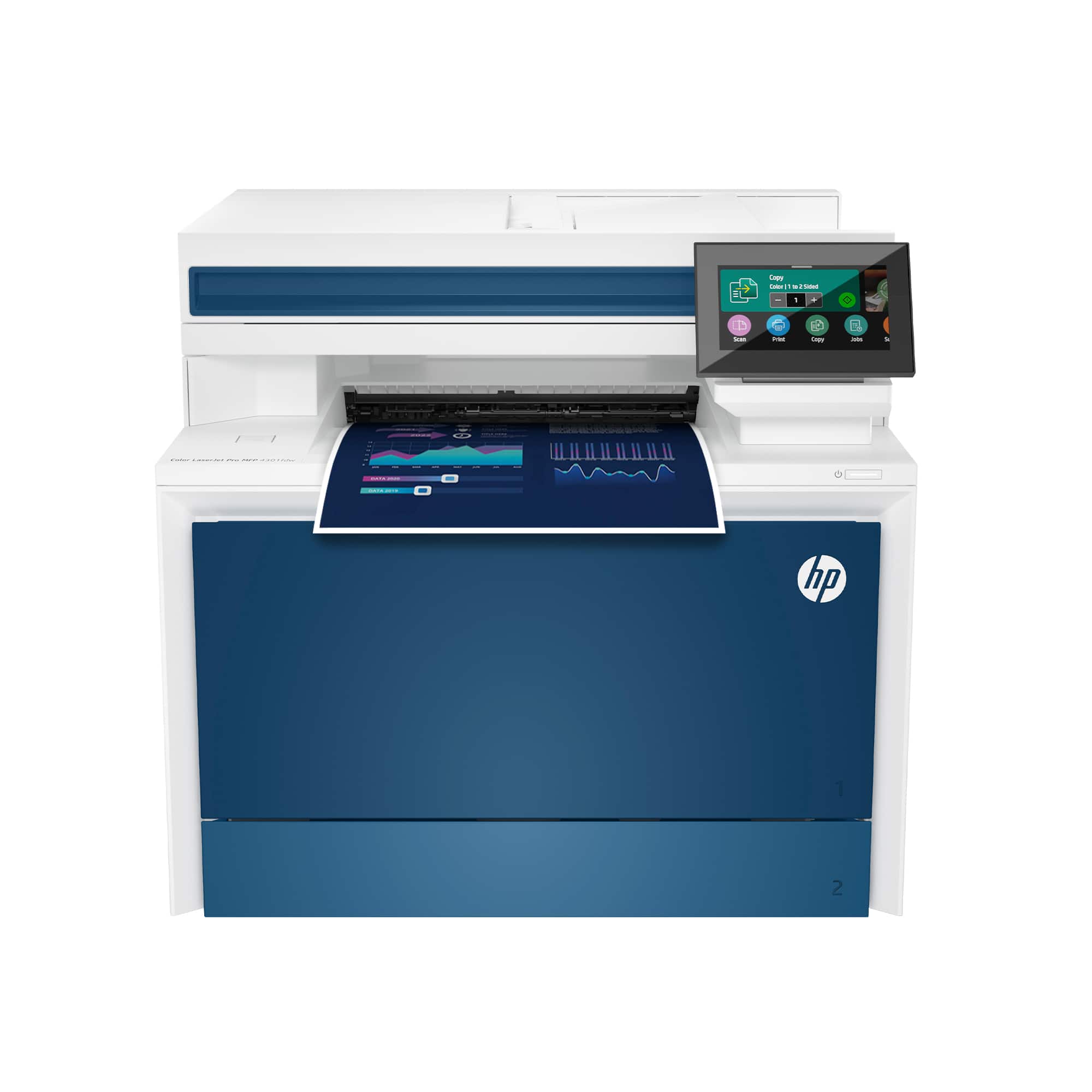
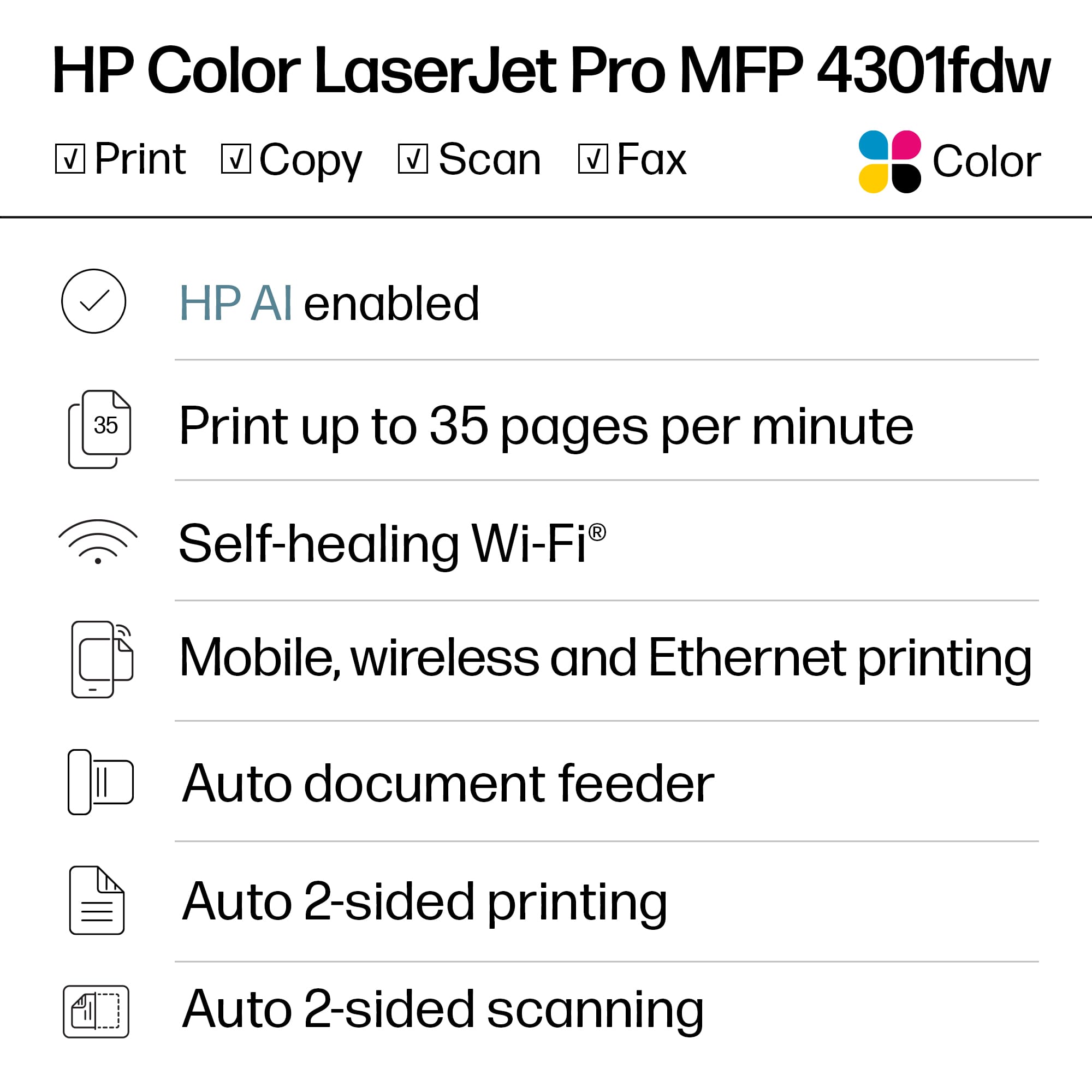
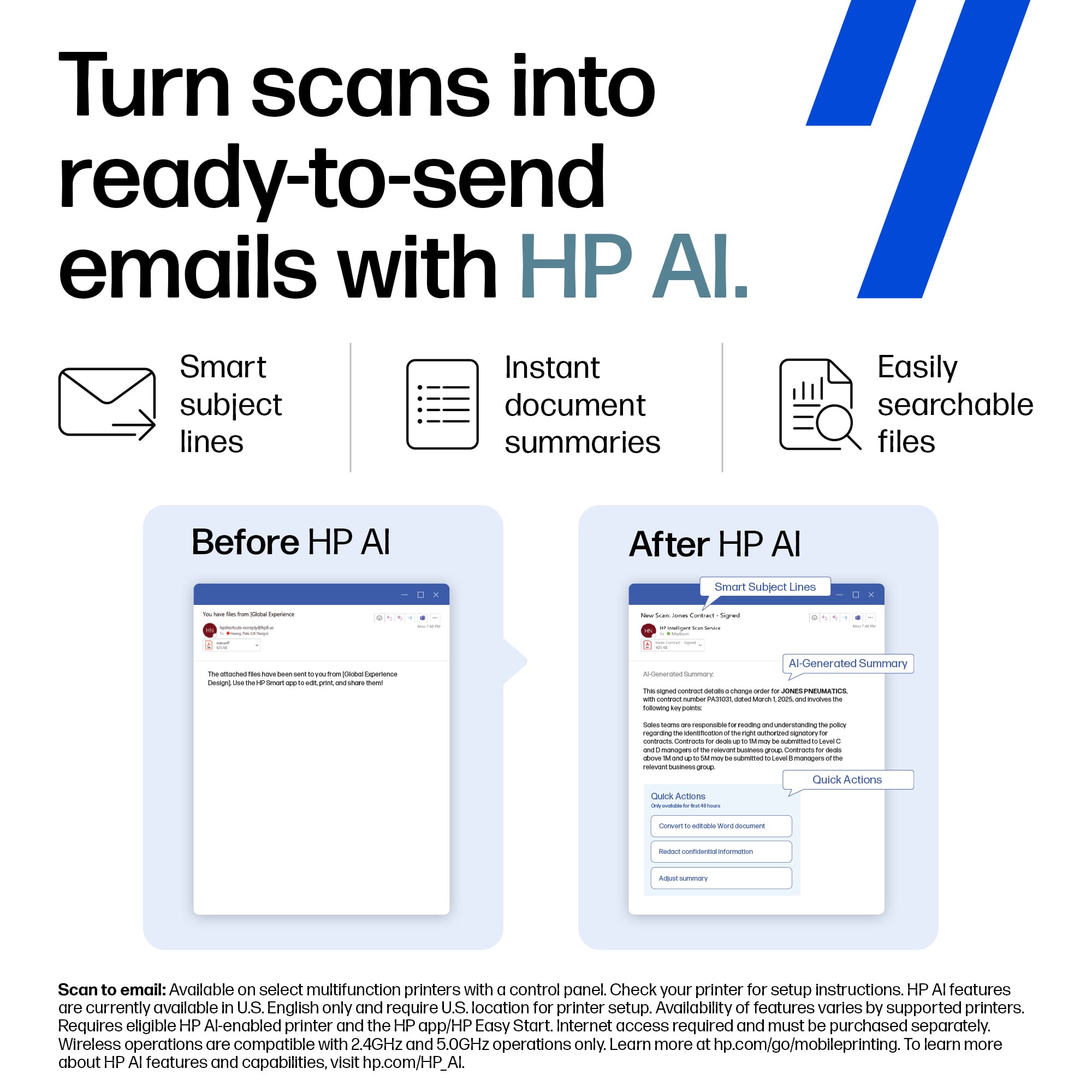
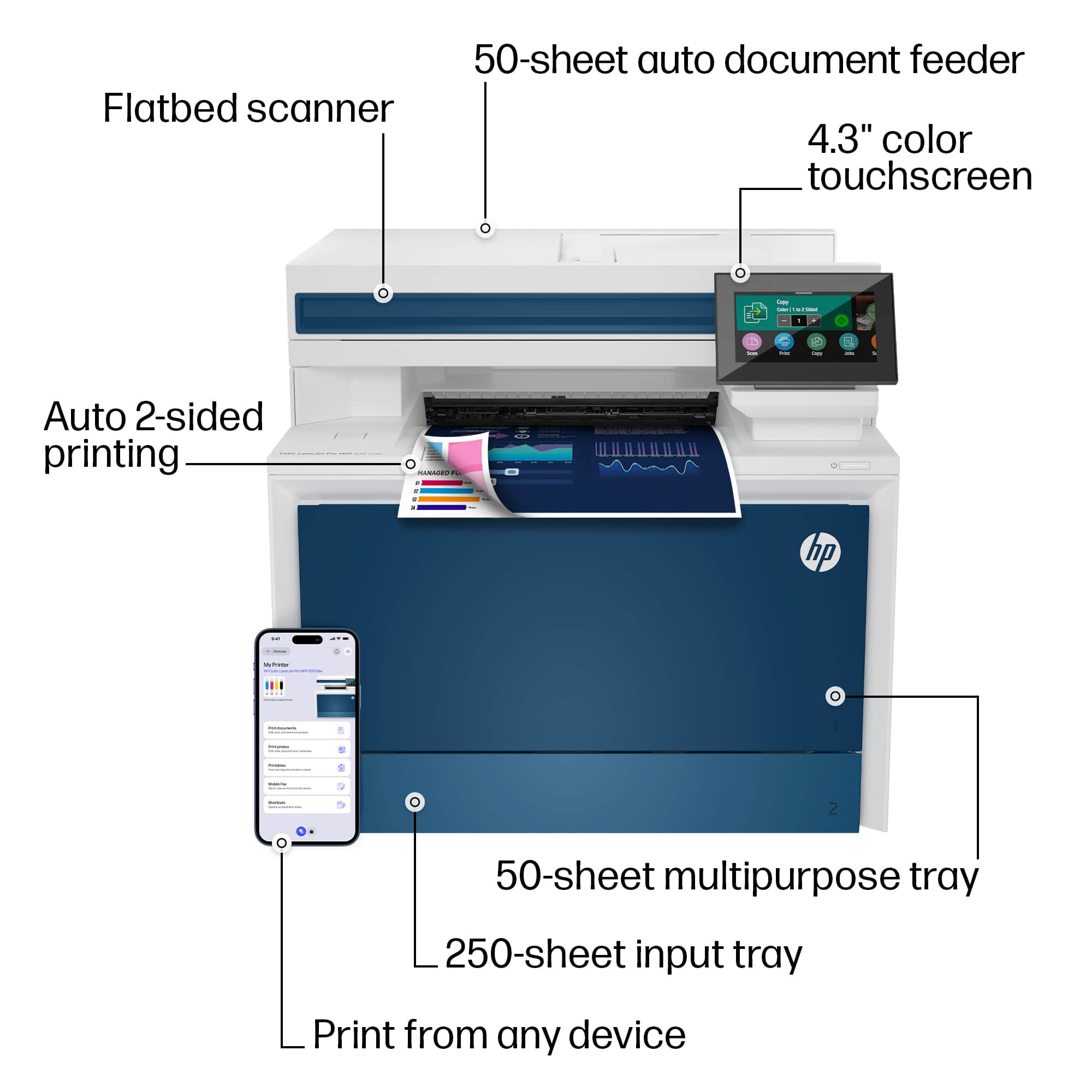










- Model:
- LJP 4301FDW/4RA82F#BGJ
- |
- SKU:
- 12117494
Customer reviews
Rating 4.4 out of 5 stars with 622 reviews
(622 customer reviews)Rating by feature
- Value4.4
Rating 4.4 out of 5 stars
- Quality4.5
Rating 4.5 out of 5 stars
- Ease of Use4.4
Rating 4.4 out of 5 stars
to a friend
Rated 5 out of 5 stars
Great office printer
||Posted . Owned for 1 month when reviewed.This reviewer received promo considerations or sweepstakes entry for writing a review.The printer is working great for our office! Nice and sleek too.
This review is from HP - LaserJet Pro 4301fdw Wireless AI-Enabled Color All-in-One Laser Printer - White/Blue
I would recommend this to a friendRated 5 out of 5 stars
HP-Laser Jet Pro
||Posted . Owned for 1 month when reviewed.This reviewer received promo considerations or sweepstakes entry for writing a review.Fast, efficient, allows our office to run at a whole new level!
This review is from HP - LaserJet Pro 4301fdw Wireless AI-Enabled Color All-in-One Laser Printer - White/Blue
I would recommend this to a friendRated 4 out of 5 stars
l
||Posted .This reviewer received promo considerations or sweepstakes entry for writing a review.i like the printer; however, the printer stopped accepting the internet
This review is from HP - LaserJet Pro 4301fdw Wireless AI-Enabled Color All-in-One Laser Printer - White/Blue
I would recommend this to a friendRated 2 out of 5 stars
Not impressed.
||Posted . Owned for 2 months when reviewed.This reviewer received promo considerations or sweepstakes entry for writing a review.For being the latest and greatest HP printer on the market, I’ve had nothings but problems. Is there a lemon law on printers I wonder? Paper tray is full yet the printer tells you to load paper. Constantly having to reboot to get printer to reset. Would not buy again. Don’t get me started on the cost of toner! Should have checked that before buying. Even generic is pricey!
This review is from HP - LaserJet Pro 4301fdw Wireless AI-Enabled Color All-in-One Laser Printer - White/Blue
No, I would not recommend this to a friendRated 5 out of 5 stars
Great buy!
||Posted . Owned for 3 weeks when reviewed.This reviewer received promo considerations or sweepstakes entry for writing a review.The HP Color Laser Jet has excellent quality and speed.
This review is from HP - LaserJet Pro 4301fdw Wireless AI-Enabled Color All-in-One Laser Printer - White/Blue
I would recommend this to a friendRated 1 out of 5 stars
Be ready to restart your printer... again.
||Posted .This reviewer received promo considerations or sweepstakes entry for writing a review.I lost count of how many times I end up having to turn this printer off and back on to print or scan. While I have ZERO issues reaching the web interface via the network (wired, shield cat6 cable), the device is just super unreliable. It is 100% bad, bad firmware. There are signs of memory leaks. The longer you let it sit, the more likely it needs a restart. --Horrible
This review is from HP - LaserJet Pro 4301fdw Wireless AI-Enabled Color All-in-One Laser Printer - White/Blue
No, I would not recommend this to a friendRated 5 out of 5 stars
BOMB Printer
||Posted . Owned for 1 week when reviewed.This reviewer received promo considerations or sweepstakes entry for writing a review.i love this printer so smooth and fast !highly recommeneded
This review is from HP - LaserJet Pro 4301fdw Wireless AI-Enabled Color All-in-One Laser Printer - White/Blue
I would recommend this to a friendRated 5 out of 5 stars
Works like a charm
||Posted . Owned for 1 month when reviewed.This reviewer received promo considerations or sweepstakes entry for writing a review.Printer performs as advertised and was easy to set up.
This review is from HP - LaserJet Pro 4301fdw Wireless AI-Enabled Color All-in-One Laser Printer - White/Blue
I would recommend this to a friendRated 5 out of 5 stars
Owner
||Posted . Owned for 1.5 years when reviewed.This reviewer received promo considerations or sweepstakes entry for writing a review.Great product for a reasonable price from a great company
This review is from HP - LaserJet Pro 4301fdw Wireless AI-Enabled Color All-in-One Laser Printer - White/Blue
I would recommend this to a friendRated 5 out of 5 stars
New printer
||Posted . Owned for 1 month when reviewed.This reviewer received promo considerations or sweepstakes entry for writing a review.Was in need of a printer. My previous printer went out suddenly. So far this has been a better printer. The ink was a little prices. Wanted to buy extra so not to run out, with what comes with the printer, had to order & cost more then the printer. As long as it last shouldn't need ink for a long time.
This review is from HP - LaserJet Pro 4301fdw Wireless AI-Enabled Color All-in-One Laser Printer - White/Blue
I would recommend this to a friendRated 5 out of 5 stars
Awesome Printer
||Posted . Owned for 2 months when reviewed.This reviewer received promo considerations or sweepstakes entry for writing a review.Needed an upgrade from a similar HP model that continued to have problems. This is amazing and does everything I need and the color is nice too!
This review is from HP - LaserJet Pro 4301fdw Wireless AI-Enabled Color All-in-One Laser Printer - White/Blue
I would recommend this to a friendRated 3 out of 5 stars
Library
||Posted . Owned for 3 weeks when reviewed.This reviewer received promo considerations or sweepstakes entry for writing a review.It's a very nice printer, but doesn't work good for photographs. It also kept having multiple paper jams. Excellent on regular color printing and faxes.
This review is from HP - LaserJet Pro 4301fdw Wireless AI-Enabled Color All-in-One Laser Printer - White/Blue
I would recommend this to a friendRated 3 out of 5 stars
Good if on same network Will call HP
||Posted .This reviewer received promo considerations or sweepstakes entry for writing a review.Printer is good just odd the CPU is wireless and the printer is wired it was not the easy to get them to work togeather. Know when the user prints it says it is not on line then a few mins later it prints. Will call HP on this problem.
This review is from HP - LaserJet Pro 4301fdw Wireless AI-Enabled Color All-in-One Laser Printer - White/Blue
I would recommend this to a friendRated 4 out of 5 stars
Owner
||Posted . Owned for 3 weeks when reviewed.This reviewer received promo considerations or sweepstakes entry for writing a review.Very nice printer. The only problem I had is there are not very detailed instructions for the setup.
This review is from HP - LaserJet Pro 4301fdw Wireless AI-Enabled Color All-in-One Laser Printer - White/Blue
I would recommend this to a friendRated 5 out of 5 stars
Discount and Offer
||Posted . Owned for 2 weeks when reviewed.This reviewer received promo considerations or sweepstakes entry for writing a review.Great customer service for the items bought at best buy store. I like the discount provided after I opened a new card.
This review is from HP - LaserJet Pro 4301fdw Wireless AI-Enabled Color All-in-One Laser Printer - White/Blue
I would recommend this to a friendRated 5 out of 5 stars
Title
||Posted . Owned for 3 weeks when reviewed.This reviewer received promo considerations or sweepstakes entry for writing a review.Nice printer. However, the information to get it started was very vague. Finally got it working with my electronics after consulting with three different individuals. Not everyone is an electronics genius. Should include clearer manual direction's for set-up.
This review is from HP - LaserJet Pro 4301fdw Wireless AI-Enabled Color All-in-One Laser Printer - White/Blue
I would recommend this to a friendRated 2 out of 5 stars
Not worth buying for 700
||Posted . Owned for 1 month when reviewed.This reviewer received promo considerations or sweepstakes entry for writing a review.For the price you would think it would work better. I have a lot of problems with it. At first it worked good . I have only had this for about 2 month.
This review is from HP - LaserJet Pro 4301fdw Wireless AI-Enabled Color All-in-One Laser Printer - White/Blue
No, I would not recommend this to a friendRated 3 out of 5 stars
Expensive to maintain
||Posted . Owned for 3 months when reviewed.This reviewer received promo considerations or sweepstakes entry for writing a review.Printer works great but the cartridges are very expensive and they don't last long. The cartridges in my printer at home are little ones and they last longer.
This review is from HP - LaserJet Pro 4301fdw Wireless AI-Enabled Color All-in-One Laser Printer - White/Blue
No, I would not recommend this to a friendRated 2 out of 5 stars
Consider a different printer
||Posted . Owned for 1 year when reviewed.This reviewer received promo considerations or sweepstakes entry for writing a review.This printe had four major breakdowns in the first three months and all HP woudl do was credit 75% of the purchase price. Fortunately that is now behind us and we have had no additional problems. When working the printer is fast and produces excellent results in text, graphics, photos, everything
This review is from HP - LaserJet Pro 4301fdw Wireless AI-Enabled Color All-in-One Laser Printer - White/Blue
No, I would not recommend this to a friendRated 4 out of 5 stars
It's an HP...
||Posted . Owned for 3 weeks when reviewed.This reviewer received promo considerations or sweepstakes entry for writing a review.Easy to set-up and works as expected. Only issue is I wish the colors were more vibrant/better detail but that is somewhat expected with a laser printer. Overall we are pleased with the purchase so far.
This review is from HP - LaserJet Pro 4301fdw Wireless AI-Enabled Color All-in-One Laser Printer - White/Blue
I would recommend this to a friend