Customer Ratings & Reviews


- Model:
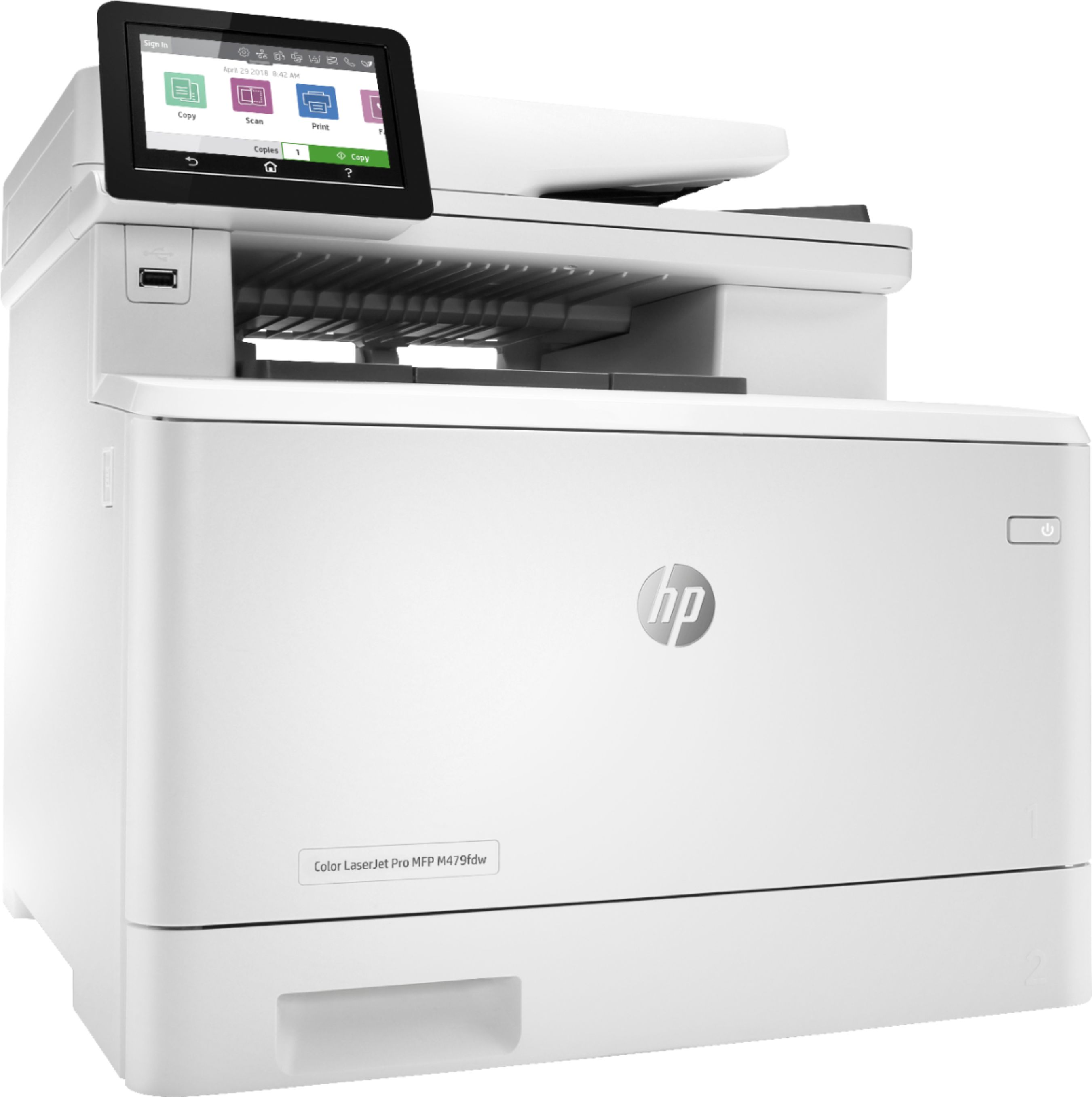
- LaserJet MFP 479fdw
- SKU:
- 6348956
Rating by feature
- Value
Rating 4.3 out of 5 stars
- Quality
Rating 4.6 out of 5 stars
- Ease of Use
Rating 4.5 out of 5 stars
Customers are saying
Customers have good things to say about the LaserJet Pro M479fdw Wireless Color All-In-One Laser Printer, particularly its easy setup, print quality, and quiet operation. They appreciate the convenience of wireless printing and the excellent color output. However, some customers find the price and toner to be expensive, and there have been complaints about the weight and issues with the scanner.
This summary was generated by AI based on customer reviews.
Scan Does Not Install, Printing = OK, Copies = Fai
Posted .This reviewer received promo considerations or sweepstakes entry for writing a review.HP solicited me to post a product review for their web site. Below is what I wrote. Whether or not they will post it... we'll see. This product was purchased directly from HP, because HP customer service gave me a discount coupon. 2019-08-24 Copy of my submitted review on HP's Web Site for LaserJet M479fdw (with some mods for clarity): I bought this Multi Function Printer (MFP) 3 weeks ago and no matter what I tried, including an OS factory restore/recovery of my laptop (HP Spectre x360, Product #4HG39AV_1), the scanning feature will NOT install. I have 2 of these (identical) laptops purchased in January 2019. Both laptops have the EXACT SAME scanning problems. My HP Spectre laptops are running Win-10 Home, v1903 (OS build 18362.295). As a former IT and network integration consultant for over 15 yrs (and a former authorized HP reseller), I know quite a bit about troubleshooting. I have tried everything to meet the challenge and beat the problem. I lost! It cost me; wasting over 60+ hrs of my life! I have even posted a problem report on HP's support forum. I got the canned response to uninstall, then re-install. Scan function still does not work! I then posted back on the forum specific error messages and even gave them a link to my PDF file which contained installation screen shots. No one from HP (or anyone else, for that matter) ever followed up. My support posting remains unresolved as of this date. This is a brand new product from HP, released in July 2019. It was an upgrade/update to the M477 MFP version laser printer. I've downloaded and installed the latest/updated driver: CLJM478f-M479f_UWWL_Full_WebPack_48.2.4526.exe No luck.! When I launch the desktop icon for the HP Scan, then click the action button to scan, I get the error dialog box that says "The scanner failed to complete the scan. Verify that the scan feature is enabled on the device." When I try to scan using the printer's Embedded Web Server (EWS), I get the error message "You cannot use this function because it has been disabled. For more information, contact the person who setup the printer." I am the IT TekHead who did the installation! I then ran the HP Print and Scan Doctor v5.2.1. It reported: "Out of Paper." "Please load the paper into the input tray to print." The paper tray was full!!! This printer & its installation software has failed on so many levels including proper and comprehensive testing and quality control! My conclusion is that this HP printer scanning feature absolutely will not properly install on my new HP laptops and that this device is not ready for market. The print function does work and I can use the printer's control panel to copy a document from the flatbed or the automatic document feeder. However, the color quality of copies is barely acceptable. Now about the FAX feature... during the software/driver installation routine, I opted to Skip the FAX setup wizard as I don't have a landline. Guess what!!! There is a Fax device icon in: Control Panel => Devices and Printers The icon's text reads: Fax - HP Color LaserJet Pro M478f-9f . Regarding the device's touch LCD panel... I came across instructions how to remove (drag-drop) an unwanted icon (in my case, Fax) off of the display. Guess what doesn't happen? Can't remove the Fax icon. Then I came across a web site notation that said to remove an icon from the LCD panel, use the Embedded Web Server. But they didn't mention how to do it. Guess what I cannot locate on the EWS how to do this, and the printer's documentation has no mention about this icon removal feature.? I don't want or need the visual pollution of a Fax icon on the LCD panel. This is a business class LaserJet. I finally threw in the towel and decided that, after 60+ hrs of troubleshooting, it's time to give up and let HP solve the problems it created in this product development. Today, being Saturday, the LaserJet tech supt phone line is closed! Everything reported above is factual with no exaggeration or subjective observations. And HP is lucky that I kept my emotional sentiments & statements out of this review. - TekHead Howie -
No, I would not recommend this to a friendBrand response from HP Team
Posted .Hi there,
Thank you for your detailed review. We are always grateful for any feedback received regarding our products and user experience, whatever it is. We post all reviews unless they contain obscene language. So please do not worry here :-).
Your reviews allow us to adjust our future product design, so please feel free to contact us anytime.
Please remember we are always there to help, troubleshoot and assist with selecting the product that suits your needs the best at: support.hp.com/us-en/contact-hp
Same as in your original Review, to resolve the scanning issue, please:
In EWS, under “Settings” -> “Security” -> “Administrator Settings”, browse down the list and find the Scan. Please make sure that the “Scan from a Computer or Mobile Device” option is enabled. The same reason is behind the fail to use EWS Webscan, as it is not enabled by default due to Security reasons.
Hope this will fix the problem.
Tom
HP Care
hp.com/support
- Pros mentioned:Ease of use, Print quality
HP - LaserJet Pro M479fdw
||Posted . Owned for 1 month when reviewed.This reviewer received promo considerations or sweepstakes entry for writing a review.I researched all possibilities when finding the right laser printer that had all my needs and the HP - Laser Jet M479fdw met those needs. I was not disappointed. This Laser Printer exceeds my expectations. It is fast, Easy setup, prints perfectly.
I would recommend this to a friend - Pros mentioned:Ease of use, Print quality
Great printer fast paced office.
||Posted . Owned for 3 weeks when reviewed.This reviewer received promo considerations or sweepstakes entry for writing a review.Easy setup. Slightly slower than advertised in my option but great quality, smooth printing, and nice user interface. Great for fast paced office setting. 4 stars simply because the color is always a little off compared to the image and the slightly slower copy and print speed. Would purchase again.
I would recommend this to a friend Very nice printer
||Posted . Owned for less than 1 week when reviewed.This reviewer received promo considerations or sweepstakes entry for writing a review.Very nice printer has all the bells and whistles that I was looking for in an all in one. Much cheaper then even the black and white desktop laser hp, but toner may be expensive for a full set on this one. But the set it comes with should last pretty long for a home office.
I would recommend this to a friend- Pros mentioned:Ease of use
Scanning that works
||Posted . Owned for 3 weeks when reviewed.This reviewer received promo considerations or sweepstakes entry for writing a review.Fast printing a scanner that not only works but can handle multiple papers At once. These scans can even be multi sided! I also love that you can type in an email address and scan to that email address right from this printer. Set up was so easy
I would recommend this to a friend - Pros mentioned:Print quality, Wireless
HP LaserJet
||Posted . Owned for 3 weeks when reviewed.This reviewer received promo considerations or sweepstakes entry for writing a review.Great printer it's on the expensive side but if you think about all the any space of printers that I've had over the years I should have bought this a decade ago. Great quality print fast the wireless option is really convenient.
I would recommend this to a friend - Pros mentioned:Ease of use, Print quality
Best printer value for high quality on the market
||Posted . Owned for 3 weeks when reviewed.This reviewer received promo considerations or sweepstakes entry for writing a review.Excellent value....does everything we need in our office and quality is that of 10,000$ machines in my opinion. Ink cartridges aren’t cheap but the value is still high because the quality is 5 star. Also easy to use and set up is automatic.
I would recommend this to a friend - Pros mentioned:Print quality
Great printer
||Posted . Owned for 1 month when reviewed.This reviewer received promo considerations or sweepstakes entry for writing a review.Bought this to replace our previous printer that was an earlier model of this printer. The printer works great with duplex printing and scanning, we use the scan to email a lot, and just an all around great workhorse. Highly recommend this printer
I would recommend this to a friend - Pros mentioned:Ease of use, Print quality
Easy setup and good production!
||Posted . Owned for 3 weeks when reviewed.This reviewer received promo considerations or sweepstakes entry for writing a review.I found this LaserJet Pro M479fdw reasonably easy to set up on two Macs and a PC via Comcast Infinity WiFi. The speed and quality seem fine for printed documents and the scanner works well. I occasionally have to reboot the computer and turn the printer off and on.
I would recommend this to a friend - Pros mentioned:Ease of use, Print quality
Good at first
||Posted . Owned for 1 month when reviewed.This reviewer received promo considerations or sweepstakes entry for writing a review.Great at first. Prints nicely and easy to install and operate. However, the initial cartridges don’t last long at all (typical) and when I went to replace them I had issues getting the printer to register the new cartridges. I had to reinstall them about 15 times to get them to finally work. Also the cartridges literally cost more to replace than I paid for the printer.l and there are no generic cartridge options because of the computer chip that is in them.
No, I would not recommend this to a friend - Pros mentioned:Noise level, Print quality
Nice Quiet and Quick printer
||Posted . Owned for 2 weeks when reviewed.This reviewer received promo considerations or sweepstakes entry for writing a review.While this printer is more expensive than other printers, it prints quickly and quietly. Since it is in our office, it is nice to have a printer that does not make a lot of noise, so we can continue to work with no disruptions.
I would recommend this to a friend - Pros mentioned:Ease of use, Print quality
LOVE this printer. Highly recommend.
||Posted . Owned for 3 weeks when reviewed.This reviewer received promo considerations or sweepstakes entry for writing a review.This printer is fantastic. It was quick and easy to set up, and it prints great quality pages very fast. I bought this for the low cost per page, but I was even more impressed with the simplicity of use, quality, and print speed.
I would recommend this to a friend - Pros mentioned:Print quality, Wireless
Great Business Printer
||Posted . Owned for 3 weeks when reviewed.This reviewer received promo considerations or sweepstakes entry for writing a review.Great business printer. Have a small business from home and we do 100+ invoices a month. Printer scan, print and copies perfectly. Hooks up to phones, tablets, laptop and computer so easily. Highly recommend
I would recommend this to a friend - Pros mentioned:Ease of use, Print quality
Great Laser Printer
||Posted . Owned for 1 month when reviewed.This reviewer received promo considerations or sweepstakes entry for writing a review.Reasonable price for excellent quality. Easy to use as a printer and also as a scanner. Also easy to change the size of the copies. I have already recommended this model to a couple friends who are in the same business as I am.
I would recommend this to a friend - Pros mentioned:Print quality, Wireless
HP Color Laser Printer
||Posted . Owned for 1 week when reviewed.This reviewer received promo considerations or sweepstakes entry for writing a review.This is the third HP Laser printer I have owned in this family. It is an awesome product. Great for home or small office. Wireless connectivity, auto duplex printing, laser quality, all great fetures.
I would recommend this to a friend - Pros mentioned:Wireless
Great for home office
||Posted . Owned for 1 week when reviewed.This reviewer received promo considerations or sweepstakes entry for writing a review.Scans, laser jet color copies and faxes. Great for home office and no need for cables. Ties directly into your WiFi and controlled by an app on your phone. Have used for long but has performed flawlessly so far. A little pricey. Highly recommend.
I would recommend this to a friend - Pros mentioned:Ease of use, Print quality
High quality home office printing in a COVID world
||Posted . Owned for 1 month when reviewed.This reviewer received promo considerations or sweepstakes entry for writing a review.Great printer. As expected for a laser, image printing quality is inferior to that of an inkjet; however, other than that, it prints fast and makes it very easy to print from both android, apple and windows devices.
I would recommend this to a friend HP laser printer
||Posted . Owned for 5 months when reviewed.This reviewer received promo considerations or sweepstakes entry for writing a review.It's good but not great. For home use (no business) it is fine. My wife prints up her recipes and I might send out a letter or two per month. To purchase the fully loaded toner cartridges (4) cost more than the printer which cost a little over $800.00. Had a Brother before should have bought it again.
No, I would not recommend this to a friend- Pros mentioned:Print quality
I love everything about this printer.
||Posted . Owned for 1 month when reviewed.This reviewer received promo considerations or sweepstakes entry for writing a review.This printer is packed full of great features. You can email documents to the printer, scan documents to email, customize a printer email address (yourname@hpeprint.com), save email addresses and profiles, and so much more. The printer warms instantly, so there is no delay when printing, and the printer prints documents almost instantly. Because you have a printer email address means you can print from anywhere by just emailing a document directly to the printer. The printer prints bright, vibrant, true tone colors, and of course there is no smudging. The scanner and copy functions are also great, and the software is easy to manage. I upgraded from an inkjet, so now owning a laser printer is quite a treat. This is one of the nest purchases I have ever made.
I would recommend this to a friend - Pros mentioned:Ease of use, Print quality
Great printer
||Posted . Owned for 3 weeks when reviewed.This reviewer received promo considerations or sweepstakes entry for writing a review.Prints beautifully and fast. Easy set up. great functions. Just too bad all the toners we had just bought for the M477 don't work with this new model.......
I would recommend this to a friend