Customer Ratings & Reviews


- Model:
- LaserJet MFP 479fdw
- SKU:
- 6348956
Rating by feature
- Value
Rating 4.3 out of 5 stars
- Quality
Rating 4.6 out of 5 stars
- Ease of Use
Rating 4.5 out of 5 stars
Customers are saying
Customers have good things to say about the LaserJet Pro M479fdw Wireless Color All-In-One Laser Printer, particularly its easy setup, print quality, and quiet operation. They appreciate the convenience of wireless printing and the excellent color output. However, some customers find the price and toner to be expensive, and there have been complaints about the weight and issues with the scanner.
This summary was generated by AI based on customer reviews.
Not too happy with it
||Posted . Owned for 1 month when reviewed.This reviewer received promo considerations or sweepstakes entry for writing a review.We are still having problem with when we scan or copy from automated feeder it makes 2 black lines all the way down on paper. I have tried calling hp help we always get disconnected.
No, I would not recommend this to a friendBrand response from HP Team
Posted .Hello there,
I want to deeply apologize for the poor color print quality provided by your device. We certainly build our printers with the intent of providing a reliable experience for our customers, so I can imagine how frustrating a situation like yours can be. I would really love to provide some help on how to proceed in this situation.
When it comes to the bad print quality and some black lines on the prints, the document below should provide some useful information on how to resolve that issue:
- Resolving print quality problems: support.hp.com/us-en/document/c05404100
Second of all, you could try using our HP Print and Scan Doctor. This is a tool to diagnose the issues and provide a solution to them. It may help in your case:
- HP Print and Scan Doctor: support.hp.com/us-en/topic/printscandoctor
Lastly, If all of the above fails, we would be more than happy to help so please feel free to contact us through: support.hp.com/us-en/contact-hp
Kacper
HP Care
hp.com/support
Worst HP Printer I have ever had.
||Posted .This reviewer received promo considerations or sweepstakes entry for writing a review.Normally, I prefer an HP printer, but I LOATHE this printer!!! I have had nothing but problems with it ever since we bought. Sometimes it works, sometimes it doesn't. And, it is usually when I really need to print something that it decides not to work. Not to mention the replacement cartridges are god-awful expensive, and the cheap alternatives are just that...cheap! Don't waste your money on this printer.
No, I would not recommend this to a friendPrinter will only print in black and white.
||Posted . Owned for 3 weeks when reviewed.This reviewer received promo considerations or sweepstakes entry for writing a review.Printer printing black and white only. Asked the Best Buy Geek-squad and they were no help in solving the problem. Told me to contact HP to resolve the problem.
No, I would not recommend this to a friendNot the easiest
||Posted . Owned for 1 month when reviewed.This reviewer received promo considerations or sweepstakes entry for writing a review.I consider myself to be pretty tech savvy. I still can’t get this thing to work right. At first I could get it to AirPrint, but not scan. Now it will scan and not print. Ugh.
No, I would not recommend this to a friendBrand response from HP Team
Posted .Hello Lisa,
I'm so sorry for the inconvenience this printer has been causing. We certainly build our printers with the intent of providing a reliable experience for our Customers, so I can imagine how problems you described could cause frustration.
As we do not know what exactly the issue with the printer is, I would first recommend updating your printer's firmware; it is always good to stay up-to-date. You can find the latest versions at this location: https://support.hp.com/us-en/drivers/selfservice/hp-color-laserjet-pro-mfp-m478-m479-series/19202514/model/19202521
If you still having issues with the printer, please contact us: support.hp.com/us-en/contact-hp
We will be glad to assist you.
Hope this helps!
Tom
HP Care
hp.com/support
- Cons mentioned:Paper tray
2 Month Old Printer is now Unusable
||Posted . Owned for 2 months when reviewed.This reviewer received promo considerations or sweepstakes entry for writing a review.Bought the printer two months ago. It now perceives a paper jam, though no visible paper jam is present. Due to the jam code, the printer won’t scan, print or copy.
No, I would not recommend this to a friendBrand response from HP Team
Posted .Hi there.
I’m sorry to hear that your printer has displayed a paper jam error even though no jam appears to have occurred. It’s easy to understand the frustration that would come from this on a printer that’s only two months old, so I’ll direct you toward some resources that I hope will help.
It’s possible for printers to have so-called “false” paper jams like the one you describe. That said, your printer has several areas where paper jams could occur that might not be obvious. Because of this complexity, I recommend that you contact us directly at +1 800-474-6836 so we can guide you through the proper troubleshooting. (Please note that because of restrictions on personal movement and workplace attendance associated with the COVID-19 pandemic, wait times for agents are longer than normal. Thanks in advance for your understanding.) To expedite the process, I recommend gathering the following information before the call:
- Model number
- Serial number
- Your location
- Case number (from any previous contact with HP support)
Keith
HP Care
hp.com/support
Nice Printer - Scanner Quality Issues
||Posted .This reviewer received promo considerations or sweepstakes entry for writing a review.Out of the box had lines through my scans - looked like 1995 over here. Returning it for an exchange and will report back...
No, I would not recommend this to a friendBrand response from HP Team
Posted .Hello there,
I am very sorry to hear that you have experienced scanning issues with this particular printer. That is very far from the reliable experience we are aiming to provide with our Products.
Please remember that we are always there to help and assist, so please feel free to contact us for support anytime at: hp.com/contactHP
Hope this helps!
Tom
HP Care
hp.com/support
HP fills your computer with garbage
||Posted .This reviewer received promo considerations or sweepstakes entry for writing a review.I don't even think it's the printer, I think it's HP that has so much obsessiveness to get inside your computer that it complicates everything. I was only able to scan once in 1 month that I had it, I downloaded all the programs recommended by HP and I could never solve the problem. Never in my life will I buy HP, too complicated, scientists and I think what they want is to control you. I have a epson printer, very easy, they dont sell computer, for that they are good for std people and any computer.
No, I would not recommend this to a friendDo Not Purchase!
||Posted . Owned for 10 months when reviewed.This reviewer received promo considerations or sweepstakes entry for writing a review.This is the worst printer ever. Within a few months, the printer stopped working. I had an error that the printer could not read the Cyan cartridge. After several weeks working with HP, they finally realized that the printer was defective and sent me a new one. That was two months ago. The replacement printer is now having the same problem. I wish I had never purchased this printer.
No, I would not recommend this to a friend- Cons mentioned:Paper tray
Terrible
||Posted . Owned for 1 week when reviewed.This reviewer received promo considerations or sweepstakes entry for writing a review.Fax is defective Limited paper tray Limited output area HP smart app is hard to use
No, I would not recommend this to a friend Expensive cartridges.
||Posted . Owned for 11 months when reviewed.This reviewer received promo considerations or sweepstakes entry for writing a review.This is a good printer. However, it takes 4 cartridges which cost more than $100 each. If you up for the cost, go for it.
No, I would not recommend this to a friendquirky
||Posted . Owned for 5 months when reviewed.This reviewer received promo considerations or sweepstakes entry for writing a review.I'm an HP guy but this thing is not always user friendly. Goes offline at various times.
No, I would not recommend this to a friendBrand response from HP Team
Posted .Hello there,
I want to deeply apologize for all the inconvenience the printer has been causing. We certainly build our printers with the intent of providing a reliable experience for our customers, so I can imagine how frustrating and disappointing a situation like yours can be.
Please read through the following document. It may prove very useful in resolving your issue:
- Printer Offline Fix: support.hp.com/us-en/document/c05087973
If the issue still persists, I would recommend contacting our customer support. We are always here for you and would love to help you resolve this problem. You can always reach us via your preferred contact method here:
support.hp.com/us-en/contact-hp
Kacper
HP Care
hp.com/support
Disappointed
||Posted . Owned for 3 weeks when reviewed.This reviewer received promo considerations or sweepstakes entry for writing a review.This copier has been a problem setting it up and getting it to print correctly. I am totally disappointed after getting my copier 2 weeks after purchase and having to use a home printer instead of the printer that I purchased. I am not waiting for the Geek Squad to come and assist me to get the results that I need
No, I would not recommend this to a friendPrinter
||Posted . Owned for 3 weeks when reviewed.This reviewer received promo considerations or sweepstakes entry for writing a review.Nice printer but very difficult to set up. Have had it for a couple of weeks and I still have been able to use is.
No, I would not recommend this to a friendGet extra protection❗️
||Posted . Owned for 1 year when reviewed.This reviewer received promo considerations or sweepstakes entry for writing a review.I hope this HP lasts longer than the old HP. Already the SORTER used to load several pages to copy does not work
No, I would not recommend this to a friendHP printer
||Posted . Owned for 2 weeks when reviewed.This reviewer received promo considerations or sweepstakes entry for writing a review.Scan feature was not user friendly, however all other features are very satisfactory.
I would recommend this to a friendgood quality but expensive to maintain
||Posted . Owned for 1 year when reviewed.This reviewer received promo considerations or sweepstakes entry for writing a review.good quality but after a while the ink replaces are expensive affecting overall maintenance
I would recommend this to a friend- Pros mentioned:Print quality
Would not recommend
||Posted . Owned for 3 weeks when reviewed.This reviewer received promo considerations or sweepstakes entry for writing a review.Good for printing. Very poor for scanning. Papers get jammed and quality is poor.
No, I would not recommend this to a friendBrand response from HP Team
Posted .Hello there,
I want to sincerely apologize for all the problems the printer has been causing. We certainly build our printers with the intent of providing a reliable experience for our customers, so I can imagine how frustrating and disappointing a situation like yours can be. With that said let me try to help you out.
First of all, I would recommend trying our "Print and Scan Doctor". This is a free tool that can diagnose what kind of issue you are dealing with and provide a solution for it. To access this tool use the link below:
- HP Print and Scan Doctor: support.hp.com/us-en/topic/printscandoctor
Second of all, when it comes to poor scan quality issue I would recommend checking out this document:
- Improve copy and scan quality: support.hp.com/us-en/document/ish_3434839-3365471-16
Furthermore, regarding paper jams there are few documents that may help resolve the issue depending on where paper jams occur:
- Document feeder: support.hp.com/us-en/document/c06391003
- Tray 1: support.hp.com/us-en/document/c06389945
- Tray 2: support.hp.com/us-en/document/c06390149
If the issues persist, I would recommend reaching out to us for support. We'd be more than happy to work through any troubleshooting. You can reach us at: hp.com/contactHP
On a related note, I'd like to mention the fact that HP printers do also have a warranty from their purchase date, so if you find you need to use it, I hope you will. To verify the warranty, you can use the following link: support.hp.com/us-en/checkwarranty
Kacper
HP Care
hp.com/support
Director
||Posted . Owned for 1 month when reviewed.This reviewer received promo considerations or sweepstakes entry for writing a review.Not fast and it keep giving error of the page size and keep saying their is no papers even though it is full
No, I would not recommend this to a friendBrand response from HP Team
Posted .Hello there,
I'm sincerely sorry for all the problems the printer has been causing. We certainly build our printers with the intent of providing a reliable experience for our customers, so I can imagine how frustrating and disappointing a situation like yours can be.
I would suggest to reach out to us for support. We'd be more than happy to work through any troubleshooting or initiate a replacement under your printer's warranty. You can give us a call at +1 800-474-6836 between the hours of 8 am - 9 pm ET. To expedite things a bit, I recommend gathering this information beforehand:
- Model number
- Serial number
- Your location
- Your case number (from prior contact with support)
On a related note, I'd like to mention that HP printers also have a warranty from their purchase date, so if you find you need to use it, I hope you will. To verify the warranty, you can use the following link: support.hp.com/us-en/checkwarranty
In case of further queries, please do not hesitate to contact us at: hp.com/contactHP
Kacper
HP Care
hp.com/support
- Pros mentioned:Print quality

For all your printing needs at professional level
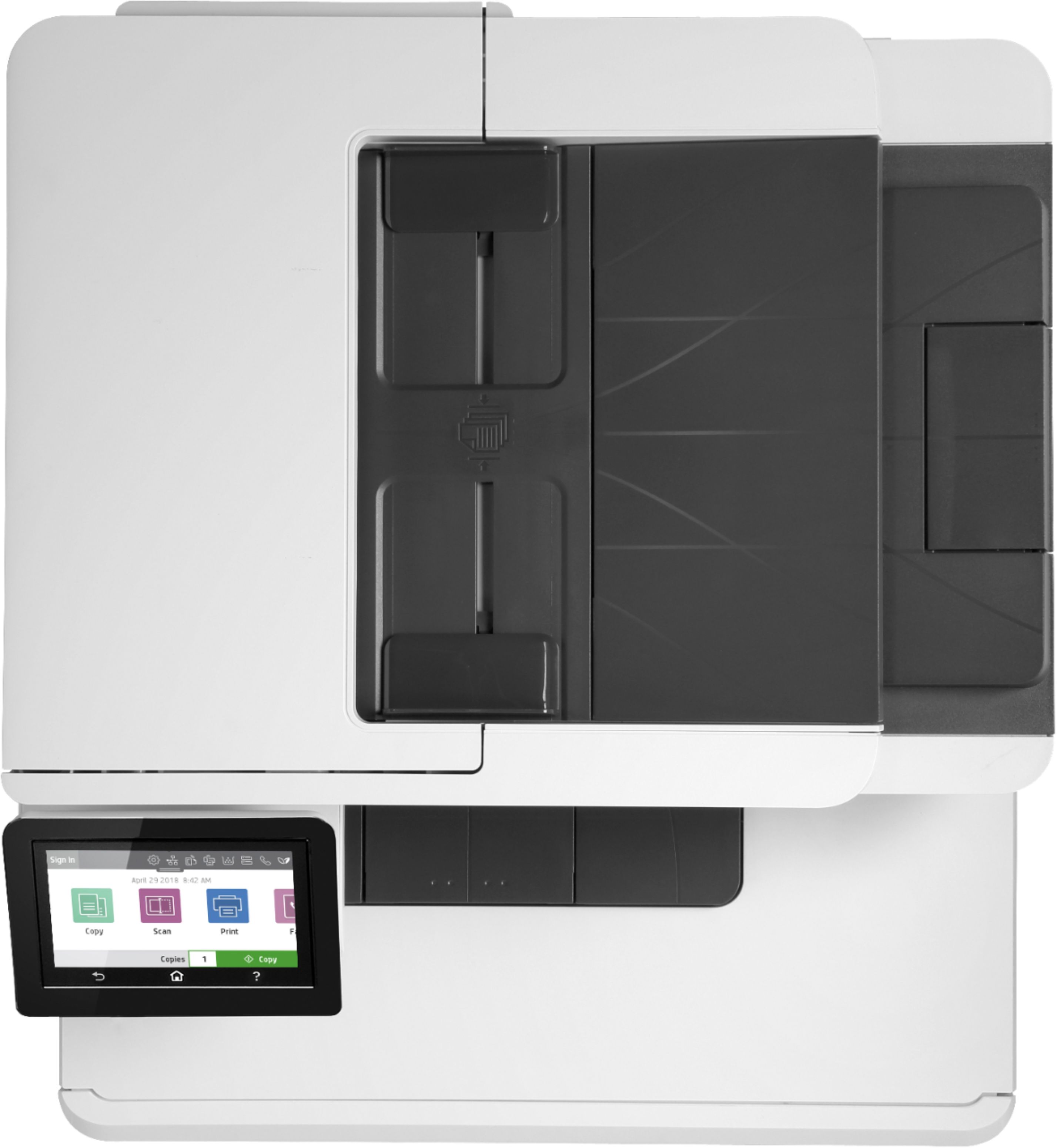
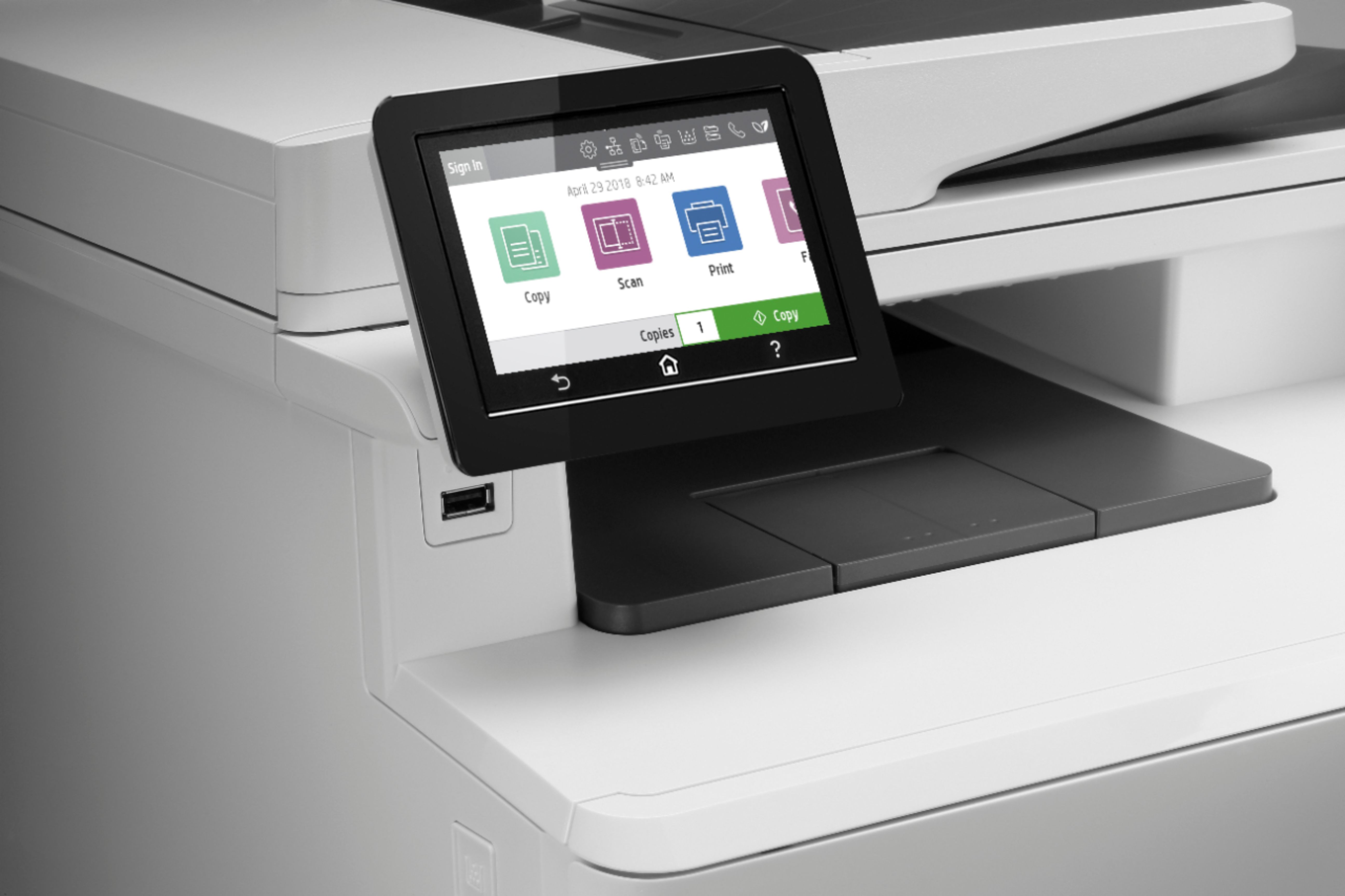
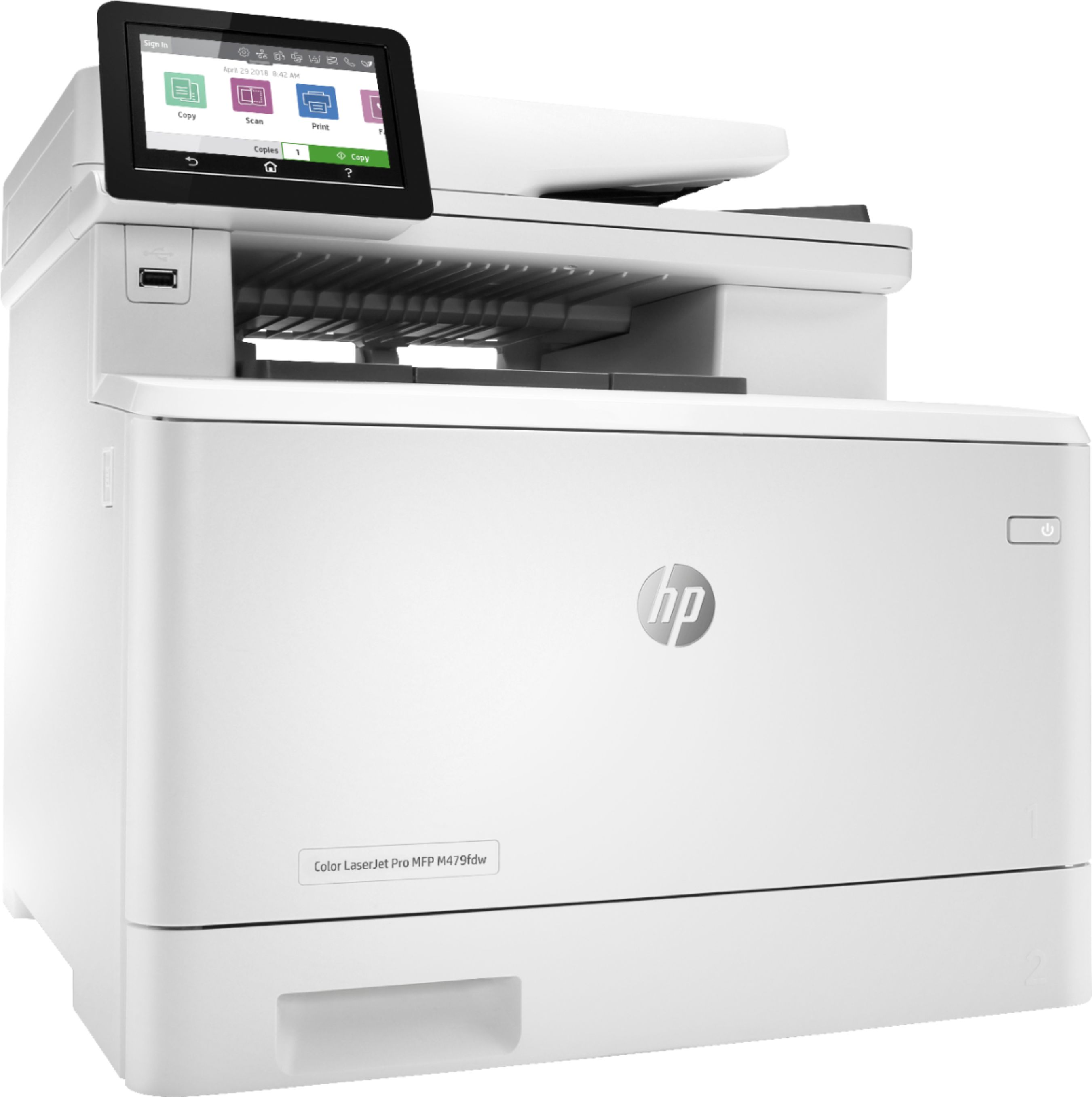
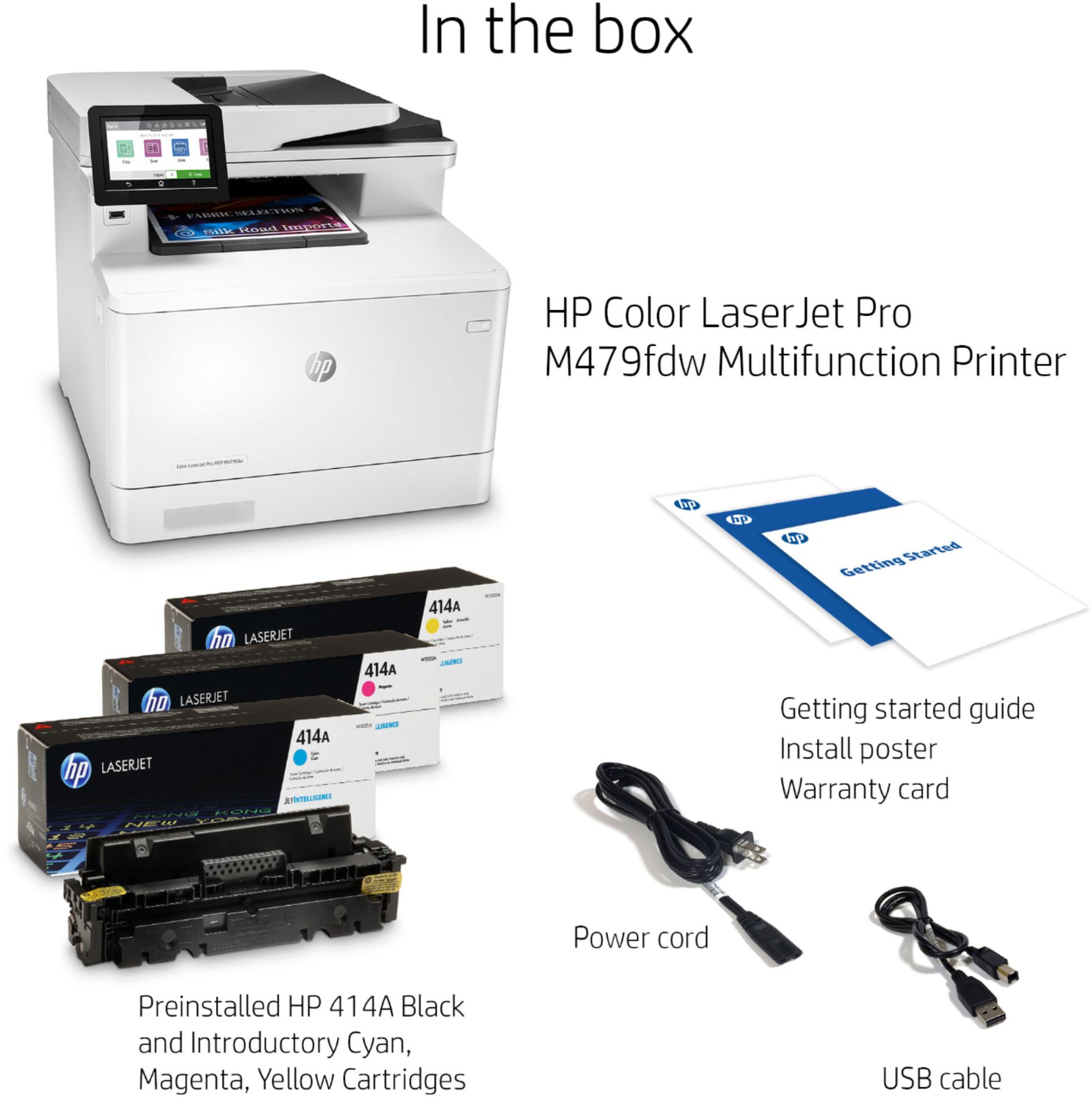
|Posted .This reviewer received promo considerations or sweepstakes entry for writing a review.We are clearly talking about a professional office printer that will take care of printing needs that you could need in your office or in your home office (my case). It could probably be a bit big for your regular/basic home needs. The HP Laser Pro479 is made to integrate also your needs in printing, scanning and fax. You can have the full management through a USB connection or in your at home wifi network (bye bye wires) that makes it working by forwarding work to/from your laptop or directly with the HP app (phone and laptops under same network). Before starting to use, you will require to do a basic setup that runs very smoothly when is done through the HP webpage or the app. In previous experiences (not this time) I’ve lost my time with the windows proposed drivers, so this time I didn’t even tried. Personally, I love the HP app that serves for all the HP printers that you could have at home, that are automatically recognized and included in the app. The printer includes also a LCD touch display where you can select different functions but in reality, I never used it, all directly managed with the laptop or the app. The box includes power cable, USB and phone cable (for fax) and the toners are already installed in the printer. I miss a Ethernet cable. Printing is a breeze, very low sound for a laser printer and printing speed is impressive. I love particularly the two-sided printing process, different from other models, the sheet doesn’t need to re-enter one side is done but comes out fully printed at once. Quality is outstanding in black and in color as well. I understand that this model increases the scan capabilities up to 1200x1200 from its predecessor according to the specs and this is a game changer. But my experience has some mixed feelings because I observe some colors slightly altered. It’s also true that the auto feeder is quite good, I tried with up to 25 pages. Elements to consider: as all the laser printers, this printer requires 4 cartridges (HP model only) so this will have impact in your pocket. Think that black are mean to print up to 2400 pages and color 1200. In general, I am very happy with my new printer.
I would recommend this to a friend Scanner not working
||Posted . Owned for 1 month when reviewed.This reviewer received promo considerations or sweepstakes entry for writing a review.The scanner does not work correctly, I can only scan from the laptop...the scan to the computer does not work.
No, I would not recommend this to a friend