Last-Minute SavingsLimited quantities.Shop now

Skip to content
Gift Ideas
Main Content

Customer Ratings & Reviews
Your price for this item is $539.00

Customer reviews

Rating 4.5 out of 5 stars with 432 reviews

Rating Filter

Rating by feature

  • Value

    Rating 4.5 out of 5 stars

  • Quality

    Rating 4.6 out of 5 stars

  • Ease of Use

    Rating 4.5 out of 5 stars

Pros mentioned filter

Cons mentioned filter

89%would recommend to a friend

Customers are saying

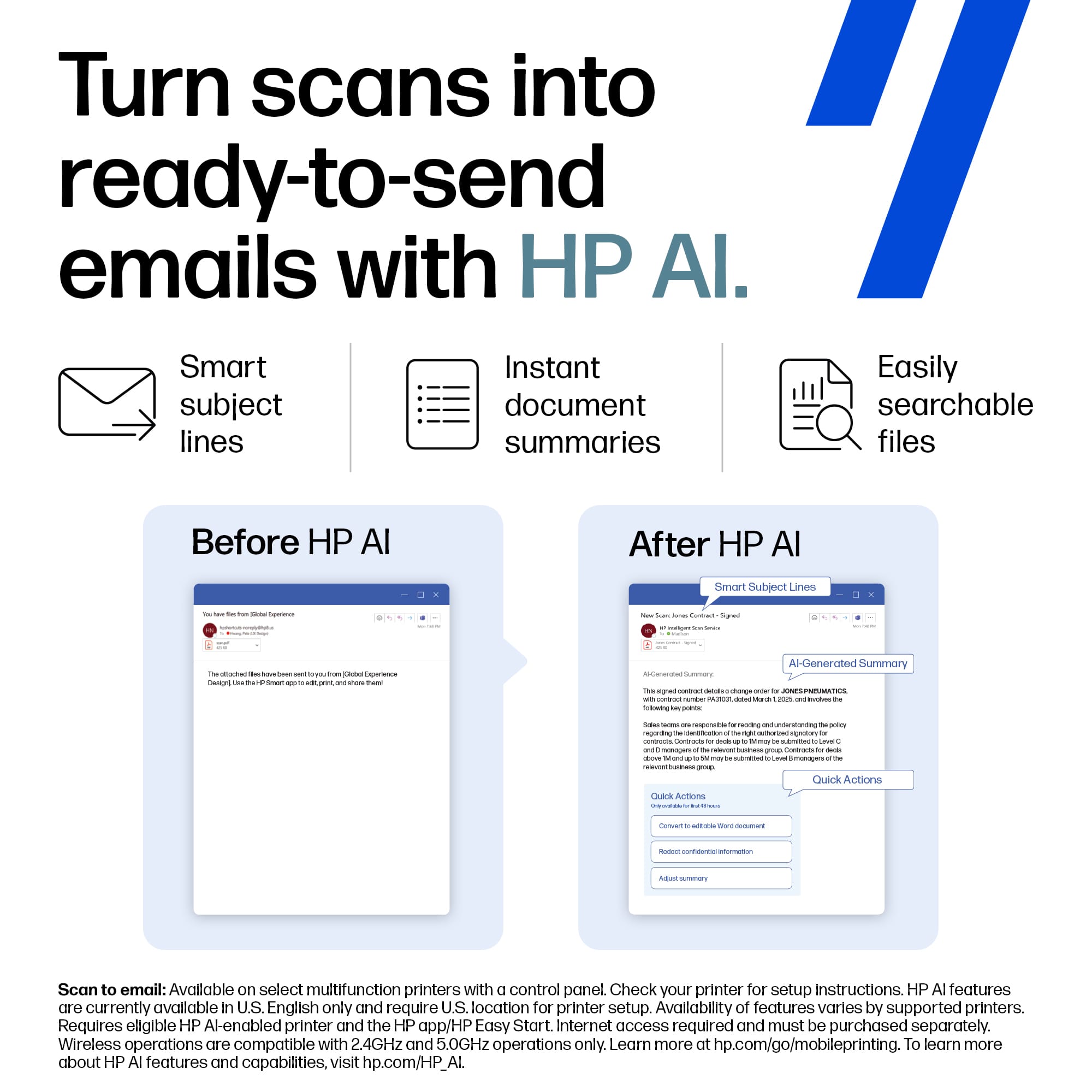
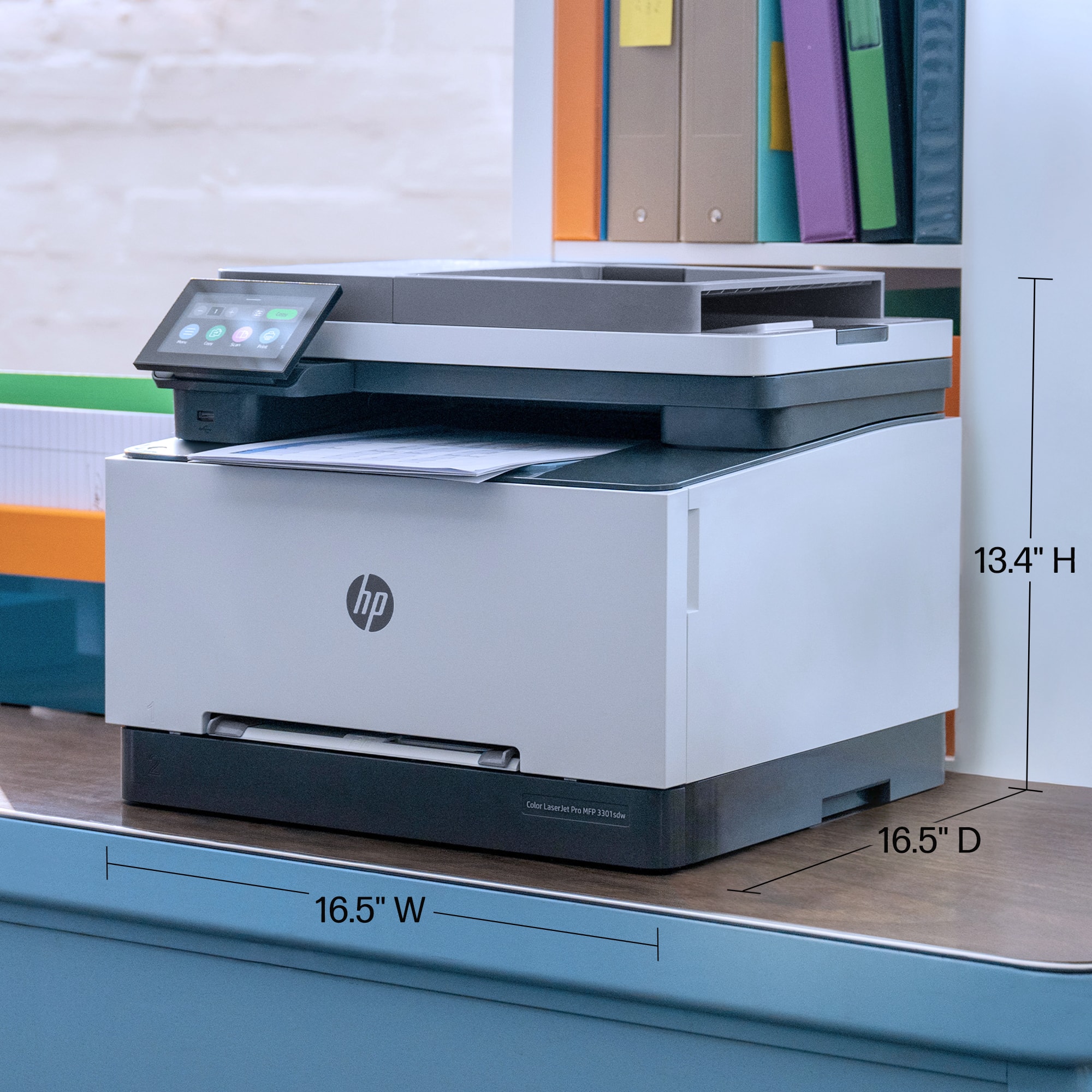
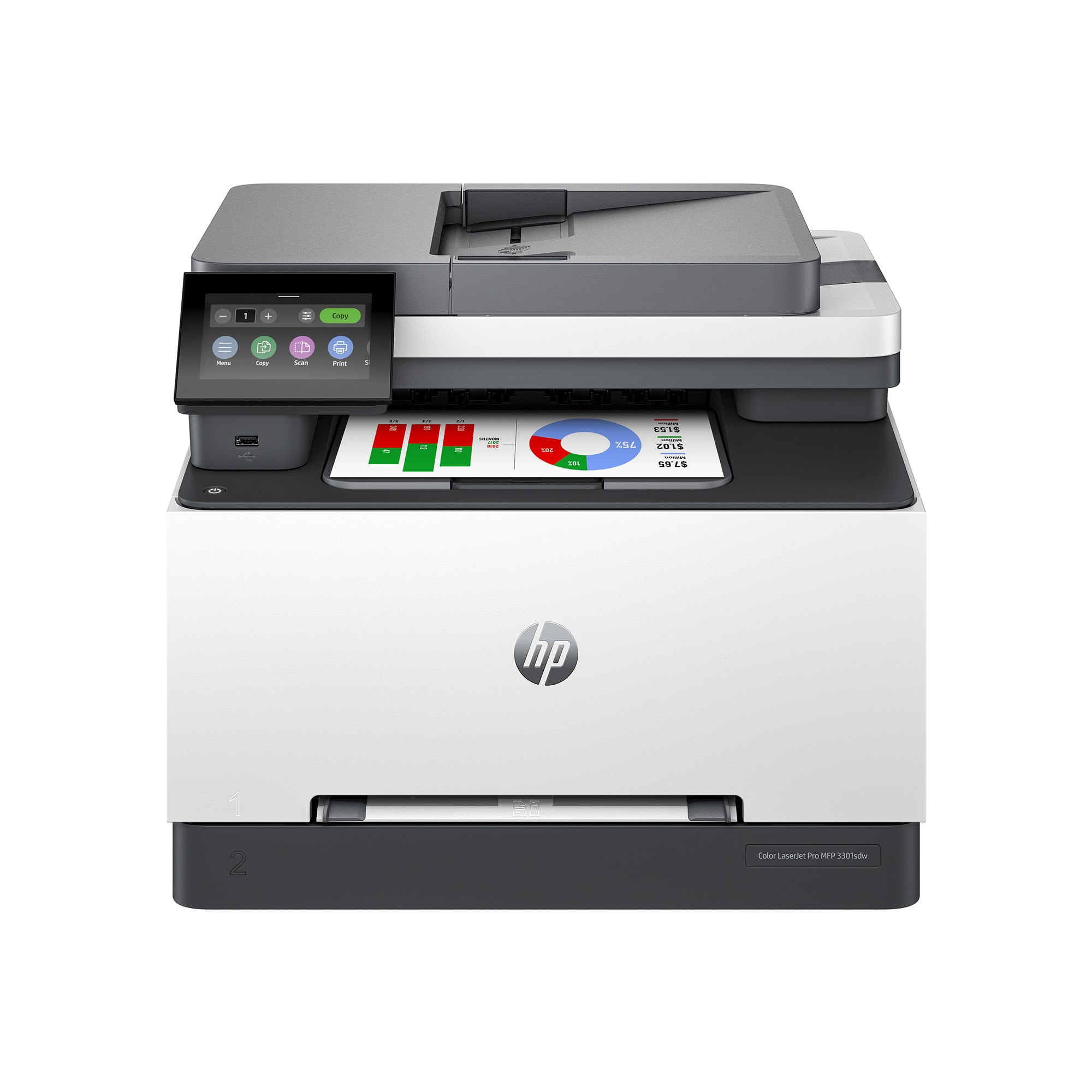
Customers often highlight the LaserJet Pro MFP 3301sdw Wireless Color All-in-One Laser Printer's superb print quality and overall expected performance. Many find the printer easy to set up and use, appreciating its WIFI, LAN, and USB connectivity. Some customers have mentioned that the printer is a bit heavy.

This summary was generated by AI based on customer reviews.

The vast majority of our reviews come from verified purchases. Reviews from customers may include My Best Buy members, employees, and Tech Insider Network members (as tagged). Select reviewers may receive discounted products, promotional considerations or entries into drawings for honest, helpful reviews.
Page 22 Showing 421-432 of 432 reviews
  • Pros mentioned:
    Print quality
    Tech Insider Network Member

    Rated 4 out of 5 stars

    Good for home or small business

    |
    Tech Insider Network Member
    Posted .
    This reviewer received promo considerations or sweepstakes entry for writing a review.

    Summer season is upon us and it is time to crank out the invites and special event notices. This does a great job of getting my messages out there in full color. Here are my thoughts on this printer. Good: 1. duplex printing on long or short side 2. black and white, and color print at about same speed 3. decent paper tray capacity with easy to move guides 4. scan, copy, and USB printing as well as regular printing are available 5. easy to take out and replace toner with slide out drawer 6. wireless, bluetooth, usb, and network connections can be used (but USB and network do not work at same time. it is either of them, but not both) 7. once it getting printing, it is consistent and smooth. 8. color saturation is good, but not 100% accurate to screen. Bad: 1. HP makes you go online to get most of the drivers, which means if it looses connection, you will have nice paperweight when it cannot get to their servers 2. first print is slow. took me about 20-25 seconds to get first page. 3. prints slow when doing duplex. it does not do it internally, as it will place paper in output tray and suck it back in, before flipping it around. So do not expect to print many 2 sided docs very quickly 4. toner is expensive (more new models are), even for a toner that is already on the market for a little while. 5. requires a chip on the toner, so if you see a great deal on chipless ones, DO NOT GET THEM. they will not work. Unless you want to peel off the chip on your old one and try not to damage it placing it on the new toner. 6. it is slightly louder than the other ones I have when it comes to printing and calibration cycles. 7. Requires a admin or user pin to get into advanced settings. What is the PIN? who knows. It is not in the manual and it is hard to find online. I would still consider this a good printer for my needs, but given the choice I would do more research on it before committing to it.

    I would recommend this to a friend
  • Pros mentioned:
    Print quality
    Tech Insider Network Member

    Rated 3 out of 5 stars

    Is OK...but it could be better.

    |
    Tech Insider Network Member
    Posted .
    This reviewer received promo considerations or sweepstakes entry for writing a review.

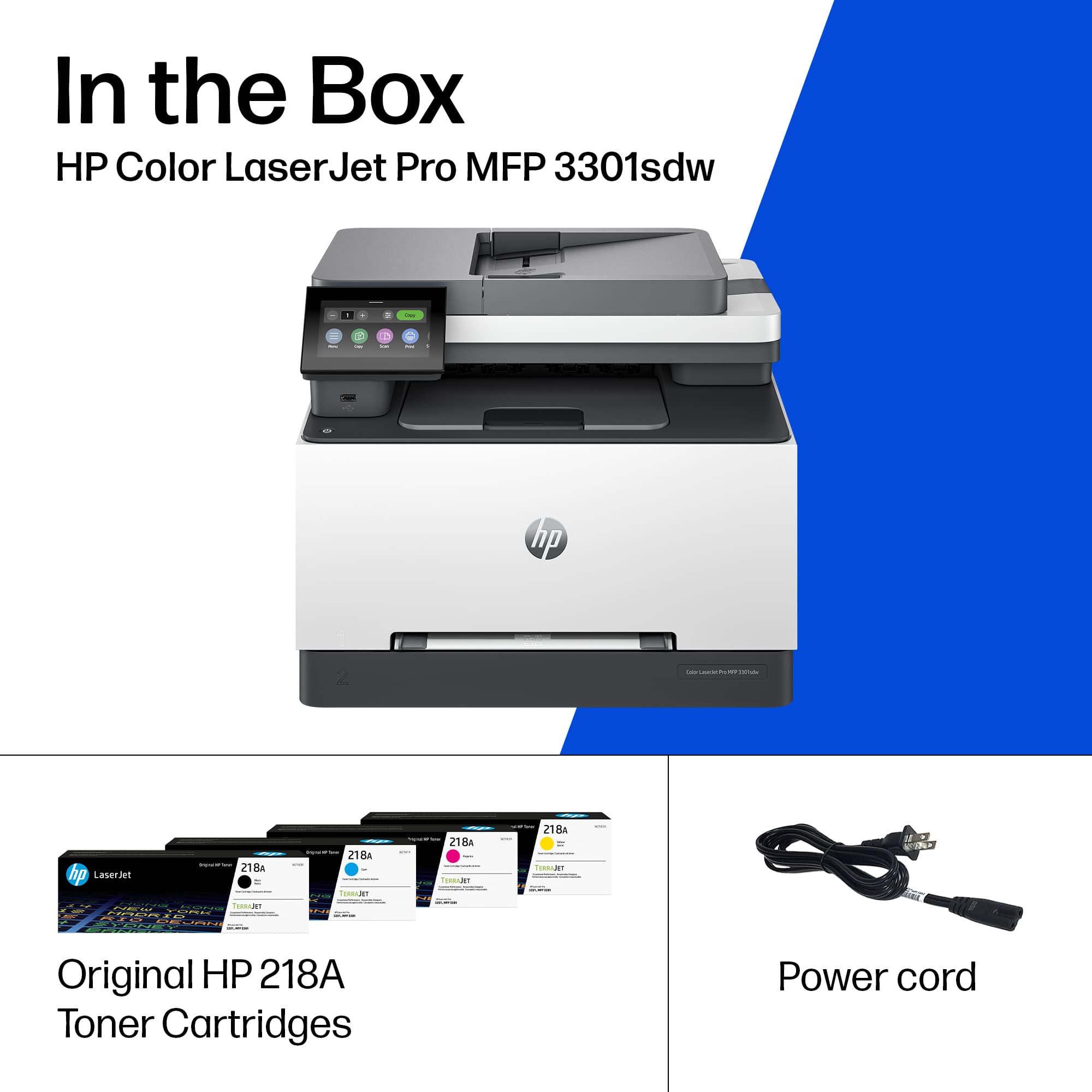
    This is my journey with this printer. When I opened the box, I saw a sheet of paper that said that the firmware for this printer was recommended to be updated. At first, I didn’t pay too much attention to it because many products come with a similar warning. I turned on the printer and let it do its thing. After booting up it gave me an error message and it restarted by itself, it was a little bit weird but when it restarted it gave me the dialog box to select country and language etc. So, I thought it was a glitch. Then it was time for the network setup, I selected Wi-Fi and started to scan, then I…. waited...waited...waited and nothing happened. So, I thought that the firmware update letter has something to do with the Wi-Fi. I connect the printer using an Ethernet cable. I finished the setup and updated the firmware (while updating the firmware I received a few error messages...the firmware letter said that this was expected...well that doesn’t sound good...but I continue and select restart when the message appears as the letter said) after restarting then I received a screen that the firmware was successfully updated. I checked if the Wi-Fi now worked. To change the Wi-Fi settings, I had to have a password. I didn’t know why a password was required to change the settings and there was no documentation regarding the password. I had to call HP support and they told me that the pin# was in a label when you open the toner cartridge door. I typed the pin, and the Wi-Fi found the list of nearby networks. Then I installed the drivers etc. The next day I noticed that the option of “scan to computer” was not working and couldn’t figure out how to make it work. I had to call HP again so they can enable that feature. Not sure why this was not enabled by default if the option is on the printer to be used. By saying the above is obvious that this printer was not a user-friendly printer at the beginning I am not sure if HP with time is going to fix these issues. Now here comes the review...this printer only offers, print, scan and copy...no fax capabilities. The connection types are Wi-Fi, Wi-Fi Direct, Ethernet and USB. It also supports AirPrint for apple products. The prints that this printer produce are colorful and sharp. Great quality prints, there is no doubt about it (Good Job HP). I believe it even gives me better quality than my 4-year-old ink jet printer. It can print single sided or 2 sided prints. It can print black and white or in color. Print speed is faster than an inkjet in my opinion compared to inkjet at same quality. The good thing about laser printers is that if you don’t use the printer for a long time you don’t have to worry about the printer head getting clogged since it does not use ink or print heads. The printing function in my opinion works well, I’m happy in that regard. The copy function also works well. The quality of the copy is good but not excellent. It is what it is. A copy of a copy you always lose some quality and if you continue making a copy of a copy it gets worse and worse. That’s totally normal and expected. The only thing that I don’t like about the copy function is that this printer does not support 2-sided to 2-sided copy. WHY HP, WHYY? This is so useful if you are going to use this printer for office use why you didn’t include it. HP support told me that the 2-sided to 2-sided option is only available in the 3301fdw not the “sdw” version. The “sdw” version can only perform 1-sided to 1-sided and 1-sided to 2-sided only. The speed of the scanning is on the slow side but is ok, no complaints about that. Scanning feature is one that I am not happy about. The option of “scan to computer” on the scanner menu of the printer is very unreliable. After having the headache of calling HP tech support to enable the feature I notice that it works sometimes and sometimes it won’t work. This only happens with the “scan to computer” from the scan section of the printer menu is used. If you scan from the computer program at the computer, it works fine. The quality of the scan is like other scanners on these types of multi-function printers, they are well made for office use. The scan menu of the printer also has an option that you can scan to a network drive. This option looks to be working fine as well. Like the copy option, this scanner won’t perform 2-sided scanning. Now let’s talk about cartridges for a minute. This printer uses (4) HP 218 cartridges. Based on HP information the standard yield cartridge is good for approximately 1,200 pages. Their cost is almost the price of the printer if you have to replace them all. Compared to those “ultratank” ink jet printers this laser printer in my opinion is not a good option if you print on the cheap even if using pigment base ink on “ultratanks” printers. However, like I said before, if you don’t use the inkjet printer too often, they get clogged, and you spend a lot of your precious ink on cleaning cycles. Everyone has different needs is your decision to decide which way you prefer to go. Another consideration is that on inkjet prints if the paper gets wet the ink will smear. This won’t happen to laser prints, even if you pass a highlighter pen multiple times above a word nothing happens. Also, the quality of the print is better on laser than ink, but not by much. HP, please make these laser cartridges more affordable please!! I am going to give this printer 3 stars. The reason for 3 stars is because the prints are great, and the copy function is adequate but not ideal for office use. I subtracted 2 stars the reason is because it was not an easy task to configure this printer, it was a big headache. The other star is because the 2-sided to 2-sided copy/scanning is not included. This shall be standard in all office printers and more when the printer is called a Laser jet “PRO” pro means professional use. Do I recommend this printer? At this point no, I will say yes if HP fixes the bugs and the hassle of configuring this printer. Many people, if they find out that configuring this printer is a hassle and many of the features don’t work out of the box, they just pack it up and return it to the store. The 2-sided to 2-sided capabilities may not be needed by some but when you had a printer that had that capability you don’t want to go back. The missing fax feature may be an issue for some. I don’t fax that often, probably 3 times in the last 15 years. If I need to fax something I may just go to my local office supply store, and they may fax the documents for me for a small fee. If the fax is important to you this is not the printer for you.

    No, I would not recommend this to a friend
  • Pros mentioned:
    Print quality
    Tech Insider Network Member

    Rated 4 out of 5 stars

    A Great Small Office Printer Choice

    |
    Tech Insider Network Member
    Posted .
    This reviewer received promo considerations or sweepstakes entry for writing a review.

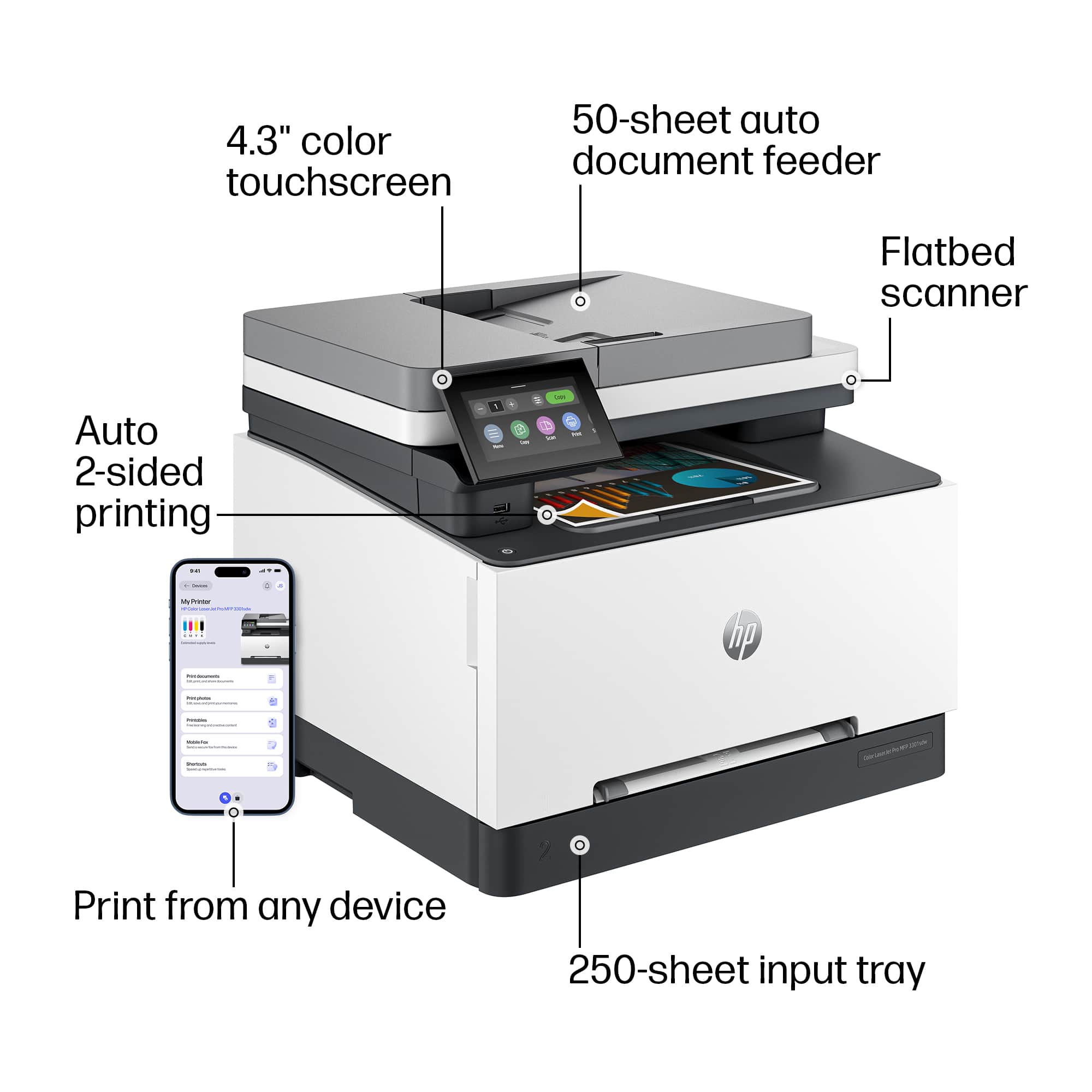
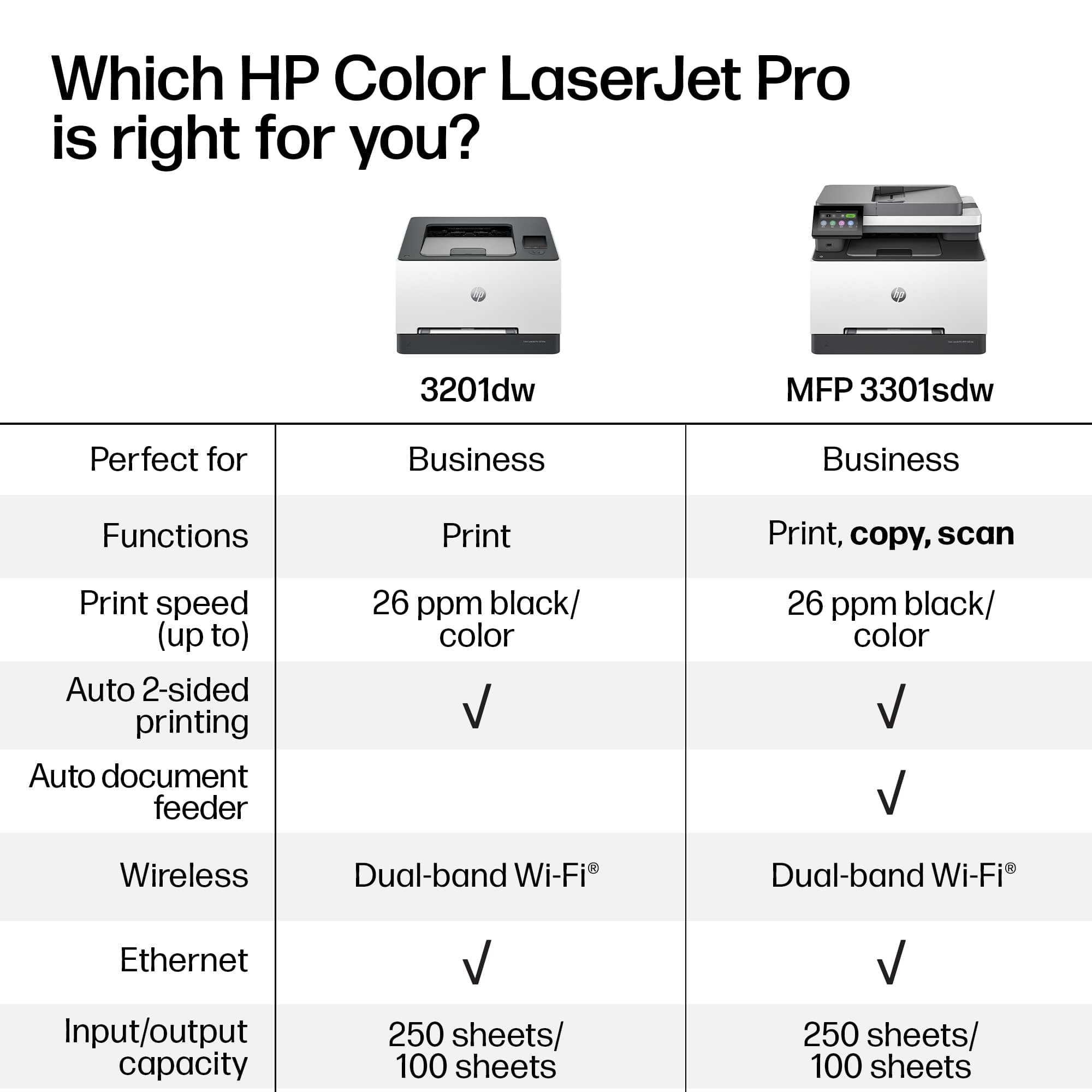
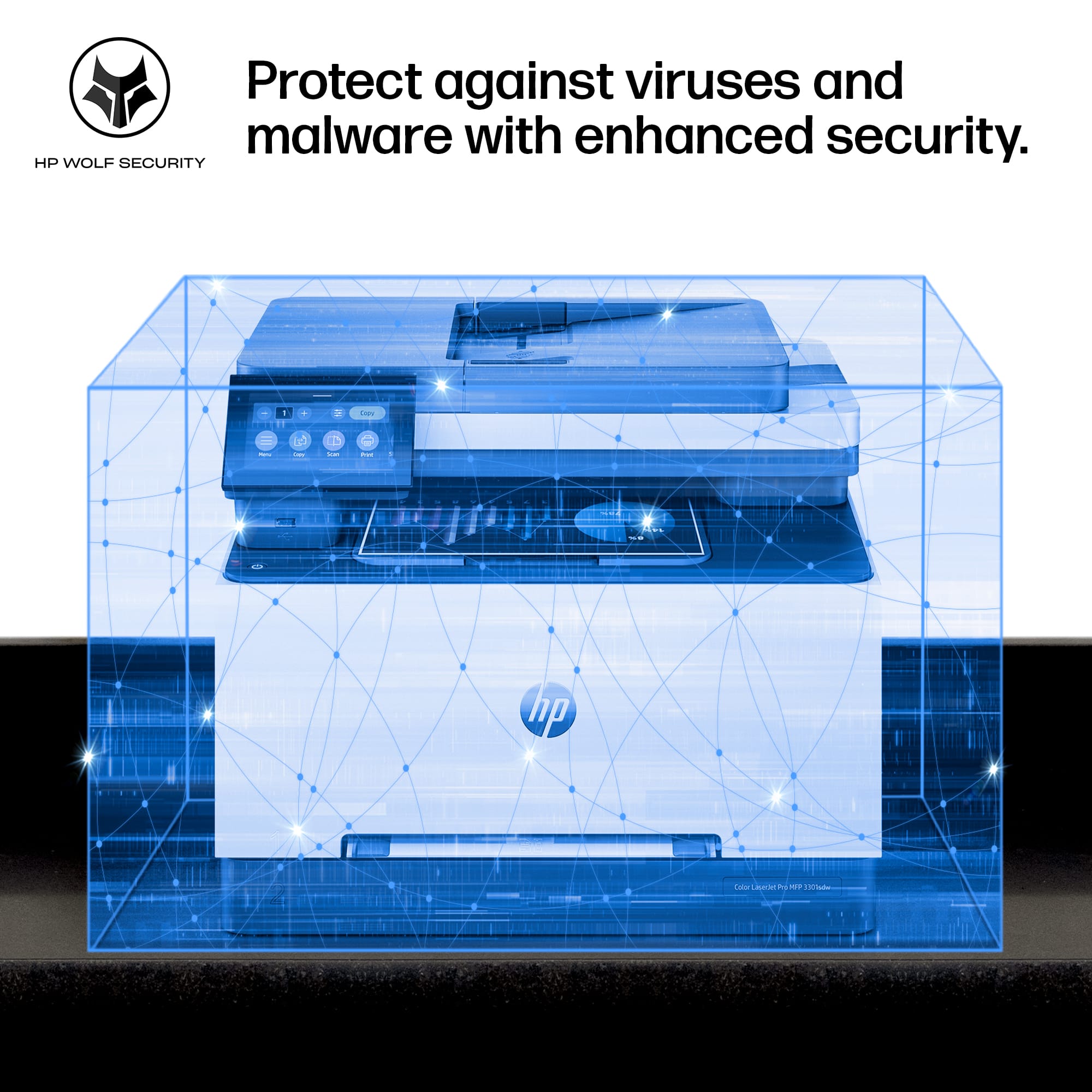
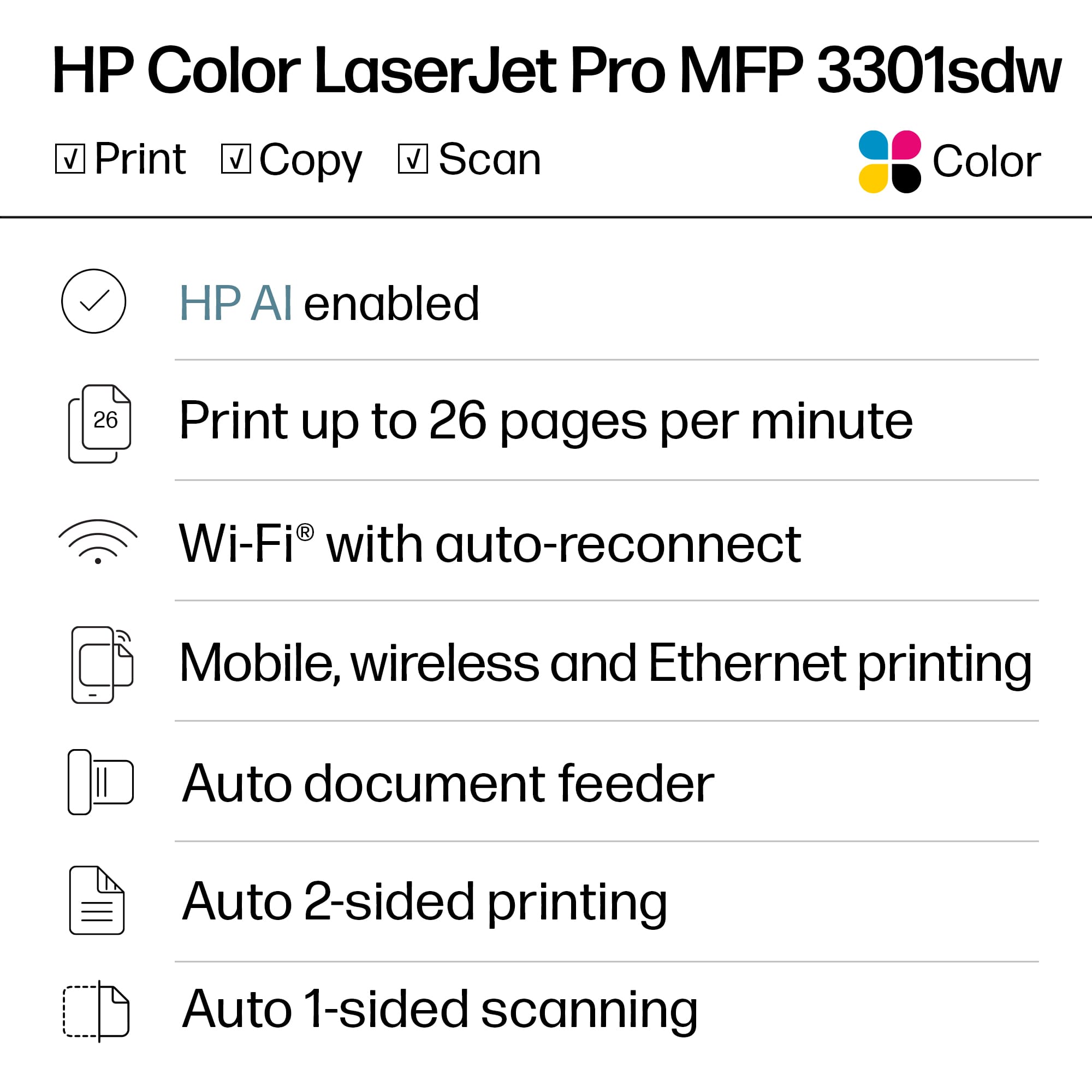
    HP Color LaserJet Pro MFP 3301sdw printer $449.99 The HP Color LaserJet Pro MFP 3301sdw printer is a multifunction printer designed primarily for small offices and workgroups that require color printing capabilities. Here’s my small business owner’s review based on its features and performance: Pros: Print Quality: It offers excellent print quality, especially for color documents. Text is sharp, and colors are vibrant, making it suitable for professional documents and marketing materials. Speed: I found this printer to be reasonably fast for its class, with speeds up to 21 pages per minute. for both color and monochrome prints. This ensures efficiency in a small office environment. Multifunction Capability: It combines printing, scanning, copying, and faxing in one device, which is convenient for small businesses like mine (without a lot of open space), looking to consolidate their office equipment. Wireless Connectivity: Supports wireless printing via Wi-Fi and Wi-Fi Direct, as well as mobile phone printing through Apple AirPrint, Google Cloud Print, and HP ePrint. This makes it easy to print from various devices without needing a direct connection. Paper Handling: It has a 250-sheet input tray and a 100-sheet output bin, suitable for moderate printing volumes. It also supports automatic duplex printing, saving paper and time. Security Features: Includes basic security features such as password-protected printing and secure erase of print jobs, which is essential for sensitive documents. Cons: Size and Weight: It's relatively bulky and heavy compared to some competitors in its class, which may be a consideration if space is limited in your office. Running Costs: As with many laser printers, the cost per page can be higher compared to inkjet printers, especially for color prints. However, this is common among laser printers and expected for the quality they deliver. User Interface: Some of my staff found the touchscreen interface a bit small and less intuitive compared to higher-end models. Navigation through menus could be improved for better user experience. Overall Impression: The HP Color LaserJet Pro MFP 3301sdw is a solid choice for small offices like mine needing reliable color printing and multifunction capabilities. It excels in print quality and speed, though it may not be the most compact or cost-effective option in terms of running costs. If your office requires consistent color prints and multifunctionality without the need for ultra-high print volumes, this printer would be a suitable investment. Always consider your specific needs regarding print volume, space, and budget before making a final decision.

    I would recommend this to a friend
  • Pros mentioned:
    Print quality
    Tech Insider Network Member

    Rated 5 out of 5 stars

    Still the Best

    |
    Tech Insider Network Member
    Posted .
    This reviewer received promo considerations or sweepstakes entry for writing a review.

    The long and short of it is that HP is still the king of color laser printers for the small business space. The new LaserJet Pro MFP 3301sdw is fast, reliable, and produces excellent output in both color and B&W. The scanning feature offers top notch output in both flatbed and auto document feed mode. The document feeder works without jamming and has been reliable with everything I have thrown at it. The printer is a set it and forget it device as it just works. Both my PCs and Macs have no issue finding the printer on WiFi and it has worked without fail. Output quality (color and resolution) is outstanding and it offers two-sided printing at very fast speeds. I have not timed the output, but HP claims 26ppm and I have no reason to question the claim. I have not experienced any jamming with the unit and HP says it can solve them automatically (magic marketing?). I am not real positive what that means as it hasn't happened which is a good thing indeed. If you are in a small business environment or need a color laser for home the HP LaserJet Pro MFP 3301sdw should be on your short list of options. No one does color laser better than HP.

    I would recommend this to a friend
  • Pros mentioned:
    Print quality
    Tech Insider Network Member

    Rated 5 out of 5 stars

    Outstanding Color Laser Jet

    |
    Tech Insider Network Member
    Posted .
    This reviewer received promo considerations or sweepstakes entry for writing a review.

    This is literally the best HP printer I have ever owned. I wish I could end the review there, but there is actually a lot more to share. I had briefly gone to an HP InkJet after many years of being a loyal LaserJet user and what a mistake that was. This printer prints at speeds that are MORE than adequate for my needs even when printing double sided. This was a pleasant surprise especially considering the number of legal documents I suddenly find myself having to print thanks to the soon to be ex wife. (sad) Anyway, the color quality on this thing is great as well. My son loves to color on his tablet and then print out his creations and with AirPrint and a fast response time, the page is waiting for him by the time he gets to the printer. The last thing I'd like to touch on is the scan quality. I had very high hopes and expectations coming in and I am happy to report that they were all met...and then some. The scan quality for both documents and full color images, including physical photos, is outstanding.

    I would recommend this to a friend
  • Pros mentioned:
    Print quality

    Rated 5 out of 5 stars

    Another great HP product purchased!

    Posted .
    This reviewer received promo considerations or sweepstakes entry for writing a review.

    I'm very happy with my newest HP printer/scanner/copier. It has superb print quality and works as I knew it would. I've purchased only HP printers and scanners since 1990. They're well-made, never disappoint with print and scan quality, and last for a very long time.

    I would recommend this to a friend
  • Rated 5 out of 5 stars

    Very Impressed!

    Posted .
    This reviewer received promo considerations or sweepstakes entry for writing a review.

    After owning an inkjet for years and always being disappointed with the quality, the "wet" printouts, and dealing with dried out cartridges, this printer competely changes the game. For the price, build quality, and I still have scanning ability, it completely blows any printer I have ever owned out of the water. So impressed with this printer...I highly recommend!

    I would recommend this to a friend
  • Pros mentioned:
    Overall performance

    Rated 5 out of 5 stars

    HP printer

    Posted .
    This reviewer received promo considerations or sweepstakes entry for writing a review.

    I love the way the Printer works and I am able to fax

    I would recommend this to a friend
  • Pros mentioned:
    Setup

    Rated 5 out of 5 stars

    HP Printer

    Posted .
    This reviewer received promo considerations or sweepstakes entry for writing a review.

    Excellent. Performs as advertised. Easy to connect to desktop

    I would recommend this to a friend
  • Rated 3 out of 5 stars

    High Quality Print, Large UX Issue

    Posted .
    This reviewer received promo considerations or sweepstakes entry for writing a review.

    BLUF, you cannot change the default print tray from 1 (bypass) to 2 (normal). Every time you try and print from an IOS device, you have to manually select tray 2, or your job will wait for bypass paper. This is nuts. I can understand if they defaulted the other way, but not this way. There are literally over 2,000 comments on the HP support forum, over the last couple of years and yet nothing. If you are going to print from an iPhone, iPad, or any iOS device, be aware!

    No, I would not recommend this to a friend
  • Pros mentioned:
    Print quality

    Rated 1 out of 5 stars

    Would not recommend

    Posted .
    This reviewer received promo considerations or sweepstakes entry for writing a review.

    I bought the HP LaserJet Pro MFP 3301sdw less than a week ago, and I'm having issues with it connecting to Wi-Fi. I can confirm that my Wi-Fi is working fine since all my other devices and printers are connecting and printing without any problems. As for the printing performance, the quality is satisfactory and the speed is acceptable. However, it doesn't live up to the hype; I wouldn't recommend this printer. The print quality is nothing out of the ordinary—I've seen better performance from other small office LaserJet models. I certainly won't be purchasing this again, and this review comes from someone who isn't being compensated. Additionally, the printer is quite bulky and heavy, so if you're looking for something more compact, this model may not be the right choice for you.

    No, I would not recommend this to a friend
  • Rated 2 out of 5 stars

    No Tabloid/Ledger size

    Posted .
    This reviewer received promo considerations or sweepstakes entry for writing a review.

    DOES NOT PRINT 11X17 after best buy employee assured me it did. I'm sure printer works fine other than that Easy to get out of the box so thumbs up for that.

    No, I would not recommend this to a friend