Customer Ratings & Reviews
- Model:
- M3301sdw/499Q3F#BGJ
- |
- SKU:
- 6582284
Customer reviews
Rating 4.5 out of 5 stars with 502 reviews
(502 customer reviews)Rating by feature
- Value4.5
Rating 4.5 out of 5 stars
- Quality4.6
Rating 4.6 out of 5 stars
- Ease of Use4.5
Rating 4.5 out of 5 stars
Customers are saying
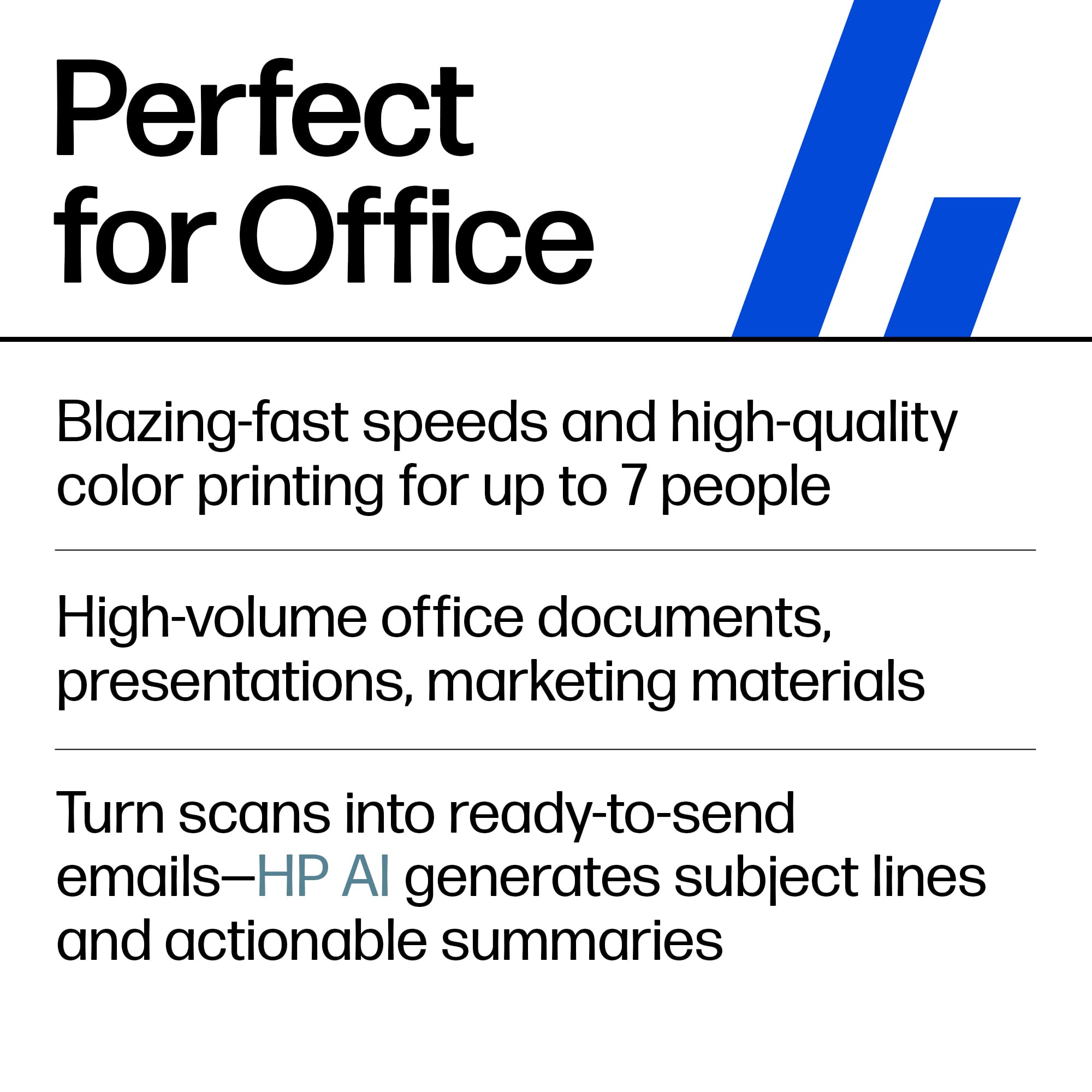
Customers consistently note the superb print quality and overall expected performance of the LaserJet Pro MFP 3301sdw. Many find the printer easy to set up and use, appreciating its connectivity options and print speed. The printer's noise level and size are also seen as positive attributes, while a few customers mention its weight as a potential drawback.
This summary was generated by AI based on customer reviews.
Rated 1 out of 5 stars
Do not buy
||Posted .This reviewer received promo considerations or sweepstakes entry for writing a review.Do not recommend. The drivers for this device corrupted my machine. Never worked correctly. Short return window so I couldn’t return. Terrible
No, I would not recommend this to a friend- Pros mentioned:Connectivity, Ease of use, Print quality
Rated 5 out of 5 stars
Solid Compact Full Color LaserJet..
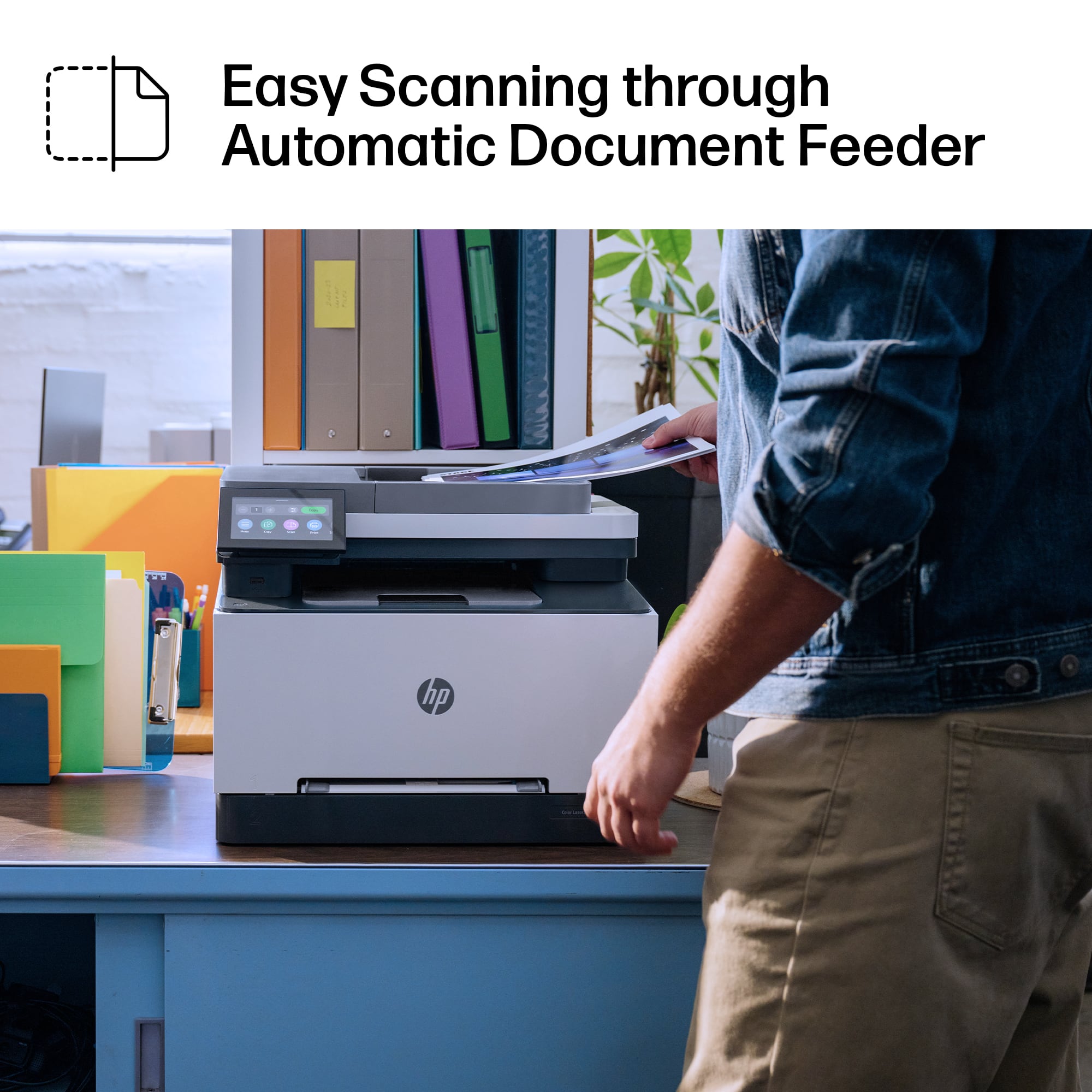
|Posted .This reviewer received promo considerations or sweepstakes entry for writing a review.Is ink expensive? Yes, is Toner expensive? Also Yes, but Lazer Printers are seriously worth it. This isn't the printer you buy because little Timmy needs to print out some homework, or you want to print your own photos at home. {You can print photos on it, and with photopaper for LaserJet's even get the nice glossy look too} This is the printer you get because you have a home office, and you need to print regularly. Typically, on a standard inkjet printer you are looking at 250 - 500 pages printed of text and varying degrees of mixed content of text and smaller images. Less if you're trying to print photos etc. With a LaserJet you are looking at a much more comfortable range of 2500 - 5000 pages. Arguably even more important in a small business or home office, speed of printing. 25 pages per minute may not sound like much, but it blows inkjets out of the water, if you have ever had to wait for a 20+ page document to slowly inch its way out of a printer. The paper tray holds half a reem of paper easy and has adjustable spacers to hold varying sizes of paper if you need to print on something other than normal letter paper. and there is a manual feeding slot on the front if you want to load it with paper you're only going to use for a single printing. The scanning bed also has an automatic feeder if you want to scan a stack of documents at a time. Setup was a breeze, as simple as pulling it out of the box, peeling a few bits of tape here and there and plugging it into power. All of the setup is handled right on the touch screen, including setting up wifi for network printing. And if you have a more complicated network environment or only want specific people to have access to the printer, there is a whole web interface on the printer you can access from your computer or phone to manage users, materials, check alerts, and even print/copy/scan from the web interface without formally connecting to the printer or installing drivers. The only thing that's really annoying me about this printer is the stupid sticker on the front panel that feels like it's meant to be there for if it was being displayed on a store shelf as the display model. It's a pain to peel off. I can't stand when companies do that, but it doesn't affect the function or value the printer otherwise provides.
I would recommend this to a friend - Pros mentioned:Print quality, Setup
Rated 4 out of 5 stars
It's time to remove outdated options, overall nice
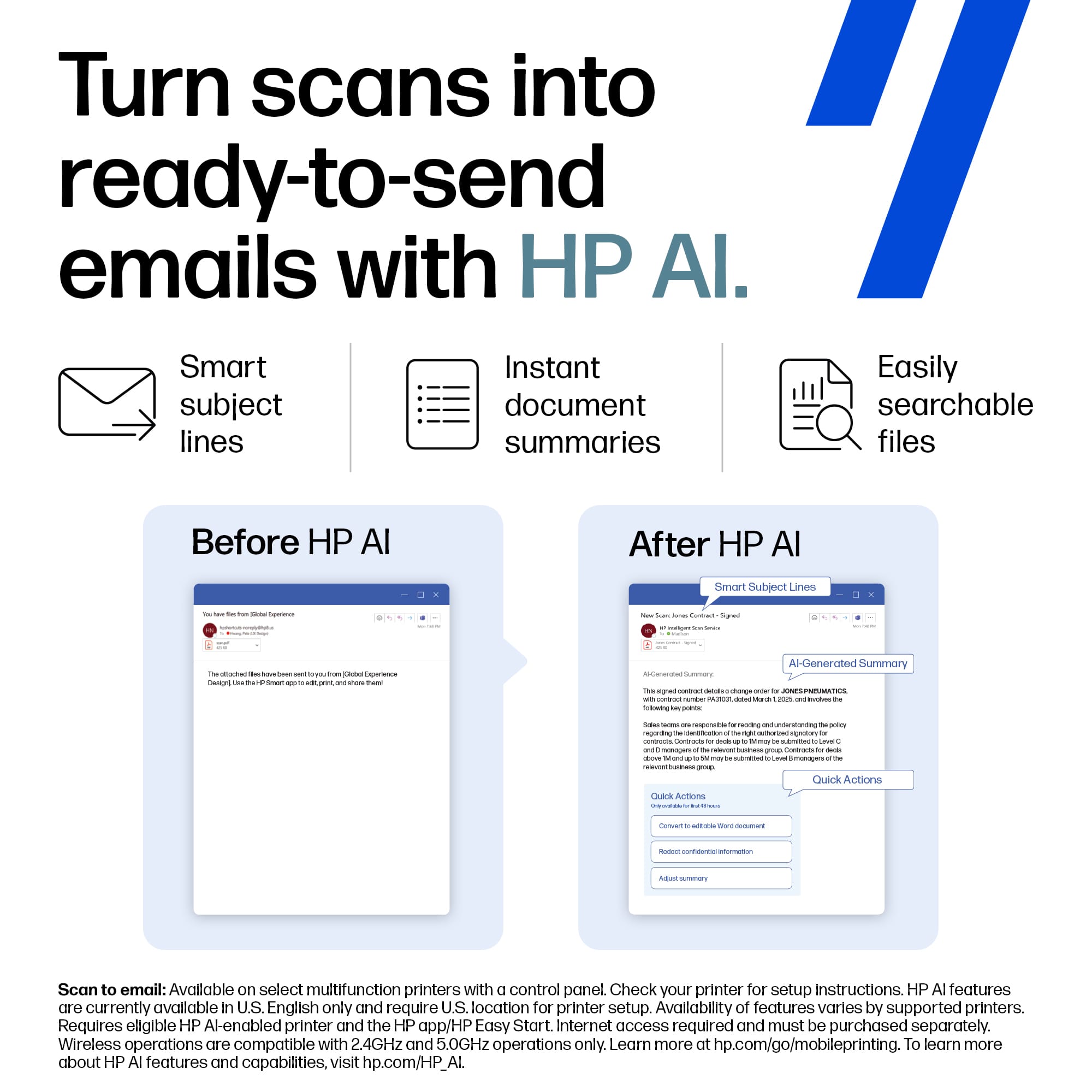
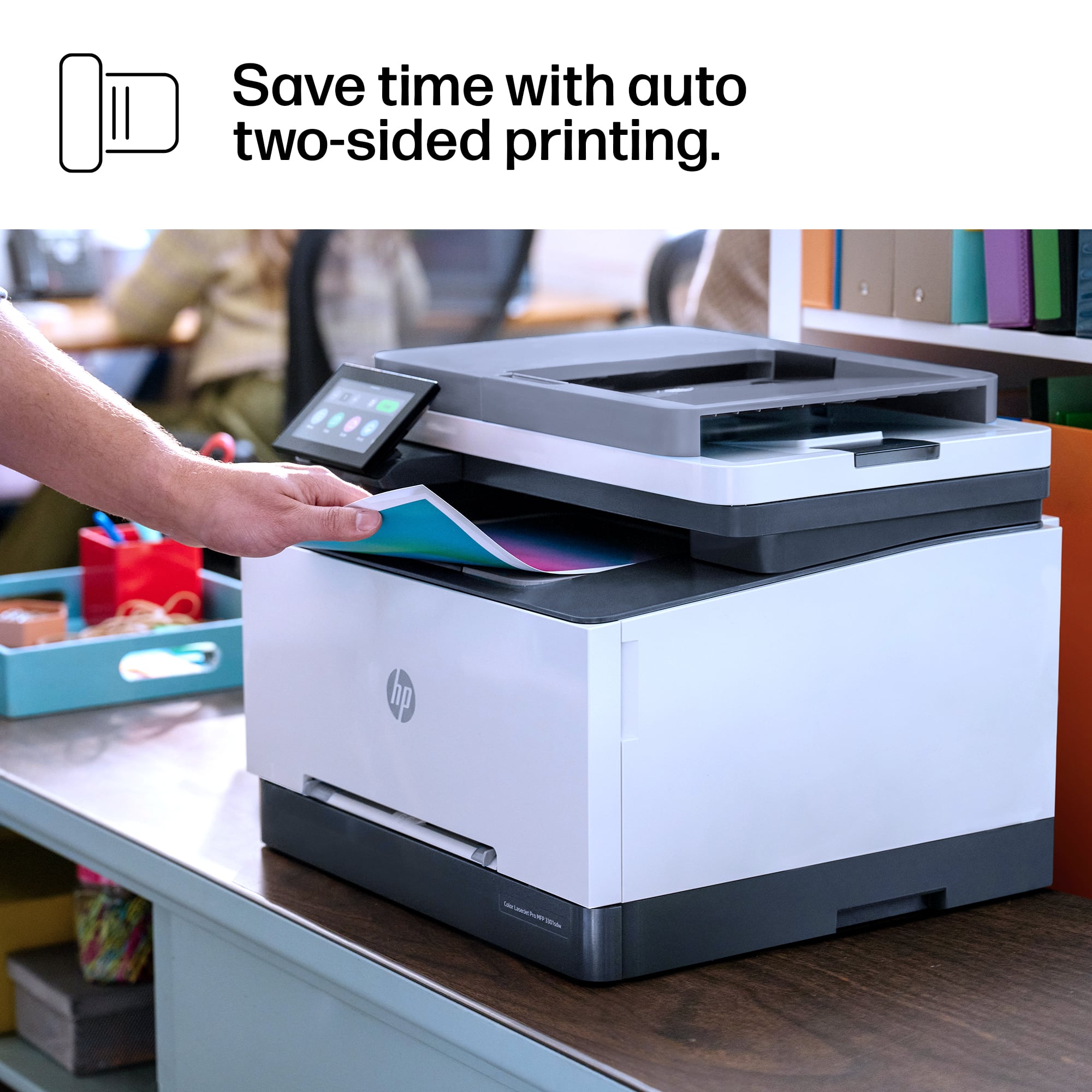
|Posted .This reviewer received promo considerations or sweepstakes entry for writing a review.A fan of these HP compact color laser printers as they have everything, well almost for a home office or small business. Where I continue to see HP fall short is on the automatic document feeder (ADF) duplex scanning ability. It’ seems to be a give and take on this; if you can find it, then a needed feature is removed. Some cases, it’s easily dealt with, but why not include it now as a standard? There’s also a fax option still included when most have gone digital these days and not everyone still uses a standard home line. Out of the box this color laser printer is easy to setup after all the orange tape been removed. There’s an easy walk through on how to load the toner cartridges to the unit. Useful if this is new to you, may not be for others already familiar. Overall setup is a breeze with your mobile and Wi-Fi. With the power saving features built into this, the printer is very reliable in taking up a lot of power and recovers quickly back into a ready state when recalled to print or scan. The included toner cartridges are marked to last around 1,200 pages, have not yet hit that print count in testing. Printing is clean, crisp looking, and quiet overall. Even with the double-sided (duplex) printing, pages come out at a good rate; especially when printing those larger, high-volume documents. The Smart app from HP is a mobile device enabler and games changer as it has continued to get better as newer model printers are released. With this, it transforms your mobile devices into its own print tool to print directly without the need of a dedicated machine (desktop, laptop, mac, etc.) It allows for easy printing, scanning, and management of printer settings from any location (in/out of home/office). The app has an excellent user-friendly interface for simple navigation and operation for anyone that has limited tech skills to pros. Some of the additional features included are scan to email, cloud storage, and even being able to check toner supply levels. I can say this is something to recommend for any home, home office, or small business environment as long as the initial items noted are kept in mind.
I would recommend this to a friend - Pros mentioned:Print quality, Setup
Rated 5 out of 5 stars
Great for business owners
|Posted .This reviewer received promo considerations or sweepstakes entry for writing a review.HP is known for its high quality printing products, and the HP LaserJet Pro 3301sdw Printer is no exception. As a small business owner, this compact but powerful printer gets the job done as doesn’t need to take up a bunch of space to do it. I was able to get this setup in my home office with ease. The out of the box process was easy, and HP has provided everything you need to get started and up and running including quick instructions. Connecting the printer to my WiFi went smoothly, and quickly without a hitch. Downloading the HP app is a great addition to being able to take full advantage of all the features available with the printer. I initially tried printing from my iPhone and the speed in which the printer was able to complete the job was amazingly quick. I also tried out the double sided printing which also went off without a hitch. Personally, I haven’t noticed any cons over the last week. Reliability, compact and sleek looking, fast printing speeds, being able to print from your phone, and using the HP app, high quality printing, you really can’t lose.
I would recommend this to a friend - Pros mentioned:Print quality, Setup
Rated 4 out of 5 stars
HP LaserJet Pro MFP3301 is a Small Workhorse
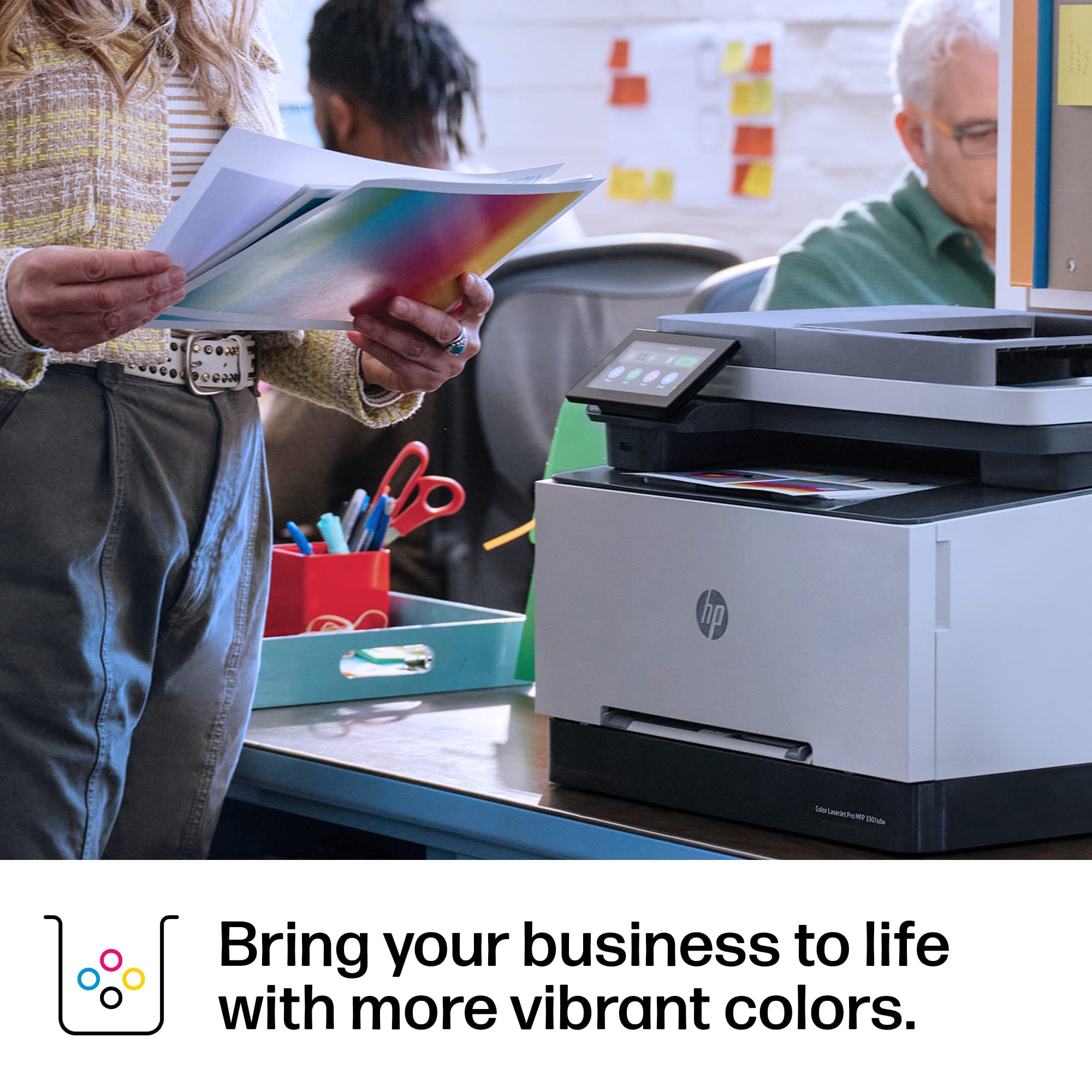
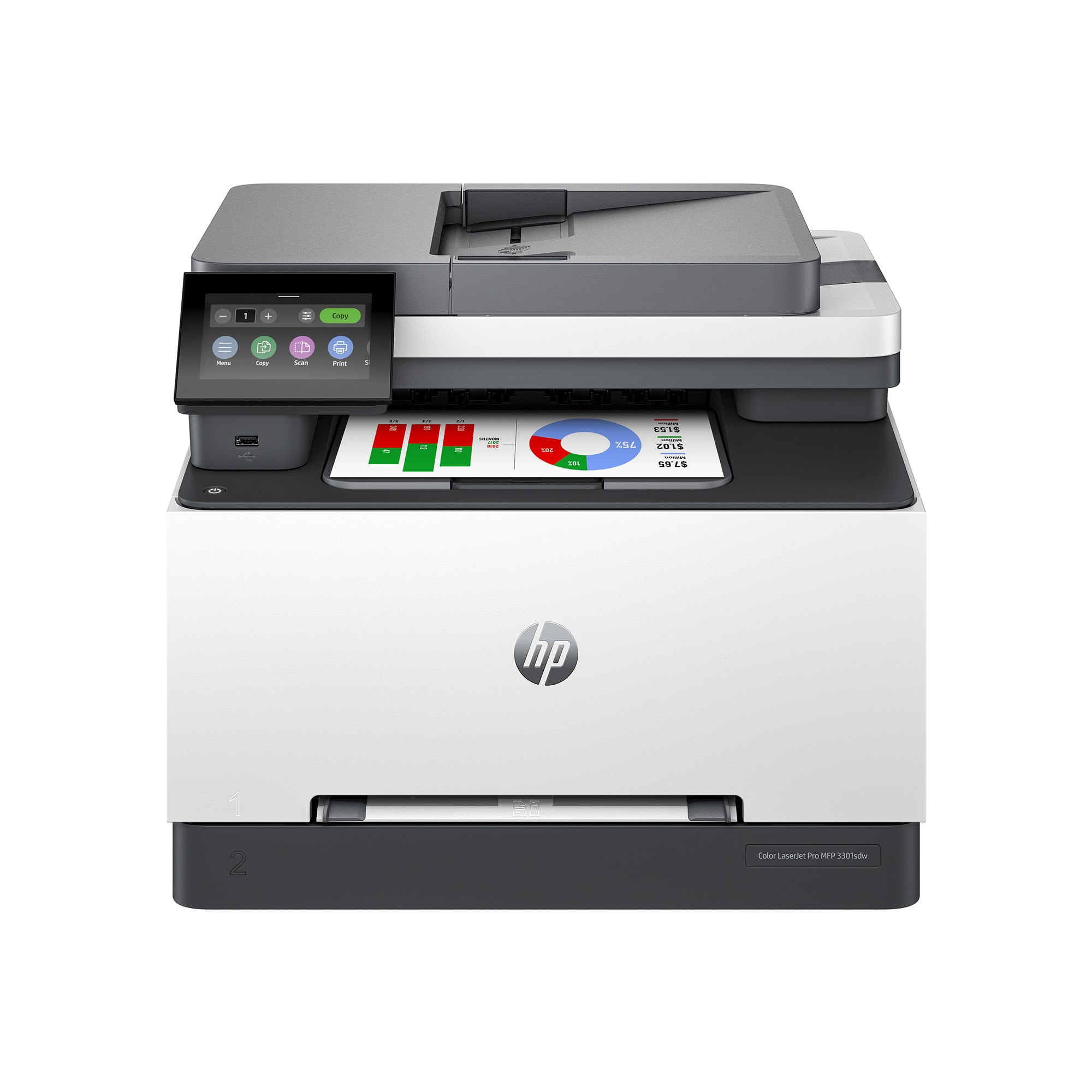
|Posted .This reviewer received promo considerations or sweepstakes entry for writing a review.The HP LaserJet Pro MFP 3301 is a fast, feature-filled printer for home offices and small businesses. It produces prints, copies, and scans with rich, bright colors. I took the printer through several tests over the first week. Prints were bright, though a bit darker than the same document printed on an inkjet printer. Scans of flat objects were faithfully reproduced, though scans of thicker objects were blurred on the edges, and had a dark background. Copies placed on the flatbed and in the auto document feeder were faithfully reproduced, as well. Setup is easy. The printer, power cord, and documents are packed in a plastic bag with handles. Open the carton, lay it on its side, and pull the bag out. Remove all of the orange tapes and protective padding, plug the printer in, and download the HP app to your phone. Connect to your network and add the printer. The printer's footprint is compact, small enough to fit on a letter-sized file cabinet. The printer requires enough clearance to open the back panel (if the printer jams) and the front panel (to load toner cartridges). When I first set up the printer, I placed it on a thin, non-skid pad to protect my furniture. I kept receiving the empty paper tray warning even when there was plenty of paper in tray. Removing the non-skid pad solved the problem; the paper tray must click in place to work properly. This LaserJet accepts many sizes of paper, from small photo paper to A4 and US Legal paper. It does not print oversized documents or photos. The two paper trays include a single-sheet feed and a pull-out tray you can load for multiple-sheet documents. Pros: ▪ Toner cartridges are factory-installed ▪ Small footprint ▪ Fast prints in color or all black ▪ Sharp printing and bright colors ▪ Network sharing ▪ Scan at 300, 400, or 600 dots/inch ▪ Scan to email, computer, USB drive ▪ Scan output to several document types—jpg, pdf, and more. ▪ Copy both sides of ID cards ▪ Two paper trays ▪ Prints 1- and 2-sided documents ▪ USB-A port on the front, under the display panel Cons: ▪ High cost of replacement toner cartridges ▪ Uneven printing of solid, colored areas ▪ Colors are darker than for same document printed on inkjet printer The HP LaserJet Pro MFP 3301is a solid multifunction printer that will work well for home offices and small businesses.
I would recommend this to a friend - Pros mentioned:Connectivity, Print quality
Rated 5 out of 5 stars
Great colored laser printer for your small busines
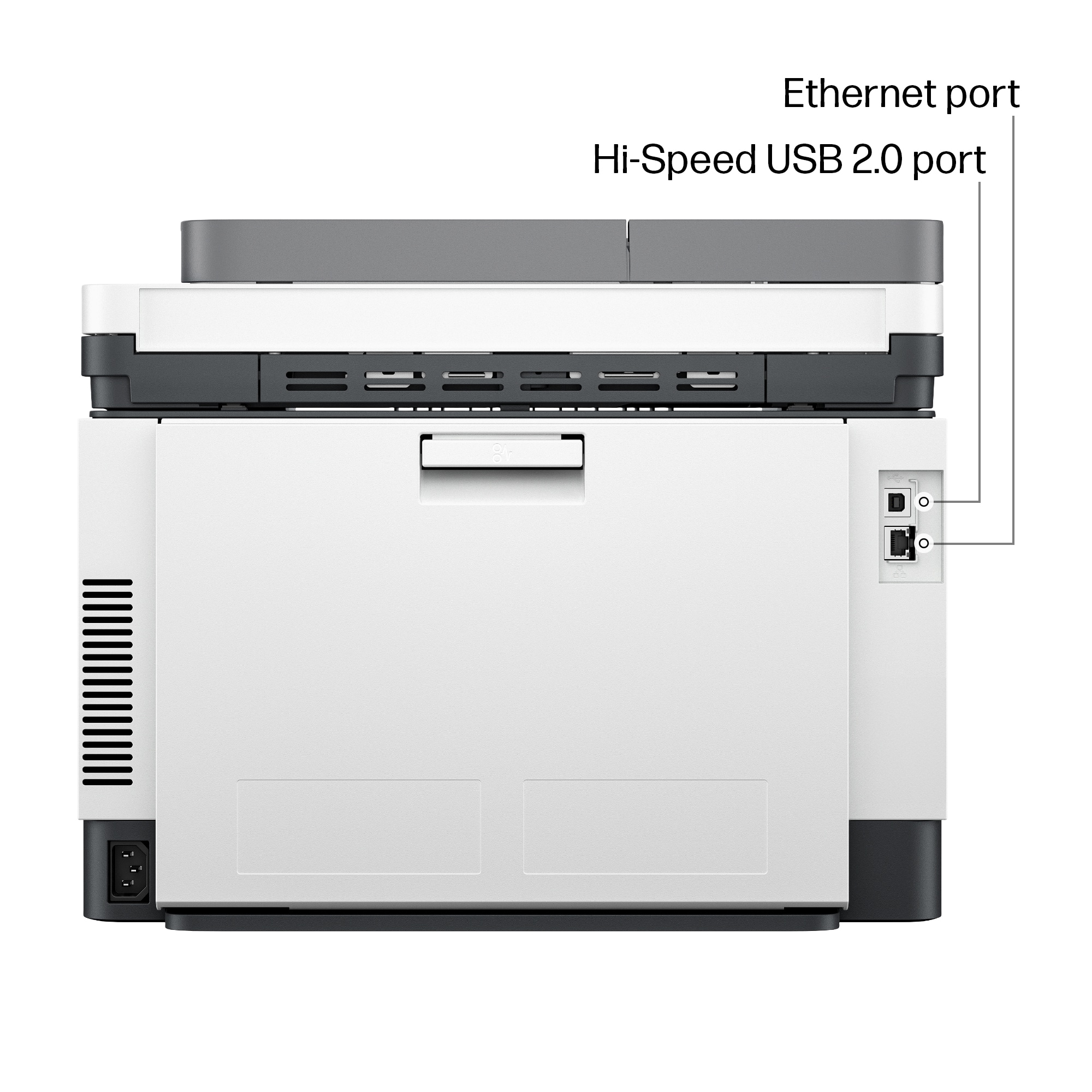
|Posted .This reviewer received promo considerations or sweepstakes entry for writing a review.The HP Color LaserJet Pro MFP 3301 sdw is a laser print that will service many of your small business needs. It has various ways of connecting the printer to your devices. You can connect via WiFi, Ethernet, USB, Desktop app, and Mobile App. The printer comes well packaged and the instructions for unpacking the device and getting it setup is very easy to understand. The printer is quite heavy, so it may take two people to carry it to the location where you will be setting it up. The color toner cartridges come pre-installed in the printer. You don’t have to worry about unpacking toner cartridges or trying to install them. They’re already in the printer and ready to go. If you ever have to change the toner cartridges it is quite easy to do. It’s probably one of the best designs for changing toner cartridges. The paper tray has a nice design and it opens and closes with ease. It was super easy to get it up and running on my MacBook. Apple AirPrint makes it a breeze to setup and get going. I was able to unpack the printer, set it up on my Mac, and was printing in less than 10 minutes. I can’t say the same for my Windows laptop. It took me well over 30 minutes to get it up and running. I kept getting error messages when trying to add it from the built in Windows and Scanners screen. I had to go to the HP website and download the desktop app to get it working. Even then I kept running into a few hiccups here and there. After further troubleshooting I was able to get it working fine. The print quality is superb for color prints and black & white prints. The print speed is quite fast. When printing documents it doesn’t take long for the printer to start printing the pages. Several seconds after the print job is done, there’s no more sound from the printer. This is great because some printers will have a fan that keeps going for several minutes, while the fans on this one cuts off in silence which I like. The flatbed scanner works the best for scanning documents. I’m not too impressed with the sheetfed scanner. Most of the print jobs from the sheetfed scanner come out crooked even when I make sure the pages are lined up straight. The printer also has a neat feature of being able to print notebook paper, graph paper, and sheet music. I’m not sure if I will use this feature too often, but it’s a nice added bonus. Overall, I’m pleased with what this printer can do for my small business needs.
I would recommend this to a friend - Pros mentioned:Ease of use, Print quality
Rated 5 out of 5 stars
Printer
Posted .This reviewer received promo considerations or sweepstakes entry for writing a review.I love this printer. It is quite easy and very efficient. The quality is perfect for my home and small business.
I would recommend this to a friend - Pros mentioned:Print quality
Rated 4 out of 5 stars
Compact Excellent Quality, Speed, Duplex printing
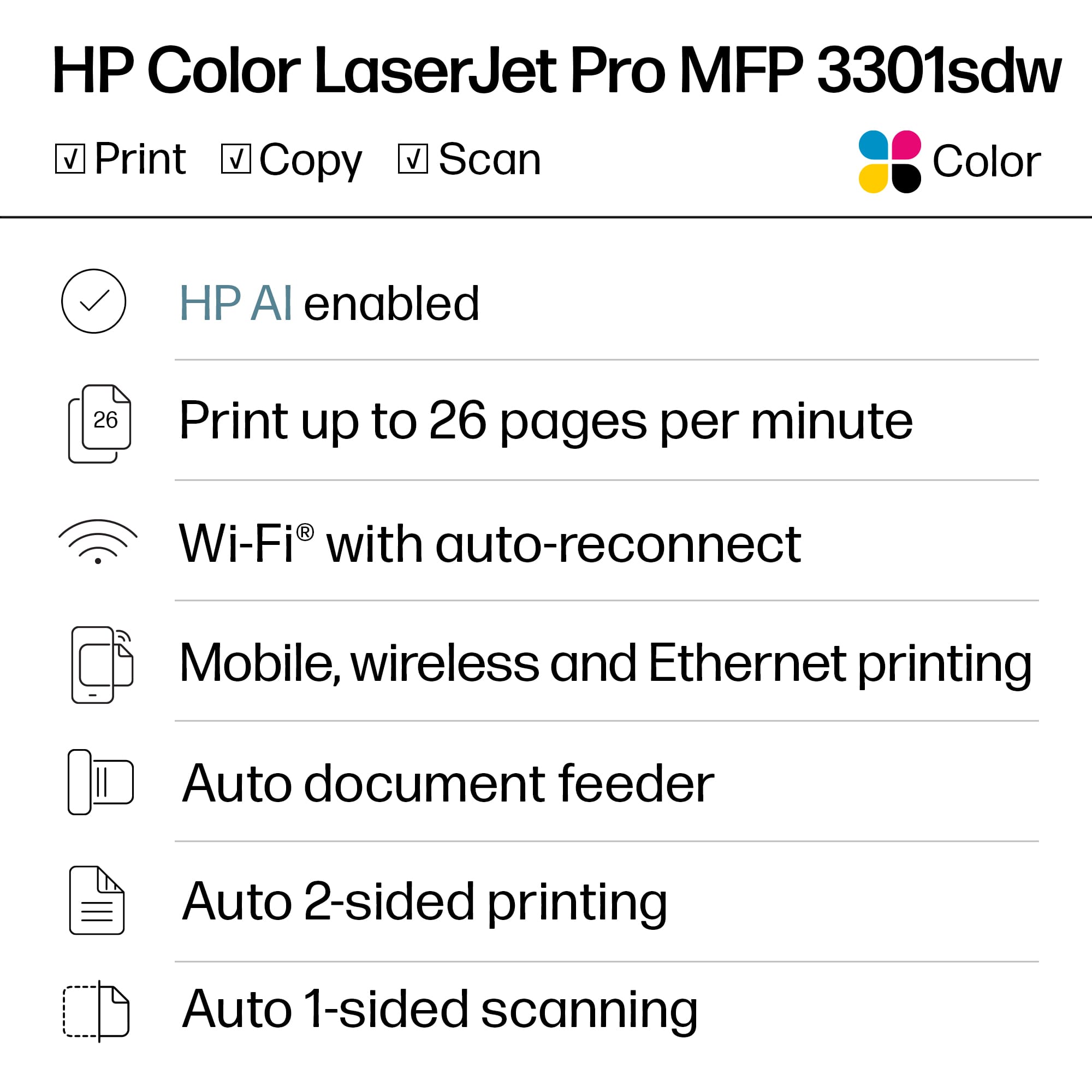
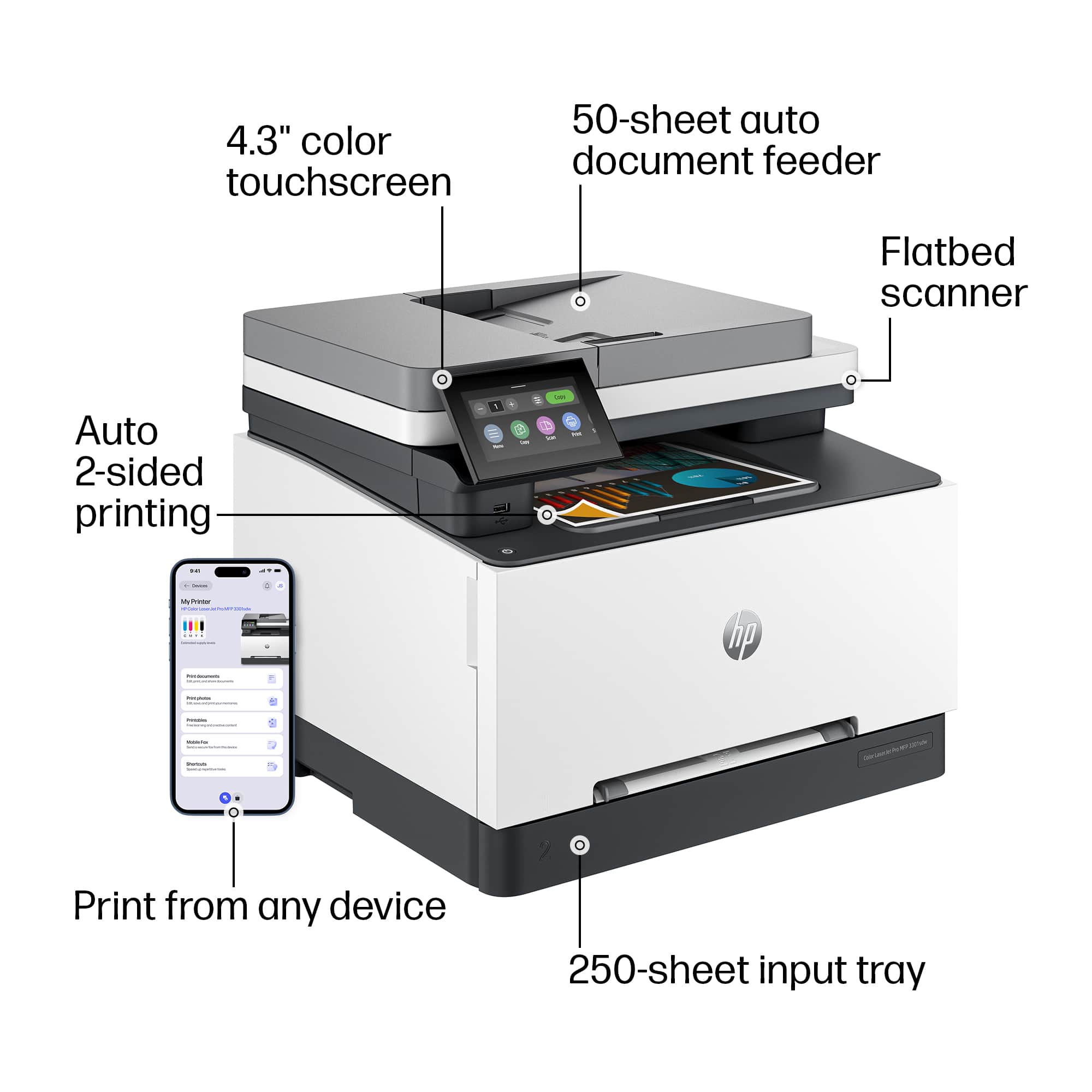
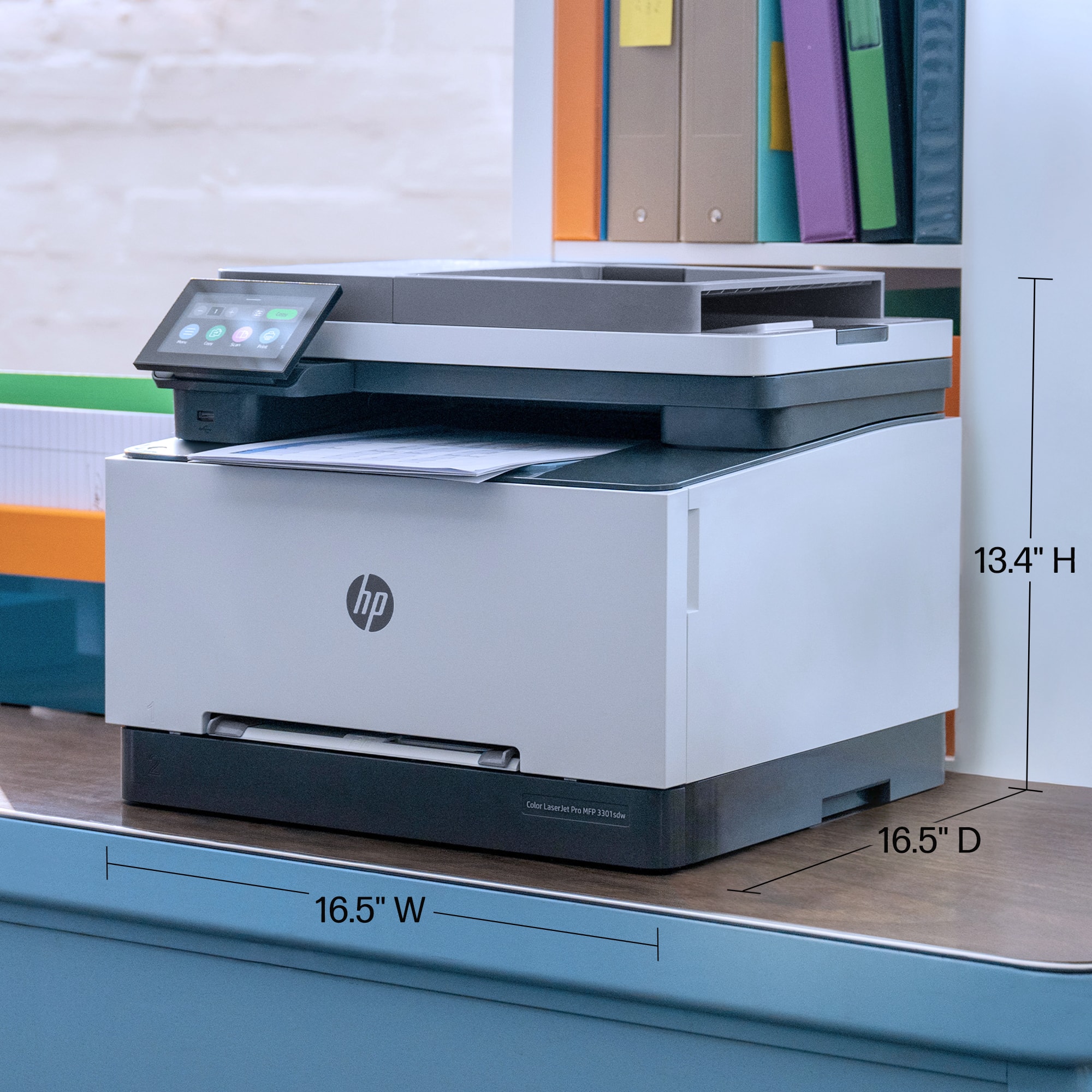
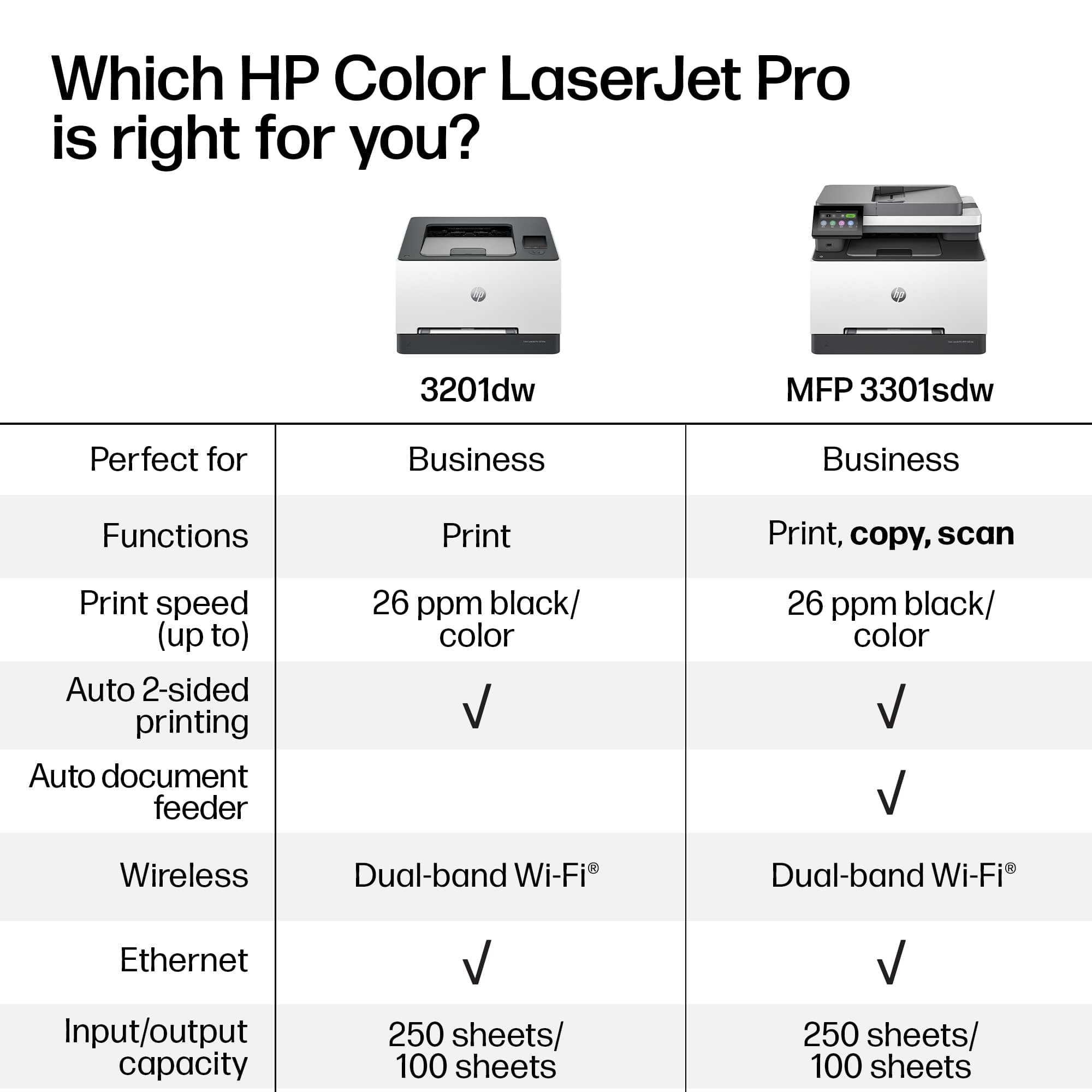
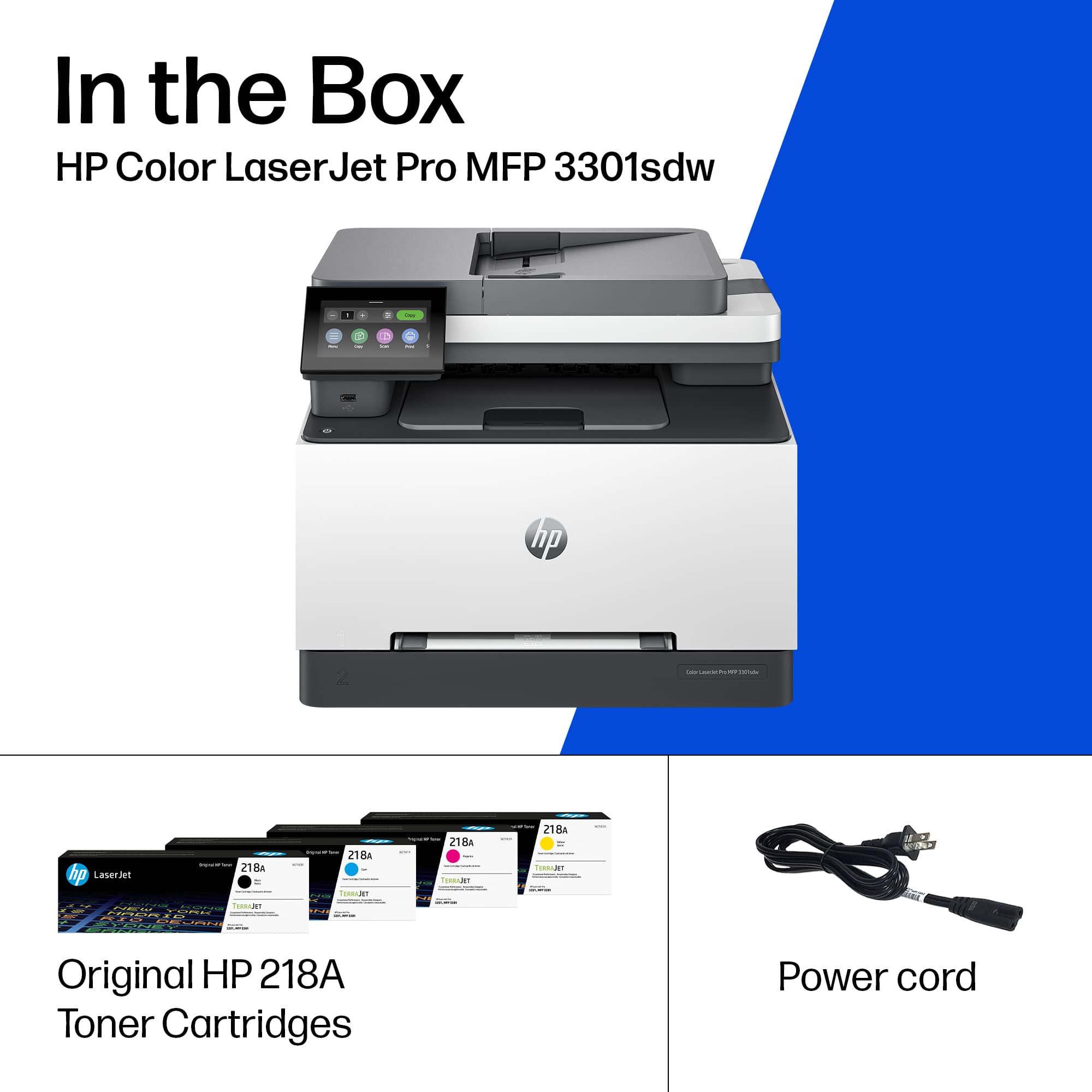
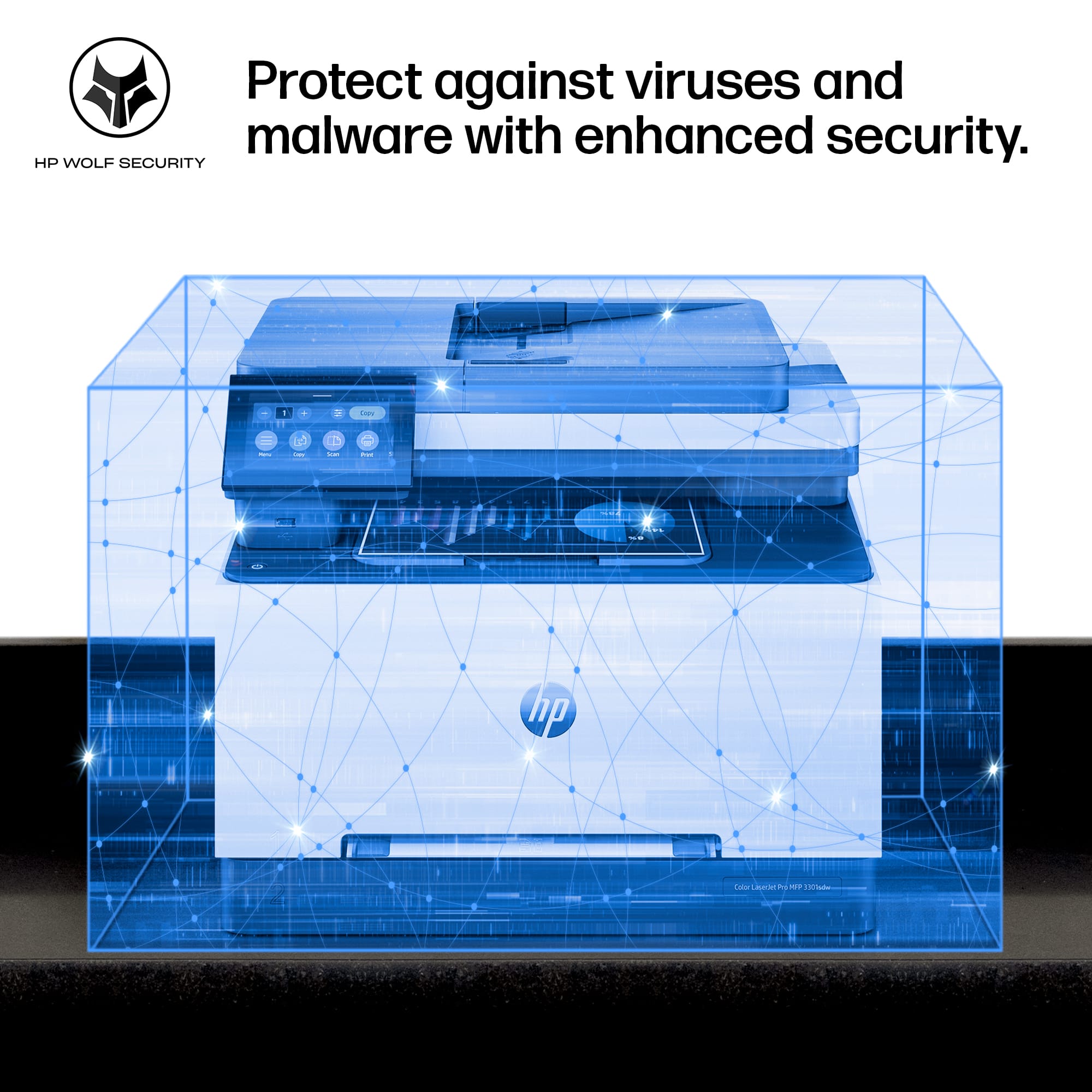
|Posted .This reviewer received promo considerations or sweepstakes entry for writing a review.This is my first HP printer. My first printer was a Canon which I have owned it for over 6 years is still in a good working condition but I wanted to upgrade the printer as there were some minor issues with the wireless connectivity. Since this printer supports dual band wi-fi connectivity and HP is known especially for its Printers I wanted to give this printer a try. Pros: 1. Excellent print quality 2. Excellent Print/Copy speed 25 ppm/cpm 3. Improved security with HP Wolf Pro security 4. Dual band wi-fi connectivity Cons: Only Con is that the Original HP Starter Cartridge provided with the printer could have been a bit bigger. Yield is only around 600 pages for Black and 500 pages for Color. Unboxing and first look - HP has done a great job in packing this printer intact. Since the printer weighs a little less than 38 lbs, it could be a little difficult for one person to lift the printer. It will be better to get help of an additional person if possible. Once the packaging was removed, I was surprised to see how compact the printer is. My Canon printer weighed around 44 lbs. So in fact HP has done a great job in making sure the Printer is not bulky both in terms of weight and dimensions. The Dimensions (H x W x D) are 13.44 in x 16.46 in x 16.5 inches. The printer comes with a Power cord, Original HP 218A starter TerraJet Toner Cartridges - Black, Cyan, Magenta and Yellow Screen - The screen is 4.3 inches (which is little smaller than my Canon printer which was 5 inches). Having said that its a little difficult to operate though the UI looks more stylish, cleaner and intuitive. Setup and Connectivity - Once we turn on the printer, we will be required to connect the printer to the internet using the Wifi or Ethernet or USB. Once connected I was prompted to update the Firmware. Overall it took between 5 to 10 min. Firmware can be updated anytime by clicking on Menu > Tools > Maintenance > Firmware and then click on Check button to check for the latest firmware and update it. It is advisable to upgrade the firmware whenever available as it will help HP to fix any issues or upgrade the security of the printer. The printer also supports dual band wi-fi connectivity with self reset. This is really a great value add for me (as I have had issues in the past with my Canon printer where more than 50% of the times I had issues with the connectivity and I had to either restart the printer or phone to make the printer work). I had no issues whatsoever in getting the printer to work seamlessly. I am really happy that HP has simply nailed the connectivity with the support for dual band wi-fi. We can connect to one of the following - HP Smart, Apple AirPrint, Mopria Print Service, Wi-Fi Direct or Ethernet Security - HP has equipped this printer with the HP Wolf Pro security. Original HP cartridges contains chips which are tamper-resistant, proprietary HP firmware which helps prevent modification by third parties after production and helps reduce the risk of malicious code entering the cartridge chip. Original HP office printer cartridges introduced since 2015 use smart card technology that allows a secure transaction between the printer and cartridge. HP uses Dynamic Security to authenticate Original HP Cartridges and help prevent the potential introduction of security vulnerabilities through counterfeit or cartridges with non-HP chips that may come with potential risks. This is great feature and reminds that HP does not compromise on security which matters the most as most of us print or scan or copy very confidential documents which cannot be compromised at any time. Paper Handling - Input - 250 sheets, Output - 100 sheets, ADF(Automatic Document Feeder) - 50 sheets Supported Paper Sizes - Letter; Legal; Executive; Oficio 8.5 x 13; 4 x 6 in; 5 x 8 in; Envelope #10; Envelope Monarch Copying features - Resolution - Upto 600 x 600 Speed - Up to 25 cpm # of copies - 999 Reduce/Enlarge settings - 25 to 400% Printing features - Resolution - Upto 600 x 600 (For both Color and Black) Speed - Color - 25 ppm, Black - 26 ppm First page out - Under 11 seconds File format supported - JPEG, PDF, TIFF, PDF/A Scanning features - Duplex Scanning - No (Best Buy needs to correct it on the website as it is mentioned as Yes) Resolution - Flatbed - Upto 1200 x 1200, Upto 300 x 300 (Automatic Document Feeder) Speed - A4 (BW - 19 ppm, Color - 8 ppm), Letter (BW - 20 ppm, Color - 9 ppm) Type - Flatbed, Sheetfed Format - JPEG, PDF, TIFF, PDF/A Power consumption - Printing - 416 watts Ready - 7.6 watts Sleep - 0.95 watts Cartridges options (Types, # of pages and price): HP has provided the Original HP 218A Starter Toner cartridges which will be able to print upto 600 pages for Black and 500 pages for individual colors. This is not even half the size of the Standard 218A refill cartridges. Not sure why HP cannot provide the standard cartridges instead of the starter toner cartridges. Standard Cartridges: HP 218A Black (~1,300 pages) - 68$ HP 218A Cyan (~1,200 pages) - 81$ HP 218A Yellow (~1,200 pages) - 81$ HP 218A Magenta (~1,200 pages) - 81$ High Yield Cartridges: HP 218X High Yield Black (~3,200 pages) - 99$ HP 218X High Yield Cyan (~2,500 pages) - 116$ HP 218X High Yield Yellow (~2,500pages) - 116$ HP 218X High Yield Magenta (~2,500 pages) - 116$ Note - Its important to note that making use of Non-HP cartridges may make the printer unusable. Verdict - Except for the starter cartridge size, the printer itself has lots of features like Compactness, excellent printing quality, excellent speed and advanced security which makes this printer a complete all-in-one Laser printer that will make the day to day activities a real smooth sail.
I would recommend this to a friend - Pros mentioned:Print quality
Rated 4 out of 5 stars
Good for home or small business
|Posted .This reviewer received promo considerations or sweepstakes entry for writing a review.Summer season is upon us and it is time to crank out the invites and special event notices. This does a great job of getting my messages out there in full color. Here are my thoughts on this printer. Good: 1. duplex printing on long or short side 2. black and white, and color print at about same speed 3. decent paper tray capacity with easy to move guides 4. scan, copy, and USB printing as well as regular printing are available 5. easy to take out and replace toner with slide out drawer 6. wireless, bluetooth, usb, and network connections can be used (but USB and network do not work at same time. it is either of them, but not both) 7. once it getting printing, it is consistent and smooth. 8. color saturation is good, but not 100% accurate to screen. Bad: 1. HP makes you go online to get most of the drivers, which means if it looses connection, you will have nice paperweight when it cannot get to their servers 2. first print is slow. took me about 20-25 seconds to get first page. 3. prints slow when doing duplex. it does not do it internally, as it will place paper in output tray and suck it back in, before flipping it around. So do not expect to print many 2 sided docs very quickly 4. toner is expensive (more new models are), even for a toner that is already on the market for a little while. 5. requires a chip on the toner, so if you see a great deal on chipless ones, DO NOT GET THEM. they will not work. Unless you want to peel off the chip on your old one and try not to damage it placing it on the new toner. 6. it is slightly louder than the other ones I have when it comes to printing and calibration cycles. 7. Requires a admin or user pin to get into advanced settings. What is the PIN? who knows. It is not in the manual and it is hard to find online. I would still consider this a good printer for my needs, but given the choice I would do more research on it before committing to it.
I would recommend this to a friend - Pros mentioned:Print quality
Rated 3 out of 5 stars
Is OK...but it could be better.
|Posted .This reviewer received promo considerations or sweepstakes entry for writing a review.This is my journey with this printer. When I opened the box, I saw a sheet of paper that said that the firmware for this printer was recommended to be updated. At first, I didn’t pay too much attention to it because many products come with a similar warning. I turned on the printer and let it do its thing. After booting up it gave me an error message and it restarted by itself, it was a little bit weird but when it restarted it gave me the dialog box to select country and language etc. So, I thought it was a glitch. Then it was time for the network setup, I selected Wi-Fi and started to scan, then I…. waited...waited...waited and nothing happened. So, I thought that the firmware update letter has something to do with the Wi-Fi. I connect the printer using an Ethernet cable. I finished the setup and updated the firmware (while updating the firmware I received a few error messages...the firmware letter said that this was expected...well that doesn’t sound good...but I continue and select restart when the message appears as the letter said) after restarting then I received a screen that the firmware was successfully updated. I checked if the Wi-Fi now worked. To change the Wi-Fi settings, I had to have a password. I didn’t know why a password was required to change the settings and there was no documentation regarding the password. I had to call HP support and they told me that the pin# was in a label when you open the toner cartridge door. I typed the pin, and the Wi-Fi found the list of nearby networks. Then I installed the drivers etc. The next day I noticed that the option of “scan to computer” was not working and couldn’t figure out how to make it work. I had to call HP again so they can enable that feature. Not sure why this was not enabled by default if the option is on the printer to be used. By saying the above is obvious that this printer was not a user-friendly printer at the beginning I am not sure if HP with time is going to fix these issues. Now here comes the review...this printer only offers, print, scan and copy...no fax capabilities. The connection types are Wi-Fi, Wi-Fi Direct, Ethernet and USB. It also supports AirPrint for apple products. The prints that this printer produce are colorful and sharp. Great quality prints, there is no doubt about it (Good Job HP). I believe it even gives me better quality than my 4-year-old ink jet printer. It can print single sided or 2 sided prints. It can print black and white or in color. Print speed is faster than an inkjet in my opinion compared to inkjet at same quality. The good thing about laser printers is that if you don’t use the printer for a long time you don’t have to worry about the printer head getting clogged since it does not use ink or print heads. The printing function in my opinion works well, I’m happy in that regard. The copy function also works well. The quality of the copy is good but not excellent. It is what it is. A copy of a copy you always lose some quality and if you continue making a copy of a copy it gets worse and worse. That’s totally normal and expected. The only thing that I don’t like about the copy function is that this printer does not support 2-sided to 2-sided copy. WHY HP, WHYY? This is so useful if you are going to use this printer for office use why you didn’t include it. HP support told me that the 2-sided to 2-sided option is only available in the 3301fdw not the “sdw” version. The “sdw” version can only perform 1-sided to 1-sided and 1-sided to 2-sided only. The speed of the scanning is on the slow side but is ok, no complaints about that. Scanning feature is one that I am not happy about. The option of “scan to computer” on the scanner menu of the printer is very unreliable. After having the headache of calling HP tech support to enable the feature I notice that it works sometimes and sometimes it won’t work. This only happens with the “scan to computer” from the scan section of the printer menu is used. If you scan from the computer program at the computer, it works fine. The quality of the scan is like other scanners on these types of multi-function printers, they are well made for office use. The scan menu of the printer also has an option that you can scan to a network drive. This option looks to be working fine as well. Like the copy option, this scanner won’t perform 2-sided scanning. Now let’s talk about cartridges for a minute. This printer uses (4) HP 218 cartridges. Based on HP information the standard yield cartridge is good for approximately 1,200 pages. Their cost is almost the price of the printer if you have to replace them all. Compared to those “ultratank” ink jet printers this laser printer in my opinion is not a good option if you print on the cheap even if using pigment base ink on “ultratanks” printers. However, like I said before, if you don’t use the inkjet printer too often, they get clogged, and you spend a lot of your precious ink on cleaning cycles. Everyone has different needs is your decision to decide which way you prefer to go. Another consideration is that on inkjet prints if the paper gets wet the ink will smear. This won’t happen to laser prints, even if you pass a highlighter pen multiple times above a word nothing happens. Also, the quality of the print is better on laser than ink, but not by much. HP, please make these laser cartridges more affordable please!! I am going to give this printer 3 stars. The reason for 3 stars is because the prints are great, and the copy function is adequate but not ideal for office use. I subtracted 2 stars the reason is because it was not an easy task to configure this printer, it was a big headache. The other star is because the 2-sided to 2-sided copy/scanning is not included. This shall be standard in all office printers and more when the printer is called a Laser jet “PRO” pro means professional use. Do I recommend this printer? At this point no, I will say yes if HP fixes the bugs and the hassle of configuring this printer. Many people, if they find out that configuring this printer is a hassle and many of the features don’t work out of the box, they just pack it up and return it to the store. The 2-sided to 2-sided capabilities may not be needed by some but when you had a printer that had that capability you don’t want to go back. The missing fax feature may be an issue for some. I don’t fax that often, probably 3 times in the last 15 years. If I need to fax something I may just go to my local office supply store, and they may fax the documents for me for a small fee. If the fax is important to you this is not the printer for you.
No, I would not recommend this to a friend - Pros mentioned:Print quality
Rated 4 out of 5 stars
A Great Small Office Printer Choice
|Posted .This reviewer received promo considerations or sweepstakes entry for writing a review.HP Color LaserJet Pro MFP 3301sdw printer $449.99 The HP Color LaserJet Pro MFP 3301sdw printer is a multifunction printer designed primarily for small offices and workgroups that require color printing capabilities. Here’s my small business owner’s review based on its features and performance: Pros: Print Quality: It offers excellent print quality, especially for color documents. Text is sharp, and colors are vibrant, making it suitable for professional documents and marketing materials. Speed: I found this printer to be reasonably fast for its class, with speeds up to 21 pages per minute. for both color and monochrome prints. This ensures efficiency in a small office environment. Multifunction Capability: It combines printing, scanning, copying, and faxing in one device, which is convenient for small businesses like mine (without a lot of open space), looking to consolidate their office equipment. Wireless Connectivity: Supports wireless printing via Wi-Fi and Wi-Fi Direct, as well as mobile phone printing through Apple AirPrint, Google Cloud Print, and HP ePrint. This makes it easy to print from various devices without needing a direct connection. Paper Handling: It has a 250-sheet input tray and a 100-sheet output bin, suitable for moderate printing volumes. It also supports automatic duplex printing, saving paper and time. Security Features: Includes basic security features such as password-protected printing and secure erase of print jobs, which is essential for sensitive documents. Cons: Size and Weight: It's relatively bulky and heavy compared to some competitors in its class, which may be a consideration if space is limited in your office. Running Costs: As with many laser printers, the cost per page can be higher compared to inkjet printers, especially for color prints. However, this is common among laser printers and expected for the quality they deliver. User Interface: Some of my staff found the touchscreen interface a bit small and less intuitive compared to higher-end models. Navigation through menus could be improved for better user experience. Overall Impression: The HP Color LaserJet Pro MFP 3301sdw is a solid choice for small offices like mine needing reliable color printing and multifunction capabilities. It excels in print quality and speed, though it may not be the most compact or cost-effective option in terms of running costs. If your office requires consistent color prints and multifunctionality without the need for ultra-high print volumes, this printer would be a suitable investment. Always consider your specific needs regarding print volume, space, and budget before making a final decision.
I would recommend this to a friend - Pros mentioned:Print quality
Rated 4 out of 5 stars
The HP Color LaserJet that does it all.
|Posted .This reviewer received promo considerations or sweepstakes entry for writing a review.HP’s latest multifunction printer is the color LaserJet Pro 3301sdw. I wanted to upgrade my current HP printer with another HP printer that is more capable with handling tasks for my small business. I normally print and scan multiple documents a day, so I wanted to give this one a try. One of the main advantages I thought going into upgrading my existing HP printer was this model having toner cartridges versus ink cartridges. I printed over 50 documents my first couple of days and I was impressed with the print quality. The colors were vibrant and clear, and the text clarity is also pretty good. The printer has a large 4.3” touchscreen which I really like in comparison to some of the other printers with much smaller and harder to read screens. The print speeds are also pretty good. I was able to print out multiple pages within several seconds to my surprise. Some of the things I really like are: Print quality of TerraJet Toner Cartridges. Print speeds are really good at handling large volumes of documents. Output tray is able to hold 100 sheets of paper. Automatic document feeder with 50 sheet capacity. 1 Gig Ethernet; Dual band WIFI 5 with 2 USB ports. Mobile printing capabilities; HP Smart App; Apple Air Print. Some of the areas that I think could be better: The overall size of the printer caused me to rearrange my office space. The input tray only holds 250 sheets of paper. Long term overall cost of printing using toner cartridges. No automatic duplex scanning My experience using the LaserJet Pro 3301sdw has been positive so far. I like the print quality and print speeds. I like having the ability to print from anywhere and also being able to print from my phone. I print several documents at a time and this printer doesn’t keep me waiting long to complete large print jobs. It’s been able to handle everything I’ve thrown at it so far. Although the size of the printer is pretty hefty, it’s still one of the best printers I’ve owned so far. If you are looking for a multifunction printer for a small group of individuals, or small office, I recommend considering this one.
I would recommend this to a friend - Pros mentioned:Print quality
Rated 5 out of 5 stars
Still the Best
|Posted .This reviewer received promo considerations or sweepstakes entry for writing a review.The long and short of it is that HP is still the king of color laser printers for the small business space. The new LaserJet Pro MFP 3301sdw is fast, reliable, and produces excellent output in both color and B&W. The scanning feature offers top notch output in both flatbed and auto document feed mode. The document feeder works without jamming and has been reliable with everything I have thrown at it. The printer is a set it and forget it device as it just works. Both my PCs and Macs have no issue finding the printer on WiFi and it has worked without fail. Output quality (color and resolution) is outstanding and it offers two-sided printing at very fast speeds. I have not timed the output, but HP claims 26ppm and I have no reason to question the claim. I have not experienced any jamming with the unit and HP says it can solve them automatically (magic marketing?). I am not real positive what that means as it hasn't happened which is a good thing indeed. If you are in a small business environment or need a color laser for home the HP LaserJet Pro MFP 3301sdw should be on your short list of options. No one does color laser better than HP.
I would recommend this to a friend - Pros mentioned:Print quality
Rated 5 out of 5 stars
Outstanding Color Laser Jet
|Posted .This reviewer received promo considerations or sweepstakes entry for writing a review.This is literally the best HP printer I have ever owned. I wish I could end the review there, but there is actually a lot more to share. I had briefly gone to an HP InkJet after many years of being a loyal LaserJet user and what a mistake that was. This printer prints at speeds that are MORE than adequate for my needs even when printing double sided. This was a pleasant surprise especially considering the number of legal documents I suddenly find myself having to print thanks to the soon to be ex wife. (sad) Anyway, the color quality on this thing is great as well. My son loves to color on his tablet and then print out his creations and with AirPrint and a fast response time, the page is waiting for him by the time he gets to the printer. The last thing I'd like to touch on is the scan quality. I had very high hopes and expectations coming in and I am happy to report that they were all met...and then some. The scan quality for both documents and full color images, including physical photos, is outstanding.
I would recommend this to a friend - Pros mentioned:Print quality
Rated 5 out of 5 stars
Another great HP product purchased!
Posted .This reviewer received promo considerations or sweepstakes entry for writing a review.I'm very happy with my newest HP printer/scanner/copier. It has superb print quality and works as I knew it would. I've purchased only HP printers and scanners since 1990. They're well-made, never disappoint with print and scan quality, and last for a very long time.
I would recommend this to a friend Rated 5 out of 5 stars
Laser Printer
Posted .This reviewer received promo considerations or sweepstakes entry for writing a review.Great value. Laser printer, scanner, and copies at the right price.
I would recommend this to a friendRated 5 out of 5 stars
Very Impressed!
Posted .This reviewer received promo considerations or sweepstakes entry for writing a review.After owning an inkjet for years and always being disappointed with the quality, the "wet" printouts, and dealing with dried out cartridges, this printer competely changes the game. For the price, build quality, and I still have scanning ability, it completely blows any printer I have ever owned out of the water. So impressed with this printer...I highly recommend!
I would recommend this to a friend- Pros mentioned:Overall performance
Rated 5 out of 5 stars
HP printer
Posted .This reviewer received promo considerations or sweepstakes entry for writing a review.I love the way the Printer works and I am able to fax
I would recommend this to a friend - Pros mentioned:Setup
Rated 5 out of 5 stars
HP Printer
Posted .This reviewer received promo considerations or sweepstakes entry for writing a review.Excellent. Performs as advertised. Easy to connect to desktop
I would recommend this to a friend - Pros mentioned:Print quality
Rated 1 out of 5 stars
Would not recommend
Posted .This reviewer received promo considerations or sweepstakes entry for writing a review.I bought the HP LaserJet Pro MFP 3301sdw less than a week ago, and I'm having issues with it connecting to Wi-Fi. I can confirm that my Wi-Fi is working fine since all my other devices and printers are connecting and printing without any problems. As for the printing performance, the quality is satisfactory and the speed is acceptable. However, it doesn't live up to the hype; I wouldn't recommend this printer. The print quality is nothing out of the ordinary—I've seen better performance from other small office LaserJet models. I certainly won't be purchasing this again, and this review comes from someone who isn't being compensated. Additionally, the printer is quite bulky and heavy, so if you're looking for something more compact, this model may not be the right choice for you.
No, I would not recommend this to a friend