Customer Ratings & Reviews





- Model:
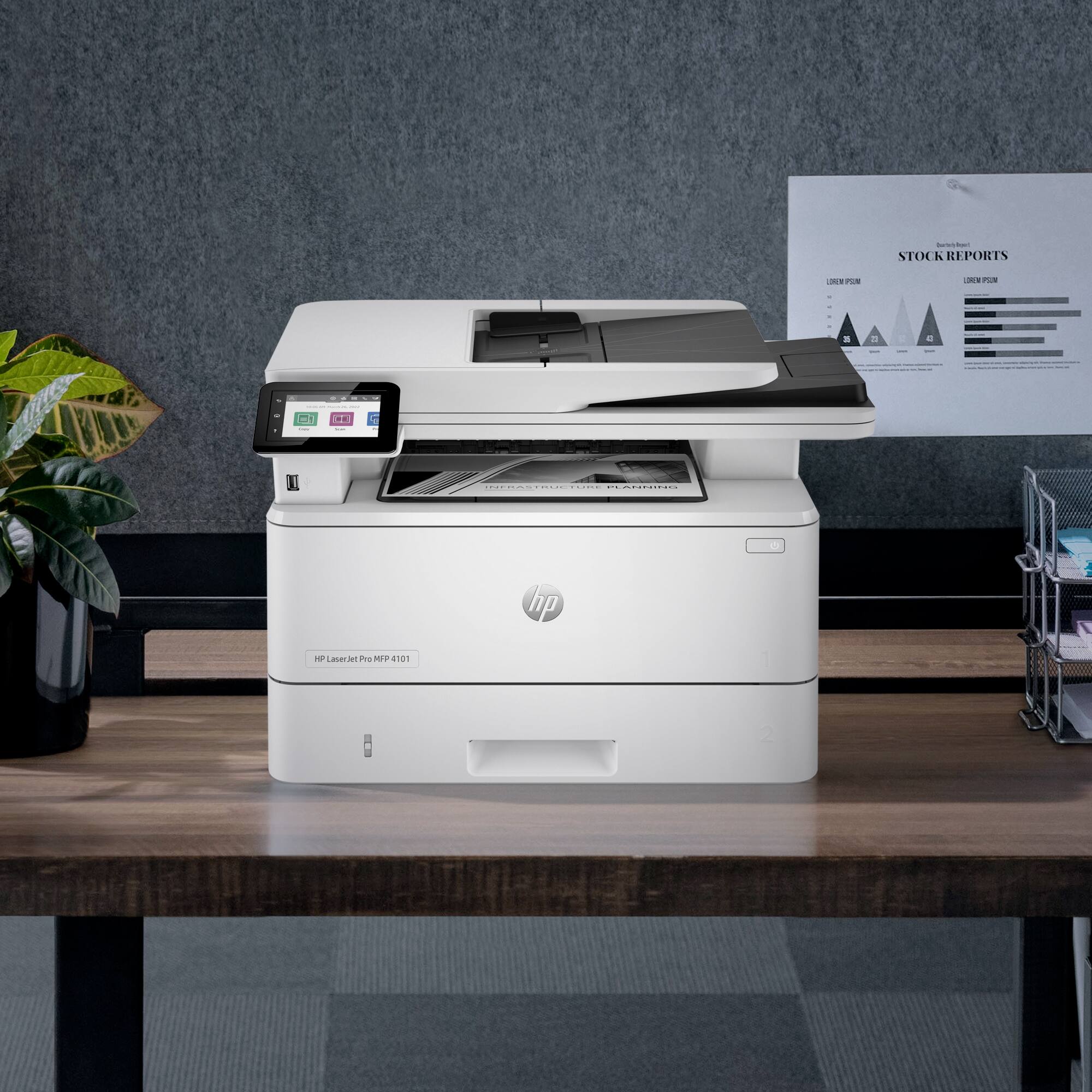
- LaserJet Pro MFP 4101fdwe
- SKU:
- 6505457
Rating by feature
- Value
Rating 4.4 out of 5 stars
- Quality
Rating 4.4 out of 5 stars
- Ease of Use
Rating 4.3 out of 5 stars
Customers are saying
Customers regard the LaserJet Pro MFP 4101fdwe as having excellent print speed and ease of use, with many praising its straightforward setup. Positive feedback also highlights its fax capabilities and connectivity options, while some users find the printer's noise level noticeable. A few users expressed concerns about the printer software and its features. Overall, the printer receives high marks for its performance and ease of use, though some improvements to the software and noise level could enhance the user experience.
This summary was generated by AI based on customer reviews.
- Pros mentioned:Print speed

Perfect for the home office
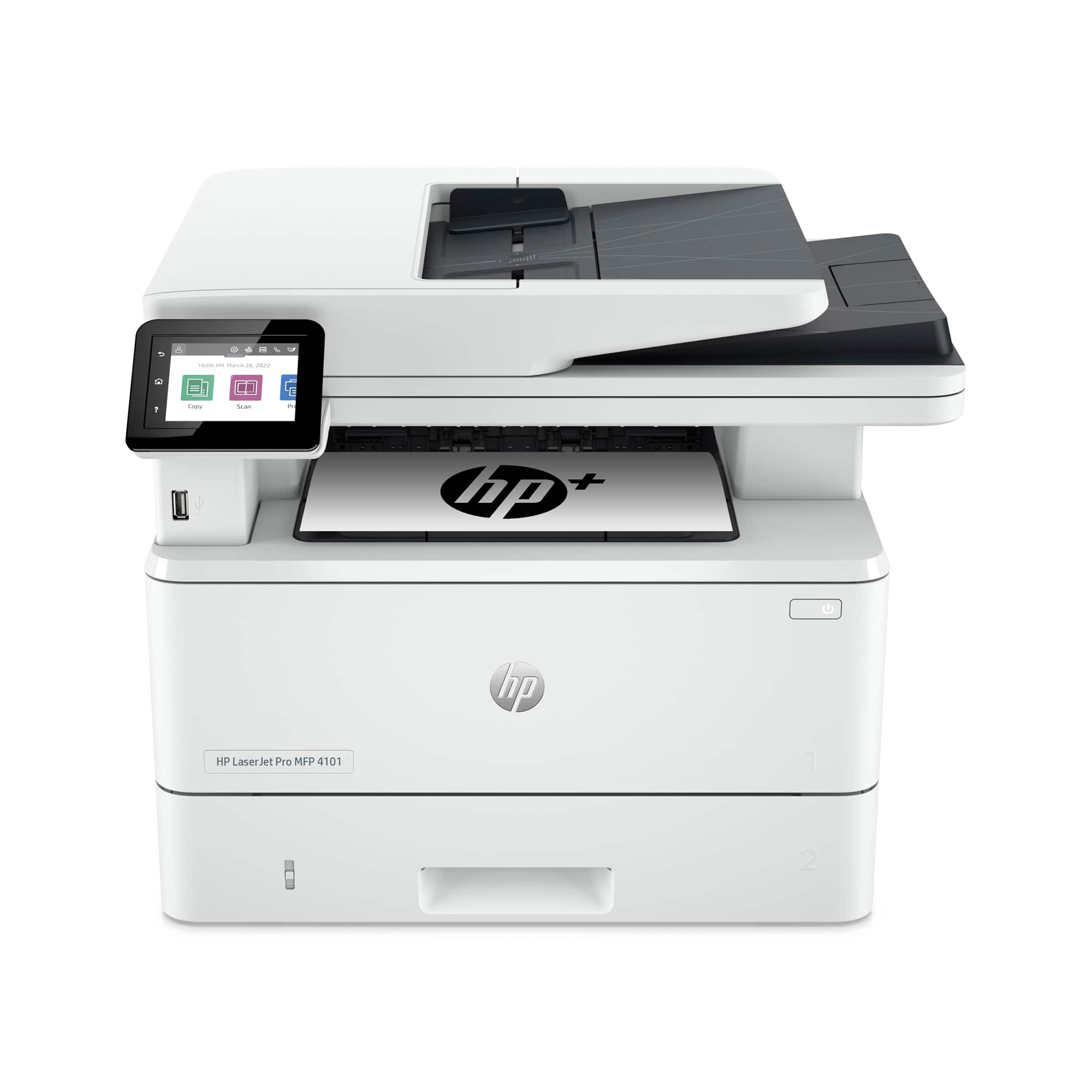
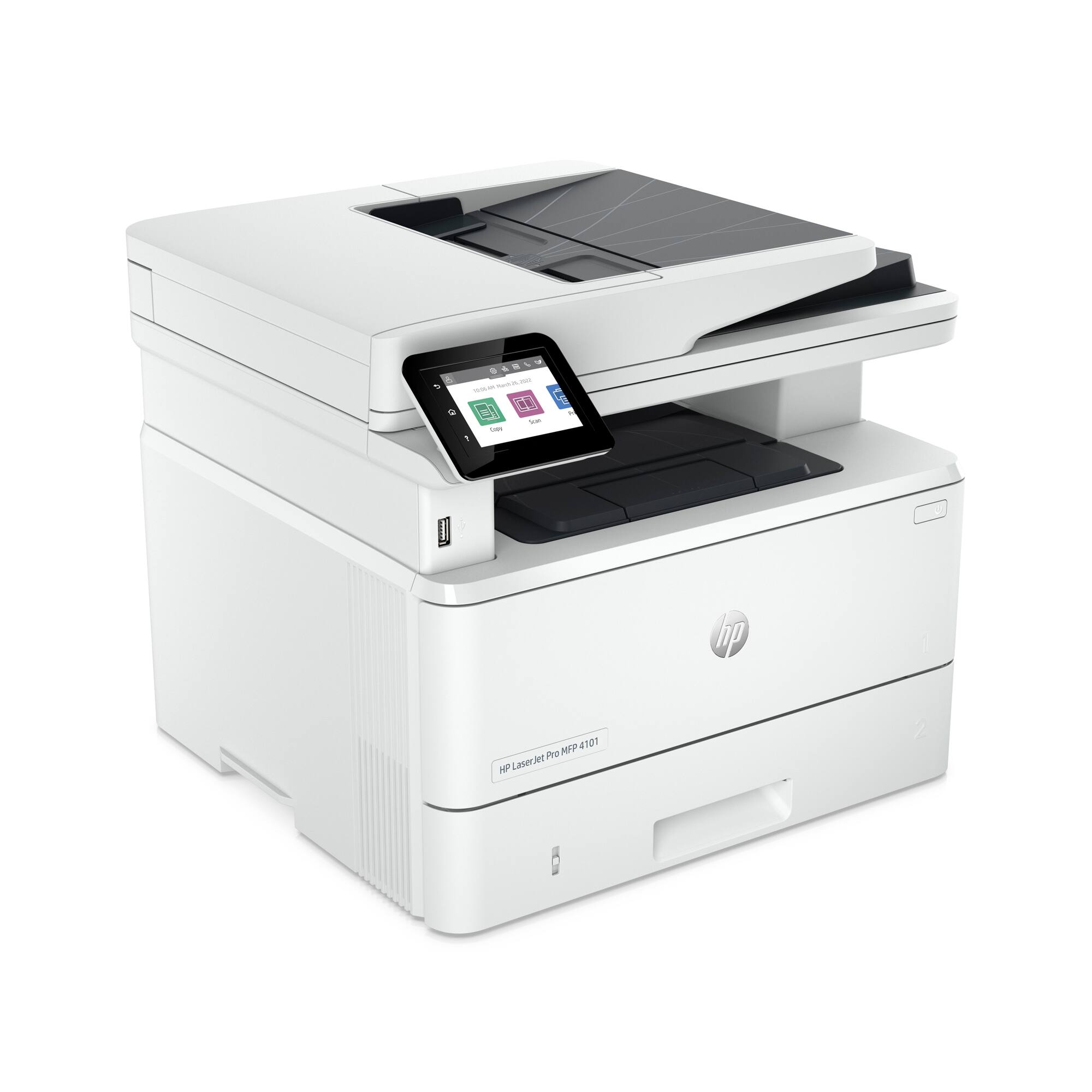
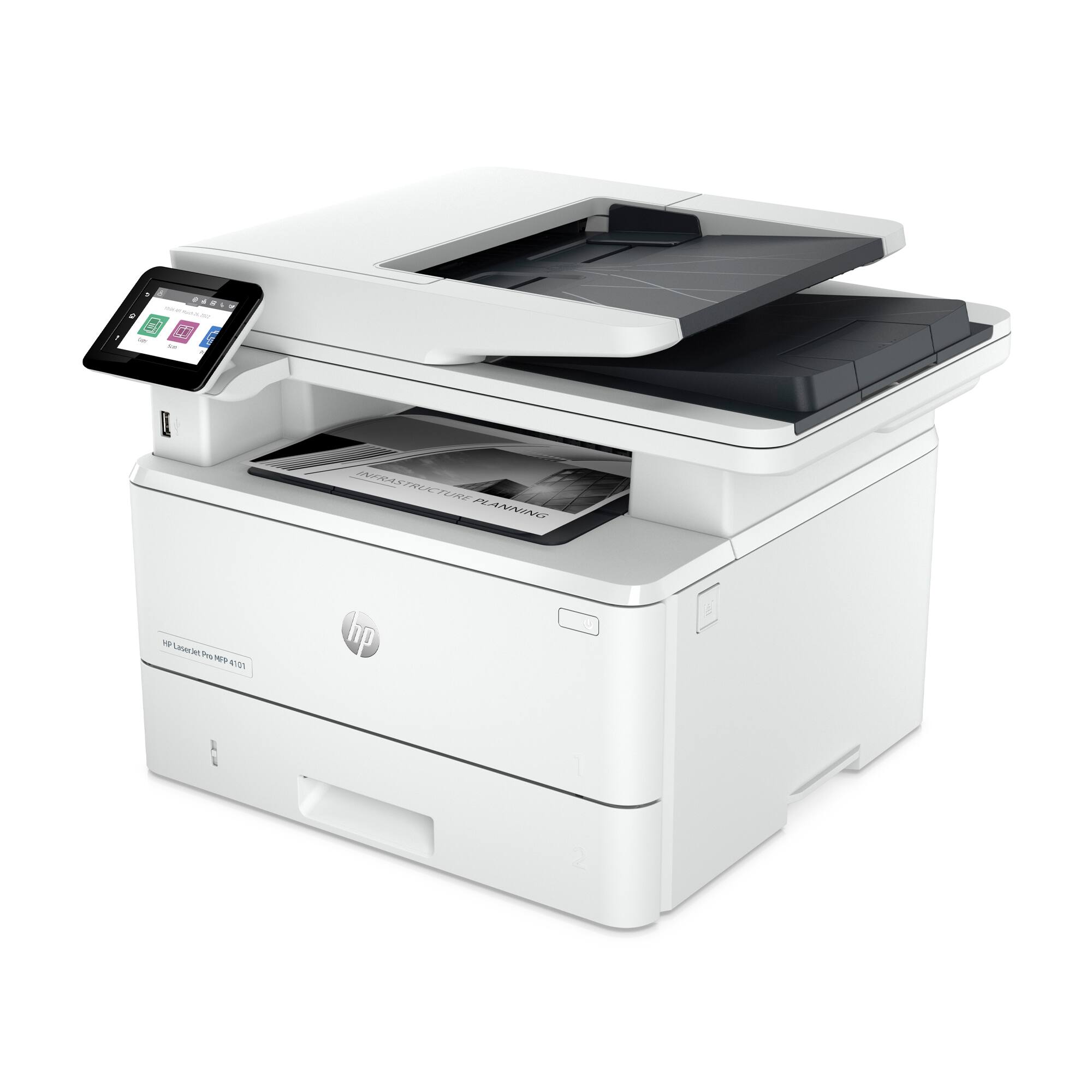
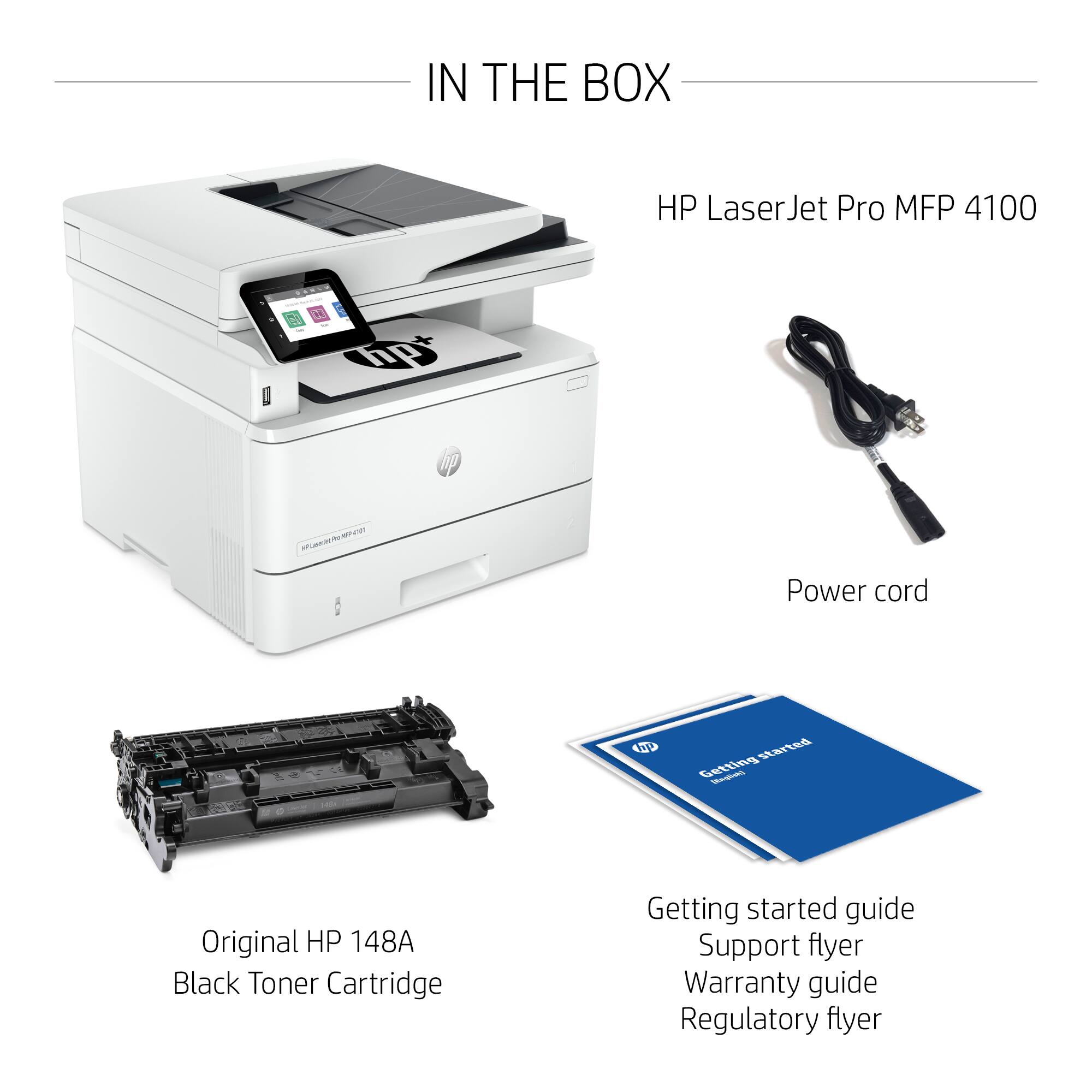
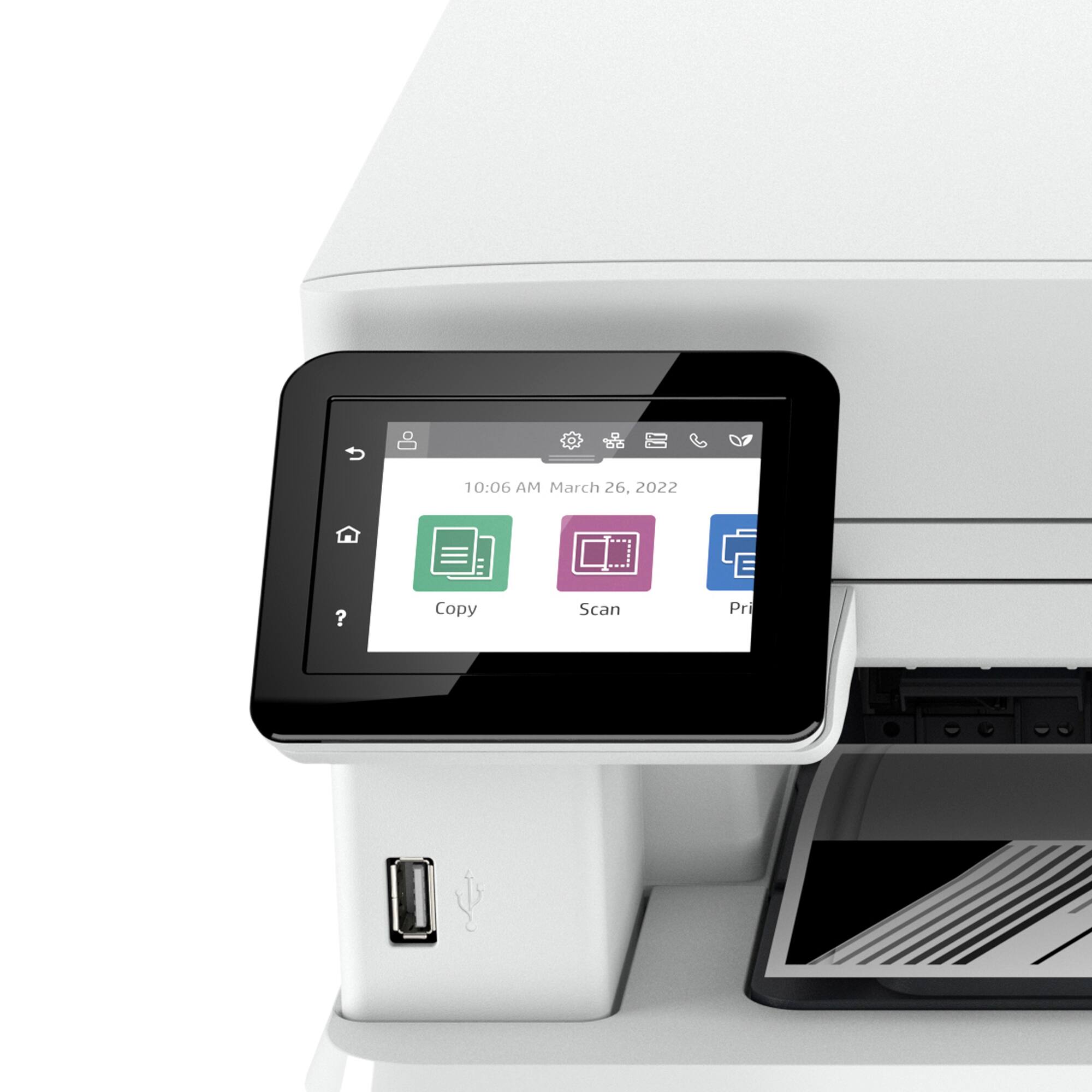
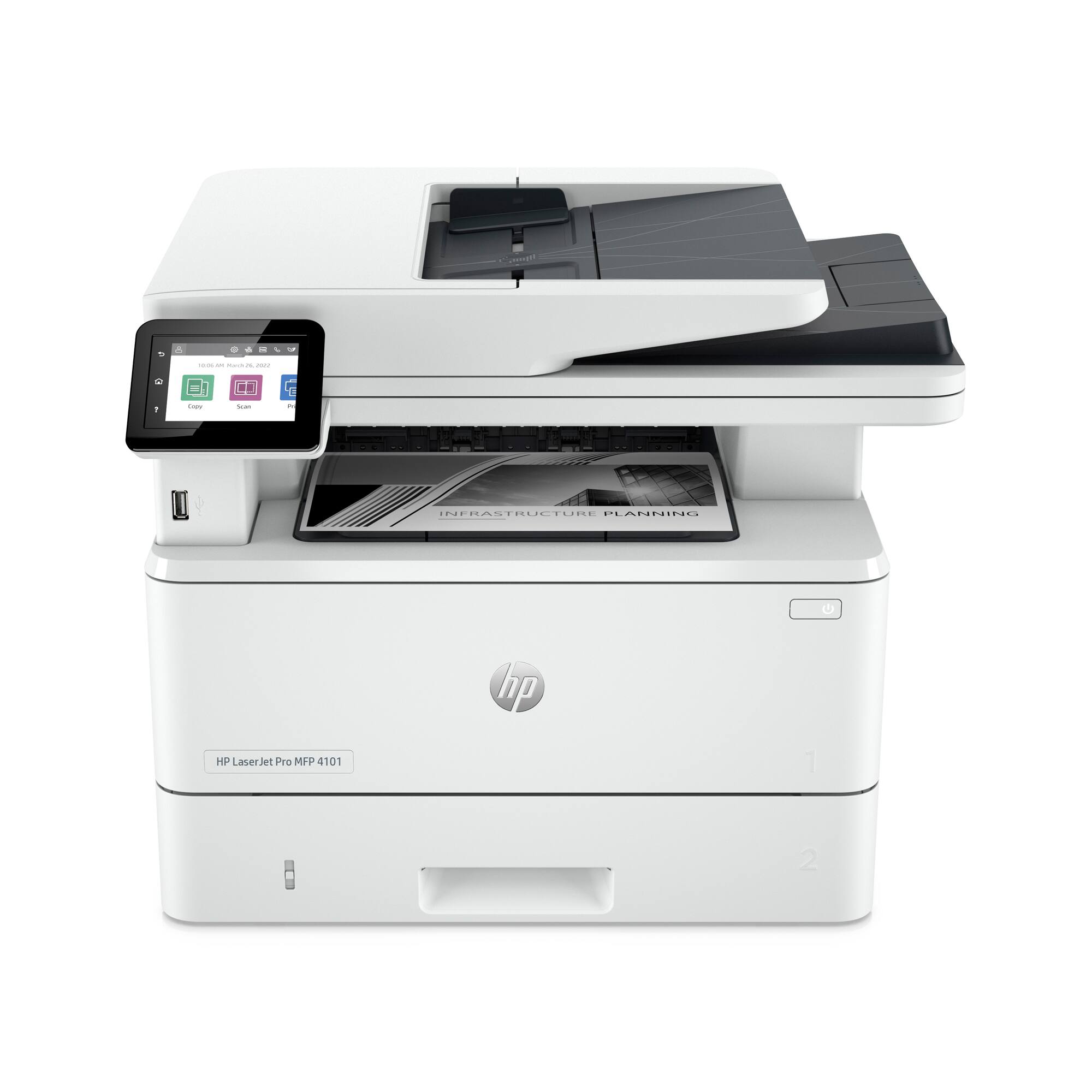
|Posted .This reviewer received promo considerations or sweepstakes entry for writing a review.For years HP has been a brand that is synonymous with quality printers and the HP laser jet Pro MFP 4101fdwe does not disappoint .It is the perfect workhorse printer for all of your home or small office needs. The printer is a wireless all in one black and white laser jet printer that can deliver 42 pages per minute. The printer has the ability to print scan and fax and can be accessed wirelessly or via a hard wire usb connection. In the box you will find the printer, a toner cartridge, and some set up and warranty documentation. I would recommend downloading the HP app to your phone or download the hp software to your computer in order to unlock the full potential of the printer. Unlike my previous wireless printer from a different brand there is not much lag time once I press print on my phone or computer. The automatic document feeder can handle up to 50 sheets and I had no issues with papers sticking together or being mis fed into the printer. One other thing that I loved is the ability to print double sided automatically because it was a little annoying to have to do it manually on my inkjet printer. The 2.7 inch touchscreen works much better than HP printer of the past and was easy to read. When it come to toner you have 2 options which include the regular and high yield cartridge. The regular toner cartridge yields 2,900 standard pages as per HP and the high yield toner should yield 9,500 pages. In my short use with the printer I did not experience any issues or problems and I can't say that I miss the ability to print in color. I did keep my old inkjet printer in case I have to ever print in color for the kid's homework assignments but in general 99% of my printing is in black and white. You can also subscribe to the HP instant ink service which ensures that you never run out of ink but from past experience the on\e thing that I didn't like about is was that once you cancel the service your toner cartridge is rendered useless. Overall if you are in the market for a reliable black and white printer then the HP Laserjet pro MFP 4101fdwe can not be beat.
I would recommend this to a friend Good but not so good
||Posted . Owned for 1 week when reviewed.This reviewer received promo considerations or sweepstakes entry for writing a review.This is a nice looking printer with good features but with cartridge problems. Since the first day I started having problems. The screen was giving me warnings about the cartridge has been used before or it was a forfeit cartridge. Neither of these options were right. So after a while (hrs) to solve this situation and not able to print no more I decide to pack everything back and returned it.
No, I would not recommend this to a friend- Pros mentioned:Ease of use, Print speed
Fantastic value MFP
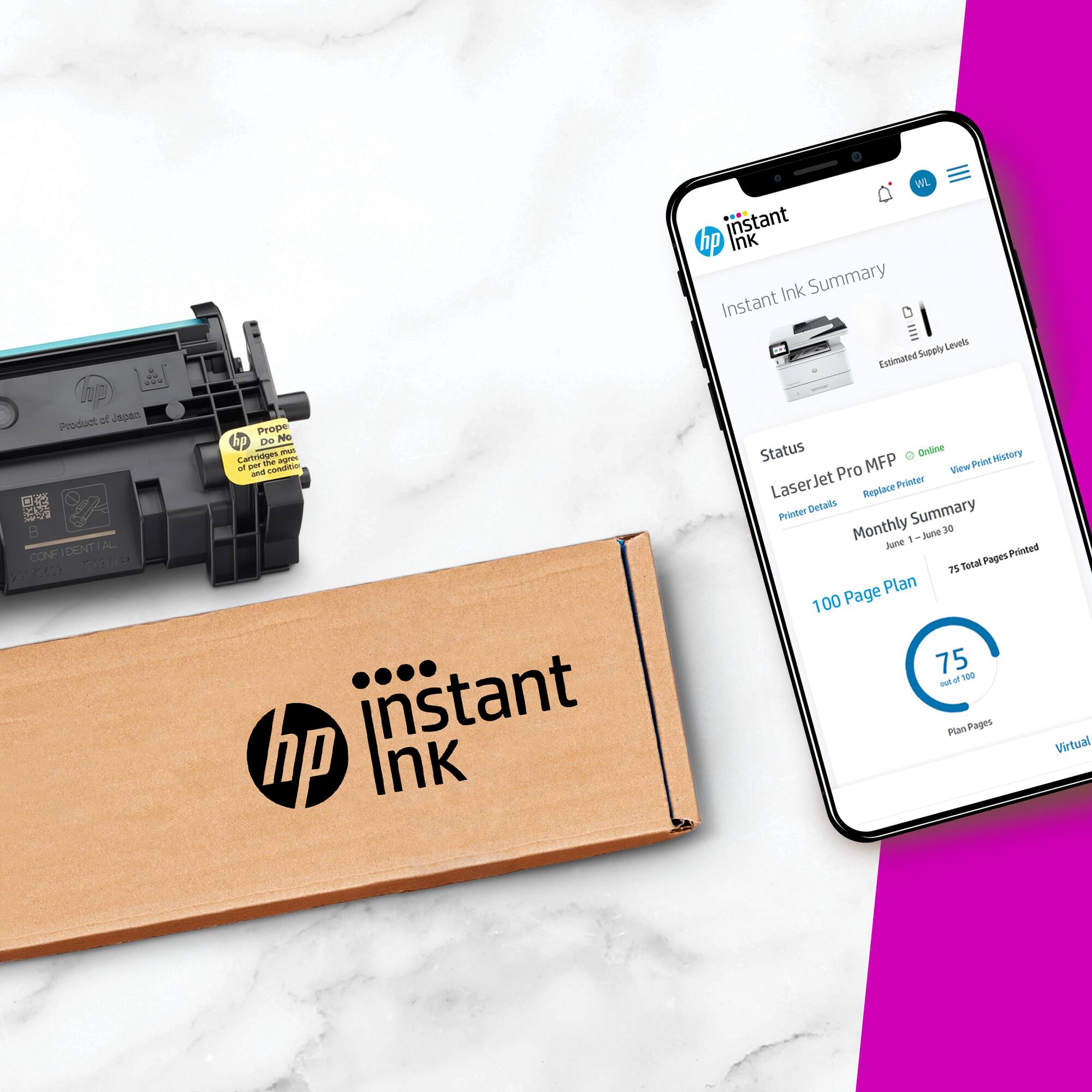
|Posted .This reviewer received promo considerations or sweepstakes entry for writing a review.The HP MFP 4101fdwe is a easy to set up, prints quickly, and has good fax and scan capabilities in a relatively small size that's easy to fit in a home office. The printer arrived securely packaged, but only had a few pieces of tape to be removed before adding paper plugging it in and quickly completing the setup process. Even the toner cartridge came preinstalled. For my use, a wired network connection was best. Within seconds of connecting the CAT6 cable powering on, the printer had acquired an IP address and was ready to print. Installation on both Windows and Apple computers was also quick and painless. Once up and running, I found print speed and quality to be excellent, the auto duplex function works as expected, and scanning and faxing are both very intuitive. This is the first fully touch screen printer that I have owned, and I love it. The screen can be cleaned with just a wipe, with no dust between buttons and such. I also like the color icons, making it easy to quickly navigate to the function I need. The HP Smart app is also an excellent tool. With it, you can subscribe to HP's instant ink program, and pay a reasonable monthly fee to receive toner cartridges when a replacement is needed. I love the idea of not having to think about toner, and the price seems fair for the level of printing I do. I also like that you can choose a plan based on expected pages per month, and up to two months worth of unused pages roll over to the next month. It seems like a pretty good deal. Overall, I feel that this multi-function printer is an excellent choice for a home office or small business. It offers value, flexibility, and takes up very little space for a machine with its capabilities.
I would recommend this to a friend - Pros mentioned:Ease of use, Print speed
Awesome for productivity
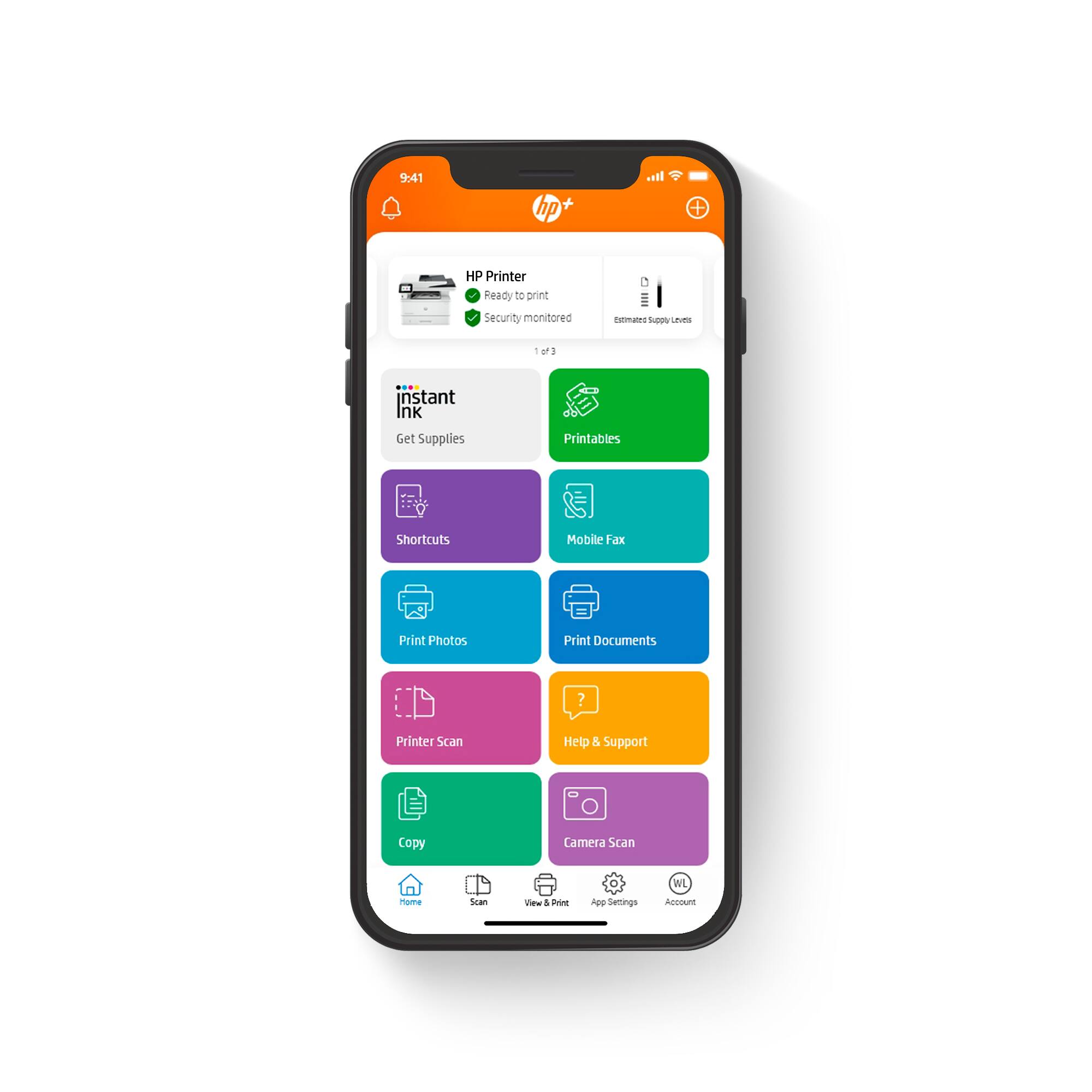
|Posted .This reviewer received promo considerations or sweepstakes entry for writing a review.The HP LaserJet Pro MFP 4101fdwe was easy to set up and HP provides a youtube video to easily show a step by step guide for those that require a bit more help in setting things up. I set up the printer on my WIFI network in a few minutes and was ready to go. This is a perfect sized printer for a home office. It packs double sided scanning and duplex printing in a small package but is able to perform at the same level as much larger printers you would normally see in a corporate office setting. The HP Smart app makes printing and scanning from my iPhone very easy. Last but not least, this printer is very fast and efficient. I like being able to manage where my scanned documents are stored and I am able to set up multiple users so that I do not get my workflow mixed with anyone else’s. The thing I like the most is being able to sue my phone, laptop, desktop, or tablet to print anything I need. I have absolutely hated having to send myself an e-mail only because the file was available on my phone and not my desktop. The HP Smart app solves this issue across mobile devices and it is a much bigger deal than I thought it was going to be.
I would recommend this to a friend - Pros mentioned:Print speed
Great Fast Printer, but requires HP+ and Internet
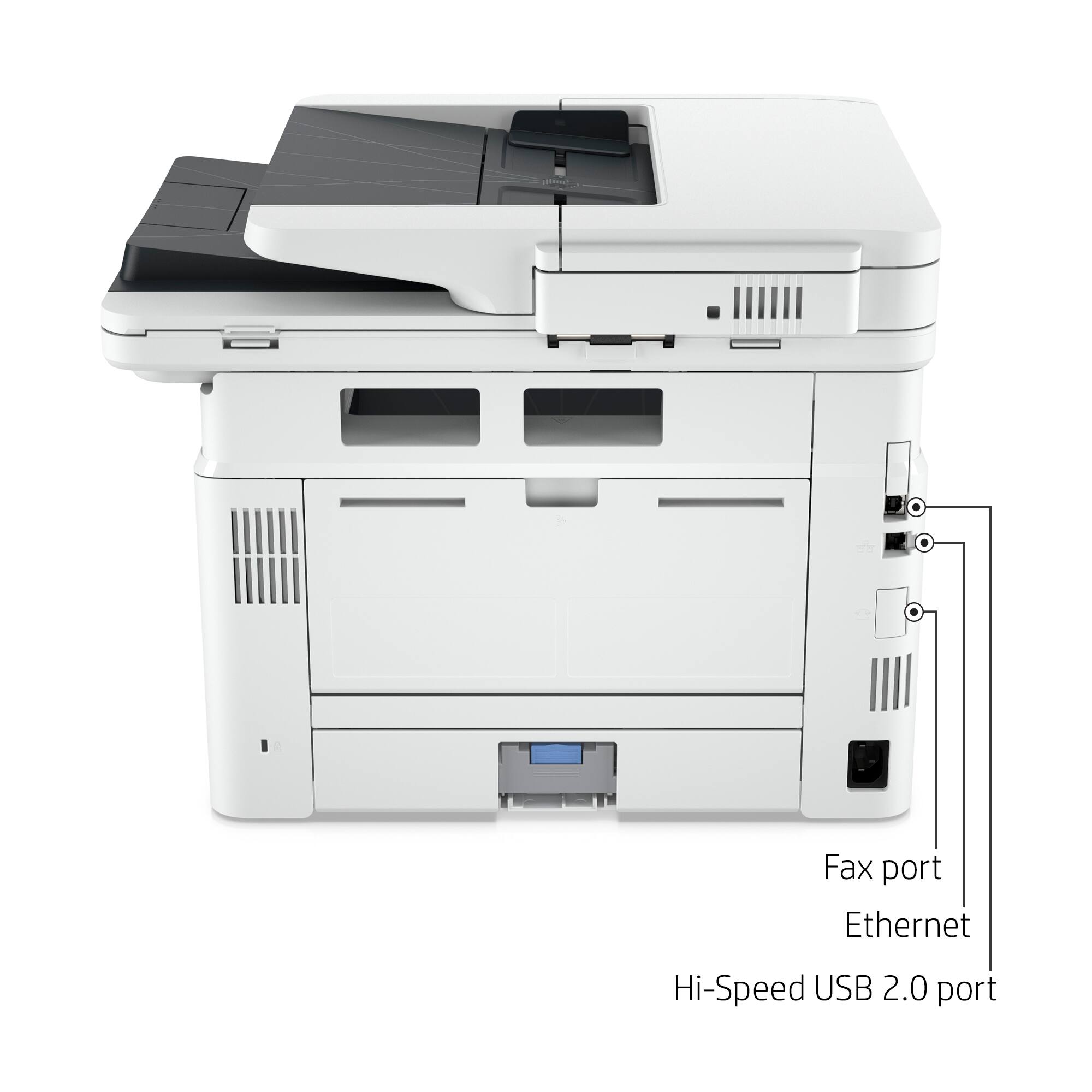
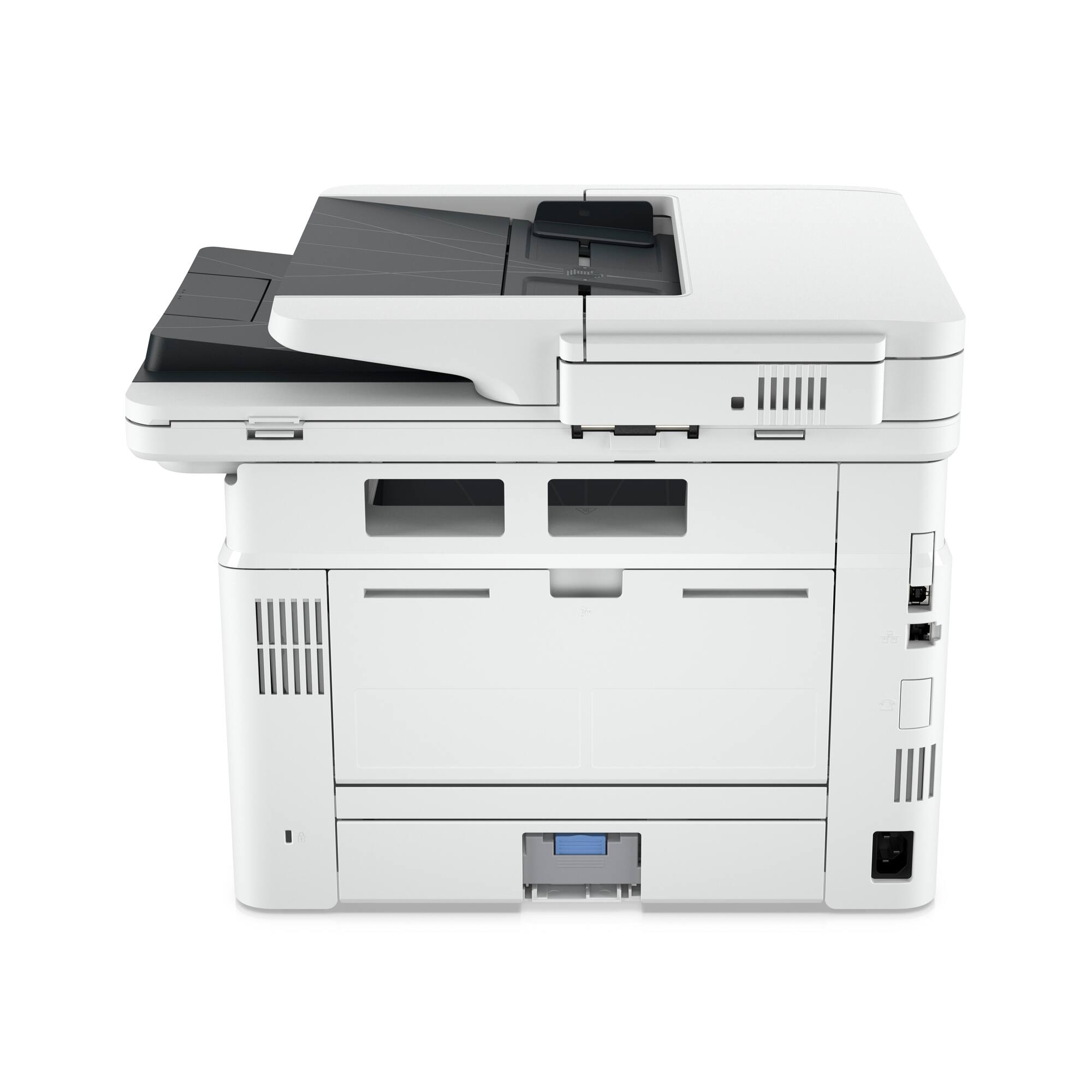
|Posted .This reviewer received promo considerations or sweepstakes entry for writing a review.This HP LaserJet MFP 4101fdwe replaces a Brother Laser All in One printer that I have grown quite frustrated with. Despite replacing the toner on the Brother printer 3 times, I could not get it to clear the low toner warning on its screen. (I later found an updated control panel process that fixed it, but the HP MFP 4101fdwe already won its way with the rest of my family). I never had this kind of problem with HP printers, so I am looking forward to less frustration with this HP MFP 4101fdwe printer. Just for the curious out there, the abbreviations are broken down as follows. Capital letters MFP stand for Multi-Function Printer. Lowercase letters that follow the model number denote some of the functions. f=fax, d=duplex, w=wireless, e=ePrint. I setup fax function on my older Color Laserjet MFP printer, and haven't used it since. Automatic duplexing lets you print on both sides of the page without needing to take the paper out and re-feeding it. Wireless is nice to have, but I recommend setting it up in a wired environment where possible. ePrint allows you to send print jobs to your printer's unique email address, you can set additional security so that it only accepts known good email addresses, so you're not printing out spam. In the box, you get the printer, power cable and a few guide brochures. I was pleased to find that the toner was already installed and ready to go. There were a few protective film pieces. One of the pieces of film is not supposed to be removed and that is over the film scanner portion of the scanner bed. There is a do not remove sticker next to it. I did notice a cover on the rear USB port, with a notice not to plug in a USB to that port. I later found out that you cannot use a USB cord in that port to setup the printer. The printer requires setup to a network either via ethernet cable or to wireless. Once setup is complete you can later use a USB cord, but the printer must be still connected to the Internet. The USB port can also be used for a USB Stick for print job storage, but there is also a USB port just under the control screen for the same purpose. Once power and network were connected, I had to point my computer browser to an HP activation page to get things started. The printer waits for activation, you cannot access any print/copy/fax function until the activation is complete. This activation includes setup for HP+. The process also tries to sign you up for HP's Instant Ink subscription plan. To start on that program, you need to estimate your monthly page output and sign up to one of the monthly subscription tiers. The idea is that you pay monthly and when your printer estimates your toner is getting low, it will trigger a shipment of new toner to your doorstep and a return package for the spent toner cartridge. My monthly printing volume is erratic, so I prefer to buy my toner cartridge as I need it. Luckily, you can opt out of the HP Instant Ink program. After the registration into the HP+ program, it leads you to install HP Smart which is the application that acts as a control hub for the HP 4101 printer. It was able to quickly find the printer on my network and setup was pretty easy. The printer warm up time is very quick and the printing is very quick as well. I believe the reported 42 pages per minute maximum printing speed. Although it is a bit noisier than my older, larger HP Multi-Function Color Laser printer. Because operations are managed in part through the HP Smart application, it requires you to either create an HP account or sign into your HP account to do things like Scanning and some print operations. Scanning quality is as I expected. It does a good job with documents and rather poor with photos. After playing around a little bit, the HP MFP 4101fdwe is best setup with a wired ethernet connection. For my Android devices I had to install the HP Print Service Plugin, which then leads you to install the HP Smart App. (I went through the setup of HP Smart App on an iOS device and I don't think I needed the HP Print Service Plugin for that.) During the setup of the HP Smart App, I highly recommend using the ethernet connection. If you use the wireless option, every time you print from your mobile device, you will need to be nearby the printer in order for your mobile device to connect to the HP WiFi Direct and you have to confirm the print job on the printer control panel within about 50 seconds. It's very annoying. However, if you go through the HP Smart App installation and set it for ethernet connection, you can still print from your phone provided your phone and printer are setup on the same network. There is no confirmation that is needed and you don't have to be nearby to your printer. On my older HP Color Laser printer, there was an app that allowed you to print Quick Forms. About a year after I purchased that printer, they stopped developing things for it, but in the HP Smart App, they brought them back and expanded it as HP Printables. They include fun elementary worksheets (games and activities), graph paper, lined paper, calendars, checklists, Sudoku, cards and probably hundreds more. The combination of the HP LaserJet MFP 4101fdwe's speed and capabilities paired with the HP Smart App puts it miles ahead of the Brother All in One Laser printer it replaces. However, the mandatory agreement to HP+ just to get the printer working and requiring to sign into an HP account for some of the functions and having to keep the printer connected to the Internet, detracts from the overall experience.
I would recommend this to a friend - Pros mentioned:Print speed
Prints so fast, it lives up the name Laser Printer
|Posted .This reviewer received promo considerations or sweepstakes entry for writing a review.Setup takes about 10 minutes before you can print your first page. Open the box, place on side, grab the plastic bag the printer is in and pull it out. Remove some tape holding the panels closed, plug it in and use the app to setup the printer. The first page prints fast as does every page after. This printer is super-fast. It can print large jobs and many pages a month. There is a quiet model Print quality is excellent with many tweaks available. Duplex printing saves paper. Paper tray one is just for one off prints, special paper, envelopes, etc. The paper drawer supports up Legal size paper if you need it. You can also add another paper drawer to the bottom, they are amazingly easy to add. This printer has every MFP feature a workgroup or person working at home needs from a B&W Laser Printer. In addition to super-fast printing. You can scan single- or double-sided pages from the document feeder or right from the flatbed scanner. And of course, it scans fast. The HP Smart app on Windows makes it easy and its available on PC’s and mobile devices. “\ The app has some notable features. Book pages that scan curved at the binding can be automatically “flattened” by the app to remove the curve effect, Hole punches, errant fingers, and markup can be healed/removed by the app in the scan. Upside pages can be auto rotated to appear right-side up, scan multiple documents at one time and have the app break them up into separate files, automatically name files based on the information in them, and save as either a DOCX, PDF, or TXT files. The printer also works as a copier and a fax machines. I get a message that the “HP Smart Advance” features are a subscription and that my 24-month subscription will end in 24 months. It seems most of these notable features will stop to work in two years unless you extend the subscription. I do not see the current cost listed anywhere to extend this. It’s a shame these great features have been made into a recurring revenue stream rather than simply included in the app. It’s something to consider when comparing printers. Getting toner can also be done as a subscription. There is a 3-month toner subscription trial included. You can cancel at any time, even before your 3 moth trial ends. After I signed up, I received a spare toner cartridge to keep on hand for when it will be needed. The part number is different than the regular or extended life toner cartridges you can buy. It says this cartridge will print more pages than the extended cartridge. Makes sense, it saves on shipping. There are different plans depending on your monthly print volume. You’ll need to compare the pages you print, toner page life expectancy, and cost and see if one of the plans works out for you. I’ve had and supported numerous HP Laser printers and MFPs over the year, since their very first one which was huge. I like this printer allot. Perfect for a workgroup. There will be very little waiting for your print job, even with other jobs in front of it. But thanks to its size and quiet printing, it’s also a great power-user MFP for a someone working at home, or a busy family in need of these features and who can use or appreciate fast prints. With lots of speed, quiet operation, reasonably sized, numerous features, can add an extra paper drawer, supports legal size paper, and it is easy to use thanks to a robust and easy to use app.
I would recommend this to a friend Not bueno
||Posted . Owned for 1 month when reviewed.This reviewer received promo considerations or sweepstakes entry for writing a review.Is very slow, quality is not good and black and white only.
No, I would not recommend this to a friendBrand response from HP Team
Posted .Hi, Mayra.
I’m sorry that your printer has rendered prints slowly and of poor quality. Your review is brief, but the reason for your disappointment is clear. I want to help you resolve these issues, so I’ll suggest some resources that I hope will make that happen.
First, I recommend that you follow a guide on our support site that covers improving print speed; it contains (among other things) instructions on updating firmware, which can help improve print speed and other performance. Find that guide here:
- support.hp.com/us-en/document/ish_2817150-2408088-16
Next, I suggest you follow the steps in a guide to improving print quality in mono laser printers that you can find on our support site. Issues covered include light or fuzzy print, gray background or dark print, dark or light bands, skewed images, and smears or streaks. Find that guide here:
- support.hp.com/us-en/document/ish_6747730-6747774-16
If you need further assistance with anything, I suggest you contact us directly so we can help you assess what’s happening and find a solution. HP+ printers such as yours come with exclusive concierge support. To call and reach live HP+ experts, visit the following URL and enter your HP+ serial number:
- hp.com/plus-help
Keith
HP Care
hp.com/support
- Pros mentioned:Print speed
HP quality, nice speed, small footprint
|Posted .This reviewer received promo considerations or sweepstakes entry for writing a review.I’ve owned quite a few HP printers and have been consistently satisfied with the performance and quality. This HP LaserJet Pro MFP 4101fdw Wireless Printer should be no different and has performed well thus far. Set up is quite easy and HP supplies paper instructions with easy-to-use graphics and text for unboxing and set up. When I logged into an existing HP Instant Ink account I had I was able to add this printer and it applied the three month credit for use of the HP Instant Ink program. For business owners or home users with higher printing requirements this is a nice choice to print, copy, scan and fax. A similar model is available in color also for an additional cost. The HP Instant Ink program is a nice convenience for getting toner sent directly to the user from HP. One must pick a monthly plan based on usage requirements and priced accordingly. If you’re printing needs aren’t to the minimum plan (200 pages for $7.99 a month) you may want to consider buying an HP toner cartridge and foregoing to HP Instant Ink program. However, I think home offices or businesses especially will like the ease of managing supplies via Instant Ink. For my needs, this LaserJet Pro model performs all the necessary functions for printing, copying and scanning. The speed at 42 pages per minute is awesome and print quality is exceptional. The 2.7” printer display is adequate and gets the job done, but a larger display screen would have been preferable. I find that scanning is easier through the HP Smart app and there are options available such as save, share fax and scribble. Easily scan both sides of documents with a single pass. The 50-sheet document feeder has aligned and fed pages quite well with no issues of jamming. Note that laser printers do tend to function with a bit more noise than inkjet printers; especially when duplexing, but still perfectly acceptable in a home or office environment. Paper options are nice with a 250-sheet paper tray; along with a 100-sheet fold down tray. I like the design of the upper, fold down paper tray which makes it convenient to load specialty papers (letter and legal), envelopes and labels. For business users this printer is recommended for up to 10 users, yet additional printers can be managed in multiple locations with one dashboard. HP Wolf Pro security settings are preconfigured and ready to use or can be customized with Smart Admin. Additionally, HP Wolf Pro Security includes automatic updates and monitoring. There really isn’t much not to like about this HP LaserJet Pro MFP 4101fdw Wireless Printer. It provides consistent Wi-Fi connections with Intelligent Wi-Fi to obtain the best connection to stay online. Print speeds allow for increased productivity and managing supplies is made easy with HP Instant Ink. The printer itself has a very nice build quality and utilizes a minimal footprint to make the most use of workstation space. Aside from paying a bit more if one needs color print capabilities, I don’t think you can go wrong with this printer choice.
I would recommend this to a friend - Pros mentioned:Print speed
Faster Than Other Laser Printers
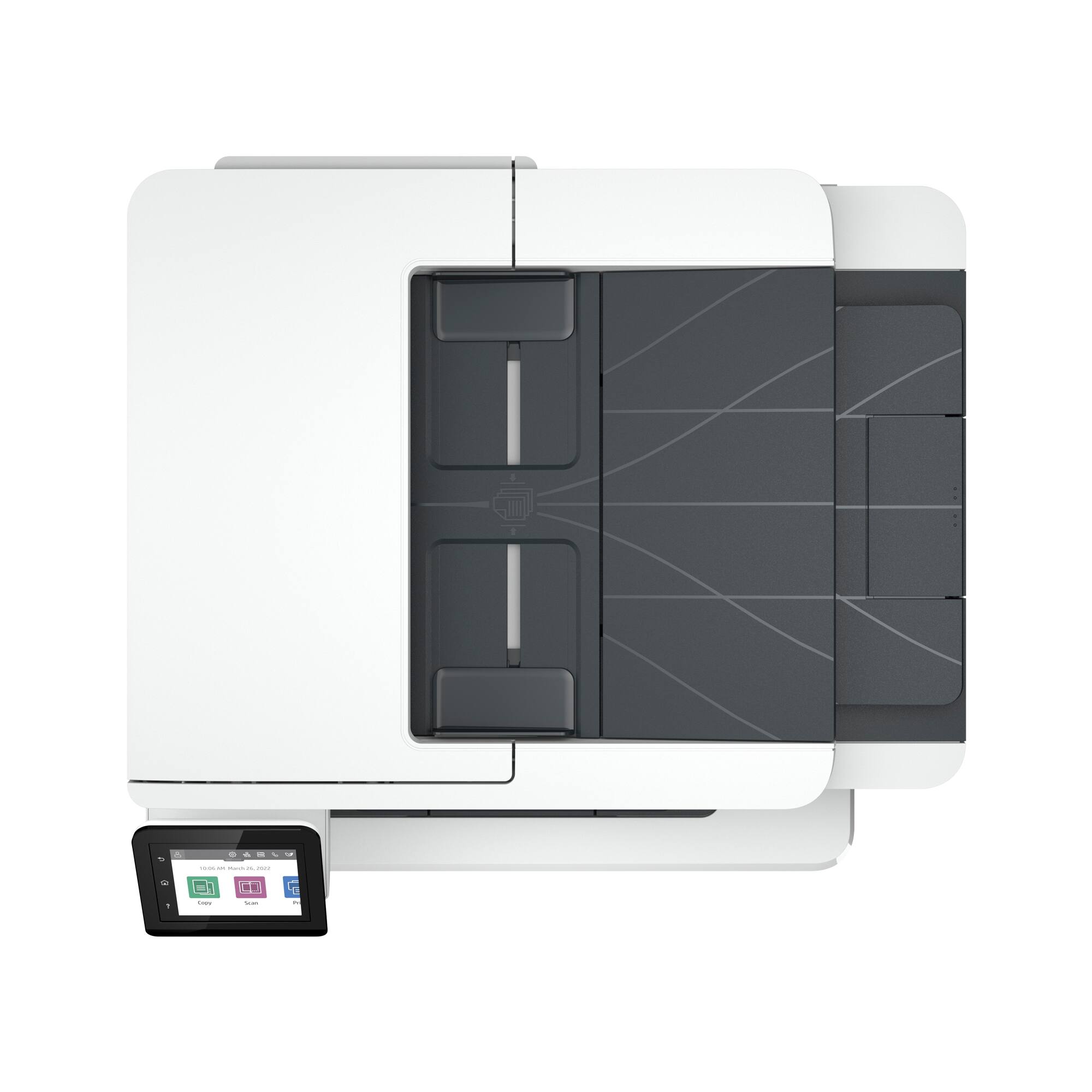
|Posted .This reviewer received promo considerations or sweepstakes entry for writing a review.This is a mid-size printer that I would suggest for a small office. However, if you have the space it does provide super fast black/white laser printing. The high yield toner cartridge can print almost 10,000 pages – nice. The auto-document feeder can handle 50 sheets which is a very large capacity. This device also has two input paper trays so you can use one for example with blue paper and one for white paper etc. This printer will require an HP account or it will not work. Lately I have found that in addition to an account it is a good idea to also sign up for instant ink for more economy if you print 50-100 or more pages a month. If you are enrolled in Instant Ink, HP will detect a low toner status and send your new cartridge without any effort on your part. I did note that the HP Smart app on my phone could not find the printer, so I installed from a PC using the Windows HP Smart app and it was fine. I again tried to install from my Android phone and failed. At one point the app said ‘select your printer from this list’. The list did not contain this printer of the dozens shown, so I got a message to setup from the printer directly – but there was no way to do this for the connection to the phone. When I tried a third time to install the printer to my phone; instead of me picking “initial printer setup” to the Smart app at one point, I picked “printer already setup”. Now it did install to my phone. I think HP has some missing steps in their procedure, however it did finally work (never had this problem with over a dozen other HP printers). This laser printer is well designed. It also has a scanner glass for any documents you don’t want to send through the feeder. The document feeder is faster than using the glass. This HP printer has a 2 year warranty and indeed is built tough with a very effective ergonomic design, especially the LCD GUI interface. I popped the toner cartridge in and out and it was a very smooth operation as well. I highly recommend this powerful printer.
I would recommend this to a friend - Pros mentioned:Print speed
High performance and full featured
|Posted .This reviewer received promo considerations or sweepstakes entry for writing a review.I've been hoping for a full-featured all-in-one printer for as long as I can remember. I lost count of all the inkjet all-in-one printers I've had over the years, and they've all been limited in some way. Some went through expensive ink cartridges quickly, some didn't have sheet-feed scanning, some had limited connectivity, limited capacity, slow printing, poor print quality, and on and on. This printer does almost everything, and I'm really happy with it. First, the limits. It's monochrome, so if you want color, this isn't it. The scanner bed is letter size. However, I can't really think of a use case where you'd need a legal-size scan bed -- I'd use a large-format 11x17+ if I needed a scan bed larger than letter size. The only other limitation I found was that it is slower printing high-resolution gray-scale images than I would expect, but it does a great job of it. Taking it out of the box and setting it up was pretty easy -- the toner was already installed, and when I plugged it into my network with an ethernet cable, windows found it right away. It takes a much smaller footprint than I expected for a high-performance office machine like this. I put mine on a short bookcase. The printing is book-quality. It wakes up and starts printing fast. It spits out two-sided text documents quickly. I slowed it down a bit by putting it in quiet mode, and it's fine. It doesn't make too much noise printing during video meetings. The scanner is great. I use the sheet-feed scanner to archive bills and statements as they come in. It's easy to set it up to automatically save to a network drive. The scanner is reasonably fast, and it does scan full-duplex in full-color. I like the idea of instant ink, but there's no way I'd print enough get value out of the monthly cost. So -- as far as quality and performance, this printer definitely does its job.
I would recommend this to a friend - Pros mentioned:Print speed
Quality printer for small business or home office
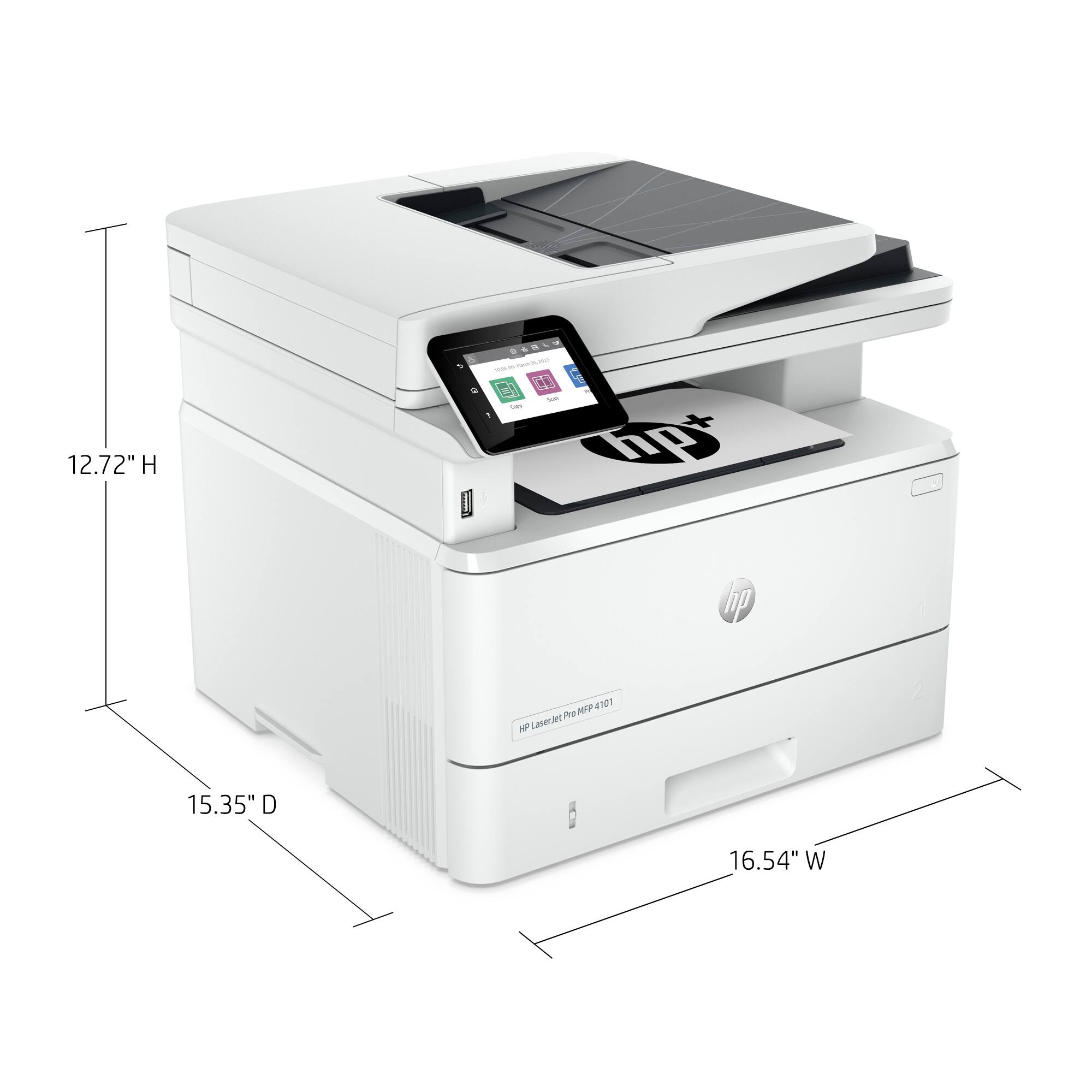
|Posted .This reviewer received promo considerations or sweepstakes entry for writing a review.HP - LaserJet Pro MFP 4101fdwe printer is a solid printer for all home office as well as small business needs with added functionalities. The setup is straightforward and simple. There are easy instructions on how to take this out of the box with minimal effort. The printer is well built, heavy, and has a decent footprint. But with wireless printing, you have the option to set it up in a shared space. It comes with the original toner and the power cord. You need to download the HP Smart app to setup the printer as you cannot use the USB cable for setup. Once it is setup wirelessly, you can then print via USB connection. During setup, you will need to decide if you want to sign up for the HP+ automatic ink subscription. This also means that you can only use original HP ink toners and the printer always needs to be connected to the internet. The HP Smart app makes it easy to print and scan from anywhere, monitor your ink level, etc. This printer can handle your everyday essential functions like duplex printing, dual sided scanning, copying, fax, multiple user profiles, remote printing, etc., all with ease. It is fast and the print quality is amazing. I do like the option to scan and save at variety of locations like USB drive, uploading to cloud storage, network drives, etc. With 2 trays and the Automatic Document Feeder, the printer can hold up to 400 sheets of paper and handle your everyday printing needs effortlessly. If you are in the market for a home office or small business printer with added functionalities, I highly recommend this reliable and quality printer.
I would recommend this to a friend - Pros mentioned:Print speed
High Quality Small Office Printer
|Posted .This reviewer received promo considerations or sweepstakes entry for writing a review.I am thoroughly impressed with this high quality printer that I am using in a small office setting. It's an all in one printer, that scans, faxs, copies and most importantly and the most useful function for me....it offers auto 2 sided printing. I love being able to print or scan two sided papers and for me its the most useful function. One thing that I did notice is how fast the printer prints vs my other printer. It is noticeably quicker then my Brother printer. However, for me the extra second it takes doesn't necessarily increase work flow, etc...but it is a nice thing. I have not had the printer long enough to determine how many pages I can get out of it per month or how often I will need to replace the toner but I am sure its a good amount of time and pagers for both. One thing I did notice is the printer is energy star qualified. This might be an important thing for some and is kind of nice to own products that are energy efficient It is also important to note that you will need to set up an HP account to use this printer wirelessly. It is a great printer and I really do recommend it. I have often had struggles with printers long term, like most and I believe this can be a nice long term printer solution..
I would recommend this to a friend - Pros mentioned:Print speed
HP LaserJet Pro MFP 4101fdwe
|Posted .This reviewer received promo considerations or sweepstakes entry for writing a review.I started to pull this out my own way, but found the print inside the top of the box explain the best way to get it out, and I changed my strategy. Follow the directions because they helped get it out easily. I set up the printer, connected the wires, added paper to the tray, and turned it on. It apparently sent a cleaning page through right off the bat. I was able to print a page from my phone and it went through really quickly with the quality I expected. I used the scanner wirelessly from my PC, and the quality of the scan was perfect. I learned how to configure it to scan PDF files directly to a network share, and set that up correctly in about 10 minutes, research and implementation included. This is a feature that I've never even though of using before, but works very well. My wife homeschools my kids, and quickly let me know she was very happy with how quickly she can copy pages she needs, as well as the speed of the printing. This is primarily because the previous printer we had would take about 40 seconds per page.
I would recommend this to a friend Open box
||Posted . Owned for 3 weeks when reviewed.This reviewer received promo considerations or sweepstakes entry for writing a review.I believe it was on open box and hp support could not make it work properly
No, I would not recommend this to a friendGood fast printer with some quirks & frustrations
|Posted .This reviewer received promo considerations or sweepstakes entry for writing a review.I’ve always enjoyed Laser printers for their crisp black text and lower cost per page compared to InkJet. However be aware that this printer requires genuine HP cartridges for life. I have a feeling that generic cartridges will be detected electronically and not work and will likely void any HP warranty. With that said, the small 2900 page cartridge (148a) lists at $107 and the larger 9000 page cartridge (148x) lists at $216. The larger one is by far the better value @2.4 cents per copy vs. the smaller one @3.7 cents. The printer is fast! I did 12 pages from my I Phone and they printed in 23 seconds from start to finish. That includes the short warm-up. Quality is excellent, crisp and dark. As a copier it’s fast too. No scanner warm-up needed and prints come out quickly. 2 sided printing is available from 2 separate scanned documents or can be done as separate copies. That is chosen from the LCD display. The document feeder works fast but the “slides” on the edges must be adjusted next to your originals or you will get skewed copies appearing slanted. As for the LCD display I am disappointed. It’s just over 2.5 inches with a wide black border. Get rid of the border and you might have a decent display. The display is reasonably clear, but by today’s standards it’s grainy. The biggest problem is its poor response to your finger. I’ve had to hit a choice 2-3 times to get its attention, and sometimes I get another choice because it’s so small! I think a stylus may be the best solution. Some will say you don’t use the display that often but it’s still needed to set up your WiFi initially and it’s needed to make copies with options, as well as setting the paper size when you fill or change the paper in a tray. This display will continue to be a frustration factor for me. Initial setup took me almost an hour and a half. You can’t set it up like the old days using a USB cable. HP does have a good APP, HP Smart. I have used it on another HP laser and I do like it. My most used functions are scanning from my phone and scanning from the printer’s scanner to my phone or to a saved document. It’s fast and simple. Just make sure those document”sliders” are next to your paper or you will get skewed scans. Part of the setup process is activating the printer. I wasn’t on the HP website that long but the printer timed out and the authorization code disappeared so I had to start over. Also the decisions to sign up for a free 3 month trial for HP+ and which plan to choose may take awhile. I got “turned off” on the recurring monthly fees, which plan to choose, and finally the way you have to cancel. I decided for my use it’s not worth the hassle even with a free trial. I will simply buy the largest cartridge when it’s needed and not worry about all the fuss. However if you are a business and money is time, then it may be a good option so you always have a cartridge. The printer also decided to do an “Update” while I was doing the setup. I did not give it the permission, it just did it. As for the Fax function I did not get to test it. I do occasionally Fax documents, but while testing the machine I did not have access to an analog phone line. I will connect it when I can and check it out. CONCLUSION: I like the printer and the scanner. Printer prints fast and clear. I was able to use the scanner wirelessly to my HP laptop using Windows Fax and Scan as well as using the HP Smart App. Some pages skewed until I tightened the sliders holding the paper tighter. The HP Smart App works well. HP+ costs you money for the cartridge convenience; you have to make that decision. The touch display is frustrating to touch and too small for a printer in this price range. I just wasn't wowed by all the features on this printer. Its good but not perfect Overall I would recommend this printer for the right user who needs speed and medium high duty of printing who can accept the quirks.
I would recommend this to a friendPoor performance
||Posted .This reviewer received promo considerations or sweepstakes entry for writing a review.Unable to connect it with computer. Poor customer service of HP
No, I would not recommend this to a friendBrand response from HP Team
Posted .Hi, Mona.
I’m sorry that your printer has not connected to your computer like it should, and that you’ve not received the support you need. I can wholly understand why this combination would be a frustrating start to ownership. I want to help you out of this dilemma, so I’ll suggest some resources I hope will make that happen.
First, I recommend that you follow a setup and connection tutorial specific to your printer you can find on our support site. On the same page, you can also access user manuals, troubleshooting guides, how-to documents and software updates. Do that by following this link:
- support.hp.com/us-en/product/model/38347968
You can also visit a page on our support site that has diagnostic tools for various tasks and issues, including setup and connectivity. You can find the page here:
- support.hp.com/us-en/topic/diagnostics
Finally, I’m not sure what means you used to contact support, whether it was by phone or using our virtual assistant. But if you need further assistance and you’ve not done so already, I suggest you contact us directly so we can help you assess what’s happening and find the proper course of action. HP+ printers such as yours come with exclusive concierge support. To call and reach live HP+ experts, visit the following URL and enter your HP+ serial number:
- hp.com/plus-help
Keith
HP Care
hp.com/support
- Pros mentioned:Ease of use
Laser Printer
Posted .This reviewer received promo considerations or sweepstakes entry for writing a review.Meets all of my expectations. Did need the help of the Geek Squad to set up. Works smoothly and the ability to print from the cell phone is very easy.
I would recommend this to a friend Resolution of Scanner Auto Feeder Major Drawback
Posted .This reviewer received promo considerations or sweepstakes entry for writing a review.I purchased the HP 4101fdw because of the scanner with auto feed and duplexing. However, the scanner is a big disappointment because the maximum resolution to scan using the auto document feeder is 300 DPI. That is simply not high enough resolution for scanning important documents, let alone any color documents. The resolution can be adjusted higher (up to 1200) using the flatbed scanner, but not the document feeder. HP should do better on a printer at this price point.
No, I would not recommend this to a friendGreat printer!!
Posted .This reviewer received promo considerations or sweepstakes entry for writing a review.Its been a great experience! No printer errors so far and ive had a lot in the past with other printers. I do print a lot because I like to see my work physically and be able to pass ideas around the room. 10/10 would reccomend
I would recommend this to a friendAwsome choice
Posted .This reviewer received promo considerations or sweepstakes entry for writing a review.I haven’t got a chance to print much.. but whatever I printed it’s excellent.. and it’s scanning and copying capability is just awsome..
I would recommend this to a friend