Customer Ratings & Reviews
- Model:
- M180NW
- SKU:
- 5981900
Rating by feature
- Value
Rating 4.2 out of 5 stars
- Quality
Rating 4.3 out of 5 stars
- Ease of Use
Rating 4.0 out of 5 stars
Customers are saying
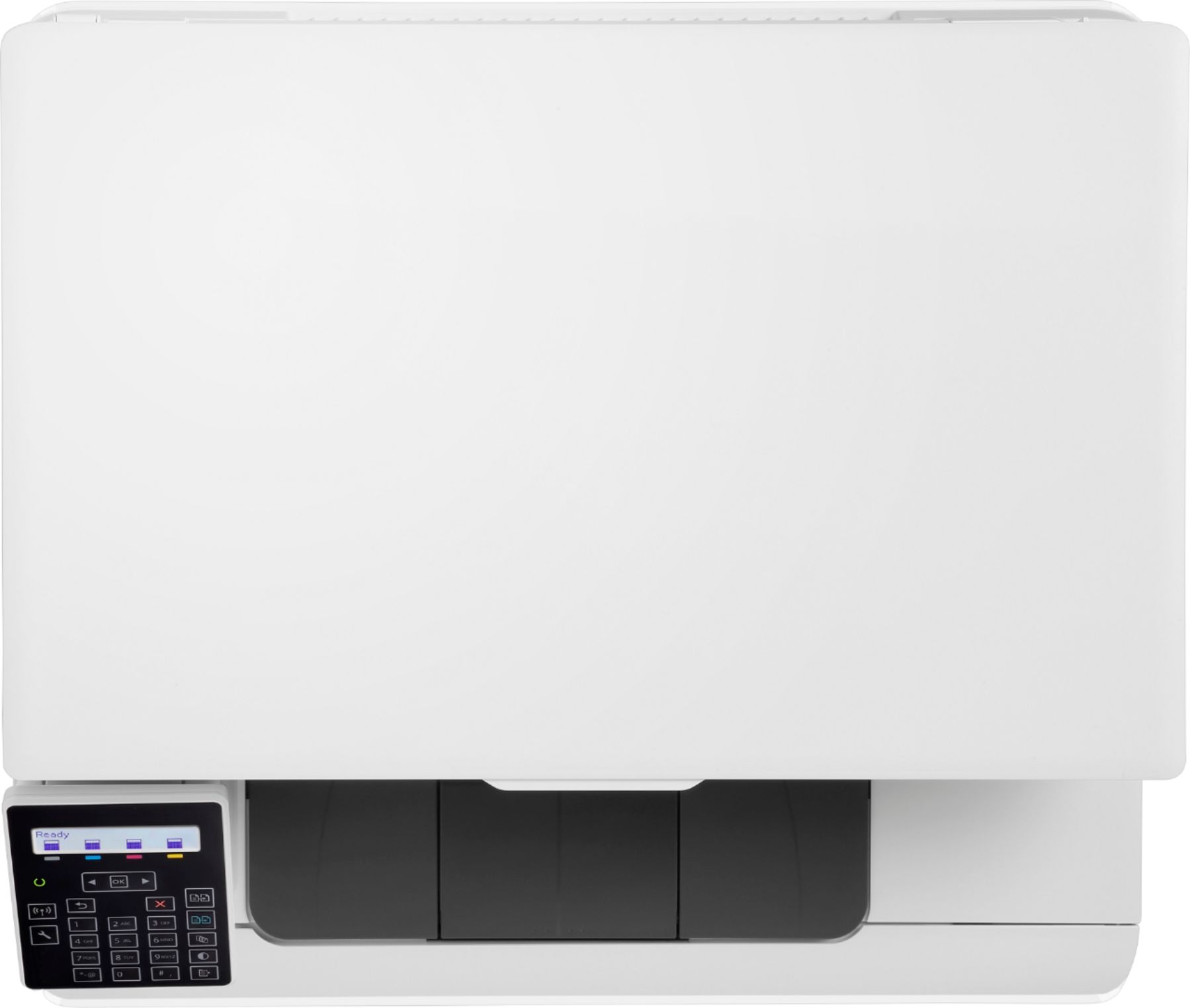
Customers consistently note the LaserJet Pro MFP M180nw Color Wireless All-In-One Laser Printer's easy setup, nice print quality, and wireless capabilities. Many customers also appreciate its affordability and speed. However, some customers have mentioned that the printer's feeder could be improved.
This summary was generated by AI based on customer reviews.
- Cons mentioned:Document feeder
Highly restricted scanning
||Posted . Owned for less than 1 week when reviewed.This reviewer received promo considerations or sweepstakes entry for writing a review.Have been very happy with my previous hp all-in-one copier, faxer, scanner, printer but it crashed. Was excited about this new one because after 6 years I expected a higher level of functionality. To my dismay, this all-in-one is really NOT a scanner. You CAN NOT send a scanned document by email to anyone, not even yourself! Best case scenario, you print your documents one by one (no feeder) and place them in an envelope, address and add stamp and put in snail mail. Was told by sales rep and verified by online product detailed information that it has a document feeder. It does NOT! The print quality is bold but bleeds, so not sharp. If you just want to print, or scan something to save for yourself then maybe this NOT all-in-one printer is for you. Can’t tell you how disappointed I am!!
No, I would not recommend this to a friendBrand response from HP Team
Posted .Hi there,
I am very sorry to hear you are having issues with your printer. This is very disappointing to hear, especially since we always strive to provide the most reliable printing experience possible. To that end, I want to assure you that we'll do everything we can to make this right.
Given the nature of this issue, please contact us for support so we can address this further and possibly arrange for a new set of supplies. We're always more than happy to help so you can give us a call at +1 800-474-6836 between the hours of 8 am - 9 pm ET. To expedite the process, you can gather these beforehand:
- Model number
- Serial number
- Your location
I hope this helps and again, my sincerest apologies for this inconvenience.
Agata
HP Care
hp.com/support
- Pros mentioned:Print quality
Printer works great & setup was easy
||Posted . Owned for 1 month when reviewed.This reviewer received promo considerations or sweepstakes entry for writing a review.Perfect home printer and should have gone laser decades ago. The quality of the printing is as expected and the scan has no issues. Additionally the setup was super easy to get connected to WiFi and to print from Apple devices. I’m happy with this product for the price I paid.
I would recommend this to a friend Fair Choice
||Posted .This reviewer received promo considerations or sweepstakes entry for writing a review.No included User Manual, the manual via internet download is not very inclusive and explanatory. Many features and functions arenot covered.
I would recommend this to a friend- Pros mentioned:Ease of use, Print qualityCons mentioned:Document feeder
Great quality color and really easy setup
||Posted .This reviewer received promo considerations or sweepstakes entry for writing a review.I was able to take the printer out of the box and pretty much start printing right away. I was delighted by how easy HP made it to get it hooked up to my home network and download the right print drivers for my Mac. The color and print quality is great. The printing speed is a little slow but I didn't want to spend more for the faster model so I can live with that. Note that there isn't a separate manual feed tray - if you want to print on special paper, you need to put it into the normal paper tray. The printer size is pretty compact and looks good in our home. All in all, a solid product, highly recommended, especially for the price.
I would recommend this to a friend Disappointed in this printer!
||Posted . Owned for 8 months when reviewed.This reviewer received promo considerations or sweepstakes entry for writing a review.I bought this because I heard you get great, vivid photos/pictures on a laser printer. I've only used this printer 15-20 times when gunk would be on the back of the printed page. I did all the steps to clean & calibrate to no avail. HP even replaced it with a refurbished printer & it's still doing it, so it must be the ink. I checked the ink status & it's at 80%, so they don't need replacing (at $50 a pop, I can't afford to replace them when they are still almost full.) Total waste of my hard earned money!
No, I would not recommend this to a friend- Pros mentioned:Ease of use, Noise level, Print quality
GREAT PRINTER... if you have Windows or Mac
||Posted .This reviewer received promo considerations or sweepstakes entry for writing a review.The printer is really good. It copies, scans, prints, and I am sure if I had a telephone line it most likely would fax too... just like it is supposed to. The print is sharp and the colors are vivid. It fast, not obnoxiously loud, and it's pretty easy to use... but if you are one of the few who don't use a Windows or Mac machine, and use a Chrome device, set up is near IMPOSSIBLE if you are not going aren't hardwired. I had to use my old Windows laptop to set up the printer so that I could use it with my Chromebox. It was a task. But once I got it set up, and installed the proper app to run it via Chrome, it is printing, scanning and copying quite nicely.
I would recommend this to a friend - Pros mentioned:Ease of use, Print quality
A Great Printer That Works Fine
||Posted .This reviewer received promo considerations or sweepstakes entry for writing a review.Got this printer after doing a lot of research. Just wanted a color laser printer for the longest time but didn't want to spend a ton of money on one. This fit the bill. The only downside is the blinking power light. I finally bought some black out stickers and put one over the small round power light. Problem fixed. Connected to my internet just fine (I didn't use the software enclosed however as I went right to the HP website to download drivers). It prints beautifully with great colors. Scans nice too! Easy scanner software to use. Do not use it as a fax so haven't tested that function and probably won't. I really love the pull out drawer holding the toners. SO easy to access and change out. I definitely would recommend it.
I would recommend this to a friend - Pros mentioned:Ease of use, Print quality
Nice!
||Posted .This reviewer received promo considerations or sweepstakes entry for writing a review.I had an inkjet. It ran out of ink. I replaced the cartridges. It didn't recognize the new ones. I've fought with them every time they ran out of ink. I'm done. I made a plunge into the world of laser printers, and picked this one because of decent reviews, low price, and color printing. I don't have any major printing needs, but sometimes I need to print a large-ish document with the occasional color picture. So far it's done all of these satisfactorily. It doesn't seem to be exceptionally fast, but the print quality is nice. Setup was super easy - I did the wireless option and it's worked great from the start. Very happy so far, but the real test will be when I have to change out the toner.
I would recommend this to a friend - Pros mentioned:Ease of use, Noise level, Print quality
I love it.
||Posted . Owned for 1 month when reviewed.This reviewer received promo considerations or sweepstakes entry for writing a review.I haven't used this printer very much, but so far I love it. It is fast and relatively quiet. It was easy to set up and connect to my wi-fi. I have printed copied and scanned. I am very satisfied with all functions. On note : you don't control the scanner function from the unit. It is controlled from you computer.
I would recommend this to a friend - Pros mentioned:Print quality
Easy set up, works great!
||Posted .This reviewer received promo considerations or sweepstakes entry for writing a review.Got this for a great price. Software setup (via wireless network) was a breeze, unlike with past inkjet printers we've owned. **Tip: Download the latest drivers from HP website, DON'T use the included disk. Once set up, printer remains in sleep/standby mode 24/7, so it prints instantly with no warmup needed, even if it hasn't been used in days, and the print quality is excellent. Copier function also works great. Can't speak to the cost per page that some have criticized as too high, because this is for personal use, not a small office. Highly recommended.
I would recommend this to a friend - Pros mentioned:Print quality
Good quality and performance
||Posted . Owned for 3 weeks when reviewed.This reviewer received promo considerations or sweepstakes entry for writing a review.I'm operating in a Mac/iOS environment, printing from a variety of MacBooks and iPhones. YMMV if you're in a different environment, particularly with driver installation. Set-up was fairly simple, with the only challenge of any degree being the network connection (not very intuitive, and the manufacturer's instructions weren't great). It comes loaded with the toner cartridges ready to roll, so it's plug-and-play if you plan to use a wired connection (modulo driver installation for Windows). Start/warm-up time is a bit longer than I'd like. I suppose you could keep it powered on all the time, but my family uses it infrequently enough that I prefer to power down when not in use. Plan on ~2 minutes from power on to first page print. Print speed and quality is very good. I've used inkjets forever and just grew tired of clogged print nozzles. No issue with that here. But I do wish that it printed duplex. Haven't had it for very long, so can't comment on long-term reliability. But HP has been making LaserJet products for so long that I expect it to serve me well.
I would recommend this to a friend - Pros mentioned:Print quality
Works great
||Posted .This reviewer received promo considerations or sweepstakes entry for writing a review.The printer was tricky to set up, but only because of windows 10. After I uninstalled the previous printer, windows got confused and wouldn't let me install a new one, but running a fixit tool from microsoft's website got everything fixed. The printer is really easy to setup from a phone, just install the app and tell it what printer you have. The printer quality and detail is great for text and photos, and although the print speed isn't the best as far as lasers, its way better than most inkjets. One thing I am absolutely NOT looking forward to is replacing the toner, since brother has toners for about the same price with twice the prints (TN-660).
I would recommend this to a friend - Pros mentioned:Print qualityCons mentioned:Document feeder
Good Home LaserJet Printer
||Posted .This reviewer received promo considerations or sweepstakes entry for writing a review.Nice economic printer for those who prefer laser quality printing. The only drawback is that it doesn't have a feeder. I'm still trying to figure out the wireless printing feature. Only got the feature to work once, however I'm not as tech savvy as most nowadays.
I would recommend this to a friend - Pros mentioned:Ease of use, Print quality
Great laser printer
||Posted . Owned for 10 months when reviewed.This reviewer received promo considerations or sweepstakes entry for writing a review.This printer does great. I wish I had stepped up to auto duplexing and a document feeder though. It has good toner life. Envelopes, labels, and plain paper all have printed well. It was easy to setup and works seamlessly with all devices connected to the Wi-Fi.
I would recommend this to a friend - Pros mentioned:Print quality
Great for a home office
||Posted .This reviewer received promo considerations or sweepstakes entry for writing a review.I was sick of the ink jets and having to constantly clean the heads. Cleaning the heads seems like it just decimates the ink levels. I felt like I was replacing the cartridges every other month. This printer is amazing for my purposes. Great colors and blacks. I use it a lot and never need to do anything than just print. Works every time and the price is very cheap compared to most any other laserjet. I would buy this every time
I would recommend this to a friend - Pros mentioned:Noise level
Quiet, but hard to set up
||Posted .This reviewer received promo considerations or sweepstakes entry for writing a review.The printer is quiet and doesn't shake when printing, but it is hard to set up, just like other reviewers stated.
I would recommend this to a friend - Pros mentioned:Ease of use
Easy set up!
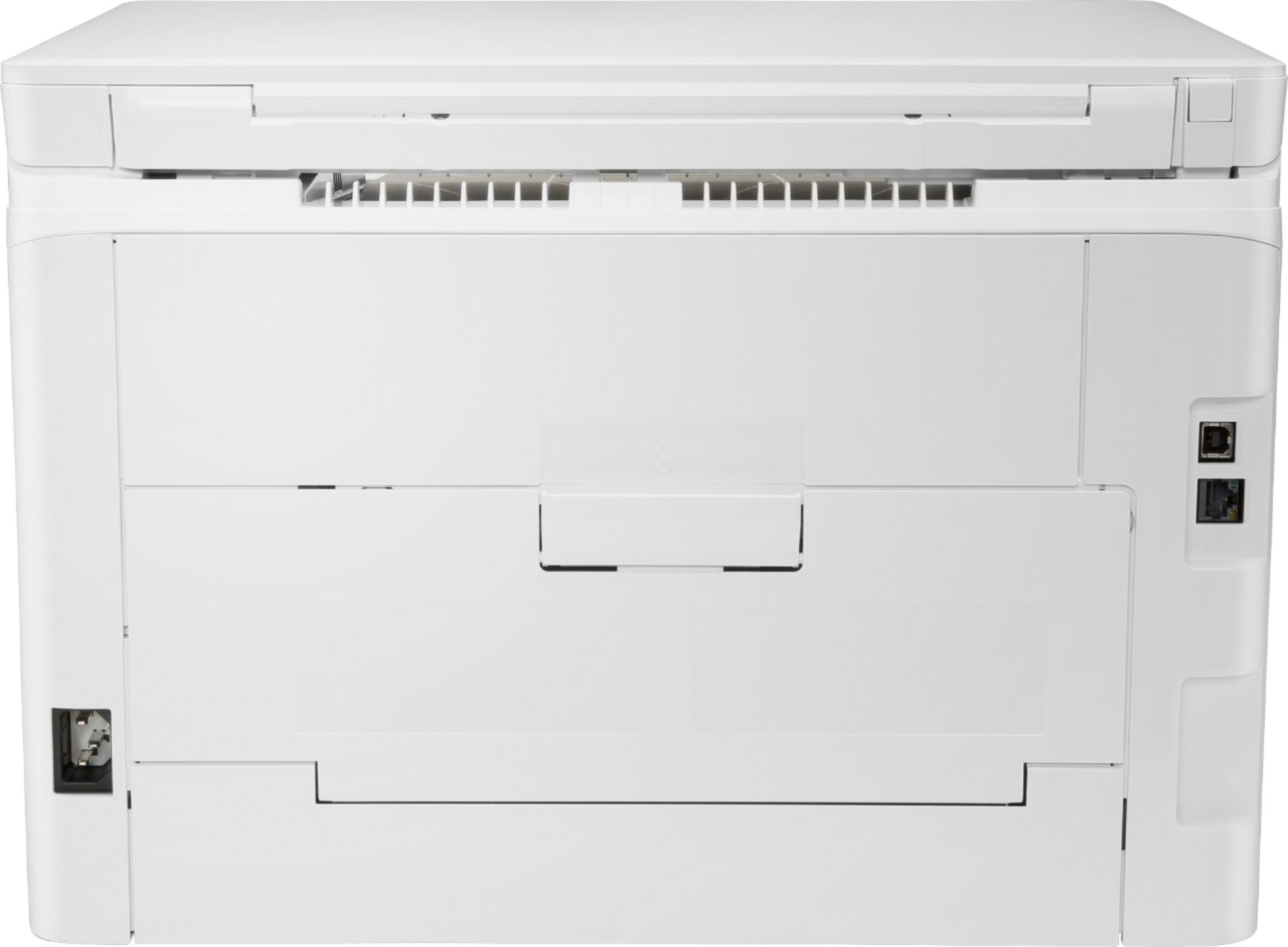
||Posted . Owned for less than 1 week when reviewed.This reviewer received promo considerations or sweepstakes entry for writing a review.We just set this printer up and printed from both of our iPads. So amazingly easy! Needed to go to store an pick up a Ethernet cable to connect it to our wireless router. But, loving it so far! And the price is great! No more INK JET printer!! Yipeee!
I would recommend this to a friend - Pros mentioned:Ease of use, Print quality
Excellent Printer!!
||Posted .This reviewer received promo considerations or sweepstakes entry for writing a review.This is an awesome printer! It’s quite, fast, and allows you to set up printing very easily. You can also print from your cell phone while your out and about during the day.
I would recommend this to a friend - Pros mentioned:Print quality, Wireless
Great printer
||Posted .This reviewer received promo considerations or sweepstakes entry for writing a review.HP - LaserJet Pro MFP M180nw Printer is the best wireless printer I had, I can print my staff from any place in home and outside, works great and is fast.
I would recommend this to a friend - Pros mentioned:Ease of use, Print quality
Super Easy Setup!
||Posted .This reviewer received promo considerations or sweepstakes entry for writing a review.Awesome Computer and very user friendly! It super easy to use and works great for the elderly. Very fast and I love the east button access and phone wifi printing options!
I would recommend this to a friend