Customer Ratings & Reviews




- Model:
- OfficeJet Pro 8034e
- SKU:
- 6509709
Rating by feature
- Value
Rating 4.5 out of 5 stars
- Quality
Rating 4.5 out of 5 stars
- Ease of Use
Rating 4.5 out of 5 stars
Customers are saying
Customers are delighted by the OfficeJet Pro 8034e's excellent print quality and ease of use, frequently praising its straightforward setup and reliable performance. While some users found the paper tray slightly challenging, the overall consensus highlights the printer's value and convenient wireless functionality. Many appreciate its compact size and ability to scan, copy, and print efficiently.
This summary was generated by AI based on customer reviews.
none
||Posted . Owned for 1 month when reviewed.This reviewer received promo considerations or sweepstakes entry for writing a review.a 2nd laptop has yet to function an app't is pended to complete the job
I would recommend this to a friend- Pros mentioned:Ease of use, Print quality

Another excellent A-I-1 Inkjet printer from HP
|Posted .This reviewer received promo considerations or sweepstakes entry for writing a review.Today I installed the HP Office Jet Pro 8030 series printer. Pros: It was an easy install both from my computer and phone. Printer is fast with sharp readability. I love the multiple page feeder feature which many printers no longer offer. This not only is helpful when copying multiple pages but scanning and faxing as well. Having multiple color cartridges has always been a plus for color printers because notoriously you use one color more than the others. This way you only replace the color needed and not the entire color cartridge as seen in most printers. This is a money saving feature, from my experience. The dashboard window shows everything at a glance including ink status. This printer also has fax capabilities. It’s hard to believe that some companies still require a fax for security purposes. You’re covered with this machine with a fax function. The scan time is so much faster than other printers I’ve used. Con: The only thing that I got hung up on for a few minutes was installing the ink cartridges. The directions show the glass top lifted to access the ink chamber. It showed where to lift to expose the carriage but it would not lift for anything. After several attempts, I put the top down and then lifted the area indicated on the directions. It then opened. I just think the picture on the directions was misleading. I also found the printer to be bigger than I expected but mainly that is due to having the paper feeder tray. In my opinion, having a multiple page feeder far outweighs the size of the machine.
I would recommend this to a friend - Pros mentioned:Ease of use, Print quality
A Premium Quality Printer
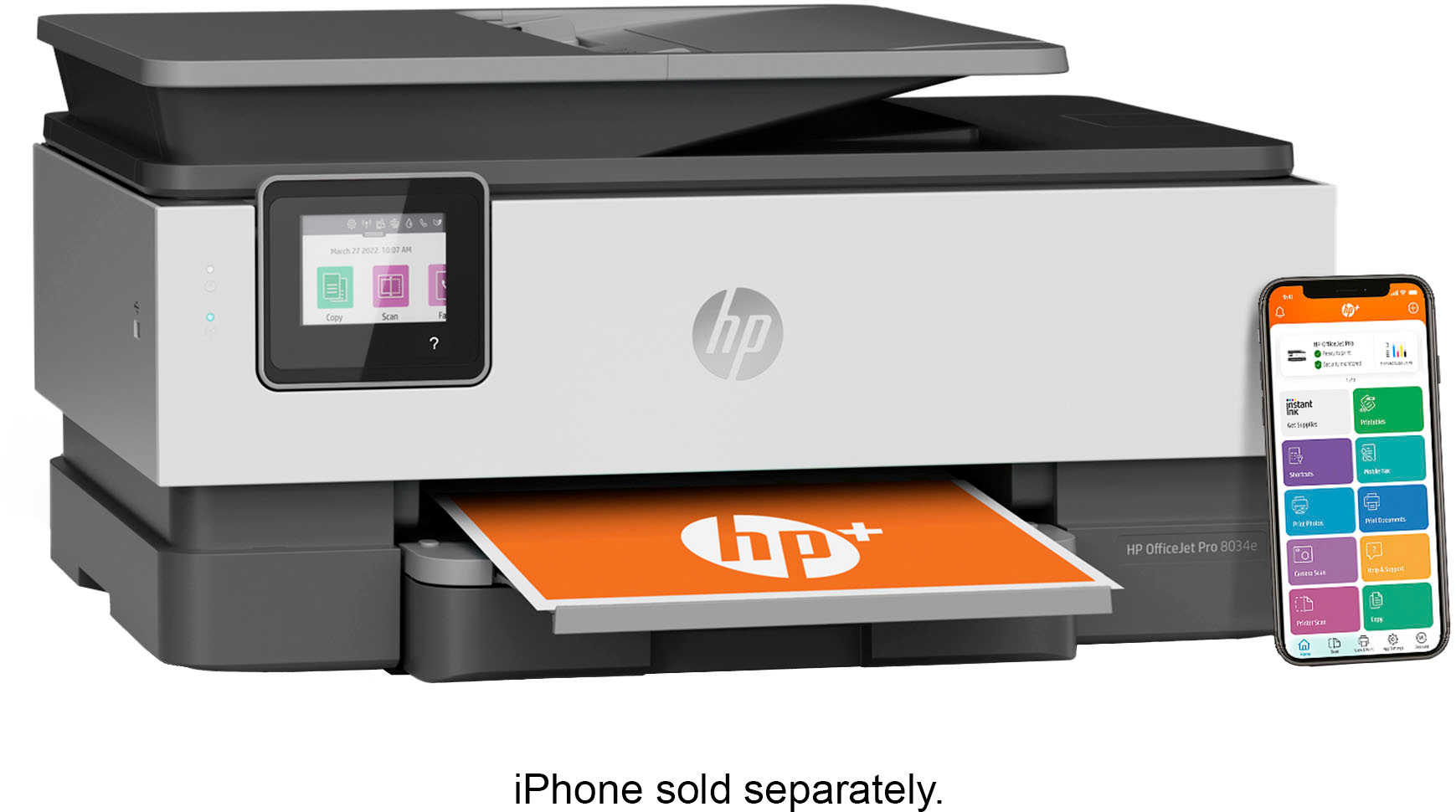
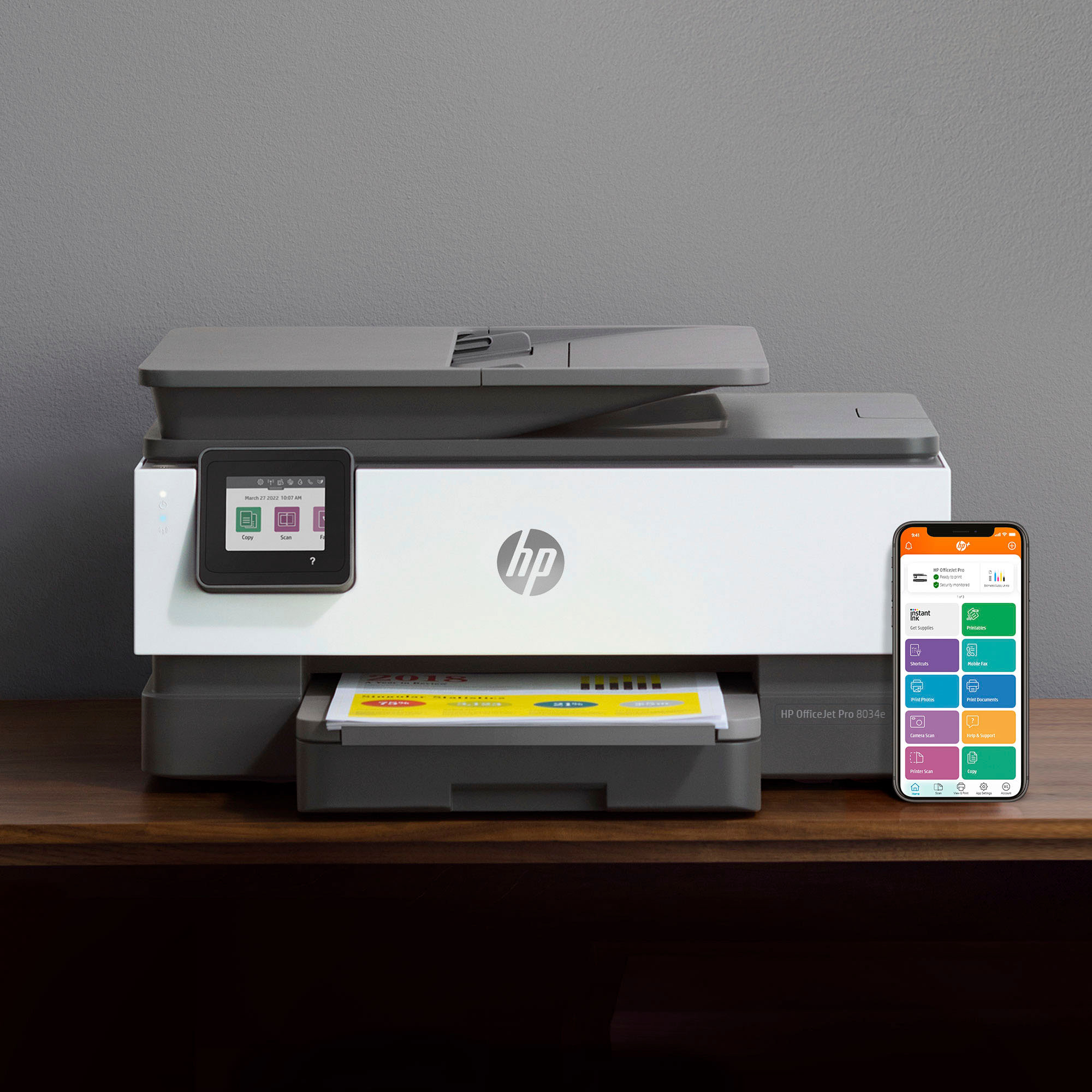
|Posted .This reviewer received promo considerations or sweepstakes entry for writing a review.HP has been on a roll with developing great all in one printers. From the simplicity of setting the 8034e up out of the box to connecting it to my iPhone and Wifi I was up in no time. HP always offers their instant ink which makes it extra convenient for making sure you always have ink ready to go. The 8034e has everything you need all in a reliable and speedy setup. There are 4 ink cartridges for magenta, cyan, yellow and black. I prefer printers with the 4 cartridges rather two (black/color) as the ink just lasts longer and you only replace what you need. The printer has 2 sided printing (a must have!), scan, copy, fax, auto doc feed scanner on top, and prints wirelessly from your phone or computer. A giant perk that this printer has is the USB port as you can simply throw in a usb drive and print right from it. I find this usb port useful all the time and when I was in college used it all the time (with the printer I had at the time). Hp has what they call a self healing wifi. I have another HP print with this and find that I never once had a connection issue. I’m sure this will stand true with this printer. Wifi printers have come a long way and I wish this was a feature I had back in high school and college because I used to always have connection uses. HP is your trusty friend when it comes to every day printing. No matter what other type of current brand cell phone, laptop, desktop, or all in one pc you have it will pair perfectly with an HP printer. This 8034e feels and has a premium look. It’s modern and clean cut and will look great in any atmosphere. I would say this printer is good for home and school use. I would also say it’s more than capable to be used in a full office environment due to its capabilities. Overall a premium quality printer.
I would recommend this to a friend - Pros mentioned:Ease of use, Print quality
Convenient
|Posted .This reviewer received promo considerations or sweepstakes entry for writing a review.As with most HP printers these days, this OfficeJet Pro 8034e was quickly setup and ready to go in just a few minutes. The integration with my phone works really well, making it an extra feature to the printer. Because I no longer fax using a POTS line anymore, I couldn't test that function, but all others worked without a glitch. I was able to print and even scan from my iPhone Pro Max 14. Even from a remote location I could print a recipe for my wife at home. She loved it. It is fast for daily print jobs and with the included one-year ink subscription, you can print almost as much as you want during the whole year, except if you print thousands of pages per month. Overall, this is an excellent printer. My only concern is that you have to remember to cancel your subscription after one year, unless you want to keep it and pay monthly. The good news is that HP has many affordable plans depending on how much you print. I would usually complain about this type of bait, but I’ve used a subscription like that and because I was not printing much, HP reached out and suggested I changed it to a much less expensive plan. I’m talking about less than $2.00 at the time of this review and you can do with just two clicks.
I would recommend this to a friend - Pros mentioned:Print quality
Nice Inkjet
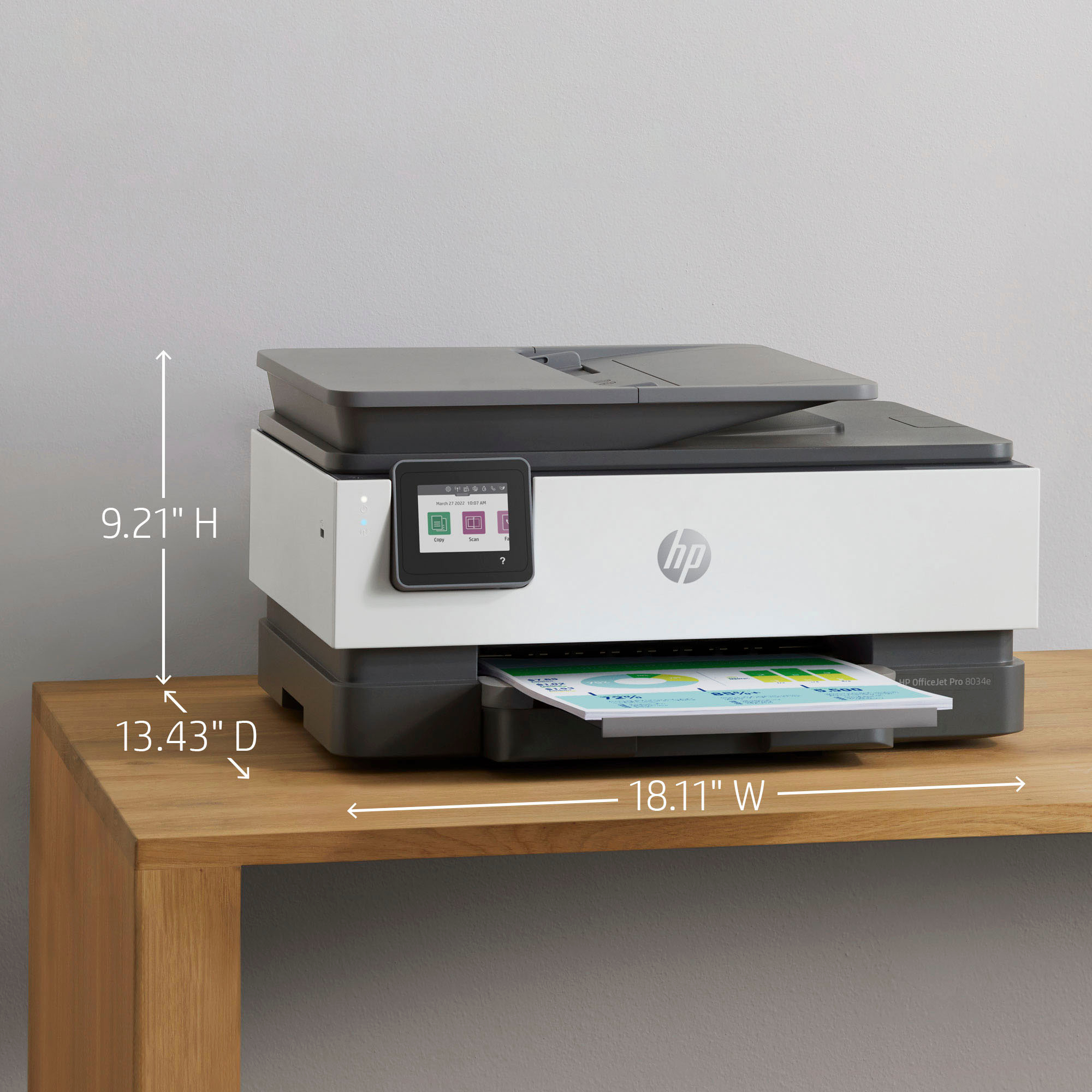
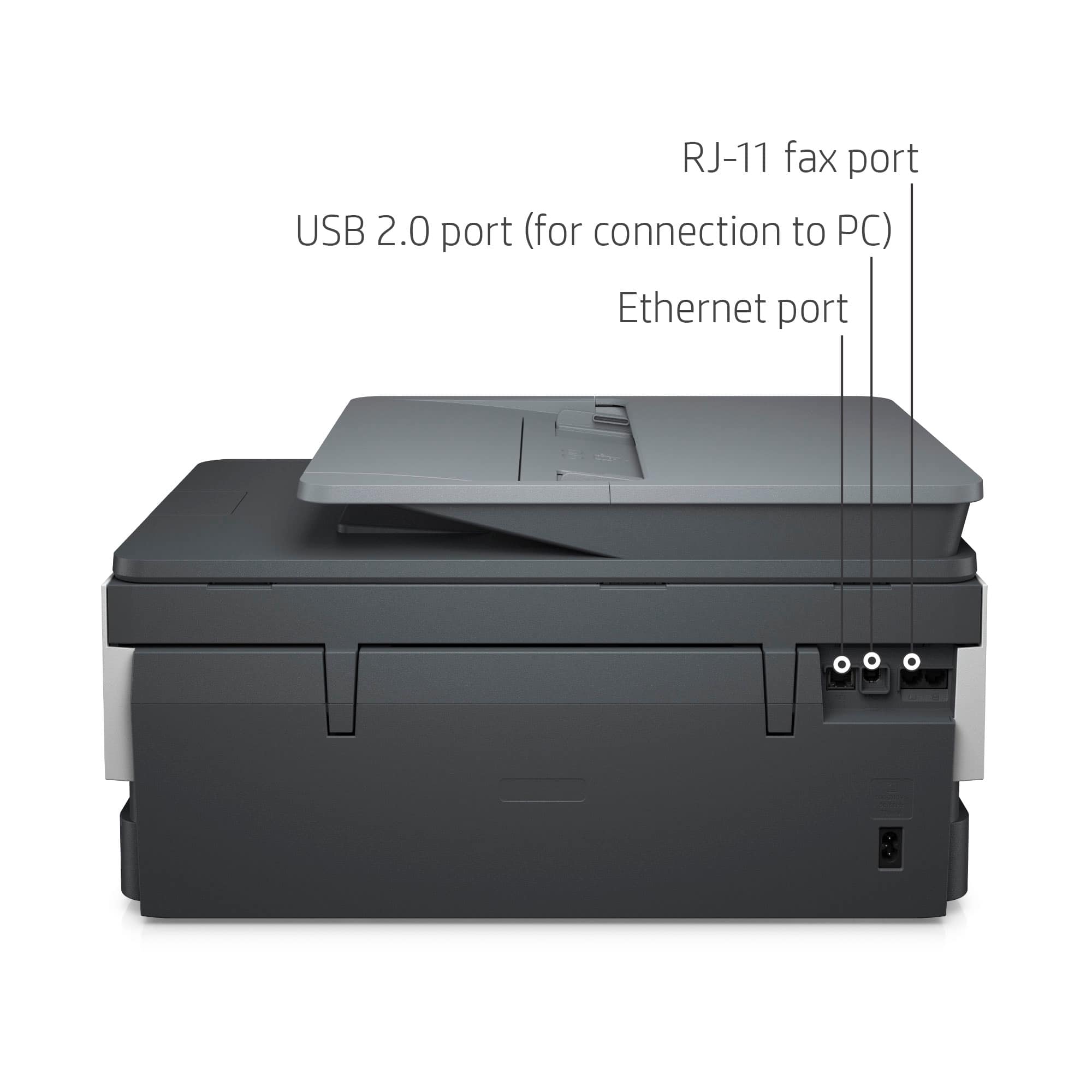
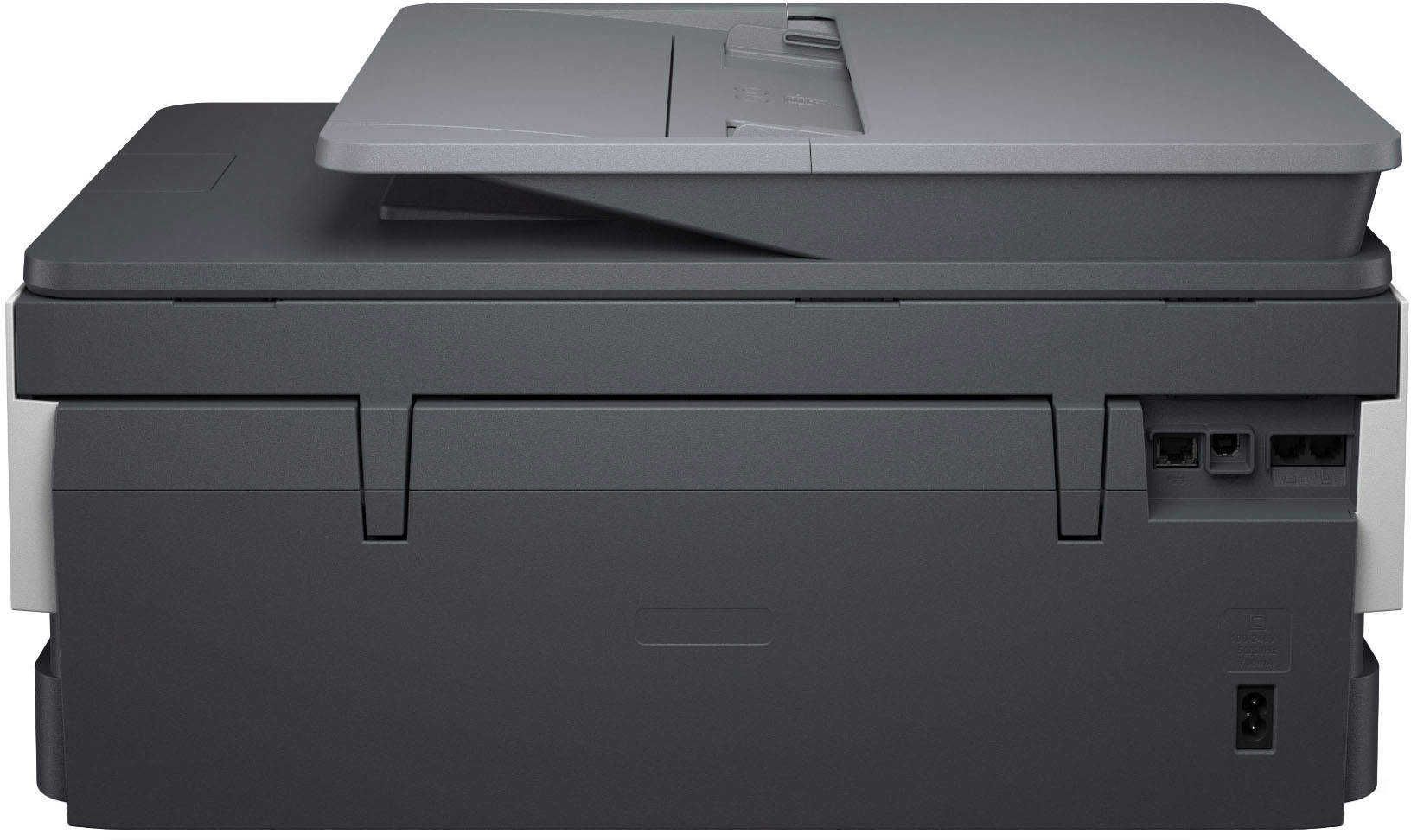
|Posted .This reviewer received promo considerations or sweepstakes entry for writing a review.The HP 8034e printer is a nice looking, light weight, and fairly compact full function inkjet printer. It has an adequately sized tilting touch screen interface to help control the printer. It’s also wi-fi enabled with jacks on the back for ethernet and USB-B just in case you need them. On the side of the printer there is a USB plug that allows you to plug in a USB storage drive for photos and scanning. The ink cartridges were easy to install, and it didn’t take too much work to get the printer unpacked and ready for use. It was interesting to see that this printer will only be able to use new, reused, remanufactured, and refilled genuine HP inkjet cartridges. It doesn’t appear that 3rd party cartridges will be supported so be aware you will need to purchase genuine HP cartridges for this printer. It does come with a year of subscription to HP+ for up to 1 year of instant ink and an extended warranty. Once I turned it on, I was asked to download the HP Smart app, which I did on both my Windows computer and my Android phone. I tried to connect to the printer, and on several occasions the screen on the printer said I was connected to the app, but the app never showed the printer. I tried to connect using both my computer and my phone with no luck. The included instructions, printer display, and HP app all lacked any further direction on how to get connected to wi-fi and after 15 minutes of multiple unsuccessful attempts, I ended up pressing the question mark on the display and canceling my way to the main screen. I pressed on the internet icon and was able to choose my wi-fi network and enter in my credentials to finally get connected. The first thing printed was the alignment sheet and once it printed, I was asked to scan the document. I thought this was nice that the machine can adjust itself to keep the inkjets aligned and keep your pictures and font nice and sharp looking. Once connected to the internet I was able to use the app on my desktop computer to finish installation. Printing single sided documents from that point on was easy. Black and white printing was fast and full color pages also went quickly. I encountered no issues with fonts or photos smearing when touched fresh off the printer. One area where I ran into a hiccup was with full-duplex printing. The printer says it supports automatic two-sided printing, but I couldn’t get this to work. Selecting two-sided printing for documents resulted in the document being printed on two separate pieces of paper. It didn’t matter if I selected two-sided printing on long or short edge, I encountered the problem each time I tried to print a two-sided document. For scanning, the top tray has a nice document feeder that allows you to scan multiple pages at once into a single document. I didn’t notice a scan and send function to allow you to email a scanned document directly from the printer, but you have the ability to send the scan to a computer or USB storage drive that you have plugged into the side of the printer. There are multiple settings available for color or black and white scanning as well as scan quality and dpi settings. Scanning goes at a reasonable speed and the scans save to pdf format and they look nice and accurate when opened. Overall, it’s a pretty good printer. I'm not sure why I couldn't get two-sided printing to work, but I will keep troubleshooting the problem.
I would recommend this to a friend - Pros mentioned:Ease of use, Print quality
This printer is great!
|Posted .This reviewer received promo considerations or sweepstakes entry for writing a review.This printer is absolutely wonderful! It prints beautiful, high-quality images, is quick and quiet. Very easy to use as well. The HP+ ink service however has been very impractical. I signed up for 700 pages a month and ran out of ink within the first two days (after printing only 70 pages). They ordered more for me, but a week later I still have not receieved any ink. This is very hard to work around when I need to be able to print daily for my classroom. At this rate, I don't believe i will even be able to reach 700 pages given how slow the service has been, but overall the printer is great. It scans and copies as well which is a huge plus. It's much faster than my old HP printer and the print quality is much better as well. Setup was very easy using the HP Smart app on my iPhone. I would recommend this product to a friend with the suggestion of them not using the HP Ink service. Printer easy to configure and it's connected to Wi-Fi so I can print from any device which is a huge plus as well!
I would recommend this to a friend - Pros mentioned:Ease of use, Print quality
top 5 printer
|Posted .This reviewer received promo considerations or sweepstakes entry for writing a review.My family and I have gone through multiple printers in the past couple of years as we are now all working from home. We have yet to find a printer that works every time without any issues. Thankfully we finally found one. Haven't had any sort of issues or need for troubleshooting since setting up. This printer was very easy to set up and connected to phone / Wifi quickly. I have never had a printer that is able to print from your iphone and think it is so cool / necessary to have! Another bonus is that it comes with a full year of instant ink from HP (subscription based) so we never have to worry about running out of ink. Printer is set up in my office and any computer connected to wifi in the house can easily connect and print to it. Colors and black ink come through very clear and the pages look really nice. No issues with ink not drying and ink smudging when printing multiple page document. I would recommend this printer to all of the work from home employees needing a good, easy to use printer at home
I would recommend this to a friend Not the best printer
||Posted . Owned for 3 weeks when reviewed.This reviewer received promo considerations or sweepstakes entry for writing a review.I cannot review this printer because it never worked after all the troubleshooting that was performed. The black ink printhead had issues Therefore I returned this printer and purchased another brand which operates much better and is better in every aspect.
No, I would not recommend this to a friend- Pros mentioned:Print quality
Great Small Office/Home Office All-In-One Printer
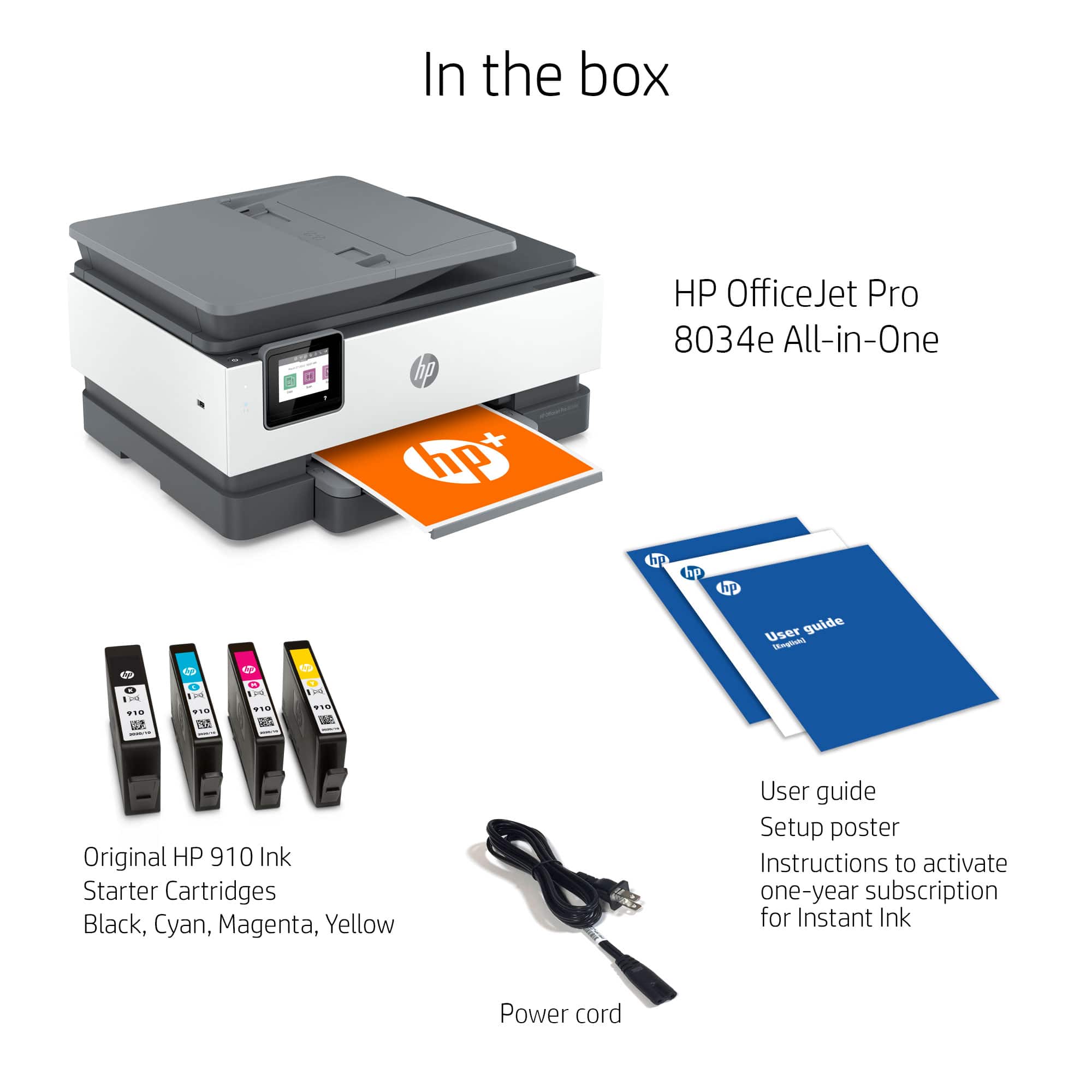
|Posted .This reviewer received promo considerations or sweepstakes entry for writing a review.The HP OfficeJet Pro 8034e Wireless All-In-One Inkjet Printer is a great printer for small offices and home offices. The OfficeJet Pro 8034e allows wireless connections from a smartphone, tablet, laptop, or desktop computer. You can download the free HP app for your computer or mobile device through your app store (Android, iOS, Windows, or Mac). Unboxing The HP OfficeJet 8034e is easy to unbox. It comes with minimal packaging. Just open the carton and turn it on its side. Pull the handles on the clear plastic bag to slide the printer out of the carton, then remove the two end caps and you are ready to set up the printer. Setup The printer took 20-30 minutes to set up and test, including the app download and printer alignment test. This is the first printer I have used where you print the test page, then scan it on the flat bed to align the print heads. Ink The OfficeJet Pro 8034e Wireless All-In-One Printer uses four ink cartridges; starter cartridges are supplied. You are encouraged to join the HP Instant Ink program where HP ships you ink when your supplies are low. You can choose a plan based on the number of pages you print monthly. The printer I received provides me ink for the first year. Printing, Scanning, and Copying I tested the printer with email and graphic design programs. The printer is fast and prints fairly well. I can print borderless pages as needed. I tried the printer with 20 lb paper and with card stock. I set the paper type to thick plain paper, and the card stock did not jam. I noticed that on borderless prints with near 100% ink coverage, there is a faint white line near the bottom of the page. I also tested the printer with fine art matte printer paper. I had good color results and beautiful details in my photos when I set Photoshop to allow the printer to manage colors. The scanner accepts pages up to A4 size (a bit longer than US Letter size). You can scan to a computer or to a USB thumb drive. I scanned the printer alignment page and got good detail on the .PDF scanned version. I used the auto document feeder to make a copy, placing the original printed side up. The copy looked as good as the original. Both the scan and copy functions are fast. Pros - wireless printing with free app, allows you to control the printer from anywhere you have an internet connection - free ink for one year through HP Instant Ink program (check for similar deals when you purchase this printer) - fast printing, copying, and scanning - ability to print on different paper types without jamming - easy to use touch screen - auto feeder for copies and scans Cons - takes a while to set up the app, especially if you are not tech-savvy - small paper tray capacity, 50 - 75 sheets - paper tray setup is not intuitive - thin plastic on paper tray print output support - printer has sharp corners, can be an issue if you set the printer on the floor or on a low stand - the printer left a thin white line near the bottom of a densely-colored graphic design - the printer left a blank white space at the top of a borderless print I recommend this printer for small office or home office use.
I would recommend this to a friend - Pros mentioned:Print quality
Solid printer for home or light business use.
|Posted .This reviewer received promo considerations or sweepstakes entry for writing a review.I feel like HP has been making printers long enough for most people to know what they're getting into going in. They are reliable, boxy little workhorses that tend to lean a bit more towards raw functionality than they do user friendliness, and make some very pretty pictures if you treat them right. After spending about a week with the 8034e I can reasonably say that it is, by and large, continuing all of these trends. There are no new standout features or tricks on display here - just a very functional very square box that you can set up in one corner and then forget about for the next two months until it orders itself a new set of ink cartridges for you to install. And, frankly, I think this is all a good thing. Getting the printer out of the box was refreshingly straightforward. As is the usual these days the printer comes with a lot of the moving parts taped up and wrapped in foam and/or cardboard to prevent damage in shipping. Some of my biggest printer related headaches in the past have been the result of missing one or two of these things and trying to run the printer anyway, but it looks like there isn't much of a risk of that here. All the tape is clearly visible with none of it it hidden in the internals, apart from one cardboard blank in the paper tray. Setup was a mix of using the (small) touch panel on the front of the unit and the HP Print app on my phone, which is definitely and improvement over having to do everything on the unit itself. Options for wired hookups are available, but I didn't bother with them as it's been some years since I actually kept the printer in the same room as my PC. If you do want to pursue that though you'll need to be ready to buy your own cable, as the default use case is clearly WiFi. All in all I was ready to make my first print six minutes after opening the box, which I think might be a personal record. Print quality is very good. Leaving it on its default settings will produce inkjet prints that most would consider serviceable, with slightly washed out colors and grayish blacks to help conserve ink usage. There is a huge difference though when turning it up to maximum settings. Photos come out just as good as professionally printed ones assuming you're using decent paper, and text is crisp and dark. That said it also ate straight through the small test cartridges that shipped with it. Good news is that you do get a full year of their Instant Ink service, where you are allotted a certain number of pages you can print in a month and so long as you stay within that you get new cartridges shipped to you automatically. Overall I've found the rates for this service to be very competitive - particularly if you're a light printer. The cartridges themselves seem to have a decent amount of ink in them, though they're definitely weighted more towards producing text than images. If I had to point to a weakness, it would be the fact that they're only offering ink cartridges. I've never had a decent inkjet that didn't have issues with the print heads themselves getting gunked up if it's not used regularly, and in this printer it looks like the printheads are not easily replaceable (if they're replaceable at all.) Occasional users might want to go out of their way to print something colorful every couple months, just to be sure it doesn't have a chance to get too bad. Though if you are printing infrequently enough for this to be an issue, it's possible that you'll be better served with something a bit cheaper anyway. The built in scanner is very good. Both photos and documents come through clearly and it doesn't take very long at all to complete the scan. Only complaint is that between the screen and the way the scanner door is mounted large objects like books can be a bit cumbersome to get on the plate. The screen sticks up just far enough to interfere with the spine, and I was a little concerned when I tilted it back that it might break off if I pushed down too hard without the bottom of the casing helping to support it. Given all this, I'd definitely say this is more a medium-to-light duty machine than an office workhorse. I would have no qualms recommending it to anyone looking for something robust for the home or a supplemental printer in the office. Anyone looking to regularly do huge volume prints or plan to use it primarily for the scanner though might want to look at alternatives.
I would recommend this to a friend HP 8030 printer is a junk product
||Posted . Owned for 3 weeks when reviewed.This reviewer received promo considerations or sweepstakes entry for writing a review.Useless product. Didn’t work at all. Spent one hour with a very nice lady from HP who did all kind of manipulations to make it work. It worked, but after I got off the phone, the problem started again. I am returning it, because I still have time.
No, I would not recommend this to a friend- Pros mentioned:Setup
These HP printers keep getting better and better
|Posted .This reviewer received promo considerations or sweepstakes entry for writing a review.My first non-dot-matrix printer back in the 1990s was an HP Laser printer, and I have mostly stayed with HP printers over the years. Not only are these printers good, but also their hardware and software keep getting better. My most recent HP printer was the Pro 9015 All-in-One, and I have been so satisfied with it that I decided to get this HP OfficeJet Pro 8034e as a second printer in my home. The HP 8034e continues to share the excellent features of my previous HP printer, such as excellent scanning at resolutions up to 1200 dpi, fast printing, and easy copying, all of which can be chosen from the little touchscreen menu on the printer as well as devices connected to it. The HP 8034 is an improvement over the 9015 in some respects. Setup was much, much easier and cleaner than it was for the 9015, which seemed to require an initial setup from my Android phone and a second setup on my Windows laptop. With the HP 8034e, setup with the HP Smart app on my laptop went very quickly, and the printer became visible from all devices in my house. I connected the printer to my home network via Ethernet, although I am sure that the printer would work fine with wireless. Another huge improvement in the HP 8034e is its mechanical operation. My previous printer used to shake so hard while printing that it literally caused the two-file wooden cabinet it sat on to sway back and forth. The HP 8034e emits the usual mechanical sounds that all printers make, but its overall operation is much quieter and does not cause its table to shake. One of the great advantages of these new HP printers is the Instant Ink program, in which HP monitors your ink supply and makes sure you never run out of ink, charging for the number of pages you print each month instead of the amount of ink you use. I saved a lot of money on ink with my previous HP printer, and the HP 8034e came with 12 free months in the instant ink program. It is a great deal. In testing the various features and functionality of the HP 8034e, I ran into only a couple of glitches. Whereas an Epson printer I used to own could scan multi-page documents from the feeder directly from Adobe Acrobat, the HP 8034e could not seem to do that. It would scan the first page into a new Adobe PDF file correctly, but the remaining pages moved through the feeder without images being produced. However, when I scanned with the HP Smart app, it was able to create a multi-page PDF from the feeder without problems. The second oddity is that one time the printer started beeping and giving me a message that the paper tray was open when it was not. After acknowledging the message, it went away. In general, the app and the controls on the printer are even better than they were before, and I am very comfortable giving the HP 8034e an excellent rating.
I would recommend this to a friend - Pros mentioned:Print quality
Fast and Quiet
|Posted .This reviewer received promo considerations or sweepstakes entry for writing a review.I've used HP printers in the past and they have always lasted at least a decade. Unfortunately my desktop printer with a scanner finally died so I needed a new printer and this one is approximately equal to that large grey HP printer/scanner with sheet feeder. SETUP Finally a product with full-sized instructions! Too many times products are shipped with the tiniest of printed instructions which become nearly useless to anyone needing glasses. And sometimes even the glasses don't help. I followed the instructions precisely as the instructions suggested and tested this printer with both an Android 12 phone and with two different printers - one on a windows 11 computer and one on a windows 10 printer (cannot upgrade). I had different results on windows 11 I first installed using the app downloaded from the Google Play store on the Android phone. Immediate success after I entered the wireless password. On a windows 10 phone, I was even able to install via windows add a printer. I did nothing and it was already listed. On a windows 11 phone, I could not find the printer at all. Adding the printer locked up the computer. Finally I installed the HP smart app to get the printer to install though it seemed to take much longer than even on the phone. The printer is still not listed in devices though in a test print I did find that HP Smart is the item to use and then to work through the app to print. To me that is totally unneeded. OPERATION Nice touch panel and the HP Smart app does provide you with information as well including ink level status. I found the copies to come out quickly and very quiet. The real make or break issue on this printer is whether it clogs easily like most "cheaper" printers that I have used and discarded. Scanning was quite quick and easy to use. I worked through the HP smart app to do this as well on the Windows 11 machine. ADDED BENEFITS This printer has 1 year of ink which will be interesting to see how it works. One downside from another HP printer that I used was that the ink service will terminate your printing after you don't renew. As the cost of ink cartridges is expensive, you may or may not break even on a subscription based ink service. One thing is for sure, if you cancel the service, you will not be able to print (at least in my case with another cheaper HP printer). OVERALL RECOMMENDATIONS If you spend the money on a quality (not starter) printer, HP does make very durable machines I would recommend this if you use a printer on a REGULAR BASIS to prevent the cartridge heads from clogging. If you don't use it often, buy a laser printer.
I would recommend this to a friend Great print quality and features with full duplex
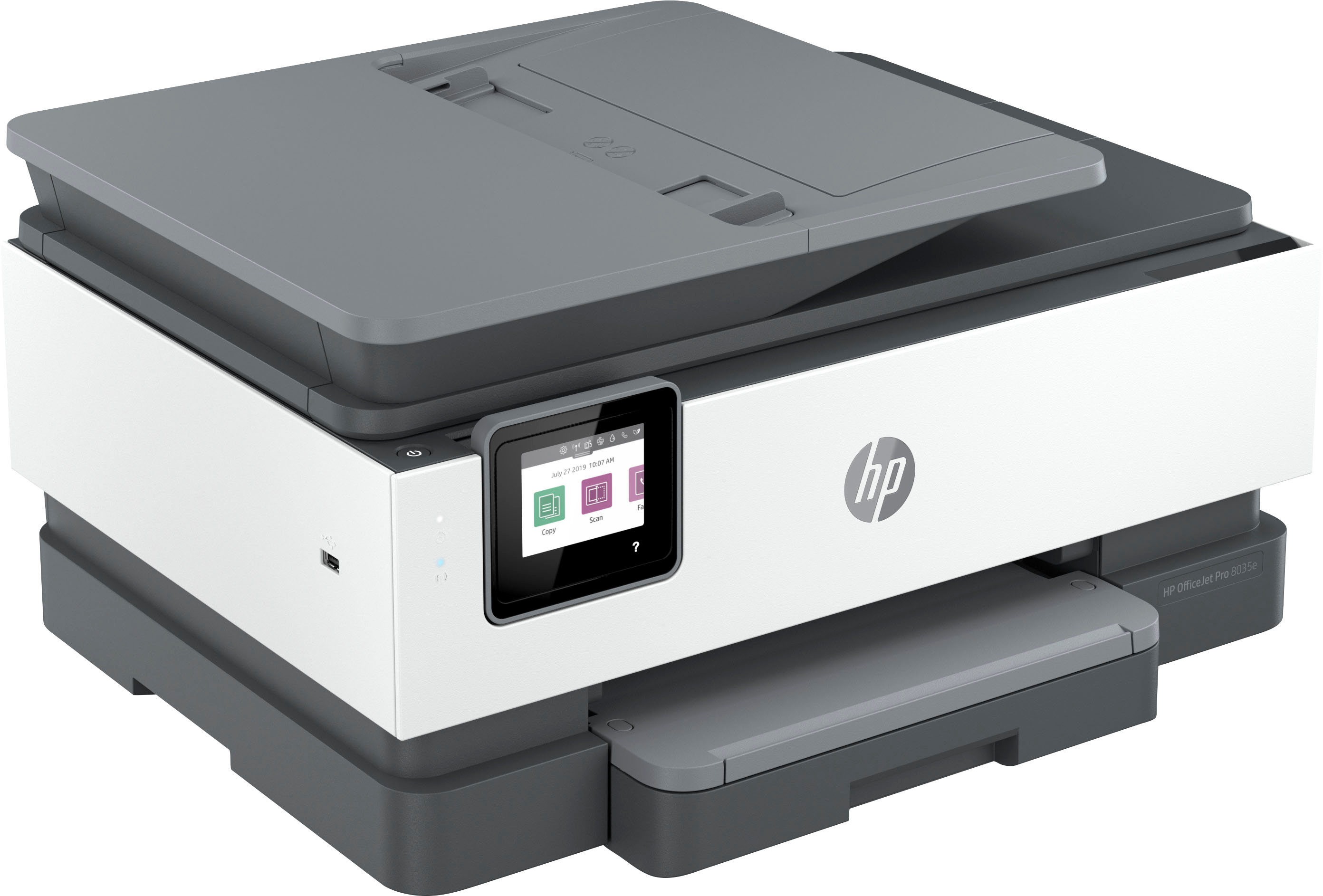
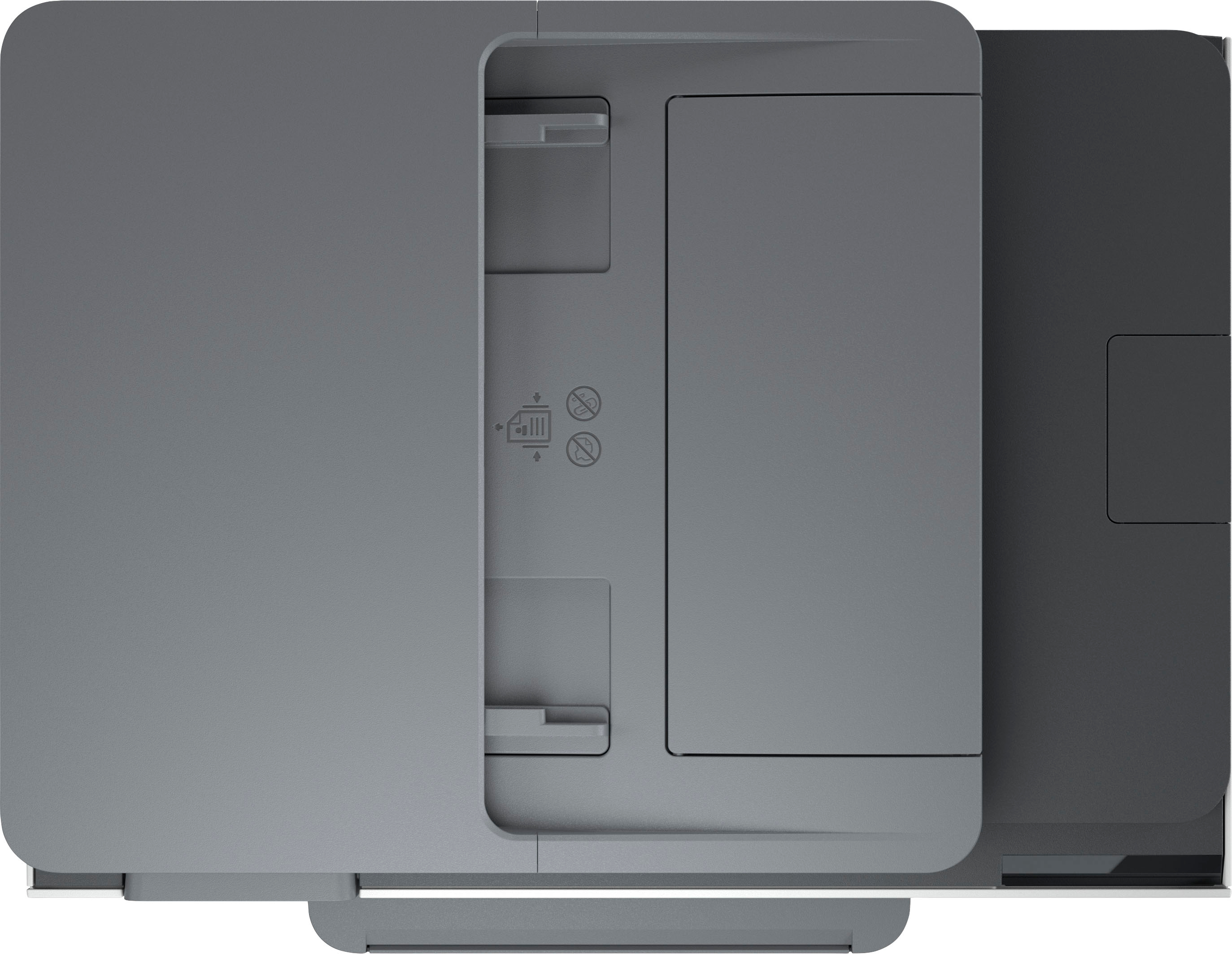
|Posted .This reviewer received promo considerations or sweepstakes entry for writing a review.The HP OfficeJet Pro 8034e is a full featured all-in-one with great print quality as well as full duplex printing and a sheet feeder for the scanner! Design There is a sheet feeder for the scanner so you have that as well as the common flatbed to work with when scanning. There is one paper tray, no single sheet feeder or any other option. It is designed to handle legal size paper, photo paper, envelopes, etc, but you will need to take out one to put in the other. It's a fairly compact size for having a sheet feeder on the scanner and full duplex printing. The paper tray is a little on the clunky side to work with. When putting in 4x6 photo paper it has side guides that hold it in place but nothing that comes in against it from the front of the printer. Just just sort of slide it forward and it sits there. In spite of that I didn't have any issues with paper feeding of photo paper, or any other paper for that matter. Features As I mentioned this is a fully duplex printer so you can print on both sides of a page at a time. It does not do full duplex scanning. It prints text fast, with very reasonable quality at draft speed. The normal quality is great and best is better but in most situations normal is great for me - both for photos and text. It also has full, conventional faxing. There is a port on the back for a phone line and a port to go to an analog phone from the fax machine. You will also fine a network jack and a USB type B port so you can plug it in to your PC with a USB cable or use wired instead of wireless networking. You may want to note when setting up the HP faxing software on the PC it will ask for a password and refer to a label inside the printer. There is no label with a password. The password is actually the PIN listed on the sticker inside the printer. So apparently HP changed the way they do this on the printer before they updated the software to reflect that change. Anyway, once I put the PIN in I was able to setup the faxing. I also found the printer to be fairly quiet. There is a setting to make it print more quietly too but I didn't think it was loud at all. Print Quality The text quality is excellent! Draft was good, normal was excellent, and "Best" was better than "Normal". I was extremely happy with the print quality. of this printer. The text was sharp and crisp with smooth edges and curves. Images and photos look very good as well. Scan Quality The scanner works well. I did used the feeder a few times and it worked very well. I was glad that the included HP software let me scan multiple pages into a PDF file. I also scanned some pages and images as JPEG files. It wasn't fast but it does a good job. Text, graphics, and photos were scanned well. The scanning resolution appears to be limited to 300dpi but that gave me great results. HP Software The included HP Smart software does require that you setup an account with HP. You don't need to this to use the printer/scanner/copier but it does let you do some extra things. One option it has if you create an account is to setup "Shortcuts". By default it made one for me that allows me to scan and then automatically email the scanned image to my email address. I really like that option! You can create other Shortcuts that involve scanning, printing, and saving to different locations - including Google Drive, OneDrive, DropBox, Box, Evernote, and Quickbooks. It could be very handy and made me glad I created an account. I was able to download all the software I needed for the OfficeJet Pro 8034 from HP that let me use all the features without creating an account so you can do that if you want but I may be using the HP Smart app more than I thought I would. It doesn't seem to have the built in options I've seen in other HP printers to print things like notebook paper, graph paper, and music sheets. User Interface I like the way they designed the user interface on the printer. There are nice big icons for you to easily get to common options like copy and scan. They also have an icon there for the Shortcuts I mentioned above. But you can swipe down from the top to get at other settings and I like the way that works. I feel like it makes the settings very accessible without making the main screen too busy. Summary The HP OfficeJet Pro 8034e is a great all-in-one ink jet with some very cool special features. It delivers excellent print quality, full duplex printing, a sheet feeder for scanning, and faxing. You're also not forced to use wireless as it actually has an Ethernet port as well as USB. Some sort of single sheet feeder or second tray would have been nice but HP did pack a lot into a small package.
I would recommend this to a friend- Pros mentioned:Ease of use
Love it! The best so far
|Posted .This reviewer received promo considerations or sweepstakes entry for writing a review.This printer has been the easiest printer I ever used. From taking it out of the box, to setting it up and using it, I haven't had one issue. It's a little larger than my previous HP printer, but it's not an issue. Once the ink cartridges were installed, it was very easy to add it to the HP app and get HP+ installed. I easily had the HP printer installed on my phone, my laptop and my tablet. I have printed from all 3 devices from all over the house without any connection issues. No issues doing any double-sided printing from any device. I was also able to send a mobile fax using the HP add and it went through with no issues. The ability to check out the ink levels on the app is very easy to access. There is a touch screen on the printer that works just fine, but the touchscreen has the basic functions, while the app shows all the functions available. The scan function works very well and no issue. The only nitpick I have it you can't scan documents using the feeder on top. The feeder is for printing documents only. That being said, I'm aware it's not a full function printer like an office printer. I highly recommend this HP printer for every type of home printing function.
I would recommend this to a friend - Pros mentioned:Print quality
It's Just OK, Not Great and Not Terrible
|Posted .This reviewer received promo considerations or sweepstakes entry for writing a review.When it comes to printers I’ve always held the belief that new ones are almost the same price as the replacement ink, so why get anything fancy when it will just require expensive refills before too long. That being said you get what you pay for so I decided to get a higher end HP OfficeJet Pro 8034e All-In-One and see how I fared over previous “cheap” printers. Right off the bat I can say that depending on how much you print the free year of Instant Ink will counter the argument about ink costing a lot. You sign up for a monthly payment plan that bills you after the free trial ends for a set amount of pages, ranging from 10 pages per month up to 700 pages per month, and automatically sends you ink when you’re running low. Obviously there are a few less than ideal variables here such as needing to know a good idea how much you will be printing since the lower price plan will be more affordable until you go beyond and then its $1.00 per 10-20 pages (I forget the details and their website says it depends on your plan). If you use less than you think you will print, its OK as your pages do roll over up to a certain amount (again varies by plan). The OfficeJet Pro comes with a year free trial, so you may as well sign up for the expensive option and set a reminder to cancel if it ends up not being for you or if you want to downgrade to a smaller plan. As a previous user of instant ink I want to throw a HUGE warning sign up here before you purchase an HP printer that uses Instant Ink: if you cancel your subscription they essentially deactivate your printer. I had one before that was less than a year old but as soon as the subscription I paid for was canceled it stopped printing, stopped scanning, and was a paperweight. The left over ink in the cartridge is unusable even after canceling thanks to a special chip on the cartridge. You’ll also have to keep your printer powered on and connected to wifi 24-7 for Instant Ink to work as it must monitor your usage and status continually to function optimally. As for the OfficeJet Pro itself the printer is a standard printer/copier/scanner with a few fancy features. Your control screen is a color touchscreen and its pretty sensitive, unlike some where you need a hard or long press to get it to register. You’ll also find a batch copy/scan feed tray on top, so if you need to copy/scan a pile of documents you just put them in and it will copy them all in a row automatically. And finally the printer can work from any device using HP Smart app including checking ink levels and choosing parameters for prints (photo or document, landscape or portrait, black and white or color, etc.). I forget how many my other prints have held but this one holds somewhere around 225 pages of blank paper in the tray so you don’t need to keep a stack nearby for fear of running out quickly. Setup was pretty easy just having it automatically connect to the wifi network and having me type the password into the touchscreen. I will say it seems like it can only be connected to one network at a time and our router generates a standard and two 5G networks which, my phone at least, auto connects based on bandwidth…meaning I’ve had to change networks on my phone to be able to use the printer. This printer won’t win any speed races for printing, in case that matters to anyone out there. For example, I printed an 18 page instruction manual in black and white (mostly text with a few thumbnail pictures on a handful of pages) and it took 2 minutes and 16 seconds, which if my math checks out is about 8 seconds per page. A full page color Halloween picture took just over a minute. It advertises the HP Smart app being an amazing feature of this printer and its kind of cool. Like I said you can see ink levels of any HP printers you have connected to your network and the app but you can also see an assortment of “Printables” from coloring to activity pages to templates for masks/creative projects. More helpfully you can use your mobile device to fax, scan, and control the printer itself to print, scan, and copy. Overall this is a pretty standard printer and beyond the Instant Ink trial period there is little reason to consider this over other printers. The size isn’t especially small, the speed is too slow for my liking, and the functionality being tied into a monthly subscription is a trend I do not wish to support. While it's possible the Instant Ink terms may change before this current trial is over, as things are now if you don’t continue to pay for your printer monthly HP will brick your unit (our last one couldn’t even scan documents to JPG on the desktop). Decide for yourself if the price you’re seeing now is worth what I and other reviewers have to say about it. I’m going to give it a neutral simple based on the free trial being a year, less than that it would be a pass from me.
No, I would not recommend this to a friend slow
||Posted . Owned for 1 month when reviewed.This reviewer received promo considerations or sweepstakes entry for writing a review.Not user friendly, simple things like switching from scanning on the glass to the document feeder is a chore.
No, I would not recommend this to a friendBrand response from HP Team
Posted .Hi, Katherine.
I’m sorry that you’ve had a poor start to owning your printer. I can wholly understand why slow print speed and difficult usability would be a bad combination. I want to help you remedy the speed issue and learn more about the device so you can have a better experience. I hope the resources I've listed below guide you to that end.
First, I recommend that you follow a guide on our support site that covers improving print speed; among other things, it contains instructions on updating firmware, which can help improve print speed and other performance. Find that guide here:
- support.hp.com/us-en/document/ish_2817150-2408088-16
Next, to learn more about your printer and all its features, or for help solving problems, you can access user manuals, how-to documents, troubleshooting guides and software updates here:
- support.hp.com/us-en/product/hp-officejet-pro-8030e-all-in-one-printer-series/38023433
If any problem persists, I suggest that you contact us directly at +1 800-474-6836 so we can help you assess what’s happening and find the best course of action. To expedite the process, I recommend gathering the following information before the call:
- Model number
- Serial number
- Your location
- Case number (from any previous contact with HP support)
Keith
HP Care
hp.com/support
HP Home Office printer worth having!
|Posted .This reviewer received promo considerations or sweepstakes entry for writing a review.The HP OfficeJet Pro 8034e Wireless AIO Inkjet Printer is a sturdy and robust machine capable of printing 20,000 pages/month designed for home office or small business use. I am finding that it is also great for a home printer if you enjoy bells & whistles and need those extra features. A bonus with this is that it comes with 12 months of FREE Instant Ink, which means for the entire first year of use you won't have to pay one penny for ink! Apparently they can somehow monitor your ink usage and will automatically send ink when you have surpassed their pre-established page counts. I love that feature. After the first year, you can sign up for a plan depending on the amount of pages you think you will print. For instance, as of now, the 700 page plan is $24.99/month. But they don't send the ink monthly - you will get ink when you've reached the 700 pages. Remember that if you choose to pay monthly after the initial 12 month trial. This printer uses HP910 ink with 4 cartridges. The HP software/firmware will not allow you to use third-party cartridges with this, but it seems you can refill their cartridges if you are so inclined. Setting up the printer was a breeze following the step by step instructions in the quick start guide. Once you download the HP Smart app, you can easily complete the setup - get it on your wifi and you're ready to fly. The 4 ink cartridges we very easy to install, thankfully. As for the printer itself, it is an All In One printer - you can print, copy, scan and fax (fax only if you have a phone line). I found the print quality to be surprisingly good. It is relatively quick to print with an estimated 20 pages/minute with black, and 10 pages/minute color. For my speed test, I printed 4 copies of a 2 sided text document from my iPhone in 43 seconds. So this does print quickly and is fairly quiet. There is a “quiet mode” but that slows down printing. This printer has an auto document feeder (ADF) which works well for me and hasn't jammed at all. You cannot automatically copy 2 sided documents. That is important to note and for me, knocks a star off the rating. If you say it is for business - it should copy 2 sided documents automatically. But you are able to take a 2 sided document and copy to 2 one sided documents. This is not intended to be a photo printer, but I used it for that and the quality was good. You can use numerous sizes of paper, envelopes, etc with this up to legal size - 8-1/2x14. You can print, but you cannot copy that large because the scanner bed is approx. 8-1/2x11. You can only have 1 type of paper loaded at a time in the 225 sheet capacity easy to access and load paper tray. You can print wirelessly via mobile printing, computer or USB. Yes, this includes a USB-A port. And this has a 2.7" color touchscreen which I really like. My last printer wasn't touch screen and that is such a hassle. This simplifies use a great deal. Overall, I think this is a great printer. It is very solid and all aspects perform very well. If it wasn't for the fact that it can't automatically copy 2 sided documents (it can print them), this would be 5 stars. The HP OfficeJet Pro 8034e Wireless AIO Inkjet Printer is a fantastic machine that I would recommend.
I would recommend this to a friend- Pros mentioned:Print quality
Pro 8034e wireless printer
Posted .This reviewer received promo considerations or sweepstakes entry for writing a review.So far it seems to work well. Prints crisp copies. I have not used the wireless connection yet. One thing I see is that the ink cartridges are quite small compared to my 8100 series The XL's were long lasting. Ink change out is a little weird the first time as I kept thinking I was going to break something but now it's fine. The 'mail the empties back for more ink is pretty handy and with this one it was free ink for a year.
I would recommend this to a friend - Pros mentioned:Ease of use, Print quality
Printer
Posted .This reviewer received promo considerations or sweepstakes entry for writing a review.Very simple to set up, printer quality is good, and comes with a free ink subscription for a period of time.
I would recommend this to a friend