Customer Ratings & Reviews



- Model:
- 5LJ23A#B1H
- SKU:
- 6335313
Rating by feature
- Value
Rating 4.4 out of 5 stars
- Quality
Rating 4.4 out of 5 stars
- Ease of Use
Rating 4.4 out of 5 stars
Customers are saying
Customers praise the OfficeJet Pro 8035e for its excellent print quality, ease of use, and compact size, finding it to be a convenient and efficient printer for home use. Positive feedback also highlights the printer's wireless capabilities and straightforward setup process. However, some users experienced challenges with the paper tray.
This summary was generated by AI based on customer reviews.
Continuation of HP Excellence
||Posted .This reviewer received promo considerations or sweepstakes entry for writing a review.The Printer Setup was easy and it functions very well. As our last HP Printer functioned very well for the past ten (10) years, we expect nothing less with this Unit and it has started working in an excellent fashion. We are extremely pleased with the new Printer's performance.
I would recommend this to a friend- Pros mentioned:Ease of use
Works grest
||Posted . Owned for 1 month when reviewed.This reviewer received promo considerations or sweepstakes entry for writing a review.Does all I need to do. Easy to set up. Works well.
I would recommend this to a friend - Pros mentioned:Ease of use
All in One HP printer
||Posted . Owned for 9 months when reviewed.This reviewer received promo considerations or sweepstakes entry for writing a review.It's easy to set up, works quietly. Only thing is it doesn't seem to have enough memory to send more than 3 pages of print to it without going to error.
No, I would not recommend this to a friendBrand response from HP Team
Posted .Hi, Nancy.
I’m sorry to hear that your printer has not performed like it should. While I’m glad to hear that it was easy to set up and prints quietly, I can easily see why the problem with longer print jobs would be puzzling and eventually frustrating, so I’ll offer some information and resources I hope will help.
First, I recommend you visit a page on our support site that has diagnostic tools for various problems, including a general-purpose tool called the HP Print and Scan Doctor. If you use Windows, the tool will help identify and guide you through solutions to a wide range of common printing and scanning issues. Visit that page here:
- support.hp.com/us-en/topic/diagnostics
If any problem persists, I hope you’ll contact us directly at +1 800-474-6836 so we can help you assess the situation and guide you through any applicable troubleshooting. (Please note that because of restrictions on personal movement and workplace attendance associated with the COVID-19 pandemic, wait times for agents are longer than normal. Thanks in advance for your understanding.) To expedite the process, I recommend gathering the following information before the call:
- Model number
- Serial number
- Your location
- Case number (from any previous contact with HP support)
I'll also mention that HP printers have a one-year warranty from their purchase date that covers hardware as well as ink supplies, so if it comes to that, you might consider making use of it. You can verify the warranty using the following link: support.hp.com/us-en/checkwarranty
Keith
HP Care
hp.com/support
- Pros mentioned:Size
The printer from hell!
||Posted . Owned for 1 week when reviewed.This reviewer received promo considerations or sweepstakes entry for writing a review.After 40 years of using HP products at work and at home, an putting up with their incremental software intrusions, particularly with their printers, I have decided to jump ship and promise never ever again to buy another HP product, I am that upset about it. I purchased this HP Officejet Pro 8035e to replace my old HP Officejet 6000 series which died a couple of weeks ago. After sending more than 3 hours trying to navigate the installation process which forces you to install HPSMART (not as smart, as it is intrusive) and pushing me to get into their pay per page gimmick, I was able to get it to wirelessly connected to my network. However I was never able to print a single page. I found it right down ridiculous that a they expect a printer that sits in my office to connect to the cloud in order to print a sheet of paper. In addition, they require every device to download their stupid app in order to print anything. Anyway, STAY AWAY from this one.
No, I would not recommend this to a friend Great HP Printer
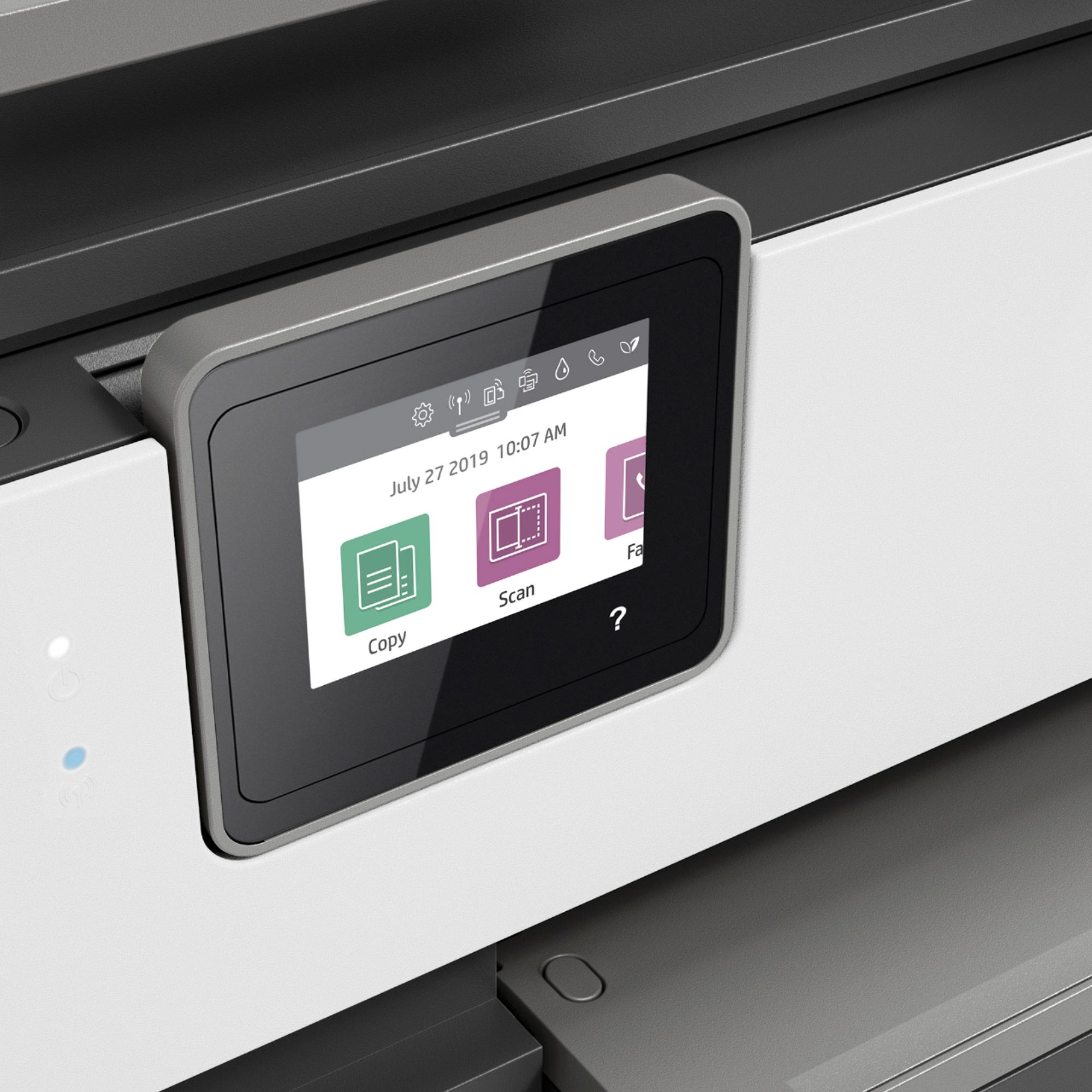
||Posted . Owned for 3 weeks when reviewed.This reviewer received promo considerations or sweepstakes entry for writing a review.I was desperate to purchase a printer since mine no longer operated correctly. I was happy to find this HP printer at a great price and with all the functions I needed. It's been working like a charm. It took me a little while to get used to the smaller display screen, but regardless, I'm very happy with this purchase.
I would recommend this to a friendLove it!
||Posted . Owned for 2 weeks when reviewed.This reviewer received promo considerations or sweepstakes entry for writing a review.My printer was old and had trouble receiving printing assignments and started making a weird noise. Decided to upgrade and it was so worth it! Love that I can scan multiple papers at once and it’s a quick process. Definitely recommend.
I would recommend this to a friendGreat all in one printer/copier!!
||Posted .This reviewer received promo considerations or sweepstakes entry for writing a review.I went into the store here in Fort Lauderdale, FL to get a printer for my laptop. The associate was very nice and directed me to the printers and then asked questions to find out the use i had in mind. That then made me make a better decision as to what printer to get. He knew his stuff!!
I would recommend this to a friendExcellent all-around printer, etc.
||Posted .This reviewer received promo considerations or sweepstakes entry for writing a review.It has much more in it than I'll probably ever used, but it will be there If and when I need it. However, the WiFi aspect was a complication to me - an oldster - and I needed 20 minutes with tech support to get it set up right. But at least it's working okay now.
I would recommend this to a friendDeniseH
||Posted . Owned for 1 week when reviewed.This reviewer received promo considerations or sweepstakes entry for writing a review.Purchased the printer as a replacement for another HP printer and so far I am very pleased with it. I would have given it five stars but there is a known wireless connection issue that you must contact H P support to get resolved.
I would recommend this to a friendGetting started with HP 8030
||Posted . Owned for 1 month when reviewed.This reviewer received promo considerations or sweepstakes entry for writing a review.First day and printer is working as advertised. Documentation is not very good. Had to go through some challenges to get printing done. Default seemed to want to save everything, but not sure where. Will have to use it a bit more before I can give printer a real review.
No, I would not recommend this to a friendHP Printer
||Posted . Owned for 1.5 years when reviewed.This reviewer received promo considerations or sweepstakes entry for writing a review.I never have any issues with this printer. I can print out paperwork while I am at work and is ready for me when I get home. Out of all the other printers I have owned this one has been the best.
I would recommend this to a friendLove My HP
||Posted . Owned for 3 weeks when reviewed.This reviewer received promo considerations or sweepstakes entry for writing a review.Love my HP 8035e. I had another HP All-in-One that lasted for 14 years without any issues. The only reason I purchased this one is because I could no longer buy ink for the dinosaur I had. LOL
I would recommend this to a friendDoes what it says, though not marvelous for price
||Posted . Owned for 3 weeks when reviewed.This reviewer received promo considerations or sweepstakes entry for writing a review.Pretty capable all-in-one. Not a model of efficiency and sheer, flawless high-quality perfection in a high-volume setting. However, though the price was high, the features function as advertised and it is a capable device.
I would recommend this to a friend- Pros mentioned:Ease of use
Easy set up
||Posted . Owned for 3 weeks when reviewed.This reviewer received promo considerations or sweepstakes entry for writing a review.The set up on this is so easy. The unit walks you through it step by step. It doesn't have great capacity in terms of scanning. It works great for a home office unit during the shelter in place.
I would recommend this to a friend Printer set up and usage
||Posted . Owned for 1 week when reviewed.This reviewer received promo considerations or sweepstakes entry for writing a review.The printer arrived in a good condition. The set up part gave me a little trouble it's like the ink wasn't going in the space provided for it well but after like 30 min I finally got it in and connected. It prints beautifully.
I would recommend this to a friendGood functionality
||Posted . Owned for 1 month when reviewed.This reviewer received promo considerations or sweepstakes entry for writing a review.Very pleased with functionality of printer. Does exactly what we wanted. Only criticism is that the output tray seems a bit flimsy. And the pop up end could be prone to breaking off.
I would recommend this to a friendTime efficient and easy to navigate!
||Posted .This reviewer received promo considerations or sweepstakes entry for writing a review.Have been using a 10 year old HP printer. Finally stopped working. This printer brings me into the 21st century. It rocks and is very efficient on my time. Love it, saves so much time when I had 2 printers to print and scan.
I would recommend this to a friendGreat printer/scanner
||Posted . Owned for 3 weeks when reviewed.This reviewer received promo considerations or sweepstakes entry for writing a review.This is a great printer/scanner for all of our home office needs. With the pandemic and more work being done from home, I highly recommend this as an option if you need printing, scanning, copy feature. Wireless functionality is great.
I would recommend this to a friendprinter is good ink is hard to get
||Posted . Owned for 2 weeks when reviewed.This reviewer received promo considerations or sweepstakes entry for writing a review.Printer quality is good and has great visual appeal. I have ran into problems getting additional ink cartridge due to a recent HP recall. I would wait until this issue is fixed before you purchase any printer with 910 cartridges.
I would recommend this to a friend- Cons mentioned:Paper tray
Hate this printer.
||Posted . Owned for 3 months when reviewed.This reviewer received promo considerations or sweepstakes entry for writing a review.I bought this printer in May 2021, and for various reasons, didn't get it hooked up until July. I hate this printer, our old HP worked so much better until it died in the spring. The paper drawer sticks ALL OF THE TIME when attempting to push it in or out. I worry about breaking it. Envelopes are extremely hard to print, keeps saying it is out of paper when it wasn’t, plus I couldn’t print envelopes because of the “no paper” message. I have to print pages of checks that are specifically made for an HP inkjet. If I don't put in a whole sheet of 3 checks, the printer won't print 2 or one by itself. They get jammed up in the mechanism and I have to take it apart to remove the ruined checks. I have used HP products for years, and have always had positive experiences. I wish I had spent a little more money on a printer, and not bothered with this model. I wouldn't mind bringing it back for an upgrade, if BB would allow it. At the same time, I also purchased the 4 year Geek Squad replacement program. I guess my question would be, can I return this and do an upgrade since I have the program
No, I would not recommend this to a friendBrand response from HP Team
Posted .Hello,
I'm so sorry for the inconveniences you've experienced with the printer. We pride ourselves on providing an easy experience for our customers, so that said, let's see how I can help.
For the printer not recognizing that the paper tray is filled, I recommend following the suggested steps in this document: support.hp.com/document/c06255431
If this doesn't seem to help, please remember you can reach out to us for support anytime. We're always here to help. You can contact us via your preferred method at this link: hp.com/contactHP
Denise
HP Care
hp.com/support