Customer Ratings & Reviews



- Model:
- 5LJ23A#B1H
- SKU:
- 6335313
Rating by feature
- Value
Rating 4.4 out of 5 stars
- Quality
Rating 4.4 out of 5 stars
- Ease of Use
Rating 4.4 out of 5 stars
Customers are saying
Customers praise the OfficeJet Pro 8035e for its excellent print quality, ease of use, and compact size, finding it to be a convenient and efficient printer for home use. Positive feedback also highlights the printer's wireless capabilities and straightforward setup process. However, some users experienced challenges with the paper tray.
This summary was generated by AI based on customer reviews.
Not as easy to use as I thought it would be
||Posted . Owned for 1 month when reviewed.This reviewer received promo considerations or sweepstakes entry for writing a review.My older H/P printer was easier to use and faster then the new model I purchased. This model is adequate and is somewhat complicated
No, I would not recommend this to a friendDifficult set up.
||Posted . Owned for 2 months when reviewed.This reviewer received promo considerations or sweepstakes entry for writing a review.This printer appears to be a very able printer, but setting it up to receive wifi programs was beyond difficult, it was unnecessarily (in my opinion). It took hours. Why so difficult? Without a wifi knowledgeable son in my home, I would have had to call Best Buy for a technition to come to my home. Again, Why???
No, I would not recommend this to a friendPrinter
||Posted .This reviewer received promo considerations or sweepstakes entry for writing a review.The printer prints good but the ink does not last very long. I have already had to buy new cartage.
No, I would not recommend this to a friendDoes not scan without an app
||Posted . Owned for 3 weeks when reviewed.This reviewer received promo considerations or sweepstakes entry for writing a review.Disappointed you have to download an app for the scanner to work. Just make it simple HP.
No, I would not recommend this to a friendHp office jet 8030e
||Posted . Owned for 2 weeks when reviewed.This reviewer received promo considerations or sweepstakes entry for writing a review.Found it too difficult to set up. HP SMART was confusing and kept saying it could not find printer or scanner.
No, I would not recommend this to a friendGood printer bad networkcard
||Posted . Owned for 1 month when reviewed.This reviewer received promo considerations or sweepstakes entry for writing a review.Good printer however had to return as the network card in it was defective. Exchanged for the newer 8035e model.
No, I would not recommend this to a friendOk printer for beginners
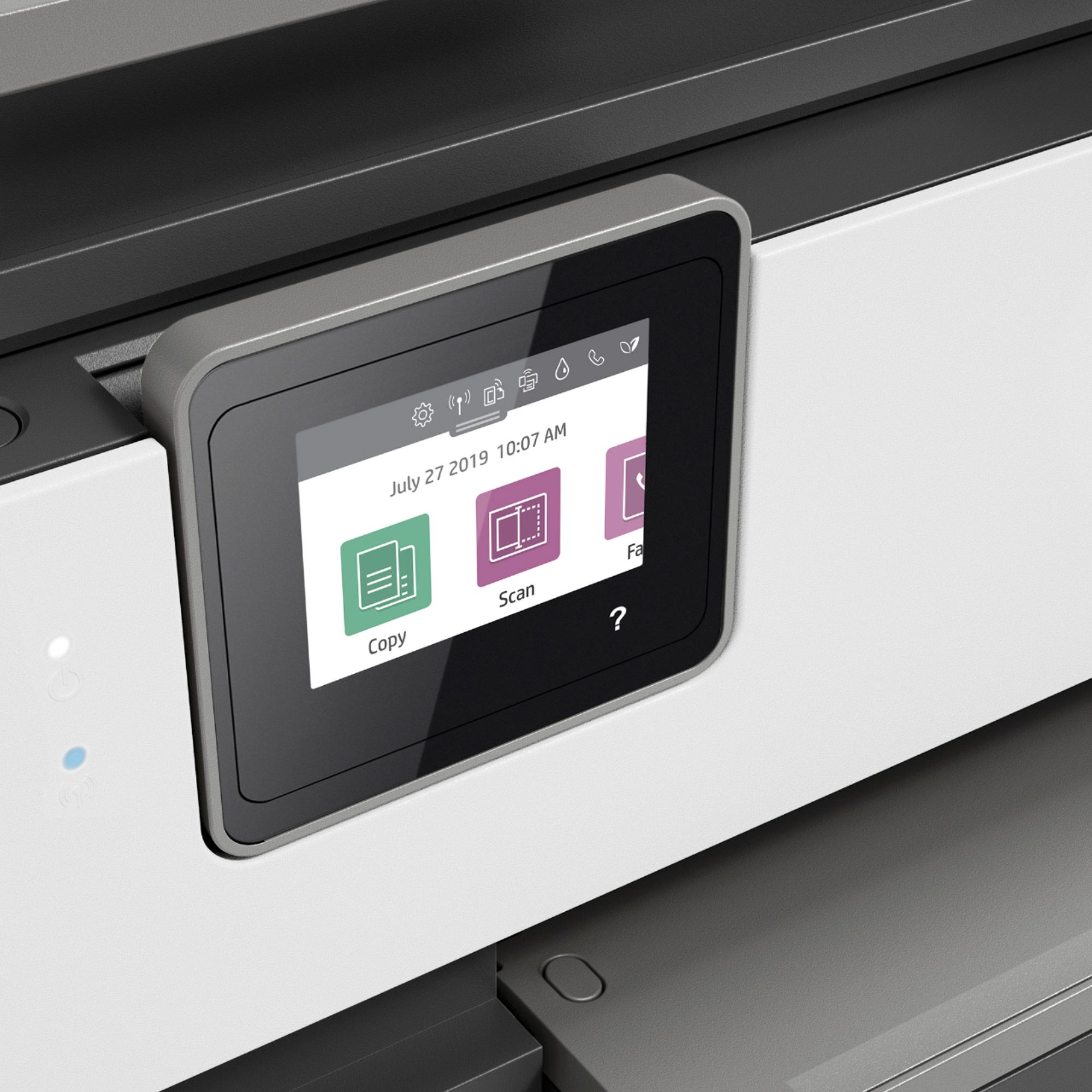
||Posted . Owned for 1 month when reviewed.This reviewer received promo considerations or sweepstakes entry for writing a review.Functional printer, but screen area is small and icons are not easy to press unless you have same / thin fingers, otherwise works well
I would recommend this to a friendDifficult to coordinate printer with Mac computer
||Posted . Owned for 3 weeks when reviewed.This reviewer received promo considerations or sweepstakes entry for writing a review.Printer would not connect to computer. Called HP and talked to tech. He said the problem was with my computer and suggested Apple could fix the problem for about $200. The tech offered to fix the problem for about $100. I hung up and Googled some blogs and eventually connected the printer to my computer. Very disappointed with the HP response. Tech was not qualified and tried to sell me an unneeded fix.
No, I would not recommend this to a friendNot so great
||Posted . Owned for 2 months when reviewed.This reviewer received promo considerations or sweepstakes entry for writing a review.I purchased the printer and had to return it. Feeder didn't work. But I loved the idea of getting 8 month worth of free ink.
No, I would not recommend this to a friendGoes through ink
||Posted . Owned for 3 weeks when reviewed.This reviewer received promo considerations or sweepstakes entry for writing a review.Definitely not as well constructed as my old office jet Pro printer and Goes very quickly through ink, very annoying.
No, I would not recommend this to a friendDifficult working with wifi
||Posted . Owned for 3 weeks when reviewed.This reviewer received promo considerations or sweepstakes entry for writing a review.Struggled with WiFi - support from hp was challenging and ink doesn’t not last long
No, I would not recommend this to a friendIt will not print wireless.
||Posted . Owned for 1 month when reviewed.This reviewer received promo considerations or sweepstakes entry for writing a review.The only way I can get it to print is a wire from the printer to my computer. I purchased to for wireless printing.
No, I would not recommend this to a friendHP 8035 Pro Printer
||Posted . Owned for 3 weeks when reviewed.This reviewer received promo considerations or sweepstakes entry for writing a review.So far we have a couple issues: Ink smearing on page Hard to pull tray out Printed paper hard to pull out as well
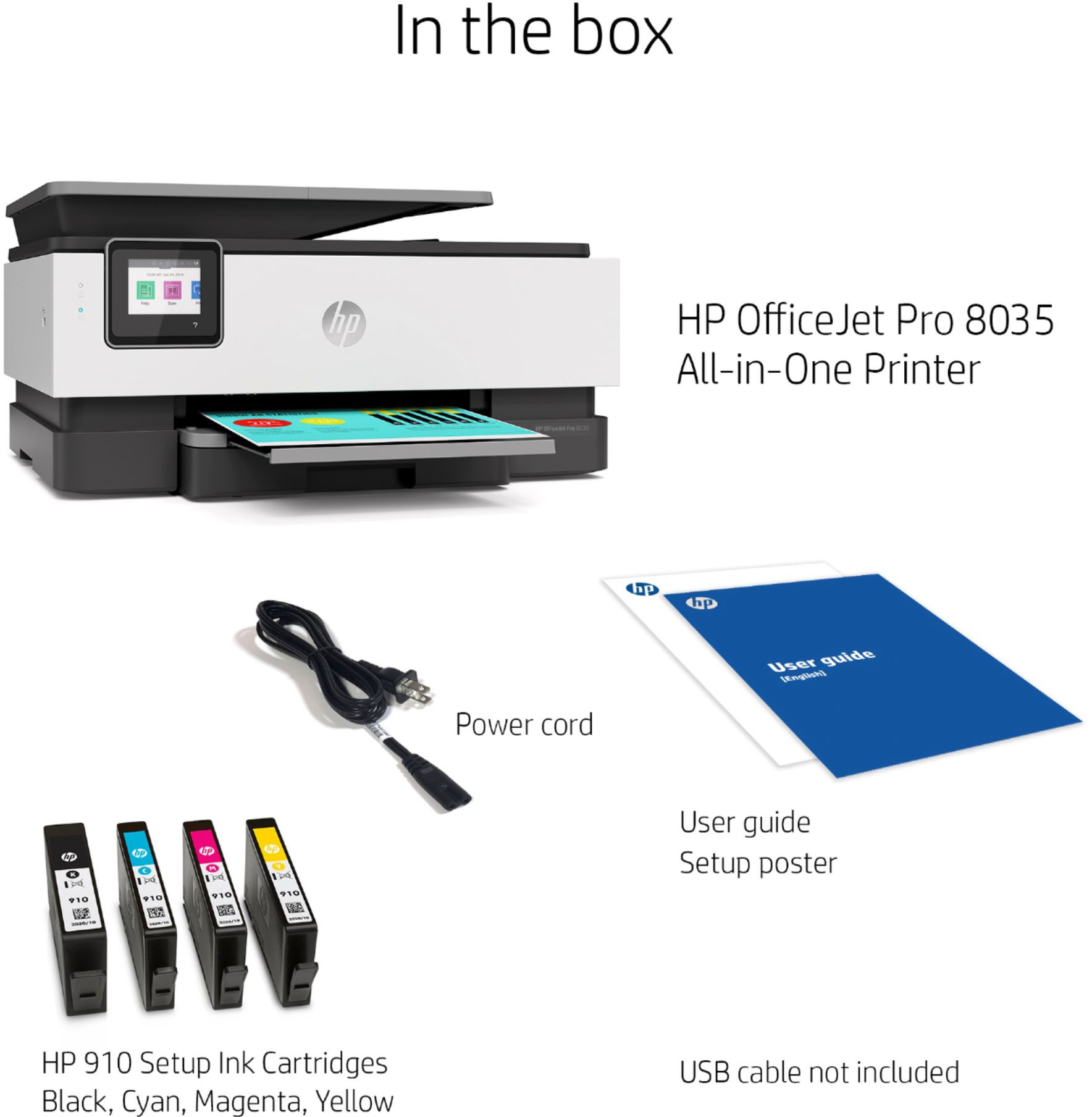
No, I would not recommend this to a friendDid not come with Power Cable
||Posted . Owned for 2 weeks when reviewed.This reviewer received promo considerations or sweepstakes entry for writing a review.The Printer works as expected. The only thing that kept it from getting a 5 was the lack of a power cable.
I would recommend this to a friendOkay but slow
||Posted . Owned for 3 weeks when reviewed.This reviewer received promo considerations or sweepstakes entry for writing a review.This printer gets the job done but if your looking for a printer that will quickly get the job done, this is not it.
No, I would not recommend this to a friendInk does not last
||Posted . Owned for 1 week when reviewed.This reviewer received promo considerations or sweepstakes entry for writing a review.I have had this printer installed for one week. The black is already running low and I have to re-order. The free ink was not even a factor in my purchase, but now I am glad I get a couple cartridges. I used to have an Epson. The black ink would last me a couple of months on that printer. If I need to replenish my ink in another week, I will be returning this printer to Best Buy.
No, I would not recommend this to a friendBrand response from HP Team
Posted .Hi there.
I’m sorry to hear that your printer has run out of ink so quickly. I can easily understand why that would be quite an unwelcome surprise, so I’ll offer some information I hope will help.
First, I can’t say for sure what happened in your case, but what you describe can happen when a printer is sold, returned to the seller and then sold again without being adequately inspected before shipping. You might want to contact the seller about this and, if that’s the case, whether any remedy exists.
It also could be that the cartridge in question is a so-called startup cartridge with a lower capacity than regular cartridges. If that’s the case, the new cartridge should have quite a big more longevity. You can check the page-yield estimate on the packaging.
Beyond that, here are some facts on ink use that might help you get more prints without too much extra effort:
- A high-density print (such as an image or graph) uses ink more quickly than a text-only document, particularly if the paper is highly absorbent and the environment is dry.
- Using the draft and black only settings on your printer can help save on ink, particularly the colors.
- Shutting the printer down between uses can result in some savings. However, always use the power button on the printer itself to turn it off. That will let the printer to 'park' so that the nozzles that spray the ink onto the paper are protected from excess drying.
If you experience such rapid ink use again, though, I recommend that you contact us directly at +1 800-474-6836 so we can guide you through the proper troubleshooting. (Please note that because of restrictions on personal movement and workplace attendance associated with the COVID-19 pandemic, wait times for agents are longer than normal. Thanks in advance for your understanding.) To expedite the process, I recommend gathering the following information before the call:
- Model number
- Serial number
- Your location
- Case number (from any previous contact with HP support)
Keith
HP Care
hp.com/support
HP Printer
||Posted .This reviewer received promo considerations or sweepstakes entry for writing a review.Had to return the product bought on 4/11. Was replaced ON 5/6. Will be able to review in a week.
No, I would not recommend this to a friendJunk
||Posted . Owned for 6 months when reviewed.This reviewer received promo considerations or sweepstakes entry for writing a review.Do not buy. Printed 3 times and now won’t print at all.
No, I would not recommend this to a friendBrand response from HP Team
Posted .Hi, Jason.
I’m sorry your printer stopped printing after you’d used it only three times. Your review is brief, but your frustration is clear – and wholly understandable here. I want to help you navigate this situation, so I’ll direct you to some resources aimed at reaching that end.
First, I recommend that you visit a page on our support site that has diagnostic tools for various tasks and issues, including wireless connectivity, which I suspect might play a role here. There you’ll also find a general-purpose tool called the HP Print and Scan Doctor. If you use Windows, the tool will help identify and guide you through solutions to a wide range of common printing and scanning issues. Visit that page here:
- support.hp.com/us-en/topic/diagnostics
For additional help, you can access troubleshooting guides, how-to documents, the main user manual and software updates specific to your printer here:
- support.hp.com/us-en/product/model/37934580
If the device still won’t print, I suggest you contact us directly so we can help you assess what’s happening and find the proper course of action. HP+ printers such as yours come with exclusive concierge support. To call and reach live HP+ experts, visit the following URL and enter your HP+ serial number:
- hp.com/plus-help
I'll also mention that HP printers have a one-year warranty from their purchase date that covers hardware as well as ink supplies – and that warranty extends to two years with an HP+ account – so if it comes to that, you might consider making use of it. You can verify the warranty using the following link:
- support.hp.com/us-en/checkwarranty
Keith
HP Care
hp.com/support
HP Printer
||Posted . Owned for more than 2 years when reviewed.This reviewer received promo considerations or sweepstakes entry for writing a review.Not happy with this printer. I should have researched it more.
No, I would not recommend this to a friendNot a good deal
||Posted . Owned for 1 month when reviewed.This reviewer received promo considerations or sweepstakes entry for writing a review.I have been only buying HP printers since the 90's and now I'm done! I'm sure this is a good all in one printer but, the ink cartridges it requires have shrunk so small that you will need ink every couple weeks ! I returned for a Cannon printer with larger ink capacity.
No, I would not recommend this to a friend