Customer Ratings & Reviews

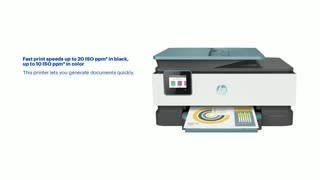
- Model:
- 3UC66A#B1H
- SKU:
- 6335318
Rating by feature
- Value
Rating 4.4 out of 5 stars
- Quality
Rating 4.4 out of 5 stars
- Ease of Use
Rating 4.4 out of 5 stars
Customers are saying
Customers praise the OfficeJet Pro 8035e for its excellent print quality, ease of use, and compact size, finding it to be a convenient and efficient printer for home use. Positive feedback also highlights the printer's wireless capabilities and straightforward setup process. However, some users experienced challenges with the paper tray.
This summary was generated by AI based on customer reviews.
Valerie
||Posted . Owned for less than 1 week when reviewed.This reviewer received promo considerations or sweepstakes entry for writing a review.Came with a poor print head never got to print. I'm not very happy with HP right now.
No, I would not recommend this to a friendHP Office Jet Pro 8035e p
||Posted . Owned for 1 month when reviewed.This reviewer received promo considerations or sweepstakes entry for writing a review.The ink runs out fast and yet to receive my replenishment though I paid for it
No, I would not recommend this to a friendHate it
||Posted . Owned for 3 weeks when reviewed.This reviewer received promo considerations or sweepstakes entry for writing a review.it doesn't work well with app or word.cant get it to print even after setting preferences
No, I would not recommend this to a friendbad printer
||Posted . Owned for less than 1 week when reviewed.This reviewer received promo considerations or sweepstakes entry for writing a review.PaperJam 2 one in 2 weeks. making me lose money behind this printer
No, I would not recommend this to a friendBrand response from HP Team
Posted .Hi there.
I’m sorry that your printer has experienced two paper jams in two weeks. I can easily understand why this would be a great frustration, especially if you’re using the printer in a business setting and the errors are costing you time and money. We aim for a much more reliable experience with our printers, so I’ll direct you to resources I hope will help you remedy the situation and get the most from the device.
First, I recommend going through the steps to clearing and avoiding paper jams that you’ll find in this troubleshooting guide on our support site:
- support.hp.com/us-en/document/c06262856
You might also find it helpful to check out this support document regarding how to best store and handle paper to avoid jams:
- support.hp.com/us-en/document/c04518237
If the problem persists, I suggest that you contact us directly at +1 800-474-6836 so we can help you assess the situation and determine the best course of action. (Please note that because of restrictions on personal movement and workplace attendance associated with the COVID-19 pandemic, wait times for agents are longer than normal. Thanks in advance for your understanding.) To expedite the process, I recommend gathering the following information before the call:
- Model number
- Serial number
- Your location
- Case number (from any previous contact with HP support)
I'll also mention that HP printers have a one-year warranty from their purchase date that covers hardware as well as ink supplies – and that warranty extends to two years with an HP+ account – so if it comes to that, you might consider making use of it. You can verify the warranty using the following link:
- support.hp.com/us-en/checkwarranty
Keith
HP Care
hp.com/support
Not worth
||Posted . Owned for 9 months when reviewed.This reviewer received promo considerations or sweepstakes entry for writing a review.Have trouble connecting to the HP ink it took forever to connect
No, I would not recommend this to a friendNever ever again
||Posted . Owned for less than 1 week when reviewed.This reviewer received promo considerations or sweepstakes entry for writing a review.No freaking power cord who sells a dam printer with no power cord
No, I would not recommend this to a friendBrand response from HP Team
Posted .Hi there.
I’m sorry to hear that your printer did not include a power cord. I can imagine how disappointing and disconcerting this must have been, so I want to provide information to help you make it right.
First, I can’t say for sure what happened in your situation, but what you describe can occur when a printer is sold, returned to the seller, then sold again to a different buyer without being adequately inspected before shipment. Because you expected to receive a new printer with all the necessary components, I recommend you contact the seller to address this promptly. You can do that by scrolling to the bottom of the Best Buy website and clicking Orders & Returns.
You can always contact us for support whenever you need as well. We're always here and more than happy to help you. You can reach us via your preferred method at this link:
- hp.com/contactHP
Keith
HP Care
hp.com/support
Can’t review what I don’t have!
||Posted . Owned for 1 month when reviewed.This reviewer received promo considerations or sweepstakes entry for writing a review.Ordered a month ago at the store. STILL have NOT received it!!
No, I would not recommend this to a friendTerrible
||Posted . Owned for 3 weeks when reviewed.This reviewer received promo considerations or sweepstakes entry for writing a review.Lines when your print pictures and in color. Wish I never got it.
No, I would not recommend this to a friendBrand response from HP Team
Posted .Hi there.
I’m sorry to hear that your printer has rendered prints of poor quality. The disappointment you express is wholly understandable, considering the photos you’ve printed have contained lines. I want to help you get the device working to your satisfaction, so I’ll direct you to some resources aimed at making that happen.
First, I recommend following the steps listed in this guide to improving print quality, including faded or streaked prints, color or black ink not printing properly or at all, and blurred or fuzzy text:
- support.hp.com/us-en/document/c06260268
If the problem persists, I suggest that you contact us directly at +1 800-474-6836 so we can help you assess the situation and find a solution. (Please note that because of restrictions on personal movement and workplace attendance associated with the COVID-19 pandemic, wait times for agents are longer than normal. Thanks in advance for your understanding.) To expedite the process, I recommend gathering the following information before the call:
- Model number
- Serial number
- Your location
- Case number (from any previous contact with HP support)
I'll also mention that HP printers have a one-year warranty from their purchase date that covers hardware as well as ink supplies, so if it comes to that, you might consider making use of it. You can verify the warranty using the following link:
- support.hp.com/us-en/checkwarranty
Keith
HP Care
hp.com/support
Loud
||Posted . Owned for 1 month when reviewed.This reviewer received promo considerations or sweepstakes entry for writing a review.It doesn’t work fast like the oldest model. Makes too much noise.
No, I would not recommend this to a friendBrand response from HP Team
Posted .Hi there.
I’m sorry to hear that you’re disappointed with your printer purchase. It’s clear why a printer that makes too much noise while printing and also doesn’t print as quickly as your former device would be an unwelcome surprise indeed. I want to help you get the printer working to your satisfaction, so I’ll offer some resources aimed at making that happen.
First, I recommend that you follow a guide on our support site that covers improving print speed; choose whichever of the following two links matches your operating system:
- Windows: support.hp.com/us-en/document/bud03409
- Mac OS: support.hp.com/us-en/document/c01928898
Also, often just updating the firmware can help improve print speed. You can find out how to do that here:
- support.hp.com/us-en/document/c02919168
The noise you describe does concern me. If it continues – and if you need further assistance with print speed – I suggest that you contact us directly at +1 800-474-6836 so we can help you assess the situation and find a solution. (Please note that because of restrictions on personal movement and workplace attendance associated with the COVID-19 pandemic, wait times for agents are longer than normal. Thanks in advance for your understanding.) To expedite the process, I recommend gathering the following information before the call:
- Model number
- Serial number
- Your location
- Case number (from any previous contact with HP support)
I'll also mention that HP printers have a one-year warranty from their purchase date that covers hardware as well as ink supplies, so if it comes to that, you might consider making use of it. You can verify the warranty using the following link:
- support.hp.com/us-en/checkwarranty
Keith
HP Care
hp.com/support
Worthless
||Posted . Owned for 5 months when reviewed.This reviewer received promo considerations or sweepstakes entry for writing a review.Printed one time parts started falling out piece of crap
No, I would not recommend this to a friendBrand response from HP Team
Posted .Hi there.
I’m sorry that your printer stopped working. Your review is brief, but it’s easy to understand why parts falling out of the device after it had printed only once would be a jarring surprise. I want to help you resolve this situation, so I’ll provide a resource and some information I hope will make that happen.
I recommend that you contact us directly so we can help you assess the situation and determine the best course of action. HP+ printers such as yours come with exclusive concierge support. To call and reach live HP+ experts, visit the following URL and enter your HP+ serial number:
- hp.com/plus-help
I'll also mention that HP printers have a one-year warranty from their purchase date that covers hardware as well as ink supplies – and that warranty extends to two years with an HP+ account – so if it comes to that, you might consider making use of it. You can verify the warranty using the following link:
- support.hp.com/us-en/checkwarranty
Keith
HP Care
hp.com/support
print head problem right away-
||Posted . Owned for 1 month when reviewed.This reviewer received promo considerations or sweepstakes entry for writing a review.difficult set up do support from best buy and print head problem within 2 weeks
No, I would not recommend this to a friendBrand response from HP Team
Posted .Hi there.
I’m sorry to hear that your printer is experiencing printhead issues. I can understand why that would be quite unnerving, especially after a difficult setup process. With that in mind, I’ll offer some information and resources I hope will help.
I can’t tell from your review what’s wrong with the printhead or whether it can be remedied, so I recommend that you contact us directly at +1 800-474-6836 so we can help you assess the situation and guide you through any applicable troubleshooting. (Please note that because of restrictions on personal movement and workplace attendance associated with the COVID-19 pandemic, wait times for agents are longer than normal. Thanks in advance for your understanding.) To expedite the process, I recommend gathering the following information before the call:
- Model number
- Serial number
- Your location
- Case number (from any previous contact with HP support)
I'll also mention that HP printers have a one-year warranty from their purchase date that covers hardware as well as ink supplies, so if it comes to that, you might consider making use of it. You can verify the warranty using the following link: support.hp.com/us-en/checkwarranty
Keith
HP Care
hp.com/support
printer
||Posted . Owned for 1 week when reviewed.This reviewer received promo considerations or sweepstakes entry for writing a review.i cant load the software on my laptop nor could the geek squad
No, I would not recommend this to a friendBrand response from HP Team
Posted .Hi there.
I’m sorry to learn that you’ve been unable to install the software for your printer on your laptop. I can certainly see why this would be a jarring and unwelcome surprise for a new device, especially considering the retailer’s tech specialists also could not complete the task. I want to help you resolve this situation, so I’ll provide a resource and some information I hope will accomplish that goal.
I can’t tell from your review why the software has not loaded like it should, so I recommend that you contact us directly at +1 800-474-6836 so we can help you assess the situation and find a solution. (Please note that because of restrictions on personal movement and workplace attendance associated with the COVID-19 pandemic, wait times for agents are longer than normal. Thanks in advance for your understanding.) To expedite the process, I recommend gathering the following information before the call:
- Model number
- Serial number
- Your location
- Case number (from any previous contact with HP support)
I'll also mention that HP printers have a one-year warranty from their purchase date that covers hardware as well as ink supplies, so if it comes to that, you might consider making use of it. You can verify the warranty using the following link:
- support.hp.com/us-en/checkwarranty
Keith
HP Care
hp.com/support
printer
||Posted . Owned for 3 months when reviewed.This reviewer received promo considerations or sweepstakes entry for writing a review.junk. you can't believe how lousy this product is made.
No, I would not recommend this to a friendBrand response from HP Team
Posted .Hi, Delly.
I’m sorry that you’re so unsatisfied with your printer purchase. Your review is brief, and I can’t tell what specific features, functionality or problems have stood out for you, but I’ll nonetheless offer some suggestions aimed at helping you remedy potential difficulties and otherwise get the most from the device.
First, for help solving problems, you can visit a page on our support site that has diagnostic tools for various tasks and issues, including setup, cartridge installation, print quality and connectivity. There you’ll also find a general-purpose tool called the HP Print and Scan Doctor. If you use Windows, the tool will help identify and guide you through solutions to a wide range of common printing and scanning issues. Visit that page here:
- support.hp.com/us-en/topic/diagnostics
For more help with difficulties, or to learn more about your printer and all its features, you can access troubleshooting guides, how-to documents, user manuals and software updates here:
- support.hp.com/us-en/product/model/37934580
If any problem persists or you need further assistance, I suggest that you contact us directly at +1 800-474-6836 so we can help you assess the situation and find a solution. (Please note that because of restrictions on personal movement and workplace attendance associated with the COVID-19 pandemic, wait times for agents are longer than normal. Thanks in advance for your understanding.) To expedite the process, I recommend gathering the following information before the call:
- Model number
- Serial number
- Your location
- Case number (from any previous contact with HP support)
Keith
HP Care
hp.com/support
horrible
||Posted . Owned for 5 months when reviewed.This reviewer received promo considerations or sweepstakes entry for writing a review.worked for about 6 weeks and now lines coming across color prints.
No, I would not recommend this to a friendBrand response from HP Team
Posted .Hello Cindy,
I'm truly sorry for all the problems the printer has been causing. We certainly build our printers with the intent of providing a reliable experience for our customers, so I can imagine how frustrating and disappointing a situation like yours can be.
First, I recommend you visit a page on our support site that has diagnostic tools for various problems. For scanning and printing, you’ll find on this page a general-purpose tool called the HP Print and Scan Doctor. If you use Windows, the tool will help identify and guide you through solutions to a wide range of common printing and scanning issues. Visit that page here:
- support.hp.com/us-en/topic/diagnostics
Furthermore, if the issues persist, I would recommend to reach out to us for support. We'd be more than happy to work through any troubleshooting or initiate a replacement under your printer's warranty. You can reach us at: hp.com/contactHP
On a related note, I'd like to mention the fact that HP printers do also have the warranty from their purchase date, so if you find you need to use it, I hope you will. To verify the warranty, you can use the following link: support.hp.com/us-en/checkwarranty
Kacper
HP Care
hp.com/support
- Pros mentioned:Print quality

Solid all-purpose color printer at a great price
|Posted .This reviewer received promo considerations or sweepstakes entry for writing a review.The HP - OfficeJet Pro 8035e Wireless All-In-One Inkjet Printer is a good all-purpose printer, scanner, copier, etc. The set-up was simple and easy thanks to the HP+ app. Once set up, it immediately worked as expected. The printing is fast and fairly quiet. The quality is solid - on a par with most other inkjet printers I've used. You'd have to bump up to a laser printer to see an improvement in standard color printing. Scanning and copying also worked great - as expected. The HP+ automatic ink is subscription based and the benefit will depend on your use and personal preference. I find it a relief to know that I won't be caught without ink when I need to print. A solid all-purpose color printer and system at a great price
I would recommend this to a friend Cheating
||Posted . Owned for 3 months when reviewed.This reviewer received promo considerations or sweepstakes entry for writing a review.The printer works fine but the 8 Months of Instant Ink is complete lie.
No, I would not recommend this to a friendIt would have been good - had it arrived on time.
||Posted .This reviewer received promo considerations or sweepstakes entry for writing a review.I'll never buy anything from you again. Broken delivery promises
No, I would not recommend this to a friendPrinter
||Posted .This reviewer received promo considerations or sweepstakes entry for writing a review.As soon as I receive it I will let you know, still have to find it
No, I would not recommend this to a frienddefective
||Posted .This reviewer received promo considerations or sweepstakes entry for writing a review.had to get new printer after 3 weeks use. printing blurred.
No, I would not recommend this to a friendFraud
||Posted . Owned for 8 months when reviewed.This reviewer received promo considerations or sweepstakes entry for writing a review.You sold me a refurbished computer that I purchased nee
No, I would not recommend this to a friend