Customer Ratings & Reviews





- Model:
- OfficeJet Pro 8125/C2VJ4A#B1H
- SKU:
- 6674509
to a friend
Customers are saying
Customers are impressed with the print quality, which is described as more than acceptable, and its connectivity, including an auto feeder for scanning. They also appreciate the straightforward setup process. The printer is noted for being quieter than most on the market and its compact size. Overall, it performs exactly as expected.
This summary was generated by AI based on customer reviews.
- Pros mentioned:Connectivity, Noise level, Overall performance

Good All-In-One Printer at a Great Price!
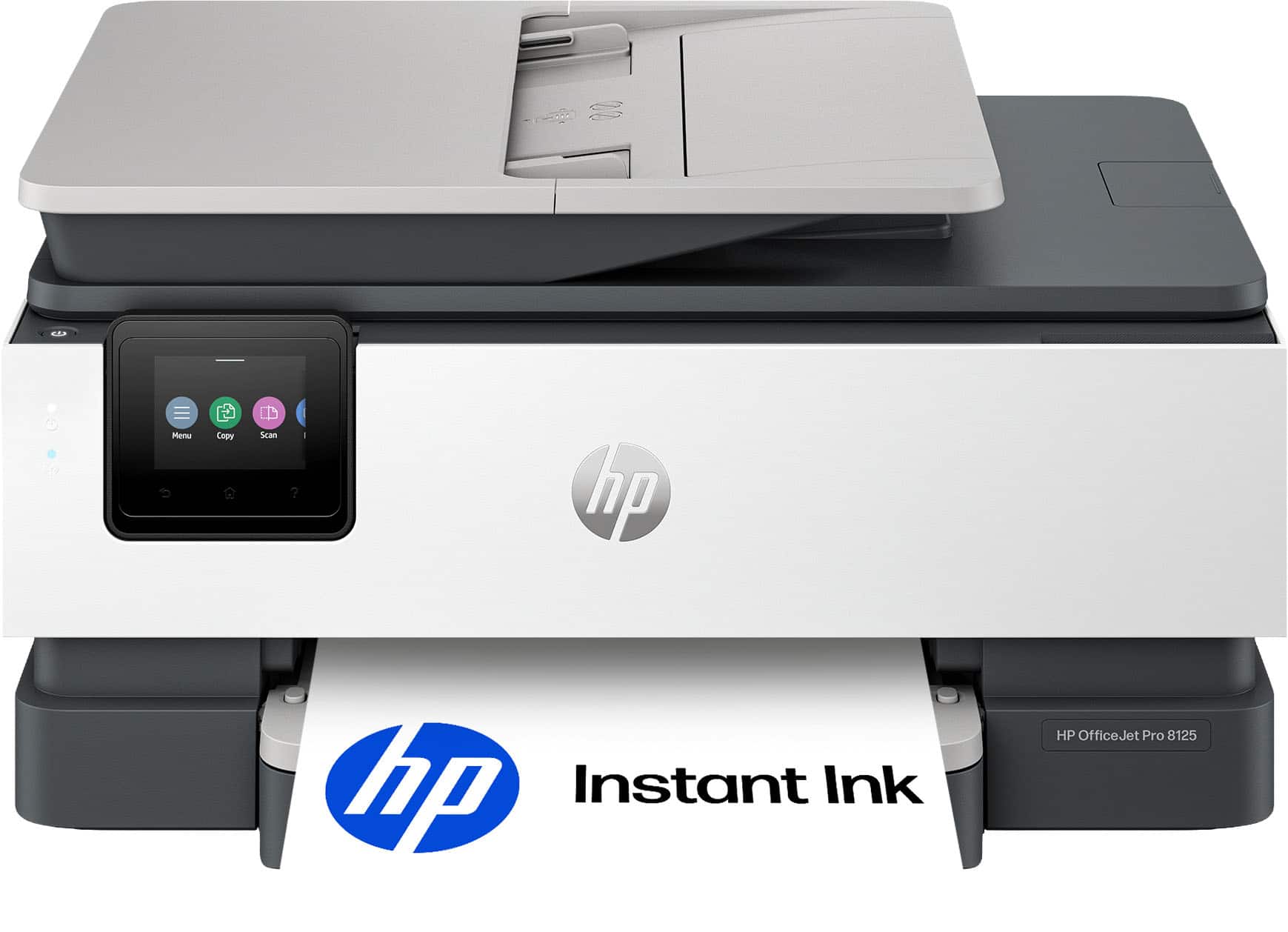
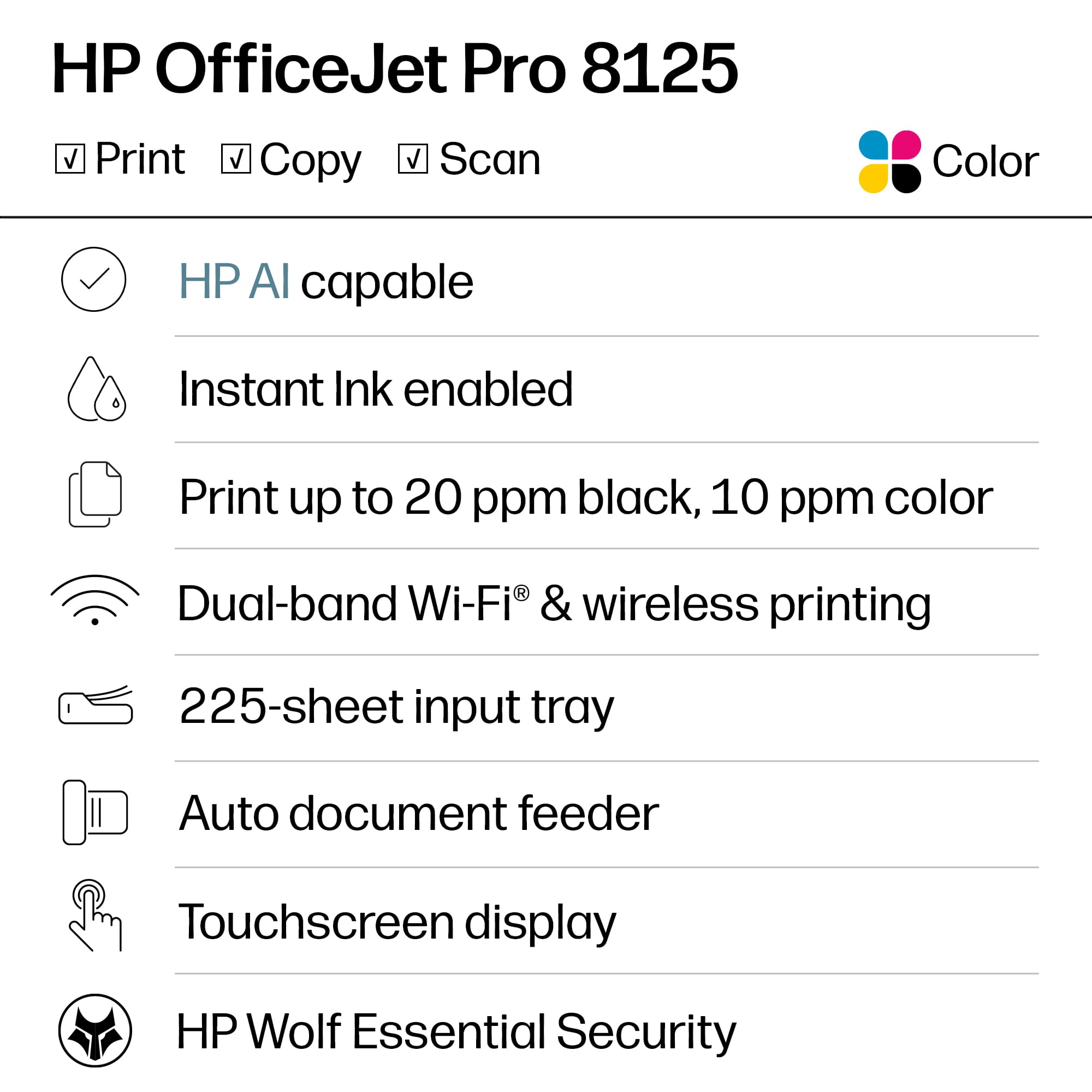
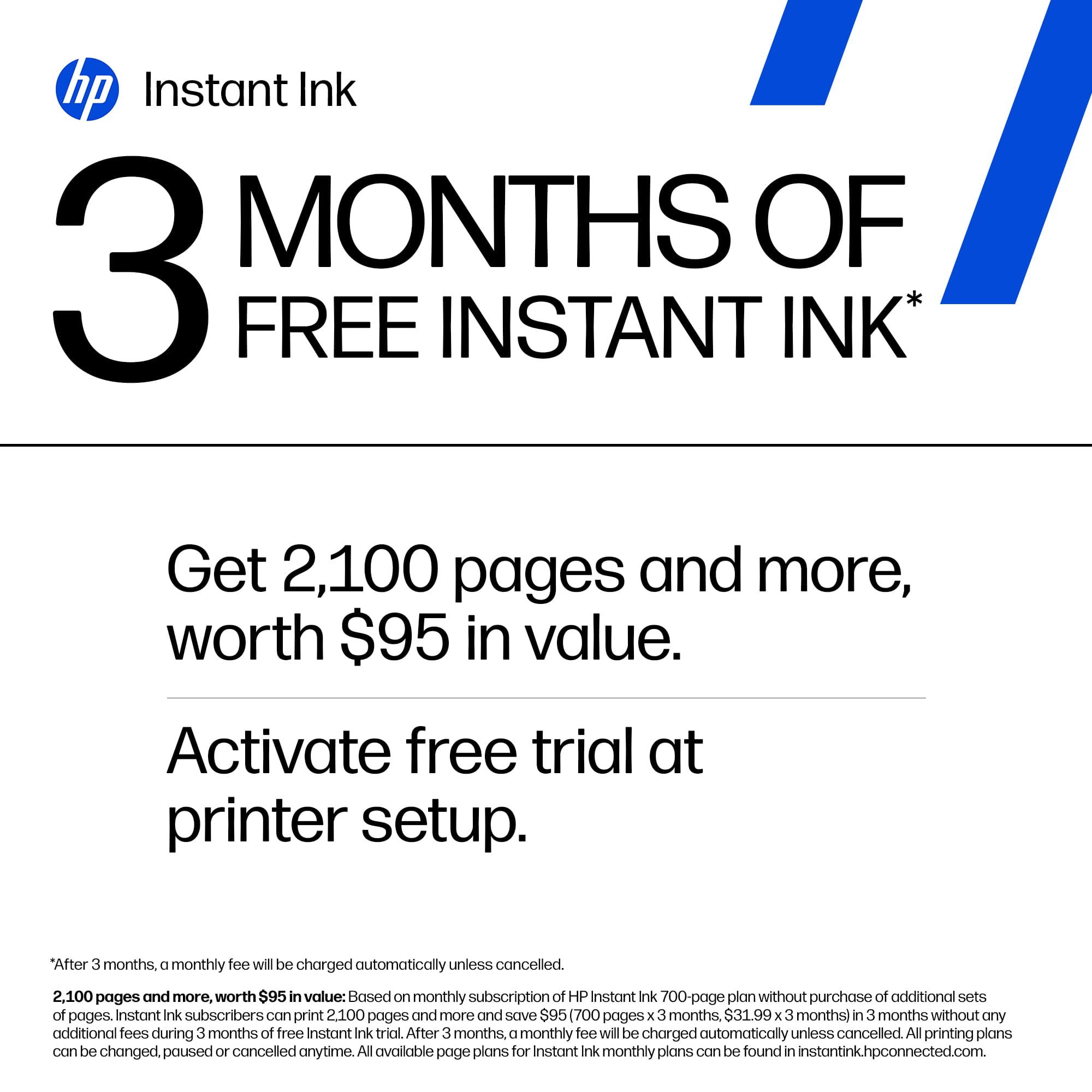
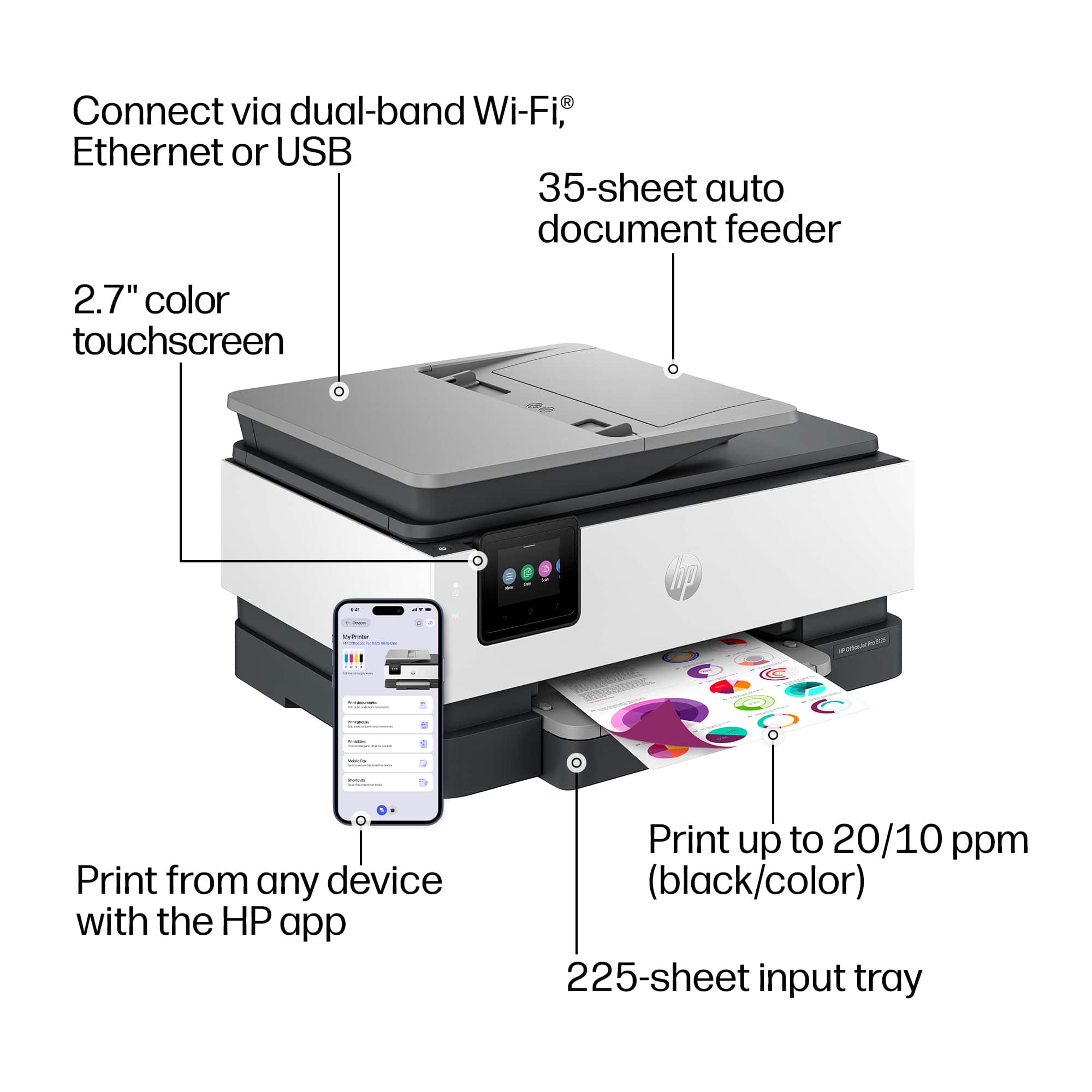
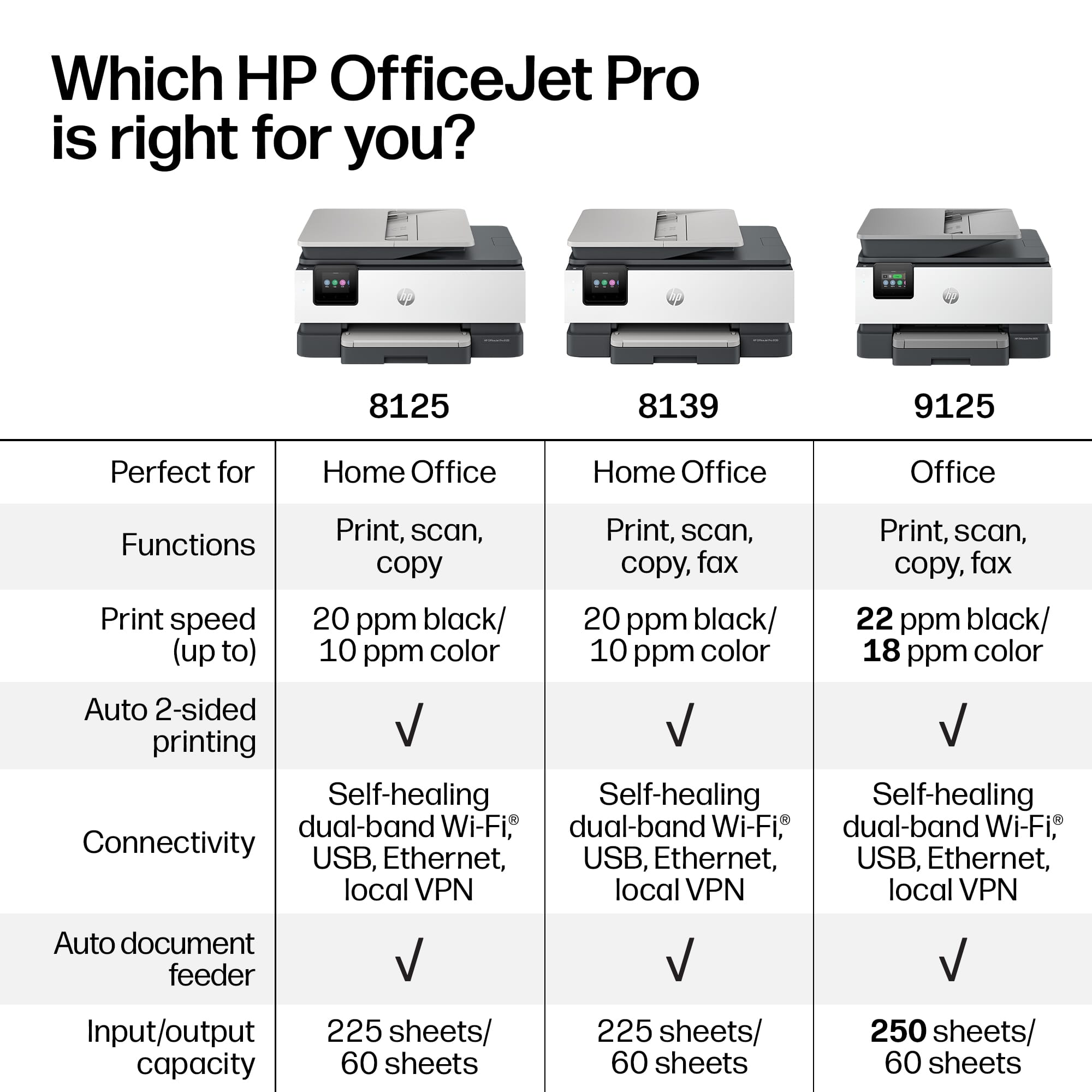
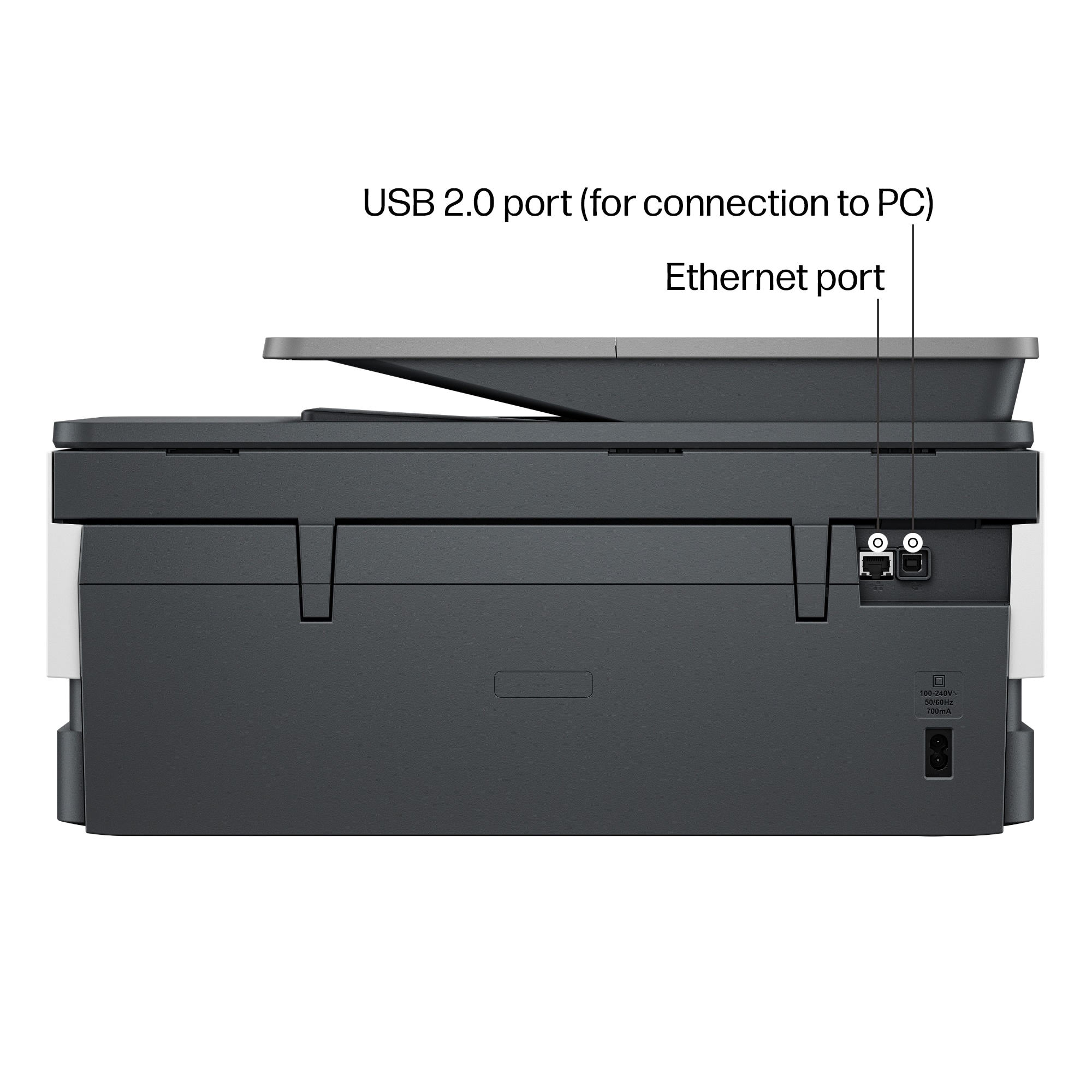
|Posted .This reviewer received promo considerations or sweepstakes entry for writing a review.One of HP’s newest all-in-one printers is the professional-quality OfficeJet Pro 8125. HP has a series of printers based on this footprint and overall design style, each with a few different capabilities, but all are copy, print, and scan printers. The OfficeJet Pro 8125 works with various operating systems, including Windows 10 and 11, macOS, Linux, and Chrome OS. You can also easily print from either Android or iPhone devices. There are several ways to connect your printer: via a USB cable, an Ethernet cable, or wirelessly. Wireless connectivity is usually more versatile and convenient when printing from various devices. This printer is equipped with dual-band Wi-Fi 7. The printer is designed with HP Thermal Inkjet technology and has the speed of a 1.2 GHz processor. The 8125 is a color or black-and-white printer that uses HP 923 cartridges. This cartridge is also available in the higher-print-yield version of the HP 923e. Using the basic cartridges will normally yield an average of 400 pages (Black ink only 500), and with the higher-yield version, color cartridges will usually yield approximately 800 printed pages (1,000 in black ink only). The color print is professional quality, but it still lacks the intensity and brilliance of top-level color printing. It is particularly good and water- and fade-resistant. The printer prints very sharp black text. The colors are vibrant; they are just not extremely saturated, so the intensity is not as brilliant as it could be. Using black ink only, the printer can print 20 sheets per minute (ppm) and 10 sheets per minute in color. It can print 10 envelopes at any given time. Paper can be fed into the Automatic Document Feeder (ADF), which has a capacity of 35 sheets. There is also a tray that supports up to 225 sheets of letter-size paper, 10 envelopes, and various photo paper sizes. The output tray can handle 60 sheets. Scanning on either the flatbed or the one-sided ADF works exceptionally well. Scan resolution is good, and all the basic scan formats are available, including JPG, BMP, TIFF, PDF, RTF, TXT, and PNG. This printer has scan capabilities up to 1200 dpi. Scans can be produced on either letter- or legal-size paper and sent directly to a computer or attached to an email. Sending digital files is limited to PDFs, TIFFs, or JPEGs. The copy resolution in color is 600 dpi. The ADF allows for quick printing of several types of documents, and the printer also supports duplex and borderless printing, which is a must for photo and brochure printing. The printer’s design includes a nice-sized 2.7” color touchscreen that worked well to set up the printer to my network, and also to control various applications and settings. Ergonomically, the touch screen tilts to make it easier to view and interact with the settings. The printer is also quieter than most on the market. It has been designed by HP for inclusion in its ‘quiet-mode’ products. HP has an ink delivery program, which is free for the first three (3) months. It is based on your average monthly printed sheets. Firmware ensures that only certified HP cartridges are used, and through the firmware and online presence, HP can monitor the number of sheets and ink used monthly by someone who opts into the program. If you decide to sign up, there is a schedule that lists prices based on the number of expected printed sheets per month. You can cancel at any time if you decide the shipments do not meet your work schedule or the quantity you originally chose. The maximum number of printed pages one can receive through the ink delivery program is 20,000 sheets. I have to admit; I had a challenging time setting up this printer and getting it to work on my network and with my iOS phone. Finally, through the HP APP website and a lot of trial and error, I successfully added it to all of my devices. All of my devices now have a stable connection to this printer, and there should be no more hiccups. I had difficulty printing after installing a firmware update. It is all fixed now, but you must download the HP app to your phone or computer to set up this printer properly. That is the best way to install the printer and probably the quickest way to accomplish the task. This is a nice printer that produces professional-quality printing. I would not hesitate to recommend it. If you do a lot of business printing, I would probably look at the 9000 series, which is a little more expensive but built for business and higher print volumes.
I would recommend this to a friend - Pros mentioned:Overall performance, Print quality
Solid small office ink jet printer.
|Posted .This reviewer received promo considerations or sweepstakes entry for writing a review.HP has been a cornerstone to printing for decades. I still remember when they came out with their 11x17 small ink jet printer to help with half size engineering drawing printing. It was super convenient instead of having to go to a print shop I could do it from my desk. Anyway back to this printer th HP 8125. Box was low carbon footprint. Plastic bag is recyclable. Setup was super easy. Pull printer out. Untapped, powered on, installed the app, follow step by step instructions on the app. It comes with 3 months of free ink. I signed up. If you don't have an HP account you will need to sign up so you can proceed. Size is medium size for a multi function and small office use. Touch as screen is easy to use. Print speed is pretty quick. Scanning and copying is straight forward. I like the document feeder super convenient as opposed to flat be only. App use is easy. App has evolved over time and has gotten better. They use a combination of web based and app based interface. Solid small office printer. Great buy. Would recommend.
I would recommend this to a friend - Pros mentioned:Print quality, Setup
Good entry-level all-in-one printer/scanner
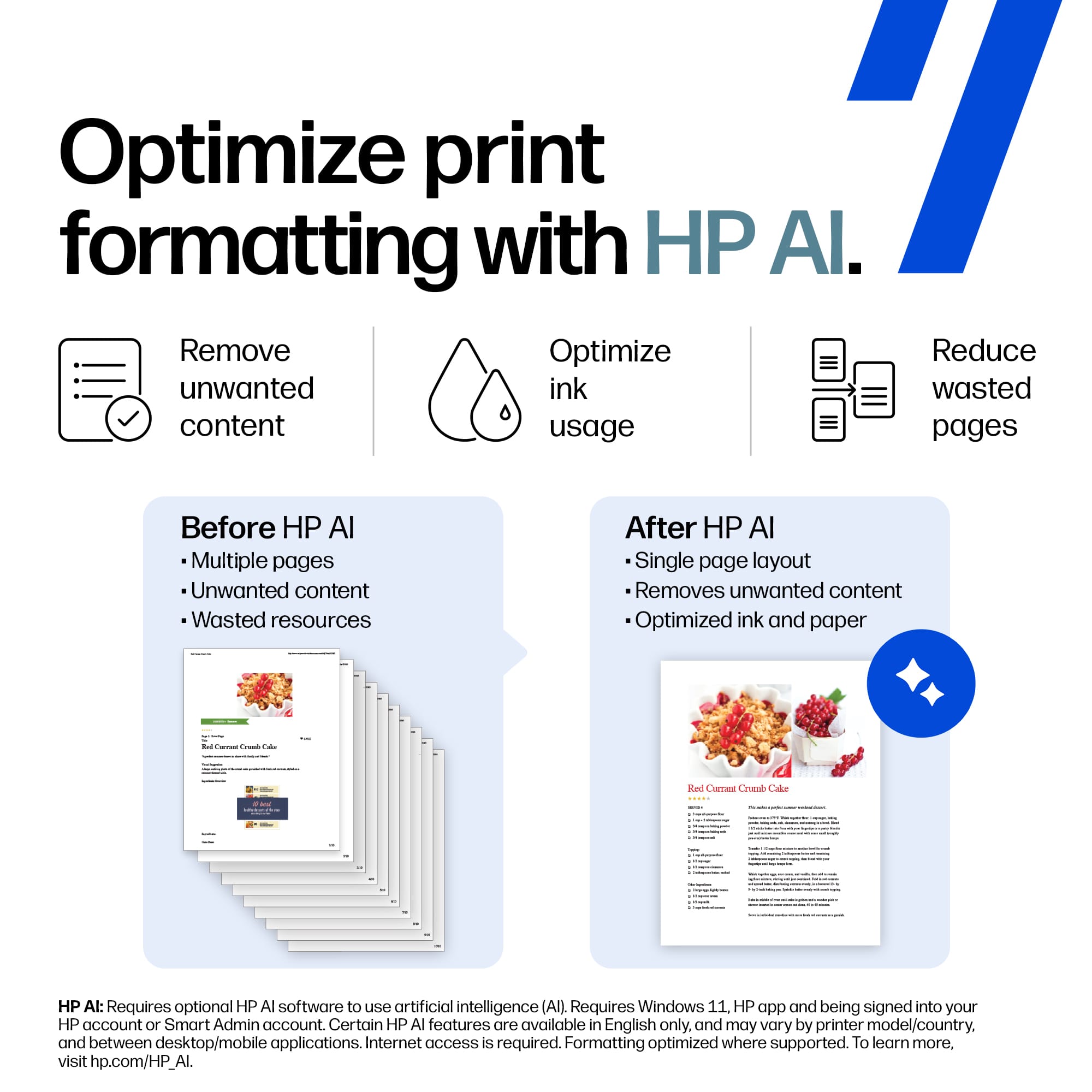
|Posted .This reviewer received promo considerations or sweepstakes entry for writing a review.The OfficeJet Pro 8125 Wireless AI-Enabled All-in-One Inkjet Printer is a good contender for an entry-level all-in-one printer/scanner. The device does all it claims to - prints, scans, duplexes (printing only - not scanned with the auto doc feed), and feature's HP's subscription "Instant Ink" program which auto-ships ink cartridges at a defined cadence. Initial Impressions: the printer setup itself is straightforward, though it takes a long time. The processor in this device is slower than I would have expected but also fairly easy. The HP app found the printer pretty instantaneously and it took about 10 minutes to be connected to WiFi, calibrated, and ready to print and scan. HP claims the printer can print 10 pages/minute in color and 20 pages/minute in black & white. My experience was relatively close to their claim. The wireless printing feature, essential nowadays, is nearly perfect. Once connected to WiFi, I was able to add this all-in-one device to four macOS devices and 7 Windows devices. I did have a little bit of difficulty with the printer but, must say, HP's customer support is world-class. They were willing and eager to help me with my issue and it was resolved quickly. The AI features of this device aren't overbearingly noticeable. HP's AI aims to make sure every document you print is delivered in the most optimized way. It tries to detect the type of document and eliminate printouts rendered too big or small for the paper being used. Overall, I would give this printer a 4.5/5 star review if decimals were allowed. The Instant Ink program seems aggressive to me for home use since it's based on a predefined cadence rather than when the printer "needs" ink (e.g. 100 pages per month for $7.99/month). Other "smart" printers in my home and small business office have more intelligent on-demand ink cartridge or toner refills. For this price point, I don't think you'll be disappointed. It's a solid machine - just not to the level of Professional as the "Pro" in it's model name indicates.
I would recommend this to a friend - Pros mentioned:Connectivity, Print quality, Setup
Does it all
|Posted .This reviewer received promo considerations or sweepstakes entry for writing a review.It prints. It copies. It scans with an auto feeder. It prints in duplex. This is a small/home office beast. While color prints come out at about 6 seconds, B&W prints are nearly as fast as a lower end laser. Print quality is more than acceptable, but not as crisp as a laser. Still pretty impressive for an inkjet. That B&W speed still has me amazed. Set up was very simple. My wife doesn't want the printer on the network - don't ask why, just do it! - so I had to scrounge up a USB cable since one's not included (most are gonna put in on the network anyways). Set up was no more than plugging the printer into her laptop and windows downloaded the drivers. After installing the inks and running the calibration we were good to go. Quality is very nice and the speed is decent. It's not a speed demon like some of the printers we have at work - we have some that print 300 envelopes per minute - but for some lightweight work the 8155 is a nice workhorse. I did a test scan with the auto document feeder and the scanning is a bit slower than some other all-in-one's I've tried. The quality is excellent, but I do wish it was a bit faster. Since copying isn't something we'll do a lot of it's not a problem. Definitely a good tool to have in a small/home office.
I would recommend this to a friend - Pros mentioned:Connectivity, Noise level, Setup
Nice AI all in one printer
|Posted .This reviewer received promo considerations or sweepstakes entry for writing a review.The HP Office jet pro is an all around great ink jet printer especially with the HP app. Unboxing and setup is made much easier with that app. Printers have always been the one electronic device that always felt stuck in a time where setting up electronics were a pain. HP finally fixed that with the app as it walks you thru the whole process from start to finish and once it’s setup, they both still work together flawlessly. The one thing I like a lot is the addition of AI to make printing more efficient, this works on PC when you setup an account with the HP app. AI will analyze what your printing and make recommendations of what isn’t necessary, saving ink and paper. This is also the first printer I’ve used that’s had dual band WiFi allowing you to take advantage of the less crowded 5ghz spectrum. The best part of this printer though is just how quiet it is. It’s easily one of the quietest ink jet printers I’ve ever used. With the addition of AI, HP has made ink jet printers more efficient that will save you money.
I would recommend this to a friend - Pros mentioned:Connectivity, Print quality
HP OfficeJet Pro 8125 - Worthy upgrade?
|Posted .This reviewer received promo considerations or sweepstakes entry for writing a review.HP is back with their latest printer for 2026. These look really familiar to my existing 2019 HP Office Jet Pro series printer. The outside may look pretty similar, but the internals have changed a bit to keep up with technology. Is this upgrade really worth it if you have an existing HP printer? I’ve been using this printer for a bit and I have some thoughts on this. Design HP seems to hold true to “if it’s not broke, don’t fix it. approach The OfficeJet Pro 8125 is a mid-tier all-in-one printer that carries a similar form factor from their previous models. Having the ability to print, scan, and copy is the core features of this printer. The printer can hold up to 225 sheets of paper in the input tray and can print about 20 pages per minute for black only printing. Color printing yields around 10 pages or so. The OfficeJet Pro 8125 also comes equipped with auto duplexing. No need to manually flip your documents when double sided printing is needed. The printer also comes with a standard 27” touchscreen for navigating all the settings and options. My preference is to invest in HP’s Instant Ink program, as this will allow cost savings due to the ink cost. Having to purchase 4 separate ink cartridges at any given time could potentially add up over time. There is 3 months of Instant Ink included in the packaging at the time of writing this review. This should be enough time to see if the subscription model is worthwhile. Features and Wrap-up One newer feature that the OfficeJet Pro 8125 has over my older printer is the dual-band Wi-Fi capabilities. I would have liked to see WI-Fi AX or BE added, but at least dual band AC has been added. The memory has remained the same at 256 MB. All the top mobile printing options are on deck as well. Apple. ChromeOS, and Wi-Fi direct printing all works flawlessly. Now after using this printer for several days, is this printer any different from my older HP OfficeJet Pro? There isn’t much difference in the printer features and quality. Although the OfficeJet Pro 8125 performs well, I did not notice much of an upgrade. If you have a home office, or work from home and need a reliable printer, the HP OfficeJet Pro 8125 may be for you. If you already own a recent HP OfficeJet Pro series, you may want to wait for a more impactful upgrade cycle.
I would recommend this to a friend - Pros mentioned:Connectivity, Print quality
Capable Printer with Software Issues
|Posted .This reviewer received promo considerations or sweepstakes entry for writing a review.The HP Officejet Pro has all the features that you would expect from a home office printer. It features a scanner, a copier and of course a printer. It has a decently sized touchscreen on it that lets you navigate through its menus relatively easily. Build quality of the printer I felt was lacking. Its all plastic like you get with most printers, but its all really flimsy plastic. I struggled getting the paper tray back in due to it fitting oddly and the paper guide. Then when installing the printer cartridges, it felt like the carrier was going to snap from putting them in, there was a lot of play to it. I also did not appreciate the fact that it didn't come with a printer cable, as a wired setup is my preferred way to install a printer, with wireless coming later. Setup was also a little frustrating. First you have to use an app to get it setup which I'm becoming use to, but don't agree with. When attempting to setup the printer with the app though, it was going through the setup then just failed. This took about 5 minutes of waiting, then the printer was listed but not functional. I had to remove it, but then it wouldn't find it again. Was extremely frustrating. Print quality of the printer is fine. Its about what you would expect from a color jet printer. Print time on the other hand was pretty long. I sent a test print to it simply for this review the day after setup, and it took over 5 minutes to wake up, clean the print heads before it started printing. I don't think I've ever waited that long for a printer to start printing. It was also proud loud throughout that process.
No, I would not recommend this to a friend - Pros mentioned:Print quality
Excellent Duplex Printing and Auto Feed Scanning
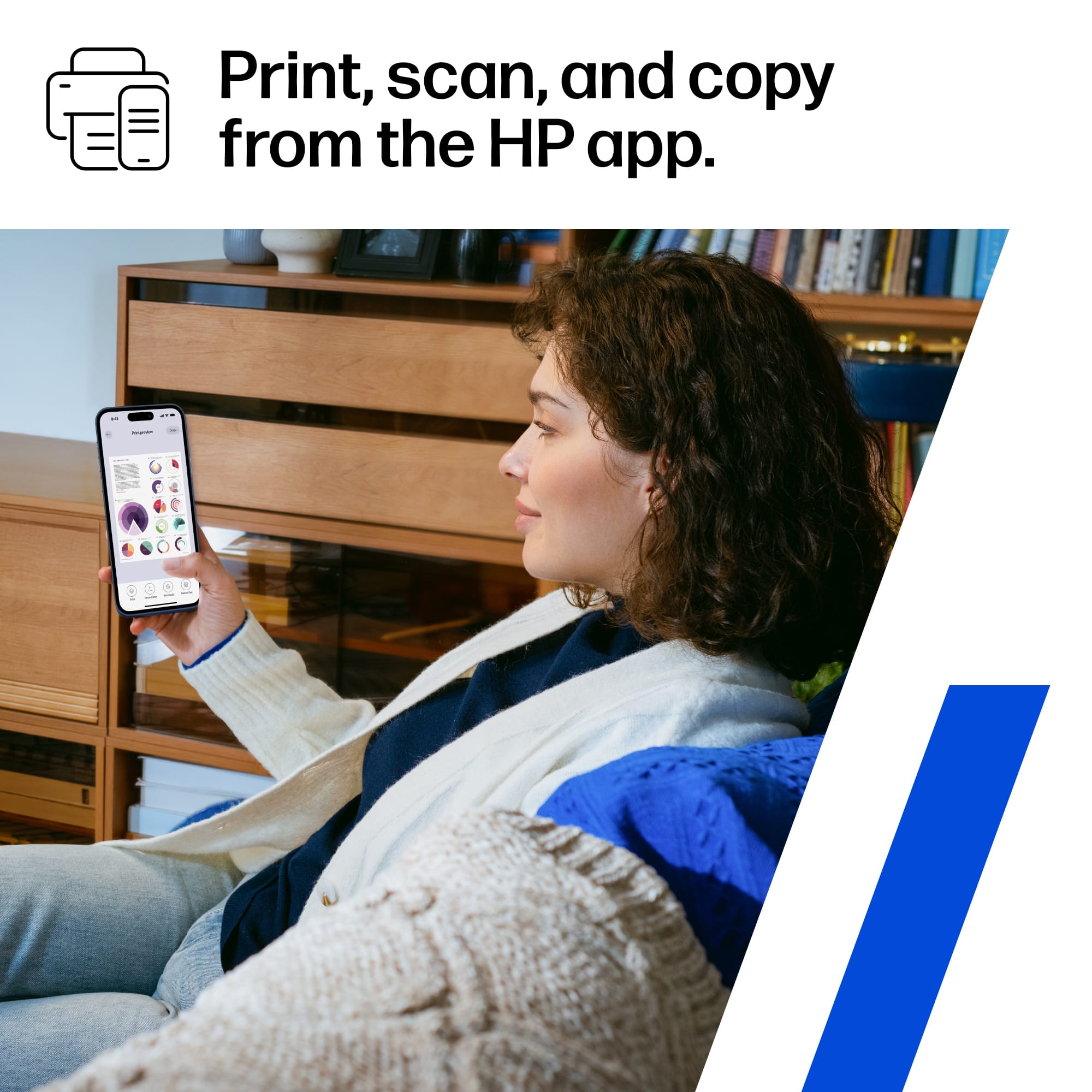
|Posted .This reviewer received promo considerations or sweepstakes entry for writing a review.The HP OfficeJet Pro 8120 is a versatile printer designed mainly for business use. It is also a great home printer that has all the features for efficient and quality print. It features high-capacity paper handling with top and bottom feeders, a built-in scanner, and print resolution of up to 1200 x 1200 rendered dpi for black output and 4800 x 1200 optimized dpi on HP Advanced Photo Paper. Although this is a capable, heavy-duty printer, HP recommends keeping monthly usage within 800 pages for the best performance. It also includes a responsive touchscreen that tilts for easier viewing. Despite its professional-class features, the printer is relatively lightweight and compact. Setup Setup can be completed either through a mobile phone or directly on the printer. The device also guides you through an automatic alignment process during installation. Performance The printer supports duplex printing and handles it efficiently. Duplex print speeds were faster than expected. While it does not match a laser printer for speed, its performance is impressive for an inkjet model, and it produces both color and black prints reliably. The top feeder is especially useful for scanning multi-page documents. Scanning speed is quite fast so scanning multiple pages in one go does not take too much time. The iOS app makes scanning seamless, lets you view results immediately on your phone, and provides options to send scans by email or mobile fax. Conclusion Overall, this is a strong all-around printer with excellent duplex performance. Its automatic document feeder simplifies multi-page scanning, and the app allows you to manage print and scan jobs easily without a computer.
I would recommend this to a friend Great Print and Scan Quality a Few DPI Limitation
|Posted .This reviewer received promo considerations or sweepstakes entry for writing a review.This HP 8120 Pro printer is well built, easy to set up, and surprisingly lightweight for its size. As an all-in-one device, it can print, scan, and copy. For scanning, it offers both a flatbed glass scanner and a 35-page automatic document feeder (ADF). The paper tray holds up to 225 sheets, and the printer includes a 2.7-inch color touchscreen for manual operation. Setup was straightforward. After installing the four ink cartridges and connecting the printer to Wi-Fi through the HP app, it automatically required a firmware update and calibration. From start to finish, the entire process took about 10 minutes. The printer is simple to use, whether operating it directly from the touchscreen or wirelessly through the HP app. In my experience, the app is the most convenient method, working seamlessly with phones, tablets, and computers. Printing from my phone was nearly instantaneous, and black-and-white print speeds were very fast. HP rates color printing at up to 10 pages per minute, though actual speed varies depending on print quality and image complexity. Scanning performance was also very good. Black-and-white scans were fast, and color scans produced accurate colors with good reproduction. The maximum scan resolution is 1200 DPI when using the flatbed glass, while the ADF is limited to 300 DPI. To compare scan quality, I scanned the same document containing graphics and text using both the ADF at 300 DPI and the flatbed at 600 DPI. Surprisingly, the difference was minimal. The 600 DPI scan offered slightly sharper details and marginally more vivid colors, but the improvements were only noticeable when zooming in to around 200%. At normal viewing size, the scans appeared virtually identical. Scan times varied significantly. The 600 DPI flatbed scan took approximately 1 minute and 10 seconds, while the 300 DPI ADF scan completed in just 19 seconds. In color, the 600 DPI scan took nearly three times longer than the 300 DPI version. I also attempted several color scans at the maximum 1200 DPI setting using that same document. Unfortunately, each attempt resulted in an error after about seven minutes of processing. After multiple failed attempts, I gave up. At least for now, it appears that 1200 DPI color scanning may not function reliably, maybe that can change after a firmware update. Black and white scans at 1200 DPI without any issues. Overall, this is an excellent printer for the price. It is well constructed, easy to install, simple to operate, and delivers strong printing and scanning performance. As an all-in-one device, it is particularly well suited for offices, work-from-home setups, and small businesses. While it can certainly be used as a home printer, its size may be more than most casual users need. Inside the box, you get the printer, power cord, ink cartridges, and manuals.
I would recommend this to a friendNot remarkable but certainly gets the job done!
|Posted .This reviewer received promo considerations or sweepstakes entry for writing a review.The HP OfficeJet Pro 8125 was easy to set up even though it took a little longer to do than other HP printers I’ve had. Even still, both the printed and online instructions were clear and easy to follow, and I was ready to print within 20 minutes. The tilting touchscreen control panel makes navigating the steps and giving the printer commands relatively easy. It's recommended that you set up the HP App for easier feature control and you'll need it for the HP Instant Ink program trial that it comes with. Keep in mind that the printer only works with HP chipped print cartridges. The single paper drawer holds sizes 3 x 5 up to 8.5 x 14 inch and outputs about 20 black and white pages per minute and about 10 color pages per minute. Print, scan and copy quality are really good and the automatic double-sided printing is a plus. However, the 8125 does NOT have duplex scanning so you will have to manually scan both sides. Color pages are vibrant and sharp, even on 90-lb cardstock and 75-lb photo paper. Connecting and printing over Wi-Fi is easy and convenient and makes it easy to print from anywhere in the house, including from my iPhone. And its mid-compact size is okay for the small desk. All things considered, the 8125 is a solid small-scale business and home office printer but doesn't have any great noticeable features over previous models, unless its AI enhanced technology impresses you.
I would recommend this to a friend- Pros mentioned:Connectivity, Overall performance, Print quality
Fast Little Office Workhorse With a Chill Display
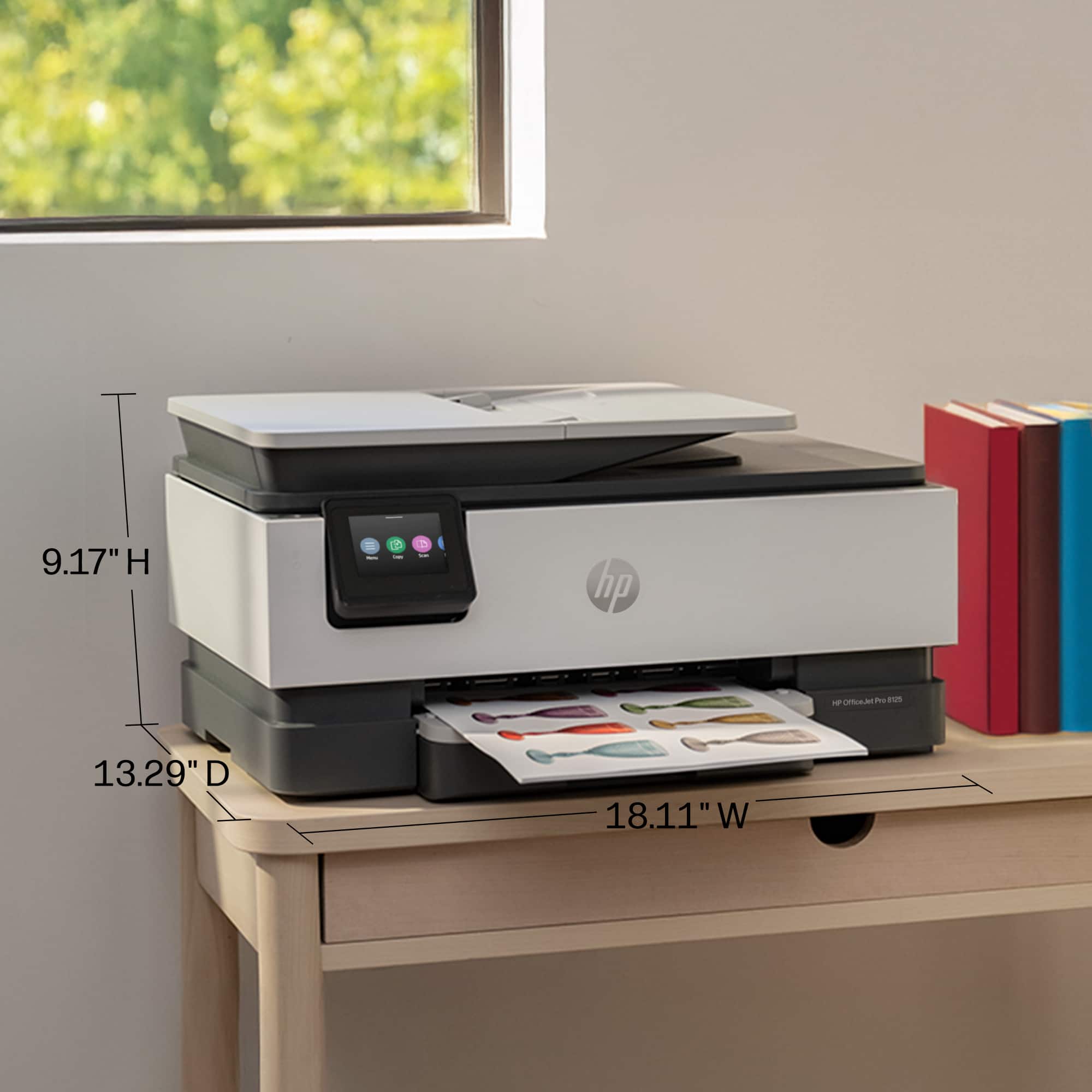
|Posted .This reviewer received promo considerations or sweepstakes entry for writing a review.Coming from my old OfficeJet Pro X – that big PageWide beast – the OfficeJet Pro 8125 feels like downsizing from a full-size truck to a really capable compact SUV. It’s smaller, way easier to actually fit on a normal printer stand without taking over the whole workspace, and still delivers solid performance for everyday home office printing. The form factor alone is a huge upgrade compared to that giant PageWide that used to hog half my home office. Print speeds are up to 20 pages per minute for black and 10 ppm for color in standard ISO mode, with draft mode pushing as high as 29 ppm black and 25 ppm color. First-page-out times are around 15 seconds for black and 18 seconds for color, which feels quick enough in real life for the documents, emails, and reports I throw at it daily. It’s not as lightning-fast as the old PageWide (which could hit 40+ ppm in some modes), but for a compact inkjet it gets the job done without making me wait around. I’ve also been using the automatic duplex printing a lot (both sides of the page), and it works smoothly at about 10 images per minute in black-and-white duplex mode. Paper handling is surprisingly good for the size: main input tray takes up not quite half a ream, and a 35-sheet document feeder for scanning or copying multi-page stacks seems good enough for everything taht I would scan or copy. The whole thing supports print, copy, and scan, and it ties into the HP Smart app for easy mobile printing from my phone or laptop. Connectivity has been reliable with but the router is in the same room so your milage may vary. The biggest step down from the Pro X is the interface. The touchscreen gets the job done, but it’s definitely pokier and less responsive than the snappier business-class panel I was used to. It feels more everyday consumer-grade once you get past the initial menus. If you use Android Auto then use a Tesla, it’s that kind of a difference. In basic printer functions, it’s not really a data point, honestly. Print quality is very good for text and solid for color graphics. Photos are mediocre at best (not something I’d use this for anyway), but that’s typical for this class of printer. You’re just not going to get great photo prints without more than 4 colors of ink. It has the classic inkjet quirks. Nothing deal-breaking, but it’s not a silent, instant-on laser-style machine either. If you seldom print, make sure you print SOMETHING color once a month to keep it running well. On the ink, the standard cartridges seem decently filled and should cover reams of text or one ream of mixed printing. Compared to the higher-capacity stuff I had in heavier-duty OfficeJets or the old PageWide. That’s exactly why I think pretty much everyone should run this on Instant Ink. The lower-tier plans give you excellent cost-per-page for moderate printing (way cheaper than buying cartridges outright, where black text can run 7-8 cents per page and color graphics 30+ cents without the subscription), and the whole “ink just shows up automatically before you run out” thing is legitimately one of my favorite quality-of-life upgrades. I’ve had Instant Ink on my Tango X for years now and it’s spoiled me — the 8125 fits right in that same perfect home office sweet spot. And honestly, if you’re needing more prints you might need to be in a different class of printer. The subs do offer some roll-over prints too. I have never needed to pay the overage fees because I scale my subs for when I predict I will need more prints, and scale them down when I'm not going to be printing very much. I know that sounds like an ad for instant ink, but get this… I stopped using my TangoX printer for a few months then got a cart clogged. Well, they replaced it no charge. How many clogged or not working carts have you had in your life? I realize that sometimes subscriptions are a good thing and can definitely save you money. Just stay on top of them and scale based on your printing needs. I pay about $40 a YEAR for each printer I have. How much are cartridges for you--especially OEM ones? The printer itself: This is a very decent compact all-in-one printer. Great for typical home office workloads where space, convenience, and predictable costs matter more than raw speed or photo perfection. I recommend it.
I would recommend this to a friend HP OfficeJet Pro 8120
||Posted . Owned for 1 week when reviewed.This reviewer received promo considerations or sweepstakes entry for writing a review.I wasn't able to get it working and had to pay to have Geek Squad come out and get it running. Once he did is working correctly. It is a good printer if you don't want to spend a lot of money. It prints color, scans, and copies.
I would recommend this to a friend- Pros mentioned:Connectivity, Noise level, Print quality
Reliable, Safe, Good
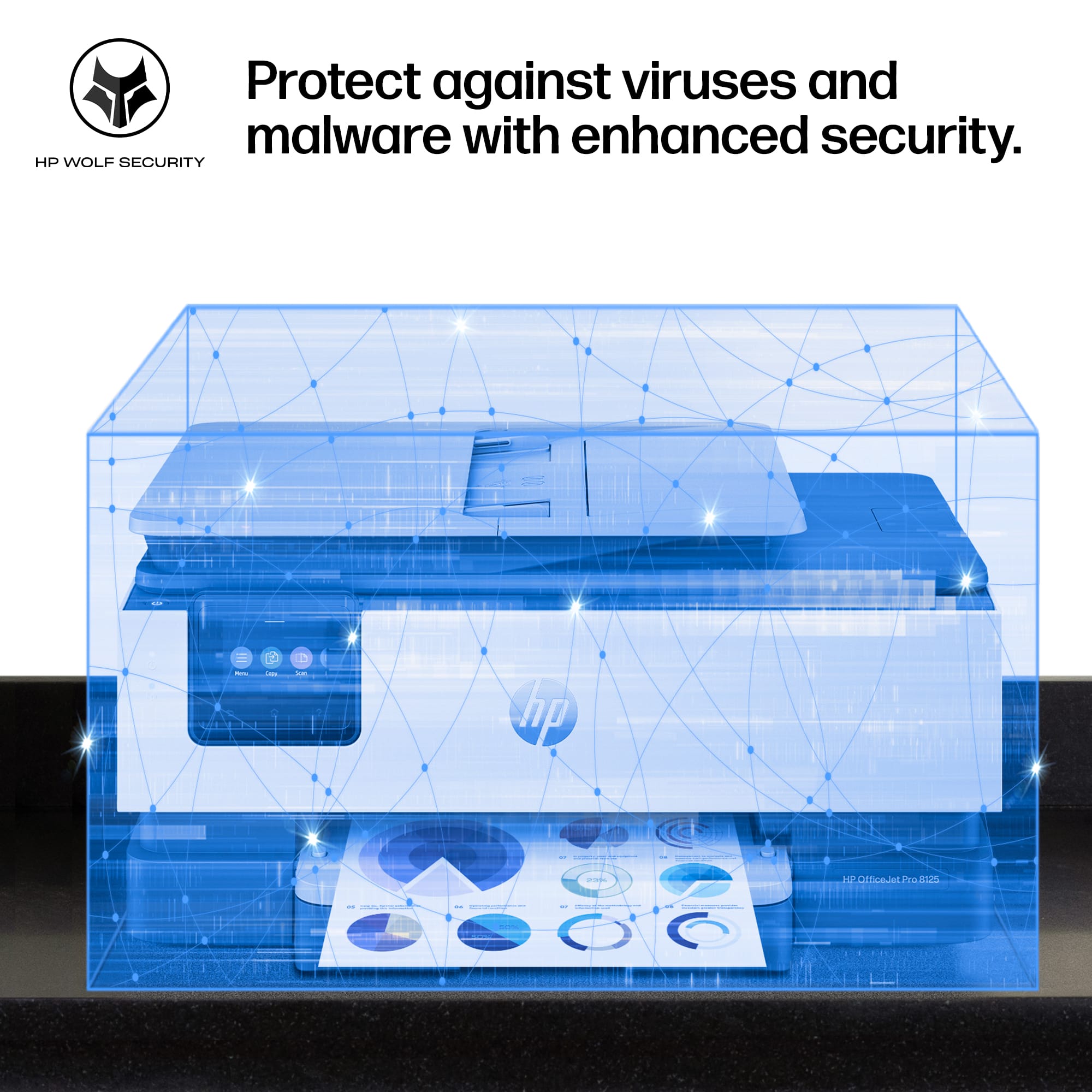
|Posted .This reviewer received promo considerations or sweepstakes entry for writing a review.The HP 8125 inkjet printer is a familiar face with forward thinking ai features. Don’t be fooled the ai on this printer is not in your face or a gimmick to make you pick it up. This printer is loaded with HP expected features and quality that makes it a smart purchase for any home or office user. Not only can it print, scan and copy but it can help make your life easier. Read on to learn more. Unboxing, unpacking and setup was easy. Just like any printer and I used the HP app to help setup the printer. Overall it took me 10 —15 mins tops. The HP ai help those who frequently print webpages and emails from the internet with keeping everything aligned and on your sheets of paper. It apparently removes unwanted content which I guess means adds. Yes it has two sided printing! The printer has all your standards including two sided printing, auto feed top scanner, wireless printing (self healing), scan, copy, and holds 225 blank papers. The Pro Hp printers come with HP Wolf Securtiy and a touch screen to help make things simple and easy. As all printers do, it comes with ready to use ink including Black, C, M, and Y already to use. The packaging clearly shows you will get less prints with the starter ink compared to buy new cartridges exact numbers will be on your packaging. The printer does have a Ethernet and a USB 2.0 port for all those who need these features or need the availability. Printing is quick, easy and quiet. I printed a 30+ page document in seconds . Per the stats 10 pages per min in color and 20 ppm in black and white. From my experience, I believe these are conservative as I printed my 30 page b&w document very fast. Overall a quick, easy and safe printer for all your needs in the office at home at work or even just for fun. I think this one will last users for a long time.
I would recommend this to a friend - Pros mentioned:Connectivity, Print quality
Awesome Budget Printer
|Posted .This reviewer received promo considerations or sweepstakes entry for writing a review.I have owned many printers in my day since high school and this is by far my favorite. Opening the printer I see a few cards and the printer packed very nicely. Plugging in was seamless because I already had the HP app and immediately my phone picked up the printer. After a few minutes of updates it was already connected to my WiFi and phone. I performed (recommended) the cartridge calibration and I will say it did take awhile however I printed a color document afterwards and my goodness, it felt like the belt had run a few line across and the page came out. I have never had a jet printer that fast. This printer is faster than a laser printer because it doesn’t have to heat up before printing. Super fast! I also printed a picture and although I am only using normal office paper the clarity and sharpness is terrific. The scanner is a must have for me as I need to scan and upload many receipts and documents. Although the scanner is not as fast as the printer, it is faster than any previous scanner. Again, this is where the ease of the HP app comes in. You can resize, adjust, and send all from the app on your phone. One issue I always have with printers is the length of time before ink cartridges need replaced. HP has a free trial and then a subscription service after that. I have never used the service because although I do print, the cartridges usually last about a year. If I used it every day, I would recommend the service. Overall, this printer is packed with features like my corporate office has but at 1/8th the size and I’m sure 1/10th the price. Can’t be happier with the quality, the auto feed scanner, and the ease of use. Best printer I’ve ever owned.
I would recommend this to a friend - Pros mentioned:Connectivity, Noise level, Print quality
Solid Choice for an All-in-One
|Posted .This reviewer received promo considerations or sweepstakes entry for writing a review.I've been very happy with the HP OfficeJet Pro 8125. We have printed everything from text and documents to pictures on envelopes. The finished results are colorful and professional. The setup was straightforward, but be prepared to get a bit frustrated if you are setting up any HP product through the HP Smart app. I have done numerous printer setups, and it seems that no matter what, the initial setup always stalls or has an unexpected error occur. This might be unique to only me and my luck with technology but in case it is not. All you have to do is hard/force close the app and start over. Then the setup is quick, and you only need to follow the prompts to be printing within minutes. To be clear, I highly recommend using the smart app for printing whenever reasonable or possible. The app is intuitive and makes printing anything a snap. You can create, edit, save, and print straight from your phone, desktop, or laptop. The print quality has been excellent for both business documents and color materials, producing sharp text and vibrant colors that look professional. I did not print a novel through the device, but we did run off almost one hundred pages just for the trial, and we could not be more impressed. The unit performed beautifully, and every page was crisp and clean and printed quickly. The printer is not super quiet, but I also would not describe it as loud. So even during that continuous print session, I was able to conduct a business-related phone call with minimal background noise one room away. That said, there is also a quiet mode, should you need it to be quieter, but it dramatically slows down print production. One note is that the ink program is probably the best way to go, if I understand the instructions well enough. This HP 923e has chips that will not let you use any recycled or non-OEM cartridges, so to speak. But that should not be an issue because the ink program looks like a steal of a deal anyway. The Wi-Fi connection is strong and stable. I was able to print from anywhere, provided I was connected to the network. The data is also safe through HP Wolf Essential Security, which protects your device and data from bad actors. The printer is built of lightweight plastic but feels very durable. My time with HP products has taught me as with anything, take care of it and it will not make you Office Space it (just wondering who all would get that reference 😊) For anyone working from home or running a small office, the OfficeJet Pro 8125 offers a great balance of speed, print quality, and productivity features. It handles everyday tasks with ease and has been a dependable addition to my workspace. Long story short, this is a solid choice for an All-in-One.
I would recommend this to a friend - Pros mentioned:Connectivity, Print quality, Setup
Great all around printer with wireless support.
|Posted .This reviewer received promo considerations or sweepstakes entry for writing a review.I’ve been really happy with the HP OfficeJet Pro 8125 so far. One of the biggest benefits for me has been the wireless printing. Having the printer readily available whether I’m working from my laptop in my office or trying to quickly print something from my phone in another room, it just works without having to mess with cables or transfer files between devices. Makes it really easy to print my kids' sports schedules or forms they need. The setup was straightforward, and once connected to my home network, everyone in the house could easily print when they needed to. I use it for a mix of work documents, school forms, and the occasional shipping label, and the print quality has been consistently sharp and professional-looking. Everything prints fast and easy so it is a welcome addition to our home. I also appreciate having an all-in-one device that can print, scan, and copy without taking up a huge amount of space. The wireless convenience has honestly made me print more often because it’s so easy to send a document directly from my phone or laptop and have it ready in seconds.
I would recommend this to a friend - Pros mentioned:Overall performance, Print quality, Setup
This one is sweet!
|Posted .This reviewer received promo considerations or sweepstakes entry for writing a review.I’ve bought a lot of printers over the years—both cheap ones and more expensive models. The cheap printers never work quite right, and the more expensive ones are just more expensive without being noticeably better. This HP printer hits the sweet spot. It was easy to set up, works the way it’s supposed to, and doesn’t make printing feel like a technical event every single time. One of my favorite features is the app—I have it on my phone and can print directly from my phone, which is honestly crazy good and incredibly convenient. It connects reliably, prints cleanly, and does exactly what you expect a printer to do. If you’re tired of wasting money on printers that are either unreliable or overpriced, this one is a solid choice. Hp has been consistently one of my go to company’s for printers in recent years. And while not all of them are home runs they by far are way more on the positive side than the negative. This one is no exception! Also the ink program is a steal! Not gonna get into it in this review since it’s about the printer but check it out!
I would recommend this to a friend - Pros mentioned:Connectivity, Print quality
Reliable home use printer
|Posted .This reviewer received promo considerations or sweepstakes entry for writing a review.This printer is a solid, space-saving workhorse for a home office, particularly for those who need a balance of scanning, copying, and fast color printing. The setup process is generally straightforward, and once it's up and running, the print quality is crisp and professional. I’ve found it handles documents with images and color graphics quite well, and the automatic document feeder is a real time-saver when I’m dealing with multi-page reports. The inclusion of dual-band Wi-Fi keeps the connection stable, and being able to manage prints and scans through the mobile app is incredibly convenient when I'm away from my desk. It also includes a 3-month trial of the HP Instant Ink service, which is a great way to ensure you don’t run out of ink during a busy week. While it’s a feature-rich machine, it’s best suited for someone who does a moderate amount of regular printing; if you are a high-volume user, you’ll want to keep an eye on your page counts to optimize your ink costs. Overall, it’s a dependable, compact, and efficient all-in-one that keeps a home workspace running smoothly. It’s a great choice if you want a reliable, modern printer that does exactly what it says on the box without taking up too much room on your desk.
I would recommend this to a friend - Pros mentioned:Noise level, Print quality
HP OfficeJet Pro 8125
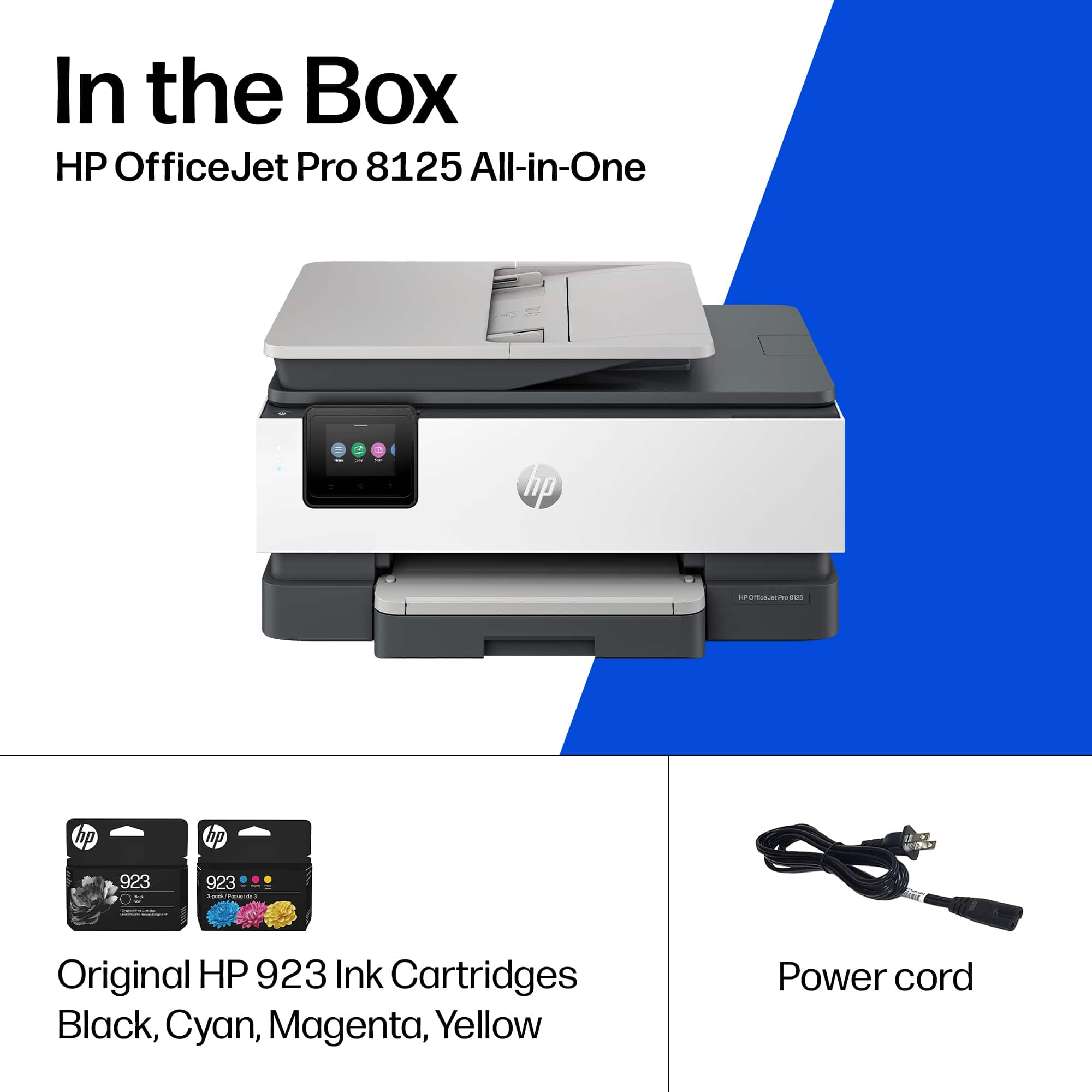
|Posted .This reviewer received promo considerations or sweepstakes entry for writing a review.The newest printer in the HP OfficeJet Pro 8120 series is the 8125. This printer also comes with HP instant ink. This product supplies you with ink cartridges when you get low. Depending on the flexible plan you choose is the monthly payment. You can change the plan if you find out your usage is more/less than you originally planned. Keep in mind that when you cancel this plan all unused cartridges plus the ones in the printer will be deactivated by HP. These cartridges must be returned to HP in the provided return postage envelope. There is no refund on these cartridges. The HP 8125 prints up to 20 pages per minute black, and up to 10 pages per minute color. The printer also prints 1200 X1200 DPI Black and up to 4800 X 1200 DPI color. The monthly duty cycle for HP OfficeJet Pro 8125 is 20,000 pages. I you believe you will need this amount or more every month this printer is not for you, select a bigger machine. The OfficeJet Pro 8125 has a 2.7-inch Touchscreen and uses four colored cartridges. The standard black cartridge has a use of about 500 pages; the colored cartridges have a use of 400 pages these are the HP 923 cartridge series. The large cartridge capacity is 1000 pages for the black and 800 pages for the colored. These are the HP 923e series. The input tray holds 225 sheets with a 35 sheet ADF. The output tray holds about 60 sheets. It can also hold up to 10 envelopes. The 8125 holds all the standard sized sheets from 3X5 up to 8.5X14 inch. What’s in the box HP OfficeJet All in One Printer HP 923 Setup Black cartridge(255 Pages) HP 923 Setup Cyan cartridge(270 Pages) HP 923 Setup Magenta cartridge(270 Pages) HP 923 Setup Yellow cartridge(270 Pages) Power cord Regulatory Flyer Ink Caution Flyer Setup Poster Reference Guide What’s not provided is the USB cable. If you plan on using a wired setup you need to purchase the cable. Overall, the printer is quick and easy to set up. Mostly quiet with a good response time to print. A real bargain for the home office.
I would recommend this to a friend Decent Non Laser Printer
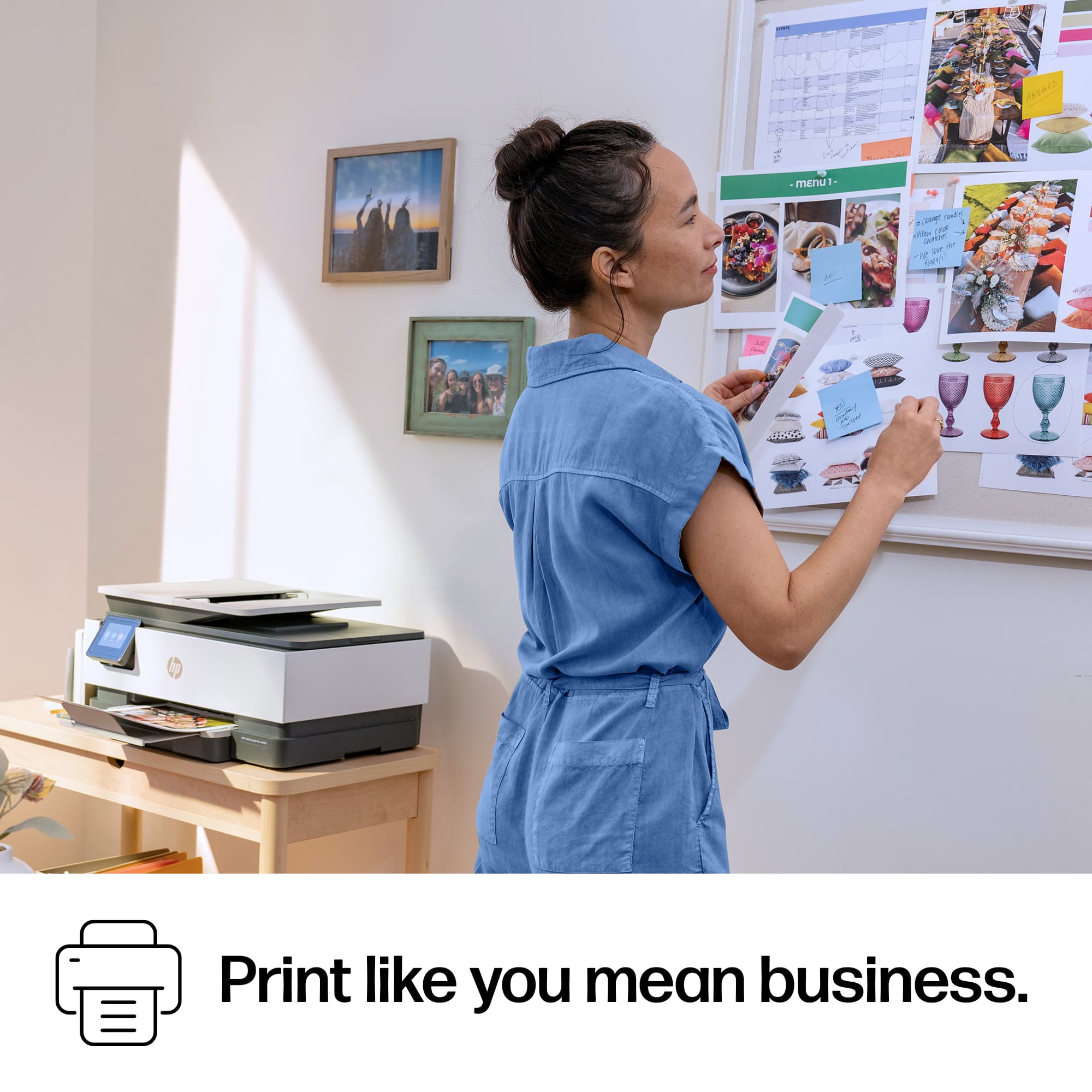
|Posted .This reviewer received promo considerations or sweepstakes entry for writing a review.As someone who regularly prints documents, flyers, and marketing materials, I was excited to test the HP OfficeJet Pro 8125 All-in-One Printer. After spending some time with it, I found it to be a capable all-in-one solution that balances print quality, speed, and connectivity for both home office and small business use. The printer offers printing, scanning, and copying functions, along with automatic duplex printing and a 35-sheet automatic document feeder. Unboxing and Setup Right out of the box, the OfficeJet Pro 8125 feels well-packaged and straightforward to set up. Inside, I found the printer, starter ink cartridges, power cable, and quick-start documentation. The printer has a clean, professional appearance that fits nicely in a home office or workspace without taking up excessive desk space. Setup was surprisingly simple. After installing the ink cartridges and loading paper, I connected the printer using the HP app. The touchscreen guided me through the initial configuration, and I was printing within minutes. The process felt beginner-friendly while still offering advanced networking options for more experienced users. Print Quality for Flyers One area where the OfficeJet Pro 8125 impressed me was flyer printing. Color graphics came out vibrant with good saturation, and text remained crisp and readable even when using smaller fonts. I tested several full-color flyers featuring images, logos, and detailed graphics. Colors looked professional enough for local advertising, community events, and business promotions. Black text was sharp and consistent without noticeable smearing or banding. For everyday office documents, reports, and presentations, the output quality exceeded my expectations for an inkjet printer in this price range. Whether printing color-heavy promotional materials or simple black-and-white documents, the results consistently looked clean and professional. Speed and Performance When it comes to speed, the OfficeJet Pro 8125 keeps up well with a busy workflow. Multi-page documents printed quickly, and I didn’t spend much time waiting around for jobs to complete. Flyer printing with heavy graphics naturally took a little longer than standard text documents, but the printer maintained a steady pace throughout larger print runs. Automatic two-sided printing is a welcome feature that helps save paper while remaining convenient for longer reports and presentations. For a home office or small business environment, I found the overall performance more than adequate for daily workloads. Wireless Capabilities Wireless connectivity is one of my favorite features of this printer. I was able to connect it to my network quickly and start printing from multiple devices without any complicated setup. During testing, I printed from Windows PCs, smartphones, and tablets with no issues. The HP app made it easy to print documents, scan files, monitor ink levels, and manage printer settings remotely. I also appreciate the flexibility of having Wi-Fi, Wi-Fi Direct, Ethernet, and USB connectivity options available. Wireless performance remained stable throughout my testing, and I experienced no significant connection drops. Conclusion After using the HP OfficeJet Pro 8125, I think it’s an excellent choice for home offices, remote workers, small businesses, and anyone who regularly prints flyers or marketing materials. What stood out most to me was the combination of vibrant print quality, reliable wireless connectivity, and solid print speeds. The printer produces professional-looking flyers with sharp text and vivid colors while remaining easy to set up and use. Pros * Excellent color quality for flyers and marketing materials * Sharp, professional-looking text * Fast document printing * Reliable wireless connectivity * Mobile printing support * Automatic duplex printing * Easy setup and operation Cons * Ink costs can add up for heavy color printing * Graphic-heavy prints take longer than basic documents * Periodic maintenance is typical of inkjet printers Final Verdict The HP OfficeJet Pro 8125 delivers a strong balance of quality, speed, and convenience. For users who need a dependable all-in-one printer capable of handling everything from everyday paperwork to full-color promotional flyers, it’s a solid performer that offers excellent value and a user-friendly experience.
I would recommend this to a friend