Last-Minute SavingsLimited quantities.Shop now

Skip to content
Gift Ideas
Main Content

Customer Ratings & Reviews
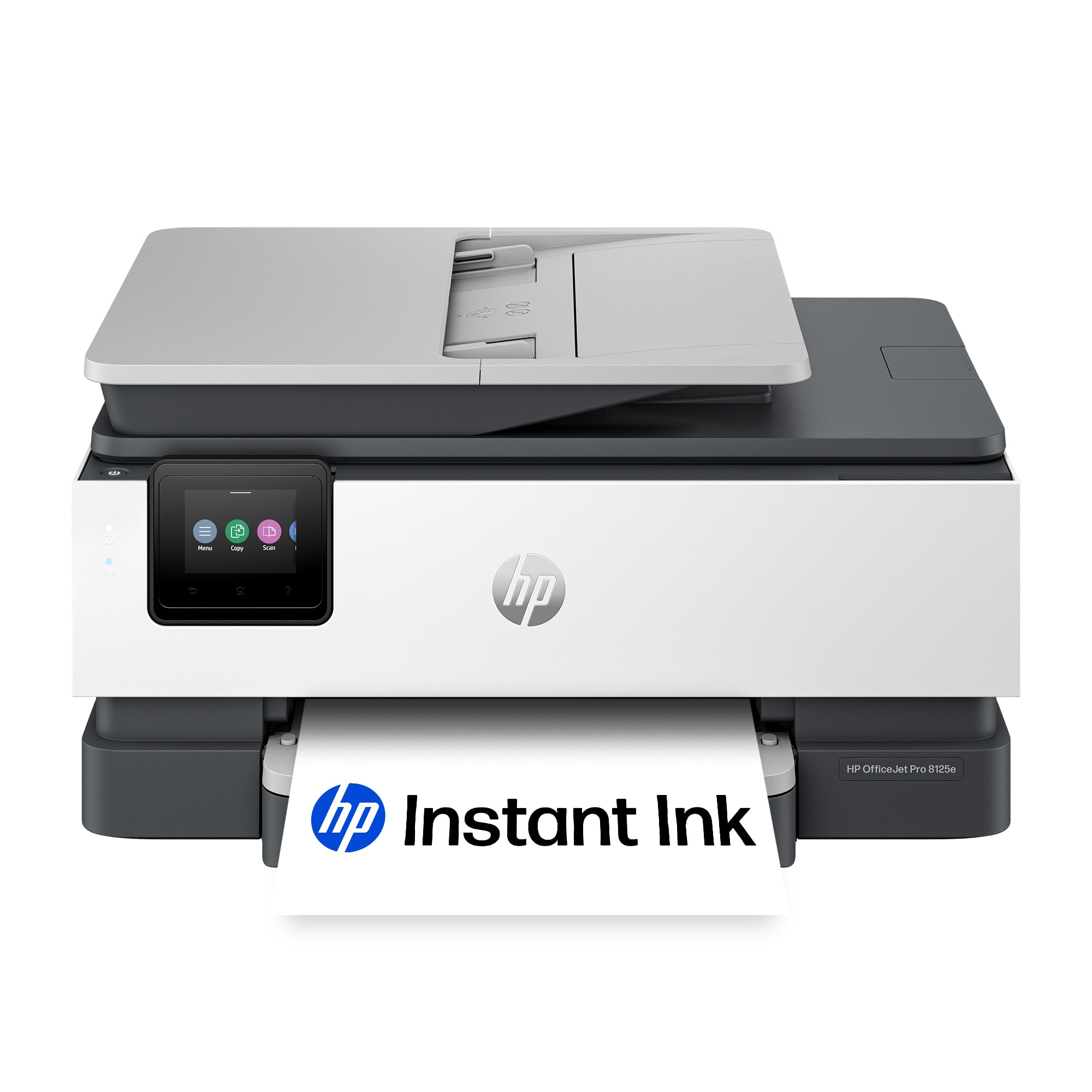

Your price for this item is $179.89

Customer reviews

Rating 4.5 out of 5 stars with 419 reviews

Rating Filter

Rating by feature

  • Value

    Rating 4.6 out of 5 stars

  • Quality

    Rating 4.5 out of 5 stars

  • Ease of Use

    Rating 4.5 out of 5 stars

Pros mentioned filter

Cons mentioned filter

There aren't enough negative mentions yet.
91%would recommend to a friend

Customers are saying

Customers value the OfficeJet Pro 8125e's excellent print quality, smooth overall performance, and straightforward setup process. Many appreciate its convenient connectivity options and the user-friendly design. Positive feedback also highlights the printer's quiet operation and compact size. The HP Smart app is mentioned as a helpful tool for setup and use.

This summary was generated by AI based on customer reviews.

The vast majority of our reviews come from verified purchases. Reviews from customers may include My Best Buy members, employees, and Tech Insider Network members (as tagged). Select reviewers may receive discounted products, promotional considerations or entries into drawings for honest, helpful reviews.
Page 20 Showing 381-400 of 419 reviews
  • Pros mentioned:
    Connectivity, Overall performance, Print quality
    Tech Insider Network Member

    Rated 5 out of 5 stars

    Excellent printer for home office/light duty

    |
    Tech Insider Network Member
    Posted .
    This reviewer received promo considerations or sweepstakes entry for writing a review.

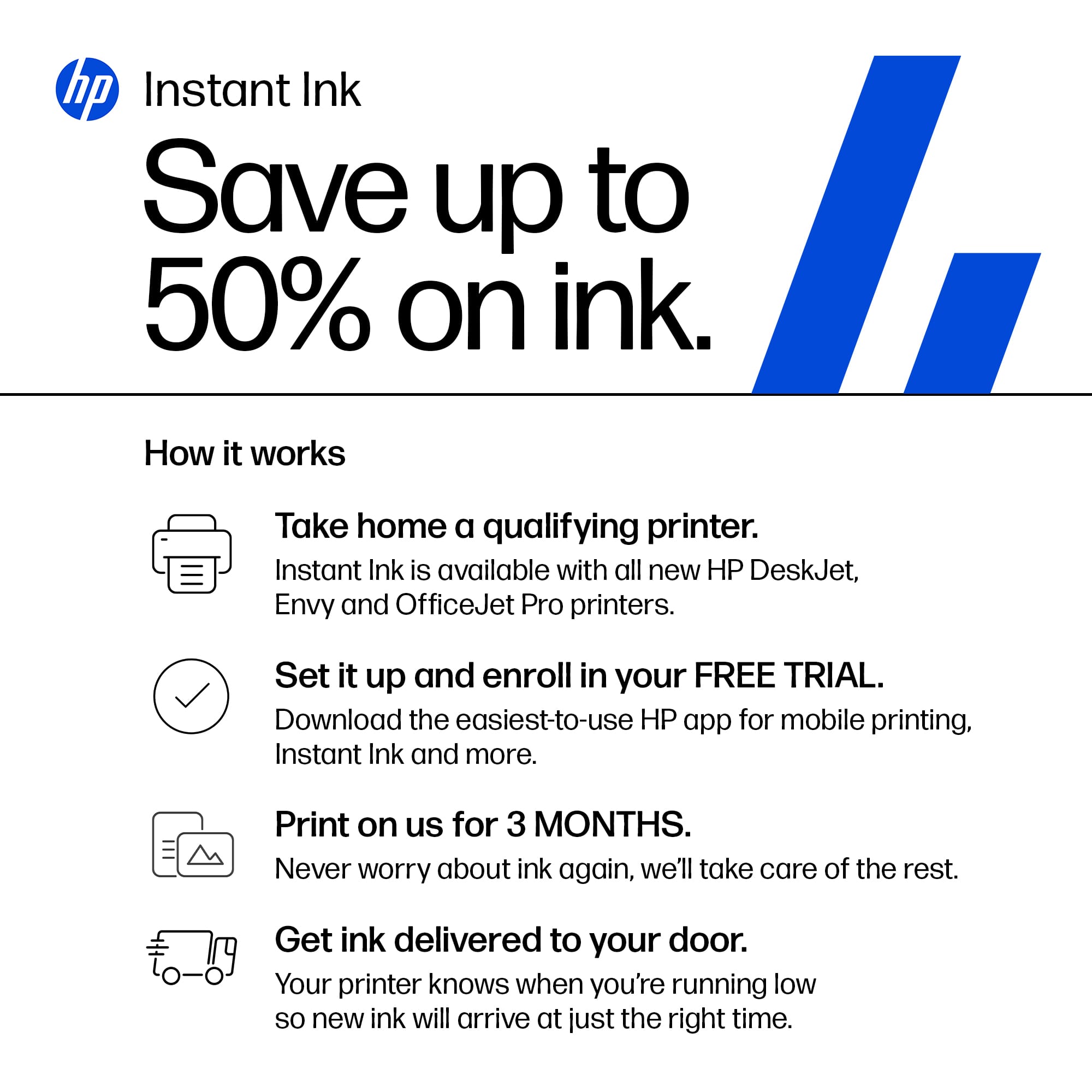
    I have an HP Officejet printer that is a couple of years old and was quite a bit more expensive than this model since I use it for business and it handles a fairly high volume of use. It has been a great performer so I decided to get another HP for my home office and for my family to use. We do have a printer from a different manufacturer who I will not name which has given us nothing but issues since we got it. It constantly disconnects from our Wifi, patches or updates are needed and then don’t work once installed, things like that. We just want a printer that doesn’t always seem to have some sort of problem and just works when you need it to. Upon unboxing the HP OfficeJet Pro 8120e series printer, the packaging was excellent and the printer was well protected and secure. As is the case these days, one must first scan the QR code which walks you through the setup. The instructions were very easy to follow, and the animations made it quite clear how to do everything. The initial boot-up and other operations like aligning the print heads seemed to take a bit longer than one might expect, but with a little patience its not that big a deal. The printer had no problems connecting to my Wifi. From there the app and printer communicated well with one another and completed the installation process. All went seamless. The HP Smart software on both my computer and my phone have made printing and scanning easy and efficient. The printer responds promptly to print jobs and produces documents very quickly. I also tested scanning and copying and both functioned flawlessly. Some of the other operations lag a bit and take longer than you think they should, for example, cancelling a print job. But compared to our previously mentioned printer, this 8120e series model is fantastic. While I have only been using it for a few days it has done everything I have asked it do to and the quality of the printed documents looks excellent. It has not disconnected from our Wifi like our previous printer would, and it always works when asked. So far it has been outstanding. The printer also came with an HP Instant Ink offer giving 3 months of free ink. After the 3 months you pay a low monthly fee of $6.99 (at the time of this writing) and HP will mail you ink cartridges before you run out based on your estimated monthly printing needs. I decided not to enroll simply because I don’t think our printing needs are going to require much ink, but I could see how this could be an excellent program for those with higher printing volume than me and my family. Overall this printer has done everything I’ve asked it to do efficiently and reliably, and at a very good price point. It certainly has my endorsement for a great home office and light duty printer.

    I would recommend this to a friend
  • Pros mentioned:
    Connectivity, Print quality, Setup
    Tech Insider Network Member

    Rated 5 out of 5 stars

    Hp Printers Win Brand Loyalty

    |
    Tech Insider Network Member
    Posted .
    This reviewer received promo considerations or sweepstakes entry for writing a review.

    After lightning-fast delivery, a hassle-free printer setup unfolded. Though the machine is packed within an insulation box for extra protection, managing unboxing was easier than in the past because the design is noticeably lighter than earlier models. Important at my age, achieving a lighter product affords ease of printer mobility for home/office use as well as less nano plastic dispersion and less plastic post-consumer waste. Over a long history of brand loyalty to the Hp Printer, I can't recall setup confusion in the past; but this time, the guidelines reached a new level of integration. Hard to go wrong during setup when you have two printed guides, a shortcut and a longer version synched up with the printer's display and rolled into the Hp SMART App downloaded to your cell phone. This synchrony of guidelines afforded me animated handholding at critical points like ink cartridge installation, page alignment, etc Next step, I connected the printer's Wi-Fi via the Hp SMART App after download to my lap, another breezy 'walk through'. The Hp App delivers an array of document handling services from Scan, Fax, Save, to Remote Printing, with a multitude of settings to explore. Thankfully, Hp refrained from creating a pay wall for the Scan to Fax capability. All in All, the Hp design team achieved an approximately 40-minute, no hitch installation including wait time for handshakes between devices. The first printed page delivered sharply defined lines and great color saturation via a notably quieter process than previous machines. In the past, Hp printer lifespan has exceeded my expectations for this category of electronics. Since printer longevity has been an Hp strong suit, I have had occasion to gift a printer or two after purchasing an update. For my purposes, the INSTANT INK program is a no brainer that reduces the annual cost of ink far below in-store purchases. I selected a plan to fit my usage level and pocketbook from 10 pp per month and higher, a sometimes-seasonal change for me. Hp remotely monitors my ink usage and sends refills as required. Though not for me, a paper plan is available to replenish as required. Moreover, there is no need to be tied to a subscription. You can opt to purchase the compatible Hp ink elsewhere. Bear in mind, ink cartridges incompatible with the Hp tech can only result in system failure and/or a voided warranty. BTW, I took advantage of their 3-month FREE ink start-up gift.

    I would recommend this to a friend
  • Rated 1 out of 5 stars

    HP has gone downhill

    |
    |
    Posted .
    This reviewer received promo considerations or sweepstakes entry for writing a review.

    This printer continuously loses connection to the wifi as I use a hotspot. I keep having to set the entire system back up each time I want to scan something even though it has saved the hotspot. It takes 1-2 hours to scan each time and I have to download so many updates and apps. It's a huge waste of time. I've barely printed anything and it's already saying low on ink. What happened to HP?!

    No, I would not recommend this to a friend
  • Rated 3 out of 5 stars

    I have to have an HP account

    |
    |
    Posted . Owned for 3 weeks when reviewed.
    This reviewer received promo considerations or sweepstakes entry for writing a review.

    I just want to simply print. Now I have to download an app and set it up via my phone. Ugh

    No, I would not recommend this to a friend
  • Rated 1 out of 5 stars

    NOT USER-FRIENDLY FOR INTERNET/PRINTER SRS.!!

    |
    |
    Posted . Owned for 1 month when reviewed.
    This reviewer received promo considerations or sweepstakes entry for writing a review.

    this is most NOT USER-FRIENDLY printer i've ever bought in 25 years! it took best buy online techs 3 hrs., 2 different employees to get this going in "set up". it is not for seniors; i've used pcs for 40-45 years and internet for 29 years. i'm a former secretary. i would NEVER recommend this to an older person; i'm 76.

    No, I would not recommend this to a friend
  • Rated 1 out of 5 stars

    HP 8120e

    |
    |
    Posted .
    This reviewer received promo considerations or sweepstakes entry for writing a review.

    Overall quality and usability of HP 8120 AIO is the worst I have ever purchased. Wasted 3 full ink cartridges HP because of error saying cartridges not making contact which was probably due to cap and attached advertisements on cartridges. Extremely difficult to open cartridge for installation.

    No, I would not recommend this to a friend
  • Rated 1 out of 5 stars

    Problems with Printer Installation

    |
    |
    Posted .
    This reviewer received promo considerations or sweepstakes entry for writing a review.

    I had to take the printer to Best Buy store to plug the power cord in. Because neither I or my young son were able to. We were worried to break the prongs if we forced the plug in. Second and decisive problem came up when we couldn't open the cartridges compartment door. I decided to return the printer back. P.S. I have been using HP printers for 30 years!

    No, I would not recommend this to a friend
  • Rated 2 out of 5 stars

    I would love it

    |
    |
    Posted .
    This reviewer received promo considerations or sweepstakes entry for writing a review.

    I can't give you a review about the product since Best buy gave my order to ROADIE, Roadie lost my printer and Best buy refuses to give my money back. But they did offered me to review it, how glorious. 3 weeks of waiting so far, 4h wasted in the chat. No resolution. I'm a plus member and they won't see my renewal, guaranteed.

    I would recommend this to a friend
  • Rated 1 out of 5 stars

    CHEAP unreliable printer

    |
    |
    Posted .
    This reviewer received promo considerations or sweepstakes entry for writing a review.

    TRASH printer. made of all plastic, feels cheap like it's going to break and prints BLANK pages. worst printer I've ever had. RETURNING immediately. Setup takes complicatedly long.

    No, I would not recommend this to a friend
  • Rated 1 out of 5 stars

    No printer connection

    |
    |
    Posted . Owned for 3 weeks when reviewed.
    This reviewer received promo considerations or sweepstakes entry for writing a review.

    It's been a week and I still cannot connect this to my computer to print. I have tried 4 different recommended hacks, and none has worked. It is ridiculous.

    No, I would not recommend this to a friend
  • Rated 1 out of 5 stars

    No thank you

    |
    |
    Posted .
    This reviewer received promo considerations or sweepstakes entry for writing a review.

    I could not for the life of me get this to connect to my internet or hotspot on my phone, it’s definitely not user friendly

    No, I would not recommend this to a friend
  • Rated 1 out of 5 stars

    Broker/Realtor

    |
    |
    Posted . Owned for 3 weeks when reviewed.
    This reviewer received promo considerations or sweepstakes entry for writing a review.

    Difficult to enable wireless connection with HP laptop. Still experiencing trouble with this.

    No, I would not recommend this to a friend
  • Pros mentioned:
    Connectivity, Print quality, Setup
    Tech Insider Network Member

    Rated 4 out of 5 stars

    HP listens!

    |
    Tech Insider Network Member
    Posted .
    This reviewer received promo considerations or sweepstakes entry for writing a review.

    I've always had issues with printers. 1) Touch screens take forever to respond 2) Navigation of menus are clunky. 3) Connectivity is always inconsistent. This HP printer has improved a lot on the woes of, I would say, majority of the population. In a very digital world, the last thing we need is to go through a physical printer, and have to deal with the hardware. This HP might have the answer. SETUP First of all, setup is simple. There isn't much loose components on this one: Paper tray / cover, ink catridges and a flurry of tapes to peel off. It is not complicated at all. HP has made this very simple without a manual to go through on what to put where, especially the cartridges. Plug in, and it is almost ready to go. Now to connect it to any of my devices, I have multiple options. Since I already have HP Smart, it was almost a 3 minute task to my mobile phone and my HP smart system. However, I also wanted to see how fast it will connect if I use other options, so I used the PC settings to connect to it directly. On WiFi direct, it was a little painful. It times out too fast. Once I have triggered it on the printer where it will release the code, it won't connect right away to my PC. I have gig internet, good wifi and an i9 machine. There is no way my system cannot keep up. But still, I ended up doing it maybe 4 times to connect directly. I also tried connecting the printer directly to wifi, because I can easily connect it too once the printer is on the wifi. That was easier than wifi direct, especially that, to my surprise, this printer has the most responsive screen I have ever experienced in a printer! Plus, the navigation is made much more simple—no tech words- something my mother may be able to navigate if she employs the same patience she has with her plants. Cartridges are easily placed, and you cannot go wrong with the symbols. The printer prompts guide you through the alignment too. PRINTING and SCANNING Print quality is decent. I came from laser printers and this one did not disappoint. It was decently sharp on high quality settings and did not soak my regular A4 sheets. And, like any HP printer, there will be some selling on the printer ink and paper but this one would work for my light business. So I think the pricing is good enough for my business, and there is a CLEAR option if you need to cancel the subscription in the future! I usually scan more and do docusign but have frequent printouts for wet signatures, plus the kids print random items. I think it is worth it for me. Print speed is good too without smudging—hopefully not only because it is new. Scanning is pretty straightforward, especially that I use the HP scan tool. Flatbed scanning is nice and crisp, while feeder scanning is troublesome at 5 to 6 pages per load. STABILITY So far this printer has not failed me when I need to print—unlike my other printers (even from HP) that always need to be searched or reconnected almost each time I need to print. Connectivity is stable once it has established the initial handshake on my machine. And mobile printing from my phone and tablet is easy too! Maybe my only concern on this is, besides the wifi direct setup, is the ability to print legal size sheets—the tray does not allow legal sheets to be placed in; I had to find a hack. Other than that, it seems reliable so far. In any business, you will need a printer, one way or another. I know I do. This has restored my faith in printers. Simple, easy, less worries. I recommend.

    I would recommend this to a friend
  • Rated 2 out of 5 stars

    It’s an HP…

    |
    |
    Posted .
    This reviewer received promo considerations or sweepstakes entry for writing a review.

    Decent - don’t love the lack of options from control screen

    No, I would not recommend this to a friend
  • Pros mentioned:
    Print quality, Setup
    Tech Insider Network Member

    Rated 5 out of 5 stars

    Multifunction Perfection!

    |
    Tech Insider Network Member
    Posted .
    This reviewer received promo considerations or sweepstakes entry for writing a review.

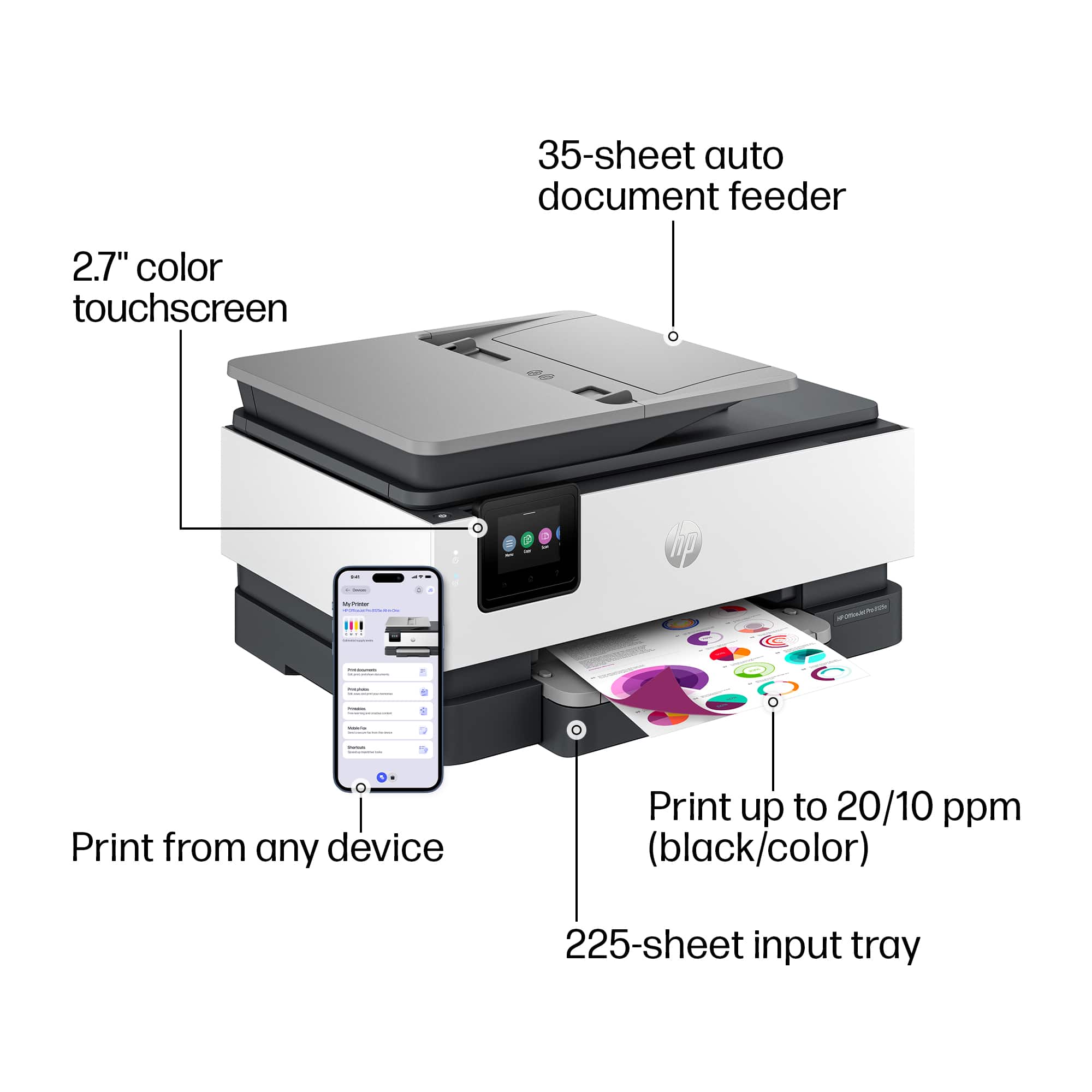
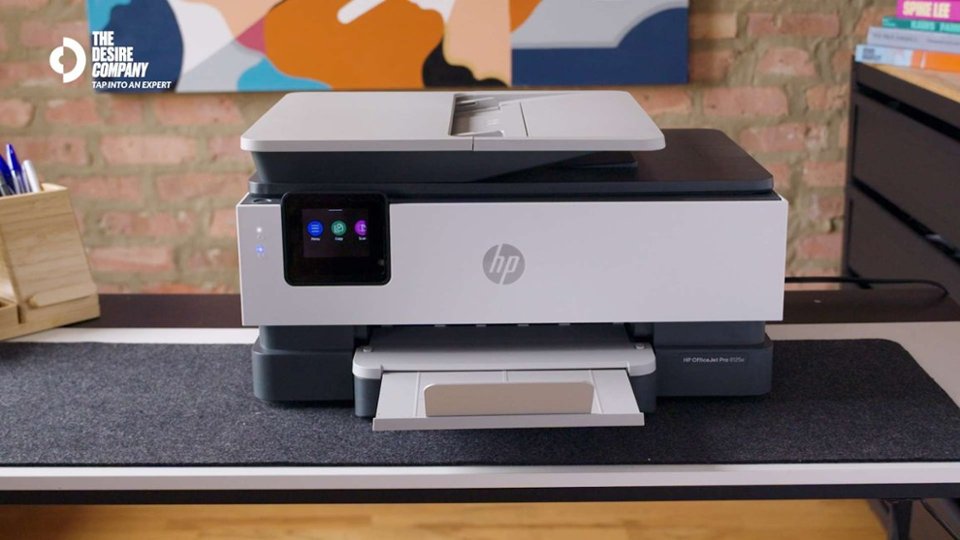
    HP has once again shown why they are the leader in printing technology! This is not the first HP printer I've owned. In fact I have a few printers - and they are all HP. With a home office, children, and being a business owner, there is never a shortage of print needs. Anyone who has read my other reviews knows I am a stickler for aesthetics. Yes, the product must function as intended, but for me it must also be pleasing to the eye. This printer checks both boxes. First of all, this is a well-made multifunction printer. Like nearly all printers it is made largely of plastic. Where HP gains points is in the fit and finish, the details. There are no loose areas, gaps, or seams that are falling apart. Hinges are solid and slides move freely but securely. The overall design is pleasing and fits well into most all home office decor. Nothing flashy or over-the-top, but far from bland. The touchscreen works great and is responsive. While you don't need to use this daily, it's nice to know when you do it's not a pain point. The colors are clear and easy to see. Setup is incredibly easy, with very little tech know-how needed. It's really as easy as plugging it in to power, connecting to Wi-Fi, and you're ready. Ready to print in 5-10 minutes. Speaking of printing, don't let the size fool you. This little dude prints with quality that would rival other printers 3 or 4 times the price point. Incredibly clear and crisp text and images. Even ink coverage with no bleeding, and excellent color quality. The print speed is acceptable at about 20/10 black/color, depending on the image, text, coverage, etc. But my experience has been consistently close to these numbers, averaging about 16-17/7-8. The paper tray holds an advertised 225-sheets of standard printer paper. Obviously less if you are using card stock. I had no issues with jamming, misfeeds, or double feeds. Same with the document feeder, the paper was fed into the printer accurately each and every time. I haven't come close to emptying the ink tanks, but based on my experience with other HP printers, it seems to be just as efficient with ink usage. Scanning works very well, producing excellent images. The same is true for the copy function. HP does a great job with their internals when it comes to producing near exact reproductions, especially with documents. You will be hard pressed to find another multifunction printer, scanner, copier on the market with the level of quality and price point as this HP. Small form factor, easy setup, flawless function, and excellent output. I highly recommend!!

    I would recommend this to a friend
  • Pros mentioned:
    Print quality
    Tech Insider Network Member

    Rated 4 out of 5 stars

    Excellent home office printer

    |
    Tech Insider Network Member
    Posted .
    This reviewer received promo considerations or sweepstakes entry for writing a review.

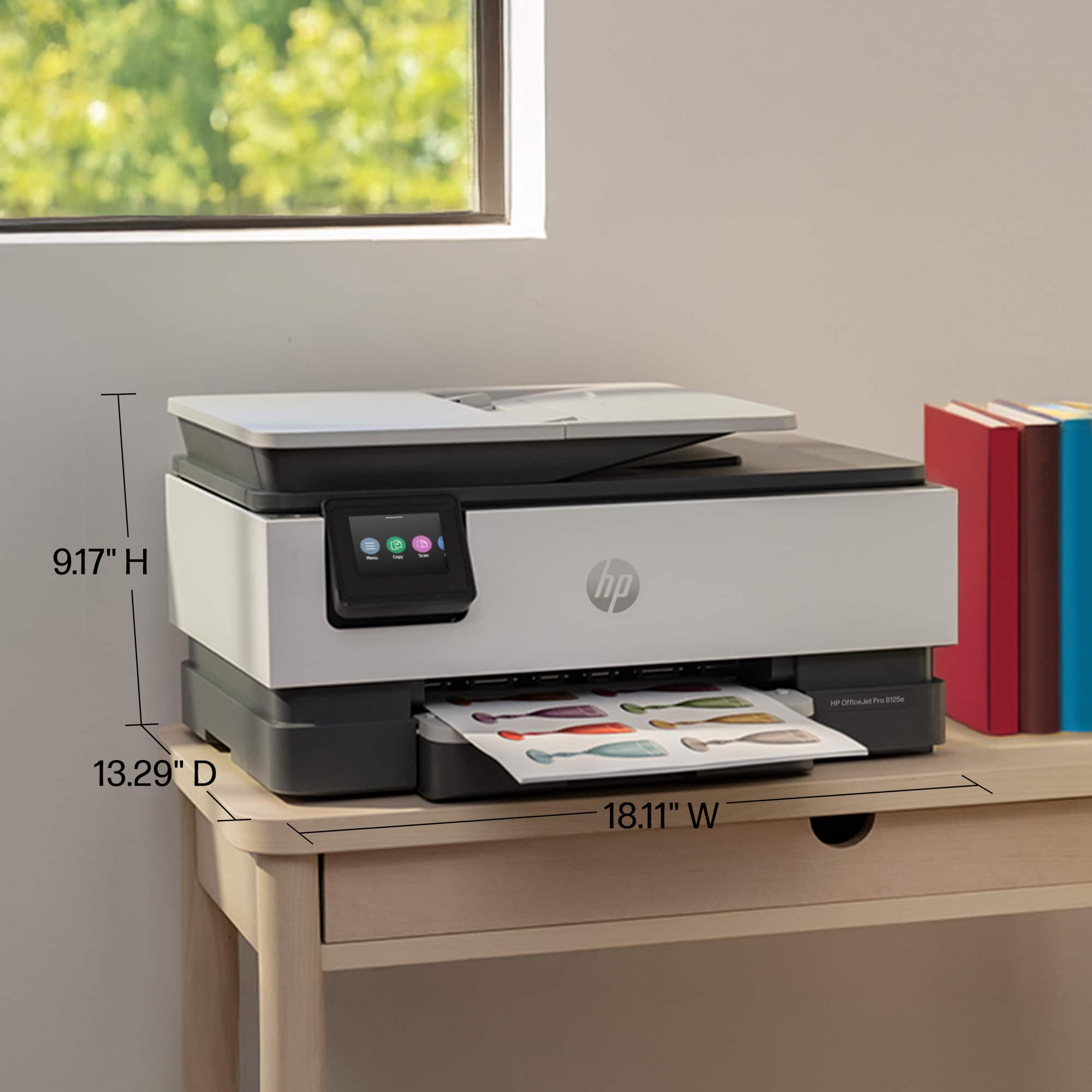
    This is exactly what I need, we don’t print, scan, or copy documents often but we do need to. This does it all. Printing is relatively fast, not the fastest, but I’m not in a race when I’m printing. It will print two sided which I really appreciate, though this does take a little extra time as it needs to let the ink dry before continuing. One thing I did realize is to make sure the paper catcher is out, I thought it didn’t print a paper or that it got stuck in it before I realized that the paper was halfway across the room, if it wasn’t a single sheet, that would have been rather annoying. I like that it folds away, so this is a knock on the printer, just a thing to be aware of. It looks like the print cartilages are a rough estimate of 500 pages (I am sure this depends on exactly how inky your pages are) and are rather expensive to replace. I don’t like the ink subscription, if you know you will go through that much ink then maybe it works for you, however, I know I wont and I am not interested in it, I didn’t appreciate it trying to convince me during the set up to do it, and the set up failed the first time so I had to go through it twice. Though the setup was very straight forward. There were two items of note during the setup. The first is the ink subscription, you don’t have to do it and make sure you are figuring out how much ink you’ll actually use if you do, they say it is a 50% cost savings on the ink cartridges but if you only go through a cartridge every six months your not saving any money. The other item is if you want to use remote printing it will update your firmware to not allow any 3rd party cartridges. I was not a fan of this, I have a home VPN so it’s not an issue for me, but I do not like that they would do this, but I guess I kind of get it as you would be using their servers and it is a way to recoup that cost. Because of previous experiences with printers making my ink cartridges useless I also disabled automatic firmware updates. While it would be nice to get bug fixes, I’ve found often times the bug fixes aren’t really usability bugs. Setup was partially through the web after scanning the QR code on it and then finished through the app. The app is designed nicely and the easiest way to scan I’ve found is just to use the app, put the paper in the scanner and then start it from the app. The printer does have an option to send it to an email recipient directly from the printer as well, but I always want it on my phone when I scan things anyway so, this is actually pretty perfect for me. The size is perfect for a desk and it looks nice, it is a basic office printer that has all the features you need from a printer.

    I would recommend this to a friend
  • Rated 1 out of 5 stars

    Broken!

    |
    |
    Posted .
    This reviewer received promo considerations or sweepstakes entry for writing a review.

    First, the on/off switch didn't function. Then, it stopped two-sided printing. Overall, a great disappointment.

    No, I would not recommend this to a friend
  • Rated 1 out of 5 stars

    Best Buy is great

    |
    |
    Posted .
    This reviewer received promo considerations or sweepstakes entry for writing a review.

    Got stuck in a software update after 2 uses. HP wanted payment for tech support. Thank goodness for Best Buy membership, they replaced it immediately

    No, I would not recommend this to a friend
  • Rated 1 out of 5 stars

    hp8120 office jet pro

    |
    |
    Posted .
    This reviewer received promo considerations or sweepstakes entry for writing a review.

    This is a piece of junk. Do Not Buy. It will not print.

    No, I would not recommend this to a friend
  • Pros mentioned:
    Print quality, Setup
    Tech Insider Network Member

    Rated 5 out of 5 stars

    Great set up and machine

    |
    Tech Insider Network Member
    Posted .
    This reviewer received promo considerations or sweepstakes entry for writing a review.

    Right out of the box the HP Office Jet Pro 8120e Series was so easy. I got this set up and had no problem at all. The printer told you what to do and the app you download set you up with everything needed to do. This was so simple. Love the fact that it was all touch screen on the printer, this made everything so easy. I got the ink cartridges loaded, that was super easy as well, they pop in so easily. I have had others that were pretty hard to click into place. It's labeled so that you know exactly where to put each color, it took just a minute to do. Very fast and easy to do the ink. I love that I can be anyplace and find something that I want to print and it will send to my printer. I was not home, found a recipe and had a friend send it to me, I was able to send it to the printer and when I got home it was printed and waiting for me. Technology is amazing. I have to say that this printer is fast and quiet. The last printer that I had was really loud and seemed like it took so long to print out two sided items. This HP Office Jet Pro 8120e is super fast and very quiet. It still bothers my cat, but if she is down the hall she doesn't come running. If she is in the room she runs to it. I think that she thinks it's an intruder. She stares at it and jumps as if she will attack it, quite funny to watch. I am very happy with this printer. The quality of the pages is amazing. everything is evenly printed and looks wonderful. You will not be unhappy with this HP Office Jet Pro 812e, I can tell you that I am not. It's going to get so much use. I must say that I do like the HP products, they never fail for us.

    I would recommend this to a friend