Customer Ratings & Reviews





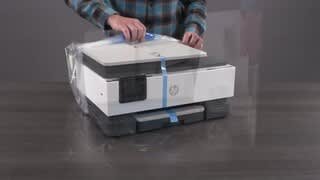
- Model:
- OfficeJet Pro 8139/C2VK3A#B1H
- SKU:
- 6673911
to a friend
Customers are saying
Customers frequently mention that the print quality of this product is excellent. Users also appreciate the seamless connectivity and note that the initial setup process is straightforward and user-friendly. Overall, the feedback highlights a reliable and easy-to-use experience.
This summary was generated by AI based on customer reviews.
- Pros mentioned:Print quality, Setup ease

Great AIO Printer that's easy to setup!
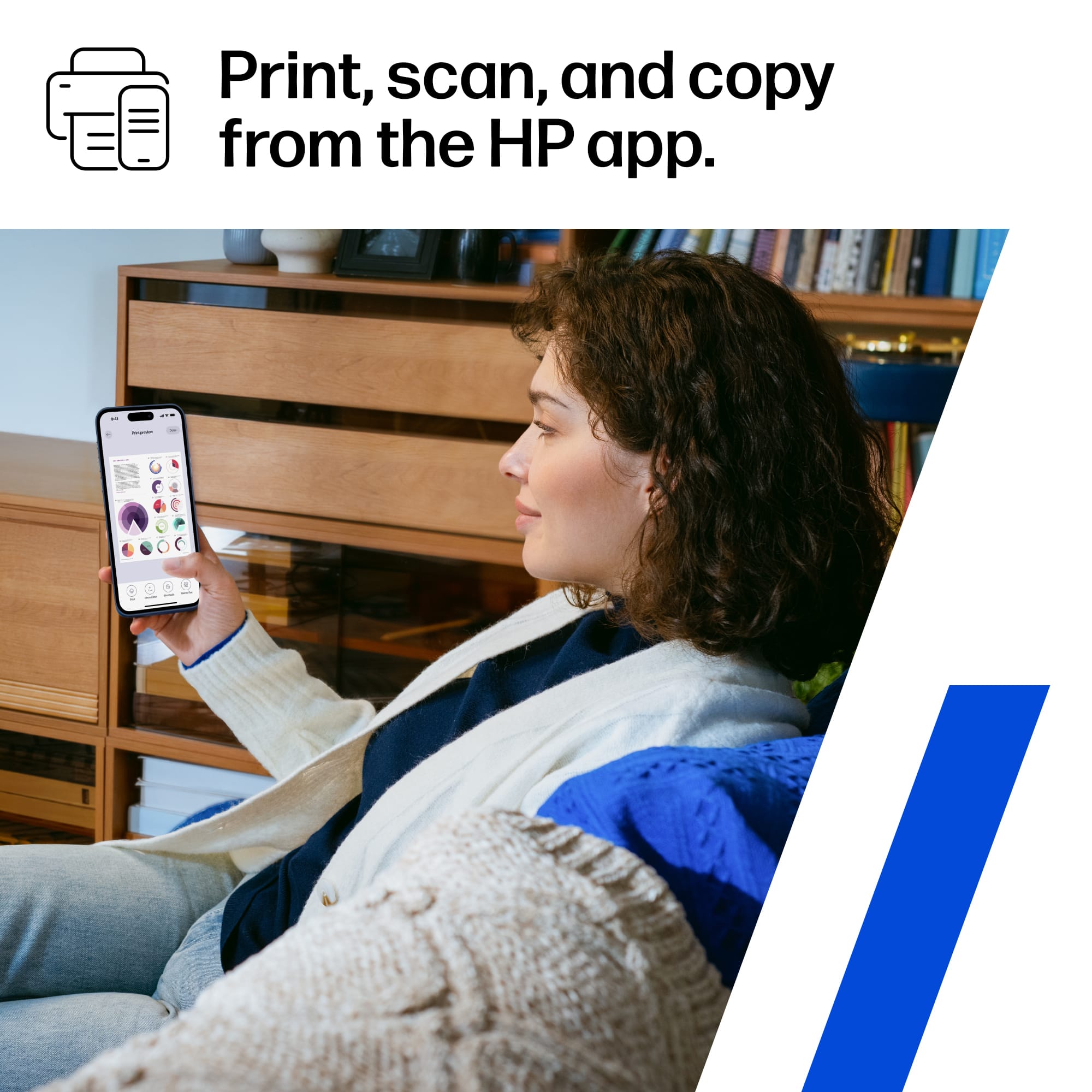
|Posted .This reviewer received promo considerations or sweepstakes entry for writing a review.As the title mentions, this is a really great All-in-One Printer that was really easy to setup right out of the box. It also has separate ink cartridges for every color which makes it more efficient when it uses ink and when it's time to replace cartridges. It also prints really crisp clear and clear documents and photos. The document feeder also works really well for copying and scanning - I've usually had more trouble with documents staying straight when being fed and this one does really well. It prints fairly fast for an all-in-one as well, not super fast, but not super slow either. The duplex printing works really well and is automatic as advertised. It's also really easy to update (although it typically updates automatically) and modify the settings using the HP Smart app. Overall, this is a really solid printer for home or home office easy. It's really easy to setup, prints moderately fast, and has really great ink quality, with the bonus of only needing to replace individual color cartridges as they go instead of combined ones.
I would recommend this to a friend - Pros mentioned:Print quality
Bright, sharp images, copies, scans, digital faxes
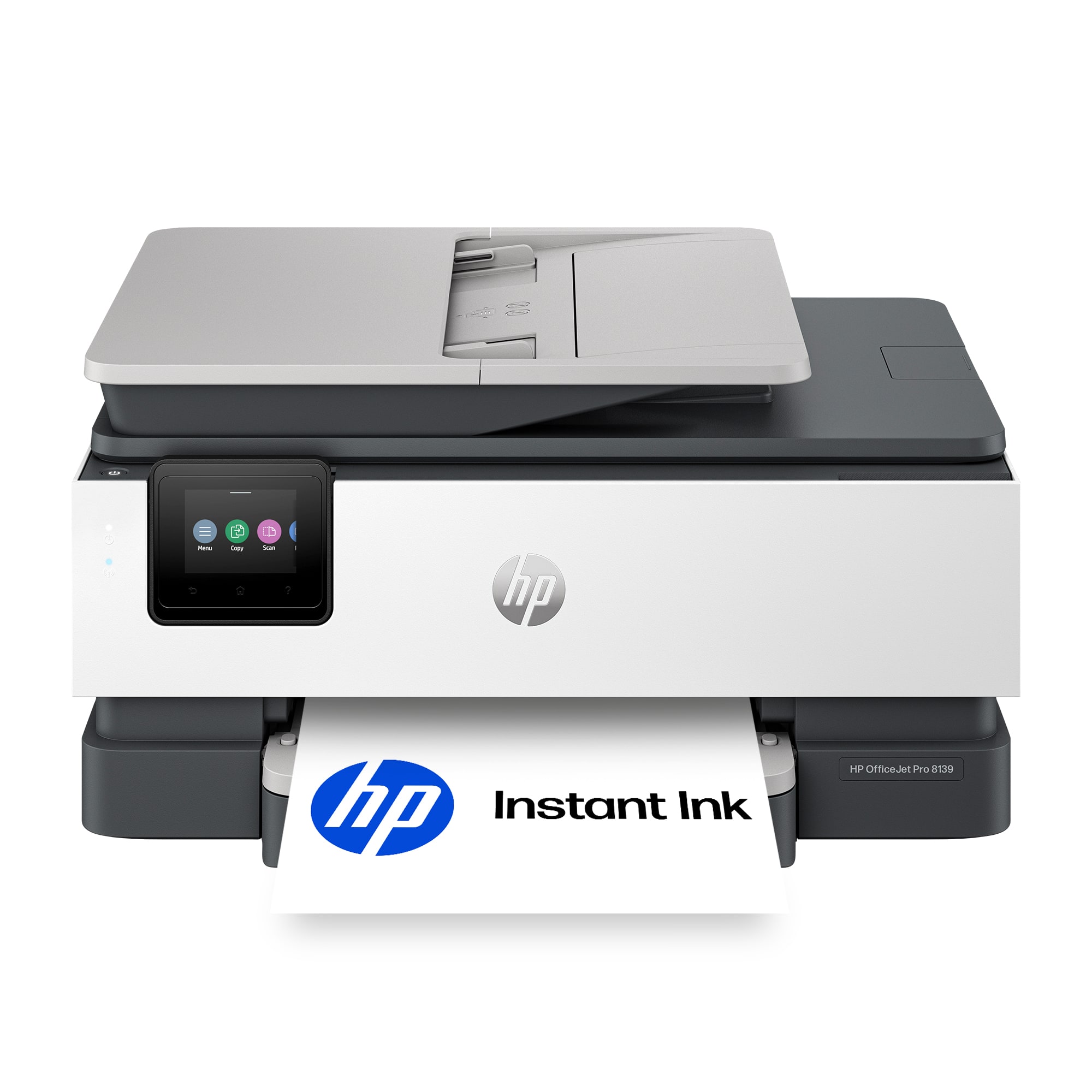
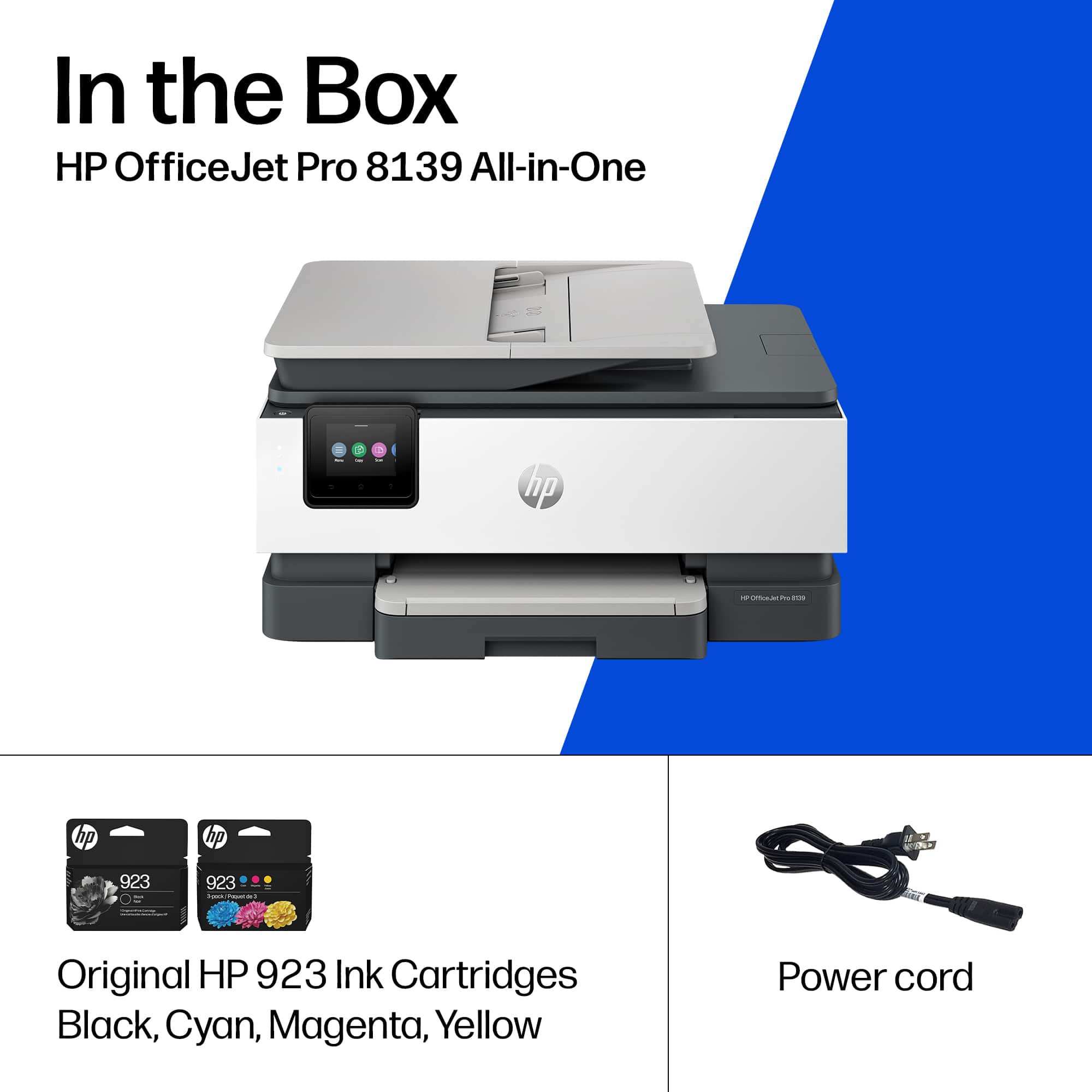
|Posted .This reviewer received promo considerations or sweepstakes entry for writing a review.The HP OfficeJet Pro 8139 all-in-one inkjet printer creates beautiful, brilliant color prints and sharp black-and white prints. This model also has a scanner, copier, and can send faxes through your mobile phone. It is perfect for Home offices and small offices. Unboxing is easy. The printer sits inside a clear plastic bag with handles. Just lift the bag out of the box, and remove the two styrofoam end pieces. Take the printer out of the bag and remove a few pieces of tape and a guard on the printer assembly. Setup is quick. Plug in the printer and follow the directions on the printer screen. Download and install the HP Smart app. Wi-Fi is set up in the app, not from the printer screen. A set of four CMYK cartridges comes with the printer. Cartridges are easy to install after you open the top cover. If your black cartridge is not as wide as its receptacle, this is OK, as the starter cartridge may hold less ink than the regular one. Printer controls and design are intuitive. - The touchscreen is bright and easy to read. Tilt the bottom of the touchscreen towards you until it clicks, for a better viewing angle. - To add paper, press the two buttons on the paper tray lid to remove it. Discard the cardboard packing between the blue paper guides and adjust them to load paper. Pull out the paper holder on the paper tray lid to catch prints. - The copy function allows 1- or 2-sided copies. - The scan function allows you to send a scan to email, to a USB drive, and to a Cloud drive. You set up destinations in the HP Smart app. The HP Smart app is your "go to" for remote printing and printer status. The app displays printer status and supply levels and allows you to perform certain functions from your computer or mobile device. - You can see your HP printers on the HP Smart website, but this is not the smart app. Open the HP Smart app on your computer or mobile device. - The app is not intuitive when setting up a scan destination. You must enable shortcuts, and then add an email address or cloud drive destination. It took a bit of research before to scan destinations; then I received the expected email after I scanned a graphic design. This OfficeJet Pro Inkjet printer replaces an older version in the same product line.
I would recommend this to a friend - Pros mentioned:Print quality
All-in-one value for home and small office
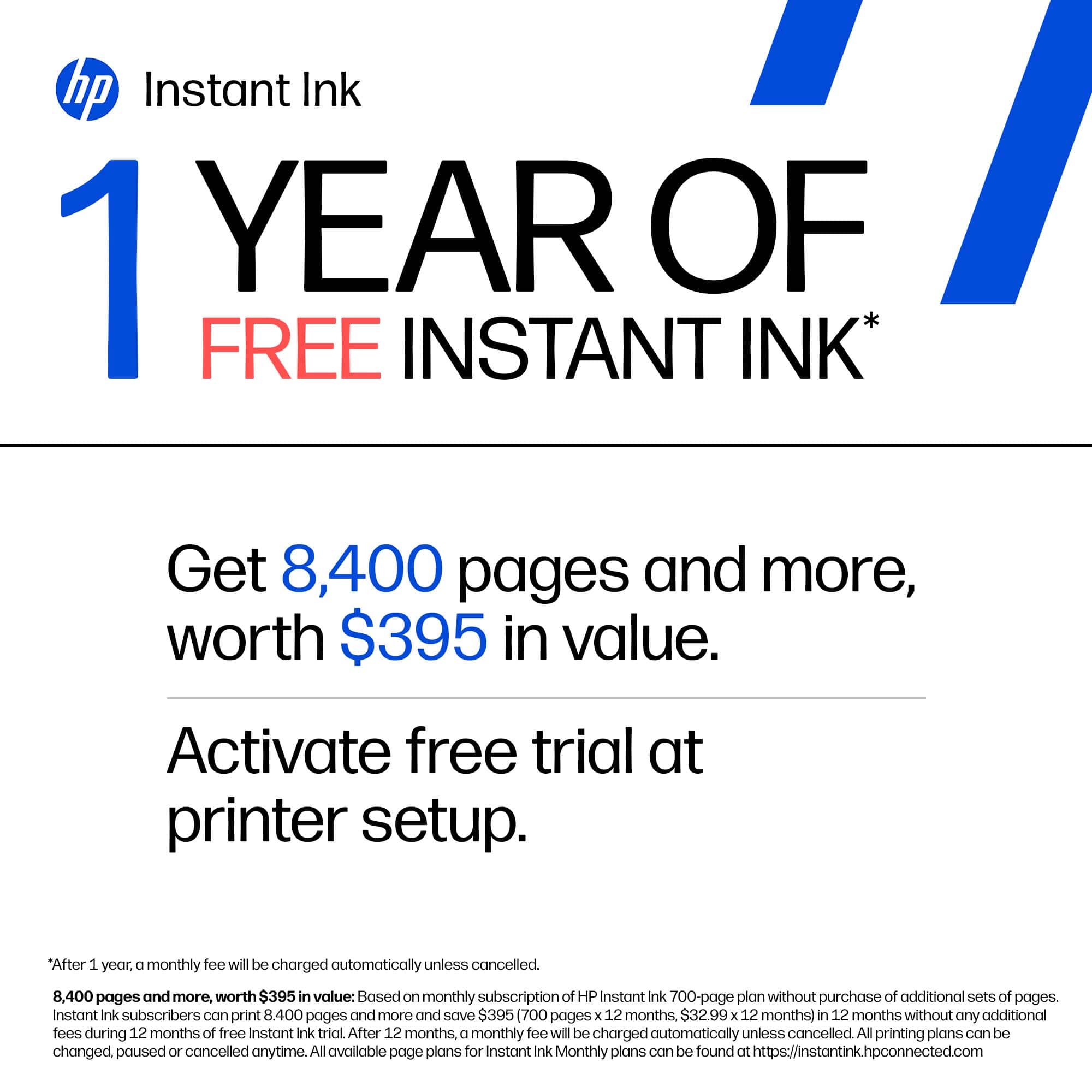
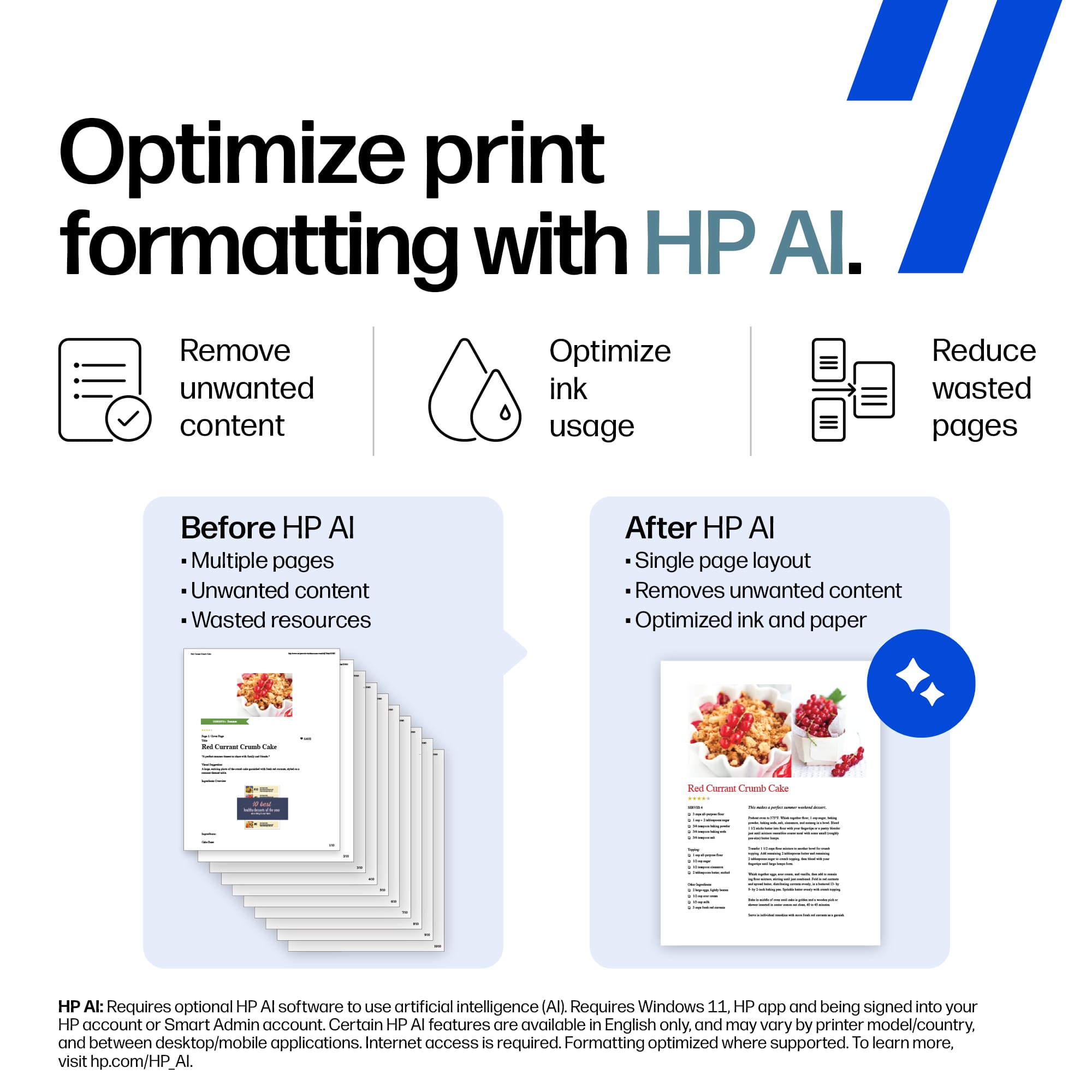
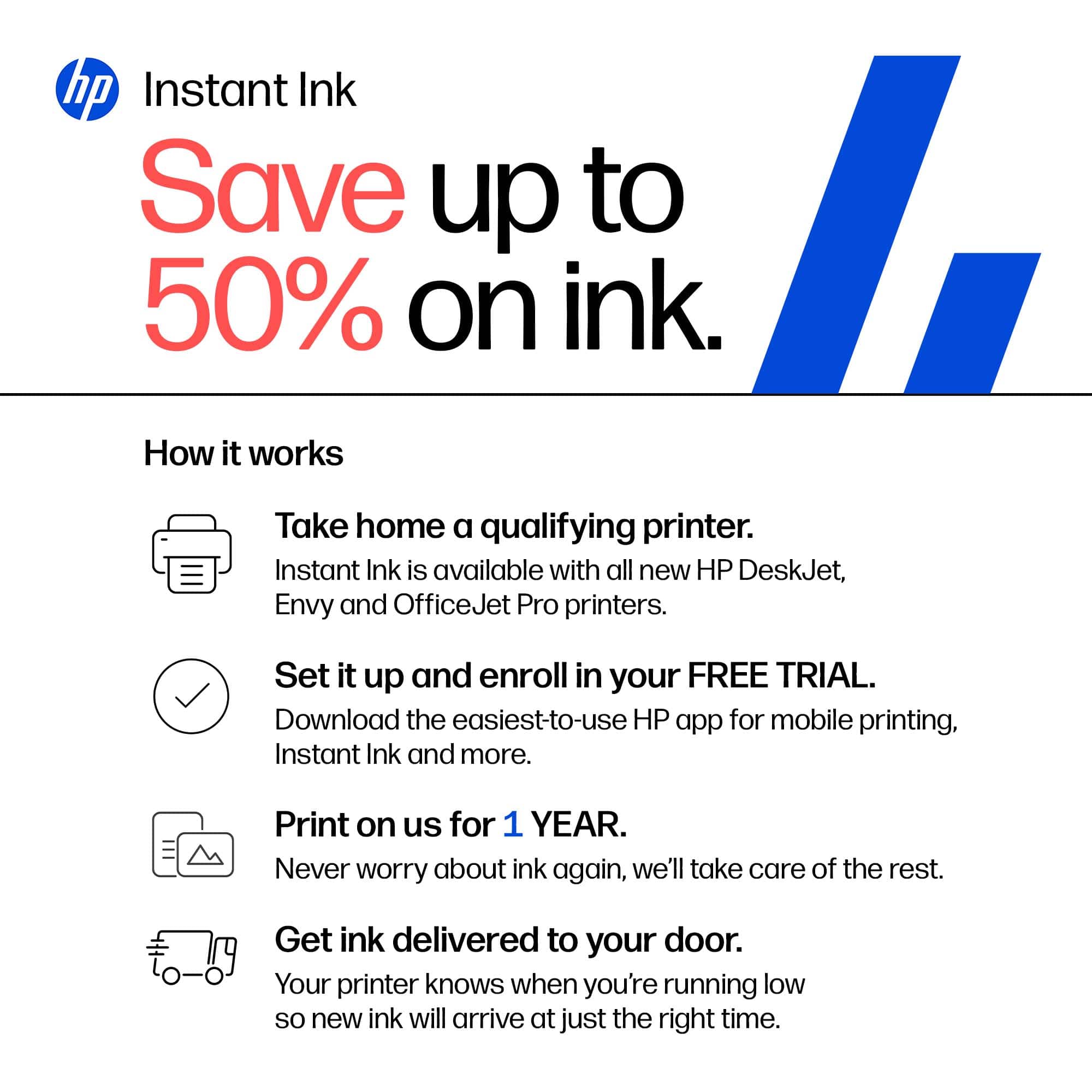
|Posted .This reviewer received promo considerations or sweepstakes entry for writing a review.For home and small office, this printer is really all in one. It even has a fax capability! After unboxing the install went fairly smooth. It tripped up on the initial wi-fi configuration but nothing I couldn’t resolve. After a couple of tries it was connected and ready to print. HP Smart is the application through which you can access scanning and faxing capabilities. HP AI works nicely to optimize the printing and saves both paper and ink. Printing documents from multiple sources is a time saver. No need to be hitched to your PC, when printing from your phone, laptop or tablet is simple. This did bring up an issue though. On occasion the printer would not be available, and it required power cycling for it to come back online. This is the second HP printer I’ve had with this peculiar bug. I found that photo/color graphic prints are not quite as nice as a photo printer. If quality color printing is something you need often, a dedicated photo printer is a better solution. The scanning and duplexing worked well for my needs. I like that you can direct the scanned output to multiple destinations using the HP Smart app. The ink is a 4-cartridge configuration. I like being able to only replace the cartridge that is used, rather than a multi-color cartridge. Once you’ve used the starter cartridges, you can sign up for the Instant Ink subscription. It comes with a 12-month subscription. After that plans for a typical 100 page subscription are $8.49 a month. A full set of replacement cartridges runs about $94 with an estimated capacity of ~400 pages. That does make the Instant Ink subscription worthwhile if you use the printer regularly. Overall, I found this to be a capable home or small office printer. I gave it 4 stars as a result of setup issues with wi-fi, random disconnects and inconsistent quality of color graphic printing.
I would recommend this to a friend - Pros mentioned:Print quality
Cost efficient option; Spotty Bluetooth
|Posted .This reviewer received promo considerations or sweepstakes entry for writing a review.This HP 8139 seems to be a solid all-in-one printer for home --- mostly because of the price I'd say. In my experience, documents come out sharp and clear, and the printer works quickly and quietly. The setup was pretty easy, and it has all the features I'd expect with a decent printer: scanning, faxing (even though I don't even use it) wireless printing, and on-screen interface. The best part--- the printer itself costs less than purchasing replacement ink for an older printer at my job --- which is pretty crazy considering you get the same thing from both really. I'd say the biggest concern is connectivity. I did have some difficulty getting the printer to connect to Wi-Fi and pair with my laptop. I've noticed this with the last HP I had --- the bluetooth connectivity was frustrating. The other frustration is the ink subscription service which seems to be the main way they want to siphon money from its customers, and the printer does run through ink pretty fast in my opinion. So all in all --- here are my pros and cons: Pros: Excellent print quality, fast and quiet operation, competitive price (the best part), easy setup and all in one features Cons: Inconsistent wireless/Bluetooth connectivity, HP's emphasis on ink subscriptions
I would recommend this to a friend - Pros mentioned:Print quality, Setup ease
Mmmeeehhhhh, It's a printer...
|Posted .This reviewer received promo considerations or sweepstakes entry for writing a review.It's a printer. As a printer, it prints well. That's about the highest praise I can give. I mean, if you are reviewing a cup, sure it delivers fluids fine, right? Same here. Over the years, I have tested countless printers, and if I am to be honest, HP's are generally my least favorite. Why? Well, ink, for one thing. It's original HP r4eplacement cartridges are always on the higher price point. And in most modern HP printers, they require HP original cartridges to work. And their HP subscription "service". As for the printer itself, setup was as expected. Just a few minutes, and you are good to go. The control "panel" is simple, but navigating through it's menus ca be a little tedious, especially if you have big ole clumsy man-hands like I do. I wish even a slight bit larger, that would make navigation a wee-bit better. End of the day, it is a printer. It does what it's supposed to do. Just given the flawed print cartridge situation, I would probably at the very least, make them aware of the flaws.
No, I would not recommend this to a friend - Pros mentioned:Print quality
HP leads the pack in regards to printers
|Posted .This reviewer received promo considerations or sweepstakes entry for writing a review.I’ve used printers from a lot of different companies and HP just seems to be the best in my opinion. I have multiple printers set up in my home and they are all networked either wirelessly or using a LAN cable. Simply put, they work. Setup was easy with the app and took me about 15 minutes from start to finish. I printed various items from my laptop, desktop, phone and tablet and they all worked with no problem. Instant Ink is a great option for people like me who don’t want to run out and buy ink when they need it most. You simply create an account, connect to your network and Instant Ink monitors your cartridge levels and send the ink to you directly each month. The price is actually really affordable and is based on your usage. If you know you print a lot, then opt for the higher end package. You can also order paper as well. One of my favorite things about HP printers is since I work for the government and we are not permitted to download drivers and software outside of the approved list, these printers work. We have HP laptops so the drivers must already be built in. When i work from home or doing something on the weekends, all i have to do is connect to my home network, login with my remote credentials and the printer always shows up as an option. It prints pretty fast for an inkjet printer and the ink dries fast. No smearing at all. This printer is also perfect for students and those who work from home either for a company or are self-employed. I cant recommend this printer enough. Great features, simple setup and Instant Ink make this a perfect home printer for me.
I would recommend this to a friend - Pros mentioned:Print quality
Solid printer for everyday and office use
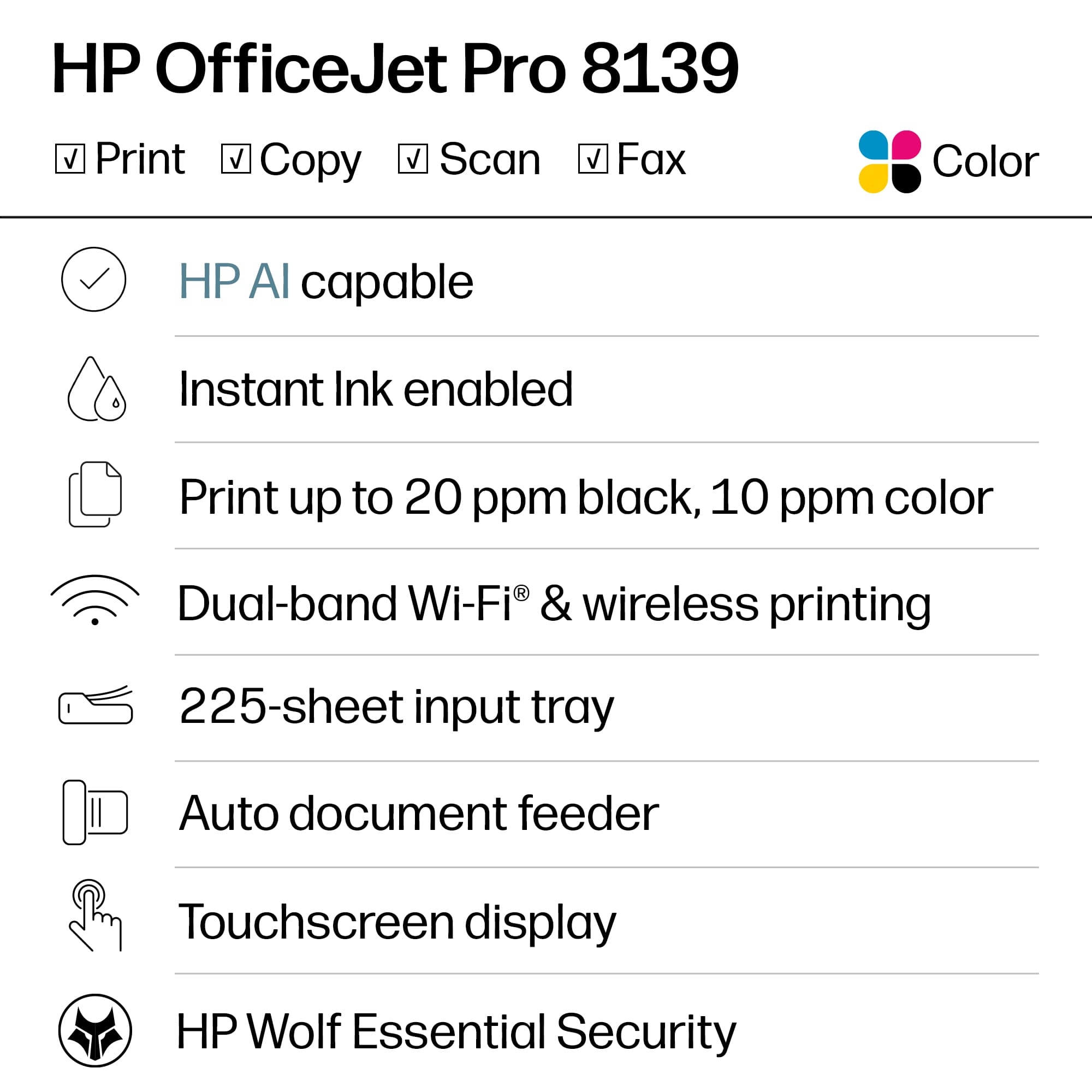
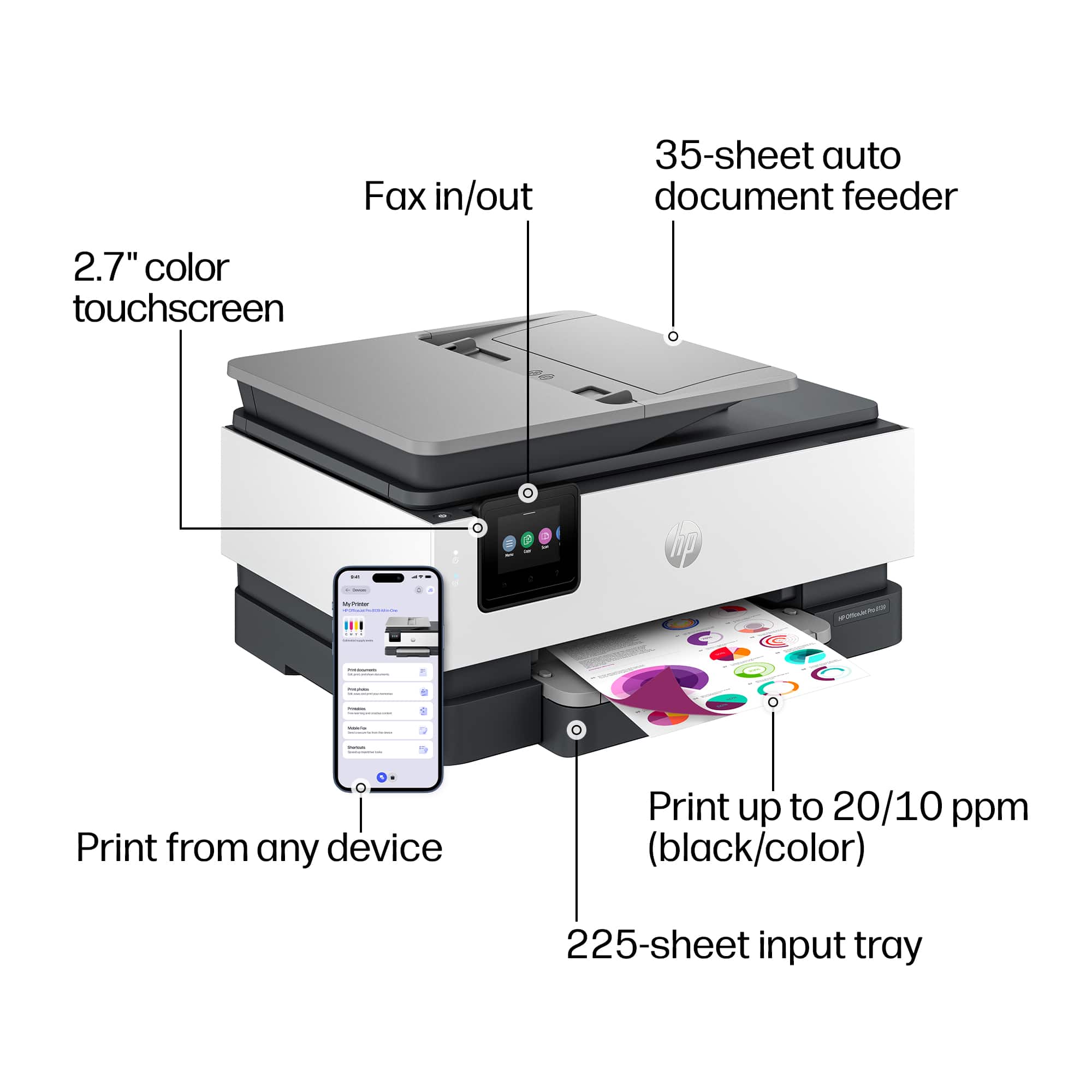
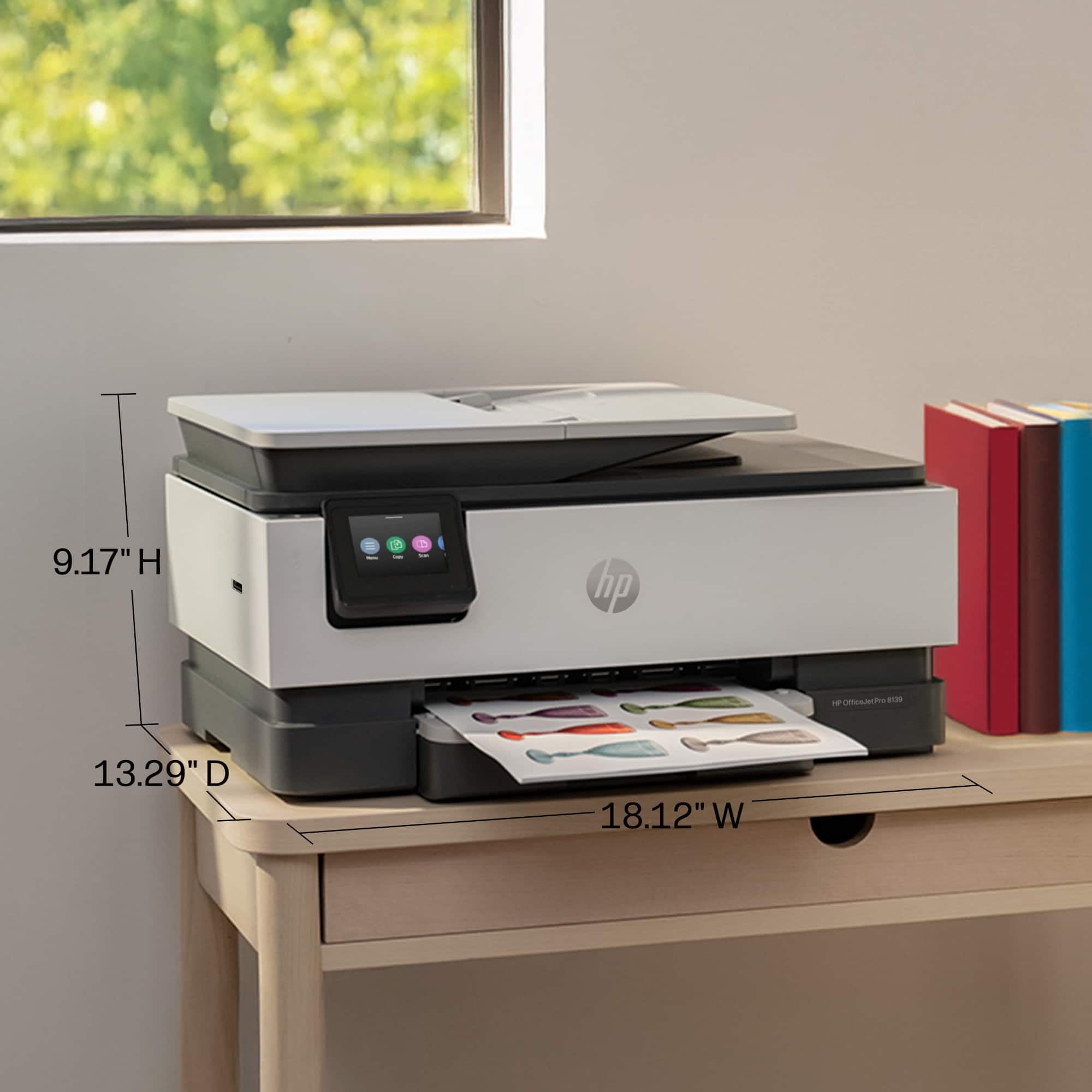
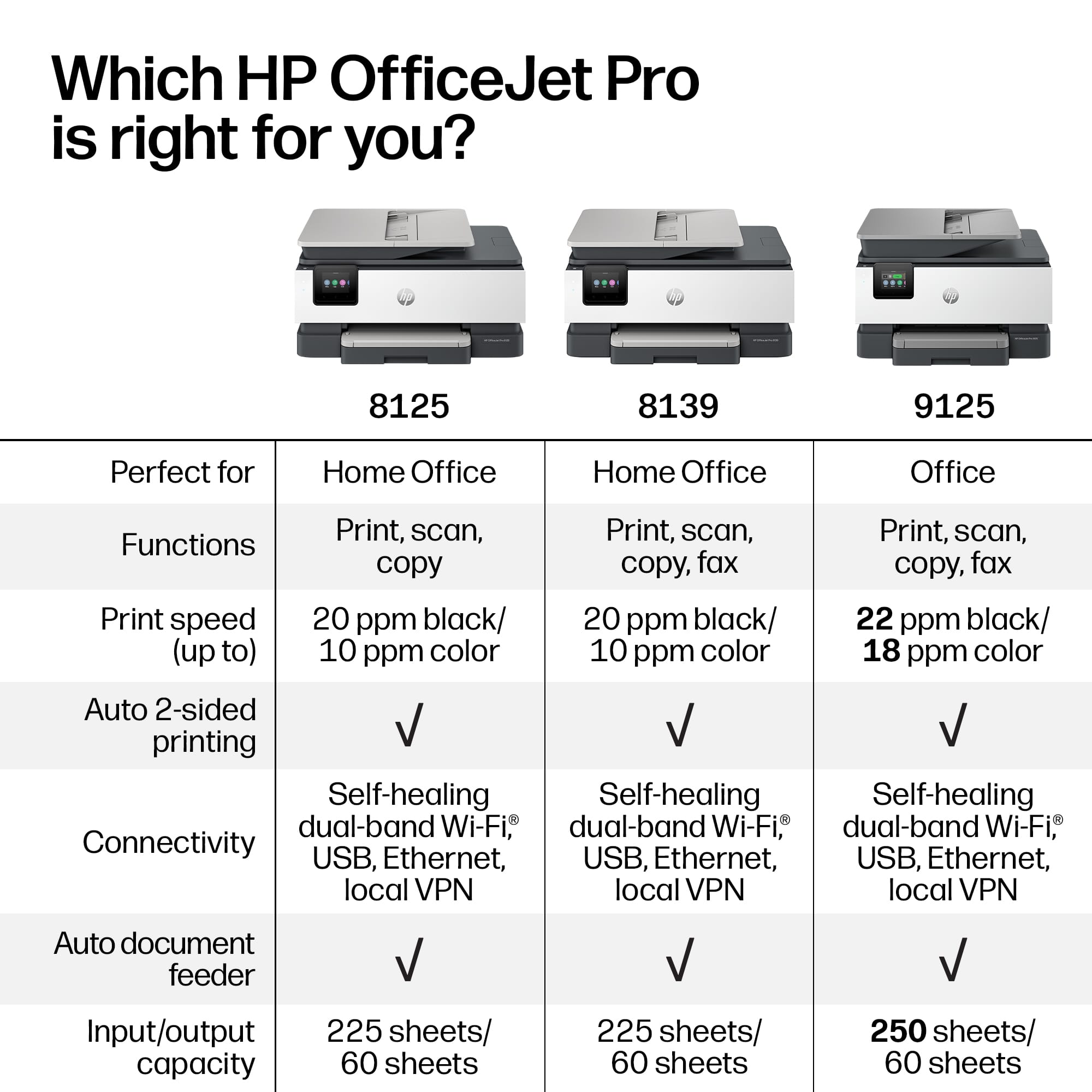
|Posted .This reviewer received promo considerations or sweepstakes entry for writing a review.The HP OfficeJet Pro 8139 is an excellent all-in-one printer for home use for everyday printing or small office use. Setup was easy using the HP Smart app, and connecting it to Wi-Fi only took a few minutes. Once connected, printing from my laptop and phone has been quick and reliable. What impressed me most is the speed and print quality. Black text came out crisp, and color documents was pretty accurate and not faded they looked great when I printed out some of my work presentations. The cool thing to and a must have for printers is the ability to set automatic two-sided printing to save paper (trees). The paper tray can hold up to 225-sheets which is great especially if you do a lot of printing and forget to refill or with lower capacity printers constantly refilling. Another great must have is a high capacity automatic document feeder. This one has a 35-sheet capacity for scanning and copying so you dont have to watch and feed the documents. This printer also doesn’t take up a lot of space, it compact and handles all your printing needs. Scans, copies, and fax (if you still do that). The touchscreen is a little small but clear and color and responsive to navigate printer settings and functions if printing directly. This isn’t a photo printer, but great for documents and quick paper photo prints. If you’re looking for a dependable all-in-one printer with fast printing, automatic document feeding and two sided printing, wireless connection, and everyday printing, the OfficeJet Pro 8139 is a solid choice.
I would recommend this to a friend - Pros mentioned:Print quality
Impressive Speed and Convenience
|Posted .This reviewer received promo considerations or sweepstakes entry for writing a review.The HP OfficeJet Pro 8139 is straightforward to set up with the HP Smart app. Once connected to my home network, printing from both my PC and phone works seamlessly. Print speeds are impressive in both color and black and white. The HP Smart app is particularly useful for monitoring ink levels and managing Instant Ink subscriptions. My initial black ink cartridge depleted quickly, but after signing up for the free year of Instant Ink, replacements were shipped automatically—a convenient feature I'm going to appreciate. The scanner function is equally impressive. It's responsive on both the glass and automatic document feeder, with numerous presets available. I primarily use the default PDF scan setting, which works perfectly for my needs. The onboard touchscreen duplicates the app's key functions and responsively displays print job status. I'm also pleased to report zero paper jams or misfeeds, despite the device's speed and print quality. This affordable printer delivers excellent performance and versatility. I'd recommend it to anyone seeking a reliable inkjet with integrated scanning capabilities.
I would recommend this to a friend - Pros mentioned:Print quality
Great, But Not Perfect
|Posted .This reviewer received promo considerations or sweepstakes entry for writing a review.When I got this printer, I was surprised at how easy it was to set up. There's a QR Code right on top of the printer. I scanned it with my phone, downloaded the app and walked through the steps easily. The ink comes in individual colors Black, cyan, magenta, and yellow. The printer mixes the colors based on what's being printed and I like that because it saves ink. It also came with a year of HP Instant ink which means ink will be delivered when I need it. I don't have to worry about it. That's one thing off my plate in my busy life. Documents come out clear and crisp with great color. It also has a copy feature which is really fast. It has the ability to fax but I don't need that at the moment. What I do wish that it had is a bigger try for scanning documents. Some of my documents are fifty pages or more and this printer can't scan that many. I've only been able to do about five pages at a time. But I've been able to find a work around by just feeding stack after stack until I'm finished. Overall, this is a great printer and I would definitely recommend it to everyone.
I would recommend this to a friend - Pros mentioned:Print quality
A Nice Printer, Especially for a Home Office
|Posted .This reviewer received promo considerations or sweepstakes entry for writing a review.I have been very happy with the multitude of recent HP printers I have worked with. Their quality is excellent, and they are very speedy. The HP officejet pro 8139 wireless all-in-one inkjet printer is no exception. Setup is quick and easy, it took me longer to take the printer out of the box and get it plugged in than it did to set it up. Once setup was complete, everything just worked on my Windows 11 PC. Printing is fast, approximately 20 pages per minute. The color accuracy and brightness are excellent, creating beautiful prints, whether they are brochures, or even photos on photo paper. Scanning is also excellent quality, and just worked out of the box. The HP app is excellent, allowing you to print from anywhere, check ink levels, order ink, etc. I am not a big fan of having apps for everything, but this app is worth having, giving you so much more flexibility for the printer. Finally, getting a year of ink included is a pretty amazing deal, depending on how much you print.
I would recommend this to a friend Perfect dorm life all in one!
|Posted .This reviewer received promo considerations or sweepstakes entry for writing a review.This All in one inkjet is pretty decent and perfect for life. However, I did get one that was sealed and had everything except for the power cord. I had to reach out to HP Support and I got one shipped to me in a day. Pretty annoying, but apparently happens from my search online. The unboxing of this printer is pretty good and minimal. The ink is a good amount included and I really do not like the subcription take of ink. Thank goodness it's optional, but they do market on you very hard. The footprint for an all in one is pretty average and no means small. But it is a good size. The tray is a bit wonky and feels a bit weak and can easily break. The set up is pretty fast and calibration is quick as well. The firmware update was quick on my end as well. When a paper jam does occur, the tricky part of a jam is if you get paper jammed in the back. You have to open up your printer and remove the blue cover in the back of the printer. Then you can access any stray papers that are jammed there. You cannot access this from outside the printer. It is under the scanner glass. I do like that this offers multiple bands of wifi and includes wifi direct options, which is a bit tricky to use, but once you get used to the process, it's ok. Would I recommend it? Yes, but with a learning curve! No pun intended.
I would recommend this to a friend- Pros mentioned:Connectivity
It's a workhorse
|Posted .This reviewer received promo considerations or sweepstakes entry for writing a review.I’ve been using the HP OfficeJet Pro 8125 for the last year as my primary color printer. Last year I joked that its less expensive to replace the printer each year than it is to buy new ink. Thus the shiny new HP OfficeJet Pro 8139 has arrived to replace the previous model. I’m most excited that I get to keep using the same cartridges from last years model. I subscribe to the HP Instant Ink subscription service and ended up with a couple of extra boxes of new ink cartridges that I haven’t opened yet. I’m happy these can be used in this new printer model instead of going straight back to HP for recycling. What is new compared to last years model is sadly only two items. The ability to fax, a feature I’ll never use and a USB-port on the front left side of the unit which allows printing directly from a USB key. I was hoping for duplex scanning and faster color printing but HP reserved those features for the jump to the 9125 series. With regards to print quality, it remains unchanged from last years model with HP specs promising Black 1200 X 1200 rendered dpi and color up to 4800 X 1200 optimized using HP Advanced Photo paper. For black printing I can’t complain about the output. For color printing, charts and graphs and stock clipart print well, but I would not rely on this printer for photos you wish to hang on your walls.
I would recommend this to a friend Great home printer for any setup!!!!
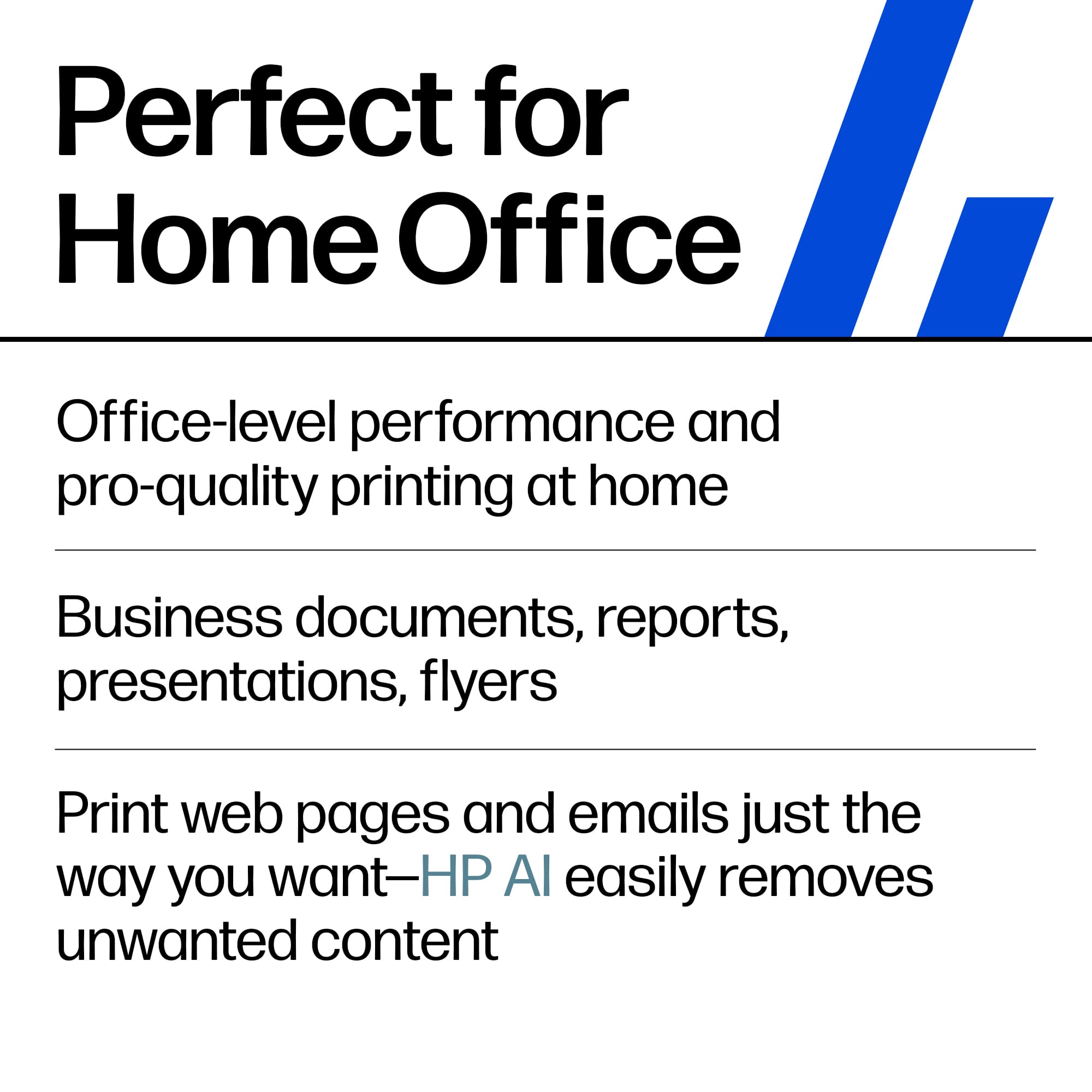
|Posted .This reviewer received promo considerations or sweepstakes entry for writing a review.HP OfficeJet Pro 8129 Wireless All-in-One printer, Scanner, copier, AI-enabled with 12 months of Instant Ink White definitely passed my expectations. Gotta start with the HP AI, which I really didn't expect much from. But I was impressed when printing things I emailed or our web pages; it automatically takes out all the Clutter and ads on the side, which was really cool. It cleaned up your print for you automatically. It has all the basics that I love, like auto two-sided printing. It also has a document feeder for scanning and copying multiple pages. It also has a super-capacity paper tray that holds up to 225 sheets of paper. And of course, wireless whole-home printing, so every device on your network can seamlessly print to this printer. To get the 12 months of free Instant Ink, which you can't be mad about. Easy navigation on a 2.7-inch touchscreen makes setup and utilities easier. The mobile printing from anywhere feature is great too. It's a pretty nice printer for home or office. Definitely worth checking out.
I would recommend this to a friend- Pros mentioned:Print quality
Another failed app
|Posted .This reviewer received promo considerations or sweepstakes entry for writing a review.This is my third HP printer in the last few years. Every time I get an HP printer I realize how bad some app design can be. Since I already have the HP app I didn’t have to download anything. I did follow the instructions on the box. There is a QR code I used which does take you thru an installation. The app could never detect a new printer was near. I did manually add the printer to my network, the app still could not find the new printer even with the IP addresses. The help links on the printer were links to videos, but you can see the video on the screen and there is not online help. Would this work for a very small office? I think. I think the biggest benefit for any business owner would be the 12 months of free ink. A new full set of ink (black and 3 colors) runs around $125 per set. So free ink would have been amazing. The test pages that came out were clean and fast. There is only 1 paper holder type. So sheets and no envelopes. This was smaller than my printers some was just one less paper tray, some it does just feel smaller and lighter.
No, I would not recommend this to a friend