Customer Ratings & Reviews





- Model:
- OfficeJet Pro 9125/C2VZ0A#B1H
- SKU:
- 6673910
to a friend
Customers are saying
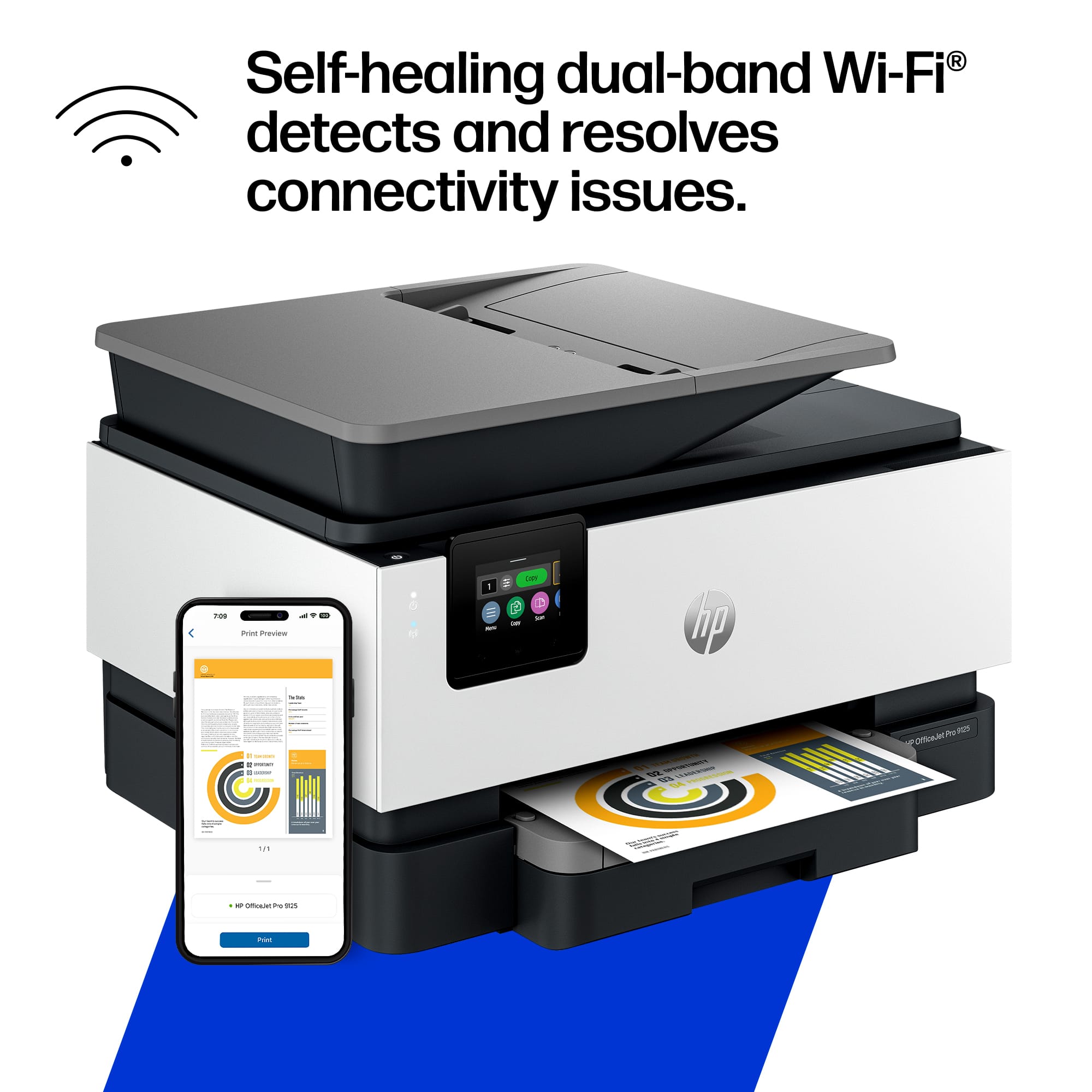
Customers regard the print speed as excellent and appreciate the easy setup process. They also find the paper tray capacity to be generous, the Wi-Fi connectivity reliable, and the overall build quality solid.
This summary was generated by AI based on customer reviews.
- Pros mentioned:Paper tray capacity, Print speed, Setup ease

The Fastest I've Gone From Unboxing to Printing
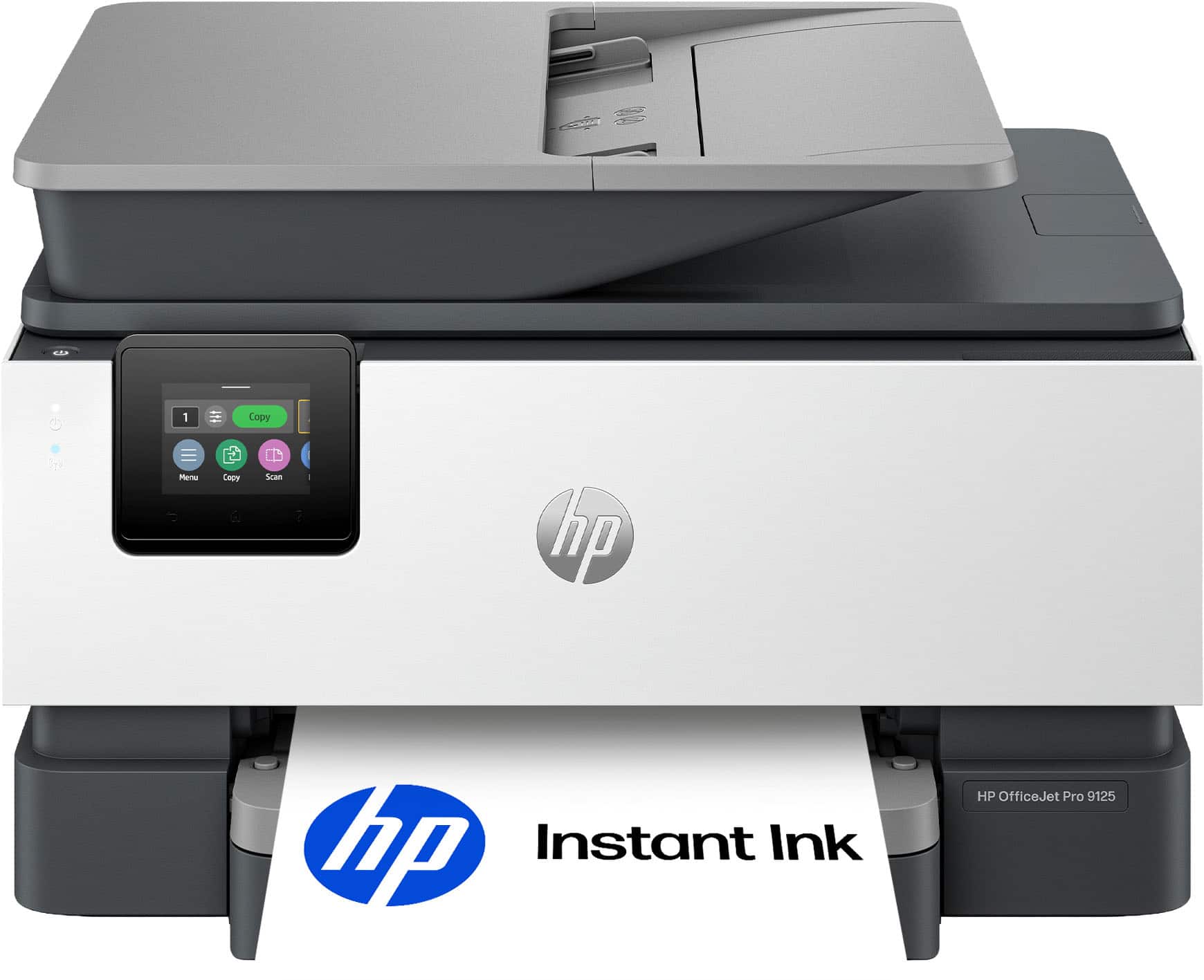
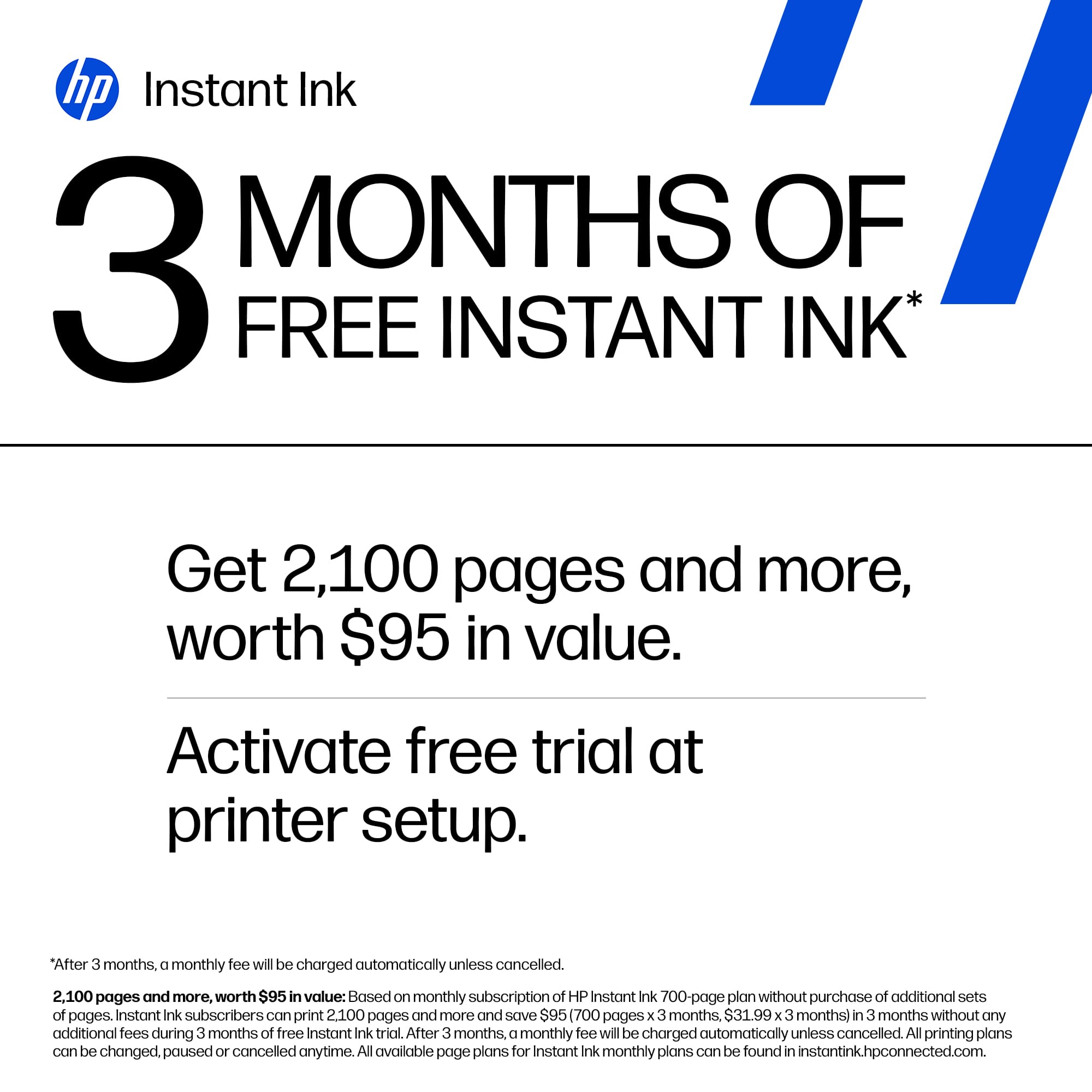
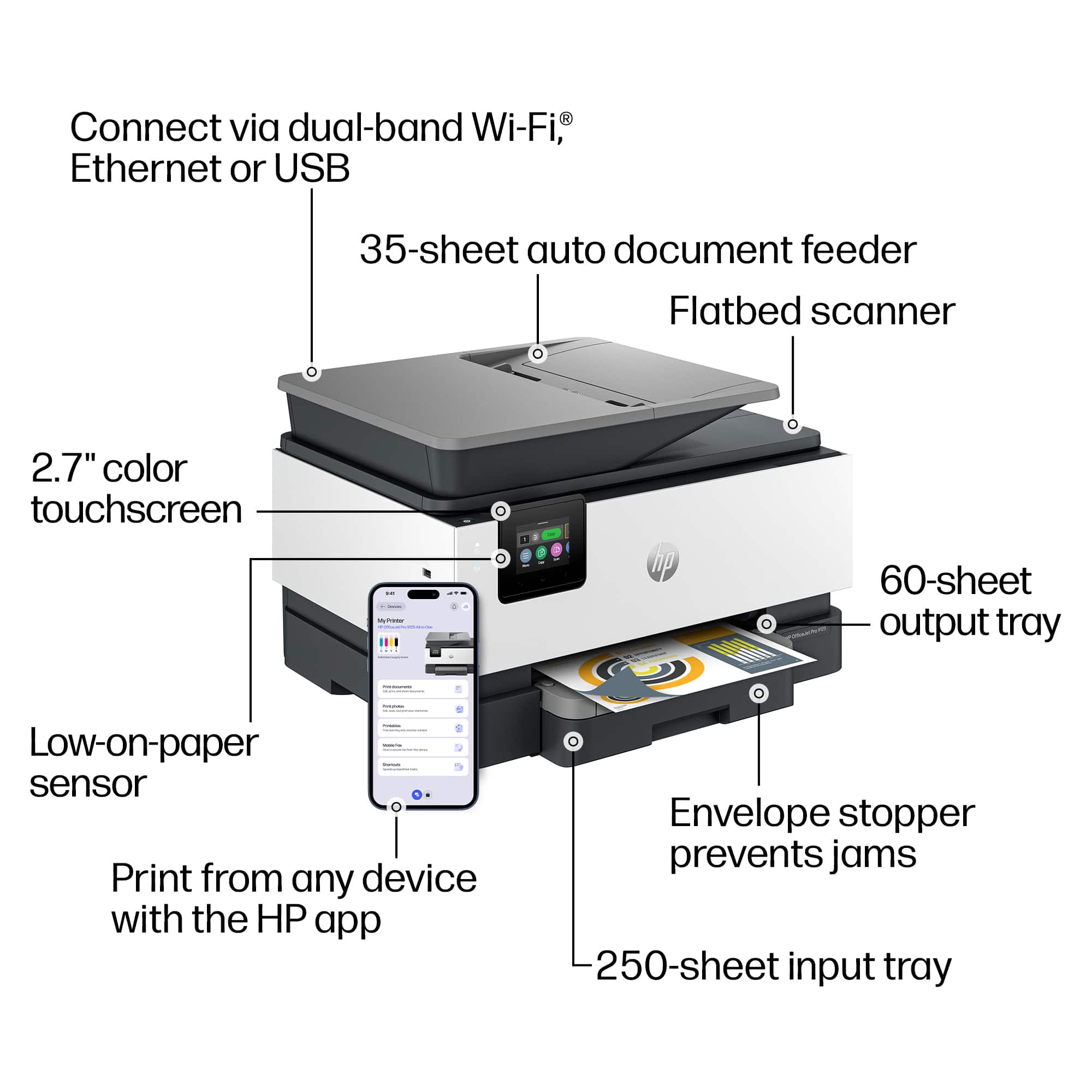
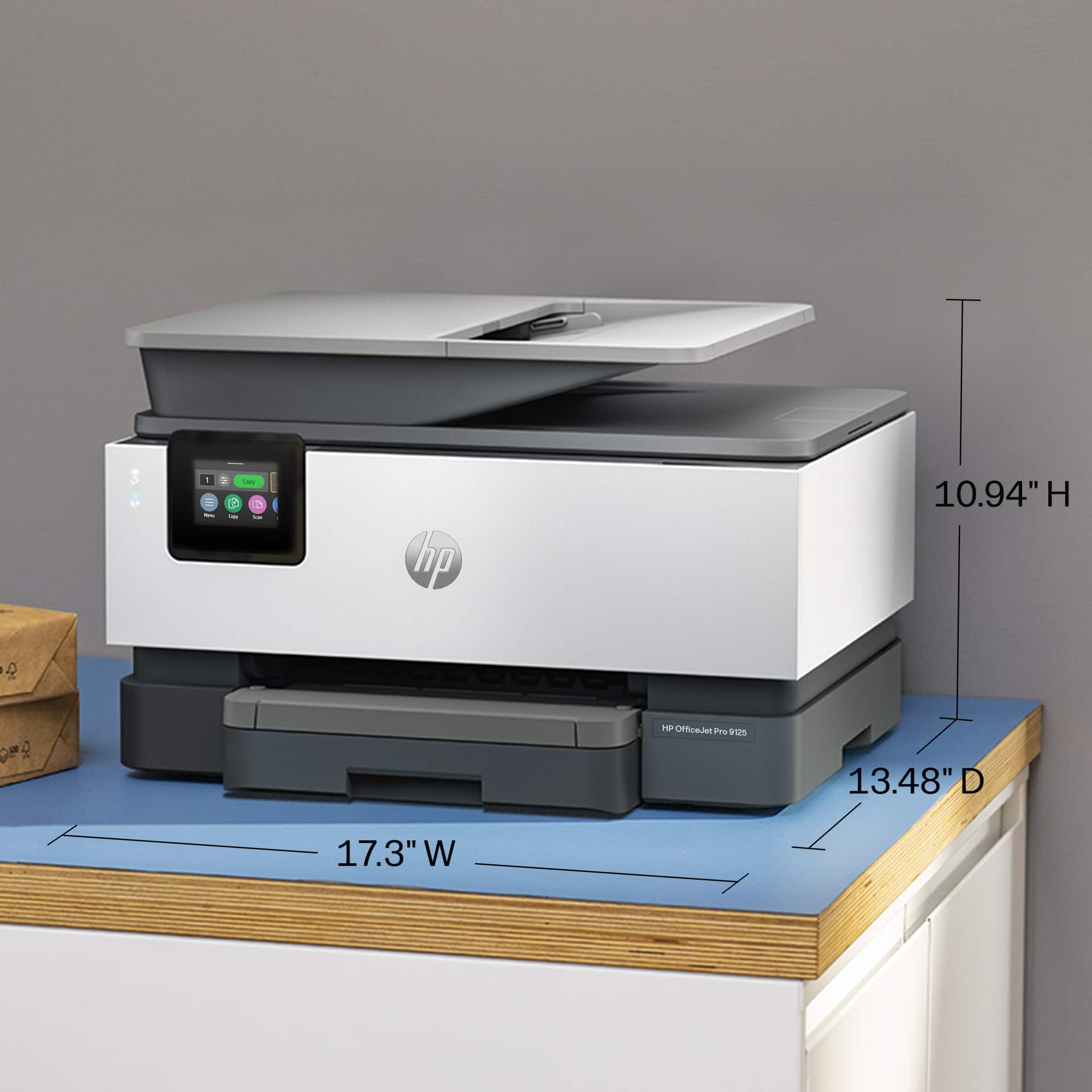
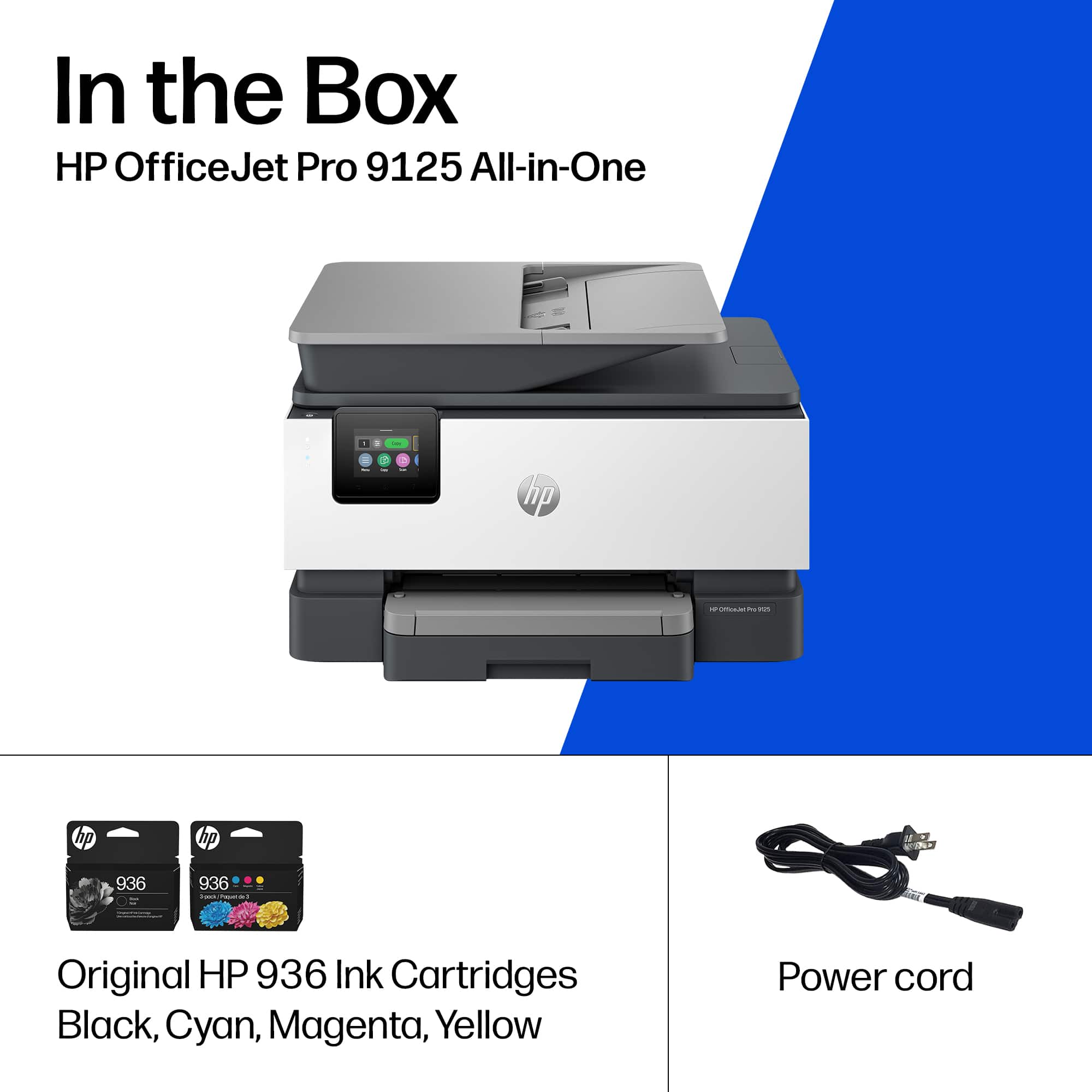
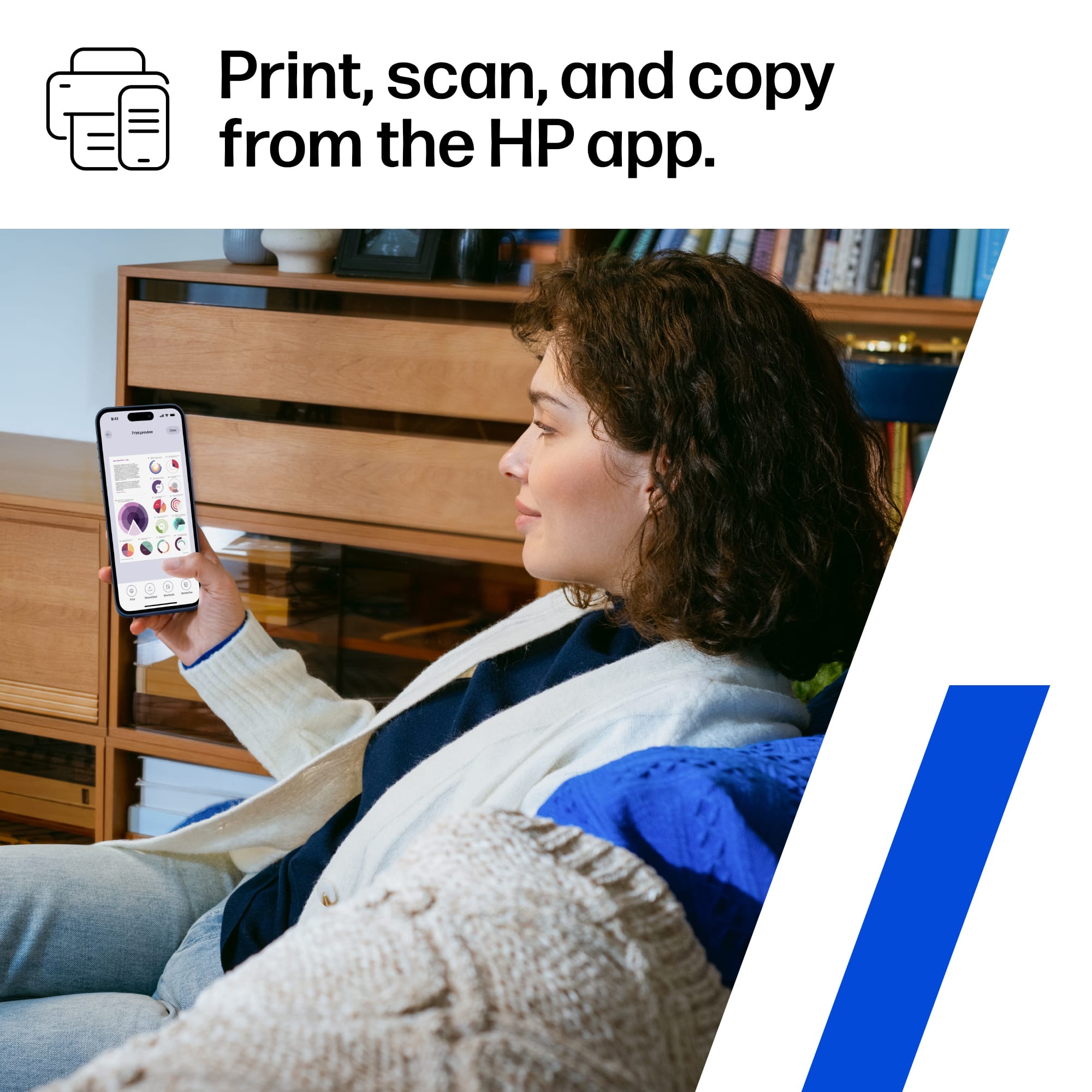
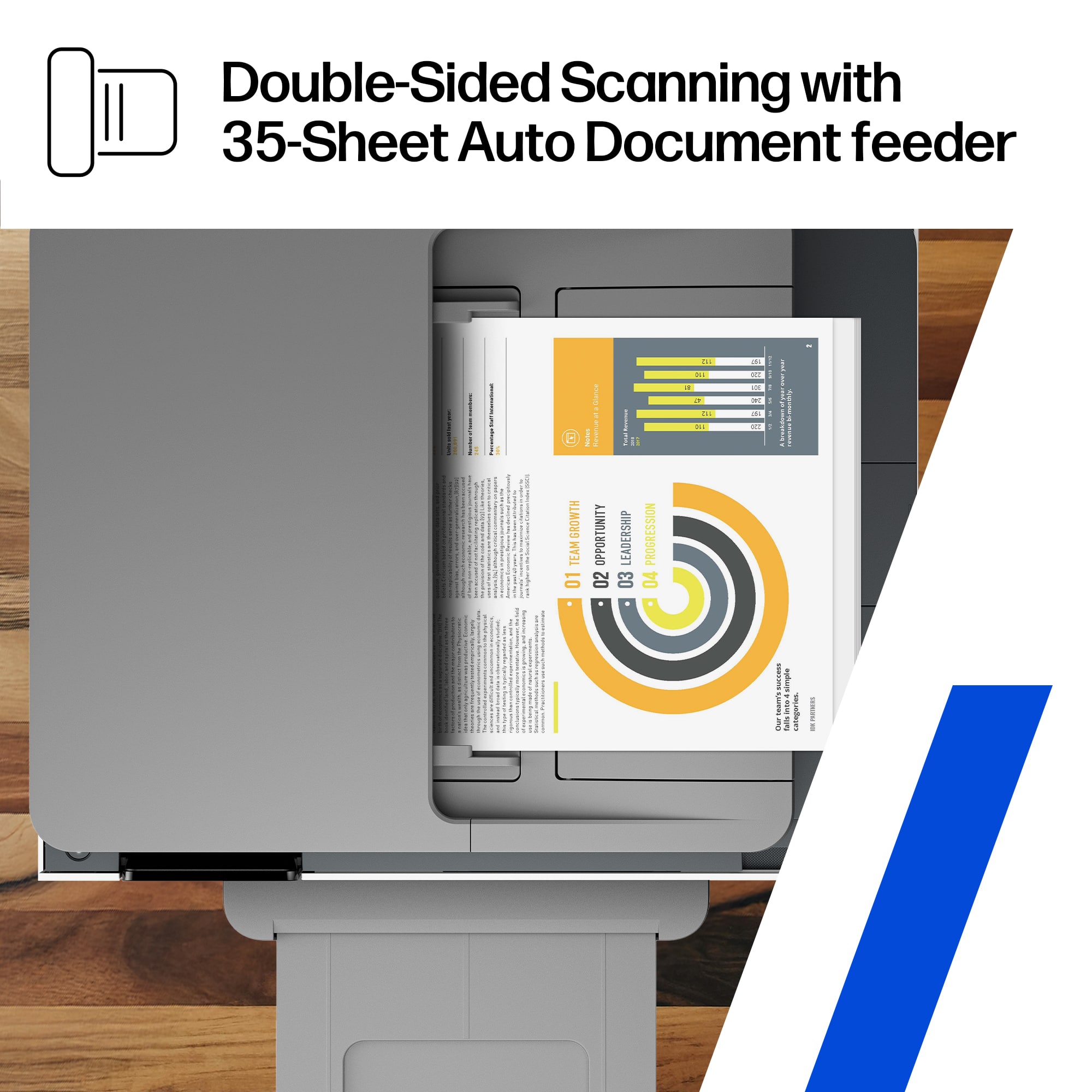
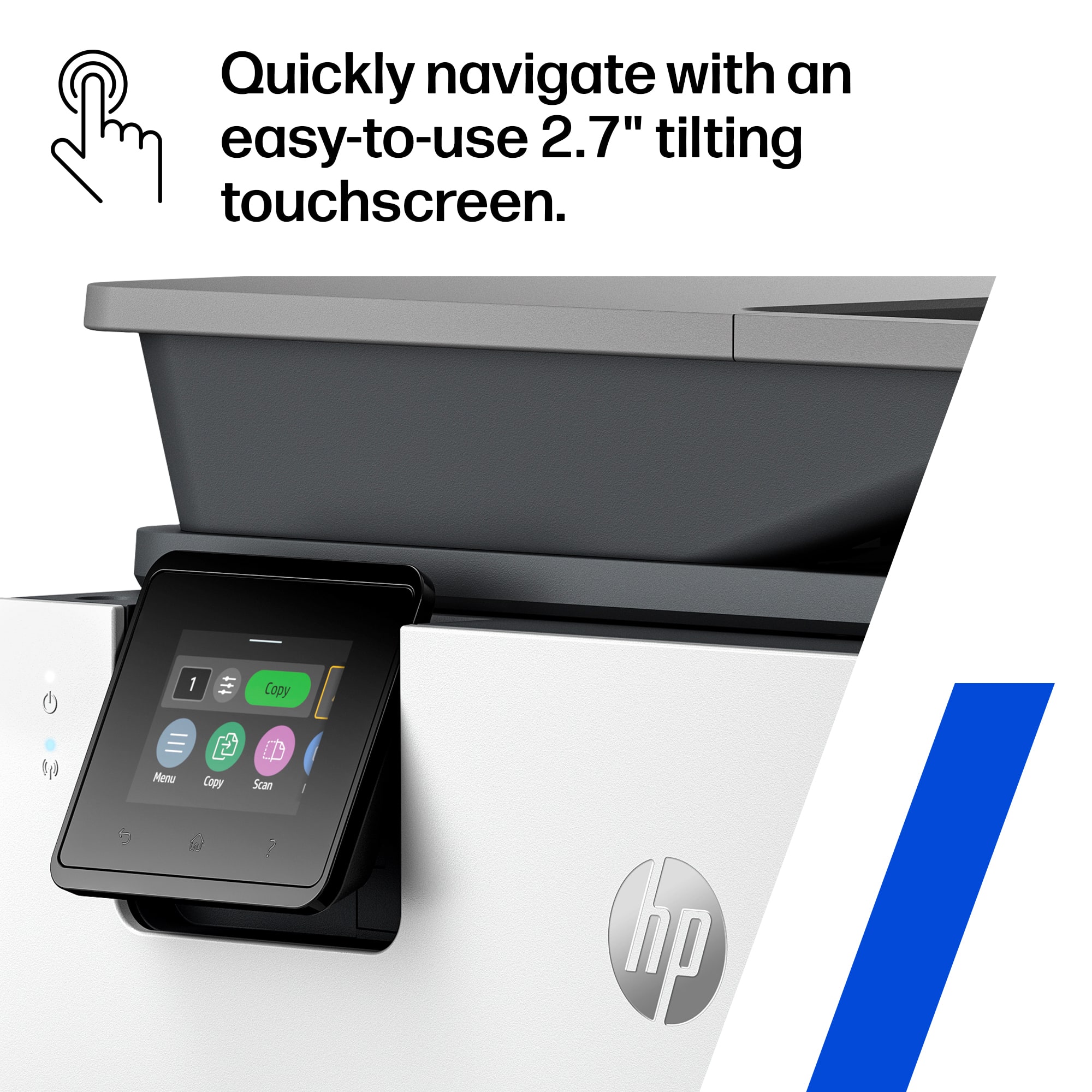
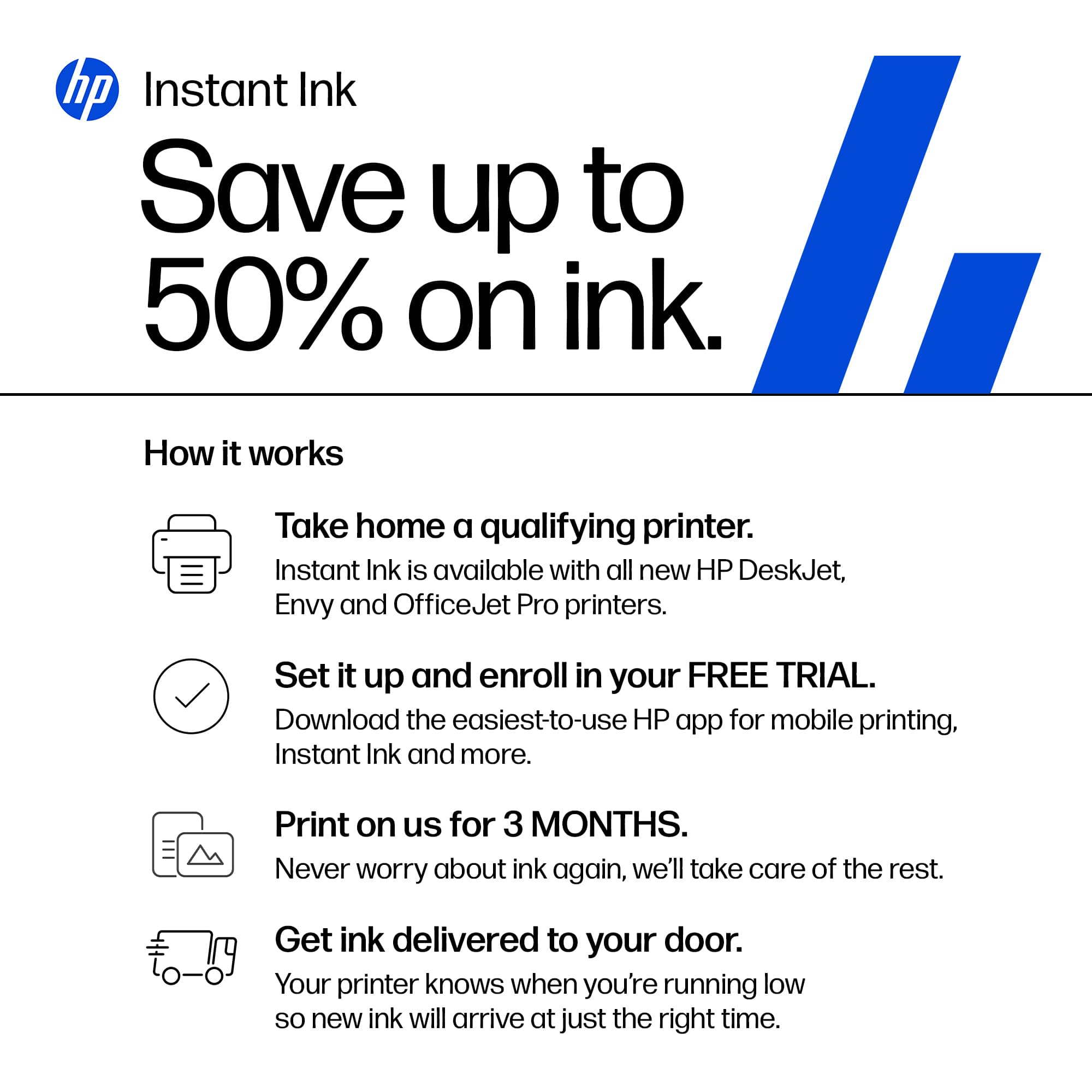
|Posted .This reviewer received promo considerations or sweepstakes entry for writing a review.I’ve long been a fan of the HP Officejet line of printers and with the release of the brand-new Officejet Pro 9125, I’m confident that this is one of the top multifunction printers you could get for your home or small business. After spending a few days with the printer, I can say that it just works – and that’s a big deal with any printer. Setup was straightforward. I appreciate small touches like a design meant to easily pull the printer outside of the box without worry about having to wrestle equipment and juggling boxes. There’s very little documentation. A quick start guide, some info on the Instant Ink program, and some required documentation. Beyond this, the box has the ink cartridges and a power cable and that’s it. There is no included USB cable, should you want this hard wired to your computer. Setup does require you to both use and download the HP app for your phone. This is the first printer I’ve setup that removes the computer from the equation, at least for initial setup. While new and novel for me, it was easy. The only hiccup I encountered was my Android phone trying to automatically sign the printer into WiFi, which didn’t work. This was, of course, easily solved by just typing in my WiFi network password. The process of installing the cartridges, printing and scanning the alignment page and connecting to the internet was quick. I’d be remiss if I didn’t discuss the Instant Ink program, as it is integrated into the setup and, well, in your face at nearly every step of the process. I’ve mixed thoughts on the program in general but do be aware that you’re going to need to decide if you’d like to use it fairly quickly as the free 3 month trial expires within 7 days of your initial printer setup. The program is simple: pay for X number of printed pages (B&W, color, photo, it doesn’t matter) per month and HP will ship you replacement ink cartridges before you run out, including a return shipping box for the old ones. It’s a value of a program compared to buying cartridges outright, but HP controls the MSRP of those cartridges to begin with so they’re providing you value from themselves. I’d for sure look into the details of this program before setting up your printer. After setup was completed, installing on my Windows 11 computer was as easy as installing the HP app and searching for the printer on my network. Honestly, I don’t think I’ve had a printer setup and installation experience that took me directly from unboxing to printing and scanning in under an hour. The design of the printer feels as compact as can be for the features it packs. It’s a little taller, but length and width wise feels as minimal as can be. The duplex scanner sticks up a bit, but I appreciate that it still looks sleek and part of the design. The 2.7” touchscreen is bright and responsive. It tils at enough of an angle to make it comfortable to work from, although you likely won’t need to as both the Windows and phone apps look to cover every setting necessary. As for features, it has both a flatbed scanner and ADF Duplex scanner. The latter means you can stack unstapled papers and have it feed through the scanner, scanning both sides. It’s super helpful for scanning multi page and duel sided documents. I’ve not tested it’s capacity of 35 sheets, but that feels like a very impressive number. The flatbed scanner is easy to open and get access to and I appreciate that it’s nearly flat with the printer itself – it makes for removing single pages easily by sliding them off. The printer function itself can cover a wide range of paper weights and sizes up to 8.5x14 and as small as I believe 3x5. This covers just about everything you’d need without starting to look as specialty large format sizes. That said, if you’re constantly swapping between sizes, do note that this is a single paper tray. For standard paper, it holds about 250 sheets, which is quite a capacity. Printing is both quiet and fast. Quiet is a bit relative for a printer, of course, but the noise I found to be very minimal. And the speed impressed me greatly – a standard quality full page color print was done in seconds. At 18ppm color (22 black), I’m just astonished it can print that quickly. Quality for both the printer and scanning great. I’m sure this won’t fully replace professional photo printing, but certainly there are zero complaints from me for home use and friendly snapshots printed for friends. I can’t speak to the fax functionality as I don’t have any phone lines, but I did notice the ability to send a fax over the internet using the HP software. However, you cannot receive faxes this way. Overall, if you’re out for a multi-function printer and you’ve a high volume need for either scanning or printing but not quite at the need for a laser printer, you cannot go wrong with the Officejet Pro 9125.
I would recommend this to a friend - Pros mentioned:Connectivity, Print speed, Setup ease
Amazing All-In-One Duplex Printer/Copier/Scan/Fax
|Posted .This reviewer received promo considerations or sweepstakes entry for writing a review.[ Verdict first: 5 out of 5 stars; highly recommended ] I have always appreciated HP's OfficeJet Pro printers, and I have been using various models since 2010. I remember the 8600 series, which lasted for more than 10 years before it needed a new printer head. This one, the HP Officejet Pro 9125, is absolutely fabulous. Just like previous models, it comes with a duplex document feeder, which allows you to fax, scan, and copy 2-sided documents. This, to me, is a must-have because I am digitizing all correspondence, such as insurance papers, bank statements, etc. (which typically come printed on both sides), instead of keeping the paper. The printer is super-fast, and the colors look vibrant and genuine. Colored pages and brochures have never looked better (and printed faster), and the same is true for printing photos using HP's Premium Plus Photo Paper (soft gloss). Stunningly beautiful. Setting up the printer is easy and speedy, too. The printer's control panel display and the online HP Smart wizard (which you would typically load on your smartphone by scanning the QR code on the printer's display or in the Quick Start Guide) work in concert and guide you through the setup process delightfully. Setting up the printer comes down to 4 phases (but make sure you remove all tape from the printer before powering on): (1) Adding Paper; (2) Installing the Ink cartridges; (3) Aligning the printer heads; and (4) Installing the "HP app" (HP Smart) on your smartphone. It is noteworthy that the printer is set up via Direct Wi-Fi, a Peer-to-Peer solution that broadcasts its own signal, rather than connecting to a router-based network. Direct Wi-Fi actually works really well as Windows 11 laptops and desktops can natively see peer-to-peer printers and, as such, let you add them to your devices. Of course, you can always use the "HP Easy" app to add your printer, the "HP Smart" app, the most recent printer drivers, and set it up so you can scan documents to your desktop/laptop, whose network name will appear on the printer control panel as a selectable device to scan to. Scanned documents are stored in your Windows 11 "Documents" folder. You can, however, easily connect the printer to your home network, too, by using the printer's touchscreen control panel. You will be prompted for your network name (SSID) and WPA password. Home devices connected to the internet through your network router make it easy to use them throughout your entire house, regardless of how far away the printer is from your device. In Windows 11, adding a printer is done via [Settings -- Bluetooth & devices -- Devices -- Add device]. In my case, I was presented with "HPIE5A18F (HP OfficeJet Pro 9120 Series)". For Direct Wi-Fi/Peer-to-peer printers, you would need to select "Show Wi-Fi Direct printers". [ HP's Instant Ink subscription service ] Part of the setup process introduces HP's Instant Ink subscription service, which you can sign up for. This service needs some clarification, as it hasn't been clearly communicated and is found confusing. It's not just another subscription service that charges a monthly or annual fee. This service provides peace of mind to avoid never ending up with empty printer cartridges. To fully understand its benefits, you would need to know how many pages a month (or a year) you estimate printing. When you compare the price of a new set of HP-936 4-Pack Standard Capacity Ink Cartridges - Black/Cyan/Magenta/Yellow (Model: 6C3Z5LN, SKU: 6562274), the Instant Ink service might not only be a more convenient but also a significantly cheaper option, especially when you color-print in "best" quality and/or print photos that use plenty of ink. Only the page count is taken into consideration for HP to mail a new set of printer cartridges, and not what you print. For the Instant Ink service to work properly, the printer needs to be connected to your router network and allow HP to collect data on ink levels, number of pages printed (but not the content; HP does not track what is being printed), and the printer's serial number. For example, printing a letter-size photo is considered just one page. Imagine how fast the ink cartridges run low when printing high-quality color documents and/or photos. Again, this is some math you want to do before signing up for this service. When on a monthly plan, unused pages roll over to the next month. For your reference, the "recommended" monthly plan is 100 pages for $7.99 per month. According to my calculations, even if I were to pay this fee for 12 months (estimating 1,200 pages), it might still be cheaper than buying replacement cartridges. You can change, pause, or cancel your subscription anytime. Do know, though, according to HP's Terms & Conditions for the Instant Ink service, cancellation results in the deactivation of your cartridges. There is a free 3-month trial for this service, but you need to sign up within 8 days after you have set up your printer.
I would recommend this to a friend - Pros mentioned:Build quality, Print speed, Setup ease
Solid Performing DUPLEX Printer/Scanner/Copier
|Posted .This reviewer received promo considerations or sweepstakes entry for writing a review.MODEL REVIEWED HP - OfficeJet Pro 9125 / C2VZ0A FIRST IMPRESSIONS Solid Build Quality, Easy to use, Fast High Quality Printing, Good Everyday Color and Copies (not photo quality), Ink cartridges are a little fussy – but OK. UNBOXING This has to be one of the easier HP’s I’ve unboxed. They have really streamlined packaging and accessories. There are “carrying handles” on the bag surrounding the printer, just life it out the box by the handles and it comes out of the box easily. SETUP The setup is also easier than the dozens of other printers I’ve set up in recent years. Just pull the tape off a few parts, there is a QR code on the printer for a video (it does not install anything) of step by step setup. After the ink is installed, it does a self-alignment test, then you are all set. Next you go to you PC and install the drivers. AMAZINGLY HP even lets you do the setup without forcing you sign up for an HP Account (just press skip/guest). THANKS HP. TIP: I had one issue installing the INK. If I had to guess it was because I did not lift up the top portion of the scanner before installing the ink (as shown in the video). I just shoved the ink though the little windows that is presented when you flip open the panel. Somehow, I borked the printer, and had to get a replacement. The INK cartridges don’t always have a solid click when you insert them, so one can’t always tell when it is inserted correctly. PERFORMANCE AND TESTING Printing was fast, even on Highest Quality Modes. Scanning and copying was fast enough, even on the highest quality settings and photo modes. The black and white Text documents are very crisp and the colors are certainly good enough for everyday color printing. It is not a photo printer, so don’t expect picture perfect colors, but they are certainly usable images even for casual photos like brochures. You can see on the photos with the review, the colors are good, but not photo quality. Scanning / copying a photo in "Best Quality" mode introduces some softness. Still plenty usable. Duplex (2 sided) printing AND Duplex scanning was quick simple to use. SUMMARY I’m looking forward to putting this through its paces in my new office setup as we return to the office in a few weeks. In short, I do recommend this printer (The NON E Version) to give your home or office workgroup good quality, printing, scanning and copying. It is the “PRO” version, so it is rated for higher duty cycles, (that we will never come close to reaching in a small office).
I would recommend this to a friend - Pros mentioned:Paper tray capacity, Print speed, Setup ease
Has great features, is fast, and reliable.
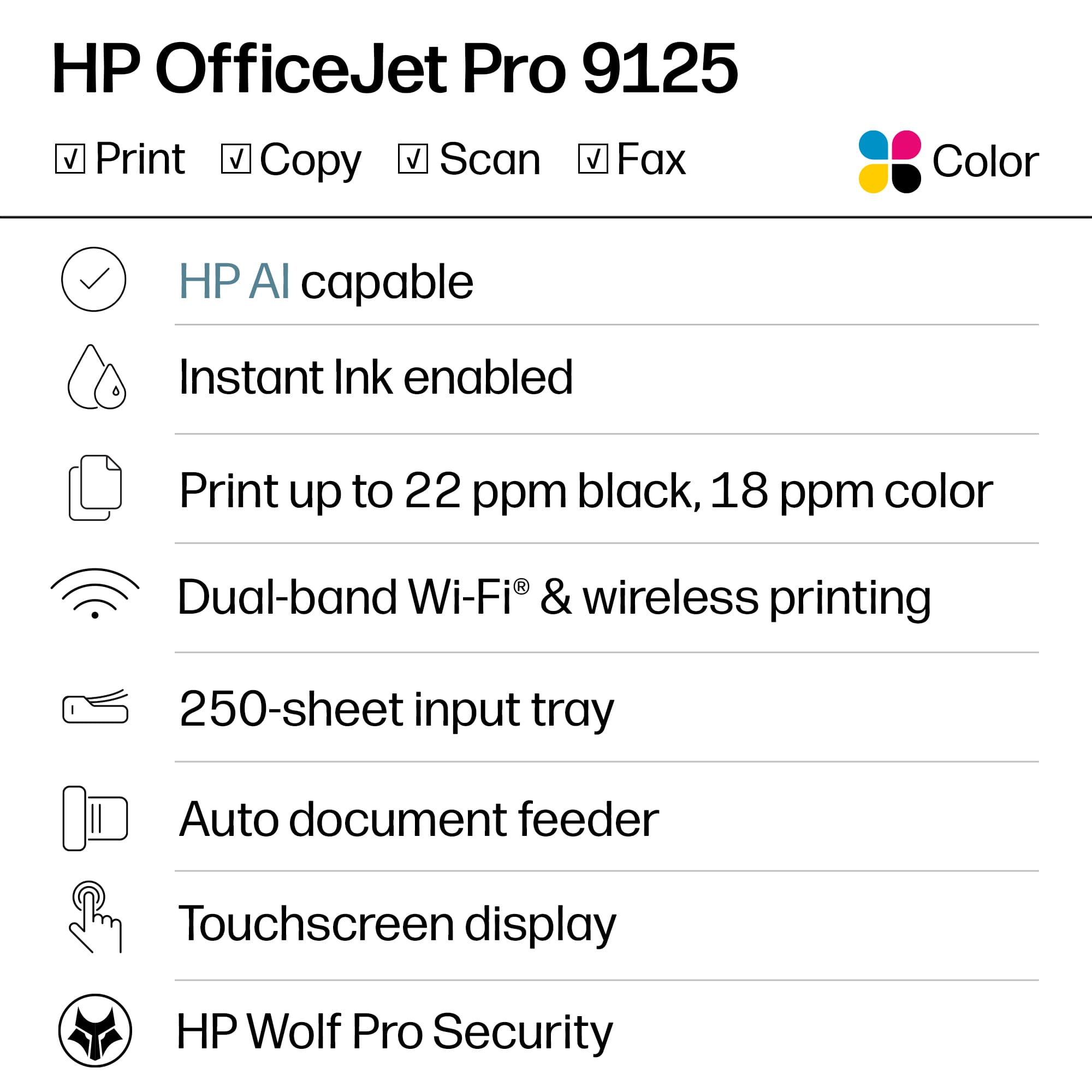
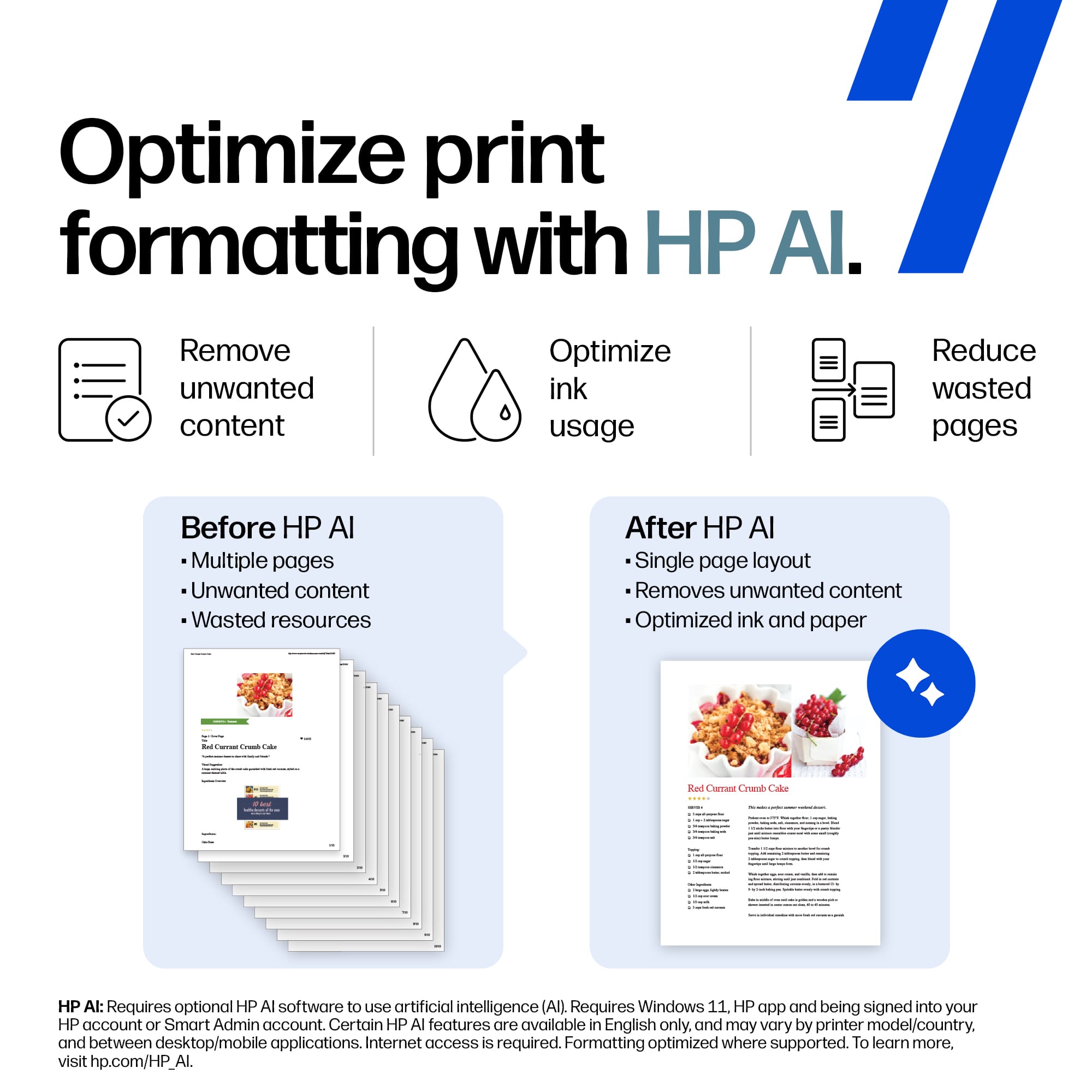
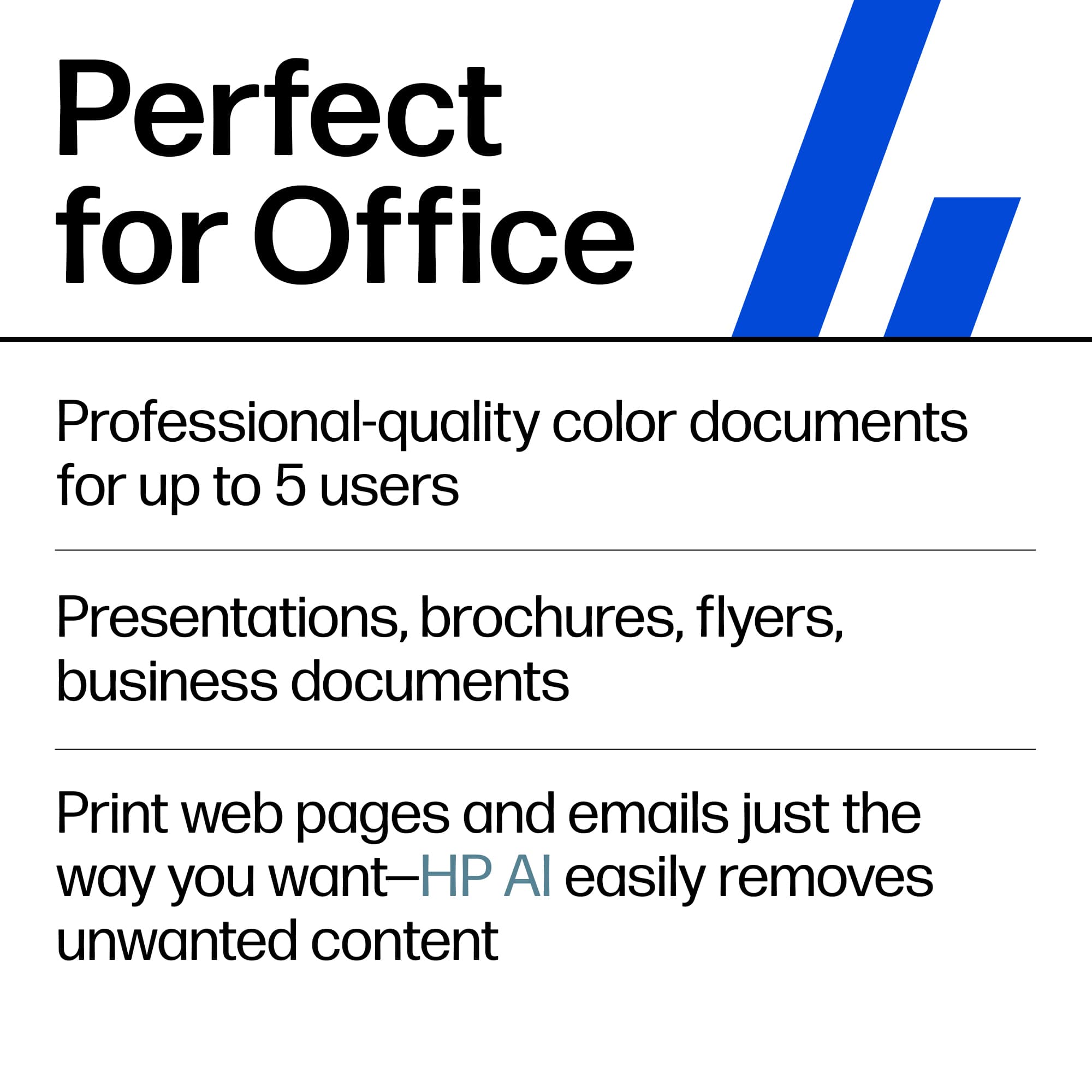
|Posted .This reviewer received promo considerations or sweepstakes entry for writing a review.I have always liked HP printers, and this HP OfficeJet Pro 9125 All-In-One Printer is no exception. This office printer is loaded with features that are essential to every office and home office. In the box comes the OfficeJet Pro 9125 All-in-One Printer, power cord, set of ink cartridges (black, cyan, magenta, yellow), quick start guide, other paperwork. Setup is pretty simple and straightforward. There are instructions in the quick start guide, and you can scan the QR code to download the HP app that walks you through installation along with the touchscreen. After removing all the packing materials and blue tape from the printer, setup took less than 5 minutes, plus time to do the first alignment after installing the ink cartridges. Features: The features that stand out to me are the ADF auto document feeder on the scanner that will scan the front and back automatically of up to 35 sheets. The paper tray will hold 250 sheets of paper. There are guides to adjust the feeders to different sizes for different sizes of paper, envelopes and business cards. I usually put the business cards on the flatbed scanner. This printer will also do duplex printing (front and back) automatically without having to remove the paper and turning it over. This printer will allow you to fax without a phone line with software that you can get from HP, HP Smart. You can print from your desktop, laptop, smartphone, and tablet. You can print over WiFi, AirPrint, physical RJ45 Ethernet, USB connections. The printer has a USB port on the left side towards the front for convenience. There is a 2.7” color touchscreen that comes in very handy. You can push a button to copy, scan, or go to settings and the rest of the menu. Print speed is really great for an inkjet thermal printer. 22 pages per minute in black and 18 pages per minute in color. Special features. This printer is HP AI capable. That means when printing a web page, HP AI will optimize the page before printing it, getting rid of wasted space, unwanted content, and multiple pages that are not necessary. It will arrange everything so that it will fit neatly on one page, if possible. There is also a low ink indicator on the printer screen. This printer comes with a 3 month trial of HP Instant Ink. I use HP Instant Ink on all of my HP printers. I will continue to use it on this one as well. It saves me so much money. The HP App that you can download will help you a lot with this printer in many ways during and after setup. It has Printables that you can use and other templates you can use in the HP App as well. You can also print remotely and it print on your printer. The scanning software built into the HP App allows you to scan to email. file, pdf, and many more. I thoroughly tested this printer and covered so much it can do. I’m very pleased with the performance of the printer as well as the size of the footprint.
I would recommend this to a friend - Pros mentioned:Connectivity, Paper tray capacity, Print speed
Hard To Best HP Printers
|Posted .This reviewer received promo considerations or sweepstakes entry for writing a review.Honestly, HP makes some of the best inkjet printers available! And the OfficeJet series is the top of the cake. And along with their accompanying app, the have made it quite simple to set up and use. So on to the delivery and setup. The box seemed small when it arrived and I thought I had gotten the wrong printer at first. But upon opening, I could see they have just consolidated the contents. Everything was well protected and easy to put together. Once I had it in place and plugged it in, I stopped and downloaded the HP app. Thats when the ease of setup really got going. It took a little while to get rid of all the tape and stickers on the outside but was good after that. Put some paper in, pushed in the ink cartridges (which was easier than previous printers I've had) and got going on the HP app. I had a previous HP log in so that made it much faster to start up. The app found the printer, got the wifi set up and pushed out a test page to ensure everything was up and running. The app showed all was good and I checked my iPhone and it found the printer right away. I printed a few pages to see the quality and also to check the different quality settings. Draft mode is better than a lot of other printers best quality mode. The print was clear and even. Next, I tried a photo or two for color saturation and evenness. They were truly photo lab quality, the accuracy being spot on. Only time will tell the longevity of the ink and paper. After a little while the app asked if I wanted to use Instant Ink program, to which I enrolled to what I thought my level of printing would be. The Instant Ink cartridges are on their way, although I'm not sure of the difference in the ones it came with. Time will tell. The copy/scan functions work perfectly with the fell page scanner on the top being convenient. Also, the auto feeder worked like a charm. The paper trays hold a good amount of paper with the photo paper loading separately. As a home office/personal printer, I can't find fault with the HP OfficeJet Pro 9125. It really just works, which is the best outcome you can have with any printer. Strongly recommended.
I would recommend this to a friend - Pros mentioned:Paper tray capacity, Print speed, Setup ease
Most Things I Like, One Thing I Really Did Not
|Posted .This reviewer received promo considerations or sweepstakes entry for writing a review.The HP - Office jet Pro 9125 Wireless AI-Enabled All-in-One Ink-jet Printer was sent by HP, via their logistics partner, to me FedEx and a signature was required-not happy about that because of the inconvenience. However, this is a very productive printer and the setup was seamless. It is well-packed, and you must remember to take all the blue-colored tape off that immobilizes the doors and other parts that have the potential to open during the shipping process inadvertently. This box contains the printer, its power plug, 4 setup 936 cartridges, and a very basic one quick start guide insert. First thing it instructs you to do is to plug in the printer to a power source, and then it wants you to scan the QR code with your smartphone, which most of us have access to. If for some reason the user does not have a smartphone, they can also go to HP's website and go to a start menu there. This start process takes you through the steps to insert the 4 ink cartridges, connect to Wi-Fi, fill the paper tray and get printing. The unit has you perform alignment and other function checks along the way, too. I already have an HP online account established and the HP app on my smartphone, so I connected to that. The app identifies all my various printers, and allows me to use my phone to print, scan, fax, etc., as well as troubleshoot from there. So, what do I like. I very much like the auto document feeder, ADF, I like the speed of printing, I like the seamless Wi-Fi connectivity, I like the bigger capacity 250 sheet paper capacity, and the 2.7" LCD touchscreen Also, the scanning process was easy, too. What is it that I do not like. It goes back to the fact that while the price of even upper-level printers has gone down as technology has progressed, the cost of ink has not. On the box of this printer, it explicitly states that this device is intended to only work with either HP new or reused chips and that periodic firmware updates will try to maintain that. Also, the CYM setup 936 cartridges that came with the printer only have 420-page limits and the black setup 936 cartridge has a 800-page limit. The replacement cartridges for CYM have 800-page limits and the black one has a 1250-page limit. To get better limits there is a 936e available for all cartridges. The problem for real HP cartridges is the cost vs. the off-label ones. Yes, HP does have an Instant Ink plan that gives you 3 months free, and I did that back in the day with some of my older machines that were more affordable for greater number of pages. Those in place plan monthly costs have escalated, however the monthly plans on this machine are not reasonable to me at this time. Yes, it says that you can cancel or change your subscription anytime, but you know that once a subscription starts it takes thought and time to make changes. I guess my point is that while the initial cost to buy a printer may be reasonable, the cost to use it may not be and that to me is a really valid point to consider before purchase. It is important to do your research based on what you think that your monthly usage will be.
I would recommend this to a friend - Pros mentioned:Print speed, Setup ease
Sharp prints. Be patient with scanning
|Posted .This reviewer received promo considerations or sweepstakes entry for writing a review.I picked this up to handle everyday documents along with the occasional scan and fax, and for the most part it has been an easy printer to live with. Setup was refreshingly painless — I was up and printing without the usual fight — and the Wi-Fi has been a quiet strength. It connected without drama and, more importantly, stayed connected; I haven't had to wander over and coax it back onto the network, which is more than I can say for most printers I've owned. The LCD screen earns credit too. It's easy to navigate and packed with options, so you're not digging through a manual or an app to change a setting. Most of what you'll want is right there on the panel. Print quality is where this one shines. Black text comes out very clear, close enough to laser output that I had to look twice. Color is just as reassuring: it stays consistent from page to page and matches what I see on screen well, which saves the guesswork of reprinting just to get a shade right. Single-sided printing felt fast in everyday use. Double-sided is where it slows down noticeably — a sample I printed landed closer to six pages per minute — so if you do a lot of duplex work, set your expectations accordingly. Copy quality genuinely surprised me. It's every bit as good as the printing, with copies that came out nearly indistinguishable from the originals — even when the original had very tight margins, which is usually where cheaper machines start clipping or shifting things. The mobile side is better than I expected. My favorite trick was snapping a photo of a document with my phone and having the printer turn it into a clean, document-style printout rather than just a photo of a page. It handles both letter and legal size for printing and scanning, so longer forms aren't a problem, and HP lets you fax straight from your phone — handy, though I'd flag it as a "for now" feature. HP notes it's “experimental” and they may charge for it in the future. The scanner is where I'd temper expectations. It does scan double-sided, but the downside is it takes two passes to get there rather than grabbing both sides at once, and it's a little slow in general. Fine for occasional use; less fun if you scan stacks regularly. The bigger thing to weigh before you buy is ink. This uses traditional cartridges rather than a refillable tank, and HP locks the printer to its own — third-party and refilled chips get blocked, and depending on the setup option you pick, you can be committed to genuine HP ink for the life of the printer. That keeps the sticker price friendly but takes away your cheapest path to refills, so the real cost lives in what you'll spend over time. It costs a little less than 10 cents per page, depending on where you purchase cartridges. If you use HP's ink subscription service, that will bring your costs down for those who can predict their usage. Bottom Line: A well-rounded all-in-one with excellent, near-laser text, accurate color, copy quality to match, rock-solid Wi-Fi, and a control panel and phone app that actually pull their weight. The slower double-sided printing, two-pass duplex scanning, and especially the locked-in cartridge system are the compromises to make peace with. Recommended for a home office or light-to-moderate user who prints and copies more than they scan, values clean and accurate output over raw speed, and doesn't mind buying HP's ink to get it.
I would recommend this to a friend - Pros mentioned:Connectivity, Print speed
HP 9125: A Dependable Household Workhorse
|Posted .This reviewer received promo considerations or sweepstakes entry for writing a review.The HP OfficeJet Pro 9125 is a new addition to the crowded market of mutli-function printer/copier/scanner/fax devices. I installed it at home where 4 people in the household often compete for the printer. So far so good, and although not perfect, this printer has proven to be a solid dependable workhorse. This household comprises a teacher, a college student, a medical researcher and a project manager, which means, in a typical week, the house is like a publishing office. Before adding the OfficeJet Pro 9125, there were 2 printers handling the work but now, the new guy took charge of everything. The first thing to notice is how fast it is. For such a compact printer, it zips through printing faster than it should and the results are also impressive: great crisp text quality. HP claims a speed of up to 22 pages per minute and I believe it. Color prints come out quickly too and with an almost professional quality. As far as connectivity, compared to my previous printers, the OfficeJet Pro 9125 never loses its connection. It’s always available in the HP Smart desktop app and the mobile apps. In a household where we jump from a Windows laptop to a MacOs laptop or an Apple or an Android device, the chaos is handled without a hitch. For my part, I do a substantial amount of scanning, usually in 20-page increments and double sided. This machine blew me away with its 2-side scanning capability through the document feeder. You scan a double sided page and it scans both sides at once. This feature cut my scanning time by half. The document feeder can handle up to 35 pages according to HP. My only gripe with this printer is the quality of photo paper prints. It does a decent job but compared to my inkjet photo printer, the difference is noticeable. The teacher in the house does quite a bit of photo prints and has reported the deficiency in more than one occasion. Personally, this is not a deal breaker, and neither is the limited size of the ink cartridges. Even the larger ones run low quickly in my household. I wish HP had made this printer as a MegaTank printer. Some people might have an issue with the limitations HP is placing on the use of cartridges that have the HP chip. This means non-HP cartridges are pretty much excluded. In conclusion, the HP OfficeJet Pro 9125 has been a great addition to the daily routine of my household. It is a true workhorse and its printing speed approaches and even equals many dedicated professional office printers. It suits a busy household and a small office perfectly for its efficient scanning and text speed and quality. It gets by with photo prints but that’s not its strength. If you don’t mind the HP-only cartridges ecosystem, it’s a reliable and amazing printing, scanning and copying partner.
I would recommend this to a friend - Pros mentioned:Setup ease
The All-In-One Do-It-All Workhorse? Saddle up!
|Posted .This reviewer received promo considerations or sweepstakes entry for writing a review.The HP Officejet Pro 9120 is pretty much a fantastic all-in-one do-it-all workhorse! It has a scanning resolution of up to (1200 X 1200) dpi, with adjustable scanning DPI via software from lower settings (e.g., 300 dpi) up to the 1200 dpi maximum. On the surface this feature is similar to what many 4K Televisions do when they upscale a lesser resolution to "4K" levels and even further back when Faroudja line-doublers and processors made possible standard-definition (SD) and interlaced video from the Laser Disc format (like 480i) up-conversion to "HD" levels. Getting started, I downloaded the application to my iPhone 16 Pro Max and joined the printer to my home network. I am a senior citizen and now retired Electronics Technician and had no difficulty at all logging in and setting up the HP Officejet Pro 9120 and was ready to get to work in about 10 or so minutes. Fast and easy! I also attached a USB-Printer Cable with USB-A on the computer end but with a USB A to C adapter I purchased at Best Buy (Model: NS-PA3C3A SKU:6473492) Model: NS-PA3C3A SKU: 6473492) which allows you to use a Mac, Windows or Chromebook that has USB-C inputs only. During setup you can say yes or no to signing up for HP's Instant Ink program which with your agreement will monitor the ink levels but ONLY with your permission and send/bill you ink as needed. The HP Officejet Pro 9120 comes with a small supply of ink which I used some of for testing purposes. The ink itself is like all printer ink, i.e.it can seem a bit pricey but per HP's website the basic service runs approximately between $1.79 a month for up to 10 printed pages and $31.99 a month for up to 700 printed page. The scanner is excellent! It will quickly scan images into a USB drive which is located on the left side of the unit. You can scan one and then using the touch screen you and press "ADD" after you have swapped items you are scanning and it will scan that one and you can keep swapping and pressing "ADD" until you are done or run out of space on your thumb drive. You can also scan to emails or your computer You may or may not need to download the HP Scanning Software to scan from the printer directly to Microsoft Windows computer but I had zero difficult with that as I was using an HP OmniBook X Laptop and everything worked superbly! My wife and I are using the HP Officejet Pro 9120 to scan literally hundreds of family photos onto a thumb drive and then later we will transfer many if not all of those pictures to standalone SSD (Solid State Drive) as a more permanent back up. We can then use the HP OfficeJet Pro 9120 along with a high quality photo paper such as HP sells to produce high-quality prints. It supports borderless printing up to A4 size, but the printer is primarily designed for document printing rather than professional grade photo prints with the maximum print DPI when doing so is up to "4800 x 1200 optimized dpi" (using a 1200 x 1200 input dpi on HP Advanced Photo Paper) and setting the print to "BEST" quality. and the paper type to "Photo Paper". I have not yet tested this aspect of the printer but wanted to mention as many people will desire to know about this capability. To summarize, the HP Officejet Pro 9120 is an excellent value in an all-in-one do-it-all Printer/Scanner/FAX machine for your Home Office or just for your home! It is easy to set up and use and worth the money. It literally does everything I could ask of it. Highly recommended? Indeed!
I would recommend this to a friend - Pros mentioned:Print speed
Great prints! Sloppy to set up
|Posted .This reviewer received promo considerations or sweepstakes entry for writing a review.I have come across quite a few printers in my time. Also the printing technology has not changed much last few years despite all the fancy names and ‘features’ that are presented to us across multiple manufacturers. But overall it’s still more or less the same in the inkjet category. The machines themselves continue to have that plastic feel, which is fine. Keeps it light and not heavy. The set up is almost the same, put in the cartridges, set up the alignment. A few new things are now setting up WiFi with your phone , using the app to set up ink deliveries etc. my printer is for personal use so my ink use will be variable, so no thanks to the subscription ink. The app is better than before but still has some sloppy set up hurdles to go through. The printer couldn’t be detected , I tried several WiFi networks, the app just would not detect. Finally turning the machine off, reconnecting the WiFi worked. Not sure why but it required a reset for it to work After getting over that hurdle, everything else was easy. It was detected on the network, my iPhone and my desktop all were able to detect it. Printing on default is good quality. I turned up the quality to best and I am very impressed. Where this really shines is the print quality vs speed. I get some pretty amazing print quality , and fast! Even on regular paper the fonts were sharp relative to other inkjets and the graphics are dithered very well and excellent image reproduction. Probably as best as you can get in this class. Overall if the app and the setup was cleaned up, it was be an easy 5/5 star product. Other than the sloppy set up, everything else was excellent. Excellent print outs! Would recommend !
I would recommend this to a friend Decent for small business if you monitor your use.
|Posted .This reviewer received promo considerations or sweepstakes entry for writing a review.For an all in one inkjet, this is pretty decent. Colors are vibrant and sharp on prints. They are decently fast, especially if in black. Copying is not too bad, see the image below of a print test page and then the copied page in high detail. You can see most of the color holds up but some fine details are lost. It is easy to set up with QR codes to guide you to the guide and app, but you can technically do everything on the screen as well. You can set it up using WiFi or wired. A lot of the additional features of this printer benefit from the app. You can use the app to camera scan, then print to the printer. You can use the printer to scan and use your mobile phone to fax. There are a bunch of printables if you just want to find something simple to maybe make a calendar or a holiday project. You can even set the printer to print from anywhere that you have an internet connection. The one thing that is limiting is something I have mentioned before, is that everything is now a subscription. It’s not so bad, provided you use the printer at an average rate. The smallest plan is 10 pages a month and up to 700 pages a month. The good side to this is that provided you don’t print more than your selected plan per month, the replacement cartridges will be sent directly to you when they get low. Now, if you print more than your plan, you can up your plan, or pay extra per 10 pages at a set price. It is nice to have them sent directly to you, and technically it can be cheaper on ink in the long run if you are actively monitoring it. You at least get a free 3 month trial to see what type of usage you do have and possibly get replacements of the starter cartridges in that time. Overall, it is a good printer and should work well for small office type situations. If you average about 100 pages a month, the color cartridges are about 800 pages, so every 8 months would be getting new cartridges. However, these are considered “subscription cartridges” and the moment your subscription ends, so too is the use of that ink. So, look at the prices compared to your usage and consider that in your budget for this printer as well.
I would recommend this to a friend- Pros mentioned:Paper tray capacity, Print speed, Setup ease
A Great Choice
|Posted .This reviewer received promo considerations or sweepstakes entry for writing a review.The OfficeJet Pro 9125 from HP is a new print/scan/copy/fax(yes) device designed for small businesses or home use for those who want more than just a printer. I am in the second group; thus, I was pleased to take it for a test drive. Out of the box and plugged in, there is truly little that needs to be done to complete set up. Mostly, you need to pay attention to the instructions shown on the small screen and execute them as directed. The most crucial step is connectivity as the 9125 is wireless. Using the HP Smart app, which I already have in use, the wi-fi connection was instantaneous. No entering password or any other data. Being so quickly ready to begin the final printing adjustments performed by the printer itself, I was totally impressed. Other than inserting the ink containers when directed and loading paper for the printing adjustments, the 9125 essentially set itself up. Some additional and notable features of the 9125 are: *Print speed: A fast 22 pages black/white per minute and 18 per minute for color. *Duplexing: Two-sided printing and scanning. Generous 35-page document feeder. Other than putting out excellent product, duplexing for both copy and scan is a requirement. The job is easier, faster, and paper usage volume is reduced; saves money and trees. *250 sheet paper tray. Though I prefer two trays, I rarely use any size other than standard 8.5x12. One generous 250 sheet tray, not a problem. *2.7 Color touchscreen. It may be a bit small, but it exhibits well. *Connectable to your smartphone for all functions via the app. There is a lot to like about the 9125! However, there is one feature that has me scratching my head. The power cord is comparatively short! Unless you can place the 9125 near to an outlet, an extension cord will be needed. I would not recommend a “regular” cord be used. The better, potentially safer, choice is a heavier duty cord. Even better would be a surge protection strip with on/off capability. Based on my personal experience with HP OfficeJet Pros, this new Pro 9125 should provide excellent service for a long time and at a reasonable cost. I would certainly recommend it to family and friends.
I would recommend this to a friend - Pros mentioned:Connectivity, Paper tray capacity, Print speed
A great HP Printer For Small Business and Home Use
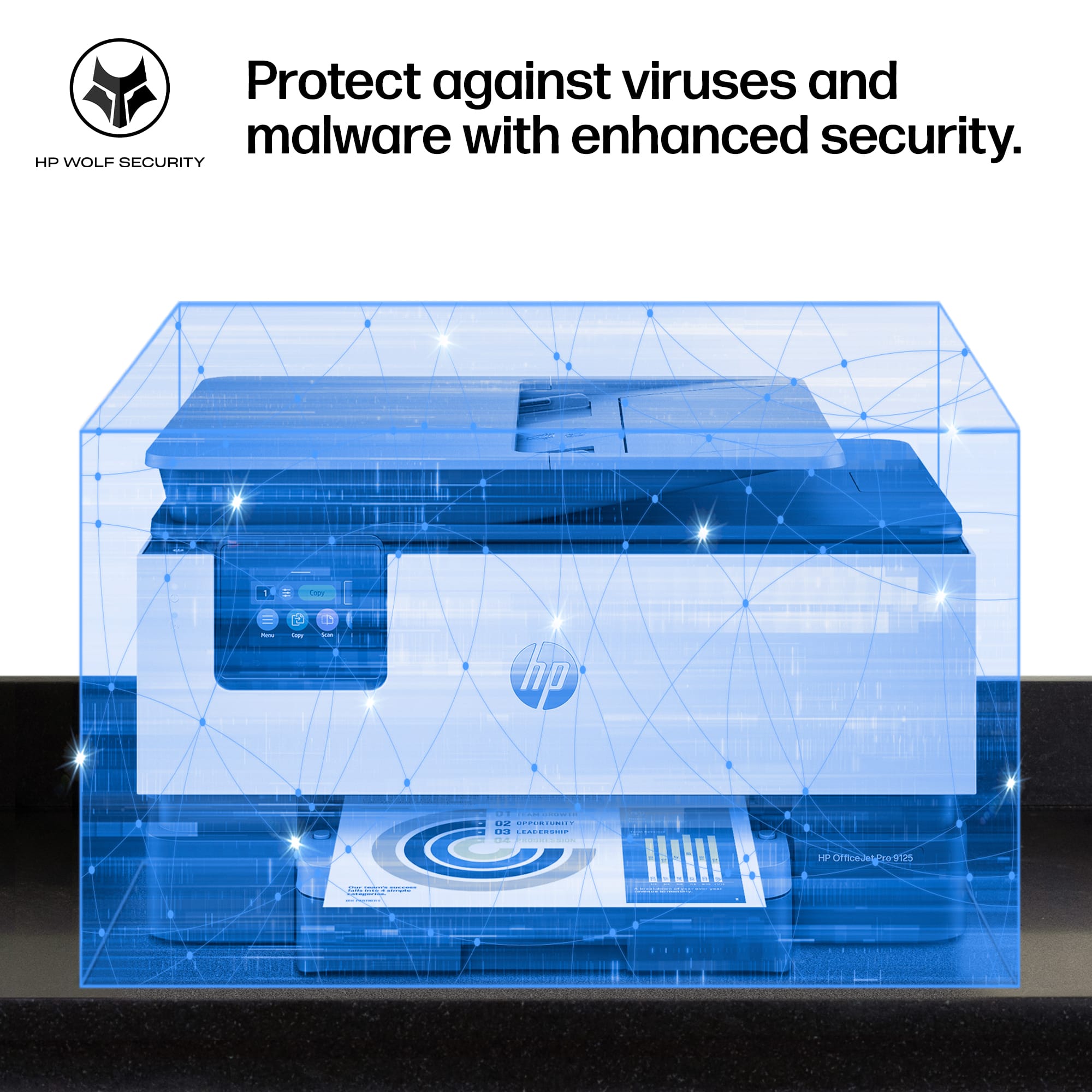
|Posted .This reviewer received promo considerations or sweepstakes entry for writing a review.Hewlett Packard has built a winner with their HP OfficeJet 9125 Pro printer! Perfect for both small business and home use, this HP printer has it all: Print Copy, Scan and Fax - the ultimate all-in-one device using only 4 small ink jet cartridges. HP provides its proprietary installation and security software that makes setting up and using the 9125 printer easy. The HP 9125 OfficeJet Pro has all the latest technology included: - Print from PC, Android, Chromebook or Apple devices - Print via Wi-Fi, AirPrint or hardcopy from the copier screen or page feeder - Fax using a phone line (phone not included) - Scan to a USB thumb drive using the copier screen - Print 22 pages per minute - Automatic two-sided printing - 250 page paper tray - 35 page two-sided automatic document feeder - Prints using paper up to 8.5 x 14" in size - 2.7" Color touchscreen for selecting function - HP Wolf Pro Security This printer does it all and in a beautiful package built for small business and home use (using HP 936 B&W and Color ink jet cartidges,) Thius is the printer i use and recommend to everyone.
I would recommend this to a friend - Pros mentioned:Build quality, Paper tray capacity, Print speed
Good for documents, bad for photos
|Posted .This reviewer received promo considerations or sweepstakes entry for writing a review.I’ve spent the last several days setting up and printing with the HP OfficeJet Pro 9125. My overall impression is that it’s a great document printer for a small business, but it falls short in a few areas that surprised me. Setup was exceptionally easy. Out of the box, I removed a few pieces of tape, installed the ink cartridges, powered it on, scanned the QR code, and followed the guided setup process. The printer then spent about five minutes making random setup noises that scared all the cats in my house, and then it was ready to go. HP makes a pretty persistent effort to encourage you to create an account and install the app. I actually recommend doing it because it unlocks additional functionality and makes the overall experience much smoother, and the HP app is really the shining point of my review. It allows you to print documents and photos directly from your phone, scan documents, manage printer settings, and there are quite a few preset printing options. You can also just print from iPhone, independent of the app, as long as you are on the same WiFi network. For standard business documents, letters and forms, the print quality is very good, and quick. Print speed was actually pretty great and should easily satisfy most small office environments. Where I was disappointed was photo printing. I tested several colorful photos that looked vibrant and detailed on my phone, but the printed results were noticeably washed out. Colors lacked depth and saturation, and some images just looked terrible. While this is technically a small business printer, a lot of small businesses operate from home and double for personal use as well. Take a look at the photos I posted of the print quality next to the images on my iPad. The one with darker colors is especially washed out, and just downright bad quality. Scanning was simple, and the scan quality is excellent. Using the app allows you to initiate scans directly from your phone, so the image goes to your phone. It’s very useful. The scan speed isn’t particularly fast, it takes a lot 15 seconds for a 200 DPI scan to be captured and transferred to my device, but again, the quality is very good. The app also includes useful post-scan tools such as automatic cropping and rotation. The tray holds decent amount of paper and can be adjusted for different paper sizes. There’s also a top feed option that is pretty handy. Build quality feels solid overall, as HP is usually a go to brand for printers. That said, this is part of why the photo printing performance surprised me. I remember owning HP printers from when many years ago that produced better-looking photos than this model does today. Overall, this is really a document-focused business printer. If your workload consists of reports, invoices, and everyday office documents, you’ll probably be very happy with it. However, if you’re looking for a printer that can double as a quality photo printer then I think you’ll be a bit disappointed.
- Pros mentioned:Connectivity, Paper tray capacity, Print speed
Amazing for home and home business!
|Posted .This reviewer received promo considerations or sweepstakes entry for writing a review.After having a the same HP printer for over 6 years I decided it was time to upgrade. I use this for the occasional personal document and my wife uses it for home schooling and her maker business. Set up and connecting was super easy as long as you have the HP app and in less than 30 mins we were up and printing. I really like that document tray holds 250 pages, we’ve been using it for about a month now and haven’t replaced the paper yet!! My old HP wouldn’t print from a laptop (only worked with mobile phones) but this one easily does, no need to wake it up or wait for it connect. My wife prints off documents (work and homeschool), stencils, patterns and ideas for her maker business and I can literally see her smile every time she gets the paper off the feeder. Lines are sharp and absolutely zero smudging. Oh and this unit can print off legal sized paper which is huge for her since some of her designs only fit on that size paper!! The touch screen is easy to read and menus are easy to navigate. Get this printer, trust me you won’t be disappointed!!
I would recommend this to a friend - Pros mentioned:Paper tray capacity, Print speed
Good overall all in one printer
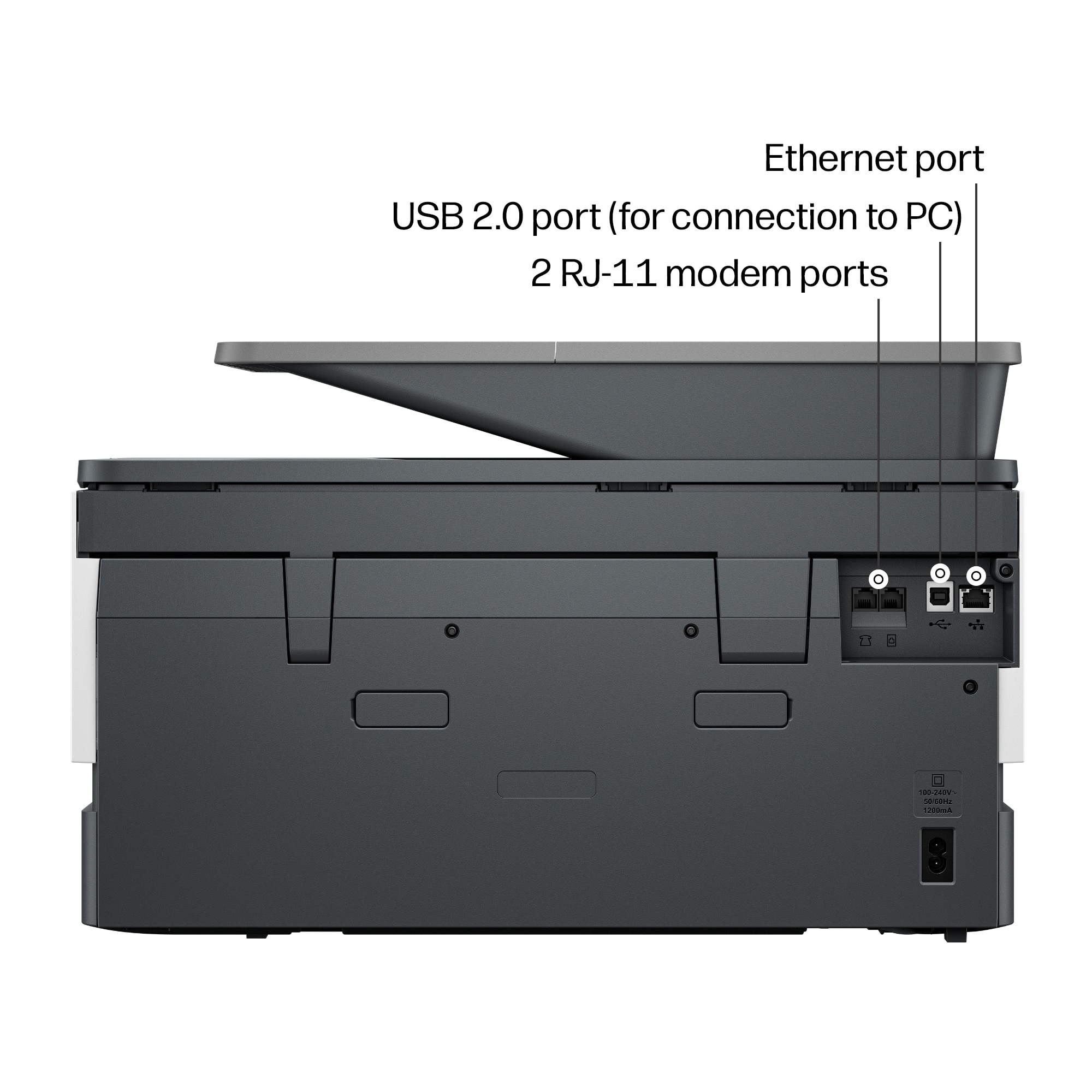
|Posted .This reviewer received promo considerations or sweepstakes entry for writing a review.The HP OfficeJet Pro 9120 All-In-One Printer is a good printer that’s good for casual printing and scanning. The printer allows you to print, copy, scan and fax. It print fairly fast by printing up to 22 pages per minutes. It also supports duplex 2 sided printing. The paper tray allows you to put up to 250 pages in the tray, which will keep you from having to load paper that often. The printer comes with a 2.7’ color touchscreen that makes it easy and simple to navigate the settings and various modes of use. The back of printer has various ports such as a phone jack, USB port and Ethernet port. I pretty much print to the printer wirelessly using Apple’s AirPrint which allows me to print from my MacBook, iPad and iPhone, as well as scanning documents wirelessly using the HP app. I’m able to print using the document feeder or by placing documents on the scanner glass. The printer works well and does what I need. My only gripe is the ink cartridges. They’re kind of pricey for the amount of pages you’re able to print. The ink cartridges are rated at getting 1,450 from the black ink cartridge and 800 for the colored cartridges. Getting a 4 pack of replacement cartridges will run you about $145. It would be nice if the price was a bit cheaper.
I would recommend this to a friend - Pros mentioned:Print speed, Setup ease
AI Feature is Very Useful
|Posted .This reviewer received promo considerations or sweepstakes entry for writing a review.Despite the price of ink which is something hard to ignore, HP printers are almost always excellent in print quality and features. This Officejet Pro 9125 is no exception. It automatically prints on both sides, scans perfectly, and was very easy to install. And my phone iPhone found it when I needed to print. No need to install anything on the phone. One nice feature that took me a while to figure out was the AI printing. I had wondered what they meant by "AI enabled" until I realized that when printing a web page, it ignores ads and other distractions and prints only what you want. That is a very handy feature. It more than just saves ink and paper. It saves annoyances. The only thing I didn't like that much was the size of the screen. I wish it was bigger. My aging eyes would have appreciated it. Other than that, this is an excellent printer. Although a bit louder than I expected, it is by no means distracting. When I say loud, I mean comparatively speaking since most newer HP printers are fairly quiet. Thus, anything that is not just a whisper I consider loud. But it won't bother anyone. This is great for home or small office. It has all the features you might need. If you plan well, you can save money with the ink subscription plans. If not planned well, it could be more expensive though. But it's an option you have.
I would recommend this to a friend - Pros mentioned:Print speed
Excellent Value in an All-in-One
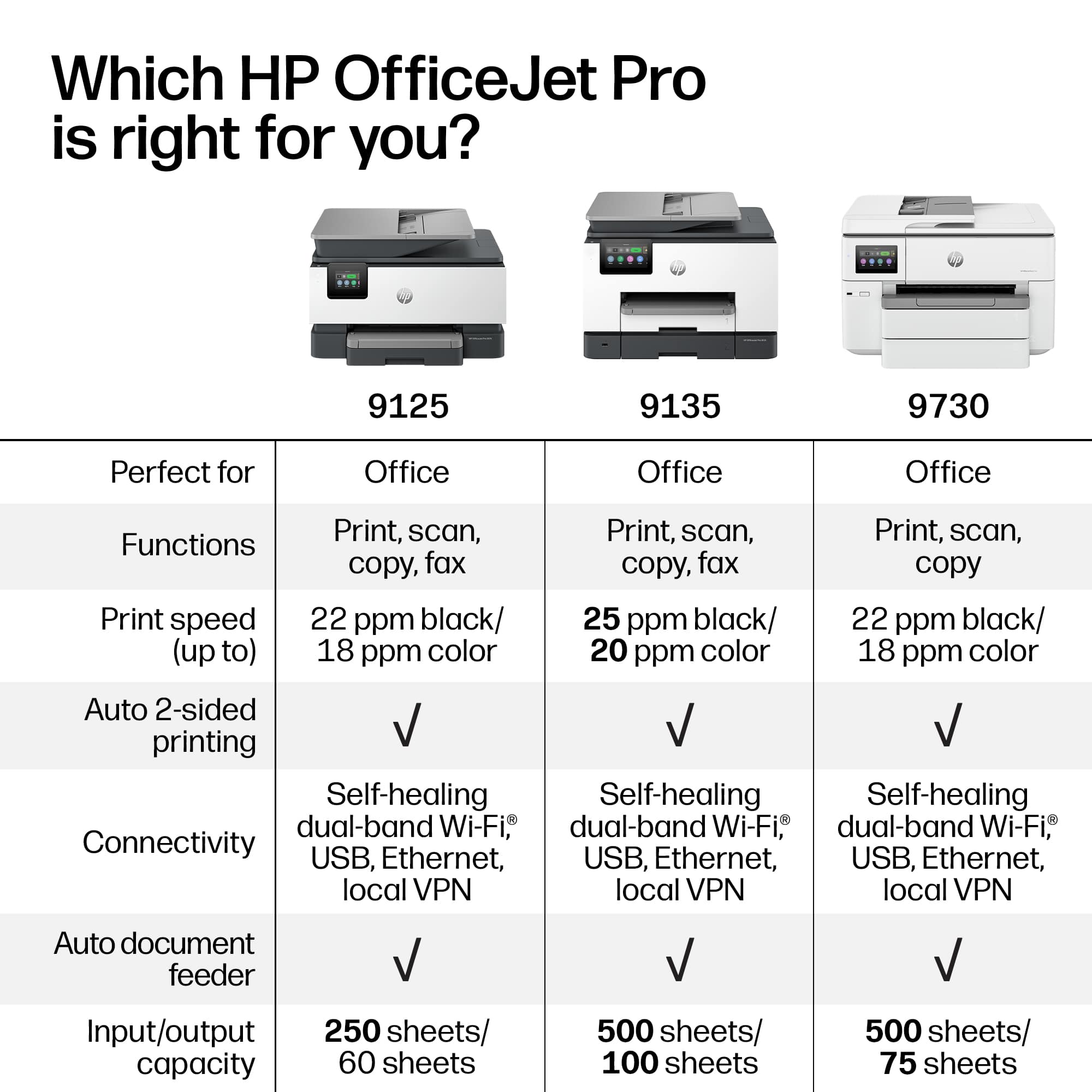
|Posted .This reviewer received promo considerations or sweepstakes entry for writing a review.The OfficeJet Pro 9125e is superb home or small office printer. It combines speed and resolution at a reasonable price point. I can copy, print, scan or fax with ease. Need a print job in a hurry? This printer can do 22 ppm in color and 18 in black. Printed copy comes out of the 9125 in just 5-10 seconds. My previous HP printer took 30 seconds before printing began. Copies are crisp and sharp looking close to laser text. Thw 9125e offers both a flatbed as well as a document feeder. With the aid of a document feeder, you can scan or copy multiple pages. This makes easy to copy or scan larger documents. The scanning function works flawlessly: ((1) Open Scanner, (2) Place document on the flatbed or document feeder, (3) Select the area you wish to scan, (4) Select color or black & white, (5) Select where you want to send the scan forward and ( 6) Press “Scan. It’s just that easy. The auto-duplex feature is nearly Invisible. If you want two-sided copying, just check the “Print on Both Sides” box before you print and you’re done! Want the ease of a fax machine to send or receive faxes, the 9125e can handle the job. Installation of this printer is pretty simple: Just follow the prompts on the screen. It will tell you to go to HP’s online site to complete installation to set up Wi-Fi, ink installation and software installation. To make this install even easier, HP has included a QR code that will take you directly to HP’s site. This whose process should take you only about 15 minutes. One of the perks of the 9125e is HP’s “Instant Ink” program. Once you sign up, HP will send you ink cartridges at a modest monthly fee automatically, so you never run out of ink. When you buy this printer, it includes 3 months of free ink when you sign up. While this program looks ideal for most people, there are some issues to consider. If you print a lot of color, the Instant Ink program looks attractive. However, if you just do modest printing, this program may not suit you. Instead, you can always buy ink cartridges from the many vendors out there from retail to online sources. You need to take into account that these cartridges do have expiration dates. If it looks like the 9125e is the perfect printer there are some negatives. The biggest one is the included 2.7” touchscreen. The small size makes it extremely difficult to select text or options just with your finger. A bigger screen would have helped immensely. Another negative is the pricing. With a list price over $300, this printer may be out of reach with those with a small budget. The good news is that it frequently is on sale around $200, making it much better value. This 9135e printer requires you to use HP’s OEM ink. You are unable to install generic ink from other companies. While this is an advantage for HP, it may not serve some customers well. To help using this printer, HP offers it’s “HP App.” This app performs many utility functions that are wirelessly connected to the printer. For example, it shows your ink level, simple diagnostics and print quality tools. Many of these same functions can be found on the 9125e itself. You can correct many maintenance issues directly on the printer’s touchscreen. You can also print reports from the touchscreen. Examples include copies printed from each of the 4 cartridges, fax and scanning applications/. Connectivity settings are also offered specifying the activated Wi-Fi account. The only concern with using the touchscreen is its 2.7” size screen making it hard to use with your fingers. If you’re looking for a multi-function device that can do it all, seriously consider the HP OfficeJet Pro 9125e.
I would recommend this to a friend - Pros mentioned:Print speed
Officejet pro 9125 is a fast amazing printer!
|Posted .This reviewer received promo considerations or sweepstakes entry for writing a review.The HP Officejet Pro 9125 All-In-One Printer comes well packaged and easy to get out the box as the wrapper around the printer has handles that you just pull on and the printer comes out very easily, safely, and quickly! After removing a few pieces of tape from the printer here and their, you plug it in, download the HP app, create an account, install the print cartridges and off you go. Setup is a breeze, quick and painless with the app (the only way to set it up and needed to get the remote print option). On the print cartridges, during installation of the ink cartridges, you press them in and they seem loose, their is no snap or lock for the cartridges and that causes me to think.... are the ink cartriges seated properly or not, just making a note on that, I think HP could have made a click in feel. I ran the HP app from my phone (its also part of the setup process), there was two HP printers present on my phone now, one for local printing and one for remote printing. You can print from anywhere in the world as long as you have internet, when you get back to the printer, your prints are done and in the printer, very very easy as it should be! Windows sets up with the HP app also super easy and has a little better photo printing. This officejet pro 9125 prints so fast! Like wow fast and the prints are just outstanding. Everything prints out great on plain paper yet. Now you put in photo paper and get blown away again, the Office Jet Pro 9125 again prints photo's fast (certainly not as fast as plain paper), colors are great when printing from windows 11 as from the phone. Photos look great on photo paper, and pretty good on plain paper, especially at the super fast printing speeds this printer can print at. You get duplex printing (two sided printing) and again this 9125 prints fast, accurate, stunning results. Scanning documents and copying papers are a beeze also. Scanning you can save to a usb drive, email it - by just typing in an email addres, or save to a computer, very nice selection! The touch screen is on the small side but extremely functional and usable. I highly recommend this printer as it surpassed my usual printing needs.
I would recommend this to a friend - Pros mentioned:Build quality, Print speed
It prints
|Posted .This reviewer received promo considerations or sweepstakes entry for writing a review.The HP Officejet Pro 9125 is a decent printer with several features that may be dealbreakers for some. Out of the box, it is the classic All-in-One look that fits well in any office or home office situation. Build quality felt decent although to be fair only time will tell these days with technology. I have had several printers suddenly print poorly within a year so we will see. Setup was straightforward. Now, in order to truly unlock this printer’s features you do have to download their app and make an account. This may be a dealbreaker for some with this push for constant connectivity. Print quality was decent. Text was crisp. Print speed was good and I had nothing to complain about from that standpoint. I do not recommend pictures at all on this machine. Scanning worked well. The AI print feature was somewhat fun to play with. It really can cut out certain things in the backgrounds that are wasteful and optimize space. It still isn’t perfect but I did find that it helped save paper in certain cases. I have never been a fan of Instant Ink. I think the push for subscription services is really annoying and it makes you feel dependent on the companies for the life of the machine. If you don’t print frequently, then you are definitely overpaying. If you print too much, then you are definitely overpaying. If you cancel the subscription, then the cartridges stop working and you have to buy ink separately. All in all, the HP Officejet Pro 9125 is a decent option for those who have a need to crank out documents. I have used countless HP printers in the past but I have to say that their new trend of pushing “smart” printers with AI and subscription services can be dealbreakers for those who just want a simple printer.
No, I would not recommend this to a friend