Customer Ratings & Reviews
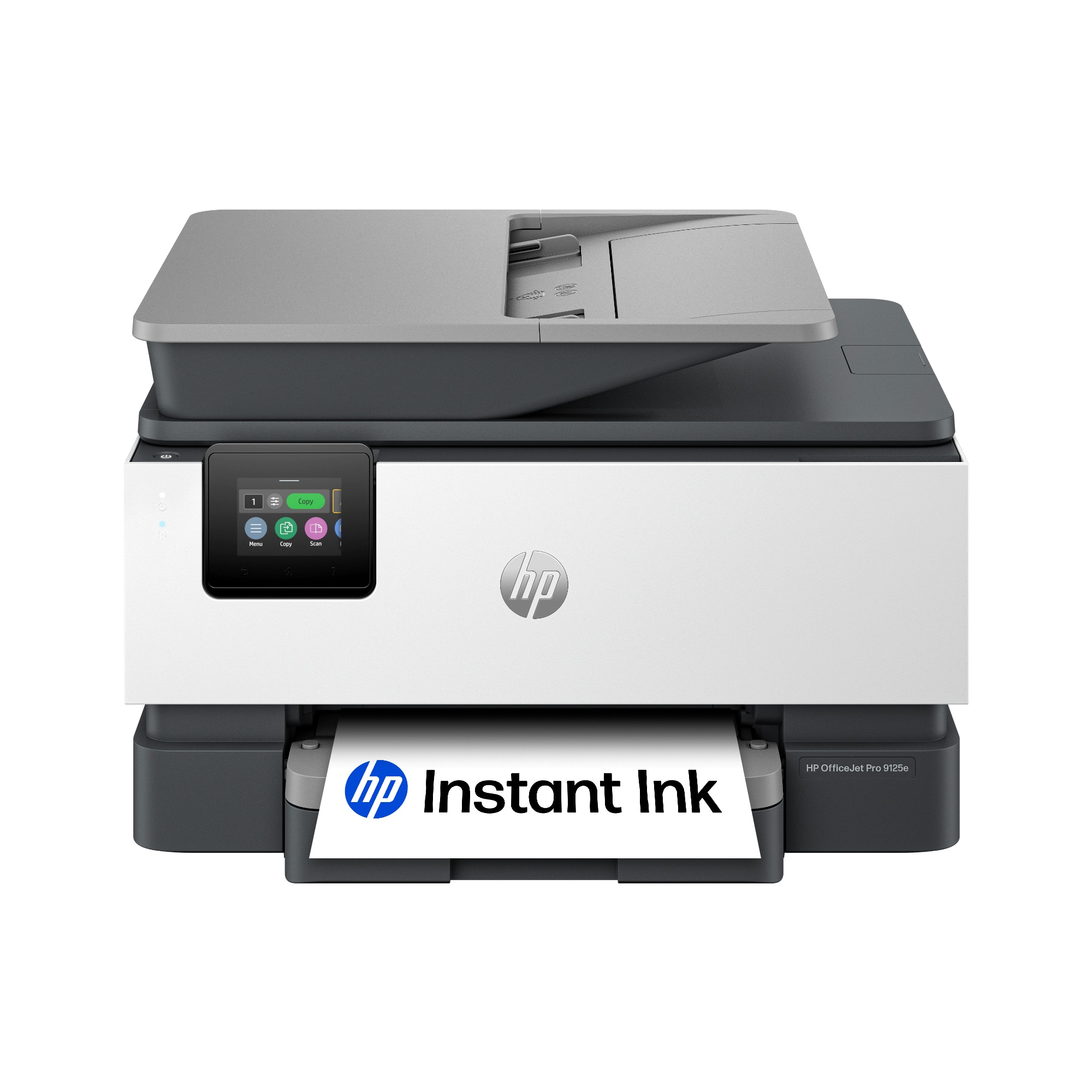
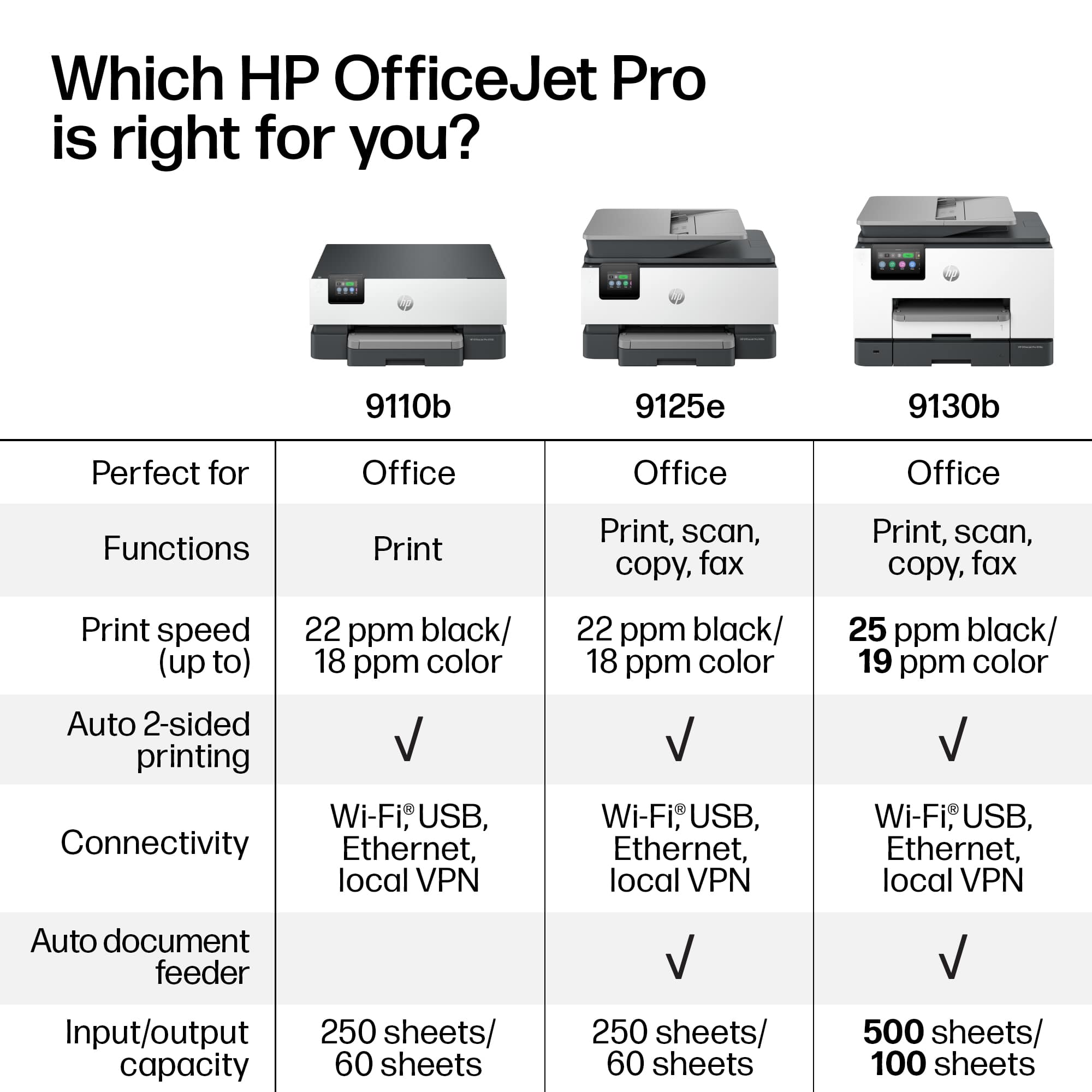
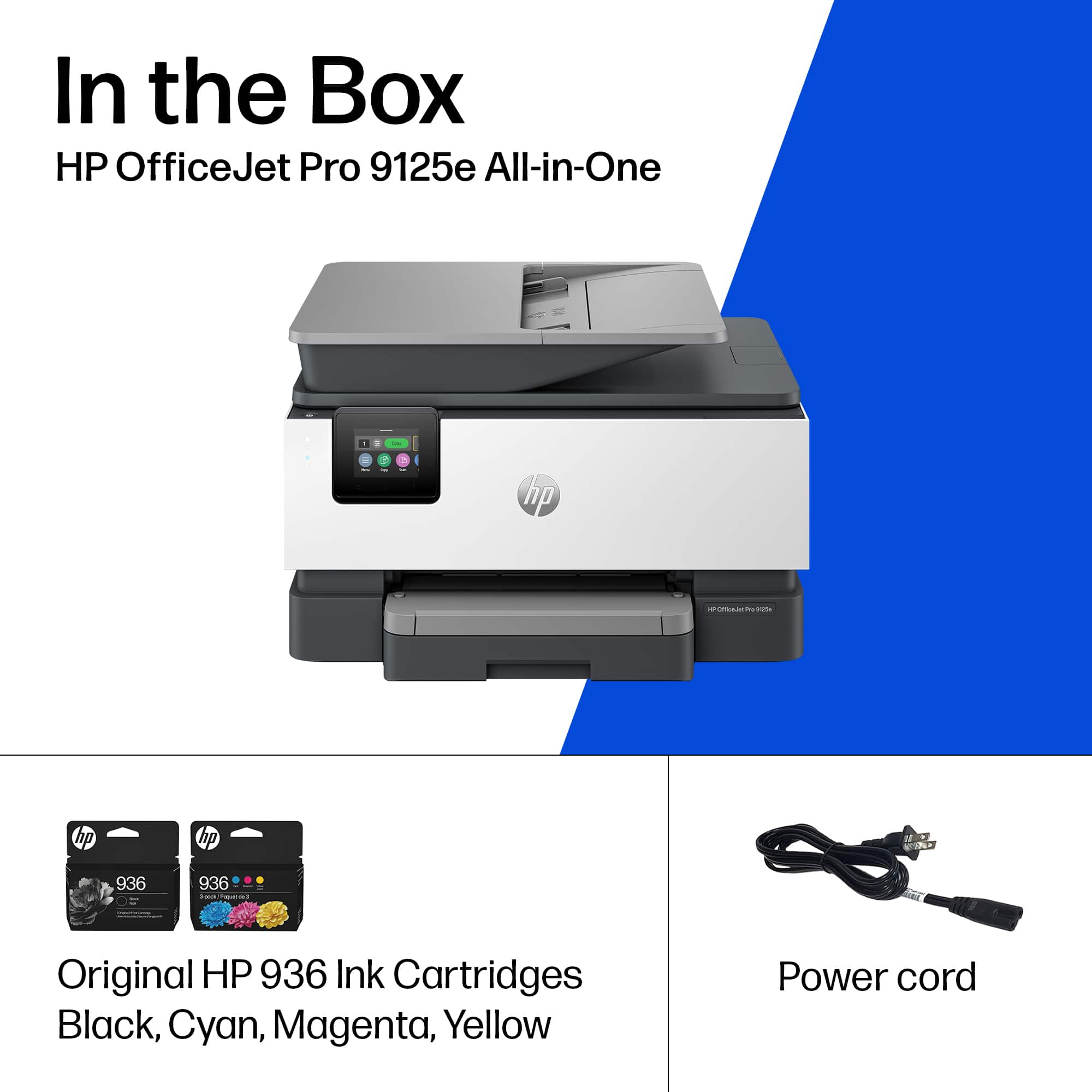





- Model:
- OJ Pro 9125e /403X0A#B1H
- |
- SKU:
- 6565475
Customer reviews
Rating 4.2 out of 5 stars with 1653 reviews
(1,653 customer reviews)Rating by feature
- Value4.3
Rating 4.3 out of 5 stars
- Quality4.2
Rating 4.2 out of 5 stars
- Ease of Use4.1
Rating 4.1 out of 5 stars
Customers are saying
Customers often highlight the excellent print quality, ease of use, and overall strong performance of the product, noting its straightforward setup and convenient size. However, some customers have expressed concerns regarding its noise level and occasional connectivity issues.
This summary was generated by AI based on customer reviews.
- Pros mentioned:Print quality
Rated 5 out of 5 stars
Excellent printer for home use
||Posted . Owned for 1 year when reviewed.This reviewer received promo considerations or sweepstakes entry for writing a review.Print fast, quiet and clear copies. The duplex copying, printing and scanning is the best as it takes the guessing from which way to turn paper for duplex.
I would recommend this to a friend - Pros mentioned:Ease of use, Print qualityCons mentioned:Noise level
Rated 5 out of 5 stars
HP printer does good job
||Posted . Owned for 1 week when reviewed.This reviewer received promo considerations or sweepstakes entry for writing a review.Printer produces sharp copies quickly. Controls are easy to understand. Vivid colors. Somewhat noisier than our old HP 8600 printer; but 8600 died after a long life.
I would recommend this to a friend - Pros mentioned:Ease of use, Print quality
Rated 4 out of 5 stars
HP 9125 Inkjet Printer
||Posted . Owned for 1 month when reviewed.This reviewer received promo considerations or sweepstakes entry for writing a review.I’ve been using this printer for about a month now. Very solid performance for the money. I have not tried the fax function yet. Printer is easy to use. Very fast in both color and black and white. Ink life is good so far. Love the app. Scanner process is easy to use with lots of options. Only have one negative comment. The paper feed is really noisy.
I would recommend this to a friend - Pros mentioned:Print quality, Setup
Rated 5 out of 5 stars
Hp printer
||Posted . Owned for 2 weeks when reviewed.This reviewer received promo considerations or sweepstakes entry for writing a review.My printer I just bought is easy to set up and prints beautifully
I would recommend this to a friend - Cons mentioned:Connectivity
Rated 3 out of 5 stars
Mixed Feelings
||Posted .This reviewer received promo considerations or sweepstakes entry for writing a review.I have mixed feelings about this printer. On the one hand I love that it can scan and print double-sided. That function works flawlessly for me so far. The problem is that the printer often disappears from the network or just stops working. When it stops working the screen doesn’t respond or it does show up on the network but when I print to it, the printer never prints. to fix it I have to physically unplug it from the wall and plug it back in. I had this happen several times during tax season and as I tried to prepare my taxes, it just added to the stress and frustration. Another weird thing about it is the paper tray, it’s just strange as the paper stays loose in it, doesn’t have anything to snug the paper from the front to the back and the tray is sloped toward the back. It seems to work but it’s weird and I always feel like it’s not in correctly. The tray is very flimsy, in fact the whole thing feels flimsy. Overall it’s okay and has some great features but I wouldn’t recommend it.
No, I would not recommend this to a friend - Pros mentioned:Print quality
Rated 5 out of 5 stars
HP Office Jet Pro 9125e Rocks
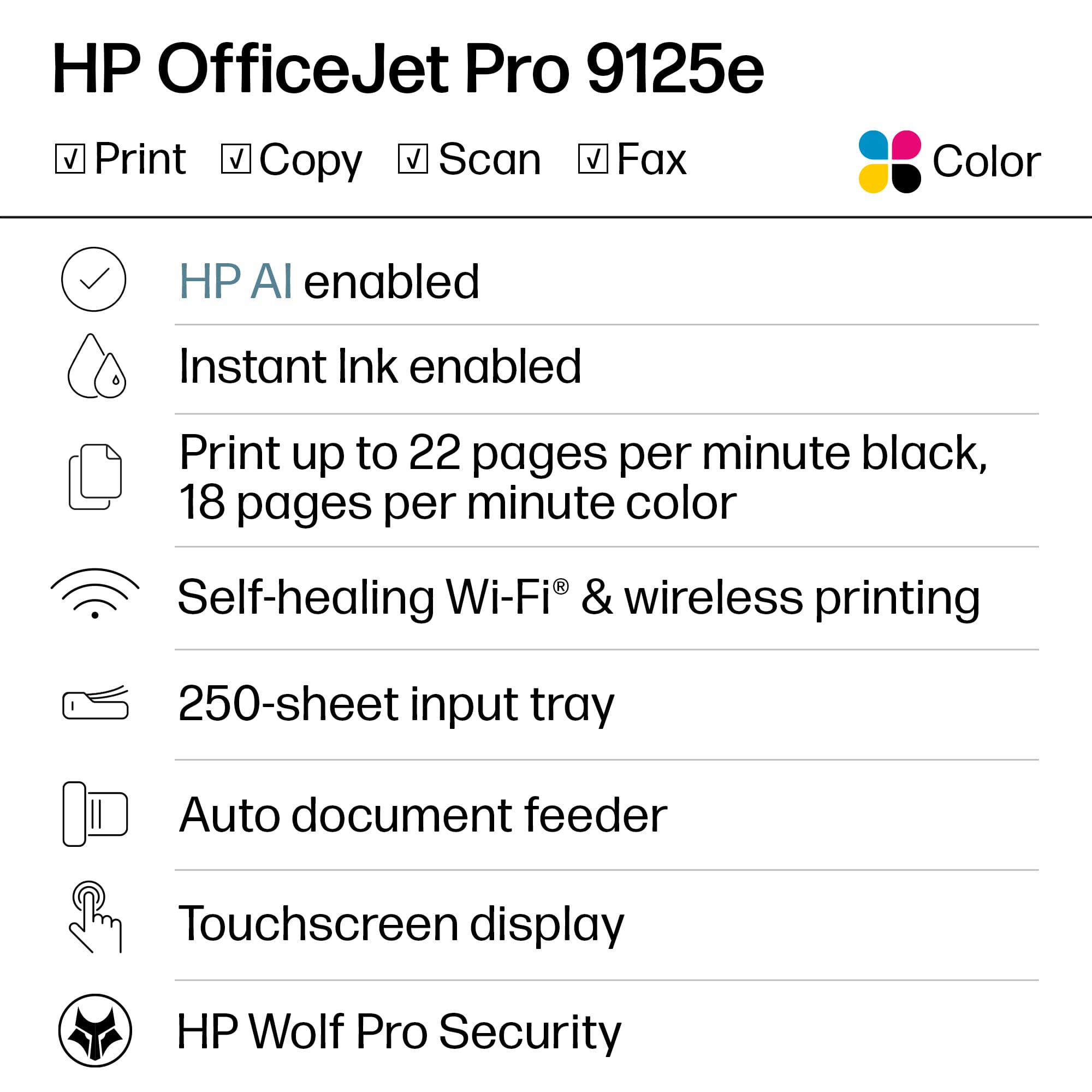
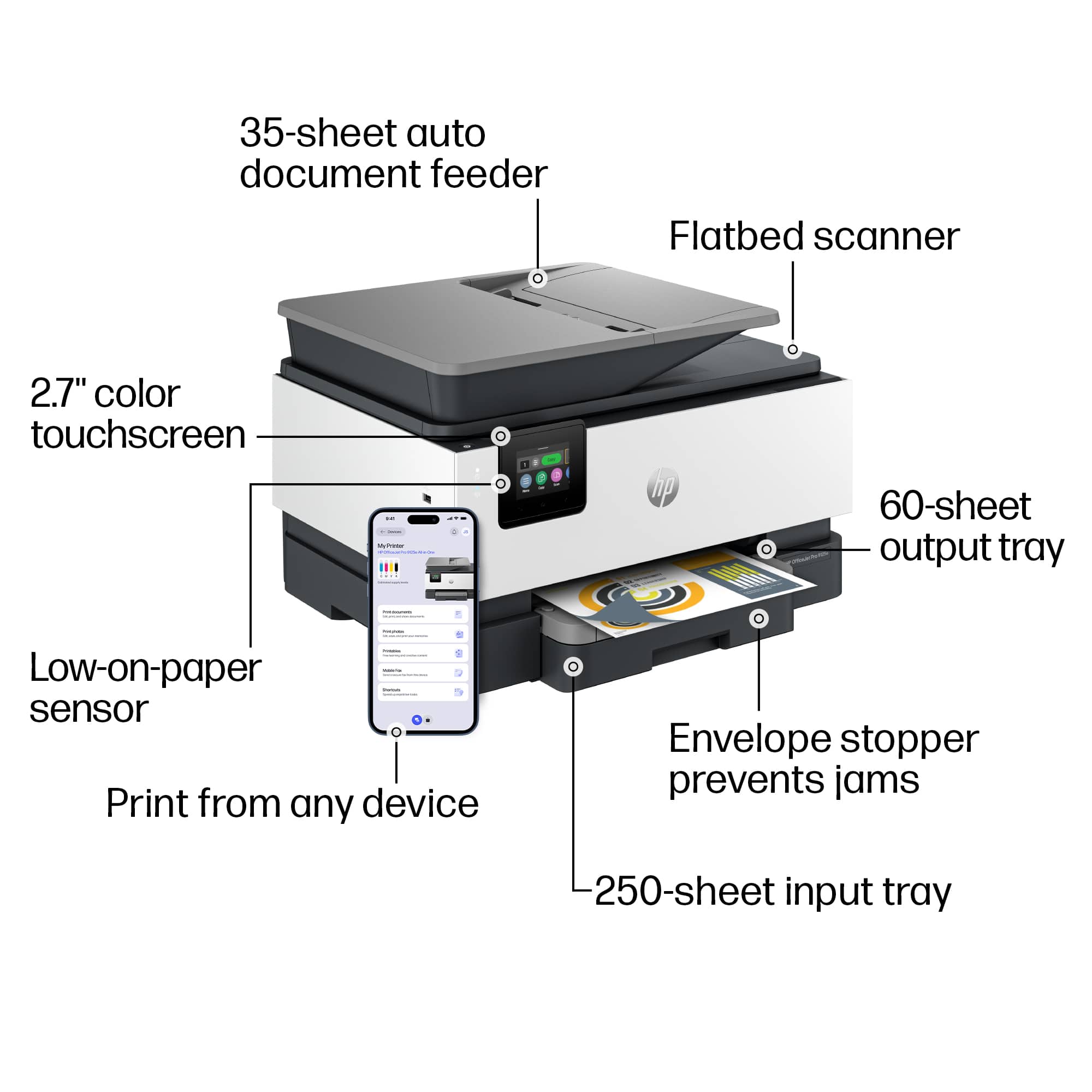
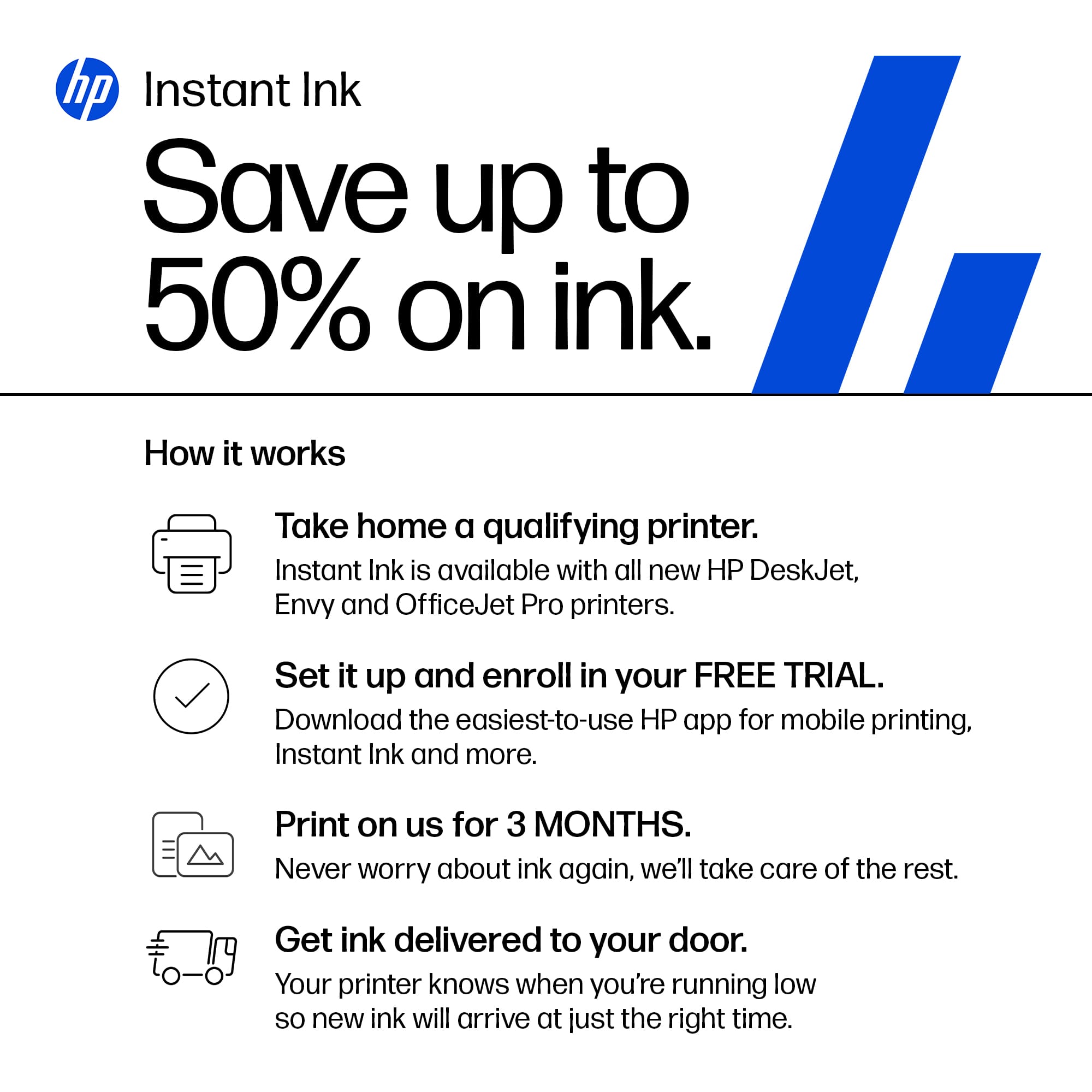
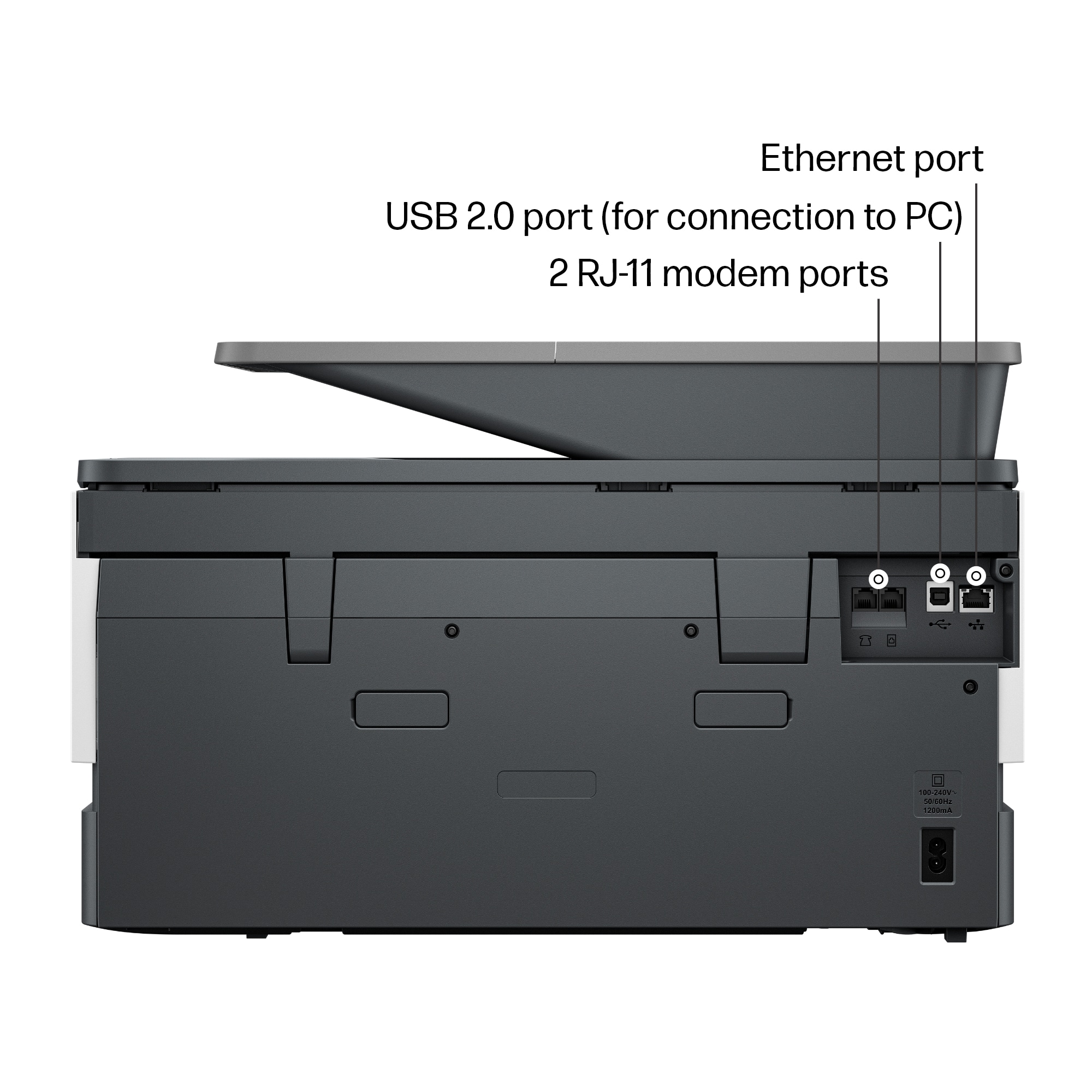
||Posted . Owned for 2 weeks when reviewed.This reviewer received promo considerations or sweepstakes entry for writing a review.I bought this printer in the middle of February 2024 to replace an old Office Jet 8600 Pro that suddenly stopped working. We needed all of the same features as the 8600 Pro which led us to a few HP Office Jet printers. Most of the reviews on this printer were positive, plus this one. This printer does double-sided color printing/copying, and double-sided color scanning using an automatic document feeder or from the glass to PDF or JPG (user-selectable from app). It also faxes and can connect wired to a PC or wireless to various Wi-Fi-connected mobile devices. These are the functions that we needed and used on the 8600. I opted into the HP Instant-Ink program and received a set of cartridges in about 8-9 days from the installation. This required updating the firmware that also requires the use of original HP ink cartridges. We once used 3rd party ink on the 8600 and in a few months needed to replace the print head because the cartridges messed it up. We returned to genuine HP ink after that experience. After this new printer was connected to the PC via Wi-Fi, I began testing all the functionality. The one thing that I could not get working was printing from a mobile device directly to the printer. I was able to get mobile devices to print using the "Print Anywhere" feature that routes print to the HP cloud and back to the printer. Print Anywhere is difficult to set up. I think a login to the HP printer using my HP account finally enabled it on the mobile device, but that needed to be repeated on each mobile device. In other words, enabling it on the printer or HP Smart app did not always implement it on other mobile devices. More important I could not print directly to the printer from a mobile device (other than the PC). I submitted a request for assistance to HP. The first tech tried to help and then said he would refer to someone else. A senior support tech picked up the request, contacted me and we scheduled time to troubleshoot. Nothing worked. Over the course of a week this senior tech corresponded with his system engineers and me, working with me over and over to try more options. Finally, today 2/28/2024, HP pushed a firmware update to my printer. I heard the printer reboot afterward. I hoped it was a fix, and it was The Fix. I used the printer queue that was defined to my mobile device, selected an email, and sent it to the printer. It printed immediately. This was the last thing that I needed the printer to do, so it is now good to go. Kudos to HP tech support and support engineers. After reading other reviews I should point out that it appears that some functions, like scanning to a PDF, may need to be done from a device like my PC instead of from the printer. The 8600 display panel allowed me to scan directly to a folder on my PC. With today's firmware update, I see a scan to PC folder is now on the printer's display panel but I have not tried it yet. I do not think it was present before this update, or somehow I did not see a scanning menu item. The screen and print is smaller than the 8600s screen. I have used this printer for two weeks now, doing light printing and a few sets of double-sided multipage document scans from the automatic document feeder to the PC. I hope this printer lasts as long as my 8600 did.
I would recommend this to a friend - Pros mentioned:Ease of use
Rated 5 out of 5 stars
I really like this printer!
||Posted . Owned for 1 month when reviewed.This reviewer received promo considerations or sweepstakes entry for writing a review.I have been using my HP OfficeJet Pro 9125e for more than a month and really like it now. Because I'm very old, set up was a challenge until I finally found the printer's PIN number in very small print on a sticker on the inside of the front door--you must have this number before you attempt set up! Once set up was completed I was able to connect my two desktops and two laptops with no problem. This printer replaced my 10-year-old HP 8630 and the noise level seems about the same--though the 9125 seems to go through more gyrations before it begins printing. The paper tray is very sensitive to being over-filled and will give you a "Needs paper" error message if you over-fill. HP has a very complete user guide available online and I suggest downloading and printing it for convenient reference--all the features are not intuitive. This is a home office printer, so I did not subscribe to the Instant Ink program. I ordered my first set of replacement ink cartridges from HP and delivery took about a week. If you order online, be very careful to get HP replacement cartridges. Several places that popped up ahead of HP showed cartridges with the correct numbers, but no HP logo and it just doesn't work. The print, scan and copy features work just fine. I haven't sent a fax in 20 years, but it's there if you need it.
I would recommend this to a friend - Pros mentioned:Print qualityCons mentioned:Connectivity
Rated 4 out of 5 stars
Printer Experiences
||Posted . Owned for 1 month when reviewed.This reviewer received promo considerations or sweepstakes entry for writing a review.The printer is good quality and worth the price. In the beginning of the scanning was difficult at first but really works fine. Sometimes the printer disconnects from my lap top.
I would recommend this to a friend - Pros mentioned:Ease of use, Print quality
Rated 5 out of 5 stars
Great Printer
||Posted . Owned for 7 months when reviewed.This reviewer received promo considerations or sweepstakes entry for writing a review.Would recommend to anyone. Great printer. Easy setup and great quality printing
I would recommend this to a friend - Cons mentioned:Noise level
Rated 4 out of 5 stars
Review of Office Jet Prop 9125e
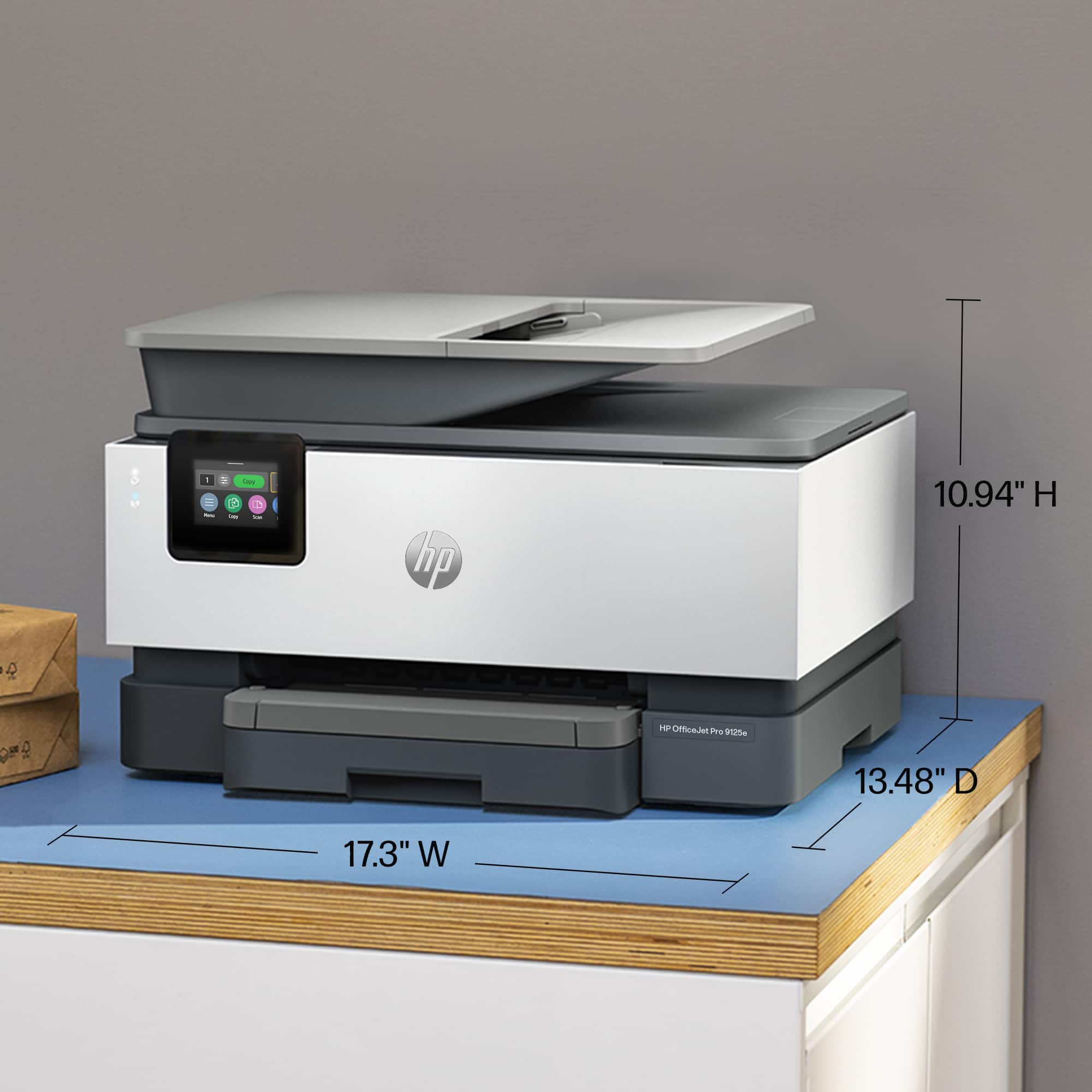
||Posted . Owned for 3 weeks when reviewed.This reviewer received promo considerations or sweepstakes entry for writing a review.The sales person was helpful to identify this printer to replace the HP9010 which died after a few years of service. The 9125e has the same dimensions as the 9010. Similar to the 9010 it makes noise (rumbling) between print jobs. I am a teacher and print about 50-75 pages a week. My 9010 ink cartriges do not work with the new printer. Thank God I paid for Geek squad because the printer didn't work right away., it took 60-90 minutes of downloads to get it print. Still not scanning multiple pages yet. I may have to call Geek squad again. I am satisfied with my purchase which included the Geek squad subscription
I would recommend this to a friend - Cons mentioned:Connectivity, Noise level
Rated 3 out of 5 stars
There are probably better options
||Posted . Owned for 2 weeks when reviewed.This reviewer received promo considerations or sweepstakes entry for writing a review.Meh, I wish my old OJ8600 had not failed. This printer is louder and ties us to the internet. We purchased an instant ink subscription but found the printer routinely spits out extra blank pages.
No, I would not recommend this to a friend - Pros mentioned:Overall performance, Setup
Rated 5 out of 5 stars
OFFICEJET PRO 9125e
||Posted . Owned for 1 month when reviewed.This reviewer received promo considerations or sweepstakes entry for writing a review.WORKS LIKE A CHARM. EASY TO SET UP, TOOK JUST A FEW MINUTES TO LEARN THE CHANGES FROM MY OLD OFFICE JET, AND GOOD TO GO.
I would recommend this to a friend - Pros mentioned:Print qualityCons mentioned:Noise level
Rated 5 out of 5 stars
Good printer for the sale price
||Posted . Owned for 3 weeks when reviewed.This reviewer received promo considerations or sweepstakes entry for writing a review.I picked up this printer in a drive by pick up. Once home I unboxed the printer and begin to set it up. I followed work for work how to pair with my computer, but when I went to print it didn’t work. I looked online and found a print driver that was for this printer and added it. After I did that, it printed. The printer is loud when it is setting up to print. overall a good printer for the price I paid on sale.
I would recommend this to a friend - Pros mentioned:Overall performance, Setup
Rated 5 out of 5 stars
Good printer.
||Posted .This reviewer received promo considerations or sweepstakes entry for writing a review.Works well. Was easy to install. I've had HP printers for a long time and they have lasted well.
I would recommend this to a friend - Pros mentioned:Print quality
Rated 4 out of 5 stars
Good fast printer but you must wear your glasses
||Posted . Owned for 3 weeks when reviewed.This reviewer received promo considerations or sweepstakes entry for writing a review.Good printer but a small screen. Very efficient and fast. Good quality
I would recommend this to a friend - Pros mentioned:Ease of use, Print quality
Rated 5 out of 5 stars
HP Printer
||Posted . Owned for 2 weeks when reviewed.This reviewer received promo considerations or sweepstakes entry for writing a review.Highly recommend as easy to set up, great quality, and superb printer for home use.
I would recommend this to a friend - Pros mentioned:Ease of use
Rated 5 out of 5 stars
HP Office Jet Pro 9125e
||Posted . Owned for 1 month when reviewed.This reviewer received promo considerations or sweepstakes entry for writing a review.It was easy to install the cartridges and run a trial page. The printer works well with HPSmart and the HP print and scan doctor. Also, the automatic two-sided printing and automatic feed work well.
I would recommend this to a friend - Pros mentioned:Ease of use, Overall performance
Rated 5 out of 5 stars
HP Printer
||Posted . Owned for 2 weeks when reviewed.This reviewer received promo considerations or sweepstakes entry for writing a review.The HP printer is a reliable printer and easy to use.
I would recommend this to a friend Rated 5 out of 5 stars
HP is my first choice again
||Posted . Owned for 3 weeks when reviewed.This reviewer received promo considerations or sweepstakes entry for writing a review.I needed help from tech support to set up but now that it’s up and running it’s great. Duplex scanning is great and AFTER the scan is completed it gives you the choice of saving as a pdf, jpg, or something else.
I would recommend this to a friend- Pros mentioned:Ease of use, Overall performance
Rated 5 out of 5 stars
Great products
||Posted . Owned for 3 weeks when reviewed.This reviewer received promo considerations or sweepstakes entry for writing a review.Easy setup and wonderful product. We love our new HP - OfficeJet Pro 9125e.
I would recommend this to a friend