Customer Ratings & Reviews
- Model:
- Omen 34c
- |
- SKU:
- 6540004
Customer reviews
Rating 4.6 out of 5 stars with 464 reviews
(464 customer reviews)Rating by feature
- Display Quality4.8
Rating 4.8 out of 5 stars
- Ease of Use4.8
Rating 4.8 out of 5 stars
- Features4.7
Rating 4.7 out of 5 stars
Customers are saying
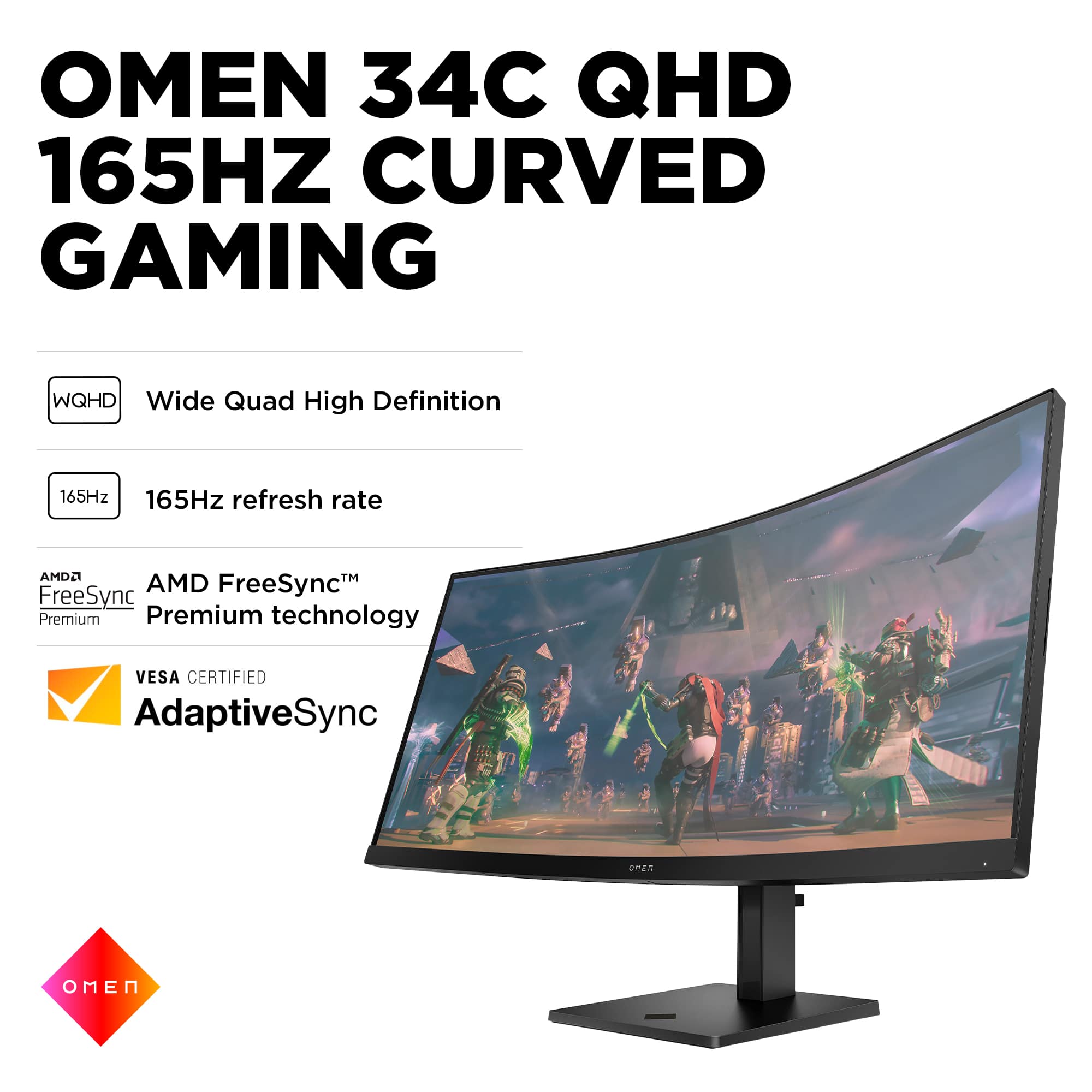
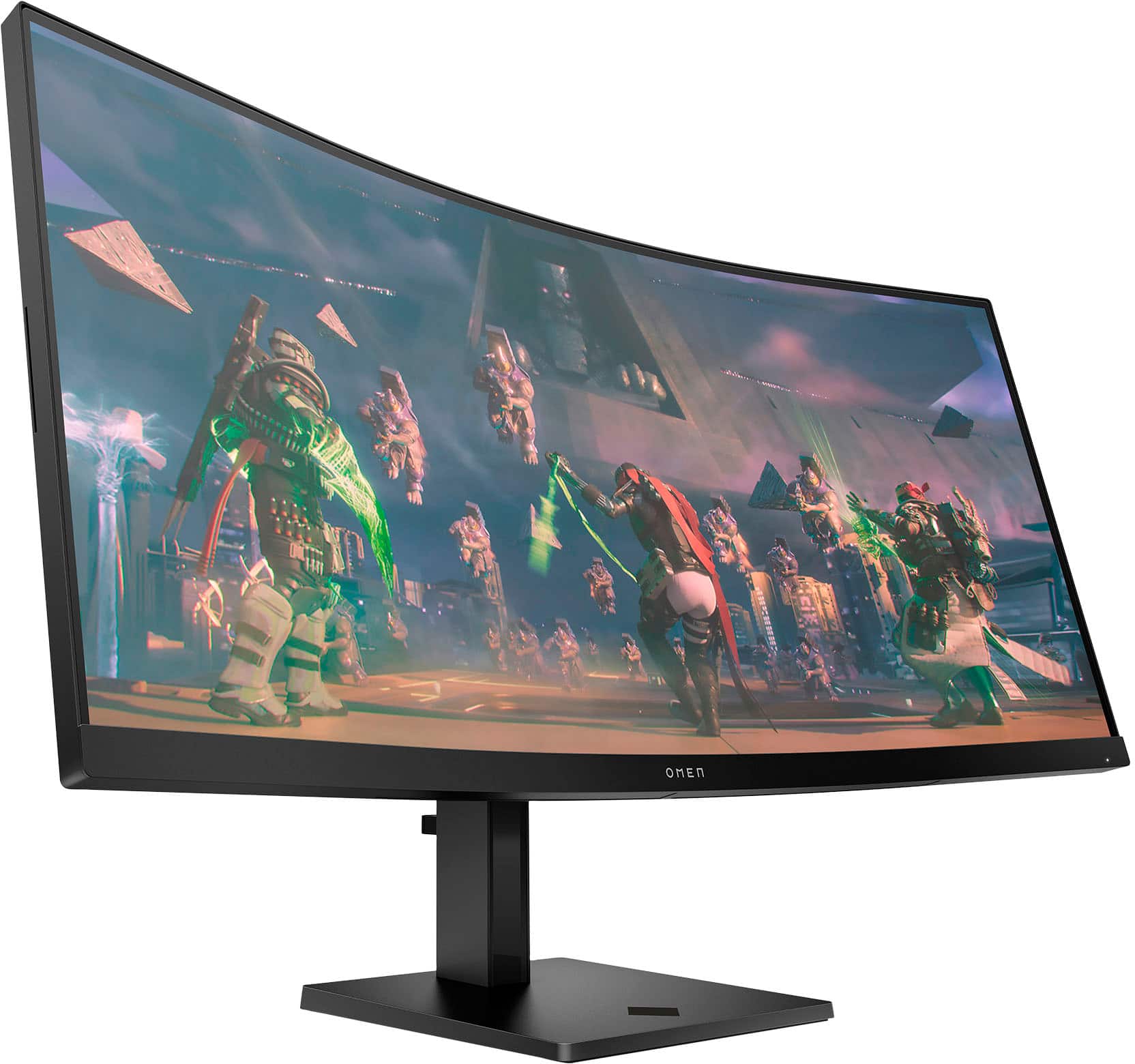
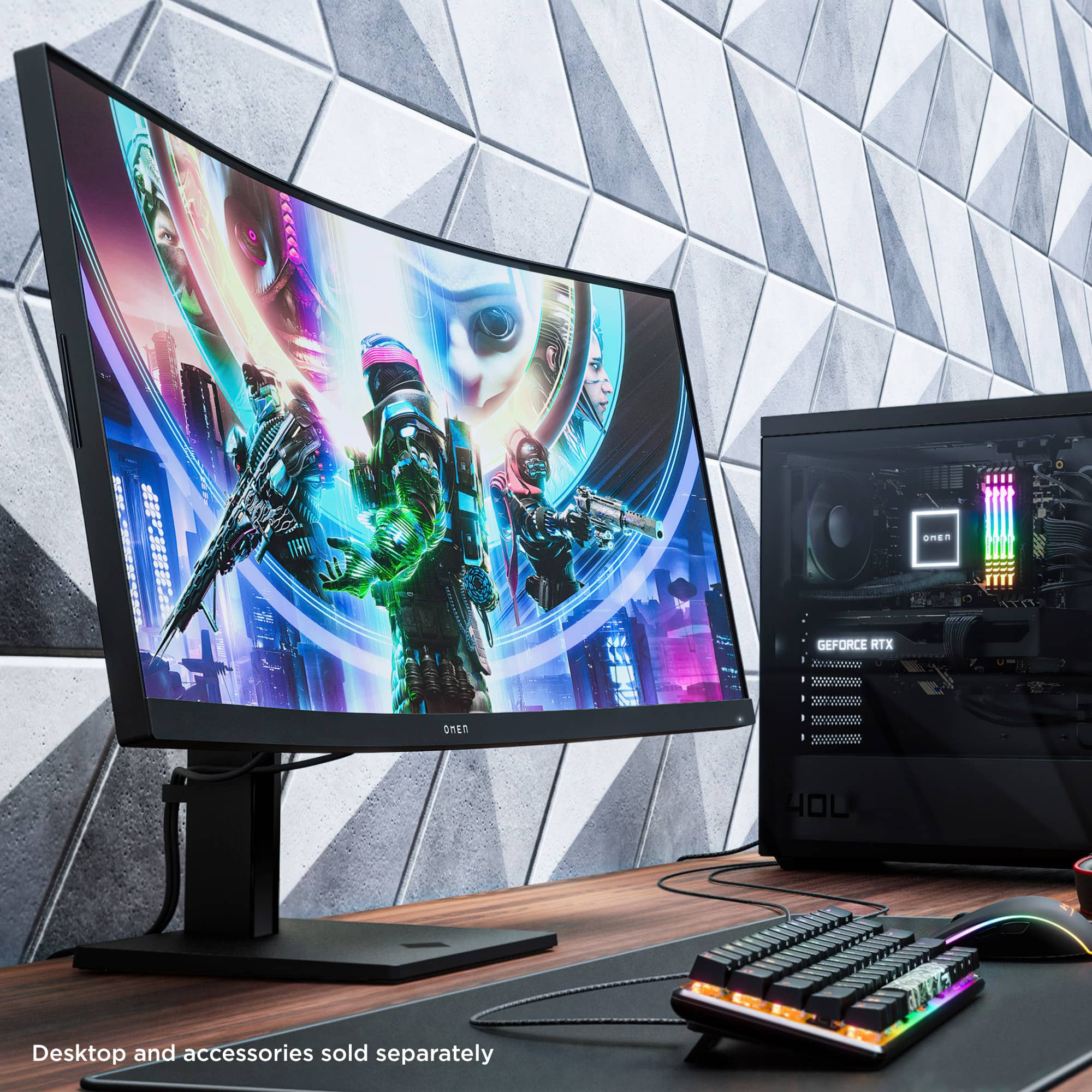
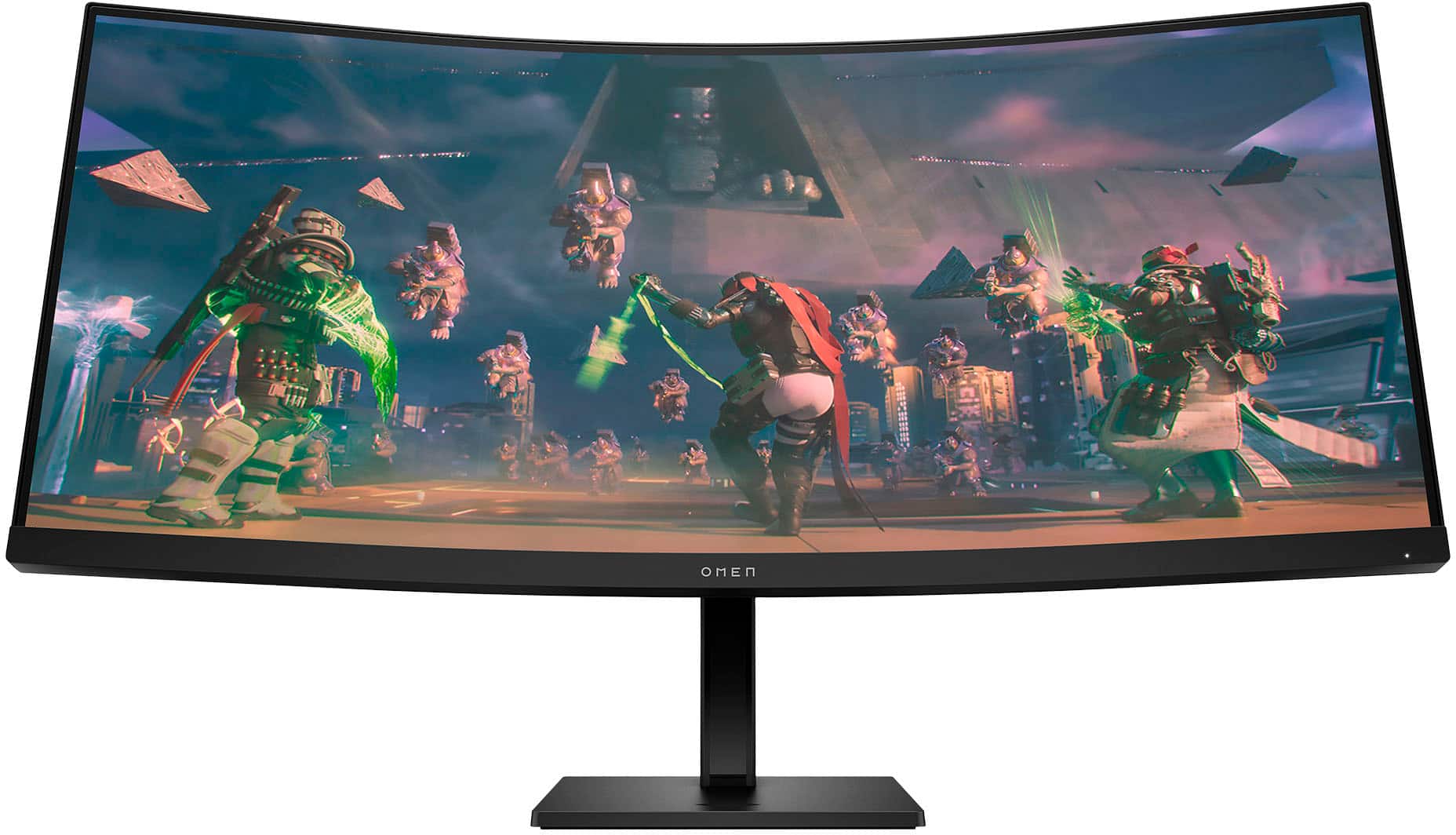
Customers are enthusiastic about the 34" VA LED Curved QHD 165Hz FreeSync Gaming Monitor, particularly praising its screen size, refresh rate, and resolution. Many appreciate the monitor's curvature and adjustable stand, as well as its HDR capabilities and good graphics. Some customers have noted concerns about the built-in speakers, while a few have mentioned experiencing ghosting.
This summary was generated by AI based on customer reviews.
Rated 4 out of 5 stars
Great
||Posted . Owned for 3 weeks when reviewed.This reviewer received promo considerations or sweepstakes entry for writing a review.Great buy functionality. It came in time for xmas.
I would recommend this to a friendRated 4 out of 5 stars
Looks fantastic
||Posted . Owned for 1 week when reviewed.This reviewer received promo considerations or sweepstakes entry for writing a review.Great monitor. One complaint. You can’t rotate the monitor left or right.
I would recommend this to a friend- Pros mentioned:Hdr, Refresh rate, Resolution

Rated 5 out of 5 stars
Almost passed on this one, SOO glad I didn't!
|Posted .This reviewer received promo considerations or sweepstakes entry for writing a review.The HP Omen 34c is a pretty nice chunk of desktop real estate! The resolution seems to be perfectly suited to the monitor's size and colors and clarity are pretty good right out of the box. I fiddled around with the menus a bit and found the "T" style buttons to be very easy to use. The layout allows easy configuration without trying to figure out which button is "Save" and which is "Back" like some monitors are still using. I had to remove a small light I had on my desk above my old monitor just to fit this beast under the shelf. It has about 3/8" above it when in its lowest setting! Having two HDMI and a DisplayPort socket allows a wide range of devices to be connected and is an easy switch using the above-mentioned buttons. I replaced a curved display that took me a while to get used to, but this one seems like the next logical step in monitors from the previous one. The wide display allows a very immersive game experience and the high refresh rate keeps things very clear, even in the middle of action sequences. When using regular applications (yes, I do have to do real work once in a while), the huge screen can have two high-resolution windows open side by side and doesn't feel cramped at all. I played around with the HDR setting and found it to add a bit of brightness at just the right times, unlike some other models I have tried where the colors and objects seem washed out and over-brightened. The image doesn't bleed out at the edges or loose any quality in any part of the display, despite the large size and curve. I am very happy with this monitor, and can already imagine a second (or third) one allowing truly wrap-around gaming experiences! I had two of my young grandsons over today and they were excited to play several driving games on it since they say it looks so real! This resolution allows a full view of the action as if they are looking through a windshield in a real car, instead fo half of one like most monitors allow. The days of flat, "small" monitors are going to be a thing of the past if more and more of these kind of gems are produced. Years ago, I would have laughed if someone said I would have a weird shaped, curved monitor like this some day. Today, I have a hard time going back to even my flat 4K screen on my main work computer. The shape of this screen is truly useful, even if you don't do any gaming at all... but you would be hard-pressed to keep yourself from playing at least a little bit! The more i use it, the more comfortable I get with looking back and forth, and the quality of the image is very easy on the eyes!
I would recommend this to a friend - Pros mentioned:Refresh rate, Resolution, Screen size
Rated 5 out of 5 stars
O-MEN the Curve is Nice
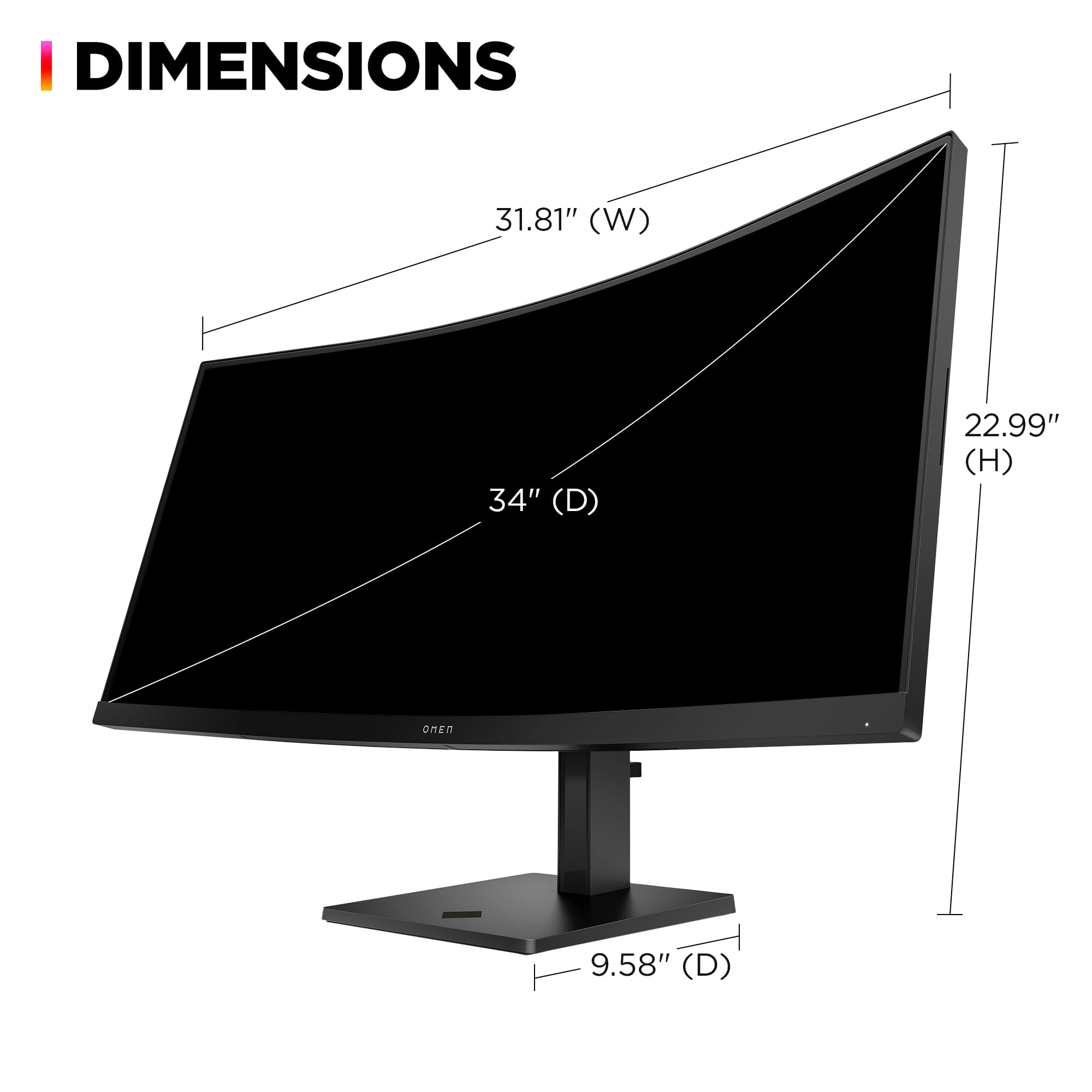
|Posted .This reviewer received promo considerations or sweepstakes entry for writing a review.The HP OMEN 34c monitor is a happy medium between your standard monitor and the high end gaming monitors that are available on the market. The monitor itself feels lightweight for the size and takes up a decent amount of desk space. Being a landscape style monitor, the 34” diagonal length is a width of almost 32”. Keep this in mind when purchasing as it is a slightly elongated landscape design to accompany gaming well. The “c” in the model name stands for curved. This is my first experience using a curved monitor/screen and I love the feel. The curve allows for better peripheral vision of the screen without as much movement of the eye while playing. It also provides a more immersive feeling atmosphere to the display. I’ve had a flat 3-monitor setup in the past and this monitor in a 3-monitor setup would be elite in comparison, wrapping around. The monitor itself was easy setup out of the box and comes with a monitor stand; it does look compatible with standard monitor stands also. The stand allows for varying height and tilt to allow for proper desk ergonomics. The display is bright and overall smooth. With 2 HDMI ports and 1 display port, the monitor is able to accommodate most visual setup needs. I typically play either shooters or MMORPGs and with a 165Hz refresh rate I feel comfortable with the ability of this display. There is no noticeable delay for myself and the visualization of my games feels smooth without any image distortion noted. The images are crisp with the 3440 x 1440 resolution and I always get reminded how far we have come in display within the past 10-15 years. I did have to mess with the resolution of my favorite MMORPG to get the display right, but after some trial and error got it looking beautiful (every computer or laptop I have ever used will have issues with this certain game). And otherwise, back to the enjoyment of the curve. The one downfall to this monitor (and truthfully almost every monitor I have used within the past few years) is the built-in speakers. The sound quality is OK for being a monitor. Most gamers either over the ear headphones or an immersive surround sound setup and this monitor does not compare. With that being said, the sound is okay, and if was to use this for another reason and just need available sound without any speaker setup, it does the job. This is my second OMEN line product and based upon this monitor I would not be opposed by any means to keep with their products in the future if the item is right
I would recommend this to a friend Rated 2 out of 5 stars
Very Fragile
||Posted . Owned for 3 weeks when reviewed.This reviewer received promo considerations or sweepstakes entry for writing a review.I left the monitor on the carpet and it literally lost balance and tripped to the front and the screen broke .. I believe it should be stronger
I would recommend this to a friend- Pros mentioned:Refresh rate
Rated 1 out of 5 stars
Bad specs: Only 100 hz not 165 hz
||Posted . Owned for less than 1 week when reviewed.This reviewer received promo considerations or sweepstakes entry for writing a review.I have an NVIDA 4070 Ti Super GPU and this display is only offering me 100 hz refresh rate. Product specs said it does 165 hz. Not happy. I have a 24" Omen also at 1440 resolution and that one gives me 144 hz on the same HDMI cable.
No, I would not recommend this to a friend Rated 2 out of 5 stars
AMD card is a plus, Nvidia card is a no go.
||Posted . Owned for 1 month when reviewed.This reviewer received promo considerations or sweepstakes entry for writing a review.If you have an Nvidia card stay away, this will not go above 100HZ without having an ADM card.
No, I would not recommend this to a friendRated 1 out of 5 stars
Terrible screen specially for hdr
||Posted . Owned for 1 month when reviewed.This reviewer received promo considerations or sweepstakes entry for writing a review.Owned the monitor for a few days the colors are nice and bright but absolute horrible with hdr also all the dark blacks were ghosting constantly it gave me a terrible headache to play Diablo or naraka bladepoint the shadows on the leaf were killing my eye sight I tried downloading software, firmware and ran the omen software all garbage didn’t improved anything
No, I would not recommend this to a friendRated 2 out of 5 stars
Poor display quality, known issue
||Posted . Owned for 4 months when reviewed.This reviewer received promo considerations or sweepstakes entry for writing a review.The internal display gave out after three months; I have support and it's still under warranty but it's extremely inconvenient that there are suddenly horizontal screen lines. I did get the 4 year geek squad replacement and hoping they can resolve my issue soon. Additionally, the sound works on some systems or when it wants to. Factory reset and various display ports don't help.
No, I would not recommend this to a friend- Pros mentioned:Hdr, Refresh rateCons mentioned:Speakers
Rated 4 out of 5 stars
Almost Perfect
|Posted .This reviewer received promo considerations or sweepstakes entry for writing a review.First impressions out of the box was "Wow". The monitor is 32" wide and 14.5" in height so on a 39" width desk it fits and works well. Initial set up was simple and took about 5 minutes out of the box. The power button on the right hand bottom side on the back of the monitor is easily accessible along with the button to access all the menu options to correct any visual screen output preferences. Mine came with AMD Freesync toggled on but make sure to double check and adjust those settings if you have a an AMD Freesync compatible graphics card on your PC. It is a world of difference even comparing playing PS5 to this monitor and a PC with AMD Freesync. Quick movements on PC weren't playing catch up with my inputs and every game felt smooth and enjoyable. Having the 32" of curved screen also makes playing games more immersive by giving you the feel of being surrounded visually. The one knock I will give would be that the speakers aren't very good and is a set back to the immersiveness. I would recommend pairing with a good quality speaker system or headphones to fully enjoy this monitor. Everything else about it is great. The stand is sturdy and has a decent amount of viewing options. HDR is beautiful and color really pops. The response and refresh rates are top tier and with AMD Freesync Premium it adds consistency with every game you play. This monitor is awesome.
I would recommend this to a friend - Pros mentioned:Screen size
Rated 1 out of 5 stars
Terrible picture quality
||Posted . Owned for 10 months when reviewed.This reviewer received promo considerations or sweepstakes entry for writing a review.I like the curve and size of the monitor but the picture quality is terrible. Scrolling, watching videos the image quality is absolutely terrible. Would not buy even if it was $100
No, I would not recommend this to a friend Rated 3 out of 5 stars
Omen
||Posted . Owned for less than 1 week when reviewed.This reviewer received promo considerations or sweepstakes entry for writing a review.I was sent a faulty one and didnt work well but i bet if i didnt get a bad one the monitor would be fine looked awesome
I would recommend this to a friend- Pros mentioned:Hdr, Refresh rate, Resolution
Rated 5 out of 5 stars
"Step Into Gaming Immersion: HP OMEN 34" Curved QH
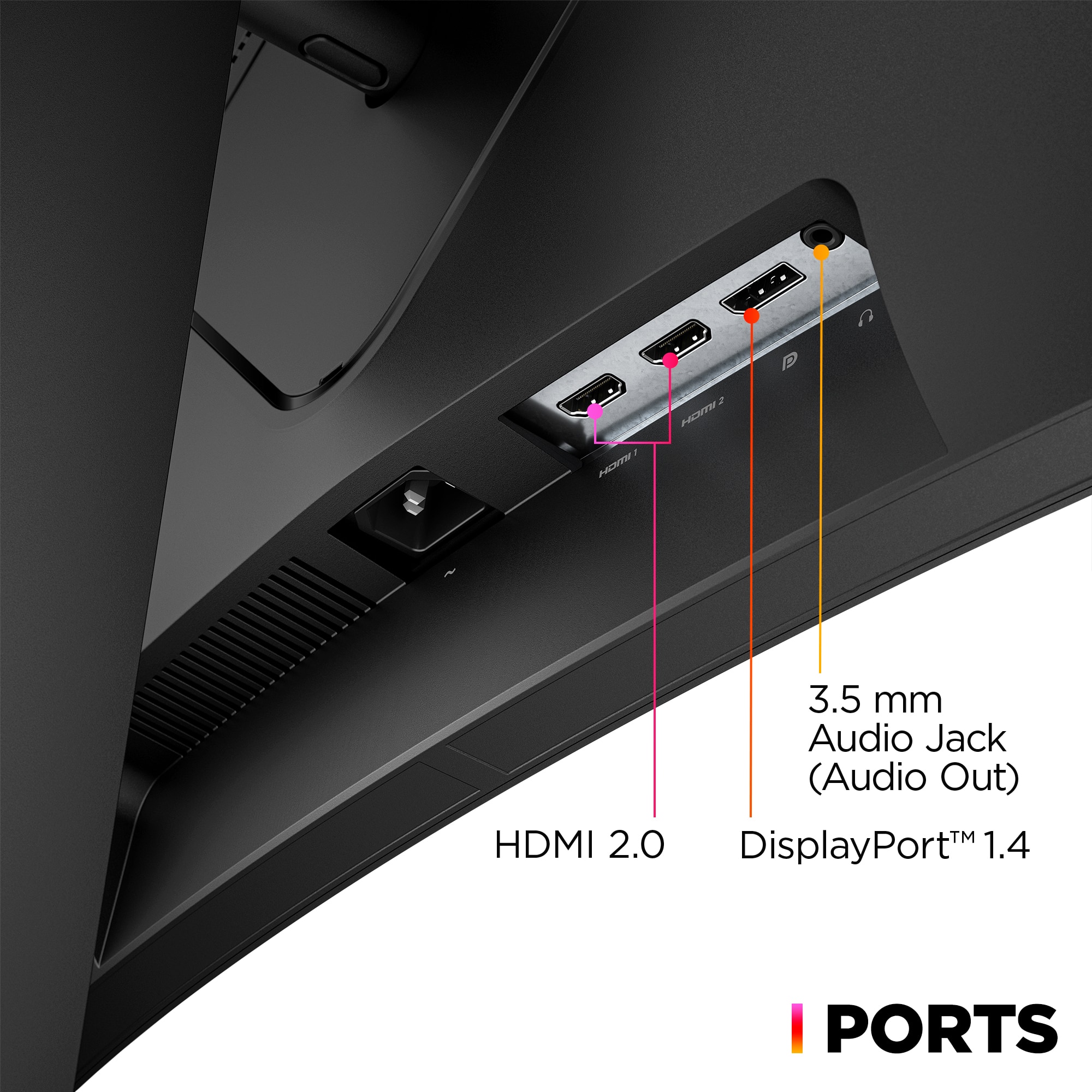
Posted .This reviewer received promo considerations or sweepstakes entry for writing a review.The HP OMEN 34" VA LED Curved QHD 165Hz FreeSync Gaming Monitor with HDR is an impressive choice for gaming enthusiasts. Here's why you should consider buying it:Immersive Curved Design: The curved display enhances your gaming experience by wrapping you in the action, making it feel more lifelike and immersive.High-Quality Visuals: With QHD resolution and HDR support, the monitor delivers stunning visuals with vibrant colors, deep blacks, and excellent contrast, ensuring every detail pops on the screen.Smooth Gameplay: The 165Hz refresh rate coupled with FreeSync technology eliminates screen tearing and stuttering, providing smooth and fluid gameplay even during fast-paced action sequences.Multiple Connectivity Options: It offers versatile connectivity options including DisplayPort, HDMI, and an audio jack, allowing you to connect various devices effortlessly.Gaming-Focused Features: The monitor is designed with gamers in mind, featuring customizable gaming modes, a low input lag, and a fast response time, ensuring you have a competitive edge in games.Overall, the HP OMEN 34" VA LED Curved QHD 165Hz FreeSync Gaming Monitor with HDR offers a perfect blend of immersive visuals, smooth performance, and gaming-focused features, making it a great investment for gaming enthusiasts looking to elevate their gaming experience.
I would recommend this to a friend - Pros mentioned:Refresh rateCons mentioned:Weight
Rated 4 out of 5 stars
Make sure your system supports the resolution.
|Posted .This reviewer received promo considerations or sweepstakes entry for writing a review.As a gamer I am always looking for the latest and greatest to assist in my game play. So this is a option I thought would be worth a chance. Here is the lists of things I discovered about this item. Good stuff: 1. very bright and colorful. 2. hefty stand to keep it in place and at your preferred viewing height. 3. since it is more letterbox the black bars I see on my videos are no longer a issue. 4. the OMEN gaming hub (software) makes tweaking the colors, resolution, brightness, contrast, and temp a simple task. 5.it has 2 HDMI and 1 DisplayPort, as well as a audio out for external speakers. 6. it has speakers. although not great ones, but enough to know what you are doing in the game for the moment. 7. curve is nice and slight so there is little distortion when viewing it from a distance or at gaming closeness. 8. refresh rate is great (not the highest on the market) at the resolution I was using with now stuttering or tearing in the game. it also helps max out my gaming FPS to match the 165hz the monitor can handle. 9. multiple viewing angle (back and forth) and heighth (about a 6" up and down range). so you should have no problems with that when setting it up. 10. Comes with DisplayPort cable (although I do not have many devices that use that anymore) 11. easy to navigate the controls on the back right side of this, so you can power on and off, as well as configure the little things to your needs (contrast, brightness, etc on the screen itself apart from the game) Bad: 1. this monitor is not light. it is quite hefty compared to my other monitors of the same size (although they are not curved) 2. when gaming it will slightly stretch the image to the sizes past the 1440 resolution border (so the last 1-1.5 inches from the sides) 3. on a completely black screen, there is light bleed all the way around. you will not really notice this unless you are watching/playing really dark content. 4, light reflection is a interesting issue. I get the screen setup so that the middle does not have any glare, but the side now have some glare, from what seems to be the monitor itself (left is reflecting right and the other way around), not a deal killer perse, but something to take note of. 5. directions are simple and too simple at the same time. I had to go to a outside source to figure out how to take the stand off and move it up and down. 6. power cable is kinda short. I mean it is a standard cable for a desktop, which is in most cases closer to the power source. But, the monitors a mostly a little further away, so maybe a longer cable should be used, 7. colors are not bad, but somewhat on softer side. the depth of the gamut is not saturated. I only noticed because I also do digital art and saw this first hand. 8. unless you are sitting at correct distance, with the curve, you will be moving your head alot during gaming, as It was a little out of my normal viewing area. 9. unless your device can handle the resolution in game (regular use does not seem to matter), you will only get the max screen size your can handle. I tried it on only laptop and the desktop with fine, but the game (even with full resolution set correctly) it only showed me 1080P sized window. As you can see there are some major points for good and some for bad. However, that is how I use it and set it up. You may have slightly different needs and wants that make this the perfect monitor for you. I would like to get another one so I can have a more surround viewing, and I would get this one as it would match with the other one and still give me great gaming/playing experience.
I would recommend this to a friend - Pros mentioned:Resolution, Screen sizeCons mentioned:Ghosting
Rated 5 out of 5 stars
Overall a solid gaming monitor
|Posted .This reviewer received promo considerations or sweepstakes entry for writing a review.The monitor has ample connections with 1 DisplayPort and 2 HDMI ports, and also came with a display port cable out of the box. Was easy to set up and the settings can be quickly configured with omen gaming hub if you don't want to deal with the physical buttons. There are lots of preset profiles for gaming, watching movies, etc. and adjusting brightness, contrast, etc. The curve is nice, and you get used to it really fast. It helps you see all the screen at once and leads to great viewing angles. The monitor supports AMD FreeSync, which is compatible with Nvidia G-SYNC, and allows for a variable refresh rate to reduce screen tearing while gaming. The colors are great, and text/images look sharp on the huge resolution. The monitor technically supports HDR, but it's only DisplayHDR 400 which isn't that great and can make colors look washed out, so it's not worth turning on in my opinion. The specs advertises a 1 ms gray-to-gray response time, however it states that a 10 ms response time is typical. This is sort of expected from a VA panel, but it's disappointingly high for something sold as a gaming monitor. If you have the graphics horsepower and are pushing the output really hard once a game is running higher than 100 fps, the new frames are displayed faster than the pixels can transition, which causes a very noticeable and unpleasant ghosting effect, especially with dark content. There's a response time setting you can adjust on the monitor to use overdrive and somewhat mitigate this effect, however if you turn this up too high it causes inverse ghosting.
I would recommend this to a friend - Pros mentioned:Curvature, Refresh rate, Screen size
Rated 5 out of 5 stars
Best Adobe & SRGB color correct, out of the box $
Posted .This reviewer received promo considerations or sweepstakes entry for writing a review.Great display with a high variable refresh rate and the perfect 1800R curvature (among the WQHD aspect ratio) for the price. Curved isn't for everyone and i wasn't sure if it would be for me but im glad I made the decision to go for this one. 34" 21:9 1800R is the sweet spot for a sim gamer like myself and fits well on my racing rig without adding 2 more panels. My graphics card is a 2070 TI and pushes pixels perfectly without tearing or skipping frames. The extra real estate in the wide format is a bonus but takes a bit of getting used to. I was able to grab it while it was on sale to boot
I would recommend this to a friend - Pros mentioned:Curvature, Screen size
Rated 5 out of 5 stars
HP Omen 34C Curved Gaming Monitor is outstanding
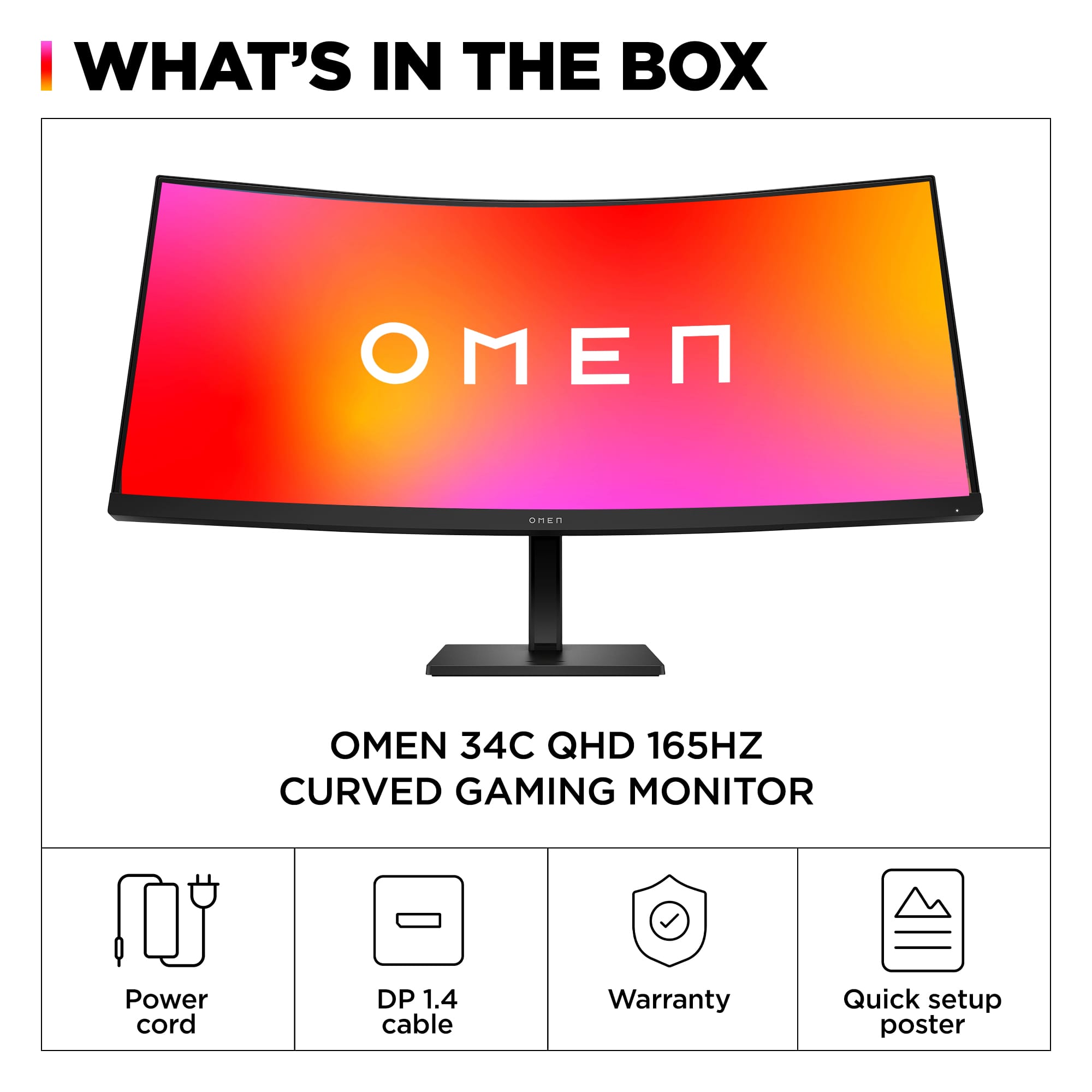
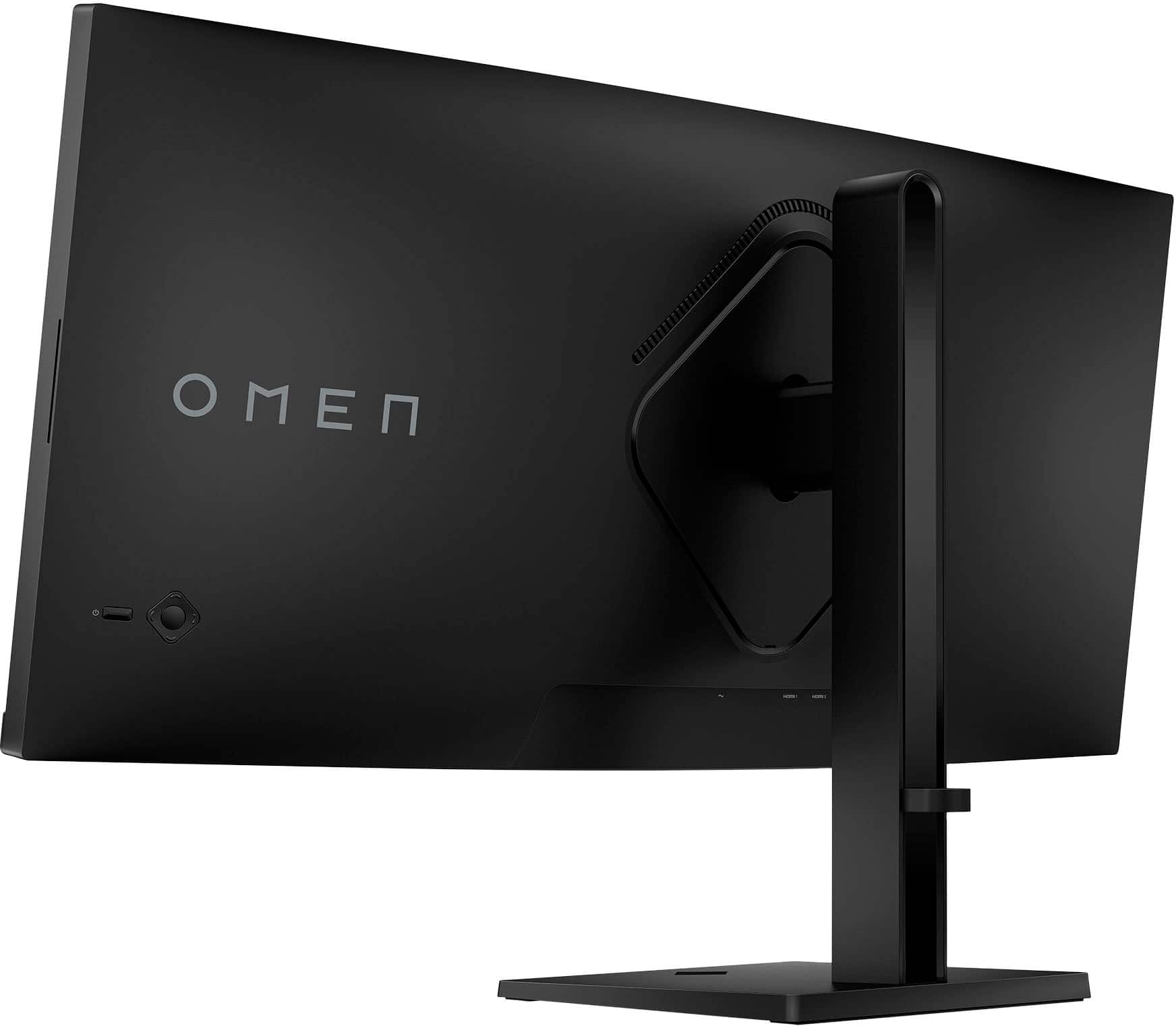
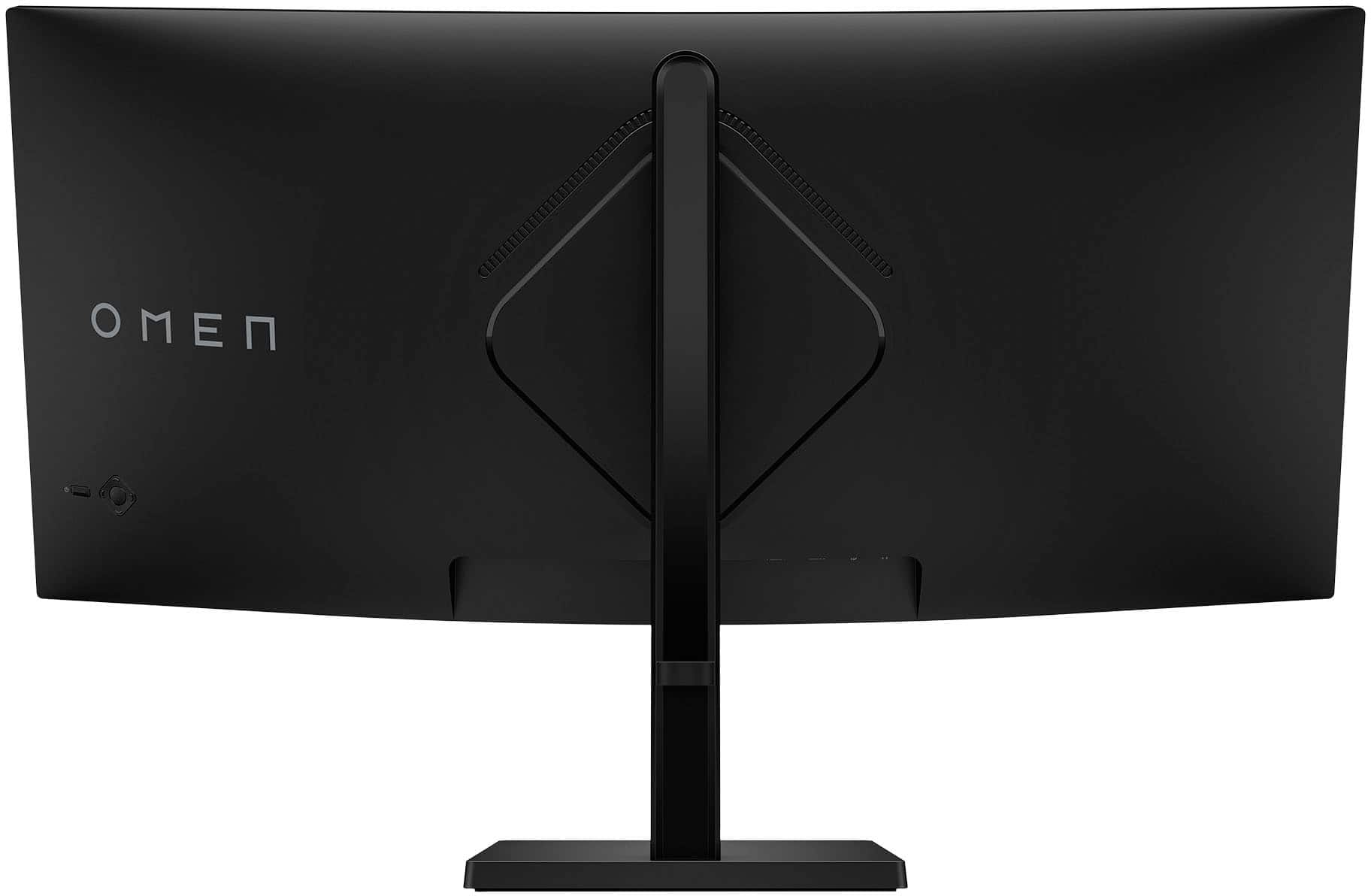
|Posted .This reviewer received promo considerations or sweepstakes entry for writing a review.The monitor came double boxed, and the 2nd box took on some shipping banging, as it was creased on the sides,BUT make no mistake the packing is perfect to such damage. Not one dent or scratch due to outstanding packaging from HP. The HP OMEN 34c WQHD 165Hz Curved Gaming Monitor comes with a very super quick user guide, a display port cable, power cord, stand with adjustable height bar and a plate to cover the VESA wall mount, no tools are required. Just put the cover on the back of the monitor(snaps in place very nicely), then snap the adjustable hight bar to the back of the monitor and screw the base onto the adjustable hight bracket. So simple.... On the back lower right is a power button and menu button with a four way arrow around the menu button. You get 2 HDMI inputs, 1 Display port, and 1 headphone out. Turn the monitor on and boot your computer or game console and enjoy. If I put my computer in High Dynamic Range, when you do you can not adjust colors with the monitor, when you don't use High Dynamic Range you still don't need to adjust anything BUT you can tweak all kinds of stuff like Color, Brightness, color temps, RGB gain Adjustments, sharpness, etc.. BUT You do not need to adjust anything, I always adjust my monitors and TV's all the time to my liking BUT the OMEN 34c is perfect without any adjusting, an extremely pleasing find indeed. The curve to the OMEN 34c with its outstanding picture quality is just mind blowing. I feel like I am immersed with the monitor, I use 3D headsets and I feel almost the same with this monitor, I am just blown away every time I use the OMEN 34c. Gaming is just super smooth, Picture quality is top notch, reading emails and web pages is very easy on the eyes, looking at photos is just like I am taking the photo again in real time (meaning Perfect colors) I use the OMEN at 3440x1440 with a computer. Blacks are really good (no clouding when watching movies)
I would recommend this to a friend Rated 1 out of 5 stars
Best buy sucks!!!
||Posted . Owned for 3 weeks when reviewed.This reviewer received promo considerations or sweepstakes entry for writing a review.Gave this to my fiance as a chrismas gift open it up and set it up. Lines through pixels are blown. Expensive monitor, and for it to be sold defective is in infuriating!!!!! Should have gone through HP. Nothing coming from Best Buy has ever been a. Good purchase and I should have know. Better. Avoid do not purchase. Best Buy you ruined Christmas. I’ll see you first thing Tuesday morning. You’ll have a very irate customer!!!
No, I would not recommend this to a friend- Pros mentioned:Refresh rateCons mentioned:Speakers
Rated 3 out of 5 stars
A little disappointing for the price
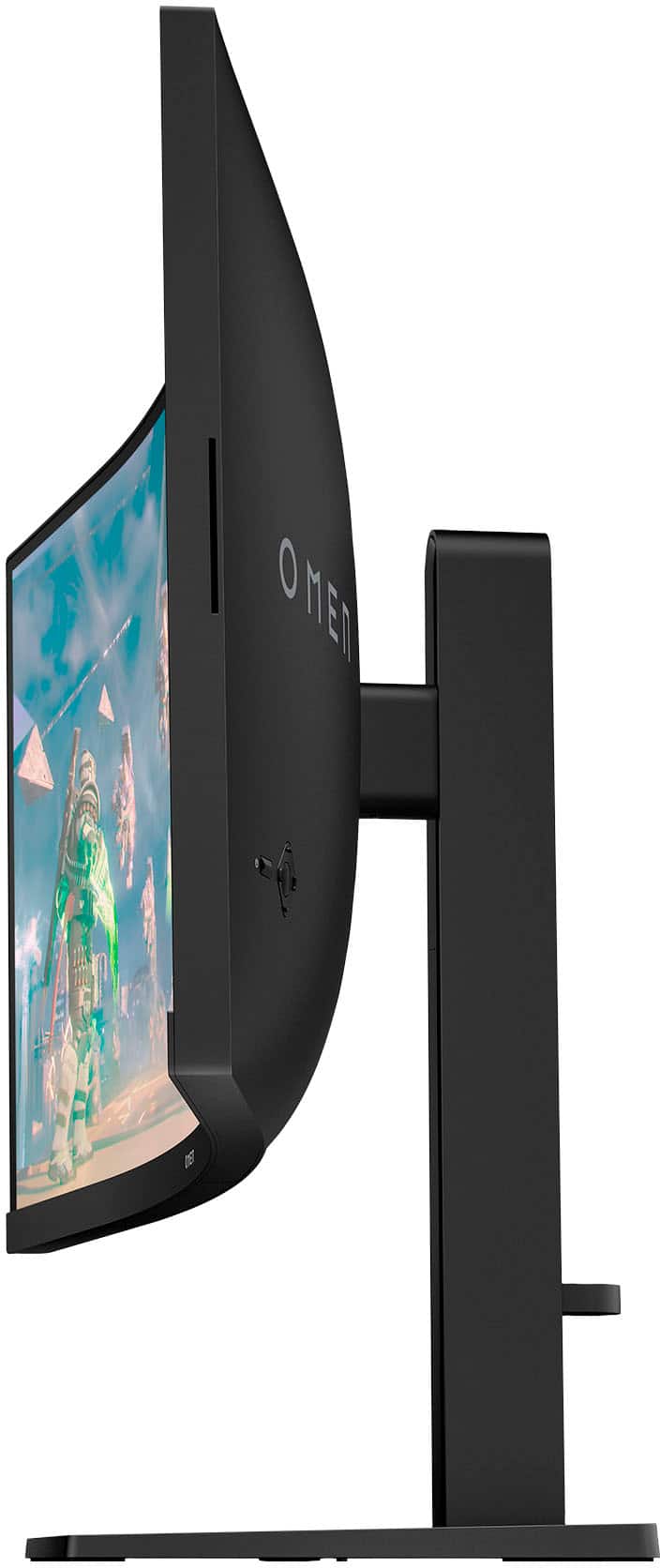
|Posted .This reviewer received promo considerations or sweepstakes entry for writing a review.GOOD - HDR support - 165Hz refresh rate - FreeSync Premium - Good image and color calibration controls BAD - HDR performance is pretty meh - No integrated USB hub - HDMI inputs default to 100 Hz max - No G-Sync support - Stand is wobbly and doesn't include rotate adjustment - Typical VA black smearing with moving high contrast things, like scrolling text - Menu controls tucked too far behind the screen - Horrible speakers TLDR First thing, the product title is wrong. This is a VA panel, not IPS. The 34c seems fairly average and unimpressive for the price. The 21:9 ratio is great for both gaming and productivity, and the higher 3440x1440 resolution shows nice detail at the monitor size. But it's a poor display to use with consoles, HDMI inputs default to 100 Hz maximum refresh rate, and there's no USB hub. HDR is almost meaningless as the display can't reach a meaningful contrast ratio where it makes a big difference. DETAILS The Omen 34c seems to have all the right advertising buzzwords. 165Hz refresh rate is higher than the normal 120Hz or 144Hz of other models, so that seems better. The monitor supports some form of HDR, so that seems better. But in practice it seems like what's not there that makes the big difference. From a construction standpoint, the 34c also seems held back. The stand has height and tilt adjustment, but no rotate, which is pretty important on a monitor this wide, especially one that is curved. It's also fairly wobbly, and the monitor will jiggle from even light bumps on the desk. Input selection is fine, one DisplayPort and two HDMI, but there is no integrated USB hub for keyboards, mice, or even just using a quick USB thumbdrive. The display does have integrated speakers, if you dare to use them, but they're pretty bad, even for integrated speakers. A lone cable loop is included for the back of the support pillar, but there's nothing on the back of the dsplay itself for cable routing. The 34c has a five-way joystick on the back of the display, bottom right corner, to navigate the on-screen menu. I find this a little too far back to be comfortable to reach, having to crane my hand and wrist to reach it instead of just my fingers. The menu itself has typcial controls for brightness, contrast, and dynamic blacks, but also includes a good selection of color correction options too. HP made the tradeoff to use a VA panel instead of IPS because display deeper blacks for HDR function. But VA panels have terrible black smearing because the pixels don't transition quickly from black to light and back to black. In high contrast games, you'll see smearing and artifacts as things move around the screen. Scrolling text is particularly bad if you use a dark mode or theme, where backgrounds are dark and text is white. Display uniformity could certainly be better. On a full black image, you can certainly see some hotspots where the backlight isn't fully consistent in brightness. Perhaps the curved display exaggerates this. Next, while the monitor does technically support HDR, it's not very impressive. Maximum brightness on the monitor is 400 nits, and a contrast ratio of 400:1 is considered too low for any meaningful HDR effect. The Omen does look a little nicer in some HDR scenes and movies compared to non-HDR displays. But playing something like Ori and the Will of the Wisps, where you have very bright whites around Ori and very dark shadows elsewhere, you won't see proper detail and separation between the highs and lows. Also, enabling HDR in Windows will disable most of the image controls in the monitor menu. If you want to use the 34c with your gaming consoles in addition to your gaming PC, neither Xbox One X nor PS4 Pro support HDR on the 34c. While you can use 1440p mode on the X1X, you can't use 120Hz mode because the 34c limits maximum refresh rate to 100Hz over HDMI by default. Instead you're left with 60Hz. You can override this on PCs to go up to 120Hz, but 165Hz mode is only available over DisplayPort. Thankfully the X1X will detect FreeSync on the 34c and will enable variable refresh rate. The 34c is FreeSync Premium certified and it works as expected across console and computer. It has low-frame compensation so it will double, or even triple, the frames at lower framerates. This means if your computer is averaging 45 frames per second, the monitor will refresh at 90Hz or possibly 135Hz. However, unlike many other FreeSync Premium monitors, the 34c doesn't have any G-Sync compatibility. Overall, compared to other gaming monitors in the price range, I don't see this as being too competitive. If the panel had better HDR performance, then maybe that would give it a leg up. But it seems like it was tacked on to check a box, not that it's meant to look good or function well. I'm left with the feeling it was made cheaply, either to reach a low MSRP or to maximize profit margin, instead of engineers really paying attention to the small details. It's not a bad monitor, it's just a lot of little niggles adding up to leave a lot to be desired, especially at this price.
No, I would not recommend this to a friend - Pros mentioned:Refresh rate, Screen size
Rated 5 out of 5 stars
Unbelievable value for an ultrawide monitor.
|Posted .This reviewer received promo considerations or sweepstakes entry for writing a review.The moment I unboxed this monitor, I knew that I would instantly love it and want to buy one to have duel monitors. The packaging is very well done for a monitor and unboxing was very seamless, as was the two second set up. The monitor stand is at a perfect height and easily can go higher and lower The cable management is also really nice and the almost bezeless feel that you get from the screen is fantastic. The brightness levels of the monitor are fantastic and the response times while gaming are seamless. The 165hz screen is just very impressive and I feel like you get a whole lot of monitor for not a lot of money. Working with this monitor is a joy and it being a large ultrawide, it allows for me to have multiple screens open at very specacious ratios. Playing games on this though, as well as watching content on it has been a joy. Response times are great, the display visuals are fantastic. I also would like to mention that the display stand is a square vs a crescent that I find on most monitors. For me having the square is a lot better, even though it might take up more space. I find it easier to move around and not worry about stability. Overall, I highly recommend this monitor. I think it is fantastic and you will too. It is perfect for gaming and also perfect to do work on.
I would recommend this to a friend