Rating 4.7 out of 5 stars with 484 reviews
4.7- Screen Size (140)
- Refresh Rate (63)
- Resolution (27)
- Curvature (25)
- HDR (17)
- Speakers (16)
- Ghosting (5)
- Lag (4)
- Weight (4)
- Eye Strain (3)
Customer Images
The vast majority of our reviews come from verified purchases. Reviews from customers may include My Best Buy members, employees, and Tech Insider Network members (as tagged). Select reviewers may receive discounted products, promotional considerations or entries into drawings for honest, helpful reviews.
- Rated 5 out of 5 stars
A fantastic wide-screen monitor - highly recommend
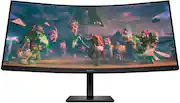
This monitor is FANTASTIC! The wide curved screen is very nice, and the display turns out great at the 3440x1440 resolution. I have set my Scale to 125% to compliment this resolution choice. I used to have 2 monitors side by side, but it drove me nuts that I couldn't just look at the middle of the screen. An important thing to note is that you will likely need to install the software/drivers for the monitor to be able to use it at the 3440x1440 resolution. You can find this on HP's website (https://support.hp.com/us-en/drivers/omen-by-hp-34-inch-wqhd-165hz-curved-gaming-monitor-omen-34c/2101649642) The thing I love is that you can adjust up to 4 windows in multiple configurations on the monitor, so I can have one screen to the left and one to the right if I want. I also like having one screen in the middle with 2 sidebar screens on either side. My favorite option is having 75% of the screen as one window and the remaining 25% as the other. You can adjust them however you like (ex 60%/40%). The screen settings are easy to access and change as needed. I like that there are different screen color options, I have mine on "night" most of the time, but switch it to standard earlier in the day. The speaker volume is also pretty good for a monitor, I like to keep instrumental music playing while I work and have now been using my monitor instead of my laptop. Another nice feature of this monitor is that you can easily raise the screen up and down in its stand, just by grabbing it by the edges and pushing it up or down. It glides very nicely when being adjusted and I can tell this was built with high quality in mind. This monitor has definitely been worth the investment and I highly recommend it! Especially for those who work from home, like me!
Posted by Laura
- Rated 5 out of 5 stars
When on sale, a killer value ultrawide!
Before I get into it, here’s a caveat to keep in mind: my old monitor was a Monoprice Zero-G ultrawide (1st gen), that’s about as entry-level into ultrawides as you can get. So nearly anything after that is going to impress me. Here are my impressions to tide you over until rtings tests theirs and releases their findings. PROS: No dead pixels or obvious defects of any kind. A pleasing design with an immersive 1500R curve. Gives off professional vibes. Robust and intuitive OSD, even customizable! Speakers included (did not test as I have an external soundbar/subwoofer, but I understand this is a nice bonus for many as it will save desk space). Awesome “Black Stretch” feature in the OSD, allowing for richer colors, I set mine to medium. G-Sync works just fine (only tested at 120hz, but monitor can be overclocked to 165 per specifications). VESA Adaptive-Sync certification was a new thing I noticed, but was pleased to see it after reading about it. HDR, from what I can tell, looks fantastic in gaming. Not ideal for desktop/productivity, though (stick with SDR). Fortunately Windows has a handy hotkey to swap between the two and I assigned that to a macro key on my keyboard (Win+Alt+B). Keep in mind the caveat I mentioned above, I don’t know how well HDR on this monitor compares with other HDR-capable monitors. I did use the free HDR calibration tool from the Windows Store to optimize it by eye. Tested it in Microsoft Flight Simulator and, WOW! I now realize I’ve been missing out! Overall, after calibrating using the built-in Windows calibration tool for SDR display, I’m very pleased with the deep colors, contrast and surprising brightness of the monitor (it’s rated at 400 nits per specifications). Using a video I found online for monitor testing, I determined it to be roughly right around 350 (mind you, this is the naked eye measurement, but I’ve always considered your eyes to be the best tool to get the picture you want and, hey, everyone’s vision and visual preferences are different). Incredible value as I bought it for $379 at Best Buy considering the features packed into the display. CONS: Lack of ports (just two HDMI, a DP and audio jack). It’s heavy! (Specs say 23 lbs. with stand, so if using a mount, make sure it’s weight rated for the Omen 34c!) Some color/black distortion on the ends of the screen, but that’s par for course with VA panels. It’s a tradeoff I’m willing to live with considering the punchy visuals I get. Needs calibration out of the box, but that should probably be done for any monitor anyway to obtain optimal results for your eyes. A little difficult to mount due to not only its weight, but it’s awkward recessed area where the mounting plate goes, causing me to have to slide in the mount at an awkward angle. This may be more due to the mount I bought than anything else. Included manual is for set-up only with no mention about installing a third-party mount, the more thorough manual has to be downloaded from HP’s support website. Even there I ran into confusion as I thought a bracket was supposed to have been included with the monitor for third-party VESA mounts but there was none to be seen (after contacting HP, I figured out that it was a poorly worded line on their web page that misled me, and others, into thinking there was supposed to be a separate bracket to use). N/A: Response time. I play mostly slow games so this is mostly irrelevant. Also, I saw no noticeable lag between my keyboard/mouse inputs and the Omen. Color accuracy. As I don’t own a colorimeter, I have no way of verifying if the color is as accurate as claimed on the specifications (which is kind of impressive, actually, as they state 99% sRGB and 90% DCI-P3), and I admit it was a driving reason for me to buy this monitor. Summary: All in all, I’m pleased with my purchase. I was prepared to return it in the event that it was not G-Sync compatible (according to a review on Best Buy’s product page), but that proved to be unfounded. I decided to upgrade my monitor because I had enough of VR due to time constraints, motion sickness, and, let’s face it, it can be a hassle to set it up. I also wanted a monitor that would be fun to enjoy my flight simming with as well as preparing for the eventual Starfield release (talk about blacks and contrast! That will be interesting to see!). At the current sale price of $379, you’d be hard pressed to find a better bang for your buck in ultrawide monitors that offers quite a few flexible options to offer you the best picture so long as you’re willing to live with a lack of ports. I’d say I give this one a very solid 88/100 with its terrific colorful display being its greatest strength and the lack of ports its biggest weakness. NOTES: Used built-in OSD diagnostics for detecting pixel anomalies and the Eizo online monitor test for other tests (https://www.eizo.be/monitor-test/). I highly recommend using the Eizo test for quick but pretty thorough testing.
Posted by Waffler11
- Rated 5 out of 5 stars
Great monitor with an even greater price
The omen ultra wide curved monitor is a great choice for anyone who loves Ultra Wide and curve screens. I’ve been playing on this monitor for a month now coming from a normal curved monitor and have had little to no problems adjusting to it. This monitor is fast with a lot of settings to customize what you would like to use it for. You can even go into the settings and put a crosshair on your screen. If the game you’re playing doesn’t have a crosshair. This monitor definitely tops some monitors that have similar specs but with higher price tags. The only problem I would say I have with this monitor is that it’s a little bit more difficult to find a monitor arm for it, so it isn’t sitting on your desk because of two main things, these main things are that the monitor weighs a little over 23 pounds and doesn’t have a normal mounting holes. If that isn’t a problem for you then this is a great monitor for anyone that loves ultra wide curved monitors.
Posted by Theexcessivespender
- Rated 4 out of 5 stars
The best VA panel ultrawide at price!
Quickly, only dislike is viewing angles.. but its a VA panel. I knew what i was getting, curve helps. But just be prepared if yiu go from a IPS to this. Grabbed while on sale which it seems to go on and off of every other week.. grab it then. I like the new refresh omen did with these. I have a 27i to go wuth, that has the old diamond control module. 34 is good for productivity work but i may look at the new LG 39” when it comes out. HP Omen, great bang for you buck!
Posted by CoryD
- Rated 5 out of 5 stars
Great item
I love the quality, I never thought I would like a curved monitor but I love this one! I have zero issues with it no complaints here.
Posted by ALICIAJ