Customer Ratings & Reviews

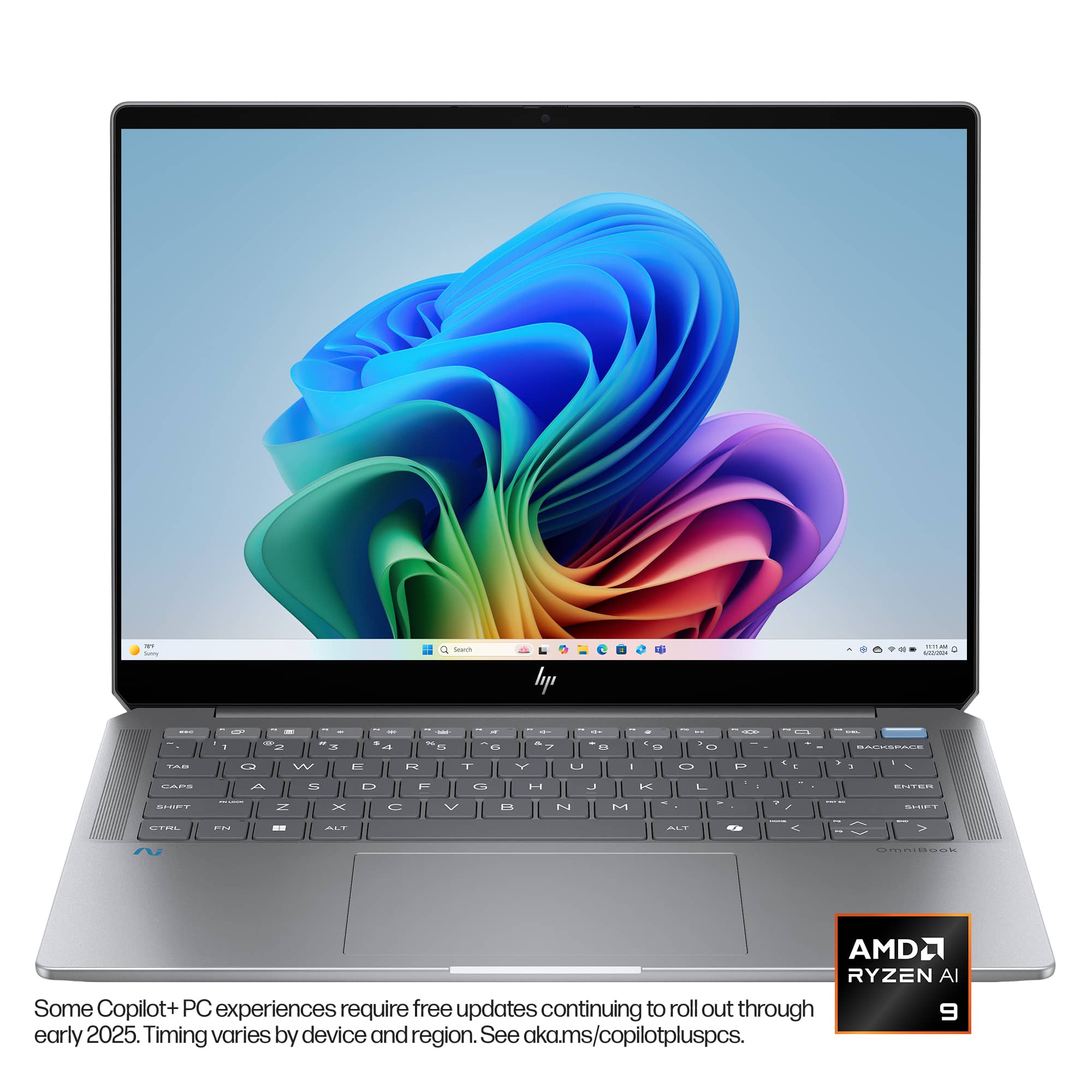
 for registration status and tier levels by country. hp](https://pisces.bbystatic.com/image2/BestBuy_US/images/products/b8dbd5ab-b929-471c-938a-a8f73be2b54f.jpg)






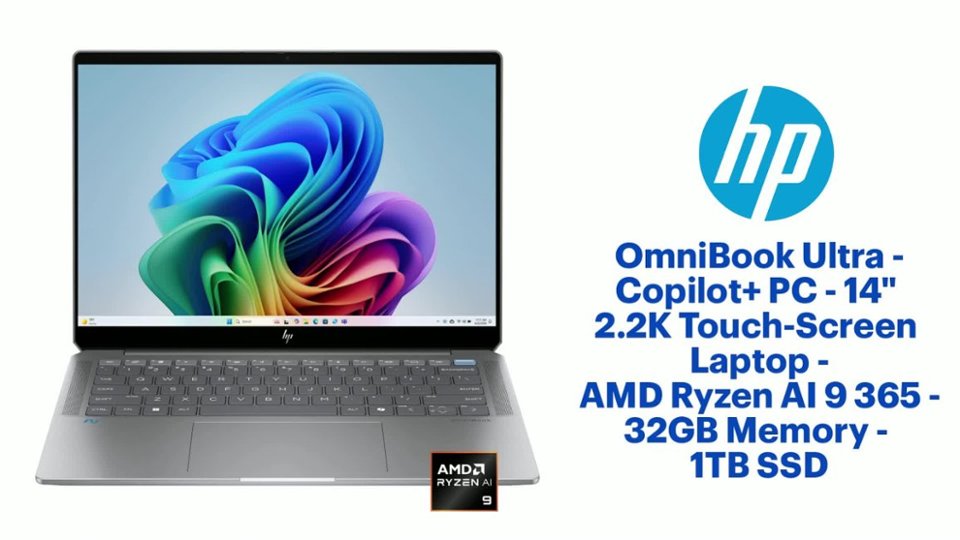
- Model:
- 14-fd0013dx/A31ZJUA#ABA
- SKU:
- 6589592
Rating by feature
- Battery Life
Rating 4.7 out of 5 stars
- Speed
Rating 4.8 out of 5 stars
- Display
Rating 4.6 out of 5 stars
Customers are saying
Customers admire the OmniBook Ultra for its exceptional battery life, comfortable keyboard, and fast processor. Its portability, ample RAM, and generous storage capacity are also appreciated. However, some customers express a desire for more ports on the device. Overall, the laptop receives positive feedback for its performance and features.
This summary was generated by AI based on customer reviews.
HP Omnibook Ultra
||Posted .This reviewer received promo considerations or sweepstakes entry for writing a review.Bought this laptop on February 2025, started using from April for my online class. Suddenly, it started showing vertical lines in the display. Unable to return it at best buy due to its window period. Contacted HP. Unable to resolve through troubleshooting. Case escalated to the case manager however, case managers not really helpful she got stuck to her point that it’s oqver 30 days of purchase and Customers got to pay for any repairments if needed although HP has given warranty for a year. Also, it shows that warranty started from September 2024 although I only bought it on February 2025.
No, I would not recommend this to a friend- Pros mentioned:Keyboard quality, Portability, Processor speedCons mentioned:Ports

Perfect for Traveling Productivity, Forget AI
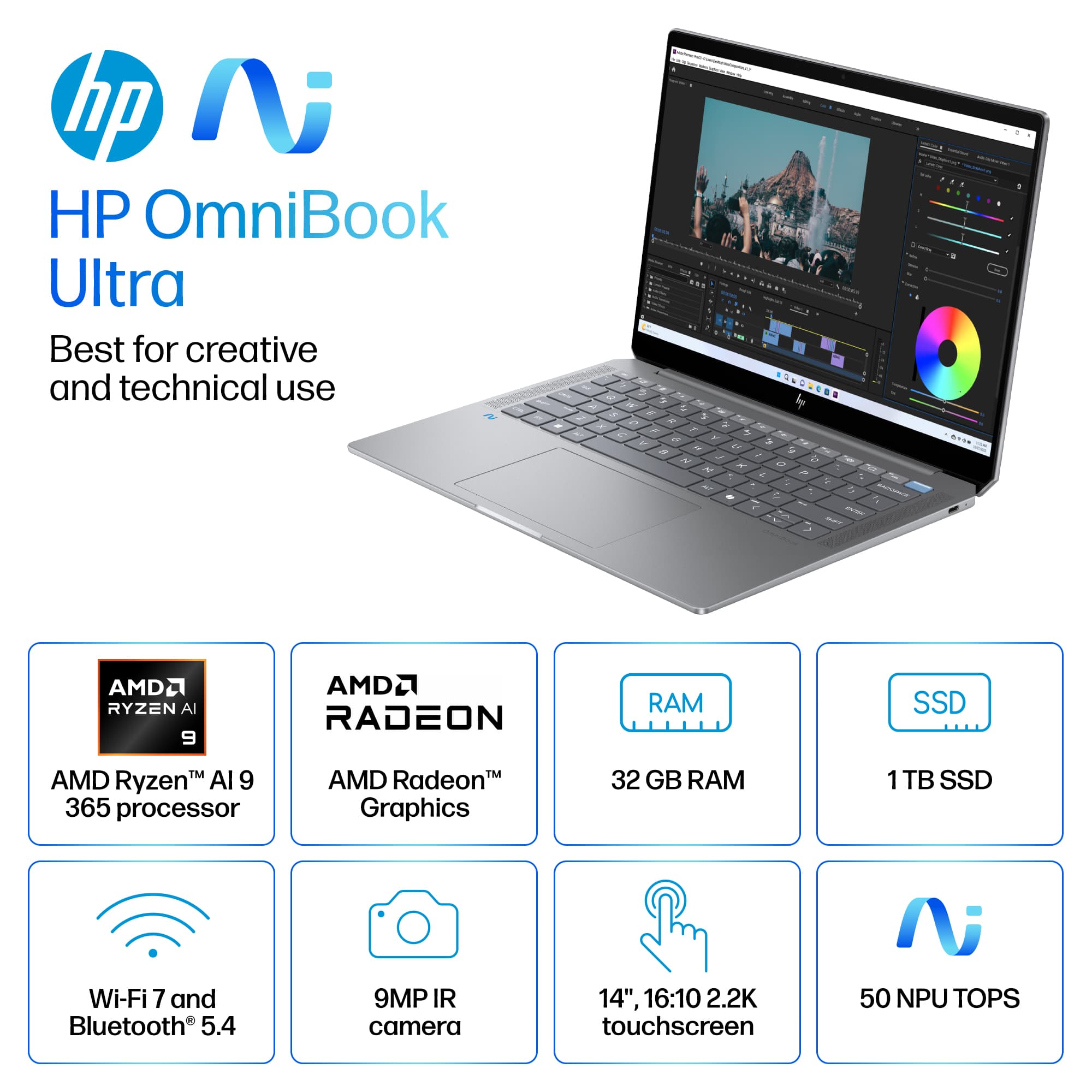
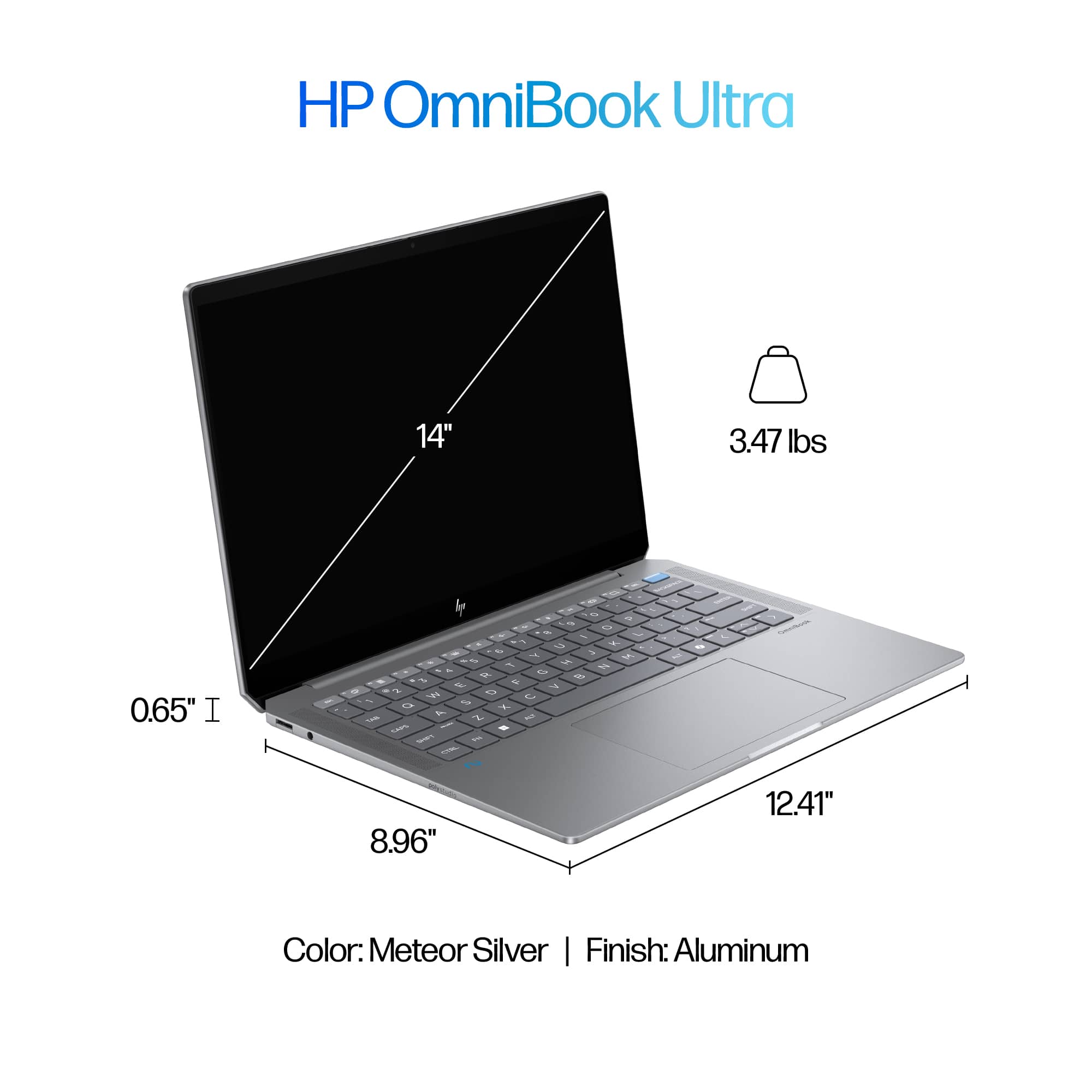
|Posted .This reviewer received promo considerations or sweepstakes entry for writing a review.I needed a powerful travel laptop that wasn’t a gaming one but could crank out some technical workloads. I specifically needed one with plenty of RAM and a Core that could handle AI tasks locally. That is where I narrowed in on the HP OmniBook Ultra 14, as it came weighing in under 3.5lbs yet had one of the new AMD AI cores and 32GB of RAM. It checked all my boxes, so I picked it up. Pros: - Thin and Light. - Powerful as hell. - Cranks through AI task. Cons: - Only 2 USB-C ports. - Battery Life is 8-10 hours depending on use. - IPS instead of OLED. Unpacking and Setup: Unpacking was simple, HP has been making great choices in packaging with reduced waste and recycled materials. The laptop is in a soft cloth like sleeve, with the power adapter under a paper card of the standard HP instructions and offers. Windows 11 setup was uneventful if you’ve done a windows setup recently, no issues and the normal annoyances of OneDrive trying to download everything on setup. HP includes some preinstalled apps as usual, though the only one I take issue with is McAfee, so that was uninstalled first. The OmniBook Ultra 14 was surprisingly up to date on all firmware changes when I received it. Design and Features: The design of the OmniBook Ultra 14 keeps the design of prior OmniBooks, an all-aluminum chassis that looks sleek and professional with simple HP Logo. A small difference is the back corners are angled, instead of being rounded, with one USB-C port on the back right side. The port count is on the low side with only 2xUSB-C plugs, a compact ethernet port, and a combo Audio jack. I like the move away from using USB-A ports, as USB-C are so much better and more versatile, but it would have been nice to have 1 more USB-C port. HP included the Poly Studio audio solution, which supposedly uses AI to help deliver clearer audio. I must admit the speakers do sound better than your average professional laptop, more on par with what I would expect from a Gaming focused laptop. But they are still laptop speakers and distort at high volumes, not to mention cause the laptop keyboard to vibrate when above 70% volume. Though I found the speakers worked perfectly for meetings and light listening to music or videos. The 2.2K resolution touchscreen is crystal clear and very responsive. I would’ve loved to see an OLED screen used here instead, but I can understand the choice to keep the cost down and battery life up on a productivity focused device. The included 9MP face camera looks great and handles low light situations well. Plus, when paired with the HP Enhanced Lighting app, this makes for a great device for anyone who spends most of their meeting time with the camera on. Specs: Hardware specifications wise, the OmniBook Ultra 14 does not disappoint at all. The brand-new AMD AI 9 365 is a 10-core, 20-thread monster CPU, paired with a 50 TOPS NPU to handle any AI related tasks you can throw at it. Having 32GB of RAM enables all this power to be taken advantage of, allowing you to run multiple applications without concern of performance issues. All this fits inside at under 3.5lbs and only 0.65in thick, which lands this laptop right into the Thin-and-Light class of laptops. This makes it a perfect companion for any professional on the go or traveling between client, office, and home. Performance: The OmniBook Ultra 14 handled everyday tasks like email, web browsing, and videos with ease. I ran a normal workday scenario for me using Microsoft 365 apps (4+ Excels, 2-3 PowerPoints, Outlook with tons of emails opened, and Teams eating up 8GB of RAM), without it really breaking a sweat. I have to say, I am very impressed. I tried out some gaming, to see how the Radeon 880M integrated graphics faired and was pleasantly impressed again. This isn’t going to crank out those high frame rates on triple AAA titles, but it’s a professional productivity laptop that can easily handle light gaming. I was able to run vampire survivors with no issues, even when cranking up the enemy counts, I had zero lag or issues seeing the screen. Fortnite was another that played alright at medium settings, though the built in screen only has a refresh rate of 60 frames per second, which it was able to maintain with ease on medium settings. Overall, gaming should not be a focus here, but it does show that integrated graphics on these new CPUs will handle graphics intensive tasks well. Upgradeability: As is the trend these days, the only upgradability on this laptop are the M.2 SSD and Wireless card. At least you have the option to upgrade the storage in the future if you want, but that will require a copy over or clean install as there is only 1 M.2 slot. RAM is soldiered on, so buy it with at least 32GB or you will regret it in a few years. AI & CoPilot+: The AI features were still lackluster, but that is more a software thing and depending on what you use it for. I was able to use CoPilot to generate a few letters and documents for me, which I found to be quicker and more responsive compared to an older PC running the same kinds of tasks. But I think the biggest benefit here for AI is the sheer power of this machine compared to the baseline specs required for CoPilot+, the Omnibook Ultra 14 has at least double the minimum RAM, and 4x the required storage not to mention the new AMD core. Overall, don’t buy this for the AI features yet or you will be disappointed. That is not because of the device at all, but because the AI features available are not measurably better on this PC compared to any other PC currently available. Conclusion: If you ignore the AI focus of CoPilot, the HP OmniBook Ultra 14 is an amazing professional laptop that can handle any workload you throw at it while being thin and light for daily travel. With the new AMD Radeon integrated graphics, you can even enjoy some light gaming or visual design work without needing a bulky gaming laptop. I’m excited to recommend the OmniBook Ultra 14 as a perfect laptop for productivity or office work, but I’m still waiting for all these AI features to mature for general usefulness.
I would recommend this to a friend - Pros mentioned:Processor speed, RamCons mentioned:Ports
A Powerhouse of a Business Laptop!
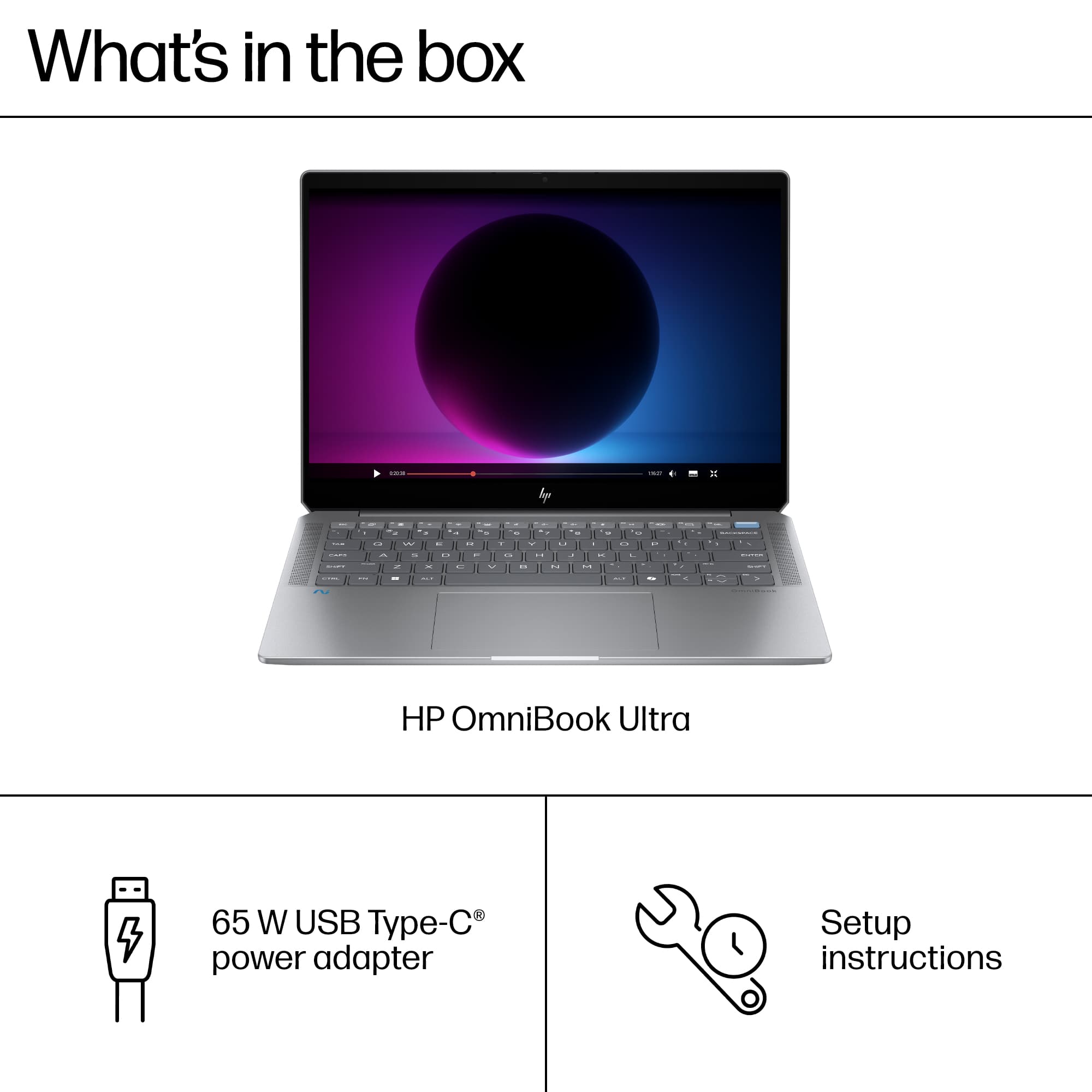
|Posted .This reviewer received promo considerations or sweepstakes entry for writing a review.The OmniBook Ultra is a small yet powerful business/college laptop. With a powerful AMD Ryzen AI 9 processor and one of the latest integrated GPUs – AMD Radeon 880M, there is no surprise that this laptop runs like butter. From bootup, multitasking, and even some light gaming, this laptop will do it all. In this review, I will cover the pros and cons of the HP OmniBook Ultra. *TLDR at the bottom ========= IN THE BOX/SET-UP: So, what’s in the box? The laptop comes neatly wrapped in a soft cover. While it is not a laptop case, the soft cover can be used for protection from scratches and dust. A 65W USB-C charger is included. The braided cable is a nice touch. Finally, there is some documentation included. The setup is straightforward. It is your typical Windows 11 out-of-the-box experience. Once you get through that, you will be greeted by the Windows 11 desktop. There are some bloatware applications like McAfee and some expected HP apps that one may not ever use but overall, I do appreciate that the computer did not come preinstalled with a lot of bloatware. ========= DESIGN/SPECS: The OmniBook is lightweight and sports a sleek meteor-sliver color. The keyboard is matte gray which blends in with the chassis well. The keyboard is comfortable and ergonomic. I have been using the OmniBook for a couple of days now and I have not experienced any discomfort while using the keyboard. The trackpad is large, which is pleasant to see as this computer will likely be used as a business or college laptop. As a former college student, a bigger trackpad is always better to have for school. Speakers are located to the left and right of the keyboard. The screen is a glossy IPS touchscreen with 2.2k resolution. One major downside to having a laptop of this size is the lack of ports for your USB devices or other accessories. There are only 2 USB-C thunderbolt ports, a USB-A 3.1 port, and an AUX port. The major selling point for this OmniBook is the AMD Ryzen AI 9 365 processor which is a fantastic processor for a laptop. Seriously, it is fast! The OmniBook has an AMD Radeon 880M integrated GPU which is a great business laptop. The OmniBook also contains 32GB of RAM for those multitaskers and a standard 1TB SSD. ========= PERFORMANCE: Now for the exciting stuff. I was able to use this laptop in a variety of situations these past couple of days. I work in IT and was able to stress test its business capabilities there. I played some games from the cloud and local installs. Finally, I ran several benchmark software. I will first cover the benchmark software. The first one I ran was 3D Mark. This was used to test out the computer’s gaming capabilities. While this is no gaming computer by any means, one can still use the OmniBook for light gaming. PC Mark was used to test out the computer’s capabilities with modern office applications like Word, video conferencing software, web browsing, data processing, etc. Cinebench was used to test out the computer’s CPU rendering performance, and finally, CanYouRunIt was used to see how many of the top 9000+ games can the computer run. The scores for these benchmark applications can be seen below. 3D Mark Graphics Score: 3214 CPU Score: 8752 TimeSpy Score: 3551 PC Mark Overall Score: 5872 *Individual scores for a specific application in PC Mark image Cinebench CPU (Multi Core): 14136 CPU (Single Core): 1927 CanYouRunIt CYRI Score Min: 78% CYRI Score Rec: 42% *This score is the percentage of games your computer can run at the minimum and recommended requirement levels. These benchmark scores tell you that the OmniBook is an excellent laptop for the office employee or college student who needs that extra RAM or processing power. I can attest to this by saying this laptop handled every little task I threw at it. I work with virtual machines, IDEs, and other IT-related software that mostly runs on a web browser. Everything ran smoothly and quickly, and it stayed that way. From bootup to opening applications, and VMs, and playing around with CoPilot’s capabilities, it all was handled incredibly well. The OmniBook was built for the creatives and the technical users. On the other hand, the OmniBook’s gaming capabilities aren’t the best. But that is not to say you can’t play games on this laptop. I played games from local installs and the cloud (XBOX game pass) I was able to play a variety of games from FPS like Destiny 2 to survival games like the Dead Space Remake. I did find that the games that were cloud-based ran significantly a lot better than local installs. Dead Space was one of the cloud-based games and while I was only able to run it at a max of 30FPS, the computer handled it well. A local install of the game I played on the computer was Destiny 2. I did have to substantially lower the graphics to the lowest setting for the game to be playable. It’s an FPS so ideally, I wanted at least 60FPS which I was able to get consistently by setting all graphics settings to the lowest. Granted it did not look good at all, but the game was playable. At the end of the day, I would not use this computer for gaming but if it is all you have, it is fully capable of handling most popular games at the minimum requirements. ========= FEATURES/OTHER NOTES: - One of the big selling points is the AI CoPilot part of this PC but honestly, I rarely used CoPilot, let alone, clicked the CoPilot button, I am still quite not sure what Microsoft is trying to do with their built-in AI (it’s still early to tell) - Built-in speakers are decent, but I recommend using external speakers or headphones - Bezels are a little too much for my liking but overall, not too bad - The 400 nits screen brightness doesn’t feel that bright - Fans are a little on the louder side - A MediaTek Wi-Fi 7 card is installed in the computer for Wi-Fi 7 support - Camera quality is surprisingly good and the built-in studio effects along with the HP Enhanced Lighting app do improve your camera/video quality considerably - 1 free month of XBOX Game Pass Ultimate is included with the device. ========= CONCLUSION/TLDR: Overall, this is an exceptional business/college laptop for those who are technical or creative. In the past couple of days, I was able to stress test this laptop to its max with various tasks. From running Virtual Machines, various heavy web apps, and IDEs, I was able to test its office capabilities. And as expected, the machine handled it all well. The 32GB RAM allowed for multitasking like never before and the processor was able to handle everything I threw at it. Gaming on this laptop can be hit or miss. If you care about graphics over performance, certainly look away, all the games I had played were set to lower graphic settings. But the performance for most of these games was decent. I do recommend running cloud-based games over local installs. To sum it up, the HP OmniBook is an excellent laptop for the business/college folk who need that extra processing power. If you are a normal user or gamer looking for a gaming laptop, I would suggest looking for something else, otherwise, this is a powerhouse of a laptop that will handle any(office) task incredibly well. I wholeheartedly recommend you try the OmniBook Ultra out!
I would recommend this to a friend - Pros mentioned:Keyboard quality, Processor speedCons mentioned:Ports
Pretty decent AI focused laptop
|Posted .This reviewer received promo considerations or sweepstakes entry for writing a review.Seems AI is all the rage these days so no surprise AI features/functionality are coming to laptops. With the newest chip from Ryzen, been seeing a lot more of these hitting the market. From a "laptop" perspective, this is a solid little unit. With a nice 2.2k screen, 32GB of memory and a 1TB drive, this is more than satisfactory for just about any user out there. As with most laptops these days, there aren't a bunch of ports that one might be accustomed to. There are 2 USB-C ports, a headphone jack and a USB-A port. Keyboard layout is nice and the trackpad is quite spacious and large. One little knock on this laptop is the weight. It's a bit heavier than one would expect for a 14" laptop. I have another one that feels like it's half the weight of this one. While still portable, would've been nicer if this laptop were a bit lighter. As for use case, this isn't a gaming PC so don't think that it is. The graphics are integrated so you'll get pretty basic graphics power from this. What this laptop does do well is processing. This is where the snazzy new CPU comes into play. Basically, anything processing related like content editing, music editing or productivity; that's where this laptop is geared for. With the processing power of this new chip, you can easily work on/create/edit than you could with a "normal" CPU. For the basic user, you may/may not notice the benefit and this would just be a slightly snazzier new laptop for you. But if you're heavy into AI or data processing, this would be a great laptop to try out.
I would recommend this to a friend - Pros mentioned:Battery life, Processor speed, Ram
Strong PC Performance and Plenty to Like
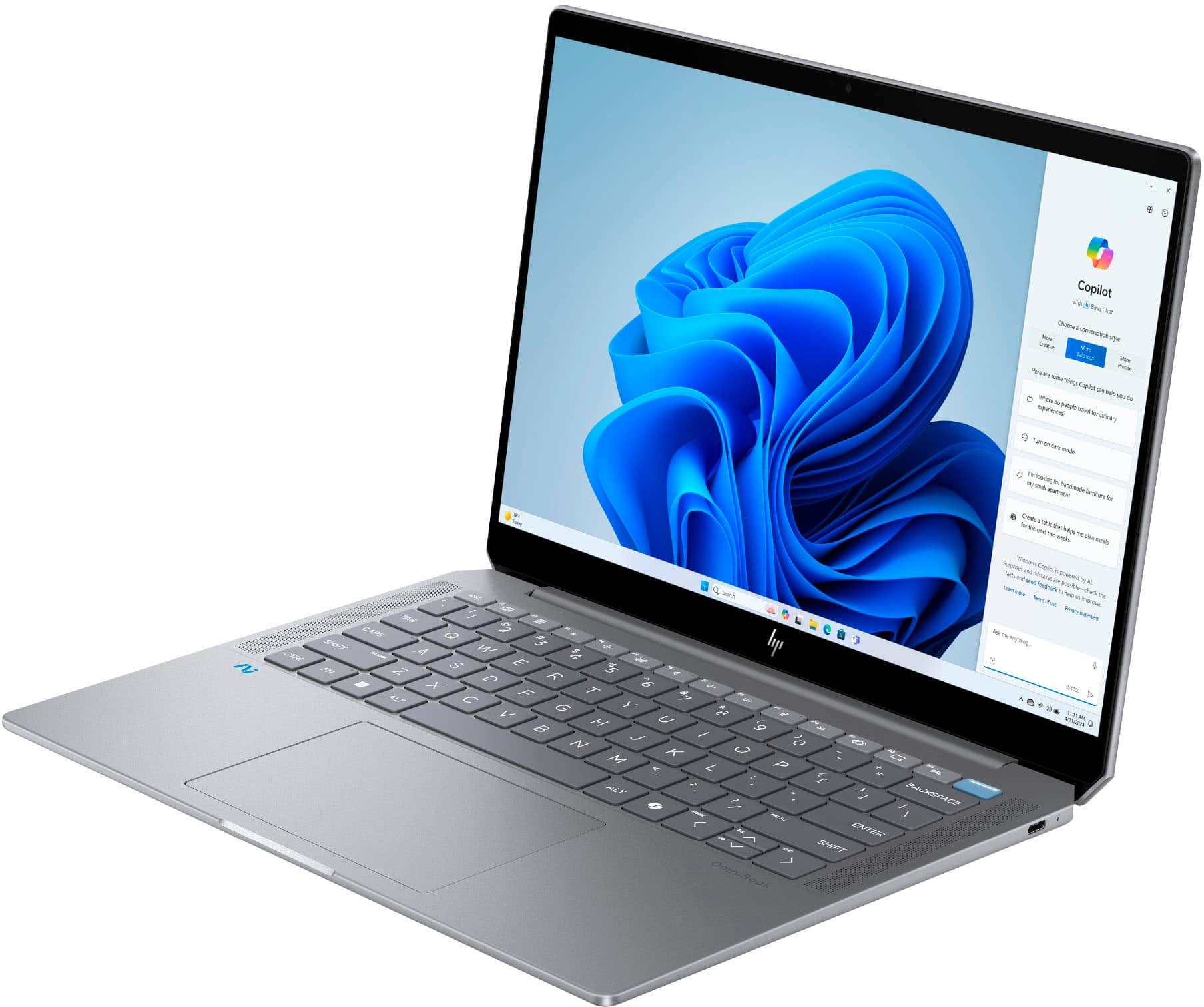
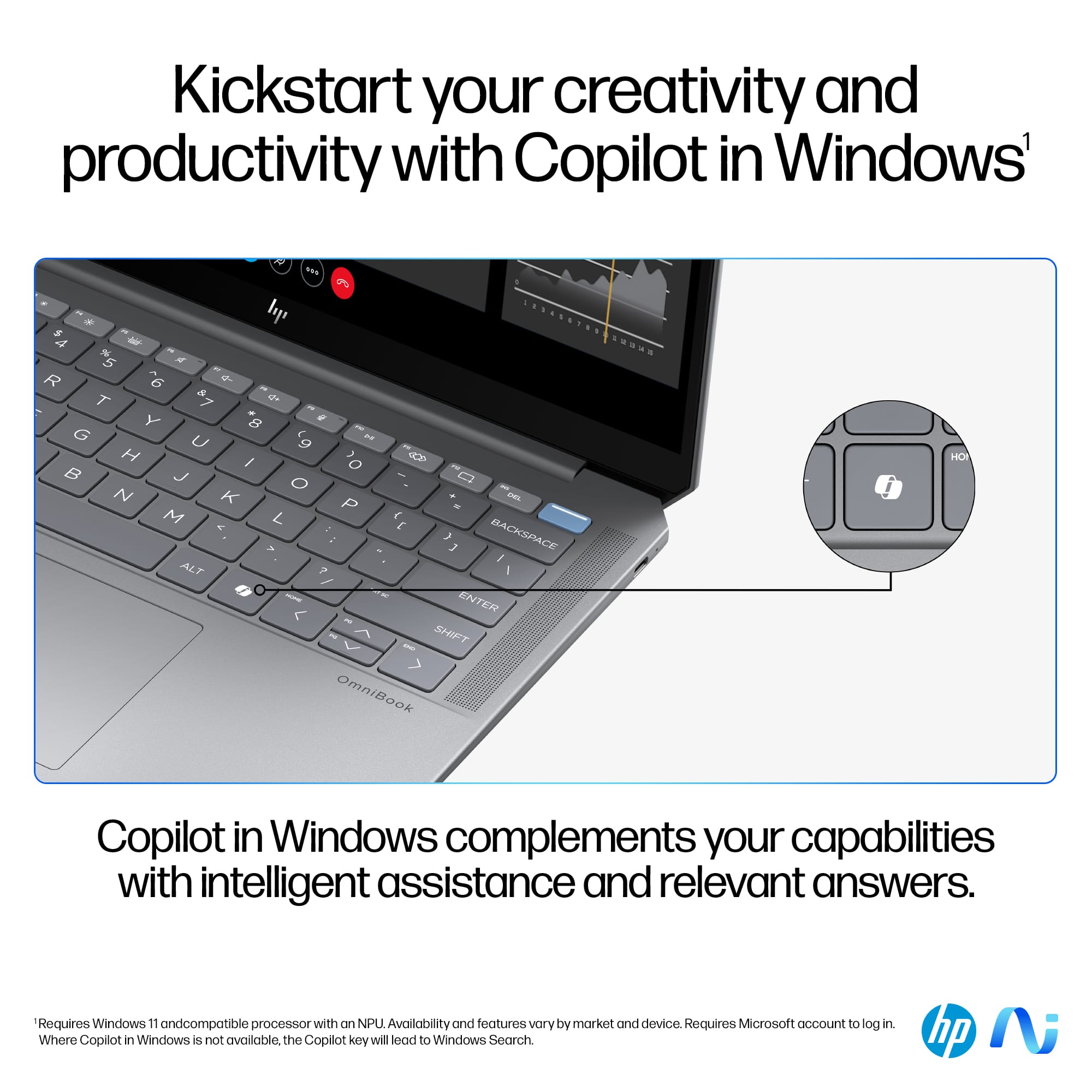
|Posted .This reviewer received promo considerations or sweepstakes entry for writing a review.This is a high-performance laptop intended for creative and technical use. Highlight of the specs includes 1 TB of storage, a whopping 32 GB of RAM, and of course the newest AMD AI chip – Ryzen AI 9 365. There are two Thunderbolt 4/ USB-C ports, 1 USB-A port and an audio port. Design and what comes with the package It has an attractive looking design. It looks sleek, smooth and it feels well built; there’s a strong impression of modern-looking and business devices, which is great. Being a long time Mac OS user, I can see the laptop as a direct competitor to such device in terms of the design. The laptop is also light, but not superlight. The 65W power adapter is very sleek and it is also light. I can see that the power adapter uses GaN transistors tech to achieve such a small dimension and weight, which is great. The keyboard is also backlighted. Screen and audio quality The screen quality is good but certainly not the best. At only 300 nits and covers 100% sRGB, the IPS panel is actually still pretty good for most uses including of course for entertainment use. The screen is a multi-touch display, supports Freesync and it is an Eyesafe certified display for low blue light. The screen uses scratch resistant glass as it uses Corning Gorilla Glass NBT. The screen is, however, very glossy and highly reflective, which is not ideal to use in a room with multiple light sources from different angles in a room. As one would expect from an IPS panel, the blacks are not true blacks. On the good side, it is a multi-touch screen, and it supports windows ink technology. Audio quality is good for a mobile computing device, and within reason it is on par with other high-performance laptops. The volume is loud enough, and the speakers can handle sound from both the low and high spectrum quite well. Overall audio quality is far from being stellar but still a respectable performance for a laptop. The laptop comes with DTS X: Ultra license, which has better sound characteristics than the default Windows sound profile. It also supports virtual audio positioning technology, which is good for gaming. Daily use, entertainment and gaming Let me start by saying that Windows has gone through massive improvement in terms of stability and user experience starting from Windows 10 and now Windows 11. Being a dual OS person, I use both Mac and Windows laptops. I always prefer Mac’s simplicity, however, Windows offers so much more potential these days especially if you’re into PC gaming. Windows’ implementation of AI also feels natural in a way that is not too intrusive and dramatically wants to revolutionize user’s workflow. It’s there for you as a tool and that’s how it is supposed to be. Because this laptop is equipped with an AI chip and is a Copilot+ laptop, this means that some AI tasks are being performed locally by the laptop. That is good if you want to perform some AI tasks that require greater level of security and confidentiality. However, it seems that subscription-based AI services such as Gemini Advanced give you better and faster performance provided you don’t have connectivity problems. I uploaded an 11 MB PDF using HP’s AI companion app several times and the app did not manage to successfully process the document. I tried to upload a doc file; the app was unable to access the file though Microsoft word had no problem opening the file. Apart from the AI features, however, this laptop is so much more, and it is reasonable to expect that from a laptop at this price point. The laptop is responsive and feels zippy. The IR camera performs well to detect user’s presence and performs log in. With 32 GB of RAM and AMD’s newest AI chip this laptop is meant for high performance use. Opening-up multiple tabs of internet browser and even running multiple applications at the same time are handled with relative ease. With the low blue light technology to lessen eye-strained and ultra long battery life, this laptop is meant both for productivity and portability. The keyboard feels responsive, and it has a dedicated Copilot key for AI task as well as screen capture key. Bottom point is this laptop is a strong performer for daily and business use. The laptop’s monitor supports Freesync, so this laptop is meant for some gaming. Games such as Ace Combat 7 still runs surprisingly smooth on this machine. Furthermore, Thunderbolt 4 port opens the possibility of using external GPU to run AAA games for maximum FPS at the optimum resolution. Built-in AI experiences This is the part where it gets a bit confusing. At the moment, this laptop is not yet a Copilot Plus PC and it uses standard Copilot and HP AI software implementation for AI tasks. As a result, Windows’ Paint app requires credits to generate images. Copilot+ will eventually come to the laptop. It is worth mentioning that AMD’s AI chip’s NPU Tops performance exceeds other competing AI chips on the market. I will wait to see how the Copilot+ implementation will be but as of now, HP AI companion app is still on beta phase and not all features work as intended. Conclusion Though AI is a huge tagline for the laptop, that should not be the primary reason for getting it. It will take some time to get the Copilot Plus features. In the meantime, there are many aspects to like such as the design, long battery life and strong performance as well as the ability to connect to an external GPU. This laptop has so much appeal and potential for power user. If you’re a user of another major OS and looking to switch to the other side or looking to get a fairly powerful Windows laptop, then this should be a good laptop for you. Like: Light and well-built Long lasting battery life Strong performer, good for some gaming as well. AI implementation is useful for entertainment and productivity IR camera works well and fast Compact 65w charger 2 Thunderbolt 4 ports Don’t Like: Reflective screen, only IPS panel not OLED Buggy AI software
I would recommend this to a friend Omnibook
||Posted . Owned for 3 months when reviewed.This reviewer received promo considerations or sweepstakes entry for writing a review.I don't know if I'm the only one, but my laptop was very bad. The screen would freeze and turn off, even without doing any work. The product specifications and price make you buy it because it seems like a good idea, but it isn't. I don't recommend it.
No, I would not recommend this to a friend- Pros mentioned:Battery life, Keyboard quality, Processor speed
Small but mighty. Still a no on the AI stuff.
|Posted .This reviewer received promo considerations or sweepstakes entry for writing a review.This is one powerhouse of a small laptop. The new AMD chip and the inclusion of 32GB of memory as well as the 1TB of storage make it a pretty good workstation machine for most people's daily needs. This is probably going to become my new daily development machine. Setup is easy as always. Bloatware includes McAfee and Dropbox but not much else. Easily uninstalled. I was also happy that only the English translations of Microsoft 365 and OneNote were present. For some reason, a lot of other machines I've tried include so many translations and they easy take so long to uninstall. Overall, easy as any other Windows 11 machine to set up these days. The screen looks pretty good. It's got a decent resoltuion for a 14" screen. It's not an OLED or anything but it's still pleasant to look at. It's glossy, so if you're adverse to that or plan on using this machine outdoors or near brightly lit windows, you might want to reconsider. Otherwise, it looks good if you aren't worried about a bit of reflection in your screen. It's also variable refresh rate so you don't have to worry about screen tearing if you plan on doing some gaming. It's also touch-screen if you care about that. I'm not one of those people, though. The new AMD CPU is nice and quick. I didn't find any issues with anything slowing down no matter how much I tried to (reasonably) throw at it. It also clears the Copilot+ benchmark so it can do a lot of AI stuff on machine instead of needing to throw it to the cloud. Sadly, it just hasn't been long enough for the copilot+ models and abilities to really be very groundbreaking or even close to any of the online models. I'm hopeful for the future. Small things and just playing around, you can get by. The integrated GPU is actually pretty capable. It's not going to break records but this isn't a machine you're buying for gaming. This is a machine you'll buy for work or school and be able to do a little gaming on the side when you get bored. Most modern games run just fine and you might not even need to do a lot of adjusting of the settings. I was a little impressed considering it's an integrated graphics chip. With the AMD super resolution stuff, you can really squeeze out a lot of virtual performance out of a machine like this. While 1TB of storage is starting to become a little more common (still not nearly common enough, though), 32GB of memory on a laptop this size is pretty unheard of unless you're customizing and going all out for the top of the line. This will let you look up anything you need to (obviously opening an obscene amount of tabs in the process) while also running things like Visual Studio and Unity Editor or whatever Office applications you might need while also doing some moderate photo editing in Photoshop. Maybe swap one of those things out for some video editing too. Point is, you can get a lot done here. The overall build of this laptop feels very nice. The hinge for the screen feels firm but not too crazy. You don't need to hold the bottom of the laptop down to dislodge the magnets that hold the screen down tight, but once you get past that, lifting the screen also lifts the laptop. This could be good or bad depending on what you like. I don't like my screen hinge to feel flimsy and loose so I'm a fan here. The keyboard looks nice and clean with really big letters. It almost makes the keys look bigger but I was able to type just fine so I think it's a standard size. The trackpad is nice and big and works fine. There's also BOTH a fingerprint scanner AND a facial recognition camera so you can pick your poison when it comes to how you want to do your bio-scanning. Audio quality is.. laptop audio. It's fine for the most part. I rarely use a laptop without headphones so I didn't do a ton of testing here. Just wear some headphones. I don't have exact numbers on the battery life (I'm a mostly plugged in user), I did notice I could un-tether pretty regularly and not worry too much. I would estimate I could probably do a decent 7 to 10 hours of pretty normal development work without too much of an issue. Depending on what you're using this for, your mileage may vary but I found the battery to be pretty good. So my conclusion on this laptop is that it's pretty great. With great specs for a really nice workstation and even a decent enough GPU to do some light to moderate gaming, there's not a ton more to want. If you're buying into the AI gimmick and branding and only buying this for that reason, I'd just not do that. This is a good machine without the AI stuff. I'm hoping all of the AI stuff improves over time but if it doesn't, you still have a pretty good workstation machine here. If it's in your price range, add it to your short list.
I would recommend this to a friend - Pros mentioned:Keyboard quality, Processor speed
As Smart as it is Powerful
|Posted .This reviewer received promo considerations or sweepstakes entry for writing a review.I am truly stunned by this HP Omnibook Ultra 14, a next gen AI Laptop that is a powerhouse packed in a beautifully designed all aluminum case! The performance of this extra light(3.4lbs) and thin(0.65") AI laptop is top notch with 50 trillions of operations per second delivered by the AMD Ryzen AI9 365 processor along some 32GB of ram and 1TB SSD with a gorgeous 14" 2.2k led touch display that's got a color accuracy and reproduction that i didn't see in a while! From the touch of this laptop to operating it and putting it to your daily needs or more intensive work it makes everything run and feel so smoothly that's unreal! Loaded with Windows 11 OS and a dedicated button for Copilot i found this laptop, besides that is such a work horse, being so helpful and really bringing things to the Next Level. It makes so much sense with the introduction of AI in a laptop at this moment in time since the computers they all got so powerful, now it's time to have something that makes the use of all that power so much easily and put it to work in our favor easing the operation of it and making it more productive! I have been using this laptop for over a week now and i've been blown away at every encounter i had with it! Put a side the capabilities it has to do a lot with the way this machinery is designed too. *Very practical, portable, premium and good looking all around laptop!
I would recommend this to a friend - Pros mentioned:Battery life, Ram
Sleek, slim, and powerful with built in AI
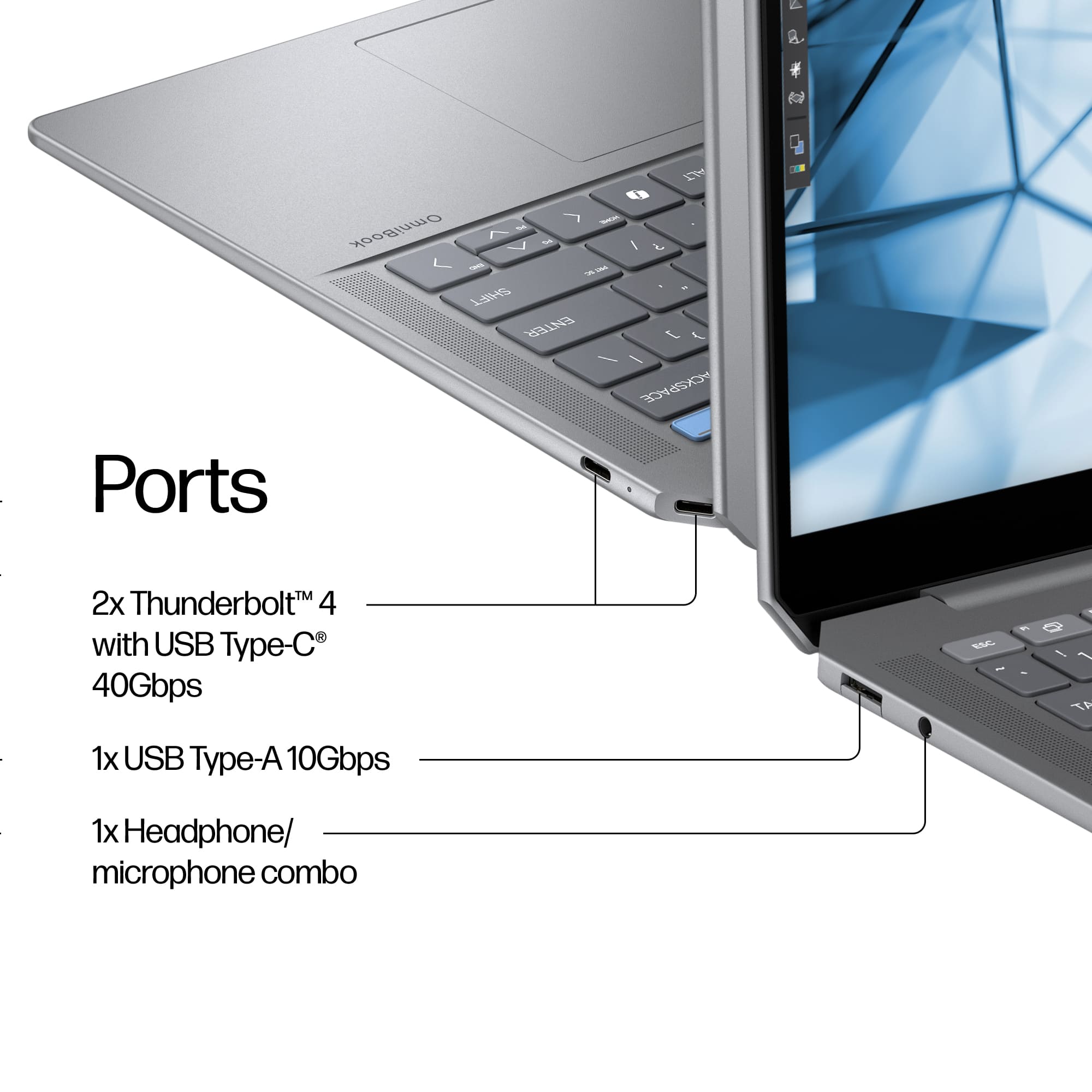
|Posted .This reviewer received promo considerations or sweepstakes entry for writing a review.The HP Omnibook 14 is a remarkable blend of performance, portability, and design, making it an excellent choice for both professionals and students. Here are some key highlights: Design and Build Quality: The HP Omnibook 14 is made out of a full metal body giving it a sleek and modern feel. One downside to this design is that mine came out of the box with a small indentation on the metal speaker grill on the bottom. Overall, the design does feel and look premium, and overall, it is lightweight. This makes in an ideal laptop for people who are always on the go. Display: The display is a 14 inch 2.2K touch screen display. This screen size is ideal for a compact and on the go laptop. If you are using this as a stationary computer, then it might be slightly smaller than you would like. It can easily be plugged into an external monitor at home and is plenty big for outside of the house/office. The 2.2K display in a smaller display means that text and graphics are extremely crisp and clear. From my experience this is one of the higher resolutions for laptops of this size and price. Have a touch screen is convenient espcieally for college students who might want to draw or take notes on the screen. Performance/AI: The main premise of this laptop is AI. Power the AI is a Ryzen AI 9 and radeon graphics. It also has 32 gbs of built in memory and 1TB of storage. These specs are plenty for what most people will do with this laptop and they are purposefully built for the built in AI system. It is running HP AI companion which is in Beta form but from my testing it works well. I cannot wait to get more time with it and learn how I can use it in my personal and professional life. Windows 11 has also been updated with tons of built in AI features that work great along with this laptop. Connectivity: Due to the slim and sleekness of this laptop peripherals are somewhat limited. However, it does have 2 USB-C ports, a standard USB-A port, and a headphone jack. Since one of the USB-C ports is used for charging it is convenient that a second is provided. With the advancements in wireless technology, I think that is everything that is necessary and if you want more you can always use a dock. It has the latest in wireless with brand new Wi-Fi 7 (2x2) and a Bluetooth 5.4 wireless card. To use the USB-A port you have to pull down a small cover to insert the USB. I found this to be somewhat difficult, but I understand it was designed this way to keep the profile of the laptop slim and sleek. The keyboard is backlit with very nice keys to type on. They are perfectly spaced and have just the right amount of travel. The trackpad is oversized and has great feedback. It is premium feeling and one of the better trackpads I have used on a PC. This PC has multiple ways to sign in. Two of my most used are the fingerprint scanner and facial recognition. I have used laptops that have one or the other, but I think this might be the first that had both. They both work well and are extremely reliable and fast to sign in. The webcam has a built in privacy cover which gives piece of mind. Battery Life: Battery life is another area where this laptop shines. With its power-efficient components, you can expect all day battery life. Although the exact number of hours can vary depending on what you are doing the battery is long lasting. If you do run out of battery it can be easily juiced up with USB-C charging. I recommend putting it to sleep if you want to conserve battery while you are not using it. Conclusion: Overall, the HP Omnibook 14 is an excellent laptop and has the latest advancements in AI. It is well-suited for anyone needing a reliable and efficient machine for everyday tasks, making it a worthy investment. If you're in the market for a versatile and high-performing laptop, this should be on your shortlist.
I would recommend this to a friend - Pros mentioned:Battery life, Portability, Processor speed
HP OmniBook Ultra – The AI-Powered Workhorse for P
||Posted . Owned for 2 weeks when reviewed.This reviewer received promo considerations or sweepstakes entry for writing a review.HP OmniBook Ultra - Copilot+ PC – 14" 2.2K Touch-Screen Laptop The HP OmniBook Ultra delivers a perfect balance of power, design, and AI-enhanced performance, making it one of the most versatile laptops I’ve come across. After evaluating similar options like the Lenovo Yoga series and Samsung Galaxy Book 4, this laptop stands out for its AI-ready hardware and future-proof performance—ideal for professionals, researchers, and creators alike. Performance & AI Capabilities Powered by the AMD Ryzen AI 9 365 processor, it excels in multitasking, AI tasks, and data analysis—a must-have for someone like me who works with NGS data processing and bioinformatics workflows. It outperforms traditional Intel Core i9 setups in handling AI-assisted features and Copilot+ integrations for boosting productivity. Memory & Storage With 32GB RAM and 1TB SSD, it easily handles heavy datasets, complex analytics, and large-scale genomics applications. This configuration ensures faster boot times, smooth multitasking, and ample storage for scientific software and project files. Display & Design The 14" 2.2K touch-screen delivers sharp visuals and vibrant colors, perfect for both detailed visualizations and creative design tasks. The sleek Meteor Silver finish gives it a premium look, while the lightweight design makes it easy to carry around. Connectivity & Ports It includes modern connectivity options like USB-C and HDMI, but lacks USB-A ports, which may require adapters for older peripherals—a minor inconvenience considering its other features. AI-Driven Workflows The built-in Copilot+ AI integration takes productivity to the next level. Whether it's automating repetitive tasks, summarizing reports, or analyzing complex patterns, this laptop fits seamlessly into AI-enhanced workflows, making it future-ready for AI-powered genomics and bioinformatics tasks. Battery Life & Efficiency Battery performance is solid, providing full-day usage for most tasks without frequent charging—an advantage for professionals who need mobility. Final Thoughts For professionals like me working in genomics, NGS, and molecular biology, the HP OmniBook Ultra - Copilot+ PC proves to be a workhorse. It rivals premium options like the Lenovo Yoga series and Samsung Galaxy Book 4 with its AI-enhanced performance and Ryzen AI processing. If you’re looking for a future-proof laptop that can handle AI tasks, data analysis, and multitasking while offering style and portability, this is one of the best choices in its class.
I would recommend this to a friend - Pros mentioned:Battery life, Ram
Great power efficiency with excellent performance
|Posted .This reviewer received promo considerations or sweepstakes entry for writing a review.The HP Omnibook Ultra 14 with the AMD Ryzen AI 9 365 processor is an impressively powerful and efficient ultraportable laptop. The laptop has a sleek and very premium look and feel with a very sturdy and solid aluminum chassis that has little or no flex. Inside the box, the laptop comes with a compact 65W USB power adapter and a fold out poster setup guide. The components of my system include the following 14 inch IPS Touchscreen Display with a 16:10 aspect ratio (2240 x 1400) Ryzen AI 9 365 processor with Radeon 880M integrated graphics and 55 TOPS NPU SK Hynix 32GB LPDDR5 memory WDC PC SN560 NVMe SSDPNQE 1TB SSD Mediatek Wi-Fi 7 MT7925 and 5.4 Bluetooth adapter 9 MP IR AI camera with manual shutter 2x Thunderbolt 4 with USB Type-C 40 Gbps ports (supports USB power delivery, DisplayPort 2.1 and HP sleep and charge) 1x USB Type-A 10 Gbps (supports HP sleep and charge) 1x Headphone/microphone combo jack Power Button Fingerprint reader 4-cell, 68 Wh Li-ion battery with up to 21 hours of battery and supports fast charge. The components are all generally top notch and overall performance has been very zippy for web browsing, watching videos, software development and other general computing tasks. The display is very nice. I found it to be sharp and bright while providing nice rich colors. The audio is also very good. It uses top firing speakers which generally provides better sound compared to laptops with down firing speakers. Top firing speakers tend to provide a wider soundstage for me. The nice display and sound makes this laptop great for media consumption. I found the keyboard and trackpad to be quite good. Normally, at home I would use an external USB keyboard and mouse but when traveling or working remotely, the keyboard and trackpad are fine. Wi-Fi speeds are excellent as I get a solid and reliable link speed of 2402/2402 Mbps with the Mediatek adapter and my TP-Link mesh router. The camera is very good and provides a nice sharp picture with good low light performance thus making this laptop a good choice for video conferencing and meetings. Features such as automatic framing, eye contact and background blurring all worked well. Some features such as portrait light and creative filters were disabled possibly waiting to be activated when Copilot+ features arrive at a later date. Installing a full workload of Visual Studio 2022 took about 15 minutes and running the benchmark of one of my projects (which does a lot of bit manipulations) took about 18 seconds compared to 14 seconds on my Ryzen 7 7700 desktop system. With 32 GBs, this laptop should be an excellent choice for a professional and student software development machine. Handbrake video transcoding to AMD VCE 10-bit H.265 achieved an amazing average of 630 fps. I’m not a content creator but I think this performance would indicate that this laptop would also be a good choice for tasks such as video editing. The HP Omnibook Ultra 14 AI PC is also a really good gaming laptop. It doesn’t match a high end gaming laptop but we’re getting closer to the point where a light and ultraportable laptop can play most AAA games decently using only integrated graphics. The main benefit of this is much lower fan noise while playing games. I have been playing Black Myth Wukong at over 60 fps using the recommended settings (low quality with Super Resolution set at 50 and using Frame Generation) and to me, the game looks and plays very well. All this while using a compact 65W USB power adapter and experiencing very little fan noise and heat. That’s so much better than playing a game on a high-end gaming laptop and hearing the fan blaring away. I experienced good but not stellar battery life. I got around 10 hours per charge while watching YouTube and working on this review. The most impressive aspect of this laptop is how quiet and cool it runs and its power efficiency while giving excellent performance. Most of the time I don’t hear any fans at all and when it is on, I have to bring my ears close to the laptop in order to hear and notice it. Overall, I can easily recommend the HP Omnibook Ultra 14 AI PC for anyone looking for a laptop that is portable, compact, well built, very quiet and power efficient and is great for general computing tasks, software development, content creation, media consumption, and playing games.
I would recommend this to a friend - Pros mentioned:Battery life, Keyboard quality
A premium, AI focused laptop
|Posted .This reviewer received promo considerations or sweepstakes entry for writing a review.As a productivity machine, the HP OmniBook is great. Typing on it is extremely comfortable, the port selection is good, the screen quality if fantastic, the storage is more than adequate, the general speed and ease of use are superb, and the battery life is nothing short of exceptional. I'm quite fond of this machine. The build quality is also quite nice. It comes with a backlit keyboard and a nice, large trackpad. I'm pretty sure that the lid is made out of some kind of metal; though I'm not so sure about the keyboard deck and palm rest. They don't stay cool to the touch, and I get a slightly plasticky / rubbery feel when running my finger along the deck. The keyboard deck is quite solid feeling despite this though. This machine is very much AI oriented. It has a dedicated Copilot key and also comes with HP's "AI Companion." I asked the AI Companion what the difference was between it and Copilot, and it tells me that it's an AI with stronger integration with HP's products and services. I put this to the test by asking it for instructions on adjusting my keyboard backlight. Sure enough, it was able to guide me to the appropriate key for adjusting the backlight. At present, the AI functionality is mostly an entertaining novelty. But eventually, I expect that it will be a more prominent feature. I look forward to the day when I'm able to ask AI to decompress batches of zip files in bulk or automatically rename all of the files in a folder without my direct intercession. We're not quite there yet, but it certainly looks like this is the direction in which we're heading. I wouldn't want to use this laptop as a dedicated gaming machine (the storage isn't THAT impressive). But as a productivity machine, I have absolutely no complaints. So far, this laptop has been fantastic.
I would recommend this to a friend - Pros mentioned:Battery life, Keyboard quality
Efficient Processor and Great Battery Life
|Posted .This reviewer received promo considerations or sweepstakes entry for writing a review.I've been testing the HP OmniBook Ultra Laptop for the past week, and overall I think it is a fantastic laptop that is a great choice for school, work, or play. The fully-loaded version I'm using features the new Ryzen AI 365 processor, 32GB of RAM, a 1TB SSD, and a stunning 2.2K touchscreen. The OmniBook Ultra features an aluminum build with sleek, rounded edges that give it a very premium feel and remarkably slim profile. The Meteor Silver color is a close match to Apple's Space Gray and is highly resistant to fingerprints. The glass trackpad is incredibly responsive, and the backlit keyboard is very comfortable to type on. The 2.2K display is truly exceptional. Colors are vibrant, contrast is superb, and black levels appear to be comparable to OLED displays. The only drawbacks are the outdated, large bezels and the highly glossy touchscreen. The webcam features a convenient sliding cover and integrates seamlessly with the Poly Studio suite. Using Poly Studio, I was able to apply filters to blur the background or add various scenes, as well as keep my face in the center frame. Also Windows Hello is supported so I was able to log in with just my face. The WIFI 7 wireless card connected to my network with ease and it maintained a solid wireless connection the entire time I was using the laptop. The Battery life is excellent. I was easily able to get about 11 hours of productivity out of the laptop. Which is way more than I expected due to the 2.2K display.This is most likely due to the efficiency of the new Rysen AI 365 chip. Using the Charger that was provided by HP I was able to recharge the battery in about an hour and a half. However, I found that the laptop doesn't really like other aftermarket chargers. I kept receiving notifications recommending that I use the supplied charger instead. Overall, the HP OmniBook Ultra is a powerful and stylish laptop that delivers excellent performance and a premium user experience.
I would recommend this to a friend - Pros mentioned:Battery life, Keyboard quality, Portability
HP omnibook
||Posted . Owned for 1 month when reviewed.This reviewer received promo considerations or sweepstakes entry for writing a review.The HP Omnibook Ultra is a sleek and high-performing laptop designed for professionals and power users who need reliability on the go. Featuring an Intel Core i7 processor and 16GB of RAM, it handles multitasking effortlessly, whether you’re working on complex spreadsheets, editing media, or browsing multiple tabs. The 14-inch Full HD display delivers sharp visuals and vibrant colors, making it ideal for both work and entertainment. With a 512GB SSD, boot-up times are fast, and file access is seamless. The ultra-slim and lightweight design, combined with a premium aluminum chassis, makes it highly portable without compromising durability. Battery life is impressive, lasting up to 12 hours on a single charge, with fast-charging capabilities for added convenience. The backlit keyboard and responsive trackpad ensure a smooth typing experience, while security features like a fingerprint scanner add an extra layer of protection. Whether you’re a professional, student, or frequent traveler, the HP Omnibook Ultra delivers power, efficiency, and style in one compact package.
I would recommend this to a friend - Pros mentioned:Battery life, Keyboard quality
Versatile and Portable -- Great for Work and Play!
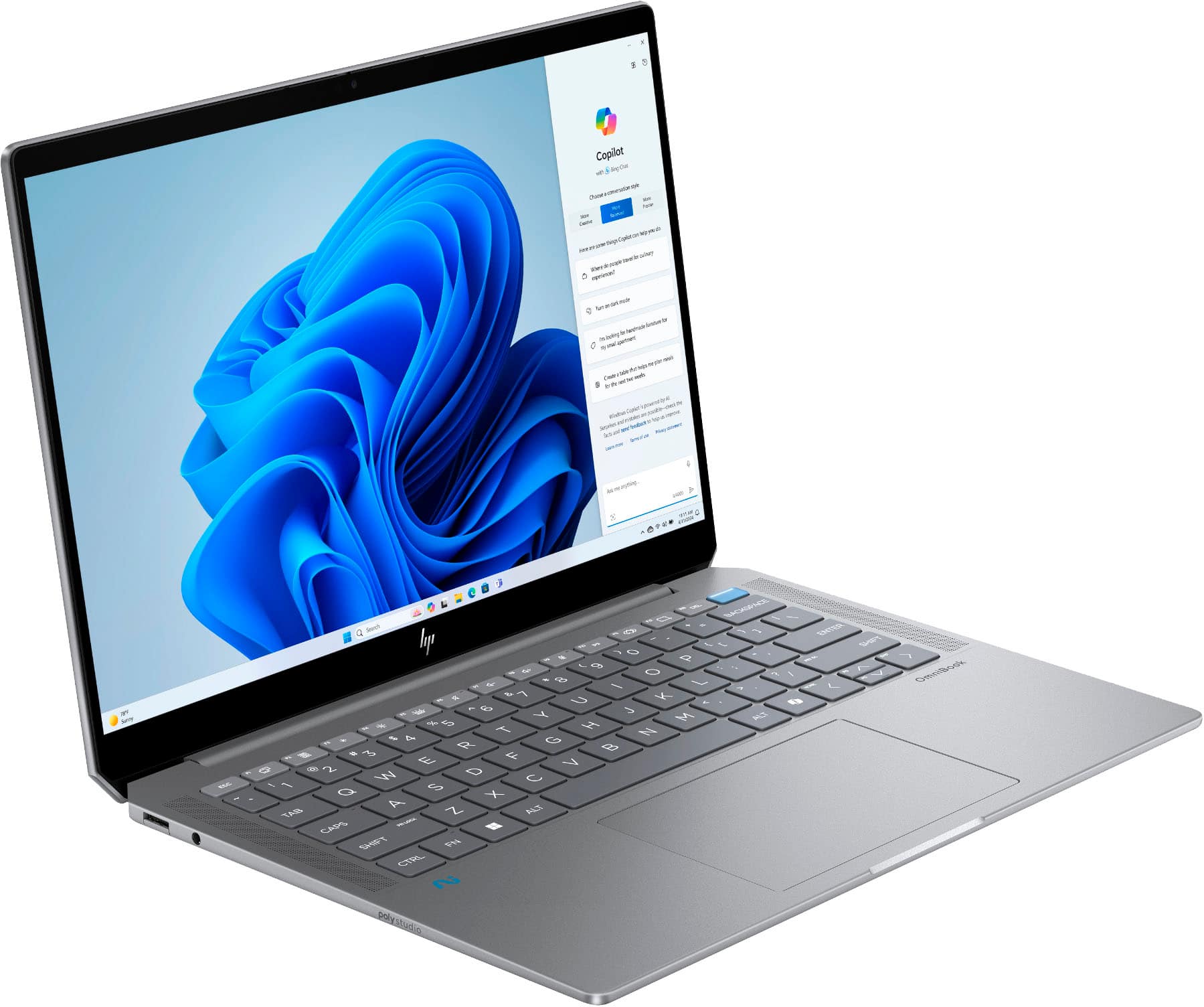
|Posted .This reviewer received promo considerations or sweepstakes entry for writing a review.Design-wise, the OmniBook Ultra stands out with its sleek, professional look. The aluminum finish feels premium and sturdy, adding durability without compromising portability. At just 0.65 inches thick and weighing under 3.5 lbs, it’s compact and easy to carry. The "Meteor Silver" finish resists fingerprints and grease, keeping the laptop looking clean. A distinctive design feature is the placement of a Thunderbolt 4 USB-C port at a 45-degree angle on the back of the chassis, providing extra space between ports to prevent interference when connecting multiple devices. The laptop also includes a lightweight, efficient charger with a generous cable length for added convenience. Despite its slim profile, the battery life is impressive. I was able to get multiple hours of usage on a single charge. The 14” OmniBook Ultra boasts a vibrant 2.2k resolution (2240 x 1400) display, delivering crisp visuals with bright whites and rich colors. The multi-touch screen is highly responsive, ensuring smooth and precise navigation—ideal for productivity and creative tasks. However, the glossy display can be reflective in bright environments, slightly affecting readability. A matte screen would have reduced glare and improved visibility, especially in well-lit settings. Connectivity is robust, with two Thunderbolt 4/USB-C ports, one USB-A port, and an audio jack. While the slim design means it lacks dedicated HDMI/DisplayPort ports, the USB-C ports support DisplayPort Alt mode for monitor connections. For users needing additional ports, a hub can easily resolve this limitation. Performance-wise, the OmniBook Ultra excels with its 1 TB SSD and 32 GB of RAM, making it perfect for demanding tasks, from heavy workloads to creative projects. Multitasking is effortless, and the AMD Ryzen AI 9 chip ensures smooth execution of AI-driven tasks, enhancing both productivity and creative workflows. Surprisingly, this compact laptop can handle light gaming, as I was able to play Diablo 2: Resurrected online without noticeable latency. The on-board CoPilot button is a convenient addition, seamlessly integrating AI into daily workflows. Summoning the AI assistant with the push of a button makes the experience feel intuitive, enhancing productivity. The integrated 9MP webcam captures clear, non-grainy video, while the on-board microphone offers solid voice clarity. During video calls, recipients reported no issues with sound or image quality. The webcam also includes a built-in shutter for privacy when not in use—a simple yet valuable feature in today’s connected world. Overall, the HP OmniBook Ultra is a versatile, high-performance laptop that excels in design, performance, and battery life. It’s an excellent choice for business and creative users seeking a premium Windows laptop.
I would recommend this to a friend - Pros mentioned:Battery life
Most Intelligent Laptop I have Owned
|Posted .This reviewer received promo considerations or sweepstakes entry for writing a review.BOTTOM LINE - The HP OmniBook Ultra Copilot+ PC (14-fd0013dx) is a featured rich light weight portable laptop that delivers the goods. A real “wolf in sheep’s clothing”. Been using a competitor’s high-end 2023 gaming laptop that has been my go-to Window’s daily choice. But now this HP Omnibook Ultra has taken over that role (minus gaming) for my daily use. ASSETS - Includes a Rysen AI-9 (codename Strix Point) CPU, an NPU, 1TB SSD (WD SN560 SDDPNQE-1T00), 32GB memory, WiFi 7 (MediaTek MT7925), dual Thunderbolt 4 USB-C ports, Backlit Keyboard, Facial Recognition, Extended Battery life, plus a generally pleasing 2.2K 14” Touch Screen Display. LIABILITIES - Are minor with an IPS (only 400-nit) screen that is prone to excessive glare and a somewhat difficult to access single USB-A port. Note that this laptop is not geared towards high-end gaming, and if that’s your thing, you should look at other laptop options. Copilot+ AI - Ready with onboard HP & MS applications. Nevertheless, greatly improved AI performance can be obtained with optional subscription services (examples: Gemini Advanced or Copilot PRO). All in all, a very powerful laptop that leans towards the technical power users. But can also be used daily for users who just want to indulge themselves with the latest technology and/or claim bragging rights. DISPLAY - The touch screen is one of the most responsive I have used. Will admit I am normally a mouse and touch pad user for most all application functions. But I am beginning to really come around to quick web access by way of the touch display. And in the future may never go back to a non-touch screen device. BATTERY - I must mention the battery life that is the best I have ever experienced. Just playing my legacy iTunes files with Media Player reflects over 13 hours with 88% battery life remaining. Got to love that! AUTO DIMMING - This laptop has a built in “Presence Sensor”. This allows Windows 11 to be configured to automatically dim the display when you look away, turn off the display when you leave the area, and wake up when you return. In theory it can aid in an additional level of security and assist with saving battery levels. And it takes getting used to seeing the display dimming on its own. CREDENTIALS - Facial Recognition is fast and spot on. The inclusion of a fingerprint reader on the power button was an added bonus. Add the previously mentioned presence sensor, and the numerous secure methods to gain access are a nice touch. RATING: After using this daily for the past 5 days, this HP Omnibook earned itself a solid 4-Star rating. If you can pick up this on sale, then add another Star. .
I would recommend this to a friend - Pros mentioned:Battery life, Keyboard quality, Portability
High-Quality, Reliable Laptop for Work and School
||Posted . Owned for 1 month when reviewed.This reviewer received promo considerations or sweepstakes entry for writing a review.I got this laptop for its great storage, and it’s been perfect for both work and school. It’s fast, lightweight, and the battery lasts all day. The screen is bright and clear, and the keyboard has a smooth, comfortable feel that makes typing easy. Overall, a solid purchase that’s been super reliable!
I would recommend this to a friend - Pros mentioned:Battery life, Portability
Solid laptop for engineering students
||Posted . Owned for 3 weeks when reviewed.This reviewer received promo considerations or sweepstakes entry for writing a review.As an engineering student, this laptop has more than enough storage for me to run programs like SolidWorks, MATLAB, Arduino, etc. The size and weight of it is very light, especially if you're bringing this with you everywhere. The graphics are actually pretty solid. I though AMD graphics wouldn't be good, but as a college student who runs a lot of programs and needs good graphics, it is not bad. The touchscreen might be useful for some, though I personally don't use it too often. Battery life is good, lasting me all day, though that is to be expected with AMD. Overall, if you're trying to find a laptop that can run big programs, is lightweight, and a reliable laptop, this laptop should definitely be one to consider.
I would recommend this to a friend - Pros mentioned:Battery life, Keyboard quality, Processor speed
Awesome laptop and service
||Posted . Owned for 1 month when reviewed.This reviewer received promo considerations or sweepstakes entry for writing a review.This laptop has strong performance, a beautiful 2.2K touchscreen. The Ryzen AI 9 365 and 32GB RAM handle demanding tasks with ease. Battery life is also pretty good. Overall, a great laptop for those prioritizing performance and AI assistance.
I would recommend this to a friend - Pros mentioned:Battery life, Keyboard quality
Near Perfect Laptop
||Posted . Owned for less than 1 week when reviewed.This reviewer received promo considerations or sweepstakes entry for writing a review.Hands down this is the very best deal today on laptops. I took my time trying to find the right one. And after going back into the store many many times and liking the way this one felt and of course the insanely good specs, I decided on this one and a macbook air 15 m3. I love this one compared to the macbook and any other laptop I have owned. First... as soon as I brought it home before even booting up I ripped out the 1TB nvme with windows on it and installed my own 990pro 2TB and promptly installed linux (Ubunut 24.10) on it. You have to disable secure boot and sure boot in order to be able to install Ubuntu 24.10 and during the install process you have to do the minimal install without connecting to the internet and not install the extras and third party drivers etc or it will fail. Once installed you can then install everything that you skipped by installing ubuntu-desktop. That will give you back all the normal stuff on the full install. Everything in Linux worked perfectly with the exception of bluetooth is finicky and lid close and restore when opening does not work. But everything else does flawlessly. Wifi keyboard lighting, screen brightness, touch screen etc etc...everything just worked. I tested the battery with it just sitting at the desktop without going to sleep and 40% screen brightness and it lasted over 24 hours on powersave mode. Crazy good. And normal day to day use at working I'm getting 3 full days of my normal work. The only negatives are: It's a shame it doesn't have a second nmve slot but after opening it up...I see why. Just no room for another slot. Also I wish it had a 120 hz screen as an option along with 60hz. But I'm nit picking at this point. Very happy that it is IPS panel too. OLED would get burn in with my use habbits. The build quality is insane good. There is zero flex anywhere on this and the body does NOT attract finger prints. This thing is the perfect size. Even with the lower peak brightness I find it perfectly suitable. I simply cannot believe how good a laptop this is. I gave the macbook m3 air 15 inch to my wife. And I'm keeping and loving this laptop. Kudos to HP on this one. I had always gravitated to a competitor my whole life. But I'm so happy I took the chance on this one.
I would recommend this to a friend