Customer Ratings & Reviews




- Model:
- 14-fh0013dx/A9SR3UA#ABA
- SKU:
- 6593552
Rating by feature
- Battery Life
Rating 4.6 out of 5 stars
- Speed
Rating 4.7 out of 5 stars
- Display
Rating 4.8 out of 5 stars
Customers are saying
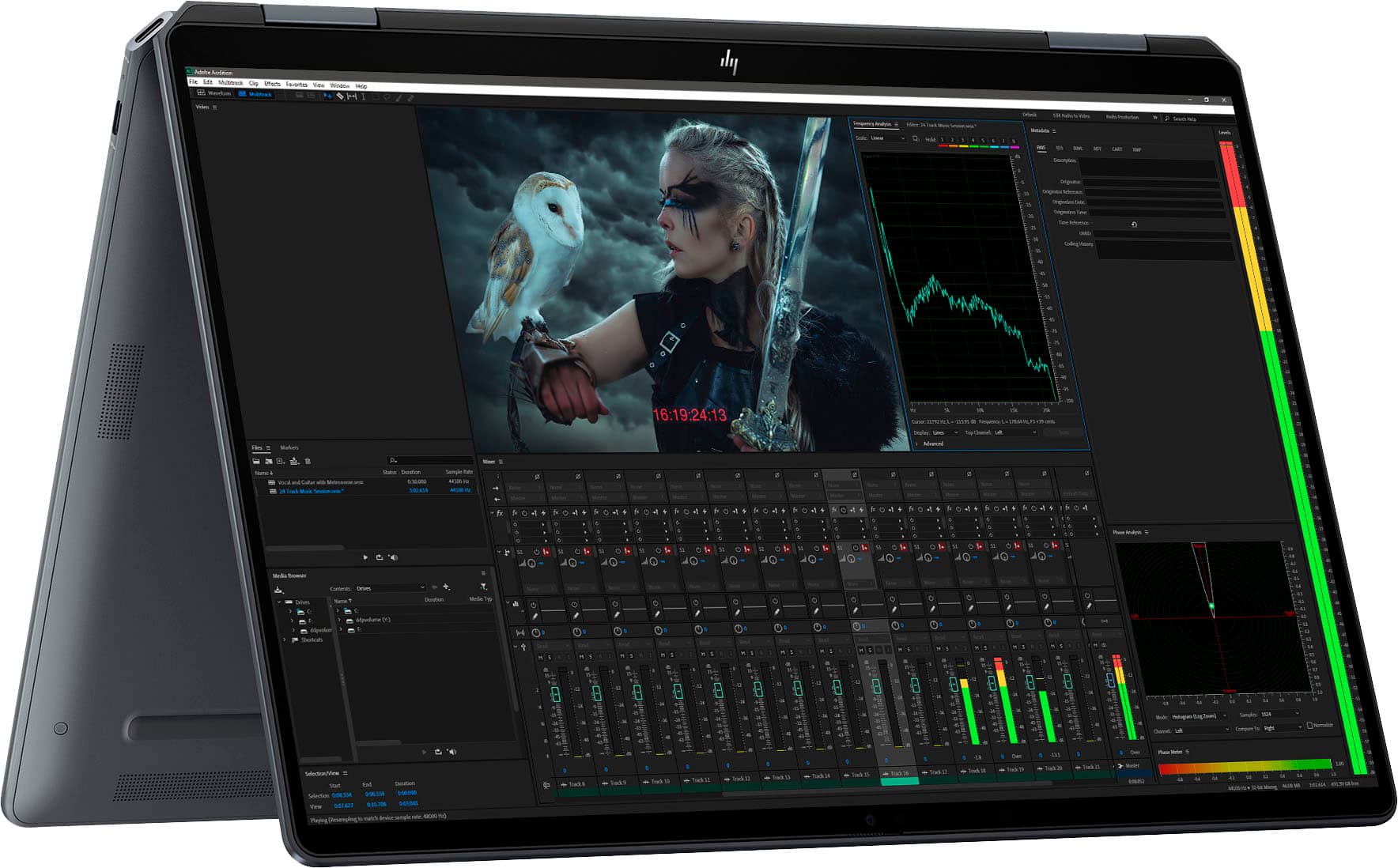
Customers enjoy the product's excellent overall performance, screen quality, and portability, often praising its strong processor speed and attractive design. They also find the battery life acceptable and appreciate its light weight. However, some customers have expressed concerns about the limited port selection, occasional touchpad issues, and the desire for more RAM.
This summary was generated by AI based on customer reviews.
- Pros mentioned:Overall performance
Good laptop
||Posted . Owned for 1 week when reviewed.This reviewer received promo considerations or sweepstakes entry for writing a review.This laptop is excellent. I’ve found it to be very useful and helpful for my teaching endeavors.
I would recommend this to a friend - Pros mentioned:Battery life, Overall performance, Processor speedCons mentioned:Port selection

Wonderful Laptop
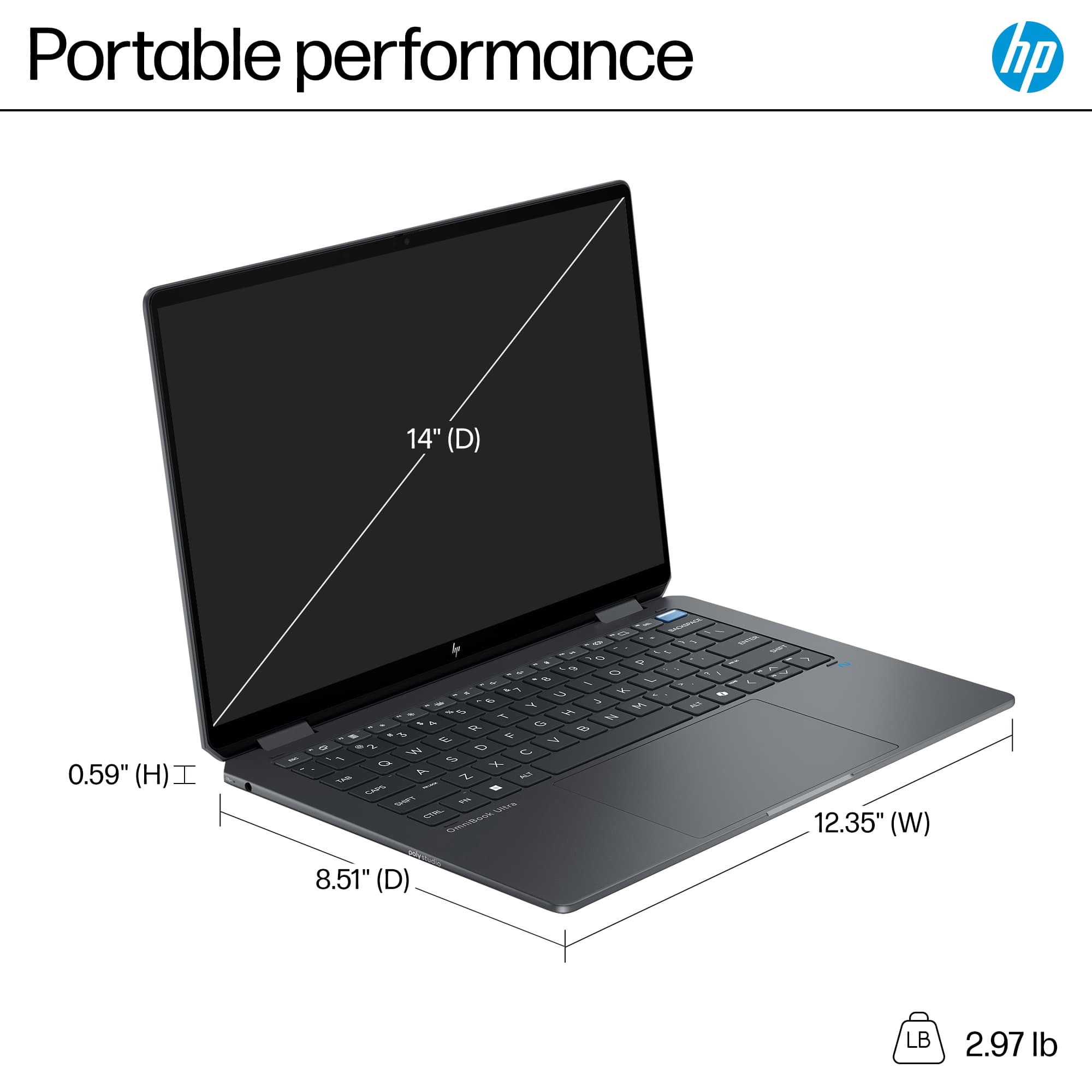
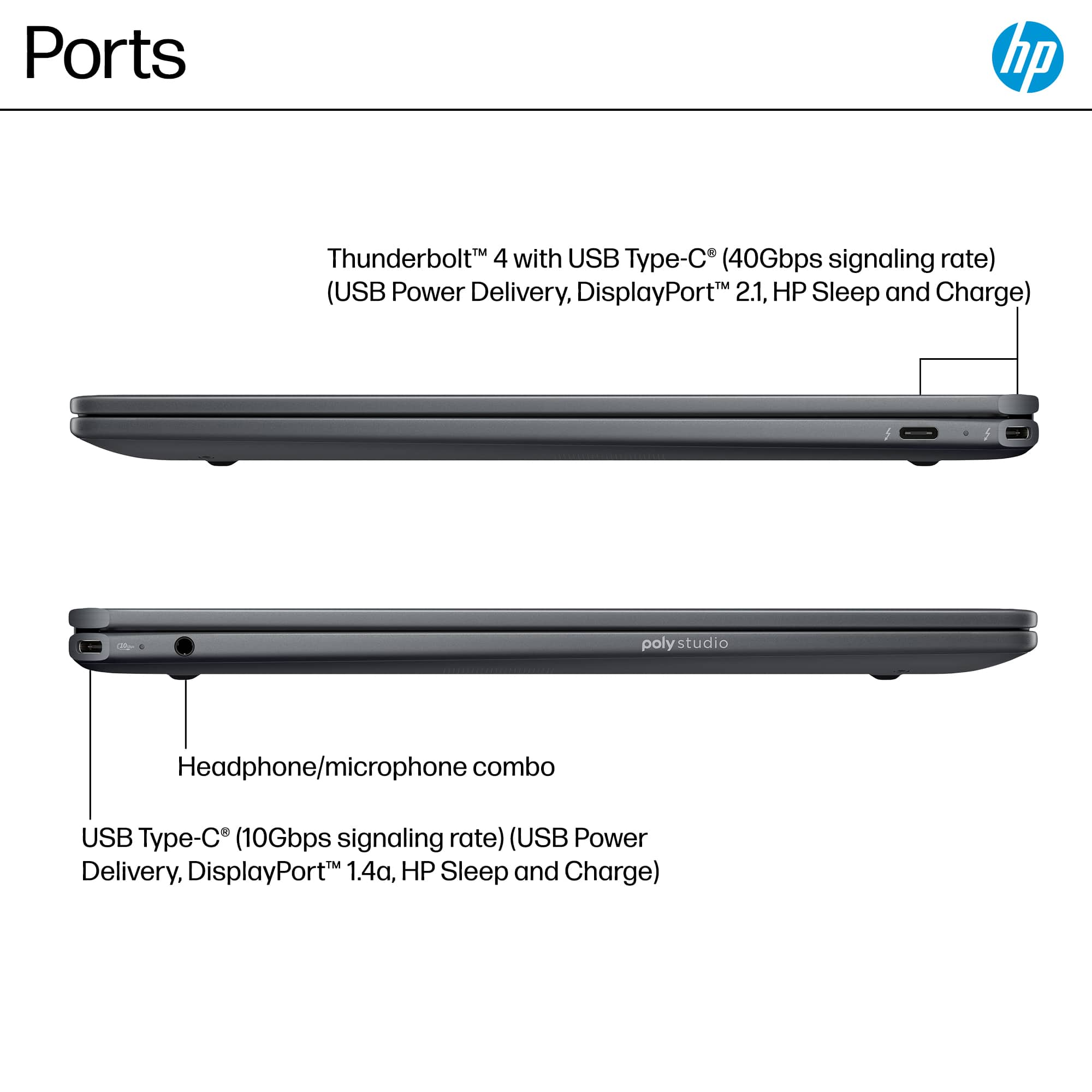
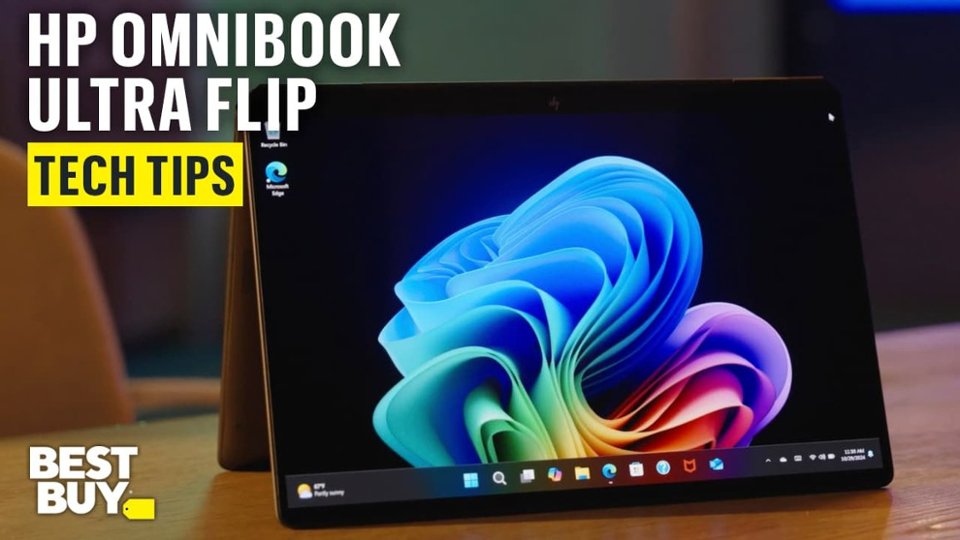
|Posted .This reviewer received promo considerations or sweepstakes entry for writing a review.The HP OmniBook Ultra Flip is a wonderful laptop, responsive and elegant with a stunning OLED screen. It is a pleasure to use, and I find myself liking it even more as I continue to use it. Just about everyone has their own opinions regarding Microsoft, Windows 11 and AI in general, and it seems appropriate to confine this review to the HP laptop itself. After completing initial setup, I ran the PassMark performance tests. Processor, memory and I/O performance were very good, scoring in the 72nd, 78th and 84th percentile respectively. Overall system performance was in the 66th percentile, pulled down a bit by the laptop's Intel Arc graphics which produced 2D and 3D graphics scores in the 51st and 37th percentile. I also ran the GFXBench performance tests, and found that reported graphics scores were often very close to a GTX 960M or GTX 1060. Wireless support includes WiFi 7 and Bluetooth 5.4. The laptop easily hits my internet service limit of 500 Mbps up/down over WiFi 6 and WiFi 7 connections when near the router, and drops to about 450 Mbps when 30 feet from a WiFi range extender with minor obstructions. The mechanical design is sleek, thin and light yet sturdy. The laptop feels solidly built, there is nothing flimsy or fragile about it, and I like the keyboard and trackpad on this laptop. The keys are well sized, nicely laid out and easy to read, and backlit with bright, dim and off settings. The trackpad is large and easy to use, with haptic feedback making it easy to control drag/drop and scroll operations. There is no ambiguity about trackpad physical boundaries as with some laptops. Physical port options consist of two Thunderbolt 4 ports with power delivery and 40 Gbps USB-C signaling, a USB-C port with power delivery and 10 Gbps signaling, and the ubiquitous HP headphone/microphone combo audio jack. Connections to older USB-A form factor connectors and to wired Ethernet, DisplayPort, HDMI and 3.5mm audio can be made with specific USB-C adapters, or through a powered docking station that supports multiple interfaces and laptop charging. Power consumption and battery life are impressive, especially considering overall system performance. The device barely gets warm in normal operation, and HP notes "all day battery life" with continuous 1080p FHD video playback at 200 nits brightness and WiFi on but not connected. The battery charges to 50% capacity in 45 minutes. Of the many things I like about this laptop, my clear favorite is the display. The 2880 x 1800 14" OLED screen is amazing in every respect. This resolution in a 14" screen produces ridiculous clarity and sharpness, and the OLED technology results in superb color and contrast with a true black that makes the transition from screen to adjacent glass bezel impossible to see. The viewing angle issues I've grown accustomed to living with are non-existent. This is easily the best screen I've ever used. The 9MP camera produces a sharp, clear image and comes with a mechanical privacy shutter. Facial recognition is great, it's very convenient to sit down in front of the laptop and have it unlock automatically. Internal speaker audio quality is surprisingly good, there is plenty of volume with clear and accurate mid-range and high frequencies. Low frequencies are adequate, but like all thin mobile devices and laptops, there just isn't enough physical volume to do a great job with low frequency reproduction. It's hard to say how much use is being made of the internal NPU, I presume it is being used for certain supported operations like image processing and facial recognition, while Copilot and other AI LLM queries go to a cloud server. The NPU appears in the task manager but I've been unable to get it to register any activity. I've read about the same issue with other new NPU-enabled systems and it seems to be a software issue. The laptop comes with typical partner software offers for things like cloud storage, security and gaming that you may or may not be interested in, and they are generally easy to uninstall, disable or just ignore. One minor issue I've noticed is that USB-C adapters with a relatively large body don't play nicely with the two angled USB-C ports on the laptop rear corners, because the adapter body interferes with the corner of the cover when open. There is no interference with a typical USB-C cable connector. The HP OmniBook Ultra Flip is really a pleasure to use. The performance is great, applications are responsive and stable, the OLED screen is amazing and the keyboard feels solid and smooth. All of this contributes to the general impression of a very high quality laptop that was well designed and manufactured, and will provide a long and useful service life.
I would recommend this to a friend Hp Omnibook Ultra Flip
||Posted . Owned for 11 months when reviewed.This reviewer received promo considerations or sweepstakes entry for writing a review.Good for light tasks, but performance drops noticeably during coding or when handling large datasets compared to other laptops. Not the best choice for heavy workloads.
I would recommend this to a friendExcellent product by HP, beast in performance.
||Posted . Owned for 1 week when reviewed.This reviewer received promo considerations or sweepstakes entry for writing a review.Best product by HP and very well delivered by Best Buy. Loved to do business with you, would recommend Best Buy to my friends and family.
I would recommend this to a friendVery good
||Posted . Owned for 1 month when reviewed.This reviewer received promo considerations or sweepstakes entry for writing a review.I bought it for my son in his first year school ,it’s good, a good size, my son loved it.
I would recommend this to a friendHighly recommended
||Posted . Owned for 1 month when reviewed.This reviewer received promo considerations or sweepstakes entry for writing a review.Excellent service and very good product recommendations
I would recommend this to a friend- Pros mentioned:Battery life, Overall performance, Processor speed
A Dream Laptop with Stunning OLED Screen & Audio
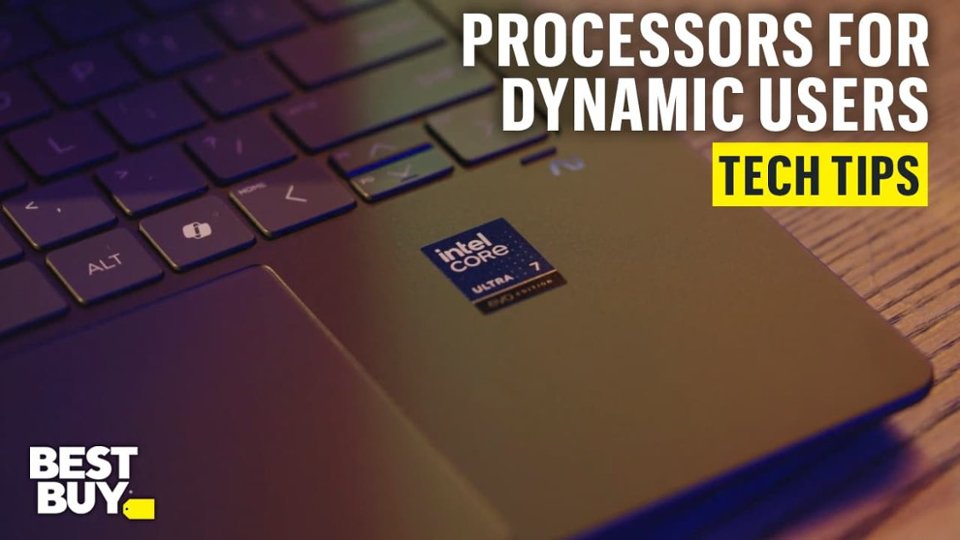
|Posted .This reviewer received promo considerations or sweepstakes entry for writing a review.HP continues its tradition of innovation as it introduces the very best laptop available today. The HP - OmniBook Ultra Flip - Copilot+ PC is the latest example. Featuring a 14" 2.8K OLED Touch-Screen with 2880 x 1800 resolution & Corning Gorilla Glass 5, an Intel Core Ultra 7 processor, 16GB memory & a 1TB SSD ultra fast drive, this is a fully loaded screaming machine! HP calls the color "Eclipse Gray". This dark gray color perfectly blends with virtually any office or home. The haptic touchpad is oversize; the keyboard is backlit & the keys are large, further enhancing the ease of use. The bezel around the screen is the smallest I have ever seen. There is a 90% screen to body ratio, so the display really jumps out at you. Fast Bluetooth & WiFi, Intel Arc graphics & long battery life add to this dream machine. I really like the power button; it has an integrated fingerprint reader that I set up to unlock the laptop & authenticate me. This brings up the computer faster than ever, with no need to enter a password. The Windows Copilot Key provides one touch help by accessing AI. This benefit will improve over time, as greater AI support is added. CONCLUSION: The HP - OmniBook Ultra Flip - Copilot+ PC is the best laptop I have ever tested. The stunning detail & bright colors on the screen to review photographs & video, combined with Poly Studio Audio featuring four speakers, place this laptop in a class by itself. It earns my highest recommendation.
I would recommend this to a friend - Pros mentioned:Battery life, Portability, Screen qualityCons mentioned:Port selection
Beautiful Fast Intel-based machine w/ OLED
|Posted .This reviewer received promo considerations or sweepstakes entry for writing a review.The HP Omnibook Ultra Flip Copilot+ Laptop Is a high-quality PC with some added AI features built in, though if you're a PC Gamer know that this is not designed to be a gaming laptop (and will not be reviewed/rated as such). The 2.8k OLED touchscreen display (featuring dark blacks, impressive bright colors, and incredible contrast [or differences in brightness levels]) looks absolutely gorgeous, especially with the default black background colorful Windows 11 wallpaper. The screen flips all the way around If you want to use it without the keyboard in the way (like "tablet mode"). The keyboard itself has a very nice feel, you can hear the keypresses as you type, and features a fingerprint sensor on the power button. The install process did not prompt me to set up the fingerprint sensor, but I was able to do that in the settings menu later on. I find the fingerprint more preferred to facial recognition, because facial recognition can unlock it when I don't intend to -- also, it takes just a tap of the finger to sign in with the fingerprint (very fast). This machine is also very lightweight/portable. As per ports, I was only able to locate two of them. One is the USB-C port which is also the power port, and the other seems to be a headphone jack. The major negative of only one USB-C port is if you are charging you can't plug in external USB devices, you'd only be able to use them in battery mode. It's possible you can find some kind of USB-C hub (not included) which might let you charge while at the same time using external devices. I wasn't able to test the headphone port as all of my current headphones are Bluetooth, which of course is also supported. However, without headphones, the quad speaker "Poly Studio" system provides crystal clear sound, loud enough for laptop use, and possibly the best quality sound I've ever heard from a laptop speaker (even comparing it to my MacBook Air M2). You can find the Poly Studio logo on the left edge of the laptop. It seems to support a subset of the Studio Effects (camera effects via AI) when compared with two other Snapdragon based machines I have. Also, when I tried the Automatic Framing (software based) it didn't seem to work - on the Snapdragon machines, as I would move around the screen It would zoom in to keep me in the center gradually, here on the HP it didn't seem to do anything. While I was testing In the evening, i notice the color shifting on the web camera too, which wasn't great, but the picture was clear. The initial set up took an unnecessarily long time to complete, though that may be Microsoft's fault. That is, the setup was interrupted to install a mandatory (not background downloaded) update before letting you set anything other than Wi-Fi up. I don't know exactly how long it took, but after about ten minutes it was like 5-10% done so I went and did other things and came back an hour later and at that point it was ready to proceed with setup. Wi-Fi 7 works great when connected to our Eero Max 7 on Optimum Fiber internet, I took a snapshot (possibly attached to this review) of getting over 500Mbit/s download and upload speeds, with a 5ms ping time, we pay for 500Mbit service so we can't ask for much faster. As per battery, after 30 minutes of usage (while unplugged) it did not go down even 1%. Let's just assume 1% per 30 minutes (it might be significantly better than that), that's 3000 minutes (or about 50 hours) per charge it would get, which for an Intel based machine traditionally would be unheard of in my experience. I am very impressed by the battery. This may be the first Intel-based PC I could wholeheartedly recommend (despite the USB-C Port limitations) in a long time (again, unless you’re a gamer and are not comfortable streaming games through services like the Xbox App Subscription).
I would recommend this to a friend - Pros mentioned:Battery life, Screen qualityCons mentioned:Port selection, Ram
Great for Travel and Business
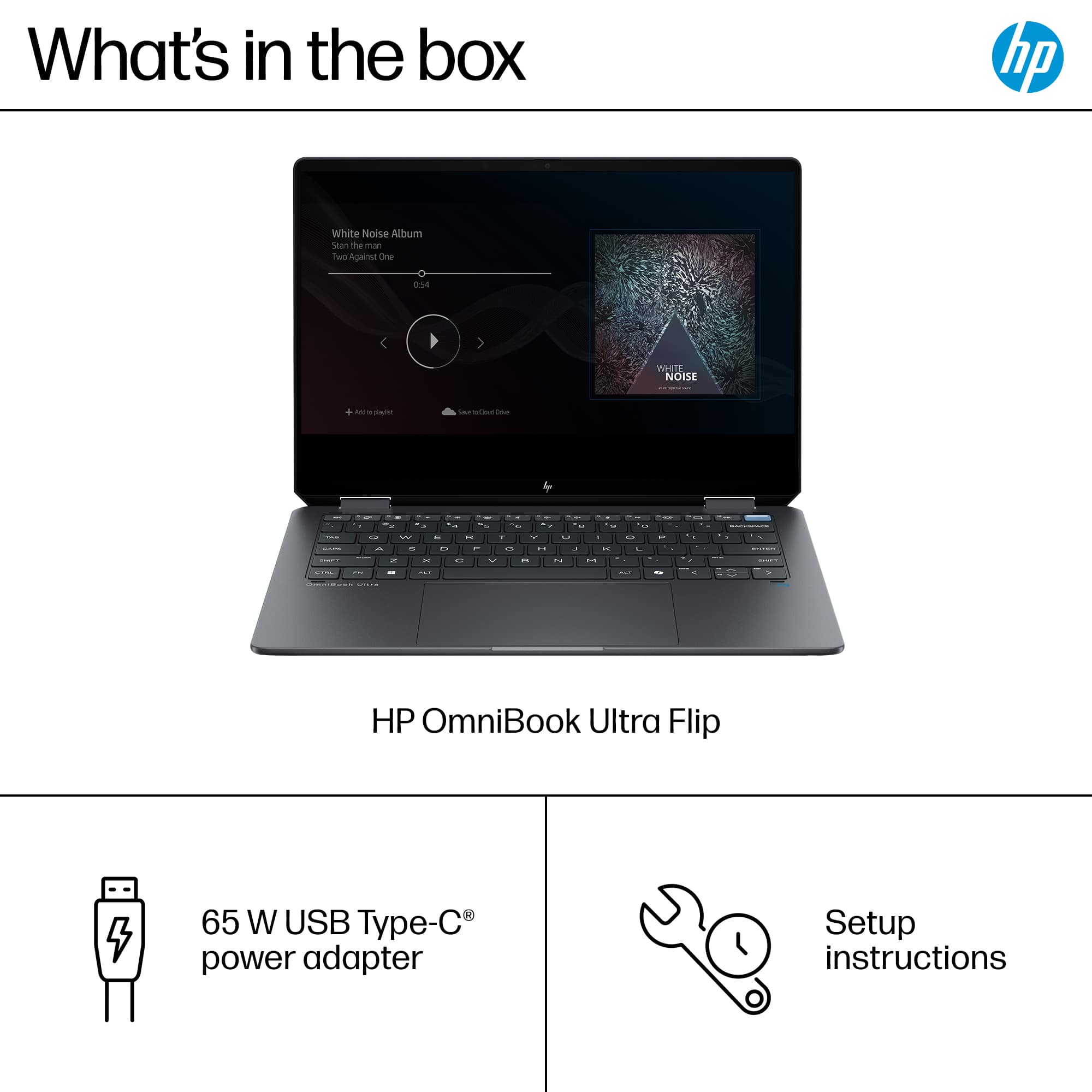
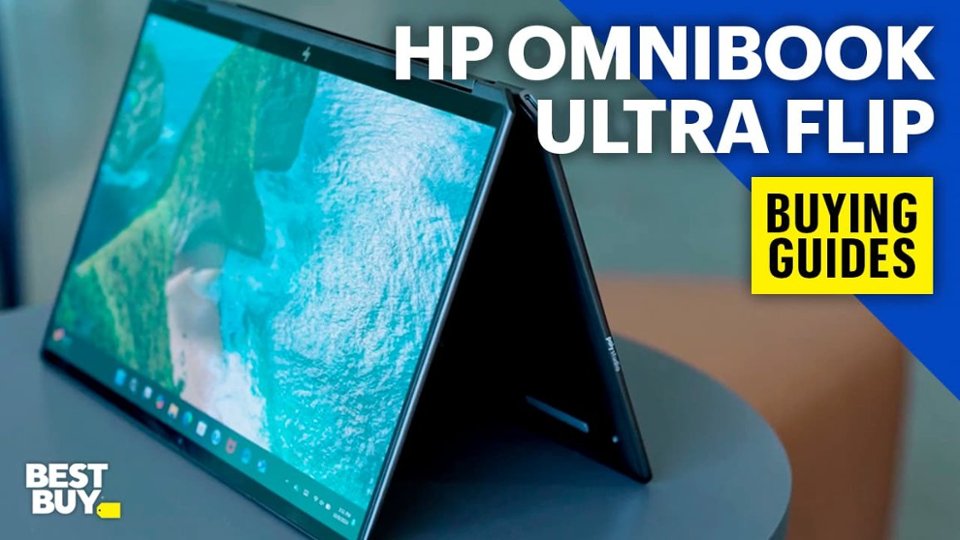
|Posted .This reviewer received promo considerations or sweepstakes entry for writing a review.I really like this laptop, but I have a few minor issues that I think could have been better addressed with HP. First the design is very sleek and high-end, I think it looks nicer than most of the other laptops I have seen. It is very light and super thin making it easy to carry around in a bag or in your hands. The screen folds back easily to form a tablet and the hinges feel strong. The touch screen is easy to use and picked up my hand movements like a regular tablet. The screen is very bright, good deep colors, and super clear. I watched a movie on this and screen looked similar to my high end 4k tv, perfect for travel. The keyboard is probably one of the best I have used on a laptop. The keys are large enough to not hit two at once. The letters on the keys are huge and easy to see, perfect for someone who has trouble seeing the smaller letters. I don't like that the power button has no indicator that it's the power button, HP just made it a light blue with a line light on it. The touch pad is very large and easy to use, and I haven't yet swiped it while typing on the computer. This laptop only has three USB inputs but two are in an awkward spot and one being on the side. You have to use one of these USB inputs to charge, so you are left with two to connect devices. Two of the USB inputs are on the backside corners of the laptop. One of my USB C adapters is a little thicker and cannot be used in those spots since it wouldn't allow the screen to fully open. I wish HP would have put these on the sides of the computer for ease of use. Since the USB ports are all USB c you are limited as to what you can do with them. Most, if not all of my devices (webcam, flash drives, etc) do not have USB C connecters. So, this means you have to buy adapters to use anything. I have a USB C adapter that I bought for my tablet that also works with this HP computer. The adapter has two regular USB ports and an HDMI port, these are cheap, and I would strongly recommend one with HDMI so you can easily connect to different displays. If you're planning on adding additional RAM you will be sorry to hear that the 16gig is soldered in place. For me 16gig is plenty for the type of work I do on this computer, and I didn't experience any slowdowns or issues even with multiple programs open. The hard drive can be swapped out, but 1tb should be plenty for most users. I did like the headphone jack on the left side. I still use wired headphones and it's nice that they still support this input. The speakers on this computer are pretty good too. I have a gaming laptop and the speakers in this HP sound way better even though they are in a smaller laptop. I played around with the copilot and had fun creating random images or getting helpful information when doing research. While I do think copilot is pretty great, it still needs improvement as some of the pictures or information wasn't perfect. I have had the computer off the charge since this morning watching TV, using internet explorer, running reports, etc and its only down to 70% after five hours. Keep in mind I was on and off the computer during that time and closed the lid to conserve power. My brightness setting for the display was at the medium setting. I feel like this computer could last me pretty much all day on battery if doing lite work. I only gave this computer four stars because of the soldered-on RAM and the strange placement of the USB ports. Overall, I really do like this computer and will be using it every day going forward. I appreciate the lightweight, thin, and compact design of this HP computer.
I would recommend this to a friend - Pros mentioned:Battery life, Overall performance, Portability
HP OmniBook Ultra Flip: The Perfect Blend of Power
||Posted . Owned for 2 weeks when reviewed.This reviewer received promo considerations or sweepstakes entry for writing a review.I recently got my hands on the HP OmniBook Ultra Flip - Copilot+ PC, and it has truly exceeded my expectations. Here are my thoughts after using it for both work and personal tasks: Display: The 14" 3K OLED touch screen is stunning. The colors are vibrant, the blacks are deep, and the resolution makes everything look crisp and immersive. Whether you’re watching videos, editing photos, or simply browsing, the display quality stands out. Performance: Powered by the Intel Core Ultra 7 processor and 16GB of memory, this laptop handles multitasking like a pro. From running demanding applications to switching between multiple browser tabs, it’s fast and lag-free. The Copilot+ integration is a game-changer, especially for productivity tasks. It’s like having an extra pair of hands for brainstorming and workflow management. Storage: The 1TB SSD is more than enough for my needs. It ensures quick boot-ups, fast file transfers, and plenty of space for storing large files without worrying about running out of room. Design & Build: The Eclipse Gray finish gives the laptop a sleek and professional look. It’s lightweight and portable, making it perfect for on-the-go use. The flip design adds versatility, letting me switch between laptop and tablet modes effortlessly. Battery Life: The battery life is impressive, lasting through a full day of work and light entertainment without needing a charge. It’s a relief not to be tethered to a power outlet. Extras: The Copilot+ features are intuitive and well-integrated, enhancing the overall experience. The laptop also stays cool and quiet, even under heavy use. Verdict: The HP OmniBook Ultra Flip is a fantastic blend of performance, style, and innovation. Whether you’re a professional needing a reliable work machine or a casual user who appreciates premium features, this laptop is worth the investment. Highly recommend it!
I would recommend this to a friend - Pros mentioned:Battery life, Overall performance, Processor speed
Hp - OmniBook Ultra
||Posted . Owned for 3 weeks when reviewed.This reviewer received promo considerations or sweepstakes entry for writing a review.Amazing 2-in-1 Laptop with Gorgeous Display and Great Performance I’ve been using the HP OmniBook Ultra Flip (Copilot+ PC) for a couple of weeks now, and I’m genuinely impressed. This thing is fast, sleek, and packed with useful features. The 3K OLED touchscreen is absolutely stunning—super vibrant colors, deep blacks, and razor-sharp text. Watching movies or working on creative projects is a joy. Touch responsiveness is great, and I love being able to flip it into tablet or tent mode when I’m not typing. Performance-wise, the Intel Core Ultra 7 handles everything I throw at it. I use it daily for work (spreadsheets, presentations, video calls, multitasking with multiple tabs/apps open) and it hasn’t slowed down once. The 16GB RAM and 1TB SSD combo gives it plenty of speed and storage. The Copilot+ features are a nice bonus. It’s like having a built-in assistant that helps summarize documents, organize content, and speed up repetitive tasks. It’s still early days for AI on laptops, but I can already see the potential. Battery life is solid, easily lasts me through the day with normal use. The build quality is top-notch—it feels premium but still light enough to carry around. The Eclipse Grey color also looks really sleek in person. Bottom line: If you’re looking for a powerful, future-proof 2-in-1 laptop with an incredible display and great performance, this is totally worth it. Pros: Gorgeous OLED screen Fast performance AI Copilot features are useful Lightweight and premium build Great battery life Cons: A bit pricey, but you get what you pay for
I would recommend this to a friend - Pros mentioned:Battery life, Screen quality
Haptic touchpad, OLED, can game! Winner for sure!
|Posted .This reviewer received promo considerations or sweepstakes entry for writing a review.TL:DR - The best Windows laptop I’ve ever used! It compiles code decently, has an amazing battery, and a haptic trackpad which I love! Keyboard is amazing, the battery life is amazing, and the speakers are great! It even plays games, which is pretty awesome! —------- When I first unboxed this the first thing I noticed was the design. It’s quite, but I don’t think I appreciate the diamond shaped corners. I get that it’s HP’s thing, but I think it looks kind of tacky. But it’s unique and certainly stands out from the crowd of similarly designed aluminum laptops. When I turned it on, the screen’s OLED inky blacks were incredible! But then I was greeted with a HUGE update that took a very long time! The update was kind of ridiculous, but at least there was a little mini surfing game that entertained me for a little bit. Once I loaded it into Windows, I just couldn’t help admiring the screen. It’s very good. After setting it up and getting everything installed. I decided to do some homework on it and transferred my assignment over to it and compared to my old i5 laptop, this thing compiled my code super fast! I love that! It wasn’t as fast as my desktop, but hey, this is light, and can be taken anywhere. It did do a faster job while charging, but off the charger it was still good enough. Typing is amazing and the trackpad is easily the best thing on Windows I’ve used!!! No more diving board trackpads! Seriously, what took manufacturers so long to do this? It’s awesome! And you can adjust the click strength easily in settings. One of the things that drove me kind of bonkers was the bloat! There is a TON of bloat! There’s even a couple shortcuts that act like apps that you can’t uninstall. You have to find where it’s located and delete them. It’s kind of annoying. They’re essentially ads for Adobe and some other weird AI thing. HP has their own AI app and it’s okay, but you probably can go without. There’s CoPilot built in and it’s good enough. It’s difficult to open up with one hand, and it slides around on my table super easy. Kind of a bummer, but not a deal breaker. It’s really responsive. And honestly I love it. Light weight and has a super good battery, and the best part is I can game on it with compromises. HP should really make a handheld gaming PC as well. I did have to drop the resolution to 1680x1050 and set the games to medium, or low, but 60 FPS was super easy to achieve. In some cases, I could get 60 or more at 1920x1200 depending on the game. In Call of Duty MW3, I was able to easily hit 70 FPS no problem with medium and 1200p. At the end of the day, I’m a HUGE fan of this laptop. I think it’s a winner and I highly recommend it!
I would recommend this to a friend - Pros mentioned:Battery life, Overall performance
Perfect size, with AI on board and beautiful scree
|Posted .This reviewer received promo considerations or sweepstakes entry for writing a review.I have been a fan of HP laptops for decades. This OmniBook Flip does not disappoint! Of course, it was packed securely and arrived in pristine condition-- hp knows that many shippers just toss stuff around! Turning it on and using the machine took only a few minutes. Physically, the computer is very light and very thin. This is ideal for use as a travel computer or as a 'sitting on the sofa' computer. The keys and touchpad are quiet and quick. The picture is vibrant and beautiful, the sound is quite good as well! The only thing missing is a CTRL key on the right hand side----- but they replaced it with a MIcrosoft AI copilot key! How easy to jump into AI for information and reassurance on a point. I put the AI copilot through its paces, asking hard questions with followups and I found that the answers were both accurate and succinct. I used the AI to help me find information and videos to replace the carburator on a lawn mower! It opens a separate window from your browser, so they are not connected in any way. Other machine details include charging ports on both back corners-- and they are diagonal, which is helpful. This allows you to place the cord on the side to create the least conflict. But I will say that the battery really lasts most of the day if you don't run a lot of videos. I used it in the morning, closed it and drove a couple of hundred miles to a meeting and types for hours at the meeting, searching the internet and using AI. the "flip" of this machine is very convenient to me because I can tilt the angle of the screen to a perfect slant, flip it back and turn it into a table, or make it a tent to stand up on the counter! I used it that way to follow a recipe in the kitchen. this computer knows its orientation and flips to the right one! Finally, a little feature, but one which is important to me, are the lights on certain keys, like Caps Lock and Mute-- at a glance I know if loud audio will come streaming out when I want to remain silent! Overall, I will say that this HP OmniBook Flip really works for me. With 1TB storage and instant wakeup, I can't go wrong!
I would recommend this to a friend - Pros mentioned:Battery life, Processor speed
HP and Intel made a wonderful machine.
|Posted .This reviewer received promo considerations or sweepstakes entry for writing a review.As like most people, I'm normally biased to windows based laptops having the highest specs in certain areas, but I became very interested in this model due to it being one of the first options with an Intel Lunar Lake SoC. While I have had and used stronger laptops in regards to overall CPU/GPU performance, there's always short comings in one area or another. For example: My previous daily driver had an 8 core 16 thread AMD 8945HS Zen4 chip. It was obviously quite balanced and powerful relative to other market options, but it did struggle to hold its own versus something like a MacBook with Apple silicon when it came to sheer battery life.. Even when trying to optimize it with 3rd party programs and modifying power plans via windows itself. Enter the HP Omnibook Ultra Flip. With Intel's focus on battery and mobility spec, I can't say I wasn't curious.. All day battery while being super light and thin like the target competitor, but also offering OLED, 120Hz Variable Refresh rate, and a touch screen..? Yes please. PROS: *The screen is absolutely gorgeous. I believe it uses an alt variation of the original Samsung 120hz model that showed up in early laptops this year. The benefit of this one is that it offers higher brightness and actual touch capability. It also looks a bit better than the non touch version IMO. That one hurts my eyes a little more. *The Battery life capability is the real deal. While I modified my older laptop to downclock via power plan, Intel CPU's seem a bit more refined in this area. I don't know if its OEM settings on my other laptop being overclocked out the gate.. but this one actually drops its clocks without fussing with power plans. I haven't really touched it, but its extremely competitive with the modern day MacBook.. which I would consider the benchmark and main competitor based on CPU spec. *Speaking of CPU.. CPU-Z bench pushes this in the high 700 range. I've seen 760 single core max score.. which is competitive with last years Raptor Lake HX in this area. MT is only in the 5000 range which is weaker than typical competition, but its only a 4+4 core setup with 8 total threads. I'd say the performance is as expected for something that doesn't have hyperthreading. It's closest competitor is the Apple M3. The is also fan is quiet and doesn't get audible at all while browsing and doing basic tasks. *The overall design, Keyboard, trackpad and audio are all above my expectations. HP really outdid themselves on the overall ID and attention to detail. Like seriously.. I'm VERY impressed. Charging cable is also braided on one end. Brick is also smaller for being 65w. *WIFI 7 BE201 card and MLO capability actually WORKS! I have a 4x4 WIFI7 router and the 320mhz bonded channels allow for higher speeds at further range. This laptop outclasses my previous one in DL speed at around 2x faster performance. CONS: *I had an issue where the accelerometer just stopped working properly in regards to orientation of where the screen rotates on its own. Ended up having to manually set it to default landscape mode and it later fixed itself. Very strange bug. It's possible the above is related to the Camera and AI sense capabilities. I had the camera shutter cover on prior, but I'm not really able to trigger this issue anymore, so I'm not too worried. Just something to note if anyone else experiences it. I did end up BIOS updating the unit and I haven't seen it since. *The 16GB of LPDDR5 ram is soldered to the SoC and you cant really upgrade it. (Intel 256V) This isn't a major con per say, but I still would rather let people know about that short coming --- On the plus side it's very fast spec at 8533 MT/S.. and you can really tell relative to other laptops with standard DDR5 @ 4800 MT/S. Snappy. Maybe both a pro and con? The 32GB version of the Lunar lake CPU (258V) avoids this downside all together as it's also 8533 MT/S spec. *The bottom grill next to the fans is a particle magnet. This is likely the only design oversight I'm not too fond of.. Refer to photos. *Likely not the best gaming laptop. The GPU is half decent, but HP's overall design prob inhibits the graphical prowess. As I mentioned, the fans don't get very loud. OVERALL: This is absolutely an excellent machine. While I would have liked to see 32GB spec via 258v variant of the Lunar lake CPU, there aren't many devices that can check as many boxes as this one. Excellent aluminum unibody design, 3x USB-C (2 of them lighting ports), Great speakers, Great trackpad with haptic feedback, Great keyboard with heavy chicklet style key's and an overall amazing OLED 2880x1800 touch screen with 120hz VRR @ 400 nits max brightness.. all of that under 3LB's weight.. and yeah it flips. I don't know why I expected much worse, but I'm overall glad I tried this one. 5/5. 100% going to be my new daily driver.
I would recommend this to a friend - Pros mentioned:Battery life, Overall performance, Screen qualityCons mentioned:Port selection
An amazing laptop with a staining design and prett
||Posted . Owned for 3 weeks when reviewed.This reviewer received promo considerations or sweepstakes entry for writing a review.I have been using the HP Specter lineup since 2017 and I was really disappointed when they discontinued it. But I have become a huge fan of the Omni book lineup. The design is very similar to the HP specter but I really like the curve edges instead of the bit Pointy ones that the Specter had. Let me start with the battery life. I think it is a huge improvement over the previous HP Specter, in huge part because of the Intel lunar lake processors. I would really have liked for these processors to have more than eight course but I guess it is what it is and the blame here is to be put on Intel not HP. The keyboard is pretty decent, I think the previous HP Specter had a tiny bit more key travel but the Omni book still has a pretty good key travel and the belt quality is really good. Because I use a screen reader all the time and not use trackpad much if at all so I cannot comment on that but really like the glossy finish of the trackpad. The display is pretty good with regards to contrast and colors but previously HP Specter usually had 4K displays so I was bit disappointed that this is only a 3K display, but really like the variable refresh rate. A 4K display with this refresh rate would have been amazing, but this is still pretty solid. The screen is a bit more reflective than I would have liked, but I usually don’t use my laptops out in the sun, so doesn’t really bother me that much. The port selection I think is reasonable. A USB type a would have been nice, but I really don’t mind not having it at all. The two USB type C ports in the back corners. I feel are a bit at a weird angles because at times I had some difficulty plugging in certain peripherals And felt like that the screen is putting pressure downwards on those connections. Finally, the performance it’s pretty solid for every day productivity and some light to medium coding and development. I don’t use this device at all for any of my machine learning projects, but I am pretty sure that processor can handle some basic machine learning. But overall, I think it is a pretty solid device. The only reason I returned it back to Best Buy is because this model came with 16 GB of memory for almost around $1700 and I was able to get 32 GB of memory from HP for $1400 in the blue color which I like over the grey color.
I would recommend this to a friend - Pros mentioned:Battery life, Screen qualityCons mentioned:Port selection
Get it on sale and you will not be dissapointed!
||Posted . Owned for 3 weeks when reviewed.This reviewer received promo considerations or sweepstakes entry for writing a review.Full Disclaimer I got this open box for $550 and at that price this laptop is a no brainer. Just know what you are getting yourself into because there are a few little drawbacks, but if you get this for $800 or below, I would say it's a great deal. I have a desktop for heavy lifting, but I catch myself going for this laptop more often than my desktop on a regular basis. I am going to start out with the negatives since that's going to be a short list. - Port selection is not great with just 3 USB-C ports. I would have liked to see a USB-A port and an HDMI port. - The performance of the Intel chip is not quite as fast as compared to other laptops with the same chip, especially when it comes to GPU tasks, such as casual gaming. If this is important to you, I would say you should look at other laptops. Now to the pros. +Because the CPU doesn't run as fast as other models, this laptop is whisper quiet and stays cool in almost all situations. Seriously I almost never hear the fans, and it always feels cool to the touch. +Build quality is very good. Not quite MacBook level, but very solid and the black color doesn't show fingerprints as much as you might think. +Screen is gorgeous! +Keyboard feels solid with nice travel and trackpad being haptic is also one of the better ones out there. (I have heard people mentioning that palm rejection was not great on the trackpad, but I never experienced that issue. Maybe they fixed it with a driver update?) +Love the variety of biometrics with a fingerprint reader and Windows Hello, I like even more that there is a physical hardware switch to cover the webcam and a light indicator that shows when the microphone is switched off. +Battery life is very solid. I would say I get an average of 7-8h with mixed use of web browsing, emailing, video streaming, etc. Overall, I think this is fantastic laptop for anyone who needs a high quality, long-lasting, versatile machine that can handle everyday tasks with ease while looking and feeling great. It just can't do moderate to heavy workloads well. But at the end of the day this is not supposed to be a heavy workstation, it is a 2 in 1 and as such it is just fantastic. Just don't pay full retail for it. There are better laptops out there for that price.
I would recommend this to a friend - Pros mentioned:Battery life, Overall performance, Processor speed
Elegant and superior 2-in-1 from HP!
||Posted . Owned for less than 1 week when reviewed.This reviewer received promo considerations or sweepstakes entry for writing a review.The HP OmniBook Ultra Flip is a major, major, major GO! I cannot speak for anyone else, but the keyboard and trackpad are utter magic; I would say it is a shorter travel distance, chicklet style keyboard that is Macbook Pro-like but better and quieter. The build quality seems to be the best I have ever held in my hands, super-premium feeling and lightweight. I like that there are two Thinderbolt 4, USB-C ports at each of the diamond-cut corners. The Intel® Core™ Ultra 7 256V processor is the fastest I have ever experienced by far; everything works quickly. Battery holds charge well and lasts a long time; not sure exactly how long just yet. The 500 nits of brightness is more than enough; I have poor eyesight compared to most and it's blinding if I max it out. I am bewildered why there is no auto-brightness adjustment, so I have to move it up and down manually. There is NO PEN and NO LEATHERETTE CASE as before, in case you're wondering (makes one think this is not the real successor to the Spectre X360, but it is). The 14" diagonal, 3K (2880 x 1800), OLED, multitouch-enabled is world-class, spectacular. the screen is glossy. The display has dynamic refresh rate up to 120 Hz. The sound is very good using DTX technology (vs Dolby); I suppose one can use Dolby access since it is not greyed out in Microsoft store. The notebook would benefit from not having all the Quad speakers pointing downwards. When I flip it, the laptop becomes a tablet in little time, but not quite as quickly as a Snapdragon might. It operates as smooth as silk from mode to mode. Overall, now that I think of it, this notebook is as smooth as silk! I hear folks taking about its price being high for a 16 gb HP laptop: rubbish. It is elegant and seamless. You won't be dissapointed!
I would recommend this to a friend - Pros mentioned:Overall performance, Portability, Screen quality
Perfect Balance of Design and Performance
||Posted . Owned for 2 weeks when reviewed.This reviewer received promo considerations or sweepstakes entry for writing a review.Super lightweight and comfortable to use daily. The design is clean with just three USB-C Thunderbolt ports and a combo jack, which keeps things simple. The OLED display looks amazing with vibrant colors, and the haptic touchpad feels smooth and responsive. The metal body gives it a solid, premium feel. Performance has been reliable for everyday use. Overall, a great modern laptop if you want something lightweight and well-built.
I would recommend this to a friend - Pros mentioned:Battery life, Screen quality
My new daily driver!
|Posted .This reviewer received promo considerations or sweepstakes entry for writing a review.This laptop is looks great, is fast and very able for a lot of AI generative tasks. Out-of-the-box, it is pretty easy to set up, like any other PC, with the exception that its design elements and the comfort it brings makes me very engaged in using this machine. First of all, it is beautiful. The matte black finish is smudge safe. It says Eclipse Gray but it looks more like black to me—or maybe dark gray. The case is solid and the hinges are tight but they move smoothly. It is light for its size-- that’s why I can’t open the lid with one finger because it carries the laptop out of position. Don’t get me wrong, light does not mean it is not durable. The materials look high-quality and very intact. It looks so good, I will not be embarrassed to carry this to important meetings. For a 14-inch, it is pretty slim and compact vs 13s, and again, light considering this has an OLED screen. It is bright enough for me to work at my patio, and the darks are so deep, something expected in an OLED, that the default Windows wallpaper looks like it is floating in a dark room. The touch is very responsive and though it does not come with a pen, I am glad it is compatible with my MPP2.0 pen, I can easily write scribble and do my photoshop lasso selections precisely. The laptop folds backwards so it makes it easy to draw on it. The 14 is such a perfect size for on-the-go graphic designing. Plus, on tent mode, it is already compact as it is, but on my desk, it saves even more space. It only has two ports—one for headphones/mic and a Thunderbolt 4. It will work for me because I dock and use multiple screens. So I use all the other ports on my dock. For traveling though, if I will need more than that, like my portable SSD that uses a USB A 3.2, I will have to carry a small hub. This helps the machine to be compact though because most people use Bluetooth peripherals—mouse, keyboard, headphones. It has its built-in camera with a privacy slider (nice touch!), so you technically have what you will mostly need for a daily driver. The integrated graphics card seems to make 160hz available to my monitors though. Usually, this is driven by the card and the dock, so I didn’t bother because I will have to redo my settings if the screens fail to adhere. But it does easily throwout 4K output, again, mainly a dock performance thing, however, with three screens up, I do not see any hiccups in performance either especially with apps up like photoshop, capcut, firefly, gemini, etc. Performance-wise, especially for AI, I am surprised by the 16GB RAM. I thought nowadays, content creation, especially when you use generative AI, requires 32GB to operate smoothly. I use my Adobe creative cloud suite, Various AI web tools like graphic ones and Gemini, and it does not hiccup. If there’s one thing, don’t use the HP-AI app though. It’s so far from all the other tools. I asked it to perform something basic, because it’s main use seems more focused on internal use like do auto updates or something, which you can easily toggle yourself in windows updates, the suggestions are still generic. I asked it to turn the keyboard lights on, which, also by the way, you can press with a simple F5, AI recognized what PC model I was using but it gave me a generic reply like, “In most PCs, it is the F5 or F4”—I mean, c’mon. “In most PCs…??” IT should be able to tell me something specific if it already knows the model, right? That’s such a mediocre attempt at AI. Given that though, it has nothing to do with the actual device so it does not affect my liking for this machine. I would just avoid it if I were you. Stick to the usual AI out there for real productivity. I didn’t try gaming on this, because it is not a gaming laptop with only an integrated GPU. For what I need it for, to drive my business, it has what it needs. I love the keyboard and the size of the pad. The keys are BIG, meaning fonts big. Good for my middle-aged eyes. Backlighting looks clean. And the pad is wide. Though I use my mouse most of the time. The sound from the speakers are decent. Nothing to rave about and is not that important to me since I use speakers and headphones. But it is clear enough maybe to watch movies with it on reverse flip? I don’t do this activity to my work laptops, but the screen is so nice though, it is so tempting to watch those dark movies that show real contrast. Connectivity is not a problem at all. Wifi is fast. It detects Bluetooth devices with a automatic prompt, which is nice. And battery life is pretty decent. 5 hours of work with maybe 4 hours of pause with the lid closed (3 hours on, 4 hours downtime, 2 hours on = 5 total active hours) and I am at 42% (definitely not docked). This is with some music on and continuous working. Oh, and since the power on this only requires a 65W charger, my dock can easily take this on t charge the battery back fast. After a couple of days, I can say this is one of those you will keep until it dies. I’ve had other HPs before (Spectre) which look great too but HP has improved so much through the years. This machine is so dynamic, it is the new daily driver!
I would recommend this to a friend - Pros mentioned:Processor speed, Screen quality
Further Leaps forward in Innovation
|Posted .This reviewer received promo considerations or sweepstakes entry for writing a review.Superb. Guess that was a Spoiler Alert. Truth is, I don’t often get excited over new equipment, often. Though sometimes I do, and this is one of those times. Early takes, stylish case and really like the keyboard and key placement. Suits my hands quite well for efficient error free typing. The setup was smooth and well done. The only issue I had was MacAfee antivirus was pre-installed and hosed down my first installation after installing my security suite not realizing MacAfee was installed. The HP OmniBook Ultra Flip - Copilot+ over the weekend quickly found a spot in my home office lab, on top of my desk. It is unique in ways I find topflight and leaves me asking why no one thought of the ideas previously. The OmniBook Ultra is following a “very” recent trend of moving away from older connectors and provides only USB-C, two Thunderbolt and one standard USB-C. This is my second laptop with this approach, found that it makes sense in that systems need to move the technology forward. It was not a difficult move forward for me as having a USB-C dongle with USB-A and Display Port capability. The OmniBook Intel Core Ultra 7 Series 2 Evo Edition CPU has AI NPU (neural processing units) baked into the CPU chip. The inclusion of NPU technology is a significant trend, I believe that soon all computers/cell phones will have NPU, along with the Co-Pilot key. For a wider understanding of AI NPU read Best Buy’s “Features” section for the OmniBook Ultra product listing. My first impression of AI, many months ago, was not exciting, though as Co-Pilot matured as it is designed, I found the technology quite useful. Often will go to the AI key when looking for information. One new unique adaptation on the laptop was the position of the USB connecters; the one USB-C is located to the left rear corner diagonally. The two USB-C Thunderbolts are located to the right rear, one diagonally and the other flush along the side. Convenient knowing which tech is located which side. The placement in innovative. Using a Bamboo pen that pairs nicely with the pc, which assists in note taking and organizing studies. Though I don’t believe the use of stylus pen was mentioned in doc’s I found that the right side of the pc has a magnetic point for securing a pen. Notes & Likes: - Fast Silky Smooth operation - Wi-Fi 7 Speeds of 5.8 Gbps in office and 3.8 Gbps across the house from Wi-Fi -7 router - Facing camera has touch security shutter - simply swipe finger to close or open - 2.8K OLED is brilliant - “Eyesafe Certified display” Certified low blue light display - Touchscreen, Touchpad and Pen operations precise and smooth - SSD: Micron 2400 MTFDKBA1T0QFM - PCIe 4.0 x4 NVMe SSD - fast - good brand - Intel Core Ultra 7 Series 2 Evo Edition 256V - The system is designed with Focus on Security - “Built for AI. Engineered to Do It All.” The OmniBook is built for Leading Edge AI This is a short list of the OmniBook Ultra’s technology and capabilities – in short, The OmniBook hits all the right notes. Fact is the list of all the specs would take pages, please visit Best Buy’s website for the whole story. It is a story with a Happy Ending I have stacks of laptops and PC’s in my home lab and the OmniBook Ultra has made a great impression on me. Take a close look at The OmniBook Ultra, it’s well worth your time.
I would recommend this to a friend