Deals Worth GiftingShop now

Skip to content
Gift Ideas
Main Content

Customer Ratings & Reviews
Your price for this item is $629.99
The comparable value price is $899.99

Customer reviews

Rating 4.7 out of 5 stars with 498 reviews

Rating Filter

Rating by feature

  • Value

    Rating 4.7 out of 5 stars

  • Quality

    Rating 4.7 out of 5 stars

  • Ease of Use

    Rating 4.7 out of 5 stars

Pros mentioned filter

Cons mentioned filter

96%would recommend to a friend

Customers are saying

Customers are delighted by the remarkable overall performance and speed of the OmniDesk Desktop, as well as its ease of use and quiet operation. Many appreciate its compact size, appealing design, and ample storage capacity. The inclusion of numerous USB ports is also a plus for users, though some find the port placement on the back of the unit inconvenient.

This summary was generated by AI based on customer reviews.

The vast majority of our reviews come from verified purchases. Reviews from customers may include My Best Buy members, employees, and Tech Insider Network members (as tagged). Select reviewers may receive discounted products, promotional considerations or entries into drawings for honest, helpful reviews.
Page 25 Showing 481-498 of 498 reviews
  • Rated 3 out of 5 stars

    computer

    |
    |
    Posted . Owned for 3 weeks when reviewed.
    This reviewer received promo considerations or sweepstakes entry for writing a review.

    its a good computer but it does fun thing at time not sure why

    I would recommend this to a friend
  • Rated 3 out of 5 stars

    Controller

    |
    |
    Posted . Owned for 1 month when reviewed.
    This reviewer received promo considerations or sweepstakes entry for writing a review.

    I specifically told the clerk I was buying this for work. He sold me a PC with Home edition of windows on it. It forced me to buy another version of windows 11

    I would recommend this to a friend
  • Rated 2 out of 5 stars

    NIGHTMARE

    |
    |
    Posted . Owned for 1 month when reviewed.
    This reviewer received promo considerations or sweepstakes entry for writing a review.

    Store Geek Squad Failed to Inform me that I had a NEW Operating System which required new equipment. Thankfully Online Geek Squad was very helpful. MY fules were transferred All messed up. Very DISAPPOINTED!

    I would recommend this to a friend
  • Rated 3 out of 5 stars

    Good but not worth the $

    |
    |
    Posted .
    This reviewer received promo considerations or sweepstakes entry for writing a review.

    Good computer, just a bit slow. Not what I expected

    No, I would not recommend this to a friend
  • Rated 2 out of 5 stars

    Pc was not fit for what I needed it for

    |
    |
    Posted .
    This reviewer received promo considerations or sweepstakes entry for writing a review.

    too slow had to trade it in for a better model, probably works fine for an office job though

    No, I would not recommend this to a friend
  • Rated 1 out of 5 stars

    Beware

    |
    |
    Posted . Owned for 1 week when reviewed.
    This reviewer received promo considerations or sweepstakes entry for writing a review.

    Beware. Geek s a uad could not transfer all my info and programs from old computer. Purchased a membership yo get everything done but they could not transfer everything. Reurned it and cancelled membership and only got back $25.00 from a membership that cost $189.00. Will not shop there anymore. They did not care.

    No, I would not recommend this to a friend
  • Rated 1 out of 5 stars

    Onmi computer

    |
    |
    Posted .
    This reviewer received promo considerations or sweepstakes entry for writing a review.

    Soft ware issues right out the box. Computer fails to restart. I took the computer to the Geek Squad and I was told everything was working. When I set the computer up at home and tried to do a start it failed again.

    No, I would not recommend this to a friend
  • Pros mentioned:
    Overall performance, Speed
    Tech Insider Network Member

    Rated 5 out of 5 stars

    An Excellent Desktop from HP!!

    |
    Tech Insider Network Member
    Posted .
    This reviewer received promo considerations or sweepstakes entry for writing a review.

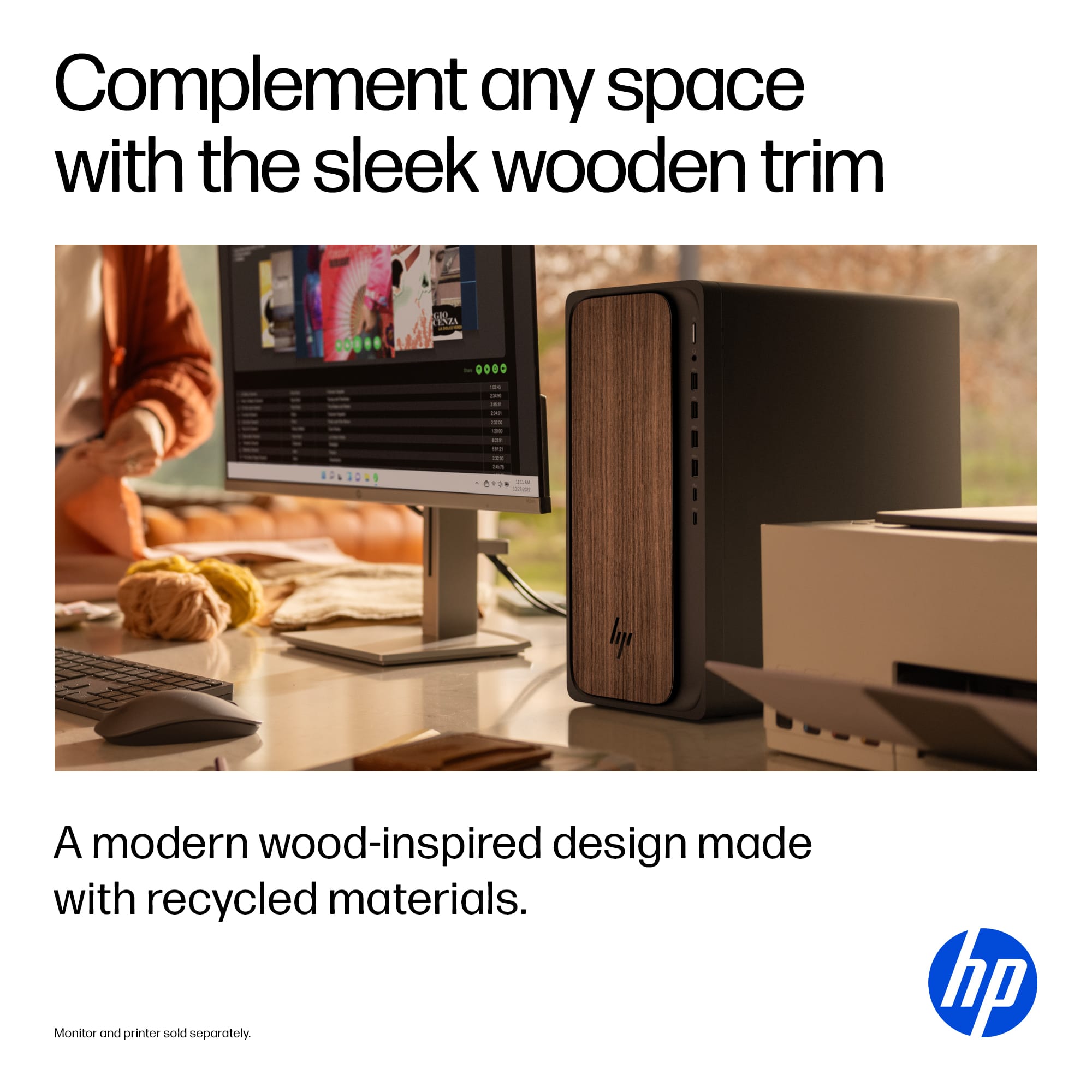
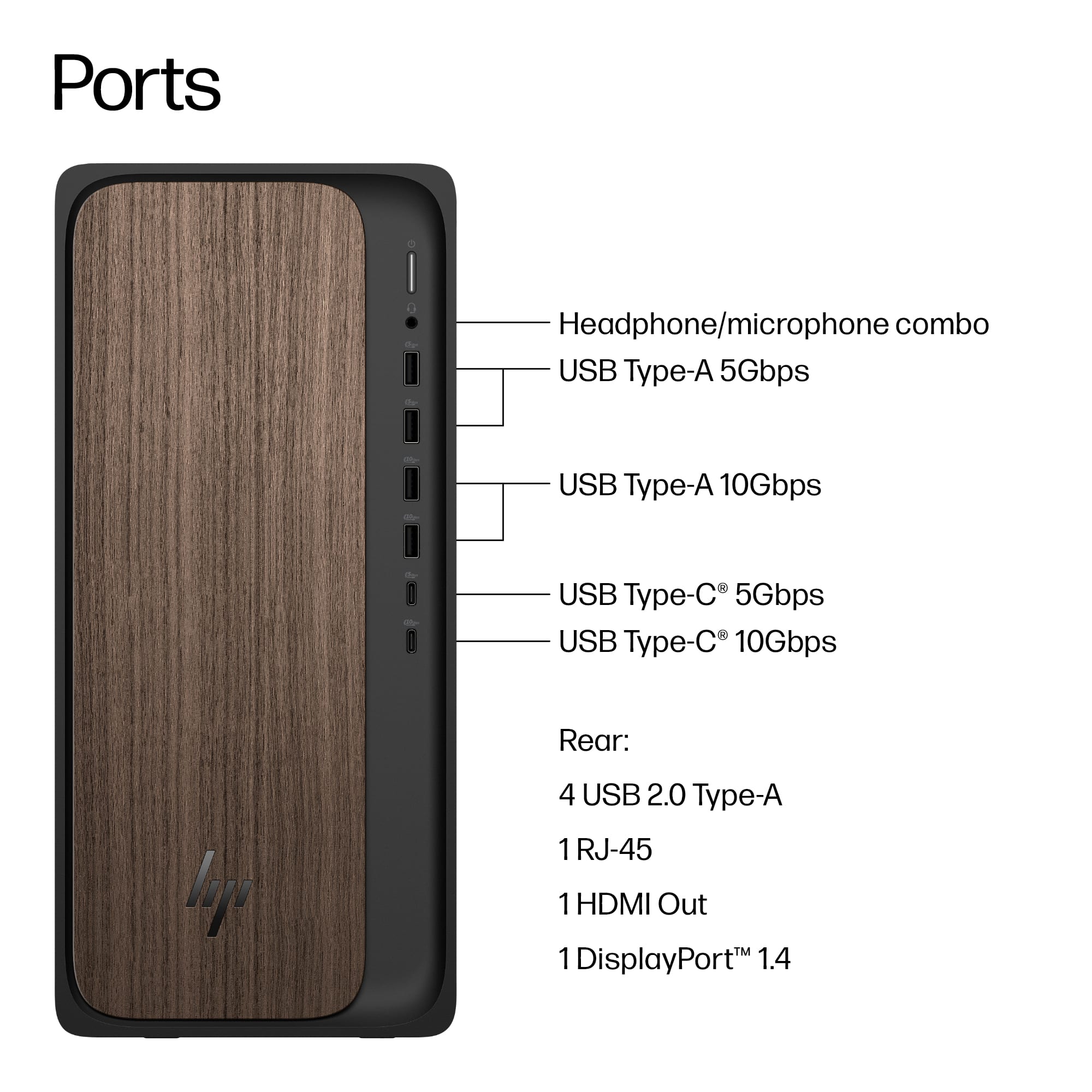
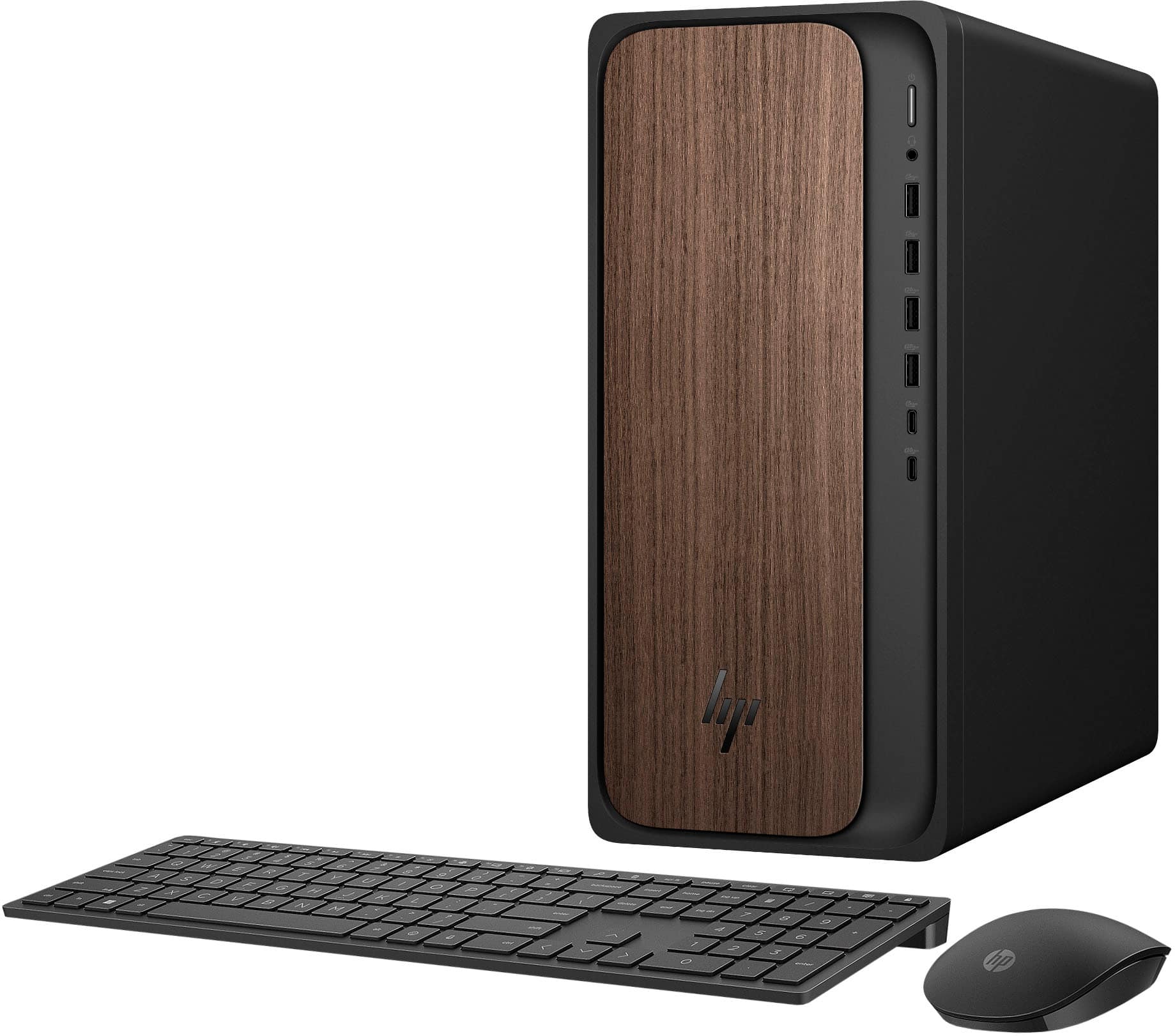
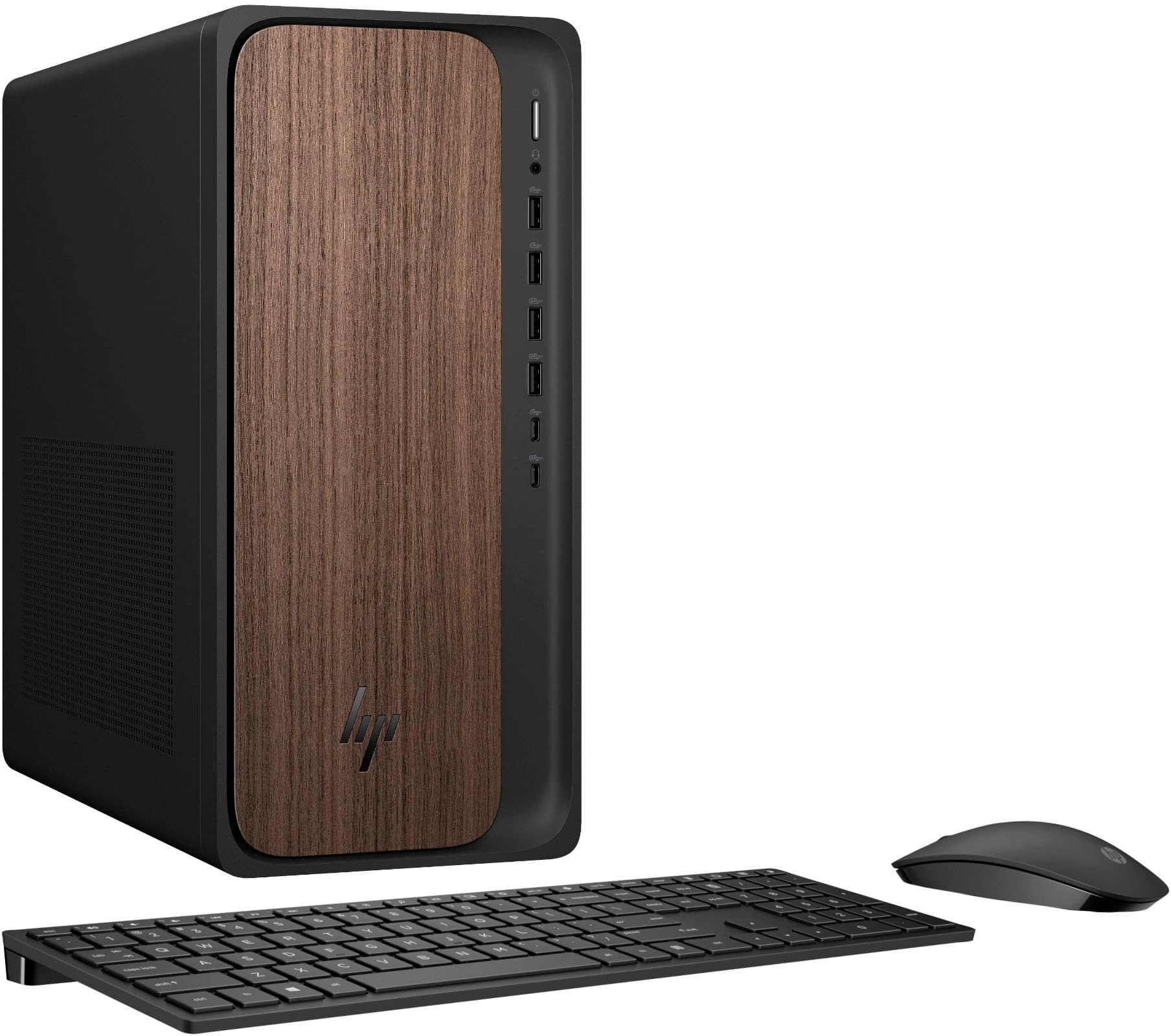
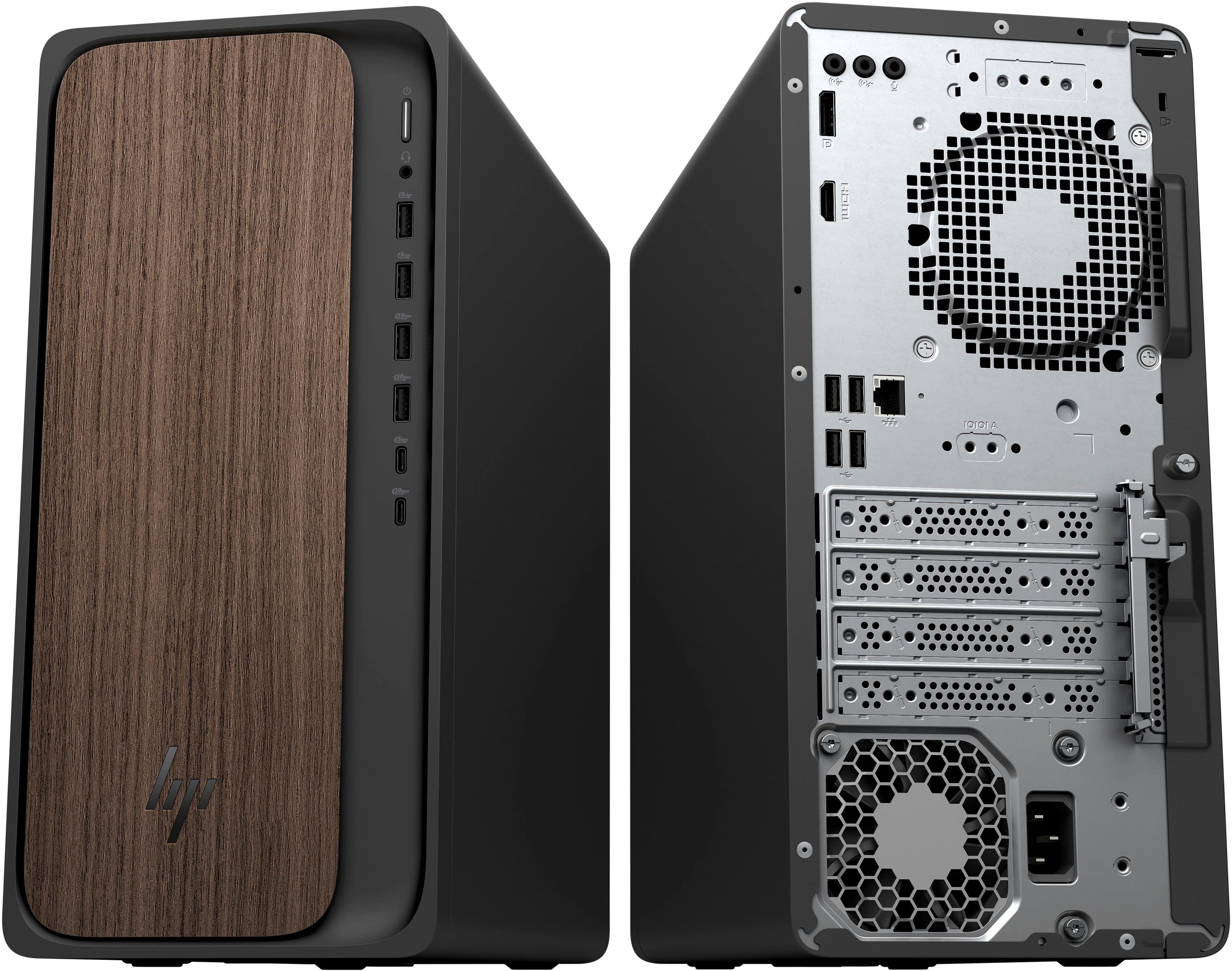
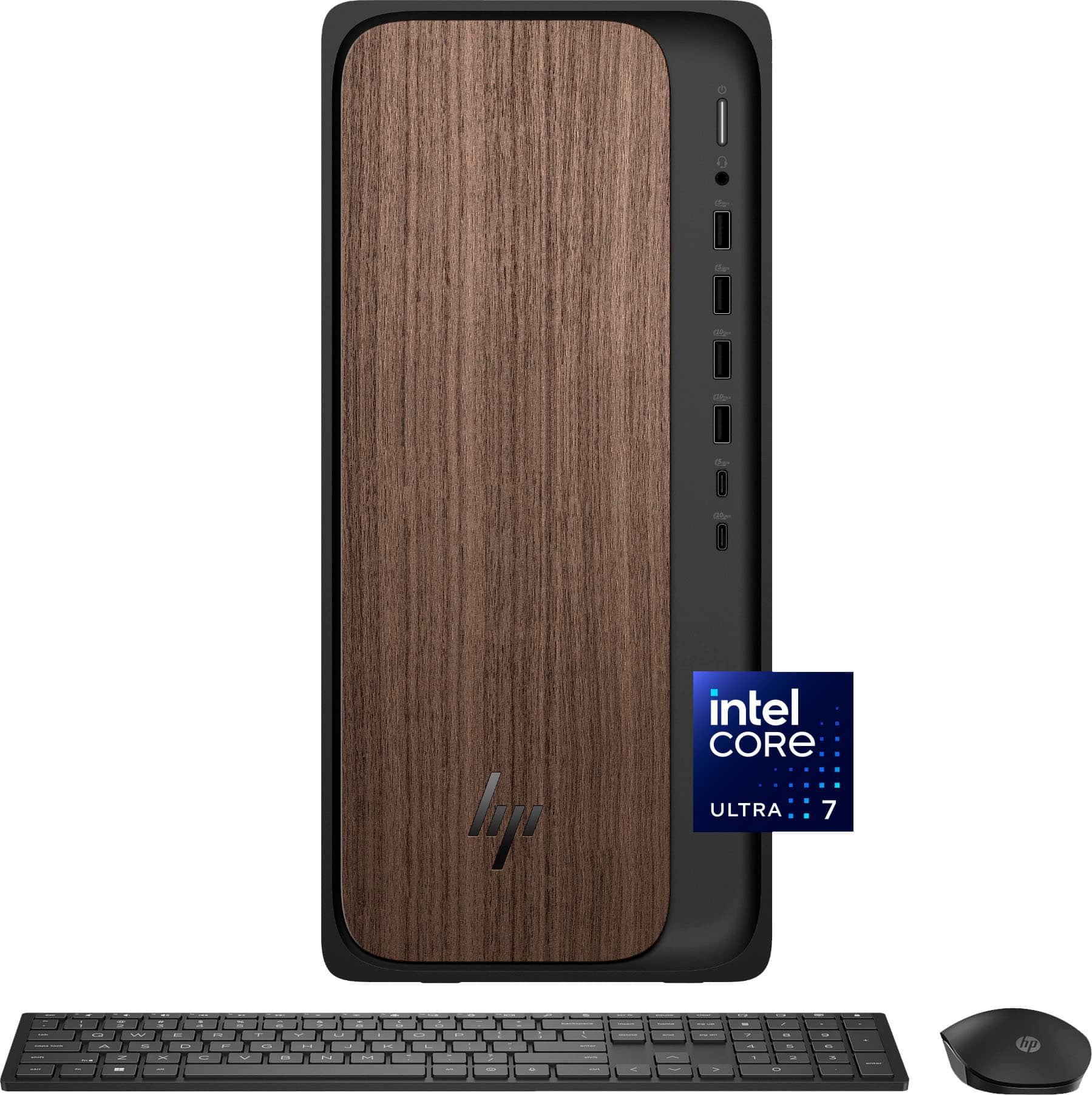
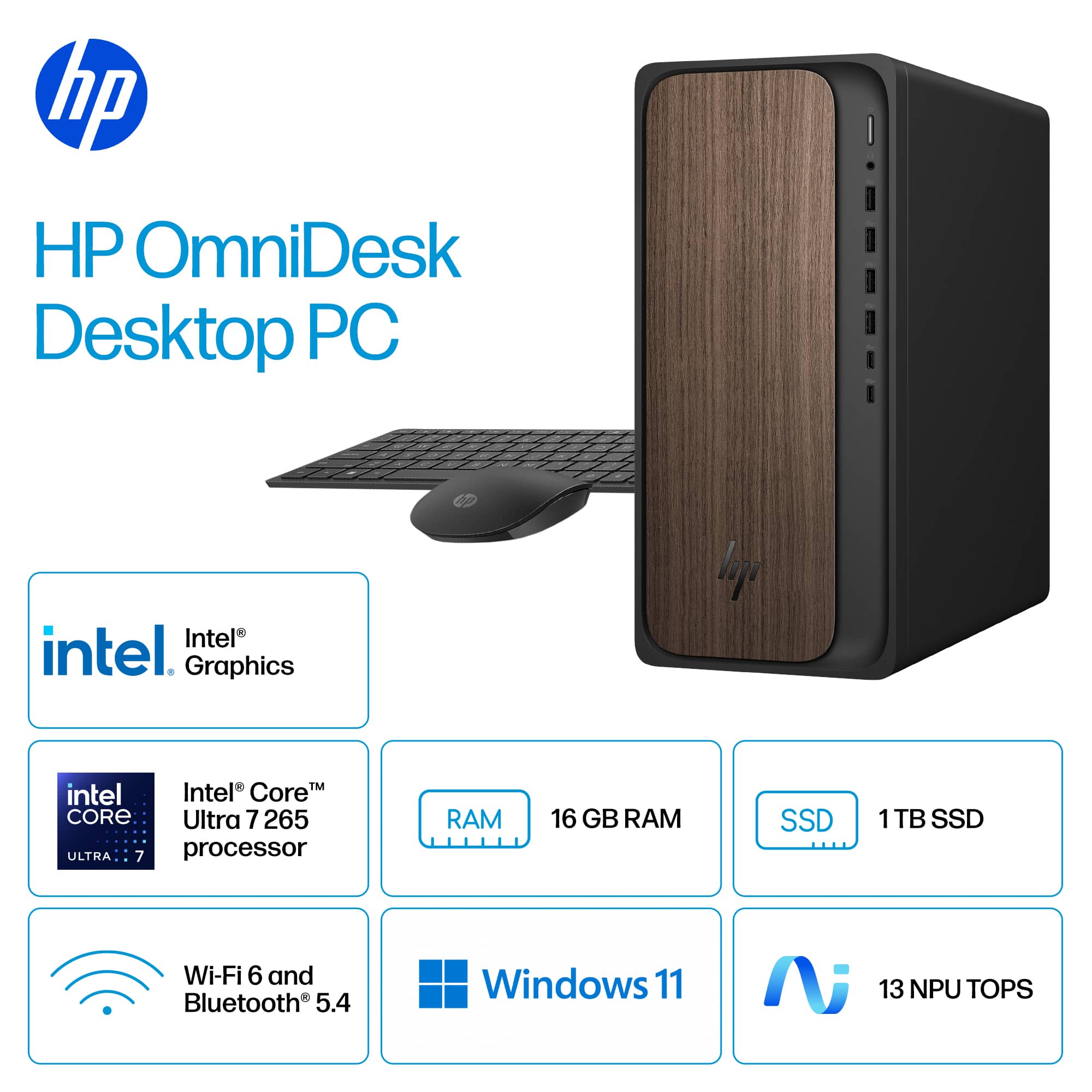
    The HP - OmniDesk Desktop (Intel Core Ultra 7 - 16GB DDR5 Memory - 1TB SSD - Dark Wood) has been a great PC during my time testing it. With sleek looks, fast performance, and nice specs, I have been very impressed with this offering from HP. HP’s OmniDesk comes in a variety of configurations, but I believe the one I received works well for any daily computing needs. With an Intel Core Ultra 7 processor, it is fast, reliable, and can also handle AI tasks. The 16 GB of RAM ensures smooth performance, and a 1 TB SSD ensures that you will have enough space to store your work and content. As for ports, there are quite a few, including: 2 x USB-A 3.0, 2 x USB-A 3.1, 1 x USB-C 3.0, 1 x USB-C 3.1, 4 x USB-A 2.0, 1 x DisplayPort 1.4, and 1 x HDMI, as well as a 3.5 mm headphone jack on the front of the unit (plus audio ports on the back of the unit). During my testing, I found that I always had a port for whatever was required at that moment. Performance has been exceptional, as the HP OmniDesk has powered through every task with ease. I primarily have been using this PC for school/work, browsing the web/streaming media, and some light gaming. While I don't think this would be the best PC for serious, power-hungry gaming, it has been adequate for playing some older, less demanding titles. For all other daily tasks, there was nothing that slowed down the OmniDesk. This PC does run AI tasks, and they seem to work well. While I could debate the usefulness of CoPilot, it is nice that the HP OmniDesk supports these features, as they can only get better moving forward. The look and build quality of the HP OmniDesk is fantastic, as I really like the faux wood trim on the front of the desktop. It goes extremely well with the black color scheme, and everything feels well-made and high-end. While the included keyboard and mouse are probably not the greatest examples out there, I found them to be of a nice quality, easy to use, and responsive during my testing. The only con I can think of is that they do use batteries, instead of being rechargeable. Still, for included accessories, they are pretty nice. Overall, I believe that HP has created a winner with the OmniDesk PC. It has been a joy to use on a daily basis, as nearly all computing tasks are a breeze with the included hardware. The aesthetics and build quality are also top-notch, and indicate that this is a quality product. If you are looking for a well-built, powerful, and capable unit, look no further than the HP OmniDesk! Final Score: 5 Stars

    I would recommend this to a friend
  • Pros mentioned:
    Speed
    Cons mentioned:
    Port selection
    Tech Insider Network Member

    Rated 4 out of 5 stars

    Good overall, priced a bit high.

    |
    Tech Insider Network Member
    Posted .
    This reviewer received promo considerations or sweepstakes entry for writing a review.

    HP - OmniDesk Desktop - Intel Core Ultra 7 - 16GB DDR5 Memory - 1TB SSD - Dark Wood The HP OmniDesk Desktop is a nice-looking mid-grade desktop computer. It comes with a nice wireless keyboard and mouse. The front of the computer has a fake wood finish making it a little nicer than an ordinary desktop computer. Processor speed is quite good and runs Windows 11 very well. Expansion is limited as there is only 1 PCIe x16 and 1 PCIe x1 slot available. There is also 1 empty ram slot available. The motherboard has 2 SATA ports but no full-size power is supplied. There is an ODD SATA power connector, but no cable supplied, and no cutout in the case for an ODD. There is a 4 pin 12/5 VDC jack on the motherboard, possibly for the addition of power for SATA devices (additional HDD?) but again, no adapter cable to use this connection. The graphics are supplied by the CPU, with the empty PCIe x16 slot available you might think you could upgrade the video card. Be aware that there is not enough power, and NO power cables to be able to do this. The power supply is only 280 watts and is proprietary to the motherboard. The price point for this machine is a bit on the high side seeing as how upgrades are pretty much out of the question. Is has a 1TB NVME SSD that is fast enough for most situations. The speed of this drive is below what I would consider right for a PCIe 4.0 x 4. Read speed about 5048 MB/s and write speeds of about 3653 MB/s. A true PCIs 4.0 x 4 speed should be closer to 7200 MB/s read with write speeds about 6800MB/s. The computer responds well after the initial start-up time of 35 minutes. It seems to install the new 24H2 version of Windows 11 at first start-up. It also then had another 45 minutes of updates to do. I did nothing while the updates were being done, I just let it finish them and then started working with it. It has a full array of USB ports, A and C. It has 1 HDMI and 1 Display port for video. There is a headset jack in the front as well as standard audio in and out jacks on the back of the case. The cooling capacity of the case is also very limited. It has a small 60mm fan in the power supply and only 1 other 80mm fan that’s attached to the CPU heatsink. Think of the old, in box included heatsink that used to come with a P4, that’s what it looks like. The CPU heatsink is covered in a shroud that pulls the air from the case and directs it out the back “fan” opening where there should be a fan but none is installed. My bottom line. The processor is a good Core Ultra 7 265 with plenty of speed and even AI if you have something that needs it. The ram is only 16 Gigs but has an empty slot to upgrade that if you see fit. With the power supply so limited any upgrades other that 1 stick of ram and maybe an add in card that doesn’t require additional power is about all you’ll be able to do. The processor runs at 2.4 GHz base with it topping out about 5 GHz. While testing I saw 4.2 GHz all the time without a sweat.

    I would recommend this to a friend
  • Rated 1 out of 5 stars

    Slow & Sluggish

    |
    |
    Posted . Owned for 3 weeks when reviewed.
    This reviewer received promo considerations or sweepstakes entry for writing a review.

    I'm very disappointed with this computer. It's not any faster than my existing computer. It's sluggish & Slow. Will return.

    No, I would not recommend this to a friend
  • Rated 1 out of 5 stars

    as is unit

    |
    |
    Posted .
    This reviewer received promo considerations or sweepstakes entry for writing a review.

    not designed to add hardware. power supply has no un used plugs and no bays.

    No, I would not recommend this to a friend
  • Rated 1 out of 5 stars

    Bad ho

    |
    |
    Posted . Owned for 3 weeks when reviewed.
    This reviewer received promo considerations or sweepstakes entry for writing a review.

    I will never buy another hp product again!! Hp is crap

    No, I would not recommend this to a friend
  • Rated 1 out of 5 stars

    Challenging

    |
    |
    Posted .
    This reviewer received promo considerations or sweepstakes entry for writing a review.

    Too complicated. Cannot get to us HP printer. Selections difficult to get to.

    No, I would not recommend this to a friend
  • Pros mentioned:
    Speed
    Tech Insider Network Member

    Rated 4 out of 5 stars

    Powerful laptop, limited expandability

    |
    Tech Insider Network Member
    Posted .
    This reviewer received promo considerations or sweepstakes entry for writing a review.

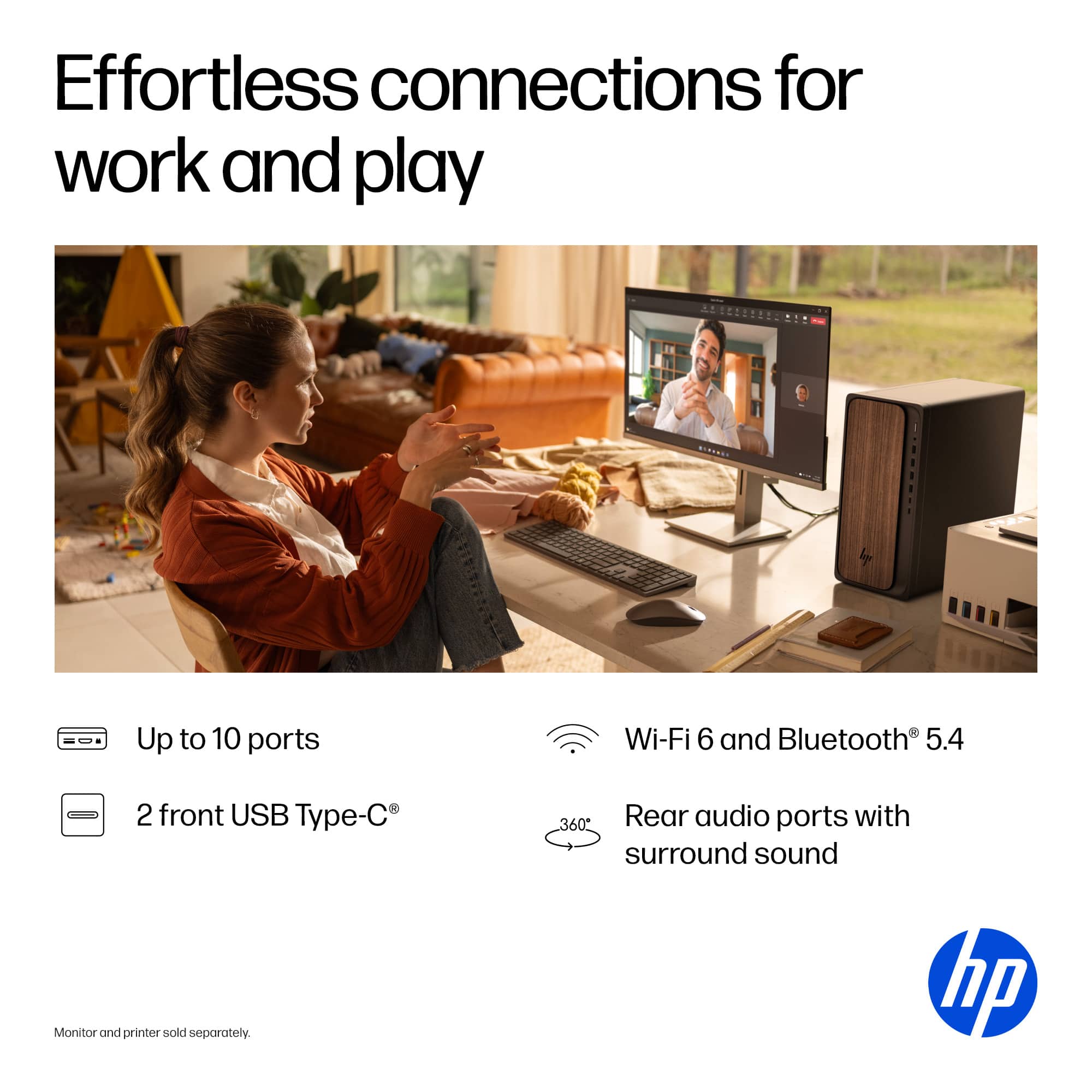
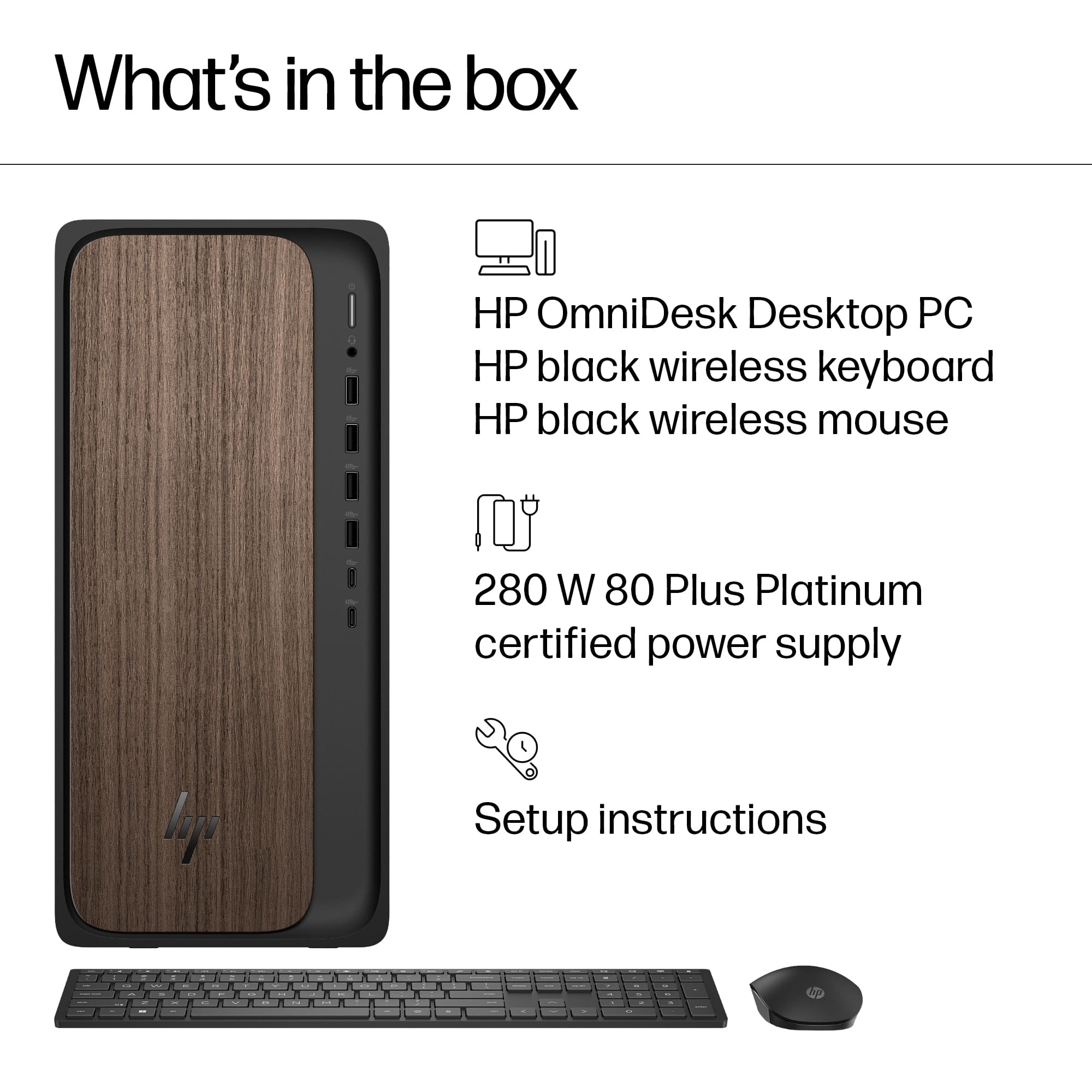
    If you are looking for a reasonably powerful desktop PC, this one is an excellent choice. However, if you desire to upgrade hardware within the case, there are only limited options. I'll go into more detail below. The computer comes with a wireless keyboard and mouse. I could find no power switch on the keyboard, but you can switch the mouse off when not using. Both take two AAA batteries, which were included with the computer. It has both Gigabit Ethernet and 802.11ax WiFi for good network connectivity. It only has HDMI and Display Port video outputs, so if you have a monitor with only a VGA connection you will need a new monitor. I connected via HDMI to a 4K television, and the on-board graphics connected at 4K/60 and includes HDR support. The video image was very good.There are four USB 2.0 connections on the rear panel. The front panel has four USB-A connectors (two marked 5Gb and two marked 10Gb) and two USB-C connectors (one marked 5Gb and one 10Gb). First, this PC comes with an excellent CPU, the Intel Core Ultra 7 265. Comparing this with my primary media PC with a Ryzen 5 5600GT, this is in general about 30% faster in single thread tests, and more than 50% faster in multi-thread tests. The reason for this is the number of cores within the CPU. The Ryzen 5 has six cores, with hyperthreading that's 12 logical cores. The Intel has 20 cores, with no hyperthreading needed. Looking at memory and the PCI bus, the Intel has far more power, double the memory bandwidth and triple the PCIe bandwidth. What this all means is there's no bottleneck for data moving within the computer system. How does this translate into performance? I ran several tests, including playing high bitrate videos and performing video encoding. While connected via WiFi, I tried playing a 250 Mbps bitrate video. The playback would occasionally stutter, most likely because of the WiFi connection not being fast enough. A 200 Mbps video played just fine, and in real world use it's highly unlikely anyone would ever encounter such a high bitrate video stream. I then tried using Handbrake to encode an existing video into a different format. I took a TS file that uses MPEG2 video and encoded it into an MP4 container with H.264 video. I also burned in the EIA 608 captions. Previous attempts to do something like this would require from 30 minutes to over an hour. This computer completed the task in 2 minutes 14 seconds. This is exceptional performance. I previously mentioned expandability, so let's open the case and look inside. This is a small tower PC form factor, so I was expected to find some empty space for adding additional hard drives. However, once I looked inside I found there is no such space. The case itself is roomy, plenty of space for airflow. But there is no place to mount any additional hardware inside. There are two memory slots, with one in use and one empty. So the memory can be expanded. There are two PCIe slots available, one short x1 and one x16. A dedicated graphics card could be installed, however there are no power connections available for any card that requires a separate power connection. The same goes for SATA connections. There are two SATA connectors on the motherboard, but again no power leads for any SATA drive. It uses an M.2 slot for the WiFi module, and although it appears there might be a second M.2 connection available it might simply be an optical illusion. There of course is no optical drive, nor any way to add one internally. Bottom line: a very powerful desktop PC, but don't buy it thinking you can add in additional hardware. The memory can be expanded, there are two SATA ports and two PCIe slots, but no additional power is available to run any additional hardware. If additional storage space is needed, they can only be connected via USB connections.

    I would recommend this to a friend
  • Pros mentioned:
    Ease of use, Noise level

    Rated 5 out of 5 stars

    compact & quiet

    Posted .
    This reviewer received promo considerations or sweepstakes entry for writing a review.

    very easy to set up! Minimal cords, which is super nice and I can barely hear it running. Highly recommend so far.

    I would recommend this to a friend
  • Pros mentioned:
    Overall performance

    Rated 5 out of 5 stars

    Super Computer

    Posted .
    This reviewer received promo considerations or sweepstakes entry for writing a review.

    Great Best computer ever. I recommend it every time

    I would recommend this to a friend
  • Tech Insider Network Member

    Rated 2 out of 5 stars

    Not very upgradeable. Breach of trust issue.

    |
    Tech Insider Network Member
    Posted .
    This reviewer received promo considerations or sweepstakes entry for writing a review.

    [ Performance / Usability ] Thanks to the CPU and SSD (M.2 NVMe), this computer boots up very quickly, and apps operate smoothly. I didn’t run into any unexpected operational snags out of the box. It does well enough for light gaming, but the integrated graphics don’t hold up well to anything remotely demanding. The Intel Core Ultra 7 265 benchmarked slightly better than an i7-14700K in the single-core tests I ran, but fell behind significantly on the multi-core tests. This is a good trade-off considering the significantly lower energy usage of this CPU and the tasks this computer was designed for. The cooling setup inside the case is very modest. A multi-core CPU benchmark that hammers all cores causes thermal throttling within several seconds. So this would not be a good contender for heavy workloads. It might be worth noting that there’s a premium being charged here for the integrated NPU (Neural Processing Unit). Currently, there aren’t many desktop apps that can even make use of an NPU. It’s included here as a form of future-proofing, but NPUs in desktop PCs may never take off. It makes much more sense in mobile devices, where any efficiency increase is appreciated for the impact on battery drain. For what it’s worth, the OpenVINO NPU benchmark I ran rated better than the latest Pixel phones, but much worse than the latest iPhones and iPads, as well as the Galaxy S24. The included keyboard and mouse both operate off of an included USB wireless receiver and are powered by AAA batteries. Both are heavier than usual for OEM keyboard/mice included with a PC. The mouse is very basic, but does ‘basic’ well. I’m not fond of the keyboard. The short and snappy key travel and lack of meaningful tactile feedback make typing feel worse to me than most OEM keyboards. It also has embossed keys, which makes it feel like I’m encountering biofilm grime while typing. [ Design ] This is a custom/proprietary PC with very little room for upgrades or custom configuration. The motherboard, PSU, case, and UEFI firmware are all custom HP designs intended to work together, and in rather minimal fashion. The included M.2 NVMe SSD is tucked out of sight under a cooling superstructure designed to funnel hot air from the CPU out the back of the case. Replacing it would not be a task for a casual tinkerer/upgrader. There is no mounting cage for SATA drives, but the PSU doesn’t even have SATA power cables, so that’s fairly moot. The PSU has a custom form-factor (close to TFX), with an atypical connection to the motherboard. The memory would probably be the only straightforward upgrade/replacement (there are two DIMM slots, with a single slot occupied). To me, this is an abomination. HP should have designed this as a NUC, nettop, or similar small form factor, where this tight integration and lack of upgradeability get more of a pass, and where this price point would have been more palatable. The “wood-inspired trim” is a printed design laminated onto a (presumably) plastic panel. It includes etching to add a bit of texture, but it still looks rather artificial to me. [ McAfee spam nonsense ] At the end of the Windows 11 OOBE (Out Of Box Experience) setup process, I was asked if I wanted to submit my information to HP for warranty/support purposes. I’ve done this before when setting up other HP computers without issue. I agreed after manually filling out the fields, including an email address I use *only* with HP. One of the very first things I did was uninstall the preloaded McAfee garbageware. Later that day, I received an ‘Identity Monitoring report’ from McAfee, sent to my HP-only email address. I tried to unsubscribe, but the spam continued the very next day from McAfee (again to my HP-only email address), trying to sell me a McAfee+ Premium subscription. This could only have happened if HP forwarded my information to McAfee *without* my consent, which I see as unethical and a major breach of trust. To make matters worse, after going through a McAfee account recovery process to access an account that was created automatically for me (without my intention), I discovered that there was no way on their website to delete the account. I had to call their customer support to have the account deleted, which the representative was only willing to do after repeated arm-twisting, and I’m still not sure it’s been fully deleted. After the phone call, I received two more emails from McAfee, one asking me to answer a survey about my customer support experience (after the representative told me my email address was completely removed from their system). Since this happened as a result of the normal setup procedure for this computer, this experience is reflected in my product rating.

    No, I would not recommend this to a friend
  • Rated 5 out of 5 stars

    into 21st century

    Posted .
    This reviewer received promo considerations or sweepstakes entry for writing a review.

    Old computer had Windows 7. Glad to finally catch up with the rest of the world. Only to know Windows 12 coming out soon. Glad Liam guided us to this desktop which, he said, will accommodate Windows 12.

    I would recommend this to a friend