Customer Ratings & Reviews








- Model:
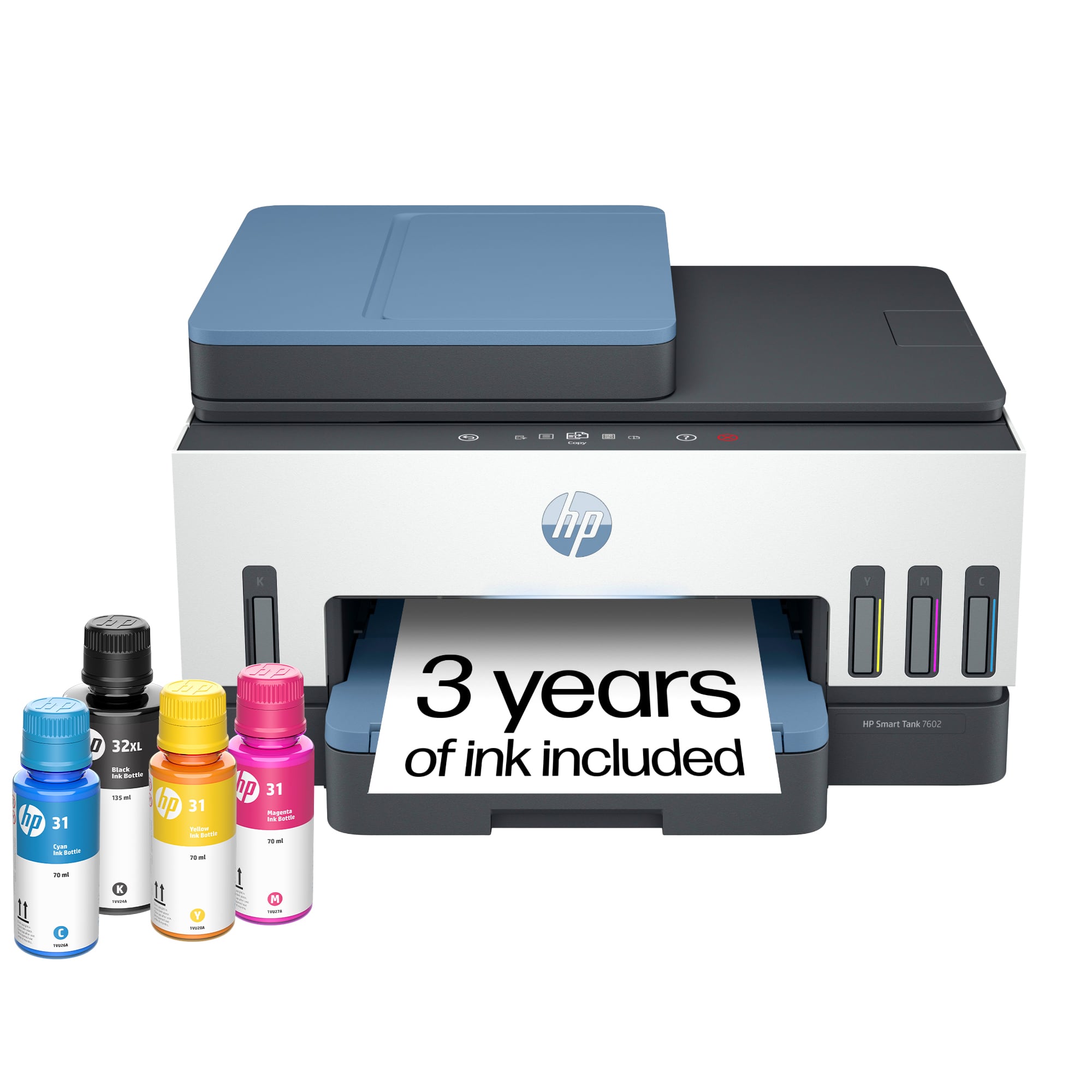
- HP SMART TANK 7602/28B98A#B1H
- |
- SKU:
- 6498190
Customer reviews
Rating 4.4 out of 5 stars with 2121 reviews
(2,121 customer reviews)Rating by feature
- Value4.4
Rating 4.4 out of 5 stars
- Quality4.5
Rating 4.5 out of 5 stars
- Ease of Use4.4
Rating 4.4 out of 5 stars
Customers are saying
Customers are delighted by the exceptional print quality and the overall ease of use provided by this device. Users frequently highlight the quick and straightforward setup process, as well as the seamless connectivity options. Additionally, many appreciate the quiet operation and the compact size, which makes it a perfect fit for any workspace.
This summary was generated by AI based on customer reviews.
- Pros mentioned:Connectivity, Print quality
Rated 5 out of 5 stars
Great printer at a good price.
||Posted . Owned for 1 week when reviewed.This reviewer received promo considerations or sweepstakes entry for writing a review.Replaced my old officejet with this new printer. The improvements are noticeable. Connection to the iMac and Microsoft laptop via home network WiFi was easy. Print quality, scanner and no longer needing to replace those print cartridges is great.
I would recommend this to a friend - Pros mentioned:Print quality
Rated 4 out of 5 stars
Perfect for my small business!
||Posted . Owned for 1 month when reviewed.This reviewer received promo considerations or sweepstakes entry for writing a review.I wanted a printer that didn't use cartridgers and started with an Epson. Within one week a part fell off that prevented the printer to work and it was very loud. I decided on the HP and am very happy. The quality of the prints is great and it is very quiet. The only reason for not a 5 star is the limited copying choices.
I would recommend this to a friend - Pros mentioned:Ease of use, Print quality
Rated 5 out of 5 stars
Great printer
||Posted . Owned for 2 weeks when reviewed.This reviewer received promo considerations or sweepstakes entry for writing a review.Easy to set up, nice prints, multipurpose use. Would recommend.
I would recommend this to a friend - Pros mentioned:Ease of use, Overall performance
Rated 5 out of 5 stars
HP printer
||Posted . Owned for 2 weeks when reviewed.This reviewer received promo considerations or sweepstakes entry for writing a review.Printer is easy to set up and I’m satisfied with its performance. I recommend it for anyone who has an HP computer.
I would recommend this to a friend - Pros mentioned:Print quality
Rated 5 out of 5 stars
Easy Set Up and Quality Print Job
||Posted .This reviewer received promo considerations or sweepstakes entry for writing a review.I am a huge fan of the HP products and have been purchasing them for years. The set up for my new printer was easy and straightforward. I am loving the cartridge free unit. The pages print out super clear and quickly. Great all-in-one printer.
I would recommend this to a friend - Pros mentioned:Overall performance, Print quality
Rated 4 out of 5 stars
HP Printer
||Posted . Owned for 3 weeks when reviewed.This reviewer received promo considerations or sweepstakes entry for writing a review.Works great. Print is totally legible. Very satisfied.
I would recommend this to a friend - Pros mentioned:Connectivity, Print quality
Rated 5 out of 5 stars
Maximum Efficient Performance
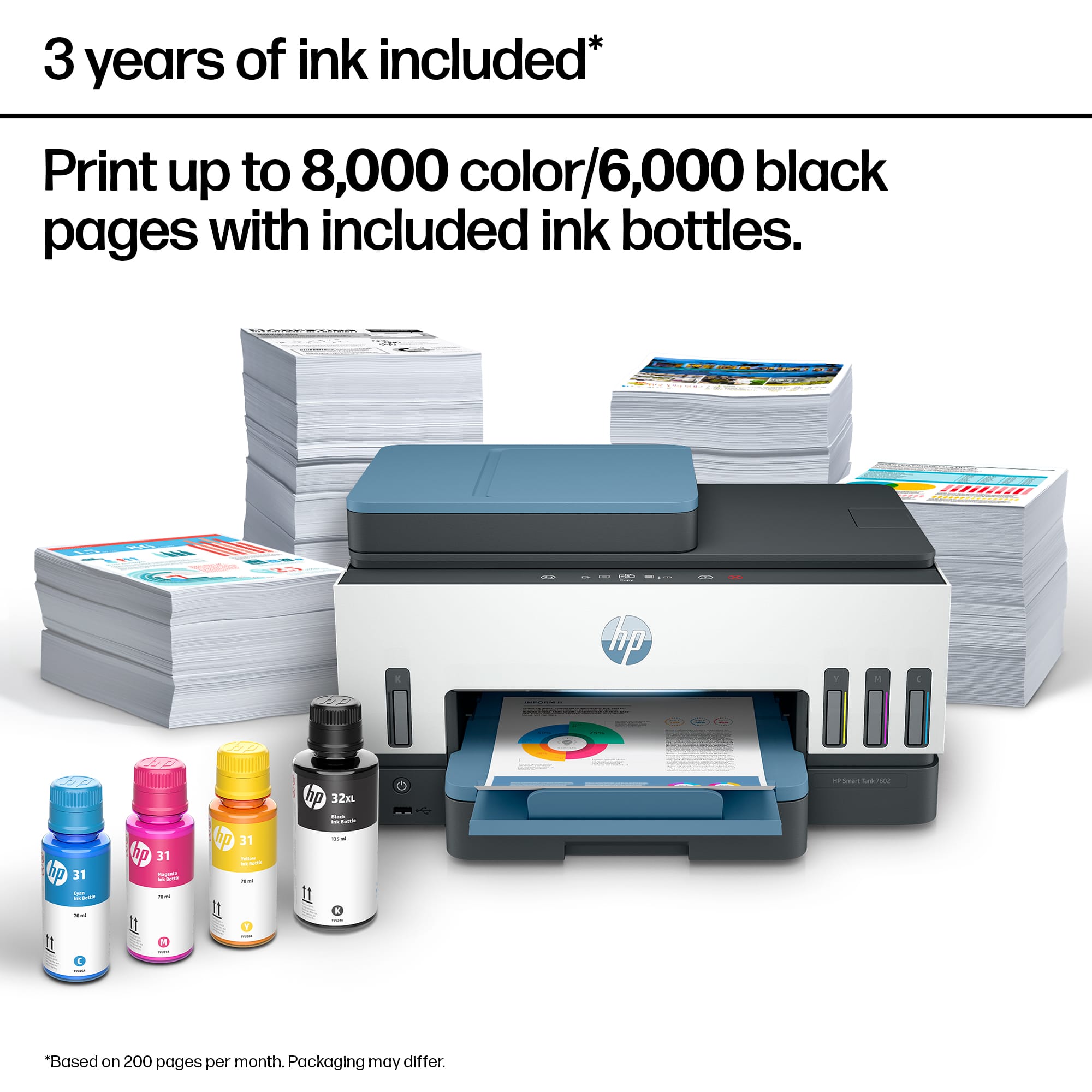
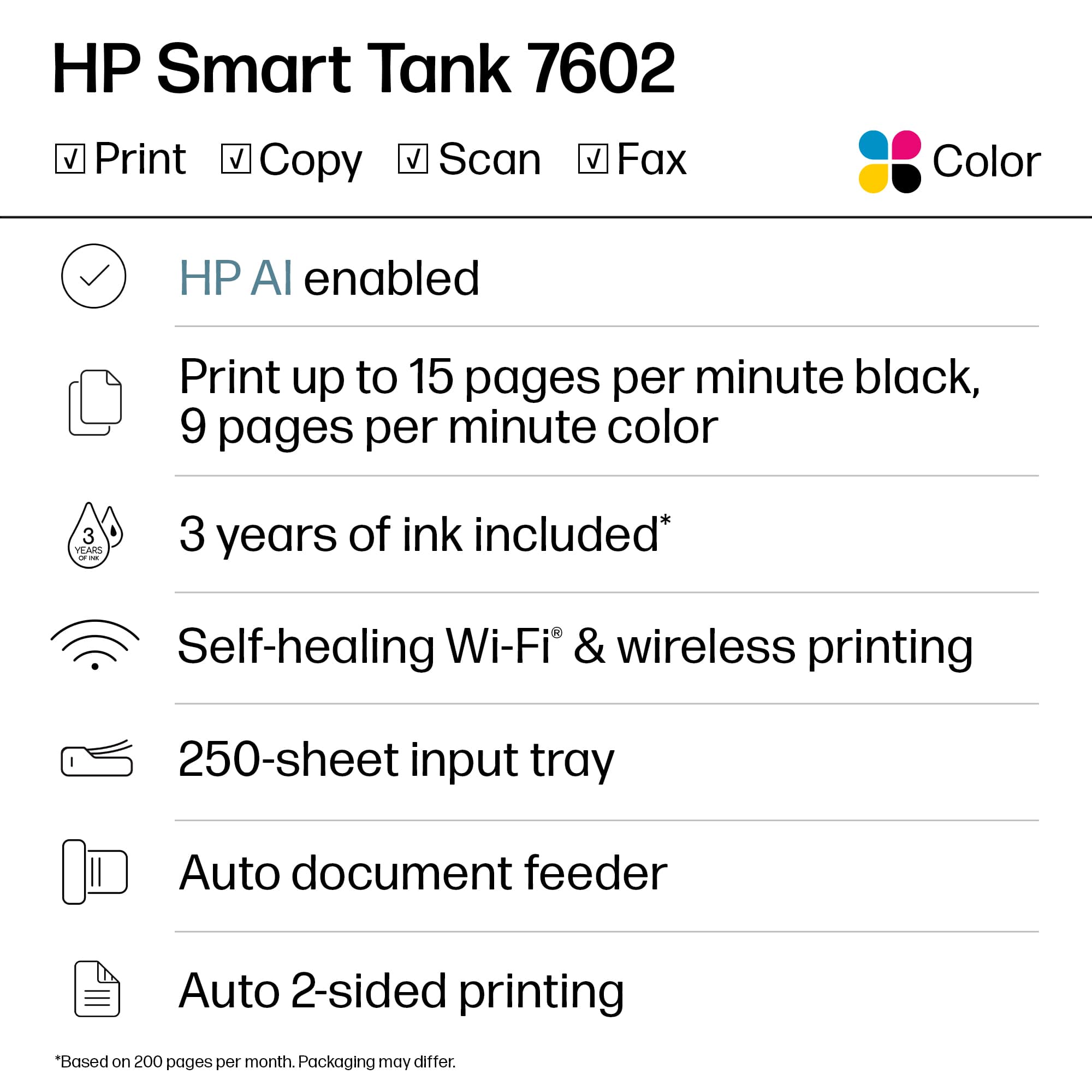
||Posted . Owned for 1 week when reviewed.This reviewer received promo considerations or sweepstakes entry for writing a review.The 7602 HP Tank Printer is amazing! Dual Mode 2.4ghz and 5.0ghz Printer. Prints for up to 2 years on one ink supply. Very clear copies with replaceable ink heads. Printer is Wireless and very efficient. Easy to install!
I would recommend this to a friend - Pros mentioned:Connectivity, Overall performance
Rated 5 out of 5 stars
hp smartank
||Posted . Owned for 3 weeks when reviewed.This reviewer received promo considerations or sweepstakes entry for writing a review.Great printer and a great value! easy to setup and works on wifi.
I would recommend this to a friend - Pros mentioned:Connectivity
Rated 5 out of 5 stars
Smart Tank 7602 Printer
||Posted . Owned for 2 weeks when reviewed.This reviewer received promo considerations or sweepstakes entry for writing a review.Now that your Geek Squad visit worked almost two hours trying to get the printer to connect with laptop, I am very happy with the new printer. Just a heads up; my first Geek Squad visit was cancelled without any explanation. Perhaps better communication would be to make sure there is a logical reason why it was cancelled. Otherwise, I'm very happy with the service at Best Buy itself and the Geek Squad visit.
I would recommend this to a friend - Pros mentioned:Ease of use, Print quality
Rated 4 out of 5 stars
easy to setup
||Posted . Owned for 1 month when reviewed.This reviewer received promo considerations or sweepstakes entry for writing a review.easy to set up, good print, but expensive. overall experince is good.
I would recommend this to a friend - Pros mentioned:Ease of use, Print quality
Rated 5 out of 5 stars
Easy operation
||Posted . Owned for 1 month when reviewed.This reviewer received promo considerations or sweepstakes entry for writing a review.Easy to operate and setup was simple. Clarity of print great!
I would recommend this to a friend - Pros mentioned:Overall performance, Print quality
Rated 5 out of 5 stars
Great Printer
||Posted . Owned for 1 month when reviewed.This reviewer received promo considerations or sweepstakes entry for writing a review.Works great and prints faster than I thought it would.
I would recommend this to a friend - Pros mentioned:Connectivity
Rated 5 out of 5 stars
HP Winner again
||Posted . Owned for 3 weeks when reviewed.This reviewer received promo considerations or sweepstakes entry for writing a review.I was debating on whether to buy an Epson or HP ink tank printer after using expensive cartridges on a 8 year old HP photo smart. I have read hundreds of reviews and watched videos till I couldn't keep my eyes open. Bad and good on both name brands. I have always been a HP person and was willing to give Epson a crack. Well, two things helped me make my choice. With all the commercials, Shaq didn't really do much to sell the product for me. I felt like he didn't really believe in the product. But... the Epson felt like cheap and I mean really cheap plastic construction. Mattel toys were built better. So, I got the HP. So far no at all. Followed hook up and installation by the book and it was perfect.. I did have to ask HP support for help with printing color photos using Adobe Photoshop and that went quickly and smoothly. No problem turning it off and on. WiFi stays connected. Really pleased.
I would recommend this to a friend - Pros mentioned:Ease of use, Overall performance
Rated 5 out of 5 stars
Great Printer
||Posted . Owned for 2 weeks when reviewed.This reviewer received promo considerations or sweepstakes entry for writing a review.Easy to set up came with a lot of Ink, Works Great So far. IM Loving it
I would recommend this to a friend - Pros mentioned:Ease of use, Print quality, Setup
Rated 5 out of 5 stars
Good home printer.
||Posted . Owned for 1 month when reviewed.This reviewer received promo considerations or sweepstakes entry for writing a review.Easy set up, easy use, easy ink fill. Decent printing.
I would recommend this to a friend - Pros mentioned:Ease of use, Print quality
Rated 5 out of 5 stars
Satisfied with our new printer.
||Posted . Owned for 1 month when reviewed.This reviewer received promo considerations or sweepstakes entry for writing a review.So far, a couple of months after getting it, we are very satisfied with the printer. Easy installation, easy connection to wi-fi, accurate and clean printing, low noise.
I would recommend this to a friend - Pros mentioned:Print quality
Rated 4 out of 5 stars
Overall nice printer
||Posted . Owned for 3 weeks when reviewed.This reviewer received promo considerations or sweepstakes entry for writing a review.Overall a nice printer. However, one thing bugs me. I can not print color from my computer. I have to go into the HP app and print from there if I want to print something in color! I can print B & W from my computer just fine, no problem, just not color. When I do print color, it prints very nicely. Photos print clearly. Documents sharp & quickly. Fairly quiet too.
I would recommend this to a friend - Pros mentioned:Connectivity, Print quality
Rated 5 out of 5 stars
Love it
||Posted . Owned for 1 month when reviewed.This reviewer received promo considerations or sweepstakes entry for writing a review.Prints well & always stays connected. Haven’t had it l g enough to monitor how long the ink lasts. But so far, so good, with daily use.
I would recommend this to a friend Rated 5 out of 5 stars
Very quiet!
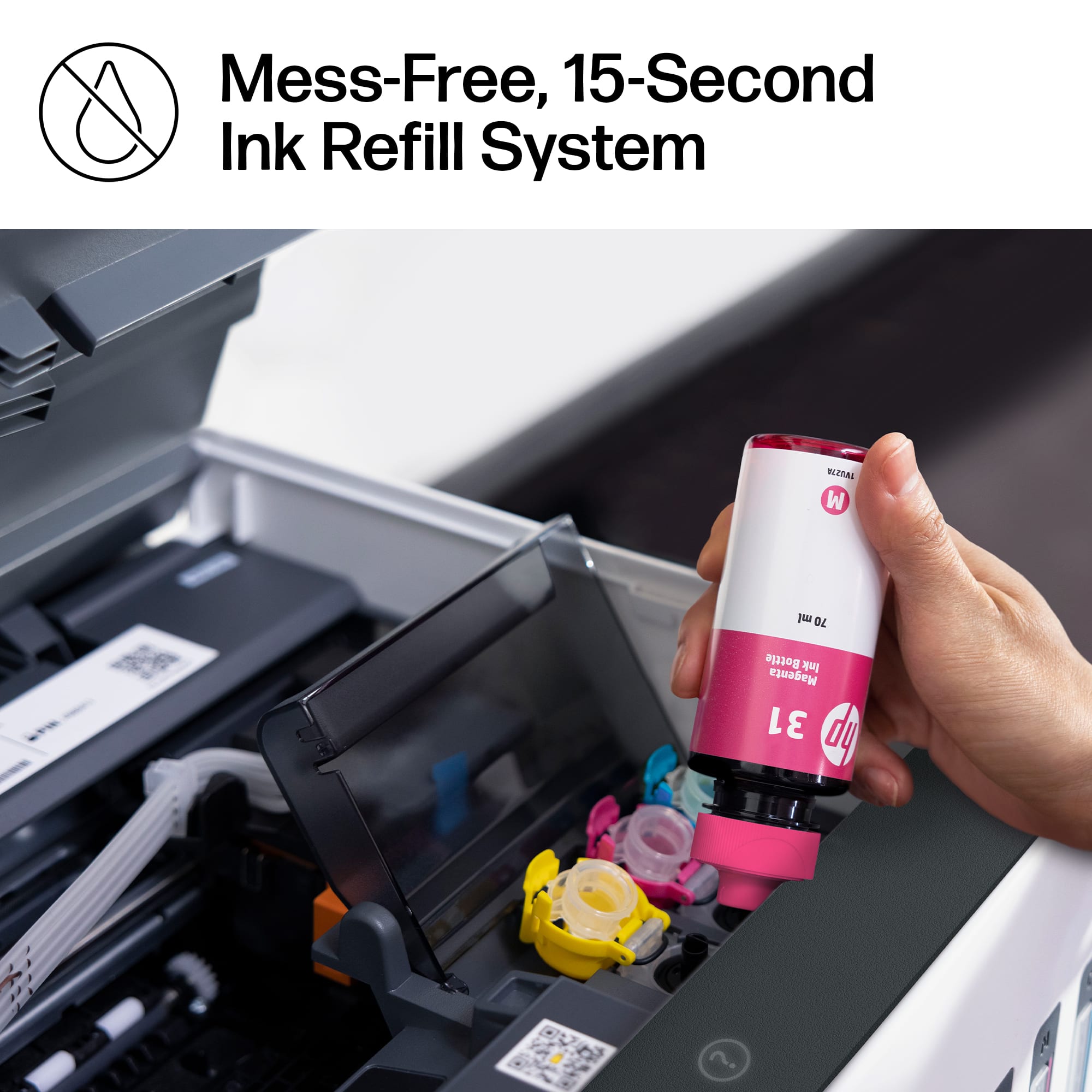
||Posted . Owned for 1 month when reviewed.This reviewer received promo considerations or sweepstakes entry for writing a review.Fairly easy to set up. (Watched a YouTube video because HP directions are about as clear as mud.) Ink very easy to fill, and no mess. Very quiet printing. So far, pleased with my purchase.
I would recommend this to a friend- Pros mentioned:Print quality
Rated 5 out of 5 stars
Great product
||Posted . Owned for 3 weeks when reviewed.This reviewer received promo considerations or sweepstakes entry for writing a review.This printer's speed and quality of printing is great! The ink tank seems like it will be very long-lasting, and it prints very clearly.
I would recommend this to a friend