Customer Ratings & Reviews

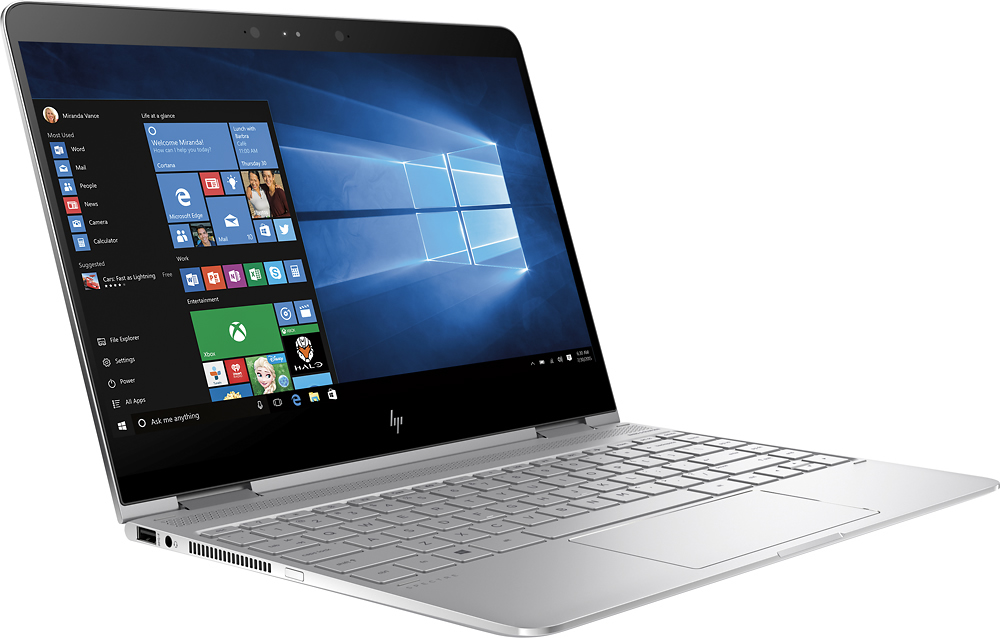
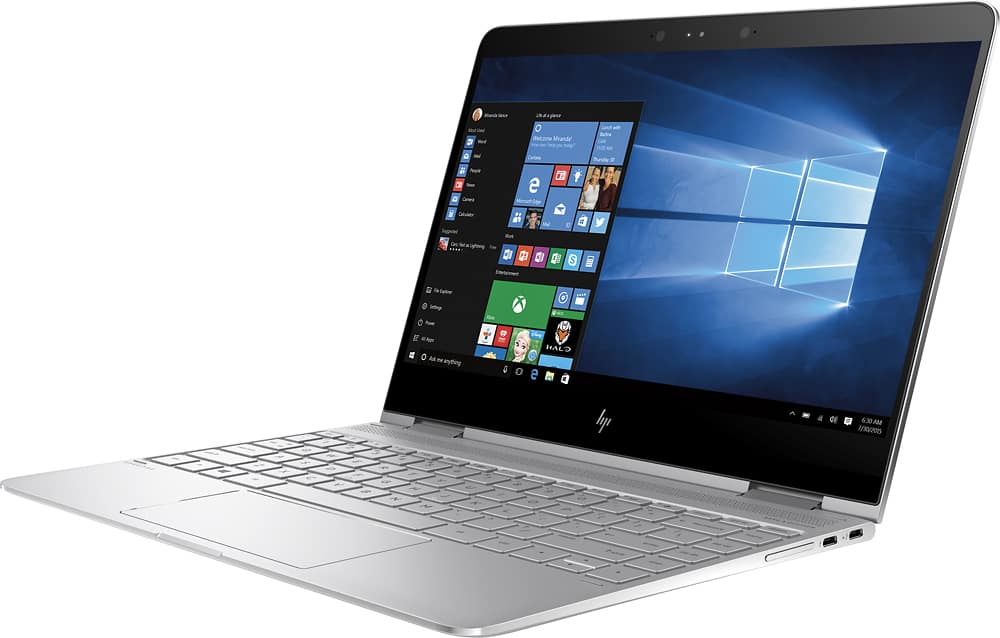
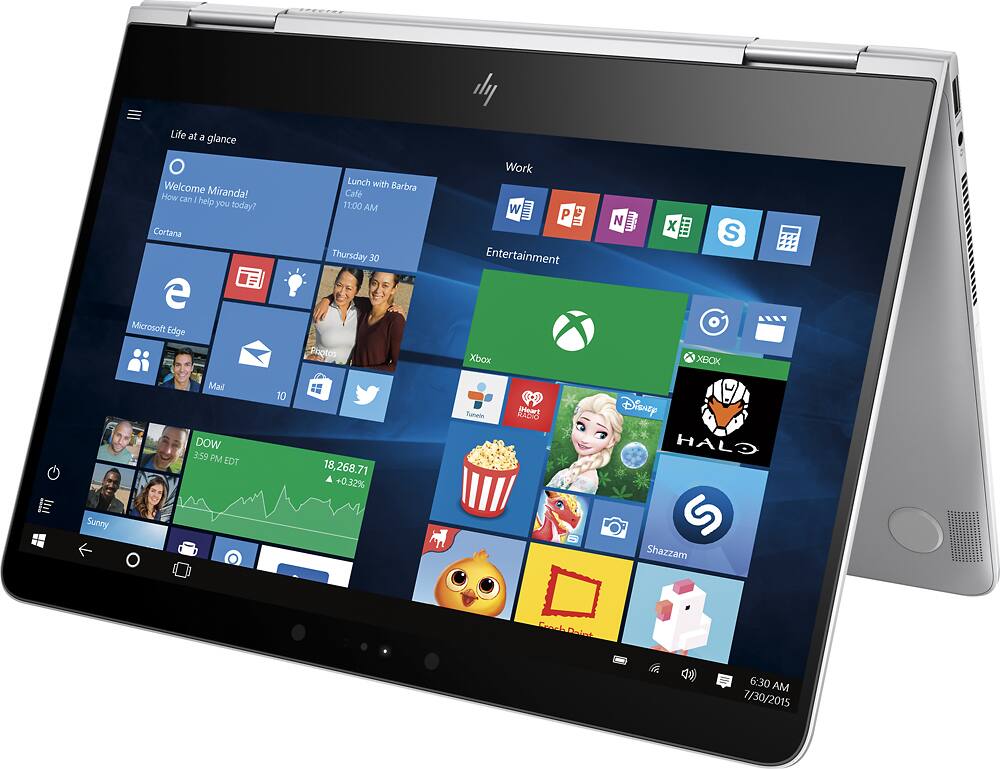
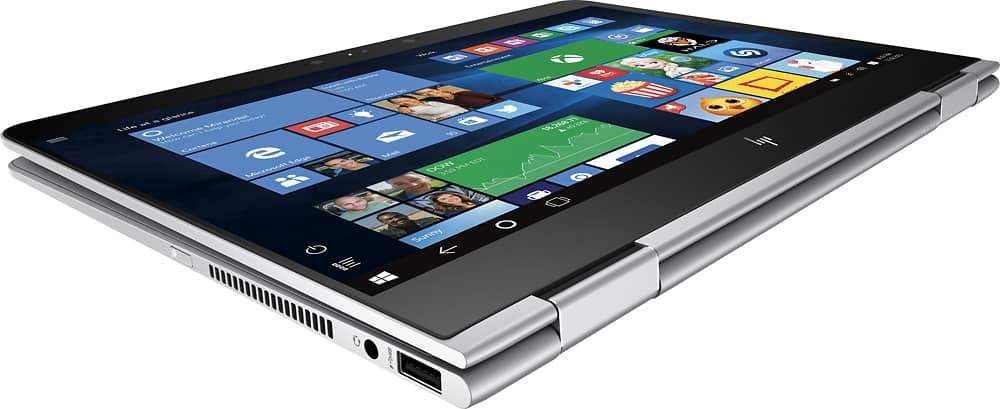
- Model:
- 13-w023dx
- |
- SKU:
- 5617202
Customer reviews
Rating 4.4 out of 5 stars with 383 reviews
(383 customer reviews)to a friend
Customers are saying
Customers consistently note the Spectre x360's lightweight design, impressive battery life, and strong performance, particularly praising the speed of its solid-state drive. Many appreciate its compact size and the convenience of the touchscreen. While some users mention that the device can get warm during intensive use and that the fan can be noticeable at times, the positive feedback on its portability and elegant design outweighs these concerns for most buyers.
This summary was generated by AI based on customer reviews.
- Pros mentioned:Processor speed, Weight
Rated 5 out of 5 stars
WAY better than the Lenovo Yoga 910
Posted .This reviewer received promo considerations or sweepstakes entry for writing a review.Had the Yoga 910 for one day, and felt like they moved our house in front of the International Airport. And talk about hot. Both fans were blisteringly loud. Got this home and did not have high expectations, as the Bestbuy car salesmen told me how much they hated HP. But it is light, quick, easy to configure, and quiet. The 16gb in a laptop is increasingly important, and not because of rendering or some other graphics intensive applicaiton, but for multitasking. Apps and web back end stuff is so large now, that 8Gb is starting to show its age. Did not need the 512Gb storage, but a bonus down the road. I opted for the non 4k version, as all I hear is horror stories about battery consumption.
I would recommend this to a friend - Pros mentioned:Processor speed
Rated 5 out of 5 stars
An amazing upgrade!!!!!!
Posted .This reviewer received promo considerations or sweepstakes entry for writing a review.I am coming from a dell xps 15 from 2011 and this computer is such an amazing upgrade I love everything about it. It is very fast and productive and it really helps with school being super light and portable. It comes with a nice leather sleeve which feels amazing. Was originally going to buy the new macbook, but the specs were unappealing for the price.
I would recommend this to a friend - Cons mentioned:Fan noise
Rated 3 out of 5 stars
Good, but needs several improvements
Posted .This reviewer received promo considerations or sweepstakes entry for writing a review.I really wanted this Spectre x360 to be my MacBook Air replacement, I really did. It unfortunately fell short in a number of unexpected areas. It’s a tad pricey, but I was fine with that, as the display and its thin bezels looked great. I also liked how it had not one, but two Thunderbolt 3 ports. I just couldn’t get around the unreliable trackpad, questionable standby battery life and various audio & USB bugs that I was experiencing. All three of those items are things that every laptop should nail at launch, not months later via software patches. The noticeable coil whine when plugged in, off and fully charged also wasn’t passable for me. The Good - Build Quality and Design: As you would expect for a laptop that costs more than a grand, the Spectre x360 has a fantastic design with solid build quality to boot. - Display / Touchscreen: Even better is that the display has extremely slim bezels, similar to the Dell XPS 13 and Lenovo Yoga 910. This allowed HP to make the entire laptop slimmer in width compared to others. It’s noticeable, and makes transporting it even easier. Windows 10 actually handles touch on a large screen rather well, and I’ve found it a complete joy to use. While you can fold the screen all the way back to use the Spectre as a tablet, I often found myself folding it to an angle that makes it ideal for tabletop use. I’ll never buy a laptop that doesn’t have a convertible touchscreen. As the display is only 1920×1080, the CPU and GPU aren’t working as hard as a more higher resolution display. Pixel density is plenty high enough for a screen of this size, so something like text appears nice and crisp. Boot Times You can go from pressing the power button to being at your Windows lock screen in under 3 seconds. That’s blazing fast, and I don’t know if any non-Windows laptop can compete. - Keyboard: On a laptop, it’s the best keyboard I’ve used. Key travel feels just right, and you get a great amount of feedback when the keys are pressed. Nothing I ever typed was missed, and it was simply a joy to type on. The sound of the keyboard was pleasant, too. - Speakers: Despite there being a dealbreaking volume bug (as mentioned below), the use of four speakers resulted in loud audio, and thanks to some Bang & Olufsen tuning, it sounded pretty good as well. - Thunderbolt 3: Unlike most laptops, both USB-C ports are Thunderbolt 3 compatible, so you are able to use accessories such as external video card enclosures. Many will complain about this, but there is a legacy USB-A 3.0 port for your older devices. I personally wouldn’t mind if it did without the older port, as I want everything to be USB-C as fast as possible. The Bad - Trackpad: HP opted to use non-Precision trackpads from Synaptics. While wide and comfortable, tracking isn’t quite as precise as I expected. I often found that, when clicking, the cursor would move as I’m pressing the trackpad down, resulting in clicking on things that I wasn’t aiming for. This alone is what drove me to return the Spectre. There is also a noticeable delay when using multi-finger taps, such as 2-finger tap-to-right-click. Further, an issue with quality was that, even if you gave it a light tap, it would sound as though there is a gap between the bottom of the trackpad and the Spectre’s chassis. Interestingly, this only occurred with the left half of the trackpad, but who knows when the other half will exhibit the same behavior. I’ve used trackpads on sub-$500 laptops that worked better than this, and were all Precision trackpads. A funny part is that, when I was in the Windows 10 installer (where no specific trackpad driver was being used), the trackpad felt amazing: tracking was just about perfect, tapping was nearly instant, and clicks resulted in no moving cursor. This told me that this is certainly something that HP can approve on with just software-based changes. - Standby Battery Life: In one test, I noticed a 6% loss in 9 hours. This is when the laptop was set to standby for 3 hours before hibernating (how it is by default). So, for 6 of the 9 hours, the Spectre was practically off. With standby set to 1 hour before hibernating, it still lost 4% in that same amount of time. It seems a bit much considering it shouldn’t be doing anything at all in either mode. Many people on HP’s support forum noticed something similar. - Speaker Volume Bug: At one point, the volume of the speakers was stuck at the maximum volume. Some say that a restart of the laptop fixes it, but for me, they did nothing. It wasn’t until I completely uninstalled the audio driver and re-installed it when it fixed itself, but I wouldn’t rule out the possibility of it happening again at some point. - Coil Whine: Coil whine is certainly a thing. When the laptop is on, you can hear it if you listen to about where the Bang & Olufsen logo is. What’s worse is that, when the laptop is off, plugged in, and already fully charged, this becomes very loud to where it will fill a small room. Unplug it, and it will instantly go away. - Fan Noise: I’ve found that the fan would turn on regularly and at a noticeable volume. This was even when doing relatively basic tasks, such as browsing basic websites using Firefox. It didn’t help that the Spectre has two fans, rather than just one, which when on, still resulted in a noticeably warm machine. - USB Freeze: There were several instances where, while transferring data to / from a USB-A 3.0 flash drive, it would stop working, as if Windows prematurely ejected it. I have never once noticed this on any other computer I’ve ever used it with. For it to just so happen to occur on the Spectre leads me to think that there is an issue with the laptop, not the flash drive.
No, I would not recommend this to a friend - Pros mentioned:Battery life, Processor speed
Rated 5 out of 5 stars
Excellent Computer
Posted .This reviewer received promo considerations or sweepstakes entry for writing a review.This computer is everything I expected it to be. Battery life is great. It's fast to start up, fast at processing, fast at everything really. I read a lot of reviews before buying and a lot of people commented on the Windows Hello feature. I honestly didn't think I'd care too much about, but it's actually pretty cool. I like the ease of signing in. I've bought a number of other 'budget' laptops prior to this one and after using this one for the last month, I think it is accurate to say you get what you pay for. I don't want to draw this review out...the laptop does everything it says it will do and does it well. No complaints. Would buy again.
I would recommend this to a friend - Pros mentioned:Battery life
Rated 2 out of 5 stars
Lenovo Yoga 910 v HP Spectre x360
Posted .This reviewer received promo considerations or sweepstakes entry for writing a review.This review covers both the Lenovo Yoga 910 and the HP Spectre x360, as I have had the opportunity to work with both, taking advantage of the return policies of Best Buy (thank you, Best Buy) and, earlier, the Microsoft Store. Short summary and bottom line – I went through four HP Spectre x360s in total and never got one that worked. I got the Lenovo Yoga 910 because of the HP failures and was so pleased with it, I returned it to upgrade to the limited edition Yoga 910, on which I am now writing this review. For the record, all machines are i7 with 512GB SSD and 16 gig of RAM. Also, for the record, I first started this quest for a Windows 10 laptop after being a Mac user for 12 years. So my baseline frame of reference is to a brand that is well recognized for build quality and design/aesthetics. Notable features on the Lenovo: The build quality is very good. Feels solid and stable, and the keyboard is nice to work on. I don’t feel this is a downgrade in terms of build quality in any way from my Mac laptops. Perhaps the strongest feature is the screen. It is larger, brighter, sharper, and higher resolution than on the HP Spectre x360. This is an elegant and attractive machine that really stands out. The two drawbacks to the machine are the often-mentioned location of the right shift key, and the location of the camera. The right shift key issue is easily overcome by downloading a program called “keytweak.” It allows you to swap the function of the up arrow and the right shift key (or any other functions of any other keys). The one gap is I haven’t been able to get the “new” cursor up key (labeled on the keyboard as the shift key) to repeat when I hold it down. So if I am in a spreadsheet and want to move up several rows, I have to hit the key once for each row. The other weakness – the location of the camera – is overcome by using the laptop in tent mode. The camera is then at the top of the screen, and the angle can be adjusted to be the same as if one were using a laptop with the camera at the top. If you type a lot while on video conferences this won’t work for you as you are limited to the on-screen soft keyboard. But I don’t type much on video conferences (I tend to take notes using a pen and paper in most every setting) so this works for me. Notable features (and failings) of the HP Spectre x360: I started this quest for a new Windows 10 laptop when the HP Spectre x360 came with a 6th generation i7 processor (they are now available with either a 6th or a 7th generation processor – note the 7th generation version usually sells for less, so don’t even look at the 6th generation). The first Windows 10 laptop I bought was the HP Spectre x360, 6th generation i7, at the Microsoft store. It came out of the box with a dent in it, right there at the store. So Microsoft did a swap to HP laptop #2. About two weeks in, it became unusable due to phantom touches (the cursor flashed on the screen as though someone were constantly tapping, making user input impossible). Microsoft gladly exchanged that machine for machine #3. Two days later, phantom touches again. So back to Microsoft, where they promptly refunded my money with no hassle. Kudos to them for that. By this time the HP Spectre x360 7th generation i7 had come out, exclusively at Best Buy, and was rumored to have solved the issues with the prior version. I purchased the new version at Best Buy (now 4th HP machine for me), along with the Lenovo Yoga 910, so I could compare them side-by-side. The HP is a very nice machine, as long as you don’t often need to run it on battery. The keyboard is good, without the idiosyncrasy of the Lenovo keyboard. The HP keyboard has a different feel than the Lenovo. It is hard to say which I prefer – they are just a bit different. I think the screen is better on the Lenovo, but the screen on the HP is perfectly fine. Overall, I think the build quality, fit, finish and sturdiness is better on the Lenovo, though the HP is a sharper looking machine. Where the HP really fails is in the battery. Not only is the battery life better under real working conditions on the Lenovo, but the HP utterly fails the test of use under travel conditions. Plug in and charge your HP to 100%, unplug it and leave it turned off (put it in your travel bag the night before leaving town, say), and 12 hours later you have lost about 12% of the battery charge. It seems for every day that it is not plugged in, and not turned on, it loses about 24% of the battery (or 1% per hour of being turned off – not in sleep mode, mind you, but off). For example, on the last trip I took with the HP (and the Lenovo – again, testing side-by-side) I decided to put the HP away on Friday night, fully charged, and not use it anymore. It sat there all day Saturday, I flew home on Sunday, and when I turned it on Monday morning the battery was down below 50% of capacity. I can’t imagine how that meets the needs of anyone who does serious traveling with a laptop. If you are using it around an office, unplugging it to carry to a meeting down the hall, then plugging it in again, I can see someone deciding to go with the HP because it looks a little nicer or the keyboard feels better as a matter of personal taste. The single biggest advantage of the HP is the camera is placed at the top of the screen, but this isn’t much in my mind compared to the disadvantage of the battery issues. If you want a laptop that can live away from a charger all day, you need the Lenovo.
No, I would not recommend this to a friend Rated 5 out of 5 stars
Pleased with this purchase.
Posted .This reviewer received promo considerations or sweepstakes entry for writing a review.Was in need of a new laptop, and wanted something i could use for work, was somewhat future proof, and was light/good size for lounging around with. This laptop meets all these for me. It has the newest i7(kaby lake), 16GB ram, Thunderbolt, and is a good "lap" computer when laying on the couch. I'm coming from a Lenovo X1 Carbon, which i had thought was a good size at 14", but the x360 is the perfect sweet spot for me. The screen is a lot better, and the overall aesthetic/build quality seems much better. There are currently 3 or 4 ultrabooks i was considering, and this one meet all the check marks. The new Asus Zenbook 3 was nice but more expensive and didnt have thunderbolt. The newest Dell XPS is the benchmark, but was more expensive, and only had 8Gb of ram for current models. The Lenovo Yoga 910 was more expensive and didnt have a 512Gb/16Gb model. So long story short the i think HP did a great job on price and options. So if you're on the fence, i would say the new HP X360 Kaby Lake ver is the way to go.
I would recommend this to a friend- Pros mentioned:Battery life, Processor speed
Rated 5 out of 5 stars
Great laptop
Posted .This reviewer received promo considerations or sweepstakes entry for writing a review.This laptop has been such an amazing purchase. I was reluctant at first because my previous laptop wasn't that old. But man I tell you, this thing is fast!! Everything is fast. The screen is absolutely gorgeous. I was tempted by the 4K but wanted the better battery life. No problem at all because the screen is awesome to look at. Plenty bright as well. Keyboard is great to type on as well. Great key travel, backlit, and joy to use
I would recommend this to a friend Rated 5 out of 5 stars
It's a stunner!
Posted .This reviewer received promo considerations or sweepstakes entry for writing a review.I was planning to buy a high performance laptop from long time and so I finally shortlisted two: Lenovo 710 15.6" and HP Spectre x360. Since I already owed Lenovo, I went for HP Spectre x360. It's a small and light weighted gorgeous laptop with stunning performance. Initially I was a bit skeptical about it's screen size and display since I never used a small size laptop before. But, after purchasing it and used for a day, I can say Spectre x360 has cleared all my doubts and met my expectations. The Full HD display on this laptop is just superb and I don't regret that I don't have a 4K display. Not to forget about the sound quality - It's really loud (in a good way) for a small laptop and I loved it! The performance is absolutely stunning with boot up time and facial login combined just takes mere 3 seconds..Incredible! Everything looks blazing on this computer which I never experienced it before. The laptop is mostly quiet and yes there were occasions where I heard the fan was bit loud but then I realized it was because of the Windows updates that were installed in the background. So, don't worry about the fan noise. I did not experience any over-heat underneath my laptop like some reviews here did mention. Coming to the battery drain issue when the laptop is shutdown, yes I did notice that there was a battery drain of about 7%. When I shutdown my laptop, my battery charge at 12:30 AM was 100% and when I woke up next morning at 8 AM, turned on and it was down to 93%. I am not sure if this has got to do anything with the fast boot-up but I really hope HP fixes this issue. If you are looking for high-end specs and easy-to-carry laptop at a reasonable price then this one is for you. It's no less than a Macbook. I am going with 4.5 stars for this laptop.
I would recommend this to a friend- Pros mentioned:Ssd
Rated 5 out of 5 stars
I got it for $883.99 brand new!!!
Posted .This reviewer received promo considerations or sweepstakes entry for writing a review.I researched my @$$ off before buying this laptop and also waited until they were almost sold out. It paid off in dividends. I had planned to buy an Open-Box certified because they were $200 cheaper than a new one at one point. I decided to stop off at my local store just to see if they would sell me a new one at an open-box price, since they didn't have any open-boxes left, but they had sold their last new one earlier that day. I was bummed until I had the BestBuy guy look online to see if there was an open-box one at any other local Bestbuys. The open-box was $900 online and the new one was $1100. He screws around on his phone for a bit and then tells me he has a brand new one in a warehouse out of state and the cost is $883.99!!! It blew me away. I remind you it was $1100 on the best buy website. On top of that I signed up for the BestBuy credit card and got a $90 Bestbuy gift card in return for my first purchase. I'll pay off the card in full this month and probably never use it again. It was delivered to my house in 5 days. Seriously the best bang for your buck computer. Even at $1100 the specs you get are insane. Wait until the new one is being replaced to buy though. These are now all sold out unfortunately.
I would recommend this to a friend - Pros mentioned:Processor speed
Rated 4 out of 5 stars
Good laptop overall, but...
Posted .This reviewer received promo considerations or sweepstakes entry for writing a review.This laptop is a good one. It is as advertised. It runs programs smooth and fast, and to me it looks great. It is cheaper too, compared to other laptops with the same specs. The only problem I have is the battery life. Although the battery life is good, when the computer is turned off, it is still draining the battery. For example, when it is fully charged at 100%, and if you don't turn it on again for 5 hours, the next time you turn it on again, the battery reading will be at 87%. The longer the computer is off, the larger the amount of power/energy drains. I've owned many laptops and this is the only one that does this. Overall, it is a good laptop. Very fast and smooth. I would still recommend this product to anyone.
I would recommend this to a friend - Pros mentioned:Battery life, Processor speed
Rated 5 out of 5 stars
Perfect
Posted .This reviewer received promo considerations or sweepstakes entry for writing a review.After going back and forth between the dell xps 13 2 in 1 and the spectre x360(2017) I am happy to say I have no regrets about the Spectre. It's lightening fast, windows hello works scary good, the battery is awesome, AND you can game on it! HP even included a laptop sleeve(small things, my friend). You won't regret this purchase.
I would recommend this to a friend Rated 4 out of 5 stars
So close to being perfect...
Posted .This reviewer received promo considerations or sweepstakes entry for writing a review.This is the most beautiful machine out there, but has a few flaws that force a buyer to consider a few other alternatives. HP, if you are listening: - no SD card reader? Losing HDMI, a couple of USB-A, and MiniDisplay ports is fine, we are moving towards the USB-C world, but this is such a disappointment. I'd rather lose the last USB-A instead. I'm sure many people for this reason alone picked an XPS machine. - keyboard feels too crammed, with the oversized touchpad you cannot rest your palms on the computer. With the elimination of the side bezels you made it so narrow, that hands have too little personal space. Would have considered a 15" Spectre, but that one has not lost its bezels, has not been updated. With these drawbacks in mind, you introduced the unnecessary competition: Dell XPS 13, XPS 15, Lenovo Yoga 900/910, and your very own older Spectre. None of these are perfect, so any customer will have to make some compromises. To break it down, here are the disadvantages of each: XPS13/15 - nose cam, no-flip; the new Spectre - no SD card reader, little rest area for palms, feels too crammed; Yoga 900 - cheap looks; Yoga 910 - no SD card reader, nose cam; previous gen Spectre - no USB-C. Going with the old Spectre, the least disadvantages for my personal needs.
I would recommend this to a friendRated 5 out of 5 stars
Amazing value
Posted .This reviewer received promo considerations or sweepstakes entry for writing a review.I recently purchases another laptop of the same price and after initially liking it, I realized it wasn’t going to cut it in day to day use like I had hoped. I returned it and saw the HP Spectre x360 was on sale for Black Friday so I had to give it a shot since every website I have seen rated it at the top of their lists for the year. Starting with design, this thing is beautiful. The laptop not was replacing (not returning) was a Macbook 2015 model. This is better in design in most areas. The build quality is very premium. It feels like every feature and piece of the laptop was well thought out and discussed prior to implementing it. This laptop is fast. The laptop I was returning has similar specs with a Core i7, 512gb SSD, 16gb RAM and this thing still feels like it runs circles around it. In short, the software feels optimized for the hardware. There is very little bloatware (just McAfee and a few HP apps). Scroll is consistently smooth and the device is very responsive. The screen in limited to 1920x1080 which is fine for a 13 inch screen but it is not the sharpest you will find since there are other UHD options. Still, it will be perfect for most people’s needs. The color is advertised as 72% of RGB so about average but again, there are some better options out there. You will overall be pleased by it since you will see little to no pixels up close. The laptop is extremely light at about 2.8 pounds. It is usable as a tablet for extended periods and is about the same weight as my iPad Pro 12 inch. This is by far more productive unless you need pen input as it does not support high quality pen input. Audio is great for a small laptop with 2 top firing speakers and 2 bottom speakers. It gets distorted at loud volumes but it is clean up to a very loud point with adequate bass. Battery life is on par with what I got on my MacBook Pro 13. It is advertised above 10 hours I believe but I think 8 hours of real world use is about right. There are 2 USB C slots which double as the charging port and a USB 3.0 type A slot. Headphone jack is present as well. I do long for an SD Card slot but at a device of this size I can’t complain. The fans run quiet even under heavy load and rarely turn on so this will do well in meetings or in class. The keyboard feels precise but is a bit “clicky” if that matters to you. The mouse is very precise and has a huge trackpad similar to Macs. The right side has pg up / pg down keys which is something many vendors forget about making this great for reading documents. I do wish there was room for a num pad but at 13 inchs, the keyboard would be to small to fit that in. If you can find a deal on this laptop, I would say it is a no brainer, go out and buy one. It beats the Lenovo Yoga in quality if you ask me and is on par with the XPS series from Dell. Definitely HP’s greatest work.
I would recommend this to a friendRated 5 out of 5 stars
Powerful little laptop
Posted .This reviewer received promo considerations or sweepstakes entry for writing a review.Fantastic screen fast boot up solid metal design. Considered a zenbook but I like this better.
I would recommend this to a friend- Pros mentioned:Processor speed
Rated 5 out of 5 stars
Great Laptop 2in but ports listed are not correct
Posted .This reviewer received promo considerations or sweepstakes entry for writing a review.I picked up my unit Friday night 11/25. It appears well made and works well. It is fast and the screen is excellant. If does NOT have an HDMI port and only has 2 USB-C (Thunderbolt) and 1 USB 3.1. Needless to say I had to scramble to connect all my USB accessories, 2 HDD, mouse, keyboard, Plantronics Savi station etc. The reviews on the docking stations are very mixed due to the Kaby Lake processor. I settled on the Hoo Too Thunderbolt hub with gave me the much need HDMI, 3 USB-3, pass thru power and a SD card reader. The HooToo is very small and portable also. I plugged my older 8 port Pluggable USB 3 hub into the 3.0 USB connector so I am good to go with a USB-C port to spare. It works well with no issues after a couple of reboots to get the HDMI working (now its perfect). I have no issues with the laptop and am now very pleased.
I would recommend this to a friend - Pros mentioned:Processor speed
Rated 4 out of 5 stars
Very Nice Laptop
Posted .This reviewer received promo considerations or sweepstakes entry for writing a review.This is a very nice laptop. Super fast and sleek. I'm not terribly tech savvy, but picked something that looked like it was going to last me a long time. Unfortunately the first one I received had bad hardware for the touch screen and it would constantly think it was being touched up and down the screen. The tech at Best Buy called it "ghosting." Best Buy allowed me to purchase a new one and return the first one without issue. It's been over a week and this one seems to be fine. It's still a nice laptop and I'm hoping to use it for years to come.
I would recommend this to a friend Rated 5 out of 5 stars
Great upgrade to previous x360
Posted .This reviewer received promo considerations or sweepstakes entry for writing a review.With this upgraded Spectre x360, it seems like HP read every review out there for the previous generation and fixed every single qualm that every reviewer had, one by one. This is a very welcome upgrade to the previous generation x360. It has great features and makes for a very enjoyable computing experience. Screen is beautiful, size and weight are just right, and the addition of USB-C ports are very nice to have. Highly recommended.
I would recommend this to a friend- Pros mentioned:Ssd
Rated 5 out of 5 stars
Great laptop!
Posted .This reviewer received promo considerations or sweepstakes entry for writing a review.Great laptop - love the design - keyboard is good - touchpad isn't too touchy like my Lenovo Yoga 2 Pro was - SSD and memory are great for the price. Good purchase.
I would recommend this to a friend Rated 3 out of 5 stars
Excellent except for battery life
Posted .This reviewer received promo considerations or sweepstakes entry for writing a review.Before purchasing I compared this laptop with Dell XPS and Yoga 900. I wanted 16GB and 512gb SSD, with new I7 processor. This PC fits that bill. I have had the unit for two weeks now: Pros: Look and feel. Keyboard is great. Much better than XPS or Yoga. The 1980 screen resolution is fine. Easy to setup. I upgraded to Windows 10 Pro with ease. Cons: Battery Life. I use the computer mostly for email, web surfing, and Word/Excel. On the first charge it lasted less than 6 hrs. On the next charge I downloaded a BIOS update. It completely drained the batter in less than 4 hours. I called HP customer service and they indicated that 6 hours of normal use is about what is to be expected. I asked how they got the 14 hours in their promotional material - didn't get a good explanation. The had me do a test - leaving the computer on with just one application running (Word). I did this with 50% brightness and wireless turned off. Guess what - got the 14 hours. I will now try turning wireless on for the next test. I recommend the unit if you accept that the battery life might be in the 6 - 8 hour range.
I would recommend this to a friendRated 5 out of 5 stars
High End laptop with very small footprint
Posted .This reviewer received promo considerations or sweepstakes entry for writing a review.I recently purchased this laptop (HP Spectre x360 2-in-1 13.3") from Best Buy (model: 13-w023dx). I think I am going to like it. For those interested in a seamless docking solution (external monitors, keyboard, etc.) I was able to find a port replicator that uses the USB-C Thunderbolt technology, allowing a single cable to provide BOTH data transmission AND power (charging the laptop) ... very nice! - Kensington SD4600P USB-C Universal Dock with Power Others that may work, but I have NOT tested are: - Plugable USB-C Triple Display Dock - HP Elite Thunderbolt 3 Dock
I would recommend this to a friend