Customer Ratings & Reviews

- Model:
- HD4102BUGL
- SKU:
- 6622417
Rating by feature
- Value
Rating 4.7 out of 5 stars
- Quality
Rating 4.9 out of 5 stars
- Ease of Use
Rating 4.9 out of 5 stars
Customers are saying
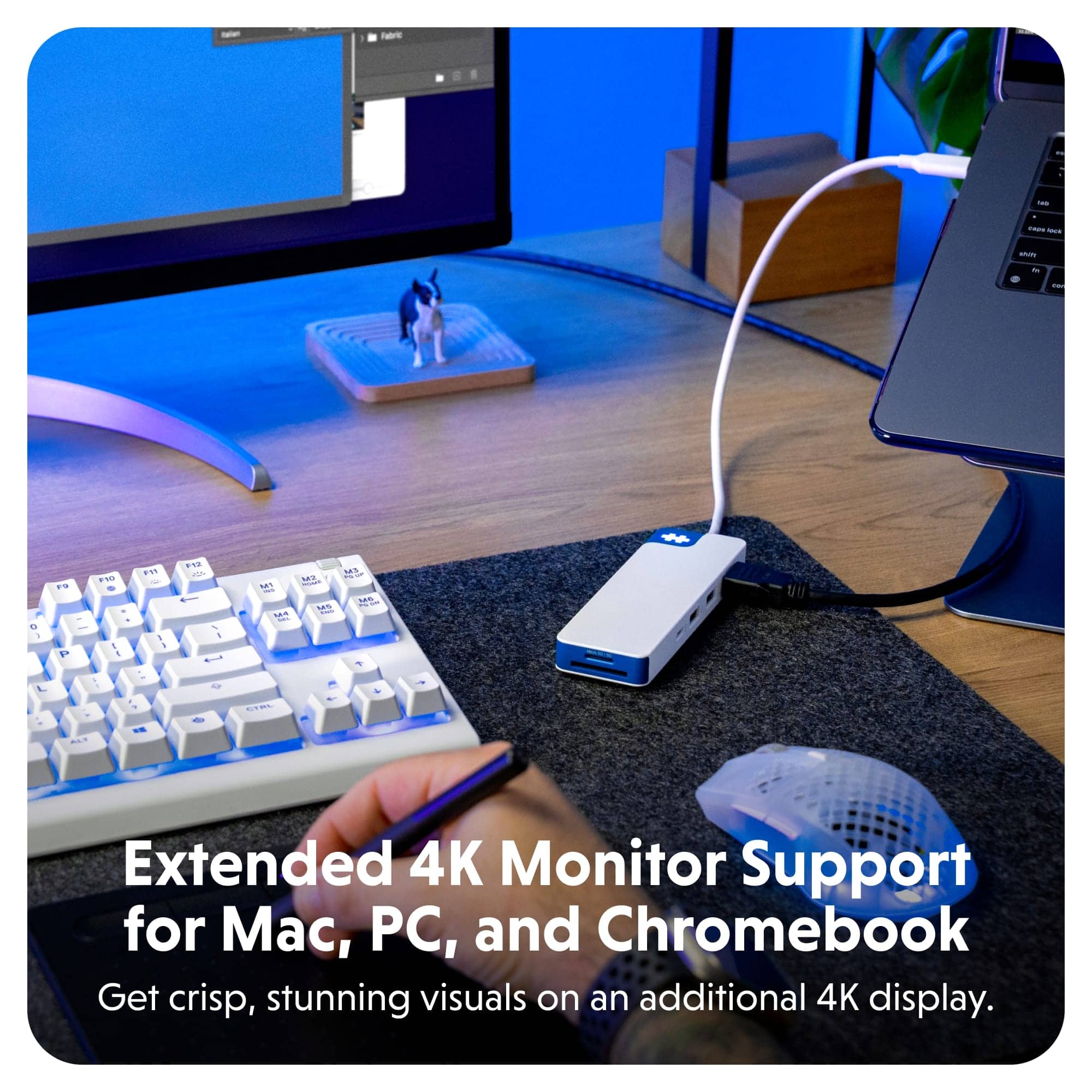
Customers highly value the product's overall performance, reliable connectivity, and convenient portability. They also appreciate its compact size, sufficient port quantity, and ability to charge devices while preventing overheating. However, some users have noted limitations with the HDMI port, which only supports 30Hz. Additionally, the blue logo light can be distracting for some.
This summary was generated by AI based on customer reviews.
- Pros mentioned:Portability
Worth every penny!
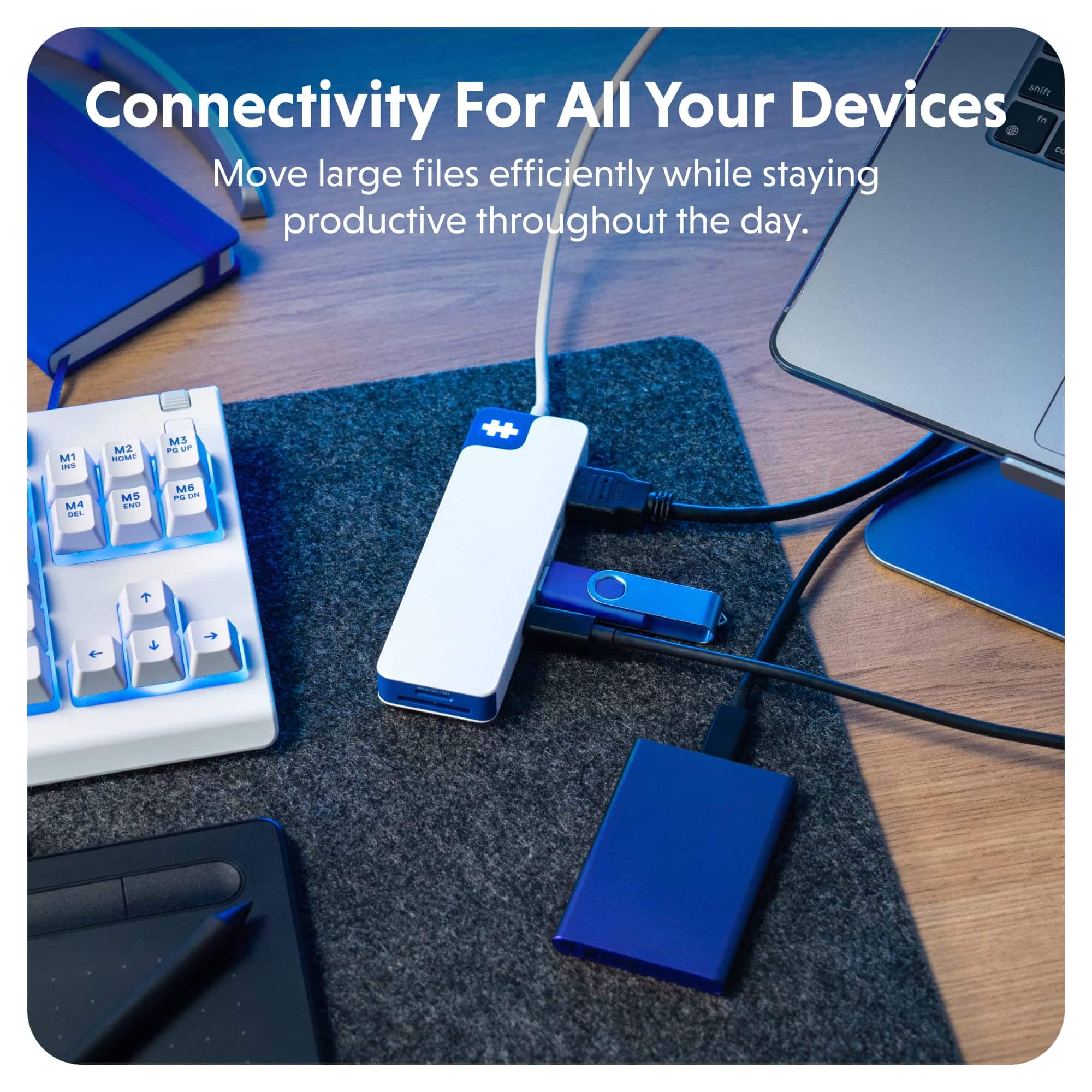
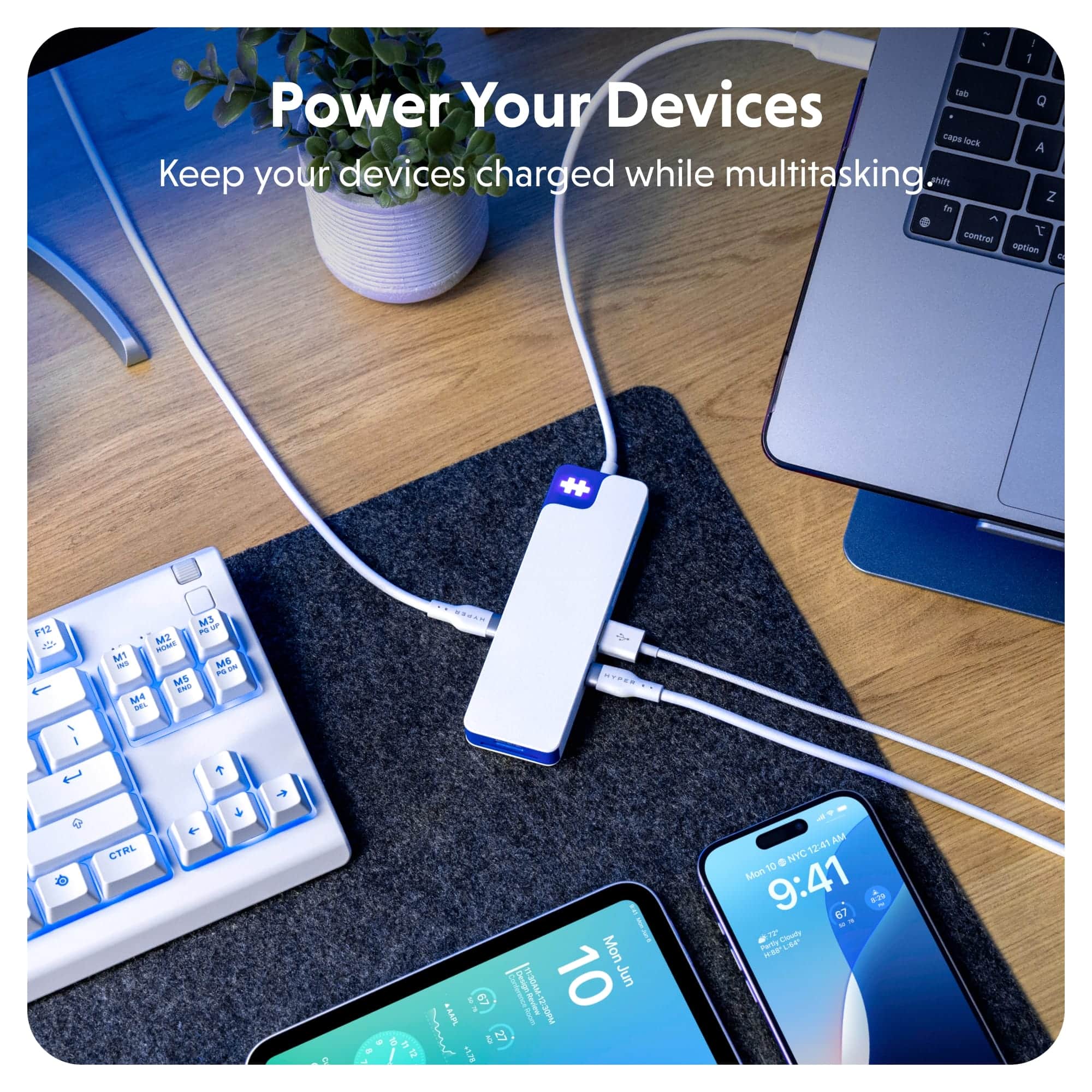
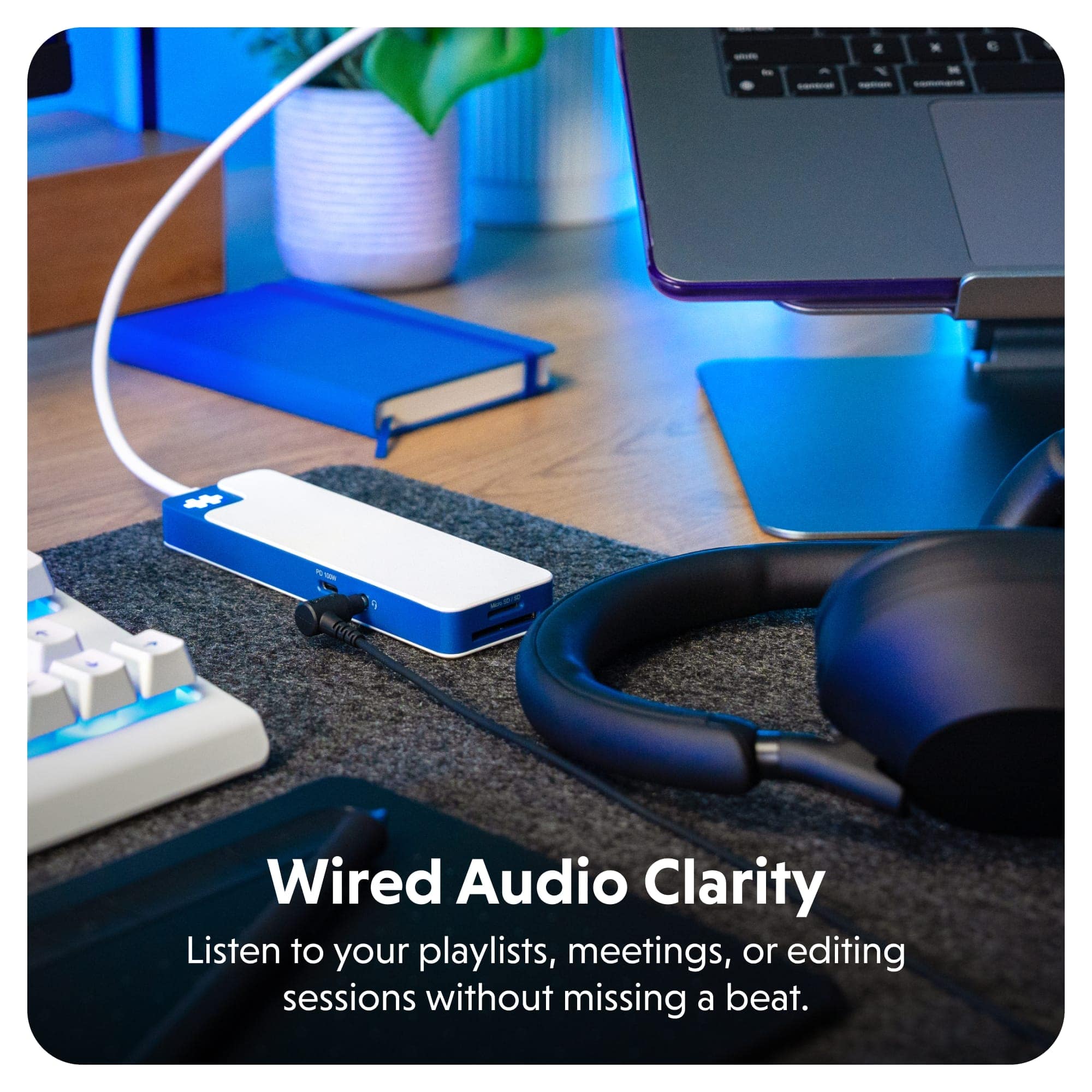
||Posted . Owned for 3 weeks when reviewed.This reviewer received promo considerations or sweepstakes entry for writing a review.I can connect multiple storage devices to my ipad to easily organize my portable SSDs and thumb drives. Plus I can even connect an HDMI cable to watch my ipad on a bigger screen while at my desk. All that, and it charges the ipad at the same time. I was never able to do much with memory sticks before because the power draw is too high for mobile devices, but with this I have had zero issues getting my DJI videos loaded on my ipad to edit.
I would recommend this to a friend - Pros mentioned:Overall performance
Works Great
||Posted . Owned for 3 weeks when reviewed.This reviewer received promo considerations or sweepstakes entry for writing a review.Saved my whole mobile setup everything works fine and is fast uploading and downloading times it’s really amazing.
I would recommend this to a friend - Pros mentioned:PortabilityCons mentioned:Hdmi performance

An Excellent Portable Docking Station
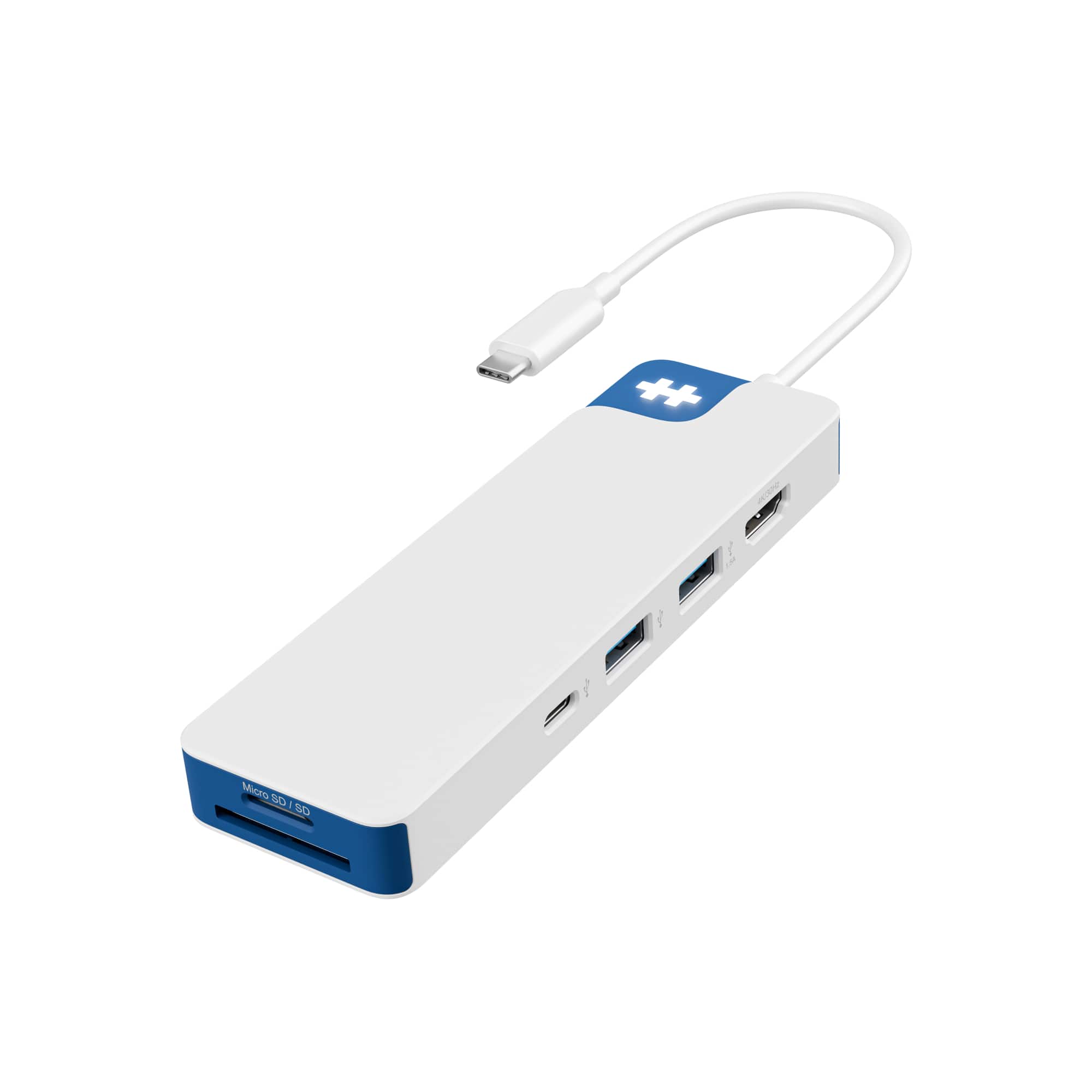
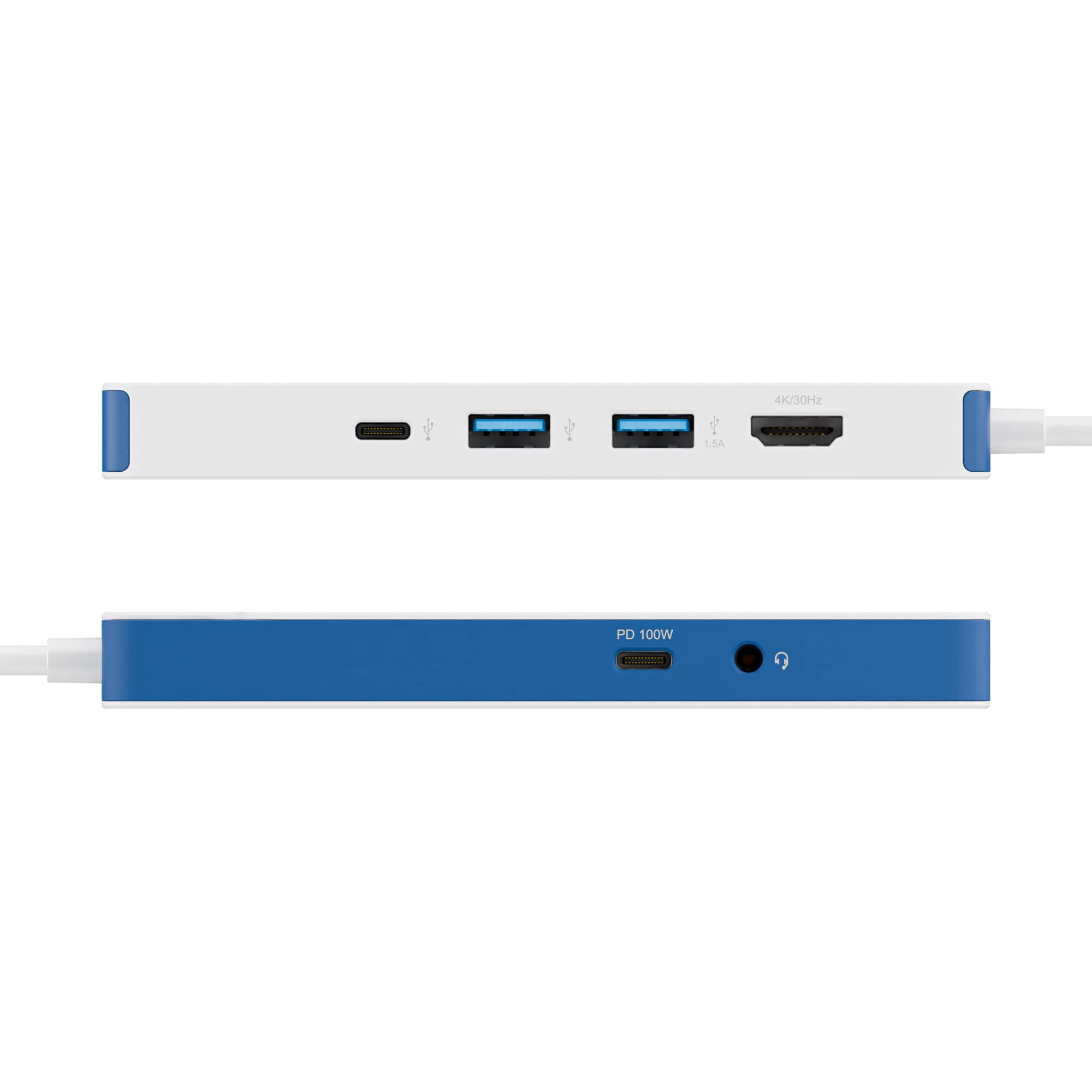
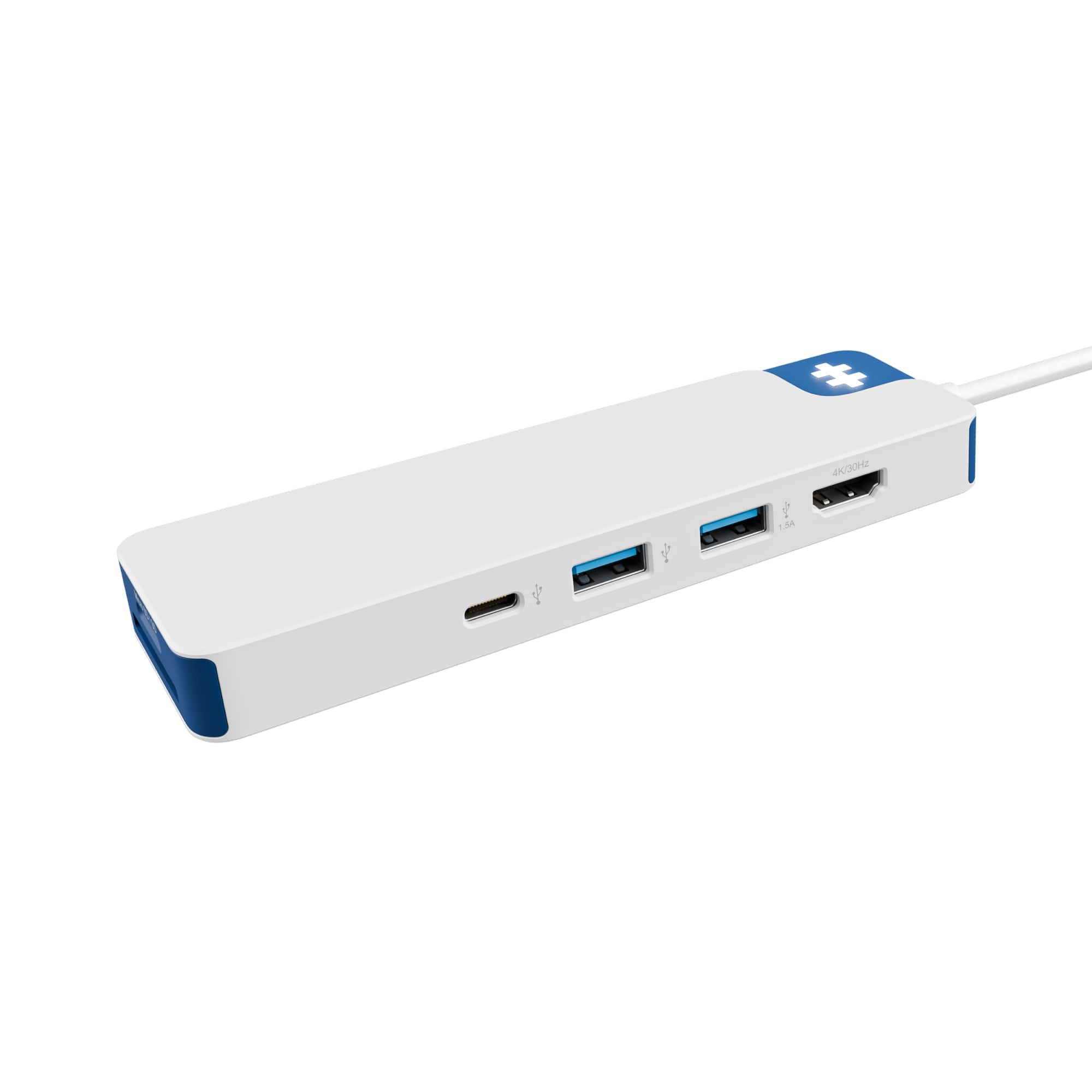
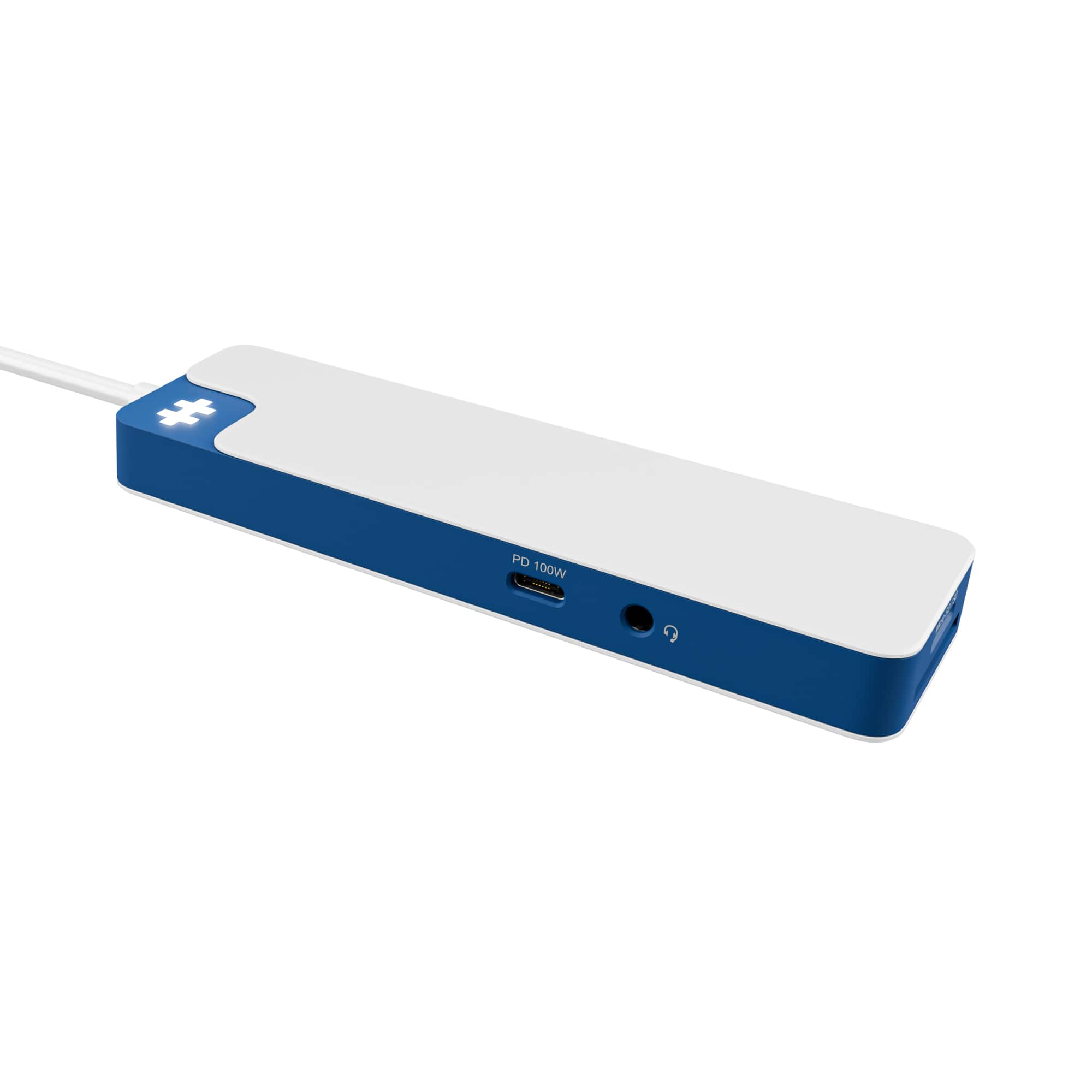
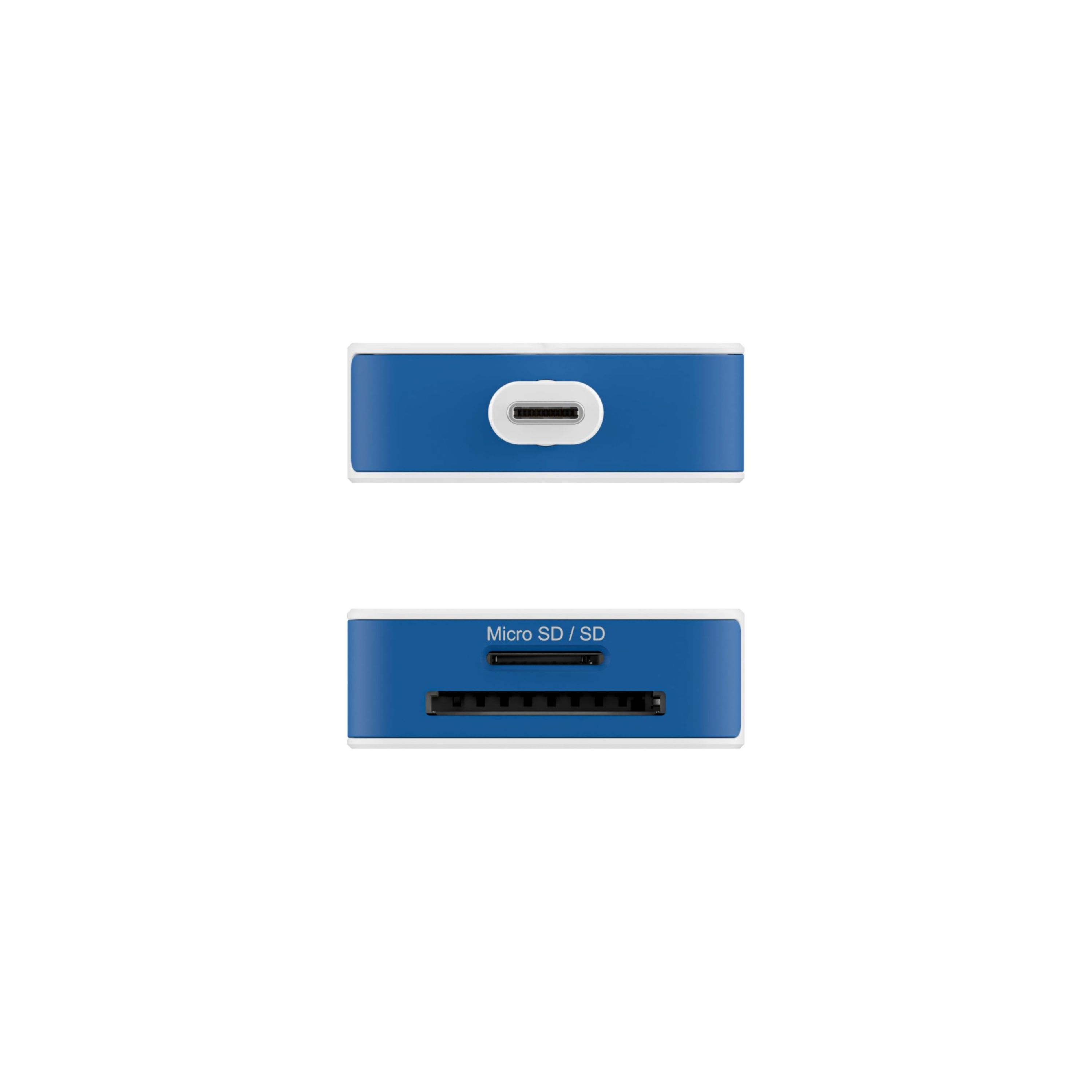
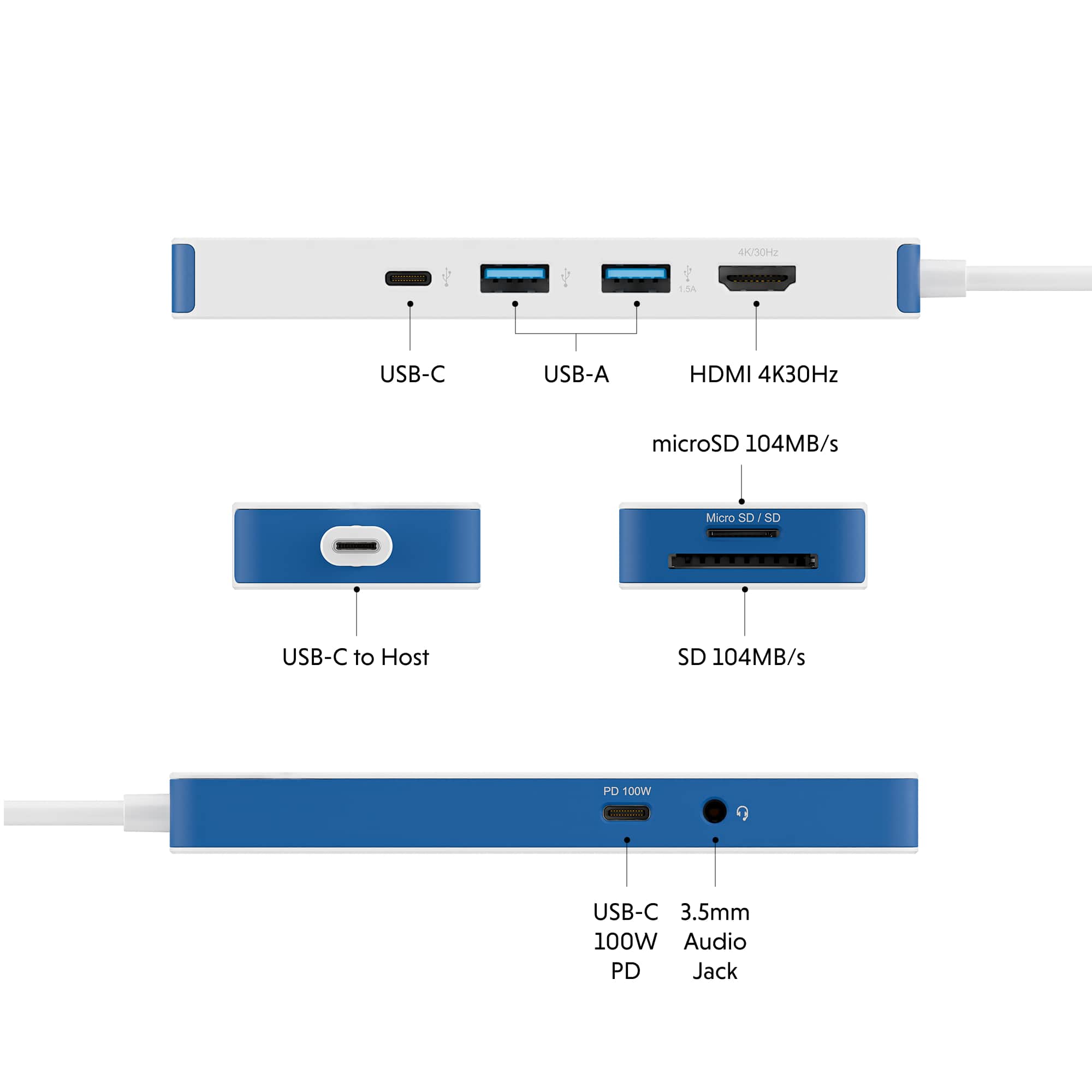
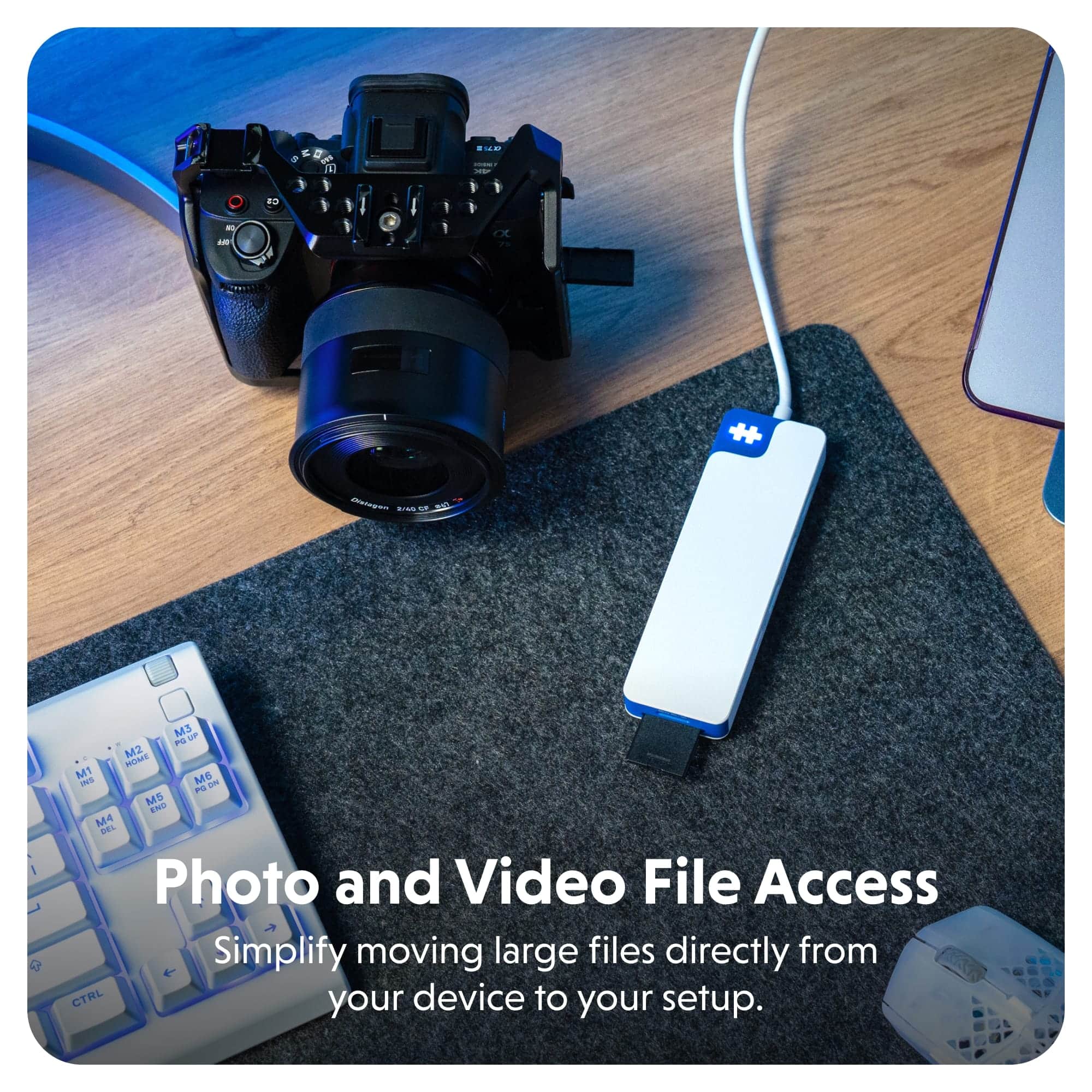
|Posted .This reviewer received promo considerations or sweepstakes entry for writing a review.Ultraportable laptop manufacturers skimp on the port selection, often only providing one or two usb-c ports, and leaving much to be desired for the occasions when I need to use an hdmi port for an external monitor, a usb-a port to connect peripheral devices, or an sd card to view photos from my camera. The HyperDrive Flex 8 port USB-C Hub fulfills the need for port expansion, while being compact, space-saving, and portable, for those times when I don’t need to have a full featured docking station. The HyperDrive flex has the following 8 ports: 2x usb-c ports, 2 usb-a ports, 1x micro SD card slot, 1x SD card slot, 1x HDMI, and 1x 3.5mm audio jack. I included the port specifications in one of my photographs. It is simple to use, just plug it into your laptop’s usb-c port. The HyperFlex logo lights up and you’re ready to plug in your peripheral devices. The hub allows pass through power delivery (PD) to transmit power to your laptop. The hub works well. There are a few things I would like to see improved, though. (1) The hub’s usb-c cable is permanently hardwired to the hub. It would be better if it also had a removable usb-c end so that the cable can be replaced if damaged. (2) The hdmi port only supports 30Hz, which is fine, but 60Hz would be a nicer upgrade. (3) If we have to keep with 8 ports, I would have preferred to have an ethernet port over the 3.5mm audio jack. In summary, if you need to have more ports than what your current laptop supplies, I highly recommend checking out the HyperDrive Flex 8 port usb-c hub.
I would recommend this to a friendBrand response from Hyper_Bicycle_Expert
Posted .Hi, Thank you so much for the 5 star review and feedback on the Hyper Flex 8 Port Hub. If you need anything in the future do not hesitate to contact us. Many thanks Diane

- Pros mentioned:Connectivity, Overall performance
HYPERDRIVE FLEX HUB ~ NICE!
|Posted .This reviewer received promo considerations or sweepstakes entry for writing a review.Was pleased to receive this Hyperdrive 8 Port USB-C hub as my favorite laptop doesn't have enough inputs and I need extras to accommodate accessories I use with the computer. Has a printed user guide included and a 2 year warranty. It has 2 USB-A inputs ~ 1 HDMI 1.4 that supports 4K 30Hz display ~ 1 USB-C 3.2 Gen 1 5 Gbps ~ 1 Micro SD card slot that supports 3.0 104 MB's to Max 2 TB ~ a regular size SD card slot 3.0 104 MB's to Max 2 TB ~ 3.5mm Audio input ~ USB-C PD Adapter with PD 3.0 Passthrough support 5V/3A, 9V/3A, 15V/3A, 20V/5A with max charging power of 100 W. When plugged in with the USB-C it has a nice bright light that shines white on top which lets you know it's working. The white and blue case is made of a good grade plastic and it measures 5.35" long x 1.65" wide x 0.58" high and weighs just 0.22 lb or 98g. While using I noticed it only got slightly warm which is great as some I've used got really hot. Everything I plugged into the inputs were recognized right away by my laptop and worked without issues of any kind which was a relief. Nice and speedy too with no drops. If you are in need of a hub this is a great 8 port product with a wide variety of usable inputs. A good buy at a reasonable price!
I would recommend this to a friendBrand response from Hyper_Bicycle_Expert
Posted .Hi, Thank you so much for the 5 star review and feedback on the Hyper Port USB-C Hub. If you need anything in the future do not hesitate to contact us. Many thanks Diane
- Pros mentioned:Port quantity, PortabilityCons mentioned:Hdmi performance
Great portable hub, modern looking and not boring
|Posted .This reviewer received promo considerations or sweepstakes entry for writing a review.The HyperDrive Flex 8 Port USB-C hub is an accessory that is a must have for all modern-day portable computing devices, whether it is a laptop, tablet, or mobile device. Most devices do not come with a plethora of USB ports to save space and produce a more compact device. This is where this USB-C hub comes into play. Folks who still use digital cameras need a way to read full-sized SD cards or microSD cards and pull files to the computer. This solves that problem. Perhaps you have a fingerprint reader, a USB printer, thermal label printer, or gaming mouse, you need this hub to connect everything. Included is also a USB-C power delivery port so you can charge your 100W PD-capable devices through this hub. This hub also includes a headphone jack to allow you to connect your basic headphones with a simple 3.5mm jack to your computer. All this without having an external power supply. The only negative I have experienced is the HDMI abilities of this hub. It is rated at 4k/30fps and I noticed I had a hard time getting an ASUS ROG gaming laptop and a Microsoft Surface Pro laptop to connect to an Ultrawide 34-inch monitor at 3440x1440 resolution and not blurry. The monitor I have can run up to 100Hz refresh rate and by default, changing various display settings in Windows 11 does not solve the blurriness of the Ultrawide display. However, using a 24-inch standard monitor with a max resolution of 1920x1080, everything is clear. Connecting an iPad Air 11” to the HyperDrive Flex and then to a monitor for screen mirroring looks perfectly fine. Therefore, if you intend to use this hub with an Ultrawide, I would look elsewhere, otherwise, this HyperDrive Flex will do the job of expanding your port count and device expansion needs in a solidly built and compact hub solution. In addition, the Hub comes with a 2-year warranty which adds peace of mind to your purchase because most cheap knockoff hubs have a nasty tendency to die in the middle of the night. At lease with HyperDrive, you know you will have at a minimum of 2-years of worry-free use of this device. It’s very rare that a company is willing to stand behind their products for longer than 90-days. In addition, HyperDrive designed the hub with added flair moving away from the generic black and grey hub. So, if you are one that likes a vibrant atmosphere and look to your workspace, this HyperDrive Flex will be on point to break up the boring computer color scheme.
I would recommend this to a friendBrand response from Hyper_Bicycle_Expert
Posted .Hi, Thank you so much for the 5 star review and feedback on the Hyper Port USB-C Hub. If you need anything in the future do not hesitate to contact us. Many thanks Diane
- Pros mentioned:Connectivity
Competent little USB-C optional powered dock
|Posted .This reviewer received promo considerations or sweepstakes entry for writing a review.The Hyper HyperDrive Flex 8 Port USB-C Hub is a product from Targus. In case you didn't know, Targus is a long time provider of laptop accessories and laptop bags and more. I've purchased numerous products from Targus over the last several decades and was pleased with every single one of them. As such, my expectations were high. For the record, I own several of these small "docks" that plug into the USB-C port or on upper end models Thunderbolt port. I use them across several setups and laptops/tablets. In the modest packaging, you get the USB-C dock and a small guide booklet and that's it. It does not come with its own power adapter. You plug your device's power adapter into it or like I do with these, I buy or use another power adapter and keep the original device's power adapter in its carry bag. This one is a nice, entry level dock that is USB-C compliant. Once plugged into a compliant device that allows proper USB-C passthrough, you can quickly dock a laptop or tablet and have immediate access to all devices plugged in including an external display, keyboard, mouse and more. This one is priced decently and unlike many of the others I have, it is aesthetically different in a good way with a white theme and blue highlights. I like that the logo lights up when powered. This one comes with a 100w rated USB-C PD port. While it does work without external power to a degree as it will be powered from your USB-C port itself, if you plug in a USB-C source of power, it will not only power your devices but charge your laptop/tablet too. I tested it on my Surface Pro 12 and as expected, it worked perfectly. As soon as I plugged in my 4k display, it powered right up to duplicate mode. I could then switch it to whatever mode I wanted. Note: this only supports up to 4k 60hz so if you're wanting high refresh or a serious gamer, be warned. Plugging in my keyboard and mouse powered right up and testing some of my SD cards worked as expected. This only comes with two USB-A ports and a single USB-C port, so depending on your device load, you might want to use a USB hub for multiple devices which I tested and it, too, works as intended. There is no ethernet port on this model if you're looking to connect wired networking. Since this is only rated to ~100w, you will want to make sure your device has a power adapter and requirement that can fit within that power envelope. For example, I can use my Surface, MacBook Air and a Ryzen based Acer laptop with this no problem but my MacBook M4 Max is a no go for sustained load work. Overall, for the price, I'm actually pleased with the Hyper HyperDrive Flex. It is visually different in a good way and provides all the core ports and functionality that is needed for quick and easy docking and undocking.
I would recommend this to a friendBrand response from Hyper_Bicycle_Expert
Posted .Hi, Thank you so much for the 5 star review and feedback on the Hyper Port USB-C Hub. If you need anything in the future do not hesitate to contact us. Many thanks Diane
- Pros mentioned:Portability
The answer to USB-C only laptops
|Posted .This reviewer received promo considerations or sweepstakes entry for writing a review.The answer to my USB-C only laptop! It’s funny how some newer laptops decided that the only port they’ll offer is USB-C, and while I actually love the port itself, I have other needs too. This hub adapter adds everything they stopped including in a nice compact body that’s smaller than an old Nokia candybar phone. The HDMI port is rated for 4k@30hz which works great for movies and presentations and the refresh rate gets faster the lower in resolution you go. Can confirm it can run 3440x1400@60hz and 1920x1800@120hz which should satisfy the vast majority of needs out there. And since the hub itself connects through a USB-C port, it’s nice that it offers up to 90 watts of pass-through charging through 1 of the 2 ports. The 2 USB-A ports, Mini SD card, and SD carts are all also quick and transfers storage quickly. What might be the best part of the hub though is how easy it is to use. It’s literally a plug-and-play 8 port USB-C hub. There’s nothing to set up, just plug it in and boom - you have 7 more free ports! Everything is instantly recognized by Windows11. It’s compact, well built, easy to use, and well priced. If you have one of those USB-C only laptops or simply want to expand your port options, this HyperDrive Flex 8 USB-C hub is a game changer. Worth it. PROS - Snappy response - Plug and play - Compact size - Well made - Good variety of ports - 90w USB-C charging pass through - HDMI output (can do 3440x1400@60hz), 4k@30hz - 2 USB-A 3.2 ports - 2 USB-C port (one charger pass through) - SD and Mini SD card slot - Headphones port CONS - Monitor did not recognize connecting DisplayPort to USB-C - HDMI limited to 4k@30hz
I would recommend this to a friendBrand response from Hyper_Bicycle_Expert
Posted .Hi, Thank you so much for the 5 star review and feedback on the Hyper Port USB-C Hub. If you need anything in the future do not hesitate to contact us. Many thanks Diane
- Pros mentioned:Connectivity, Port quantity
8-Ports / No Ethernet
|Posted .This reviewer received promo considerations or sweepstakes entry for writing a review.OVERVIEW: I have been looking for an AIO (All In One) Hub device to support numerous USB-A and C, MicroSD, SD, HDMI devices, with an Ethernet port. This newly released HyperDrive Flex 8 Port USB-C Hub appears to be a replacement for their previous HyperDrive SLIM 8-in-1 USB-C Hub, but without the Ethernet port option and with PD functionality. Therefore, if your intended device that will use this hub has a functional Ethernet port, it won’t be a showstopper. Or if you only connect by WiFi, again won’t be an issue. But if your requirements include an Ethernet port, you’ll need to look elsewhere. PORTS: Ok, I must admit it is featured packed with 5Gbps dual USB-A ports (one 5 amp), dual USB-C ports (one PD 100w), Micro-SD, SD, 3.5mm Headphone Jack, and 4K/30Hz HDMI port. Note that in the advertised specifications, it states 5 USB ports. And while technically that is absolutely correct, recognize one of those USB ports is for the connecting USB-C cable, with 4 USB input/output ports available for actual use. CONNECTIVITY: Zero issues using with a three different laptop and two tablets. All were able to access the allotment of port options. Plus, this hub is pretty fast with transferring data. POWER DELIVERY: The PD functionality appears one-way. Meaning, I am able to charge my laptops and tablets, when this HUB is connected to a PD laptop/tablet port, and using a USB-C PD power adapter connected to the HUB PD USB-C. But I could not do the reverse (no PD power pass-through). It would not provide a charge, from the HUB PD to another “daughter” device, when my primary “mother” laptop was powered by its charging brick. (And yes, I was using a PD USB-C to USB-C 240w/5A cable.) I assume it is the way it was designed and not an issue with the HUB. Just a “heads up”. RATING: After using for a week, the “Hyper - HyperDrive Flex 8 Port USB-C Hub” earned itself a sold 4-Star Rating. Lots to like with all of the options for a very economical price. Had it also included an Ethernet port, that appears to now be missing from most new laptops, it would have been an easy 5-Starts. .
I would recommend this to a friendBrand response from Hyper_Bicycle_Expert
Posted .Hi, Thank you so much for the review and feedback on the Hyper Port USB-C Hub. If you need anything in the future do not hesitate to contact us. Many thanks Diane
- Pros mentioned:Overall performanceCons mentioned:Hdmi performance, Light emission
Good USB-C Hub, No 4K 60Hz
|Posted .This reviewer received promo considerations or sweepstakes entry for writing a review.This is a good USB-C hub and it looks really nice, but the lack of 4K 60Hz is a big miss for me. If you are going to be working with an external display a lot, especially one that is higher resolution, I would look at other options. If you are mainly looking for the additional USB ports and the SD card readers though, it’s a good option. The hub definitely gets points for looks and it has a nice white and blue design that looks great. The USB-C host cable is a good length at about 12 inches, which allows for a little flexibility in how you connect it without making it inconvenient. One side note is that there is a Hyper logo on the hub that lights up when it is plugged in and there doesn’t seem to be any way to turn it off. It’s not overly bright or offensive to me, but it is quite a bit more light than you would typically see on other USB hubs that just have the pin-point LED indicators and could be distracting for others. For ports, there are the following: 1 USB-C Power Delivery input that accepts up to 100W of power and outputs a maximum of 85W to the host device. 1 3.5mm headset port 1 HDMI 1.4 port 2 USB-A 5Gbps ports 1 USB-C 5Gbps port 1 SD card reader 1 microSD card reader All the ports work as intended on my Surface Pro 11. I read a USB thumb drive just fine on both USB-A ports and was able to work with my camera’s SD card through the reader no problem. I also confirmed 4K 30Hz as the maximum output resolution. If you only occasionally need to connect to an external display for showing a presentation or something like that, 4K 30Hz is probably okay, but most modern TVs are going to be at least 4K 60Hz, so it’s disappointing to see the HDMI port not being at least 2.0. Lower resolution 1080p monitors should work fine with this though and I was able to set the output up to 120Hz on my TV at 1080p. 1440p 60Hz should also be possible with the HDMI 1.4 spec. Overall, I think this is a good USB-C hub if the primary use case is port expansion, but I would not use it for connecting to high resolution displays due to the bandwidth limitation.
No, I would not recommend this to a friend - Pros mentioned:Port quantity, Portability
Perfect for travel and extremely useful.
|Posted .This reviewer received promo considerations or sweepstakes entry for writing a review.My Hyperdrive Flex 8 usb hub has been the perfect addition to my work from home setup while traveling. It features 2 standard usb ports, 2 usb type c ports, an hdmi port, 2 sd card slots, and even has a headphone port. My work laptop only has 1 type c and 2 standard usb ports, so this hub allows the expansion for me to use all of my accessories plus a monitor. Plus the hub only takes up one usb type c port. Another feature i really appreciate is the SD card slots. For some reason all of my personal and work computers I've acquired in the last 5 years or so, exclude and sd card slots. This hub has both a standard sd card and micro sd card slot. My work computer also lacks a headphone jack, so this hub allows me to connect speakers or a wired headset. You realize how useful this is when you have a conference call and remember you forgot to charge your wireless headset. The hub is well built and is very small. It technically is a small dock for your computer. You can take it anywhere without adding much bulk. I highly recommend this hub to anyone who wants to expand their capabilities when working on their computer.
I would recommend this to a friendBrand response from Hyper_Bicycle_Expert
Posted .Hi, Thank you so much for the 5 star review and feedback on the Hyper USB-C Hub. If you need anything in the future do not hesitate to contact us. Many thanks Diane
- Pros mentioned:Connectivity, Overall performance
A hub for a more efficient, versatile setup
|Posted .This reviewer received promo considerations or sweepstakes entry for writing a review.The Hyperdrive Flex 8-Port USB-C Hub has become an essential part of my daily work. I acquired this to replace an Insignia hub which only has 4 ports. Having an 8-port hub is a game changer! As someone who juggles multiple devices, I was on the lookout for a hub that could simplify my connections without adding the unnecessary complexity. This hub does just that. Right out of the box, the plug and play feature worked its magic. I simply connected it to my laptop, then connected my monitors, charging cables, external microphone, and a USB-A personal fan - all these devices worked seamlessly. The USB-C port is perfect to connect to my laptop, while the USB-C PD port allows me to charge it simultaneously, which is a game-changer during long work sessions. The HDMI port is perfect to connect my external monitors without any hassle. I also appreciate the dual SD and micro SD card slots, which makes transferring photos from my camera a breeze. I also like that it has a 3.5mm audio port which allows me to use my favorite headphones without any adapters. Overall, the Hyperdrive Flex Hub has made my workspace more organized and efficient.
I would recommend this to a friendBrand response from Hyper_Bicycle_Expert
Posted .Hi, Thank you so much for the 5 star review and feedback on the Hyper Port USB-C Hub. If you need anything in the future do not hesitate to contact us. Many thanks Diane
- Pros mentioned:Connectivity, Portability, SizeCons mentioned:Hdmi performance

Flex Hub
|Posted . Owned for 1 month when reviewed.This reviewer received promo considerations or sweepstakes entry for writing a review.[Employee of bestbuy] Picked up the HyperDrive Flex 8-Port USB-C Hub and it’s been great for my everyday setup. It’s small, lightweight, and I love that it’s made from recycled plastic. All the ports I need are there HDMI, USB-A, USB-C with charging, SD slots, and it just works when I plug it in. Only downside is the HDMI is capped at 4K 30 Hz, but for the price and portability, I’m really happy with it.
I would recommend this to a friend - Pros mentioned:Port quantity
Sspeedy USB-C Hub w/1 missing capability
|Posted .This reviewer received promo considerations or sweepstakes entry for writing a review.The Hyperdrive® Flex 8 port USB-C hub is a well provisioned USB-C Hub that can support many users' needs for a USB-C Hub. This device nearly meets all of my expectations for such a device. Let’s talk about specifications and features and then we’ll discuss the use cases the device meets and one where improvements could be made. The 8 ports that come with this device are as follows: - HDMI 4K30Hz port - 2x USB-A 3.2 Gen 1 5Gbps ports - 1x USB-C 3.2 Gen 1 5Gbps ports - microSD card reader rated at 104Mbps - SD card reader rated at 104Mbps - USB-C 100W PD - 3.5mm Audio Jack Further details on the specification of these ports can be seen in the accompanying picture. The ports are all connected via a USB-C host connection that is a USB 3.2 Gen 1 5Gbps PD 3.0 Passthrough support 5V/1.5A, 9V/2A, 15V/2A, 20V/4.25A, max chagrining power 85W. Overall, this device will meet most users’ needs for expanding the connectors on a laptop of other device – especially if said device has lees USB-C ports that you need to run things on or only has USB-C ports and you have use cases for other ports – such as the USB-A or SD card ports. Each of the ports should have sufficient speed for rapid file transfers regardless of the media that is being used. The device is well constructed, despite being primarily made of plastic for the housing. The H++ logo that even lights up when it is connected to add some ambience to the device. The one area that I believe misses the mark on this device is that the USB-C connector does not have Display port capabilities. Now this might be a cost savings choice made by the manufacturer, but I believe it is a bit of a miss. This does not detract from the capability is does offer, it’s just a capability I expected when is saw the term Hub used in the product name.
I would recommend this to a friendBrand response from Hyper_Bicycle_Expert
Posted .Hi, thank you for the review and feedback on the Hyper
USB-C Port. I will pass on your comments to our team and if you need anything in the future please do not hesitate to contact us. Many thanks, Diane
- Pros mentioned:Connectivity, Overall performance, Size
Love how compact it is
||Posted . Owned for 1 week when reviewed.This reviewer received promo considerations or sweepstakes entry for writing a review.Very compact & works great! Can connect multiple devices at once.
I would recommend this to a friend - Pros mentioned:Connectivity, Overall performance
Mac Solution
||Posted .This reviewer received promo considerations or sweepstakes entry for writing a review.Works flawlessly with my MacBook Air that I plug into a monitor and need to edit photos constantly. The puzzle piece lights up when connected ensuring power is flowing, and handles my Samsung T9 SSD wonderfully along with my SD card with high volume transfers.
I would recommend this to a friend - Pros mentioned:Overall performanceCons mentioned:Light emission
It works!
||Posted .This reviewer received promo considerations or sweepstakes entry for writing a review.I purchased this to use with an All in One computer, because said computer didn't have an SD card slot. I appreciate the variety of ports available on this hub. As other reviewers have mentioned, the light is bright (too bright). But otherwise, I like the aesthetics of it (I get tired of black electronics/accessories). Best of all, it works.
I would recommend this to a friend - Pros mentioned:Connectivity, Size
HyperDrive gets a high-five from me!
||Posted . Owned for 1 week when reviewed.This reviewer received promo considerations or sweepstakes entry for writing a review.A neat gadget! Fits in a small space on my desk and solves some problems with multiple peripherals. Plug and play saved the day!!
I would recommend this to a friend - Pros mentioned:Connectivity, Overall performance
does what it should
||Posted . Owned for 1 month when reviewed.This reviewer received promo considerations or sweepstakes entry for writing a review.works as it should and easy to connect. No issues and had it a month so far.
I would recommend this to a friend - Pros mentioned:Overall performance, Portability
Multi purpose ports
||Posted . Owned for 1 week when reviewed.This reviewer received promo considerations or sweepstakes entry for writing a review.Works great and light weight. Easy to store in small spaces.
I would recommend this to a friend - Pros mentioned:Connectivity, Portability
Good Hub
||Posted . Owned for 1 month when reviewed.This reviewer received promo considerations or sweepstakes entry for writing a review.Works as a good USB-C hub station. Easy to carry in computer bag.
I would recommend this to a friend