Hyper - HyperDrive Flex 8 Port USB-C Hub - Blue
Customers are saying
Customers recognize that this hub delivers reliable overall performance and stable connectivity, making it a dependable choice for users. Many appreciate its compact, portable design and the convenience of having multiple ports available for various devices. While the unit generally functions well, some users have noted limitations regarding the HDMI refresh rate and find the brightness of the indicator light to be somewhat distracting.
Extended 4K Monitor Support
Streamline your productivity or entertainment setup with crisp, vibrant 4K* display compatibility that transforms your workspace into an immersive environment.
Power Your Devices
Charge your laptop, tablet, and more through the USB-C 100W Power Delivery port, while powering other connected devices simultaneously.
Seamless File Access
Transfer large files and photos in seconds with the built-in SD and microSD 104MB/s reader. Whether you're moving high-res images or project files, these card readers keep your creative flow uninterrupted.
Connectivity For All Your Devices
Need to transfer large files or hook up additional peripherals? The 5Gbps USB-C and USB-A ports are perfect for accessing large design files, uploading videos, or connecting devices like external drives and keyboards.
Seamless Sound Clarity
The 3.5mm audio jack ensures rich, uncompressed sound, whether you’re tuning in for meetings or vibing to your playlist.
- Number of USB Port(s)5
Reviews
Rating 4.8 out of 5 stars with 123 reviews
- Overall Performance (50)
- Connectivity (32)
- Portability (25)
- Port Quantity (16)
- Size (9)
- HDMI Performance (7)
- Light Emission (4)
Customer Images
The vast majority of our reviews come from verified purchases. Reviews from customers may include My Best Buy members, employees, and Tech Insider Network members (as tagged). Select reviewers may receive discounted products, promotional considerations or entries into drawings for honest, helpful reviews.
Compare similar products

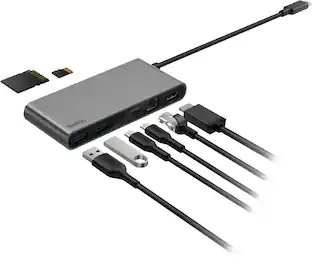
Your desk, your creativity, your rules. Whether you're editing videos, designing, or simply setting up your home desk, the HyperDrive Flex 8 Port USB-C Hub gives you everything you need to stay connected and create without limits. Enjoy crisp 4K monitor support whenever you're editing videos, designing graphics, or streaming content. Power up fast with 100W Power Delivery, access files instantly with SD and USB ports, and plug in all your devices with confidence—all while keeping your sound crystal clear through the 3.5mm Audio Jack. Featuring a sleek design that’s been made using 75% post-consumer recycled plastics this hub merges your need for style and functionality, into one bold accessory.
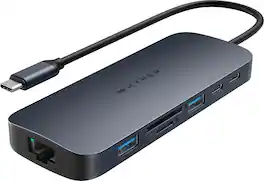
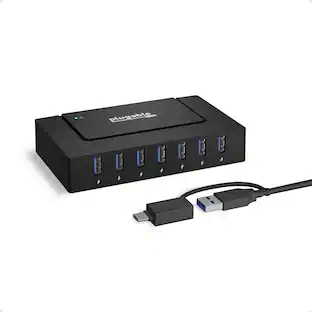
Introducing the HyperDrive Next 10 Port USB-C Hub - the ultimate connectivity solution for creators, editors, photographers, and more. With extended 4K60Hz monitor support for Mac, PC, and Chromebook, 10 ultra-fast ports, and lightning-fast data transfers, unleash your creative potential anywhere. Experience 2X faster file transfers using the 10Gbps USB ports and 3X faster photo and video transfers with microSD and SD 4.0. Benefit from 40% more power with a PD 3.1 140W power pass-through port, ensuring efficient charging. Make a sustainable choice with EcoSmart technology.

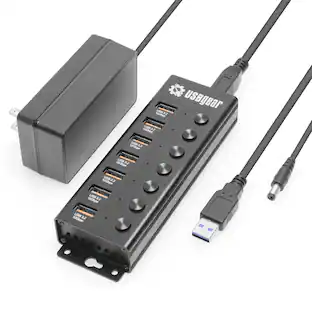
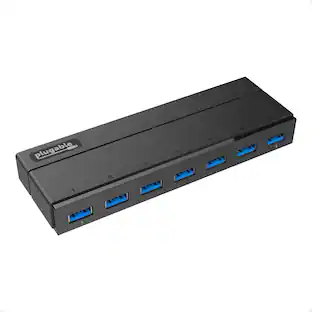
The USB 3.0 7-Port HUB allows up to seven USB 3.0 devices to be connected simultaneously at a transmission speed of 5 Gbps, while still providing connectivity and support for the older USB 2.0 (480 Mbps) and 1.1 (12 Mbps) devices. It works with high-bandwidth SuperSpeed USB 3.0 devices, such as an external disk drive, high-resolution webcam, multi-channel audio and more. In addition, it supports fast charging for smartphones, tablets and iPad.

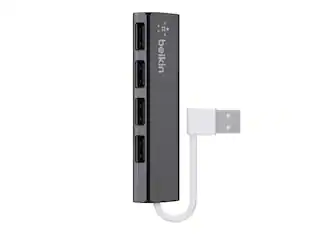
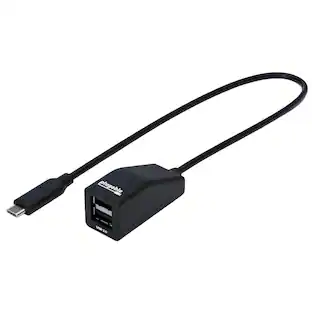
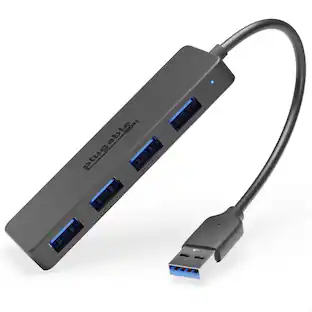
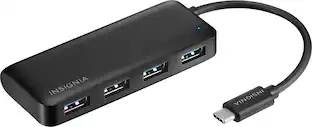
If you’re like many busy people, you have a dozen things going on at once, and working on the computer is no different. You likely need your computer’s USB ports to connect a keyboard or mouse, transfer files and charge devices – it’s no surprise that there aren’t enough ports for everything. This hub helps optimize your workspace by providing four extra USB ports to connect accessories – simply plug it into your computer’s USB-C port. Transfer speeds up to 5 Gbps move files quickly and efficiently. Its compact size makes it perfect for slipping into a purse or backpack. You really can do it all with the Insignia 4-Port USB-C Hub.
| Pros for Hyper - HyperDrive Flex 8 Port USB-C Hub - Blue | |||
|---|---|---|---|
| Overall Performance, Connectivity, Port Quantity, Size, Portability | Overall Performance, Port Quantity, Connectivity, Ease of use, USB-C | Overall Performance, Ease of use, Size, Connectivity, USB Ports | Overall Performance, USB-C, Ease of use, Connectivity, Size |
| Cons for Hyper - HyperDrive Flex 8 Port USB-C Hub - Blue | |||
| HDMI Performance, Light Emission | Heat Dissipation | Price, Charging | Cord Length, Power |
Specs
Customers often buy these together
Laptop Docking Stations
Monitor and Video Cables



More recommended items
 Computer Keyboards
 Mice
Mice Cables and Adapters
 External Hard Drives
 Web Cameras
More to consider
 Clearance$47.99The price was $79.99
 Clearance$69.99The price was $99.99




Explore tech essentials Sponsored
 $119.99The price was $149.99
 Top Deal$149.99The price was $199.99



Discover related products
 $12.99The price was $13.99
 $24.99The price was $27.99











Keep exploring
 $46.49The price was $48.99