Customer Ratings & Reviews



- Model:
- HD8100BUGL
- SKU:
- 6622418
Rating by feature
- Value
Rating 4.6 out of 5 stars
- Quality
Rating 4.6 out of 5 stars
- Ease of Use
Rating 4.7 out of 5 stars
Customers are saying
Customers recognize the HyperDrive Flex MagCharge 5 Port USB-C Hub with Phone Charger for its excellent connectivity and portability. Users appreciate the charging performance and variety of port selections. The build quality and HDMI output at 4K resolution are also well-received features.
This summary was generated by AI based on customer reviews.
Jack of and Master of Amazing
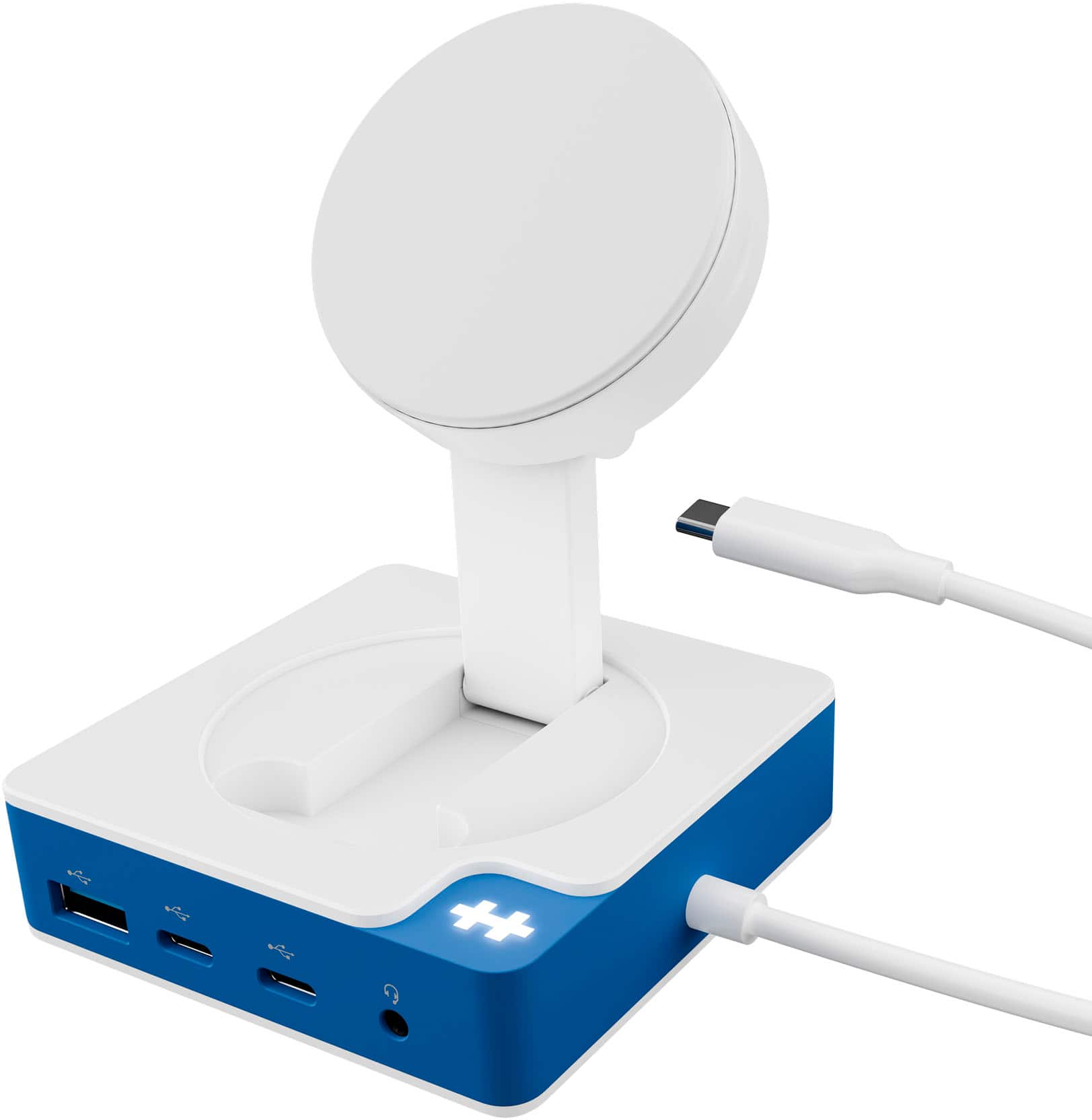
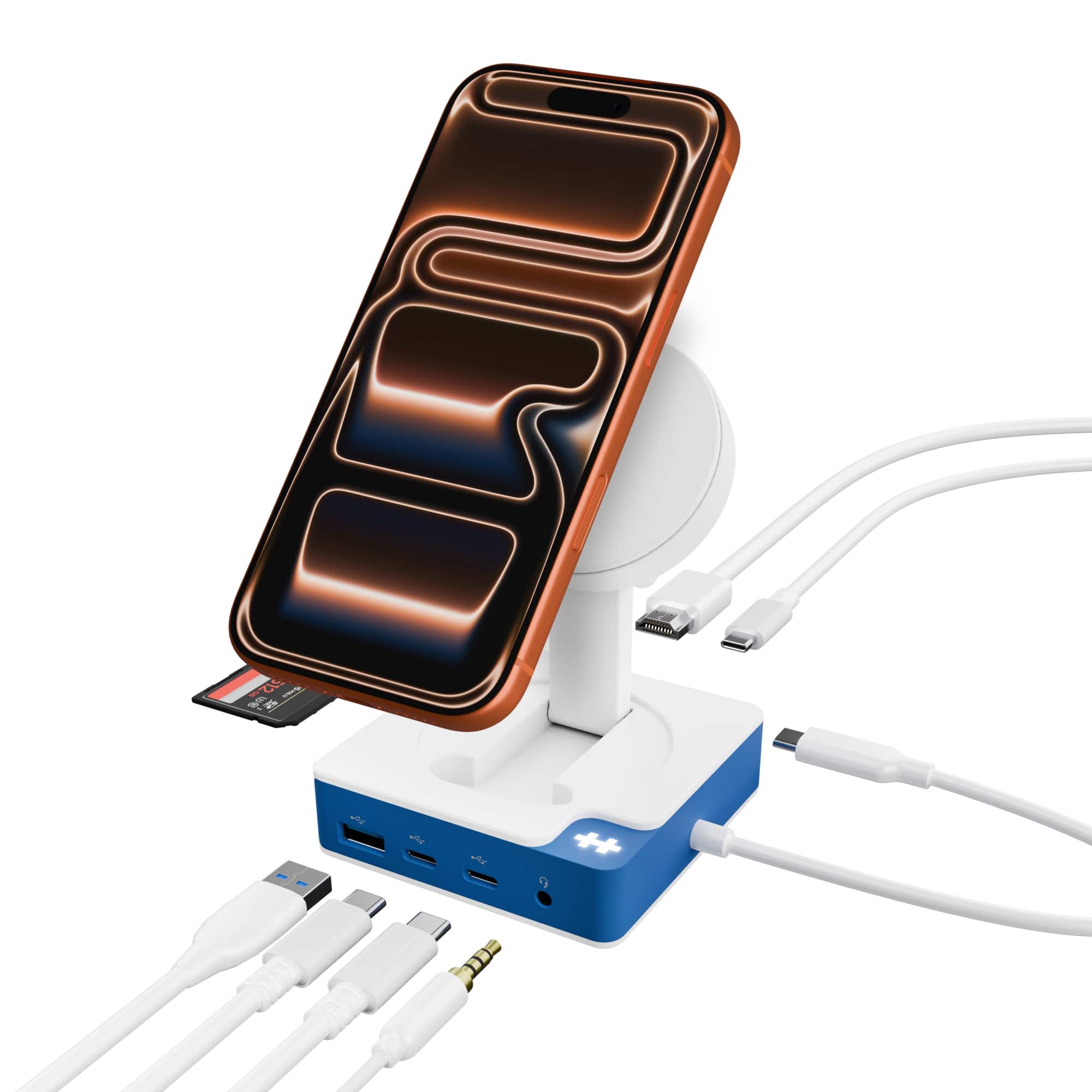
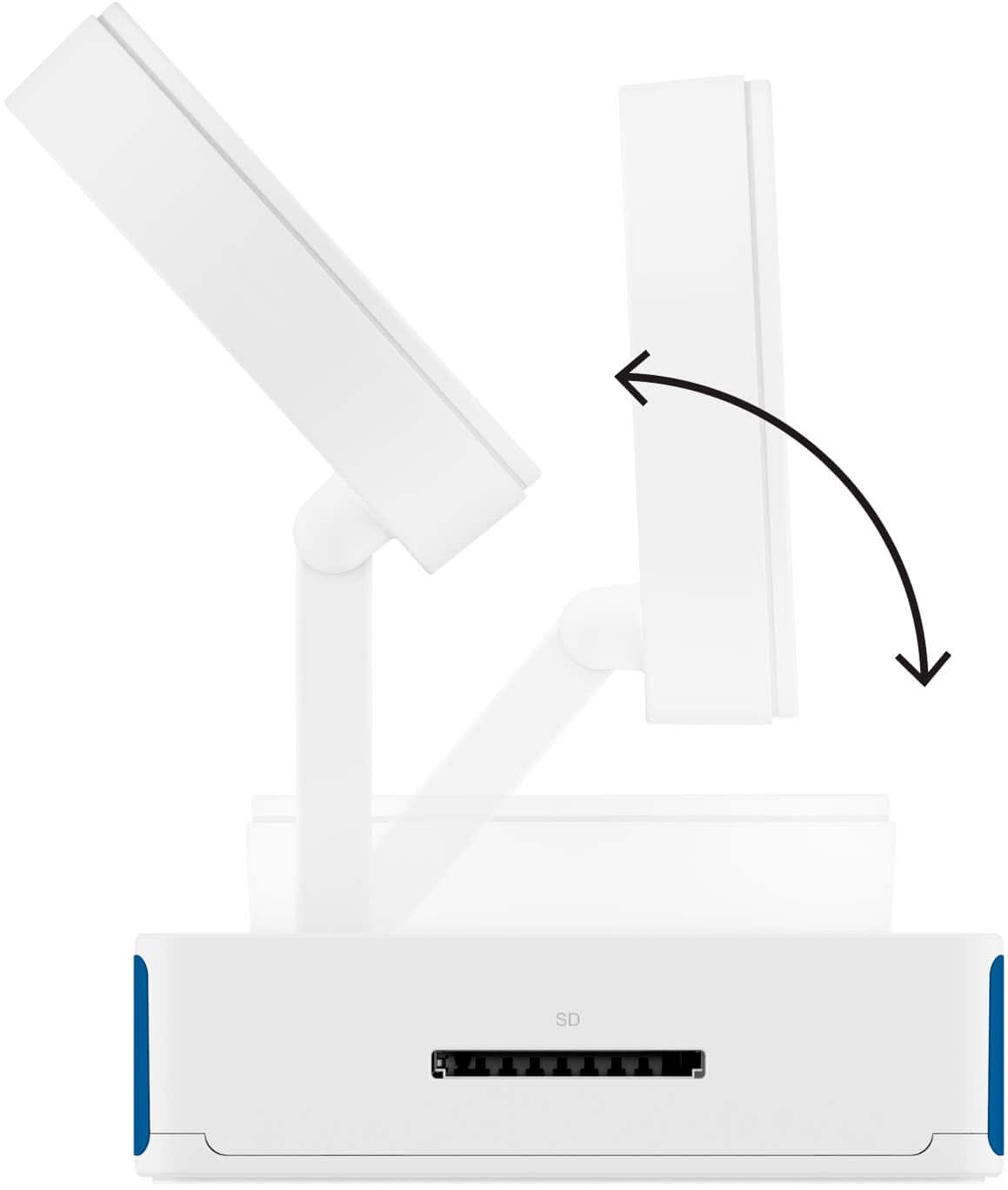
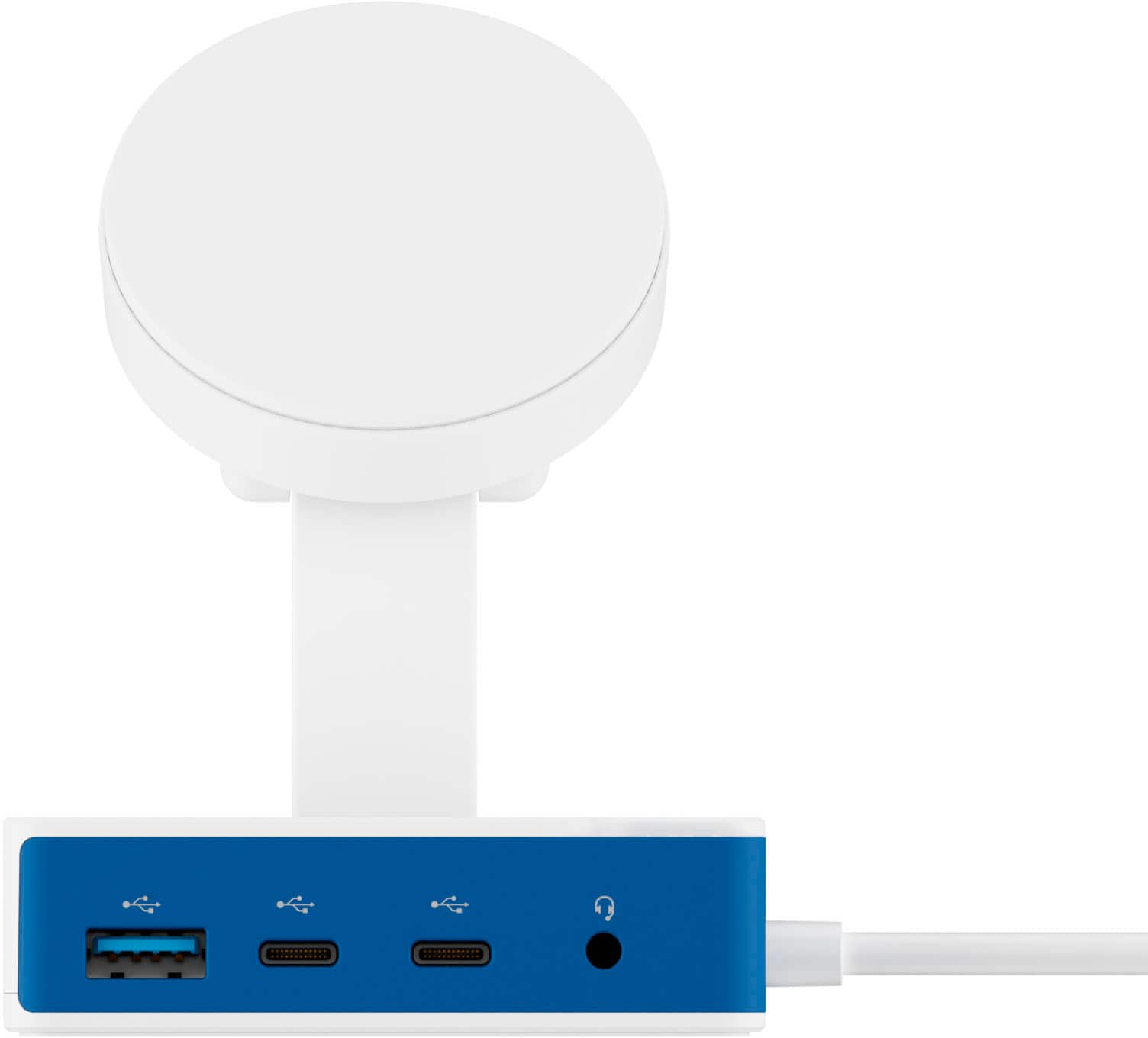
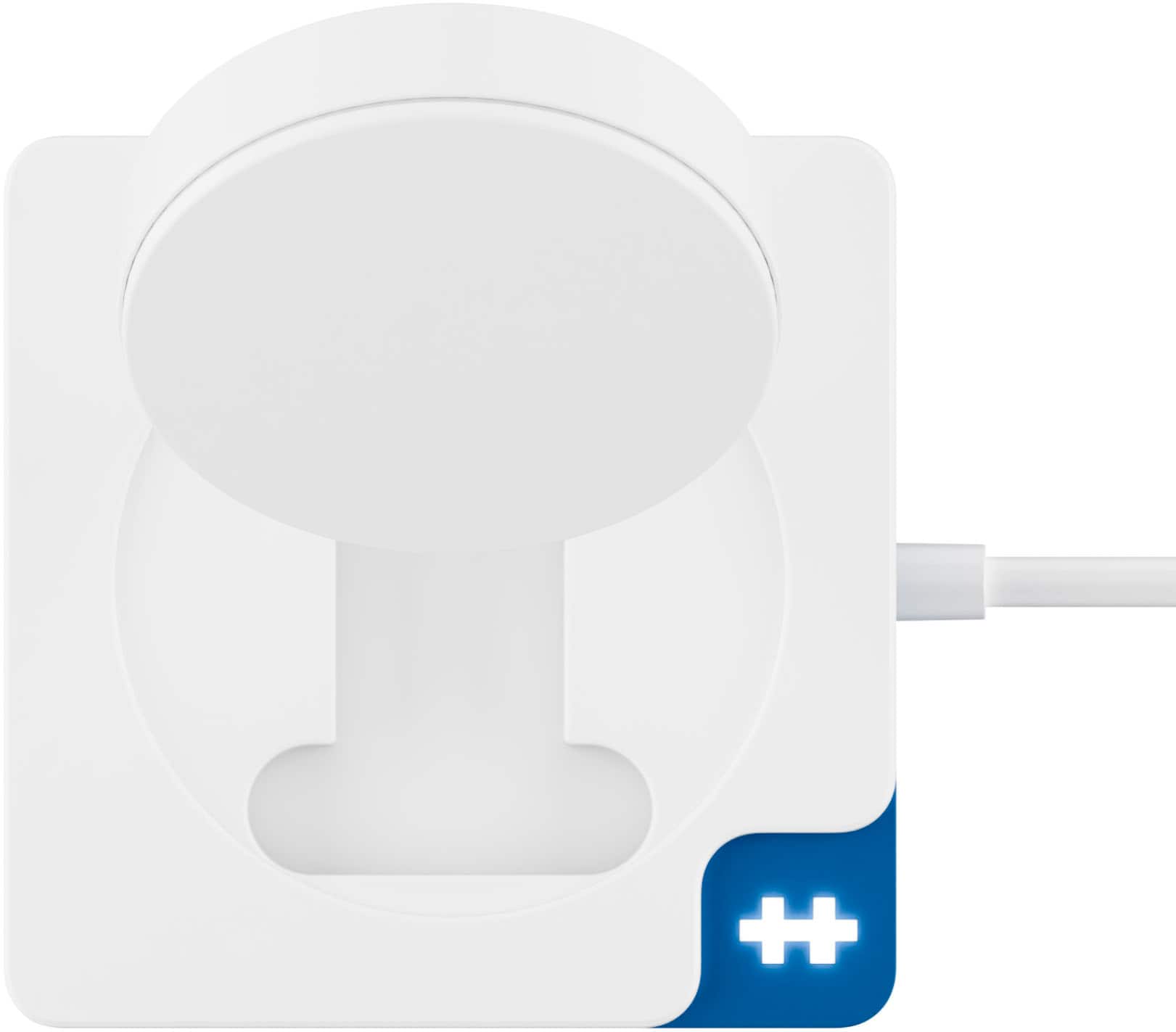
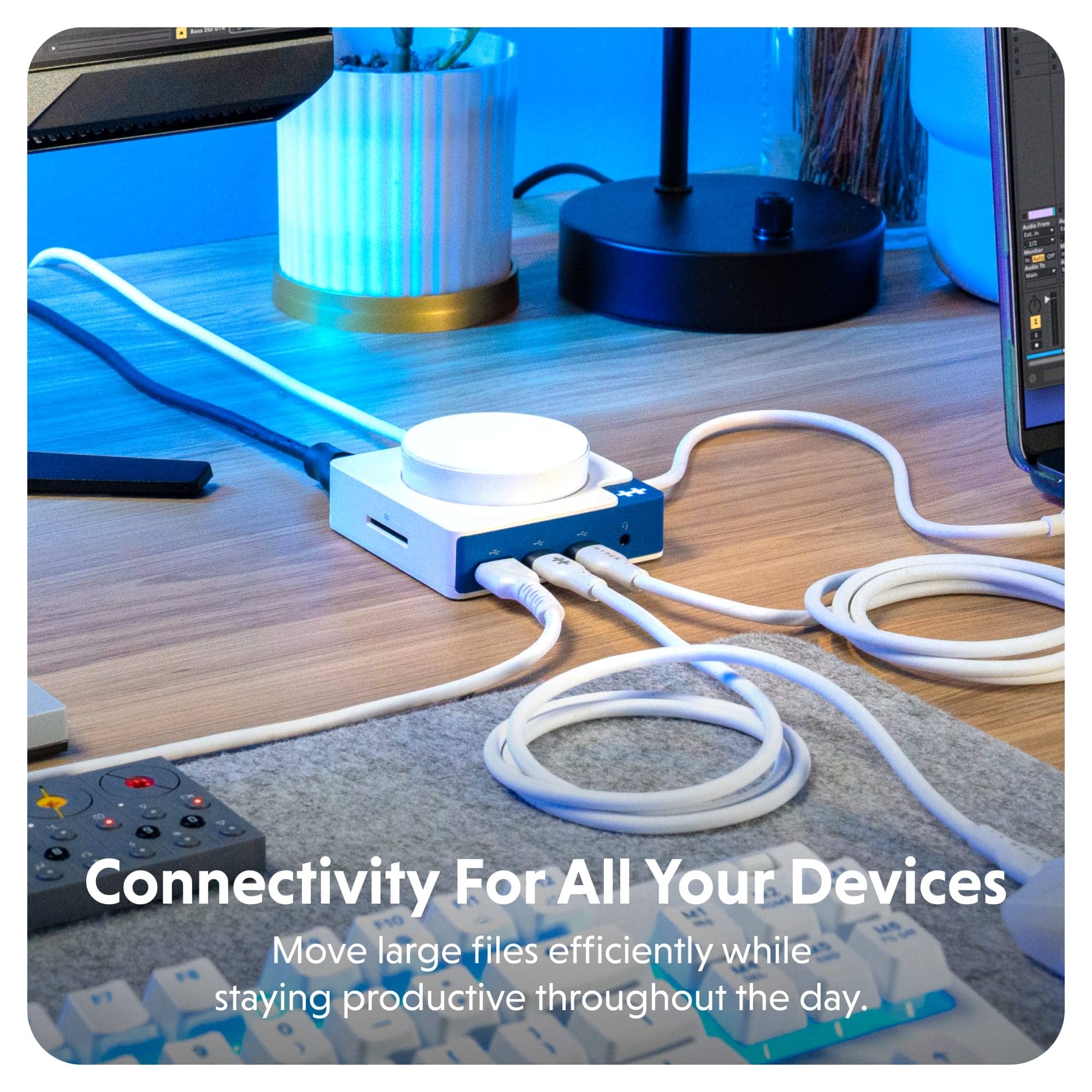
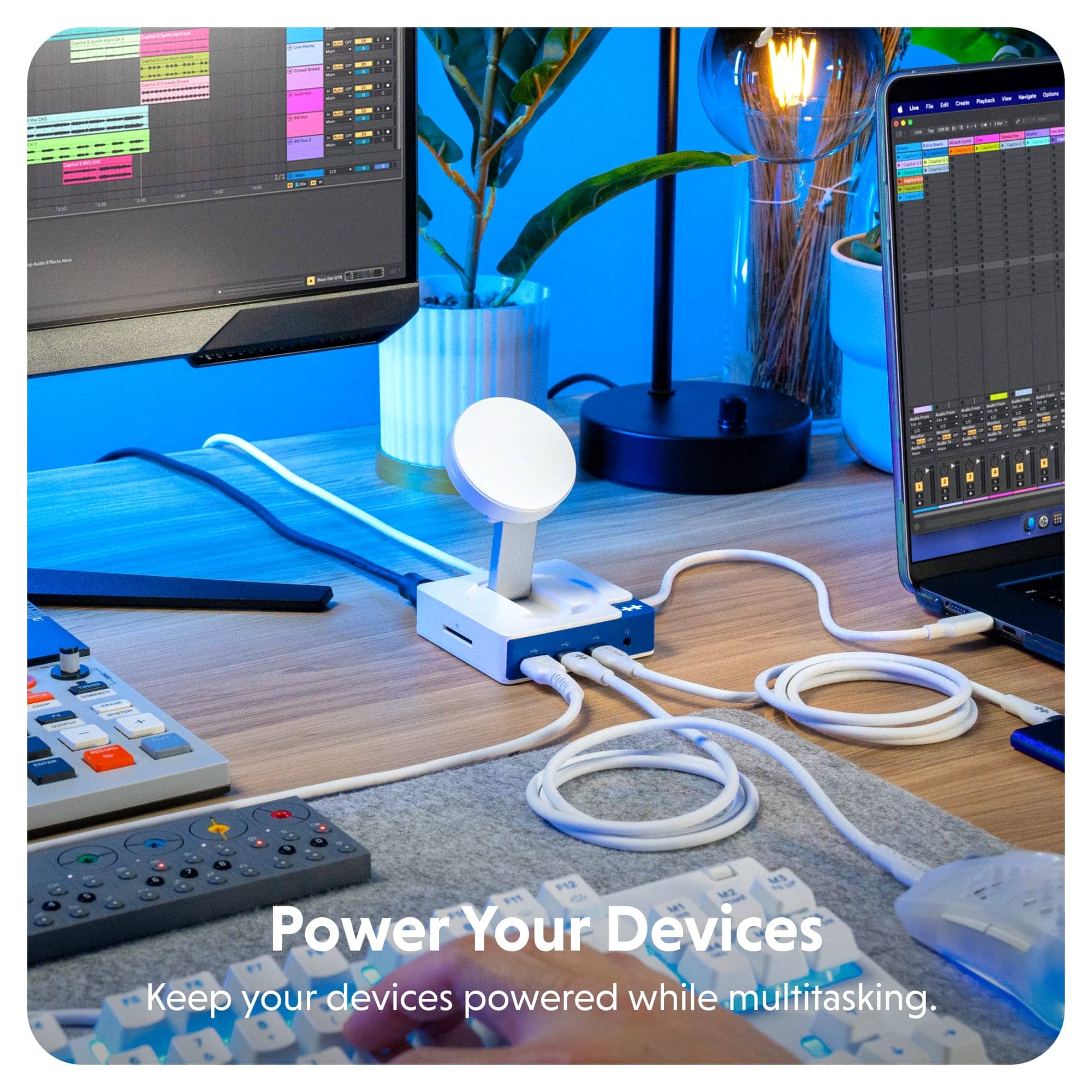
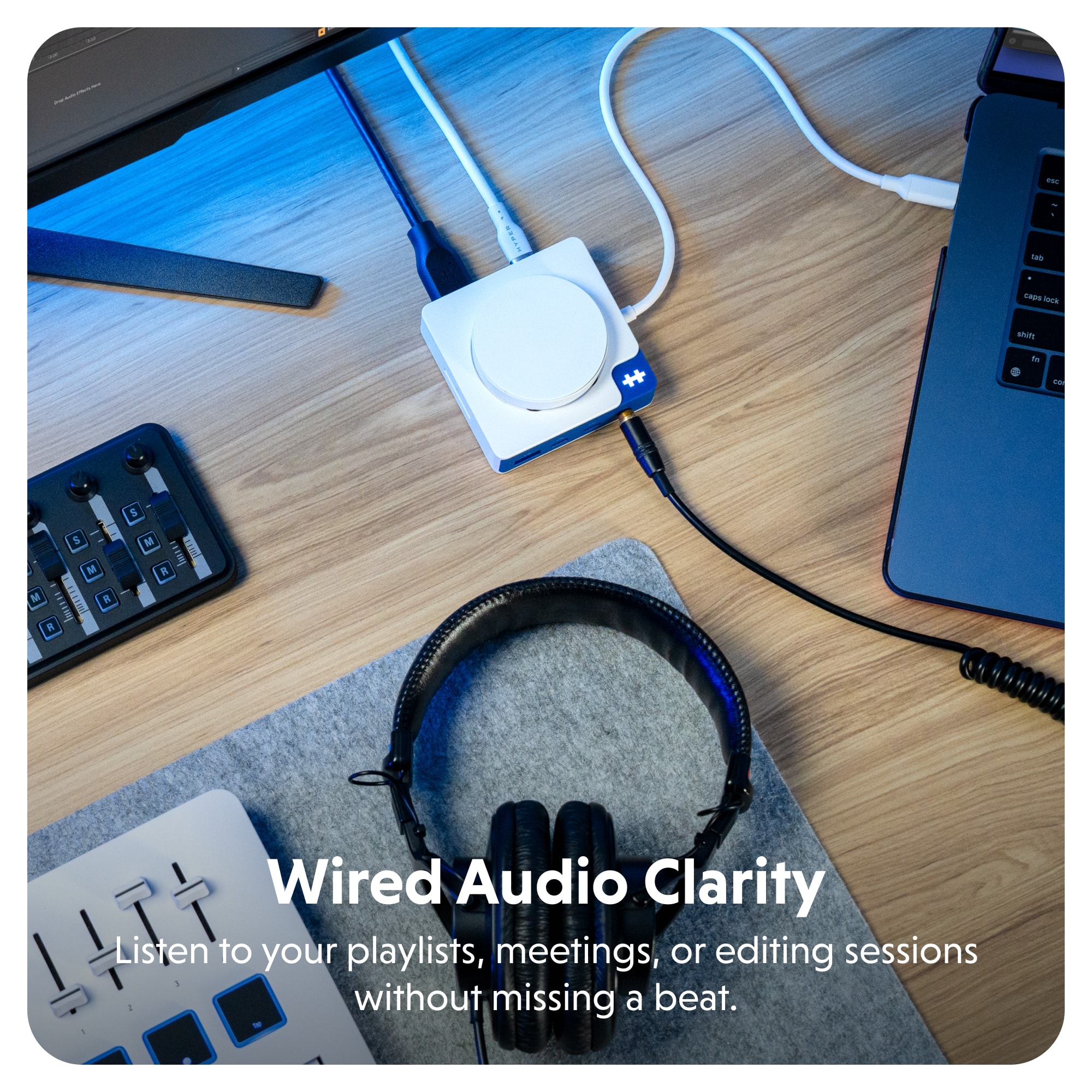
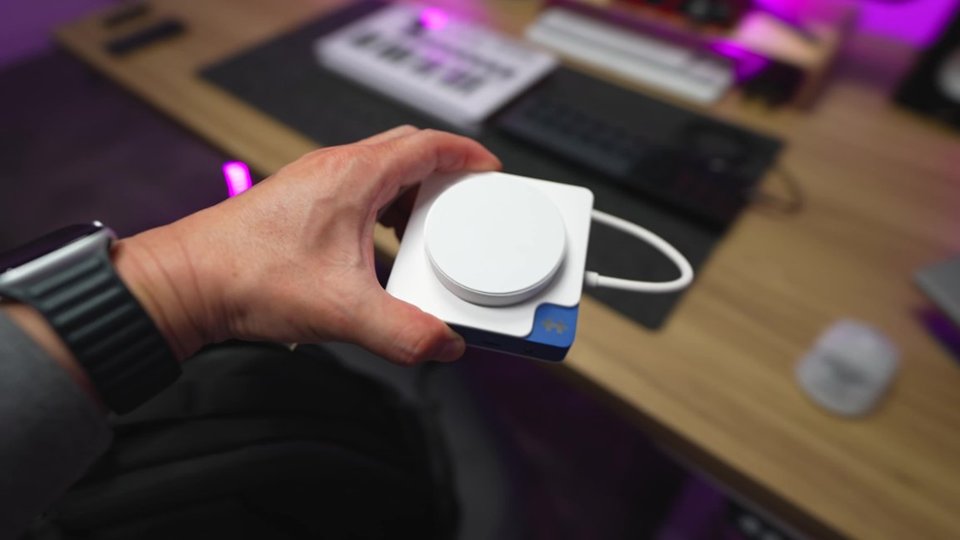
||Posted . Owned for 2 weeks when reviewed.This reviewer received promo considerations or sweepstakes entry for writing a review.This little HUB is genius. The image shows it as it looks when opened. However it is highly portable as the magnetic device charger actually folds down into itself making the device into a compact small square that can be carried in your pocket or in a small pocket in your backpack or laptop bag. It features a decent amount of ports which are: USB A x 1, USB C x 2, 3.5mm Headphone jack x 1, USB C Power Delivery port x 1, HDMI port x 1 and an SD Card Slot. Then you have the pop-up MagCharge magnetic device charger and your USB C to host connected cable. The bottom has a rubberized non-slip base so it won't slide and slip when placed on surfaces. Basically you get a little bit of this and a little bit of that which equals A Lot Of Flexible AWESOME.
I would recommend this to a friend- Pros mentioned:Charging performance, Connectivity, Portability

Compact, affordable, and impressive docking hub
|Posted .This reviewer received promo considerations or sweepstakes entry for writing a review.I wasn't sure what to expect with the HyperDrive Flex MagCharge USB-C hub, given how much it advertised and its very affordable price, but I have to say I'm extremely impressed with the results. This hub is absolutely perfect for people who are on the go, whether that's business travel or commuters who constantly shuffle between home, hotels, and offices. You might have a dock at your office, or one of your satellite offices, but if you're not sure, you can just grab this and you're on your way. What makes this Hub so awesome is that it works perfectly with your USB-C powered laptop and the cables that come with it. Here's the components you need: 1. A USB-C/Thunderbolt laptop, like MacBook Pro, Surface, or Dell Premium that only have USB-C/TB ports and nothing else. 2. The charging cable and power adapter that comes with it, ideally one that has USB-C male on both ends of the cable that can unplug from the AC adapter. 100W is ideal, but you can use both more or less. 3. HDMI cable, extra USB cables to plug in your peripherals. 4. The HyperDrive Flex Hub. 5. Maybe a mouse and usb-a dongle for it, or a BT mouse works too. That's all you need. You can easily fit all of these items and the HyperDrive hub in a laptop bag and it adds very little bulk or weight. This provides a TON of connectivity, you can either plug the AC adapter to the wall, then to the input on the HyperDrive flex directly if you just want to charge your iPhone with the Magsafe charger. Or you can plug the AC adapter into the laptop, then plug the USB-C cable from the HyperDrive to a USB-C on your laptop and this provides storage connectivity, power to any device connected to it, and video. I did run into some limitations that you should be aware of, the HyperDrive Hub should be considered a convenience hub and not a PERFORMANCE hub. What I mean by that is that you are not going to max out the specs of anything you are connected to, you're basically going to get the minimum specs but a lot of connectivity options. Here's what I mean: 1. When I used the 100W PD input on the HyperDrive Flex with a 140W Insignia Wall charger and then plug the HyperDrive Hub cable to charge the laptop, I got a slow charger pop-up on my Precision laptop. Using the 140W Insignia wall charger or the OEM 60W Dell charger directly to the Precision, I didn't get a pop-up. The Hub has a tiny sticker on the white USB-C cable that says the output max is 20V-4.25A so 85W max output, but it must be doing something less than that because the laptop complains about slow charging. 2. The HDMI output is max 4K/60 which is actually pretty impressive. I was able to achieve this on my external 4K monitor and no issues here. This is probably the most surprising feature of a dock this small and inexpensive and really unlocks it for something you can use to bring your office functionality with you on the road. 3. The USB-C transfer speeds through the hub are significantly slower than what your laptop may be capable of. My Dell Premium is capable of TB4 speeds or 4GB/s, with an external Sandisk G40 disk I was getting 3000/2500GB/s read/write, but with the Hyper I was only getting 466/466MB/s read/write. Without looking I'm pretty sure that is USB 3.0 original speeds. So don't expect to replace your photo editing scratch disk workflow or high speed data transfers from this hub, use direct to laptop if possible. And, on top of all that, it has a nice quality MagSafe charging pad that folds away nicely, has a soft pad so it won't scratch your phone, and doesn't get hot like some of my other chargers. The total size of the dock is about 4" square. I have docks provided by my work and they are huge and heavy. This is neither. In addition to the points to be aware of above, the HyperDrive Flex does not include a detachable USB-C cable or a charging adapter/wall wart. It would be nice if they included one as an option but I could see this adding another $40-50 for a 100W charger, and if you already have a USB-C AC Adapter you can make do without it. Great Road Warrior and travel companion, I'm really happy with how this HyperDrive Hub completes my Dell Precision setup for travel and as a docked workstation.
I would recommend this to a friend - Pros mentioned:Charging performance, Port selection, PortabilityCons mentioned:Cable length
Great accessory for Macbook Pro users
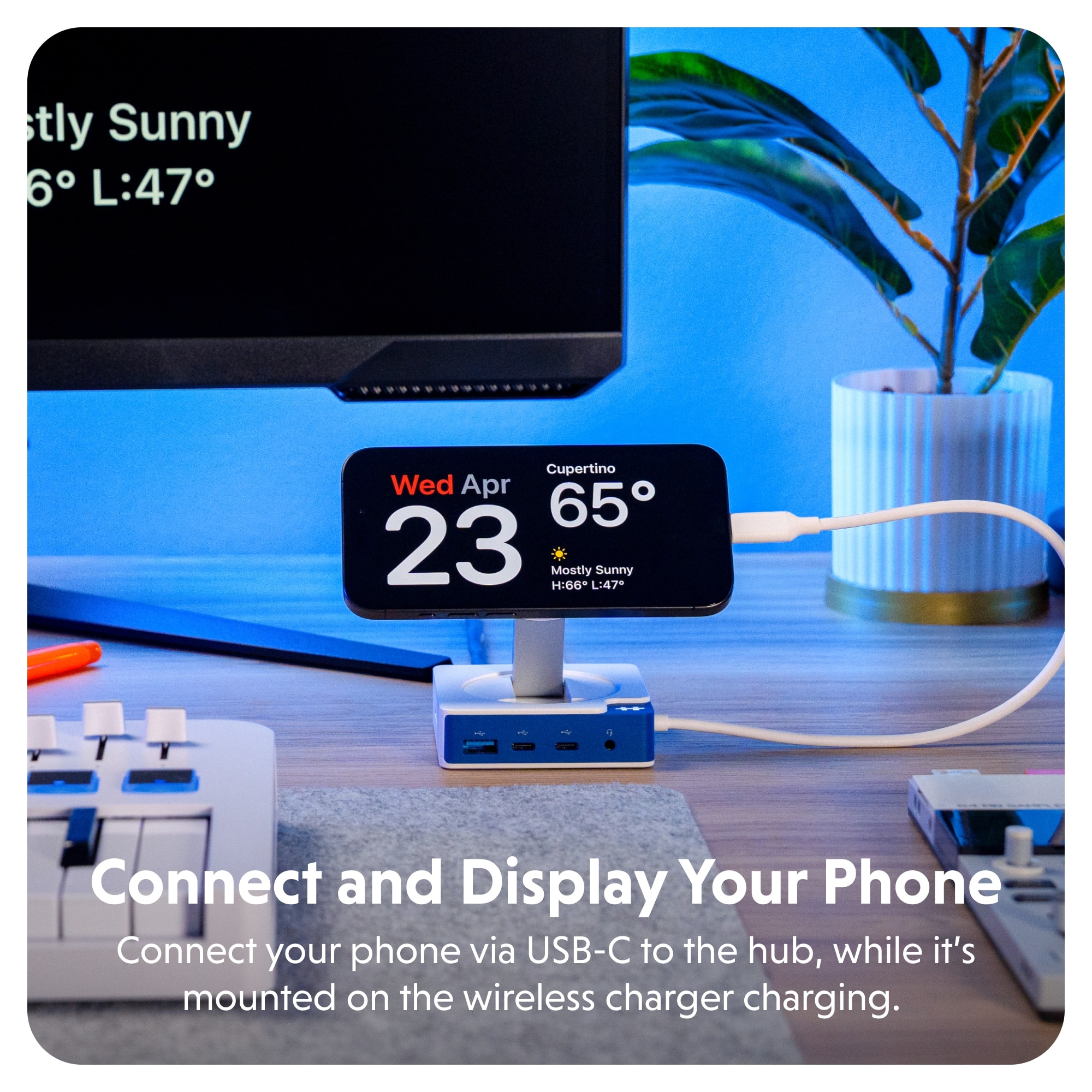
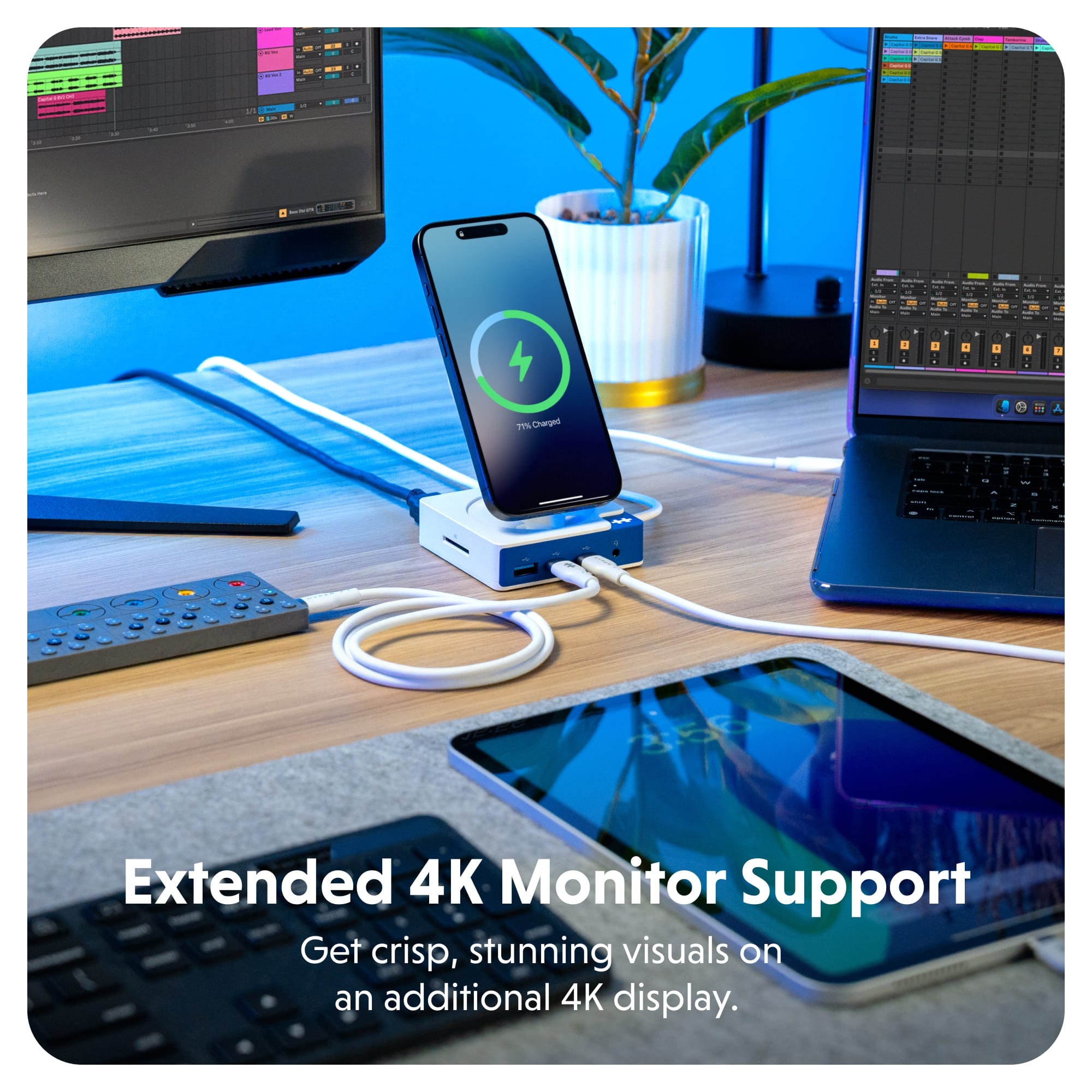
|Posted .This reviewer received promo considerations or sweepstakes entry for writing a review.The HyperDrive Flex is a USB hub, card reader, and Magsafe compatible charger. I am using it with my Apple Macbook Pro M3 Max. It is a great addition to this laptop because it only comes with 3 USB/Thunderbolt ports. This device adds more ports to my laptop and can charge my phone. This also has an HDMI port that lets me extend my display to an external monitor. I am using an Alienware monitor, and I set the resolution to 3840x2160 (4K). In the rear of the HyperDrive is the HDMI port next to a 100W PD port. I can charge my laptop. Now when using an external monitor, you do not have to keep the laptop plugged in. However, if you use the external monitor as the main display – closing the laptop, you will need to plug it in or the display and laptop will go to sleep. I have a media file just over 4GB in size. I transferred it to the SanDisk Extreme Plus 190MB/s card. I was getting about 94 MB/s transfer rate. This also has a USB-A and 2x USB-C ports. I used the Qi charger with my Pixel 10 Pro. From 49-84% was just under 2 hours. I did not expect it to be fast. But what I like about it is I can prop up my phone, charge it and watch content while working on my laptop. This allows me to not take up space with a window open to watch media with my laptop. If you want to charge quicker, you can use the remaining USB-C port to charge it. The Magsafe charger can fold in as well, giving it a small footprint when storing it in my backpack. I like this device, and it is a great complement to my MacBook Pro. One thing I wish it had was a longer USB-C cable. I wanted to use it as a bedside charger for my phone and other devices.
I would recommend this to a friend - Pros mentioned:Charging performance, Connectivity, Portability
The Little Hub That Does a Lot
|Posted .This reviewer received promo considerations or sweepstakes entry for writing a review.The HyperDrive USB-C hub is one of those devices that proves you don't need bulk to get serious utility. Its ultra-compact folding design makes it incredibly portable, but what really stands out is the versatility packed into such a small footprint. Key Features: - Port Configuration: Multiple USC-C inputs, HDMI output, and a full-size SD card slot great for both content creators and professionals on the go. I think the big miss here is the lack of microSD support. Most content creators use action cameras and drones - so you're still going to need an adapter. - Wireless Charging: The built-in MagSafe charger is definitely nice to have because it doubles as a stand for your phone. It supports 7.5W Qi charging for your phone and compatible earbuds which eliminates the need to carry another charger if you do travel with it. - Connectivity: You have to use your own power supply, but the HyperDrive Flex does have 100W passthrough that works flawlessly. I am currently using my MacBook Pro charger to power the HyperDrive and I have the fixed USB-C connector to power my laptop. Use Cases: - Travel: Connect a phone via HDMI to a TV or monitor for streaming with 4K support. - Workflow: Expand an iPad or laptop into a dual monitor workstation. - Desk Hero: Charge your phone, keyboard, mouse and computer with one cable. Limitations: - Limited port count compared to larger docs. - NO INCLUDED POWER SUPPLY (you will need a power prick capable of 100W PD if you want to take full advantage of performance). - No microSD support Verdict: The HyperDrive USB-C hub is an impressive, portable solution for anyone needing to extend the capabilities of their phone, tablet, or laptop at home or on the go. While the port selection isn’t vast and the lack of included power brick is a miss, the combination of wireless charging, HDMI output, and multi-device compatibility makes it an excellent value for mobile professionals and tech enthusiasts.
I would recommend this to a friend - Pros mentioned:Portability
Easily meets reasonable expectations
|Posted .This reviewer received promo considerations or sweepstakes entry for writing a review.Hyper Hyperdrive Flex MagCharge USB-C Hub. It was a pleasant surprise to attach this unique and exceptionally small multi-port hub and phone charger combination to my laptop for a number of reasons. First, it combines a comprehensive list of features into this 3.1” x 1.4” x 1.4” box that eliminates the need for multiple adapters. Secondly, it nicely accomplishes all its promised roles that are needed for trips away from home, and I’ve also got it connected at my home workstation. And thirdly, every one of the features works as promised, which exceeds my previous experiences with some other high-end hubs. As hinted at in my title, the performance of this 5-port hub with MagCharge is certainly adequate, and it will accomplish everything I truly need. The HyperDrive Flex should not be confused with a high-performance desktop hub, which, by the way, will probably not charge or display your phone, and may not fully meet its specifications. High-performance hubs often weigh much more and take up more space on your desktop. This HyperDrive Flex makes some compromises, trading away some high performance, but also trimming its size while adding useful features. This works for me. What do you get and what do you lose? — You must provide a USB-C power supply, and the wattage accommodated covers a wide range, but higher (100W+) is better if you intend on powering or charging a laptop, phone, and other accessories. — The built-in USB-C cable is rather short, so I added a left-side shelf to my workstation (the cable is permanently attached on the right side of the HyperDrive). That worked for me, but it’s hardly convenient. — This small hub strongly adheres to a phone while it MagCharges at a modest 7.5W, which results in a slower recharge. It conveniently displays your phone in a vertical (varies by phone length) or horizontal position during the charge. Keep in mind that a direct cable recharge is also available via one of the ports. ++ I had no problem setting my LG34” UHD display to operate at its maximum 3480 x 2160 resolution at 60 Hz refresh rate. My usual 1920 x 1080 resolution was also perfect. ++ I have storage drives attached, and file transfers occur at nominal speeds, just not at the maximum specified speeds. But this all works, and even the SD card reader functions properly. I rarely have a need for the highest speed transfers. ++ I love the easy-to-access 3.5mm audio jack. SUMMARY: This is a competent, convenient, travel companion. I use it all the time now because its feature mix is perfect for my computer use. And it’s so easy to stuff in my laptop bag. I can’t imagine any computer user not finding the HyperDrive fitting into their daily routine. It works with all variations of computers.
I would recommend this to a friend - Pros mentioned:Port selection, Portability
Solved my USB Accessibility Problem!
|Posted .This reviewer received promo considerations or sweepstakes entry for writing a review.As an iMac user, I often struggle to get to the connections behind the computer because I have my desk against a wall. I usually have to use my phone’s camera to get a view of the back to plug things in. That is why this HyperDrive Flex MagCharge Charging Doc was so appealing to me. Truly it has made my life so much easier as it works perfectly and allows me to readily plug and unplug cables right in front of me. It has two regular USB-C ports, a USB-C PD port, a USB-A port, an HDMI 4K port, an SD slot, plus a foldable mag charger. They all work efficiently and without issue. I was quite surprised when I connected both my DSLR’s SD card and my portable SSD simultaneously because I was able to access them both with absolutely no lag, even with the larger files. The mag safe charger is slightly tough to pull out but it’s a big issue plus it still charges even if it isn’t pulled out. It has a strong magnet that keeps the phone in place while it charges, and both the arm and pad are tiltable for the most convenient alignment. It folds up conveniently small, using up only a tiny footprint of my desk and making it easy to toss in a purse and take it with me. I wasn’t sure what to expect from this little hub, but it is just what I’ve been in need of for years. It provides convenience, adds ports, has a tiny footprint, and works exceptionally well.
I would recommend this to a friend - Pros mentioned:Connectivity, Portability
Compact Hub Charging Station
|Posted .This reviewer received promo considerations or sweepstakes entry for writing a review.HyperDrive Flex MagCharge USB-C Hub 100W is perfect for my home office and hobby area. I can now connect and charge multiple devices simultaneously. The Hub is compact at 3.15" x 3.15", which doesn't occupy much space on my desktop. It is convenient when using my Dell AIO desktop, as all the USB and HDMI ports are located behind the monitor. I can now use the hub to transfer photos from my camera's SD card. The portability is also convenient, as I use the HyperDrive Flex MagCharge in my sewing room to connect my sewing projector to my Dell XPS 2-in-1 laptop. The Dell XPS laptop features several USB-C ports; however, it lacks a dedicated HDMI port. The Qi Wireless charger unfolds out of the base to hold my Samsung S24 Ultra in a MagSafe case. I must say that it takes longer to charge (50%) the S24 Ultra (about 3.5 hrs) than it does the Pixel 9 Pro, or Pixel 9a (about 2.5 hrs). The HyperDrive Flex MagCharge boasts: USB-C host USB-C x2 USB-A x1 3.5 mm Audio x1 HDMI -X1 USB-C -connects to a USB-C PD Charging Adapter Qi Wireless - support 5W/7.5W/10W HyperDrive Flex MagCharge USB-C Hub 100W is very affordable. I will purchase another one just for my sewing room! Highly recommend!
I would recommend this to a friend - Pros mentioned:Connectivity, Portability
Pretty good overall
|Posted .This reviewer received promo considerations or sweepstakes entry for writing a review.This all-in-one port cube is convenient to use. It’s pretty much plug-and-go. It works well overall. I’ve used it with Windows PC, MacBook, Ipad, Iphone, Android and had no big concerns. It’s easy to travel with and doesn’t take up much space. It’s nice having so many options in one small place. I like the wireless charging option. It is convenient as you can move the magnet to fit whatever you are charging. The days that I am working from home, I usually use it and it works fine. It does charge my phone slower than anything else I’ve used. The first time I used it, I was surprised that my phone’s message indicated it would take so long to charge fully. I checked and realized that it’s only 7.5W so it makes sense that it is so slow. That can be an inconvenience if you’re in a hurry. Everything else works pretty fast so don’t let that discourage you from this. The SD reader works great with my pictures and videos and was quick to load them to my laptop. The HDMI port was a nice surprise that I don’t usually see in these. It worked quickly to see what’s in my phone on the big screen. My two suggestions for when they update this is to have a power supply that can be plugged into any standard wall outlet. For it to work now, you must connect it using the USB-C cable. Once that’s plugged, it’s good to go. It would be nice to have another option to use it, though. My other suggestion is to provide more W to the magnetic wireless charger.
- Pros mentioned:Port selection, Portability
Great addition to my home office
|Posted .This reviewer received promo considerations or sweepstakes entry for writing a review.I've been using the Hyper Hyperdrive Flex MagCharge USB-C hub in my home office for about a week now and its proven to be a great addition to my home office due to the functionality it provides over my previous hubs. First, the main upgrade over previous hubs I've used is the addition of the 7.5W Qi wireless charger to charge my phone and earbuds. Its flexible and packs down nicely when I travel. It charges quickly and that's one less cable I need to use. In addition to this, the MagCharge hub also comes with: - 2 USB-C ports - 1 USB-C port with 100W power delivery - 1 HDMI port - 1 SD card slot reader - 1 USB-A port - 3.5mm audio port That's a lot of functionality in a small device. It has plenty of ports to power all of my peripherals with room to spare. Now that I have the Hyper MagCharge hub I no longer have the need for my previous hubs, phone charger or SD card readers so they have all been donated. Overall, I love this device because of the functionality it provides and how it has cleaned up my workspace. Highly recommended.
I would recommend this to a friend - Pros mentioned:Portability
Powerful & Versatile Hub for iPhone/iPad/Computer
|Posted .This reviewer received promo considerations or sweepstakes entry for writing a review.This little gadget wields power far beyond its size. It can do so many different things and fill so many roles in your tech life. From allowing you to watch movies from your iPhone (or any phone really) on your TV to serving has a USB Hub for your iPad to being a wireless charger for your iPhone or Pixel 10 phone to extending your PC Laptop or Macbook screen to an additional monitor - it really does it all! And it works great. Favorite things: - Love how small and compact it is - Plug & Play for mirroring my phone (including streaming vids) to my OLED TV - Decent number of ports - Built in MagSafe Charger Stand that also works for wireless earbuds - Includes SD Card Slot What could be better: - Not a huge fan of the color/look - Wish it did have at least one more USB port - Wish it had a MicroSD Card Slot as well - Doesn't come with a power supply This is a great little device starting with the fact that it IS so little. When folded up this could fit so easily into even a small shoulder bag to take with you wherever you go. While I wish it had at least one additional USB port and a microSD card slot, it's perfectly adequate to meet most of your needs, especially for use on the go. It's extremely versatile in how it can be used which is great! Because this is a USB-C hub and because all our pocket computers (aka smartphones), Tablets, and computers are USB-C driven, you can use this with any of those. Starting with any iPhone or higher-end Android, you can plug this into your phone and basically use your phone as a computer. When attached to this most iPhones, Samsung Galaxy Phones, Pixel phones or other higher end Android phones will recognize SD Cards, Wireless Keyboard/Mouse USB Receivers, USB Drives, and even an external monitor via the HDMI cord. For many people this could replace the need to even have an actual computer! What I love is besides using this for such a utilitarian need like that, it's also great if you're traveling and you want to hook your phone up to a TV via HDMI to watch Netflix. And when you go to bed at night you can use this as a wireless MagSafe charger phone stand so long as you have your own power supply for it! When folded down, you can also throw your wireless charging earbud case on here to get charged. This hub will work with an iPad or Computer much like I mentioned above with your phone, but of course with the way those work you can extend your screen so that you have dual monitors to work with. And any USB peripheral devices will work. You can let your device power this or you can connect this to your own power supply for passthrough charging of your tablet/computer. It would have added a lot of value to me if an adequate power brick and USB-C Cord were included, but I did already have my own so not a huge deal. I'm not a huge fan of the color and look on this. I guess they wanted to be unique, but I would have preferred a metal aluminum silver type of finish, but that's just a personal thing and definitely not a deal breaker. I am overall impressed with the way this works. It's super small and portable, but packs in quite a number of features meaning you can buy this one device and use it for a lot of different things which definitely adds value for the cost. Just keep in mind you'll need to buy a separate 100W PD Power Supply and USB-C cord (if you don't already have one) to use it to the fullest. This is a well made and thought out hub from HyperDrive that works as promised.
I would recommend this to a friend - Pros mentioned:Portability
Compact hub with one potential flaw
|Posted .This reviewer received promo considerations or sweepstakes entry for writing a review.The HyperDrive Flex MagCharge hub is very impressive with one small flaw. The device is full of functionality including: - 100 watt PD power (needs at least a 100 watt plug) - 2 USB-C inputs - 1 USB-A input - Headphone input - 1 HDMI cable input - 1 SD Card Input - Flexible MagSafe charging pad - which is great for multiple uses. When extended up, you can charge a MagSafe-compliant phone. If you push the pad down (flat), you can charge wireless earphones or other smaller devices that aren't MagSafe-enabled. Sounds great, right? The Hub has a lot of functionality and I it definitely would work really well for laptops. The small flaw? The length of the USB-C cable the device comes with is very short. So, when using a laptop with a free USB-C cable the hub is great. However, in my setup at my home office, I use an all-in-one desktop computer and the cable is too short to feasibly use the 5 port hub. That being said, when I am on the go, the hub is fantastic with my Surface or my MacBook Pro. But, it's another "chunky" device to toss in my already packed bag. I would definitely recommend this product, especially at the price point, for the many functions it provides. I ended up purchasing (separately) a USB-C extension with a male/female combination so I am able to use the hub at my desk.
I would recommend this to a friend - Pros mentioned:Charging performance, Port selectionCons mentioned:Cable length
Will charge through my Otter Box Case and More
||Posted . Owned for 2 weeks when reviewed.This reviewer received promo considerations or sweepstakes entry for writing a review.Love this guy! It charges through my otter box case along with being extra USB and USB-C ports for my computer. The USB-C, which is hard wired is a little short but I just picked an extender and it is fine. If you have one of those larger phones, you will need to play with the angles on the mount to get it to sit right but over all solid charger/port.
I would recommend this to a friend - Pros mentioned:Build quality, Connectivity
Very solidly built
||Posted .This reviewer received promo considerations or sweepstakes entry for writing a review.This is a solidly built hub. The base is a heavy brick. The magnetic stand flips up and it is a solidly built hinge mechanism that stays in place once extended. My Surface laptop connected immediately and this thing nicely handles multiple inputs. My only complain is that it is a bit thick and heavy for travel. It is better as home office desktop hub.
I would recommend this to a friend - Pros mentioned:Connectivity
Great addition to my iMac!
||Posted . Owned for 1 week when reviewed.This reviewer received promo considerations or sweepstakes entry for writing a review.This is a great addition to my new iMac. I have several different connections that I use in my photography work and these connections are great. I can even charge my phone while I’m working.
I would recommend this to a friend - Pros mentioned:Connectivity
Works great
||Posted . Owned for 1 month when reviewed.This reviewer received promo considerations or sweepstakes entry for writing a review.This works great to connect my MacBook air to my second screen. Also has extra ports to charge keyboard or mouse when needed.
I would recommend this to a friend So far: a rather reliable swiss army knife hub
||Posted . Owned for 1 week when reviewed.This reviewer received promo considerations or sweepstakes entry for writing a review.So far this item does what is advertises. Rather useful features, some of which I could see being very helpful for travelers. I use it at home for a laptop. so far so good. Bought it at 50% discount sale so great value!
I would recommend this to a friend- Pros mentioned:Charging performance
Great device
||Posted . Owned for 1 month when reviewed.This reviewer received promo considerations or sweepstakes entry for writing a review.This device is literally so awesome! Being able to charge my phone on the same source used to connect my stream set up is very helpful
I would recommend this to a friend - Pros mentioned:Port selection
Review
||Posted . Owned for 1 month when reviewed.This reviewer received promo considerations or sweepstakes entry for writing a review.Works well, love that I can plug in different outlets at one time to my Mac. Works relatively fast just a bit bulky.
I would recommend this to a friend - Pros mentioned:Charging performance
Almost Perfect
||Posted . Owned for 2 weeks when reviewed.This reviewer received promo considerations or sweepstakes entry for writing a review.I returned this item for one reason: it only supports HDMI 2.0, and my display requires HDMI 2.1... otherwise, it would have been a lovely addition to my desk setup. The form factor and design is great, and the magnetic charging was nice and easy to adjust for my large phone (Samsung Galaxy S25 Ultra).
I would recommend this to a friend - Pros mentioned:Connectivity
Easy to use
||Posted . Owned for 3 weeks when reviewed.This reviewer received promo considerations or sweepstakes entry for writing a review.I love this device. So easy to use and so many plugs. The only issue is that the stand is a little hard to fold out as it is a bit stiff.
I would recommend this to a friend