Customer Ratings & Reviews

- Model:
- NS-PCHDEDS19
- SKU:
- 6153102
Rating by feature
- Value
Rating 4.5 out of 5 stars
- Quality
Rating 4.5 out of 5 stars
- Ease of Use
Rating 4.6 out of 5 stars
Customers are saying
Customers admire the 2-Bay HDD docking station for its ease of use, fast data transfer speeds, and overall performance. The device's compatibility is also impressive, effortlessly accommodating various hard drives. However, some customers have noted concerns about the size, power issues, and loose connections.
This summary was generated by AI based on customer reviews.
Geek Squad saves - AGAIN, with an amazing device!!
||Posted . Owned for 3 weeks when reviewed.This reviewer received promo considerations or sweepstakes entry for writing a review.My HP AllnOne desk top died - without warning. My files I NEEDED, were lost. Took it in to Best Buy in Tanasborne. The sweet, patient and extremely helpful Geek Quad guys told me 2 things. a. The HP was indeed dead, but b.), I could put the damaged RAM drive into a reader! SOOOOO grateful!!! Problem with your computer-or whatever? Take it to the Geek Squad - they know what they’re doing!!!
I would recommend this to a friendBrand response from InsigniaCustomerSupport
Posted .Hello Insignia Customer, thank you for sharing your experience with the Insignia 2-Bay HDD Docking Station. It’s great to hear it helped you access important files when you needed them. Insignia focuses on practical, reliable solutions for everyday tech needs. We appreciate you taking the time to share your feedback.
Poojitha | Insignia
- Pros mentioned:Data transfer, Ease of use, Usb
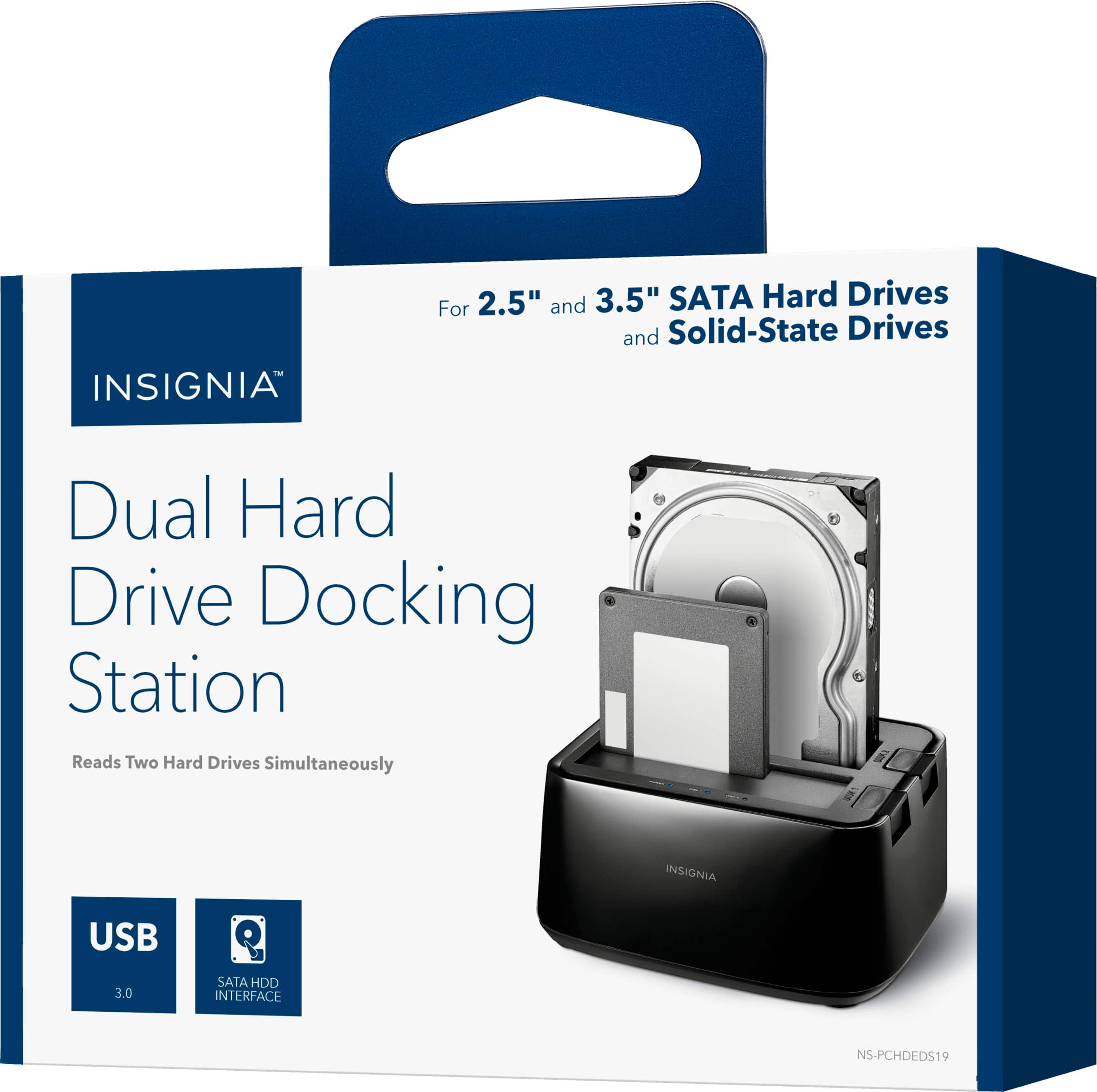
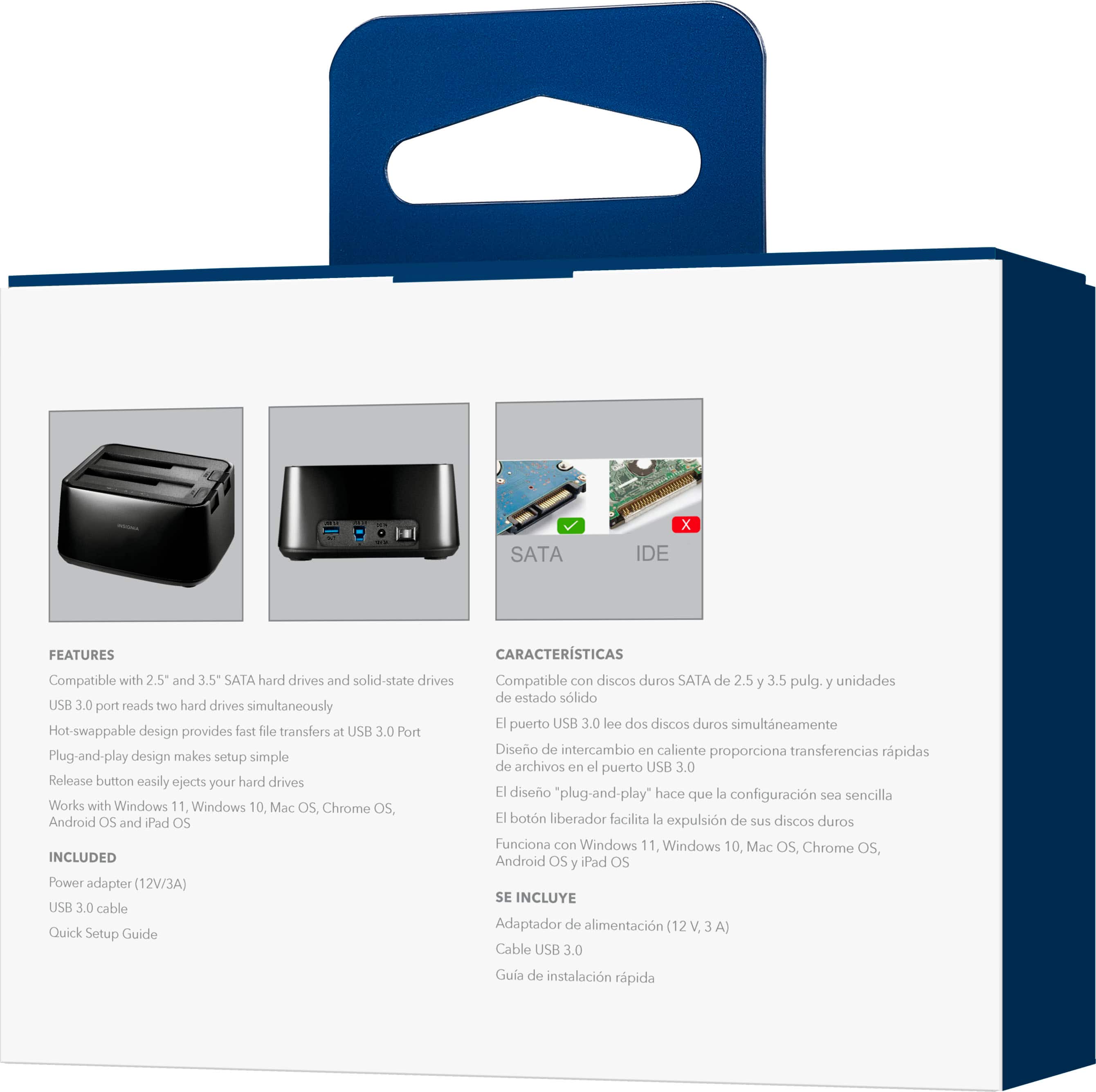
Insignia™ - 2-Bay HDD docking station
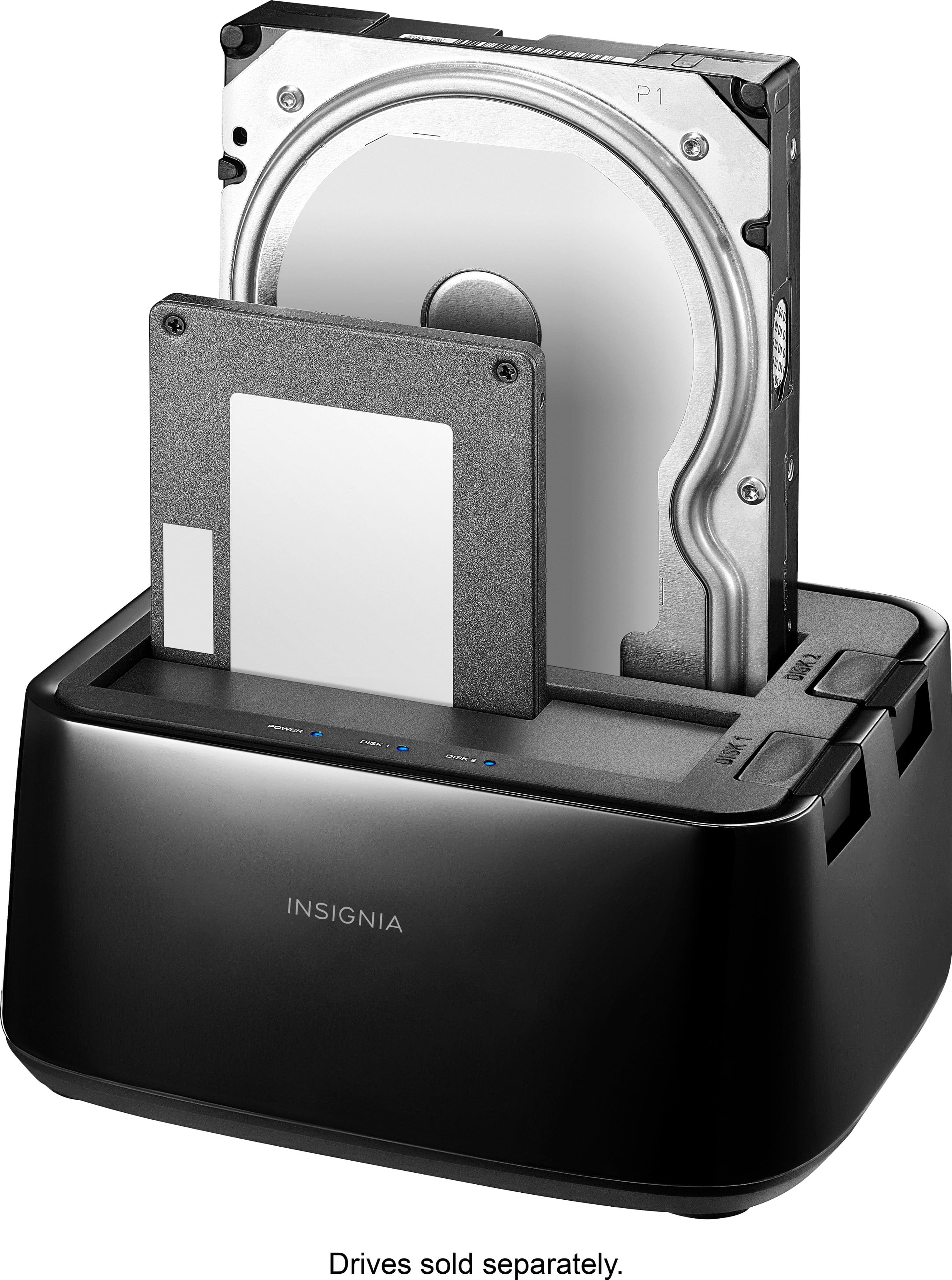
||Posted . Owned for 2 weeks when reviewed.This reviewer received promo considerations or sweepstakes entry for writing a review.Small and easy to use. two slots accept SSD and HDD drives for simultaneous reading, and a USB 3.0 port allows for fast data transfer
I would recommend this to a friend - Pros mentioned:Compatibility, Data transfer
Works!
||Posted .This reviewer received promo considerations or sweepstakes entry for writing a review.I bought this and plugged into my AIO's USB 3.0 port. I snapped in a SATA 3" drive and Windows 10 recognized it and assigned a drive letter automatically. I scanned the files on this old drive and all the data was still there! I like that it is not enclosed where heat could be an issue. The drives stay cool while plugged into this device. Get one and you can recycle old drives, even the 2" ones from laptops. No need to buy portable drives for backup purposes. Highly recommended!
I would recommend this to a friend - Pros mentioned:Compatibility, Overall performance
Works as advertised
||Posted .This reviewer received promo considerations or sweepstakes entry for writing a review.It works as advertised. I've docked four different drives, both large disc types and small SSDs, and it works flawlessly.
I would recommend this to a friendBrand response from InsigniaCustomerSupport
Posted .Hi MichaelS! Love hearing that it handled all your drives without a hitch. Thanks for confirming it works just as promised!
— Shiela | Insignia Support
reads all of hard drives so far
||Posted . Owned for 1 year when reviewed.This reviewer received promo considerations or sweepstakes entry for writing a review.This hard drive reader/cloner works exactly as described. I have about 12 hard drives removed from older computers and all read fine. I don't see anything wrong with this product. Highly recommended.
I would recommend this to a friendBrand response from InsigniaCustomerSupport
Posted .Hi Steven, thank you for sharing your feedback. We're delighted to hear that the 2-Bay HDD Docking Station is working exactly as expected and has successfully read all of your hard drives. We appreciate your recommendation and are glad the product is providing the reliable performance you were looking for. Vennila | Insignia
- Pros mentioned:UsbCons mentioned:Power
External Hard drive bay for internal HDDs and SSDs
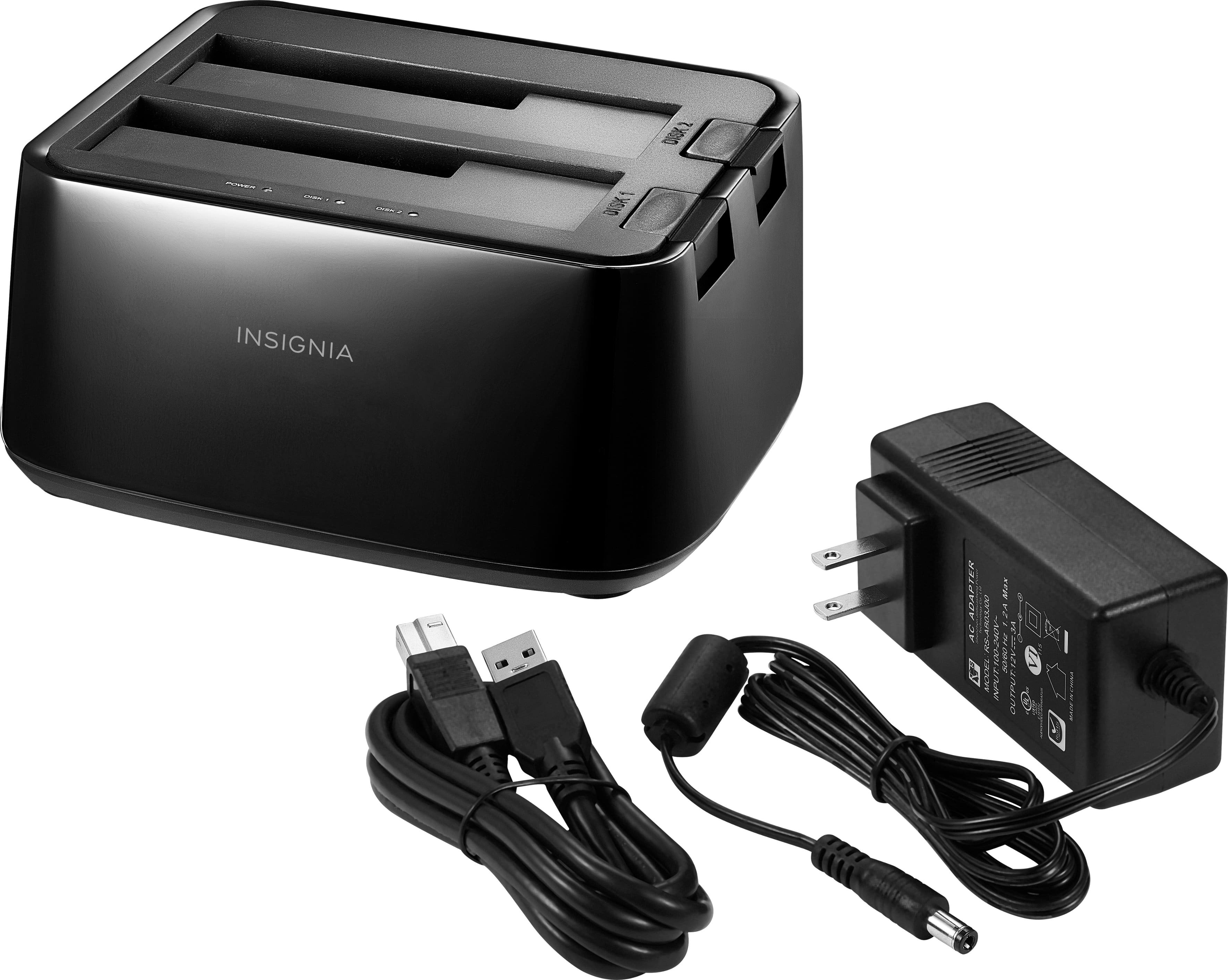
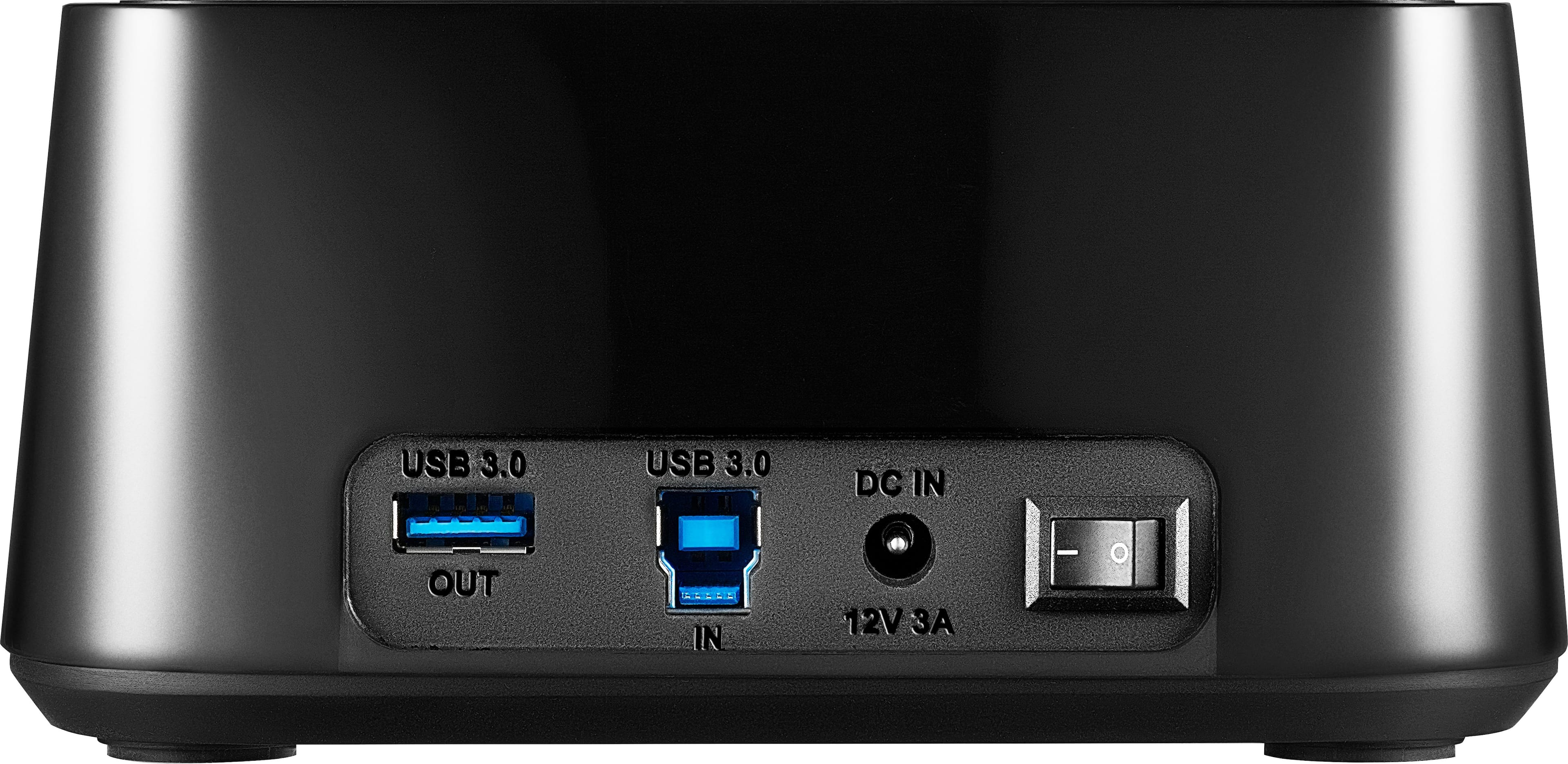
||Posted . Owned for 5 months when reviewed.This reviewer received promo considerations or sweepstakes entry for writing a review.a fantastic external HDD bay for its price and it allows for not only full size drives but SSDs as well and has a USB 3.0 port on the other side so you can put in a USB drive or device in there and it will transfer at 3.0 speeds it does require DC power though so be sure to have a plug and a half ready and open to use this things power brick
I would recommend this to a friend - Pros mentioned:Ease of use
Data rescued from a dead computer
||Posted . Owned for 3 weeks when reviewed.This reviewer received promo considerations or sweepstakes entry for writing a review.Uggggh, My computer died and i hadn't backed it up since.???? I was sure it wasn't the hard drive and i was sure there was info on there i needed, along w/ some photos. I went to best buy to see if there was any device to plug my salvaged HD to operate it like an external drive. The Tech at Best Buy knew exactly what i needed and directed me to this 2 Bay HHD docking station. I took it out of box, inserted my salvaged HD, plugged in its power and the USB cable into my NEW desktop. that is all it took. the salvaged HD showed up on my new computers desk top as another drive. Clicking on that icon opened and gave me access to every thing i needed on that drive. PERFECT. could not have been any easier. now i have a spare drive for extra storage. Worth every penny.
I would recommend this to a friendBrand response from InsigniaCustomerSupport
Posted .Hi Hank!
Thanks for taking the time to leave your review. I am really glad to read that this worked to salvage your files. It has even come in handy for me personally. I know how important this was for you, so I truly hope it comes in handy again in the future. If you ever need assistance, feel free to reach out to my team at any time.
- Janine G. | Insignia Support | https://www.insigniaproducts.com/contact-us
- Pros mentioned:Data transfer, Overall performance
5.0 out of 5 stars Solid and Reliable - A Good Upg
||Posted . Owned for 1.5 years when reviewed.This reviewer received promo considerations or sweepstakes entry for writing a review.I've been using the Sabrent USB 3.0 to SATA External Hard Drive Docking Station for about two weeks now, and I'm generally pleased with its performance. I replaced my old SSK dock with this one after it failed within a year, and so far, this Sabrent dock has been a more reliable choice. The speeds on this dock are definitely an improvement over my old one. I've connected my Synology Disk Station to the dock via USB, and I've achieved transfer speeds of up to 120 MBps. Response times are also snappy, making it easy to transfer files and data.
I would recommend this to a friendBrand response from InsigniaCustomerSupport
Posted .Thank you, Branden! We're glad you're pleased with the performance of the Sabrent USB 3.0 to SATA External Hard Drive Docking Station and that it's an improvement over your previous dock. We appreciate your feedback. Please contact our Insignia customer support team (877-467-4289) for further assistance. - Mae | Insignia Support
- Pros mentioned:Ease of use, Overall performance
Docking on point!
||Posted . Owned for 1 month when reviewed.This reviewer received promo considerations or sweepstakes entry for writing a review.I was skeptical about this brand and product. I am completely overjoyed that it woks great with my tablet. No issues!
I would recommend this to a friendBrand response from InsigniaCustomerSupport
Posted .Thank you for sharing your experience! We’re so glad to hear that the product exceeded your expectations and works perfectly with your tablet. It’s always great when something turns out even better than expected, and we appreciate your trust in giving it a try.
Keith | Insignia Support
- Pros mentioned:Ease of use, Overall performance
It saved my life
||Posted . Owned for 1 month when reviewed.This reviewer received promo considerations or sweepstakes entry for writing a review.My pc broke and this product saved my pc worked perfectly for what I needed it is easy to use and provides a good value
I would recommend this to a friendBrand response from InsigniaCustomerSupport
Posted .Thank you for sharing your experience. We are pleased to hear that our product saved your PC and worked perfectly for your needs. Your satisfaction is important to us, and we are committed to providing easy-to-use and valuable solutions that meet your expectations.
Keith | Insignia Support
- Pros mentioned:Data transfer, Usb
Plug and play, works great
||Posted . Owned for less than 1 week when reviewed.This reviewer received promo considerations or sweepstakes entry for writing a review.After one of my desktops died I rushed out looking for sata readers in order to gather the data from hard drives. I used a 2.5ssd and a 3.5 hdd and both just plug and play without any issues. Was aboe to transfer a couole of 100 Gb without any setbacks. Really nice compact solution.
I would recommend this to a friend - Pros mentioned:Data transfer, Overall performance
Excellent Docking Station
||Posted . Owned for 3 weeks when reviewed.This reviewer received promo considerations or sweepstakes entry for writing a review.My Mac Pro system hard drive crashed and I needed to try to recover the data from the drive, which wouldn't mount. I removed the bad drive from the Mac Pro, purchased the Insignia docking station, docked the bad drive in it and plugged it into my MacBookPro to run data recovery software. I was able to recover my files from the drive, then ran backups of everything by plugging various drives into the docking station. The Insignia worked flawlessly and saved me a ton of time. I highly recommend it.
I would recommend this to a friend - Pros mentioned:Compatibility, Ease of use
I have two of these and they work well
||Posted . Owned for 3 months when reviewed.This reviewer received promo considerations or sweepstakes entry for writing a review.I moonlight as a computer helper and I have found that these are one of my go-to tools. I don’t do much hardware stuff, but I do setup a lot of new computers. This tools is the most efficient way to transfer data from the previous computer. I pull out the hard drive, plug it into the adapter and it’s ready to go. It’s also a good tool for converting cheap internal drives into cheap external PnP drives. I keep one at home on my bench and one in my car for computer guy house calls.
I would recommend this to a friend - Pros mentioned:Ease of use
Get this 2-bay for your PC tool box.
||Posted .This reviewer received promo considerations or sweepstakes entry for writing a review.If you're looking at a single bay model, get this two-bay instead. Using free cloning software available online, this allowed me to duplicate my failing hard drive onto a new hard drive and keep my laptop going. It also allowed me to retrieve device drivers from one hard drive to another which fixed issues with my desktop computer. It will come in handy when I clone all my hard drives in case of hard drive failures.
I would recommend this to a friend - Pros mentioned:Overall performance
Great Addition to my set up.
||Posted . Owned for 5 months when reviewed.This reviewer received promo considerations or sweepstakes entry for writing a review.I use 3.5" Drives for backup, this is a great addition to my setup. Works flawlessly and never had any problems so far. I'd recommend this.
I would recommend this to a friend - Pros mentioned:Overall performance
Worked perfectly
||Posted . Owned for 1 month when reviewed.This reviewer received promo considerations or sweepstakes entry for writing a review.Needed it for some work I was doing while on vacation with a friend. Didn't have time to check it. Pulled out the unopened device, my friend said, "What if this doesn't work?" I shrugged. Worked perfectly right out of the box.
I would recommend this to a friend It saved my bacon!
||Posted . Owned for 1 year when reviewed.This reviewer received promo considerations or sweepstakes entry for writing a review.This thing helped me out immensely! I forgot my single SATA to USB adapter at home, and bought this to save me a 2-4 hour round trip. It actually worked out well, because the second SATA port came in handy while I was doing a data migration from a set of failing drives to a newer redundant array for a client.
I would recommend this to a friendBrand response from InsigniaCustomerSupport
Posted .Hello Insignia Customer! Thank you for sharing your experience with us. We’re really glad to hear the 2‑Bay HDD Docking Station came through for you when you needed it most, and that the second SATA port ended up being a huge help during your data migration. We appreciate you taking the time to let us know it made a difference in your workflow. Darshan | Insignia
- Pros mentioned:Ease of use
Reliable docking station for Linux
||Posted . Owned for 10 months when reviewed.This reviewer received promo considerations or sweepstakes entry for writing a review.As with other products, I can't vouch for how well this works on Windows or OSX, but Linux works great with this docking station. I have been using it regularly since I purchased it to do image copies and backups of laptop and desktop drives before their systems are send off to surplus and never hit a glitch. It also works great for troubleshooting troublesome drives and getting data off before they fail.
I would recommend this to a friend - Pros mentioned:Ease of use, Overall performance
Works Great!!!
||Posted . Owned for 1 month when reviewed.This reviewer received promo considerations or sweepstakes entry for writing a review.I needed access to my hard drive without it being connected to a computer. Made it into an external drive. Works great!!!
I would recommend this to a friendBrand response from InsigniaCustomerSupport
Posted .That's a great solution! We're glad our product helped you easily turn your hard drive into an external drive and that it's working well for you. - Carl | Insignia Products
- Pros mentioned:Compatibility, Ease of use
Good product
||Posted . Owned for 4 months when reviewed.This reviewer received promo considerations or sweepstakes entry for writing a review.This docking station was easy to use. We had a desktop computer that died and the hard drive fit perfectly in it.
I would recommend this to a friendBrand response from InsigniaCustomerSupport
Posted .Thanks for your review, Wolfress! We're glad to hear that the Insignia™ 2-Bay HDD Docking Station was easy to use and fit your hard drive perfectly. Enjoy your new docking station!
- Shiela | Insignia Support