Customer Ratings & Reviews
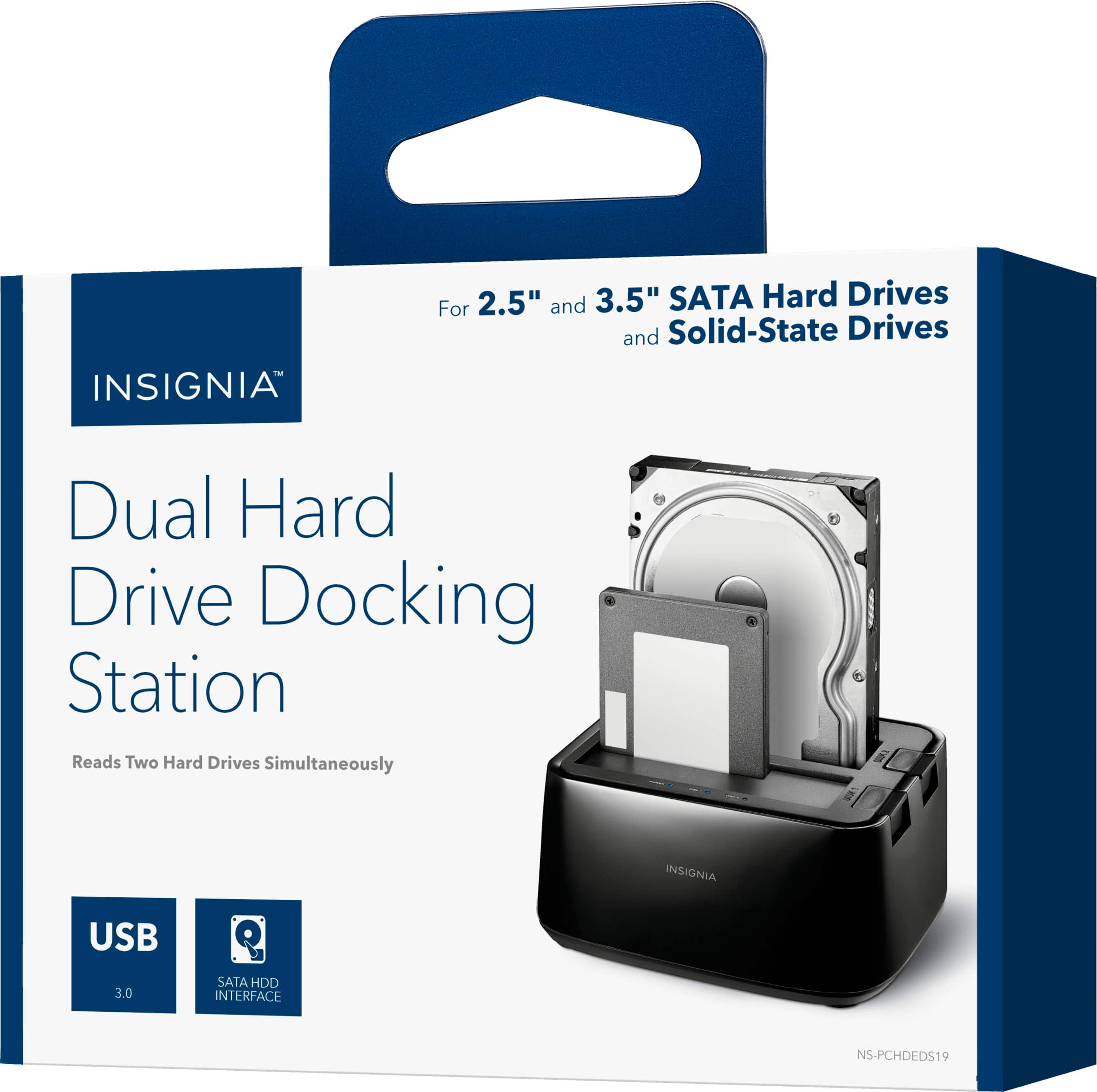
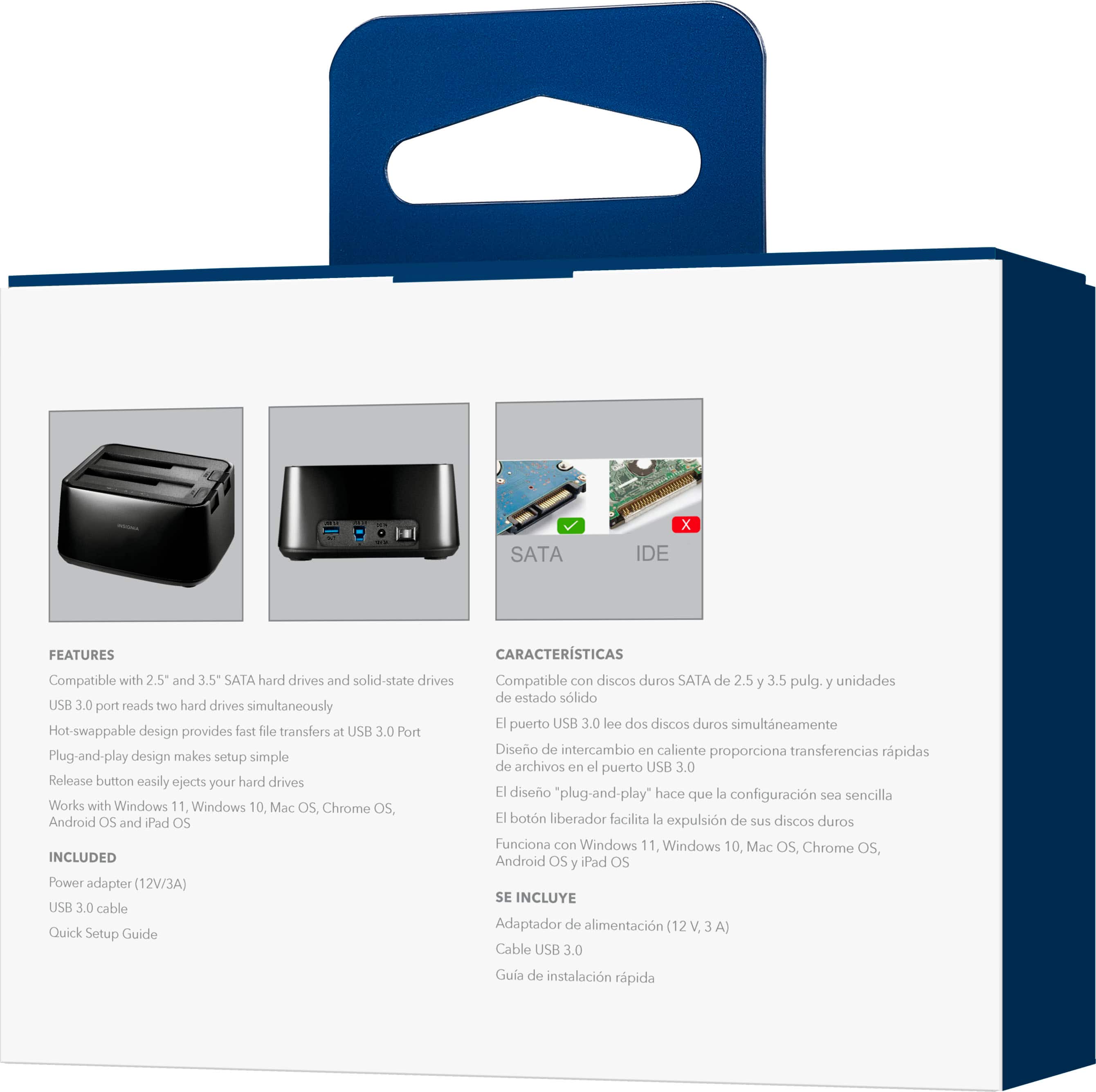

- Model:
- NS-PCHDEDS19
- SKU:
- 6153102
Rating by feature
- Value
Rating 4.5 out of 5 stars
- Quality
Rating 4.5 out of 5 stars
- Ease of Use
Rating 4.6 out of 5 stars
Customers are saying
Customers admire the 2-Bay HDD docking station for its ease of use, fast data transfer speeds, and overall performance. The device's compatibility is also impressive, effortlessly accommodating various hard drives. However, some customers have noted concerns about the size, power issues, and loose connections.
This summary was generated by AI based on customer reviews.
Skip it
||Posted . Owned for 3 weeks when reviewed.This reviewer received promo considerations or sweepstakes entry for writing a review.Doesn't work. Don't bother. Should have been trivial. Ready to set up, did I mention? It doesn't work
No, I would not recommend this to a friendBrand response from InsigniaCustomerSupport
Posted .Hello RobertS,
Thank you for writing a review about our Insignia™ - 2-Bay HDD docking station. We know how annoying is when the unit is not working as expected. We would love to check this situation further with you, I'd like you to contact our support team for further assistance, our agents will be more than happy to assist you, please follow the link below or reach us at 877-467-4289. We are available to take your calls from 8 am to 9 pm CST, 7 days a week.
Insignia Support
Louise
www.insigniaproducts.com/support
Confused
||Posted . Owned for 1 month when reviewed.This reviewer received promo considerations or sweepstakes entry for writing a review.Not working how I thought it would... computer not even recognizing the SSD and HDD inserted I tried chatting with Geek Squad to no avail
No, I would not recommend this to a friendBrand response from InsigniaCustomerSupport
Posted .Hello.
Thank you for writing a review for our 2-bay HDD docking station. I am really sorry to know that this product is not working as expected, but do not worry, you can contact our customer service team, they will do their best to help you with this situation. You can contact them via e-mail or phone call following the next link https://www.insigniaproducts.com/contact-us
Carlos O - Insignia support.
Broken slot
||Posted . Owned for 1 month when reviewed.This reviewer received promo considerations or sweepstakes entry for writing a review.Bought this to clone drives and was disappointed when one of the drive bay slot would not connect.
No, I would not recommend this to a friendBrand response from InsigniaCustomerSupport
Posted .Hi Anywho,
We are sorry that this product disappointed you. Please know that we consider your feedback so we can continue to improve the quality of our products. If you need further assistance, please contact us at 1-877-467-4289.
Insignia Support
Lea
https://www.insigniaproducts.com/
Not very reliable
||Posted .This reviewer received promo considerations or sweepstakes entry for writing a review.When we first bought was excited because other brand had to be sent out paid in advance all kinds all crazy the Best Buy got there own but it heats up stops a lot of deferent problems
No, I would not recommend this to a friendBrand response from InsigniaCustomerSupport
Posted .Hi, Chris.
It is most important for us to provide you with the best experience with our products and we really appreciate your feedback. I would like to provide you with warranty options for your products, this is why I ask you to contact us at 1-877-467-4289 so we can further assist you.
Alexander G. - Insignia Support
Tried it; didn't work.
||Posted .This reviewer received promo considerations or sweepstakes entry for writing a review.This unit did not work for its intended purpose. Returned it for a refund.
No, I would not recommend this to a friendBrand response from InsigniaCustomerSupport
Posted .Hi GhostofKyiv,
We're sorry to hear that this product did not work the way it should be. Please know that we are considering our customers feedback to improve the quality of product.
Insignia Support
Lea
https://www.insigniaproducts.com/
waste of time
||Posted . Owned for less than 1 week when reviewed.This reviewer received promo considerations or sweepstakes entry for writing a review.Tryed cloning hard drives but always gave me error messages about the drives wasted 2 hours trying third party software nothing worked do not buy!
No, I would not recommend this to a friendBroke
||Posted . Owned for 1 month when reviewed.This reviewer received promo considerations or sweepstakes entry for writing a review.Stop working in less of a week. I used to recover files.
No, I would not recommend this to a friendDisappointed
||Posted . Owned for 1 year when reviewed.This reviewer received promo considerations or sweepstakes entry for writing a review.Was not able to get it to work. I am going to try to take it back.
No, I would not recommend this to a friendBrand response from InsigniaCustomerSupport
Posted .Hi MichaelA,
We appreciate your feedback about this product. It is important for us to know your experience so we can continue to improve the quality of our products. Please contact us at 1-877-467-4289 if you need further assistance.
Insignia Support
Lea
https://www.insigniaproducts.com/
Didn't fit hard drive i needed
||Posted . Owned for 2 weeks when reviewed.This reviewer received promo considerations or sweepstakes entry for writing a review.Didn't fit hard drive i needed. This one supports SATA and i need Ultra ATA
I would recommend this to a friendBrand response from InsigniaCustomerSupport
Posted .Hi there! Thank you for writing a review about our 2-Bay HDD docking station! We understand that you're having issues with the product. We would love to check this situation further with you! Please feel free to contact us at the link below to get assistance with your unit.
Rudson S.| Insignia Support. https://www.insigniaproducts.com/contact-us
Foget this product
||Posted . Owned for 1 year when reviewed.This reviewer received promo considerations or sweepstakes entry for writing a review.Not worth buying only works with on type of drive.
No, I would not recommend this to a friendBrand response from InsigniaCustomerSupport
Posted .Thank you, Bert2020, for sharing your experience with the Insignia™ 2-Bay HDD Docking Station. We appreciate your feedback and are glad to hear you took the time to let us know about the compatibility issue. Your insights are valuable as we strive to improve our products. We hope you find a solution that better meets your needs in the future. Jeth | Insignia Support. https://www.bestbuy.com/site/insignia-2-bay-hdd-docking-station/6153102.p?skuId=6153102
Garbage
||Posted . Owned for 1 month when reviewed.This reviewer received promo considerations or sweepstakes entry for writing a review.garbage. just stopped working after 3 weeks and no longer returnable.
No, I would not recommend this to a friendBrand response from InsigniaCustomerSupport
Posted .Hi Michael,
We're sorry for the inconvenience. Please know that your feedback is important to help us improve the quality of our product.
Insignia Support
Lea
https://www.insigniaproducts.com/
Doesn't support modern large drives.
||Posted . Owned for 5 months when reviewed.This reviewer received promo considerations or sweepstakes entry for writing a review.This is a VERY old design that doesn't handle most new hardware.
No, I would not recommend this to a friendBrand response from InsigniaCustomerSupport
Posted .Hello there,
Thank you for taking the time to review our 2-Bay HDD docking station. I understand it wasn't compatible with your hardware and that can be disappointing. You should know that Best Buy usually offers at least 15 days to return and exchange products. Also, we are continuously working on improving our products and their designs. So, we definitely appreciate your feedback. Feel free to use the link below to reach us if you have any more questions or want to check other options.
Insignia Support
Miguel C.
https://www.insigniaproducts.com/contact-us
toaster disk copyier
||Posted .This reviewer received promo considerations or sweepstakes entry for writing a review.Could not get it to work for me..had to hire geek squad
No, I would not recommend this to a friendDidn’t work
||Posted .This reviewer received promo considerations or sweepstakes entry for writing a review.Didnt work. Took drive, expert helped me. Didn’t work
No, I would not recommend this to a friendBrand response from InsigniaCustomerSupport
Posted .Hello there,
Thanks for taking the time to leave a review. I am sorry to read that your station did not work. I know this is disheartening. I will definitely be passing along this information to my team so we may continue to improve and work on our products. If you have further questions, feel free to contact my team at any time.
Janine G. - Insignia Support | https://www.insigniaproducts.com/contact-us |
Dont buy
||Posted . Owned for 1 week when reviewed.This reviewer received promo considerations or sweepstakes entry for writing a review.Had to return it. During use it would lose connection and shutdown all usb devices.
No, I would not recommend this to a friendBrand response from InsigniaCustomerSupport
Posted .Hello, Thank you for taking the time out of your busy schedule to leave a review of the HDD docking station. I am sorry to read that you had to return the unit. We appreciate the feed back.
Grecia M. Insignia Products | https://www.insigniaproducts.com/contact-us
doesn’t work
||Posted . Owned for 1 month when reviewed.This reviewer received promo considerations or sweepstakes entry for writing a review.I can’t get this device to work and have not been able to return to the store to find out what is wrong.
No, I would not recommend this to a friendBrand response from InsigniaCustomerSupport
Posted .Hi goldie, I am sorry to read that your unit is not working. My suggestion would be to contact us first, so we can troubleshoot your unit before you go to the store. Viri E. Insignia Support. https://www.insigniaproducts.com/contact-us
Not worth the time
||Posted .This reviewer received promo considerations or sweepstakes entry for writing a review.Does not work what else can i say, just not even worth the time
No, I would not recommend this to a friendDrive docker
||Posted . Owned for 1 month when reviewed.This reviewer received promo considerations or sweepstakes entry for writing a review.Did not seem to communicate with either laptop, both old and new
No, I would not recommend this to a friendComputer would not recognize
||Posted .This reviewer received promo considerations or sweepstakes entry for writing a review.Returned because it did not work and tried it several times
No, I would not recommend this to a friendDidn't work so good...
||Posted .This reviewer received promo considerations or sweepstakes entry for writing a review.Tried to install on a computer and would not work. Drivers are not available. Was not helpful...
No, I would not recommend this to a friend