Customer Ratings & Reviews

- Model:
- NS-PCHDEDS19
- SKU:
- 6153102
Rating by feature
- Value
Rating 4.5 out of 5 stars
- Quality
Rating 4.5 out of 5 stars
- Ease of Use
Rating 4.6 out of 5 stars
Customers are saying
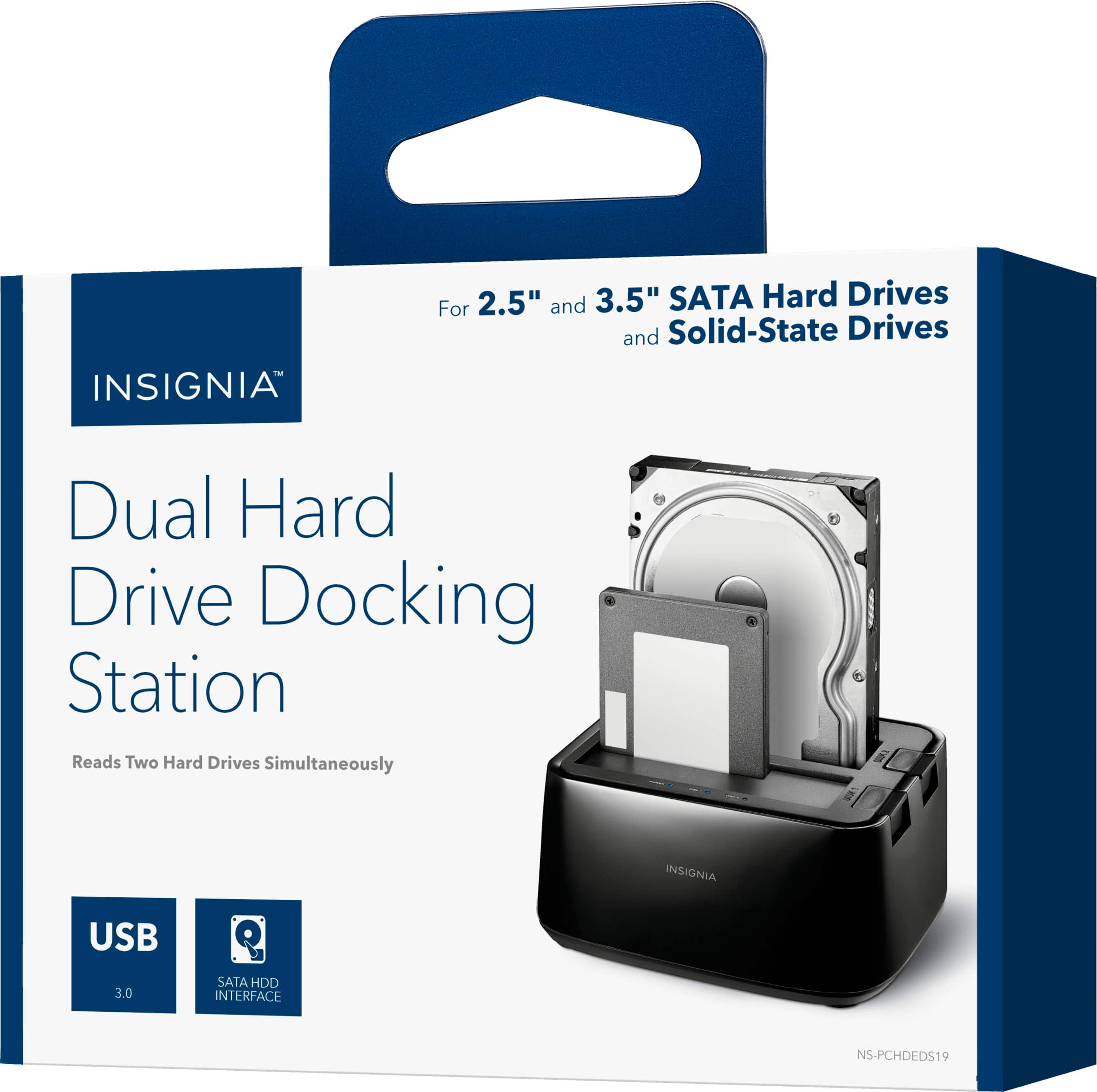
Customers admire the 2-Bay HDD docking station for its ease of use, fast data transfer speeds, and overall performance. The device's compatibility is also impressive, effortlessly accommodating various hard drives. However, some customers have noted concerns about the size, power issues, and loose connections.
This summary was generated by AI based on customer reviews.
Bad quality
||Posted .This reviewer received promo considerations or sweepstakes entry for writing a review.Doesn’t work a lot at least the one I received had to returned it
No, I would not recommend this to a friendNot a good product
||Posted .This reviewer received promo considerations or sweepstakes entry for writing a review.The windows computer did not recognize this device.
No, I would not recommend this to a friendBrand response from InsigniaCustomerSupport
Posted .Hi! I understand that your computer did not recognize this docking station, and I would like to let you know that you can contact us so we can try some troubleshooting steps with you to get this device connected. Viri E. Insignia Support. https://www.insigniaproducts.com/contact-us

did not work
||Posted .This reviewer received promo considerations or sweepstakes entry for writing a review.My computer would not recognize this, I would not recommend anyone buy it
No, I would not recommend this to a friendBrand response from InsigniaCustomerSupport
Posted .Hi.
It could be your particular unit the one not performing correctly. I honestly hope this situation was addressed on a satisfactory way for you by our crew at the store.
Charles V. - Insignia Support
https://www.insigniaproducts.com/contact-us
Not recognized
||Posted . Owned for 1 month when reviewed.This reviewer received promo considerations or sweepstakes entry for writing a review.My computer identifies it as a Netgear router. Not.
No, I would not recommend this to a friendBrand response from InsigniaCustomerSupport
Posted .Hi, Dragon1327.
I apologize about this situation with your HDD Docking Station. I would really love to provide you with alternatives for your product. This is why I kindly as you to reach us at https://www.insigniaproducts.com/contact-us so we can properly assist you.
Cesar G. - Insignia Support
- Pros mentioned:Ease of use
Works Suprisingly Well!
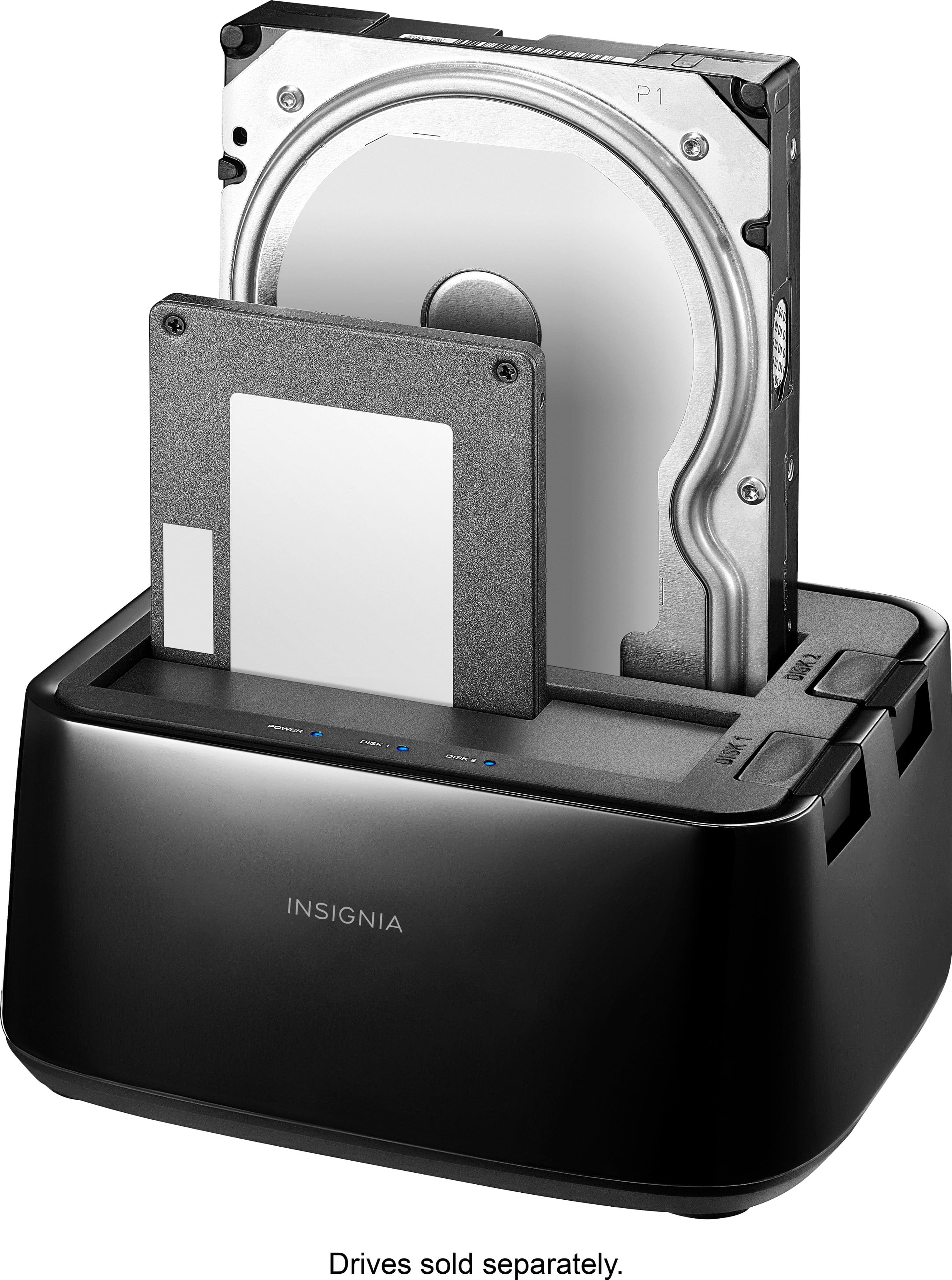
Posted .This reviewer received promo considerations or sweepstakes entry for writing a review.I needed to recover a SATA3 drive from a dead computer. My experience with "hardware solutions" is they work about 25% of the time, and then only with an adapter. As a software engineer...yah software is worse! But this unit actually worked first time; it up-jumped-and-ran without anything more than a USB connection. I simply plugged the bare driver into the unit like a toaster and Windows 10 saw it an another USB drive. It had a Windows 7 backup on the old driver and Windows 10 has a somewhat handy tool to retrieve files from that format. I had to connect the drive directly to the new computer but the Windows 10 unit saw it and I was able to recover everything I needed. It was far easier than I expected and worked better than I imagined. For $40 (USD), it was a bargain. Thanks for making this unit.
I would recommend this to a friend Must have
Posted .This reviewer received promo considerations or sweepstakes entry for writing a review.Absolute must have for me. I am always changing out drives and storage with the mass amount of content that I handle for clients. Being able to buy bare drives instead of enclosed is a nice money saver.
I would recommend this to a friend- Pros mentioned:Usb
Simple, effective, and economical
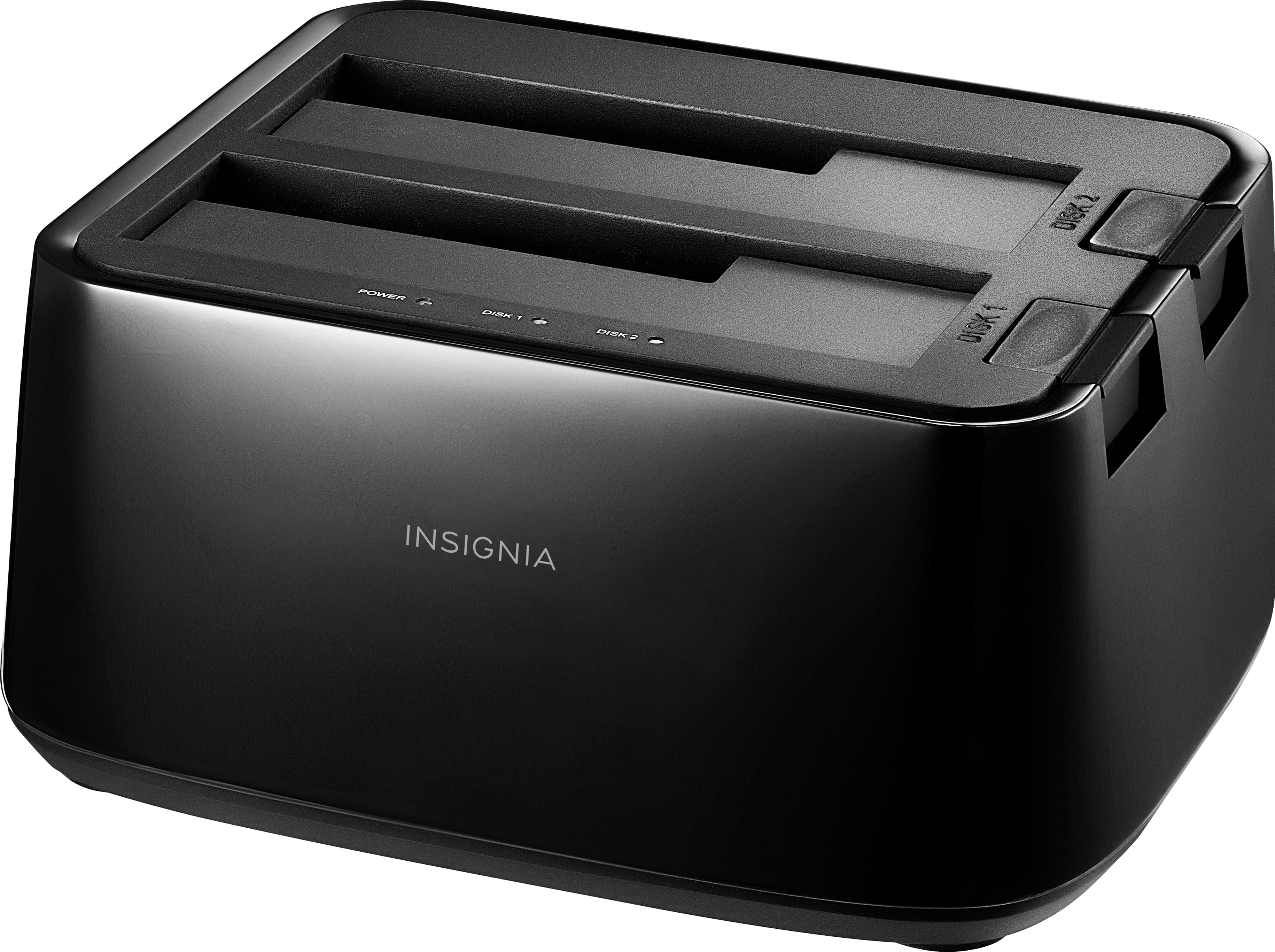
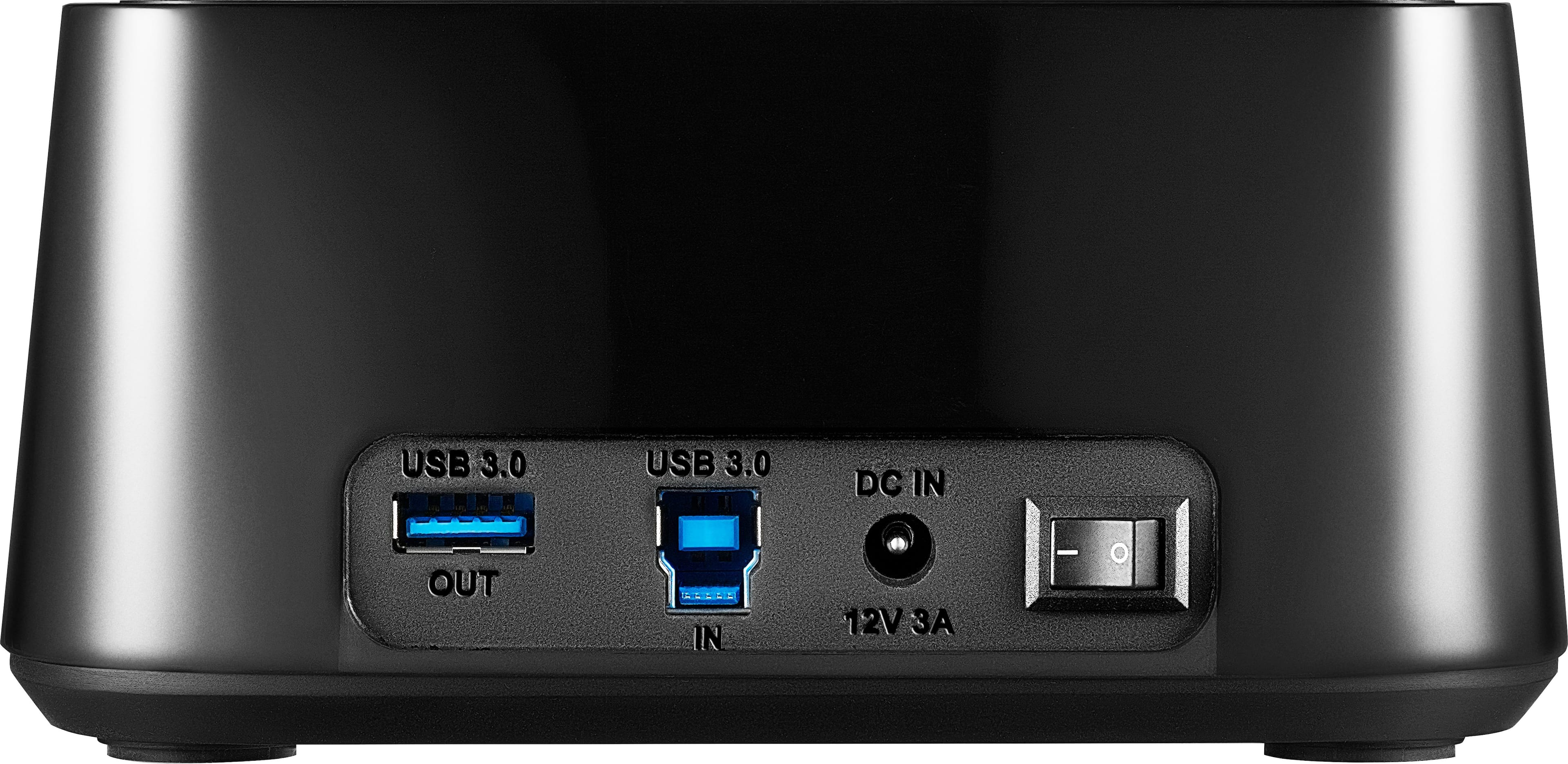
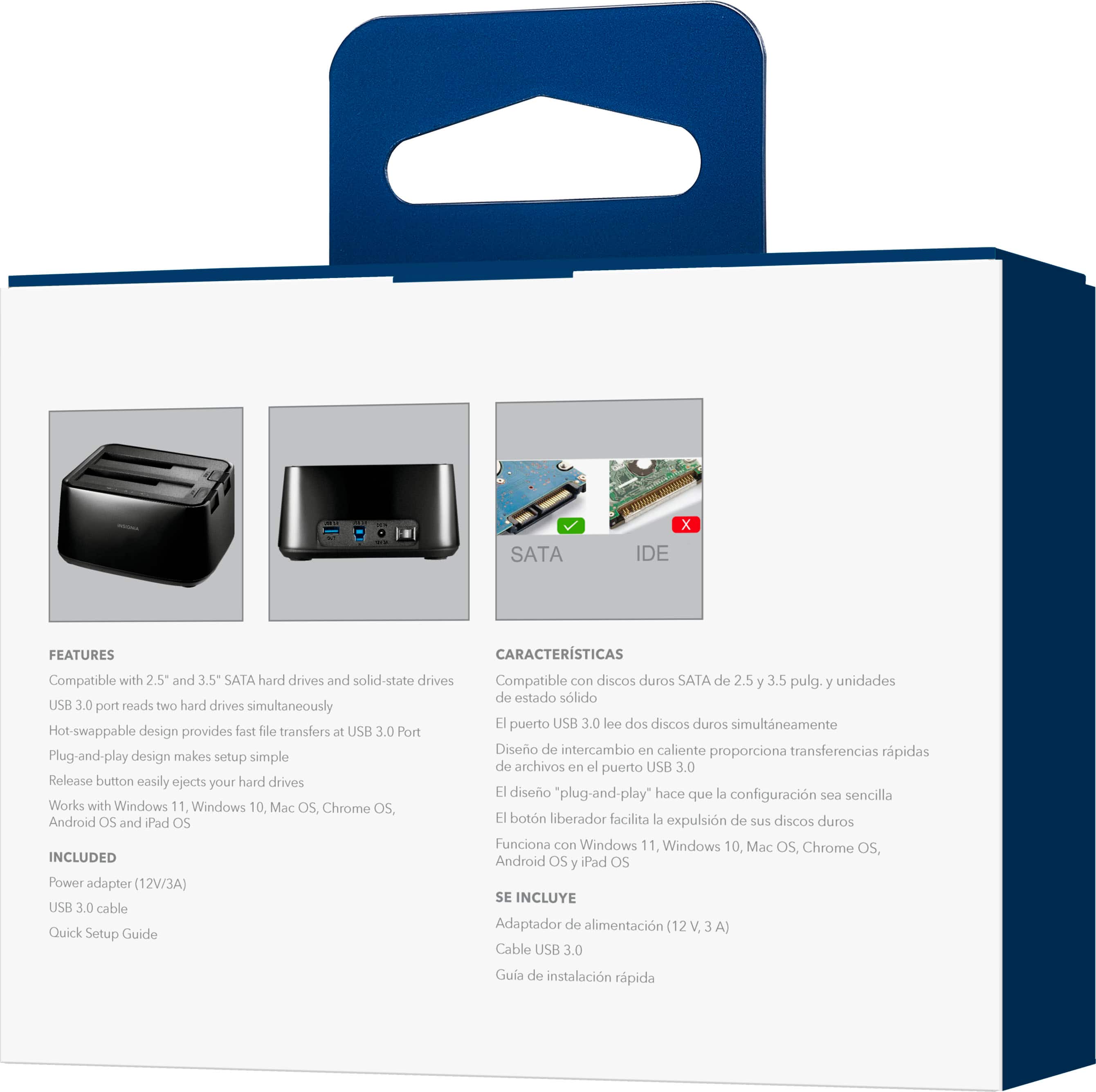
Posted .This reviewer received promo considerations or sweepstakes entry for writing a review.This unit has two big things going for it: it does exactly what it says it does, and it's available at a good price. There's even a bonus USB 3.x (Type A) port for another device. The footprint is noticeably smaller than most docking stations, which can help on a crowded desk. (Don't ask how I know that.)
I would recommend this to a friend - Pros mentioned:Overall performance
Worked great with my Win 10 drive
Posted .This reviewer received promo considerations or sweepstakes entry for writing a review.I have an older desktop that had the Win 10 upgrade. but the updates for the last 6 months have all failed. Sometimes I can easily recover from the failures and others I have to restore from and image. It recently failed again, and I was not able to restore from a checkpoint. I finally decided to just bite the bullet and scrap the machine. I had most everything backed up, but wanted to pull a few more recent files from the drive. This dock worked perfectly and after clicking the button to get access to the files, I was able to find everything. Since there is no cooling with this dock, you will probably want to use a small fan if you plan to have it up for any length of time.
I would recommend this to a friend Toaster for your HDD drives
Posted .This reviewer received promo considerations or sweepstakes entry for writing a review.This is like a toaster for your hard drives. It connects multiple internal drives to an external port on your PC or device. Works great.
I would recommend this to a friend- Pros mentioned:Compatibility
Works good but no SMART data
Posted .This reviewer received promo considerations or sweepstakes entry for writing a review.I bought this to be able to wipe a pile of hard drives with Linux PartedMagic on the Hiren's boot CD. It connects well, wiped the drives without a problem, allow reformatting and all partition functions without a problem. Where it fell is it doesn't allow SMART data from any drive. SMART data allows you to know if a drive is failing or not. My cheap StarTech cable does this. Why does this drive dock not?
No, I would not recommend this to a friend Somewhat slower than more expensive docks
Posted .This reviewer received promo considerations or sweepstakes entry for writing a review.This has been a steady workhorse. I carry it around in a shaving kit I bought at TJ Maxx. I use external drives for editing 4K video and graphics on my mac mini (2018). This is twice as fast as an older drive dock I was using (from 2012), but my 1TB SSD tops out at just over 400 Mbps using BlackMagic Speed test. This is faster than any of my enclosures I bought my drives in, but not as fast as higher end drive docks advertise. I will keep this around, but I'm in the market for a faster dock.
No, I would not recommend this to a friendZero Problems
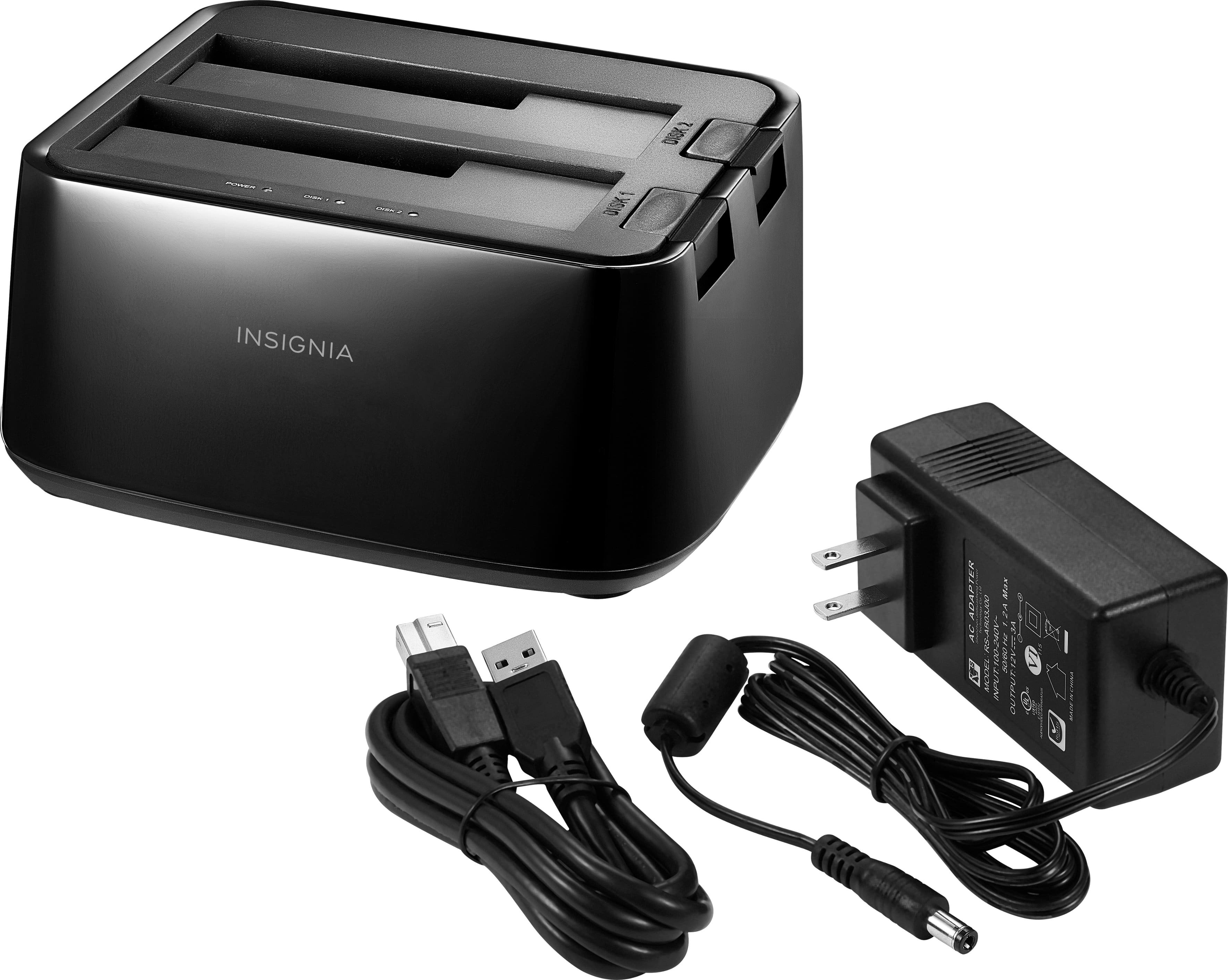
Posted .This reviewer received promo considerations or sweepstakes entry for writing a review.After reading all the other reviews, I went ahead and got one. I am using an XP machine. Plugged it in, attached the included USB cable, put in one of my many backup drives, hit the power button, and all good. It took a few seconds to find the drives, and install them, but all good after that. I also tried 2 drives, both 2T, and both already almost full. I copied files from and to them with no problems. Some are wondering about the transfer speed, and although I can't tell you the exact speed, I can say from the 'toaster' (love that!, from another review), to an internal drive, it took 4:40 to copy a 4.9G file. The same file from one internal drive to another internal drive took 2:20. Not bad for a USB transfer! I have always used the 'Safely Remove Hardware' icon, and I did so here also. I waited for the 'all clear' balloon, then turned off the toaster before removing the drives. Yes, they are a bit tough to plug in, but that is not a bad thing, and the eject buttons take a good push to remove a drive, also not a problem. Yes, the drives have a little wiggle(side to side), but that is the drive plug because the ones in the case are rock solid. I may have only had mine a few hours, so I have no idea what the life expectancy is, but it works great right out of the box. I have not done any long-term file transfers/backups yet.
I would recommend this to a friend- Pros mentioned:Ease of use
Relief to access my old files and photos
Posted .This reviewer received promo considerations or sweepstakes entry for writing a review.Super easy to use. I just pulled my harddrive out of my non working computer and placed it in this dock. I was able to find my old files and photos.
I would recommend this to a friend - Pros mentioned:Ease of use
External HDD box
Posted .This reviewer received promo considerations or sweepstakes entry for writing a review.Works as advertised. Easy set up. The ejection procedure is different for HDDs and SSD drive. The easiest method is to shutdown your computer.
I would recommend this to a friend - Pros mentioned:Compatibility
Works with 20TB HDD
Posted .This reviewer received promo considerations or sweepstakes entry for writing a review.I works with my IronWolf Pro 20TB drive. Yay! I am happy that it works with large drives.
I would recommend this to a friendBrand response from InsigniaCustomerSupport
Posted .That’s fantastic to hear! We’re thrilled that our product is compatible with your IronWolf Pro 20TB drive and that you’re happy with its performance. If you have any other feedback or need assistance, feel free to reach out. We’re here to help! - Carl | Insignia Products
- Pros mentioned:Data transfer
Life saver
Posted .This reviewer received promo considerations or sweepstakes entry for writing a review.After a system crash, i was desperate to get my data back. This device saved me. All of the files on my system drive were accessible again thanks to this little device. I highly recommend it.
I would recommend this to a friend - Pros mentioned:Ease of use
Great device
Posted .This reviewer received promo considerations or sweepstakes entry for writing a review.Worked perfectly. Need to read old hard drive and it was easy as pie
I would recommend this to a friend - Pros mentioned:Data transfer
best deal ever
Posted .This reviewer received promo considerations or sweepstakes entry for writing a review.Worked like a charm i was able to save so much of my fried hard drive
I would recommend this to a friend - Pros mentioned:Overall performance
Great product
Posted .This reviewer received promo considerations or sweepstakes entry for writing a review.It worked perfectly, and I was able to access my project in time and transfer to another drive
I would recommend this to a friend - Pros mentioned:Ease of use
works
Posted .This reviewer received promo considerations or sweepstakes entry for writing a review.does just what I needed. I was looking for a way to use old drives and this is what I wanted.
I would recommend this to a friend